Home Blog Page 225

The Sims 4’s Next Pack to be announced TOMORROW!

The Sims Team has just posted a teaser on their social media asking Simmers “How green is your Plumbob?”.

Along with this teaser they’ve also included a YouTube Trailer Premiere link which is set to happen tomorrow at 5PM CET!

Stay tuned for more details on the next pack for The Sims 4 on Sims Community!

FALSE SPECULATION: The Sims 4’s 9th Expansion Pack is Country Livin’

145

UPDATE: The Sims Forums member elelunicy has pointed out that the Target listing shown down below has been photoshopped by someone from an older Google image that you can see down below. We’ve marked this speculation as FAKE!

3s44u2eudxd41

Please note that this post contains no official information / confirmation from The Sims Team and is only based on online findings.


After a couple of cryptic hints from SimGurus and the Future Cube about possible new content coming our way, it seems there’s another clue that ties it all up – a leak from a Target employee!

That’s right, an unknown source has published a product listing from a Target work phone listing The Sims 4 Country Livin’ as the 9th Expansion Pack for The Sims 4!

Screen via @FCowplant

FALSE SPECULATION: The Sims 4’s 9th Expansion Pack is Country Livin’

This listing comes hand-in-hand with a leak that happened in September 2019 regarding Horses and equestrian themed content possibly coming to The Sims 4!

Although we can’t confirm that this is a legit leak, we can say that The Sims 4 Discover University leaked the same way just a couple of weeks before it’s announcement.

We’ll definitely keep you updated on this information so stay tuned!

The Sims 4’s Future Cube is giving cryptic hints about Upcoming Content!

98

Over the weekend The Sims Team started to tweet a series of letters – with each SimGuru posting one letter individually. After re-arranging the letters properly the only logical code that they seem to be sending out to us is Future Cube!

The Sims 4’s Future Cube is giving cryptic hints about Upcoming Content!

Not only that, but SimGurus have also tweeted out some of their indoor builds with almost each one having a Future Cube hidden somewhere inside of the screenshot.

Now, the most logical thing to do at this point is to check out the Future Cube myself in the game and see if there’s anything new added into it.

In case you don’t know, the Future Cube is a small object that can be found in Build Mode and it’s been present since The Sims 4’s Base Game release. It’s best known as an internal joke inside of the community as one of the most “useless” items in the Build Catalog.

The Sims 4’s Future Cube is giving cryptic hints about Upcoming Content!

To test out and see if there’s anything new added to the Future Cube I had to check out the internet archives and see what was present before with this Object. As you can see in this screenshot down below from May 2019 by TheSimsCircus, the cube only had these following interactions available:

The Sims 4’s Future Cube is giving cryptic hints about Upcoming Content!

However, it seems that two interactions have been added to the cube: Ask About The Sprites (added with Discover University) and Ask about the Future – which seems to have been added just recently.

The Sims 4’s Future Cube is giving cryptic hints about Upcoming Content!

When selecting the “Ask about the Future” interaction you get a random notification in the corner – possibly giving cryptic hints about the game’s upcoming content!

I’ve extracted all of the text strings from this newly added interaction. Check them out!

  • I see a gnome wielding a frozen rabbit riding atop a llama into battle against an udder’ly impressive foe.
  • Somebody is definitely going to get exactly what they want.
  • Self-organization will be key to a happy future.
  • Your future is… not bright, but illuminated… probably to an intensity of 0.981 candelas.
  • The threads of your future knit together in a wave of darkness.
  • Climbing to the top one rung at a time!
  • Without a doubt, that thing we talked about will come to be, as all of the signs are pointing to the answer that we agreed upon in our last discussion.
  • Your uncertainty, certainly shall become certain, under certain situations in no uncertain terms.
  • The future is soon™.
  • Your future looks pixelated.

The Sims 4’s Future Cube is giving cryptic hints about Upcoming Content!


The hints are definitely not clear about what the next content addition for The Sims 4 is all about, but it seems we’re definitely getting closer to the reveal! Stay tuned on our website for all the news and updates!

The Sims 4’s Future Cube is giving cryptic hints about Upcoming Content!

EA Announces EA Play Live 2020

7

Electronic Arts (EA) have just announced EA Play Live 2020! Unlike previous years, this year’s event will be taking place online and will be hosted on 11th June 2020 starting at 4 pm PST.

We will, of course, be covering anything and everything relating to The Sims franchise right here on The Sims Community website and across our social media!

EA Announces EA Play Live 2020

To find out more about previous EA Play events, click here.

You can now download official The Sims 4 Backgrounds for Zoom!

12

To help decorate your video calls on Zoom The Sims Team has released a .zip package of plenty of different backgrounds from The Sims 4 games!

Down below you can check out just some of the environments that they’ve included. In the .zip package there are 15 picture backgrounds and 8 motion backgrounds that you can use.

Click the button down below to get these from the The Sims’ official website!

[mks_button size=”large” title=”DOWNLOAD!” style=”squared” url=”https://www.ea.com/games/the-sims/fan-art-kit” target=”_blank” bg_color=”#1e73be” txt_color=”#FFFFFF” icon=”” icon_type=”” nofollow=”0″]

IT’S OFFICIAL: The next Stuff Pack for The Sims 4 is called Nifty Knitting!

Last week simmers had a chance to choose the name and pack icon for The Sims 4’s upcoming Stuff Pack!

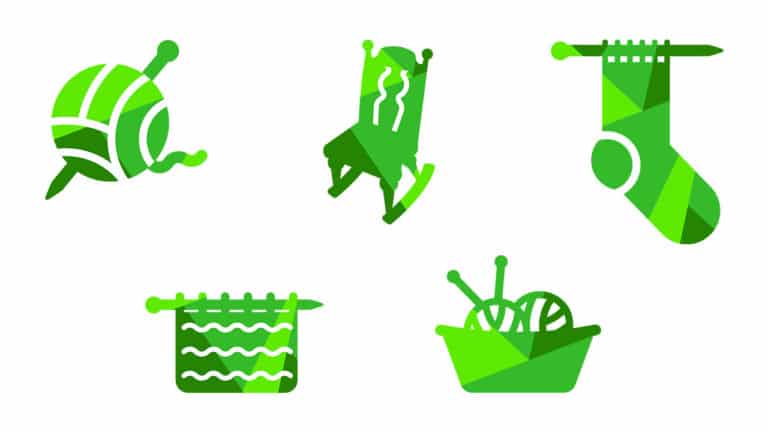
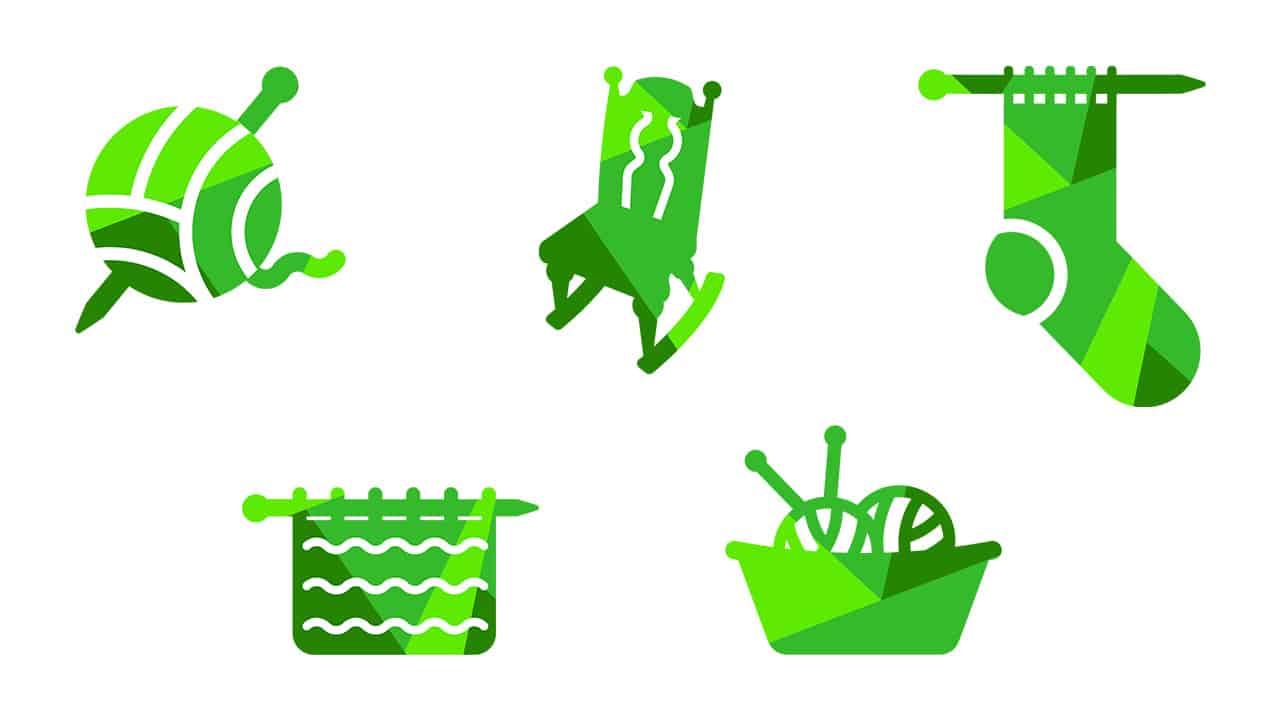
The Sims Team has finally published the results in their latest blog post, revealing that the pack will be called The Sims 4 Nifty Knitting Stuff Pack and what the pack’s icon is gonna be. Check it out!

For more information on everything we know about this Stuff Pack check out our The Sims 4 Nifty Knitting Stuff News Category!

It’s hard to believe that only six months ago, the Community Voted Stuff Pack was just announced! Since then, Simmers have been busy choosing the pack’s theme, directing the art style, picking the Create-a-Sim assets, and selecting the objects. We’ve finally reached the end of the voting process, though, and we have our final results. In this last round, we asked you to vote on an icon and a name for this arts-and-crafts focused pack.

Please say hello to The Sims™ 4 Nifty Knitting Stuff Pack* and its new icon

IT’S OFFICIAL: The next Stuff Pack for The Sims 4 is called Nifty Knitting!

With the final round of voting complete, we want to take a moment and thank you all for your participation. You turned out in record numbers to weigh in and help us create something super fun. It really shows that we’re all in this basket of yarn together. These votes have been a highlight for us this year, and now all that’s left is to create the actual thing itself!

For now, we’re going to be focused on knitting this pack together for you and crafting the perfect late-summer treat. We still have quite a bit of work to do, but in just a few months, all of it will come to fruition and your Sims will be rocking along and crafting knittables in their new chairs. While you wait, though, take sneak a peek at some of the new gameplay features you can expect. SimGuruConor kindly shared a quick preview (including a new way for your Sims to sell their knittables via the Plopsy online storefront!) a few weeks ago.

SIMMER SPOTLIGHT: Cartoon Jessie

SIMMER SPOTLIGHT: Cartoon Jessie

Simmer Spotlight: Cartoon Jessie 

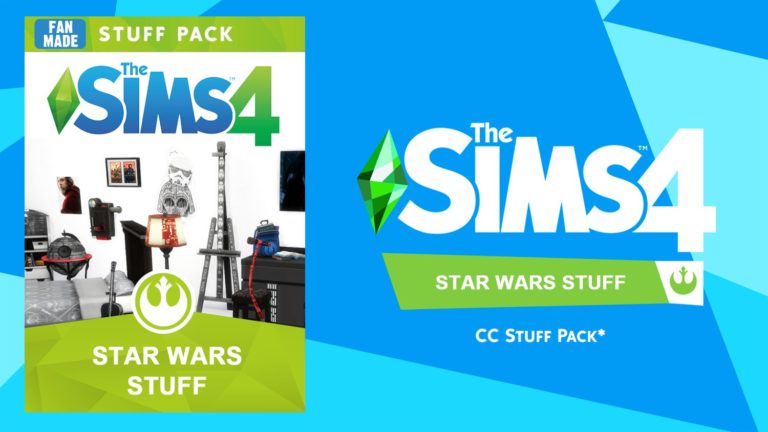
Upon scrolling through Twitter, I came across a friend of mine who had posted a screenshot of their Sims bedroom. The first thing I noticed was the crazy amount of Star Wars custom content they had decorating the walls. So, of course, I immediately needed to know where it came from and thankfully, they had credited the creator below. 

I won’t lie, I am not typically a person who uses Buy/Build mode CC and that’s only because I like to share a lot of my builds on the gallery. But, when I downloaded this Star Wars Stuff Pack, I was blown away by how much of it I would actually want to keep and use in my game. The patterns aren’t overly alpha (I am a Maxis Match junkie) or in your face. There were plenty of items (55 to be exact) that my Sims could use in their everyday lives and lastly, it was Star Wars stuff. Why wouldn’t I want that in my game? 

After reviewing the pack, I went right back to Twitter to contact Jessie about a possible interview and to my luck, she responded and we were able to set up a quick chat. 

This interview has been condensed and edited for clarity.


Grace: What got you into The Sims and how long have you been playing it?

Jessie: Back when I had a Playstation 2, I had the Sims 2 on it, which I enjoyed playing quite a bit. I don’t have a lot of memories of what/how I used to play back then. I think I may have added Snape, Lupin and Sirius Black to my games as Sims, and that that was the sort of style I played. 

I got back into it very recently – around mid July – so that’s about seven months ago? Now all the sequel trilogy Star Wars characters are my victims of choice when playing the game. Hux, Rey, Kylo, Rose, Finn, Poe, Phasma, Kaydel, Mitaka, Thanisson, Wexley… and also Jyn and Cassian from Rogue One. I absolutely fell in love with their versions that I found in the gallery, courtesy of Rloca. And there’s also a fantastic Qui Gon Jinn out there by TurretDove. He’s the only one out there, but he’s so good looking no one ever needs to make a new one. 

G: What got you into creating mods for the Sims? Are there any mod creators that inspired you?

J: I was playing with Star Wars characters (Rey, Hux, Kylo Ren and such…) and wanted a hairstyle for Rey. Luckily, Boostersims on Tumblr had once made a hairstyle for Rey, so I went to download that one. I was surprised by how easy it was to set up, but I’d never before made a modpack in my life, nor was I immediately considering creating some.

Then I wanted more Star Wars mods, so I downloaded some item frames that I found online, but that was about it. And the pictures were from the original trilogy and I preferred the sequel trilogy – so I was a little upset that there wasn’t more out there! I wanted to have content for the characters and movies that I enjoyed too. 

I saw JamesTurner’s video on how to make custom portraits and was like, “What?? IT’S THAT EASY?”

I already had photoshop skills, so that wasn’t something I had to learn. I only needed to learn how to work with Sims 4 Studio, which was very easy. So, I made a bunch of portraits at first that I could hang in my own game. Then I thought “What else can I do? How far can I take this Star Wars stuff?” and I just kept on creating. I added carpets, beds, and then began to look for even bigger challenges. 

My favorite items (from The Star Wars Stuff Pack) must be the Death Star Bar (pictured below) and the little Porg television. 

SIMMER SPOTLIGHT: Cartoon Jessie

*Note: This pack contains items from: Vintage Glamour (Death Star Bar), Island Living (Towels), Outdoor Retreat (Cooler) and City Living (Hux Speech Box). Everything else should be safe to download with just base game.

G: What made you want to make Star Wars content for the Sims in particular?

J: As I kinda already said above, I basically wanted to emerge myself even deeper into the Star Wars part of my game. I share a lot of screenshots with a small Star Wars discord where folks were interested in seeing what adventures I put the Star Wars characters through. They loved following the stories I played and were into the shipping part of it. I’m a multi-shipper, so they never quite know who Rey is going to end up with, or what I’m gonna do with Phasma, Rose, or Poe – and they love seeing the scandalous things the Sims do. At one point Rey was cheating on Kylo with Hux. Something that would never ever happen in canon, but that’s why the Sims is so much fun – anything can make sense if that’s how the game goes. 

For those that were following my stories, it was also a lot of fun to spot easter eggs, like “Oh, is that a Hux portrait in the hallway?” It gives them stuff to look for that is visually appealing to them, since they’re Star Wars fans. It’s especially pleasing if they spot a small detail, like “Is that chair covered with a Star Wars pattern?” and even more fun: “Is that in the game, or is that part of one of your mods?”

G: The CC that stood out to me the most, created by you, was your Star Wars stuff pack. Is there anything else you make aside from that?  

J: No, not yet at this point. It’s all Star Wars for me! Oh, and tiny houses in the gallery. I loooooved tiny houses even before the tiny living pack came out – so getting buffs for making my sims live in tiny houses? Heck yeah, I love that!

Though I have to be honest and admit that I got close to working on Fallout jumpsuits at one point. I had made a Fallout base, and wanted my sims to live in there, but simultaneously I wanted 20 people to live in there, and I’m certain it would have crashed my PC, so I gave up before I actually got around to playing with any characters in that base. (The underground base is still up in my gallery though, if you wish to explore it.) 

And if we’re talking about non-Sims-creations, I write fanfiction too, and I photoshop a little bit. I’m also going to Star Wars celebration and will be creating swag to hand out to other Star Wars fans there. I love how The Sims allows us to take control of our own fandoms – a bit like fanfiction does as well!

G: Other than mod creating for the Sims, is there anything else you do with the game? Ex: building, cas, story/challenges?

J: I love sharing stories of the Star Wars characters with my friends in discord, and I love the Rags to Riches challenges. At some point this is also what pushed me into developing all the items that are into the first version of the modpack. I wanted a modpack with items that you could use in a rags to riches challenge. As in you could put a Sim on the street with no money, and all they would be allowed to buy would be the items from the modpack, but they could still survive and make a living! It’s a challenge within a challenge, because not every cheap item you know from the original game will be available to them, so maybe they’ll need to invest in a more expensive shower if they want one at all.

At this point I’m playing a game where Hux wants to go to university, but he had a big fight with his dad, nasty Brendol Hux, who kicked him out. Now he’s living on an empty plot, with nothing but his bike and laptop. He wants to enroll in university and get a degree, but how is he going to afford all that? Not sure yet if I want him to make a tiny house for himself (I love how it gives amazing buffs to skill building) or if I want him to move into a dorm. We’ll see how it goes. 

You can find a lot of my Star Wars characters in my gallery, look for CartoonJessie! But there are some great Star Wars characters already there like the fantastic Holdo and Enfys Nest. I don’t dare to upload them to my own gallery (that’s not good etiquette, is it?), but if you look for them, you will find them.

G: Can we expect any more awesome creations from you in the future? If so, care to share? 

J: I stopped playing the Sims for a while, from about November to now (February). So in that time frame, I didn’t play, nor did I create anything.

However, I just bought myself University and Tiny Living (omg so excited about tiny living)! So I’ve been playing with my beloved characters again. Tossing them in new situations and forcing them through school! 

When I get back into creating, I want version 2 of the modpack to have more items that would make the characters have some personality. Version 1 of the modpack is only furniture recolors, so I want version 2 of the modpack to add some items in character creation.

So far, I’ve created a Han Solo outfit and also added a scar for Kylo Ren.

SIMMER SPOTLIGHT: Cartoon JessieSIMMER SPOTLIGHT: Cartoon Jessie

My photoshop skills allow me to create skins for everything I can find in the game, but unfortunately I have no 3D-skills yet. That skill might be something for the distant future; to pick up on how to model items in 3D so I can truly create items that are more than just recolors. I would love to be able to make Stormtrooper outfits, but I consider that to be one of the hardest things in the world. Once I succeed in that, I retire…


You can find Jessie and more of her creations below:

I also did a review on this pack on my Youtube channel, which you can find here.

Thank you all so much for reading and a massive thank you to Jessie for taking time out of her day to answer these questions. I’m honored to be able to spread your work throughout the community and I cannot wait to see what you have in store for us next. May the force be with you all, always. 

Legendary Pictures is reportedly working on The Sims and SimCity Live-Action Movies

64

Please note that the following information mentioned down below has not been officially been confirmed by either Legendary Pictures or EA!


Okay, now that we got that boring disclaimer out of the way let’s dig into some juicy gossip and information!

The GWW, a reputable website about Movies and Comics has posted exclusive information regarding two upcoming movie titles currently being developed by Legendary Pictures! To our surpise – these two movies are solely focused on two of our favorite franchises – The Sims and SimCity!

According to The GWW, Legendary Pictures has already begun with developing a live-action movie based on SimCity (with the exact movie title). Here’s what they’ve said about the movie’s development, theme and people working on the movie:

GWW has obtained information that a “SIMCITY” film is currently in active development at Legendary Pictures. The film is being described as “A comedic version of a Roland Emmerich-esuqe disaster movie inside the world of SIMCITY” with the script being penned by Mike Rosillio. Studio executives Ali Mendes and John Silk are overseeing the development of the film. No director or actors have been announced at this time.

There is little information on casting and characters for “SIMCITY” as the only descriptions we have are for basic characters described as Dad, Mom, Son and Villain. Not much to go on.

Not only that, but Legendary Pictures is also early in development with The Sims Movie! Here’s what we should expect from the movie:

Preliminary casting info has also told us that a film adaptation of “The Sims” is in the works, though information on that project remains scarce as it’s in the early development stage. It appears characters will play dual roles in The SIMS gamed and out. Early character descriptions include Katie as our lead female “A funny hot mess, good to her core. There is also Cliff a supporting male and his described as “Kate’s best friend, a cute nerd.” Other supporting characters include Rick (Steel Nugget), a performer in a “mixed martial arts historical musical,” Cora (Bella), “Katie’s assistant” “Cora is sarcastic and bitter,” Dennis (Studio worker), an “uptight” partner at Katie’s firm, Jared the “womanizing douche,” Amanda (Nellie) is dating Cliff and described as “Pretty and slim,” finally we have Pam, Kat’s Mom and Bill a “Chubby” in kid SIMS who lives in the tree house behind Kate and offers advice.

This wouldn’t be the first time Legendary Pictures has worked on adapting video games to the big screen. The company had a helping hand with co-producing Paramount’s two video game titles Detective Pikachu (2019) and Warcraft (2016).

This isn’t the first time The Sims was considered to be adapted to the big screen either. Back in 2007 20th Century Fox had bought rights to develop a movie based on The Sims. However, the project eventually got cancelled after 20th Century Fox got acquired by Disney.

The Sims 4: This Challenge Is Impossible and This Is Why!

Hello everyone!

Since we are all stuck in our homes, I thought, what better time to write about gameplay ideas like this?

Have you ever heard of “I’m surrounded by idiots” challenge? Okay, now you heard! First thing first! I personally do not follow challenges or participate in them but this one captivated me somehow! I was really intrigued to figure out how my life would have turned out if I was a sim. Thus I made the Baegatark family, which is heavily based on my family in real life. It was really nice to have my mother back after years of longing. (R.I.P. mom 💔)

I did not follow all of the rules listed there. Actually, after some certain events, I had to cheat a lot. But this does not invalidate the points of this article. In the end, I followed the very fundamental rule:

  • Control ONLY 1 sim!

And guess what? This challenge is simply impossible.

The Sims 4: This Challenge Is Impossible and This Is Why!

I have only controlled Emeryn, my sim-self. Now let’s go way back to his childhood and see all the traumas he had been through.

The sims are not aware of their fundamental needs. Ever heard of Maslow’s hierarchy of needs, EA?

The Sims 4: This Challenge Is Impossible and This Is Why!

The first trouble I had to encounter was that the sims had almost no intellect. They almost always tend to prioritize other stuff like looking at the paintings than using the bathroom or eating. Harry, the father, died out of starvation on day 3. Yes. On day 3. This is a problem.

Yeah, the sims always had been light-hearted and hilarious, but, no. This game is supposed to be a life simulation. I should not need to babysit grown-ups in my game. Plumbella’s expert mode videos prove that another way around is possible. Like, in the sims 3, the sims are great on their own. Nobody dies out of starvation like this. Even in the sims 2, they are doing just fine.

The game does not acknowledge or represent the introverts. Lone Wolf trait is a lie!

The Sims 4: This Challenge Is Impossible and This Is Why!

With Harry’s demise, I had to cope with the broken AI. So I decided to build a club and pick some useful activities to route the sims in the house. I did not break control 1 sim only rule just yet. It was useful, but again, it was not good enough. Even when doing homework or working on their skills, they gathered around each other and they decided to TALK instead of doing their job. It was a nightmare, trying so hard not to cancel their interactions because that would break the challenge (well, at least, my version of it). I had to test it on another family, with more useful traits like ‘Lone Wolf’. I am sorry to tell but it did not make any difference. It is almost like that the sims hate the concept of being an introvert or having no interest in unnecessary social interaction.

The level of clinginess is creepy.

The Sims 4: This Challenge Is Impossible and This Is Why!

Okay, this is not actually a technical difficulty. It is just something I personally found annoying. Have you noticed that your sims tend to stick to each other to such an extent that they totally ignore personal space? They are so clingy and it gets creepy! Emeryn, the sim I controlled, ALWAYS ate his meals next to his mother or his sister. Yeah, it was cute until he decided to carry his plate from the kitchen downstairs to his mother’s bedroom upstairs and eat next to his mother’s bed while she sleeps… My mom would not really allow eating in the bedrooms, let alone munching to her ears when she sleeps!

Surviving as a child is an achievement.

The Sims 4: This Challenge Is Impossible and This Is Why!

Every single time I tried to do something with my child sim, he started burning! It is not that inaccurate to my own childhood though, there was this one time when I was alone at home and I almost burned our house down while trying to cook some frozen meatballs, but Emeryn surpassed me on causing accidents and disasters even! He caused 6 fires in total until he became a young adult. It is probably because he was the only sim I decided to control so he had to do stuff on his own. Yeah, I can see the philosophy behind this decision, children are not supposed to cook or do dangerous stuff at home, but again, pushing one button of the washing machine shouldn’t really cause a fire. That is far too much!

Even if I almost burned our house once, I was a quite capable kid myself. I started cooking and cleaning around the age of 7 or 8, I actually enjoyed maintaining my own space, I would feel proud of myself when my mother told her friends that she did not even need to worry about my mess. Such a density on accident probability is actually misleading and discouraging. I firmly believe that it should be toned down!

Forming a coven is NOT a good idea!

The Sims 4: This Challenge Is Impossible and This Is Why!

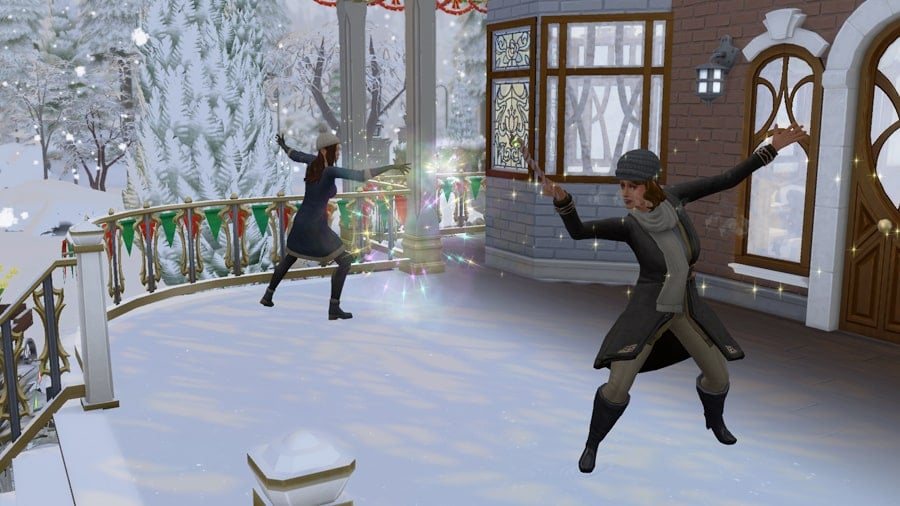
Baegatarks are a family of spellcasters (because why not) and I wanted them to level up in their witchcraft while I was going through this experience. I included “cast spells” in my club activities and I am telling you, do not do that! I have been there, done that so you do not need to try. If you think you could create a coven with the clubs of Get Together, you are wrong. The sims are so unintelligent, they start to “Inferniate” their own furniture. For some reason, they always prioritize “Inferniate” among all the spells and I had to remove that activity after trying for a while.

Emotions, the curse of our times!

The Sims 4: This Challenge Is Impossible and This Is Why!

Aside from some no-brainer moments, I believe my biggest struggle was with the Emotions System. I would gladly trade this system with The Sims 3-style ‘moodlets’ or The Sims 2-style aspiration-meter. The emotions are so strong, they do not even allow sims to act appropriately to their personality. Yeah, I know, the sims 4 doesn’t really provide personality at all, but you know what I mean. This is how Harry died in the first place, he was overwhelmed by his emotions, he completely got out of reason. I believe the same applies to all of my struggles with this challenge. Long story short, the emotions system is just broken. I wish they put some effort into toning it down, making traits affect sims’ behavior and personality instead of their emotions. This is literally the curse of The Sims 4. I wonder when or if EA will admit that it was a HUGE mistake and change it with a better system before moving on to The Sims 5. A fix to the problem could be teaching our sims how to cope with their feelings. Like, if they get tense because of hunger, they should automatically go to eat. If they get disgusted by their surroundings, they should automatically start cleaning. This is as simple as that. Or we can just scrap the whole system, I would not mind at all. Give me back my TS3-style ‘moodlets’, that will suffice! Indeed, The Sims 4 offers a pure simulacrum, but it is not nice!

When did I break the challenge?

The Sims 4: This Challenge Is Impossible and This Is Why!

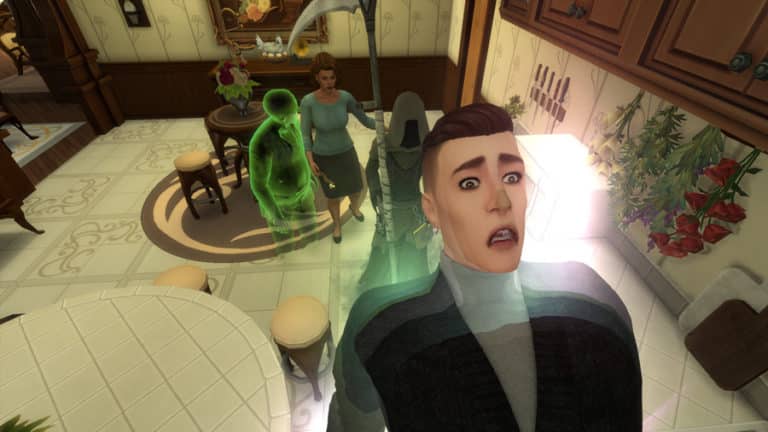
To me, the game is supposed to be fun, not a job. I would probably follow every single rule of the challenge if the sims were smart enough, if the gameplay was smooth and if the AI made sense. It became rather difficult to maintain the house with the ghost of the father haunting, with the big sister always ranting and raving, and with the mother spending days in her bed “crying it out”.

As soon as Emeryn became a teenager, I broke the challenge. I could not handle it anymore. I worked on Farbara’s witchcraft to resurrect Harry hence they could be happy together again. I worked on Atheny’s grades and she attended university so she could make some friends and get the life she deserved. And after spending a childhood full of accidents and traumas, I thought it would be fitting for Emeryn to let it all out in some artistic manners. He became an excellent artist!

Aside from the issues above, this challenge was quite fun! Have you tried this challenge yourself? What are your opinions on it? Feel free to share with us down in the comments!

I will leave some of my favorite screenshots from this long journey, I hope you will like them as much as I did. Thanks for reading this far!

#StayHome #StayandPlay #BeSafe

The Sims 4: This Challenge Is Impossible and This Is Why!The Sims 4: This Challenge Is Impossible and This Is Why!The Sims 4: This Challenge Is Impossible and This Is Why!

The Sims 4: This Challenge Is Impossible and This Is Why!The Sims 4: This Challenge Is Impossible and This Is Why!The Sims 4: This Challenge Is Impossible and This Is Why!

The Sims 4 Community Voted Stuff Pack: Unlocking Knitted Clothing

Last week, The Sims Team gave us a behind the scenes look at some of the new features that would be coming in the upcoming Knitting themed stuff pack. Today SimGuruConor is back with a post over on The Sims Forum which gives us an in-depth look at how your Sims can go about unlocking the new Create-A-Sim Knitting Unlock System.

If you missed last weeks behind the scenes blog post, you can check it out here.

via The Sims Forum

Hello Simmers! SimGuruConor, lead designer for The Sims 4 Community Stuff Pack here. I hope everyone is staying safe in these crazy times (Thankfully there’s plenty of great videogames out right now to keep us occupied. You know what I’m talking about!).

Today, let’s take a deep dive into one of our new gameplay systems, the Create-A-Sim Knitting Unlock System! Please note that this pack is still in development and things can (and will!) change between now and when the pack is released.

As many of you know, most outfits are already unlocked by default in The Sims 4. With the exception of some clothing rewards, most everything is readily available for all Sims to wear. This helps you tell the story you want to tell right out of the box, but I didn’t feel this system was ideal for a pack designed around Sims knitting their own clothing.

For knitted clothing like sweaters and beanies, Sims will have to create – and unlock – them through gameplay. Once you have finished crafting a knitted project it will be in your Sim’s inventory. Select Add to Wardrobe to unlock that clothing piece for the entire household. So if your knitter extraordinaire Sim knits a really fabulous sweater, everyone in their family can enjoy the fruits of their labor.

Makes sense right? Cool. But here’s the fun part!

We’re making the crafted clothing visible in Create-a-Sim before you have unlocked it. This way you can browse all the potential knitted items before you craft them. This will help guide you on your Sim’s knitting journey, and show you which skill levels are required to craft certain recipes. We’ve never given visibility to locked Create-A-Sim items before, and I’m really excited to get this in game for our knittables!

To help illustrate what I mean, here is a concept our UX team (more about them below!) mocked-up.

2x5w5nriwdhe.png

Something like this felt absolutely necessary for a pack heavily focused on crafting clothing, and it helps our knitted clothing feel special and unique.

Alternatively, you don’t have to unlock any clothing for your household. Maybe you just enjoy gifting sweaters to others? Maybe you only donate socks to charity? Maybe you’d like to frog the entire thing and start again? Whatever the case, knitted clothing will stay in your Sim’s inventory until you decide what’s best for it.

I plan to devote a proper forum post on the other neat things you can do with knitted items at a later date. But for now, how about an early preview for some of the knitted clothing inventory icons? Spoilers below!

6npfkkyrn9l9.png

Now I’d like to introduce Justin Allen, our UX Designer for this pack. I did a little Q&A with Justin to give you some additional insights into the development process.

Conor: Can you tell us what UX is, and what it means to be a UX designer?

Justin: In short, UX (User Experience) is designing the over-all experience and flow within a game and its features. We work hard to design the experiences so that many different levels and types of players can enjoy their time while in the world of The Sims. I love knowing that I am part of a passionate team that strives to create the best experience we can for our players. I try to constantly visit YouTube channels and different forums to see what players are enjoying and what may be frustrating them within The Sims 4. I try to keep that knowledge in mind when designing feature flows.

Conor: What were some challenges you faced while designing the Create-A-Sim Knitting Unlock System?

Justin: The big challenge with the Create-A-Sim Knitting Unlock System was to make it visible and interesting, without it being intrusive or overwhelming. We want players to see the locked items and feel encouraged to explore how to unlock the items. It was also important to us to create a system that can continue to evolve and be utilized with other features in future packs for The Sims 4.

Conor: What is your favorite feature you have ever worked on in The Sims 4?

Justin: I am pretty new to The Sims 4 team (I was working on some other projects within EA before joining Maxis). But, I loved working on the Tiny Living Stuff Pack. It was a fun challenge to design the UI updates to Build Mode, and a lot of fun to play. I am super excited by some things I’m working on that are coming in future packs, but I can’t talk about those right now, sorry! I am very proud to be working on a game that has such active and amazing players.

I hope you’ve enjoyed this peek at what’s happening on our newest Stuff Pack! I’d like to continue sharing little deep-dive posts like this in the future, so keep watching the forums.

Happy Simming,
SimGuruConor

The Sims 4 PC / Mac Sale extends for the next 30 days!

It looks like The Sims Team is giving their best to make The Sims 4’s collection of games affordable during these critical times.

After doing several sales in the last couple of weeks, Origin has decided to extend their sale for The Sims 4 Base Game, Expansion Packs, Game Packs and select Pre-Built Bundles to last for the next 30 days!

You’ve read that right, that means that you’ll be able to get these discounts for the following Sims 4 Games:

  • The Sims 4 Base Game – 75% off
  • The Sims 4 Expansion Packs – 50% off
  • The Sims 4 Game Packs – 25% off
  • The Sims 4 Premade Origin Bundles – 10% off

The sale is active RIGHT NOW and will end on May 20th, 2020 at 10AM Pacific Time. Happy saving and stay safe!

The Sims 4 PC / Mac Sale extends for the next 30 days!

The Sims 4 Community Stuff Pack: Vote for Pack Name & Icon!

The Sims Team has just published a brand new survey where you can vote for The Sims 4’s upcoming Stuff Pack’s name and pack icon!

There are 6 pack name suggestions including:

  • The Sims 4 Knitting Rocks Stuff Pack
  • The Sims 4 Nifty Knitting Stuff Pack
  • The Sims 4 Knitting Stuff Pack
  • The Sims 4 Rock ‘n’ Knit Stuff Pack
  • The Sims 4 Luv 2 Knit Stuff Pack
  • The Sims 4 Cozy Knits Stuff Pack

Among the suggested pack names they’ve also included 5 potentional pack icons that we can choose to represent the pack.

The voting is open RIGHT NOW and will last for the next 7 days. You can VOTE HERE!

The Sims 4 Community Stuff Pack: Vote for Pack Name & Icon!

The Sims Team reveals new features coming with The Sims 4’s Upcoming Stuff Pack

The Sims Team has published a brand new blog post, revealing some of the exciting new features coming with their upcoming The Sims 4 Community Stuff Pack!

Hello, Simmers! I hope everyone is doing all right in these crazy times. Just stay indoors and stay safe—and maybe play some video games?!

As you are all hopefully aware, our next Community Voted Stuff Pack* is centered around knitting! Sims will be able to kick back, turn on some tunes, and start stitching to their heart’s content. Knit a plushie! Knit a hat! Knit a mailbox? If you’re into that, I guess, we don’t judge. Knitting provides all sorts of creative avenues for your Sims.

I am the lead designer on this pack, and today, I’d like to talk about some of the gameplay that will be included with this Stuff Pack and give some insight into what’s going on in early development.

Create-A-Sim Improvements

One of the cool things we’re adding to this pack is the chance to knit your own clothing. Sims will have the ability to unlock exclusive knitted clothing in CAS, making it available for everyone in their household to wear.

I felt like this was a very important system for knitting, perhaps the most important! While it may sound like a no-brainer, keep in mind that most clothing in The Sims™ 4 is readily available for all Sims to wear.

So, our idea was to create a new UI that displays locked Create-A-Sim clothing items. This way you’ll be able to view things like knitted sweaters and socks (yes, socks!) before knitting them. This will also show you everything your Sim can aspire to create! Knitted clothing needs to be special, not just something every townie wears (I’m looking at you, Eyeball Ring).

To better illustrate what I mean, I provided some UX mock-ups below. What is a UX mock-up? I’m glad you asked! Early in the design phase—after the design is written, but before it is finalized—our user experience designer (whose job is to design UI, among other things) reviews the design and creates imagery illustrating how the feature will look in-game. We can then review this as a team and make changes until we’re happy. Then, when the engineers and the UI artists implement the feature, they know exactly what it should look like. Pretty cool, huh?

The Sims Team reveals new features coming with The Sims 4’s Upcoming Stuff Pack

Let’s Rock

Next, let’s talk about Rocking Chairs! For a pack about knitting, it just felt right.

Rocking chairs will mostly function like regular chairs, but with a few added twists! Sims will be able to do things like talk, watch TV, listen to music, read books, and knit while on a rocking chair. If it works while sitting, we’ll try to make it work while rocking.

Now let’s talk about Elders. We’d like Elders to have some unique gameplay with rocking chairs, so we’re including a special interaction on rocking chairs called Reminisce, where Elder Sims think back to their days of yore and recall something nice—or maybe not so nice. Maybe something super embarrassing that they buried deep, deep down? Who knows? (I know… but you’ll have to wait until the pack comes out to find out!)

What else does the rocking chair do? Lots of stuff! But I can’t reveal everything just yet.

The Sims Team reveals new features coming with The Sims 4’s Upcoming Stuff Pack

Plopsy

Also in this pack is a cool feature called Plopsy. Yes, Plopsy.

What is Plopsy? It’s an online store where Sims can sell their crafted art! This store isn’t tied to a career or a gig, so if you wanna make a little art money on the side, Plopsy is here for you.

Being able to sell your knitted items online felt like a really strong feature for this pack, and we weren’t sure if just dragging an object into the Sell button was gonna cut it. With Plopsy, Sims will be able to list their objects online for a small fee in hopes that an internet stranger will buy it. Once a buyer is found, Sims will need to ship the object themselves by routing to the mailbox. Or they can ignore someone’s offer, and try for a better deal.

Not only can knitted objects be listed on Plopsy, but so can things like Paintings and Woodworking sculptures too! I’m hoping to include as many things as possible that make sense for a store like this. Whichever item you choose to sell, you should hopefully make more of a profit with Plopsy than selling things the old-fashioned way.

Your Sim can also purchase things from Plopsy! If you don’t feel like knitting a hat, maybe someone has one for sale. Listings update throughout the day, so you can keep checking back in search of the perfect item.

Plopsy is still hot off the presses, so I don’t have any screenshots to share. But for now, please enjoy this potential Plopsy logo!

The Sims Team reveals new features coming with The Sims 4’s Upcoming Stuff Pack

Last but Not Least…

Thanks to everyone who voted in our surveys and took the time to answer my community questions on The Sims 4 forums. Your feedback helps! You guys are amazing! And again, keep in mind all things mentioned here are still in early development and are subject to change, yadda, yadda, yadda (sorry, I need to say it).

While I can’t share everything about our latest Stuff Pack yet, I at least hope you found these sneak previews interesting!

Until next time, —SimGuruConor

The Sims 4’s Main Menu is now reminding Players that they don’t own certain Packs

213

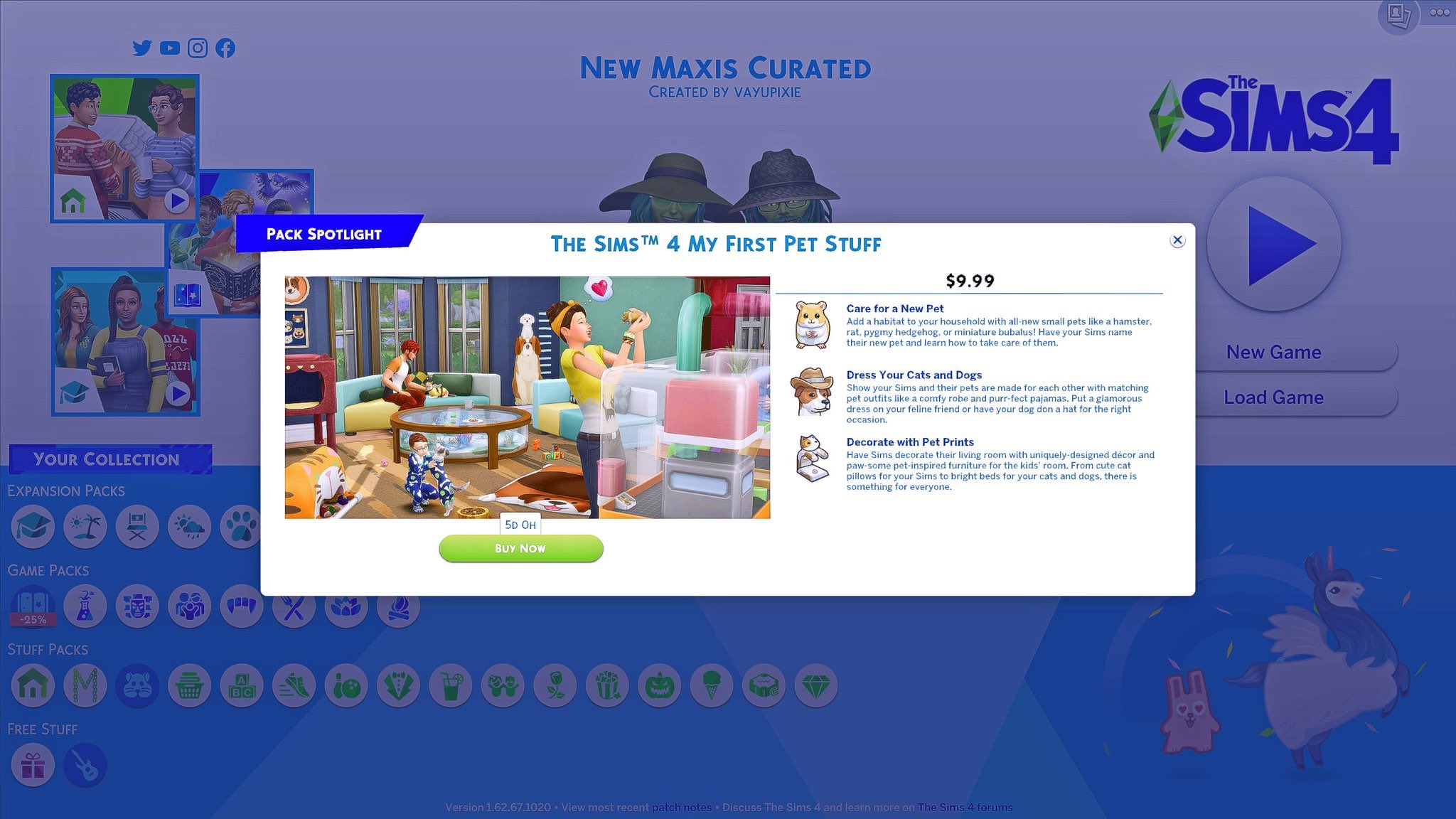
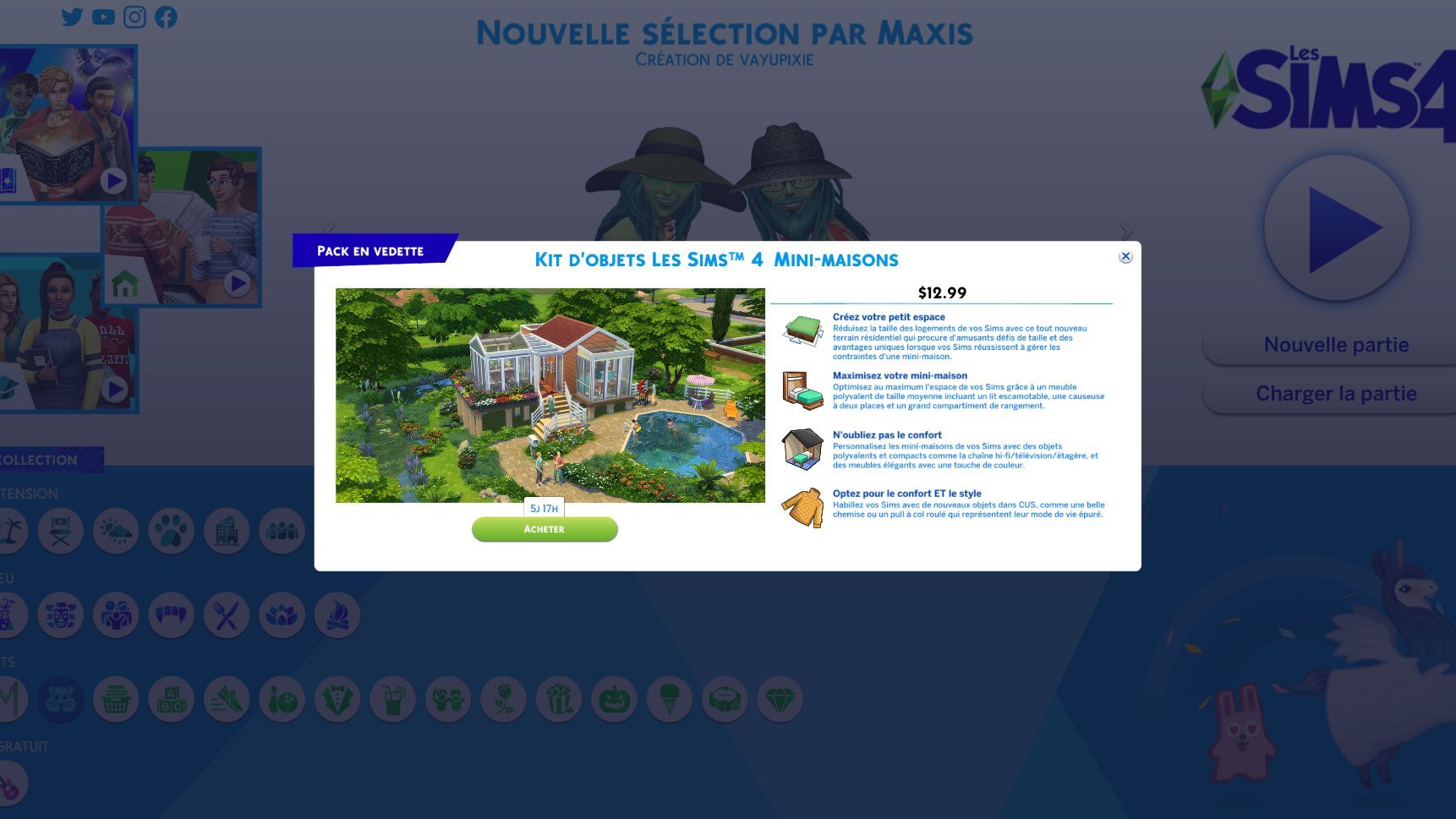
The Sims 4’s latest update has fixed a few things and added a slight change to the Main Menu. I was looking around the Main Menu to see what the slight changes were, but as a player who has all The Sims 4 content I didn’t notice any “small visual and functional improvements to the Main Menu” – as the team stated in the Patch Notes. Turns out, the change that they’ve made were done only for players who don’t own certain packs.

If you’re a player who doesn’t have, let’s say, My First Pet Stuff Pack, you’ll probably be getting a “Pack Spotlight” prompt screen the moment you load up the Main Menu. It doesn’t feature anything new in particular nor does it give you an extra in-game discount or anything – it’s just there to remind you that you don’t own that pack and that you might be interested in getting it.

Screen via @simotional

The Sims 4’s Main Menu is now reminding Players that they don’t own certain Packs

Although it’s not made clear which packs are being recommended to which players, I’m guessing that these Pack spotlights will feature randomly selected Packs from the collection of Packs that a certain player doesn’t own yet. It’s also not known how often these Pack Spotlights will be popping out every time you open up the Main Menu but hopefully it’s not too often as this new system already seems a little bit…intrusive.

Screen via @Sim_Cookie

The Sims 4’s Main Menu is now reminding Players that they don’t own certain Packs

Behind The Scenes Concept Art look at the upcoming The Sims 4 Community Stuff Pack

The Sims Team has published a brand new blog post talking about creating objects from a simple concept to a full 3D model for the upcoming The Sims 4 Stuff Pack, whose theme, gameplay and items have been picked out by the community.

Check out what they’ve shared!

Okay, so you’ve all voted on some objects for The Sims™ 4’s new Community Voted Stuff Pack. Cool. Now what? What happens next? Well, let’s go through the concept art process to see how the initial images you voted upon are going to get additional conceptualization and fleshing out, as well as what exactly that entails. Here we go…

Final Selection

This is an example of one of the objects the community voted on. At this stage, you can see we give it just enough detail to get the idea across. When an object like this is selected by the Art Director—or, in this case, you—it moves onto the next stage of concepting.

Behind The Scenes Concept Art look at the upcoming The Sims 4 Community Stuff Pack

Polish Phase

Now the concept artist creates a guide for the object. We do this so the modeler can understand what the Concept Artist and the Art Director think it should look like. First, we make orthographic drawings (front, back, and side view) so we can see the scale of the object next to a Sim. This is often when we make design changes. In this case, we adjusted the shelf heights so there’s enough room for players to place decorations. We also optimized the design to conserve polygons. For example, we removed a couple of round balls of yarn (round things cost lots of polygons) and replaced them with a stack of craft paper.

Behind The Scenes Concept Art look at the upcoming The Sims 4 Community Stuff Pack

Next, the Concept Artist renders a polished three-quarter view of what the object should look like in the game.

Behind The Scenes Concept Art look at the upcoming The Sims 4 Community Stuff Pack

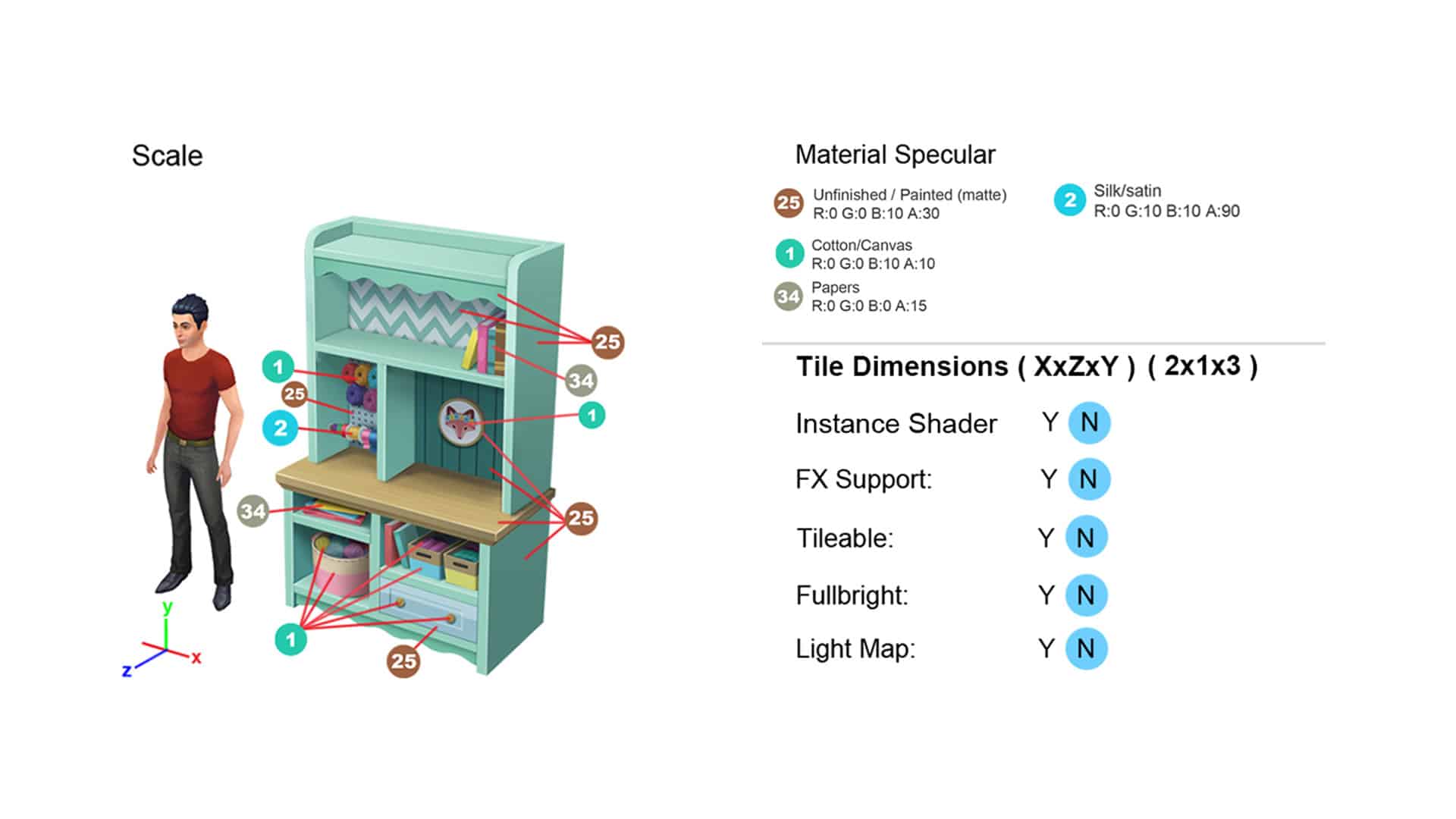
Then we add reference images to make how each part should look clearer. If there’s a texture like the wood grain (or a graphic like this fox), we call out what image file should be used.

Behind The Scenes Concept Art look at the upcoming The Sims 4 Community Stuff Pack

We also call out some technical details:

Behind The Scenes Concept Art look at the upcoming The Sims 4 Community Stuff Pack

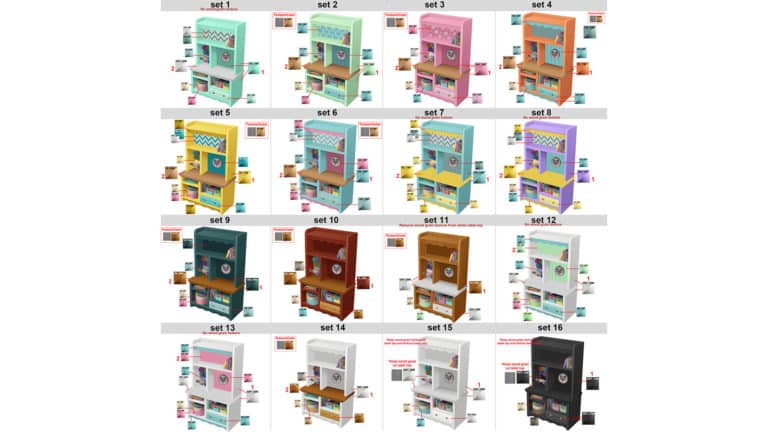
Color Variants

All of the color variants are also noted. We add color chips to tell the modeler exactly what colors they should use and whether that “set” has any patterns or textures.

Behind The Scenes Concept Art look at the upcoming The Sims 4 Community Stuff Pack

Conclusion

That’s it for concept! If the guide has all these elements, the modeler should have all they need to make your object. We hope you’ve enjoyed this behind-the-scenes look at the upcoming Stuff Pack!