Home Blog Page 229

The Sims 4: Using Tiny Living with Discover University

Presented by EA Game Changers

When I first got my hands on The Sims 4 Tiny Living, I immediately knew it was the perfect pack to compliment Discover University. Starving college students will find living in micro-homes both affordable and convenient while finishing their studies and so many of the new objects in Discover University compliment the space-saving focus of Tiny Living.

I’ll be showing off all the different ways to blend Discover University with Tiny Living to give your college students a true tiny living experience that won’t cramp their style or their wallets.

Mini-Fridges

The Sims 4: Using Tiny Living with Discover University

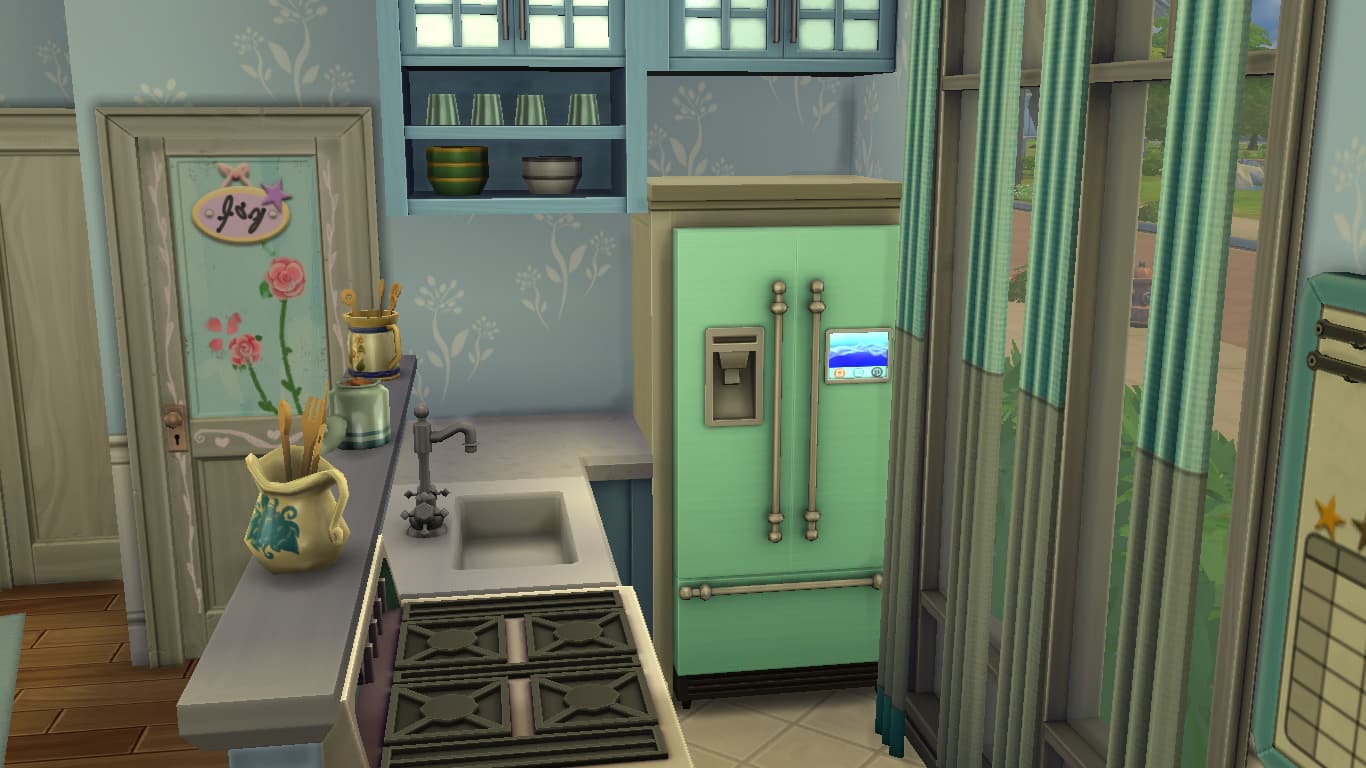
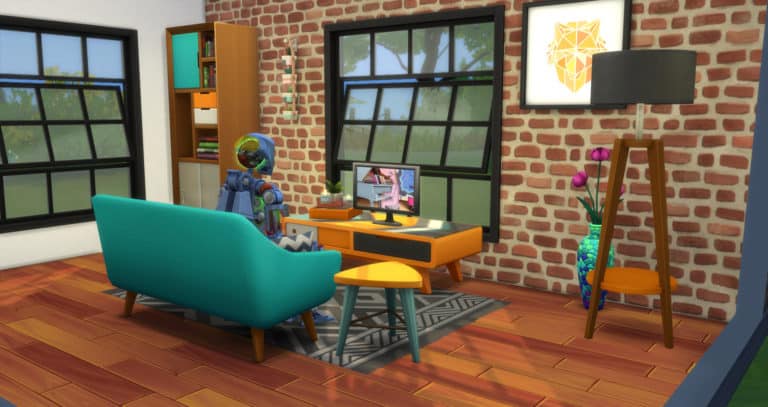
Of course, mini-fridges are the first thing that come to mind when you think of conserving space. The mini-fridge has a large slot on it for a microwave, so you can have your fridge and microwave all on one tile. The kitchen pictured above in this Discover University micro home makes use of this setup. Now your college Sims can microwave all the breakfast burritos they want!

Combine TVs and Dressers
The Sims 4: Using Tiny Living with Discover University

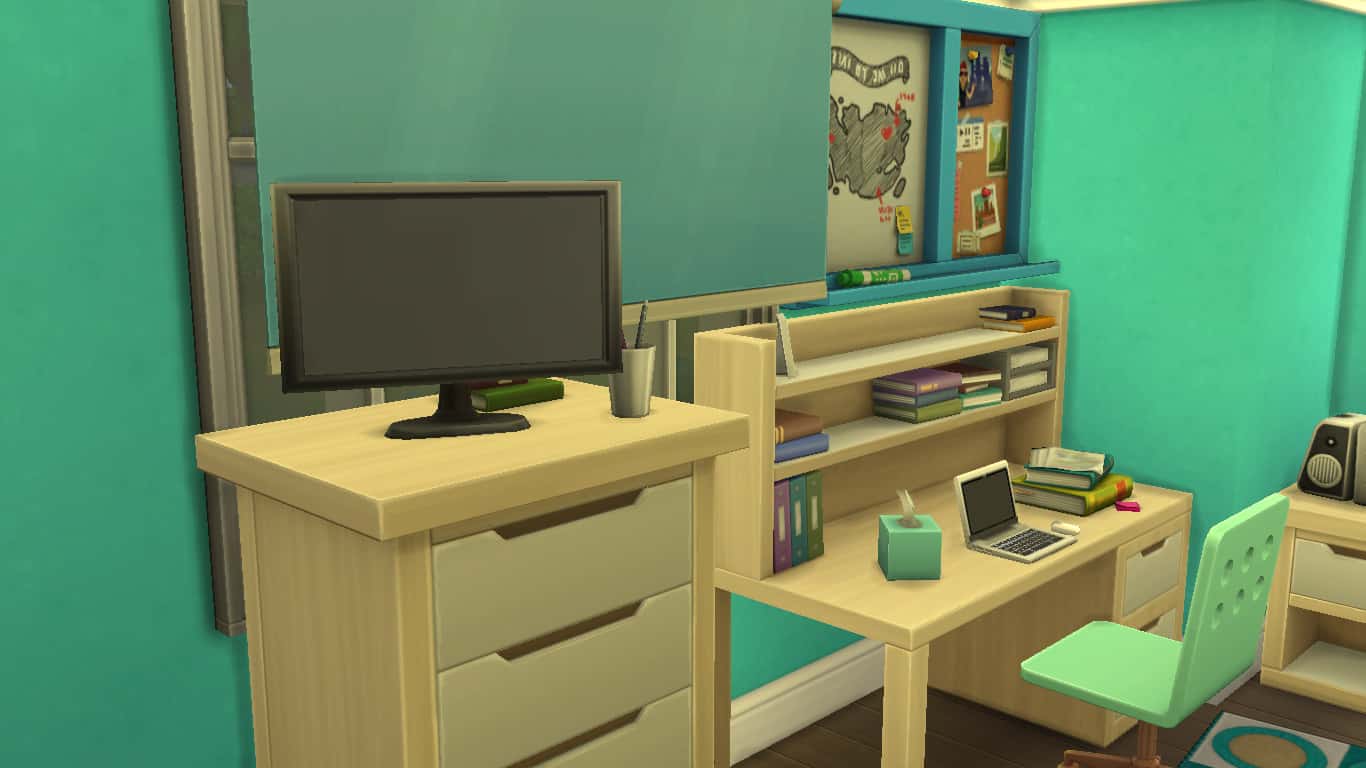
Did you know small TVs can be placed on top of this Discover University dresser and they’re still functional? Total game changer in a tight space. This definitely brings back memories of my university days. What university student didn’t have a tiny TV on top of their dresser in their dorm room?

Maximizing Bathroom Space
The Sims 4: Using Tiny Living with Discover University

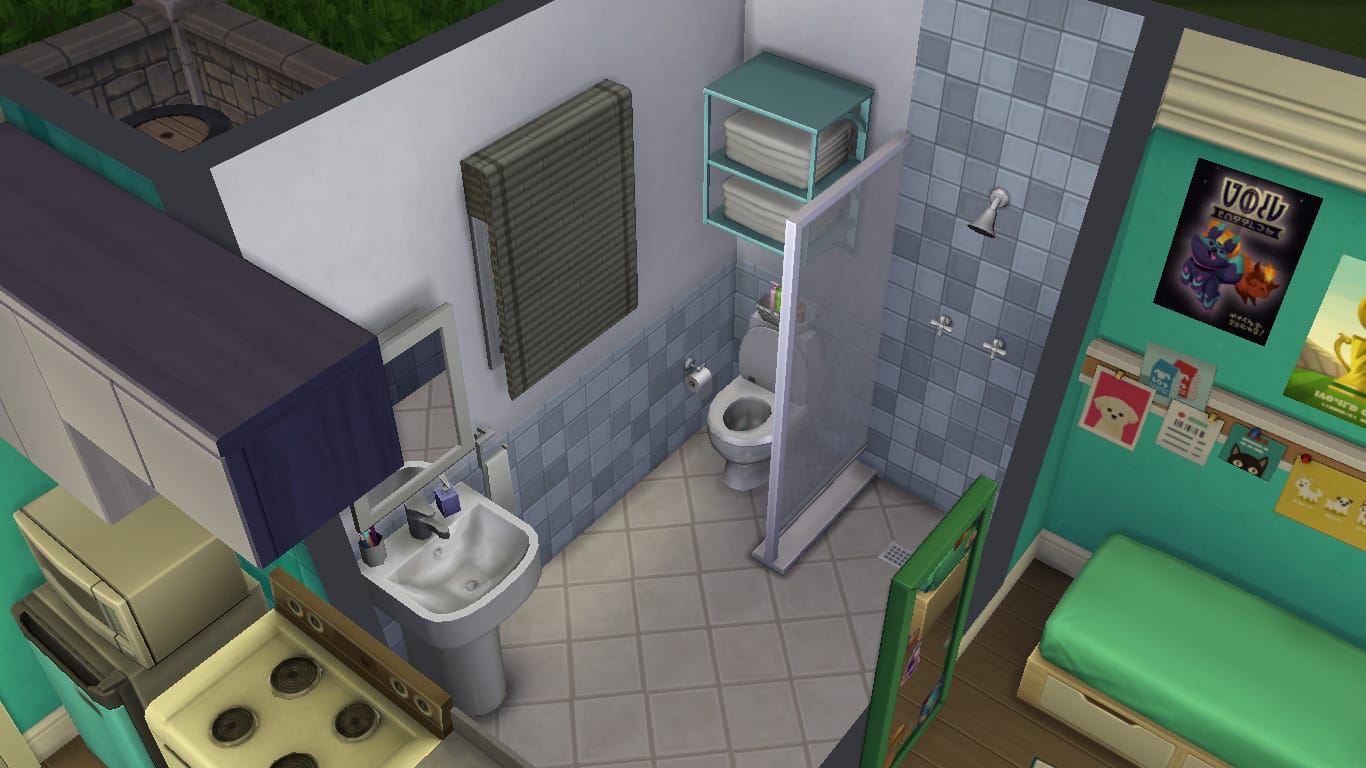
Bathrooms can be some of the hardest rooms to design in a tiny home. You can’t just leave them open-concept like the rest of the home unless you like having embarrassed Sims all the time, but it can be a nightmare finding the tile space for them. A shower, toilet, and sink stuffed into a tiny space often ends up looking cramped, so how to resolve this issue? Discover University comes with an open shower that’s super tiny and doesn’t take up a whole tile, making the space look bigger. For some added style and privacy, use one of the new Discover University dividers to create a shower stall. They’re ultra slim and don’t make the space feel closed in like a thick, chunky wall section would.

Additionally, you can use the new dividers just about anywhere you want to define a space without making it feel small and dark.

Compact Floor Mirror
The Sims 4: Using Tiny Living with Discover University

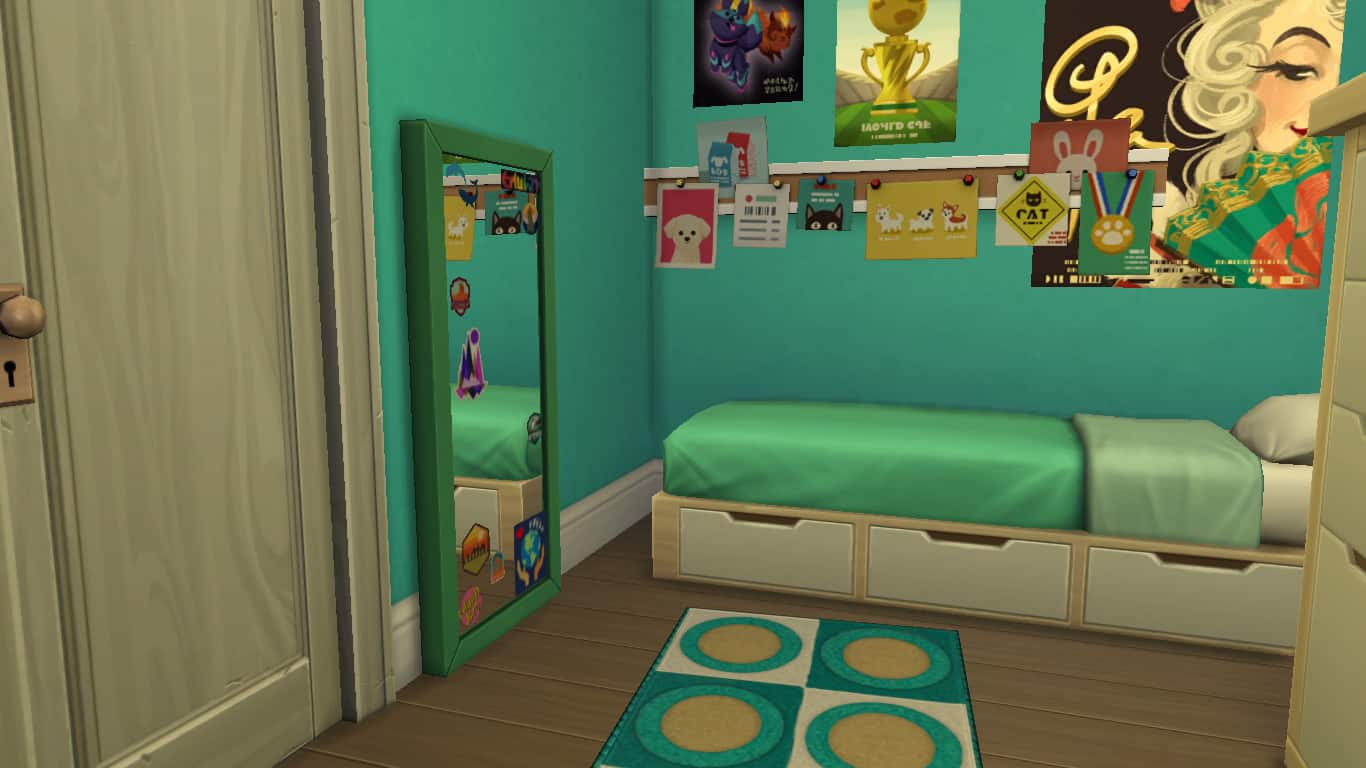
In a tight space, you don’t want to use up a floor tile for anything that isn’t absolutely essential, like a mirror. Luckily, Discover University comes with a new floor mirror that hardly takes up any floor space at all! This is great for any fashion-forward college student who wants a full-body mirror in their dorm or tiny home but doesn’t have a lot of floor space to work with.

Laptops
The Sims 4: Using Tiny Living with Discover University

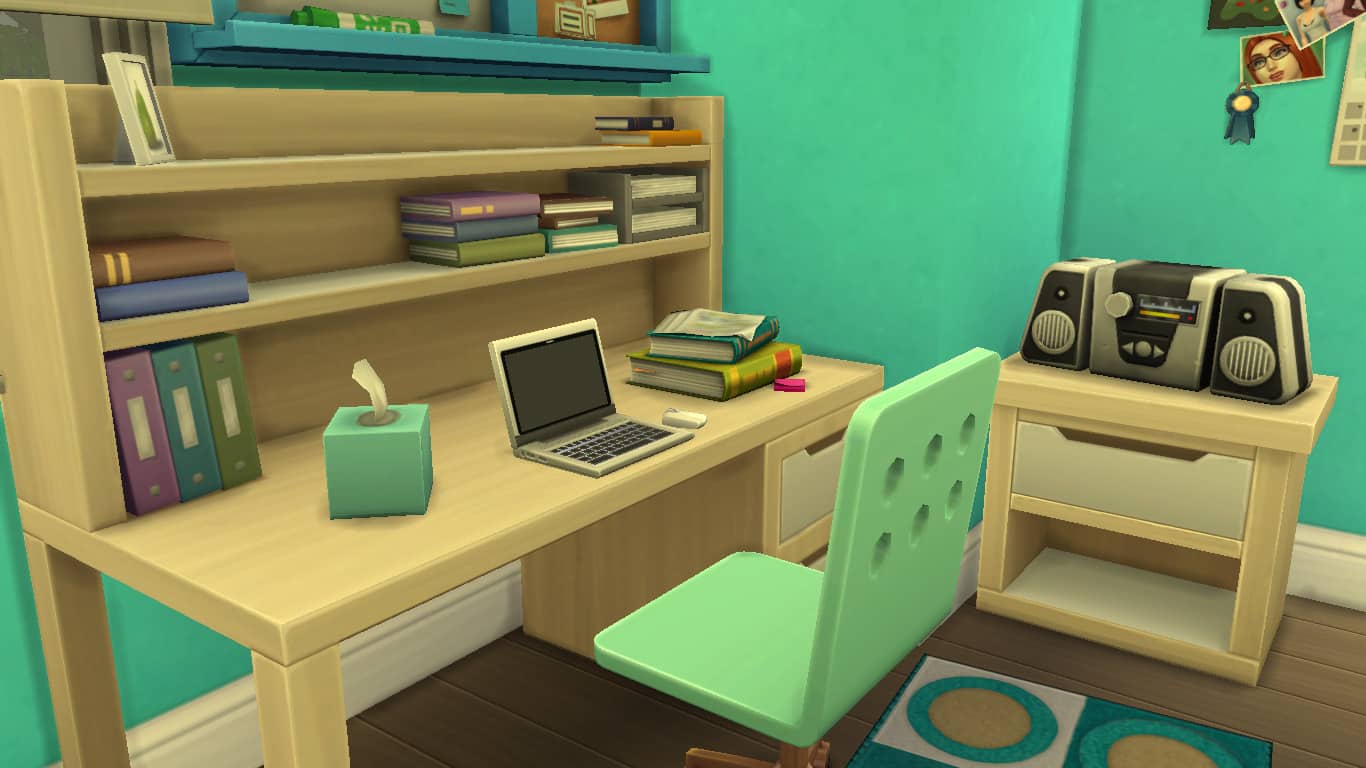
While the base game does have a laptop, it is a locked career reward and inaccessible to players without playing through the Freelancer career or using cheats. Laptops also came with StrangerVille, but for Discover University players who don’t like to cheat and who don’t own StrangerVille, laptops will be new to them.

The laptop is a great way to get all your school work done and save space because they’re completely portable! Just pop it into your Sim’s inventory when it’s not being used and drag it out onto any available surface with seating whenever you need it. You don’t even need a study desk if you have a laptop; any flat surface with a chair out in the world can be your study desk.

Individual Storage Chests

The Sims 4: Using Tiny Living with Discover University

While the new storage chest that comes with Discover University does take up two full floor tiles, it can hold hundreds of objects your Sim wants to tuck away for safe keeping. Being able to claim and name these storage chests gives your Sim added privacy and prevents any pesky roommates from touching their stuff. My micro home didn’t have the space indoors for this big chest, so I placed it outside on the patio and it looks great as outdoor storage! Putting objects outdoors can be a good way to free up space indoors, too.

Bicycles

The Sims 4: Using Tiny Living with Discover University

Sizing up toy cars to put on a faux driveway have been popular with builders for years now, but if you’re building on a small 20×15 lot, you might not be able to justify using up that kind of space for a mode of transportation that isn’t even functional. It’s a lot of wasted yard space on glorified clutter.

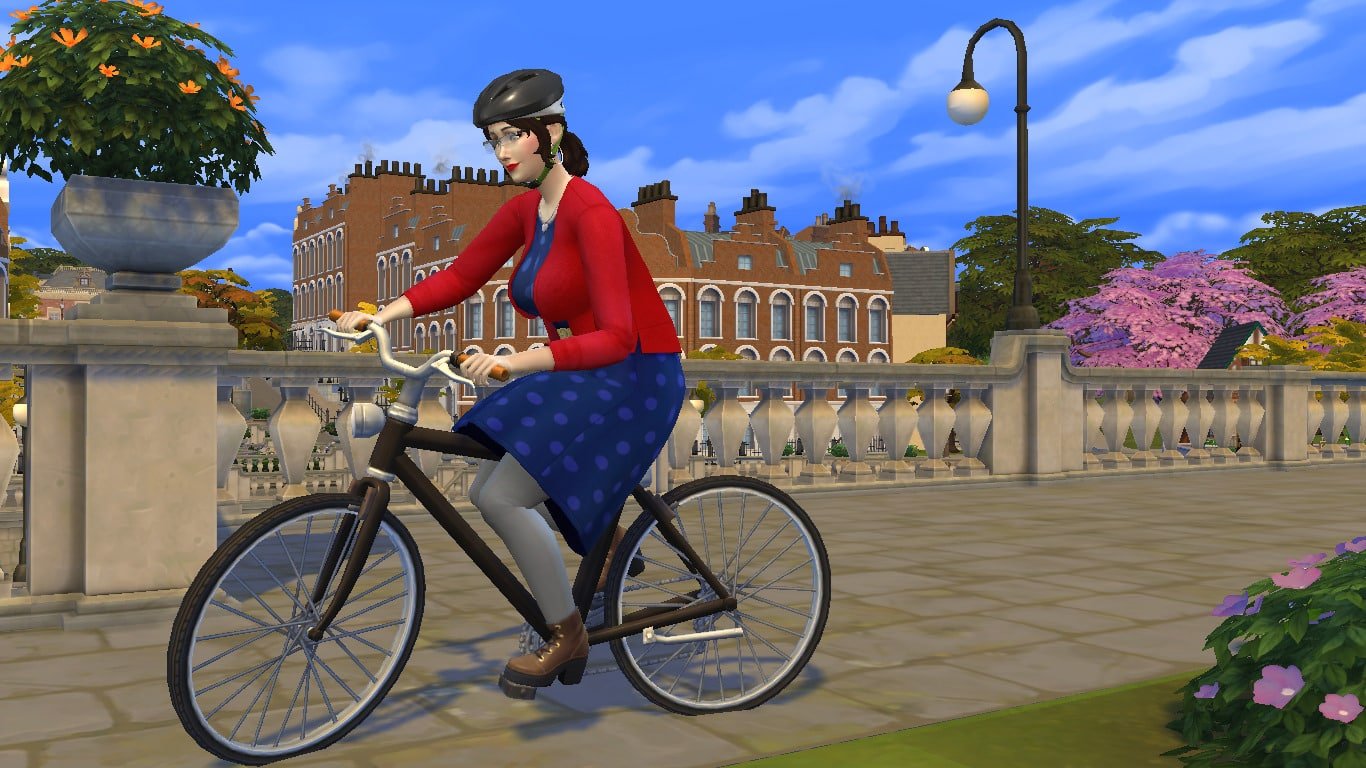
Bicycles to the rescue! The bikes are super thin, lightweight, and compact. They can be placed absolutely anywhere on your lot, no need to lay out a driveway for them, and they are 100% functional! Ride them to class, to the library, to the local pub, go for a joyride and take in the sights around Britechester. Oh, and if you don’t want it sitting out in the yard when you’re not using it, just drag it into your Sim’s inventory. The ultimate space-saver in transportation.

Bring the Party Outdoors

Okay but how are your Sims supposed to party in a micro-home? Simple. Take the party outdoors. Even on a 20×15 lot, there’s still plenty of yard space left over after building a micro or tiny home that can be used for just about anything you like; gardening, swimming, sports… and parties. Create a faux patio with terrain paint or stone floor tiles and pop a juice keg and BBQ out there. Set a ping pong table up in the yard and pump tunes with the new outdoor floor speakers that will make your neighbours complain about the noise.

This micro home pictured above is more suited to the quiet university student who just wants a peaceful place to study and do a bit of gardening, but it gives you an idea of all the extra space at your fingertips and what you can do with it.

Storytelling Opportunities

Nothing is more suited to the college lifestyle than tiny living and now with the Tiny Living stuff pack, your university students will be rewarded for their tiny living lifestyles with tonnes of useful gameplay rewards. Reduced bills are going to be a huge financial help to college students trying to pay off their tuition, and other rewards allow them to make friends more easily and enjoy added comfort while living in a small space. The Tiny Home Residential lot type is ideal for playing out college-based stories.


Want the micro home featured in this article for yourself? It’s on the Gallery! It has no CC and uses only base game and Discover University content. Search for SnarkyWitch. This lot is called Itsy Bitsy Uni Dreamy.

For more ways to use Tiny Living with other packs, see our article, The Sims 4 Tiny Living: Building With Other Packs.
The Sims 4 Tiny Living Tips & Tricks

Half walls are your new bestie

The Sims 4 Tiny Living Tips & Tricks
So. You’ve built a teeny micro home and you’re presented with this single box room you have no idea how to floor plan. It’s too small to add individual rooms and whole walls make you feel squeezed in. This is why you NEED half walls! They create handy corners for more furniture to go against, without making the house feel closed in. Easy floor planning!

Swimming pools

The Sims 4 Tiny Living Tips & Tricks
They don’t add to your tile count, but give the impression that your house is a lot bigger than it actually is. In fact, you can really utilise the outside space as much as you like as long as your not technically creating any new rooms (e.g. enclosed spaces). You can add fencing for aesthetic if you like, just make sure you don’t finish the ‘room’ as such.

Utilise even the tiniest spaces

The Sims 4 Tiny Living Tips & Tricks
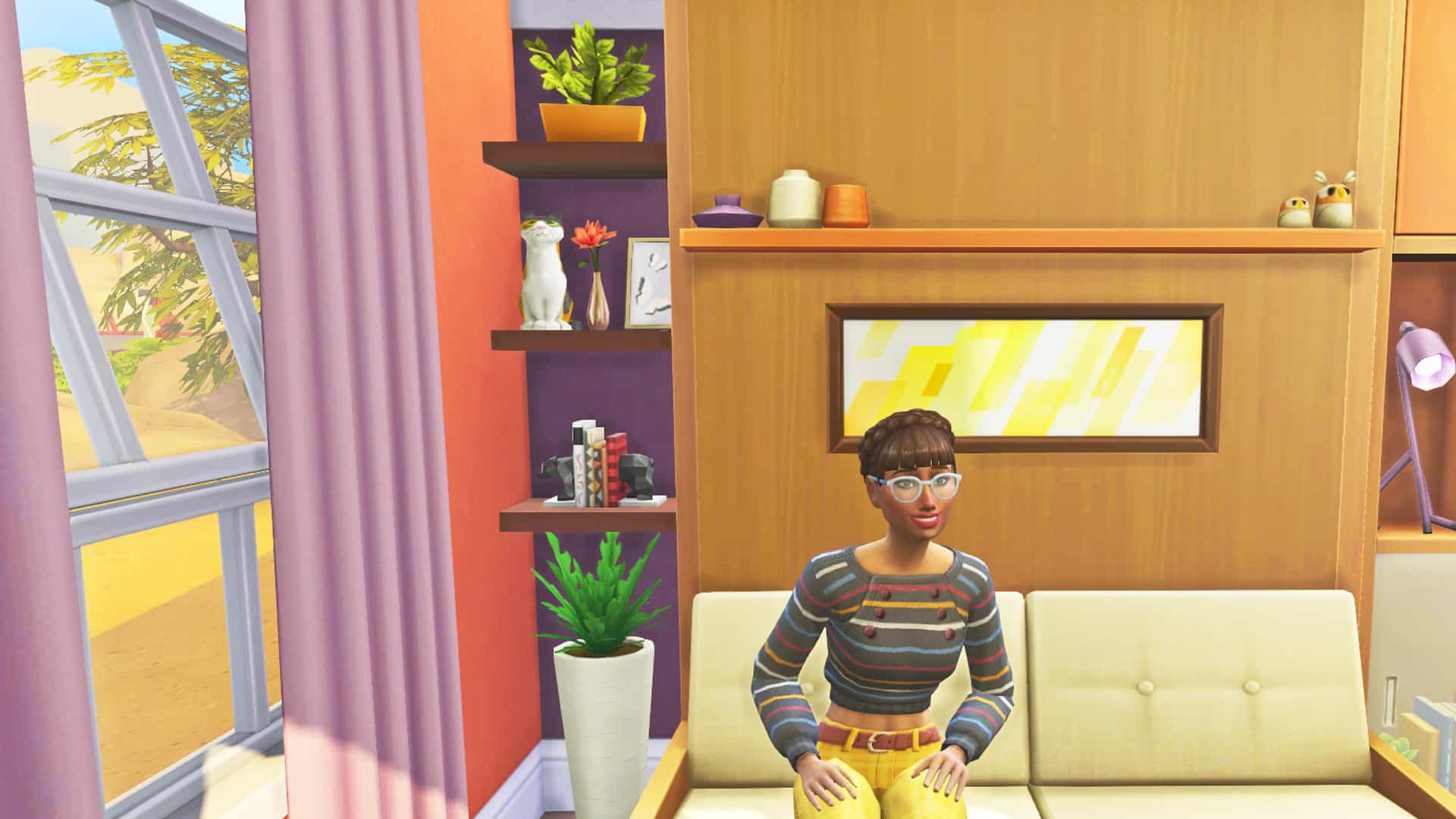
Every tiny space is the opportunity to add more clutter. Clutter can make a tiny home feel very cozy, and gives you the chance to add as much detail to the build as possible without compromising floor space. Here I’ve added some shelving in between the wall and the murphy bed to make the most of this previously unused space.

Use this window to create extra space

The Sims 4 Tiny Living Tips & Tricks
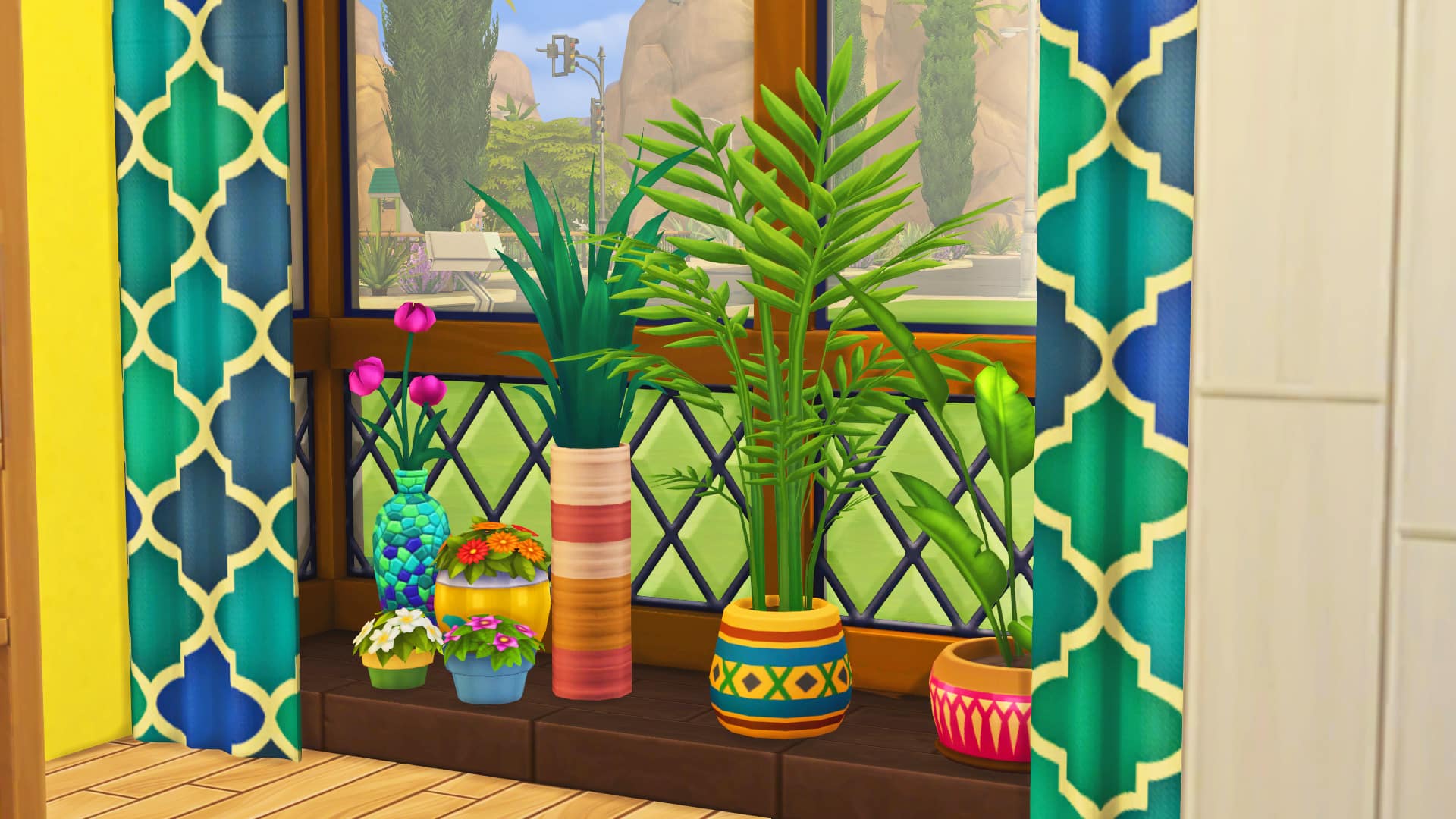
This window is one of my faves, because with a little MOO magic, you’re able to add plants and clutter, without using up that precious tile space. It also makes the house look a little bit bigger from the outside. Win win!

Use kitchen top counters outside the kitchen

The Sims 4 Tiny Living Tips & Tricks
I find that using these creates the illusion of extra storage space in a tiny home. It’s also an opportunity to add a splash of colour (I love to use the Jungle Adventure counters).

Use tiny windows to let the light in

The Sims 4 Tiny Living Tips & Tricks
These little windows can go up high above other objects to allow the light to come into the house, without giving up wall space for other furniture and decoration. It’s important to get as much natural light as possible in to these tiny homes, otherwise they can look very claustrophobic and dark.

Don’t be afraid to use all of the space

The Sims 4 Tiny Living Tips & Tricks
Sometimes it may feel unnatural to put certain bits of furniture in new places, but with a tiny build you don’t have much choice. For example in this screenshot, I find it very hard to put furniture in the middle of the room. I don’t know why but it comes very unnaturally to me as a builder. But using this cute little side table from tiny living in the middle of the kitchen, it gives us another opportunity to add more decor, whilst still being able to move around it.

Get rid of unnecessary items

The Sims 4 Tiny Living Tips & Tricks
Potentially an unpopular opinion, but I really don’t see any need to have a sink in your kitchen and your bathroom. This way you can have a cute 2×2 bathroom with just a shower, toilet and some clutter. You also don’t need a clothes dresser since you can click on your sim to change outfits. And talking about items you don’t need…

All hail the murphy bed!

The Sims 4 Tiny Living Tips & Tricks
In case you’ve been living under a rock, the murphy bed just saved our tiny home lives! A bed and sofa all rolled into one! No need for unnecessary extra bulky sofas or seating, the murphy bed has it all.

Want to download these builds? You can find them on the gallery!
Gallery ID: JazzyRoseee

The Sims 4 Tiny Living Stuff Now Available on Origin

11

The Sims 4 Tiny Living Stuff Pack has just been released for PC and Mac players on Origin and is available for $9.99!

You can get the pack HERE.

The pack is set to release for Xbox One and PS4 on February 4th, 2020.

The Sims 4 Tiny Living Stuff Now Available on Origin

The Sims 4 Tiny Living: Launch Party Livestream

3

Join us as we count down to the worldwide release and celebrate the launch of The Sims 4 Tiny Living Stuff Pack!

The stream is set to begin at 5PM CET / 4PM BT / 8AM PT. Hope to see you there!

The Sims 4 Tiny Living: CAS Video Overview

0

Want to see all of the new Create A Sim items that come with The Sims 4 Tiny Living Stuff in action? Check out our video overview!

The Sims 4 Tiny Living: All About Murphy Beds

The new gameplay object that comes with The Sims 4 Tiny Living Stuff is the Murphy bed! Long-time players will fondly remember the Murphy bed from past incarnations of The Sims. It first appeared in The Sims 2 Apartment Life and made a return in The Sims 3 University Life. It’s back again in The Sims 4 Tiny Living Stuff and better than ever with added functionality and features.

And before you ask “But can it kill my Sims?” The answer is yes. More on that later…

Buying a Murphy Bed

The Sims 4 Tiny Living: All About Murphy Beds

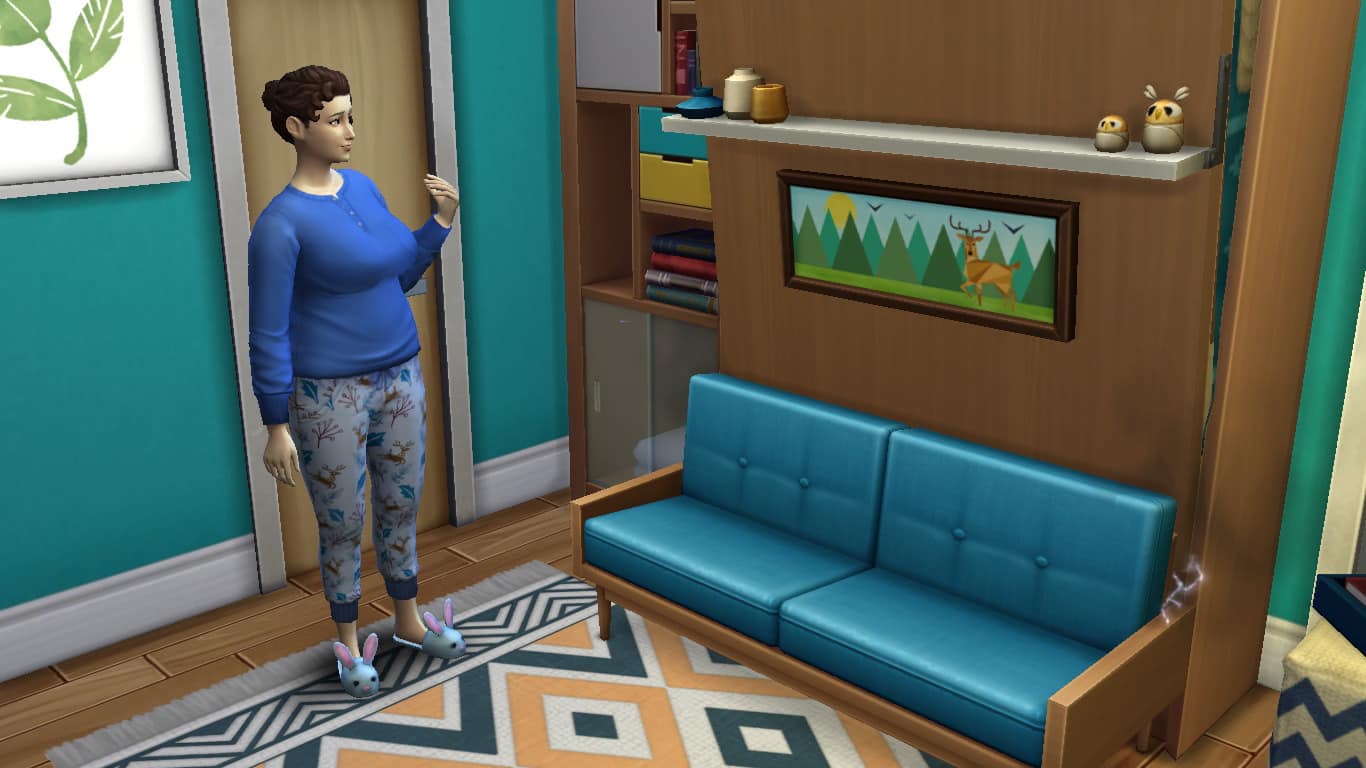
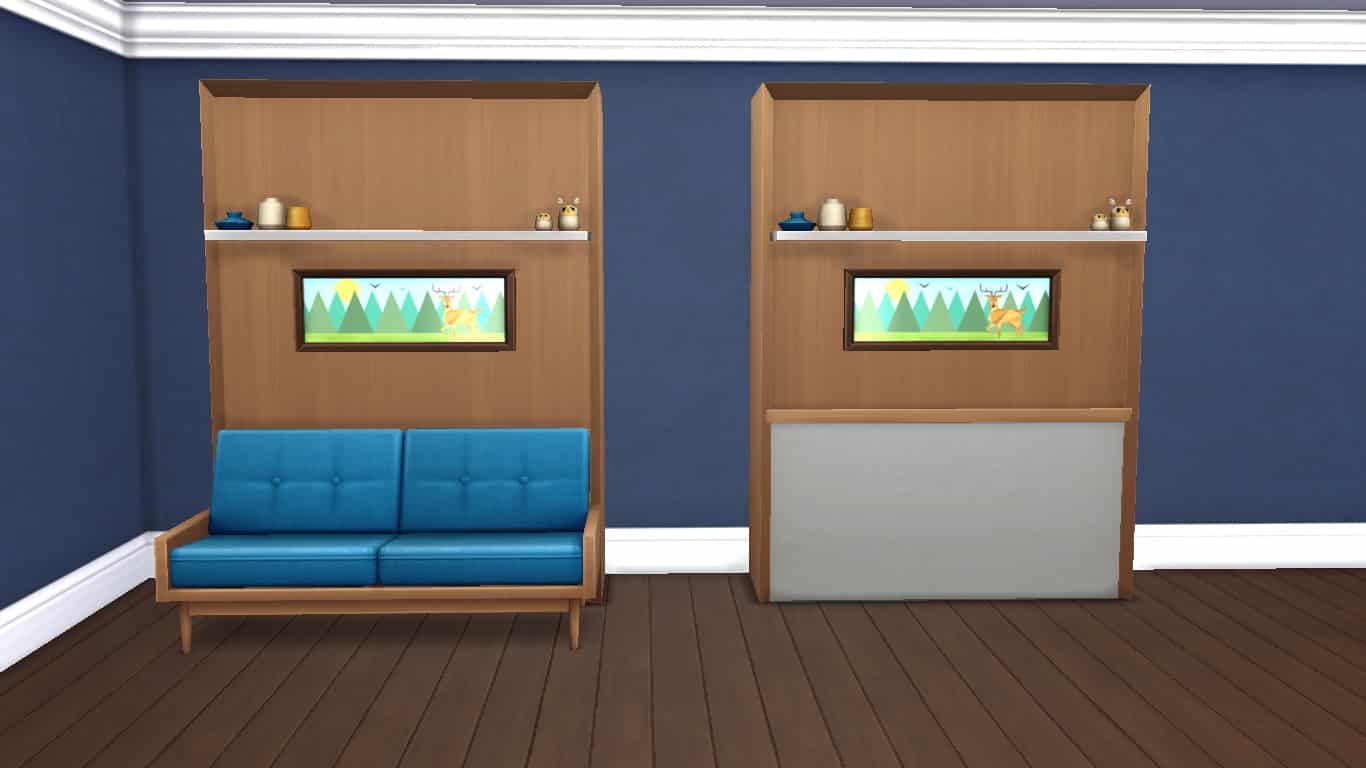
The Murphy bed can be purchased in Build/Buy just like any other bed in the game. There are a few different variations of the Murphy bed in the catalogue to choose from. There is a Murphy bed with a foldaway love seat attached. This 2-in-1 object is completely functional as both a couch and a bed, making it extremely useful for micro homes where your living room is often also your bedroom.

There is also a version without the love seat attached if you just want the bed to function as a bed. Players can place any love seat they like in front of the Murphy bed with the bb.moveobjects on cheat but it will not fold away properly when the bed is opened like the attached love seat will.

In addition to the love seat vs. no love seat variations, there is also two versions of the Murphy bed that come with attached bookcases; one on one side and the other on both sides. This allows the entire unit to be picked up and moved at once. Players can also choose to grab just the bookcases and move them separately, detaching them from the Murphy bed. The bookcases are listed in the Build/Buy catalogue by themselves, too, so they can be placed as standalone objects or as part of the Murphy bed, whatever the player prefers.

All versions of the Murphy bed come with a built-in painting and shelf. The shelf does not have any slots to add more items. This is because the shelf also folds away neatly to sit on the bottom of the bed without disturbing the built-in objects on top of it when the bed is opened. The shelf would not be able to fold in on itself if other objects were placed on it. The painting cannot be removed from the bed, but it does come in different variations depending on the colour swatch the player picks. Most of the designs have a daytime theme when the bed is closed and a nighttime theme when the bed is opened.

Upgrading the Murphy Bed

The Sims 4 Tiny Living: All About Murphy Beds

The recent game update added upgrades to all beds in the game. Players can now upgrade beds to increase their comfort and provide positive moodlets. Tiny Living Stuff is not needed to perform these bed upgrades; however, the Murphy bed comes with two extra upgrades that are specific to the Murphy bed only. This is because the Murphy bed is an electronic object and can break.

Broken Murphy beds can be fatal to Sims so upgrading them is a good idea. While I was exploring this pack, the bed broke every single time my Sim used it with no exceptions, so upgrading the bed will probably be high on your priority list if you have a similar experience with this.

  • Spring Loaded
    • Reduces how often the bed will break
    • Handiness 3
    • 4 Common Upgrade Parts
  • Reinforced Spring Wiring
    • Infused wire and reinforced springs make the bed unbreakable
    • Handiness 8
    • 3 Common Upgrade Parts, 3 Electronic Upgrade Parts

The Dangers of Murphy Beds

It’s not always all cozy comforts and quiet nights with a Murphy bed in the house. These convenient space-saving beds have a dark side. They can be deadly!

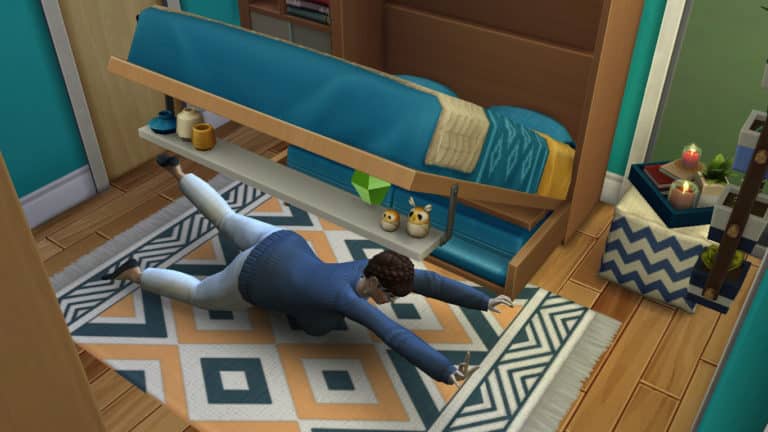
Sims can sometimes be injured by the Murphy bed while trying to open it. This will result in a negative moodlet that lasts for a few in-game hours. Sims can also be swallowed up by the bed if it closes on them while they’re sleeping. Sleeping Sims who get trapped inside the Murphy bed will be too scared to go back to sleep for a few in-game hours afterwards.

In some cases, a Sim can be crushed and killed by the Murphy bed while attempting to open it. A broken Murphy bed has a much higher chance of killing Sims, but even functioning Murphy beds have a small chance of killing a Sim. Your Sims are never completely safe from the Murphy bed but you can greatly reduce the risk of death by upgrading it.

Death Type and Ghost

Crushed by Murphy Bed is a brand new death type that comes with Tiny Living Stuff!

Sims who die from being crushed by a Murphy bed have a unique ghost type that shows sleep Z’s emanating from their ghost. Murphy ghosts also have some unique behaviours and interactions, making them both fun to play with and challenging for your living Sims to live with.

Murphy ghosts can possess Sims and steal their energy. There is a cool new animation for this interaction, shown above. When a Murphy ghost steals a Sim’s energy, they will laugh maniacally while the living Sim succumbs to exhaustion and passes out on the floor.

Despite their mischievous ways, Murphy ghosts are very concerned about bed safety and refuse to allow living Sims to sleep. They will wake up sleeping Sims in the house to give them a heartfelt lecture about the importance of bed safety.


What’s your favourite part about the new Murphy bed? Let us know in the comments or come chat with us on social media!

The Sims 4 Teams up with a Korean Singer Hwasa for a Video Advertisement

46

Hwasa, a member of a Korean Girl Group named MAMAMOO has collaborated with The Sims 4 to create an interesting video advertisement for the game!

The advertisement highlights some of the game’s primary features and packs. You can check out the full video ad down below, with the translated version (in English) added below the original one:


The Sims 4 Tiny Living: Space-Saving Tips for Your Tiny Home

Presented by EA Game Changers

The Sims 4 Tiny Living Stuff offers whole new ways to maximize both form and function in a small space, but if you’ve never built a tiny home before, you might struggle to find ways to fit everything you need into such a small area, especially if the kind of build you’re working on doesn’t match the style of the new space-saving items that come with Tiny Living Stuff.

I have built quite a few tiny homes in preparation for this pack, as well as tiny homes that make use of the new Tiny Living Stuff objects and I’ve learned a few neat little tricks about conserving space without sacrificing style that I’m going to share with you!

Using Tiny Living Stuff Objects

The Sims 4 Tiny Living: Space-Saving Tips for Your Tiny Home

Of course, the new objects that come with Tiny Living Stuff make space conservation a breeze. The new 3-in-1 TV, stereo, and bookcase combines three separate objects into a single unit. It comes in 1×1 and 1×2 size variations for further customization.

The Sims 4 Tiny Living: Space-Saving Tips for Your Tiny Home

The Murphy bed can be folded up to open up space in the room when it’s not being used. Additionally, it comes with an attached love seat version so your bedroom can become your living room with the touch of a button. Perfect for those super teeny micro homes.

The Sims 4 Tiny Living: Space-Saving Tips for Your Tiny Home

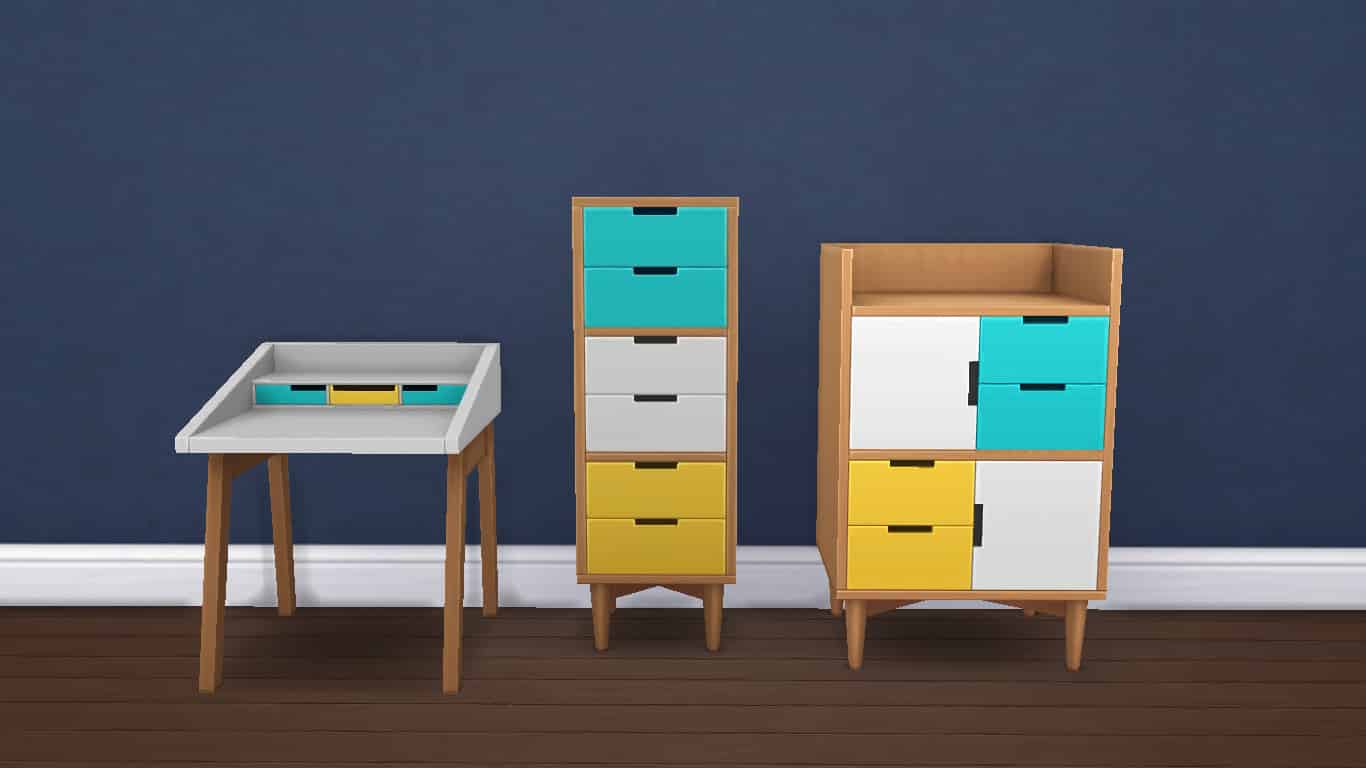
New 1×1 dressers and a new 1×1 desk offer a more compact way to get your work done or get dressed in the morning.

Wall-Mounted Bookcases

The Sims 4 Tiny Living: Space-Saving Tips for Your Tiny Home

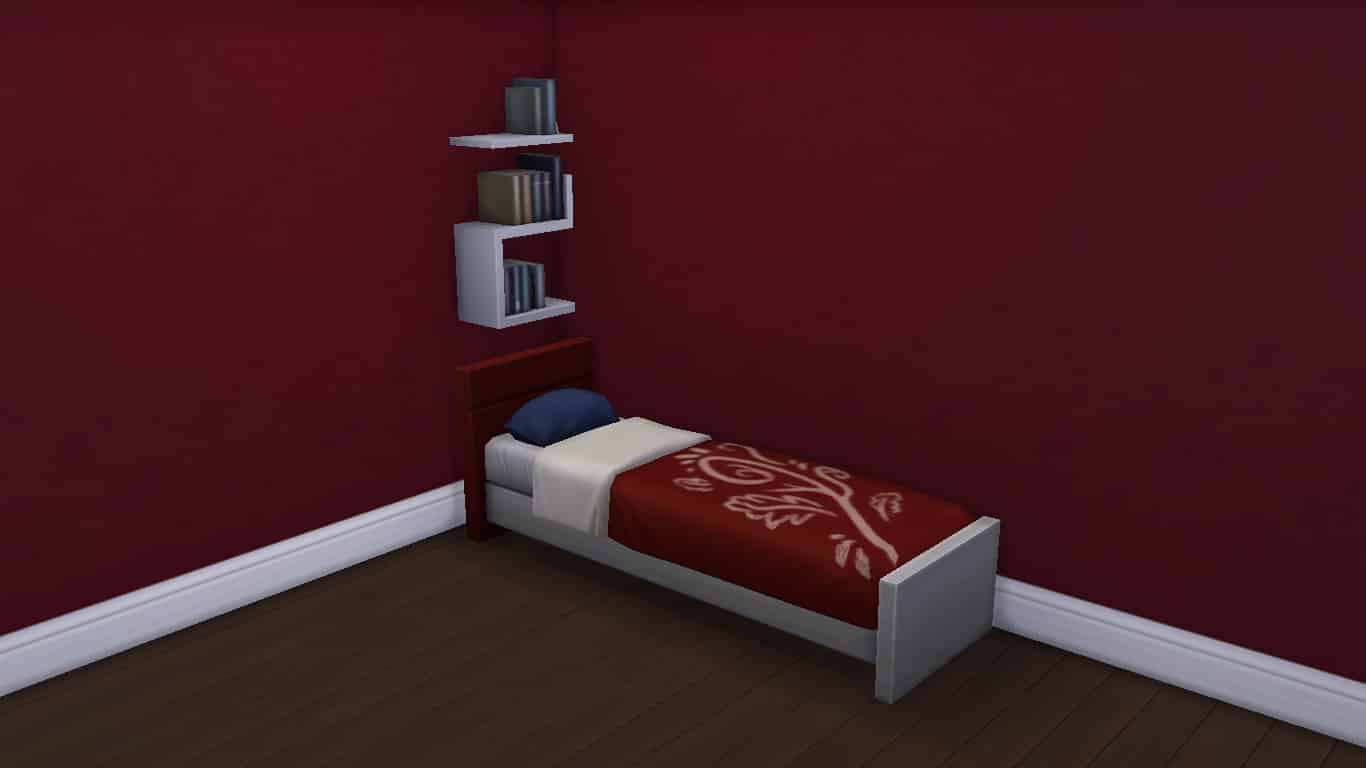
Did you know that you can place a wall-mounted bookcase above the headboard of a bed to save on space? It’s completely functional! Use bb.moveobjects on and the 0-9 keys to adjust the height of the bookcase if it hangs a bit too low over the headboard. Be careful not to move it up more than 1 or 2 clicks or it may not be functional anymore.

Shower Power

The Sims 4 Tiny Living: Space-Saving Tips for Your Tiny Home

There’s more freedom in designing tiny bathrooms than you think. Unlike the rest of a tiny house, Sims tend to frown on “open concept” bathrooms, so squeezing them in can be a challenge. Luckily, toilets can be placed directly next to bathtubs. As long as the toilet is not on the same side as the bath’s faucet, Sims will be able to use both the toilet and bath without issue.

The Sims 4 Tiny Living: Space-Saving Tips for Your Tiny Home

Small decorative wall clutter can be placed inside showers, too, without affecting a Sim’s ability to use the shower.

Tiny Kitchen Tips

The Sims 4 Tiny Living: Space-Saving Tips for Your Tiny Home

Did you know that Sims can use corner counter spaces to prep meals? Instead of taking up a big huge tile with a regular counter, use your corner piece as your spot to prep meals, leaving more space for a sink or whatever else you might need. The tiny kitchen pictured above is fully functional thanks to the free corner spot for my Sims to prep their food.

The Sims 4 Tiny Living: Space-Saving Tips for Your Tiny Home

Or go one step further and do away with sinks entirely! Unsanitary, you say? Not if you have a dishwasher. Putting a dishwasher where your sink would have gone frees up the top of the counter for other small appliances your Sims might find useful, like microwaves and coffee pots. This teeny kitchen pictured above uses this kind of setup.

Squeeze On In!

The Sims 4 Tiny Living: Space-Saving Tips for Your Tiny Home

When trying to fit a double bed in a small room, only half a tile of space is required on either side of the bed for Sims to be able to get in on both sides.

Sacrifices Must Be Made

Sometimes, a space is just too small to fit everything you want and you have to start prioritizing what’s most important. Do you really need a full kitchen if you have a BBQ patio out back? Do you need a 2 tile bathtub if your Sim doesn’t have any dogs or toddlers to bathe? A 1 tile shower would suffice, instead. Do your two children need separate bedrooms or can they share?

The Sims 4 Tiny Living: Space-Saving Tips for Your Tiny Home

Asking yourself these kinds of questions while building your tiny home can help you maximize both space and utility wherever possible.

The Great Outdoors

You can have a tiny home on any size lot, so why not use all that outdoor space? Even if you don’t have the tile space for a big deck, paint some stones on the terrain or lay down some stone floor tiles and put a BBQ and patio furniture out back. Paint and do woodwork outdoors, have a huge beautiful garden, landscape with trees and flowers. There is so much you can do outside.

The Sims 4 Tiny Living: Space-Saving Tips for Your Tiny Home

Want to know a secret? Flat roofs don’t count as extra tiles when building on a Tiny Home Residential lot. As long as you don’t fence in your roof (which would make it a room), you can extend your usable space by putting some stairs in and turning your roof into a patio or elegant rooftop garden. Use the bb.showhiddenobjects cheat followed by the bb.showliveeditobjects cheat to place fencing along the edges if an open roof patio looks odd to you. Debug fence pieces are considered objects and therefore won’t turn the roof into a closed-in room by placing them around the edges.

Want to know another secret? Stairs don’t add to your tile limit, either, so you can opt to place all your staircases on the outside of your home in order to save on floor space inside the home. While perhaps not advisable for Sims living in cold climates (with Seasons installed), outdoor staircases are perfect for Sims in warmer climates.


Have any space saving tips of your own? Share them with us in the comments or let us know on social media!

The Sims 4 Tiny Living: Guide to Building a Tiny Home

Presented by EA Game Changers

So you’ve just got your hands on The Sims 4 Tiny Living and you are just itching to build your Sims the tiny home of their dreams, but where do you start? Tiny Living introduces unique build mechanics that haven’t been seen in The Sims series before, so we’re going to walk you through the process of building your first tiny home using the new Tiny Living tools.

How Low Can You Go?

Once you’ve selected your lot of choice and entered Build Mode, you’ll want to decide on what tier home you’d like your new tiny home to be. Do you want some space for a small family to live comfortably or do you want to take things to the extreme and build the tiniest house you possibly can for a single Sim? Well, there are tiers for that.

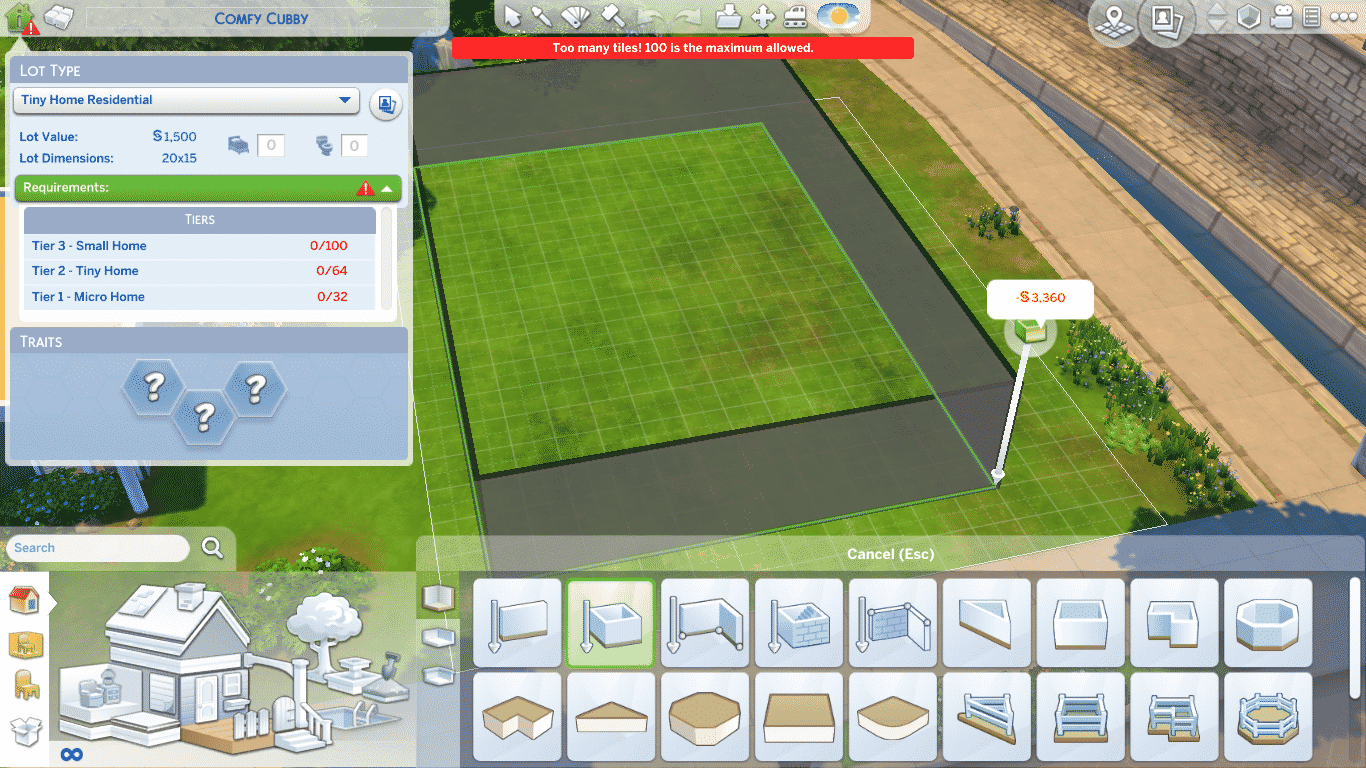
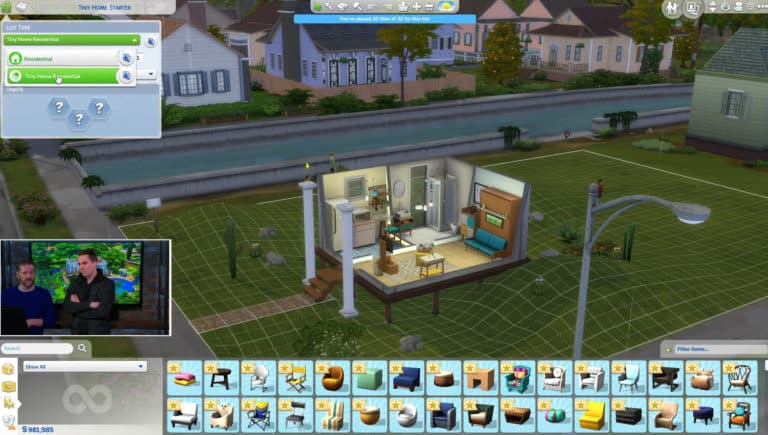
To get started, make sure the lot type is set to Tiny Home Residential. You’ll notice a new tab that shows up on this lot type in Build Mode. Clicking it will open a panel that will show you the different tiers of tiny home you can build. Each tier offers gameplay benefits to any Sims living on that lot, but the smaller the home, the more benefits your Sims will enjoy from living there.

  • Tier 3 – Small Home (max 100 tiles)
  • Tier 2 – Tiny Home (max 64 tiles)
  • Tier 1 – Micro Home (max 32 tiles)

For a full list of the rewards for each tier, see our article, The Sims 4 Tiny Living: All About Lot Perks!

Laying the Foundation

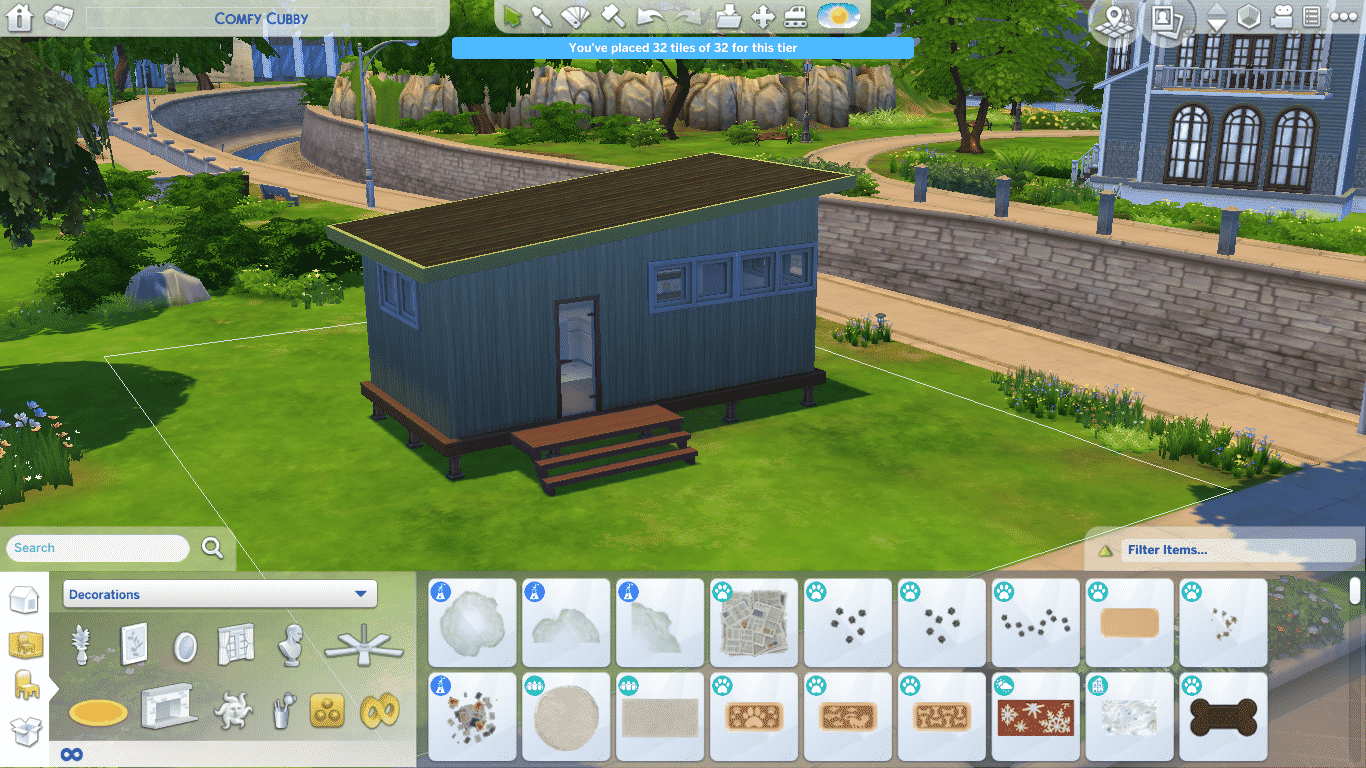
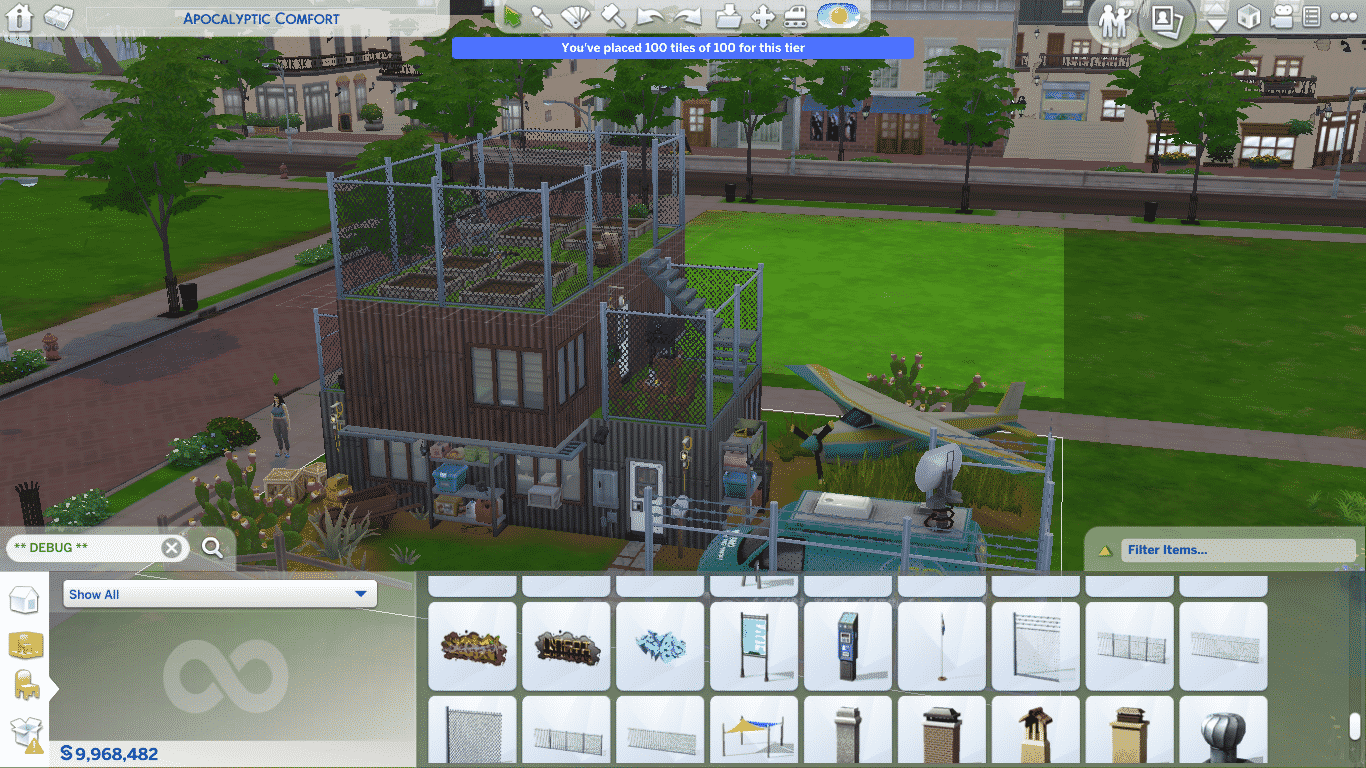
Now that you’re on a Tiny Home Residential lot and have some idea of what kind of tiny home you want to build, it’s time to get to work. Build whatever your imagination can dream up, but keep an eye on your tile count! As you build, the game will update your tile count for you in real time in a blue bar at the top of the screen.

If you started out building a micro home, then realised you really do need more space after all, you can continue to build past the 32 tile micro home limit without penalty. The game will simply recalculate your tile limit for the next tier up. The only drawbacks to building a Tier 2 or Tier 3 tiny home is less gameplay benefits.

If you try to build past 100 tiles, the blue bar at the top of the screen will turn red and you won’t be able to leave Build Mode until your home is 100 tiles or less. Any home you build on a Tiny Home Residential lot has to be 100 tiles or less before the game will let you play in the home.

What’s In a Name (Or Tile)?

The Sims 4 Tiny Living: Guide to Building a Tiny Home

So what counts as a tile when you’re building your tiny home? You should know what kinds of things will eat into your tile count limit so you can budget your space accordingly without frustration.

Most importantly, rooms and foundations count as tiles. A 1×1 room is one tile. Similarly, a 1×1 foundation piece is one tile. The game will factor rooms and foundations into your tile count, so watch your space. You may not have room for that beautiful wraparound deck you want without sacrificing some space inside the home.

Building upwards and downwards will also add to your tile count. No getting away with building a 4-story micro home with 32 tiles on each level. Adding upper floors and basements to the house will eat into the tile limit. You might end up needing to sacrifice that games room down in the basement. Tiny living is all about living with just the essentials in a cozy environment.

Walls in themselves do not eat into the tile-limit; only the area of any rooms they enclose. Once you have the shape of your home in the tier you want, you can draw out the interior layout however you want as long as the shape of the house as a whole does not exceed the tile limit.

What About Everything Else?

The good news is there are still lots of ways to be creative when building a tiny home, despite the lack of building space. Placing down objects from the Buy catalogue will not add to your tile count, so decorate as much as you like! Add interior touches of design, put plants and flowers in the yard, and go to town with giving the outside of your tiny home oodles of curb appeal. Did you have to give up that beautiful deck in favour of a second bedroom for the kids? Why not place a BBQ and patio table in the yard as a compromise?

Stairs don’t count as tiles, either. Don’t worry about the stairs at the edge of your front patio pushing you over the tile limit if your home is exactly 100 tiles. In fact, placing your staircases on the outside of your home can be a great way to save space on the inside of the home!

Okay, but what about pools? Pools definitely count as tiles, right? WRONG! Pools do not count as tiles! Feel free to have a micro home with a giant pool in the backyard! Pools can even be built into decks, but in that case, you will be using up your tile count, as it is part of the foundation which does count towards the tile limit.

Want to place floor tiles down outside? Use terrain paint to make a big patio or long walkway? Create hills and valleys with the terrain tool? Yup. All of those are okay, too!

As you can see, there are numerous ways to still be imaginative while building a tiny home.

The Finishing Touch

You’ve seen me building this basic structure as part of this guide. It functions as a micro home within Tiny Living’s parameters and has what a Sim needs to survive, but it’s a pretty poor excuse for a home, isn’t it?

The Sims 4 Tiny Living: Guide to Building a Tiny Home

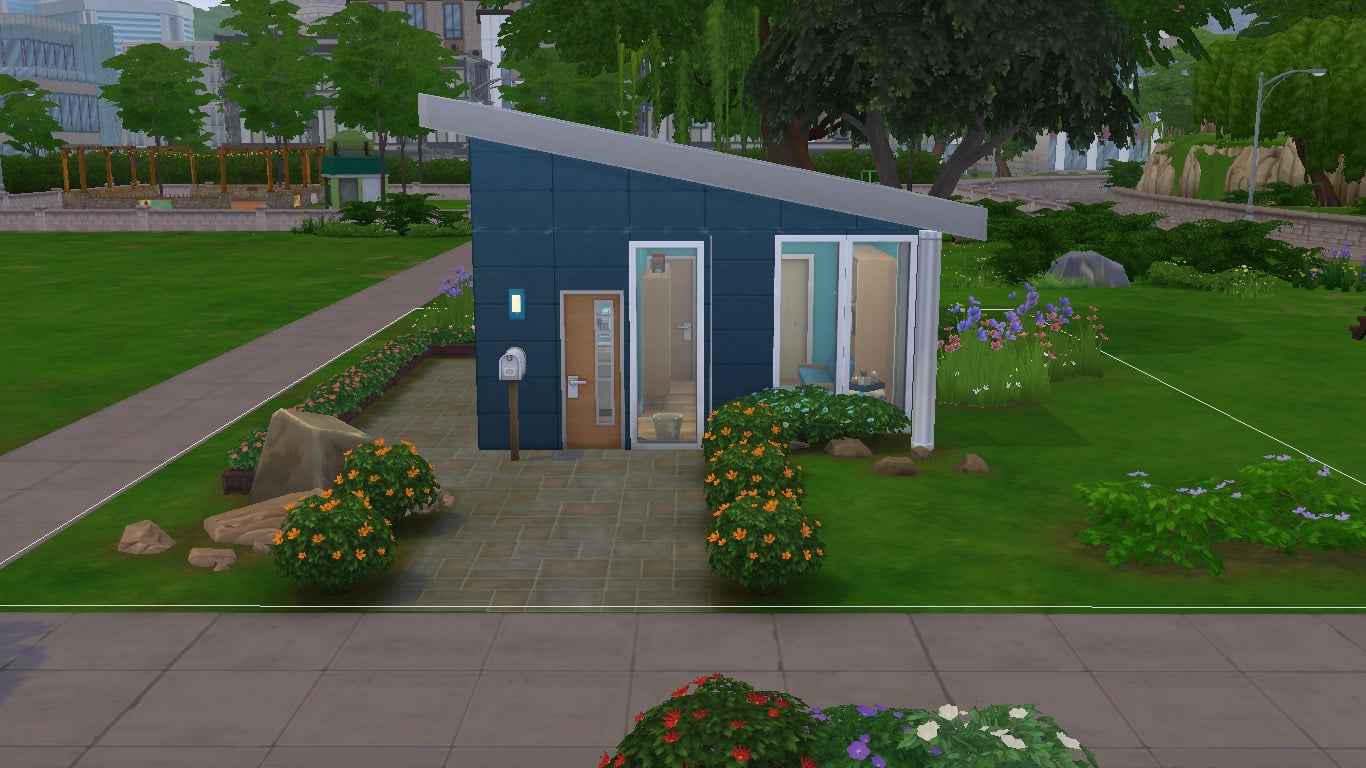
I’m sure your tiny builds will end up looking a little more like this, instead.

Want this micro home for yourself? Search for SnarkyWitch in the Gallery. This lot is called Micro Living Starter.

The Sims 4 Tiny Living: Early Access Livestream

0

Join us as we take a deeper look into The Sims 4 Tiny Living Stuff Pack and everything that it has to offer! We’ll also be building a tiny home and explore some of the perks of living in a Tiny Residental Lot.

The livestream is set to begin at 9PM CET / 8PM BT / 12PM PT. There will be a replay available for those who miss out on the livestream so stay tuned!

The Sims 4 Tiny Living: All About Lot Perks

Presented by EA Game Changers

When building with The Sims 4 Tiny Living, there are three different tiers of lots that you can have. Of course, while there is a restriction on the number of tiles the home can occupy, they do come with some Lot Perks. The Lot Perks, while they are somewhat similar to the self-selected Lot Traits, are automatically applied and vary depending on which tier of tiny home you have selected.

To find out which perks are added to your lot when you are in-game, simply head over to the Tiny Residential Venue Lot Rewards (by Tier) panel which is located next to the Lot Info Panel in the top left-hand corner of the screen.

The Sims 4 Tiny Living: All About Lot Perks

Make sure you have changed your lot type to Tiny Home Residential too!

Tier 1 – Micro Home

A Tier 1 home allows you to have a maximum of 32 tiles.

  • Lighten The Load – Using less space means using less energy which means lower bills.
  • Let’s All Get Along – All Relationship gains are doubled.
  • Let It Grow – Plants grow twice as fast as normal.
  • Feelin’ Fine All The Time – Happy, Inspired, and Focused buffs last twice as long.
  • You Got The Touch – Skills increase at double the standard rate.
  • Cozy Comforts – Relax! Everything is twice as comfortable as it is generally.

The Sims 4 Tiny Living: All About Lot Perks

Tier 2 – Tiny Home

A Tier 2 home allows you to have a maximum of 64 tiles.

  • You Got The Touch – Skills increase at double the standard rate.
  • Cozy Comforts – Relax! Everything is twice as comfortable as it is generally.
  • Lighten The Load – Using less space means using less energy which means lower bills.
  • Feelin’ Fine All The Time – Happy, Inspired, and Focused buffs last twice as long.

The Sims 4 Tiny Living: All About Lot Perks

Tier 3 – Small Home

A Tier 3 home allows you to have a maximum of 100 tiles.

  • Lighten The Load – Using less space means using less energy which means lower bills.
  • Feelin’ Fine All The Time – Happy, Inspired, and Focused buffs last twice as long.

The Sims 4 Tiny Living: All About Lot Perks

Once you have designed your new home, make sure you add your desired Lot Traits and you are good to go!

The Sims 4 Tiny Living: Build Items Overview

Presented by EA Game Changers

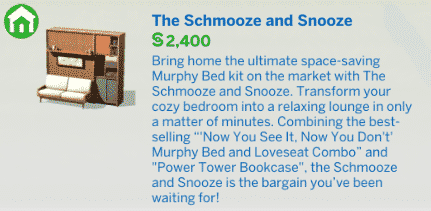
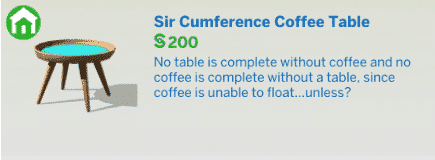
The Sims 4 Tiny Living  Stuff Pack comes with over 30 new items in Build / Buy Mode! From a variety of Murphy Beds to a variety of new decor items, a Modern Pouffe and more! Plenty of stylish and modern objects to furnish your Tiny Homes!

Down below we’ve included all items and their descriptions of those items that you can check out. Below the list of objects, you can also find a list of new styled rooms!

New Items


Styled Rooms

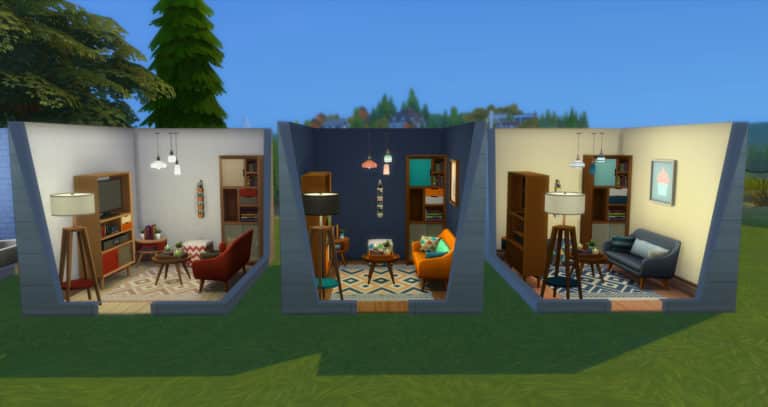
From left to right – Itty-Bitty Bathroom ($2,407), Tiny Living Big Dreams ($5,809) and Downsized Den ($6,252)

The Sims 4 Tiny Living Stuff: CAS Overview

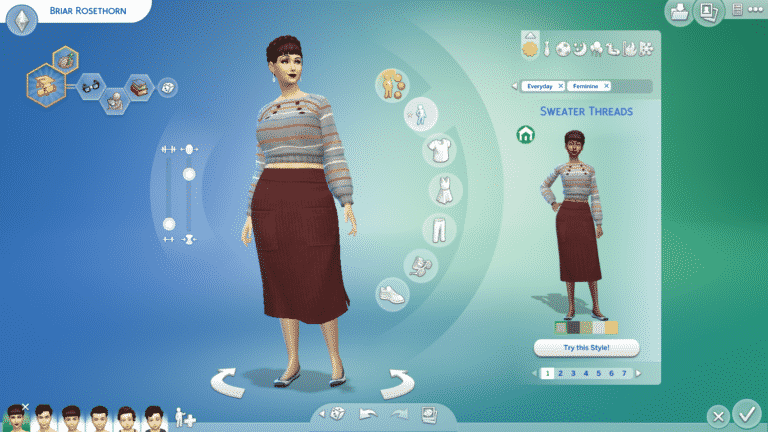
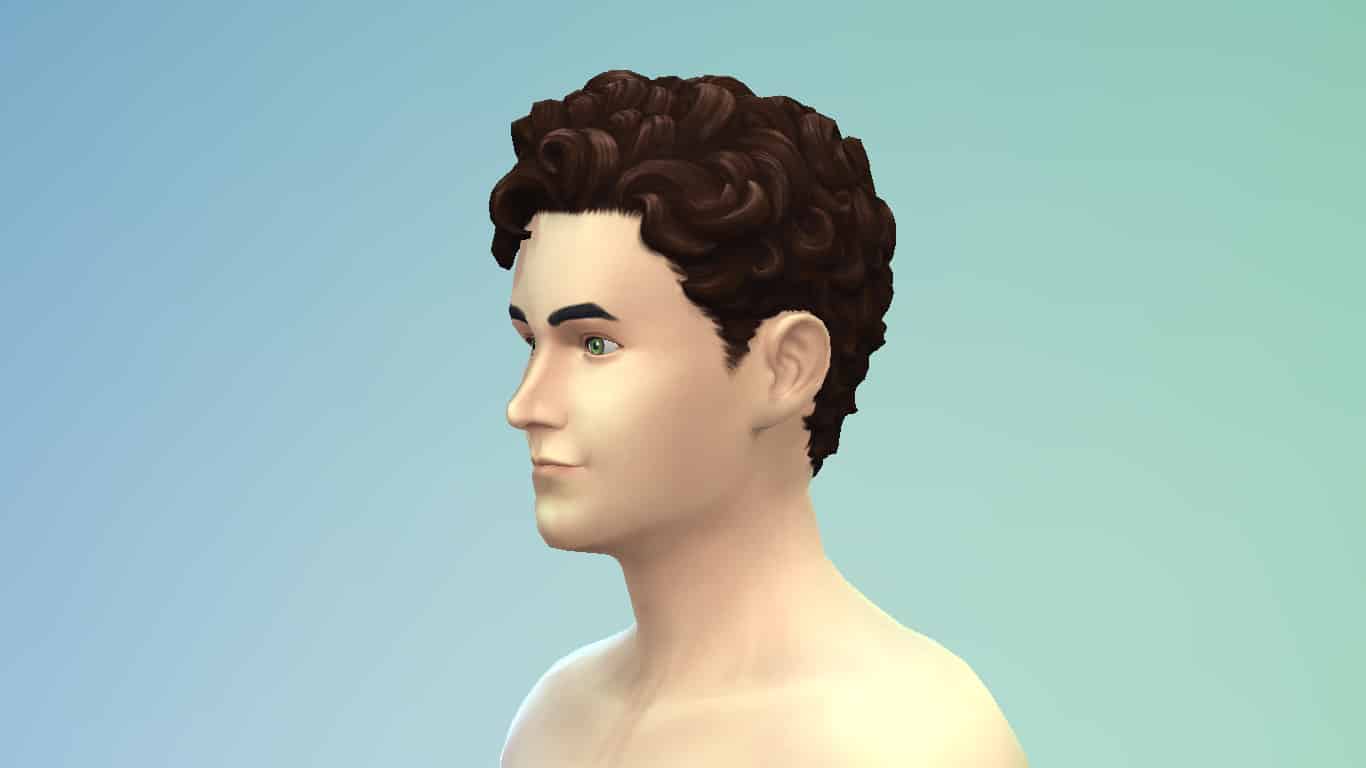
The Sims 4 Tiny Living Stuff comes with 30 new Create-A-Sim items for all ages; however, no new clothes or accessories for kids and toddlers. They instead have hairstyles that match the adult styles in this pack. These CAS pieces were inspired by the Japanese concept of One-Mile Wear; comfy, casual attire that can be worn anywhere within a one-mile radius of your home.

Check out every new CAS item below. To zoom in, just click on a picture to get a larger view.

Adult Feminine

Hairstyles (2)

Tops (4)

Bottoms (1)

The Sims 4 Tiny Living Stuff: CAS Overview

Full-Body Outfits (1)

The Sims 4 Tiny Living Stuff: CAS Overview

Accessories (2)

Styled Looks (2)

Adult Masculine

Tops (6)

Bottoms (1)

The Sims 4 Tiny Living Stuff: CAS Overview

Styled Looks (2)

Adult Unisex

Hairstyles (2)

Bottoms (1)

The Sims 4 Tiny Living Stuff: CAS Overview

Full-Body Outfits (1)

The Sims 4 Tiny Living Stuff: CAS Overview

Accessories (1)

The Sims 4 Tiny Living Stuff: CAS Overview

Child Feminine

Hairstyles (2)

Child Masculine

Hairstyles (2)

Toddler Feminine

Hairstyles (2)

Toddler Unisex

Hairstyles (2)

The Sims 4 Tiny Living: Building With Other Packs

Presented by EA Game Changers

When I first saw the trailer for The Sims 4 Tiny Living I instantly thought of several packs that I felt it would work well with. These packs were the City Living and Get Famous expansion packs but also the Bowling Night and Vintage Glamour Stuff Packs as well. To be totally honest, the Tiny Living stuff pack works well with many of the other packs but it really depends on the theme and approach you are going for in that particular lot or room.

Bowling Night

The Sims 4 Bowling Night Stuff Pack comes with a variety of objects which fit perfectly with some of the new objects in the Tiny Living Stuff Pack. Whether it is the colour swatches or patterns there are numerous combinations that can be created with both packs.

Vintage Glamour

The black and white swatches from Tiny Living work perfectly with Vintage Glamour and you can definitely use them to your advantage to create a very stylish Tiny Home for your Sims.
The Sims 4 Tiny Living: Building With Other Packs

Get Famous

While The Sims 4 Get Famous takes on a more high-end approach to many of the objects, there are still some everyday objects that work well with Tiny Living.

City Living

While Tiny Living is all about living somewhere small, your Sims can also be strapped for space depending on the size of their apartment. If you have several Sims in your family and are living in a smaller apartment then Tiny Living will definitely help save some space. Of course, the objects from Tiny Living are perfect regardless of the size of your Sims home.

The Sims 4 Tiny Living: Building With Other Packs

There are numerous ways that you can use Tiny Living throughout The Sims 4. These are just a few of the packs that I felt stood out from watching the initial trailer and from playing with the pack myself. Movie Hangout was another pack that stood out to me due to the colour swatches of some of the objects but there are objects in each and every pack that would work well with the Tiny Living Stuff Pack.

Which packs are you looking forward to using with The Sims 4 Tiny Living? Let us know in the comments!

The Sims 4 Tiny Living: Everything We Learned from the Deep Dive Livestream

In case you missed it, The Sims Team did a deep dive livestream today where they covered all the additions that came with yesterday’s patch as well as all the new content coming in the upcoming stuff pack, Tiny Living.

You can catch the replay here!

But if you’re short on time and can’t spare two hours, we’ve made it easy for you. We’ve covered all the info about Tiny Living revealed in the livestream right here in handy point-form format. Scroll to the category you’re most interested in and get all the facts right away!

The Sims 4 Tiny Living: Everything We Learned from the Deep Dive Livestream

General

  • Tiny Living will be released worldwide on PC and Mac on January 21st, 2020. The release date for PS4 and XBox One is February 4th, 2020.
  • The visual inspiration for this pack was Hygge, which is a Danish style and mindset that means warm and cozy with feelings of contentment.
  • The Japanese concept of One-Mile Wear was also cited as inspiration for the CAS portion of this pack. One-Mile Wear means clothes that can be worn anywhere within a one-mile radius of your home. Comfy clothes that can be put on and worn while running quick errands or partaking in casual social activities close to home.

Gameplay

  • Sims can “Brag About Tiny House” to other Sims if they live on a Tiny Home Residential lot. The interaction changes to “Brag About Really Tiny House” if the Sim lives in a Tier 2 or Tier 1 tiny home.
  • The murphy bed can kill Sims! Death by Murphy Bed is a new death type in the game!
  • Murphy beds have a higher chance of killing Sims when they are broken. Functioning murphy beds can still kill Sims, but at a much lower rate.

  • The murphy bed can be upgraded to lower/eliminate the risk of being killed.

  • Sims who die from the murphy bed have sleep Zs emanating from their ghosts.

  • Murphy bed ghosts are “energy vampires,” as Connor described them in the livestream. They will possess living Sims and suck the energy out of them.

  • Murphy bed ghosts will not allow living Sims to sleep. They will wake up any sleeping Sim on the lot.

  • In the livestream, a child was seen being injured by a murphy bed while trying to open it. It was not mentioned if children can die from murphy beds or not.
  • Monsters will not spawn under murphy beds, since monsters do not spawn under double beds. The monster will spawn under the single bed that comes with this pack, however.

Build/Buy

  • Tiny Living comes with a premade Tiny Home Residential lot you can place down. The game will prompt you to place the lot when in the map view, much the same way it prompts players to place restaurants and spas from Dine Out and Spa Day.
  • New build mode UI for Tiny Home Residential lots. Players can easily switch between a normal Residential lot and a Tiny Home Residential lot. Tiny home requirements and rewards can be seen in a new tab when building on a Tiny Home Residential lot as well.
  • Tiny homes have three different tiers, each one with its own set of requirements and gameplay rewards. The smaller the home, the more gameplay benefits.
    • Tier 3: Small Home (max 100 tiles)
      • Lighten The Load – Lower bills

      • Feelin’ Fine All The Time – Happy, Inspired, and Focused buffs last twice as long

    • Tier 2: Tiny Home (max 64 tiles)
      • Lighten The Load – Lower bills

      • Feelin’ Fine All The Time – Happy, Inspired, and Focused buffs last twice as long

      • You Got The Touch – All skill gains are doubled

      • Cozy Comforts – Everything is twice as comfortable

    • Tier 1: Micro Home (max 32 tiles)
      • Lighten The Load – Lower bills

      • Feelin’ Fine All The Time – Happy, Inspired, and Focused buffs last twice as long

      • You Got The Touch – All skill gains are doubled

      • Cozy Comforts – Everything is twice as comfortable

      • Let’s All Get Along – All relationship gains (and hits) are doubled

      • Let It Grow – Plants grow twice as fast

  • As you build, the game will keep track of how many tiles you’ve placed at the top of the screen. The player does not need to manually switch between the three home tiers; the game knows which tier the home is based upon the number of tiles placed and recalculates accordingly.
  • Lot size does not affect Tiny Home Residential requirements. Players can landscape the exterior as much as they want. Only the physical building structure eats into the tile limit.
  • Things that count as additional tiles:
    • Additional levels (basements and upper stories)
    • Foundations
    • Decks
  • Things that don’t count as additional tiles
    • Objects
    • Pools
    • Floor coverings
  • There are ways to get creative with the build restrictions and extend your usable space without increasing your tile count, like utilizing a flat, unenclosed roof as a patio or rooftop garden.
  • Some new space-saving objects that don’t have a base game equivalent include:
    • Foldaway murphy beds, both with and without a foldaway love seat attached.

    • Bookcases that can connect to the murphy bed.

    • 3-in-one TV, stereo, and bookcase object in 2 size variations. The larger one will not break in the rain because it has a covering over it.

    • A 1×1 desk.

    • 2 different 1×1 dressers.

      • NOTE: There is one 1×1 dresser in the base game but it’s an extremely expensive Victorian one that doesn’t easily match different home styles and is not affordable to the average Sim.

    • 1 floor lamp that doubles as an accent table for small decor.

  • Murphy beds are disabled for the Off-the-Grid lot trait because they are remote-controlled and can break.

CAS

  • As always, new hairstyles, tops, and bottoms for both masculine and feminine Sims, ages teen to elder.
  • One new unisex full body outfit, ages teen to elder.
  • Three new accessories; a matching earring and necklace set, and a pair of glasses.
  • No new clothes or accessories for children or toddlers; however, all the adult hairstyles in this pack are also available for children and toddlers!