


These tricks of the trade will turn you into a building pro, no matter your skill level!
The Sims 4 makes building easier than ever for players but it still has some limitations that can be frustrating when you have a specific vision in your head. Luckily, Simmers are some of the most creative people on earth and have found ways to get around a lot of these limitations. Here are 13 Sims 4 build cheats, tips, and “hacks” that can help you elevate your building, whether you’re a pro or a novice!
Sims 4 Build Cheats for Both Novices and Pros!
Before you try out any of these, make sure you pull up the cheat console with CTRL+SHIFT+C and type in the bb.moveobjects on cheat. Many of these tricks require this cheat to be active, first. For advanced builders, you may also find the bb.showhiddenobjects and bb.showliveeditobjects cheats useful for widening your catalogue of items.
[listicle]
Split-Level Basements
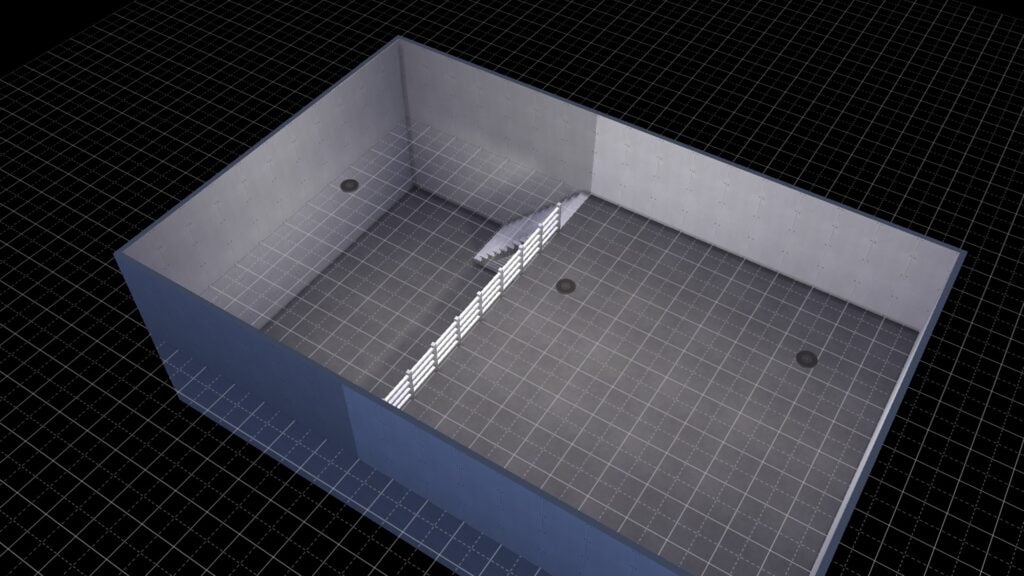
Build two basement levels on top of each other and split the top level into two rooms. Delete the floor in one room and replace the dividing wall with fencing. Pop in some stairs and there you go!
Best Build Cheat: Free Placement
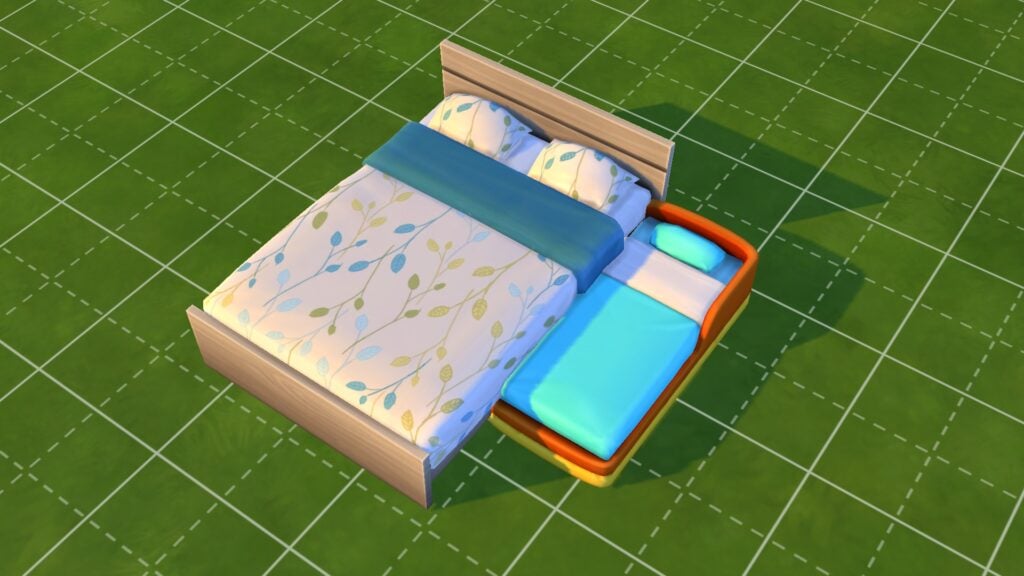
This trick is super easy to use. Hold down the ALT key while you have an object selected to move it freely outside the grid lines! You can create all kinds of great custom furnishings with this one!
Wall Corner Trim

Did you know there are wallpapers in The Sims 4 that auto-apply trim to outside corners? Well now you do! You’ll find these special wall coverings in both the base game and in several DLC packs.
Quarter Grid Snap
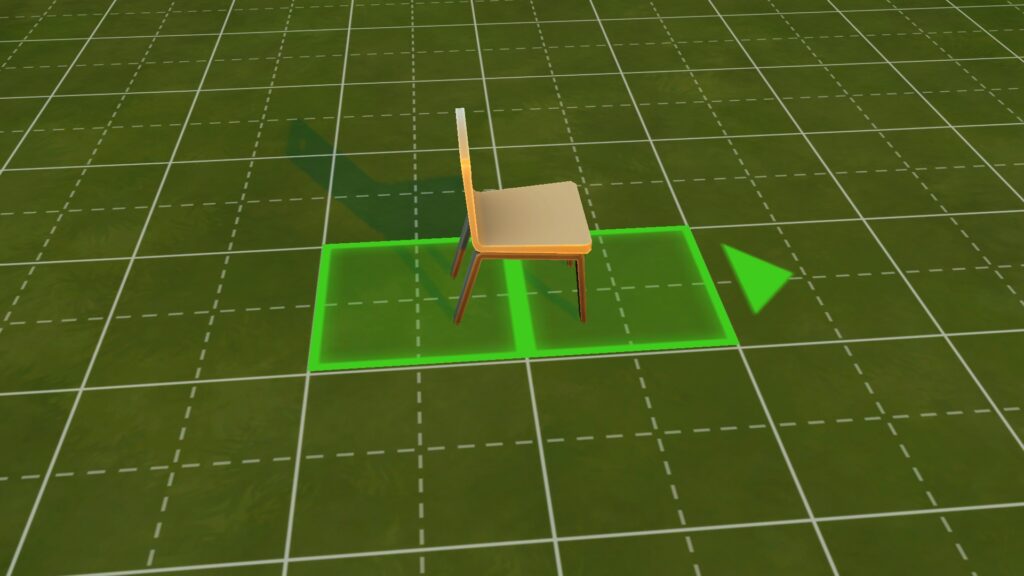
You can toggle between full tile, half tile, and quarter tile grid snap placement by hitting the F5 key with an object selected! This will let you get precise placement every time!
Our Favourite Build Cheat? Scale Objects!

If you want to make an object smaller, hit the [ key with the object selected. Likewise, if you want to make an object larger, hit the ] key with the object selected. This Sims 4 build cheat works best with décor. Many functional objects stop working when scaled up or down too far.
Free Rotation

Similar to free placement, just hold the ALT key with an object selected and move your mouse around to rotate it a full 360 degrees instead of snapping to 45 degree angles.
Place Half Tile Flooring
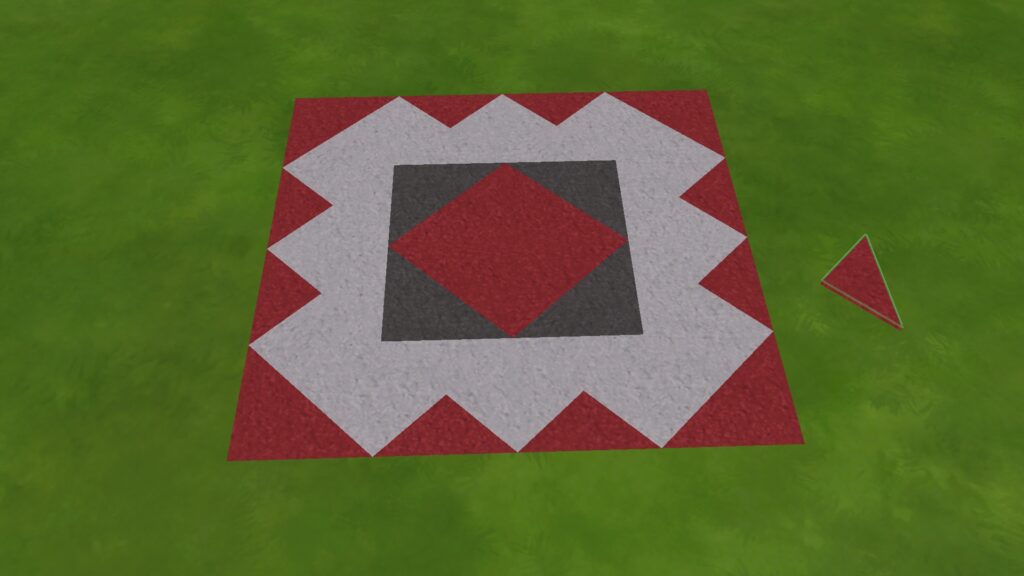
You can create your own custom floor designs by hitting CTRL+F with some flooring selected! This allows you to place triangle-shaped tiles instead of square ones.
Incognito Build Cheat: Hidden Basements!
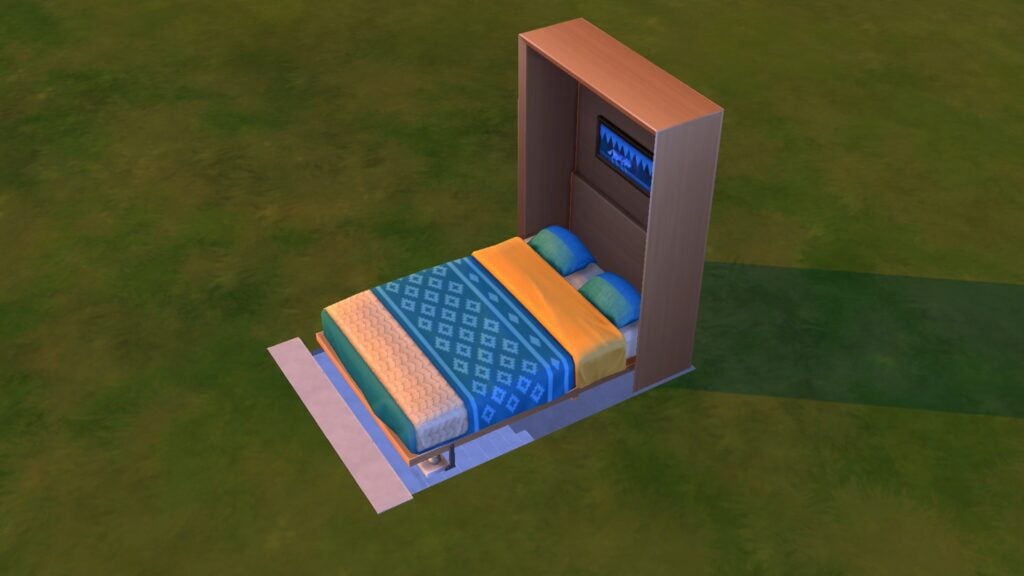
This Sims 4 build cheat requires the Tiny Living stuff pack. Build a basement with a staircase. Place a murphy bed over the opening by putting it on the basement level and using the 9 key to raise it up to ground level. Then have a Sim pull the bed down to conceal the entrance. You’ll want to disguise the bed with foliage or walls, of course. We recommend debug objects since these items often don’t have footprints and aren’t seen as obstacles by Sims.
Counter Customization
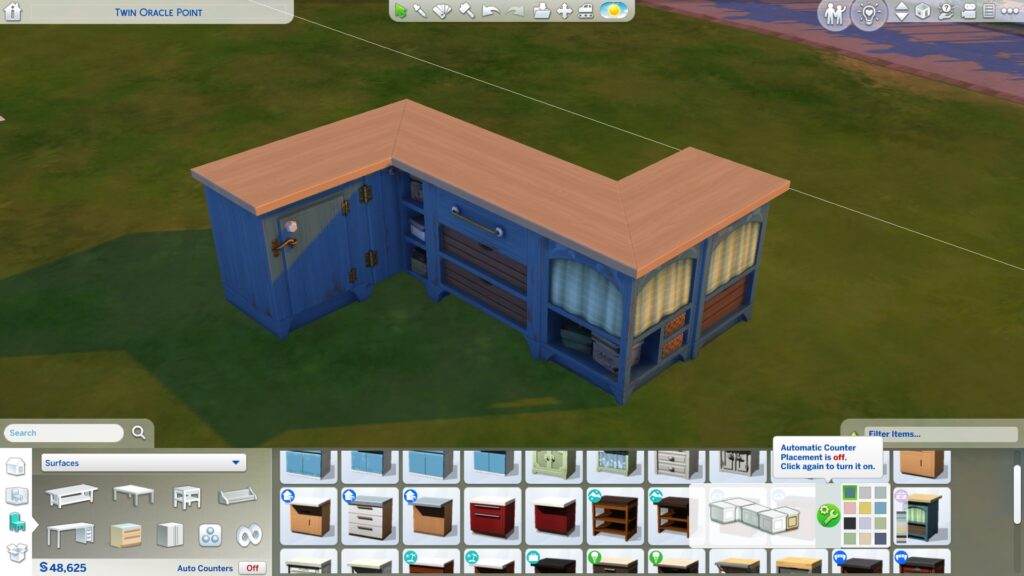
Create more unique counter setups by toggling auto-counters off! This lets you mix and match counter designs as you please!
Move Objects Freely on Walls
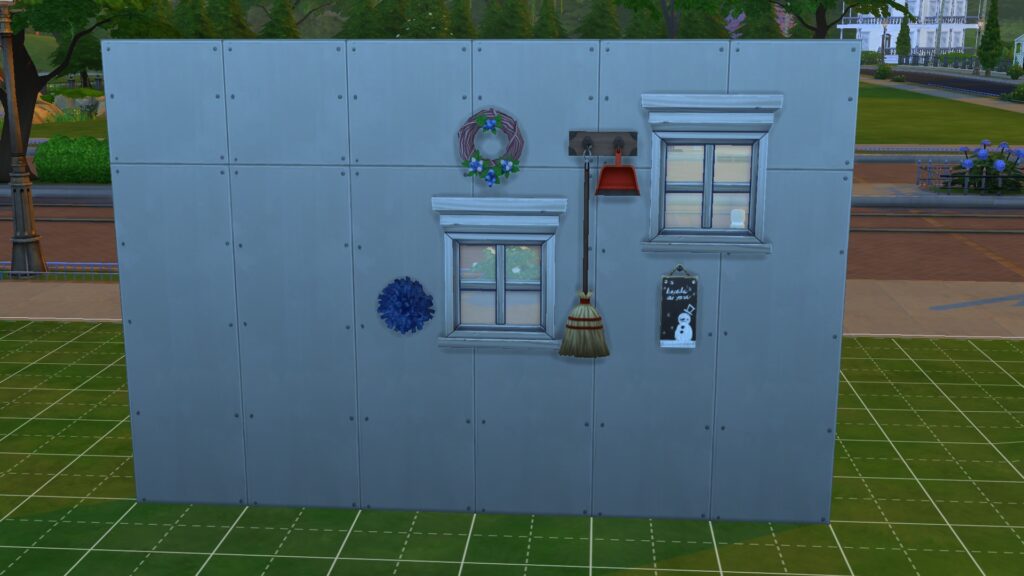
Similar to free ground placement, just grab any window or wall decoration and hold ALT to freely move it around! You can also use the 0-9 keys to move things directly up or down.
Lesser Known Build Cheat: Embed Objects in Terrain
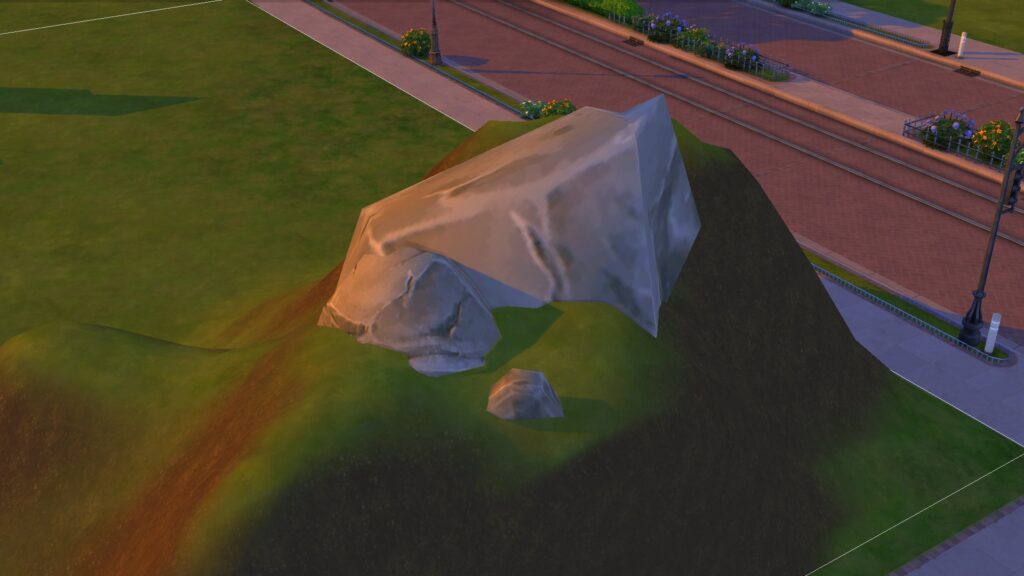
It’s annoying when objects like rocks and foliage sit on top of raised terrain, isn’t it? Fix that with this Sims 4 build cheat: Put a room on a hillside; the room’s foundation will be embedded into the hill. Then place any rocks or foliage on the foundation. When you delete the room, the objects will stay embedded in the terrain.
Cabinet Customization
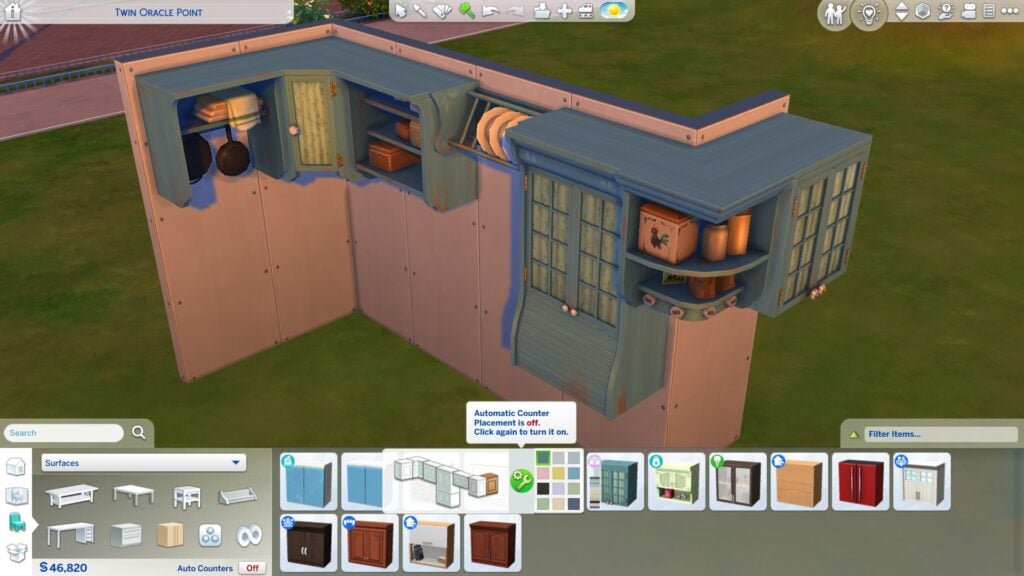
Just like counters, cabinets can also be customized more by toggling auto-cabinets off! This will let you pick different styles of cabinets to create unique kitchens.
Taller Windows and Doors
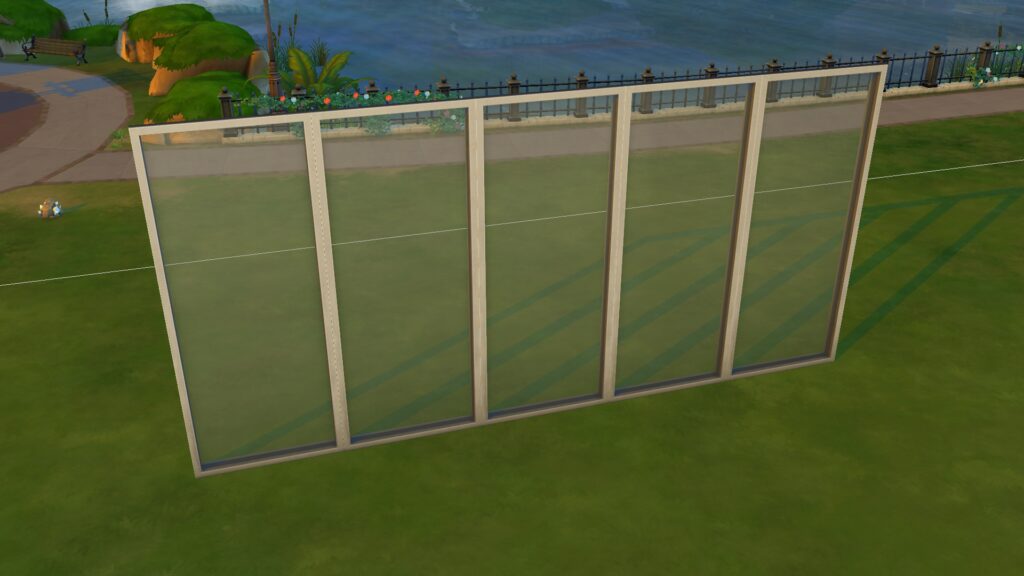
You can make tall windows and doors look even taller by placing them on the tallest wall height, then lowering the wall height again! This opens up seamless design options which is great in modern builds.
[/listicle]
Looking for more Sims 4 building tips and inspo? Check out our Let’s Build series!

