



Although The Sims 3 Graphics may look old to some, there are still a few tweaks that you can do to improve your visual experience of the game.
Shadows Quality
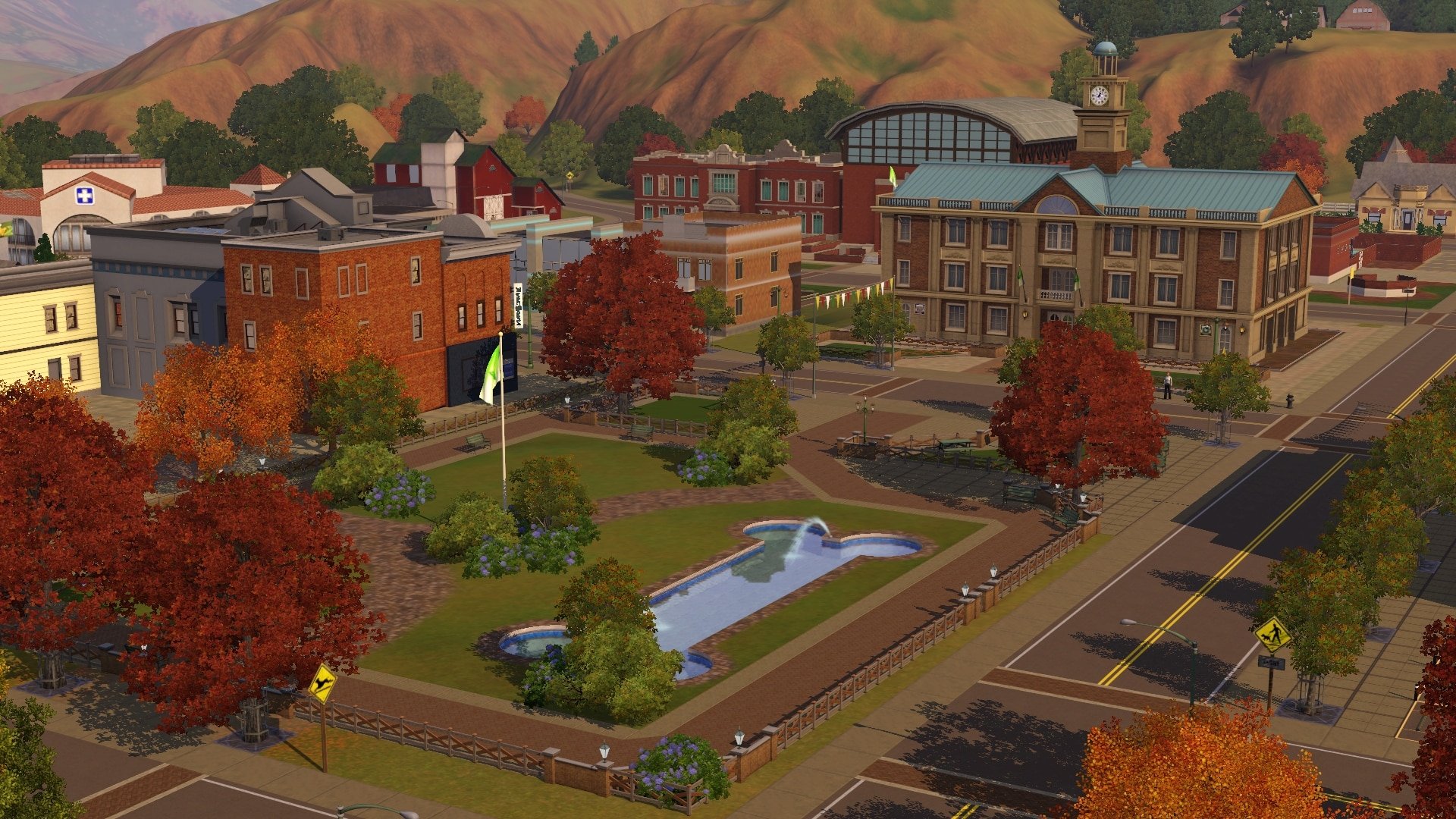
Even with all Settings set up to max, it still might feel like Shadows are not showing their full potential. They appear jaggered and distorted in most cases, but luckily that can be solved!
Go to Electronic Arts > The Sims 3 > Game > Bin and open GraphicRules.sgr. Use CTRL + F and search for ShadowMapSize. Under ”setting $High”, change the ”prop $ConfigGroup ShadowMapSize 1024” value to ”prop $ConfigGroup ShadowMapSize 3840” if you want 4K shadows or ”prop $ConfigGroup ShadowMapSize 7680” if you want 8K shadows. Here are the results:




Outdoor Lighting Tweaks
Do you feel like the nights are too bright and blue? Is there too much bloom during the day? Are shadows too choppy and don’t move naturally? There’s an easy fix for all of that + more!
dDefinder‘s Outdoor Lighting Tweaks Mod makes the overall Environment of Worlds much more natural. Here are some of the major features of this Mod:
- Shadows naturally ”follow” the sun.
- Nights are no longer overly blue and bright.
- Updated Sunrise and Sunset colors.
- Tweaks to sun intensity, ambient lighting and bloom.
- More natural Environment during weather ocassions. (Requires TS3 Seasons to function)
- Adds 3 new weather types: Heavy Fog, Stormy and Overcast.
You can download the Mod by pressing the download button below. As the Mod comes packed with different variations, we suggest that you read the install instructions provided with the Download link.
[mks_button size=”large” title=”DOWNLOAD” style=”rounded” url=”http://www.modthesims.info/download.php?t=367164″ target=”_blank” bg_color=”#1e73be” txt_color=”#FFFFFF” icon=”fa-arrow-down” icon_type=”fa”]
How do all of these tweaks appear in the game? Check out our Timelapse Video:













I don’t have any folders named ‘games’ in my Sims 3 game….
If you’re referring to the Shadows fix part of this article, then I was talking about the folder where your game is installed, not where your Save Game files are stored.
After making changes on GraphicRules file, it won’t allow me to save the changes… It says ”access denied”. What should I do?
Go to options and uncheck the ”Read-Only” box.
It’s already unchecked…
copy the file to your desktop and then make the changes, save and copy it back to initial location, over-write the original file if prompted. reasoning being is in Program Files or Program Files 86x (depending on your os) files are write-restricted.
Then make sure all Sims3.exe processes are terminated (meaning that you dont have the game opened)
When I got to the step with games I didn’t know where to go from there. Please I need help
Oh wow.. I wish my game would look like this as well. Unfortunately my computer and my screen can not handle ultra graphic that well. *cries* But I hope my next computer will be able to something similar to this.
Great tipps! Thanks a lot for this!
Which world is it at :23 in your video?
Anybody figure out the best settings for a late 2015 iMac with 4k retina without the game crashing?
Anybody figure out the best settings for a late 2015 iMac with 4k retina without the game crashing?
I miss open world.