


The recent update to The Sims 4, adding some bug fixes (and new bugs) to the game, also contained a collaboration with Coach New York, the United States luxury fashion house, known widely for their purses, bags, and clothes bearing their logo and brand iconography. In collaboration with The Sims 4, Coach New York assisted with the creation of six new Create-A-Sim assets, as well as three Build/Buy mode assets. The Create-A-Sim items include two bottoms, three tops, and a pair of shoes, and the Build/Buy mode assets include a recolor of the costume trunk included in The Sims 4 Lovestruck, as well as two decorative purses inspired by Coach’s Tabby and Brooklyn bag designs.

Table of Contents
Brand Collaborations and The Sims

When it comes to real-world brand collaborations, The Sims mainline franchise and other entries have a long and varied history in this case, including instances like The Sims 4 x Moschino and The Sims 3: Katy Perry Sweet Treats. This collaboration is no different, with wide and varied opinions from the community. These include some liking the introduction of new assets with input from real-world fashion influences, though some feel it was a bit misplaced with the collaboration including purses… that cannot be worn by Sims… because Sims cannot wear purses without mods or custom content.
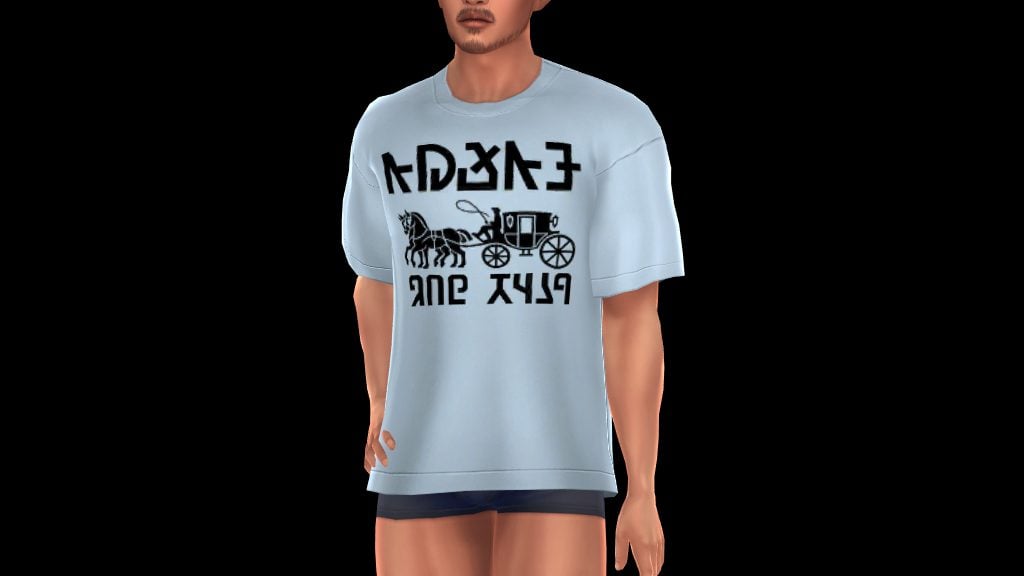
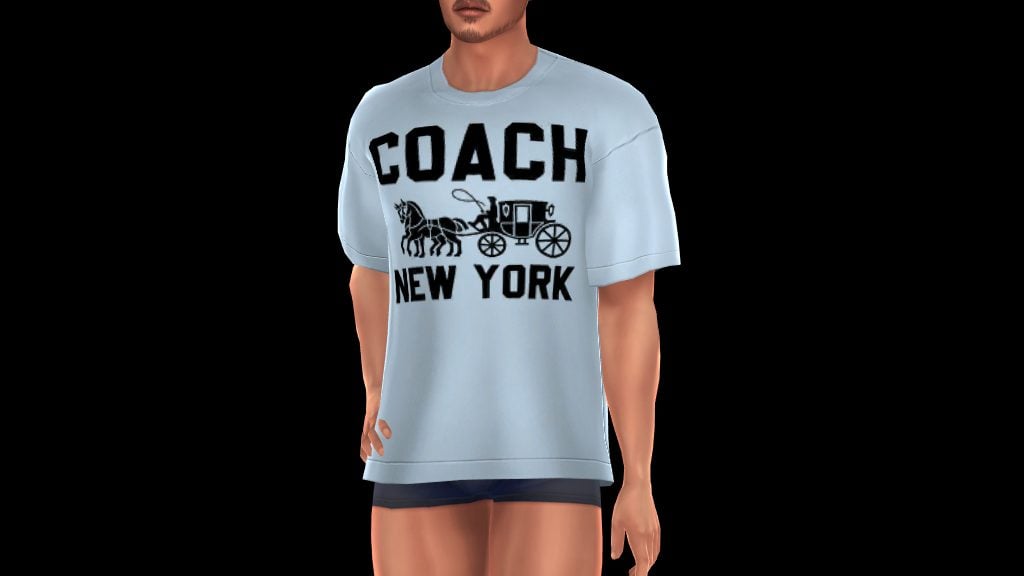
Another bit of contention is that the Create-A-Sim items that contain text contain both English and Simlish swatches. While some players don’t mind or prefer to have items in-game with English on them, as they are often recognizable or reminiscent of real-world clothing items, a lot of players don’t enjoy seeing English or other real-world and recognizable languages on in-game assets, with the primary reason being due to it becoming repetitive. A lot of players also don’t like the lack of choice here; Both English and Simlish swatches share items, so there’s not really a way to avoid them appearing or generating on Sims in your game if you prefer one or the other.
AorticSims, a creator mostly known for swatch overrides and recategorizer mods, caught wind of this and created a bit of agency for Sims PC players, creating two versions of an override that shows ONLY the English or ONLY the Simlish swatches in Create-A-Sim.
Install Instructions

Please review our Mods & CC Installation & Maintenance guide. For those with a bit more experience who may need a reminder, a simplified version is…
To add the items to your game on Windows, follow this folder path:
C:\Users\[USERNAME]\Documents\Electronic Arts\The Sims 4\Mods
To add the items to your game on MacOS, follow this folder path:
Macintosh HD/Users/User/Documents/Electronic Arts/The Sims 4/Mods
Once you’ve downloaded the files, make sure you have an extraction program installed. These can include 7Zip, Winrar, etc. After that, highlight one or multiple zipped/compressed files and select “Extract Here”. Drag the extracted contents to your Mods folder. You can also sort them into their own folders within your Mods folder, but it is recommended to not nest them too many levels deep as it can cause longer loading times, and some CC items and mods stop working when too deep within folders.
Tip: While many creators provide additional files, like .txt/ReadMe, .jpg/.png files, and more possible file types for previews or instructions, it is best practice to not put those into your Mods folder as they can also lead to longer load times and excessive clutter. Creators will often specify any files that need to be put into the folder, along with where, so primarily focus on .package and .ts4script files!
Sims 4 Coach in Simlish OR English CC Override by AorticSims

For players that want some sort of control with what languages and visuals appear in their game, AorticSims created a CC override for the Create-A-Sim items in the Coach x The Sims 4 collaboration, limiting the swatches to either ONLY English or ONLY Simlish, since the items provided in Create-A-Sim came with options for either.
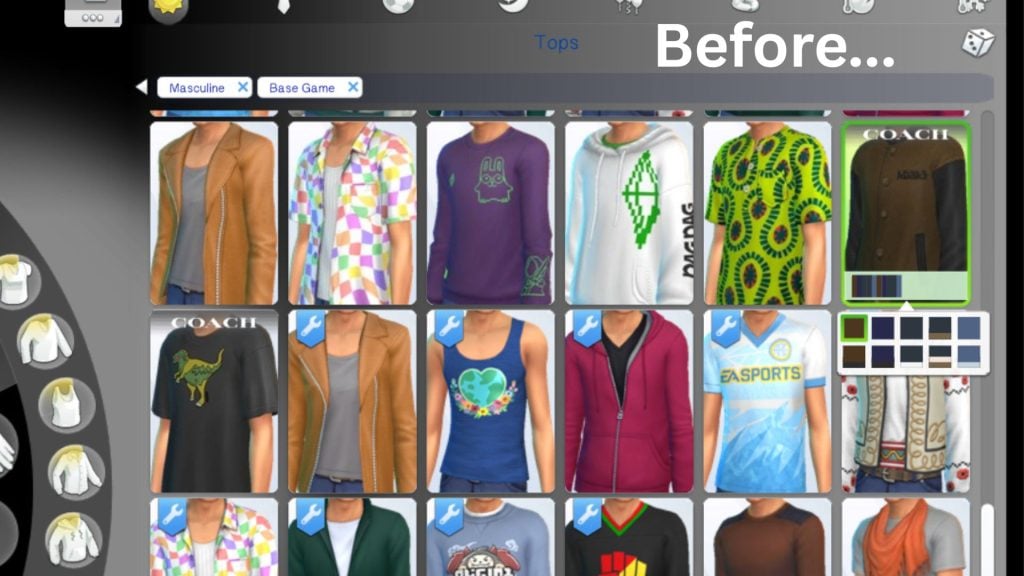
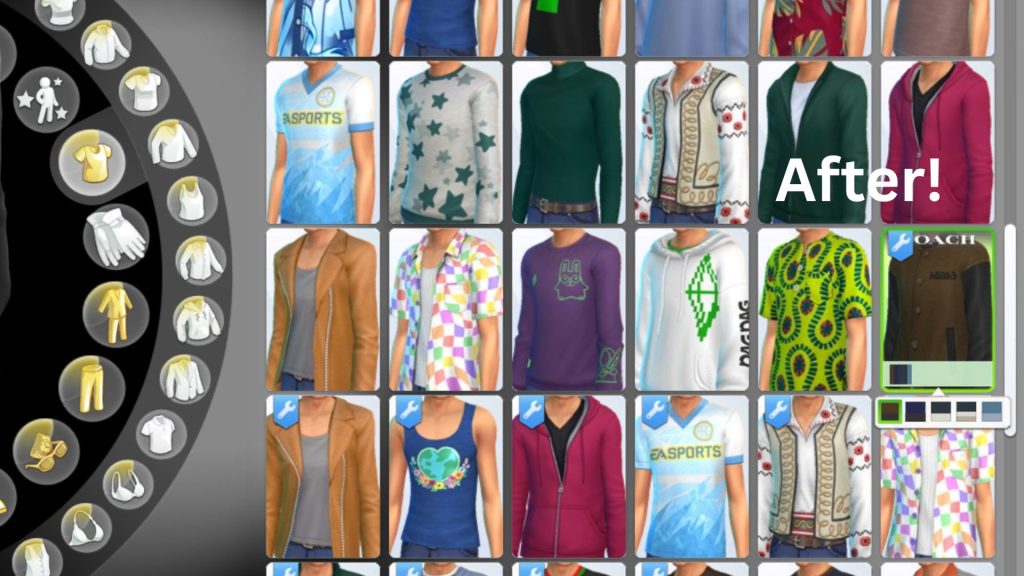
As a personal opinion, I also find that using real-world languages in the Sims, whether it is in English or another recognizable language, tends to be a tad distracting, repetitive if the items are used multiple times while playing, or they tend to pull me away from the immersion of “Life Simulation where I control everything and the real world doesn’t really matter”.
Do you have any sort of opinion on real-world languages, like English, appearing in The Sims 4, whether positive or negative? Does it really not matter to you? Let us know! We love to cover mods and CC to add new options for Sims 4 PC Players, so feel free to let us know if there’s anything you’d like us to cover!


I always thought I’d hate English in The Sims but I actually really like it. It was nice to have the option to try it out as I wouldn’t have otherwise done so. I like that Coach and the Sponge Bob came out at similar times as its a nice way to differentiate between the cool kids/adults and the nerds.