Home Blog Page 473

The Sims Franchise: Fun Facts!

0

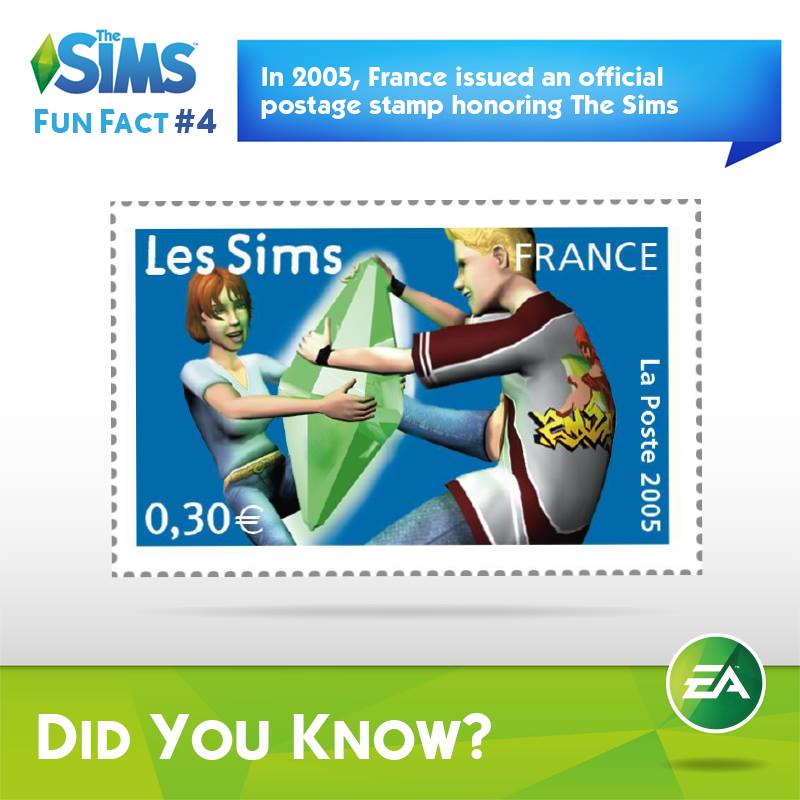
To celebrate 15 years of The Sims Franchise, Sims Social Channels have posted some interesting facts about the Franchise that you may or may not have heard about.

The answer to the second picture is the Guinea Pig, while the answer to the sixth pic is the toilet 😉

funfact5 funfact1 funfact3 funfact4 funfact2 10615392_849058355133236_8331971650061664119_n 10984070_849523641753374_96347492942298730_n

The Sims 4 for Mac: Frequently Asked Questions

0

As The Sims 4 is releasing for Mac Computers tomorrow, The Sims Team has decided to answer some of the most frequently asked questions related to the Mac Version.

B9-_7BuIcAA8cew

You can check out our Home Page if you want to know with us to the exact release of The Sims 4 for Mac!

The Sims 4 Mod: SimLotto

1

This Mod has been brought to you by Mod The Sims member – scumbumbo!

Buy a ticket and make your Sims a millionaire!

This mod allows sims to purchase SimLotto lottey tickets on any of the computers included in the game. The payout rate is higher than a normal lottery to make things a bit more fun, but the odds are fairly balanced and not just a money cheat. Three flavors of the mod are available, normal odds, easier odds and best odds. The number of required matches, range of numbers and payouts are altered in each flavor. A complete list of the payouts may be found below in a spoiler.

Click on the picture below to download this Mod! (Requires MTS registration)

MTS_scumbumbo-1505532-SimLotto-3

Click Here for more information on how to install Mods and Custom Content!

The Sims 4 Get To Work: Full Release Date!

1

The Sims Facebook posted a Trailer of The Sims 4 Get To Work featuring a minor change – a full release date of this Expansion Pack!

Their first version of the Announce Trailer shows that The Sims 4 will release in April 2015, but as SimFans has previously found that EA DE leaked a European Release date by accident (April 2nd), this Official Leak is more than just plausible.

GTWrelease2

The Sims 4 Custom Content: Shabby Chic Bathroom

0

This Set has been brought to you by The Sims Resource member – TheNumbersWoman!

Shabby is all we need to say. Chic is to make you look. Your Sims can take pleasure in our dumpster diving furniture redone. As always redone by that cheap labor passing the savings to You! We did make sure the toilet seat was sanded so you won’t be sitting where another bottom has been! This set has one extra color option. The fireplace needs the Camping Game Pack to work. Please see specific object instructions in the package file in game.

Click on the picture below to download this Set!

w-600h-450-2557226

Click Here for more information on how to install Custom Content!

The Sims 4 Custom Content: Valentine Camisole

1

This Set has been brought to you by The Sims Resource member – altea127!

Sweet camisole with small central bow.

Click on the picture below to download this Set!

w-600h-450-2557354

Click Here for more information on how to install Custom Content!

The Sims 4 Custom Content: 6 Pastel Goth Sweater Dresses

0

This CAS Set has been brought to you by Holosprite!

Download

tumblr_nj88yg36ah1ty4o4vo3_540 tumblr_nj88yg36ah1ty4o4vo2_540

Click Here for more information on how to install Custom Content!

It’s Valentine’s Day!

0

Happy Valentine’s Day!

To start off we have a special Gallery Spotlight featuring 3 special Lots!

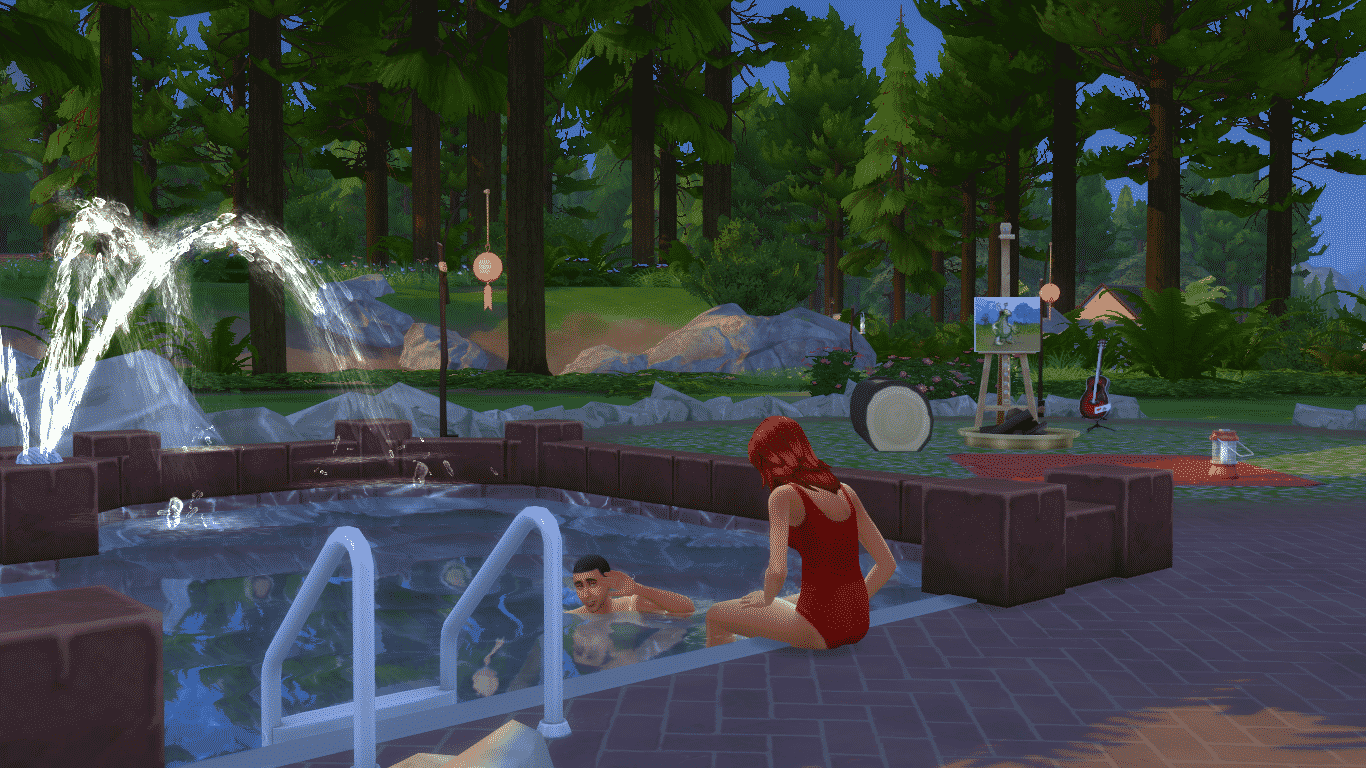
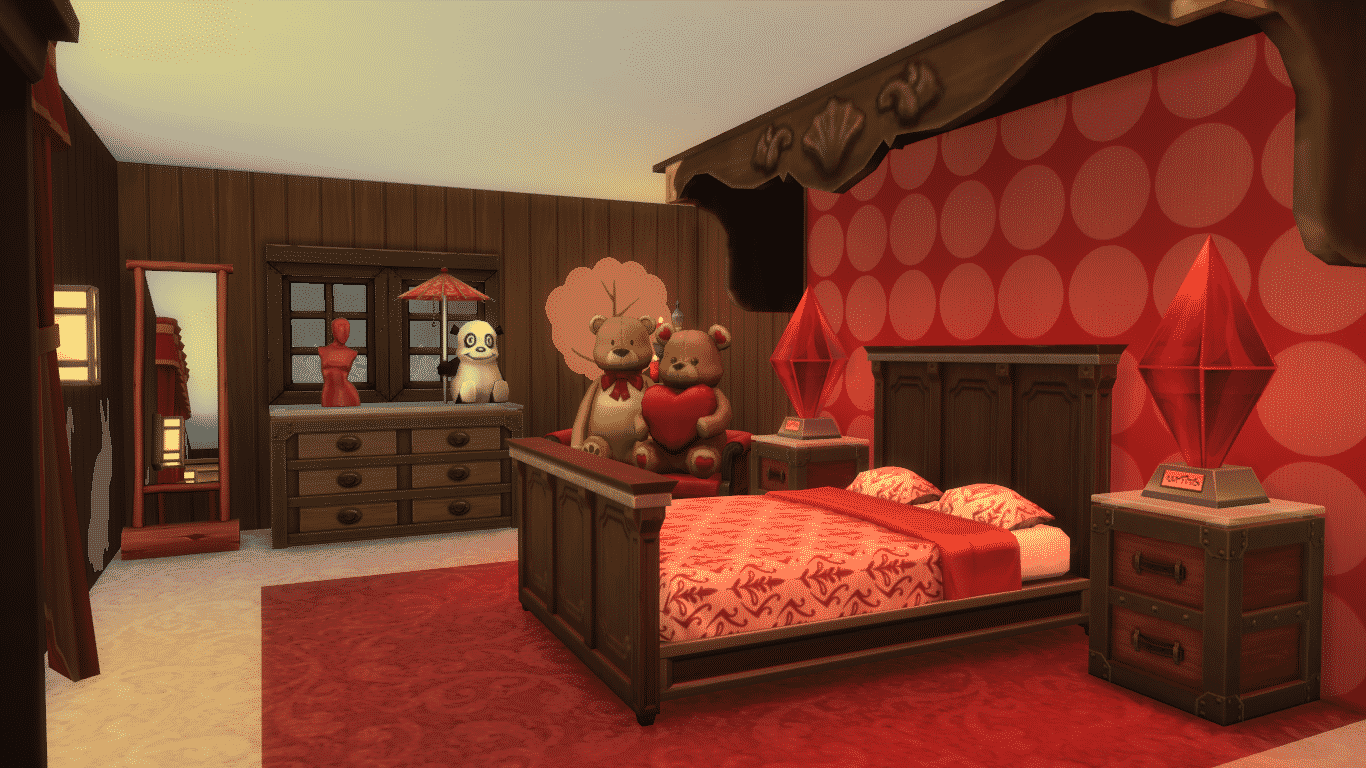
WooHoo Bed Cabin (Download Here)

Spend days and nights in this Cabin with your loved one deep in the woods of Granite Falls. Sims won’t forget this Vacation in a long time!

Spend Valentine’s Day together in this big bed. #WooHoo!

Value: §79,544
Size: 30×20
Lot Type: Residental

02-14-15_5-05 PM-2

02-14-15_5-07 PM 02-14-15_5-14 PM 02-14-15_5-14 PM-3 02-14-15_5-14 PM-4 02-14-15_5-15 PM

Flying Hearts Club (Download Here)

Are u in love? Or do u want to be? Join the Flying Heart tonight!:) Romantic settings for sweet conversation, party area, love tubs for 2

Value: §63,871
Size: 30×20
Lot Type: Nightclub

00 01

Love is an open Door (Download Here)

No CC,pls activate MOO,place it on build mode,feel the love on this lovely couple home,everyday feels like Valentine

Value: §231,179
Size: 30×20
Lot Type: Residental

00 (1) 01 (1)

Don’t forget to participate in a brand new, official Weekend Challenge! If we manage to get our Sims to WooHoo over 4 Million times we’ll get a new Gnome, and if Simmers make their Sims WooHoo for over 5 Million times we’ll unlock some brand new Hairstyles next month!

More Info

So, what are you waiting for? Find a partner in The Sims 4 and get to work!

02-14-15_12-11 AM-2

The Sims 4 Custom Content: Alaric Bedroom Set

0

This Set has been brought to you by The Sims Resource member – spacesims!

A modern and comfortable bedroom made from top quality materials with a decent price. This bedroom is not for poor Sims, but it is easily affordable by Sims with medium to high income. All of the parts of this bedroom were made out of natural materials.

Click on the picture below to download this Set!

w-600h-450-2557256

Click Here for more information on how to install Custom Content!

GIVEAWAY: Win 2 copies of The Sims 4 and Outdoor Retreat!

giveawayts4ortext

Thanks for entering! We’ll be announcing the winners soon…

We are giving away two copies of The Sims 4 Base Game and two copies of The Sims 4 Outdoor Retreat Game Pack!

(generously donated by Thoddy – make sure you thank him in your comment!).

To enter this giveaway, all you have to do is write a comment in the comment section below.

The winner will be chosen randomly via random.org. We’ll make sure to provide a screenshot after the winner has been chosen.

This giveaway ends on 21st of February, 2015. Winners will be announced a couple of days later.

Before entering this giveaway, please note:

  • There will be 4 winners of this giveaway (2 will win the Base Game and 2 will win Outdoor Retreat)
  • People who are number 1 and 2 on the random.org list will receive the Base Game while people who are number 3 an 4 will receive Outdoor Retreat.
  • These are Digital Codes that can be redeemed using Origin.
  • Make sure you provide a correct E-Mail address when writing a comment!
  • If you make a mistake in your original comment and/or want to add something, just write a reply to your existing comment.
  • In case you can’t submit your comment, contact us at contactsimscommunity@gmail.com and we’ll be happy to help you!
  • Cheating is NOT allowed! If you try to represent as someone just so you have a bigger shot of winning, you will be disqualified.
  • Foul language is NOT allowed!
  • In case the winner doesn’t reply 48 hours after we publish the results, we’ll pick a person who’s #2 on random.org list.

Good luck! 😀

The Sims 4: WooHoo Weekend Challenge

3

Via The Sims!

Salutations Simmers!

Love is in the air. Or should I say, love will be in the air. We had a crazy idea last week, one that made us smile, and we hope you agree. Tomorrow (or if you are in Australia, today) is Valentine’s Day and we want to celebrate with you.

TS4_343_SGS_BCHL_01_001_BLOG_13feb15

A little back story: We’re able to collect various snippets of gameplay data, which we use to help us improve the game. Now, we want to use this data for a little mischief, a little fun, and… a little reward.

It’s time to WooHoo!

This weekend in The Sims 4 is officially WooHoo Weekend! If you can get your Sims to WooHoo 4 million times over the next two days*, we’ll build you a new gnome. You can see the concept drawing for it below! We’ll release this gnome – for free – in a patch in March (yes, that’s confirmation, we will have a patch in March) which will be available for all owners of The Sims 4**. And, if you manage to reach 5 million, we may throw in some snazzy hair styles as well.

woohoo_blog1_v2

It’s not all about WooHoo though. We truly want to see love in The Sims 4 flourish. We want your Sims to kiss, find their soul mate, go on dates, have children, and more. When the event ends, we’ll put all of this data together to share with you so we can all enjoy your accomplishments. I can’t wait!

So, what do you say?

TS4_122_BIGP_SS__Don_BLOG_13feb15

Can your Sims Woohoo 4 Million times, or 5 Million, or more, over the Valentine’s Day weekend? We recommend candles, some great soulful music, and at least two Sims.

Ready…

Set…

WooHoo!

*WooHoo Weekend starts at 2:00PM PST Friday February 13, 2015, and finishes at 11:59PM PST Sunday February 15, 2015.
**When a new base game patch is available, you will be prompted to download the next time you log in. Just click “yes” and any new content will download with the patch.

The Sims 4 Get To Work: FAQ + System Requirements

0

Via EA Help!

gettoworklogohq

1. When will The Sims 4 Get to Work be available?
The Sims 4 Get to Work will be available starting April 2015 in North America. Please check your local TheSims.com website for your local release date.

2. What’s new about The Sims 4 Get to Work expansion pack?
The Sims 4 Get to Work is an entirely new way to play The Sims 4. Actively control your Sims while they’re at work and determine whether they spend their days saving lives as a daring Doctor, solving crimes as a fearless Detective, crafting inventions as a mad Scientist, or creating their own retail businesses trying to become a Simoleonaire.

3. What is an Expansion Pack?
An expansion pack provides substantial new gameplay content, with new features, lots of objects and stuff. Each expansion pack focuses on a theme and offers extensive gameplay on that theme.

4. What is The Sims 4 Get to Work rated?
It is not yet rated.

5. Do I need to own The Sims 4 game to play The Sims 4 Get to Work?
Yes, The Sims 4 game is required to install and play The Sims 4 Get to Work.

6. Do I need to purchase the PC and Mac versions separately?
Just like The Sims 4 game, one purchase gets you both the PC and Mac versions.

7. What are the PC minimum system requirements for The Sims 4 Get to Work?

MINIMUM OS: Windows XP (SP3), Windows Vista (SP2), Windows 7 (SP1), Windows 8, or Windows 8.1 CPU: 1.8 GHz Intel Core 2 Duo, AMD Athlon 64 Dual-Core 4000+ or equivalent (For computers using built-in graphics chipsets, the game requires 2.0 GHz Intel Core 2 Duo, 2.0 GHz AMD Turion 64 X2 TL-62 or equivalent)

RAM: At least 2 GB RAM

DISC DRIVE: DVD ROM drive required for installation only

HARD DRIVE: At least 2 GB of free space (12 GB if installing with The Sims 4) with at least 1 GB additional space for custom content and saved games

VIDEO: 128 MB of Video RAM and support for Pixel Shader 3.0. Supported Video Cards: NVIDIA GeForce 6600 or better, ATI Radeon X1300 or better, Intel GMA X4500 or better

DIRECTX: DirectX 9.0c compatible

SOUND CARD: DirectX 9.0c Compatible

INPUT: Keyboard and Mouse

ONLINE REQUIREMENTS: Internet connection required for product activation.

8. What are the MAC minimum system requirements for The Sims 4 Get to Work?

MINIMUM OS: Mac OS® X 10.7.5 (Lion) CPU: Intel Core 2 Duo 2.4GHz Processor or better

RAM: At least 4 GB RAM

HARD DRIVE: At least 2 GB of free space (12 GB if installing with The Sims 4) with at least 1 GB additional space for custom content and saved games

VIDEO: NVIDIA GeForce 9600M GT, ATI Radeon HD 2600 Pro or better. Video RAM of 256MB or better

INPUT: Keyboard and Mouse

ONLINE REQUIREMENTS: Internet connection required for product activation.

The Sims 4 Tutorial: How to restore a previous saved game

1

Via EA Help!

SIMS4_Logo_Final_rgb

If your data is corrupted or you simply want to revert to a prior save, The Sims 4 automatically stores numerous save points for you to choose from.

Your save files can be found in the following location:

Documents > Electronic Arts > Sims 4 > Saves

Within that folder, you will see a long list of files with names like Slot_000000012.save or Slot_000000012.save.ver1. You will notice that each file number has up to six versions. The one with the .save file extension is the primary version of that save point–the one that would load if you launched the game and continued from where you left off (or used Load Game in the main menu to choose an older save point). The other instances of the file represent older points within that saved game, where the game automatically preserved your progress incrementally. The higher the version number, the older the file (.ver4 is the oldest save point within the series).

If you find that your game is corrupted as of the latest load, you can easily revert to any older version of that same save point, potentially losing no more than a few Sim hours of progress. Start by identifying the save point you want to use:

  • Is it definitely the latest game you’ve been playing, or do you want to go back by a few days?If your folder view is set to show details, you will see your files displayed with date and time information, making it easy to choose the newest set of save points.
  • If you want to go back further in an older save, you can match it to your save points in-game via the Load Game menu.The in-game save points show date and time information, so you can match them against the set of files in your Saves folder.

Important: After you have matched your save points in-game to your set of save files, be sure to close the game. Never alter game files while the game is running.

Once you have chosen the save point you want to return to, select the primary version of it (the one with the .save file extension) and move it to another folder location for safe-keeping (you could instead choose to rename or delete it if you prefer). Now you will have a set of files that all have the file extensions marking them as older versions of that save point. You can choose any one of those to make primary, depending how far back you want to go.

  • To revert the smallest amount of time and progress, choose the file with .save.ver0.
  • To revert the most time and progress within this save, choose the file with .save.ver4.

In order to make the file you choose become the new primary save point, simply right-click the file and choose Rename. Delete the part of the file name after .save and hit Enter.

Example: Slot_000000012.save.ver4 should now be Slot_000000012.save

Now, launch The Sims 4, and choose Load Game. Select the save point you want to open, and the game will load the file you renamed as the primary for that save point.

The Sims 4 Mac Release Schedule

0

SimGuruBChick has posted the exact date and time of The Sims 4’s release for Mac Computers!

The Sims 4 is coming to Mac on February 17, 2015.

Set your alarm clocks…

It will be live on Origin after 10am Pacific Standard Time. That will be after 6pm UK time, 7pm Central European Time, and for Sydney, Australia, that will be 5am on February 18.

If you’d like to join us count down to this release, visit our Home Page!

ts4maccountdown

The Sims 4 Mod: Aspiration Traits in Rewards Store

0

This Mod has been brought to you by Mod The Sims member – Shimrod101!

This mod adds all the Aspiration Traits, the traits acquired from completing aspirations, into the Rewards Store, such that they can be purchased for the points instead of doing the aspirations. None of these traits are disabled or removed from the aspirations, it’s also possible to still do the aspirations and acquire these traits, while purchasing some of the others.

The cost of purchasing all of the traits is reduced in the same fashion as in my Cheap Aspiration Rewards mods, the cheap flavour and the half-cost flavour; so all of the default traits/rewards have the same cost as in those mods.

The price point for the new traits is 250 in the cheap mod and 850 in the half-cost mod. I’ve simply chosen a price in both mods which hasn’t been used previously, such that these new traits will be grouped together. Use one or the other of these two mods.

Click on the picture below to download this Mod! (Requires MTS registration)

MTS_Shimrod101-1504712-RewardStoreTraits

Click Here for more information on how to install Mods and Custom Content!