


Open up limitless possibilities with the MoveObjects cheat!
The MoveObjects cheat, sometimes called MOO, is a powerful tool for any Sims 4 builder. This cheat for The Sims 4 build mode will unlock almost endless possibilities for players. Use this cheat to create custom furnishings, unlock the ability to use other build cheats, and place objects in places you ordinarily can’t. Both PC/Mac players and console players can use this cheat. Console players don’t need to worry about disabling their trophies or achievements, either. This cheat does not disable trophies and achievements on console!
Activate the MoveObjects Build Mode Cheat in The Sims 4

PC/Mac
- Open the cheat bar by pressing CTRL+SHIFT+C simultaneously.
- Type in the cheat bb.moveobjects on
- Press Enter. The game will notify you that MoveObjects is now enabled. If it doesn’t, try typing in the cheat again and double check your spelling.
- To disable the cheat, open the cheat bar again and type in bb.moveobjects off
Console
- Open the cheat bar by pressing all four back triggers simultaneously.
- Type in the cheat bb.moveobjects on
- Press X (PlayStation) or A (Xbox). The game will notify you that MoveObjects is now enabled. If it doesn’t, try typing in the cheat again and double check your spelling.
- To disable the cheat, open the cheat bar again and type in bb.moveobjects off
Using the MoveObjects Build Mode Cheat in The Sims 4
What can you do with this Sims 4 cheat in build mode? Almost anything! The MoveObjects cheat removes the laws of physics when building. Essentially, it allows you to place objects overlapping each other, make objects bigger or smaller, raise objects high up into the air, and place objects in areas you normally wouldn’t be able to! It’s an extremely powerful and versatile cheat!
Here are five ways this build cheat can help you create stunning builds!
Create Custom Furnishings

Being able to overlap objects means you can create all kinds of custom furnishings. Embed end tables and countertops into a bed’s headboard to create a custom headboard with item slots. Place a toddler bed right up against a double bed to create a pullout bed. Create beautiful table designs and make larger tables by overlapping tables. Basically, if you can dream it, you can do it!

To help with precise item placement, PC/Mac players can hold down the Alt key with an object selected to freely place it outside the grid lines. For console players, toggle between full tile, half tile, quarter tile, and free placement with the L2 (PlayStation) and LT (Xbox) buttons with an object selected.
Clutter Without Limits

In the real world, most people have stuff sitting on top of their microwaves and fridges but in The Sims 4, these objects don’t have item slots to place things on. This isn’t a problem with the MoveObjects build mode cheat! You can place small objects on any surface even if that surface has no item slots!
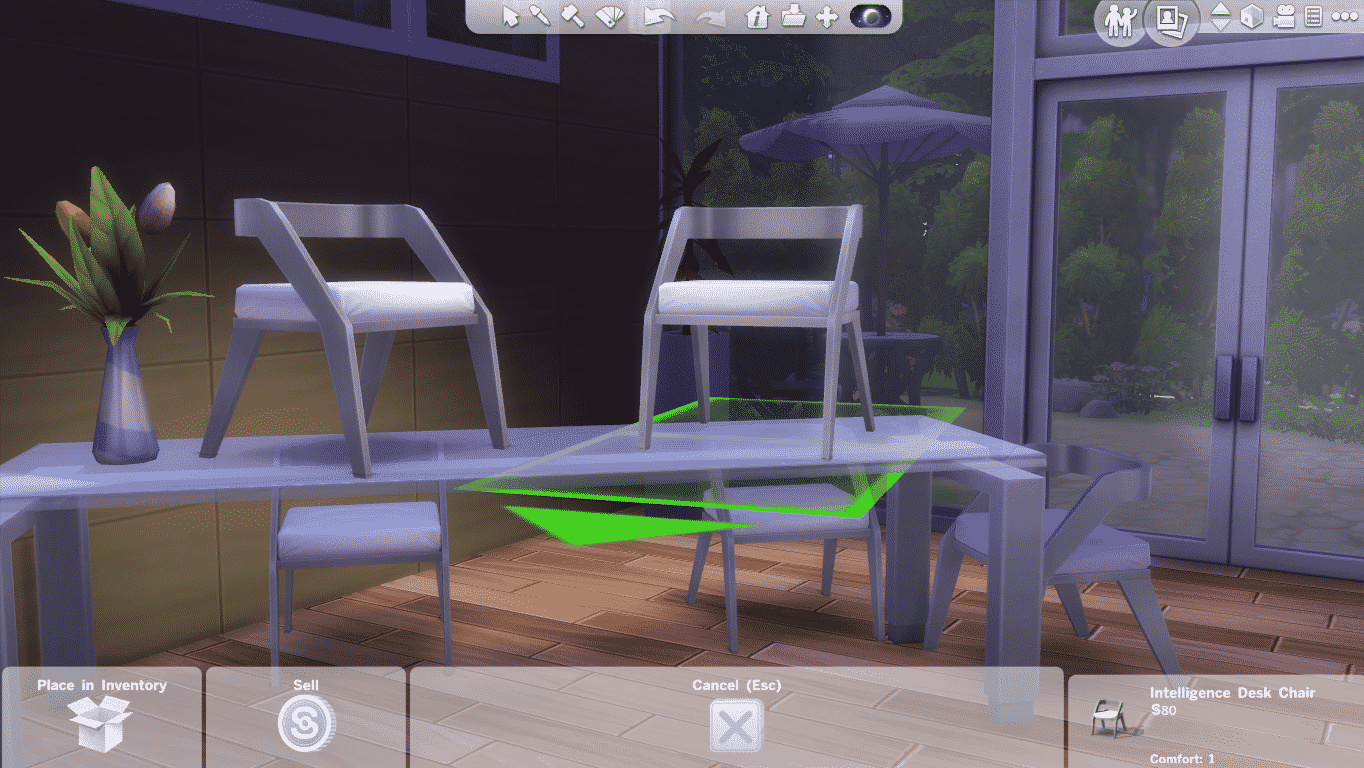
The MoveObjects cheat opens up the ability to raise objects up or lower them back down to their starting height. On PC/Mac, move an object up with the number 9 key until it is at the height you want. To lower it back down, press the number 0 key. For console players, press L2 + R2 (PlayStation) or both triggers (Xbox) simultaneously with an object selected and use the up and down directional buttons to raise or lower the object as needed.
This also works with wall décor that ordinarily can’t have its height adjusted, such as mirrors!
Infinite Item Slots


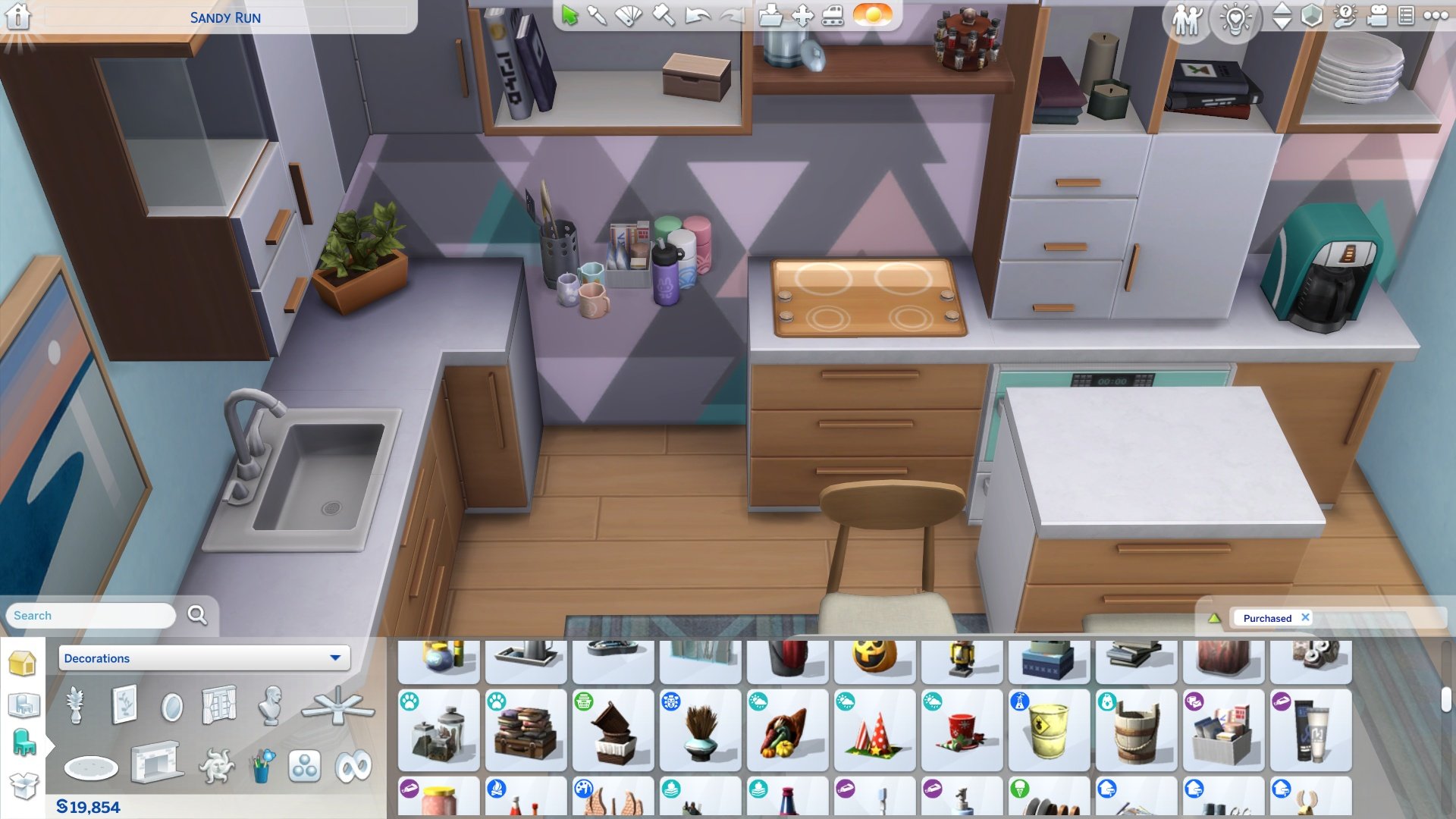

You can add extra clutter items to any surface with existing item slots, too. The following trick will let you clutter up surfaces without having the items snap to a slot on the surface. This still allows Sims to use the surface and gives you more freedom with placement.
Place whatever objects you want on whatever surface you want and allow it to snap to an item slot. Then pull the items off the surface. They will retain the same height when you do. Temporarily move the surface out of the way and then place all the objects in the empty space where the surface however you would like them to be arranged. Then slide the surface back underneath the objects. You can place as many things as you want on any slottable surface this way.
Resize Objects

Having the MoveObjects build mode cheat activated in The Sims 4 will also let you scale objects to be bigger or smaller! Use this to help you create your custom furnishings or make small decorative objects look bigger and grander in more lavish builds. You can even make those huge dollhouses smaller so they’ll fit in tiny spaces!
On PC/Mac, just use the square bracket keys [ and ] to scale objects up or down. The left bracket makes the object smaller and the right bracket makes the object larger. On console, press L2 + R2 (PlayStation) or both triggers (Xbox) simultaneously with an object selected and use the left and right directional buttons to make the object larger or smaller. Left makes the object smaller. Right makes the object larger.
No Place is Off Limits!

Want to put fountain sprinklers inside a pool? Go ahead! Place columns at the edge of a staircase? Absolutely! Put a giant toilet on the roof of your house? Um… we guess so. Basically, what we’re trying to get at is you can truly place objects anywhere you want with this cheat. We’ve seen Simmers place lounge furniture inside shallow fountains, create stairs in pools, and create ponds with debug objects floating in the waters. Just remember to keep functionality in mind when using this cheat. Depending on where you place an object, Sims may not be able to use it anymore. We recommend playtesting any lots you build with MOO, especially if you plan to share it on the Gallery.
Be Free with the MoveObjects Build Mode Cheat in The Sims 4!
We’ve given you all the building blocks you need to expand your skillset with the MoveObjects cheat in The Sims 4. Whether you’re a PC/Mac or console player, you should have plenty of build ideas now, but the best way to discover all the ways this cheat can be used is by building! Use the cheat and see where your creativity takes you!
If you’d like to expand your catalogue of items to use in your builds, check out how to access the hidden debug catalogue in Build Mode!
This article was updated and rewritten by SnarkyWitch! Click her name to see her full portfolio on our website!


Thanks a lot, I’ve been looking for this =)
Thanks for this info! There really isn’t any limitations are thers? #mindblown
This cheats is not working on my game
You have the cracked version then.
Thats not how this works, Jack.
Did you hold alt when you pressed it?
First: testingcheats on
Secon: bb.moveobjects on
And done
DAMN i’m trying to put fountains on the rooftop but this isn’t allowing me to do it =/
bb.moveobjects on/off
The only problem that I have is when placing clutter on surfaces like dressers or tables, the grid does not go away even clicking ALT. Do you know how to fix this?
Press G on your keyboard i know this is late
thanks
Same problem!
oh! what i do is i use the 9 and 0 keys (which move the object up and down) and move it into place before i put the dresser/table into position.
This cheat works for me, but it takes me to a corner of the lot each time when I try to raise it, but my game stays the same when I lower it. Anyone know why because I’m really confused .
i have the same problem
The same thing happens to me and idk why
Why can’t I enable my bb.moveobjects?
Thpe testing cheats enabled first
Is your house on the gallery? if yes whats it called??
option key on a mac
The ALT bit doesn’t work for me.. Testingcheats true and bb.moveobjects are on 🙁
Try holding ALT.
I have the same problem, and even when holding ALT, the cheat won’t activate. Does it work with doors? Because the door I’m trying to move can go through windows…
I have move objects on and 9 or 0 isn’t working for me. I don’t have my camera set to Sims 3 mode either. Do you have any suggestions?
Can you use this cheat on the ps4?
Ok so I can use the move objects cheat but every time I click 9 to raise an object up it throws my camera view to the left corner so then I have to go all the way back to the build and click 9 again and it’ll raise the object up
thanks
I just randomly clicked this while Origin was loading, but I found it really helpful.
Does this cheat disable trophies/Achievements?
What if this cheat isn’t working? Ive tried to apply this cheat a nuber of times and I still cant place things where I want them.
I wish it would work for rotation
Thank you! I new you could do this but i didnt know how!
[…] How to use the MoveObjects Cheat […]
Can you move them side ways ?
How do I use it on my ps4?
Use CTRL + 9 or CTRL + 0 to move them up and down properly.
This doesn’t actually let you “place objects anywhere”. You’re still confined to putting stuff where the game wants you to put it. All I’m trying to do is center my g-d windows/doors or put windows EXACTLY next to each other to the window spans the entire length of the couch. And put tables NEXT TO the couch, not in the couch, and not so far away from the couch the someone sitting there can’t easily reach the table without leaning way over. This is a lie.
Is there a way to rotate freely??
Yes
Hi I wanted to move a gnome on a department aisle, i don’t know how to call it, bc since it appeared there it won’t go away, the place is out of the boundaries where i can construct so i can’t erase it, any ideas?
Thx it will be fun Putin’s thing on water and build a rocket in the water be
What do you hold to move the objects?
HI guys,
People were saying that you can only put stuff where the game lets you. To avoid that, remove the object that you want to put stuff on first (e.g. kitchen counters etc.) , then place your things with 9 and 0 as well as ALT, then put the counter back . Voilá!
Do you know how to move up and down or place on taller surface on ps4?
I’m hoping someone can help me. I placed “Georginas Kitchen” in my house and I’m having some issues. My sims can eat and and do homework at the table, but when I tell them to clean up. They wave thus making me have to drag each item to the sink. Furthermore, I changed the fridge and it wouldn’t let me place another one in the same spot. I am not familiar with using cheat codes. But I did type in the bb.moveobjects. Please help. I love this kitchen and don’t want to replace it.
Is there anyone, Who play with keyboard with ä å ö signs? These mess up things. I’ve tried To raise objects with 9 and 0 They don’t work. Other cheats work with different Keys So has anybody figured out witch ones To use with this cheat? Thank you a lot if you answer me!
it not work