As usual, new updates for The Sims 4 bring a mix of fixes and unexpected issues. This latest patch prepares the game for the release of The Sims 4: Royalty and Legacy Expansion Pack on February 12 and introduces several exciting, long-awaited features.
The Sims 4 patch released on February 3 is version 1.121.342.1030 on PC, 1.121.342.1230 on Mac, and version 2.28 on consoles. While the update addresses several long-standing issues, including a fix for cases where entering or exiting Build Mode during Scenarios could cause the UI to disappear or the game to become unresponsive, reports suggest that the photo-related bug introduced in previous patches may persist for some players. The update also introduces several new features, such as the new curved stairs tool, expanded stair rail customization, and an update to Family Trees.
The Sims 4 Update Bugs and Issues After February 3rd Patch
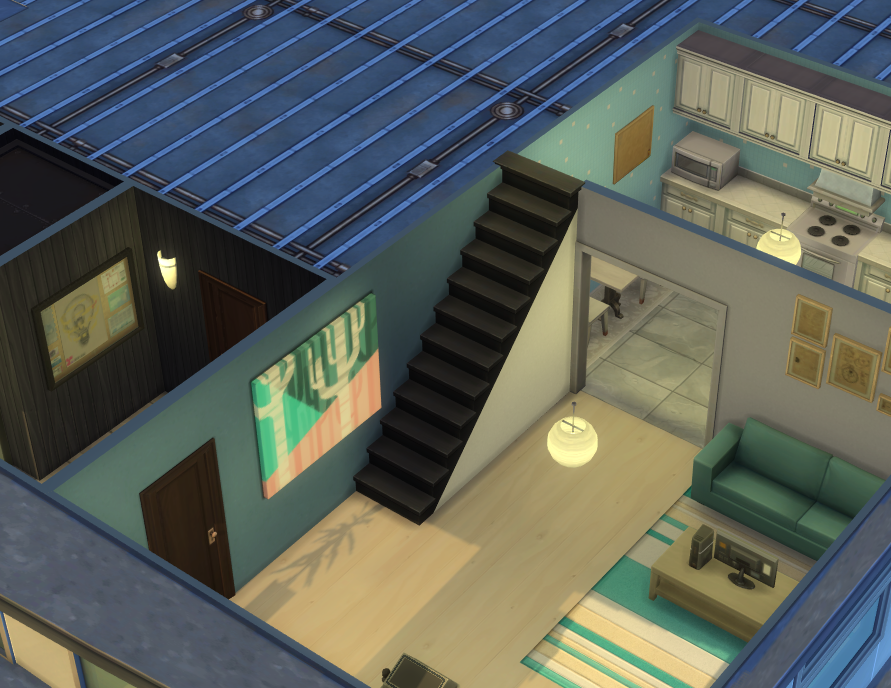
Railings are missing on lots created before the Patch
Stair railings are missing on any lot created before the February 3 patch after updating the game. This affects all premade lots, Gallery lots, and existing player saves. Any staircase that previously had railings now appears without them once the lot is loaded in the neighborhood view.
The issue is retroactive, meaning it also impacts existing saves when older lots are opened after the update. Lots created after the patch do not appear to be affected.
Railings missing on lots created before Patch 1.121.342
Any lot created before the February 3rd patch that had stairs with railings, no longer have them after updating. This includes all premade lots, gallery lots and lots in saves. Any lot created by a player or Maxis before the update no longer has railings. This is also retroactive in exisiting saves when a lot is loaded in the neighborhood.
I would have expected any lot created before the patch to automatically have double railings applied.
Forum user karaiarai indicates that the issue does not affect lots built after the update, nor lots that were modified and saved once the patch was installed. Additionally, lots saved to the Gallery after the update retain their stair railings correctly when placed. The problem appears to be strictly limited to stair railings created before the patch, suggesting an issue with how legacy stair data is handled under the new system.
Additional note: This issue does not occur in lots that were built after the update, nor in lots that were modified and saved after the update. Lots that were saved to the Gallery after the update also do not experience railing disappearance when placed. This issue is strictly limited to stair railings that were created before the update.
Hold Lecture Doesn’t Work Autonomously on Custom Venue
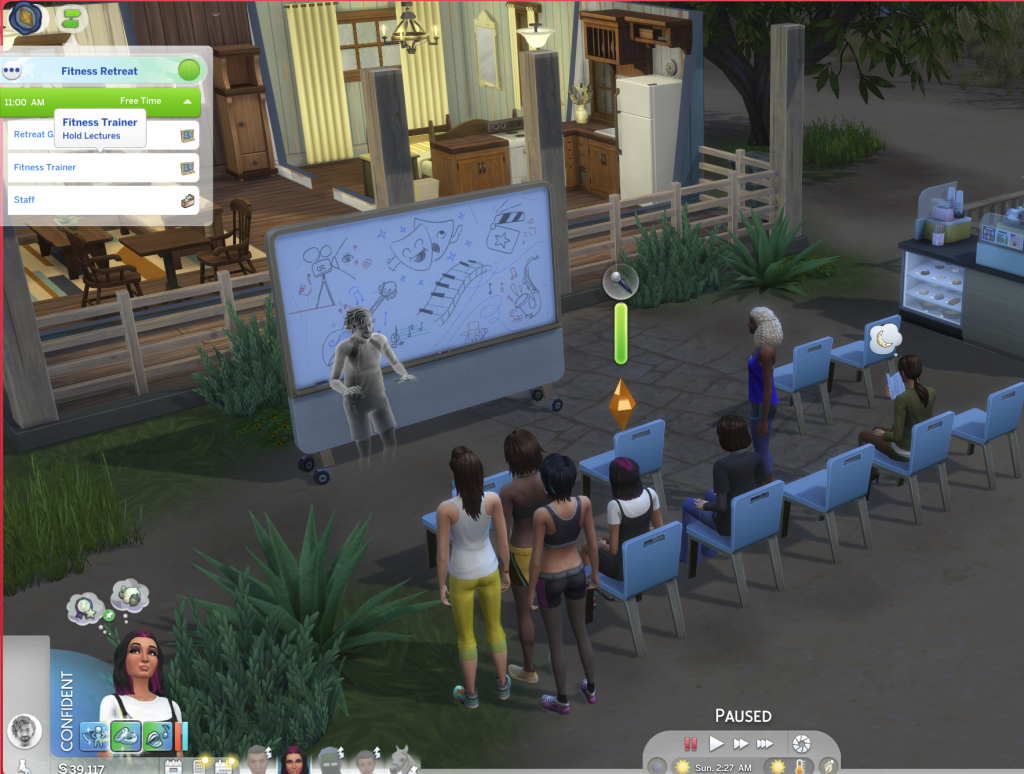
Another issue reported by players affects the “Hold Lecture” interaction introduced in the new update. While the feature was added for Getaways, it currently only works autonomously when a getaway event is active. Sims assigned to this role do not function correctly on Custom Venues, and players are unable to select which lectures can be performed from the lecture board.
[AA] [BH] Hold Lecture Doesn’t Work Autonomously on Custom Venues
The new 1.121.340 patch added Hold Lecture for getaways, but the issue is that they only work autonomously if there’s a getaway. Custom Venues alone don’t function on sims with that role. You can’t pick what lectures they can do on the board either (make the existing locker available on any lot as a fix)
Family Trees Collapsing or not appearing correctly
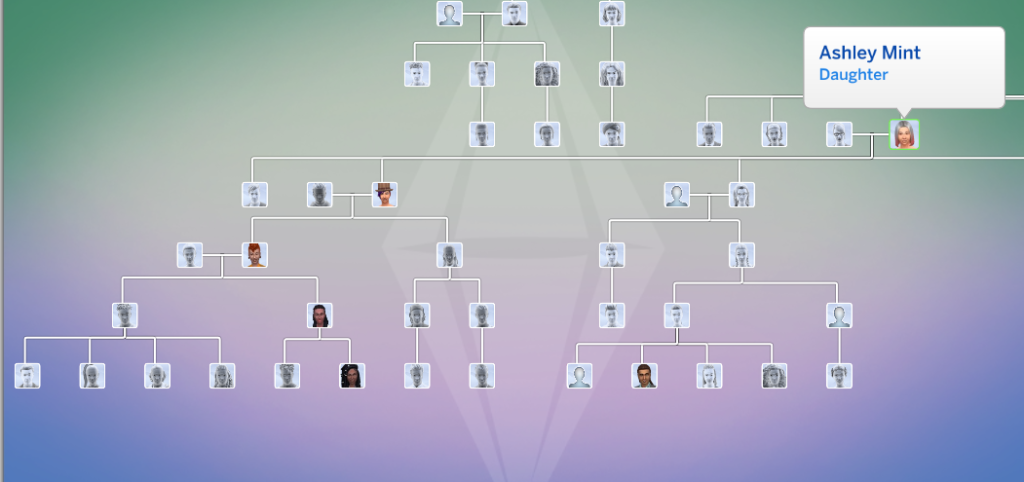
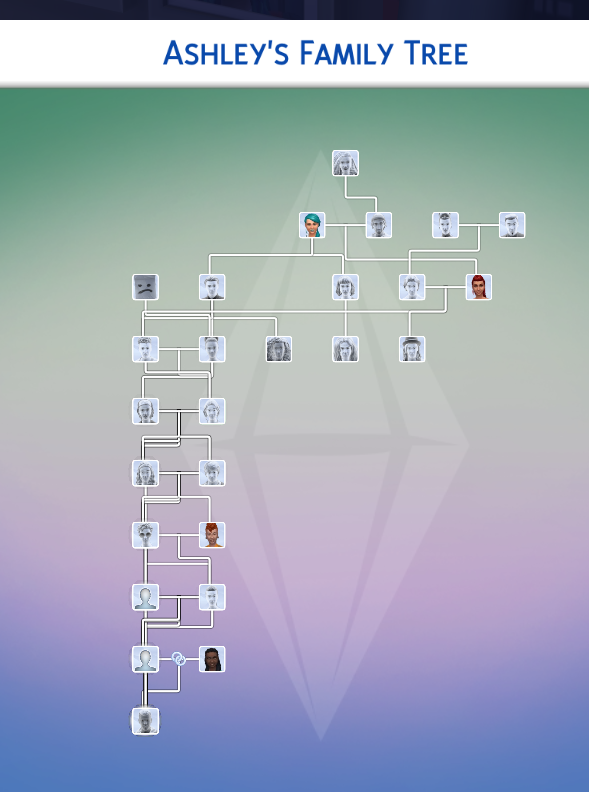
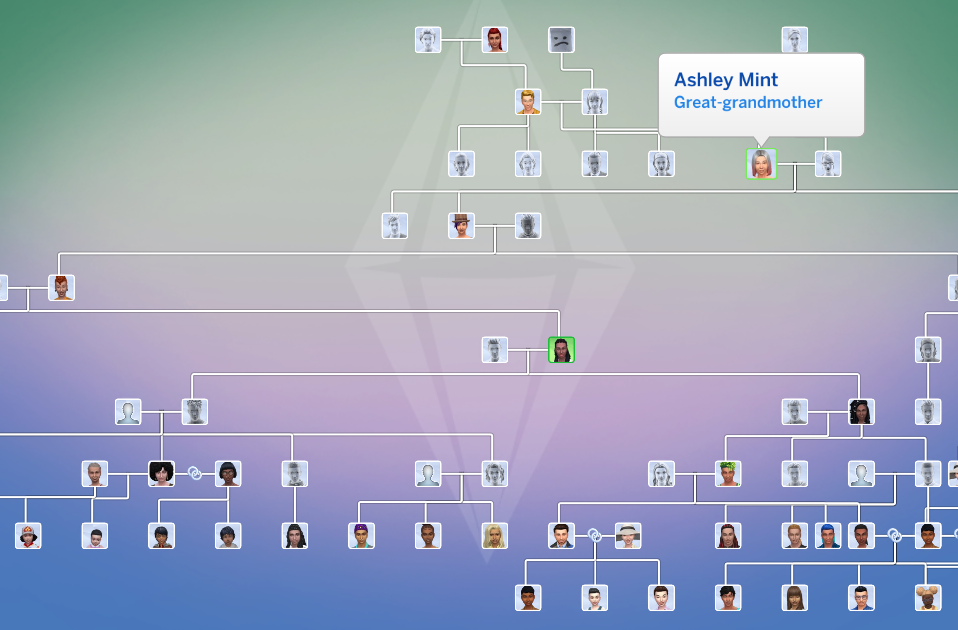
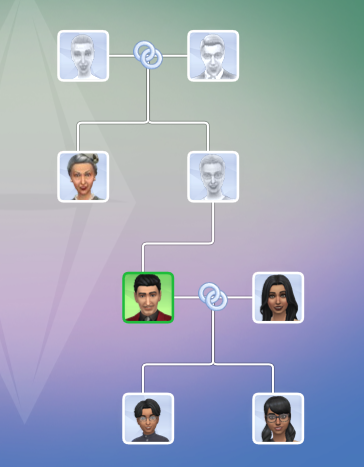
Players have also reported issues with legacy Family Trees following the update, particularly in long-running saves spanning multiple generations. When opening older files, selecting certain Sims can cause the Family Tree to partially collapse or overlap, with entire branches temporarily disappearing from view.
While the issue does not affect all Sims, it appears to occur inconsistently across specific family members within the same lineage. In affected cases, hovering over portraits still displays the correct relationships, but key Sims may be missing entirely from the tree until another relative is selected. Notably, other branches of the family (including earlier and later generations) often remain unaffected, suggesting a selective visualization issue rather than missing genealogy data.
I opened up an older file that I played thru 11 generations just to test out the new family tree. It doesn’t happen for all sims but sometimes I will select a sim and they disappear and the whole tree collapses.
So this is the way the tree looks like when i have ashley’s father selected (he’s off to the right out of frame). If i click on her portrait it looks like this
So some of the relatives are still there but plenty are missing. This is the whole tree that shows, quite collapsed. Hovering over the portraits does display the correct relation to Ashley but as you can see, she isn’t there at all. If i select her great-granddaughter it comes back
This is happening with Ashley and all four of her children. Her sister and her sister’s children show up normally. Every generation before and after appear to be fine, but i have not clicked every portrait. Forum User – meamouse926
In addition to the visual issues affecting legacy Family Trees, players have also noticed inconsistencies in how certain canonical relationships are represented. Agatha Crumplebottom and Agnes Crumplebottom are canonically cousins, yet Agatha does not appear in the Family Tree at all.
While Agnes Crumplebottom is now correctly listed as Mortimer Goth’s aunt following the update, Agatha remains absent from the genealogy panel.
[COL] Agatha Crumplebottom has no links on family tree
Canonically, Agatha Crumplebottom and Agnes Crumplebottom are cousins. Looking at her family tree, Agatha is the on Sim in her family tree. Agnes is now correctly noted as Mortimer’s aunt, but there’s no sign of Agatha. Can this be rectified in a future patch?
Also, player HollownessDevour reports that Nyon doesn’t have Grim Reaper as his father either
Vatore Family alive
Forum user HillyPlays reports that the ancestors of the Vatore siblings appear to still be alive, despite canonically being deceased or otherwise unaccounted for.
[V] Vatore Family Tree anchesters showing alive
Are the sims in the Vatore family tree supposed to be dead, or are they also vampires?
Despite previous attempts to address the issue, players continue to report problems with in-game photos turning black after being placed on lots. Photos taken with either phones or cameras appear to function normally while stored in a Sim’s inventory, but once framed and placed in a home, they may permanently turn black after exiting and reloading the game.
Photos turning black/Paintings turning white (Patch 1.121.342)
When I place photos taken with phones or cameras in my Sims’ house, they turn black when I exit the game and come back to play!!!!
Every time I take a photo with my Sims, the picture works normally while it is in my inventory. However, whenever I place it in my Sims’ house with a frame—for example, hanging it on the wall—once I exit the game and load it again, the photo turns completely black and there is no way to recover it. This is extremely frustrating, as I am losing all the important memories of my Sims.
The “Visit the Willow Creek Archive Library” objective in the First Week of the Lost Legacy Event Quest does not complete when using an edited version of the library.
[LLQE] Issues with tasks
Visit the Willow Creek Archive Library: Not fulfilling with edited library
Photobooth and graduation photos are turning black (too)
According to players, photos stored in saves made prior to the January update remain intact and can be safely preserved by saving them inside a room and uploading them to the Library. However, when that room is placed into a newer save after the February patch, certain images, specifically graduation portraits from High School Years and Discover University, as well as photo booth pictures still turn black while other photos display correctly.
Photo Booth/Graduation Pics turning black when places from Gallery/Library
After the February 3rd update I was able to retrieve photos taken with the sims camera from a previous save to put into my new one via the library however the portraits generated from High school years and University turn black. Also any photos taken with the photo booth turn black.
Have you encountered any new or ongoing bugs since the February 3 update, or noticed issues that may have carried over from previous patches? If so, be sure to perform standard troubleshooting steps — such as removing mods or custom content — before reporting them on the official bug report forums. Doing so helps administrators and developers identify widespread issues, prioritize fixes based on their impact on gameplay, and assess how many players are affected.
Make sure to follow The Sims Community for the latest updates on new patches, fixes, and ongoing issues in The Sims 4.
Hello! I'm Carlos, but I'm known as Karlazos on social media. I'm a journalist and SEO editor who loves simulation games, especially The Sims franchise. I'm also a content creator on YouTube, where I share my stories and creations. I hope you enjoy my articles!
Our community is about connecting people through open and thoughtful conversations.
We want our readers to share their views and exchange ideas in a safe space.
In order to do so, we’ve created a simple set of rules that will improve your experience.
Simply put, keep it civil.
Your post will/might be rejected if it contains:
Spam
Insults, profanity, incoherent, obscene or inflammatory language and threats of any kind
Attacks on the identity of other commenters or the article’s author
User accounts will/might be blocked if we notice:
Continuous attempts to re-post comments that have been previously moderated/rejected
Racist, sexist, or homophobic comments
Attempts or tactics that put the site security at risk
So, how can you be a power user?
Stay on topic and share your passion. Feel free to elaborate to get your point across.
‘Like’ or ‘Dislike’ when you are filled with emotions!
Protect your community. Use the report tool to alert us when someone breaks the rules.
Thanks for reading our community guidelines. Please note that we're aware of certain issues with Sign In / Log In and Create Account / Email Confirmation issues. We're working behind-the-scenes on a new Account Creation process. Thank you for your patience and remember - freedom of speech is not freedom of reach!
I was having the issue of not being able to select household’s to play from the world menu. I had updated a few of my mods but after disabling and removing all mods, the issue was fixed. Just a heads up for any mod users!
Since the game forces updates on you before playing now, make sure you turn off your wifi before opening the EA app.
Leila
1 month ago
Hab ein Problem und alles versucht auch Mods entfernt, die zu den MC Protokolle führt aber nachdem diese beseitigt wurden kann ich keine weiteren Ziele mir erfüllen und laut MC und Chat GBT der die Datei ausgelesen hat, ist das ein EA bug was mit der Zeit zutun hat da dieser von MC und keine weiteren mods aufgezeichnet wurde nur ein Fehler im Testevent protokolliert was nur mit EA zutun hat
shavelle
1 month ago
i cant get into build n buy and the gallery anyone knows the issue or what mod could be causing it
TwistedMexi warns about "AI Slop" Game Mod Tools for The Sims 4.
In the wake of the March 2026 Patch for The Sims 4 that caused many issues within the Sims ...
Give your Sims an Extra Green Thumb with these The Sims 4 Eco Lifestyle Mods!
If you love playing with a green thumb, adding a few Sims 4 Eco Lifestyle mods...




Interactions are not working also
I was having the issue of not being able to select household’s to play from the world menu. I had updated a few of my mods but after disabling and removing all mods, the issue was fixed. Just a heads up for any mod users!
Since the game forces updates on you before playing now, make sure you turn off your wifi before opening the EA app.
Hab ein Problem und alles versucht auch Mods entfernt, die zu den MC Protokolle führt aber nachdem diese beseitigt wurden kann ich keine weiteren Ziele mir erfüllen und laut MC und Chat GBT der die Datei ausgelesen hat, ist das ein EA bug was mit der Zeit zutun hat da dieser von MC und keine weiteren mods aufgezeichnet wurde nur ein Fehler im Testevent protokolliert was nur mit EA zutun hat
i cant get into build n buy and the gallery anyone knows the issue or what mod could be causing it
SIMREALIST IS THE ISSUE TOOK IT OUT MY GAME WORKS FINE NOW