

EA manager shares status updates on two new The Sims 4 feature updates.
There’s been two new announcements from The Sims Direct Team, operated by EA Community Managers including EA_Cade and EA_Solaire who posted two seperate announcements across channels related to select The Sims 4 feature updates. Here’s what you need to know about these maintenance improvements:
Table of Contents
The Sims 4 Memory Boost Beta Rollout Continues
The first announcement is related to The Sims 4 Memory Boost Feature, which appears to have continued with the gradual rollout of this beta feature. Promising players to optimize memory usage additionally while having this feature enabled.

Sul Sul!
Memory Boost is now rolling out to the next small batch of The Sims 4 players. If you’re on PC, you can opt in anytime, doing so helps us measure and better understand its impact.
What’s Memory Boost? Memory Boost is an opt-in, early access feature available on PC that enhances performance in The Sims 4. It improves how the game uses memory, cuts down on lag, boosts frame rates, and reduces the risk of memory-related crashes.
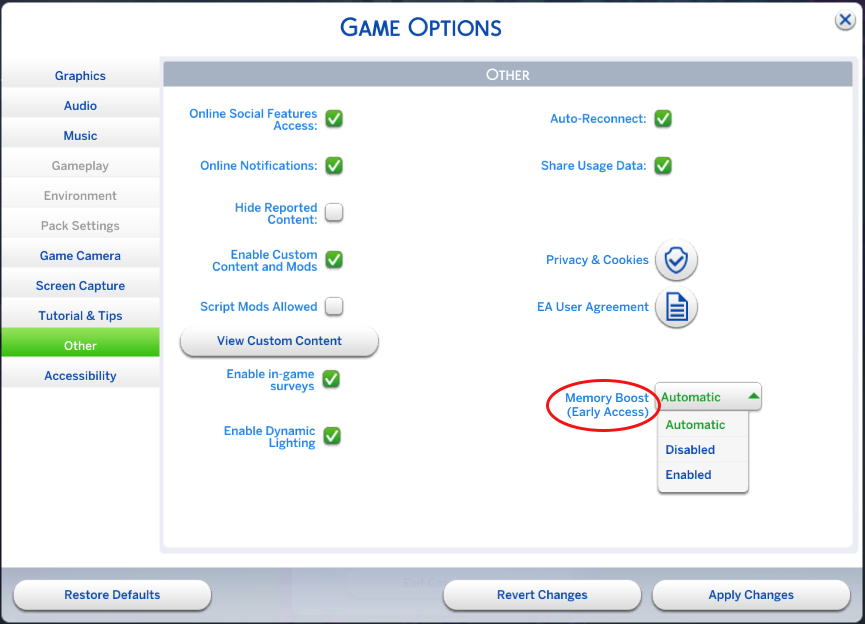
The Memory Boost Feature is currently only available on Windows operating systems, with confirmed plans for Mac rollout eventually.
The Sims 4 Gallery Filters Are Changing Back
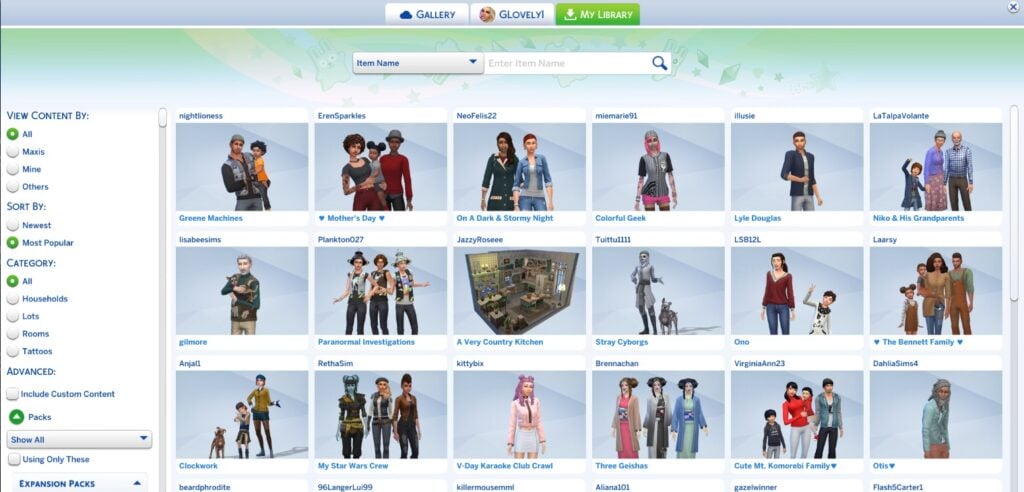
Good news for all the creators that were surprised with a default filter change from this month’s main update. Instead of ordering images in The Gallery preview through the newest filter as default, the main Gallery browser now opens up to a “Most Downloaded” filter for creations. Leaving almost no possible exposure for new creations.
After the March 17 patch, I logged into my personal gallery page. The images show in download order, rather than newest. That means unless a user knows to look beyond the front page, they won’t see my newest creations. I’ve tried resetting it several times, and it keeps going back to downloads order. I’m not very happy about this.
Source: Amuni50 on EA Help
The Sims Team responded to this EA thread with the following statement, acknowledging that they’re exploring options of “rolling back the default view”:
Thanks to everyone who’s taken the time to share feedback on the Gallery changes, we’re reading it all and it’s been incredibly helpful.
Based on what we’re hearing, we’re currently exploring rolling back the default view. No decisions are locked in yet, but your input is directly shaping the discussion.
We’ll keep you updated right here as we have more to share. Keep the feedback coming.
What are your thoughts on the recent Sims 4 feature update improvements for the game? Let us know in the comments and stay tuned to all the latest Sims Updates!


I hope they fix the gallery back till what they were. Cus I really got confused when I was searching for my favourite creators builds. And the search filters was messed up as well. I don’t understand how they work now.