


Another month, another update! The Sims Team released a new patch on January 13th. While it did intend to fix quite a few issues that have sprung up in the forums over the years and years of The Sims 4’s run, it was an unexpectedly minor patch, not even automatically disabling mods and custom content for players upon launch. However, this new patch that intended to only bring fixes, instead brought more Sims 4 bugs. While some of these are completely brand new issues that have popped up only in the past day or so, others are reminiscent of pre-existing problems, like black or missing photos, and white or missing paint from reference paintings.

The Sims 4 Patch released on January 13th is patch 1.120.140.1020 on PC/Windows, and patch 1.120.140.1220 on Mac. This patch has a primary focus on fixing bugs like certain save corruption instances, endless loading, and some instances of black or missing photos. It also included a bit of new content, in the form of The Sims 4 x COACH Collaboration, adding new Create-A-Sim and Build/Buy Mode items to the game.
Table of Contents
Make sure that if you’re experiencing these bugs or anything else in The Sims 4, to test without CC/Mods and make a report to the forum. They will often be able to assist you and if not, you can contribute to getting that bug to EA and The Sims Team in hopes that they’ll prioritize fixing it in the next path.
Official EA Statement
EA has addresed the recent new Sims 4 Bugs in a new official statement shared:
Simmers, We have identified a fix for the issue causing photos to turn black that was reported after our recent Base Game update. You can expect to see this fix in our next Base Game update in early February.
The issues for Black Photos Bug are expected to be fixed in early February.
Sims 4 Bugs After January 13th 2026 Patch
Photos Turning Black
While the patch highlighted the intended fixing of issues with photos, particularly special event photos like Graduation and Memorial photos, turning black, it seems that it may have caused more harm than good. Users are reporting that upon saving their game, photos placed in their save are turning black irreversibly still. It was later noted in the same forum thread, by user Mehphy, that photos in storage or in sim inventories did not turn black.
When loading into my game from my last save from last night (January 12), all my photos across the save are there. Now when I try to save today after the update, upon logging back into the game all the photos have turned black! I had to load back to the previous save from last night to get my photos back. But now I can no longer play/ save the game!! The photo system is completely broken. I don’t know what code they put into this new update, but I cannot play anymore without the pictures turning black after saving. Please help fix it, I don’t know what else to do other than ask for help. I tried making a new save, but photos still turn black.
I’ve no mods/cc installed. The update today mentioned “fixes” with photo system items like graduation photos, celebrity photos, memorial photos, but I have a feeling somewhere within that coding something has gone wrong for existing photos.
– Forum User mehphy

Another user, forum user JuniperWhimsy, also reported an issue like this. More specifically, that any items stored in their Sims inventory were safe and could be placed as normal, but anything present in the game world, hung on walls, sitting on tables, etc., had turned black.
Yesterday I played in my Legacy save a couple of hours after I’d updated my game with the newest patch and all my photos in the save were fine. In fact, one of my sims attended her High School graduation and her photo appeared as it should which was brilliant, because when I last played the save a few months ago and attended graduation her photo came out blank.
Today however I opened the same save and ALL the photos out on display, whether on the walls or sitting on surfaces, have turned black. It’s devastating. The photos in personal inventories are unaffected though. I’m at a complete loss to understand why everything was showing correctly after directly the patch had been installed in my game and now 24 hours later some of the photos are now black?!
– Forum User JuniperWhimsy

Painting by Reference Paintings Turning White
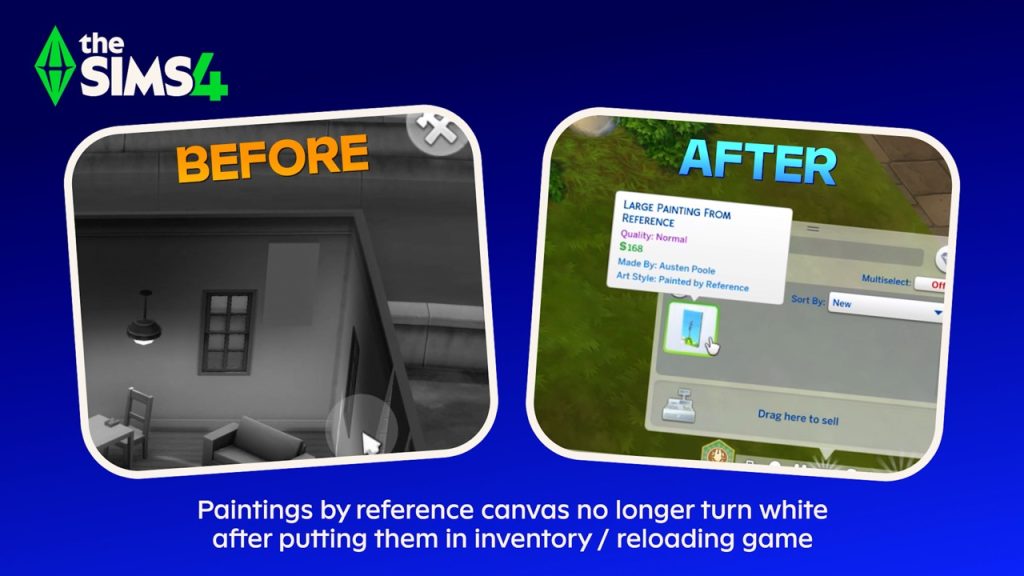
Painting by reference Turns white (Patch 1.120.140/2.26)
Paint by reference all turned white. (both in modded and unmodded games). Trying to make a copy of them did not work – instantly white. Previously completely paint by references are still white, the “fix” in the patch notes was not retroactive nor did it work.
– Forum User ElliSims
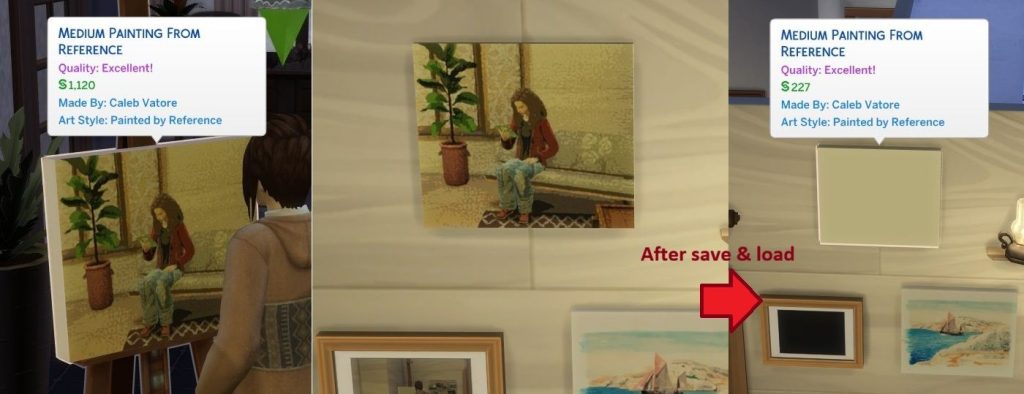
And as per usual with many bug reports, ElliSims was not the only user to experience this problem. User Pick-a-boo_doo posted their own example, showing that image and paint by reference images were breaking after a save and reload of the game.
I played using save data that I hadn’t used since playing in October 2025 until this update.
When I played in October, any pictures my Sim drew with ‘Paint by Reference’ while playing were returned to blank when I resumed playing, but any drawings my Sim had made before that remained.
However, when I checked after January update, all of the Paint by Reference drawings, including the right painting in the pic above, had been blank.
And I checked new painting by refernce, that turned blank too after load game.
– Forum User Pick-a-boo_doo
Incorrect Thumbnail for Get Famous Wall Trim
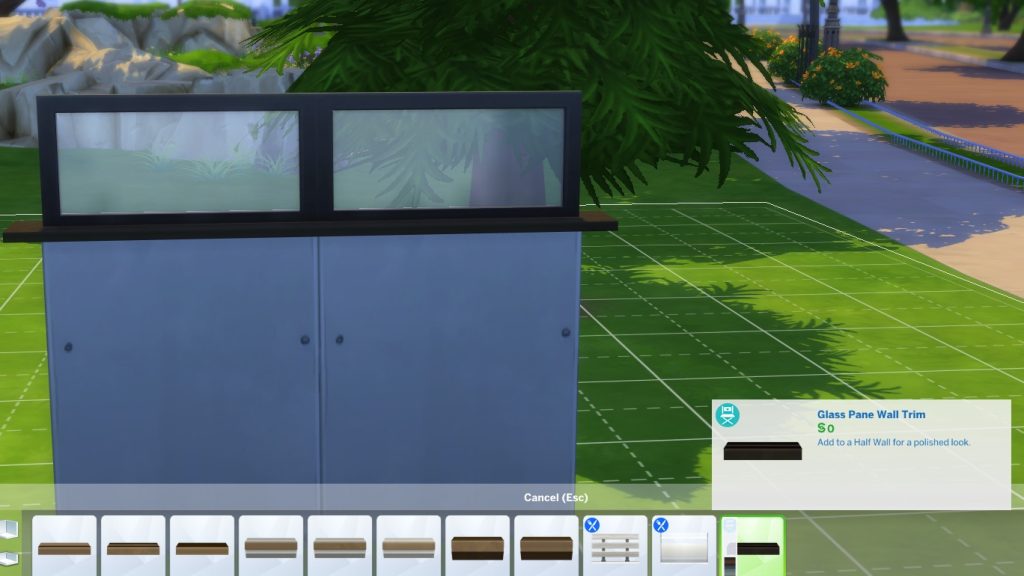
While perusing wall trims and items added by certain DLC, forum user SproutLee also found that the thumbnail for the pictured wall trim, the “Glass Pane Wall Trim” added by The Sims 4 Get Famous, uses an incorrect thumbnail. The thumbnail pictured seems to show the wall trim item as a flat black piece, rather than a full window as it is in-game.
The thumbnail isn’t showing properly for this wall trim.
Pressure Cooker Turning Vegetarian Meals to Non-Vegetarian
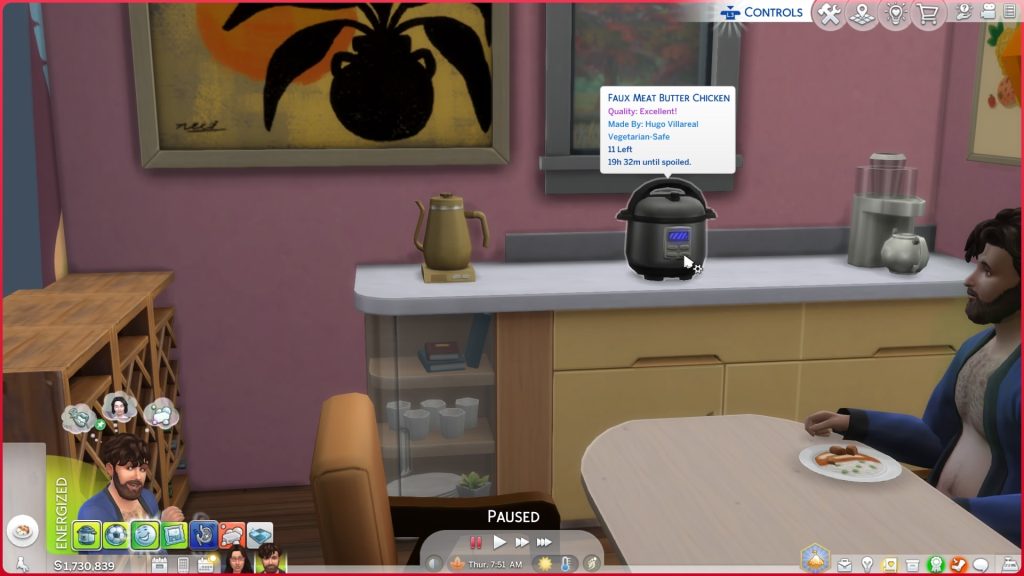
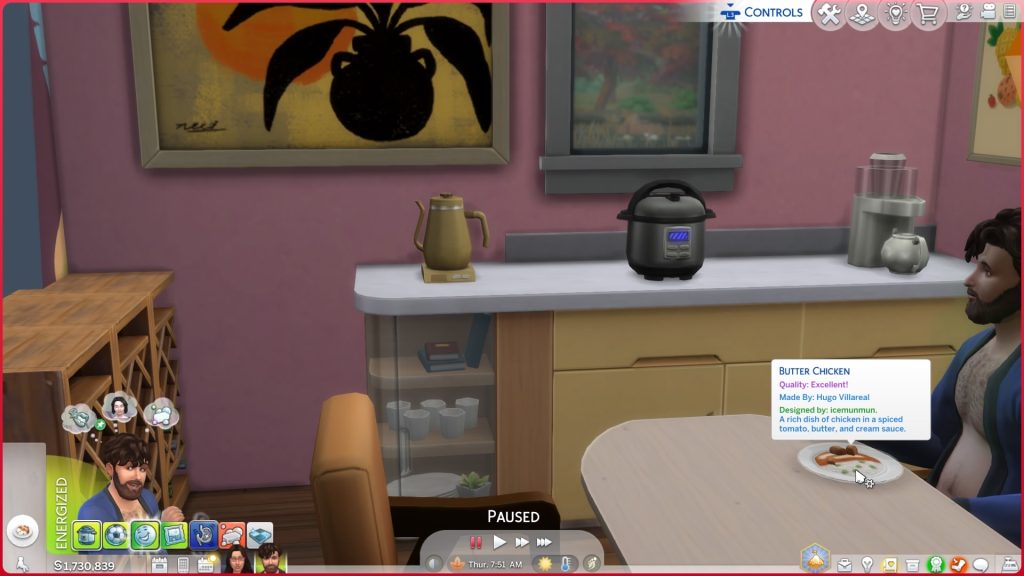
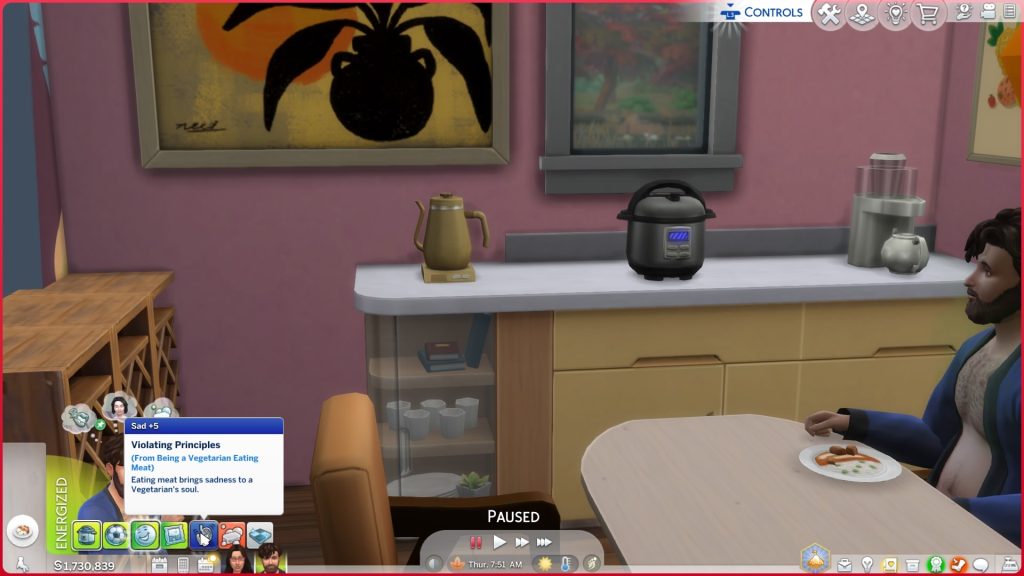
While playing with the pressure cooker item added in The Sims 4 For Rent, forum user PickensPlay noticed that their sim, while eating what was supposed to be “Faux Butter Chicken”, was getting a sad moodlet for eating meat and therefore, going against their value and assigned personality trait, as the food once plated had turned into standard, meat-containing Butter Chicken.
Hello. Cooking Faux Butter Chicken in the Pressure Cooker when my sim goes to grab a serving it shows us as regular butter chicken. With my sim being a vegetarian they got the moodlet which is how I was able to see said discrepancy. Unaware if this happens with all the veggie options in the pressure cooker.
– Forum User PickensPlay
Gallery Lots Cannot be Deleted or Bulldozed
While the Gallery feature in The Sims 4 is quite well-loved and often used by the large majority of players, forum user hinahina21 found that after placing a build after the recent update, the process seemed to bug their Build/Buy mode almost entirely. Items nor structures could be deleted, nor can the lot be bulldozed or cleared.
After the recent Sims 4 update, I am experiencing a serious issue with lots downloaded from the Gallery. When I place a Gallery lot on a world, I cannot delete anything from it. Furniture cannot be removed, and even the bulldozer tool does not work. The entire lot cannot be deleted or cleared at all. This issue did not happen before the update. It occurs even with no mods or CC installed. Is anyone else experiencing this problem?
– Forum User hinahina21
Sims Profiles Not Opening on Playstation

Also from forum user PickensPlay, who experienced the faux chicken turning to real chicken due to a pressure cooker bug, also found that while playing on Playstation, sim profiles in the relationship tab could not be accessed.
Hello. At first when I went to open a sims profile it would be completely blank. Now same play session after traveling to another lot the profiles do not open at all. This comes after the latest patch update as of 1/13/2026. I have included two images of the profiles bot loading fully and a video of them not opening at all.
also discuss interest and get to know are not fulfilling the info in the relationships for my sims.when opening the profiles (blank) I was in a restaurant from the gallery
when trying to open the profiles and they wouldn’t at all I was at the romance festival.
– Forum User PickensPlay
Are there any new or pre-existing bugs you’ve been experiencing since the January 13th 2026 patch, or any other issues? Make sure that if you spot anything, do some standard troubleshooting by removing any mods or customer content that you have, and posting in the bug report forum. This helps admins and developers see prevalent issues in the game for the majority of players, and allows them to prioritize fixes depending on how detrimental they are to gameplay, as well as how many players are being effected.
Make sure to follow The Sims Community as we keep you updated on new patches and new bugs for the Sims 4!


Remember that just one month ago, SimDevAlex and the so-called The Sims 4 Quality Assurance gave us a long, bullshit explanation over on the official Sims Discord?. Well, here we are.
I just tested the bulldoze lot issue and my game works as intended. I placed a lot from the gallery and could bulldoze and delete objects with no issue. Game is updated and all. So idk about that one.
Me when I think the world revolves around me and because I don’t have a problem with my game nobody else does either
My photos are still turning black after the patch. SO frustrating!
Fuck EA and those shitty ass updates!!