

The Sims 4 Get to Work comes with a lot of objects, and about 30-40% of them are unlockables that can be unlocked only by finishing a certain level of a certain Career (Doctor, Detective and Scientist).
To unlock all of the Career objects, press Ctrl + Shift + C and enter the following Cheat:
bb.ignoregameplayunlocksentitlement
After that, press enter.
With this Cheat you’re able to place Career objects on both your Residental and Retail Lot (if you own one). Entering this Cheat will also unlock 3 Styled Rooms!


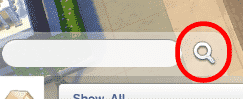
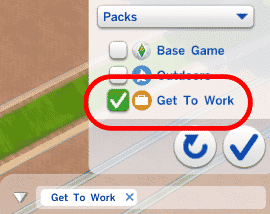
Finding all Get to Work Career objects can be done by pressing the Search button (without any search term) and selecting the Packs > Get To Work object filter. You’ll be able to find all Get to Work Career objects on the bottom side of the objects list.
If you want to use these Objects in your Retail Store or sell them, you’ll first have to activate this Cheat in your Household Lot before going to Build Mode on your Retail Lot or else it won’t work.


there are decorations in workplace that I can’t purchase from home buy mode they appear in a special menu at work buy mode is there a way to get them at home
Go into build and buy mode after doing the cheat, clone the item once you’re at work, place it in your inventory.
I have typed this in 3 different ways and it is not working what am I doing wrong
It doesn’t explicitly say so in this article, but try turning on the testing cheats. So before putting in this cheat type “testingcheats on” and press enter. I don’t know ow if this is a necessary step but I do this before entering any other cheat, just to make sure it’s effective.