

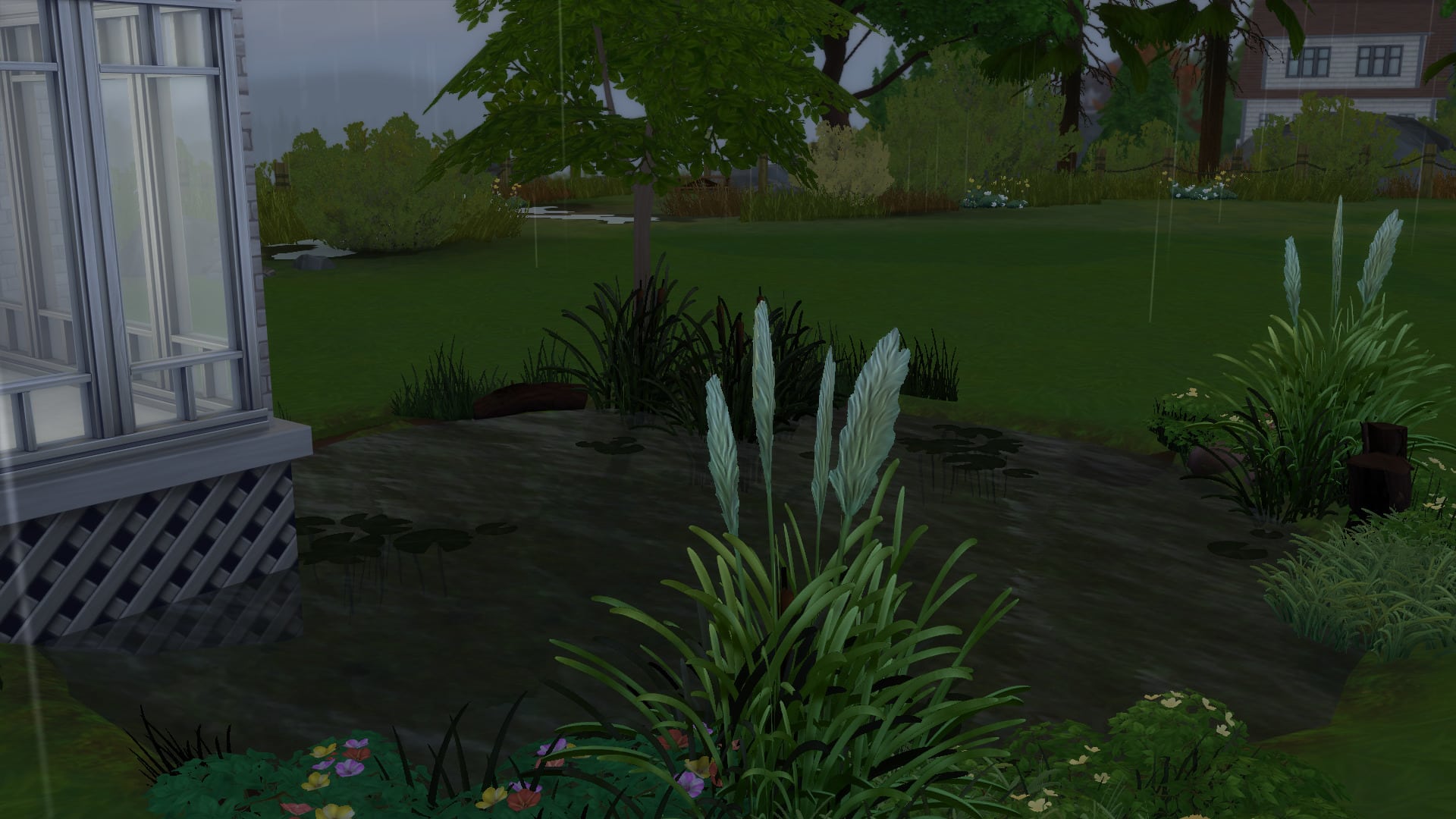
The day has finally arrived, terrain tools have officially been added to The Sims 4. These are something we’ve waited since the launch, but something that has not seen a comeback is the pond tool, but that doesn’t matter because like many other things, there is a way around it.
As many will be aware there are plenty of cheats for The Sims 4, one of those allows users access to objects that are used by sims and around the worlds, the cheat lets you place these various items and one of them is a pond. Now you can just place the pond down no problem and it looks okay, but there is only a grass and sand texture which doesn’t suit every terrain paint, so that’s where this solution comes in. The trick is to create a basement and place the pond inside it, raising it up enough for it to poke through the terrain above, giving it a great aesthetic. I’ll show you the process below.
You’ll need the following cheats:
testingcheats – Allows you access to a variety of cheats in the game.
bb.moveobjects – Allows you to place objects where they shouldn’t be able to go.
bb.showhiddenobjects – Allows you access to objects that you don’t normally get to use.

Firstly you should load into an empty flat lot, make you’ve got plenty of space or it could be quite difficult.

Next you should create the desired space for the pond using the new terrain tools, making a dip in the ground for the water to go. Keep in mind the pond is a set size, it can be scaled but the actual water portion remains the same size.

Next you should create a basement below the dip in the terrain, the size isn’t important, you can create one as small as 1×1, just make sure it is below the dip so it doesn’t flatten the terrain above it.
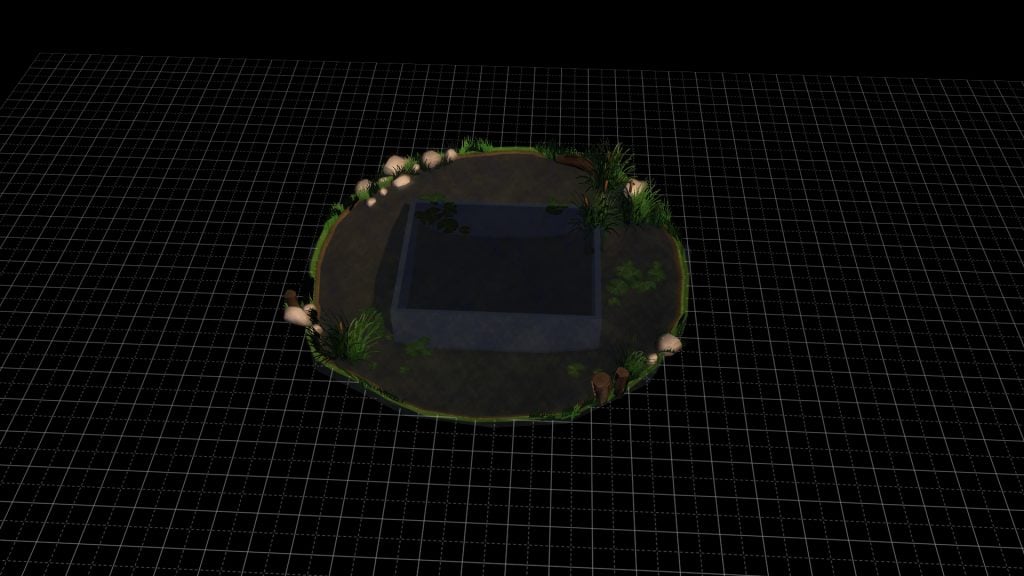
You should then use the debug menu and find your desired pool, there are a couple of different styles with different grass around them and water texture. You should use the raise up and down tool to bring the top of the water above the top of the walls, this is so it will show through the ground above.
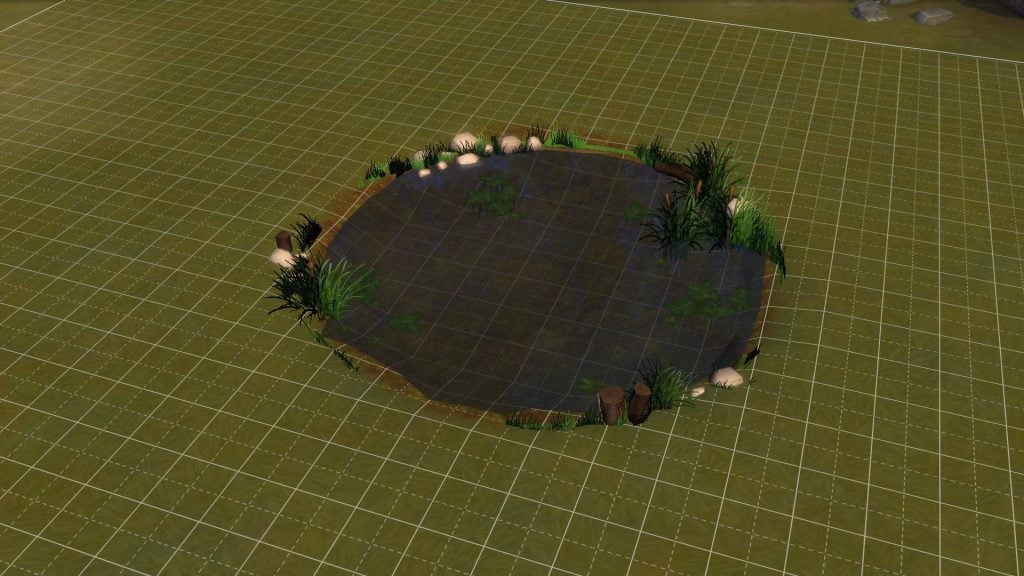 As you can see there is quite a lot of foliage visible, this can be changed depending on how high you raise the pond. You can change the height of the pond to find the perfect effect for your lot.
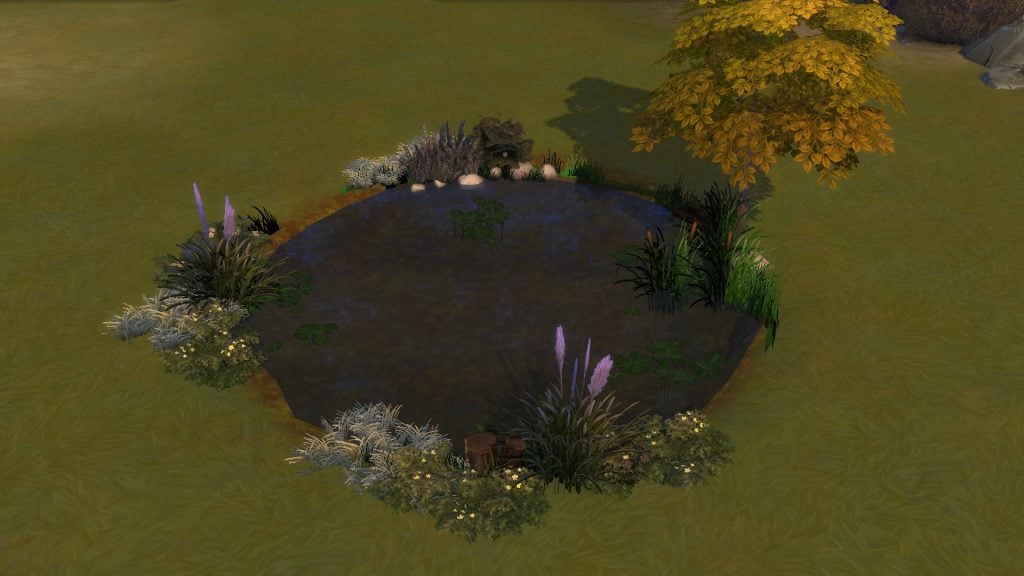
Adding plenty of foliage around the pond will hide the ponds default grass and will make it look much more realistic.

The pond can be created next to houses to make it feel like the house is built above the water.


Great tutorial!
EA: Sorry, we tried really, really hard, but we just couldn’t make ponds work with the new terrain update. We’ll keep trying!
Sims Fandom: Challenge accepted.
EA: Sorry, what?
How do you use the debug menu to find a pond? I’m still kinda new at this.
after entering bb.showhiddenobjects ,go to the search abowe the building menu and type debug.. by the way ,the ponds i foud there was to be put on flat terrain..so i just put it down and put a fishing sign beside it.. works like a charm.
Still trying to make bb.showhiddenobjects work for PS4. If anyone figures it out, lemme know! I’ve made a park and would love to build or even add a premade pond to it!
Did you ever manage to get it to work? I play on Xbox One and can access hidden objects but there’s no pond…
After typing in the cheat go down to the search box. When the box pops up to type make sure it is empty and press R2. It takes a few but everything will load in. Just scroll through to find what you need.
This doesn’t work.
Why do we have to use console commands to do it? It used to be a thing we already could do in-game but now we have to basically cheat to do so.
Great tutorial!
Still trying to make bb.showhiddenobjects work for PS4. If anyone figures it out, lemme know! I’ve made a park and would love to build or even add a premade pond to it!
Did you ever manage to get it to work? I play on Xbox One and can access hidden objects but there’s no pond…
After typing in the cheat go down to the search box. When the box pops up to type make sure it is empty and press R2. It takes a few but everything will load in. Just scroll through to find what you need.
How do you use the debug menu to find a pond? I’m still kinda new at this.
after entering bb.showhiddenobjects ,go to the search abowe the building menu and type debug.. by the way ,the ponds i foud there was to be put on flat terrain..so i just put it down and put a fishing sign beside it.. works like a charm.
Why do we have to use console commands to do it? It used to be a thing we already could do in-game but now we have to basically cheat to do so.
EA: Sorry, we tried really, really hard, but we just couldn’t make ponds work with the new terrain update. We’ll keep trying!
Sims Fandom: Challenge accepted.
EA: Sorry, what?
This doesn’t work.