

Ahead of the release of the new Marketplace, we’re getting a big update to the Sims 4. This will be available for PC/Mac on March 17th, with console updates coming in the next few months. Here, we will break down how to prepare for the update and what to expect.
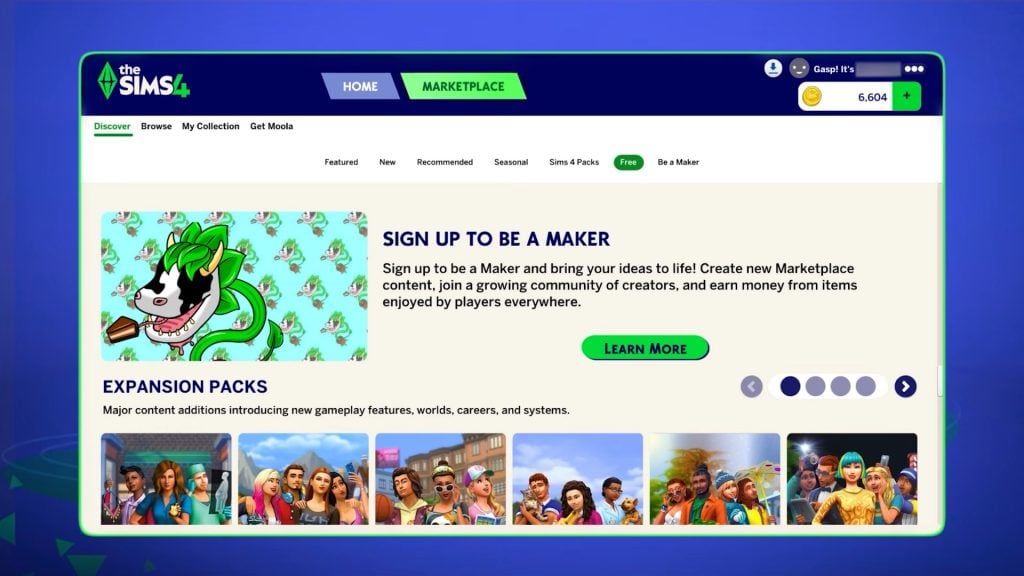
You can also find more information about the Sims 4 Marketplace on our dedicated webpage. Keep an eye here for updates on the Sims 4 Marketplace, as we will share them as they happen, including when console players can expect the Marketplace to be added to their games.
Table of Contents
What’s Coming In The Sims 4 Update?
Game Fixes
Looking at the latest Sims 4 Laundry List announced on social media and their website, we can see that the main repairs they are focusing on are those with the most community upvotes.
For this update, the main problems being addressed are with Sims’ autonomy, including inappropriate flirting with other Sims and excessive use of certain objects. The infamous autonomous push-ups and sit-ups have also been fine-tuned.
Have a look at the full list of updates coming in our recent laundry list update.
Marketplace Preparations
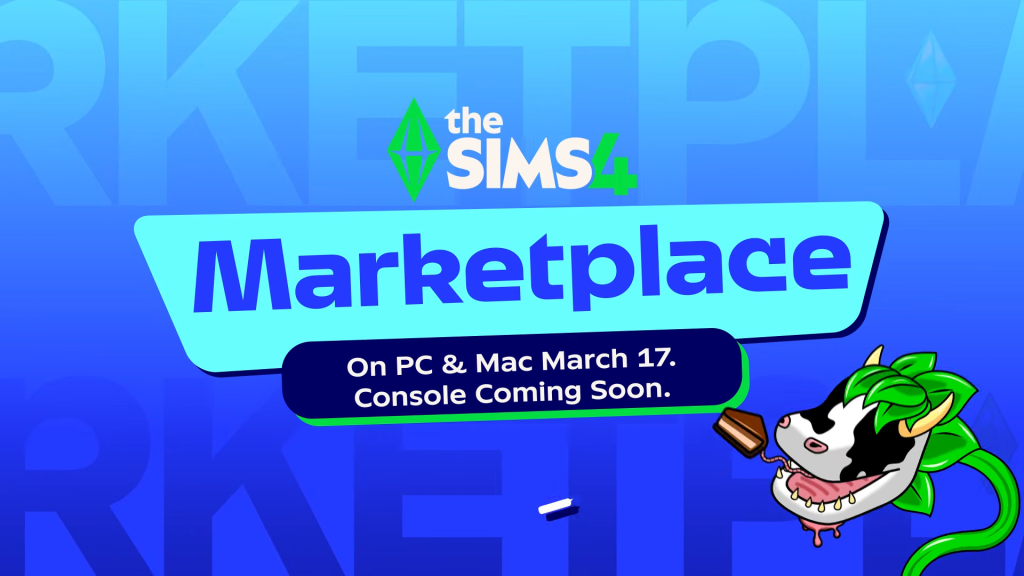
The introduction of the new Marketplace means a hefty update to our games, so the team can be sure that, at launch, it will work smoothly.
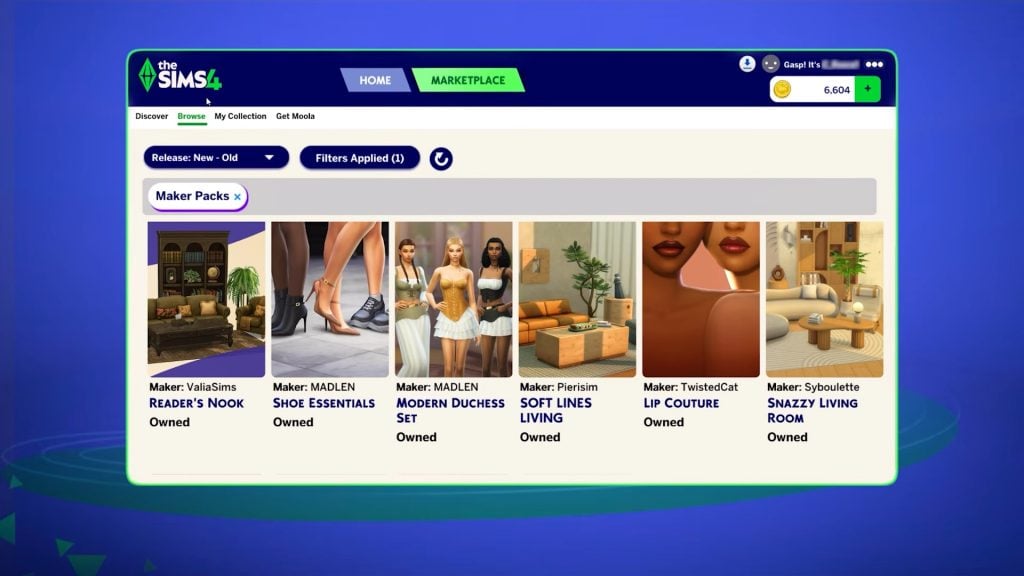
One of the selling points of the marketplace is that, unlike with traditional third-party custom content platforms, content is installed automatically, so you don’t have to save and reload your game to start using it. This is a major change and will impact how we access official content going forward, so a lot will need to be done behind the scenes to ensure that when we’re buying content on this marketplace, it installs correctly.
Because this is a brand new feature, we can’t be sure exactly what the update to make way for the marketplace will entail. However, for a feature this large and that impacts every player, it’s more important than ever to back up your saves and properly prepare for this update.
How To Prepare For A Sims 4 Update
Following these tips will mean you no longer have to worry about updating your game.
Back Up Your Save Files
This is probably the most important thing you can do ahead of a large update.
Regular backups are crucial to prevent data loss due to system crashes, hardware failures, or issues with mods or custom content, so it’s always important to ensure you back up your save files before any significant changes to your game. That includes base game updates.
To back up your Sims 4 save files, follow these steps:
- Navigate to the save files location. If you are on a Windows PC, the file path should be: Documents/Electronic Arts/The Sims 4/Saves.
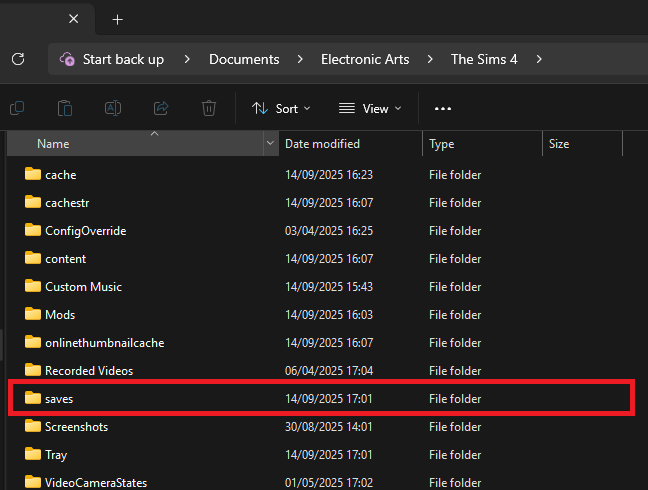
- Copy the save files you want to back up. The save file names are all numbers, but the most recent ones you’ve created should be the highest numbers. If you’re worried about not backing up the ones you need, copy all of your saves.
- Paste the copied files into a new and secure location, such as an external hard drive or USB stick. It’s also a good idea to name the backup folder with the backup date for easy identification.
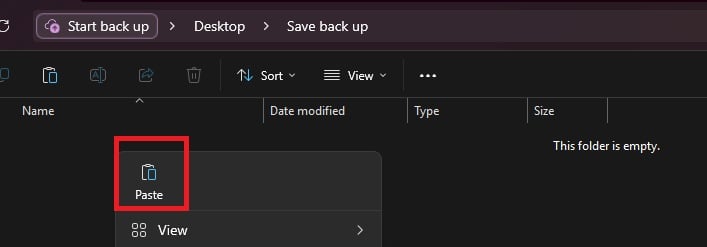
- If you need to restore a save, move the copied save files back into the Sims 4 saves folder and replace the existing files.
Checking and Testing Mods
Broken mods are an unfortunate consequence of a big update to any game, but there are things you can do to make it less stressful.
In a folder packed with mods and CC it is sometimes only one or two broken items that are causing problems, and finding it in your files can be a nuisance. Using the 50/50 rule is a good way to set up your mods folder for success and make it much easier to find broken content. If you are having game errors and think custom content/mods are to blame, sometimes the only way to find out what’s causing it is by doing a 50/50 manual sort.
Essentially, the 50/50 method involves testing half your mods folder – then half again, and again, and again – until you weed out all the broken content that needs updating. You can also read ThatSimsLady’s explanation of this method here.
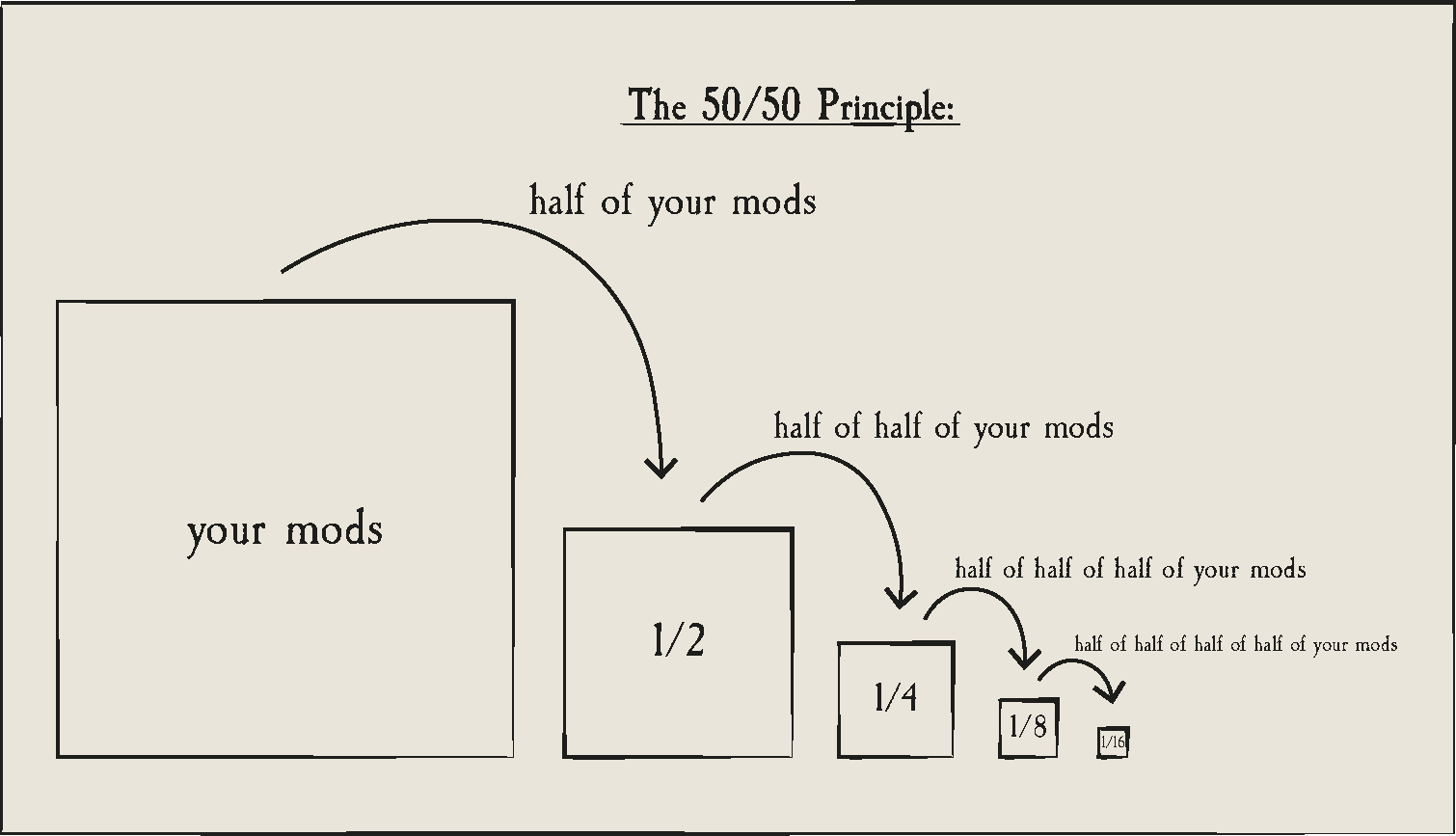
The best way to do this is to:
- Make three new folders outside your mod folder called ‘Tested clear’, ‘Tested broken’ and ‘untested’
- Move all your mods to the untested folder
- Delete your thumcache file – a package file located in your Sims 4 documents folder. You’ll need to do this each time you run a new test for your mods/cc.
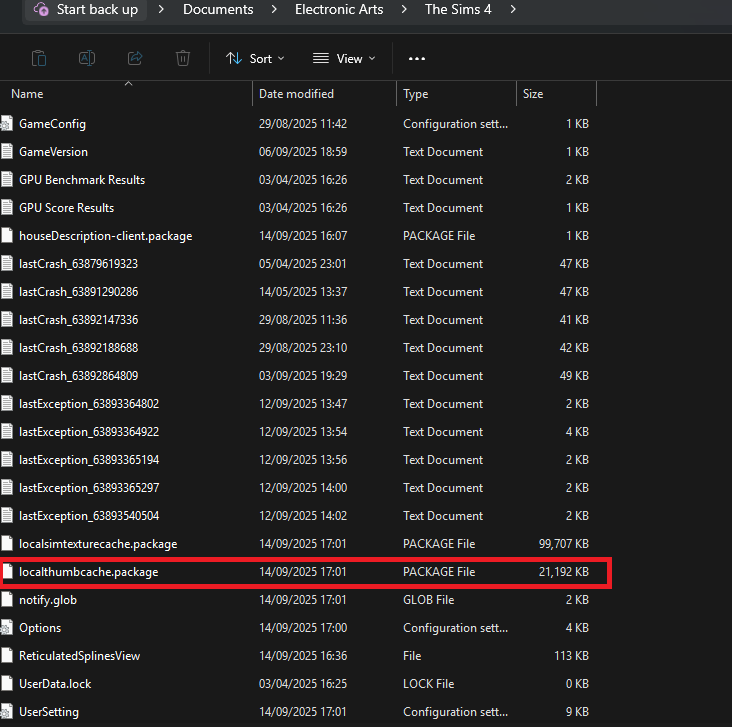
- Move half of your untested mods back to the mods folder, and open the game. If you use MC Command Centre, then this is a good one to test straight away, as it will alert you to any broken content/exceptions. If an error is found, test each new mod/cc you’ve added until you find the broken one, then add it to the ‘tested broken’ folder.
- Keep going with this method until you’ve found all the content that needs updating.
You should ideally also test your mods in a new save and not save your game while testing them.
If you are using the 50/50 method to check your mods, make sure that you:
- Never separate mod files from the same mod. That might seem obvious, but if you separate mod files and then, in testing, they show as broken, it’s more than likely going to give you a false positive.
- Take note of any mods that rely on each other. If you, for example, use lots of mods that rely on an XML injector, and then separate these from it, this might be the reason they don’t work, rather than a patch update.
Countdown to The Sims 4 Update And Marketplace Release
The upcoming Sims 4 Update is set to release on March 17th 2026, at 10AM PST / 6PM CET / 5PM GBT . We’ve also made it easier to get ready for the update release with a simple countdown below.
Find out when the next Sims 4 Update release is in your area and brace your save files and Mod folders for impact:
Are you feeling more excited or apprehensive about this update? Let us know below and on social media and stay tuned for Patch Notes when the update comes out.


For the first time ever, I’m anxious about this update. Not because of it coming, but because I don’t have any ‘saves’ folders to backup. I never created them because I don’t know how to. Yes, I’m of THAT generation, lol. If anyone has any suggestions I’m open to the help and thank you in advance for being kind. #gottabeinmyhead
You just need to open File Explorer and go to Documents. There should be a folder called Electronic Arts in there, and in there a folder called The Sims 4. Within that The Sims 4 folder are all your Sims 4 user files and folders, including the ‘saves’ folder wherein all your save games are stored.