Click on the picture below to claim this DLC for free!

Click on the picture below to claim this DLC for free!

Update: SimsDomination found that this DLC is actually a Gameplay Pack for The Sims 4.
SimsDomination has found interesting text strings just moments after the December Patch Release.
He found that the new DLC (downloadable content) for The Sims 4 is called ”Hiking and Camping” (Retiro ao Ar Livre translated from Portugese)
He also found that there will be a new world with this DLC called ”Granite Lake”.
We’ll provide the english version as soon as it’s available.
We cant wait for more info about this DLC Pack!!

Update: 12/16/2014 – Version 1.3.18.1010
Hey Simmers!
Happy Holidays, Decemberings, and other end of the year tidings! The office illnesses have come and gone (for me) and things are looking up for a festive year end. And just for you, we have an update filled with new careers, holiday goodies, Gallery fun-ness, some cheats, a gnome on the go, a few holiday tunes, interface updates, and a bug or two squashed!
As this is a bit long on the details, and in an effort to keep it brief, I’ll cut my monologue short. So, without further ado, on with the datums!
The Big NEW
- Business Career
- Climb the corporate ladder, choosing between Angel Investor or Business Tycoon
- New Career Outfits
- New Reward Objects and Interactions
- New Career Reward Rooms
- Athletic Career
- Kick, punch, and swing your way through the Athletic career, choosing between Hall of Famer or Mr./Ms. Solar System
- New Career Outfits (did someone say Llamacorn mascot outfit?)
- New Reward Objects and Interactions
- New Career Reward Rooms
- Paid Time Off (PTO)
- Sims now accrue PTO by going to work, and can use their PTO to take a paid day off without losing work performance
- Sims also want to take time off, and may get tense if they don’t
- Sims will start off with 3 days PTO already accrued, so they can start work and immediately take a long weekend to recover.
- Family leave
- Parents can now take paid time off for the birth of their baby
- Moms can take time off during the third trimester. Sorry dads, you have to wait until after the birth to take time off
- Family Leave is separate from PTO, and does not affect your PTO balance.
- Thanks to great player feedback, we made some pretty important changes to Career and Aspiration objectives. Please take a moment to review your Aspirations and Careers, as some of the objectives have possibly changed. Our main goals with this update were to:
- Get rid of objectives that were too specific or repetitive
- Fix objectives that were too difficult and/or too big of a jump from previous steps (e.g., going from requiring 2 friends to 6 friends)
- The Holiday Celebration Pack is available for you to unlock, completely free!
- New Objects, including a wreath, wall decorations, and a grinning holiday snowman!
- Some new Holiday Sweaters for your Sims (including winner of the fan voted sweater, #4)!
- Here are the instructions for how to get your Holiday Celebration Pack:
- The Holiday Celebration Pack can be unlocked by logging into Origin and launching The Sims 4.
- Banners within the main menu of The Sims 4 and in The Gallery will show the option to redeem the “Holiday Celebration Pack”.
- Click on the respective banner to surface an in-game pop up that will place the Holiday Celebration Pack in your shopping cart.
- No payment information will be required to check out.
- You will then be directed to an order confirmation page. Click the “Close” button.
- After closing, you will receive a notification that your content is preparing for download. Click the “OK” button.
- Once the download is complete, a notification will inform you that the Holiday Celebration Pack has been successfully installed.
- You will need to restart The Sims 4 in order to see content from the Holiday Celebration Pack in your game.
- Alternatively, you can also redeem the Holiday Celebration Pack via Origin.com [insert link]. Simply follow the instructions to download and install the pack into your game.
The Not Quite as Big New
- A new Holiday themed speaker can be found in the Audio sort of Build mode, with all new Winter Holiday songs!
- The Strictly Business Gnome is ready for action! Maybe he’s late for an important business meeting, or maybe he’s just left the bank with an unexpected withdrawal. Only he knows!
- When your Sims get grungy from low hygiene, they will now look the part! Grunge is in, well in the 90s it was, so like 15 years ago, practically yesterday.
- Sims can now EAT the fruits and veggies they harvest from Gardening!
- Warning! Sims can now die at venues! You have been warned… We didn’t increase the chance of death or anything like that, it’s just you can die now. So it’s not so much a warning, as a public service announcement. Announcement served.
- New colors have been added to several existing doors, windows, and roof trims.
The Gallery New
- Gallery Build Improvements: We’ve made it easier than ever to grab rooms from the Gallery by placing a big ol’ button in the Saved Rooms sort. We’ve also re-arranged the tabs to be friendlier. They were pretty friendly before but now they are downright social.
- Gallery in CAS: We’ve integrated the Gallery into your Create a Sim experience in two ways.
- The first is a Randomize button at the center bottom of the screen. Click the button to randomly pull in new Sims from the Gallery without leaving CAS!
- Secondly, when creating new family members, you have the button right there to look for them in the Gallery.
- Objects resized using cheats now preserve their status when uploaded to the Gallery.
- Custom Content and Mods will no longer display by default in the Gallery. To see them, check the “Include Custom Content” flag in Advanced filters on the left.
- Custom Content and Mods uploaded will now be automatically flagged as Custom Content.
- You can also mark them as such to help your fellow community members better navigate this content.
- Want new neighbors? Simply click on an empty house next door and select “Move in Household From Gallery.” You’ll be taken to the Gallery where you can pick your new neighbors. Move in a great family or some total weirdo, then go visit them seconds later.
The Cheaty-Face New
- Have you satisfied your Sim today? Whims and Aspirations, both give satisfaction! And now, so does this cheat: sims.give_satisfaction_points #! Spend time working on whims and aspirations, OR just forget the whole thing and cheat your way to victory! (Don’t forget to use testingcheats true first).
- Speaking of cheats, well, if these two release notes remain side by side, then this will totally make sense, but if they get re-ordered, then this is really going to be confusing, but let’s assume they stay side by side. So, speaking of cheats, bb.ignoregameplayunlocksentitlement is now available to immediately unlock all career rewards! (I tried to get them to add at least 20 more characters to the cheat title, careerrewardunlockgoodiesforfree, but the engineers were afraid we’d overflow a sock, or stack, or something like that).
- Set as Head cheat is now actually usable. This was a cheat we shipped with base game but required a Sim and Object ID, which oddly, is not accessible. This is now a shift click option on the object. Turn on testing cheats, select a Sim, shift click on an object and choose Set as Head. Have fun!
- Hint: Sims will still use objects when oddly placed.
- Can you say MOO? The Move Object cheat is now available!
- Use bb.moveobjects to ignore placement rules, and push the limits of your home creativity!
- In addition, while holding the object, you can use the “0” key to move an object down, and the “9” key to move the object up*. The object doesn’t have to be against a wall
- *For those of you that use saved camera positions, we are aware of the shortcut key conflict, and are working to fix this. But we felt the up/down behavior was just too awesome not to mention it.
————————-
Build / Graphics
- Walls were not appearing correctly in cutaway view if placed near a stairway.
- Fixed an issue where setting a non-1st floor door as the Front Door would not persist after entering Live Mode and returning to Build.
- The violin will no longer fade at inappropriate distances while the Sim is playing it.
Crash / Performance
- Fixed a crash that could occur if the game was exited while a move in sequence was in progress.
- Game will no longer crash when attempting to place a roof nowhere near your lot. Um… yea, the roof, drag it really far away from your lot, and then click. You won’t crash now.
- Doing edge case-y things has a chance of confusing our codebase. In this case, if you, by way of the merge household dialog, completely swap two families (basically house swap), you will no longer infinitely load as you attempt to return to the game.
Gameplay / Tuning
- When loading a lot, you will now load into the correct lot for the Sim you have chosen, rather than load into their home lot where they may not currently be.
- Fixed an issue in which killing a Sim in a 1×1 enclosure was preventing the Reaper from completing their task of soul collection, which in turn resulted in the Sim remaining married to their living spouses, which in turn prevented the living spouse from being able to remarry… yea, well you’d be surprised how common this actually is among Sims players.
- NPC Sims leaving an event or job were not returning to their normal attire, which resulted in Sims wandering around in their work outfits, sleepwear, workout outfits, at inappropriate times. Sims should now appear in more appropriate attire for when and where they are.
- Switching between Sims who are on different lots will remember where the Sims were when last you left them (more like a modern day drama, as opposed to an 80’s sitcom that has no memory of what happened last time), rather than stacking up on the sidewalk.
- Fixed an issue where if a plant was on a location other than the ground of the 1st floor, it would cause the Sim to wander to a seemingly random spot on the lot when requested to weed.
- You no longer need to click on the sign post to fish, just click on the area near the fishing spots to begin angling!
- Fireplaces were not starting nearby objects on fire… now should a fire erupt, they have a chance to do so. Makes you re-think that stack of books on the mantel piece, doesn’t it?
- The chess piece is connected to the chess table, which is connected to the chair, which is connected to the Sim. And now there is a tooltip that explains this symbiotic relationship if you attempt to play chess at a table without a chair. Please be warned, there is currently no tooltip that explains why you can’t play chess if there is no Sim.
- Updated the text that explains the benefits of the Premium Prima Ballerina, to now say Inspiring Décor: 9, rather than Environment.
- The Astro Model Rocket now allows you to View Focused Work which will give the Sim a Centered by Art buff.
- Find a Collectible whims are now 150% more satisfying!
- Find a Collectible whims will now give you 25 satisfaction points instead of 10.
- Nah, I’m sticking with – 150% MORE AWESOMER! (feels like there should be an explosion here… go turn on something furious or fast, and then reread this)
- Sims can now paint different quality Focused paintings.
- Insane children can now talk to themselves. What? No, I didn’t tell them anything, shh.
- If you cancel cooking before the Sim takes the ingredients out of the fridge, you will now be refunded the Simoleons and the Ingredients.
- Sims who choose to autonomously solve for social on the computer will continue to do so until they reach a satisfactory level (green) or another motive becomes more pressing.
- Children have begun to understand the finer points of the Card Table, and now get Mental skill while playing cards.
- If your Sim chooses to shower immediately after taking a bubble bath in the Double Delight shower tub, they will no longer shower in their clothes.
- You can no longer drag a dirty plate into a broken sink and expect it be cleaned… yea, we’re tough on dirt like that.
- Sims will no longer clean up books that were being read to a child by another Sim.
- “You were done with that.”
- “No, I…”
- “Not a question!”
- The Honorary SimGuru achievement will now properly award you for playing the game for 100 hours. No quitters! Sit down, and achieve! See you in 5 days.
- Prepared Sims, who have pre-purchased a bassinet, will no longer be misinformed that their newly adopted child is at daycare upon returning home.
- Sims can now Point Out Constellations all the way until 6am… an extra 4 hours of “There it is!” “Where?” “Right there next to that really bright star.” “The moon?” “No, the star! The moon isn’t even a star!” “Wait, which star?” “Oh, for the love of… look RIGHT there!” “What are we looking for?”
- Reading aloud in a spooky voice, and gently shaking your monitor, would really help to sell the feeling I’m going for here.
- It’s a dark and spoooooky night (or day, or really the bug can happen at any time).
- Your parents have left you all alone (they left to go adopt a child, and you, a baby, have found yourself at day care while they are away).
- Time passes, your parents return, but you neeeeever do! Oooooooo! Woooooo!
- … until… NOW, because we fixed the bug. (But are you, really you? Oooooo? Wooooo?).
- There is something about saying voodoo that makes you want to say the phrase ‘Who do? You do’ immediately after, which says absolutely nothing about the bug that was fixed. Which is that you can now live drag the Voodoo Doll.
- Nature aspirations (Freelance Botanist, Angling Ace, and The Curator) will now count towards the Over-Achiever achievement.
- The Own a Microphone goal for the Joke Star aspiration will now complete with all microphones, and not just the default choice.
- The unbreakable Princess Cordelia’s Bathtub will no longer break.
- Sims with the Hilarious trait were finding their jokes falling flat more often than they should. We have increased the chance of success significantly, though even the funniest of Sims can have an off day.
- It came to our attention, that the Self-Cleaning Upgraded Toilets Union (SCUTU) has expressed concern that Sims are not treating them with respect. Their grievance is that they are taken for granted. And as such, in a silent protest of porcelain solidarity, have refused to allow themselves to be cleaned should a Sim vomit within their bowlish confine. We have approached this matter with the greatest of care, allowing each side to air their issues, and in the end, SCUTU has agreed to keep themselves clean of all things foreign and domestic, in exchange for the occasional nod of recognition from a nearby Sim.
- Practice Fighting can now be cancelled while in the action queue.
- Sims who are at maximum for a given skill will no longer be able to incorrectly build that skill while off lot using the Away Actions.
- Children can now travel to the Forgotten Grotto! One less forgotten.
- Platonic romantic relationships were not allowing the Sims to sleep in the same bed… not many of our players ran into this issue.
- Decreased the rate of weight gain by 1/2. However, Sims will still get fat at the same rate as before, if they eat when not hungry.
- Sims will no longer autonomously drink from the fridge, which was resulting in them getting autonomously fat.
- Sims can now complete the WooHoo! Achievement… so what are you waiting for? Get out there and get those Sims achieved!
- The Hidden Bookcase Door unlocked from the Secret Agent career, now allows you to knock on it. Which means it is less secret and less hidden by roughly 20%.
- Fixed an issue that was initiating relationship decay immediately upon travel, leaving our Sims with a yearning to understand the phrase ‘absence makes the heart grow fonder,’ as it was most certainly not the case.
- Promised or Engaged to a Sim that dies will now clear their promised and engaged bit, so that you don’t have to wait around for their ghost in order to find a new love.
- The rate at which objects break has been decreased, and high end objects will break even less often than previously.
- Elders will no longer be the primary age group found at the lounge.
- Fitness will now play a role in determining who wins a Fight.
- Farmer Flower and Fruit seed pack will now give you flower and fruit seeds.
- Farmer Veggies and Herb seed pack will now give you veggies and herbs.
- Neither seed pack will give you farmers.
- You can now invite “at work” Sims to your parties.
- Plantain has been added as a collectible in the Gardening section of collections.
- Retired Sims will no longer receive two paychecks each day… thieving ol’ timers!
- Gardening skill interactions Research Gardening, Fertilize, and Splice now unlock at earlier levels.
- More drinks are now available to make at level 1 Mixology, including the Angry, Flirty, and Focused emotional drinks.
- The chance to find the cowplant while fishing has been increased. Which lends credence to the popular phrase, “You can lead a cowplant to water, but you can’t make him not offer cake to the first lure that passes by, thusly ripping him from the watery depths, only to be unleashed within the soils of the Sim filled land, where essence, gloriously effervescent essence, awaits their frosting-filled gullets.”
- Successful mischief actions now give 50% more mischief skill!
- Fish stored in the refrigerator will no longer decay as if they were sitting on a marble slab, at noon, outside, beneath a blistering mid-summer sun.
- Sims will no longer autonomously salvage your TV’s, stereos, and other electronics for spare parts.
- Sims will now swim at pools placed at venues.
- Bladder motive will now decrease at a slower rate while Sims are sleeping.
- Ideal mood for Interstellar Smuggler is now Energized.
- Working out at home no longer satisfies the workout at the gym goal of the Athletic aspiration, unless you have gone through the effort to convert your home into a gym venue, in which case, working out at home will totally satisfy this goal and I just lied to you.
- Punching bag now counts as a piece of workout equipment when solving for the Bodybuilder aspiration goal.
UI / Interface Updates
- All Information panels in the bottom right are now viewable for all Sims all of the time! Including while your Sim is at work!
- The Career panel has had a face lift, pulling some hidden information out of the tooltips, changing the layout, just a little spritz.
- The Collections Panel will no longer rearrange itself every time you open it.
- Sims now advertise their age in the Nameplate. No more “are you a teen?” mishaps.
- The Phone Menu, jealous of the Career panel’s body work, has also had a face lift. A little tuck, tightening, and primping all around.
- Screenshot taking is now available in Create a Sim! Once you have everything set up the way you want, hit “C” to take your shot!
- Late for Work icon has been moved so it is now visible in the Sim skewer portrait (Yep, we call it a skewer. Go back to Sims 2 and look at it again).
- Filters for the purchase dialog were sometimes confused about which purchase dialog was being displayed – seed filters would show when purchasing a book and likewise. Fixed this.
- You can now use the mouse wheel to scroll in the Lessons menu. The Lessons are found in the ESC menu. It’s the 3 dot icon in the upper right. Where the options are…
- The credits scroll bar will no longer fight against your desire to scroll with it. The Aspiration panel has been given more prominence in the UI.
- We’ve asked that the Aspirations panel works harder to make it better for you to access them (at any hour), and provide a faster and stronger presence while doing it.
- The Sims portrait will no longer continue to say your Sim is asleep if you cancel their autonomous sleeping action.
Thank you for all your feedback, keep it coming!
-SimGuruGnome

EA’s long-awaited SimCity BuildIt mobile game is now available Worldwide!
WELCOME MAYOR! We’re glad to have you on board. Your first order of business – create your own gorgeous, unique city that has citizens vying to move in. But remember, the larger your city gets, the more needs your citizens have. This is an all-new SimCity game – re-imagined for mobile!
BUILD YOUR CITY
With countless buildings and vivid, 3D-quality graphics, this is the most realistic city builder on mobile. Strategically place buildings to keep the taxes flowing and your city growing. Pinch, zoom, and rotate 360 degrees as you manage your city on the go – both online and offline.FLEX YOUR POWER
Create and trade resources with friends and other cities. Unlock exclusive buildings like Big Ben and The Arc de Triomphe, or unleash natural (and not so natural) disasters!KEEP YOUR CITIZENS HAPPY
Solve real city challenges like traffic, fires, and pollution. Balance services like power and entertainment to give your citizens what they need. Complete fun challenges to specialize your city and shape society.Watch your city come to life – night and day!

SimCity BuildIt Twitter Page confirmed that today they plan to release SimCity BuildIt worldwide for Android and Apple smartphones.
Not only that, but they also posted a new Behind The Scenes video, featuring new gameplay footage!
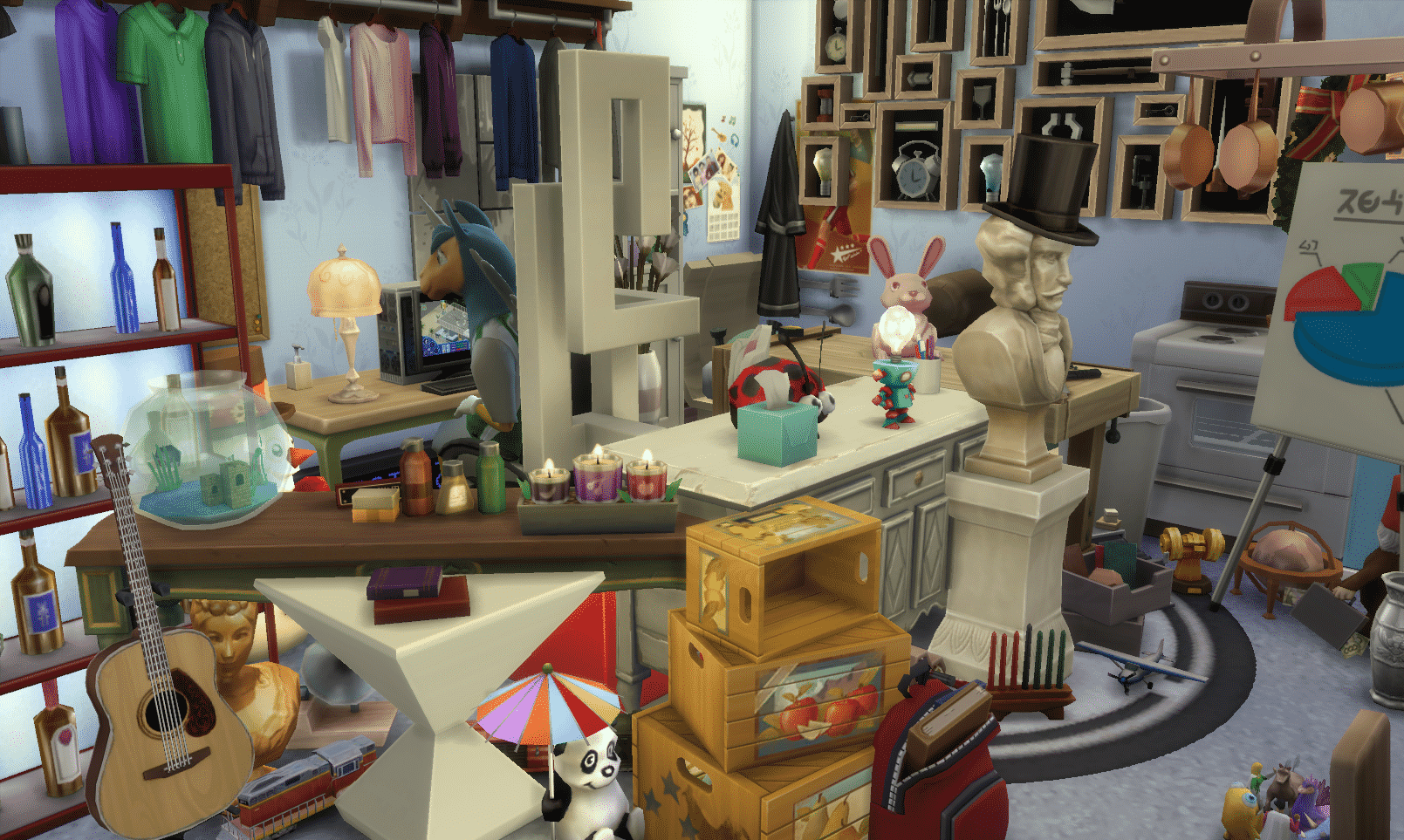
Update: The Sims on Twitter confirmed that MOO (Move Objects On) will be making a return in The Sims 4!
Did someone say MOO? Can you find all the new objects? #TheSims4
The Sims – Italia has shared a new Screenshot from the December update for The Sims 4 that’s coming next week. The screen not only shows new objects (that we listed below in case you can’t find them all) but also it seems these objects were stacked using the moveobjects cheat. Could this cheat make a return next week? 😀

This Set has been brought to you by The Sims Resource member – spacesims!
This is a stylish contemporary teen room for modern Sims. This room is a great choice for children and teenagers. Coming in 3 different variations, this sweet room can fit for both boys and girls, and there is also a black and white variation for modern Sims.
Click on the picture below to download this Set!
Click Here for more information on how to install Custom Content!

It’s been more than 3 months since The Sims 4 Base Game released worldwide. Although there were no official announcements that a new Expansion Pack for TS4 is in the works, several leaks (Leak 1 – Leak 2 – Leak 3) proved that The Sims Team is hard at work and they’re doing their best they can to collect your Feedback on Twitter, Facebook and The Sims Forums.
We made a Poll of Expansion Packs from previous Sims games where you can cast up to 2 votes on your ideal Expansion Pack idea that you’d like to see in The Sims 4. If you have a completely new idea for an Expansion Pack feel free to share it in the comment section below!
[poll id=”19″]

The Sims Official Tumblr has shared 2 new GIFs showing off funny moments in real life that could easily happen in The Sims 4. We still don’t know what’s the purpose of these GIFs but we hope The Sims Team plans to release more!
What do you think; are these GIFs just for promotional purposes or are they hinting at something new coming to the world of The Sims 4? ?:-)


Click on the picture below to get this game on Origin for free! Available for a limited time…

This beautiful Fan Art has been brought to you by Tatyana Oxensherna on The Sims 4 RU VK Page!

Sims from The Sims 4:


This Set has been brought to you by The Sims Resource member – Pilar!
Original and strongly full of character, It is a collection of “transparencies”
Click on the picture below to download this Set!
Click Here for more information on how to install Custom Content!

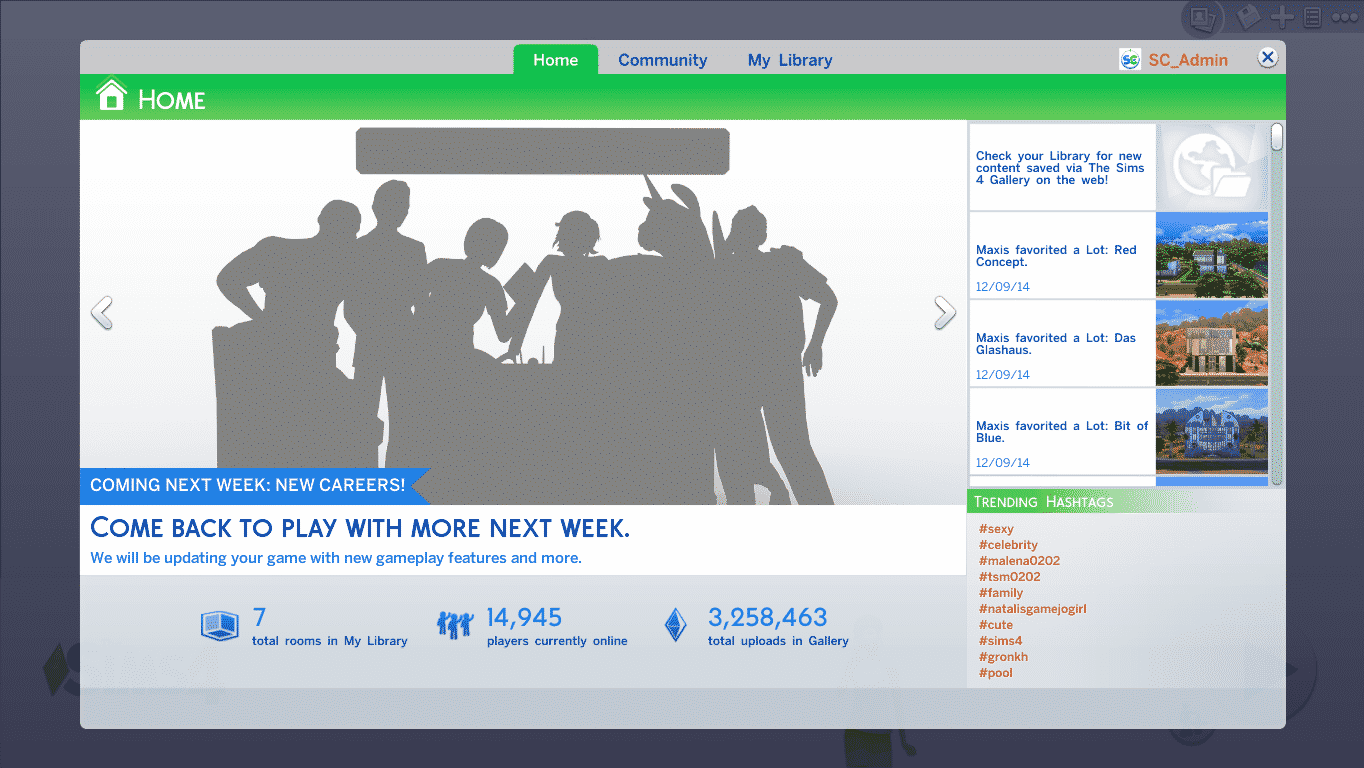
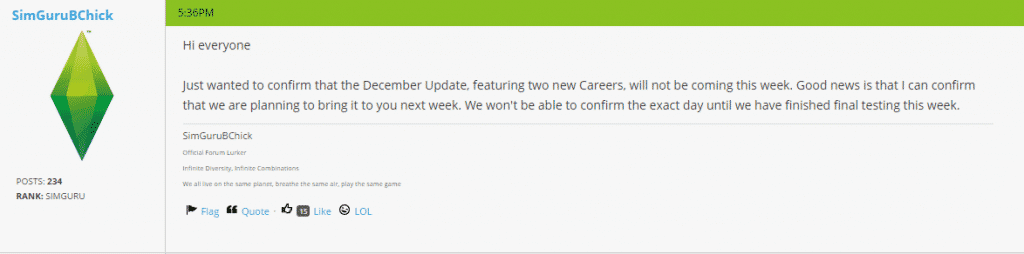
Update: SimGuruBChick has confirmed that the new patch will release next week. Thanks for the tip @JohnBigOz!
Amazon.co.uk‘s The Sims 4 standard edition product page has revealed a list of this year’s The Sims 4 Patch releasements that bring new content. They also listed a possible release date for the December patch – 16th of December!
The Sims 4’s Free December patch will feature 2 new Careers: Business and Athletic. Business will feature management and investor branches while the Athletic career will feature bodybuilder and professional branches.
Thanks for the tip @JohnBigOz!
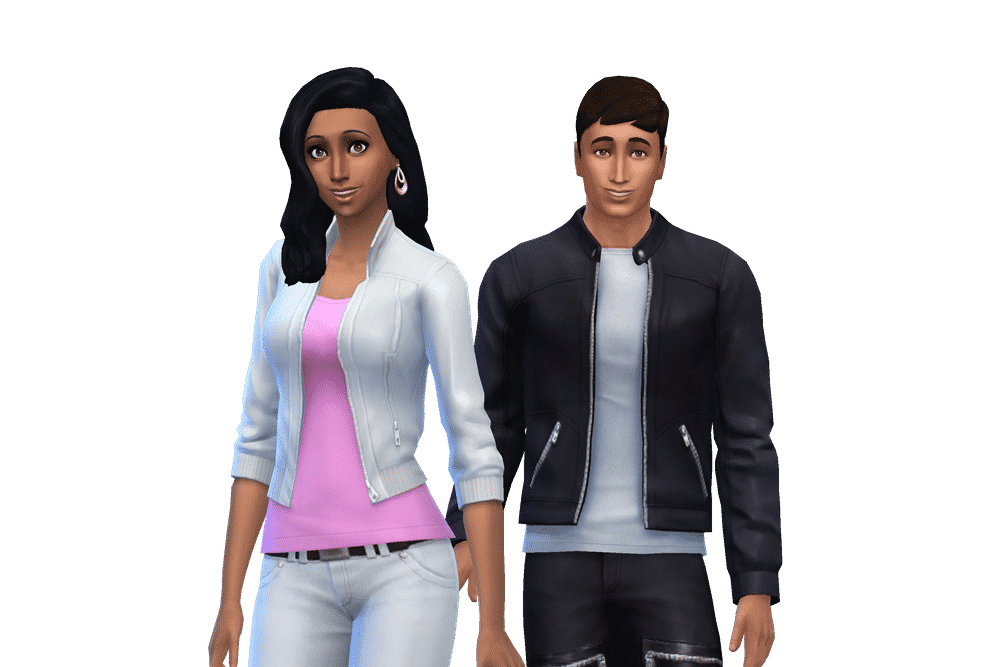
Before we begin with explaining how to extract Household Photos from The Sims 4, you need to know that for this Tutorial you’ll need The Sims 4 Package Editor. (Click Here to download it).
You need to create and save the Household in order to generate a photo of your Household (duh).
For more angles and screens of your Household, click on the Randomize Portrait icon before saving.


Now, open Documents > Electronic Arts > The Sims 4 and make a copy of localthumbcache package file in a different folder.
Open S4PE file and in that program, select File > Open > localthumbcache that you copied.
Since these Household photos are one of the largest files in localthumbcache, sort the items inside this package by clicking the Filesize sort so that the files go from biggest to smallest.

Select files from the top and then file by file to the bottom until you find your Household.
Now that you’ve found your Sims, right click on that file and select Details.

In the Type section, remove every letter and add 0x3C2A8647 and select OK.


Since S4PE for some reason confuses file groups, you’ll need to select a file that’s a different type than the file you edited.

Then, right click on the file you edited and select ”Export to Image” option. Select where do you want to save it, name it and select Save.

Your Household photo is now finished and ready for use!
You can also use these same steps and extract each Sim individually. Just seek for your desired Sim in the files and follow the steps above.