Home Blog Page 535

Sims Community Update

0

We recently updated our Home Page with more Community content for you to explore. We really want to focus on Simmers as much as we focus on News, Guides and so on.

thecommunitylogo

We will update our Home page with new Community content every week. If you want us to publish your Content, send us an e-mail: contactsimscommunity@gmail.com. Make sure you specify for what section you are applying for.

Sections:

Community Reviews – YouTube Video/Blog link

Community Builds – YouTube Video/Blog link/Download link

Community Plays – YouTube Video/Twitch Live Broadcast link

Community Project – YouTube Video/Blog link

The Sims 4 Prima Guide – Standard & Collector’s Edition

0

Amazon added 2 listings for The Sims 4 Prima Guide – one of them is Standard Edition and the other one is Collector’s Edition. What’s the difference? Take a look at some features down below!

Click on the pictures below to check these Editions on Amazon.

Please note that the release date is just a placeholder.

download (1) download (2)

Standard Edition:

Accomplish Your Goals- Bring your stories to life. We’ll teach you how to achieve all of your Sims’ aspirations through interactions, socialization, careers, skills, and events.

Control All New Sims- Learn how the new emotional states are influenced by other Sims, events, memories, and even the clothes and objects you choose. Emotions and improved intelligence empowers your Sims to experience richer stories and more possibilities.

Bring Your Creations To Life- The new Build Mode is incredibly fun, powerful, and intuitive. We’ll show you examples, tips, and tricks that will help you create the most amazing structures ever, from mansions and nightclubs to museums and parks.

Earn Amazing Rewards- Discover how to unlock new outfits, objects, and traits. With our in-depth guide, you’ll be able to uncover all the collectibles and learn how to unlock all the achievements.

Collector’s Edition:

• Hardcover with premium treatment and materials.
• Additional pages include Q&A, “Behind-The-Scenes’ and “Making of” content with the game developers.

The Sims 4 – Ambient Occlusion and more about Graphics!

0

Back in 2013, SimGuruMeatball spared some time to answer some questions on The Sims 3 Forums about The Sims 4 and it’s graphics. Thanks to Rincon Del Simmer for the find!

If you don’t know what ambient occlusion is, it helps light to break through different surfaces in the game, making the graphics more realistic. Here’s an example video:

Rhedd_V: Sims 4 may have a technically better lighting engine, but that doesn’t make Sims 3’s “crappy” by any means. It’s the only game I know of that has on-the-fly rendered, accurate reflection maps, and realtime ambient occlusion that won’t slow an average computer to a crawl, for instance.

I’d just like to see a Sims 4 screenshot where all of the metal reflections weren’t painted on. Not that any lighting engine is going to make me like those cartoon trees…

SimGuruMeatball: Happy you thought so, but we did not have realtime AO (Ambient Occlusion) on TS3. We do on TS4 though and we do have reflections.

SimGuruMeatball: Design is design. Art is art. Designers do the design. They, with the producers, decide which features go into the game. As head of art I try to make sure that the art looks as good as possible, dependent on the features and needs of the overall project. Polish is done throughout a project all up to the point it gets sent for final submission.

bethyGrace: Cool 283a16da79f3aa23fe1025c96295f04f Thanks for sharing. For what its worth, what I’ve seen of the world looks beautiful. The sims I might need to get used to, but another game is another game right… its going to be different! It must be crazy in that studio at the moment. Do you know if we will be seeing more from the game soon?

SimGuruMeatball: Thanks! The game do look different, we have a very distinct art style. We didn’t really get one together properly on TS3, but on TS4 a lot of work has been put in to get things looking cohesively. I understand that the art style might not appeal to everyone, but saying that it is lower quality than TS3 is just wrong. We don’t have lower resolution textures or assets, we actually have a lot of graphical improvements.

Oh, it’s definitely crazy over here 3b63d1616c5dfcf29f8a7a031aaa7cad But I wouldn’t want it any other way! I am unfortunately not privy to upcoming press releases, those things are way above my head.

Ze_Blue_Panda: To me it’s just a different art style of hair. Like it or not, I don’t think it’s badly made or anything. Simple yeah but just another style.

SimGuruMeatball: Correct. Just because things are simplified and stylized doesn’t mean that things are lower res or of poor quality. It’s a style choice, not quality.

 CaptureCapture

The Sims FreePlay – Life Dreams Update Now Available!

0

The new update for The Sims FreePlay is now available for Android and iOS!

screen568x568 (1) screen568x568 (2) screen568x568

What’s New in Version 5.3.0

Live out your perfect Sims story! Watch your Sims grow through their full life-cycle, move onto the afterlife and pass on legacies from one generation to the next. Complete the “Life Dreams and Legacies” Quests at Level 24+ to get your Sims ready for their next exciting adventure!

• Live Big, Dream Big – Complete the full life-cycle of your Sims with natural aging and help them fulfil Life Dreams from Babies to Seniors!

• Trip to the Afterlife – Keep the family tree growing through the generations. Be escorted to the afterlife and pass on legacies to future generations

• Sporty vs Geek – Get to know your Sims with two new in-depth personalities and goals. Will your Sims show off their athletic prowess at the Swim Center or contemplate the world of quantum physics over a hot tea?

• Beachside Bliss – Soak up the sun at the Beach! Grab your snorkel and hit the coral reef or collect seashells on the sand in two new hobbies for your Sporty Sims

• Game On – Embrace your inner Geek and unlock the Game Arcade. Master all-new hobbies for your Geeky Sims including Skill Tester, Pinball Wizard and Arcade Gamer!

The Sims Franchise Wallpaper

0

We made a brand new Wallpaper featuring elements from previous (and upcoming) Sims games.

This is also my submission for The Sims Studio Wall that I wanted to share with you guys. Hope you like it  🙂

These wallpapers come in 16:9 and 16:10 resolutions!

2560×1440 (16:9)

simsfranchise1609

2560×1600 (16:10)

simsfranchise1610

Help decorate The Sims Studio Walls!

0

Via SimGuruHydra!

Time to dig up some of your fanart of The Sims!

We need your help! We’ve been redecorating our studio walls and given them a fresh coat of paint, but we’re not done! The last final pieces need to come from you!

Sure our walls are freshly-painted, but they feel a bit bare without some cool stuff to hang. And what community is more creative than The Sims community? Simply put – we’re asking YOU to send us your creations inspired by The Sims™ games!

We know many of you take your creativity outside of the game – whether they’re sketches, collages, desktop wallpapers, paintings, and even handmade crafts. These would be perfect for our studio walls.

So what kind of artwork are we asking for? We’d love to see creations inspired by any of The Sims games – from the very first, to The Sims 3, to any of the console games (hey, The Urbz had some amazing style)! Pieces can be any of the following:

– Photographs
– Collages
– Drawings, paintings, sketches
– Handmade crafts that can be hung on walls


Send physical art to:

The Sims
209 Redwood Shores Parkway
Redwood City, CA 94065

We’re accepting digital artwork as well! Send your digital art inspired by The Sims to: Simleaderalpha@ea.com with the subject line: Artwork for the SimGurus

Game Developer Conference!

Game Developer Conference!

GDC (Game Developer Conference) is just around the corner, and Simmers around the world are hoping for new The Sims 4 info during that time.

There will be 3 different The Sims 4 presentations happening at GDC. Each presentation will teach other developers about new technology that’s used to build TS4.

Out of Sight, Out of Mind: Improving Visualization of AI Info

Location: Room 3007, West Hall

Date: Tuesday, March 18

Time: 11:15am-12:15pm

FormatSession
Track: AI Summit
Vault Recording: Video

When AI was simple, debugging consisted of confirming that the character was simply doing the one thing you expected. Over time, debugging moved away from “what” and became more about “why?” or “why not?” The collision of information about the agents, the environment, the player and the game state creates an enormous amount of data that can affect the decisions that the characters make. In this session, three developers will share methods that their studios employed to expose that information in manageable, understandable ways to programmers and designers alike. Bill Merrill of Turtle Rock Studios will explain a simple yet powerful timeline-like view they used in the upcoming Evolve. Charles Gast will show details of their HTTP-based Game State Inspector, allowing powerful information widgets for The Sims 4. Mika Vehkala will demonstrate features of ReView as used for debugging the multi-player bots in Killzone: Shadow Fall.

Takeaway

Attendees will see a variety of existing methods for visualizing information for developing, tuning and debugging AI, and plenty of ideas for developing their own visualization tools.

Concurrent Interactions in The Sims 4

Location: Room 304, South Hall

Date: Wednesday, March 19
Time: 5:00pm-6:00pm
FormatSession
Track: Programming
Vault Recording: Video

In real life, people often do several things at the same time, but games typically limit agents to performing actions sequentially. For The Sims 4, we developed a system for authoring interactions that allows simulated people (called Sims) to express multiple concurrent behaviors. Interactions are largely data-driven and are defined in terms of constraints, which specify the state a Sim must be in to perform the interaction. Constraints are used to test whether interactions are compatible, and to drive decisions that Sims make about whether, how and where to perform an interaction. This system allows Sims in The Sims 4 to convincingly eat, watch TV, chat with other Sims, express emotion, and perform many more behaviors simultaneously. We believe that this powerful and simple technique could be applied to a similar effect in your game too.

Takeaway

Attendees will learn a powerful and practical technique for defining composable behaviors using constraints. Constraints can drive decision-making and allow multiple behaviors to be expressed simultaneously. This technique allows characters in The Sims 4 to eat, watch TV, and socialize with other Sims, all while sitting, expressing anger, and much more.

Intended Audience

The main audience for this presentation will consist of software engineers who are curious to learn a new technique to add to their toolboxes. The presentation will also be of interest to designers and producers, who should be inspired by the possibilities that are unlocked by constraint-driven behaviors. This presentation has no prerequisites.

Multi-Actor Behavior Sequencing in The Sims 4

Location: Room 2020, West Hall

Date: Friday, March 21

Time: 2:30pm-3:30pm
FormatSession
Track: Programming
Vault Recording: Video
As online gaming continues to surge in popularity, simulation complexity increases rapidly and aggressively multi-core platforms become the standard, decoupling game presentation from simulation becomes increasingly important. For The Sims 4, we’ve developed a novel model for rendering high-fidelity synchronized behaviors involving multiple actors, even when driven by a simulation that runs at highly variable and/or low-frame rates, and which potentially communicates with the renderer over a high/variable latency connection. Historically, such products have often made significant compromises, either by requiring their simulations to run at real-time rates, and forcing extremely rigid synchronization, or by limiting visual quality in critical areas like character animation. Our solution addresses all of these, and is capable of scaling across a variety of game types by offering a core framework for individual game teams to extend and customize.

Takeaway

Attendees will leave this presentation with a working general knowledge sufficient to recreate a basic version of our solution to the problem of high-fidelity, multi-actor behavior in a game with a decoupled simulation, as well as specific solutions to common problems related to character animation in such an environment.

Intended Audience

The primary audience for this presentation is software engineers who are interested in delivering high-quality, multi-actor character animation and other visual behaviors in an online or otherwise parallel game architecture. Prior experience with online (client and server) and simulation-style game development is helpful, but not required.

 GDC Presentation Links:

Out of Sight, Out of Mind: Improving Visualization of AI Info

Concurrent Interactions in The Sims 4

Multi-Actor Behavior Sequencing in The Sims 4

TS3 Blog Post: Store’s Bohemian Garden!

0
Hey Simmers!
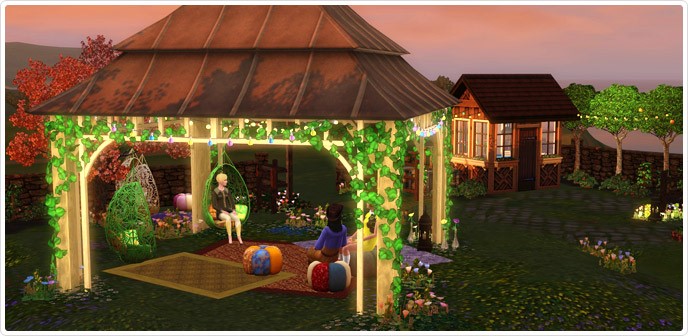
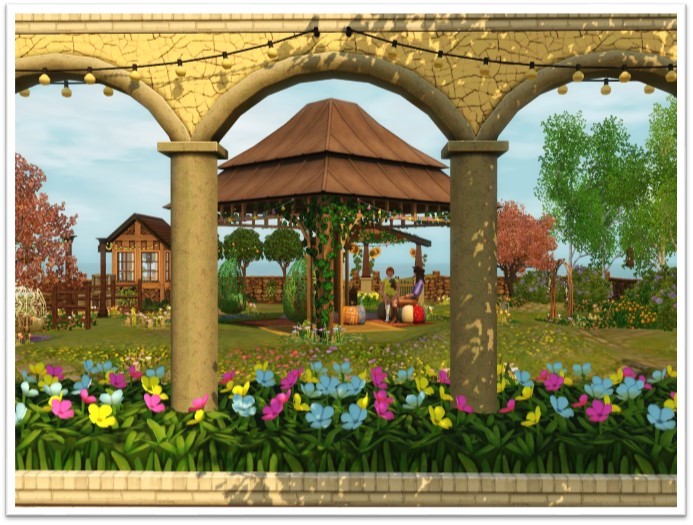
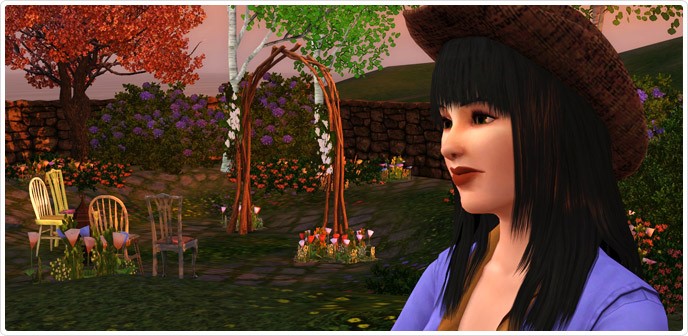
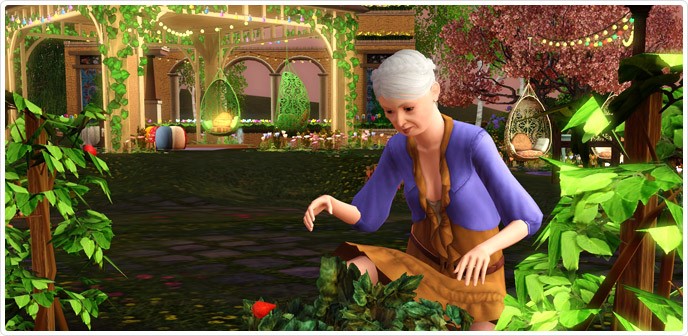
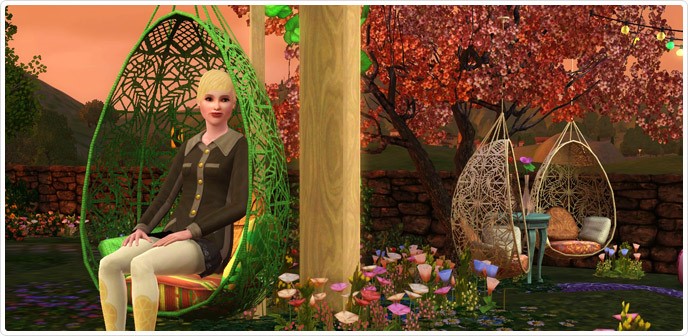
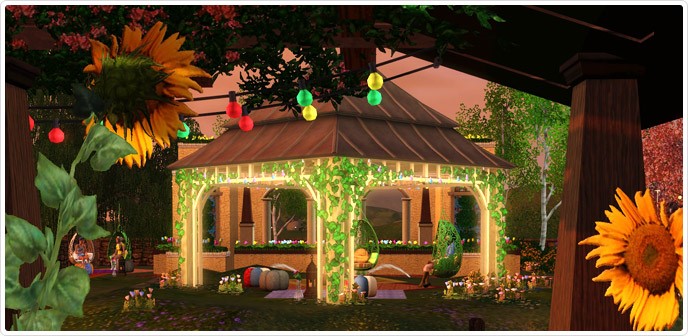
Rejuvenate your senses and discover your green thumb this spring in the Bohemian Garden! In this whimsical palace, let your inner free spirit run free!
1
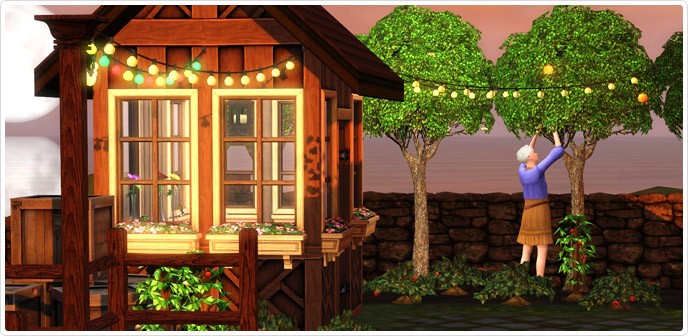
Try your hand at landscaping and plant an array of different colored flowers!
2
3
4
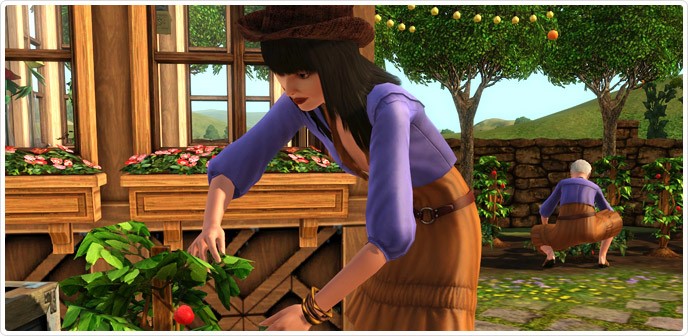
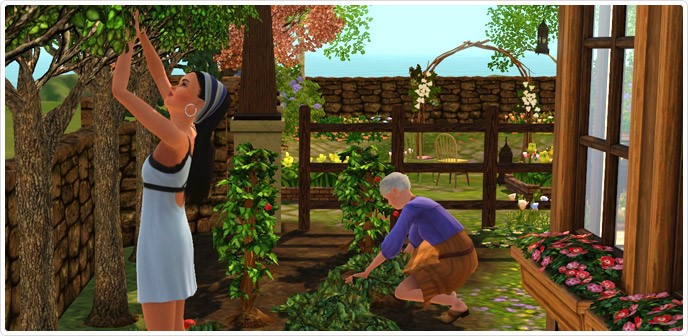
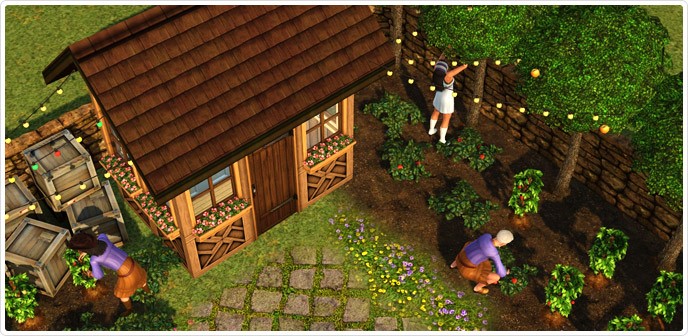
When full in bloom, the garden also includes an exciting selection of Bohemian Fruits and Nuts! Yes, the rumors are true. You can tend your garden and produce strawberries, raspberries, blueberries, blackberries, peaches, chocolate beans, pecans and pears! That’s 8 different premium items!
5
6
7
8
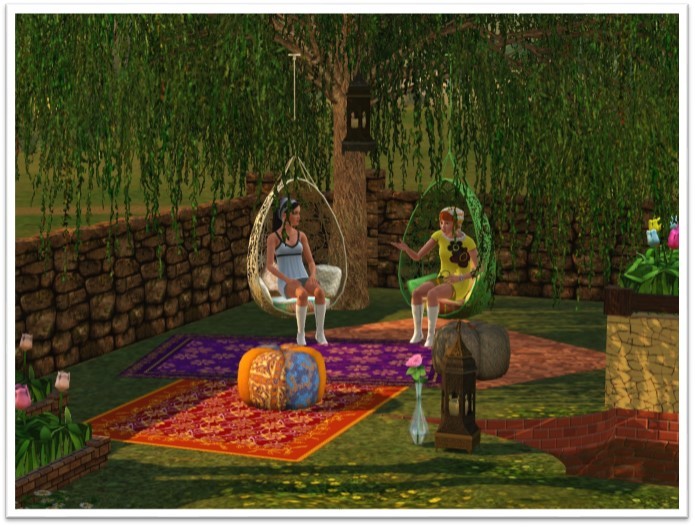
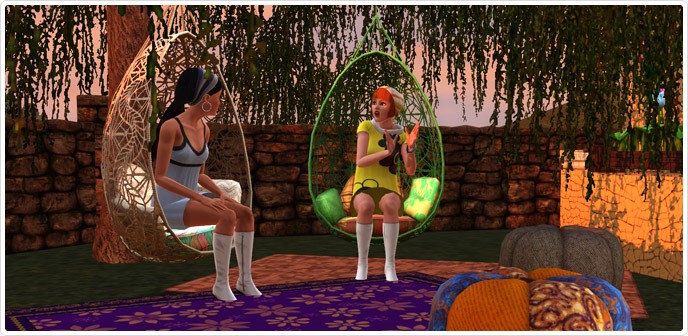
There’s also room for you to relax. Wouldn’t you love to sit and hang out in one of these?
9
I love how the lights hang in this canopy! Can you imagine all the different ways you can style this?
10
11
In my opinion, it’s the perfect place for the best chair on The Sims 3 Store. For those of you who follow me on Twitter, you’ll know I’m dying to have this!
12
The Bohemian Garden has been one of my favorite sets to design. I’ve reimagined some fan favorites and some of these items will tie directly into items in the next couple of releases!
13
14
15
16
17
18
Stay Tuned,
SimGuruCopeland

The Sims 3 Store – Bohemian Garden now available!

0

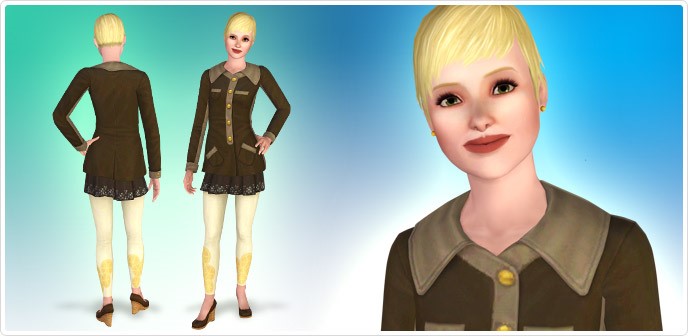
Release your Sims inner Bohemian! Spend a spring morning planting a variety of new harvestables and an afternoon lounging under a flower-covered canopy. What free-thinking spirit doesn’t want to take off their retro-styled boots and walk among the wildflowers?

Click on the picture below to check out this set!

Thumbnail_688x336 (1)

The Sims FreePlay – Life Dreams Update Coming Soon!

Capture

Live out your perfect Sims story! Watch your Sims grow through their full life-cycle, move onto the afterlife and pass on legacies from one generation to the next. Complete the “Life Dreams and Legacies” Quests at Level 24+ to get your Sims ready for their next exciting adventure!

Origin Update (07/03/14)

0

Open your Origin client to download the new update!

Capture

The Sims 4 Cover Recreations by Sims Soul

Inspired by old The Sims Covers, Sims Soul created Sims 4 covers in The Sims 1, The Sims 2 and The Sims 3 Style!

Enjoy  😀

Los Sims 4 Portada Ins Sims 1 lossimsportada

Los Sims 4 Portada Ins Sims 2 3289814_640px

Lossims3portada Sims 4 ins Sims 3

Caratula Sims 4 Sims Soul

The Sims 2 Open For Business – Toy Workbench Concept Art

0

Learn all the steps it took to create the Toy Workbench object in The Sims!

The Sims Official Facebook Page

1962836_671344976237909_700751416_n 1891064_671345059571234_337499779_n 1966883_671344969571243_421775828_n 1779779_671345029571237_53847228_n 10003450_671345026237904_843051612_n 1901433_671345022904571_927553658_n

Lauren Mclemore is back to The Sims 4 Team!

0

Approx 1 month ago, SimGuruLauren stated that she’s no longer working for The Sims 4. Today, she announced that she’s back in The Sims 4 Team!  😀

The Sims 4 Wallpaper by Sims Soul

Sims Soul made an incredible The Sims 4 wallpaper! It comes in 16:9, 16:10 and 4:3 dimensions. To download it, select the resolution you want and click on ”Descargar”.

Click on the picture below to download this wallpaper from Sims Soul!

Fondo - Sims 4 Sims Soul 1920x1080