MENU

The Sims 4 Tutorial: Building a Pool next to Foundation

TS4 2014 11 13 21 57 09 75

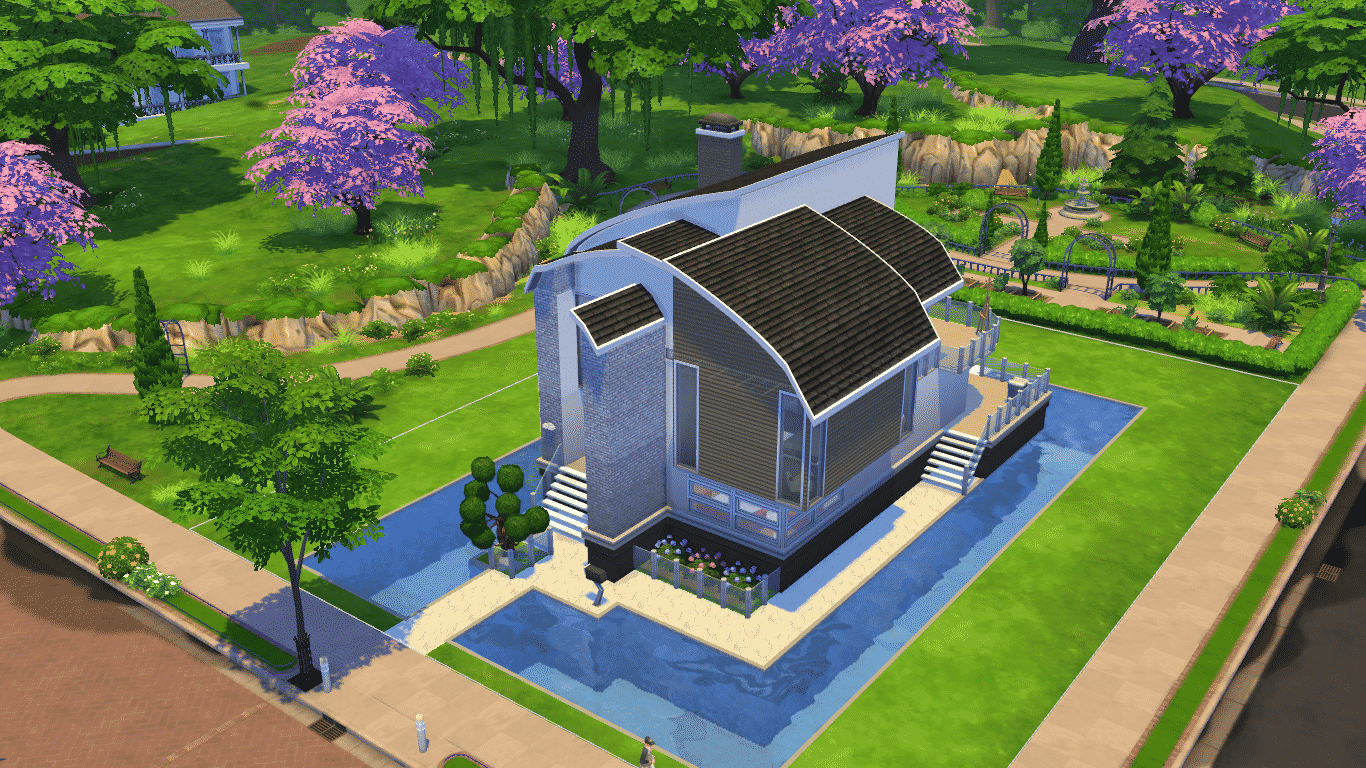
When trying to build a Pool next to Foundation in The Sims 4, the Pool will automatically shift to a level your foundation is.

TS4 2014-11-13 21-53-11-16

Here’s how to build a Pool next to Foundation without changing the Pool’s level:

First you need to place a Square Pool tile from the Pool menu. Make sure you place it at least 1 tile away from the Foundation. Then, push and pull it using the arrows to the foundation and adjust it’s width with arrows as well.

TS4 2014-11-13 21-53-42-17 TS4 2014-11-13 21-53-54-58

If you’d like to connect your existing Pool with sides of foundation, just add a Square Pool, push & pull it to the foundation and connect it with the existing Pool. This allows you to place one giant Pool around your whole lot!

TS4 2014-11-13 21-54-13-91 TS4 2014-11-13 21-54-27-85

11-13-14_10-06 PM

With this level of customization you can also delete a small part of the Pool next to the Foundation by pressing CTRL + dragging the left mouse click. You can decorate your Pool by adding a ladder and a fence to make the entrance to this type of Pool more ”official”.

TS4 2014-11-13 21-57-09-75

Jovan
Jovan
Reticulating splines as a webmaster for Sims Community over the last 12 years. You can find me here writing articles and doing reports on your favorite life sim games, among other things!
You are logged in as

1 COMMENT

Subscribe
Notify of
guest
1 Comment
Inline Feedbacks
View all comments
Elise

Looks amazing, thank you!

Kingdom Tax, Noble Decrees, and Kingdom Titles: The Sims 4 Royalty & Legacy Guide

The Sims 4: Royalty & Legacy introduces a wide range of new systems built around its kingdom theme. After spreading secrets and fueling scandals between dy...

The Sims 4 Kitchen CC: 20 Sets To Spice Up Your Cooking Space

When building in The Sims 4, a kitchen can make or break the home. When you grow tired of the same styles and sets, custom content creators can help you build ...