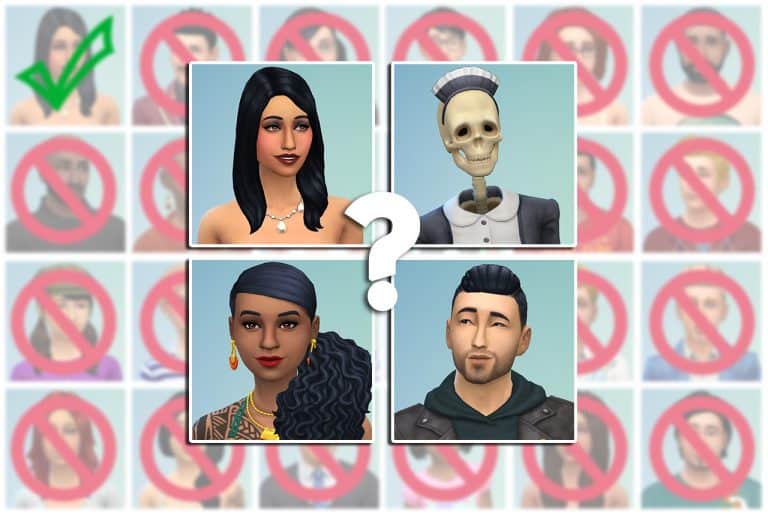
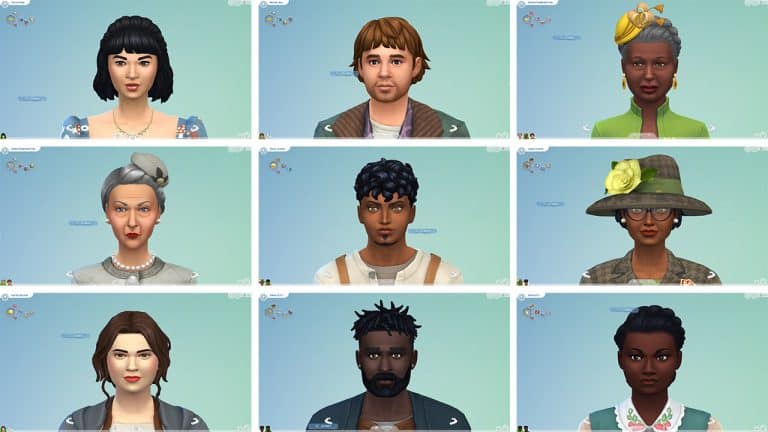
Over the past month, we at Sims Community have set out to settle the long-argued debate among Simmers. Which Sims 4 premade Sim is the best of the best? We broke it down by base game, game packs (plus Paranormal Stuff), and expansion packs parts 1 and 2. You cast your votes to tell us which of those Sims deserved to make it to the finals.
And today, the day has come. It’s the final showdown! It’s time to settle this once and for all. Your winners from past polls are here to battle it out for the top spot. Unlike past polls, you cannot vote for multiple Sims this time. There can only be one!
Remember to click the text and not the image when casting your vote!
The Sims 4 continues the tradition of adding new Theme Songs with each Expansion Pack release – and Cottage Living is no exception!
You can listen to the official Theme Song for The Sims 4 Cottage Living above. It’s a beautiful, calm remix of the original The Sims 4 Theme Song composed by Illan Eshkeri.
The Sims 4 Vampires has been out for five years now; plenty of time for Simmers to have discovered everything about it, right? Well, I thought so, too, until I saw some people discovering a “secret” aspect of the Vampires pack for the first time the other day. I love that no matter how long this game is out, there is always something new for people to discover.
So in case this is a new discovery for you as well, I’m going to tell you all about how you can be a vampire slayer in The Sims 4!
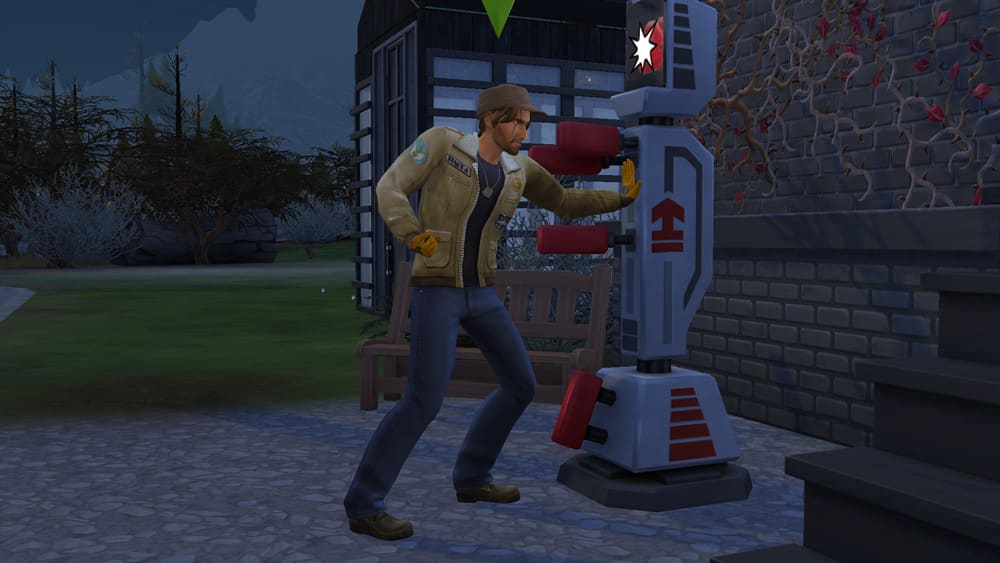
While The Sims 4 Vampires is understandably focused on the vampires, that doesn’t mean there’s no gameplay for human Sims. If you’ve got a Sim who’s sick and tired of being visited in the night by toothy strangers looking for a midnight snack, they can fight back and dedicate their time to ridding the Sim world of vampires once and for all.
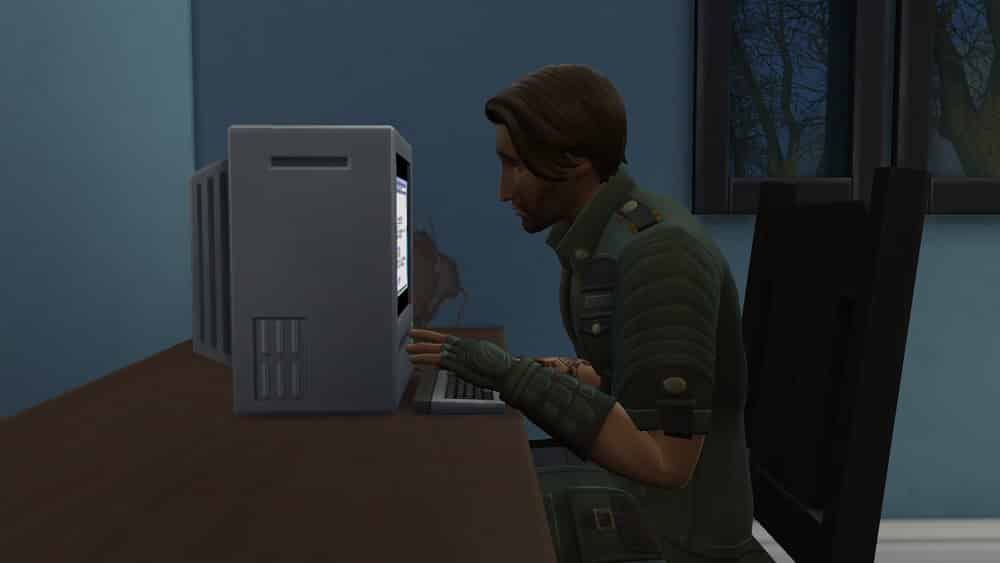
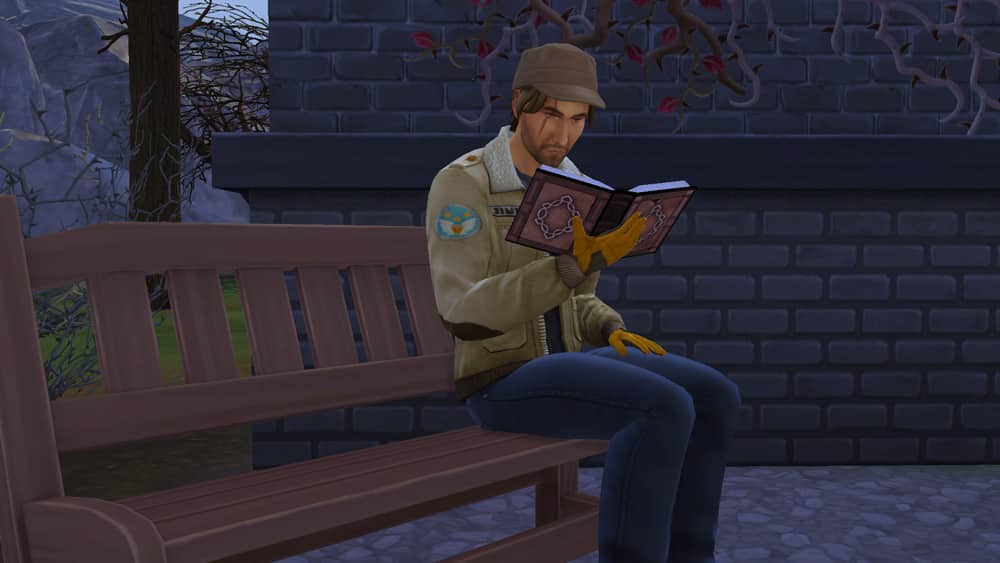
Start by looking for information on vampires on a computer. When your Sim reaches level 2 of the skill, they can advance to getting more knowledge from vampire tomes, which you can purchase from any bookshelf.
Keep studying vampire lore and unlocking tomes. As you gain skill in Vampire Lore, your new vampire slayer will begin to learn ways of resisting, warding off, and even fighting back against these plasma-sucking creatures. The first thing you’ll unlock is the ability is to purchase garlic seeds which are a must for keeping vampires away from your home.
Purchase garlic from any planter box and keep at least one large planter box full of garlic as soon as possible. You’ll need plenty of it to start fashioning garlic braids, garlands, and wreaths when you gain more Vampire Lore skill. Click on some garlic in your inventory to craft the garlic decorations and put them up everywhere inside and outside of your home to protect yourself.
07 13 21 12 21 13 PM
07 13 21 12 22 21 PM
But just keeping the vampires away isn’t enough. Warding them off will just send them after some other, less protected human. Continue learning the Vampire Lore skill. At this point, it’s also a good idea to start building your Fitness skill as well. You will need both physical strength and extensive knowledge of vampires to take one down.
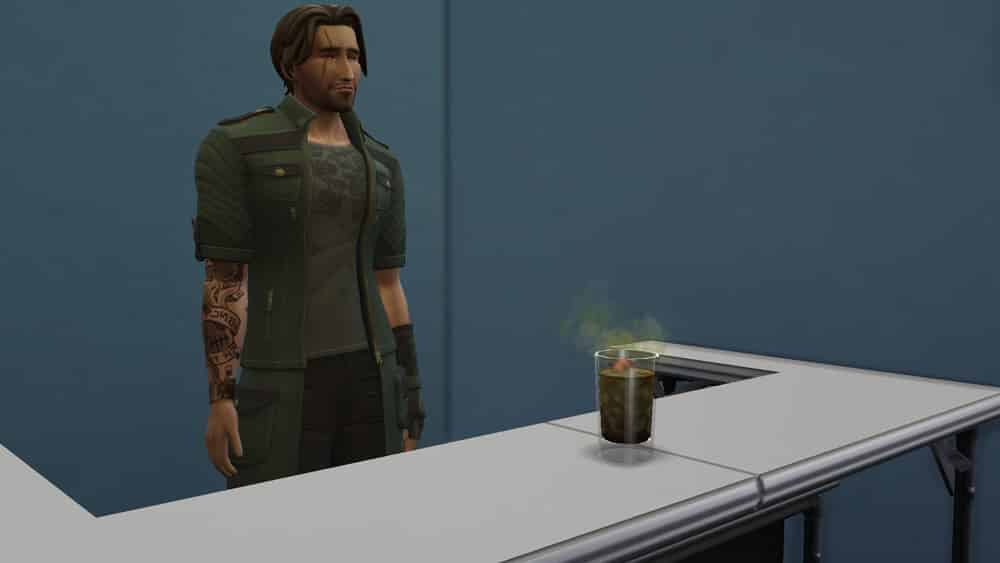
When you unlock the ability to plant wolfsbane and plasma fruit, keep a small garden of that, too. These are useful ingredients you will need to start mixing special drinks at the bar to help you in your mission to rid the world of vampires. Once you have a high enough Vampire Lore skill and some wolfsbane in your garden, you’ll be able to make the Vampire Resistance Cocktail at any bar. No Mixology skill required! This drink requires 2 wolfsbane and costs 25 simoleons to make. Drinking this will make your Sim more resistant to vampire powers. It’s a good idea to drink one of these before bed if you’re worried about break-ins or before confronting a vampire.
Keep looking after your garden and building your Fitness skill as you continue to level up in the Vampire Lore skill. When you max out the skill at level 15, you’ll be able to mix The Ultimate Vampire Cure at a bar. It requires 10 garlic, 10 plasma fruit, and 10 wolfsbane and costs a hefty 2,500 simoleons to make. This drink is the key to slaying a vampire!
By the time you’ve made The Ultimate Vampire Cure, you should have maxed out Fitness skill. Do not confront a vampire with low Fitness skill; your chances of success aren’t very good. With The Ultimate Vampire Cure in your Sim’s inventory, seek out any vampire and under the Mean social category, choose Slay Vampire. If the option isn’t there, spend some time doing Mean socials with the vampire until they dislike you enough.
07 13 21 1 07 00 PM
07 13 21 1 07 16 PM
The battle is on! Your Sim and the vampire will fight it out and if your Sim wins, they’ll pull out The Ultimate Vampire Cure and splash it in the vampire’s face. This will turn the vampire into a human, making the Sim world a little bit safer. In case you were wondering, no you cannot actually KILL a vampire (at least not directly as a Sim; you as the player can dispose of them, though). Sims killing other Sims would make this game rated M, so slaying a vampire only slays the vampire within them by turning them human.
The vampire will be quite sad about being forced to give up their immortal existence but your Sim will feel confident knowing they’re protecting people by curing one vampire at a time.
TS4 x64 2021 07 13 13 08 03
TS4 x64 2021 07 13 13 08 13
Want the Sim featured in this article? His name is Charlie and he is available in the Gallery under the IDSnarkyWitch
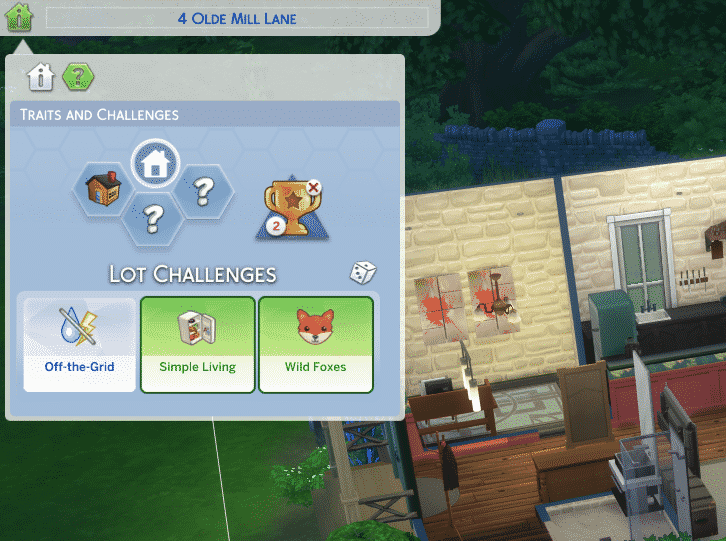
The Sims 4 Cottage Living Expansion Pack introduces a new set of Lot Challenges. Usually these would’ve been Lot Traits however the upcoming update for The Sims 4 is categorizing all of the Lot Traits we’ve gotten in previous Packs into Lot Traits and Lot Challenges. The Lot Traits are usually Traits that don’t add an extra layer of challenging gameplay. The Lot Challenge Category includes challenges that can make gameplay on your Lot more difficult.
We’ve gotten a list from The Sims Team of all the Lot Traits being converted into Lot Challenges:
Creepy Crawlies
Cursed
Filthy
Gremlins
Grody
Landfill
Off the Grid
Quake Zone
Reduce and Recycle
Simple Living
Spooky
Volcanic Activity
Wild Foxes
The Lot Challenges can be found in Build Mode in the “Traits and Challenges” section of the Venue Info Category on the top left corner.
Facts about Lot Challenges:
They function just like Lot Traits, they’re just a seperate categorization.
You can apply one or multiple Lot Challenges per Lot. There is no limit on how many challenges you can apply.
The Sims 4 Base Game only has one Lot Challenge – Off-the-Grid.
If you’re indecisive about which Lot Challenge you want to apply to your Lot you can use the Randomize button!
The Sims 4 Cottage Living comes with two new Lot Challenges – Simple Living and Wild Foxes. In this article I’ll be guiding you through each one and what gameplay and difficulty they bring! Note that the software we captured info and footage is early alpha and features are subject to change.
Simple Living Lot Challenge
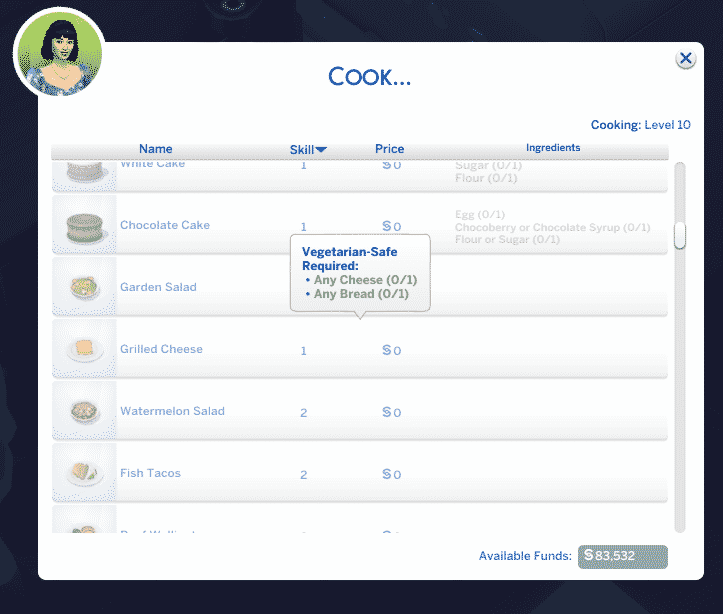
This lot requires ingredients to cook all recipes. Cooking with ingredients just makes food taste better!
The Simple Living Lot Challenge doesn’t just bring a challenging gameplay twist – it also brings a specific task and reward that you can unlock, which I’ll be explaining at the end of this segment.
This Lot Challenge adds a realistic challenge of having to have all the ingredients when cooking, baking, canning or anything in between that requires your Sims to make food!
You’ll notice that with this Lot Challenge applied any recipe that doesn’t have all the ingredients will be locked out until you get the needed ingredients.
There are several ways to get the ingredients you need for making food in The Sims 4, including:
Gardening
Raising Animals that produce needed Ingredients
Grocery Delivery
Going to the Grocery Shop
Surviving only off of ingredients that you’ve harvested in your garden or milked from your Cows sometimes just isn’t going to cut it. Most recipes in the game now also require things like Flour and Sugar which you can only get when ordering or purchasing Groceries directly. For more information about ordering and purchasing Groceries check out this guide!
All the groceries that you purchase will be unloaded into your Refridgerator. You can keep track of all of the groceries you have by clicking the Refridgerator and selecting Open. From this interface you’ll also be able to transfer ingredients your Sim has harvested or gathered into the Refridgerator.
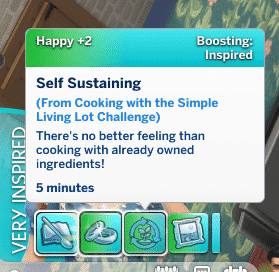
Sims who cook on a lot with the Simple Living Lot Challenge will get a significant Skill Boost for Cooking / Baking, as well as a Self Sustaining +2 Happy Moodlet that lasts for 2 hours!
Now, back to that reward that I talked about in the beginning. Sims can unlock the ability to write a special Cookbook if they manage to do the following:
Reach Level 10 of the Cooking Skill
If you already mastered the skill, you’ll unlock the ability to write the Cookbook after cooking 15 meals.
How do you write a cookbook? It’s easy! Simply head over to your computer and go Write > Write Skill Book > Simple Living Cookbook.
You’ll also be able to choose and name the Cookbook yourself or leave as-is.
After finishing the Cookbook you’ll be able to find it in your Sim’s inventory. The value of this Cookbook isn’t of a high resell value (even though you can find it in BuyDebug for a tremendeous price of 2,500 Simoleons). Still, it’s high in value in terms of how other Sims can use it. This single Cookbook is powerful enough to supply a Sim and level up their Cooking Skill from a 0 to 10 quickly!
screen5
screen6
Wild Foxes Lot Challenge
Wild foxes will appear on this lot, being a nuisance to your garden, chickens, and rabbits.
With this Lot Challenge you’ll get an extra layer of having to handle Wild Foxes spawning on your lot every so often. This will especially become difficult if you’re taking care of chickens, have a rabbit on your lot or even take care of a garden in your backyard. Foxes are ruthless and sometimes the consequences can be fatal for your Chickens, Rabbits or Crops. Oh and yes – Chicken Eggs too.
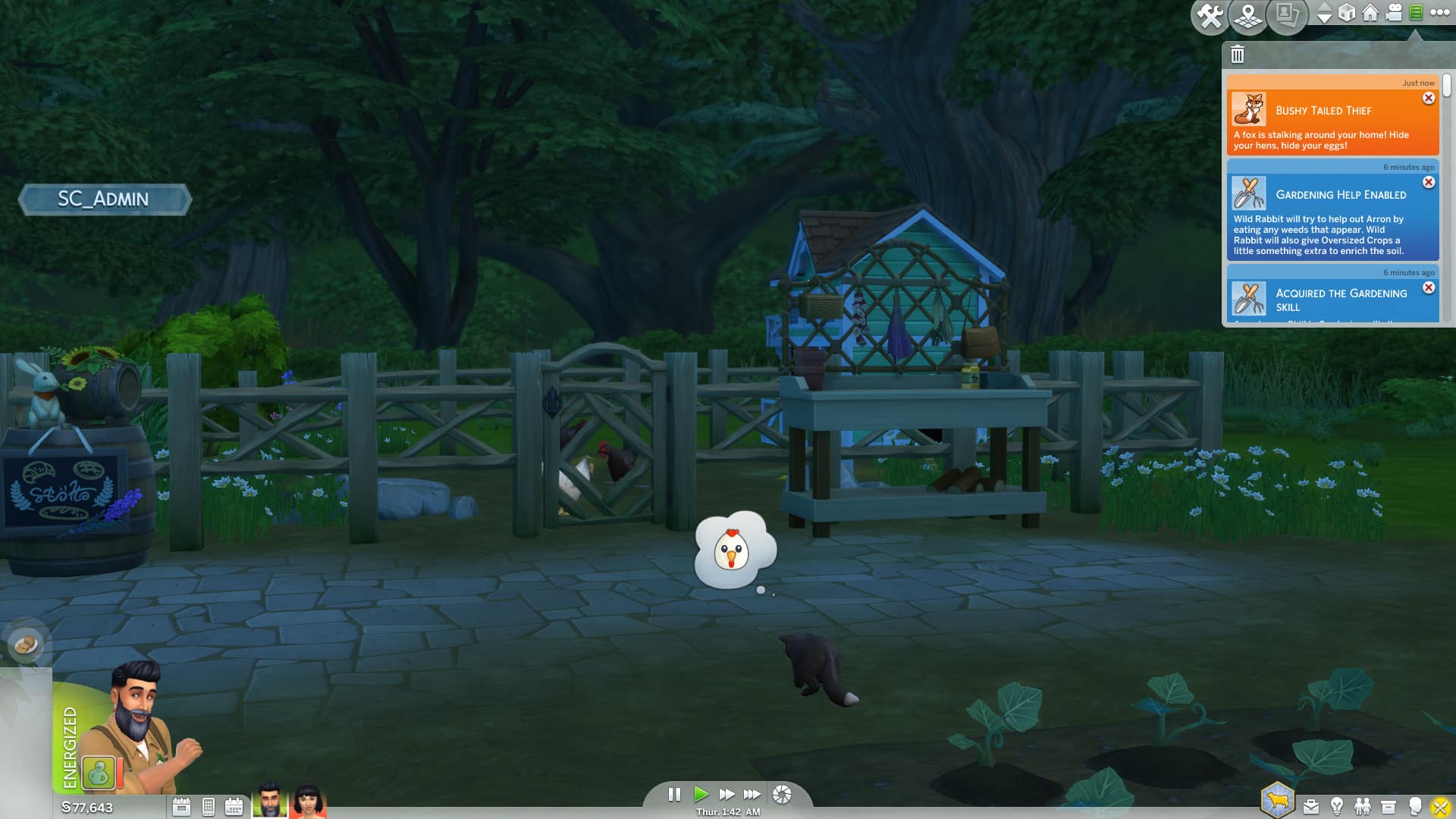
On some ocassions with this Lot Challenge you’ll be notified that a “Bushy Tailed Thief” is stalking your home, referring that a fox is nearby on your lot…and means trouble.
The fox will approach to their target and observe for about an hour. During this period you’ll have enough time to Plead the Fox to stop what they’re doing or try to Shoo the Fox away.
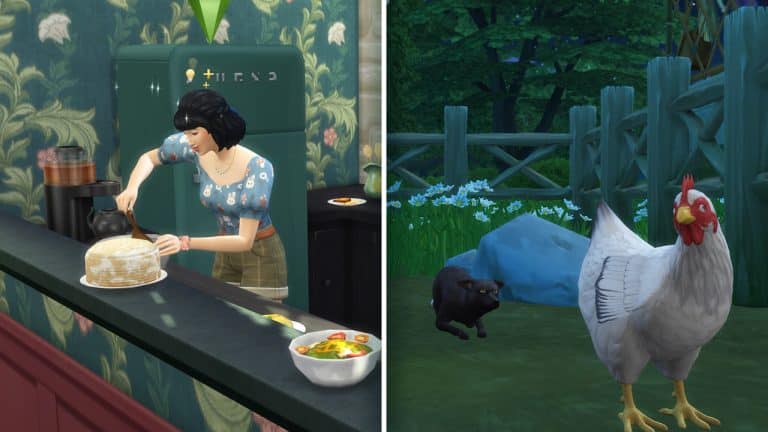
In this example, a Fox tried to attack (and possibly even kill) one of my Chickens. Thankfully there’s also a factor where Chickens can also come out of the battle as winners! If they win they’ll chase the Fox away. If they don’t…well…you probably get where I’m going with this.
screen8
screen9
screen10
screen11
There are some other, less harmful consequences as Foxes stealing eggs or just digging through your garden.
Want to hang out with Foxes and befriend them but don’t want to suffer the consequences for the rest of your Animals on your lot? Worry not, there are ways you can neutralize the effects of a Wild Fox!
Tips for dealing with Wild Foxes:
Find a Wild Fox and “Ask Not to Steal”. You’ll have to befriend a Fox first before doing this interaction.
Install the Fox Be-Gone Alarm on your Chicken Coop. You’ll need 3 Livestock Upgrade Parts to do this Upgrade. After you’ve gathered the parts click on the Chicken Coop and select Actions… > Upgrade…> Fox-Be-Gone Alarm. After upgrading the Chicken Coop with the Alarm Wild Foxes will be automatically scared away when approaching the lot with bad intentions.
Roosters are natural foes of Wild Foxes – they will chase after any Fox that’s close in their surrounding.
Llamas play a huge role on defending your Lot from Wild Foxes. If they notice a Wild Fox on your Lot they’ll spit at them to shoo them away.
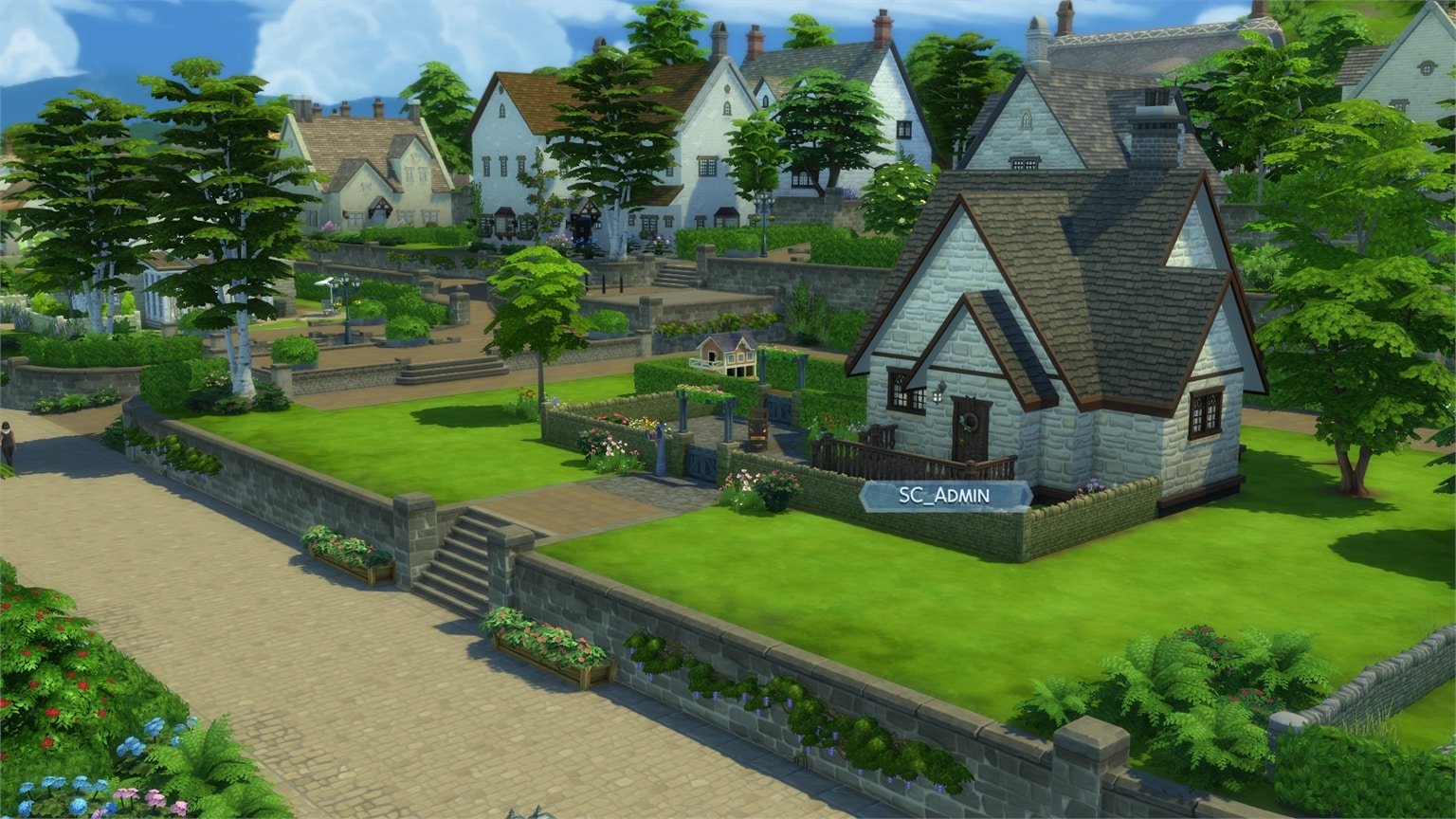
The Sims 4 Cottage Living Expansion Pack introduces a new world of Henford-on-Bagley with 4 premade households and 7 NPC townies!
This Expansion Pack continues the same route of pre-existing relationships and sentiments that were first introduced with Snowy Escape Expansion Pack. Down below you’ll get to meet the backstory of each pre-made Sim, their personality traits, sentiments, careers, skills, relationships and much more!
On the second page of this article we also have a full list of NPC Townies and their characteristics, relationships and personalities in-game so make sure you check that out!
Let’s meet the residents of Henford-on-Bagley:
Moody & McMillan Household
Household Description
After working an office job for more years than he’d care to admit, Derek found a man willing to live the rustic dream of his youth and the two moved to his family cottage and never left. When not fending off financial offers from developers who see their home as a prime target, Ian and Derek balance their days between adventure and quiet, depending on who’s in charge of the agenda. Despite – or perhaps because of – their differences, time has been most kind to these elderly lovebirds, who live a contented retirement as key members of the Henford-on-Bagley community.
Ian Moody
Age: Elder
Career: Unemployed
Aspiration: Friend of the World
Traits: Goofball, Foodie, Outgoing, Gregarious
Likes: Electronica Music, Piano, Handiness, Color Orange
Inheriting the family estate was always the plan, but Thomas may be in over his head. For a man who equates success with crop size, he’s losing both his confidence and his family. While his wife Rahmi loves the country air, her feelings for her husband are becoming stale and her affections have wandered. The oldest of their three children, Rashidah, feels trapped, preferring to dream of a future outside Henford-on-Bagley – dreams that have sparked something between her and a kindred soul. The two youngest couldn’t be more different! Imran treasures the security of life at home while Maira can be found bravely venturing out into the unknown. Will this hectic family come together or fall apart in their “old new” home?
Likes: Romance Music, Mischief, Writing, Color Black
Dislikes: Pop Music, Comedy
Skills: Cooking 2, Mischief 3, Video Gaming 3, Writing 2
Relationships:
Rahul Chopra – Boyfriend
Thomas Watson – Dad
Rahmi Watson – Mom
Maira & Imran Watson – Sister and Brother
Sentiments: Rahul Chopra
Rashida’s Sentiments about Rahul – Smitten
Rahul’s Sentiments about Rashida – Smitten
Maira Watson
Age: Child
Career: Grade School B Student
Aspiration: Artistic Prodigy
Traits: Active
Likes: S-Pop Music, Fishing, Purple
Dislikes: None
Skills: Mental 2, Motor 7, Social 5
Relationships:
Thomas Watson – Dad
Rahmi Watson – Mom
Rashidah & Imran Watson – Sister and Brother
Sentiments: Kim Goldbloom
Maira’s Sentiments about Kim – Adoring
Imran Watson
Age: Child
Career: Grade School C Student
Aspiration: Rambunctious Scamp
Traits: Animal Enthusiast
Likes: Kids Radio Music, Video Gaming, Color Blue
Dislikes: None
Skills: Creativity 5, Mental 2, Motor 2
Relationships:
Thomas Watson – Dad
Rahmi Watson – Mom
Rashidah & Maira Watson – Sisters
Sentiments: None
A New Start Household
Household Description
After living in the big city and having her heart broken, Cecilia decided to ditch everything she knew for a small garden plot and some chickens. She’s still looking for someone to share this life with, though after a date she’d love to forget with local Creature Keeper Michael Bell, she’s happy to only form long-term attachments with the critters that visit for now.
Cecilia’s Sentiments about Michael – Awkward after a Bad Date
Michael’s Sentiments about Cecilia – Smitten
Scott Household
Household Description
As owners of The Gnome’s Arms, Finchwick’s beloved pub, the Scotts are living the dream! Well, Sara’s dream at least. Simon – a city boy with no more city around – still feels a bit awkward every time he runs into a chicken. Still, he’s here to support his wife’s dream. Will their hopes of adding a new member to their tiny family changes things up for better or worse?
It’s safe to say that Sims Sessions has gotten us all in the mood for music and before Sims Sessions sadly ends this week, I wanted to take a moment to honour some of my favourite music videos that have come out recently in the form of a mini look book! I wanted to recreate some of the best looks seen in my favourite music videos and here they are!
All of these looks are 100% CC-free! They only use Maxis content from various packs.
“Bad Habits” by Ed Sheeran
This video was my original inspiration for this look book. I just thought Ed Sheeran’s dance club vampire look was so cool and such a big break away from his usual style. I was dying to recreate it in the game!
Hair: Gelled Flip (Discover University)
Makeup: Eyeshadow (Luxury Party) / Liner (Base Game) / Blush & Lips (Base Game – MAC Cosmetics)
Taylor has so many iconic looks in this video but I really wanted to recreate the outfit she’s wearing at the end of the video when she finally finds the person she loves. It’s not as glamorous as the more popular white lace dress ensemble but the fact that she’s wearing something simple and homely when she’s with her love is beautiful.
Hair: Curly Bun (Tiny Living)
Makeup: Eyeshadow & Lips (Base Game – MAC Cosmetics) / Liner & Blush (Base Game)
P!NK’s ability to reinvent herself decade after decade and yet still stay true to her original edgy attitude is something to admire and her varied looks in this video prove that. My favourite scene was when she was fighting off the giants in suits in a wasteland so I recreated that look here.
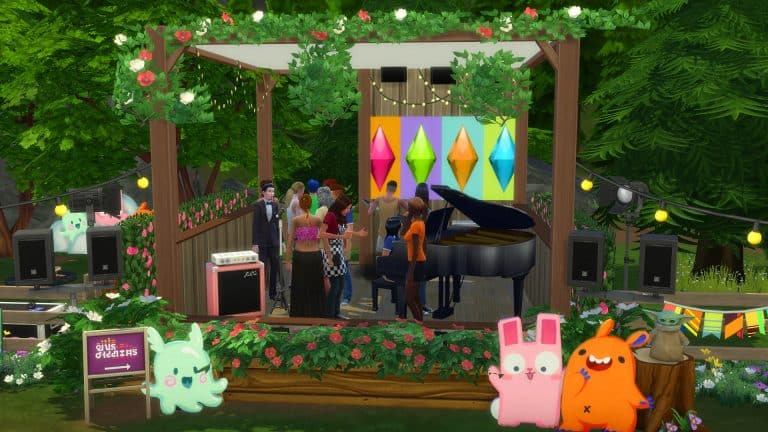
While the Sims Sessions Event has come to an end, you can keep the festival feeling going by creating your own Sims Sessions inspired lot.
Even though, it is not possible to use the Debug Sims Sessions stage on its own, as your Sims are unable to use the stage freely due to the game asking you to wait until after the performances are finished despite there being no NPC performances. However, it is quick and easy to make your own custom festival stage. Simply customize it to how you want, and your Sims are almost set to take to the stage.
Before your audience arrives, you might want to make sure you’ve got your Vendor’s set up ready. Simply pick a food vendor of your choice, and you can find the Sims Sessions Festival Vendor in the Debug menu in the catalogue. Don’t worry, you can still buy the festival merchandise too!
To assemble your audience, you can either Travel with a group of Sims or use Get Together’s Club feature. Don’t forget that when you are creating your Festival Space to set your Lot Type. You can choose the Lot Type that best suits the type of festival space you are aiming to create.
Now that your Sims are festival ready, it’s time for the main event. Either have your Sim perform on stage or hire performers and enjoy the show!
It can be a little chaotic trying to organize your Sims to stand or dance where you want them too, but as long as they are having fun that’s the main thing, right?
Tips & Tricks
The Debug menu has lots of wonderful hidden surprises that you can use to make the ultimate festival stage. Use bb.showhiddenobjects and bb.showliveeditobjects to access the Debug menu in the catalogue.
You can find the Sims Sessions Signage, Festival Vendor, Individual Amp and Duo Free Standing Speakers in the Debug menu.
Missing Bebe Rexha, Joy Oladokun and Dave Bayley from the Sims Sessions event? You can download them from The Gallery and add them straight into your game!
Don’t be afraid to get creative! There are countless possibilities and themes you can use to make your own festival spaces.
Think outside the box. Think about things you’ve seen when you’ve visited events, concerts and festivals in the past. Why not add a merch stand or a VIP area near the stage for performers to relax before and after the show?
Let us know what kind of festival space you are going to create and who you would love to see perform there in the comments below!
Want to check out the brand new world of Henford-on-Bagley coming with The Sims 4 Cottage Living Expansion Pack in action?
In our latest video overview I’ve covered the entire visual tour of Henford-on-Bagley, its 3 neighborhoods, pre-made lots & households, lot sizes and so much more. Check it out above!
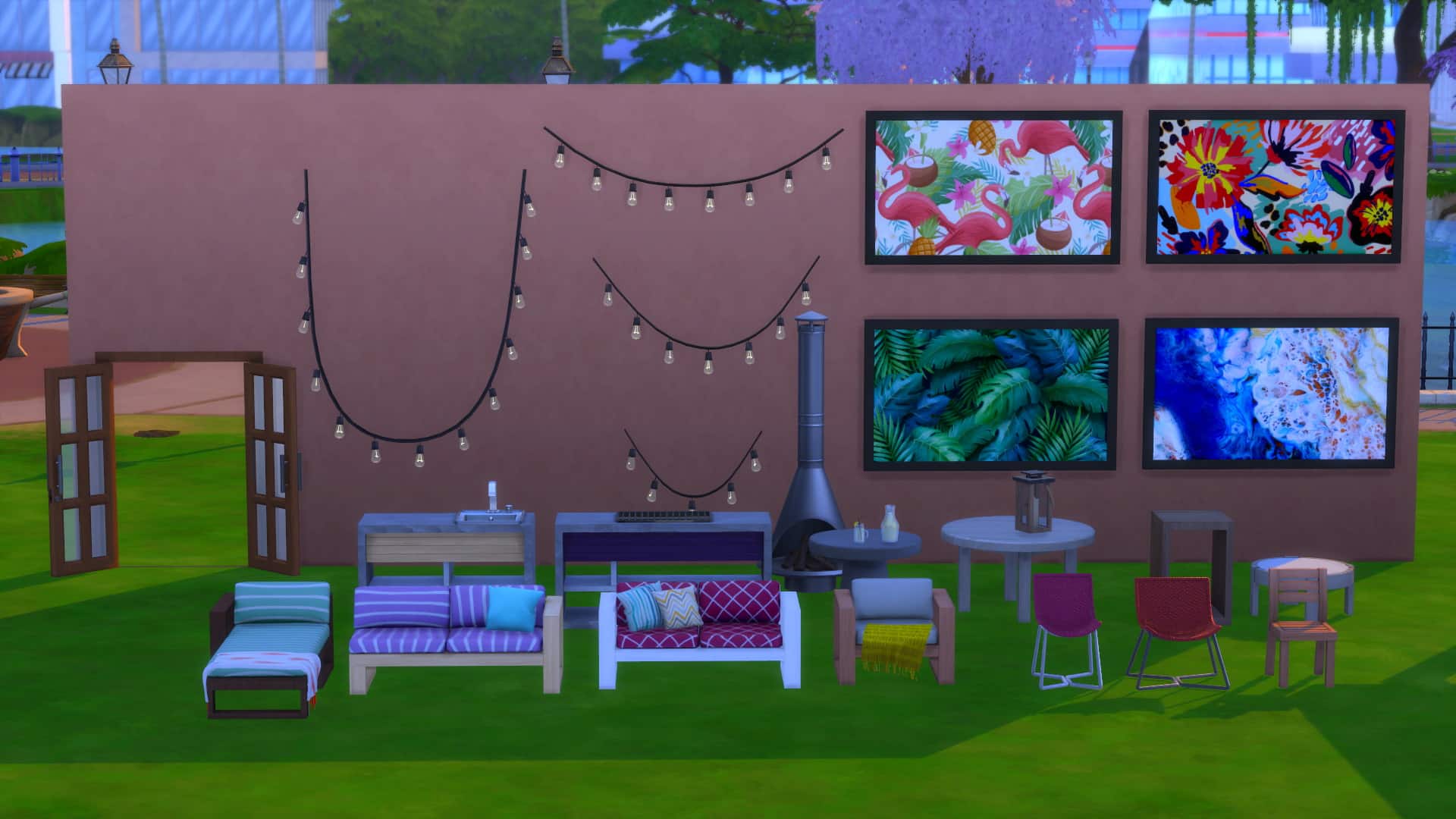
SixamCC is the creator behind the beautiful summery custom content pack that will help you create your Sims’ ultimate patio and pool spaces. The Dreamy Outdoor CC Pack features over thirty brand-new meshes and is base compatible. However, you will require The Sims 4 Island Living to be able to have the functional pool floats.
From tables and chairs to patio decor, chair swings, a pergola, French doors, pool floats, and more, there is plenty to help bring that Summer feeling alive. Each item comes in a variety of swatches including more neutral and plain coloured ones as well as patterned swatches.
The Sims 4 Cottage Living Expansion Pack comes with 2 new Traits, an Aspiration and a Reward Trait that you get for finishing the new Aspiration. I’ve gotten a chance to try these out and show you what they bring! Please note that this is not captured on final software and features are subject to change.
New Traits
Animal Enthusiast
These Sims are obsessed with animals, and will seek their company often. They will have an easier time caring for animals and getting closer to them.
Animal Enthusiast Sims unlock a wide array of new interactions for all Animals that come with The Sims 4 Cottage Living. There are lots of new interactions that come with this trait so much that I compared down below what options you get when socializing with a Llama as an Animal Enthusiast vs. a non-Animal Enthusiast:
socialize1
socialize2
As an Animal Enthusiast you’ll be able to more enthusiastically interact with your Animals and “Smother them with Love”.
Animal Enthusiasts are also able to show a Dance Move to their animals, as well as pull out a Guitar / Violin and practice their skills while the select animal is listening. Yes, you can play the guitar to your favorite chicken!
With this Trait you’ll often get smaller buff boosts that will make your Sim Happy.
There’s also an interaction exclusive to this Trait that lets you Admire an Animal of your choice. However, I did find this interaction to be a little creepy as my Sim only stared at his Llama for a few Sim seconds. No buffs or anything…
Lactose Intolerant
These Sims will become sick if they eat dairy, but will feel great if they have avoided it for a while.
It’s a tough world out there for Sims with the Lactose Intolerant Trait. Especially since there’s a bunch of recipes in The Sims 4 that contain milk or cheese. To make sure your Sim doesn’t make a mistake of making a meal that they won’t be able to tolerate make sure you hover over a finished meal to see if it’s Lactose Free. Meals that contain Lactose won’t have a tag, however meals that are Lactose Free will contain the label letting you know that it’s safe to eat.
Some recipes that come with The Sims 4 Cottage Living including Milk Bread and Yorkshire Pudding also come with a Lactose Free variant that your Lactose Intolerant Sims will be able to eat without any side effects.
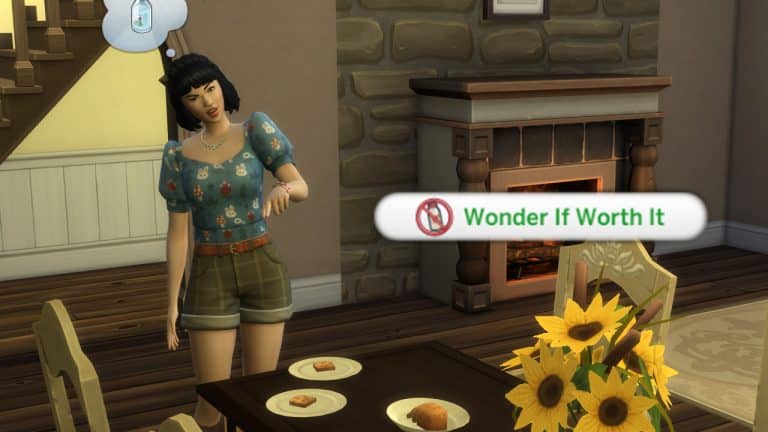
You can of course always take risks! With the Lactose Intolerant Trait Sims can select meals that contain lactose and “Wonder If it’s Worth It”. You’ll get a notification reminding you that your Sim is Lactose Intolerant, as well as a popup saying that your Sim is wondering if some risks are worth taking…
If you decided that yes, you should definitely ignore all the warning signs and eat a lactose meal as a Lactose Intolerant Sim you’re in for a ride. While your Sim is eating a meal they will enjoy while heating, however when they’re finished…
You’ll get an Uncomfortable +2 Moodlet saying that no, it definitely wasn’t worth it. During these 3 hours they will also fart uncontrollably and their Bladder Need will immediately be cut in half.
lac2
lac1
However, you can still try and push your Sim over the limits by eating a lactose meal again. This time your Sim will get bloated and have their Bladder Need decayed almost entirely, so watch out!
Your Sim will get a positive buff if they stay away from meals that contain lactose for a while. Still, easier said than done!
The Sims 4 Cottage Living also comes with a brand new Aspiration called Country Caretaker that guides you through Henford-on-Bagley and befriending all the Animals!
Country Caretaker Aspiration
Level 1 (Campestral Curator)
Purchase 1 Cow, Chicken, or Llama on Your Home Lot
Socialize with a Fox, Rabbit, or Bird 5 Times
Purchase 1 Garden Patch for Your Home Lot
Visit Finchwick, Old New Henford, and the Bramblewood Neighborhoods in Henford-on-Bagley
Level 2 (Agrestic Savant)
Befriend a Chicken, Cow, or Llama
Place 1 Wild Rabbit Home or Flock of Wild Birds on Your Home Lot
Fertilize 3 Plants or Oversized Crops
Level 3 (Critter Keeper)
Give 3 Gifts to Foxes, Rabbits, or Birds
Craft Animal Treats 5 Times
Harvest 1 Perfect Quality Oversized Crop
Forage 5 Items from the Bramblewood
Level 4 (Legendairy)
Reach Maximum Relationship with a Cow, Chicken, or Llama
Receive 3 Gifts from Rabbits or Birds
Win a Competition in Henford-on-Bagley’s Finchwick Fair
Reward Trait – Nature Conversationalist
Nature Conversationalist Sims have improved relationships with animals, allowing their animals to live longer, happier lives. Rabbits and birds will bring them more gifts. And they can interact with plants in unique ways, receiving more yield from harvests. They will also receive free grocery delivery, and, when residing in Henford-on Bagley, a discount on their bills.
With this Reward Trait Sims will be able to provide their animals a longer lifespan than usual by just…well…having this Trait.
I did witness my Sim getting a lot of gifts from Wild Rabbits and Birds with this Trait, as you can also see in the cute screenshot down below:
Another cool thing with this Trait is that you’ll have Free Delivery on Groceries for the rest of your Sim life! Sims with this Trait will also get reduced bills if they’re living in the world of Henford-on-Bagley.
Over the last couple of days I’ve gotten a chance to play The Sims 4 Cottage Living Expansion Pack and showcase the pack, its features and of course – all of the objects included!
In this video overview of Cottage Living’s Build Mode I’ve gone through every single object including new Kitchen objects, Animal Sheds and Chicken Coops, Chairs, Decorative Phone Boots and well, literally everything. In the video I’ve also gone through each color variant there is.
After 26:10 in the video you’ll see a full rundown of BuyDebug and Live Edit Objects. There are so many hidden objects included in this pack so make sure you check it all out!
The Sims 4 Cottage Living Expansion Pack finally lets you purchase groceries (or order them via phone!).
I’ve dived deep into this new feature thanks to the Early Alpha. Please note that because it’s early version things are subject to change!
Groceries are finally making a comeback to The Sims 4! Whether you’re mising basic ingridients such as Sugar and Flour or you’re out of Fruits and Vegetables, you’ll be able to restock your fridge almost instantly with two new ways of getting Groceries, which I’ll explain below.
This feature is extremely useful if you’re playing with the new Simple Living Lot Challenge and are missing a few ingridients and food in your fridge and inventory!
Purchasing Groceries
There are two ways you can get groceries – by purchasing them from a Grocery Market Stall or by ordering the groceries online.
You can directly Purchase (or Sell) groceries at the Grocery Market Stall found in Finchwick Neighborhood, right in the city centre.
At the stall you’ll be able to purchase fresh groceries including:
Cooking Books
Fish
Fruit
Ingredients
Vegetables
There are new set of groceries added every day so make sure you check up the shop regularly! If you have multiple Packs installed that bring in new types of groceries they also might get listed!
The Grocery Shop also lets you sell any groceries you have in your Sim’s inventory. Simply click on the stall and select “Sell…” and choose the groceries from your inventory that you want to sell immediately.
Is your Sim feeling confident enough to ask for a lower price on groceries? They can Haggle with the Grocery Shop Owner and get a discount!
Ordering Groceries
There are three ways you can order groceries directly to your home: via phone or by simply clicking the Fridge and selecting Order a Delivery. You can order the groceries via phone > Order a Delivery > Grocery Delivery.
You’ll get the same Grocery Shop Menu with a similar selection of groceries that can be delivered to your lot.
After you finish your order a deliverer will come to your home – in a mater of just a few Sim seconds! They’ll find your entrance doorway and knock on your door until you choose to Accept the Delivery. The deliverer will then place down the groceries on the nearest surface in your home.
You’ll be able to choose whether to put the Grocery Bag in your inventory or Unload the Bag. Unloading the bag will put ingredients in either the fridge and/or your Sim’s inventory, depending or not some groceries need the fridge to remain fresh.
Zoomers Food Delivery
You might’ve noticed that there’s another new Food Delivery service called Zoomers Food Delivery!
The Zoomers Food Delivery allows you to order local specialties and food. The more packs you have installed the more local specialties you’ll also be able to order!
Similarly to Grocery Delivery, the Zoomers Food Deliverer will arrive at your doorstep with the food bag. You’ll have to accept the delivery so that the deliverer can place down the Food box to the nearest surface. Just like with groceries select Unload Delivery Bag, drag the food out of your Sim’s inventory and enjoy your meal!
For these last couple of days I’ve gotten a chance to tour of Henford-on-Bagley – a brand new world coming with The Sims 4 Cottage Living Expansion Pack!
In this overview you’ll see a full rundown of the new world, its lots, lot sizes and households included in the world. The software that I captured is Early Alpha so things are subject to change!
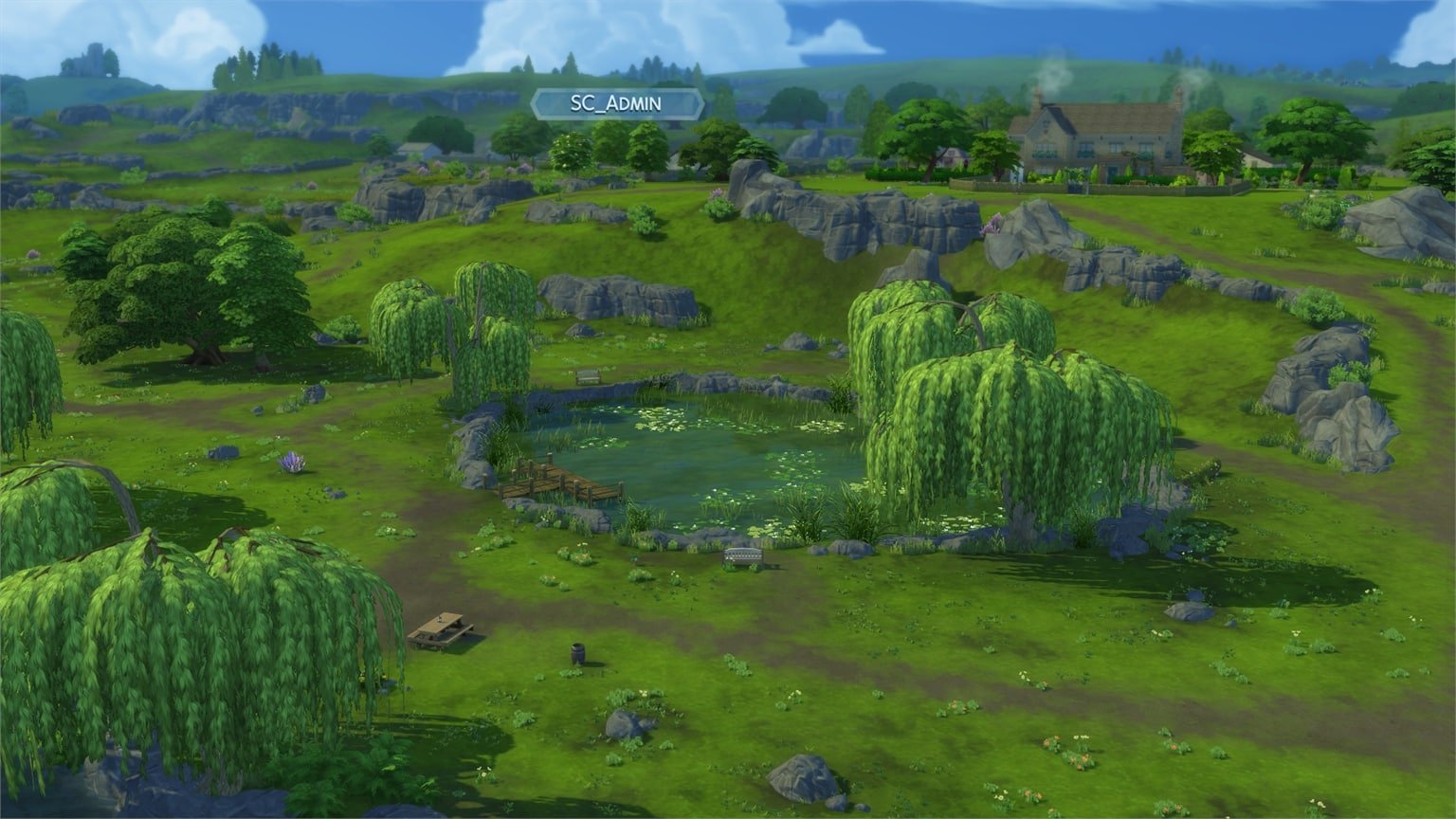
From the natural beauty of Cordelia Falls to the clear, brisk currents of the River Bagley, the mingling of earth and water makes Henford-on-Bagley a lovely place to visit but perhaps an even lovelier place to live. Villagers here connect with the history of the land while finding friendship in the the furry and feathery creatures that inhabit the woods. So what if the average neighbor is a little more gossipy? You couldn’t ask for a better place to grow, tend, and nurture a more natural life.
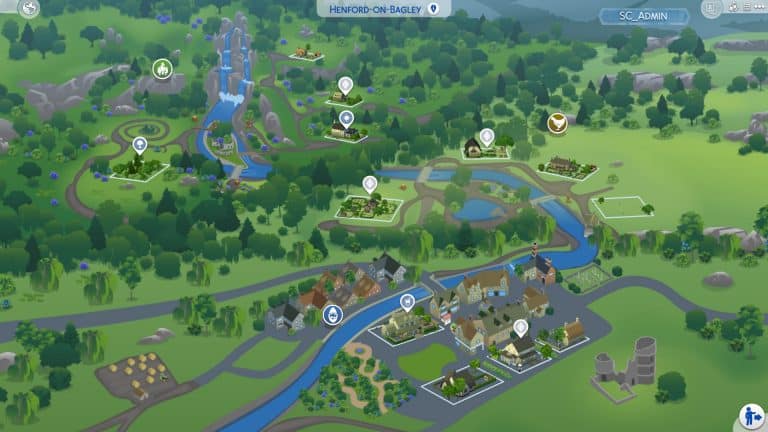
Welcome to Henford-on-Bagley! This new world consists of 3 different neighborhoods. Down below you can check out the full breakdown of all the neighborhoods and their lots:
The Bramblewood
The natural beauty of these woods have long provided a picturesque place for many wild birds, rabbits, and foxes to call home. Whether secreting a small surprise under Sophie the Snail, bringing an easel to paint the serene Cordelia Falls, foraging for wild mushrooms, or finding romance among the ruins of the Isle of Volpe, any Sim would be transformed by a day in the Bramblewood.
The Bramblewood also has two homes each for wild rabbits and wild birds. You can see where they’re located in the map below:
Finchwick
Nestled along the River Bagley, the old mill village of Finchwick prides itself on its bustling and close-knit community. Its historic square features a pub and quaint stalls amid a flowering garden, perfect for a little window shopping. Tourists and locals alike flock to the weekly village fair, where Finchwick’s Mayor makes a special appearance to judge entries and gossip about the latest happenings.
An area that boasts rolling hills, lush estates, and a small community garden, Old New Henford is perhaps best known for its historical naming woes. Initially known as Little Henford, the neighborhood renamed itself New Henford in an attempt to escape its diminutive origins. However, in neglecting to inform national mapmakers, they ceased to officially exist for a two-week period. When told that to be reinstated would require yet another name change, residents chose Old New Henford, which beat out the other choice – New New Henford – by a single vote.
I’ve gotten a chance to play the upcoming version of The Sims 4 and test out the brand new Water Tool Feature that’s coming to Build Mode for FREE! In this article I’ll be showcasing all the water tool possibilities, what it takes to create a pond, showcase the new water objects and also take a look at minor feature improvements for Terrain Paint as well!
Please note that the version of The Sims 4 I got to play is an early version and features are subject to change.
The first thing you’ll notice is a small revamp of the Build Menu on the bottom left – with a new Terrain Tools icon that now also include the new Water Tool, as well as a category for Outdoor Water Decor.
The Water Tool
With the water tool you are able to create ponds in your own lot! This tool co-operates with the Terrain Tools, meaning that you’ll have to deepen the terrain in order to fill it with water. Something like this, or however you want to deepen the terrain:
All the way on the bottom of the Terrain Tool categories you’ll find the Water Tool category. Inside there are different brush sizes, a Water Depth Map Option and tools including Raise Water, Lower Water, Fill to Height and Remove Water.
Down below you can check out what each tool does and how it looks like in the game:
Raise Water – raises water to the surface level that you’ve selected.
Lower Water – lowers water to the surface level that you’ve selected.
Fill to Height – Fills the water to the height of the square that you’ve set. You can increase the height of the square by pressing Ctrl + ] or lower it by pressing Ctrl + [.
Remove Water – Instantly removes water from the terrain you’ve selected.
water2
water3
water4
water5
FUN FACT: Did you know that you can have multiple ponds at multiple water levels? That’s right! As long as there’s terrain that cuts the water in half at a certain terrain level you’ll be able to create each pond at a different water level!
Remember – each pond on your lot can be placed at a different water level. Terrain and pond holes that you’ve deepened seperately one from another are especially easy to manipulate with their water level. Creating different water levels with the pond you’ve seen above can get a little…challenging.
The Water Depth Map allows you to quickly see in Build Mode which areas are approachable and interactable with water interactions in Live Mode.
Outdoor Water Decor
There’s now a new category added to Build in the House User Interface – marked with a log. Inside you’ll find 3 new categories for Pond Tools and 2 categories for fountains and pools, including:
Water Styles
Pond Objects
Fountain Decorations
Pool Objects
Pond Effects
Water Styles
There are 6 water styles coming with the Base Game, including:
Ordinary Chlorinated Pool Water
Dreaming of Water
Pond Scum
Mossy Water
Leafy Water
Pond Water
water8
water9
water10
water11
water12
water13
Pond Objects
The Pond Objects Category includes objects such as the log, grass, lily pads, fountains, sculptures and fishing signs!
There are two versions of fishing signs included: one which allows you to stock the Pond with your own Fish and the other sign comes Pre-Stocked with basic Fish types.
You’ve heard that correctly – you can stock your own Ponds with your own fish that you’ve discovered and caught!
Clicking the Fishing Sign in live mode will allow you to Stock the Pond with the Fish you’ve caught. From there you’ll be able to manage which Fish can be in the Pond and used for fishing – either by yourself or other Sims who visit the lot.
Pond Effects
Because for some reason fish don’t appear visually after you stock the pond, you’ll be able to fill in the Pond with effects found in the Pond Effects category!
In this category you’ll find the following effects for placing down. Please note that visual effects will only start appearing after you enter Live Mode:
Dragonfly Swarm
Tadpoles
Country Fish
Mosquitoes
Fireflies
Mr. Ducksworth
Mallard Ducks
Pair of Swans
Unidentified Submerged Object
Gator Benjamincollis
Terrain Tool & Paint – New Brush Sizes
The upcoming update for The Sims 4 also includes new Brush Sizes for Terrain Tools and Terrain Paint! There are no longer 5 brush sizes but a slider that consists of 8 different sizes, meaning you can make the brush as small as a single tile piece…
…or as big as almost your entire lot!
These new sliders will especially come in handy for everyone who uses Terrain Paint, because now you can go into much greater detail!
What are your thoughts on the new Water Tools coming to The Sims 4? Let us know in the comments!