Home Blog Page 438

The Sims 4: New Game Update (December 17th, 2015)

ts4e3logo

The Sims Team has released a brand new Update for The Sims 4, addressing come crucial bugs that came with the 64bit update.

To download the latest version of The Sims 4, simply open your Origin program and if the game doesn’t update automatically, right click on The Sims 4 and select ”Update”.

Update: 12/17/2015 – PC Version 1.13.106.1010 / Mac Version 1.13.106.1210


Hey Simmers!

This is SimGuruGnome on the Issue-Chop Express and I’m writin’ to whoever’s readin’.

It’s like I told the last public relations rep, I says “SimGuruDrake, I never write more than I can read. Besides that, it’s all in the spellchecker.”

But just listen to the Issue-Chop Express and take the Gnome’s advice. When some wild-eyed Sim wanders by, knocks on your front door and asks you “Sul sul, plerg majah bliff?” You just stare them back in the eye and remember what the Gnome always says.

“Plerg majah bliff? Neeshga, voo oonapa oonsosh…”


So, what have we done?

  • We have addressed a few PC 64 bit specific issues that were quickly identified by the community.
    • Videos will no longer be blank when played back on some video players.
    • Sims will no longer flicker in dim light.
  • Telling your Sim to use the toilet will no longer cancel other actions already in their action queue.
  • It has been noted that our Sims have taken to WooHoo a bit more frequently than has been the norm. Perhaps it is the winter months, perhaps it is the coming of Spring… perhaps it…
    • Yea… it’s too much. Autonomous woohoo is allowed, but we have reduced the frequency at which Sims choose to, increased the restrictions for “why they are allowed to”, and generally have requested that Sims seek hoo in less wooful ways.
  • Description hashtags (#hashtag) in the Gallery are once again clickable.
    • And as a result, trending hashtags are back in the Gallery.
  • We have also fixed an issue with mp3 playback in custom music that was causing some mp3 files to not be recognized.
  • Club outfits will now work better with Custom Content.


Thanks again for listenin’ to the Issue-Chop Express, and take this advice on a stormy night, when the game’s playin’, the music’s roarin’, and the data’s downloadin’ in sheets as thick as a bunch of streaming green numbers, letters, and symbols (because that’s what the pattern looks like). Remember what old SimGuruGnome does when the neighborhood shakes with life, and the abductions come from the sky, and the pillars of the Goth’s estate quake. Yeah, SimGuruGnome just looks that big old storm right square in the eye and says “Gimme your best ob-la-di pal. Ob-la-da… ob-la-da.”


Until next time,

SimGuruGnome

The Sims 4: New Promo Render

0

The Sims Spain has shared a new Promo Render for The Sims 4!

CVEgeyEUEAAVkR8

The Sims 4 Get Together: Sketch Concept of The Bluffs

0

SimGuruHouts has shared a sketch he made during the early days of The Sims 4 Get Together development!

Sketch I did for the island bluffs design on Get Together. Our artists greatly improved things! #BehindTheScenes

bluffs-sketch

Smart Girls Build with The Sims 4: Ep 2 – Music!

0

Tcarla, a 17 year old girl with a gift for guitar makes her own Sim with the developers of The Sims 4 in Smart Girls Build!

We brought a few of our favorite Smart Girls to Electronic Arts for a very special behind-the-scenes experience with game developers at The Sims 4.

The Sims Blog: 5 Tips to Upgrade your Club in The Sims 4 Get Together

0

Up Your Club Game

TS4_545_EP02_PWT1_Still017

The Sims 4 Get Together* released last week, and I’ve already heard of some absurd and amazing Clubs that you’ve put together using the new Club system. But if you’re still looking for advice on creating a perfect group of Sims to hang out with, we put together some tips to get you started.

Find Like Minded Sims. Have you ever wondered what Sims in your World are ambitious? There’s one quick way to find out: create your very own “Ambitious Club” using the Club Requirements. Set a Requirement to have the Ambitious Trait, and go to add a member to your Club. Because you have set a Club Requirement, it will only show the Sims that fit the Requirements. Suddenly, boom – a list of your World’s Ambitious Sims.

Nail the Outfit. After you create your Club don’t forget to customize their outfit. Go to the Club Panel in the lower right corner and click the shirt icon to customize your Club’s outfit. You can set a style, Color, or go all out and customize the Club’s exact outfit. And don’t forget to purchase the Club Jacket or Hat with your Club points!

TS4_545_EP02_PWT1_Still010

Build Your Hangout. Every Club needs a place to call their own. You can turn just about any location into your Club hangout. In the Club Manager, you can click the house icon, and set a location to your Club hangout. Once you select a location you can go to that location and build out what you want for a Club’s space. Some of my favorites are a secret backroom, basement, or rooftop lounge. Once you build out the location don’t forget to place a door down and lock it to only members of your Club.

Buying Club Perks. As your Club gathers and performs Club Activities they will gain Club Points. These points can be spent on a various perks that will further customize your Club. If your Club is all about exercising you may want to purchase the Fitness Boost perk. This will boost the speed at which your Sims gain fitness skill while in a Club gathering. You can also purchase things like Club Handshakes and powerful Club vibes to set the mood of your Club. If you have a romantic Club you may want to purchase the Strong Flirty Club Vibe. You will be able to use this to turn up the heat during your Club gathering and make everyone flirty.

TS4_545_EP02_PWT1_Still007

Setting Targeted Rules. You may want to set rules to act out on specific types of Sims. When you set a social rule you will be able to designate a target. For example you can set a rule to Be Mischievous to Everyone, a Specific Club, or a Specific Age. You can use this to set up rival clubs. For this example we can set the rule to be mischievous everyone, however we do not want our Club to be mischievous to themselves so we need to set up a Banned activity that is Don’t Be Mischievous to our specific Club. In this case it is the Drama Lamas.

Via TheSims.com

The Sims 4 Get Together: Fifth Harmony Promo Screen

0

Popular American girl group Fifth Harmony has shared a promo screen of their simselves in The Sims 4 Get Together!

12356922_621711124633569_6955501398289910648_o

Tip: SimsDomination

The Sims 4 Build Tutorial: How to build a Party Gazebo!

How to build: A Party Gazebo!

This is a quick step-by-step guide on how to build a party gazebo! I’ve chosen to make mine seasonal since it’s December and I am excited! (This way of doing it requires that you use the bb.moveobjects cheat)

Start by making a flat square:

12-14-15_2-58-25 PM

Raise the foundation and change the colour:

12-14-15_2-59-31 PM

Add stairs, rails, fence, and a gate:

12-14-15_3-00-21 PM

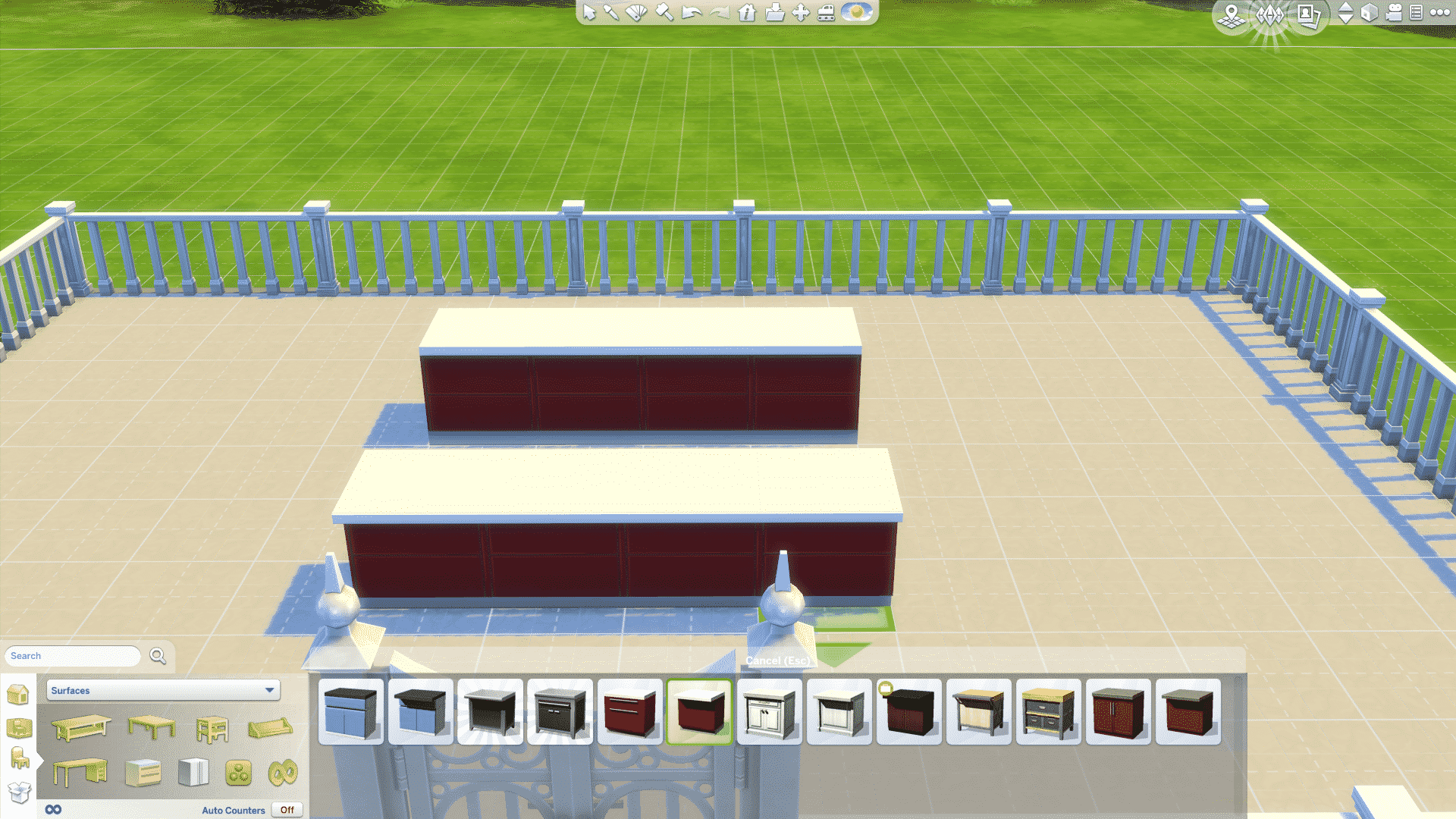
Place island counters next to each other in a row, and then add another row like this:

12-14-15_3-01-06 PM

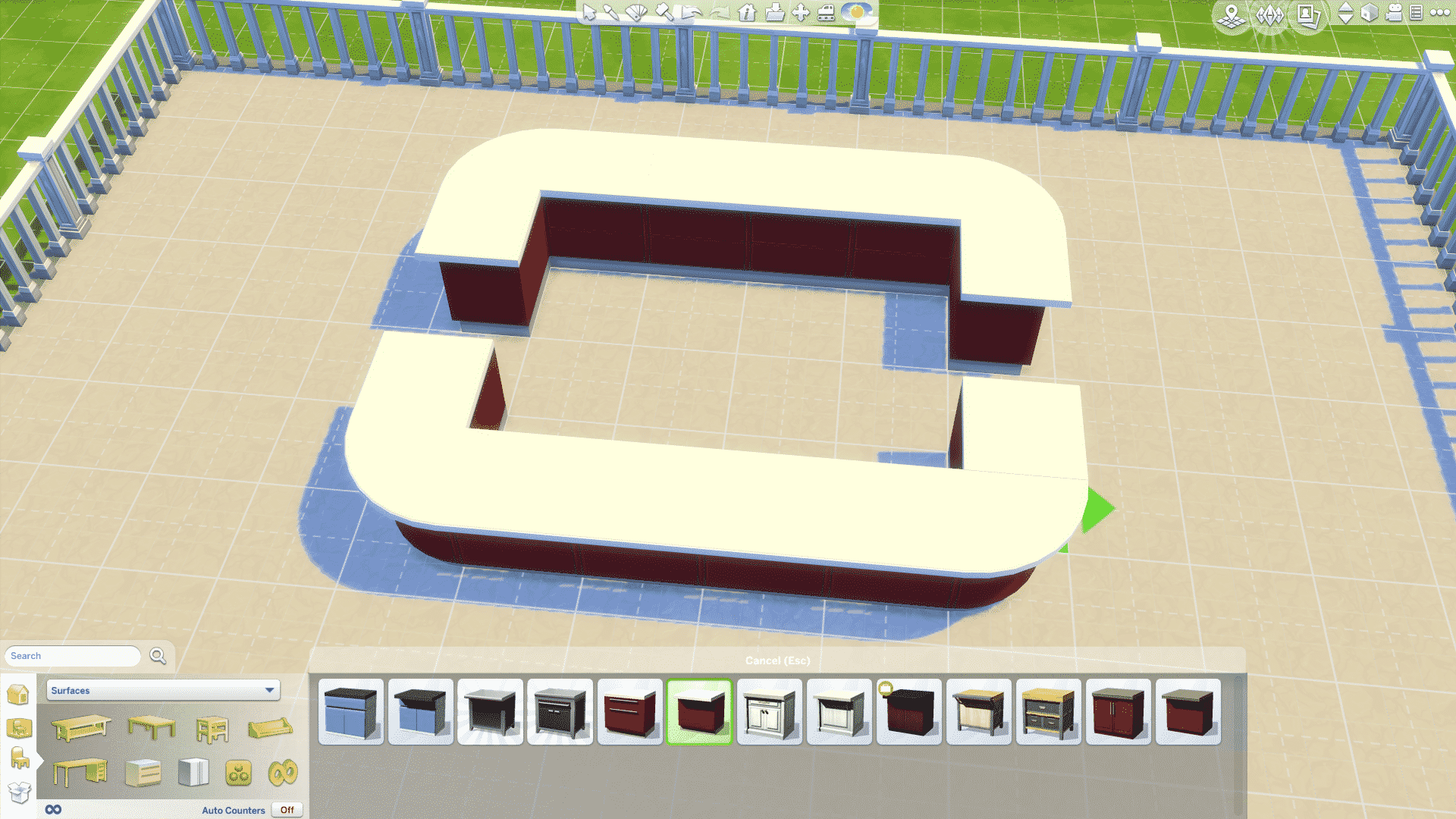
When you click the colour menu you’ll see a little wrench, click this to turn auto-counters off, and pick the rounded end counter like so:

12-14-15_3-01-16 PM

Place those on the end of each row, and add a normal island counter next to it on all sides:

12-14-15_3-02-00 PM

Add pillars in the four corners:

12-14-15_3-02-16 PM

Then click the fence and raise wall-height to medium:

12-14-15_3-03-22 PM

Now the cool part! Place cabinets between all four pillars:

12-14-15_3-03-30 PM

I think it’s coolest to do it all the way around, but you can leave the end pieces out, and still get a cool result:

12-14-15_3-04-08 PM

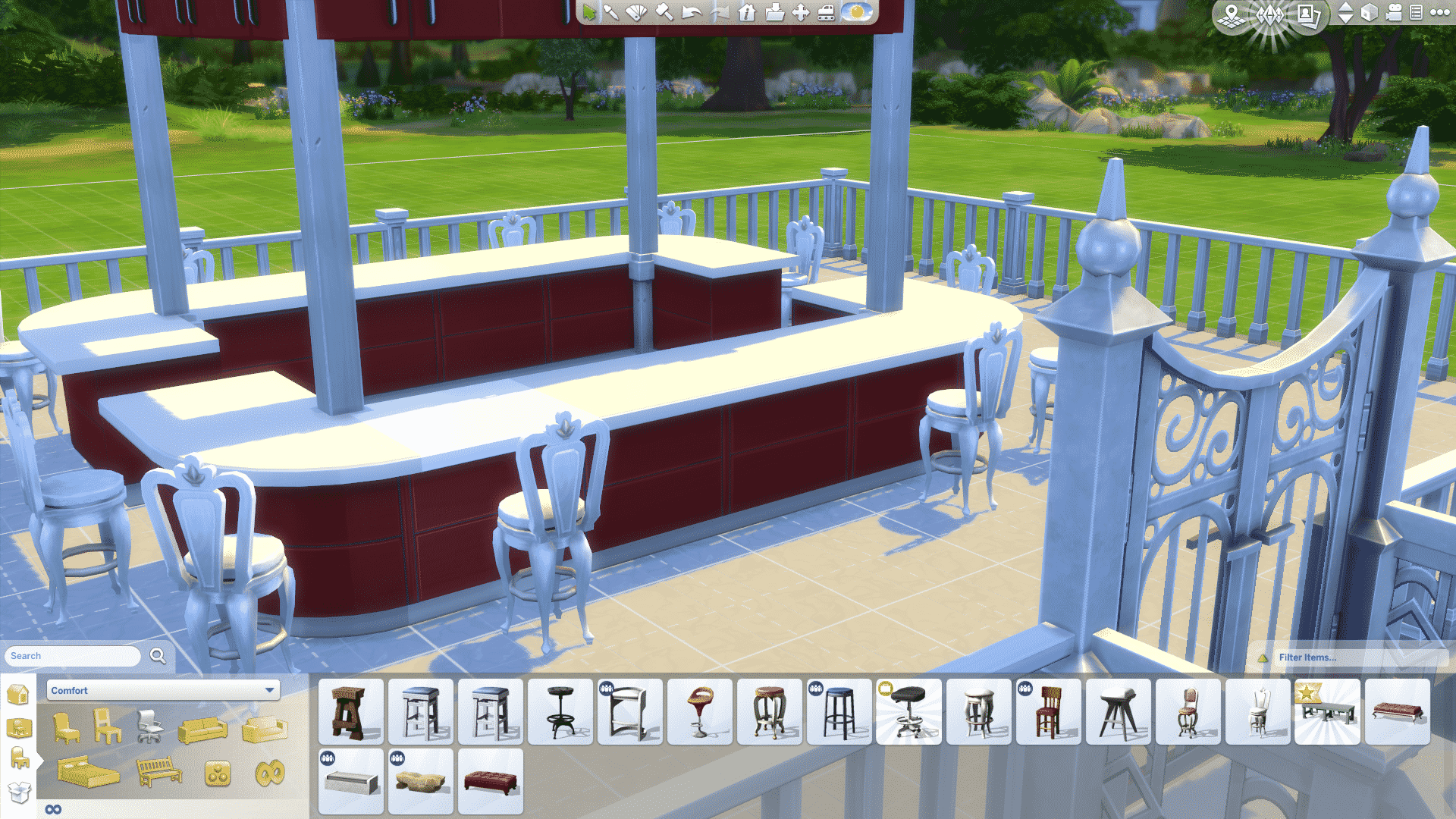
Place chairs:

12-14-15_3-05-12 PM

Remove two or four of the counters in the front (dependent on how big of a bar you want), and place down a bar:

12-14-15_3-05-40 PM

Then take some curtains or blinds and raise them up high enough for them to “go in to” the cabinets, do so on each side:

12-14-15_3-07-51 PM

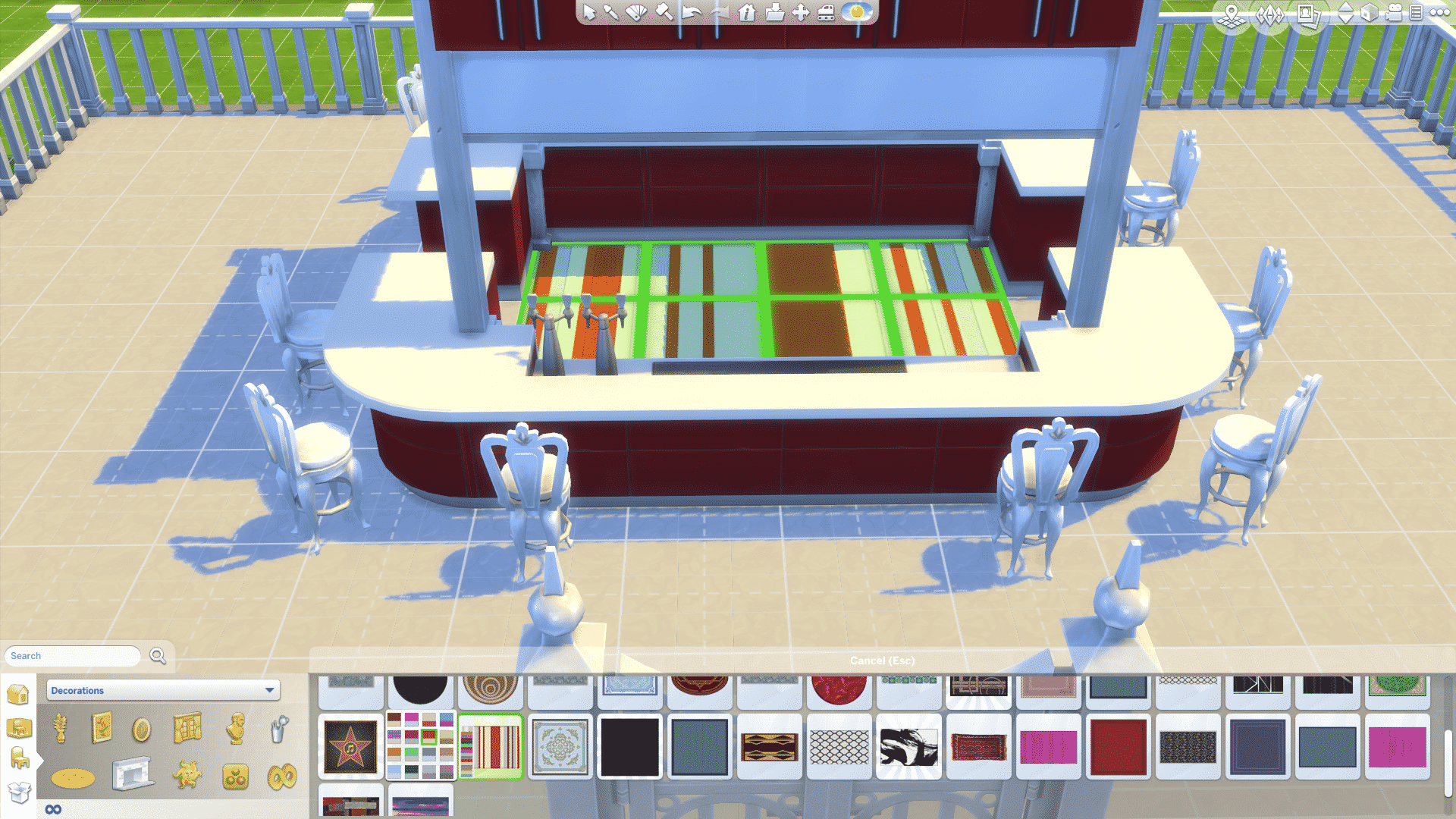
Add a carpet in the center:

12-14-15_3-10-41 PM

Put a counter in the middle opposite the bar like this:

12-14-15_3-11-41 PM

Add a sink, and maybe some other counters with some clutter on it like this:

12-14-15_3-14-22 PM

Put two bar cabinets next to the sink:

12-14-15_3-15-05 PM

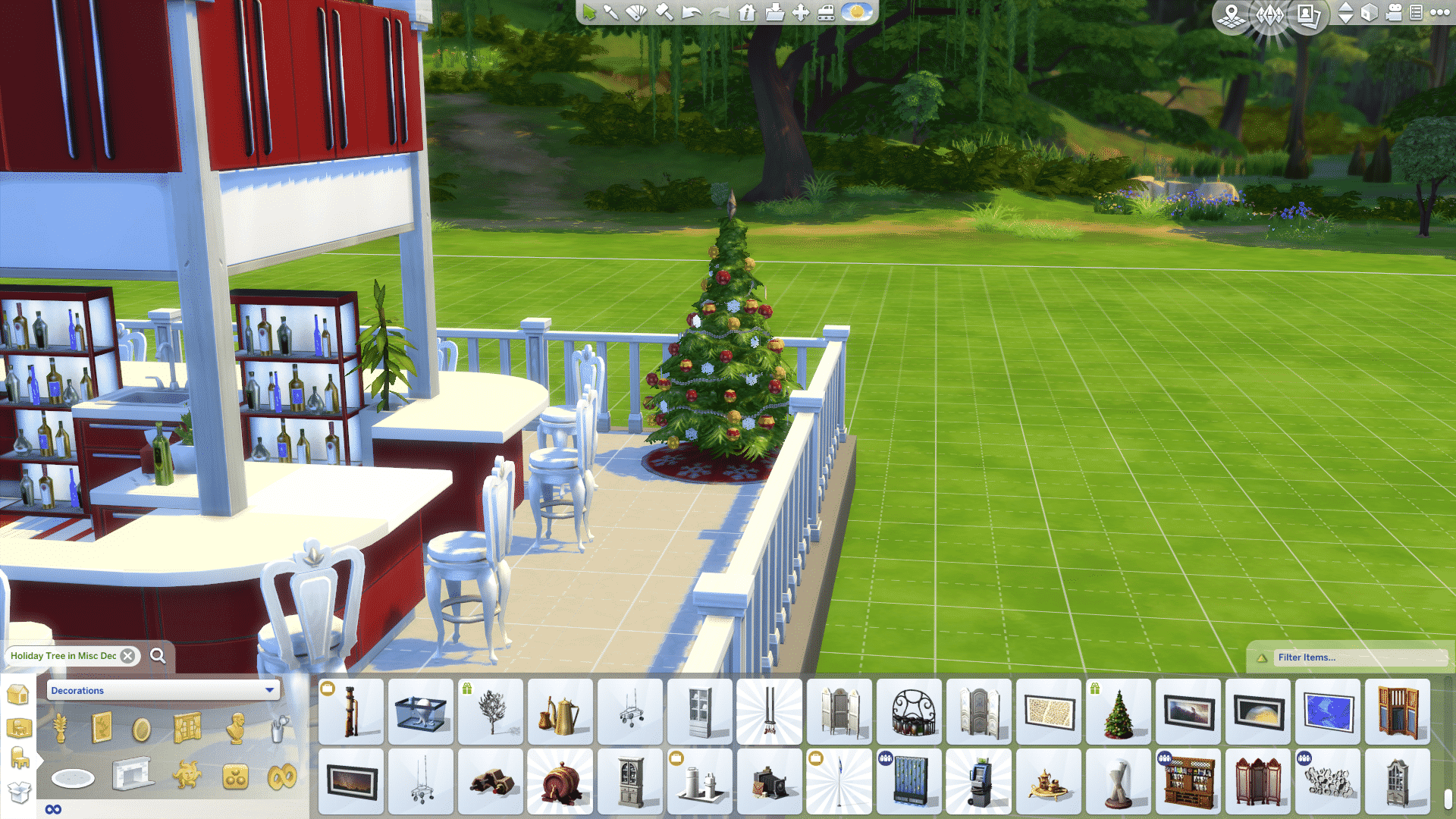
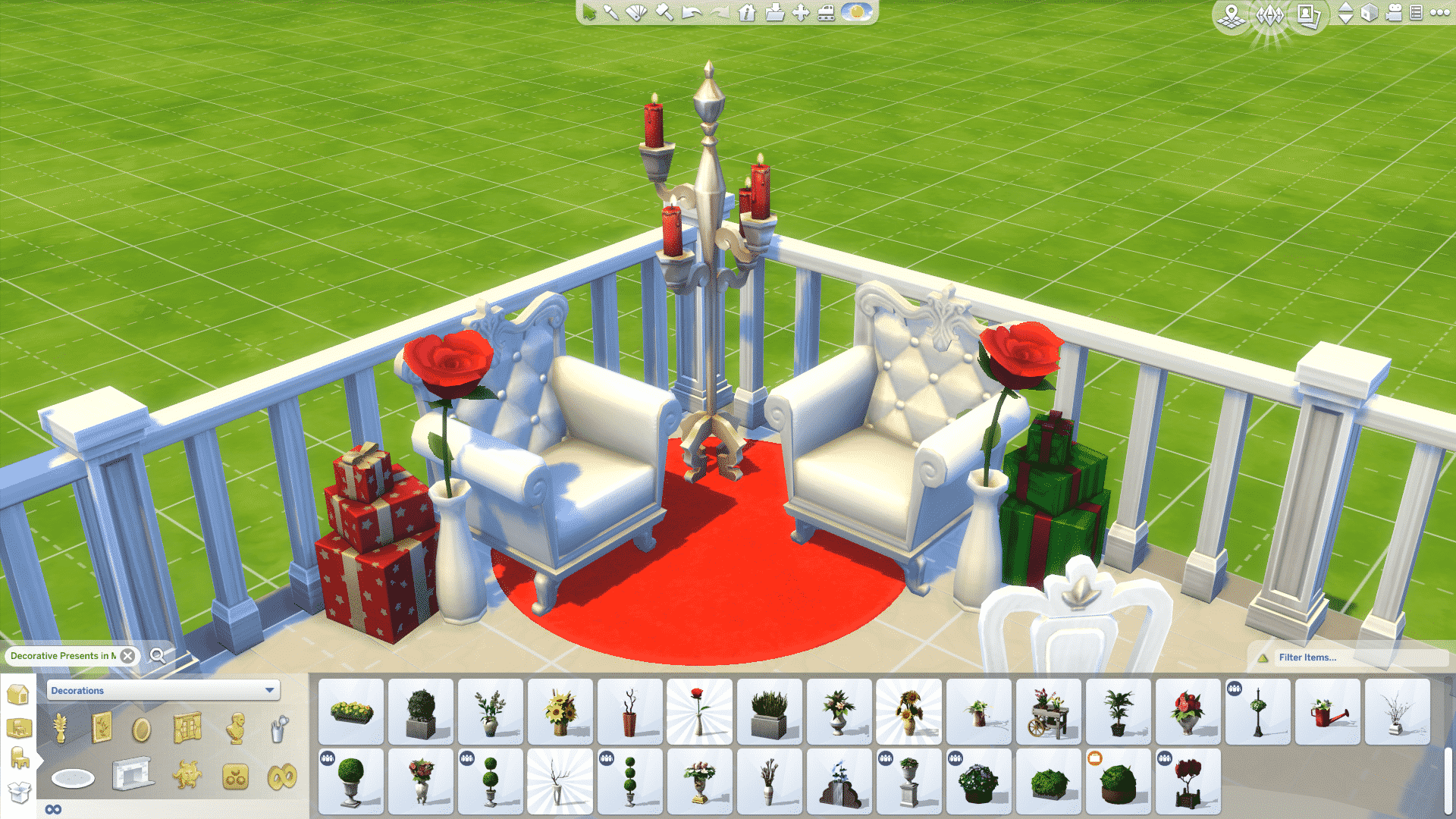
Put decorations in the back corners, flowers, trees, statues etc:

12-14-15_3-18-00 PM

Some seating areas in the front:

12-14-15_3-20-03 PM

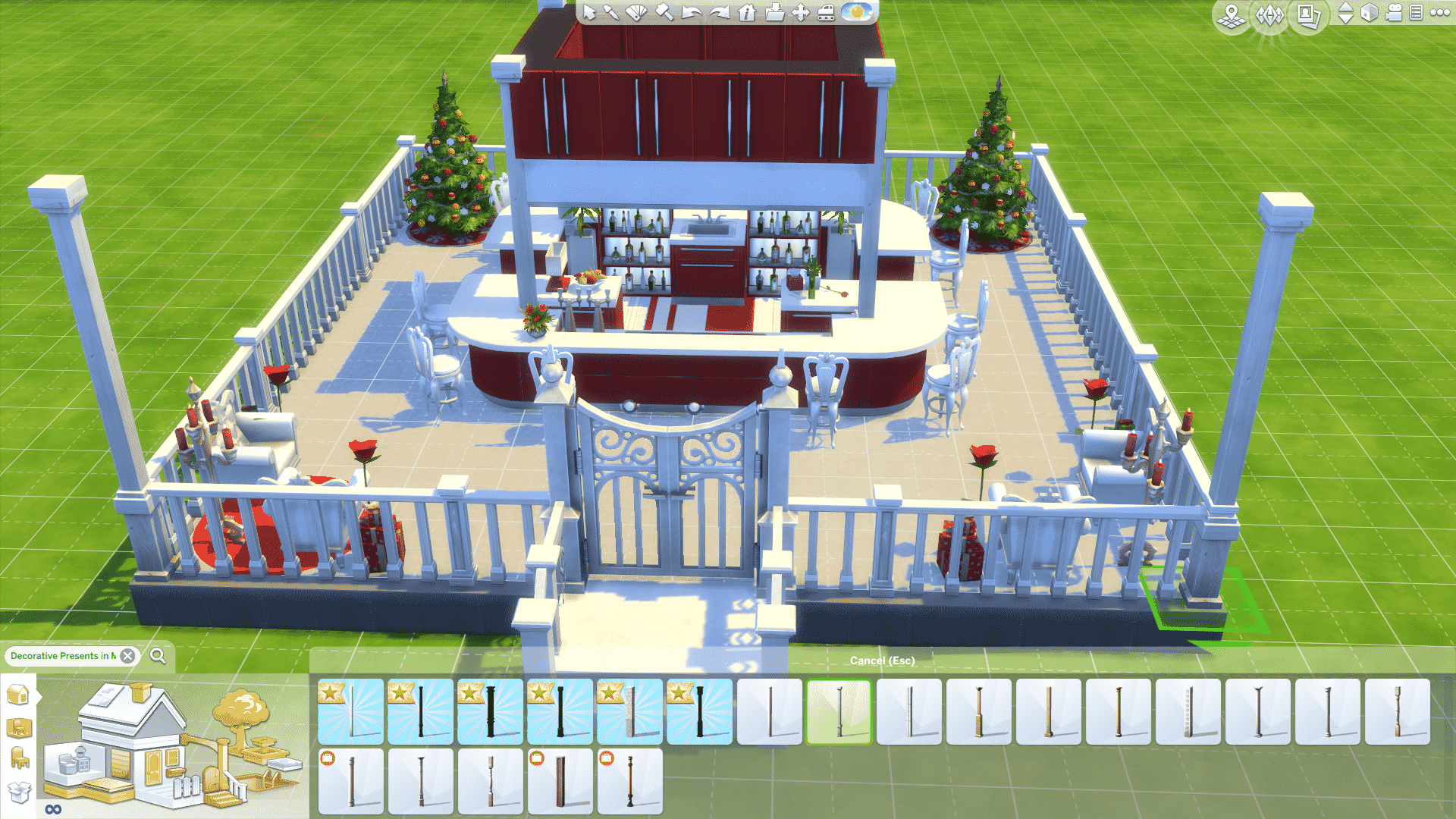
Add pillars in each corner of the gazebo:

12-14-15_3-24-22 PM

Then add a roof (Looks extra nice if you use a big roof trim):

12-14-15_3-25-18 PM

And there you have it, a party gazebo fit for fun!

GazeboForumArticle

It doesn’t have to be festive, try other themes!
For example Hawaiian:
Bahamas

Enjoy!

TARGET: Purchase The Sims 4 Get Together 30% off

0

Click below to start savin’! Offer ends on 19th of December. (Source)

Capture

The Sims 4 Get Together: Set Club Gatherings and Hangouts in Granite Falls!

1

Our member Zerbu has found a way how to set Club Gatherings and Hangouts that are introduced with The Sims 4 Get Together in Granite Falls, a vacation world that came with The Sims 4 Outdoor Retreat.

It was mentioned by at least one guru in interviews (I heard it in more than one interview, but I don’t remember if it was the same guru) that you couldn’t have club gatherings in Granite Falls. Since the team is big, it’s possible that the entire team wasn’t aware of everything, because it turns out you actually can, and it’s not even buggy.

You can’t have club gatherings at Rental or National Park lots, but if you change any lot in Granite Falls to another type (Gym, Bar, Spa, or whatever else you want), you can not only have a club gathering, but also set it as a hangout.

It doesn’t appear to be a mistake, because the game is properly set up for it. If you set your club hangout to a lot in Granite Falls and attempt to start a gathering in a normal world, you won’t receive the option to travel for free. The same is true if you have a club hangout in a normal world and attempt to start a club gathering in Granite Falls. You will receive the option if you are in Granite Falls and have your hangout there.

So, looks like your camping groups are perfectly possible to create.

granitefeatured

The Sims 4 Get Together: Beard Replacement CC

With the release of The Sims 4: Get Together, we got a lovely new beard that’s full and adds a ton of personality to our Sims. Unfortunately, the colours of the beard aren’t exactly Maxis-match, even when Maxis made it themselves. KiwiSims4 on Tumblr took the initiative and changed the colours, making them match the other beards. This is a default replacement, which means it replaces the textures of the original beard, and you MUST have Get Together for this to work. You can download the beard for your handsome male sims here.

tumblr_nz2rdtlzgG1tjf6nno1_1280

The Sims 4 Get Together Gallery Spotlight: Houses & Starters Part 2

header_logo_en

Happy The Sims 4 Get Together release week! In this Spotlight we’re, once again, featuring some of the most beautiful Houses and Starter Homes created by Simmers for Get Together in the last few days.

Hover over the pulsing plumbobs to see screenshots of marked areas. Pulsing plumbob that’s on the left bottom corner contains all the info (and download link) of the lot.

To see more of our previous Gallery Spotlights, CLICK HERE! Make sure you check out our first part HERE!

[ult_hotspot main_img=”44174|https://simscommunity.info/wp-content/uploads/2015/12/12-12-15_4-18-16-PM.jpg”][ult_hotspot_items icon_type=”custom” icon_img=”37721|https://simscommunity.info/wp-content/uploads/2015/08/plumhotspot.png” img_width=”26″ tooltip_custom_color=”#1e73be” tooltip_custom_bg_color=”#ffffff” tooltip_width=”500″ enable_bubble_arrow=”off” tooltip_continuous_animation=”on” hotspot_position=”54.86451525054466,76.82483149509804″ tooltip_custom_border_size=”border-style:solid;|border-width:2px;border-radius:5px;|border-color:#81d742;”]
12-12-15_4-18-30 PM

[/ult_hotspot_items][ult_hotspot_items icon_type=”custom” icon_img=”37721|https://simscommunity.info/wp-content/uploads/2015/08/plumhotspot.png” img_width=”26″ tooltip_custom_color=”#1e73be” tooltip_custom_bg_color=”#ffffff” tooltip_width=”500″ enable_bubble_arrow=”off” tooltip_continuous_animation=”on” hotspot_position=”49.81277233115469,54.610906862745104″ tooltip_custom_border_size=”border-style:solid;|border-width:2px;border-radius:5px;|border-color:#81d742;”]
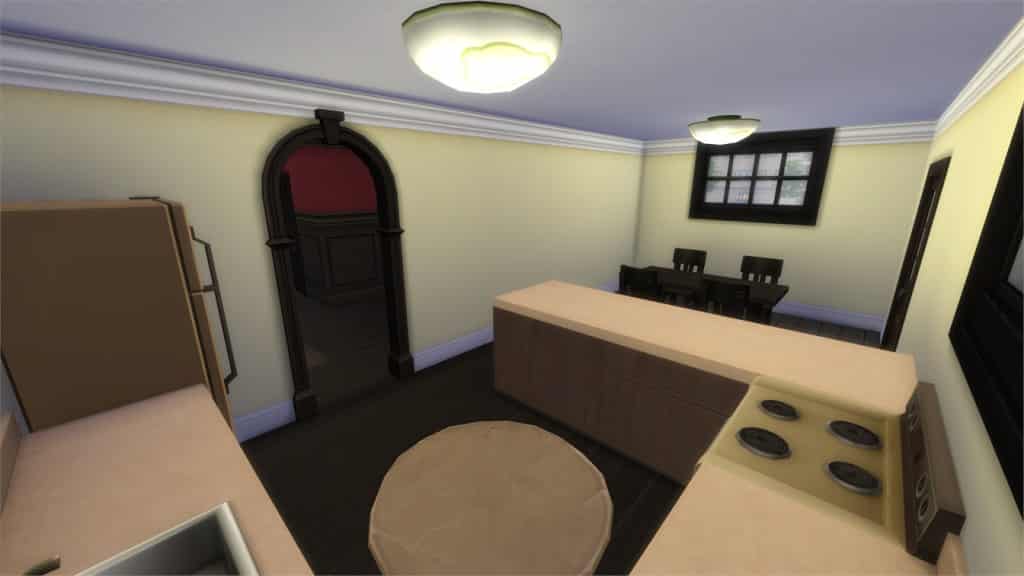
12-12-15_4-18-39 PM

[/ult_hotspot_items][ult_hotspot_items icon_type=”custom” icon_img=”37721|https://simscommunity.info/wp-content/uploads/2015/08/plumhotspot.png” img_width=”36″ tooltip_custom_color=”#1e73be” tooltip_custom_bg_color=”#ffffff” tooltip_width=”500″ enable_bubble_arrow=”off” tooltip_font_size=”14″ tooltip_continuous_animation=”on” hotspot_position=”86.58058681672026,3.25497287522604″ tooltip_custom_border_size=”border-style:solid;|border-width:2px;border-radius:5px;|border-color:#81d742;”]
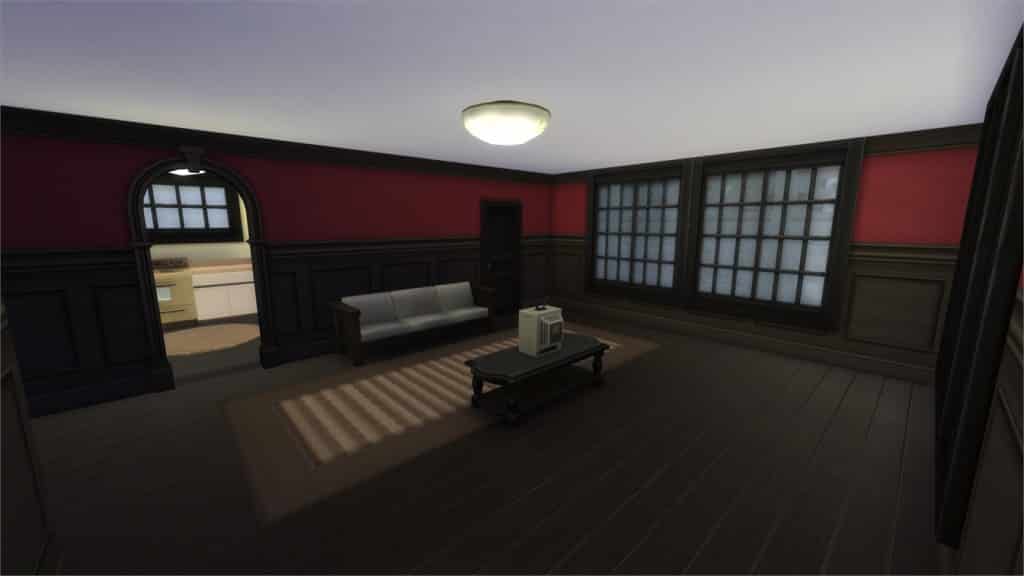
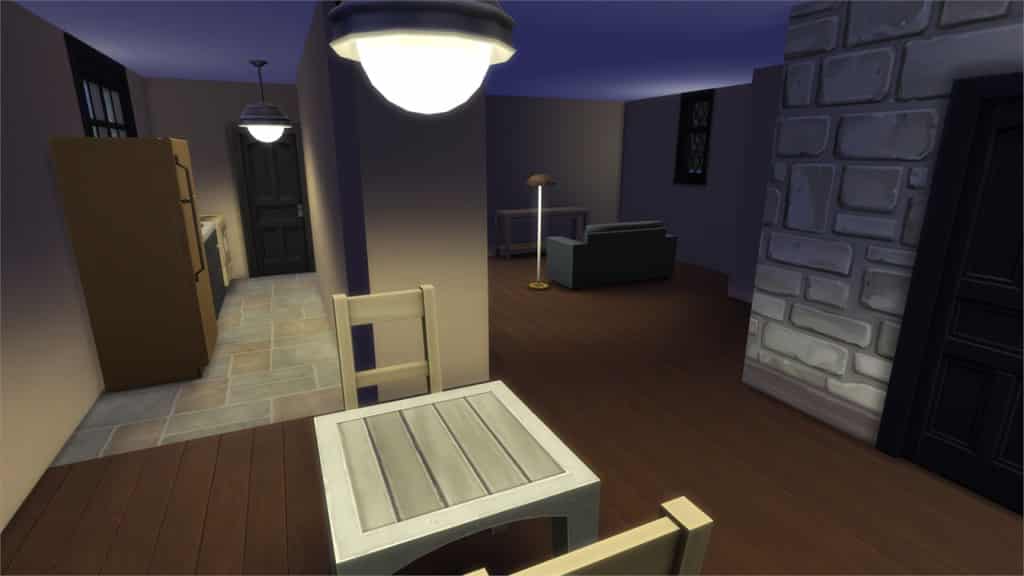
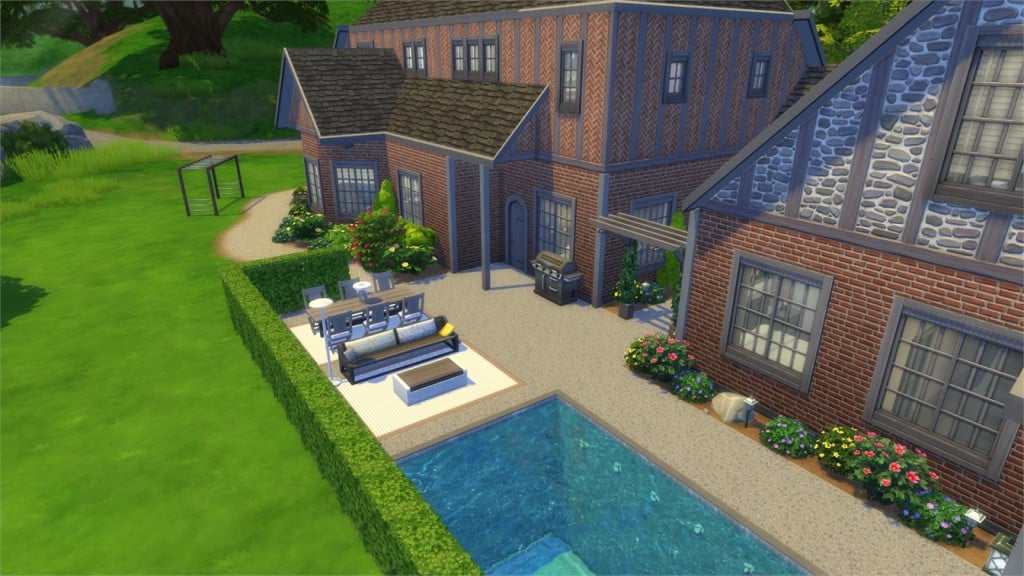
Typically Tudor (Starter) (Download Here)

by Serabee

Value: §18,224
Size: 20×20
Lot Type: Residental Lot
Required Packs: Get Together[/ult_hotspot_items][/ult_hotspot]

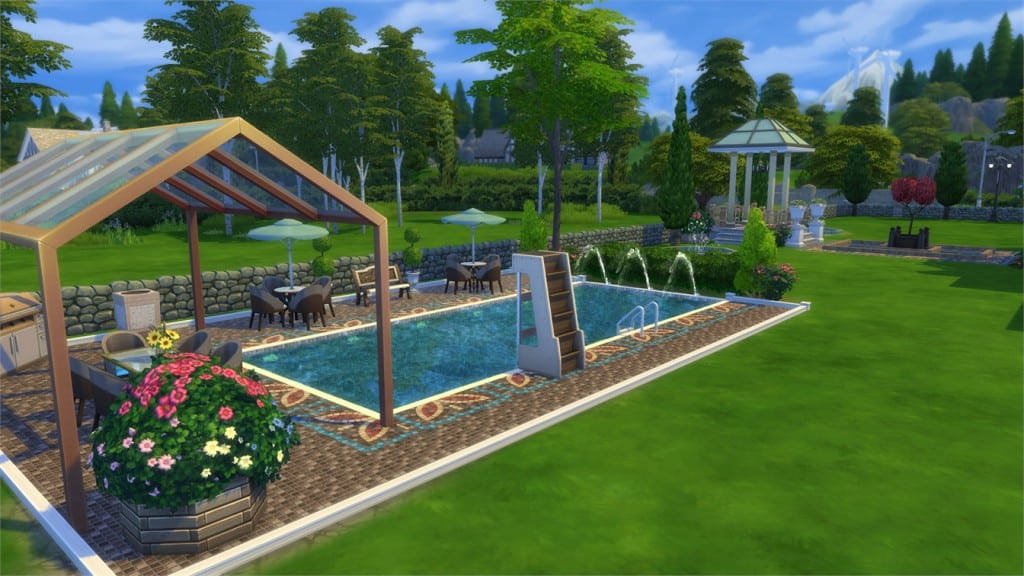
[ult_hotspot main_img=”44177|https://simscommunity.info/wp-content/uploads/2015/12/12-12-15_4-22-06-PM.jpg”][ult_hotspot_items icon_type=”custom” icon_img=”37721|https://simscommunity.info/wp-content/uploads/2015/08/plumhotspot.png” img_width=”26″ tooltip_custom_color=”#1e73be” tooltip_custom_bg_color=”#ffffff” tooltip_width=”500″ enable_bubble_arrow=”off” tooltip_continuous_animation=”on” hotspot_position=”47.24264705882353,76.24463848039215″ tooltip_custom_border_size=”border-style:solid;|border-width:2px;border-radius:5px;|border-color:#81d742;”]
12-12-15_4-22-20 PM

[/ult_hotspot_items][ult_hotspot_items icon_type=”custom” icon_img=”37721|https://simscommunity.info/wp-content/uploads/2015/08/plumhotspot.png” img_width=”26″ tooltip_custom_color=”#1e73be” tooltip_custom_bg_color=”#ffffff” tooltip_width=”500″ enable_bubble_arrow=”off” tooltip_continuous_animation=”on” hotspot_position=”21.46990740740741,24.84298406862745″ tooltip_custom_border_size=”border-style:solid;|border-width:2px;border-radius:5px;|border-color:#81d742;”]
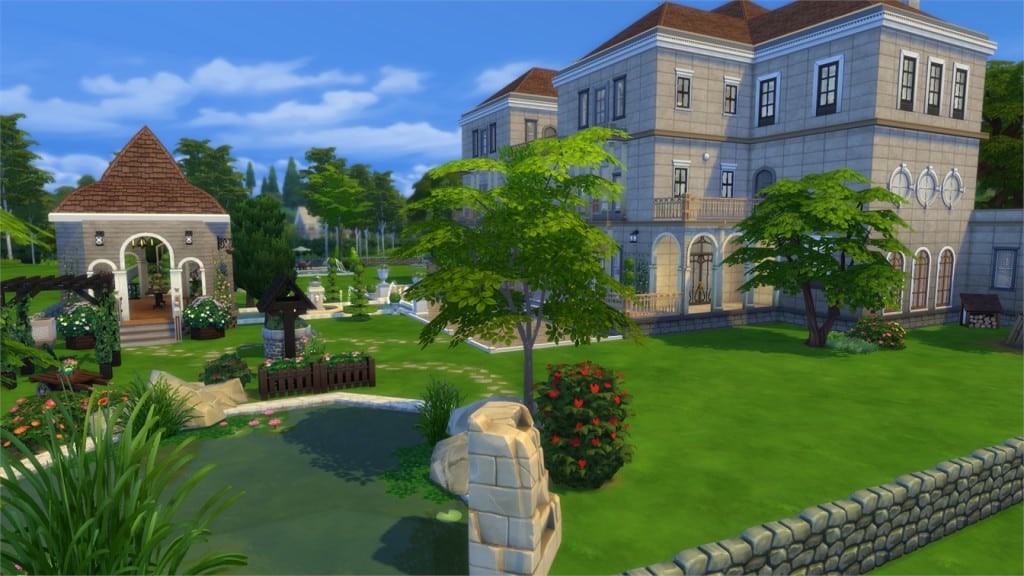
12-12-15_4-22-37 PM

[/ult_hotspot_items][ult_hotspot_items icon_type=”custom” icon_img=”37721|https://simscommunity.info/wp-content/uploads/2015/08/plumhotspot.png” img_width=”26″ tooltip_custom_color=”#1e73be” tooltip_custom_bg_color=”#ffffff” tooltip_width=”500″ enable_bubble_arrow=”off” tooltip_continuous_animation=”on” hotspot_position=”58.207380174291934,36.19983149509804″ tooltip_custom_border_size=”border-style:solid;|border-width:2px;border-radius:5px;|border-color:#81d742;”]
12-12-15_4-23-17 PM

[/ult_hotspot_items][ult_hotspot_items icon_type=”custom” icon_img=”37721|https://simscommunity.info/wp-content/uploads/2015/08/plumhotspot.png” img_width=”36″ tooltip_custom_color=”#1e73be” tooltip_custom_bg_color=”#ffffff” tooltip_width=”500″ enable_bubble_arrow=”off” tooltip_font_size=”14″ tooltip_continuous_animation=”on” hotspot_position=”86.58058681672026,3.25497287522604″ tooltip_custom_border_size=”border-style:solid;|border-width:2px;border-radius:5px;|border-color:#81d742;”]
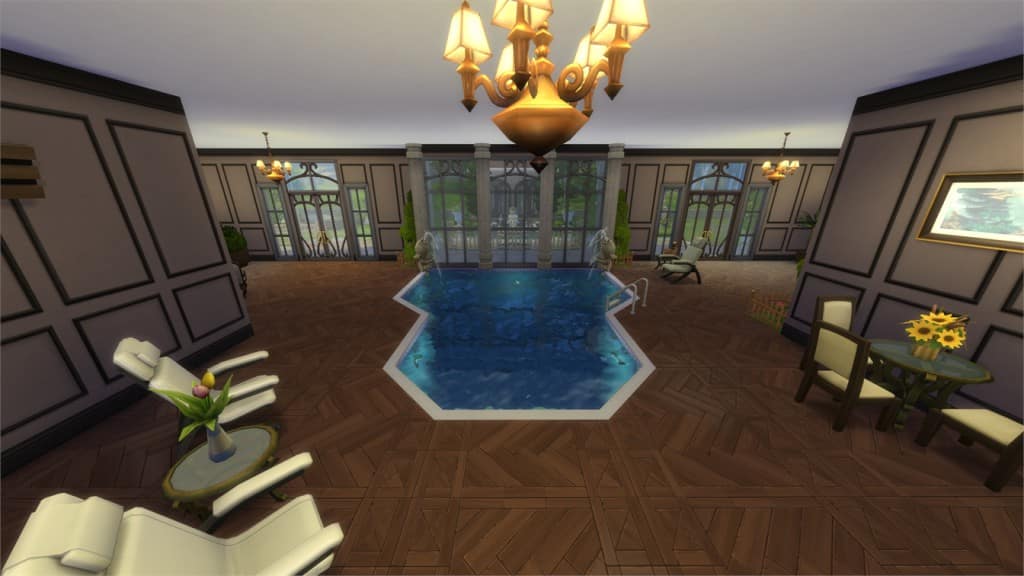
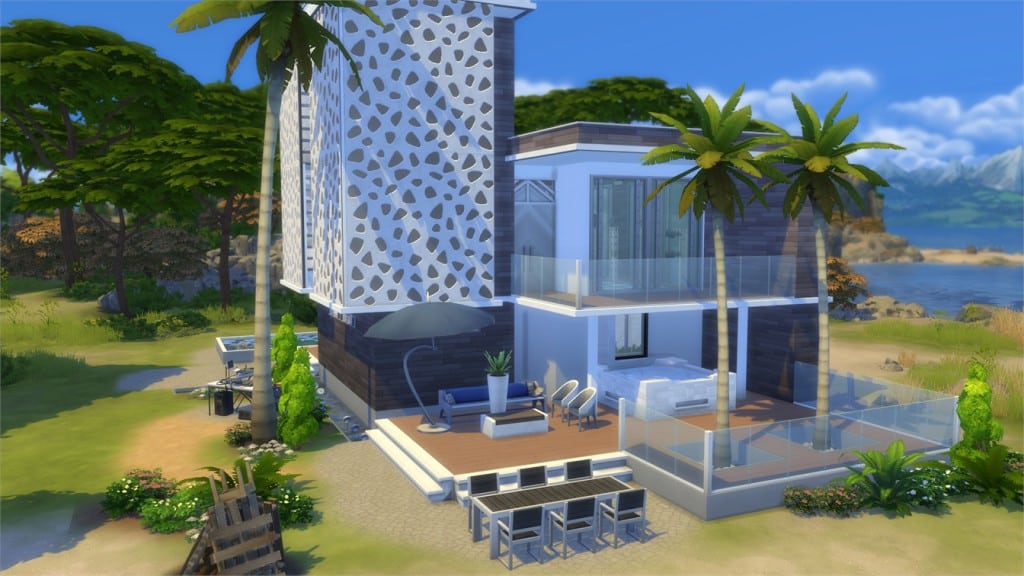
Windenburg Manor (Download Here)

by lucasheitor4

Value: §846,029
Size: 64×64
Lot Type: Residental Lot
Required Packs: Outdoor Retreat, Get to Work, Perfect Patio, Spa Day, Cool Kitchen, Get Together, Holiday Celebration[/ult_hotspot_items][/ult_hotspot]

[ult_hotspot main_img=”44181|https://simscommunity.info/wp-content/uploads/2015/12/12-12-15_4-25-20-PM.jpg”][ult_hotspot_items icon_type=”custom” icon_img=”37721|https://simscommunity.info/wp-content/uploads/2015/08/plumhotspot.png” img_width=”26″ tooltip_custom_color=”#1e73be” tooltip_custom_bg_color=”#ffffff” tooltip_width=”500″ enable_bubble_arrow=”off” tooltip_continuous_animation=”on” hotspot_position=”63.293164488017425,35.78814338235294″ tooltip_custom_border_size=”border-style:solid;|border-width:2px;border-radius:5px;|border-color:#81d742;”]
12-12-15_4-25-36 PM

[/ult_hotspot_items][ult_hotspot_items icon_type=”custom” icon_img=”37721|https://simscommunity.info/wp-content/uploads/2015/08/plumhotspot.png” img_width=”36″ tooltip_custom_color=”#1e73be” tooltip_custom_bg_color=”#ffffff” tooltip_width=”500″ enable_bubble_arrow=”off” tooltip_font_size=”14″ tooltip_continuous_animation=”on” hotspot_position=”86.58058681672026,3.25497287522604″ tooltip_custom_border_size=”border-style:solid;|border-width:2px;border-radius:5px;|border-color:#81d742;”]
Windenburg Starter (Download Here)

by Daniel_SimFansDE

Value: §16,277
Size: 30×20
Lot Type: Residental Lot
Required Packs: Get Together[/ult_hotspot_items][/ult_hotspot]

[ult_hotspot main_img=”44183|https://simscommunity.info/wp-content/uploads/2015/12/12-12-15_4-28-26-PM.jpg”][ult_hotspot_items icon_type=”custom” icon_img=”37721|https://simscommunity.info/wp-content/uploads/2015/08/plumhotspot.png” img_width=”26″ tooltip_custom_color=”#1e73be” tooltip_custom_bg_color=”#ffffff” tooltip_width=”500″ enable_bubble_arrow=”off” tooltip_continuous_animation=”on” hotspot_position=”37.47617102396514,32.80101102941176″ tooltip_custom_border_size=”border-style:solid;|border-width:2px;border-radius:5px;|border-color:#81d742;”]
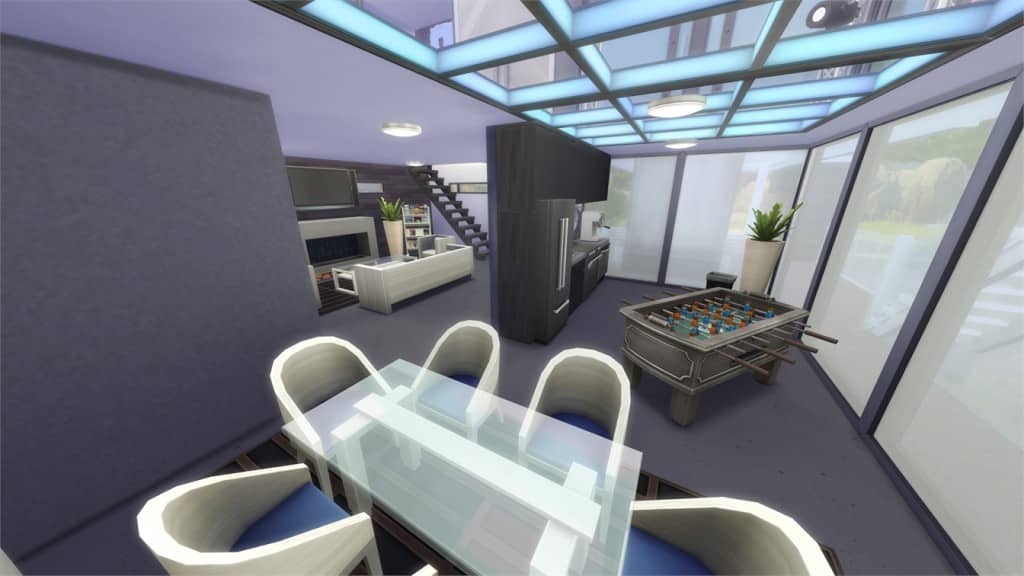
12-12-15_4-28-35 PM

[/ult_hotspot_items][ult_hotspot_items icon_type=”custom” icon_img=”37721|https://simscommunity.info/wp-content/uploads/2015/08/plumhotspot.png” img_width=”26″ tooltip_custom_color=”#1e73be” tooltip_custom_bg_color=”#ffffff” tooltip_width=”500″ enable_bubble_arrow=”off” tooltip_continuous_animation=”on” hotspot_position=”59.46010348583878,57.48314950980392″ tooltip_custom_border_size=”border-style:solid;|border-width:2px;border-radius:5px;|border-color:#81d742;”]
12-12-15_4-29-04 PM

[/ult_hotspot_items][ult_hotspot_items icon_type=”custom” icon_img=”37721|https://simscommunity.info/wp-content/uploads/2015/08/plumhotspot.png” img_width=”36″ tooltip_custom_color=”#1e73be” tooltip_custom_bg_color=”#ffffff” tooltip_width=”500″ enable_bubble_arrow=”off” tooltip_font_size=”14″ tooltip_continuous_animation=”on” hotspot_position=”86.58058681672026,3.25497287522604″ tooltip_custom_border_size=”border-style:solid;|border-width:2px;border-radius:5px;|border-color:#81d742;”]
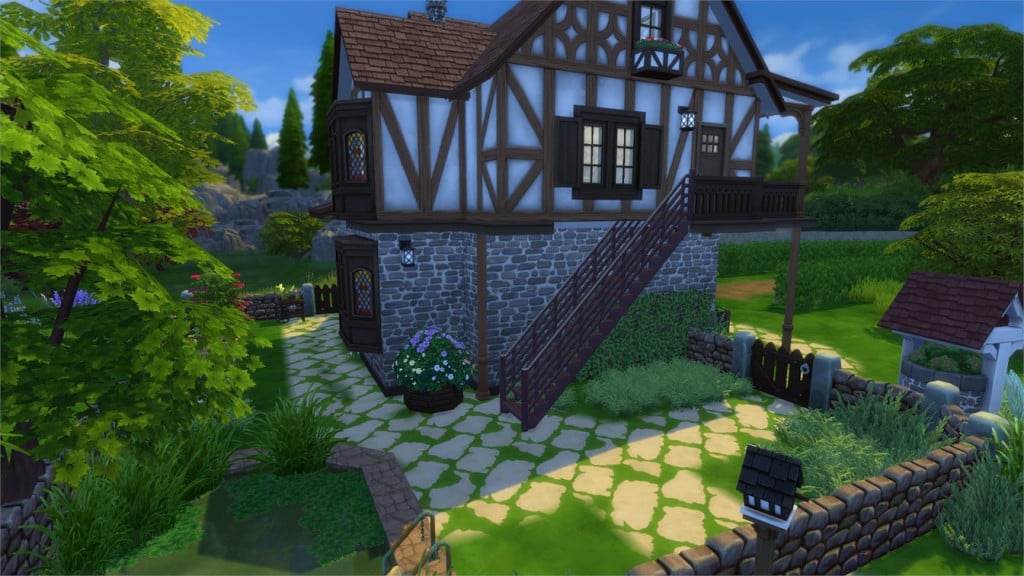
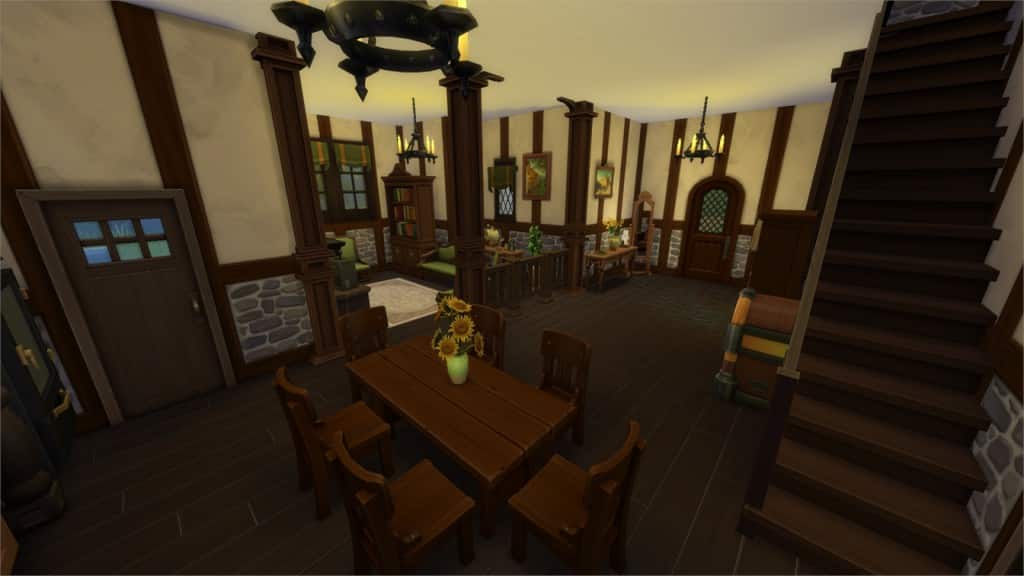
Fachwerkhaus (Download Here)

by babylo5

Value: §111,548
Size: 20×20
Lot Type: Residental Lot
Required Packs: Get to Work, Get Together[/ult_hotspot_items][/ult_hotspot]

[ult_hotspot main_img=”44186|https://simscommunity.info/wp-content/uploads/2015/12/12-12-15_4-32-56-PM.jpg”][ult_hotspot_items icon_type=”custom” icon_img=”37721|https://simscommunity.info/wp-content/uploads/2015/08/plumhotspot.png” img_width=”26″ tooltip_custom_color=”#1e73be” tooltip_custom_bg_color=”#ffffff” tooltip_width=”500″ enable_bubble_arrow=”off” tooltip_continuous_animation=”on” hotspot_position=”43.423202614379086,81.85317095588235″ tooltip_custom_border_size=”border-style:solid;|border-width:2px;border-radius:5px;|border-color:#81d742;”]
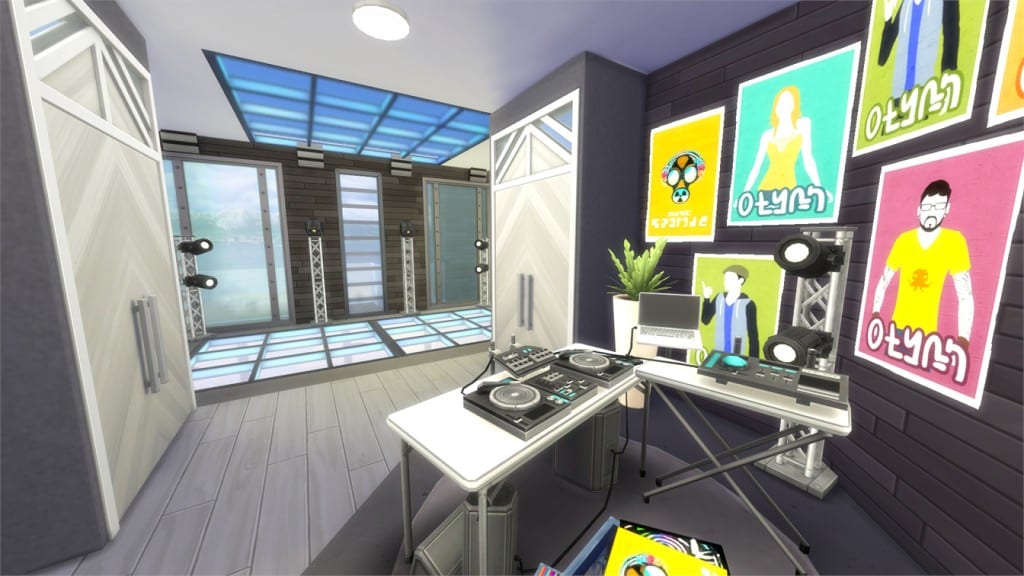
12-12-15_4-33-03 PM

[/ult_hotspot_items][ult_hotspot_items icon_type=”custom” icon_img=”37721|https://simscommunity.info/wp-content/uploads/2015/08/plumhotspot.png” img_width=”26″ tooltip_custom_color=”#1e73be” tooltip_custom_bg_color=”#ffffff” tooltip_width=”500″ enable_bubble_arrow=”off” tooltip_continuous_animation=”on” hotspot_position=”54.942810457516345,64.62162990196079″ tooltip_custom_border_size=”border-style:solid;|border-width:2px;border-radius:5px;|border-color:#81d742;”]
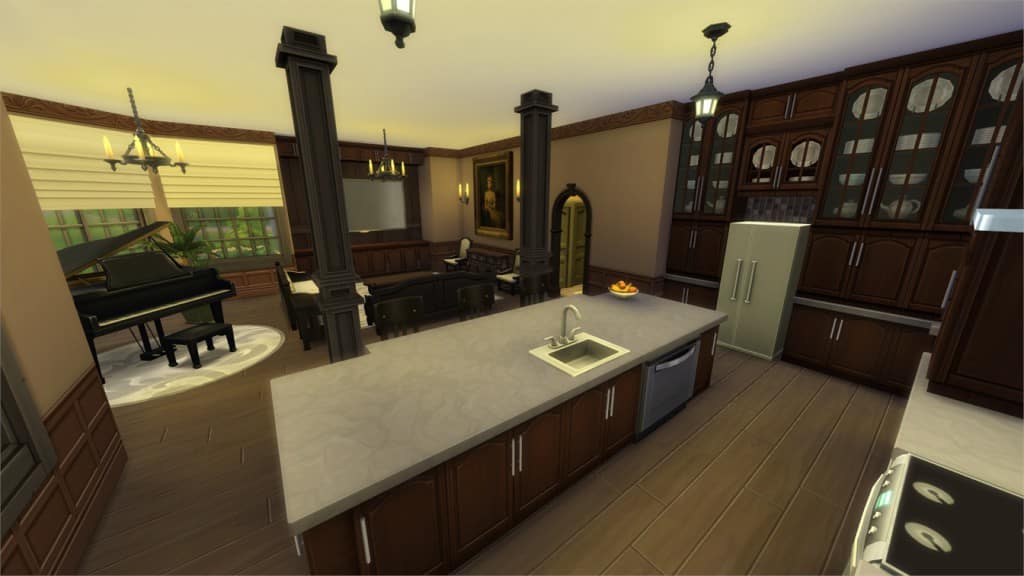
12-12-15_4-33-26 PM

[/ult_hotspot_items][ult_hotspot_items icon_type=”custom” icon_img=”37721|https://simscommunity.info/wp-content/uploads/2015/08/plumhotspot.png” img_width=”26″ tooltip_custom_color=”#1e73be” tooltip_custom_bg_color=”#ffffff” tooltip_width=”500″ enable_bubble_arrow=”off” tooltip_continuous_animation=”on” hotspot_position=”44.74400871459695,61.31280637254902″ tooltip_custom_border_size=”border-style:solid;|border-width:2px;border-radius:5px;|border-color:#81d742;”]
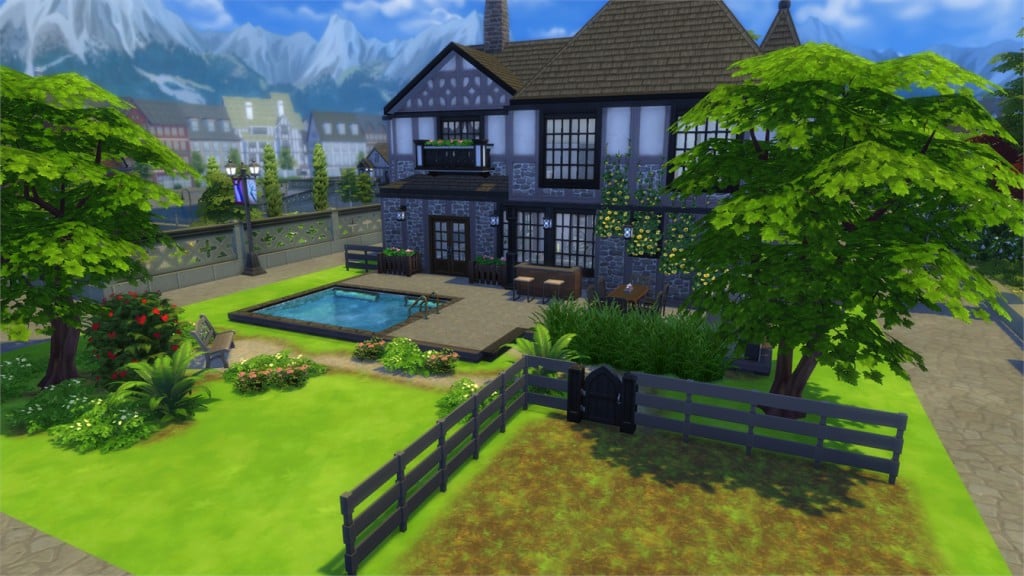
12-12-15_4-33-35 PM

[/ult_hotspot_items][ult_hotspot_items icon_type=”custom” icon_img=”37721|https://simscommunity.info/wp-content/uploads/2015/08/plumhotspot.png” img_width=”36″ tooltip_custom_color=”#1e73be” tooltip_custom_bg_color=”#ffffff” tooltip_width=”500″ enable_bubble_arrow=”off” tooltip_font_size=”14″ tooltip_continuous_animation=”on” hotspot_position=”86.58058681672026,3.25497287522604″ tooltip_custom_border_size=”border-style:solid;|border-width:2px;border-radius:5px;|border-color:#81d742;”]
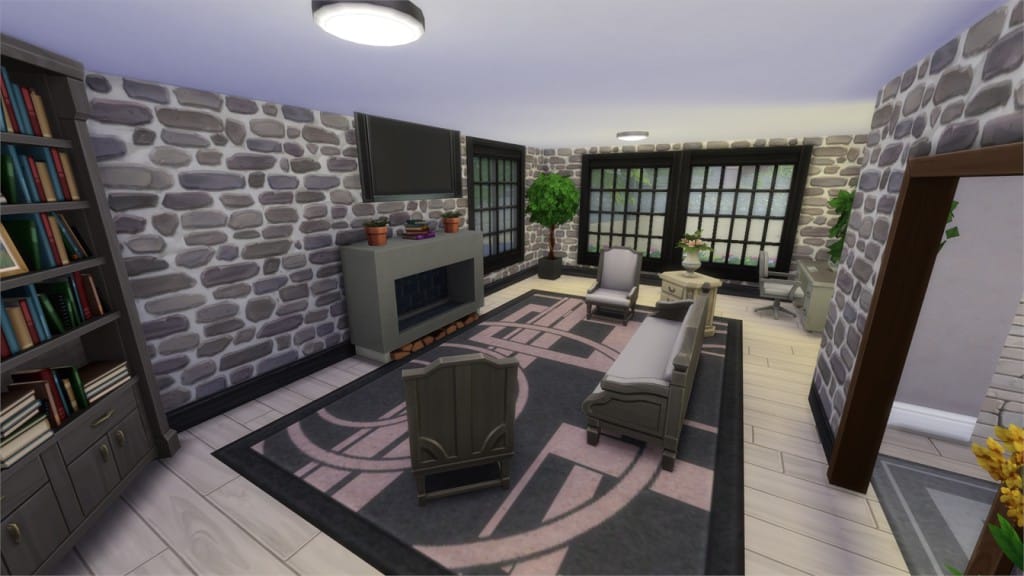
The DJ Hangout (Download Here)

by DutchSimsMaster

Value: §107,470
Size: 30×20
Lot Type: Residental Lot
Required Packs: Outdoor Retreat, Get to Work, Luxury Party, Perfect Patio, Spa Day, Cool Kitchen, Get Together[/ult_hotspot_items][/ult_hotspot]

[ult_hotspot main_img=”44190|https://simscommunity.info/wp-content/uploads/2015/12/12-12-15_4-36-18-PM.jpg”][ult_hotspot_items icon_type=”custom” icon_img=”37721|https://simscommunity.info/wp-content/uploads/2015/08/plumhotspot.png” img_width=”26″ tooltip_custom_color=”#1e73be” tooltip_custom_bg_color=”#ffffff” tooltip_width=”500″ enable_bubble_arrow=”off” tooltip_continuous_animation=”on” hotspot_position=”31.226171023965144,36.908318014705884″ tooltip_custom_border_size=”border-style:solid;|border-width:2px;border-radius:5px;|border-color:#81d742;”]
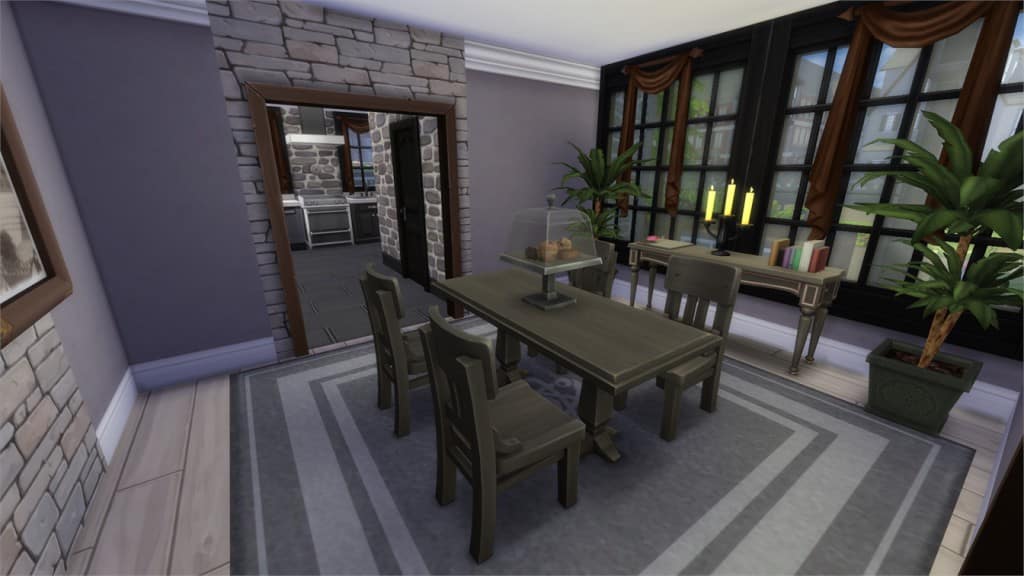
12-12-15_4-36-30 PM

[/ult_hotspot_items][ult_hotspot_items icon_type=”custom” icon_img=”37721|https://simscommunity.info/wp-content/uploads/2015/08/plumhotspot.png” img_width=”26″ tooltip_custom_color=”#1e73be” tooltip_custom_bg_color=”#ffffff” tooltip_width=”500″ enable_bubble_arrow=”off” tooltip_continuous_animation=”on” hotspot_position=”65.79520697167756,72.73475796568627″ tooltip_custom_border_size=”border-style:solid;|border-width:2px;border-radius:5px;|border-color:#81d742;”]
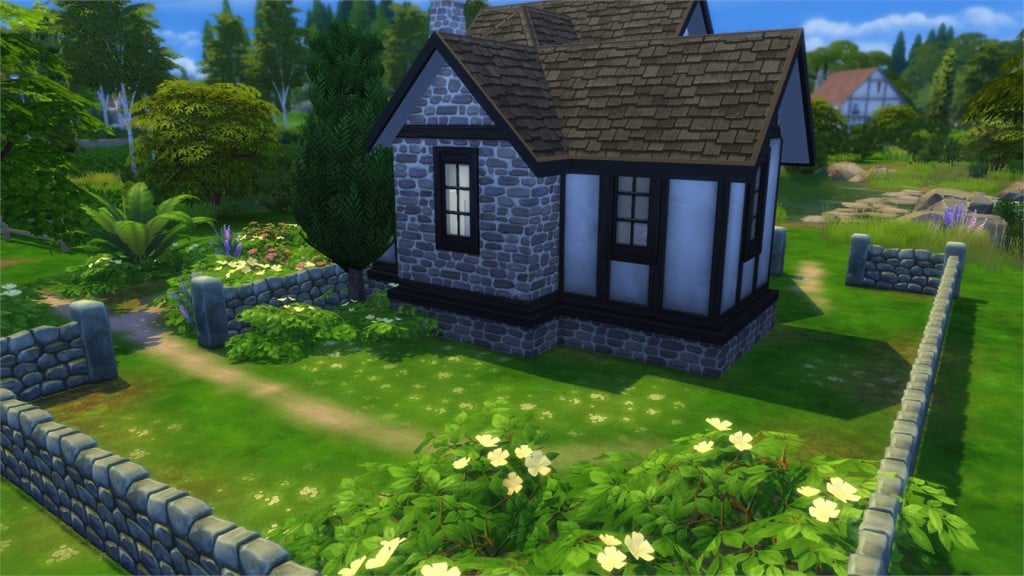
12-12-15_4-36-50 PM

[/ult_hotspot_items][ult_hotspot_items icon_type=”custom” icon_img=”37721|https://simscommunity.info/wp-content/uploads/2015/08/plumhotspot.png” img_width=”26″ tooltip_custom_color=”#1e73be” tooltip_custom_bg_color=”#ffffff” tooltip_width=”500″ enable_bubble_arrow=”off” tooltip_continuous_animation=”on” hotspot_position=”63.970588235294116,64.2788756127451″ tooltip_custom_border_size=”border-style:solid;|border-width:2px;border-radius:5px;|border-color:#81d742;”]
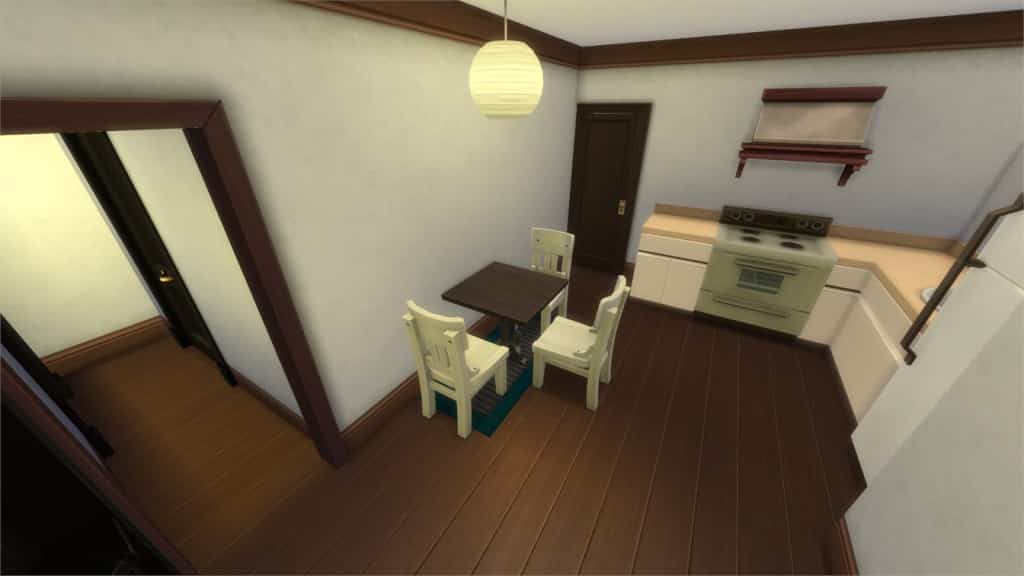
12-12-15_4-37-04 PM

[/ult_hotspot_items][ult_hotspot_items icon_type=”custom” icon_img=”37721|https://simscommunity.info/wp-content/uploads/2015/08/plumhotspot.png” img_width=”36″ tooltip_custom_color=”#1e73be” tooltip_custom_bg_color=”#ffffff” tooltip_width=”500″ enable_bubble_arrow=”off” tooltip_font_size=”14″ tooltip_continuous_animation=”on” hotspot_position=”86.58058681672026,3.25497287522604″ tooltip_custom_border_size=”border-style:solid;|border-width:2px;border-radius:5px;|border-color:#81d742;”]
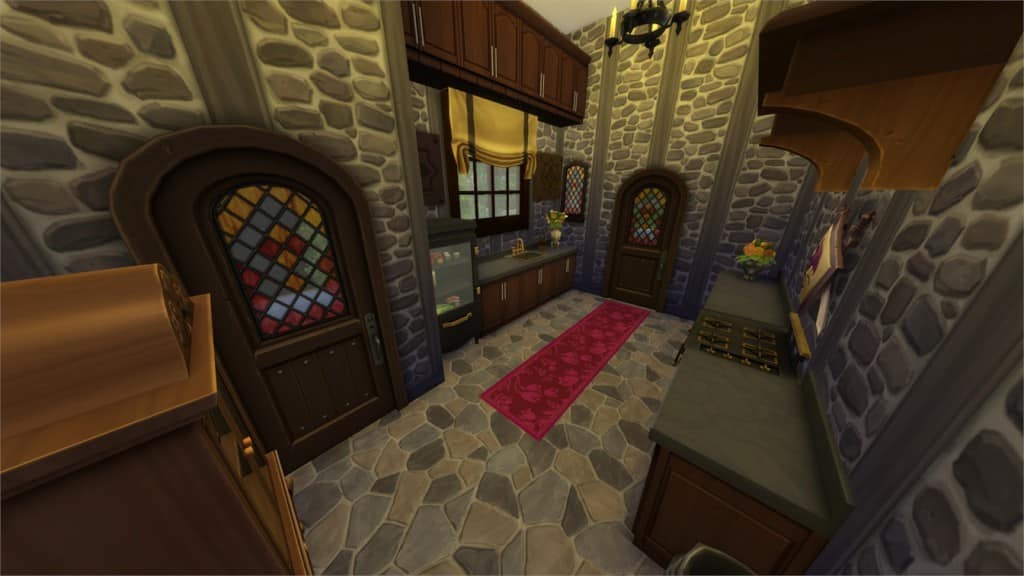
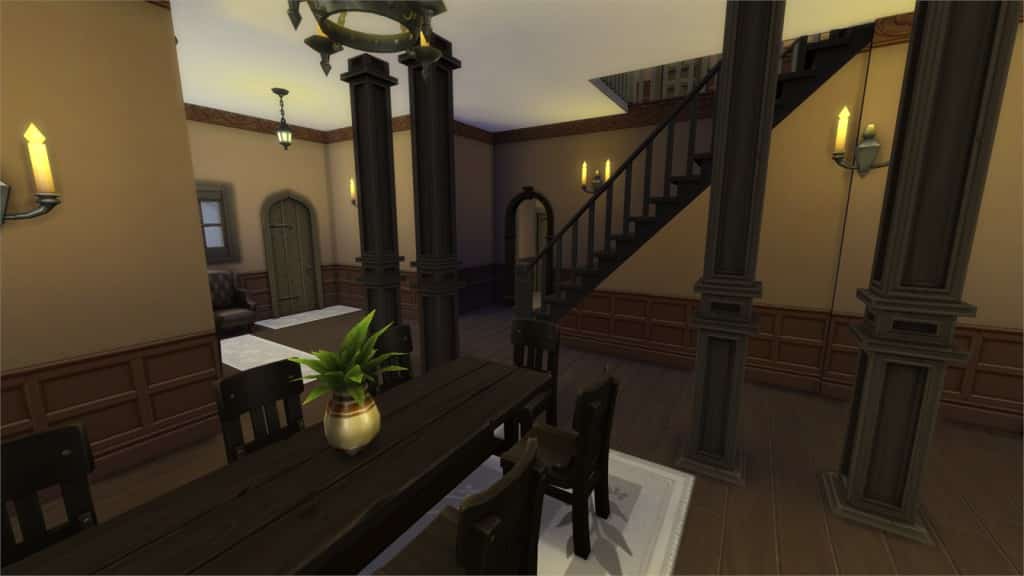
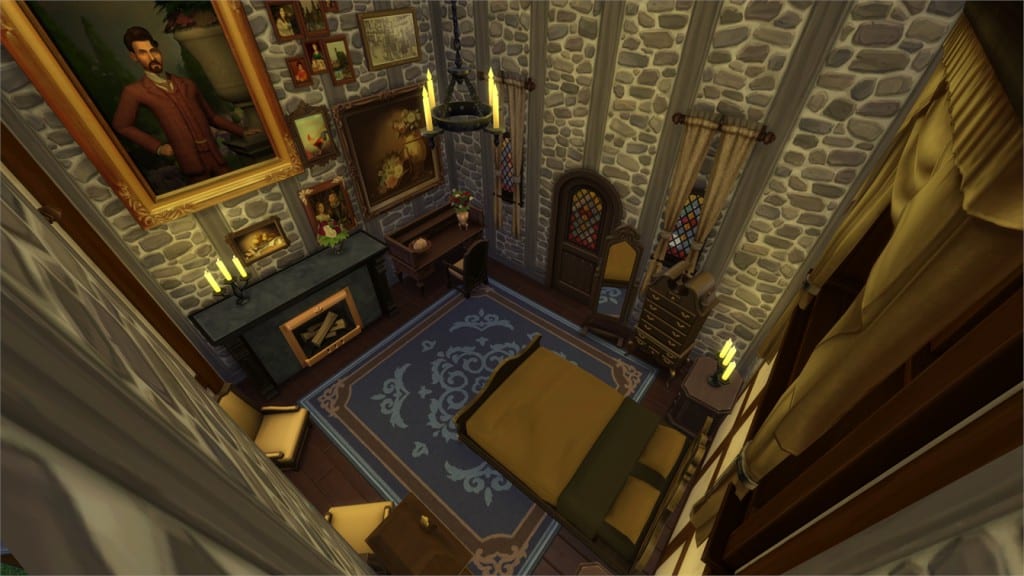
New Tudor Dream Home (Download Here)

by gizky

Value: §278,054
Size: 40×30
Lot Type: Residental Lot
Required Packs: Get Together[/ult_hotspot_items][/ult_hotspot]

[ult_hotspot main_img=”44194|https://simscommunity.info/wp-content/uploads/2015/12/12-12-15_4-44-04-PM.jpg”][ult_hotspot_items icon_type=”custom” icon_img=”37721|https://simscommunity.info/wp-content/uploads/2015/08/plumhotspot.png” img_width=”26″ tooltip_custom_color=”#1e73be” tooltip_custom_bg_color=”#ffffff” tooltip_width=”500″ enable_bubble_arrow=”off” tooltip_continuous_animation=”on” hotspot_position=”15.665849673202615,34.67179840686275″ tooltip_custom_border_size=”border-style:solid;|border-width:2px;border-radius:5px;|border-color:#81d742;”]
12-12-15_4-44-13 PM

[/ult_hotspot_items][ult_hotspot_items icon_type=”custom” icon_img=”37721|https://simscommunity.info/wp-content/uploads/2015/08/plumhotspot.png” img_width=”26″ tooltip_custom_color=”#1e73be” tooltip_custom_bg_color=”#ffffff” tooltip_width=”500″ enable_bubble_arrow=”off” tooltip_continuous_animation=”on” hotspot_position=”64.15100762527233,57.53102022058824″ tooltip_custom_border_size=”border-style:solid;|border-width:2px;border-radius:5px;|border-color:#81d742;”]
12-12-15_4-44-30 PM

[/ult_hotspot_items][ult_hotspot_items icon_type=”custom” icon_img=”37721|https://simscommunity.info/wp-content/uploads/2015/08/plumhotspot.png” img_width=”26″ tooltip_custom_color=”#1e73be” tooltip_custom_bg_color=”#ffffff” tooltip_width=”500″ enable_bubble_arrow=”off” tooltip_continuous_animation=”on” hotspot_position=”60.066040305010894,33.73544730392157″ tooltip_custom_border_size=”border-style:solid;|border-width:2px;border-radius:5px;|border-color:#81d742;”]
12-12-15_4-44-35 PM

[/ult_hotspot_items][ult_hotspot_items icon_type=”custom” icon_img=”37721|https://simscommunity.info/wp-content/uploads/2015/08/plumhotspot.png” img_width=”36″ tooltip_custom_color=”#1e73be” tooltip_custom_bg_color=”#ffffff” tooltip_width=”500″ enable_bubble_arrow=”off” tooltip_font_size=”14″ tooltip_continuous_animation=”on” hotspot_position=”86.58058681672026,3.25497287522604″ tooltip_custom_border_size=”border-style:solid;|border-width:2px;border-radius:5px;|border-color:#81d742;”]
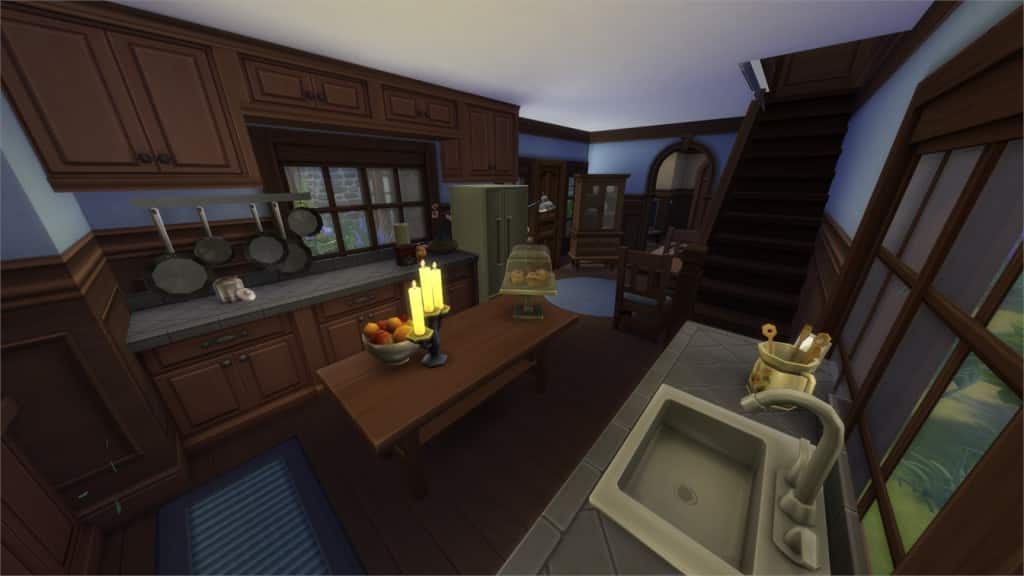
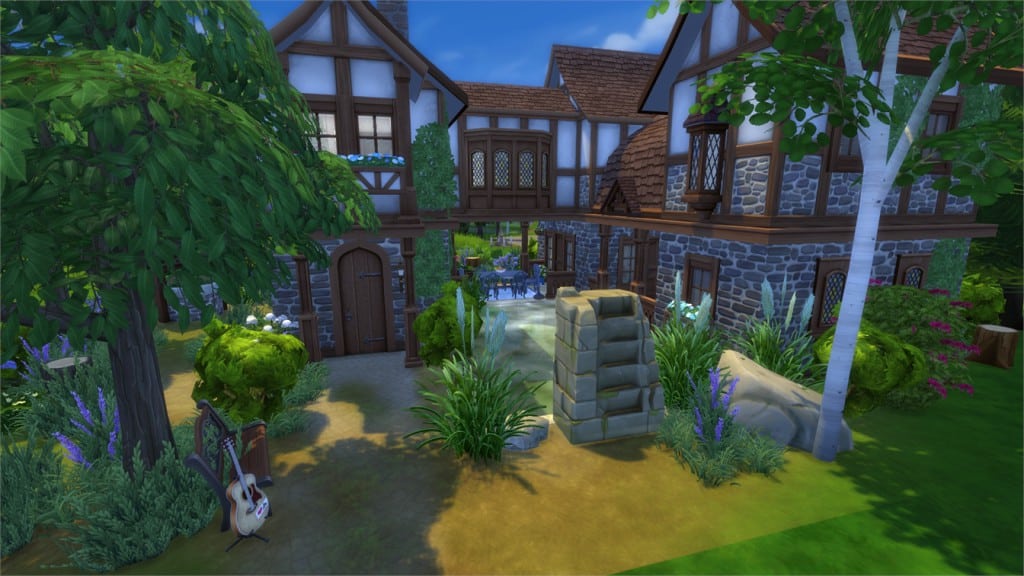
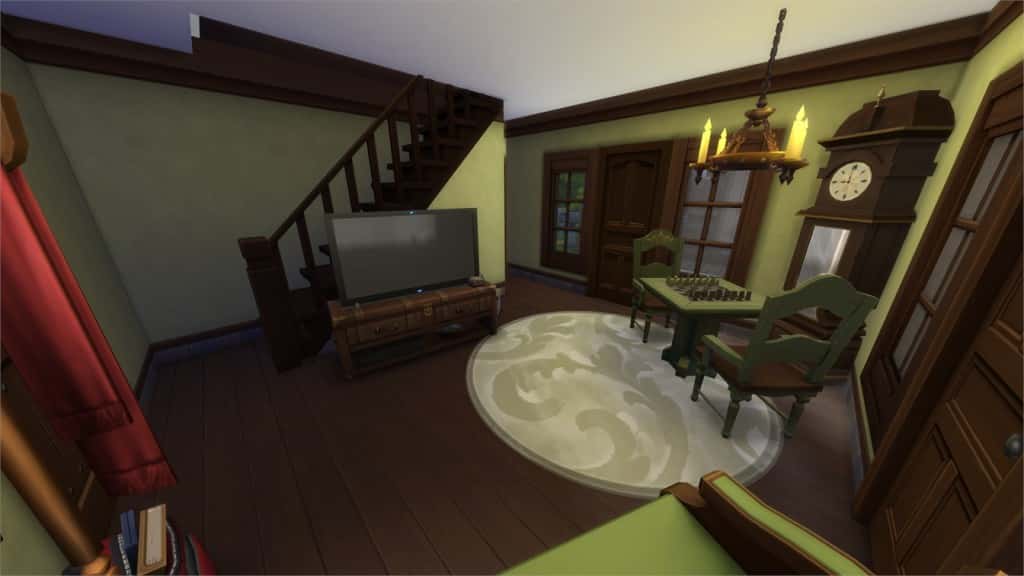
Thank you 100 Followers (Download Here)

by dzidziak86

Value: §113,061
Size: 30×20
Lot Type: Residental Lot
Required Packs: Get to Work, Luxury Party, Perfect Patio, Spa Day, Get Together[/ult_hotspot_items][/ult_hotspot]

[ult_hotspot main_img=”44198|https://simscommunity.info/wp-content/uploads/2015/12/12-12-15_4-49-46-PM.jpg”][ult_hotspot_items icon_type=”custom” icon_img=”37721|https://simscommunity.info/wp-content/uploads/2015/08/plumhotspot.png” img_width=”26″ tooltip_custom_color=”#1e73be” tooltip_custom_bg_color=”#ffffff” tooltip_width=”500″ enable_bubble_arrow=”off” tooltip_continuous_animation=”on” hotspot_position=”48.794934640522875,80.01876531862744″ tooltip_custom_border_size=”border-style:solid;|border-width:2px;border-radius:5px;|border-color:#81d742;”]

12-12-15_4-49-53 PM

[/ult_hotspot_items][ult_hotspot_items icon_type=”custom” icon_img=”37721|https://simscommunity.info/wp-content/uploads/2015/08/plumhotspot.png” img_width=”26″ tooltip_custom_color=”#1e73be” tooltip_custom_bg_color=”#ffffff” tooltip_width=”500″ enable_bubble_arrow=”off” tooltip_continuous_animation=”on” hotspot_position=”49.85702614379085,30.520450367647058″ tooltip_custom_border_size=”border-style:solid;|border-width:2px;border-radius:5px;|border-color:#81d742;”]

12-12-15_4-50-09 PM

[/ult_hotspot_items][ult_hotspot_items icon_type=”custom” icon_img=”37721|https://simscommunity.info/wp-content/uploads/2015/08/plumhotspot.png” img_width=”36″ tooltip_custom_color=”#1e73be” tooltip_custom_bg_color=”#ffffff” tooltip_width=”500″ enable_bubble_arrow=”off” tooltip_font_size=”14″ tooltip_continuous_animation=”on” hotspot_position=”86.58058681672026,3.25497287522604″ tooltip_custom_border_size=”border-style:solid;|border-width:2px;border-radius:5px;|border-color:#81d742;”]

Tudor Starter Cottage (Download Here)

by snorkas

Value: §16,464
Size: 20×20
Lot Type: Residental Lot
Required Packs: Get Together[/ult_hotspot_items][/ult_hotspot]

[ult_hotspot main_img=”44201|https://simscommunity.info/wp-content/uploads/2015/12/12-12-15_4-53-03-PM.jpg”][ult_hotspot_items icon_type=”custom” icon_img=”37721|https://simscommunity.info/wp-content/uploads/2015/08/plumhotspot.png” img_width=”26″ tooltip_custom_color=”#1e73be” tooltip_custom_bg_color=”#ffffff” tooltip_width=”500″ enable_bubble_arrow=”off” tooltip_continuous_animation=”on” hotspot_position=”71.22140522875817,45.82758884803921″ tooltip_custom_border_size=”border-style:solid;|border-width:2px;border-radius:5px;|border-color:#81d742;”]

12-12-15_4-53-18 PM

[/ult_hotspot_items][ult_hotspot_items icon_type=”custom” icon_img=”37721|https://simscommunity.info/wp-content/uploads/2015/08/plumhotspot.png” img_width=”26″ tooltip_custom_color=”#1e73be” tooltip_custom_bg_color=”#ffffff” tooltip_width=”500″ enable_bubble_arrow=”off” tooltip_continuous_animation=”on” hotspot_position=”36.128131808278866,41.67241115196079″ tooltip_custom_border_size=”border-style:solid;|border-width:2px;border-radius:5px;|border-color:#81d742;”]

12-12-15_4-54-13 PM

[/ult_hotspot_items][ult_hotspot_items icon_type=”custom” icon_img=”37721|https://simscommunity.info/wp-content/uploads/2015/08/plumhotspot.png” img_width=”36″ tooltip_custom_color=”#1e73be” tooltip_custom_bg_color=”#ffffff” tooltip_width=”500″ enable_bubble_arrow=”off” tooltip_font_size=”14″ tooltip_continuous_animation=”on” hotspot_position=”86.58058681672026,3.25497287522604″ tooltip_custom_border_size=”border-style:solid;|border-width:2px;border-radius:5px;|border-color:#81d742;”]

Rapunzel’s Retreat (Download Here)

by SpecterCody

Value: §230,081
Size: 20×20
Lot Type: Residental Lot
Required Packs: Outdoor Retreat, Get Together[/ult_hotspot_items][/ult_hotspot]

[ult_hotspot main_img=”44204|https://simscommunity.info/wp-content/uploads/2015/12/12-12-15_5-24-49-PM.jpg”][ult_hotspot_items icon_type=”custom” icon_img=”37721|https://simscommunity.info/wp-content/uploads/2015/08/plumhotspot.png” img_width=”26″ tooltip_custom_color=”#1e73be” tooltip_custom_bg_color=”#ffffff” tooltip_width=”500″ enable_bubble_arrow=”off” tooltip_continuous_animation=”on” hotspot_position=”18.681917211328976,54.77366727941176″ tooltip_custom_border_size=”border-style:solid;|border-width:2px;border-radius:5px;|border-color:#81d742;”]

12-12-15_5-24-59 PM

[/ult_hotspot_items][ult_hotspot_items icon_type=”custom” icon_img=”37721|https://simscommunity.info/wp-content/uploads/2015/08/plumhotspot.png” img_width=”26″ tooltip_custom_color=”#1e73be” tooltip_custom_bg_color=”#ffffff” tooltip_width=”500″ enable_bubble_arrow=”off” tooltip_continuous_animation=”on” hotspot_position=”64.76375272331155,39.22143075980392″ tooltip_custom_border_size=”border-style:solid;|border-width:2px;border-radius:5px;|border-color:#81d742;”]

12-12-15_5-25-10 PM

[/ult_hotspot_items][ult_hotspot_items icon_type=”custom” icon_img=”37721|https://simscommunity.info/wp-content/uploads/2015/08/plumhotspot.png” img_width=”26″ tooltip_custom_color=”#1e73be” tooltip_custom_bg_color=”#ffffff” tooltip_width=”500″ enable_bubble_arrow=”off” tooltip_continuous_animation=”on” hotspot_position=”60.532407407407405,71.20672487745098″ tooltip_custom_border_size=”border-style:solid;|border-width:2px;border-radius:5px;|border-color:#81d742;”]

12-12-15_5-25-19 PM

[/ult_hotspot_items][ult_hotspot_items icon_type=”custom” icon_img=”37721|https://simscommunity.info/wp-content/uploads/2015/08/plumhotspot.png” img_width=”36″ tooltip_custom_color=”#1e73be” tooltip_custom_bg_color=”#ffffff” tooltip_width=”500″ enable_bubble_arrow=”off” tooltip_font_size=”14″ tooltip_continuous_animation=”on” hotspot_position=”86.58058681672026,3.25497287522604″ tooltip_custom_border_size=”border-style:solid;|border-width:2px;border-radius:5px;|border-color:#81d742;”]

Rustic Family Home (Download Here)

by FalthrianSims

Value: §176,699
Size: 30×20
Lot Type: Residental Lot
Required Packs: Outdoor Retreat, Get to Work, Spa Day, Get Together[/ult_hotspot_items][/ult_hotspot]

Possible Early Concepts of The Sims 4 Get Together

1

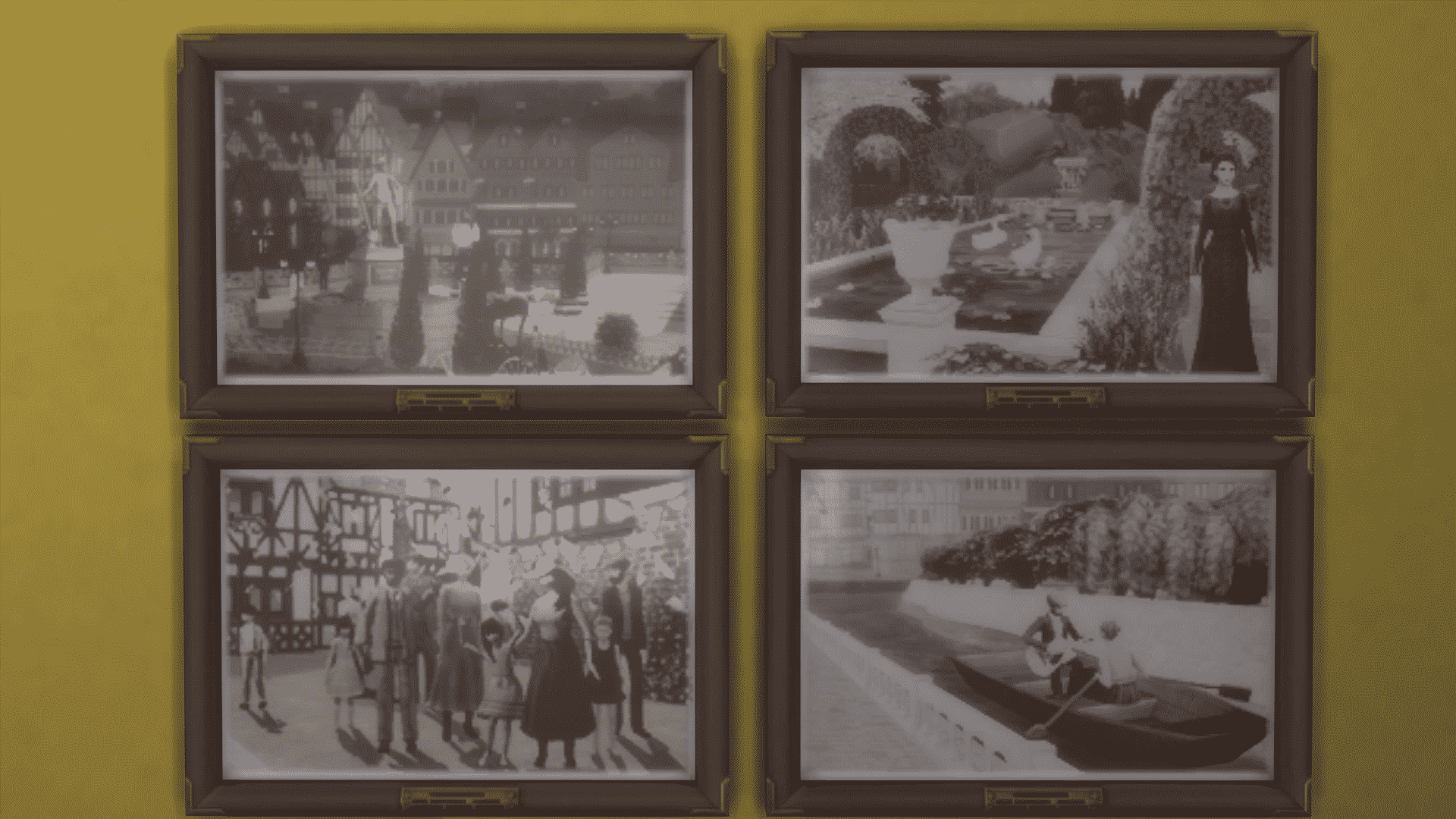
While roaming through the new objects that were added with The Sims 4 Get Together, I noticed a particular object (framed picture to be exact) called Antiqued History.

97

This framed picture comes with 4 different styles. Each has the same frame, but a different picture showcasing, what it appears to be, Windenburg in the early days of development. I’ve come to that conclusion because in one of the concept arts that The Sims Team officially published, you can clearly see a Gondola boat.

12-12-15_3-10-47 PM

The Sims 4 Get Together: Creating Clubs

The Sims 4 Get Together introduces one of the most complex features in the history of The Sims – Clubs! Clubs allow you to create a Group of Sims that likes and dislikes doing certain things. For example, you can make a Garden Club that likes Gardening and dislikes watching TV, using the Computer and so on.

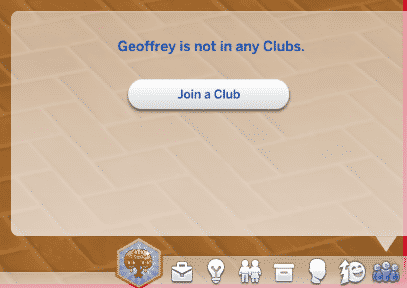
Your Club adventure begins by clicking the Clubs icon on the bottom right corner.

clubsstart

After clicking the Join a Club button, you’ll be greeted with an interface that showcases all Clubs created in all Worlds. As this is an Article about creating a Club, select Create a Club option on the bottom.

gettogethercreateclub

To best explain each feature in the Clubs User Interface, I’ve put together an interactive overview.

[ult_hotspot main_img=”44152|https://simscommunity.info/wp-content/uploads/2015/12/clubsUI2.png” main_img_size=”main_img_custom” main_img_width=”818″][ult_hotspot_items icon_type=”custom” icon_img=”39525|https://simscommunity.info/wp-content/uploads/2015/09/plumbob2.png” img_width=”32″ tooltip_custom_bg_color=”#ffffff” enable_bubble_arrow=”off” tooltip_continuous_animation=”on” hotspot_position=”19.855595667870034,2.3227383863080684″ tooltip_custom_border_size=”border-style:solid;|border-width:2px;border-radius:3px;|border-color:#1e73be;”]The Icon of your Club. These Icons will appear during Club gatherings.

clubicons

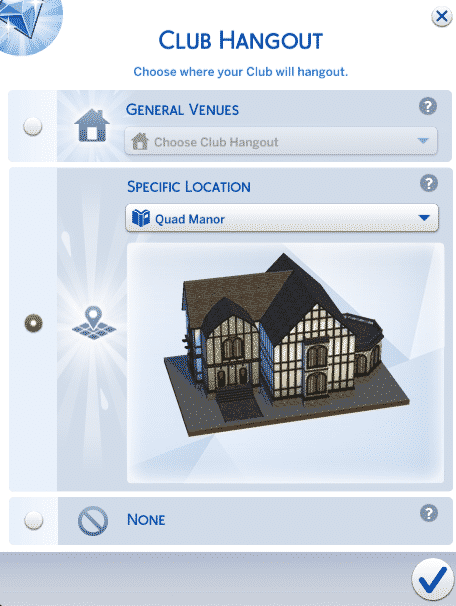
[/ult_hotspot_items][ult_hotspot_items icon_type=”custom” icon_img=”39525|https://simscommunity.info/wp-content/uploads/2015/09/plumbob2.png” img_width=”32″ tooltip_custom_bg_color=”#ffffff” enable_bubble_arrow=”off” tooltip_continuous_animation=”on” hotspot_position=”6.819720216606498,37.89731051344744″ tooltip_custom_border_size=”border-style:solid;|border-width:2px;border-radius:3px;|border-color:#1e73be;”]Name of your Club. Be creative![/ult_hotspot_items][ult_hotspot_items icon_type=”custom” icon_img=”39525|https://simscommunity.info/wp-content/uploads/2015/09/plumbob2.png” img_width=”32″ tooltip_custom_bg_color=”#ffffff” enable_bubble_arrow=”off” tooltip_continuous_animation=”on” hotspot_position=”15.89293772563177,31.05134474327628″ tooltip_custom_border_size=”border-style:solid;|border-width:2px;border-radius:3px;|border-color:#1e73be;”]Description of your Club. Be creative![/ult_hotspot_items][ult_hotspot_items icon_type=”custom” icon_img=”39525|https://simscommunity.info/wp-content/uploads/2015/09/plumbob2.png” img_width=”32″ tooltip_custom_bg_color=”#ffffff” enable_bubble_arrow=”off” tooltip_continuous_animation=”on” hotspot_position=”27.919111010830328,36.3080684596577″ tooltip_custom_border_size=”border-style:solid;|border-width:2px;border-radius:3px;|border-color:#1e73be;”]Choose between making your Club open for Invitations (when Sims can ask you to join your Club) and making your Club Invite only (when only you choose who can join).[/ult_hotspot_items][ult_hotspot_items icon_type=”custom” icon_img=”39525|https://simscommunity.info/wp-content/uploads/2015/09/plumbob2.png” img_width=”32″ tooltip_custom_bg_color=”#ffffff” enable_bubble_arrow=”off” tooltip_continuous_animation=”on” hotspot_position=”43.82333032490975,25.794621026894866″ tooltip_custom_border_size=”border-style:solid;|border-width:2px;border-radius:3px;|border-color:#1e73be;”]Sim(s) who are currently in your Club. You can kick out any Sim by hovering over their avatar and pressing the X button.[/ult_hotspot_items][ult_hotspot_items icon_type=”custom” icon_img=”39525|https://simscommunity.info/wp-content/uploads/2015/09/plumbob2.png” img_width=”32″ tooltip_custom_bg_color=”#ffffff” enable_bubble_arrow=”off” tooltip_continuous_animation=”on” hotspot_position=”79.33777075812274,31.41809290953545″ tooltip_custom_border_size=”border-style:solid;|border-width:2px;border-radius:3px;|border-color:#1e73be;”]The 7th Slot that can be unlocked by purchasing the ”Capacity Upgrade 1” perk for 250 Points.[/ult_hotspot_items][ult_hotspot_items icon_type=”custom” icon_img=”39525|https://simscommunity.info/wp-content/uploads/2015/09/plumbob2.png” img_width=”32″ tooltip_custom_bg_color=”#ffffff” enable_bubble_arrow=”off” tooltip_continuous_animation=”on” hotspot_position=”79.7298059566787,44.132029339853304″ tooltip_custom_border_size=”border-style:solid;|border-width:2px;border-radius:3px;|border-color:#1e73be;”]The 8th Slot that can be unlocked by purchasing the ”Capacity Upgrade 2” perk for 500 Points.[/ult_hotspot_items][ult_hotspot_items icon_type=”custom” icon_img=”39525|https://simscommunity.info/wp-content/uploads/2015/09/plumbob2.png” img_width=”32″ tooltip_custom_bg_color=”#ffffff” enable_bubble_arrow=”off” tooltip_continuous_animation=”on” hotspot_position=”30.84668321299639,46.0880195599022″ tooltip_custom_border_size=”border-style:solid;|border-width:2px;border-radius:3px;|border-color:#1e73be;”]The Club Hangout option lets you choose a Lot where your Sims like to hang out.

clubhangout

[/ult_hotspot_items][ult_hotspot_items icon_type=”custom” icon_img=”39525|https://simscommunity.info/wp-content/uploads/2015/09/plumbob2.png” img_width=”32″ tooltip_custom_bg_color=”#ffffff” enable_bubble_arrow=”off” tooltip_continuous_animation=”on” hotspot_position=”43.52154783393502,64.91442542787286″ tooltip_custom_border_size=”border-style:solid;|border-width:2px;border-radius:3px;|border-color:#1e73be;”]These are the Club Requirements. Sims need to fulfill each requirement in order to join a certain Club. There are Age, Career, Marital Status, Financial Status, Trait and Skill Level 2+ Requirements.

[/ult_hotspot_items][ult_hotspot_items icon_type=”custom” icon_img=”39525|https://simscommunity.info/wp-content/uploads/2015/09/plumbob2.png” img_width=”32″ tooltip_custom_bg_color=”#ffffff” tooltip_width=”400″ enable_bubble_arrow=”off” tooltip_continuous_animation=”on” hotspot_position=”64.77324007220217,86.06356968215158″ tooltip_custom_border_size=”border-style:solid;|border-width:2px;border-radius:3px;|border-color:#1e73be;”]These are the Club Activities that will encourage your Club to do certain things more autonomously. As you own more Sims 4 Packs you’ll unlock more Activities that are tied in with those Packs.

Club Activity Categories:

  • Food and Drink
  • Art and Music
  • Hobbies
  • Fun and Games
  • Social
  • Outdoor
  • Mischief and Mayhem
  • Kid Activities
  • Home Activities

[/ult_hotspot_items][ult_hotspot_items icon_type=”custom” icon_img=”39525|https://simscommunity.info/wp-content/uploads/2015/09/plumbob2.png” img_width=”32″ tooltip_custom_bg_color=”#ffffff” tooltip_width=”400″ enable_bubble_arrow=”off” tooltip_continuous_animation=”on” hotspot_position=”76.97145758122743,86.18581907090464″ tooltip_custom_border_size=”border-style:solid;|border-width:2px;border-radius:3px;|border-color:#1e73be;”]These are banned Club Activities that will discourage your Sims to do various things. Some Sims in the Club still may autonomously do a certain banned activity, but you’re allowed to scold them. If you do banned activities regularly, you may get kicked out of the Club by a Club leader!

The list of banned Activities is the same as the list of encouraged Club Activities.[/ult_hotspot_items][ult_hotspot_items icon_type=”custom” icon_img=”39525|https://simscommunity.info/wp-content/uploads/2015/09/plumbob2.png” img_width=”32″ tooltip_custom_bg_color=”#ffffff” tooltip_width=”400″ enable_bubble_arrow=”off” tooltip_continuous_animation=”on” hotspot_position=”93.95306859205776,12.102689486552567″ tooltip_custom_border_size=”border-style:solid;|border-width:2px;border-radius:3px;|border-color:#1e73be;”]These are Club Points that you can earn by having Club Gatherings and doing encouraged Activities while at Club Gatherings.[/ult_hotspot_items][ult_hotspot_items icon_type=”custom” icon_img=”39525|https://simscommunity.info/wp-content/uploads/2015/09/plumbob2.png” img_width=”32″ tooltip_custom_bg_color=”#ffffff” tooltip_width=”400″ enable_bubble_arrow=”off” tooltip_continuous_animation=”on” hotspot_position=”88.4927797833935,2.689486552567237″ tooltip_custom_border_size=”border-style:solid;|border-width:2px;border-radius:3px;|border-color:#1e73be;”]This is the Club Perks option where you can purchase various Rewards and Bonuses for your Club. Most of them take effect only when you’re at Club Gatherings.[/ult_hotspot_items][ult_hotspot_items icon_type=”custom” icon_img=”39525|https://simscommunity.info/wp-content/uploads/2015/09/plumbob2.png” img_width=”32″ tooltip_custom_bg_color=”#ffffff” tooltip_width=”300″ enable_bubble_arrow=”off” tooltip_continuous_animation=”on” hotspot_position=”91.47675992779783,91.68704156479217″ tooltip_custom_border_size=”border-style:solid;|border-width:2px;border-radius:3px;|border-color:#1e73be;”]Create a Club![/ult_hotspot_items][/ult_hotspot]

Introducing The Sims 4 Library!

0

After oh-so-many awesome articles published by our staff, I thought it was time to showcase their articles in a proper way so that they don’t fade away with time, and so I’m happy to introduce our brand new page on the site – The Sims 4 Library!

This page has a collection of all the important Articles, Tutorials and Guides that have been published so far. We’ll keep updating the page as new posts get released.

Below the Article slider, you’ll find icons of 8 Packs for The Sims 4. After clicked, each Pack section will showcase important posts that will come in handy for any Simmer.

And even more down below you’ll find 6 sections: Building, CC/Mods, Gameplay, Skills, Tech Stuff and The Community. These sections cover the most important articles, tips and tutorials that will for sure help you with your The Sims 4 Gameplay experience.

Click below to be directed to The Sims 4 Library!

libraryfeatured

The Sims 4: Willow Shields Promo Image

0

Willow Shields, who played a role as Primrose Everdeen in The Hunger Games, has posted a cute promo image for The Sims 4. Check it out!

Check it out. I got made into a Sim in #TheSims4… Have you made yours?

Willow Shields

CUrqpesUkAAdOpd