You can download this render by clicking the picture below and selecting ”Download”.

Thanks O Sim BR for providing it!

You can download this render by clicking the picture below and selecting ”Download”.
Thanks O Sim BR for providing it!


Hair / Skin 1 / Skin 2 / Eyes / Eyelashes / Eyebrows / Lipstick / Blush (EA) / Eyeshadow (EA) / Eyeliner (EA) / Nails / Bracelet (EA) / Outfit

Hair / Skin 1 / Skin 2 / Eyes / Eyeshadow / Eyebrows / Nails / Nose Piercing / Choker / Top / Bottoms / Tights / Shoes

Hair / Skin 1 / Skin 2 / Eyes /Eyelashes / Eyeshadow (EA) / Eyebrows / Lipstick (EA) / Outfit / Shoes
Click Here for more information on how to install Custom Content!
Download these Sims on The Gallery here.

Here are the Screens from The Sims 4 Luxury Party reveal in their full 1920×1080 resolution glory!

Provided by SimTimes.de

The Sims Official Forum has just introduced a new section to their The Sims 4 Discussion lists.
Click on the picture below to visit the Stuff Packs Forum Section!


The Sims official website posted a new blog entry revealing more information about The Sims 4’s first stuff pack Luxury Party Stuff, which releases… wait for it… NEXT WEEK!
SimGuruLyndsay followed up with a tweet revealing the price will be set at $9.99, half the cost of Sims 2 and 3’s stuff packs.

And, as expected, it will go the way of Outdoor Retreat and be released as a digital download only.

Read the entry below for more info.
Today, we are thrilled to announce the very first stuff pack for The Sims 4! It’s called The Sims 4 Luxury Party Stuff*, and it’ll be available next week on May 19. As our long-time players will know, past stuff packs featured new clothing and furniture themed around a specific idea. But with The Sims 4 stuff packs, we’re also adding new gameplay to the mix.
Let’s talk about Luxury Party Stuff specifically.
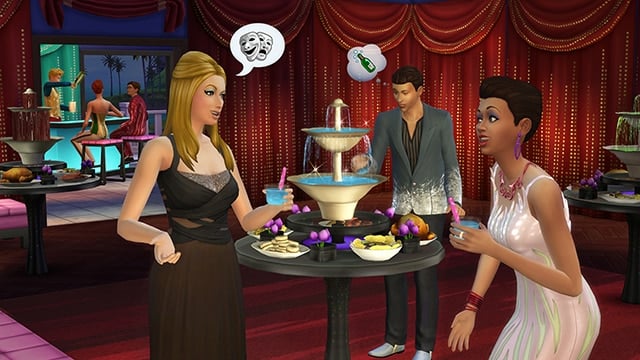
Luxury Party Stuff is all about high end, red carpet, party ‘til dawn bashes that require – nay, demand – all the trappings and majesty of the right crowd. The pack features stunning dresses, suits, makeup, and accessories for the Sims in your neighborhoods. You’re really able to set the scene with pulsing, glowing, beat-magnifying objects like a new bar, sculptures, and killer lighting that’ll be perfect for revising your neighborhood’s local lounges and bars.
The Sims 4 Luxury Party Stuff has two awesome new gameplay objects that are essential for throwing a fantastic party. Firstly, the banquet table, which you can fill with recipes your Sims prepare themselves, or quickly stock it with new appetizers. Nobody should party on an empty stomach. The second object is the new food/drink fountain, which you can place on top of your banquet table. Streaming from the top are all sorts of delicious things to consume, including rich, decadent chocolate (perfect for strawberries) and several other delightful delicacies. There’s even room for mischief and more, especially for Sims gifted in the Culinary and Mixology skills!
We’re excited. We hope you’re excited. The invitation goes out today and the party begins next week. Assemble your posse of style-inclined friends and join us at the luxury party.

To get the latest update, open the SimCity BuildIt application.
You can download SimCity BuildIt via Google Play and App Store!
What’s New in Version 1.3.3
Upgrade Dr. Vu’s Tower and control the power of disasters with this update! Collect Vu points to unlock three new disasters: the Giant Robot, the Tesla Coil (lightning storm), and the Tornado! Plus:
• New Road Upgrades – Boulevards, Avenues, and Street Cars
• New Houses of Worship Specialization
• A New Social Feature – Visit a friend, stranger, or Mayor Daniel and collect gifts
• 16 New Achievements
We also adjusted the way population scores work for the Landmark, Entertainment, and Gambling Specializations, and put in a fix for Global Trade HQ crash issues. Thanks, as always, for playing!
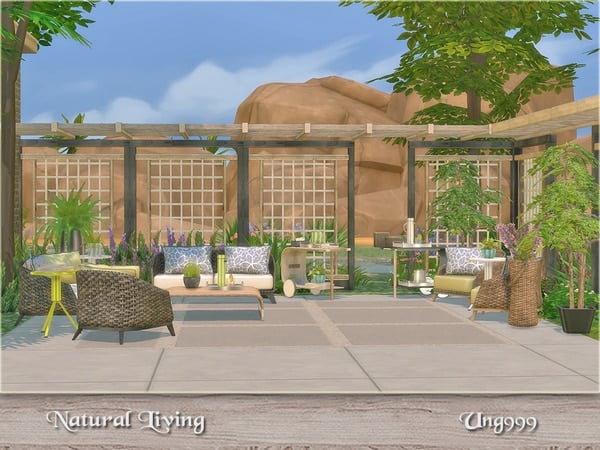
This Set has been brought to you by The Sims Resource member – ung999!
A gorgeous and cozy wicker patio living set,
Objects in this set:Loveseat
Armchair
Pillow
Coffee Table
End Table
Floor plant
Lavender
Awning
Screen
Trolley
Tray
teapot with cup
ice bucket
Click on the picture below to download this Set!
Click Here for more information on how to install Custom Content!
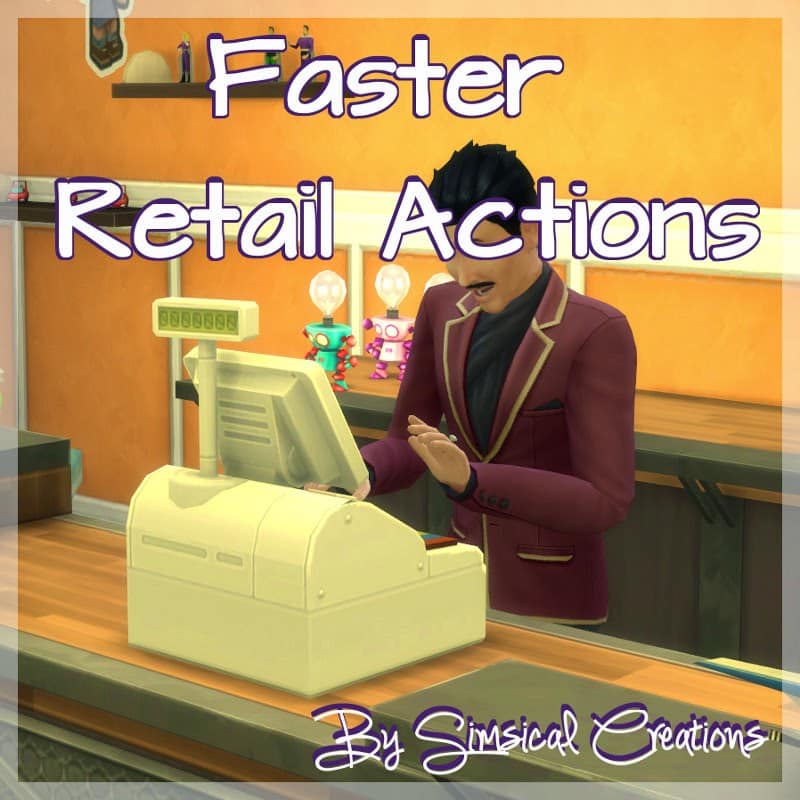
This Mod has been brought to you by Simsical Creations!
Your Sims will now ring up customers, restock items, and restock clothing faster. Originally the interactions took about 30 minutes (in sims time) maximum to do, now it will take them about 5 minutes.
Click on the picture below to download this Mod!
Click Here for more information on how to install Custom Content and Mods!

Sims Online has put up a great guide that covers all types of deaths in The Sims 4. Make sure you bookmark it because it’ll get updated as new deaths arrive to the game!
You can check other Sims 4 Guides by Sims Online HERE!
Click on the picture below to check out this Guide!

This Set has been brought to you by The Sims Resource member – Severinka!
A set of furniture and decor for the bedroom in classic style
4 different colors of wood, fabrics in soft lilac and beige colors.The set includes 10 objects:
– double bed (4 colors)
– end round table (4 colors)
– wardrobe (4 colors)
– secretere (4 colors)
– chair (10 colors)
– pouf (5 colors)
– wall lamp (9 colors)
– curtain transparent (6 colors)
– bed blanket (5 colors)
– big wall mirror (4 colors)
Click on the picture below to download this Set!
Click Here for more information on how to install Custom Content!
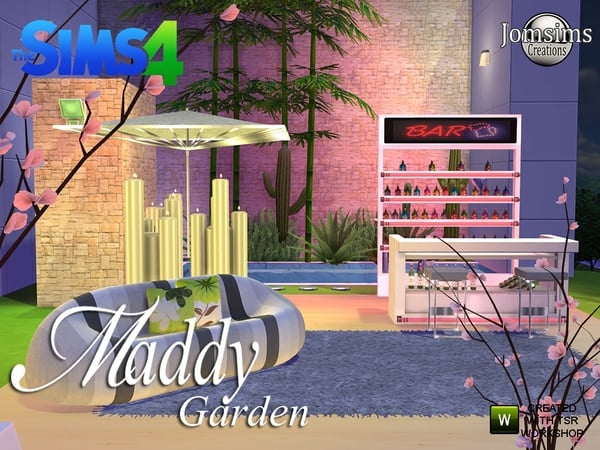
This Set has been brought to you by The Sims Resource member – jomsims!
Here for your Sims 4 a new modern garden set. a modern sofa in 4 colors.1 bar in 3 colors. 1 part 2 for bar metal. 10 bottles to put on bart part 2, i use bb move objects for some bottles but if you don’ t use code bottles place 1. on 2,1 decorative giant umbrella metal and 3 differents texture.1 dining table and stool in misc surface and in 4 colors and metal . giant animated candles in 4 differents colors. Neon light for bar change the colors for the light and place it without code. Light neon x4 and for part 2 bar .place it without code and change the color. 1 sign light for bar part 2 place it without code . all light are in category floor lamp . Candles too. 1 Barstool metal and 3 differents colors.
A modern set for your interiror .Creat your garden corner.
Click on the picture below to download this Set!
Click Here for more information on how to install Custom Content!

SimGurus are holding Ask a Guru sessions every 2 weeks on The Sims Forum, and next week you’ll be able to ask them everything about The Sims 4’s upcoming Luxury Party Stuff Pack.
You’ll be able to submit your questions HERE, May 19th at 11AM PST.
Hi everyone! The next Ask a Guru session will be held on May 19 from 11am-Noon PST. We’ll have Gurus on hand to talk about The Sims 4 Luxury Party Stuff Pack, so get your questions ready!

It’s our 3rd Spotlight and Mysterious Mr Ryan just got under it! Take it away Ryan!

My Name is Ryan, I am a 22 Year old from the Sussex in the South East of England. I am a classic 22 year old, I enjoy going out with my friends, playing games (Mostly the Sims) working on my PC and spending time with my Girlfriend.
– How did you become a Simmer?
I became a simmer from a very young age when my dad bought himself the original Sims game for PC. From there I fell in love with the building aspect. The prospect of being able to design any shape building I wanted, not having to worry about physics or if something was possible opened a world of designs up. My 8 year old self spent many an evening trying to work out how to build an entire house supported on by a single set of stairs!
As the Sims 2 came out I found myself getting older and having less time to put into the game, although the ideas never stopped, and often I would draw little pictures of concept of houses in the back of my work books (Much to the distress of my Maths Teacher, Sorry Mr Mitchell). When the Sims 3 finally came out, I no longer had the time to play the game and design as much as I would have liked, but I was still able to design every now and again on my girlfriends PC, because she owned every stuff and expansion pack. When I saw the trailer for the Sims 4, the old Sims fire restarted and with the new prospects of the game, updated graphics and new items, my brain became a mess of ideas and possibilities. So Mysterious Mr Ryan was born.
– Tell us a bit about your Channel!
I started my Sims 4 channel back in early September with the first video finally being ready to be released at the very end of September 2014. My first build was a replica of the Sanssouci Palace in Germany, this video had some amazing feedback. I took all the feedback on, and shortly after produced my next build ‘The Knights Citadel’ Which is currently my most viewed video on my channel. Since then I have dabbled with the occasional let’s play, but mostly I build on the sims, with the view of building the most over thought, over designed and over engineered builds humanly possible.
Ryan’s YouTube Channel
– Why do you build and make Videos?
I Build, simply for the love of building in the Sims, and I record videos for a few reasons. I upload every video I make to YouTube, and even build to the gallery, but often people want to know less about the final product and want to know more how to make designs themselves. So with all my builds I try to show off different techniques about my builds and different ideas that people can use in their own builds.
– How do you get Ideas for building?
I get my ideas by looking at what other simmers out there have made, if I see a section of a build someone has done, I see potential to do something amazing with, I use it. I also spend many hours looking through google as other builds, or at types of architecture, and finally, I use the world around me. I will often travel down the street and see shape or style, it can range from a whole building, to nothing more than a doorway, but that is sometimes all the spark will need. I will take a little photo on my phone and as soon as I get home (Or sometimes even on napkins in restaurants, needs must and all that) I doodle shapes and floorplans.


– How long does it take you to build and record?
This is a tough one to answer. Every build is very different, and every time I record it honestly depends on how many mistakes I make. It all starts with a design, once I have the design, I begin work on the actual building of it, I have two worlds, a legit world, and a testing world. My legit one is where I actually record, and the testing one consists of all my lots covered in random shapes and floor patterns. I then take screenshots once I am happy and then begin the actual recording. I do the whole record in one take. So if I make any mistakes at all, I assess how big it is and if its too much to edit, I simply bulldoze the lot and start again. The same can be said with my voice overs. They can take me anywhere from 2 to 20+ takes to actually get right, although usually that’s just the opening line and me not being able to say my own name right…
I’m running The Sims 4 Get to Work Giveaway on my Channel so make sure you check it out HERE!
Thank you Ryan for getting under the Spotlight!
You can check out Ryan’s YouTube Channel HERE and make sure you’re following him on Twitter HERE!
Do you want to get under our Spotlight? Contact Us!