

SimSticle has made a beautiful edit out of an existing EA hair. The ponytail is now longer, I really love the look of it. It includes a variety of colors to choose from too.
Click on the image below to download the hair for your game and enjoy!


SimSticle has made a beautiful edit out of an existing EA hair. The ponytail is now longer, I really love the look of it. It includes a variety of colors to choose from too.
Click on the image below to download the hair for your game and enjoy!

SimGuruZephyr uploaded a very familiar household that was featured in The Sims 4’s Arrival Trailer.
To get add this Household into your Game, open The Gallery and Search for ”The Arrival Household” on the search tab. You can also search for SimGuruZephyr‘s account and find it in his/her Catalog.

You may also want to Download other Households from that Catalog as many familiar Sims from Trailers and/or promotional images are uploaded there.


Modern House created by SimsSimmer99
Value: §235,952
Size: 40 x 30
Type: Residential
The perfect little home for your Sims to enjoy. It has a beautiful garden too.
Creators description:
#Sims4 #Modern #House #Family
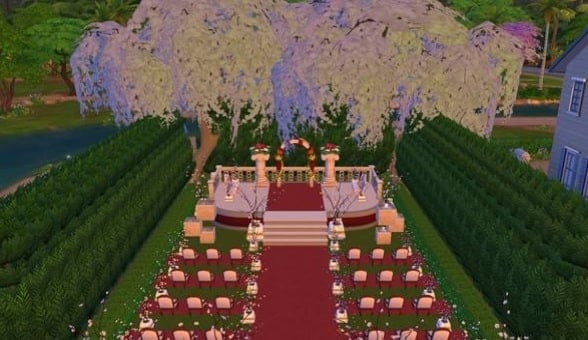
Starblossom Wedding created by silencedtitan
Value: §46,052
Size: 20 x 15
Type: Generic
Now what Sim wouldn’t want to get married here? It’s just lovely. The trees really compliment it all also. 🙂
Creators description:
Here is a romantic wedding venue for you Sims to tie the knot. Please enjoy.

Royal Pink Victorian created by relhcuk1
Value: §270,083
Size: 30 x 60
Type: Residential
This house is just gorgeous to look at and it’s pink! There are 3 bedrooms and 2 bathrooms.
Creators description:
#pink #rosa #victorian #royal #big #beautifull #nice #house #family #sims #cute #flowers #inside #outside #old #sweet
Modster created by Ruanhunter
Value: §453,034
Size: 50 x 70
Type: Residential
I am loving the look of this house! It’s unique and that’s why I fell in love with it. It’s a big house with plenty of space for your Sims. It even has 7 bathrooms!
Creators description:
This is a large 5 bedroom house, Enjoy it and if you feel like it needs more decoration then do so. 🙂

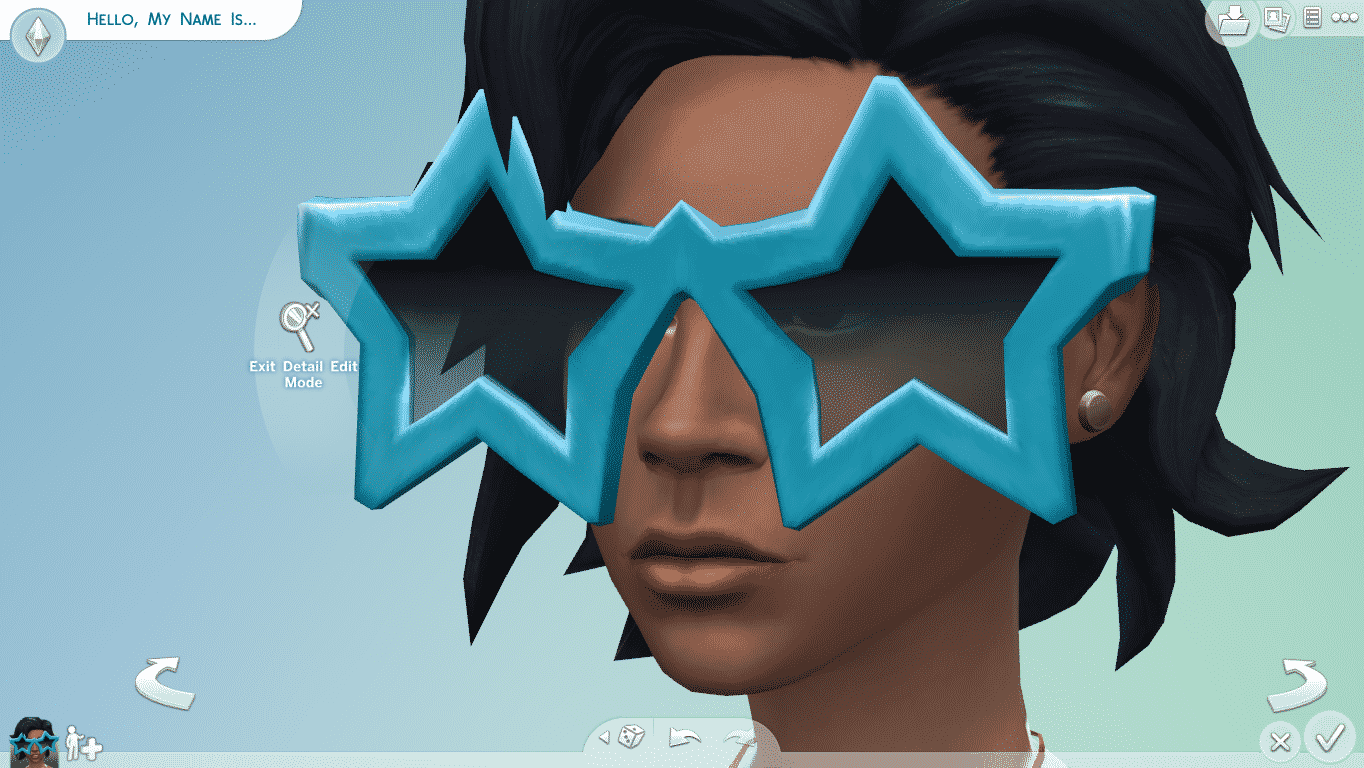
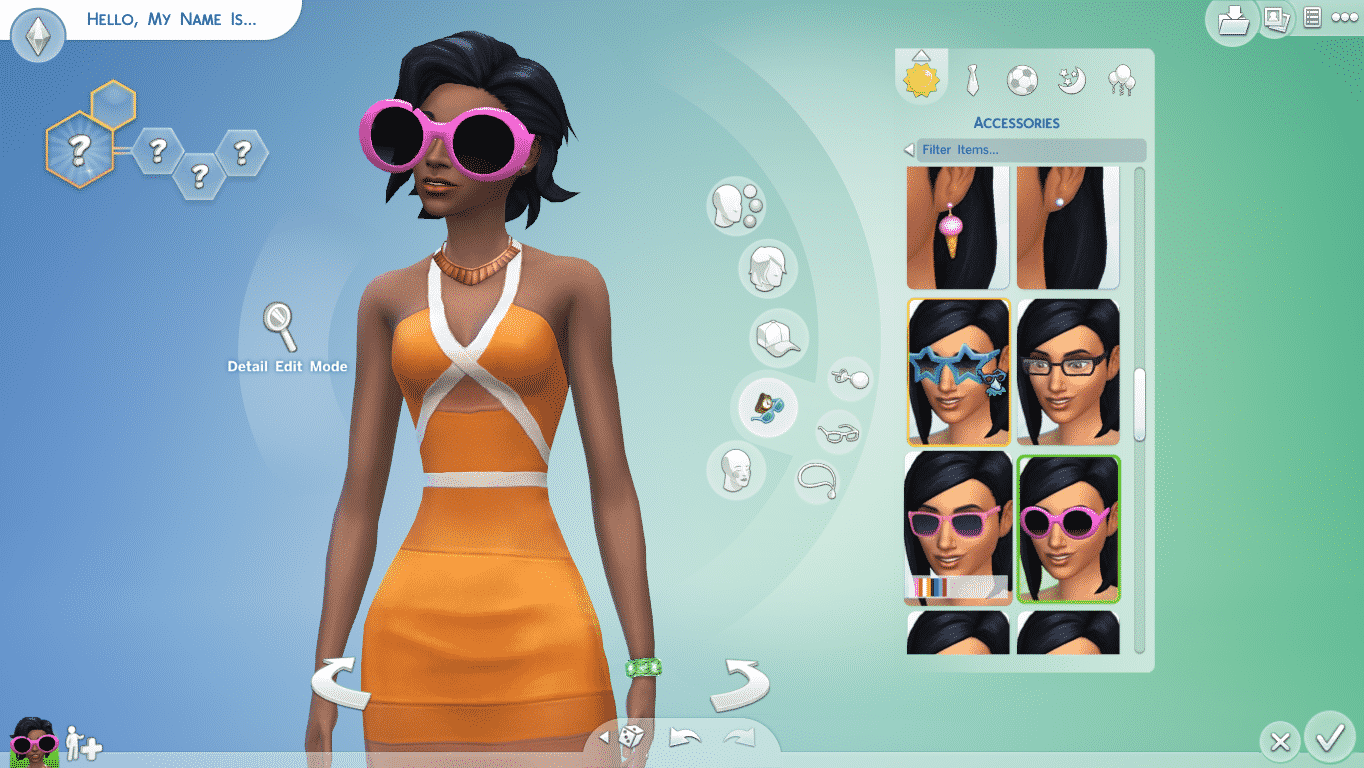
MTS Member EVOL_EVOLVED gave a whole new meaning to Push & Pulling in The Sims 4 Create A Sim! He made 3 Mods that each allow you to change the size of Glasses in a different way. The Small_Glasses mod makes the Glasses thinner, the Big_Glasses mod makes them narrow but big and the Giant_Glasses mod lets you enlarge them completely!
Click Here to download this Mod! (Requires to be registered on MTS)



MTS Member JADGIRL managed to extract 205 Thought and Speech Bubble Icons from The Sims 4 Game Files. If you want to decorate or illustrate your photos, thumbnails, social accounts and something else, these icons are just for you!
Click on the picture below to download these icons (must be registered to MTS)


Ryan Vaughan went to New York to demo the new version of The Sims 4, and with that he also answered some questions by many gaming fansites.
IB Times interviewed Ryan about the future of The Sims 4 and what should we expect from the franchise.
“We just did our first free content update last Tuesday. It added ghosts and some really cool new ‘Star Wars’ outfits. We have a great relationship with Disney and we were excited to be able to bring that stuff into the game,” Vaughan told IBTimes at an EA event in New York City on Wednesday. “We also have pools coming as a free update. We know players wanted this really badly.”
Vaughan wasn’t insulted or surprised by the number of users who openly voiced their dissatisfaction with the game, and that the passion for the series is what inspires him to roll out updates and pay attention to player feedback.
“I’m never really surprised; I’m often more humble or impressed by [how passionate people are]. That people love the ‘Sims’ so much and care so much about it. It makes my job so much more fun, honestly,” he explained. “At the end of the day, we want to make a game that people want to play. It’s almost more meaningful that way, that want to be vocal about what they want in the game. That’s what makes it special and keeps it fresh.”
Vaughan says EA wants to continuously add new, free content to “The Sims 4” while retaining and catering to its hardcore fan base.
“The hardest part about releasing a new game is that we’re essentially competing against ourselves. ‘The Sims 4’ is the last five years of content and expansions we’ve made for the game. We want to take the game and improve it and make it a new fun game while still retaining that core and adding a new element.”
How can players let EA know what they want to see in “The Sims 4”? Is the Redwood City, California-based developer actually paying attention to what they have to say?
“We’re already listening to fans and I want to encourage them to keep telling us things, keep yelling at us online. We love that. Not just from a business perspective; I’m a video game developer and I want to make the most fun game possible. Keep up what you’re saying and tell us what you want.”

After typing over 10,000 Words (12,548 Words to be more precise), I finally managed to complete our Career Guide for The Sims 4!
This Guide includes everything you need to know about your Sim’s work time, pay, bonus objects, rooms and other content they unlock, what does it take to earn a promotion and much, much more!
I also added a Tab just for Teen Careers. Although they only have 3 Levels each, Teens can still earn a good amount of money.
Click on the picture below to check out this guide.
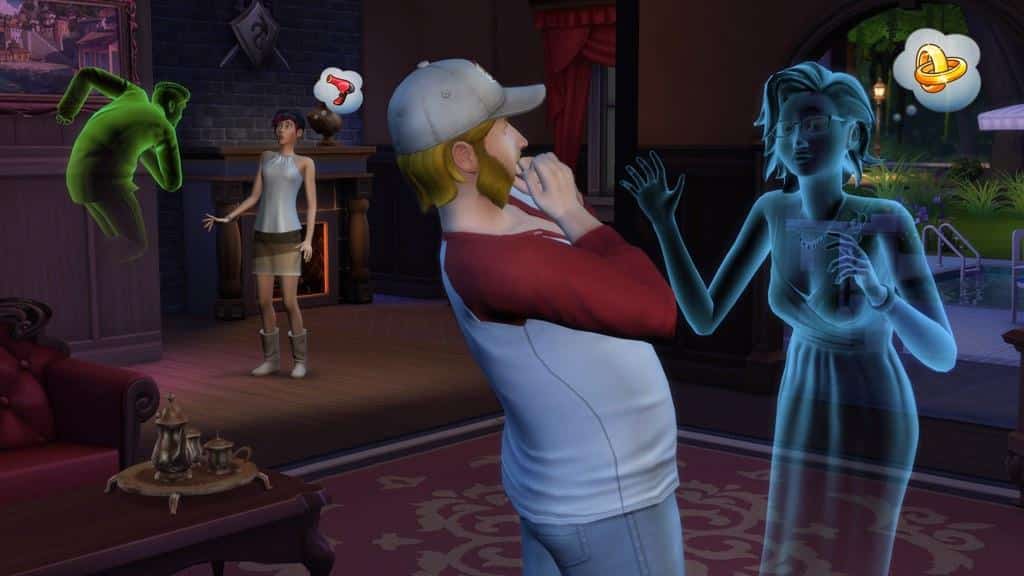
SimGuruShannon tweeted a very interesting pic showing not just ghosts, but also pools in The Sims 4! (right side of the pic)
Check out my ghosts!! What do yours look like??

Meline created a few recolors to this dress and they look awesome! Whether you’re a fan of My Little Pony or not they are lovely. 🙂
Click the image below to go straight to the download.

Click on the picture below to redeem Dragon Age: Origins for Free! Offers ends on 14th of October.

Making beautiful screenshots in The Sims 4 is a bit difficult when your Sim’s plumbob and other Sims’ thought and speech bubbles keep popping everywhere.
This can be easily solved without editing the game files. Since the new patch that released on 1st of October, not only that your Thought and Speech Bubbles go away with a certain cheat, but now your Sim’s Plumbob disappears as well!
To make all those things go away above your Sims’ head, press CTRL + Shift + C and enter the ”headlineeffects off” cheat! (headlineeffects on if you want to turn it back on)

Now your Screenshots will be much more beautiful!


Websites such as The Sims Resource and Mod The Sims are great providers of Custom Content and Mods for any The Sims Game. Creators from those websites have already started releasing content for The Sims 4.
Although it seems simple, some simmers still don’t know exactly how to install downloaded content they found online.
First of all, you’ll need a Mod or CC file to begin with. If the file you downloaded is in .zip or .rar format, extract it so that you only have a .PACKAGE file.
Now, copy that file to DocumentsElectronic ArtsThe Sims 4Mods.
You can keep track of all your Mods in that folder, or you can see which ones function properly/have applied correctly by opening The Sims 4 > Settings > Other panel. From there you can Enable/Disable Script Mods (use with caution) or you can just View your Mods.


If you find prices on Ebay of The Sims 4 Collector’s Edition too expensive (which they are), GAME still has this limited version of the game in stock.
Price is still the same and if you live in UK, you can get the game delivered to you for free!
Click on the picture below to check out this offer!

Amazon now made The Sims 4 Limited and Premium Edition 10$ cheaper, meaning that The Sims 4 Limited Edition now costs 49,42$ and The Sims 4 Premium Edition costs 69,99$.
Click on the picture below to check out these offers!
