The Sims Team releases a new The Sims 4 Update – packed with features and bug fixes!
The latest Sims 4 Update has just been officially released across Computer and Console supported platforms. Including PC, Mac, Xbox and Playstation supported platforms and consoles.
When it comes to Sims 4 bug fixes, you should finally expect the Black Photos bug issue to be resolved. More fixes have been announced already in last week’s Sims 4 Laundry List, including changes to game code that modders should know!
Table of Contents
The Pre-Royalty Update
Installing the Latest Sims 4 Update
You can get the latest The Sims 4 Update on the following official launchers and platforms:
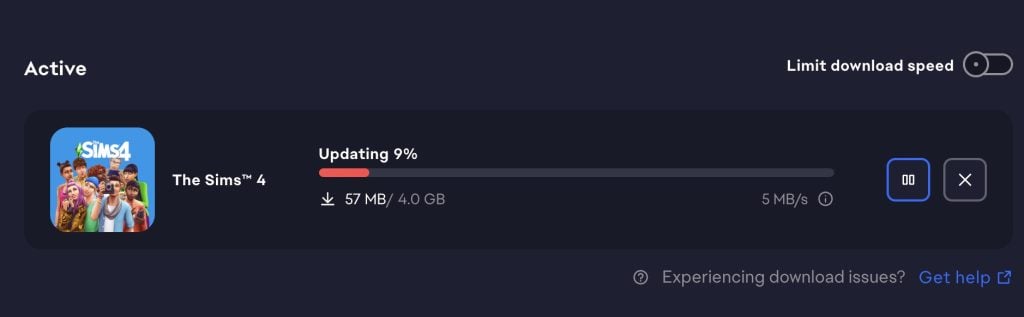
You can download the latest Sims 4 Update by checking for a Patch through the EA App, Steam or Epic Games launcher for Desktop. If you have Automatic Updates enabled the update will automatically download through your client program. In case your EA App is not working properly ensure you’ve cleared your app cache!
If you play The Sims 4 on Xbox Series X / S and Playstation 4 and 5 you can request a new update by checking for updates under The Sims 4 game in the Main Menu. If you’ve enabled automatic updates the Patch should download right away.
There’s also a handy official guide to Mods and CC maintenance, as well as backing up your Saves! Click here to learn all about healthy upkeep of your The Sims 4 files.
Official The Sims 4 Patch Notes
Update 2/3/2026
PC: 1.121.342.1030 / Mac: 1.121.342.1230
Console: Version 2.28
Sul Sul Simmers, and Bok, Ciao, Cześć, Dia Dhaoibh, Guten Tag, Hallo, Hola, Hej Hej, Helô, Moikka, Привіт, Salut, Salutare, Salve, Sveiki, Merhaba, Tungjatjeta, здравей, 你好, こんにちは, and Hello from around the world! Are you ready to elevate your game experience with a wave of new features and gameplay additions? Then let’s take a look at what this latest The Sims 4 free base game update has in store for you!
-The Sims 4 Team
What’s New in The Sims 4?
Family Tree Updates!
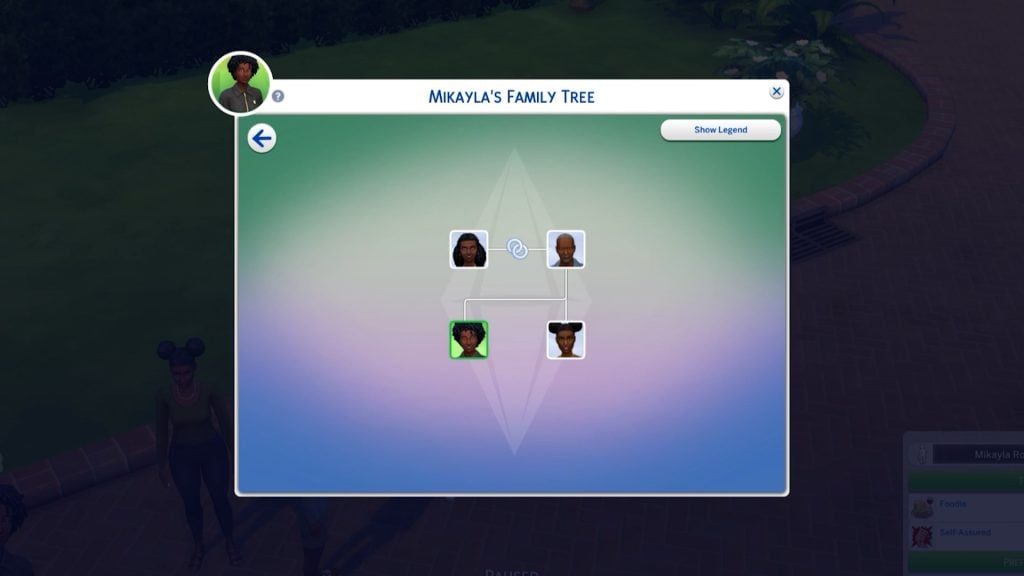
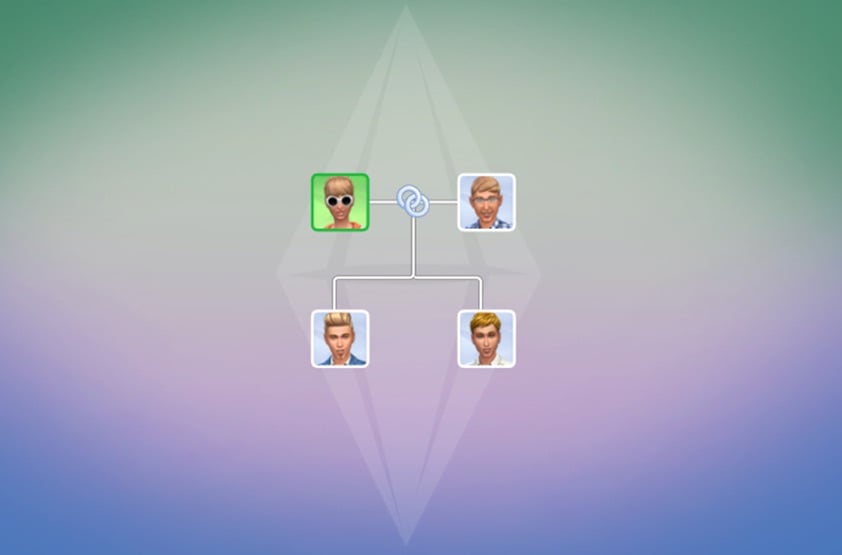
The Family Tree has been updated to expand how you experience and tell Sims’ family stories. Your Sims now have relationship labels for in-laws, half siblings, great grandparents, and more! Extended family members will also be shown in the family tree. Players can also choose whether adopted Sims are labeled as such in the Family Tree.
New relationship labels include: Mother-in-Law, Father-in-Law, Sister-in-Law, Brother-in-Law, Daughter-in-Law, Son-in-Law, Distant Relative, Distant Relative-In-Law, Half-sister, Half-brother, Stepmother, Stepfather, Stepdaughter, Stepson, Great-grandmother, Great-grandfather, Great-grandson, Great-granddaughter, Parent’s Cousin, Cousin’s Child, Grandniece, Grandnephew, Grand-aunt, Grand-uncle, Ancestor, Descendant, and Relative-In-law. Divorced has a new name: Ex-Spouse, and Deceased Spouse has a new name: Late Spouse.
Close relatives are prohibited from being romantically involved. This prevents autonomous flirting between In-Laws or Step-relatives.
Flared Staircases!
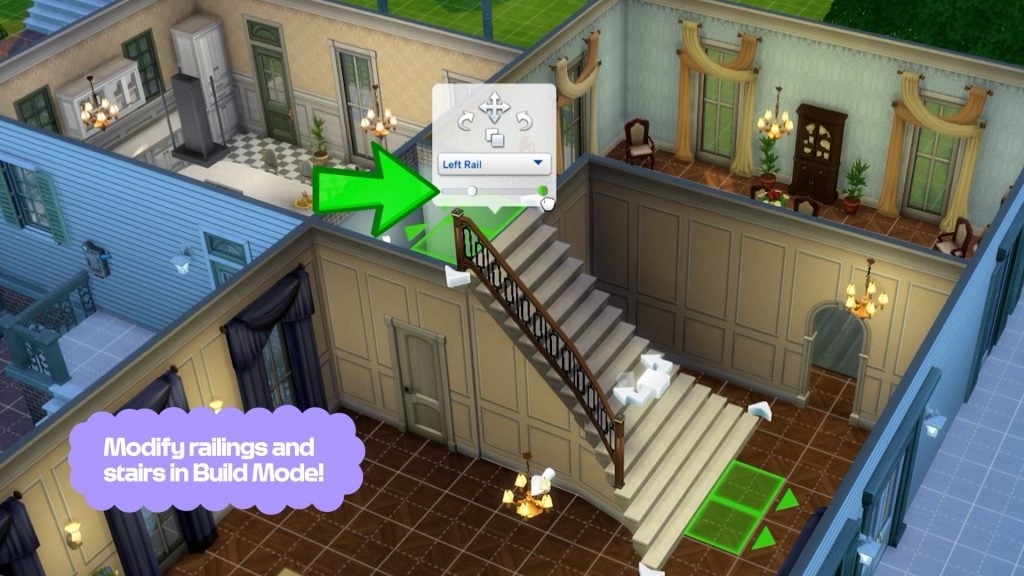
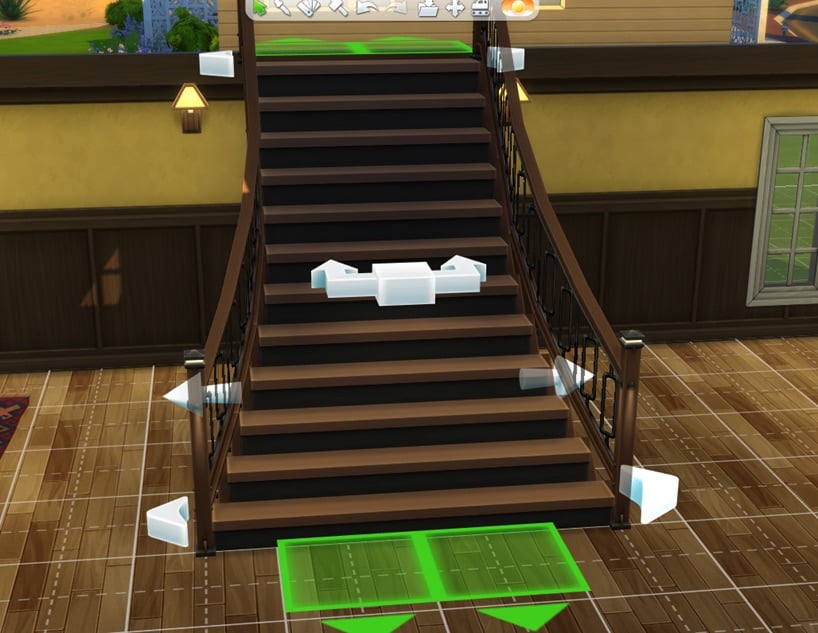
Get ready to create grand looking staircases! Now, you can widen the top or bottom of a staircase (symmetrically or asymmetrically) to give your builds a touch of elegance. Additionally, stair rails can now be applied to only one side of a staircase and we’ve added a slider to change the length of the rail.
Here’s a an article link to more in-depth descriptions of the updated Family Tree and Flared Staircases.
Create a Sim
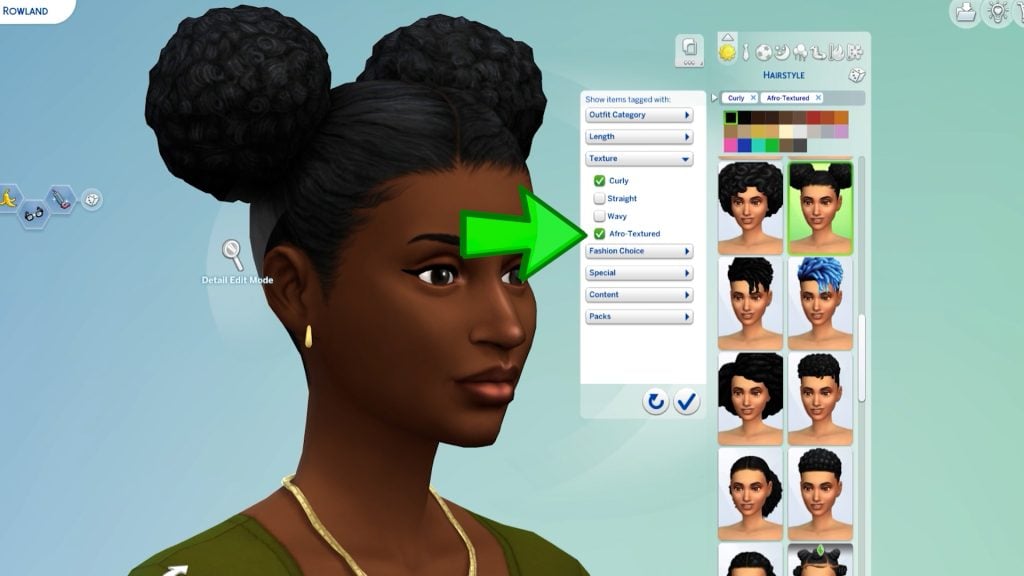
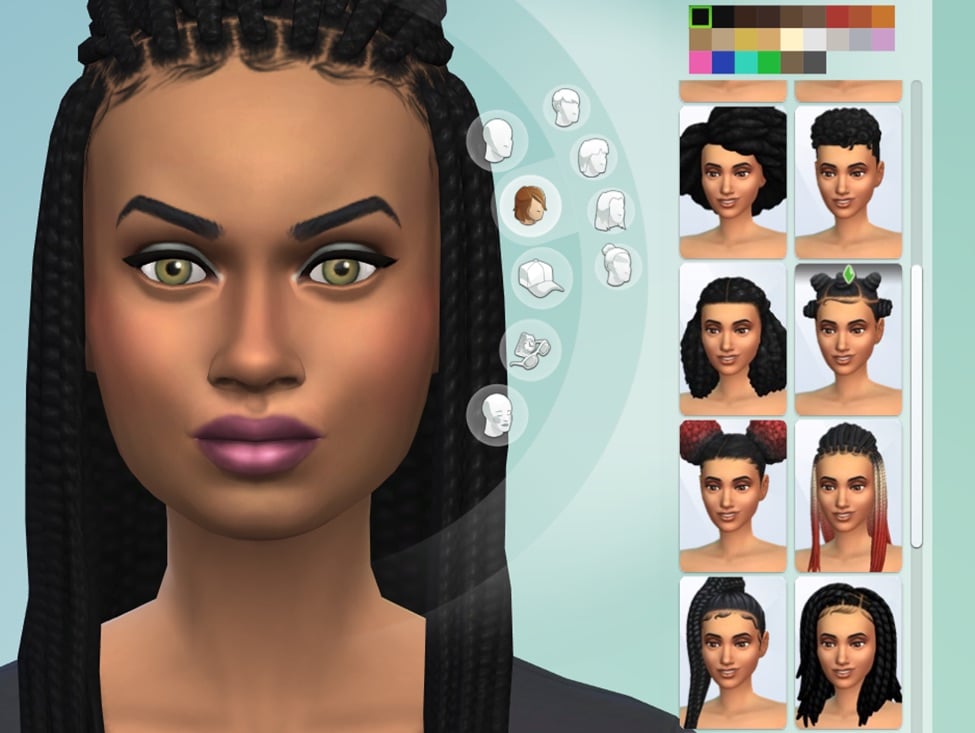
Afro-Textured and Curly Hair Filters:
Africana Style Filter:
A new style filter, Africana, has been added to the game. This style filter makes it easier to sort and find African-inspired items in Create a Sim and Build Mode.
New Jewel-toned Nails:
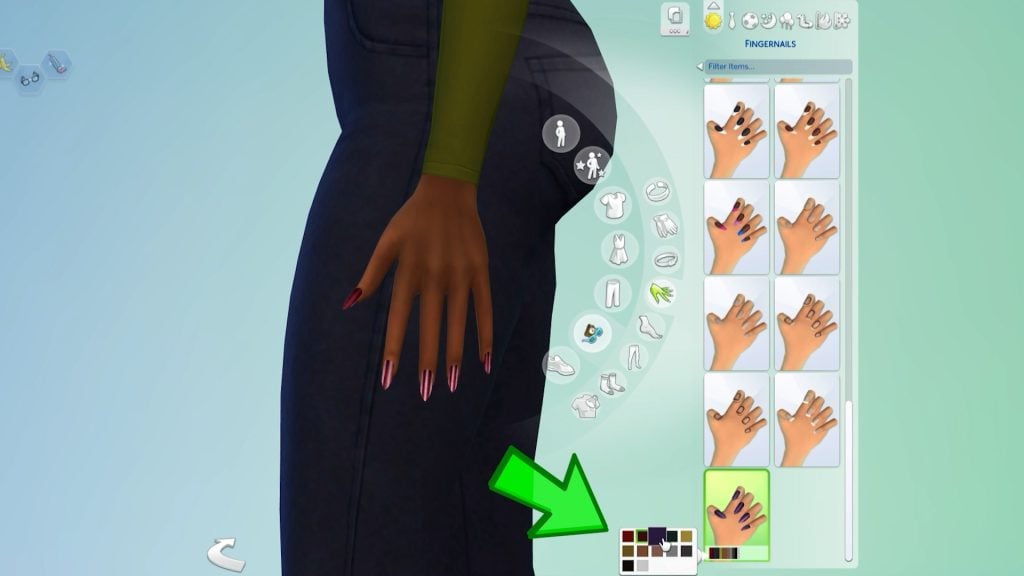
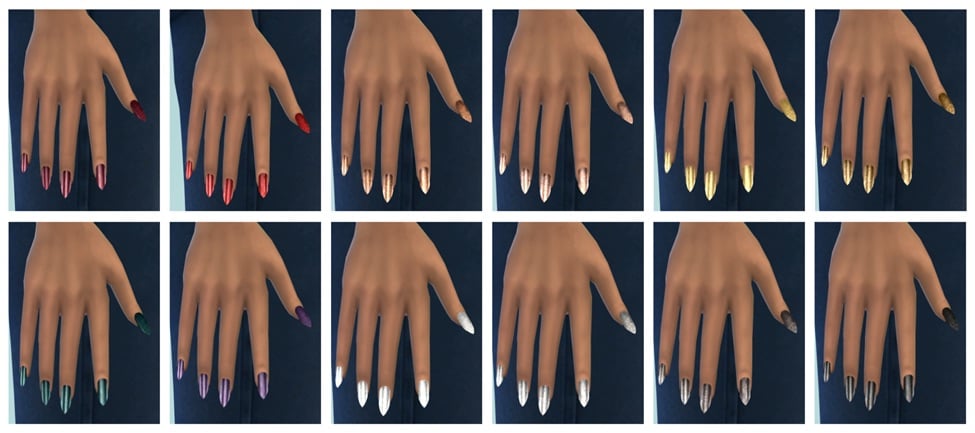
12 new luxurious jewel-toned and metallic almond-shaped Nails have been added to Create a Sim.
Lost Legacies Event
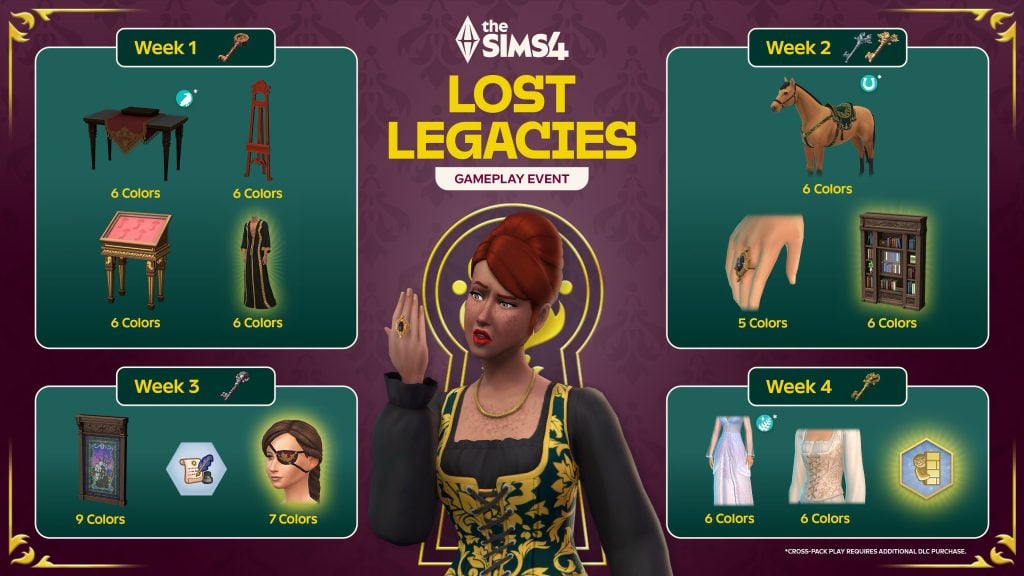
Embark on a whirlwind adventure in the Lost Legacies Event as your Sim is swept into a royal treasure hunt, sparked by the arrival of a mysterious royal emissary. Play now through March 16th!
Uncover Lore: From exploring the artistic legacy of the Dambele family to unraveling the romantic secrets of the Bellacorde family and decoding the legendary tales of Princess Cordelia, explore the lost legacy of the three prestigious families from The Sims 4 Royalty & Legacy Expansion Pack.
Free Limited Time Rewards: Unlock a trove of treasures each week, from collectable skeleton keys that complete quests, a cursed ring with dangerous consequences, a vengeful aspiration, new lot trait, and more. Each reward is special and brings you closer to the noble families, has a unique aesthetic, or adds a new way to play.
Active Quests: Your Sim will dive into lively debates, master new skills and chase clues across museums, nightclubs, libraries and hidden grottos.
New Kits for your Sim’s Realm
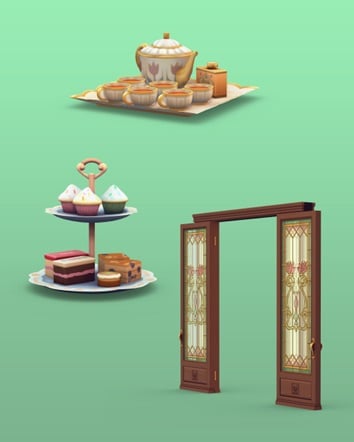
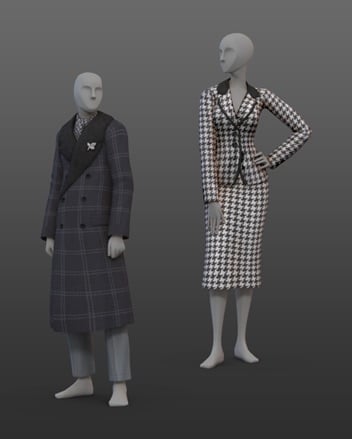
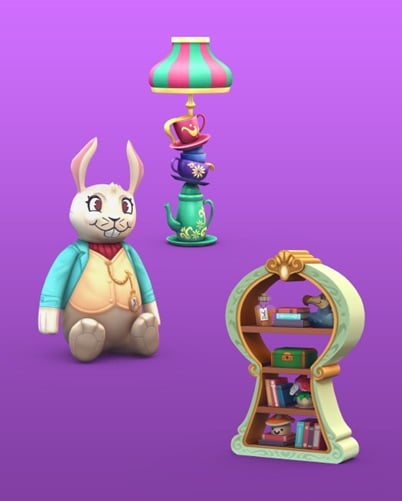
Step into a world of imagination, elegance, and drama! Whether you’re dreaming of picture-perfect tea parties or silver screen inspired style, these Kits are ready to inspire new stories, Sims, and builds!
The Sims™ 4 Silver Screen Style Kit and The Sims™ 4 Tea Time Solarium Kit will be available for purchase individually February 12, 2026 and are included for free in the Royalty & Legacy Grand Bundle through March 15, 2026.
Step into a whimsical playroom with The Sims™ 4 Wonderland Playroom Kit and build a charming yard with our latest Creator Kit: The Sims™ 4 Yard Charm Kit, created by Ravasheen.
[EA Forums] Resolved an issue that caused photos to turn black, discovered after the January 13th Base Game update.
[EA Forums] Fixed additional instances of an issue where entering and exiting Build Mode during Scenarios with goals would cause the UI to disappear or the game to become unresponsive.
[EA Forums] Book covers for Baking, Wellness, Snowboarding, Rock Climbing, Herbalism and Photography books should no longer change when placed on retail displays. Fabrication and Mixology skill books no longer have the same book cover.
[Bug Archive] Resolved an issue where Sims’ Great Grandparents incorrectly had romantic interactions available to them with extended family members.
[Bug Archive] Resolved an issue where Sims didn’t complete the “Dance With Someone” goal at Prom, preventing a Gold Event rating.
[Bug Archive] Upgraded vacuums now work in the “Off the Grid” Lot type.
Build Mode
[EA Forums] Resolved an issue that could prevent room type assignments in Build Mode.
[EA Forums] Simple Slattered and MasterCraft staircases no longer have an extra board when placing L-shaped stairs.
Create a Sim
[EA Forums] Fixed a UI issue in Create a Sim that was preventing elements from displaying in Turn-Ons and Turn-Offs, as well as the Like and Dislike buttons.
[EA Forums] Editing Merfolks or Aliens in Create a Sim should no longer cause a game crash.
[EA Forums] Resolved an issue causing nail asset (yfAcc_ManiNaturalShort_SolidDirt) to cause a metallic effect to the entire body.
[Bug Archive] Resolved an issue causing nail assets (yfAcc_ManiGP12Forest and ymAcc_ManiGP12Forest) to show lines around the upper arm on Sims.
Third Patch Info
If you’ve downloaded the first and the second update, you’ll have to download the third Sims 4 Update as well. If you’ve downloaded any of the two you’ll get the new Update waiting for you. This third release for the Patch should be final and resolve any previous game issues.
New Statement from EA_Cade
Simmers, We’re aware that some of you are experiencing issues with today’s Base Game Update. We know how disruptive this can be, and our teams are actively working on it. We’ll share next steps as soon as we have more information.
Thanks for your patience, The Sims 4 update is rolling out now. If you haven’t updated yet, please do. If you started to update earlier, you may need to clear your cache to see the correct update.
Official Statement from Community Manager on Second Update
The official Sims Team has acknowledged the issue over on their Discord platform. Stating that they’re currently looking into issues that triggered this.
I’ve reported the reverted update issue to our team and looking to get information soon to share with yall
SimDevShawnee
Community Theories
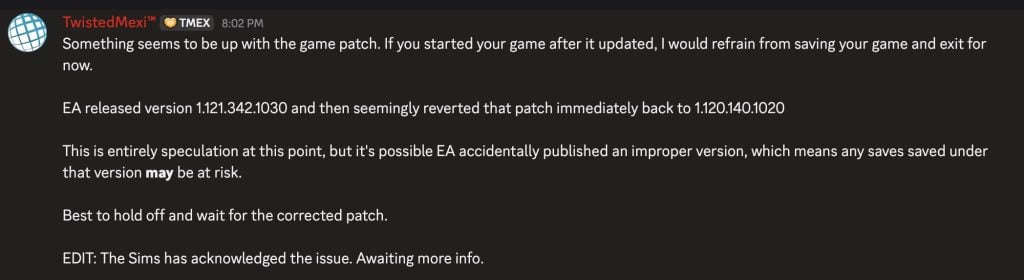
The Sims 4 Modder TwistedMexi posted the following theory about what could’ve gone wrong with the latest Sims 4 Update. Stating that although just speculation, EA may have accidentally published an improper version of The Sims 4 with the update. With an assumption that there’s going to be a new statement released soon.
Something seems to be up with the game patch. If you started your game after it updated, I would refrain from saving your game and exit for
EA released version 1.121.342.1030 and then seemingly reverted that patch immediately back to 1.120.140.1020
This is entirely speculation at this point, but it’s possible EA accidentally published an improper version, which means any saves saved under that version may be at risk.
Best to hold off and wait for the corrected patch.
DOUBLE WARNING: The second Patch will break your game.
The best thing you can do is to delete the gameversion.txt file in Electronic Arts > The Sims 4 save file folder.
DO NOT UPDATE, THIS SECOND PATCH REVERTS THE UPDATE NOOOOOO but if you fell in already, u need to only delete the gameversion.txt file in ur documents folder not the entire folder
WARNING: There is a second Sims 4 Patch issued just now! If you downloaded the first update you will have to download the second one to have the latest version. If you didn’t download the first update, the Patch will be merged into one.
What happened?
Player @Simmattically also noticed the double patch release, pointing out that the game version reverted from 1.121 (which was the initial update) to 1.120 (the second game update). Stating that they can’t launch the game with the second update.
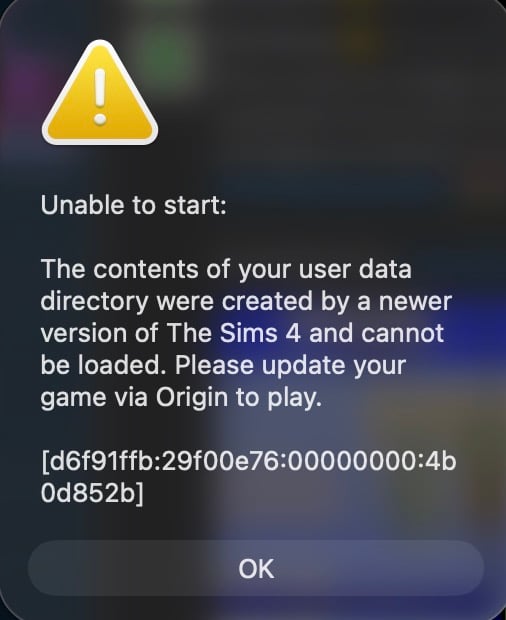
What the hell is Maxis doing? They released game update number 1.121 today, and just a few minutes ago, another update was released. But this time the game reverted to version 1.120. The game doesn’t even launch. (You must clear your Sims 4 folder in the Documents first.)
Inside the Sims 4 Documents folder, there is a gameversion.txt file that stores the last played game version. They reverted the update from 1.121 back to 1.120, so if the newer version is recorded in that file, the game will refuse to launch. You can simply delete that one file and the game should start, but I wouldn’t touch any save files if they were already saved while on version 1.121.
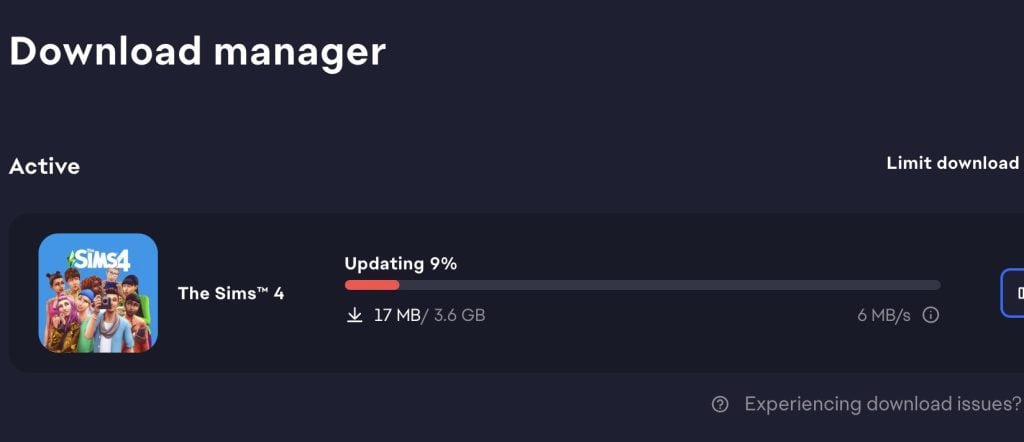
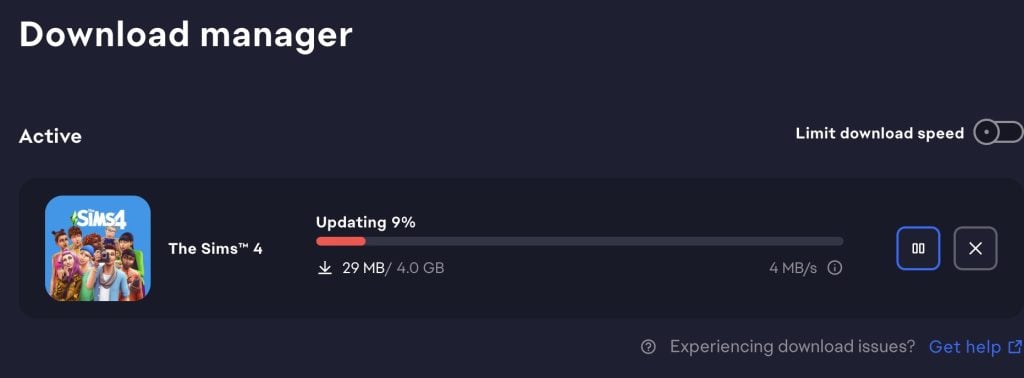
The latest Sims 4 Update is around 4GB on Mac devices.
What’s your experience so far with downloading and playing the latest Sims 4 Update? Let us know in the comments below and stay tuned for latest coverage on new game features!
Reticulating splines as a webmaster for Sims Community over the last 12 years. You can find me here writing articles and doing reports on your favorite life sim games, among other things!
Our community is about connecting people through open and thoughtful conversations.
We want our readers to share their views and exchange ideas in a safe space.
In order to do so, we’ve created a simple set of rules that will improve your experience.
Simply put, keep it civil.
Your post will/might be rejected if it contains:
Spam
Insults, profanity, incoherent, obscene or inflammatory language and threats of any kind
Attacks on the identity of other commenters or the article’s author
User accounts will/might be blocked if we notice:
Continuous attempts to re-post comments that have been previously moderated/rejected
Racist, sexist, or homophobic comments
Attempts or tactics that put the site security at risk
So, how can you be a power user?
Stay on topic and share your passion. Feel free to elaborate to get your point across.
‘Like’ or ‘Dislike’ when you are filled with emotions!
Protect your community. Use the report tool to alert us when someone breaks the rules.
Thanks for reading our community guidelines. Please note that we're aware of certain issues with Sign In / Log In and Create Account / Email Confirmation issues. We're working behind-the-scenes on a new Account Creation process. Thank you for your patience and remember - freedom of speech is not freedom of reach!
Do you really think people from EA read these comments and then push them into the backlog for future developments? They barely do what people ask on their official forum.
These suggestions can be added to the ‘EA Forums’ if this helps.. This website does not work for EA, it only updates on latest Sims news. No worries.
Last edited 2 months ago by xImmortalMindsx
CrazySimmer
2 months ago
Do we know if the that version error only occurs if you downloaded the first patch and the second separately (you updated immediately when the patch live)
Glad I opened my game this morning to avoid the patch sigh
MARTY
2 months ago
WHAT IS HAPPENING? I DID THE FIRST UPDATE AND THEN THE SECOND I FIXED NOT NOT STARTING THING AND NOW MY GAME IS BACK TO PREPATCH?! WHICH IS FINE CUZ IT BROKE MY MODS BUT NOT SURE WHAT TO DO NOW LOL.
There is a list somewhere on the official EA forums I think and most mod developers have a SM account, patreon, and/ or website where they make update announcements.
overthis
2 months ago
On my third “you need to update your game” does anyone know if it works now?
It’s out and no more statements have been made yet so I believe it’s “safe” but make sure to back stuff up if you can before you play! And have fun!!!
Reese
2 months ago
will this update help with high school years? I have tried everything on the forms and my teens have yet to go to prom. it doesn’t even show up on the calendar.
Maja
2 months ago
My game starts, but I can’t get to play with my household. What do I do?
LZZCHAI
2 months ago
Yeah, my sims won’t complete an action and yes I just tested with/ without mods. 🙁 At least with inzoi I can take turns between the two but hopefully they’ll fix the game. I still play the sims more because it’s more established in game play and I love the cosmetic mods I have.
sim
2 months ago
For me, on xbox series x console, the amount of glitchiness from this update would have been worth it if they finally added spiral staircases…
Another round of Marketplace Maker packs has arrived, with Thursdays seemingly becoming the regular day for Maxis and EA to update the in-game store. This time...
Cozy Coffee and Modern Basics Sims 4 Maker Packs have just hit The Marketplace!
ARTICLE UPDATE: The Sims 4 Cozy Coffee Maker Pack has been updated to a new ...




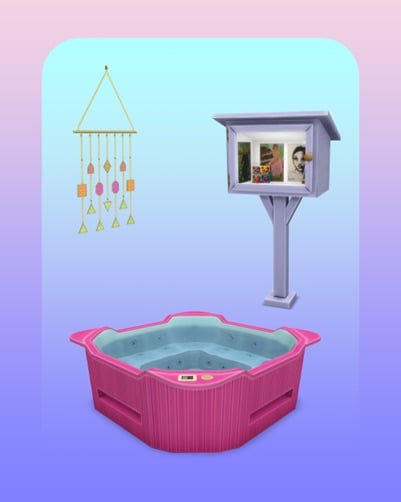



can y’all add more tattoo designs, hairstyles & clothing options. Maybe even tongue piercings & nose piercings
Do you really think people from EA read these comments and then push them into the backlog for future developments? They barely do what people ask on their official forum.
These suggestions can be added to the ‘EA Forums’ if this helps.. This website does not work for EA, it only updates on latest Sims news. No worries.
Do we know if the that version error only occurs if you downloaded the first patch and the second separately (you updated immediately when the patch live)
Glad I opened my game this morning to avoid the patch sigh
WHAT IS HAPPENING? I DID THE FIRST UPDATE AND THEN THE SECOND I FIXED NOT NOT STARTING THING AND NOW MY GAME IS BACK TO PREPATCH?! WHICH IS FINE CUZ IT BROKE MY MODS BUT NOT SURE WHAT TO DO NOW LOL.
They are aware and looking into it expect another patch today (fingers crossed) or tomorrow.
Is just me or the update is not showing on the EA App? I don’t see the option to update, just to play the game as usual.
I already deleted the cache from the EA App, but nothing. Any ideas?
Same for me as well
Same for me. Trying repair option now as deleting cache also didn’t seem to work.
Same here, I don’t have the update displayed, I’ve tried everything, I don’t have the update available.
Try force closing both the ea app and background service if that doesn’t solve it they may have pulled the patch…
The Sims posted on X that the update is bugged and that they are investigating it. And of course is no longer available.
So I actually dodged a bullet
Anyway, thanks for your help.
Figured that’s what happened. Glad they made sure to pull it.
The patch is back and live again
It’s not showing for me either. I suspect that EA took it down.
And their incompetence just keeps on giving. What a mediocre group of developers.
I would trust this modder:
Guess they wanted expansion packs to go out with a bang lol (assuming the RUMORS are true)
i really hope they give us the game early now lol we deserve it after the last few disasters
I can’t even download the update
There is a severe bug in the patch so EA has pulled it, it seem.
WHAT? You can’t have relationships with in-laws? Damn! That was prime time drama!
lol
My game is so messed up
Please close without saving the patch is bugged EA is aware and another patch is expected soon!
lol ea is such a joke.
we need more infant items and toddler clothes and shoes and just more thing for kids
There’s gotta be a line where higher ups can’t be blamed and we start to question the skill of the devs.
Are there any tips or a how-to check compatible mods for this new version? so we can safely play all of saved game before this version updated
There is a list somewhere on the official EA forums I think and most mod developers have a SM account, patreon, and/ or website where they make update announcements.
On my third “you need to update your game” does anyone know if it works now?
Yes, but I suggest proceeding with caution given how it’s all gone so far lol.
Is the third update released yet? I’m itching to play my game but I’ll do my best to hold off if it’s not out yet.
It’s out and no more statements have been made yet so I believe it’s “safe” but make sure to back stuff up if you can before you play! And have fun!!!
will this update help with high school years? I have tried everything on the forms and my teens have yet to go to prom. it doesn’t even show up on the calendar.
My game starts, but I can’t get to play with my household. What do I do?
Yeah, my sims won’t complete an action and yes I just tested with/ without mods. 🙁 At least with inzoi I can take turns between the two but hopefully they’ll fix the game. I still play the sims more because it’s more established in game play and I love the cosmetic mods I have.
For me, on xbox series x console, the amount of glitchiness from this update would have been worth it if they finally added spiral staircases…