
Home Blog Page 423

The Sims 4 Gallery Spotlight: Kitchen & Dining

header_logo_en

Looking for some new Rooms for your Sims to eat and hang out – at the same time? Look no further! These are our favorite Kitchen & Dining Rooms for The Sims 4 created in the last couple of days.

Hover over the pulsing plumbobs to see screenshots of marked areas. Pulsing plumbob that’s on the left bottom corner contains all the info (and download link) of the lot.

To see more of our previous Gallery Spotlights, CLICK HERE!

[ult_hotspot main_img=”id^48200|url^https://simscommunity.info/wp-content/uploads/2016/04/04-29-16_10-17-22-PM.jpg|caption^null|alt^null|title^04-29-16_10-17-22 PM|description^null”][ult_hotspot_items icon_type=”custom” icon_img=”37721|https://simscommunity.info/wp-content/uploads/2015/08/plumhotspot.png” img_width=”26″ tooltip_custom_color=”#1e73be” tooltip_custom_bg_color=”#ffffff” tooltip_width=”500″ enable_bubble_arrow=”off” tooltip_continuous_animation=”on” tooltip_font_size=”desktop:12px;” tooltip_font_line_height=”desktop:18px;” hotspot_position=”9.766476034858387,48.638556985294116″ tooltip_custom_border_size=”border-style:solid;|border-width:2px;border-radius:5px;|border-color:#81d742;”]

04-29-16_10-17-29 PM

[/ult_hotspot_items][ult_hotspot_items icon_type=”custom” icon_img=”37721|https://simscommunity.info/wp-content/uploads/2015/08/plumhotspot.png” img_width=”36″ tooltip_custom_color=”#1e73be” tooltip_custom_bg_color=”#ffffff” tooltip_width=”500″ enable_bubble_arrow=”off” tooltip_continuous_animation=”on” tooltip_font_size=”desktop:14px;” tooltip_font_line_height=”desktop:18px;” hotspot_position=”86.58058681672026,3.25497287522604″ tooltip_custom_border_size=”border-style:solid;|border-width:2px;border-radius:5px;|border-color:#81d742;”]

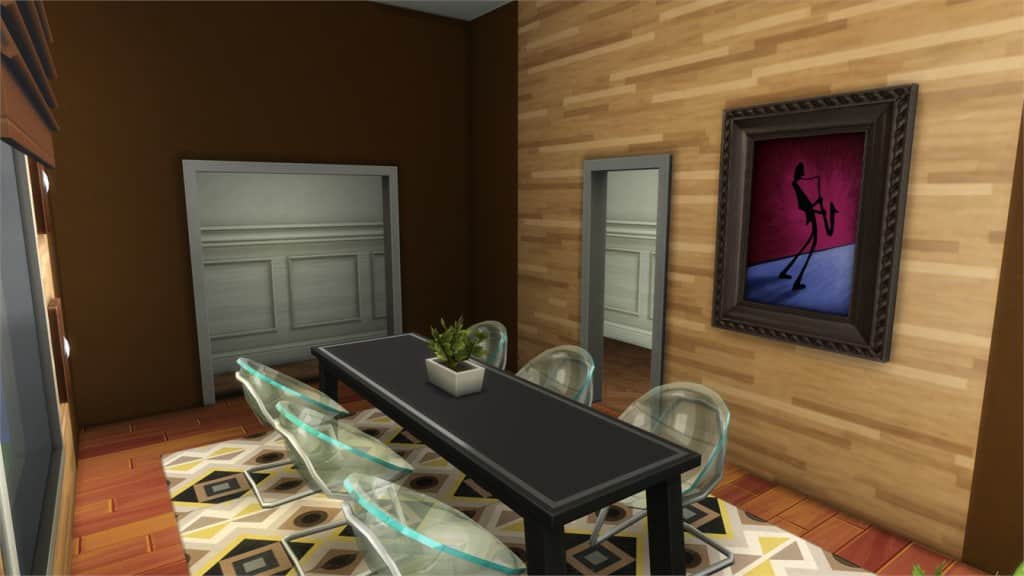
Modular2 (Download Here)

by karoas99

Value: §19,166
Size: 5×8
Room Type: Dining Room
Required Packs: Get to Work, Perfect Patio, Spa Day, Cool Kitchen, Get Together[/ult_hotspot_items][/ult_hotspot][ult_hotspot main_img=”id^48202|url^https://simscommunity.info/wp-content/uploads/2016/04/04-29-16_10-18-22-PM.jpg|caption^null|alt^null|title^04-29-16_10-18-22 PM|description^null”][ult_hotspot_items icon_type=”custom” icon_img=”37721|https://simscommunity.info/wp-content/uploads/2015/08/plumhotspot.png” img_width=”26″ tooltip_custom_color=”#1e73be” tooltip_custom_bg_color=”#ffffff” tooltip_width=”500″ enable_bubble_arrow=”off” tooltip_continuous_animation=”on” tooltip_font_size=”desktop:12px;” tooltip_font_line_height=”desktop:18px;” hotspot_position=”18.702342047930284,38.37699142156863″ tooltip_custom_border_size=”border-style:solid;|border-width:2px;border-radius:5px;|border-color:#81d742;”]
04-29-16_10-18-36 PM

[/ult_hotspot_items][ult_hotspot_items icon_type=”custom” icon_img=”37721|https://simscommunity.info/wp-content/uploads/2015/08/plumhotspot.png” img_width=”36″ tooltip_custom_color=”#1e73be” tooltip_custom_bg_color=”#ffffff” tooltip_width=”500″ enable_bubble_arrow=”off” tooltip_continuous_animation=”on” tooltip_font_size=”desktop:14px;” tooltip_font_line_height=”desktop:18px;” hotspot_position=”86.58058681672026,3.25497287522604″ tooltip_custom_border_size=”border-style:solid;|border-width:2px;border-radius:5px;|border-color:#81d742;”]
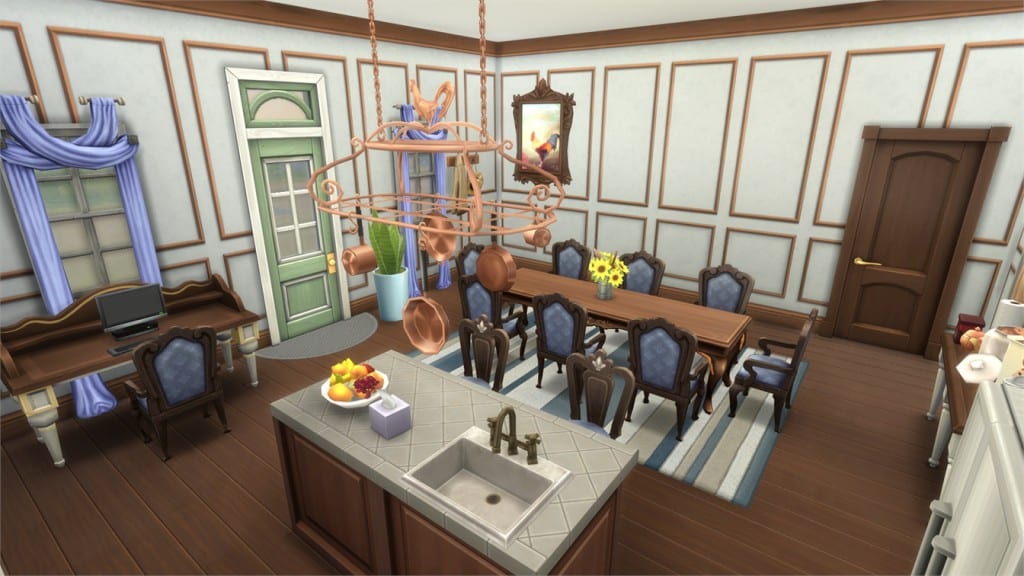
Authentic Salle A Manger (Download Here)

by azizbarouni

Value: §26,596
Size: 10×7
Room Type: Dining
Required Packs: None[/ult_hotspot_items][/ult_hotspot][ult_hotspot main_img=”id^48204|url^https://simscommunity.info/wp-content/uploads/2016/04/04-29-16_10-20-13-PM.jpg|caption^null|alt^null|title^04-29-16_10-20-13 PM|description^null”][ult_hotspot_items icon_type=”custom” icon_img=”37721|https://simscommunity.info/wp-content/uploads/2015/08/plumhotspot.png” img_width=”26″ tooltip_custom_color=”#1e73be” tooltip_custom_bg_color=”#ffffff” tooltip_width=”500″ enable_bubble_arrow=”off” tooltip_continuous_animation=”on” tooltip_font_size=”desktop:12px;” tooltip_font_line_height=”desktop:18px;” hotspot_position=”8.826933551198257,42.03814338235294″ tooltip_custom_border_size=”border-style:solid;|border-width:2px;border-radius:5px;|border-color:#81d742;”]
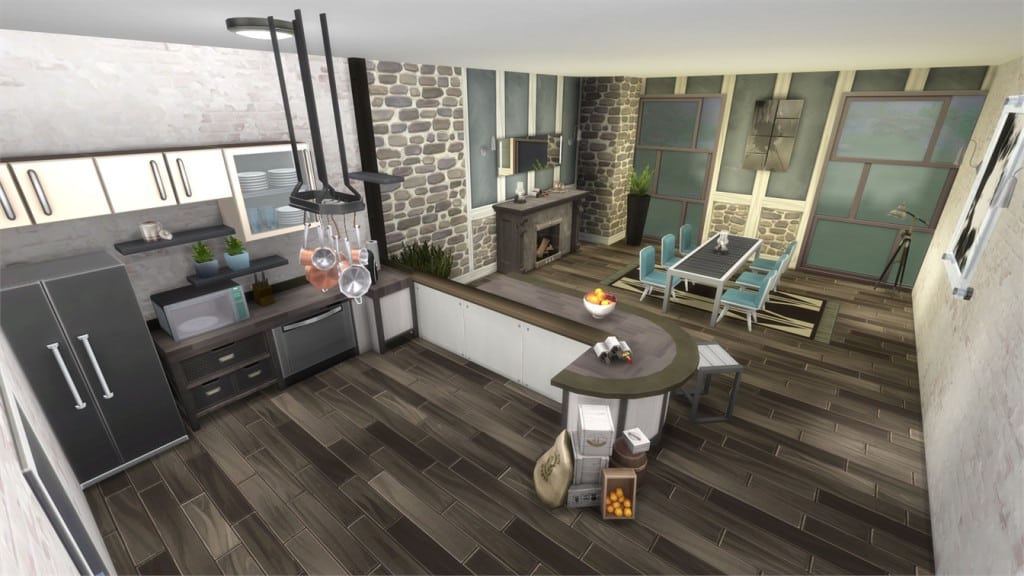
04-29-16_10-20-20 PM

[/ult_hotspot_items][ult_hotspot_items icon_type=”custom” icon_img=”37721|https://simscommunity.info/wp-content/uploads/2015/08/plumhotspot.png” img_width=”36″ tooltip_custom_color=”#1e73be” tooltip_custom_bg_color=”#ffffff” tooltip_width=”500″ enable_bubble_arrow=”off” tooltip_continuous_animation=”on” tooltip_font_size=”desktop:14px;” tooltip_font_line_height=”desktop:18px;” hotspot_position=”86.58058681672026,3.25497287522604″ tooltip_custom_border_size=”border-style:solid;|border-width:2px;border-radius:5px;|border-color:#81d742;”]
Mega Mansion Dining (Download Here)

by Poshikarrr

Value: §7,294
Size: 6×4
Room Type: Dining Room
Required Packs: Get to Work, Spa Day, Cool Kitchen, Get Together, Movie Hangout[/ult_hotspot_items][/ult_hotspot][ult_hotspot main_img=”id^48206|url^https://simscommunity.info/wp-content/uploads/2016/04/04-29-16_10-20-59-PM.jpg|caption^null|alt^null|title^04-29-16_10-20-59 PM|description^null”][ult_hotspot_items icon_type=”custom” icon_img=”37721|https://simscommunity.info/wp-content/uploads/2015/08/plumhotspot.png” img_width=”26″ tooltip_custom_color=”#1e73be” tooltip_custom_bg_color=”#ffffff” tooltip_width=”500″ enable_bubble_arrow=”off” tooltip_continuous_animation=”on” tooltip_font_size=”desktop:12px;” tooltip_font_line_height=”desktop:18px;” hotspot_position=”18.957652505446625,54.247089460784316″ tooltip_custom_border_size=”border-style:solid;|border-width:2px;border-radius:5px;|border-color:#81d742;”]
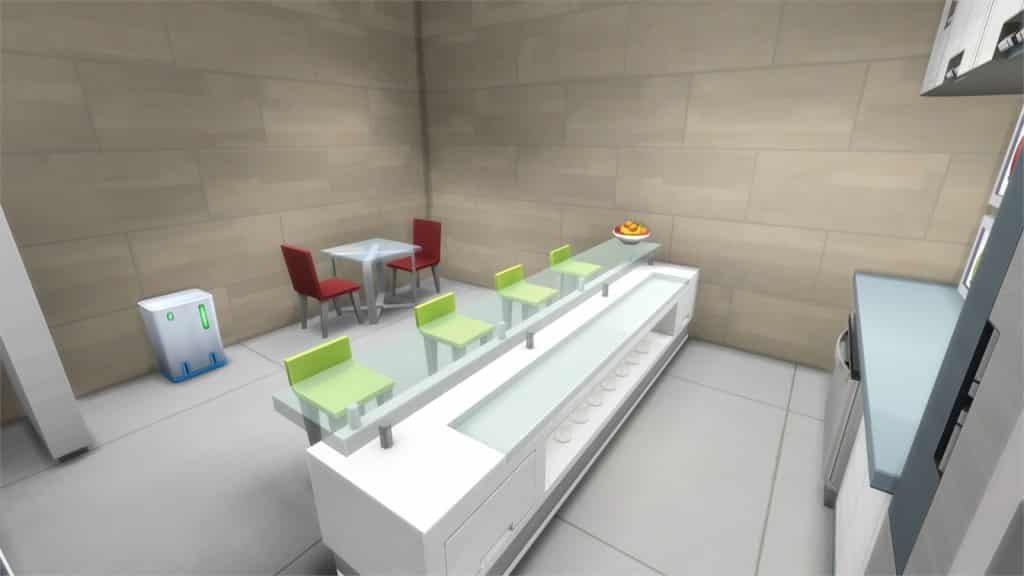
04-29-16_10-21-11 PM

[/ult_hotspot_items][ult_hotspot_items icon_type=”custom” icon_img=”37721|https://simscommunity.info/wp-content/uploads/2015/08/plumhotspot.png” img_width=”36″ tooltip_custom_color=”#1e73be” tooltip_custom_bg_color=”#ffffff” tooltip_width=”500″ enable_bubble_arrow=”off” tooltip_continuous_animation=”on” tooltip_font_size=”desktop:14px;” tooltip_font_line_height=”desktop:18px;” hotspot_position=”86.58058681672026,3.25497287522604″ tooltip_custom_border_size=”border-style:solid;|border-width:2px;border-radius:5px;|border-color:#81d742;”]
Busy Bee Kitchen/Dining (Download Here)

by Longstocking1926

Value: §41,384
Size: 7×8
Room Type: Kitchen
Required Packs: Outdoor Retreat, Get to Work, Spa Day, Get Together[/ult_hotspot_items][/ult_hotspot][ult_hotspot main_img=”id^48208|url^https://simscommunity.info/wp-content/uploads/2016/04/04-29-16_10-22-39-PM.jpg|caption^null|alt^null|title^04-29-16_10-22-39 PM|description^null”][ult_hotspot_items icon_type=”custom” icon_img=”37721|https://simscommunity.info/wp-content/uploads/2015/08/plumhotspot.png” img_width=”26″ tooltip_custom_color=”#1e73be” tooltip_custom_bg_color=”#ffffff” tooltip_width=”500″ enable_bubble_arrow=”off” tooltip_continuous_animation=”on” tooltip_font_size=”desktop:12px;” tooltip_font_line_height=”desktop:18px;” hotspot_position=”10.525599128540305,3.7894454656862746″ tooltip_custom_border_size=”border-style:solid;|border-width:2px;border-radius:5px;|border-color:#81d742;”]
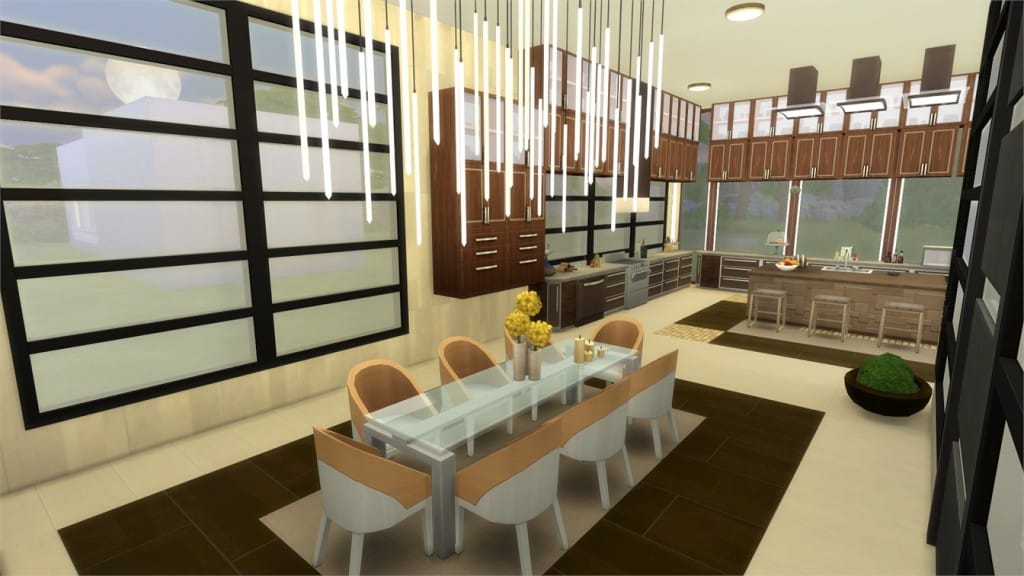
04-29-16_10-22-49 PM

[/ult_hotspot_items][ult_hotspot_items icon_type=”custom” icon_img=”37721|https://simscommunity.info/wp-content/uploads/2015/08/plumhotspot.png” img_width=”36″ tooltip_custom_color=”#1e73be” tooltip_custom_bg_color=”#ffffff” tooltip_width=”500″ enable_bubble_arrow=”off” tooltip_continuous_animation=”on” tooltip_font_size=”desktop:14px;” tooltip_font_line_height=”desktop:18px;” hotspot_position=”86.58058681672026,3.25497287522604″ tooltip_custom_border_size=”border-style:solid;|border-width:2px;border-radius:5px;|border-color:#81d742;”]

Open Kitchen (Download Here)

by Sunny545

Value: §39,010
Size: 11×7
Room Type: Kitchen
Required Packs: Outdoor Retreat, Perfect Patio, Spa Day, Get Together[/ult_hotspot_items][/ult_hotspot][ult_hotspot main_img=”id^48210|url^https://simscommunity.info/wp-content/uploads/2016/04/04-29-16_10-24-16-PM.jpg|caption^null|alt^null|title^04-29-16_10-24-16 PM|description^null”][ult_hotspot_items icon_type=”custom” icon_img=”37721|https://simscommunity.info/wp-content/uploads/2015/08/plumhotspot.png” img_width=”26″ tooltip_custom_color=”#1e73be” tooltip_custom_bg_color=”#ffffff” tooltip_width=”500″ enable_bubble_arrow=”off” tooltip_continuous_animation=”on” tooltip_font_size=”desktop:12px;” tooltip_font_line_height=”desktop:18px;” hotspot_position=”16.843681917211327,53.42179840686274″ tooltip_custom_border_size=”border-style:solid;|border-width:2px;border-radius:5px;|border-color:#81d742;”]

04-29-16_10-24-24 PM

[/ult_hotspot_items][ult_hotspot_items icon_type=”custom” icon_img=”37721|https://simscommunity.info/wp-content/uploads/2015/08/plumhotspot.png” img_width=”36″ tooltip_custom_color=”#1e73be” tooltip_custom_bg_color=”#ffffff” tooltip_width=”500″ enable_bubble_arrow=”off” tooltip_continuous_animation=”on” tooltip_font_size=”desktop:14px;” tooltip_font_line_height=”desktop:18px;” hotspot_position=”86.58058681672026,3.25497287522604″ tooltip_custom_border_size=”border-style:solid;|border-width:2px;border-radius:5px;|border-color:#81d742;”]

Spa Day Juice Bar (Download Here)

by RethaSim

Value: §12,353
Size: 5×6
Room Type: Kitchen
Required Packs: Get to Work, Spa Day, Cool Kitchen[/ult_hotspot_items][/ult_hotspot][ult_hotspot main_img=”id^48212|url^https://simscommunity.info/wp-content/uploads/2016/04/04-29-16_10-26-21-PM.jpg|caption^null|alt^null|title^04-29-16_10-26-21 PM|description^null”][ult_hotspot_items icon_type=”custom” icon_img=”37721|https://simscommunity.info/wp-content/uploads/2015/08/plumhotspot.png” img_width=”36″ tooltip_custom_color=”#1e73be” tooltip_custom_bg_color=”#ffffff” tooltip_width=”500″ enable_bubble_arrow=”off” tooltip_continuous_animation=”on” tooltip_font_size=”desktop:14px;” tooltip_font_line_height=”desktop:18px;” hotspot_position=”86.58058681672026,3.25497287522604″ tooltip_custom_border_size=”border-style:solid;|border-width:2px;border-radius:5px;|border-color:#81d742;”]

Luxus-Kuche (Download Here)

by Mausi1206

Value: §33,380
Size: 8×9
Room Type: Kitchen
Required Packs: Luxury Party, Perfect Patio, Spa Day, Cool Kitchen[/ult_hotspot_items][/ult_hotspot][ult_hotspot main_img=”id^48213|url^https://simscommunity.info/wp-content/uploads/2016/04/04-29-16_10-27-40-PM.jpg|caption^null|alt^null|title^04-29-16_10-27-40 PM|description^null”][ult_hotspot_items icon_type=”custom” icon_img=”37721|https://simscommunity.info/wp-content/uploads/2015/08/plumhotspot.png” img_width=”26″ tooltip_custom_color=”#1e73be” tooltip_custom_bg_color=”#ffffff” tooltip_width=”500″ enable_bubble_arrow=”off” tooltip_continuous_animation=”on” tooltip_font_size=”desktop:12px;” tooltip_font_line_height=”desktop:18px;” hotspot_position=”11.30855119825708,47.41689644607843″ tooltip_custom_border_size=”border-style:solid;|border-width:2px;border-radius:5px;|border-color:#81d742;”]

04-29-16_10-27-48 PM

[/ult_hotspot_items][ult_hotspot_items icon_type=”custom” icon_img=”37721|https://simscommunity.info/wp-content/uploads/2015/08/plumhotspot.png” img_width=”36″ tooltip_custom_color=”#1e73be” tooltip_custom_bg_color=”#ffffff” tooltip_width=”500″ enable_bubble_arrow=”off” tooltip_continuous_animation=”on” tooltip_font_size=”desktop:14px;” tooltip_font_line_height=”desktop:18px;” hotspot_position=”86.58058681672026,3.25497287522604″ tooltip_custom_border_size=”border-style:solid;|border-width:2px;border-radius:5px;|border-color:#81d742;”]

Sunny Kitchen Living (Download Here)

by Grehta

Value: §33,363
Size: 8×9
Room Type: Kitchen
Required Packs: Get to Work, Perfect Patio, Spa Day, Cool Kitchen, Get Together, Movie Hangout[/ult_hotspot_items][/ult_hotspot][ult_hotspot main_img=”id^48215|url^https://simscommunity.info/wp-content/uploads/2016/04/04-29-16_10-32-10-PM.jpg|caption^null|alt^null|title^04-29-16_10-32-10 PM|description^null”][ult_hotspot_items icon_type=”custom” icon_img=”37721|https://simscommunity.info/wp-content/uploads/2015/08/plumhotspot.png” img_width=”26″ tooltip_custom_color=”#1e73be” tooltip_custom_bg_color=”#ffffff” tooltip_width=”500″ enable_bubble_arrow=”off” tooltip_continuous_animation=”on” tooltip_font_size=”desktop:12px;” tooltip_font_line_height=”desktop:18px;” hotspot_position=”6.311274509803921,33.5726868872549″ tooltip_custom_border_size=”border-style:solid;|border-width:2px;border-radius:5px;|border-color:#81d742;”]

04-29-16_10-32-17 PM

[/ult_hotspot_items][ult_hotspot_items icon_type=”custom” icon_img=”37721|https://simscommunity.info/wp-content/uploads/2015/08/plumhotspot.png” img_width=”36″ tooltip_custom_color=”#1e73be” tooltip_custom_bg_color=”#ffffff” tooltip_width=”500″ enable_bubble_arrow=”off” tooltip_continuous_animation=”on” tooltip_font_size=”desktop:14px;” tooltip_font_line_height=”desktop:18px;” hotspot_position=”86.58058681672026,3.25497287522604″ tooltip_custom_border_size=”border-style:solid;|border-width:2px;border-radius:5px;|border-color:#81d742;”]

Orange & Blue Kitchen (Download Here)

by Mandykay77

Value: §38,181
Size: 7×4
Room Type: Kitchen
Required Packs: Spa Day, Cool Kitchen, Get Together, Movie Hangout[/ult_hotspot_items][/ult_hotspot][ult_hotspot main_img=”id^48217|url^https://simscommunity.info/wp-content/uploads/2016/04/04-29-16_10-33-38-PM.jpg|caption^null|alt^null|title^04-29-16_10-33-38 PM|description^null”][ult_hotspot_items icon_type=”custom” icon_img=”37721|https://simscommunity.info/wp-content/uploads/2015/08/plumhotspot.png” img_width=”26″ tooltip_custom_color=”#1e73be” tooltip_custom_bg_color=”#ffffff” tooltip_width=”500″ enable_bubble_arrow=”off” tooltip_continuous_animation=”on” tooltip_font_size=”desktop:12px;” tooltip_font_line_height=”desktop:18px;” hotspot_position=”26.19144880174292,71.5609681372549″ tooltip_custom_border_size=”border-style:solid;|border-width:2px;border-radius:5px;|border-color:#81d742;”]

04-29-16_10-33-46 PM

[/ult_hotspot_items][ult_hotspot_items icon_type=”custom” icon_img=”37721|https://simscommunity.info/wp-content/uploads/2015/08/plumhotspot.png” img_width=”26″ tooltip_custom_color=”#1e73be” tooltip_custom_bg_color=”#ffffff” tooltip_width=”500″ enable_bubble_arrow=”off” tooltip_continuous_animation=”on” tooltip_font_size=”desktop:12px;” tooltip_font_line_height=”desktop:18px;” hotspot_position=”37.74850217864923,51.58547794117647″ tooltip_custom_border_size=”border-style:solid;|border-width:2px;border-radius:5px;|border-color:#81d742;”]

04-29-16_10-33-54 PM

[/ult_hotspot_items][ult_hotspot_items icon_type=”custom” icon_img=”37721|https://simscommunity.info/wp-content/uploads/2015/08/plumhotspot.png” img_width=”36″ tooltip_custom_color=”#1e73be” tooltip_custom_bg_color=”#ffffff” tooltip_width=”500″ enable_bubble_arrow=”off” tooltip_continuous_animation=”on” tooltip_font_size=”desktop:14px;” tooltip_font_line_height=”desktop:18px;” hotspot_position=”86.58058681672026,3.25497287522604″ tooltip_custom_border_size=”border-style:solid;|border-width:2px;border-radius:5px;|border-color:#81d742;”]

Modren Kitchen (Download Here)

by reen4ever

Value: §54,656
Size: 12×15
Room Type: Kitchen
Required Packs: Get to Work, Luxury Party, Perfect Patio, Spa Day, Cool Kitchen, Get Together, Movie Hangout[/ult_hotspot_items][/ult_hotspot]

The Sims FreePlay: Day Spa Update Teaser

0

The Sims FreePlay will be releasing a new Update to the game, bringing Spas, new objects and new features!

For a full overview, check out their teaser trailer below:

The Sims FreePlay is available for download on Android and iOS mobile devices.

The Sims 4: Unisex CAS Feature Teasers

0

Looks like The Sims 4’s Upcoming Content video has more teasers than they meet the eye!

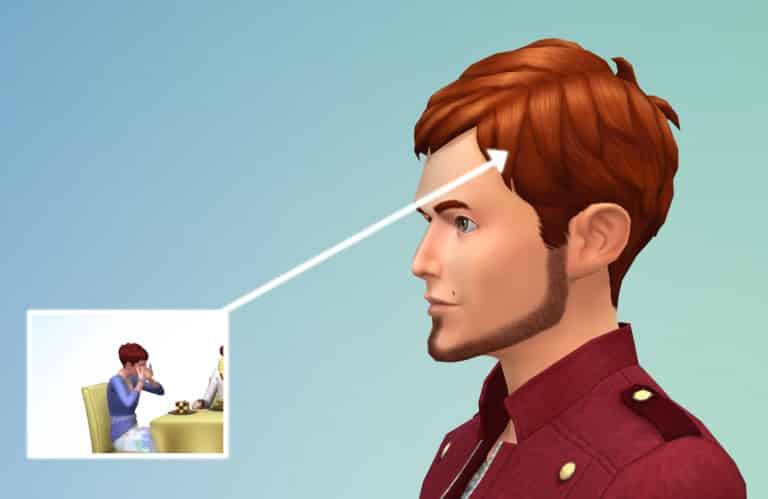
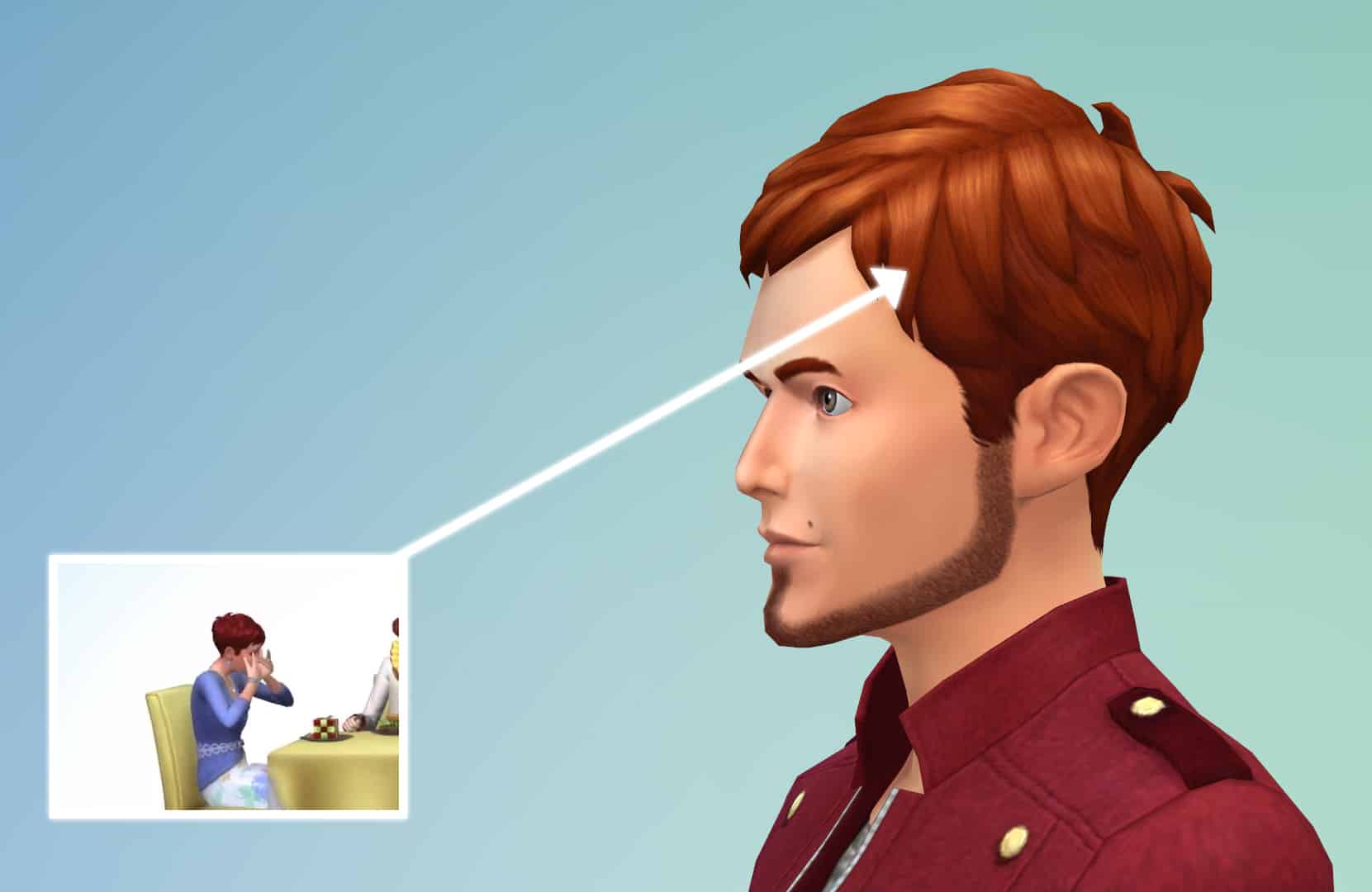
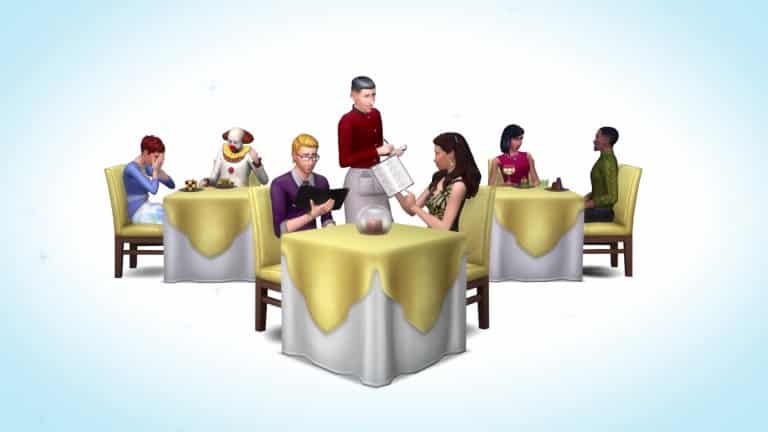
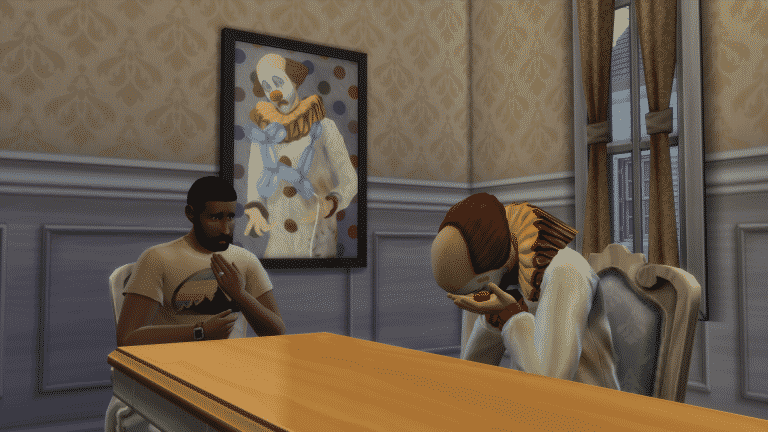
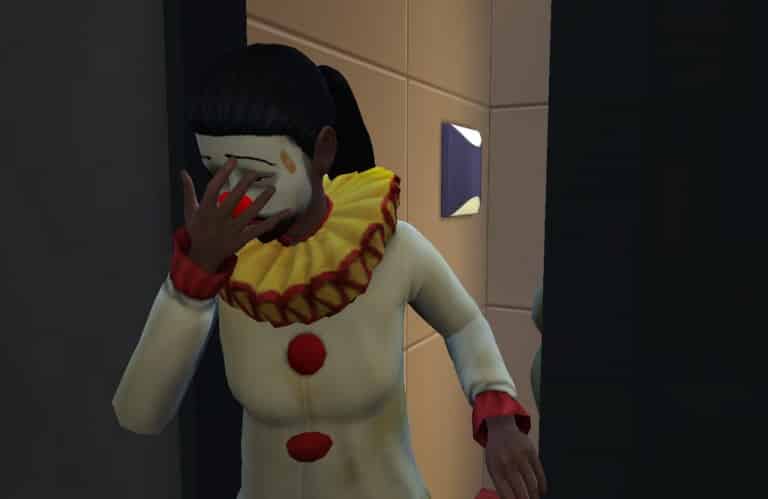
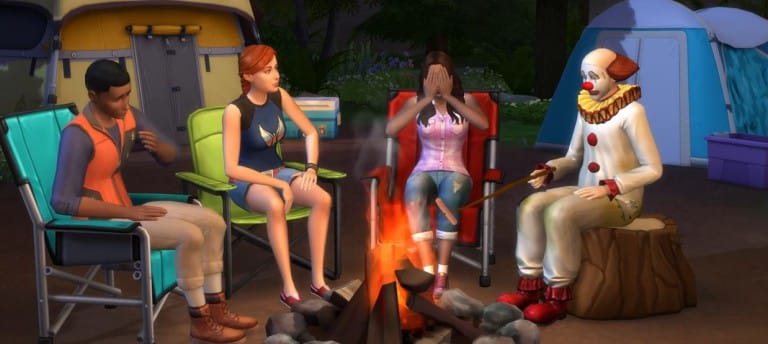
Our friends at DOTsim have pointed out a significant hint from the video. During the presentation of The Sims 4 Restaurants Game Pack, there is a female Sim sitting with a Tragic Clown that’s rocking a male-only hairstyle.

femalemalehairstyle

This isn’t the first teaser for Unisex CAS assets though. Just yesterday, SimGuruSarah posted (and then quickly deleted) a screenshot of a male Sim with a female hairstyle and a female-only necklace.

Thanks to @tazreentasnim for the screencap!

IMG_20160429_011251

When asked how is it possible for male and female sims to wear each other’s assets, she responded with: We can modify existing hairs to work on different ages/genders.We did it in TS3 too.

Sorry SimGuruSarah, but whatever appeared on that Teaser Video can now be counted as a possible feature!

SimGuruTrev tried to tell us that there’s more to the Teaser Video than just a Tragic Clown and GP/SP features, and it looks like he was talking about the Unisex CAS feature.

Capture

SimGuruDrake confirmed days ago that the Teaser Video contains hints for patches that will release between April-June. We already got Tragic Clowns that they teased, and now it’s time to upgrade our CAS!

CgpcwemWsAA2TLb (1)

Origin Trial: Play PvZ Garden Warfare 2 for 10 Hours for FREE!

0

Origin is currently giving a free trial of Plants vs Zombies Garden Warfare 2 to all of those who want to test the game. Once downloaded and installed, you’ll be able to play the game for 10 hours.

Make sure you get the game if it suits your taste!

Click below to claim the game trial for free!

rendition1.img (11)

Throwback: Interview with Hilary Duff about The Sims 2 Pets

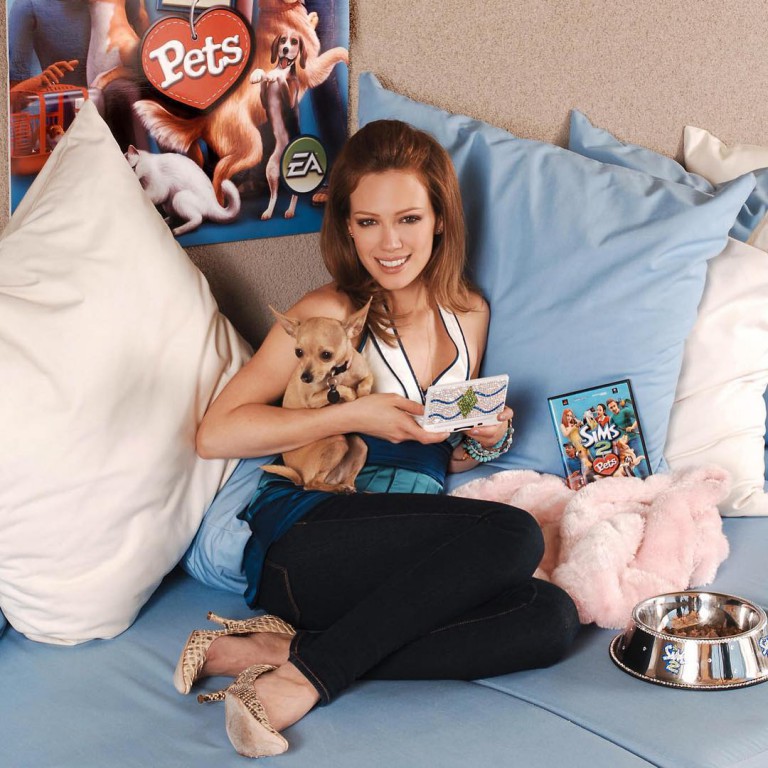
Almost 10 years ago, The Sims 2 Pets was released in stores for PC as an expansion for The Sims 2 and a stand alone game for consoles. Hilary Duff, most known for playing Lizzie on the Disney show Lizzie McGuire, did promotional work for the game and in the console editions of the game she is an NPC along with her chihuahua Lola.

She also participated in an interview which you can watch here:

https://www.youtube.com/watch?v=5WaaArN37kI&feature=youtu.be&a

The Sims 4: Buyable Restaurants Confirmed for GP3!

5

UPDATE: SimGuruNinja’s tweet got quickly deleted, but we managed to save the full image!

SimGuruNinja may have leaked a Game Pack 3 feature by accident.

When asked about if sims can call in sick for work, he showed off the feature along with the Buy a Restaurant option that fits The Sims 4 Game Pack 3‘s theme.

Capture

Tip: Sims Society

The Sims 2: Fixing & Improving The Graphics

649

Improving the Resolution

When opening The Sims 2 (Ultimate Collection being the latest version), the first thing you’ll notice is the small 800×600 resolution being spread all over your monitor. Going to the Graphic Options menu won’t fix the issue as the only resolution listed will be the 800×600 one.

ts2gfx

Don’t worry though – there’s an easy way to fix this!

  • Go to the directory where you installed your The Sims 2 game and then The Sims 2 > TSData > Res > Config (for Ultimate Collection it’s The Sims 2 Ultimate Collection > Fun With Pets > SP9 > TSData > Res > Config).
  • Find the Graphic Rules.sgr file and open it.
  • Search for  option ScreenModeResolution and under settings $Low, change maxresWidth and maxResHeight to the current resolution of your monitor (1920×1080 resolution used for this article).

Capture

  • Save your Graphic Rules.sgr file and open The Sims 2.
  • You will now be able to select multiple screen resolutions, including the one that you’ve set up as the highest resolution.

Capture

Playing in Windowed Mode

Although you cannot set up the windowed mode in Graphics Options, you can use this small little cheat to force this mode whenever you open the game from your Desktop.

  • Find The Sims 2 shortcut on your desktop. If you can’t find the shortcut, find the Sims2EP9.exe file in The Sims 2 Ultimate Collection > Fun with Pets > SP9 > TSBin, right click and create shortcut.
  • Right click on the shortcut and select properties.
  • Under the Target section of the Shortcut Tab, add -w.
  • Press Apply and select OK.

Capture

Whenever you want to play The Sims 2 in Windowed Mode, use the shortcut that you edited using these steps.

Capture2

Enabling Smooth Edges

For some reason, the Smooth Edges feature is always greyed out and cannot be set up.

This problem is often found in The Sims 2 Ultimate Collection version, but don’t worry, it can be solved with these tips:

  • Go to the directory where you installed your The Sims 2 game and then The Sims 2 > TSData > Res > Config (for Ultimate Collection it’s The Sims 2 Ultimate Collection > Fun With Pets > SP9 > TSData > Res > Config).
  • Find the Graphic Rules.sgr file and open it.
  • Search for enumerateMultisampleLevels and wherever it says false next to it, correct it with true. There are multiple lines with the enumerateMultisampleLevels so keep changing to true until there are no more results.

Capture

  • Save the file and close it.
  • You are now able to adjust the Smooth Edges!

Capture

Black Sim Shadows

Inside Lots, Sims will cast dark black shadows underneath them that may look like this:

Sims2EP9 2016-04-27 20-59-22-27

There are 3 ways to fix this:

If you don’t mind mods, then download the Sim Shadow Fix Mod by Nopke. It will remove the black boxes + keep the Sim Shadows.

To install, download the Mod and extract the zip content in your save game folder (EA Games > The Sims™ 2 Ultimate Collection > Downloads – if you don’t have the Downloads folder, simply create it).

MTS_Nopke-1591080-simShadowFix

If you don’t like using mods, the second way is to simply set Shadows to Medium in the Graphics Settings.

shadows1

The third way will save high Shadow quality but will remove Sim shadows.

  • Go to the directory where you installed your The Sims 2 game and then The Sims 2 > TSData > Res > Config (for Ultimate Collection it’s The Sims 2 Ultimate Collection > Fun With Pets > SP9 > TSData > Res > Config).
  • Find the Graphic Rules.sgr file and open it.
  • Search for option Shadows and under setting $high, change simShadows from true to false.

Capture

New Origin Update! (27/04/16)

0

Open your Origin program to download the latest update!

Capture

Tip: Steve

The Sims 4: All About The Tragic Clown

3

The Sims 4’s latest Game Update brings Tragic Clowns to the table! Unlike other NPCs (Non-Playable Characters), Tragic Clowns can both be played and found roaming around Neighborhoods.

To make your Sim a Tragic Clown which will give him/her Tragic characteristics, you need to dress up your Sim with the following (new!) CAS assets:

  • Tragic Hairstyle
  • Tragic Face Paint (3 Swatches)
  • Tragic Outfit (2 Swatches)
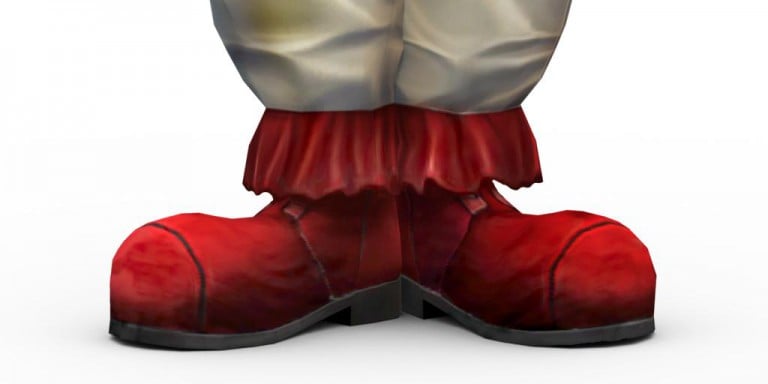
  • Tragic Shoes (2 Swatches)

Once you’re in the game, you’ll notice that your Sim now has some new interactions and moodlets!

Playing as a Tragic Clown

Tears of a Clown Moodlet

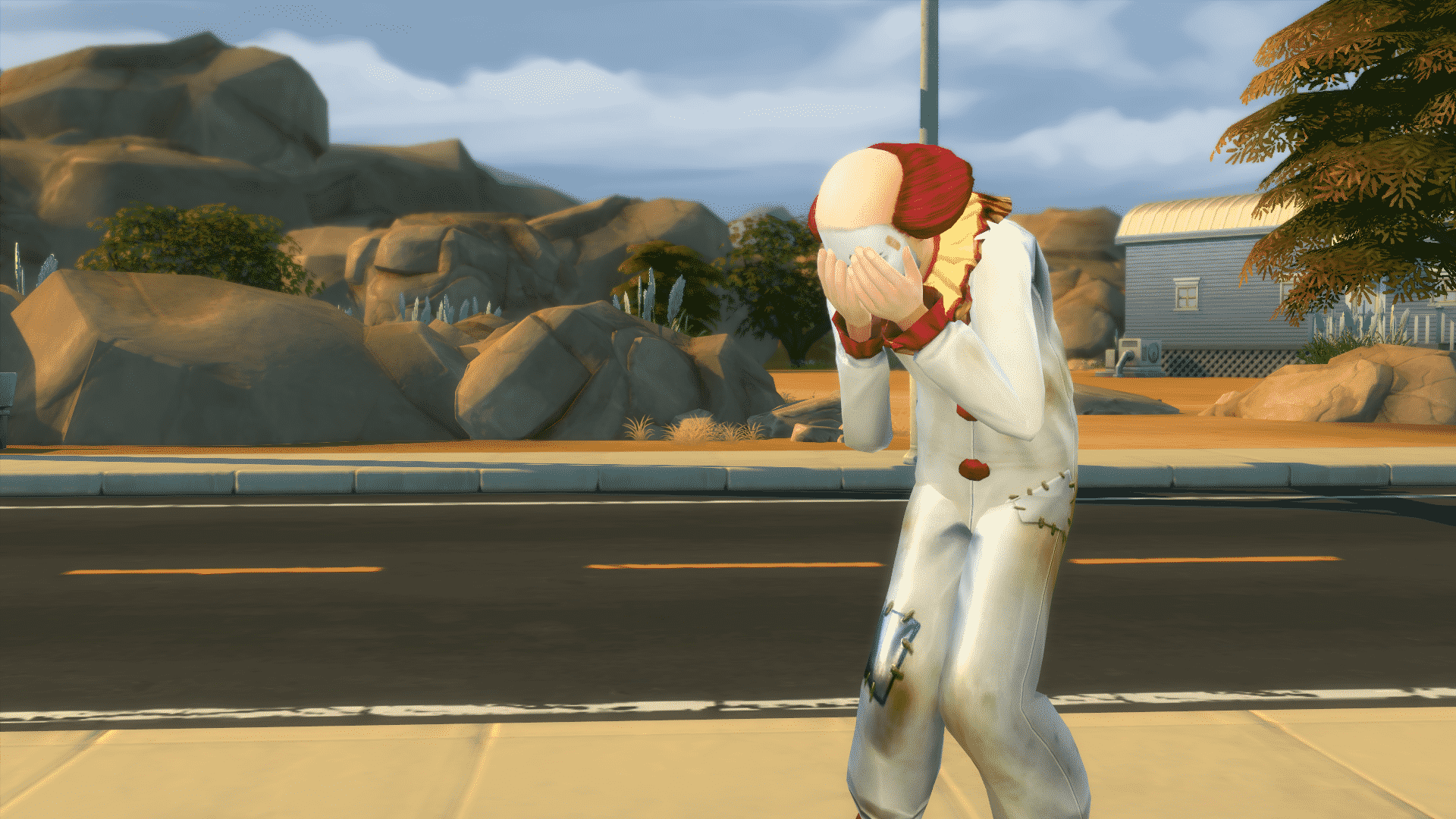
This is a Sad moodlet that will be entitled to your Sim once you dress him/her in Tragic clothing. As long as you’re wearing Tragic clothing, your Sim will have this +3 Sad moodlet – which, if you don’t have moodlets for different emotional states that are stronger, will put you in a Very Sad emotional state.

04-23-16_5-31-23 PM

Juggle Interaction

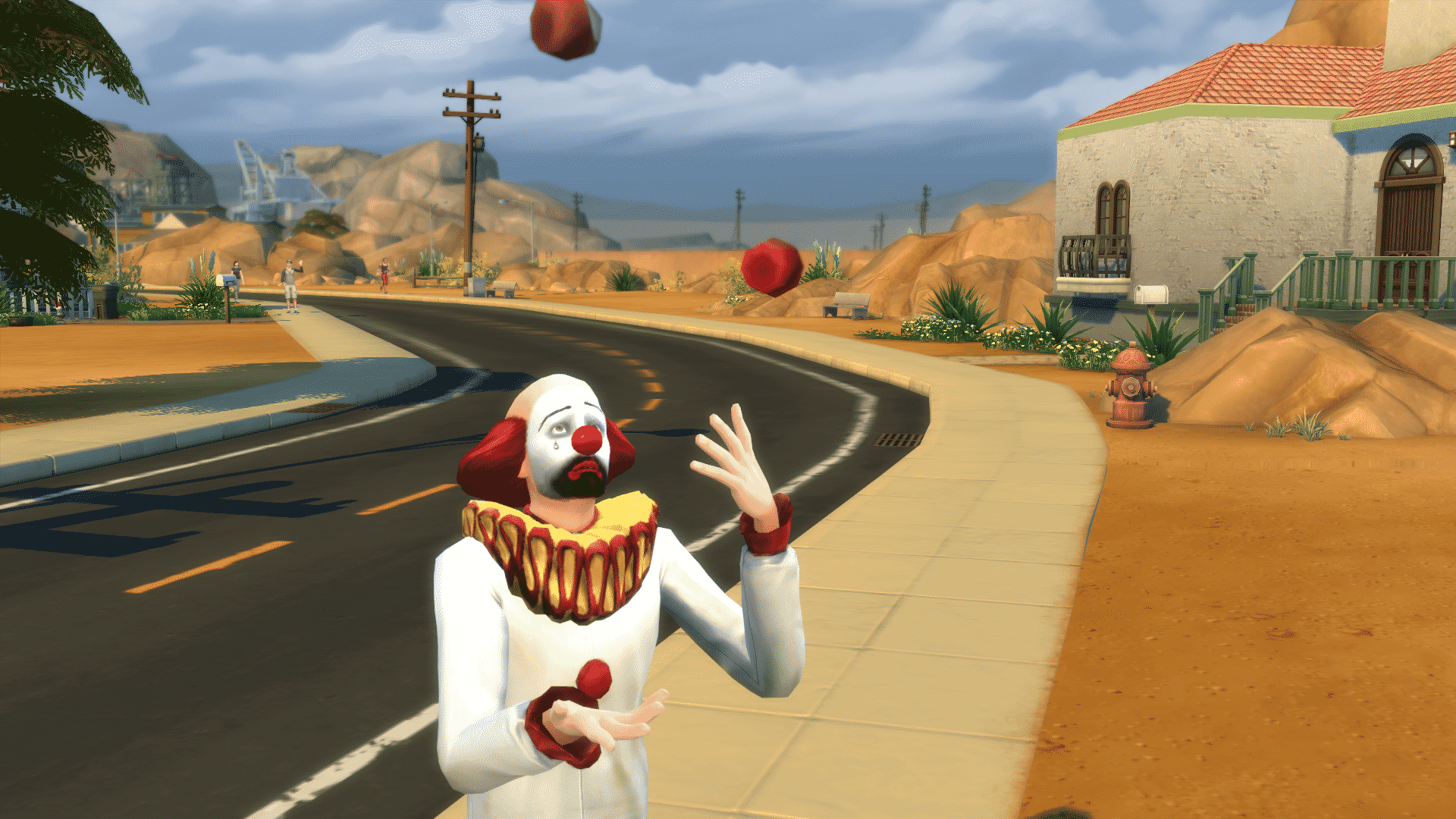
Your Tragic Sim can Juggle! Click on your Sim, select Juggle and watch him/her fail. The results will always be, well, very tragic.

04-23-16_5-31-05 PM

Tragically Try to Cheer Up Interaction

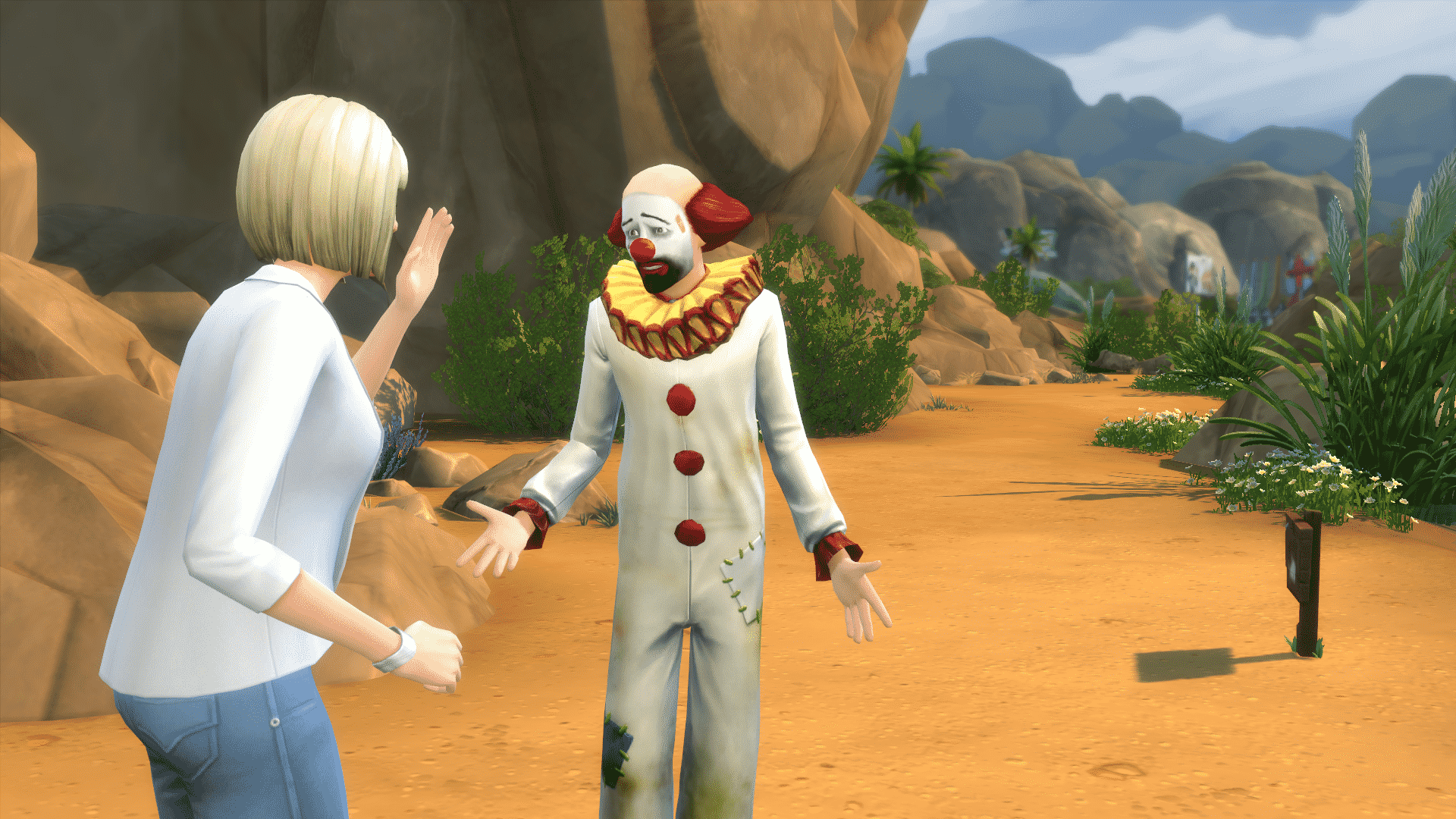
As a Tragic Sim, your Sim can Tragically Try to Cheer Up other Sims that are sad!

04-25-16_9-05-20 PM

Other Moodlets

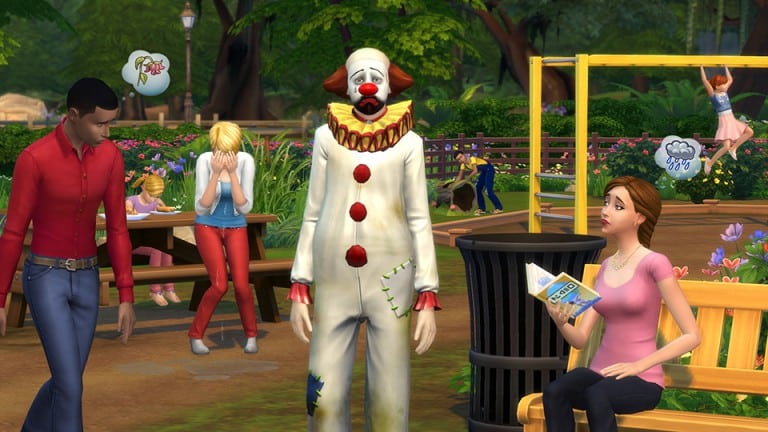
  • Such Tragedy! (+2 Sad Moodlet) – This Moodlet is given to Sims that are near to the Tragic Clown.
  • Misery Loves Company (+1 Happy Moodlet) – This Moodlet is given to Tragic Clowns who are found near other ‘Regular’ Sims.

Summoning the Tragic Clown

It’s very easy to summon a Tragic Clown. Simply buy the Tragic Clown painting in Build Mode for 200 Simoleons and select ‘View Tragic Clown’ until the Clown appears in your Room. Be cautious as the Clown will give your Sim the Such Tragedy! moodlet that will only disappear when you leave the Room where the Tragic Clown is.

 04-25-16_9-46-12 PM

SC Social Weekly Round Up: Tears of a Clown

We finally waved goodbye to The Sims news drought as info on upcoming content flooded our community! We have heard about a new Restaurant Game Pack and Kids Stuff Pack and on Thursday simmers were reunited with the much loved or hated Tragic Clown. This week I roundup the reactions from the community and note some of the top discussions taking place on SC Social.

SC SOCIAL POSTS – ROUND UP

Now the main topic of conversation has been our Tragic Clown, you may have already encountered him in your game and we have seen some fantastic screenshots so far within the community, check out Kai Chen’s thread – Post your Tragic Clown Sightings. However, some simmers have had a mixed reaction, if you didn’t play much of The Sims original game you may not know what all the fuss is about, Tatiana started this thread – What are your thoughts on the clown? If you would like to share your feelings about this new NPC. You can also find out more about the Tragic Clown HERE.

OK enough about clowns, what about our latest content news? Well this week The Sims announced we will be receiving restaurants in the next game pack and something for our little sims in the form of a kids themed stuff pack. Many were excited to hear this but wanted more than a 15 second trailer, Kai Chen also started this interesting topic – Will Children’s Stuff Pack Sales Determine If We Get ‘Generations’? Simmers are however keen to see never before used gameplay, content and expansions which is also discussed here in – What EP That Has Never Been Done Would You Like to See? Don’t forget we have dedicated threads on SC Social for each pack released by The Sims 4, keep up to date with all the latest news and discussions in our Kids Stuff Pack and Restaurant Game Pack threads.

As always I shout out to all my wonderful simmers on Twitter to send in your screenshots and this week I asked you to represent your reaction to the patch and trailer announcements, I really love this selection:

SCREENSHOT GALLERY

Thanks so much for sending in your screenshots! Each week I will have a new theme and will be on the lookout for more awesome snaps.

CHALLENGE OF THE WEEK

This week I recommend you check out The Trailer Park Teens Challenge created by Rialrees it’s a super survival based challenge and it’s always fun to work with teenage sims, all the rules can be found on the linked thread above. Rialrees says the idea for making a trailer park challenge came about after trying to build an interesting lot for roomies to have their own spaces (a little easier to do now with the door locking, though it’s a bit tricky to let visitors in!). I had an image in my head of a bunch of teenagers trying to survive and thrive in a close community, and this is where I ended up! – Lots of simmers have had fun taking part so far, another top challenge!

TECHNICAL DIFFICULTIES?

Sometimes after a patch update simmers can experience the odd technical difficulty, why not make use of the forums dedicated Technical Discussion thread, here you can post up your issue and other simmers or staff will be on hand to help you resolve a problem so you can get back to simming as soon as possible!

Technical Difficulties

GIVEAWAY TIME!!

In order to celebrate our recent success of 10,000 SC Social Members, we are hosting a series of giveaways, you can find out details on our latest giveaway by clicking the banner below:

giveawayGP

The Sims 4: Tragic Clown Trailer (feat. Insert Coin)

0

The Sims Team has collaborated with Insert Coin to create a new Trailer for Tragic Clowns that have just made their appearance in The Sims 4 in the latest update!

The Sims 4: New Update! (April 21st, 2016)

ts4e3logo

The Sims Team has released a brand new Update for The Sims 4!

To download the latest version of The Sims 4, simply open your Origin program and if the game doesn’t update automatically, right click on The Sims 4 and select ”Update”.

In case you have Mods or Custom Content, the game will automatically disable them for you after first launching The Sims 4 after the update. To re-enable all your Mods and Custom Content, select the Settings option in the Menu and select Settings. Under the”Other” section you’ll find the ”Enable Custom Content and Mods” option. Check it and restart your game in order for it to take effect!

Patch Notes

Update: 04/21/2016 – PC Version 1.17.7.1020 / Mac Version 1.17.7.1220

Greetings Simmers, Community, and folks just tuning in!

Odd behaviors, issues of community concern addressed!

NPCs come and go!

Bad puns continue!

Queuing interactions on the hour… this is W-GURU, release information and random banter, signing on.

Our lead story tonight? We have to say goodbye to our very own Jasmine Holiday. Jasmine has been with W-GURU for about a month, and has done a terrific job. We are sad to see her go, but hopefully Jasmine will come and visit us again sometime soon!

Until next time Jasmine, we wish you well in all your endeavors.

But fear not friends, Jasmine is not taking any of the goodies you got from her challenge! Keep on planting, and glow your Growfruit, admire your eggs, and hug that bunny with great satisfaction at a job well done!*

*acquisition of super fertilizer, and purchase of Growfruits from Jasmine, will no longer be available.

Hey, who’s that walking through the door? It’s… oh… it’s him (or her) the Tragic Clown, and he’s… I’m feeling a little down right now.

He’s probably brought an outfit, sigh, that you can find in Create a Sim. And… oh just don’t look at the painting. He’s so sad… why does he even try to juggle? How do I get him to go awa… oh there, oh good, he’s gone.

Ok. Where was I? Back on schedule…

…General Issue segment

  • Sims will again be able to synthesize serums at the Chemistry Table…
    • Serums have long held the belief that syn-thesis is merely an immoral theory, and as such fled at the thought. Scientists have spent many hours reassuring the serums that their belief is just a bad pun.
  • Sims should no longer sit down at a pool when asked to put food away in the fridge.
    • Reports have indicated that refrigerators harbor jealousy towards the pools carrying capacity, and water processing capabilities. Sims have been asked to ensure they think about the feelings of all parties involved when deciding where to put away their foods.
  • Growfruit, used as a fertilizer, now hellishly better than before!
    • Intentions being good, do not always pave as meant to.
  • Custom music now plays as expected on all venue speakers!
    • Local DJs rejoice as they are once again free to play their music selections for all Sim-kind. Avant-garde, the Ballads, and Calypso… the Xoomii, Yodeling, and Zydeco! Styles to suit the needs of all playing issue free!
  • Previously addressed issue of Sims going to Painter and Tech Guru careers wearing face makeup, is now also addressed for all Sims saved prior to the introduction of the original issue.
    • Full face makeup has been known to cause temporary facial discoloration due to the application of color, and identification issues for the identifier, as well as prolonged restroom cleaning practices when de-applying the full face makeup.
  • Stacked rugs will remain in their stacked order after the lot has been saved to the Gallery. Issue may still persist with rooms saved to the Gallery.
    • A general malaise has been reported as the looming rug stacking competition is a mere millennia away. Front runners hopes are in knots, as they attempt to stitch together a plan for the up and coming event.

…MAC Issue segment

  • Having more than 2001 mods installed will no longer hinder your ability to connect to the Gallery!
    • Engineer Hal reports “it was an odyssey, finding space and time to address this issue.” He was also quoted as saying “[It was a] journey of monumental proportions. We beat the ground repeatedly trying to figure things out.” And though we can’t directly quote him, it was reported that he declared the engineering group to be “…full of stars…” Others however discount the quote, saying he never actually said that, but that it may have been in an email.
  • The finder bar will no longer appear when edge scrolling at the top edge.
    • Scrollers have reported that scrolling scrolls as well as ever. No longer are they finding the finder’s lack of a fix found, to impede with their scrolling. We at W-GURU can only hope that all edge cases of the top edge’s edge scrolling are edged out.

Until next time, this is SimGuruGnome signing off.

[cue up the music]

[begin shutdown sequence]

[fade to black]


The Sims Blog: Look Out for the Tragic Clown, Now Available in The Sims 4

0

Via TheSims.com!

We’re Sorry

TS4_701_TRAGIC_CLOWN_01_002 (1)

This is awkward. We wanted to add a new feature to The Sims 4 to make your Sims happier so we made a clown, but there seems to have been some sort of accident. Clowns are supposed to make people smile, right? Well, not this clown. This clown only makes people sad. It’s tragic, really. And totally accidental…

Just kidding. We made this clown bad at clowning around intentionally! Fans of the original The Sims might remember the classic Tragic Clown, a character that walked around making everyone miserable. The loveable(?) character is now back, free* in The Sims 4. If that doesn’t make you happy… well, the clown isn’t going to either. The Tragic Clown only makes Sims sad.

TS4_702_TRAGIC_CLOWN_01_001c_1k_FLAT

The Tragic Clown will be appearing around the world if you download the latest update to The Sims 4, so you’ll never know when this sad soul will show up and botch a juggling attempt. You can also summon him (or her, catastrophic tomfoolery is equal opportunity,) by viewing the Tragic Clown Painting, or you can even dress up in the Tragic Clown outfit if you want your Sim to be the bearer of bad fun. We’re excited to see how much your Sim loves this new addition to the game!

The Sims 4: Official Tragic Clown Teaser

0

The Sims Team has just released a new Teaser for Tragic Clowns that will probably make their way into the game in tomorrow’s The Sims 4 Game Update. Stay tuned!

Something Tragic this way comes…

Cgg7AE9UYAANrRO

TheSims3.com Update: Gift SimPoints Feature to be removed

SimGuruDrake has announced a minor update to TheSims3.com Store, saying that they’ll remove the Gift SimPoints Feature.

ts3logo_large

Hello everyone!

Today we will be doing an update to TheSims3.com that will be removing the ability to gift SimPoints. You will still be able to purchase SimPoints through Origin that will allow you to purchase items for yourself or to gift items to friends / family.

The site will start under-going maintenance today at 11AM PDT.

Below is an FAQ that will help to answer some of your questions:

***

Where can I Gift SimPoints?

  • Gifting SimPoints is no longer supported through TheSims3.com

What benefits are there for purchasing SimPoints through Origin?
Purchasing SimPoints through Origin offers a number of benefits

  • Your Origin purchase rewards you with Bonus SimPoints
    • Gifted SimPoints did not include bonus Points, this means that your money now gets you more The Sims 3 content.
  • If you are an Origin Access subscriber you get 10% discount on your SimPoints purchase
  • Standard checkout process across EA titles
  • You can gift items on someone’s Wishlist or direct from TheSims3.com Store
  • You can gift items to your Internationally located friends and family something which wasn’t possible with SimPoints Gifting.

Can I still Gift items?
You will still be able to gift items to your friends, family or community members.

How do I gift Wishlist items?

  • On TheSims3.com visit your friends profile page
  • Click on their Wishlist
  • Select “Gift this Item”
  • Follow the on screen steps to complete the gift purchase

How do I gift items from TheSims3.com Store?

  • On http://store.thesims3.com/ find the item you want to Gift
  • On the right of the page, select “Gift this Item”
  • Follow the on screen steps to complete the gift purchase
  • You can also do this from within The Sims 3 game.