

Update: Origin just made The Sims 2 Ultimate Collection available for everyone until the end of July, 2014! All you need to do is redeem the I-LOVE-THE-SIMS code on Origin and you’re good to go! (you don’t need to have any Sims 2 game registered)
For more information, check out THIS post!
Origin is giving out The Sims 2 Ultimate Collection to people who have at least 1 The Sims 2 Game registered on their Origin Account. If you’d like to register your TS2 Game and get TS2 Ultimate Collection for free, contact EA Help HERE! For more information about this offer, check out THIS FAQ Page!
The Sims 2 Ultimate Collection includes these following games:
- The Sims 2 Base Game
- The Sims 2 University
- The Sims 2 Nightlife
- The Sims 2 Open For Business
- The Sims 2 Pets
- The Sims 2 Seasons
- The Sims 2 Bon Voyage
- The Sims 2 FreeTime
- The Sims 2 Apartment Life
- The Sims 2 Family Fun Stuff
- The Sims 2 Glamour Life Stuff
- The Sims 2 Holiday! Stuff
- The Sims 2 Celebration Stuff
- The Sims 2 H&M Fashion Stuff
- The Sims 2 Teen Style Stuff
- The Sims 2 Kitchen & Bath Interior Design Stuff
- The Sims 2 IKEA Stuff
- The Sims 2 Mansion & Garden Stuff
Overall, The Sims 2 Ultimate Collection includes all The Sims 2 additions (except content from The Sims 2 Store)!
To download this Collection, simply click on The Sims 2 UC Boxart and select ”Download”. The Game will take 12,57 GB of your Hard Disk Drive.

Here are some facts you should know before starting the game:
- The Sims 2 Ultimate Collection doesn’t include any Launchers. The Game itself launches automatically once you start playing it via Origin or by clicking on the game on Desktop.
- You’ll only need Origin to download the game. After you install it you can play The Sims 2 Ultimate Collection without Origin and/or any The Sims 2 Disc.
- This Game is supported by Origin’s In-Game feature, meaning that you can use Origin’s Browser, chat with your friends and all other cool stuff all inside the game.
- The Sims 2 Ultimate Collection comes with SecuRom, meaning that you’ll need an internet connection the first time you open the game (to verify your UC code). After that you can play it without internet.
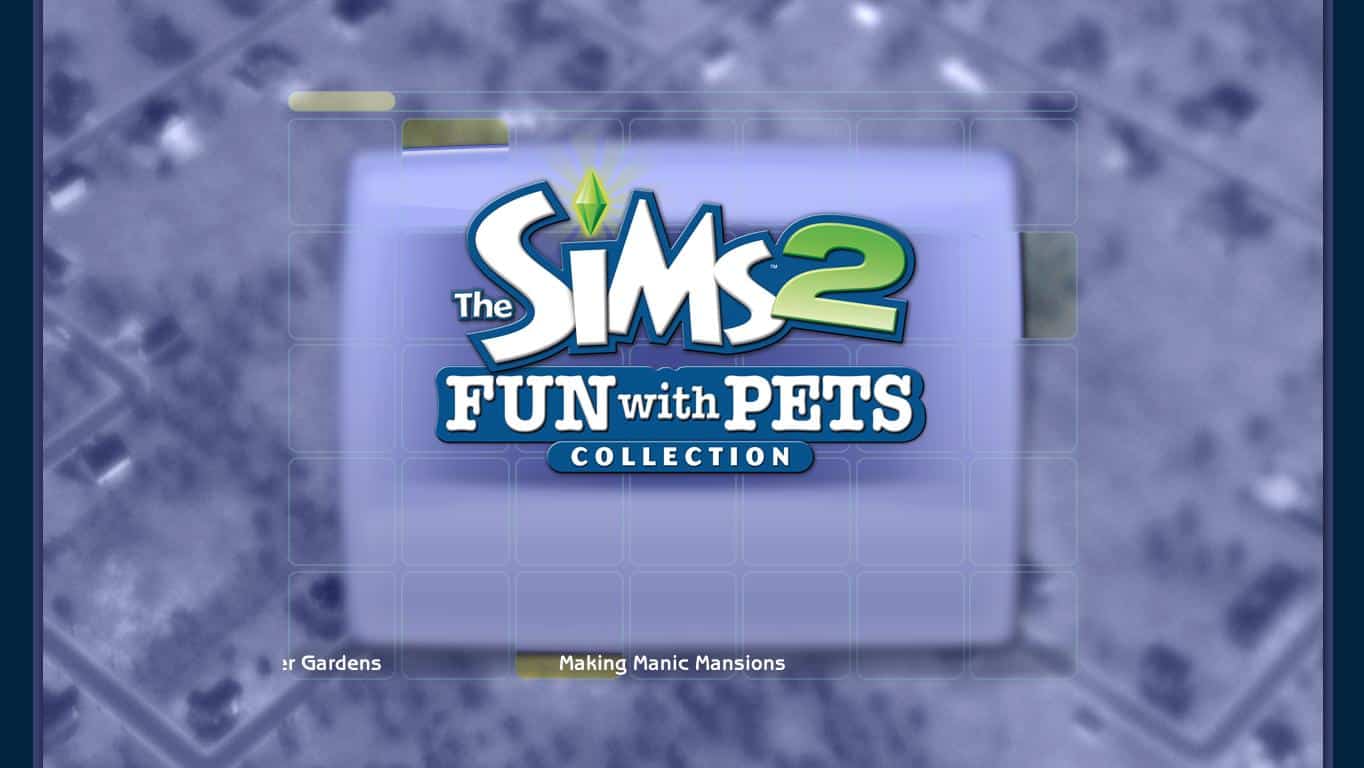
- You’ll be greeted with The Sims 2 Fun with Pets loading screen due to the fact that Fun With Pets Collection is the latest (and last) addition to The Sims 2.

- The Sims 2 Ultimate Collection folder is made out of 3 Collections and several Expansion Packs and Stuff Packs.
- Not to be confused with this though. Each Collection includes 1 Expansion Pack and 2 Stuff Packs.
- The Sims 2 Double Deluxe includes The Sims 2 Base Game, The Sims 2 Nightlife and The Sims 2 Celebration.
- The Sims 2 Best of Business Collection includes The Sims 2 Open For Business, The Sims 2 H&M Fashion Stuff and The Sims 2 Kitchen & Bath Interior Design Stuff
- The Sims 2 University Life Collection includes The Sims 2 University, The Sims 2 Teen Style Stuff and The Sims 2 IKEA Stuff.
- The Sims 2 Fun with Pets Collection includes The Sims 2 Pets, The Sims 2 Family Fun Stuff and The Sims 2 Mansion & Garden Stuff.

- The Sims 2 Ultimate Collection includes The Sims 2 Holiday! Stuff Pack. Even though it is not treated as a real Stuff Pack since it’s installer was treated like a patch + it’s icon was never included in The Sims 2 Launcher, they still decided to add it to this Collection.

- If you have more The Sims 2 Games than TS2 Ultimate Collection, feel free to hide them so that they won’t bother you in your Origin Games Tab. To do so, right click on a game you want to hide and select ”Hide”.

- If you want to uninstall this Collection, you can do it by going to Control Panel > Programs and Features. It is treated as 1 game which makes uninstalling much more easier.
If you have any questions about The Sims 2 Ultimate Collection, let us know in the comment section below! 🙂
141 Comments
Hiya, thanks for all the info ^^
However, my game doesn’t seem to be working on Windows 8.1. It launches properly, then there’s the intro and BAM! it stops responding once I get to the loading screen. Could someone please help?
Reply to Sim-Up
It seems that The Sims 2 Ultimate Collection doesn’t support Windows 8.1.
You should change your game’s compatibility mode. Go to the shortcut you use to open the game, right click on it and select properties. Find the compatibility tab, check the ”Run this program in compatibility mode for:” and select Windows 7.
Let me know if that helps :-))
Reply to Jovan
Thanks for replying 🙂 I right click on the shortcut and there are 4 tabs: General, Shortcut, Security and Details. No Compatibility tab 🙁
Reply to Sim-Up
Hmmm, did you try to find it in those 4 tabs?
Reply to Jovan
Yep, it’s not there :/
Reply to Jovan
You should go to it’s exe file. Find where your UC is installed, go to Fun With Pets > SP9 > TSBin and then try to find it on Sims2EP9 .exe file.
Reply to Jovan
Ok, I did it through the control panel in Troubleshooting, then “Run programs made for previous versions of Windows” and I set it to an older version and it worked! Thanks ^^
Reply to Sim-Up
Glad I could help 🙂
Reply to Jovan
I did this and it still does not respond?
When im playing my sims have big black boxes under there feet. I was told to turn off shadows but it is grayed out. What else could i try?
Reply to Craig Talkington
Can you provide more information about your Computer? (Operating System, Graphics Card, RAM, Processor..)
Reply to Jovan
I have the same problem, what to do? ! 😥
Reply to Sylwuska
This is problem with shadows.
The Sims 2 Ultimate Collection > Fun with Pets > SP9 > TSData > Res > Config > Graphics Rules
You need to change in option Shadows:
setting $High
boolProp simShadows false <– before true
boolProp objectShadows false <– before true
boolProp guob true
boolProp heightMapShadows true
end
Reply to Craig Talkington
Try turning your shadows to medium and see if that helps. It sometimes does.
Reply to Simitude Sims
OOps need comprehension lessons. do what Simowygostek says. That’s what I had to do when one of my computers was being stubborn. There is tutorials at Mod the Sims for this issue and for the flat blue water and haylike textures of the grass in neighborhood view.
Hi,
can i get the Sims 2 UC, if I register only an expansion pack disc instead of the base game? 🙂
Reply to Teresa Figaldo
Of course! 😀
Reply to Jovan
That’s awesome! ty for yr fast reply. 😀
Reply to Jovan
Do I have to uninstall my Sims2 game, before i install the Sims2 UC?
Reply to Teresa Figaldo
Yup.
Do I have to uninstall all my sims 2 games, eps and stuff packs before installing the Ultimate Collection?
Reply to Lisa
Yup, or else you won’t be able to install it.
Reply to Jovan
Actually, you can install it without uninstalling your previous ones. I have UC installed, and I’ve yet to uninstall all my sims 2 expansions and stuffs.
Reply to Lewis
I have both installed also because for some reason it won’t uninstall the base game. I think it may have to do with the fact that it was playing in compatibility mode.
I have the Sims 2 Store Edition on Origin and all the rest on disc. How do I get the Ultimate Collection
Can someone please tell me how to register my game to origin?
Reply to Kathleen
Go to Live Chat help and tell them you can’t register your Sims 2 game on Origin so you can get the Ultimate collection. They will end up sending it to you.
How I get the sims 2 ultimate collection plz help
Reply to naan44
Go to Live Chat help and tell them you can’t register your Sims 2 game on Origin so you can get the Ultimate collection. They will end up sending it to you.
Reply to Simitude Sims
how to go live chat then?
I’ve been playing sims 2 for ages but only registered the base game in origin yesterday, will I still get the UC?
hello i am having trouble playing the ultimate collection i have windows 7 but when it gets to the loading it stops responding plz help
Plz help me……
I don’t know why but after I launch the ultimate collection game I can’t find any neighborhood on the main screen….
One of my friend has the same problem but she solve it by install the base game. But the problem is, I don’t have the sim2 base game, I only got the double deluxe….so the problem still not been solved!!!
I try to talk to the EA advisor and they made me to reinstall the origion and the sim2 ultimate collection…but it still not work!!!!!
I am so upset for this….so plz plz help me and tell me what to do!!!!!!@_@
Plz help me……
I don’t know why but after I launch the ultimate collection game I can’t find any neighborhood on the main screen….
One of my friend has the same problem but she solve it by install the base game. But the problem is, I don’t have the sim2 base game, I only got the double deluxe….so the problem still not been solved!!!
I try to talk to the EA advisor and they made me to reinstall the origion and the sim2 ultimate collection…but it still not work!!!!!
I am so upset for this….so plz plz help me and tell me what to do!!!!!!@_@
I can’t register my game with Origin.. And my parents wont call anyone. Could someone please help me?
Reply to Chico
Oh I also have the Double Deluxe..
Reply to Chico
Go on LIve Chat. Dont need to call anyone because live chat is free. Waiting times are long but just tell them you can’t register and the should ask for the serial code of your sims 2 base game and then they’ll give you the code for the ultimate pack
Be carefull, it’s not compatible with The Sims 2 Store Edition savegame.
Store Edition can’t be installed.
I just found out about this Sims2 Ultimate Collection how do I go about get it…I would love to have this…thank you.. 🙂
Hi I just found out about this Sims2 Ultimate Collection…How do I go about getting this..Thank you
I got the collection…thank you Origin…Also do I need to uninstall all the ones that I do have before install the collection…Thank you
My TS2 UC apparently has a problem. Whenever I start the game and go into a neighborhood, things just pop up! Sorta white things that has writing on them, and I can’t make them go away! Also, I can’t go into CAS or select a family, other than I move in a pre-made family, but they just stand there and the AI don’t appear. It’s really annoying and it didn’t happen with the psychical copies. Anyone else experiencing this? 😥
Reply to Therese Jensen
this is happening to me too!! and i am using windows 8!!!!
I have a problem when I open my origin and press play on sims 2 UC the launcher wont pop up please help 🙁
Reply to Ashley Simmons
It doesn’t have a launcher, to start.
Reply to Lewis
Well what does that mean because i’m having the same problem?? The game doesnt start or anything what exactly is the solution
I mean I will press play and wait like 15 minutes and nothing will happed
My launcher didn’t pop up either but it did go straight to the game…and it is working find…thank you so much Origin for what you have done for the Sims2 fanatics…just love you guys…your awesome… :-))
Reply to Alta Bledsoe
yeah for me my game wont go straight to it
Hello. I need help with my sims2 uc. My sister downloaded for me of her computer and then we moved the file onto my computer and then I found the place to put in the registration code but now when I try to click on it say that The sims 2 mansions and garden while intalling a seem to have curropted some files and my sister say it my be due to having the file from the gmae before but I had completely uninstalled everything so how do I make sure that all of the old game files are deleted from hard drive and then how do I intall theuc package.
I installed it yesterday. I do seem to have issues with my graphics settings: There is only the 800:600 resolution to choose from:
The old install gave me widescreen resolutions.
Has anybody else problems with that?
Is there a solution available?
I’d be grateful if anybody could help me
Reply to Marcel
I have the same issue. I cant change the resolution nor much of the other graphics options which makes the game kinda lame to play.
i am really happy EA did this for us, thank you!! 😀
please help my sims 2 uc wont go straight to the game
Reply to Ashley Simmons
I have the same issue
After looking at the list of expansions and stuff packs, as well as installing the game and playing, I don’t happen to see the “glamour life” stuff packs…. Am I missing something or is this right? Just wondering because I do have a digital copy of it, but I wasn’t sure if it was supposed to be included and if not, would it work if I installed it separately. Any info would be helpful! (:
I was wondering do I need to register this Collection or is it already registered when I got it…Thank you
If we have all expansions and stuff packs already in order to install this do we have to unninstall all of our sims 2 games witch causes to deleting all of our saved content? is there way to back up our game and put it back in this ultimate edition? Please respond cause I’m confused 🙁 🙁 🙂 😛
I’m on my work Mac until Aug 6. If I redeem the code today and the game appears in my Origin account can I download it when I get home in two weeks or will it be expired??
why isn’t this available for Mac users??? So unfair 😥
Reply to Jadah Reid
Hi,
I know it’s abit unfair, but when the sims 2 was originally released it was for pc only and the mac version was develop by Aspyr and not Maxis.
Thanks,
I downloaded today The Sims 2 UC but the neighborhoods don’t exist, whats wrong with this?
I recently downloaded The Sims 2 UC and am playing on a Windows 8.1… I’ve read the previous comments about running the game on compatibility mode through troubleshooting in the control panel. I have tried to run the game on both Windows 7 and Windows XP Service Pack 2. The game will crash when trying to create a family or loading a preset family’s house. Will I be able to play at all?
Reply to Ethan
same problem for me…
Reply to Ethan
I have the same problem. It didn’t work properly on Windows 8.1 🙁
Sims 2 UC not working for me. I get to the main menu and there are no neighborhoods to choose from. I cannot create a custom neighborhood either. All the screens are blank. 12 gb download for nothing!!!
Hello! When I launch the Sims 2, the game loads fine but none of the neighborhoods are there, and I do not have the option to make one.
I’m having a problem getting the game to do anything. I’ll click on the icon to run it, and 5 minutes later a box will pop up saying “There is a problem connecting to the server. Please ensure your internet connection is active. If the problem persists, please try again later”
My internet connection is (clearly) active, and I’ve been trying every few minutes for more than three hours.
Any ideas on how to get this thing to work?
Hello! I’m running on Windows 7. Whenever I play, everything loads just fine, but when I get to the main screen, none of the neighborhoods load. There is custom neighborhood, but when I load that nothing happens. Also, I decided to try the learn to play option since nothing else worked, but that won’t load either. I don’t have any of the original games, so I don’t know if that is the problem. Send help.
I just installed The Sims 2 UC yadda yadda, I launch the game, get to the loading screen and then it stops responding. I tried changing the compatibility mode to an older version of windows and that hasn’t worked for me.
I have Windows 8.1. I ran the compatibility check and it recommended changing to windows vista. I have set this up. Whenever I open the game I get to neighborhood, but as soon as I click on a family to play the game crashes. Any advice?
Reply to B Davies
i have this problem too !! loading perfect, but when i try to go into the family, game shuts down with a notice: not responding
“”Your hard disk space seems to be little.”” But I at least 100GB hard drive is still remaining
Reply to FelixFung
I’m having that problem too :c And when I open the game, there’re no neighborhoods, so I can’t actually play
I am a complete installation
I have windows 7 and i downloaded The Sims 2 UC overnight. I try to run it the next day and as soon as the opening cinematic finishes it goes to a loading screen and immediately stops responding, I tried running it in windows xp compatibility mode and it still doesn’t work . Can anyone help?
Reply to Patrick
The same with me! I don’t know what more I can do!
Hey, so i downloaded the game but when I click on it to play it, a error report comes, which says i have to enter the registraton code (which i should find in my email?) I didnt get an email. There is already a code in field, where I should put the code, but it doesnt work. can somebody please help me?? (on the left side, theres a picture of the extension pack “pets”.
I don’t have any TS2 game registered on origin yet I had no problem redeeming the UC… Might be because I have The Sims 3 games registered or maybe anyone can get it! 🙂
Reply to Leon F
Anyone can get it.
Hi, I have recently downloaded the sims 2 ultimate collection. It worked fine and then it went onto the loading part where it says “sims 2 fun with pets” It then doesnt load and i go onto the task manager and its says its not responding. I have tried changing the compatibilty and finding the exe file but it still doesnt work :/
Reply to Hannah large
I have this problem too 🙁
Reply to Hannah large
Same Here 🙁
Reply to Hannah large
Here. Same problem. invalid code on pets.
Reply to Hannah large
Same problem here.
Same problem
Hi,
My game isn’t working on Windows 7. It is launching properly, the intro is okay but at the loading screen it just stops but the music is still playing. ?:-)
So this doesn’t Windows 8.1? After reading the comments, I’m thinking maybe not… It’s been years since I’ve played the sims, and it’ll be disappointing if I wasted disc space and my time downloading this. 🙁 It will load to the starting screen, but it won’t let me pick any neighborhoods – just the custom, though that doesn’t work either since there’s no option beyond that… I also receive a notification when I open it up, saying that I don’t have enough disc space, but I have 70 gb left. Is that not enough? That’s quite a lot… I’ve already tried changing the compatibility, but it doesn’t work.
Bah, what am I doing? I’m just regurgitating everything everyone else on here is saying.
I hope one of us finds a solution soon.
– I.T.
Reply to Isabella T.
I changed it to windows 7. It still took about 3 or so minutes to begin loading, but it is loading now, just be patient with it I guess.
My friend’s was not working on windows 8 and neither was mine, she upgraded to windows 8.1 and it was working but I upgraded to windows 8.1 and I am having the same problem, the game crashes when I try to create a sim or load a premade family 🙁
I don’t understand why everyone is having problems with the collection..I got it downloaded got the code put that in went into Origin clicked on the game..no launcher but it went straight to the game and all my hoods are there all my Sims are there all the pictures look great and go into the lot and everything is working great…I have Windows Vista…so why is everyone else having problems…good grief…
The Collection is FREE why grip about it if it don’t work for you get over it and move on…for crying out loud…give it a rest already…
Thank your Origin/EA…you guys are the best… :-))
Reply to Alta Bledsoe
People are moaning because it’s not working.
Doesn’t matter if it’s free if the fucking thing doesn’t work.
Reply to Alta Bledsoe
If yours wasn’t working you’d be the same way. We’re just trying o get some help to be able to play it. Not everyone is as bless as you are.
Reply to Alta Bledsoe
If it didn’t work for me I would be looking around and READING what is given to fix the problem instead of having 50 messages saying IT’S NOT WORKING FOR ME WHAT GIVES…and if it still didn’t work then I would say well I tried and move on…I AM NOT A GREEDY person who feels like I bought all of these or I just have 1 so I deserve the whole collection for FREE…and that is what I am reading on here…greed..nothing more…I have all the EP’s and SP’s and so I got this collection just in case anything happened to any of the old ones…and because I deserved it…
Reply to Alta Bledsoe
at the end of my last post I put and because I deserve it…I ment because I got this collection just in case anything happened to any of the old dics and downloaded ones not because I deserved them…
I got most of my games at Wal-Mart…got one from Amazon..and the rest from Origin…ALL have been paid for except 2 downloads…that was given to me from Origin…NOTHING I have was stolen….spent 4 yrs saving then buying…I don’t deserve the Collection…like I said I got it only because if anything happened to my other games then I have a back up…nothing more…I wonder how many people on here are doing the same thing…very few…or feel the same way…very few…
Even when I tried to change the compatibility from Windows 8 to Windows 7 or XP, TS2 still crashes in create-a-family. Please help.
Stops and freezes on loading screen, doesn’t even start to load. Can’t find the “shadow fix” either, wherever on my laptop that is.
I’ve tried to use compability modes and so forth, but does not work!
Help please. ?:-)
how to choose the episode in ultimate colection 🙂 i play in origin there always episode 9 🙂 thanks before
I install it then when I click on the desktop way to play the game it loads up but as soon as I get to the loading screen it says ‘not responding’ : please tell me the way to fix this :idk:
When ever I try to start up The Sims 2, it gives me the message “Hard drive is almost full, would you like to continue anyways?” and if you click yes it takes you to The Sims 2 Main menu however; there are only options to create a town and tutorial. When I try to go to the tutorial it freezes and when I try to create a town it does not allow me.
I know I have enough space because I still have 150 gigs left on my HDD. Think you can help out?
Welcome to Sims Community!
Our community is about connecting people through open and thoughtful conversations. We want our readers to share their views and exchange ideas in a safe space.
In order to do so, we've created a simple set of rules that will improve your experience. Simply put, keep it civil.
Your post will/might be rejected if it contains:
User accounts will/might be blocked if we notice:
So, how can you be a power user?
Thanks for reading our community guidelines. Please note that we're aware of certain issues with Sign In / Log In and Create Account / Email Confirmation issues. We're working behind-the-scenes on a new Account Creation process. Thank you for your patience and remember - freedom of speech is not freedom of reach