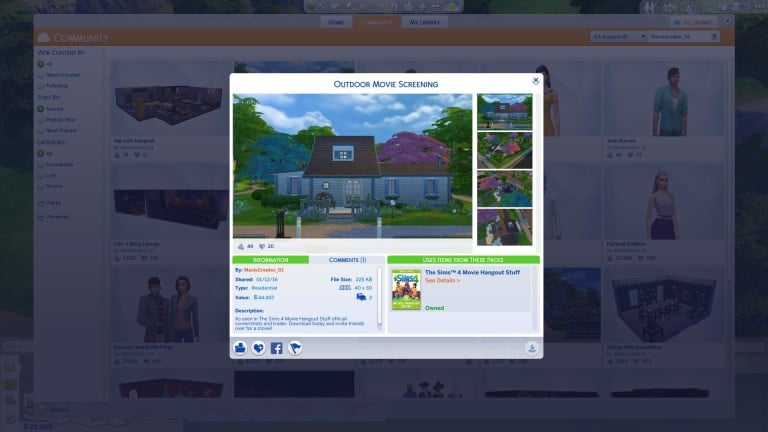
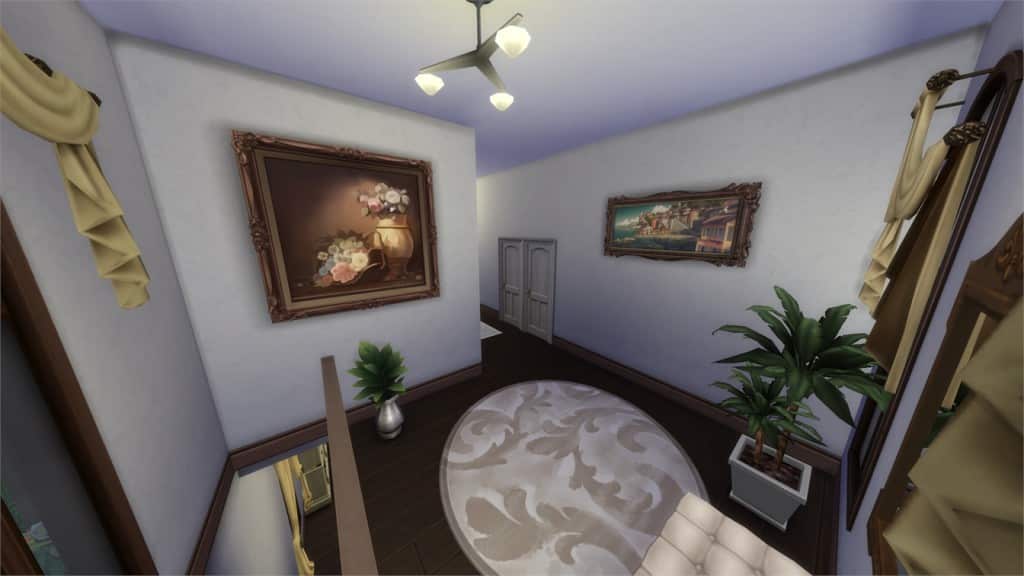
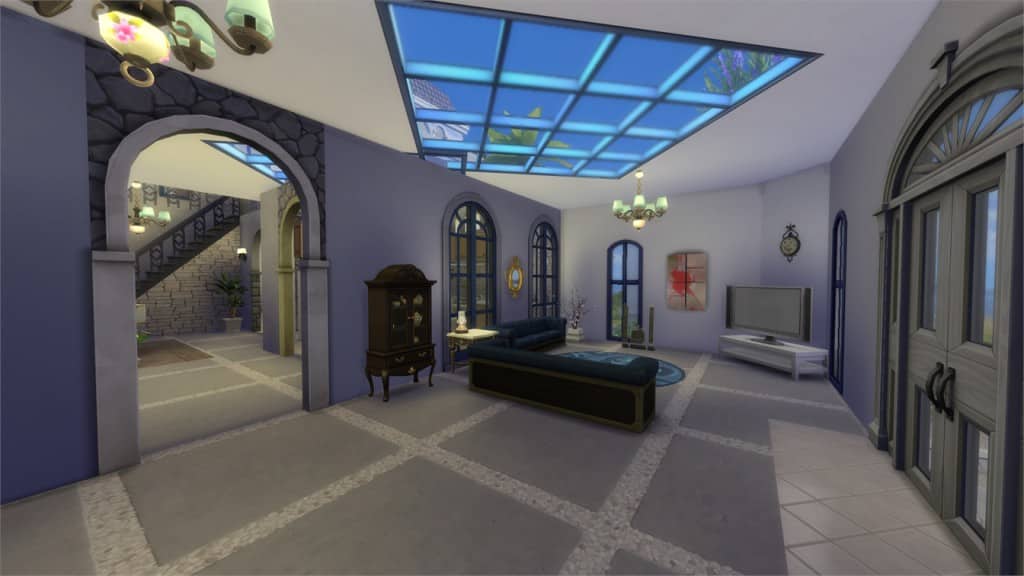
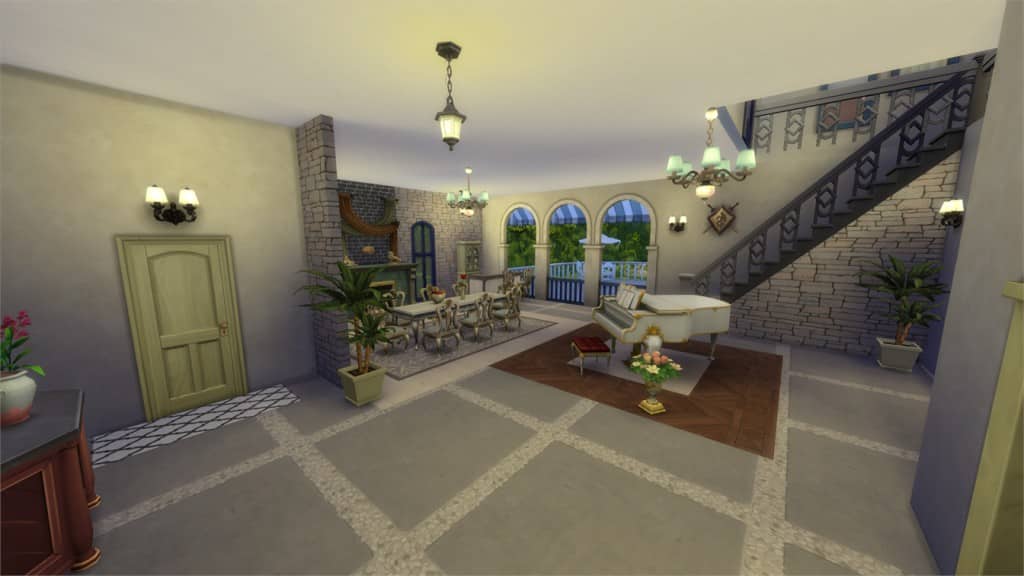
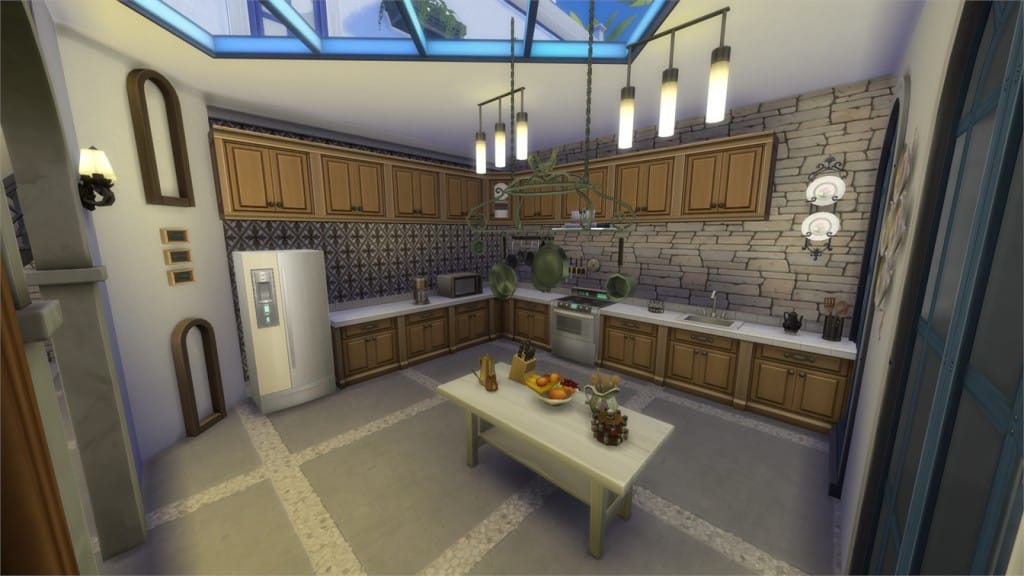
The Sims Team has uploaded official Lots, Houses and Sims that we’ve seen in The Sims 4 Movie Hangout Stuff Trailer. To download these creations, click on the headings above each image.
The Sims 4 Movie Hangout Stuff: CAS Overview
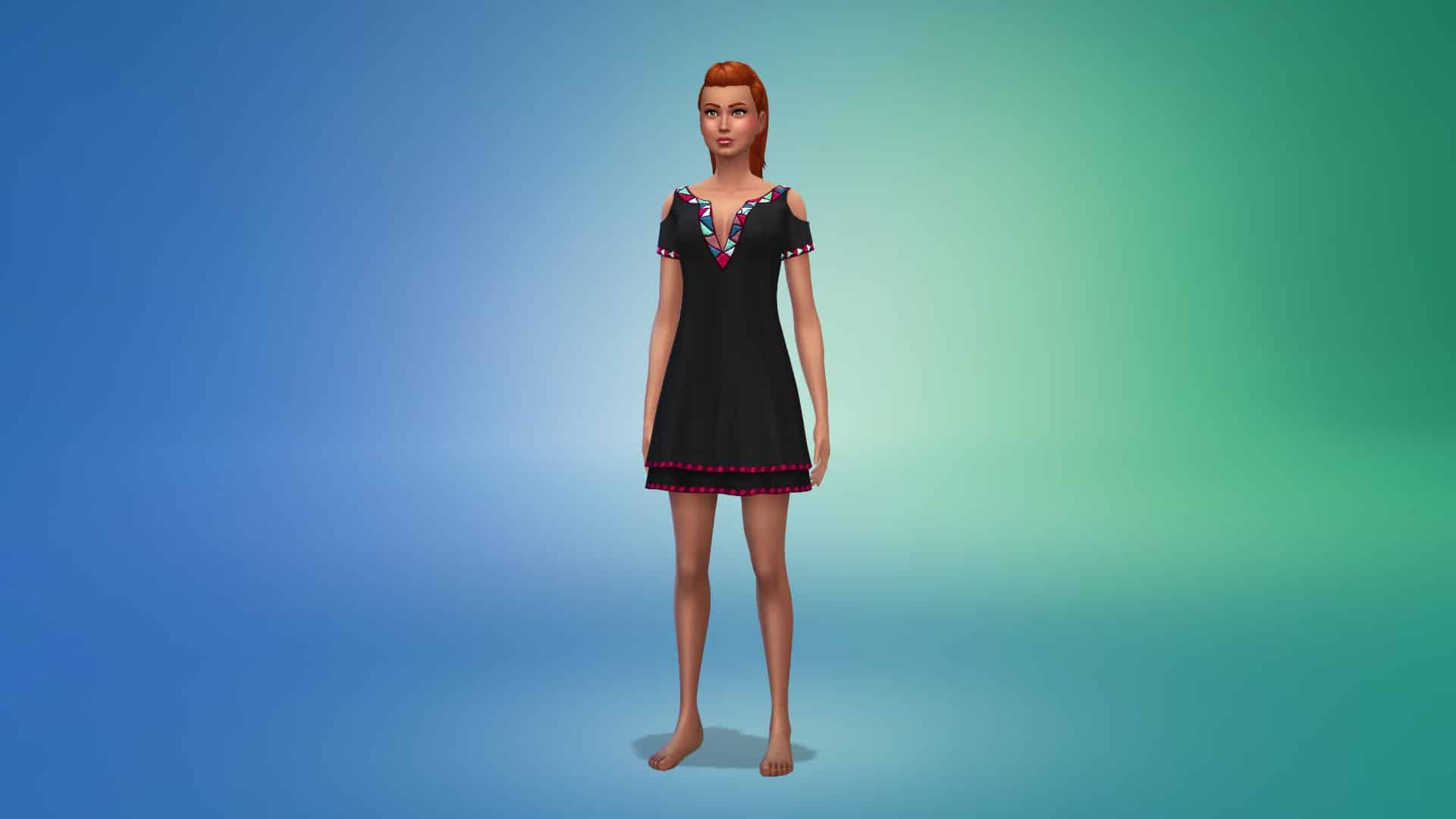
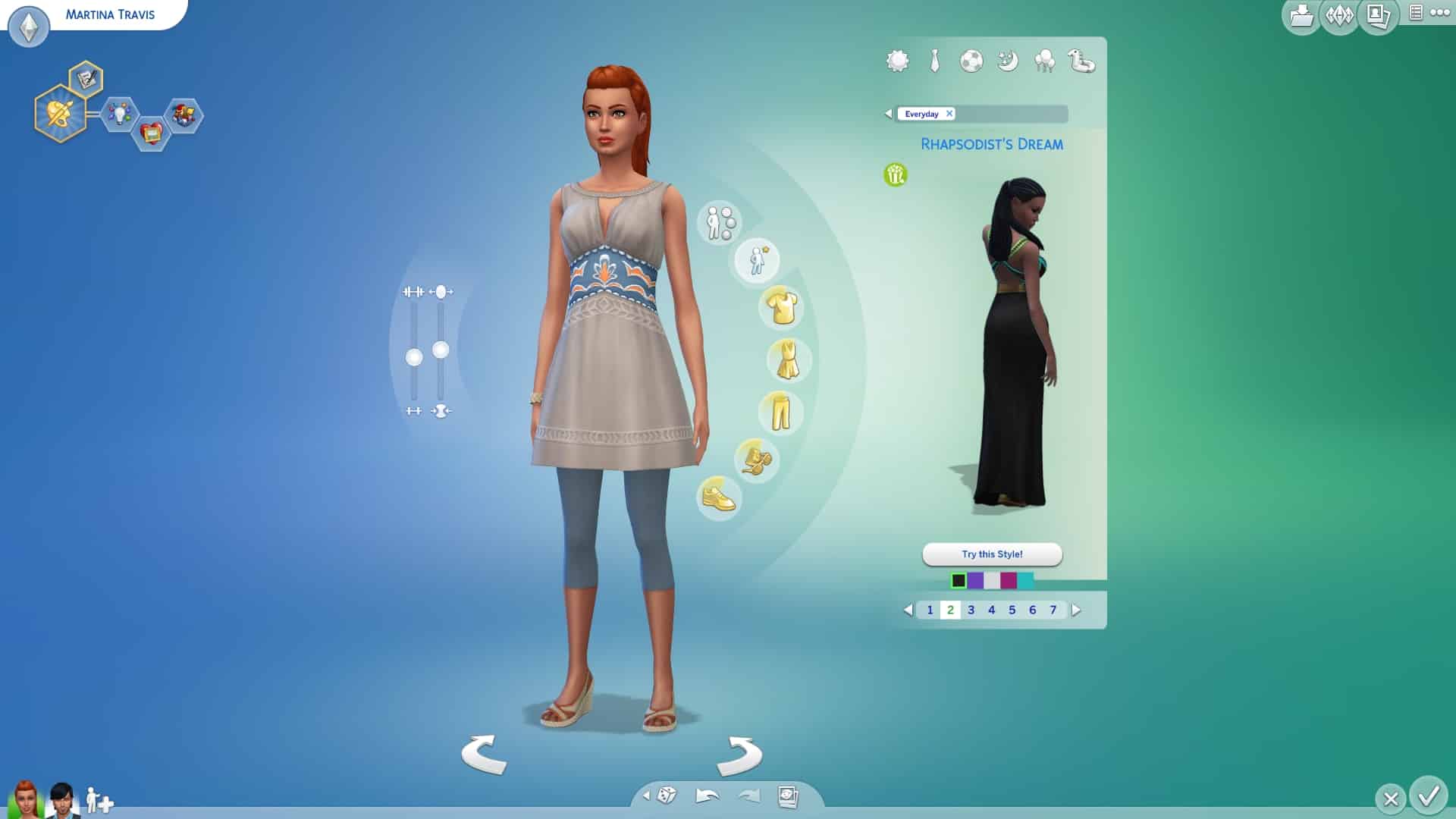
Check out these cool new CAS Items that The Sims 4 Movie Hangout Stuff brought! Click on each image to enlarge it.
Adult Female
Hairstyles (4)
Headwear (1)
Accessories (1)
Tops (2)
Bottoms (2)
Outfits (3)
Shoes (1)
Styled Looks (3)
Adult Male
Hairstyles (2)
Headwear (1)
Accessories (1)
Tops (5)
Bottoms (2)
Shoes (1)
Styled Looks (2)
Child Female
Tops (2)
Bottoms (1)
Child Male
Tops (1)
Bottoms (1)
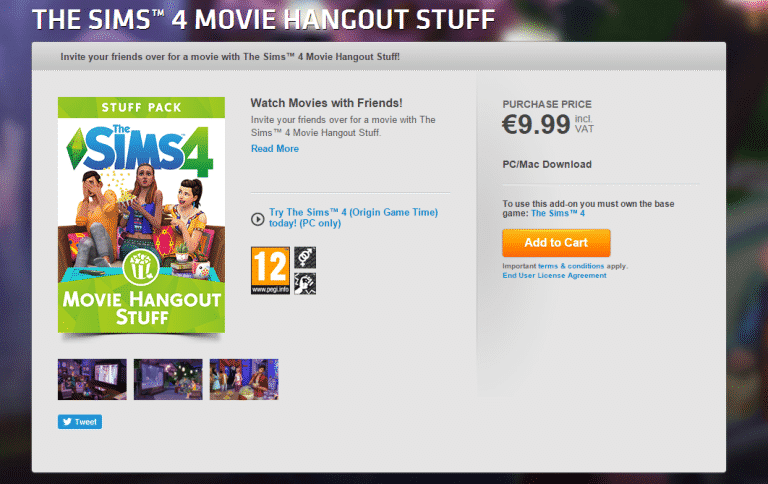
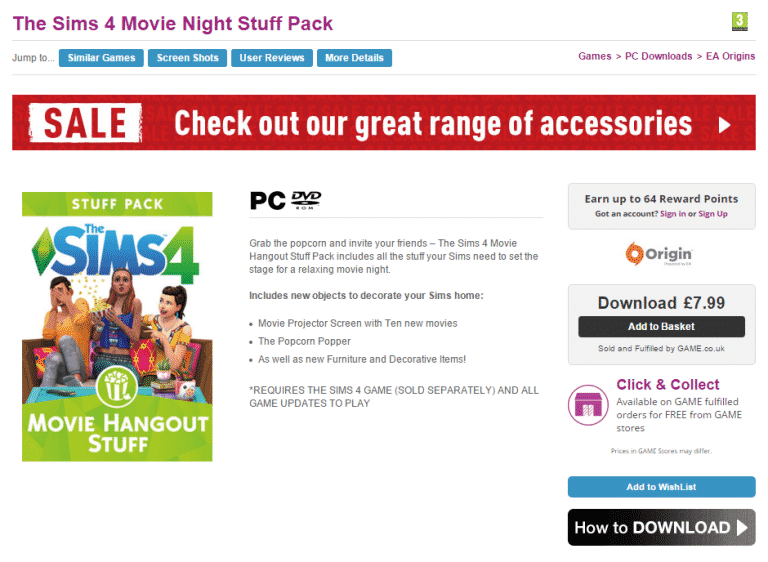
The Sims 4 Movie Hangout Stuff NOW AVAILABLE ON ORIGIN!
The Sims 4’s fifth Stuff Pack – Movie Hangout Stuff – is now available for purchase on Origin for $9,99!
Click on the picture below to get this Stuff Pack!
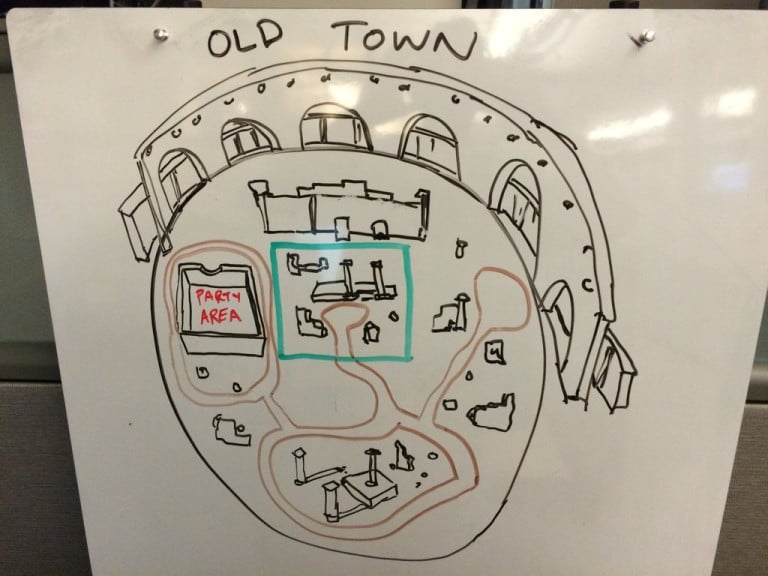
The Sims 4 Get Together: Early Sketch of the Ancient Ruins
SimGuruHouts has shared his sketch of the ancient ruins area in Windenburg back in the early dev days of The Sims 4 Get Together. Check it out!
Who’s partied at the Ruins in
#TheSims4 Get Together? Here’s a sketch of my earliest Ruins design.#BehindTheScenes
Starting A YouTube Channel Part 5: Getting Partnered!
YOUTUBE PARTNERSHIP
So you’ve got your channel underway, your sub count is growing at a steady pace and you are getting the views in with your amazing video content and eye-catching channel art, so whats next for the gaming YouTuber? Partnership! Of course this is an optional step, it is by no means necessary or going to actually improve your sub or view count (even if they say they will) in any way. I can tell you categorically, it wont happen. With that said you are probably thinking “what on earth do I need partnership for then!?” Partnership is a means for YouTubers to make some money from their video content, it is as simple as that! People are often misled into thinking they are going to gain thousands of subscribers and views from becoming partnered with a network, this couldn’t be more false. Companies will try to attract potential clients by suggesting things like this, but it is not true. Right, I assume at this point you have decided you would like to consider joining a network! So for the remainder of this article I am going to showcase some good networks and some terrible ones to avoid.
UNION FOR GAMERS
Curse Network or Union for Gamers is a popular network exclusive to gamers. I can speak from experience when giving my own personal opinion about Curse THEY ARE AMAZING! *ahem* My excitement aside, it really is a network worth looking into. Why you may ask? Well they offer a 90/10 revenue share, meaning you get 90% of any earnings that you make and Curse only take a tiny 10% . These earnings come from advertisements shown on the YouTube site, YouTube as a platform needs creators like you to fill their site with a foundation for ads, these advertisements are spread within,before,after your videos (you decide of course) and all around the webpage itself. By doing this they create a revenue for themselves and by allowing you to link your channel with an external network, YouTube is allowing you to use other means to get your cut for all your hard work! Some networks have requirements which you must meet within a certain time period usually 28-30 days to be eligible to join. Curse asks that you have a minimum of 1,000 subscribers and 4,000 views in the last 30 days OR 8,000 views in the last 30 days. Furthermore, the majority of your content must be gaming related, or fit in with the gaming culture. Your account must be in good standing and of course you cannot be partnered with another network. Union for Gamers also accept applicants under the age of 18, however you must be at least 13+ years of age with additional parents consent for legal reasons. When you are all signed up you will start earning immediately, receiving your funds via Paypal on the 10th of every month. When you first join, you will have to wait two months to receive your first payment and this carries over for the duration of your time with Curse. e.g Money made in November will be paid in January, money made in December will be paid in February etc.
Additional Perks:
- Uncapped contract – there is no cap on how much you can be paid, you will always get 90% of your earnings no matter how much it is.
- No lock-in – You are free to leave curse whenever you please, you are not obliged to say for any agreed period of time!
- Unlimited access to free non-copyright music to use on your channel
- Curse dashboard – Track how well you are doing each month and which videos are earning you the most money
Overall, I have to say that Curse is a fantastic network and becoming partnered with them was one of my biggest YouTube achievements of 2015! I totally recommend them and if you have any further questions you can check out their FAQ page here!
FULLSCREEN
FullScreen is a network which in my opinion is one of the worst out there. I cant speak from experience because I refused to fall for their lies and deceit. However I do have many friends in the community who have and their experiences have been far from good. However I have to say, like Curse they do offer some similar features like the copyright free music libraries, a dashboard to track your progress. Unfortunately though, the good points do not outweigh the bad:
- 2 year lock in – You have to remain partnered with this network for at least 2 years before you can leave (unless you are under the age of 18)
- No rolling payments – You have to make up $50 before you can be paid
- 70/30 Money split
- ‘FullScreen Go’ – somewhere smaller Youtubers are placed until you are ‘big enough’ to join ‘FullScreen Arcade’ (how patronizing!)
If for some reason you would like to give FullScreen a try, you will need at least 100 subscribers and 50 daily views!
Perhaps the biggest indication that this network is not even worth considering is a simple search into Youtube. The first page is saturated in negative videos reviewing this network, that alone should be enough to tell you not to be sucked in by the prospect of “being partnered”. Once you have signed the contract, it is incredibly difficult to leave due to the terrible communication by staff and non existent customer service.
FREEDOM
Another network that I wouldn’t recommend to my worst enemy. Like FullScreen it comes across like an absolute scam. A number of people have had their channels destroyed by this company. With an even lower revenue share than FullScreen at 60/40, Somehow Freedom appear to be slightly better with no limit on payments, you get what you earn. However, it offers nothing entirely unique compared to the previous two networks. The requirements for entry are low, you would only need 1000 views per month to qualify and of course you would need to be in good standing with no copyright strikes.
Id like to point out how having a low entry requirement is NOT a good thing. Essentially this means that anyone can join adding no real value to their company or your achievement (getting partnered). A good network will have a moderately high requirement, which is unfortunate but it enables you to be at the stage where you will actually make money! Companies that take on tiny youtubers have no intention of helping them grow, it just means more members and more money for them because they are aware that you wont make as much as someone larger on the YouTube Spectrum. In other words, the higher the requirements the better the network. If Oxford University let anyone in do you think they would be world class? No! They have high standards for their supreme quality service! Aim higher and work your way up to something of better quality!
You may have also noticed the lack of information I have for the two previous networks, that is because they don’t provide much! They wait until you have signed your two year contract and then give you all the terrible details. Look for a network that is openly displaying all their information about what being partnered with them will be like to avoid any nasty surprises!
THE SIMMERS SYNDICATE
Right, I think its time for something more positive am I right? The last network I would like to showcase is The Simmers Syndicate. A network exclusive to you guys! It is fairly new and is founded by Rachybop, you can check out her introductory video here! Here are some of the benefits of the network:
- No lock in
- 80/20 revenue share – you get 80% of your earnings!
- Sponsorship opportunities
- Unique Access to the Simming Community!
With this network you can enjoy some of the amazing benefits of being partnered as well as have a network that specifically focuses on catering to you as a simmer and not just a gamer or Youtuber in general. To join you will now need to have at least 250 subscribers!
To conclude I would just like to offer some general advice when it comes to gaming networks and partnership:
- Ignore personal invites from networks, they are often small networks hoping to prey on small YouTube channels in the hope that you will sign the contract and be stuck with them forever. Networks that need to do this are clearly desperate and not very good AT ALL!
- Don’t settle for a network you’ve already joined if you are unhappy, if you can leave, LEAVE! There are other great companies out there who will offer you so much more!
- You do not NEED to be partnered. Trust me, joining a terrible network just so you can say “I’m partnered” is not worth it!
- Wait and do your research, go for a network with very strong positive reviews and make it something to be proud of!
- Noticed that your view count has decreased since being partnered? Keep and eye on your analytics! Being partnered with some networks can actually hinder your chances of getting high earnings by impacting your view counts. If you’re partnered with FullScreen or Freedom and you have for example 1k subscribers and your daily videos are only picking up 6 views? Something is wrong!
- DO YOUR RESEARCH!! A simply YouTube search alone will bring you a sea of reviews from others who have experienced these networks already!
That is all for now! I hope this helps some of you chose wisely when considering partnership so you can make the best decision for your channel. This is the final addition to the series, however if you have any other questions or would like advice on for your own YouTube channel feel free to comment down below or contact me via Twitter
The Sims 4 Gallery Spotlight: Houses and Venues

In this Spotlight, we’re featuring some of the most beautiful Houses and Venues created by Simmers for The Sims 4!
Hover over the pulsing plumbobs to see screenshots of marked areas. Pulsing plumbob that’s on the left bottom corner contains all the info (and download link) of the lot.
To see more of our previous Gallery Spotlights, CLICK HERE!
[ult_hotspot main_img=”45188|https://simscommunity.info/wp-content/uploads/2016/01/01-08-16_11-26-18-PM.jpg”][ult_hotspot_items icon_type=”custom” icon_img=”37721|https://simscommunity.info/wp-content/uploads/2015/08/plumhotspot.png” img_width=”26″ tooltip_custom_color=”#1e73be” tooltip_custom_bg_color=”#ffffff” tooltip_width=”500″ enable_bubble_arrow=”off” tooltip_continuous_animation=”on” tooltip_font_size=”desktop:12px;” tooltip_font_line_height=”desktop:18px;” hotspot_position=”13.034449891067537,76.57973345588235″ tooltip_custom_border_size=”border-style:solid;|border-width:2px;border-radius:5px;|border-color:#81d742;”]

[/ult_hotspot_items][ult_hotspot_items icon_type=”custom” icon_img=”37721|https://simscommunity.info/wp-content/uploads/2015/08/plumhotspot.png” img_width=”26″ tooltip_custom_color=”#1e73be” tooltip_custom_bg_color=”#ffffff” tooltip_width=”500″ enable_bubble_arrow=”off” tooltip_continuous_animation=”on” tooltip_font_size=”desktop:12px;” tooltip_font_line_height=”desktop:18px;” hotspot_position=”59.39882897603486,39.04718137254902″ tooltip_custom_border_size=”border-style:solid;|border-width:2px;border-radius:5px;|border-color:#81d742;”]

[/ult_hotspot_items][ult_hotspot_items icon_type=”custom” icon_img=”37721|https://simscommunity.info/wp-content/uploads/2015/08/plumhotspot.png” img_width=”26″ tooltip_custom_color=”#1e73be” tooltip_custom_bg_color=”#ffffff” tooltip_width=”500″ enable_bubble_arrow=”off” tooltip_continuous_animation=”on” tooltip_font_size=”desktop:12px;” tooltip_font_line_height=”desktop:18px;” hotspot_position=”61.65917755991286,69.80698529411765″ tooltip_custom_border_size=”border-style:solid;|border-width:2px;border-radius:5px;|border-color:#81d742;”]

[/ult_hotspot_items][ult_hotspot_items icon_type=”custom” icon_img=”37721|https://simscommunity.info/wp-content/uploads/2015/08/plumhotspot.png” img_width=”36″ tooltip_custom_color=”#1e73be” tooltip_custom_bg_color=”#ffffff” tooltip_width=”500″ enable_bubble_arrow=”off” tooltip_continuous_animation=”on” tooltip_font_size=”desktop:14px;” tooltip_font_line_height=”desktop:18px;” hotspot_position=”86.58058681672026,3.25497287522604″ tooltip_custom_border_size=”border-style:solid;|border-width:2px;border-radius:5px;|border-color:#81d742;”]
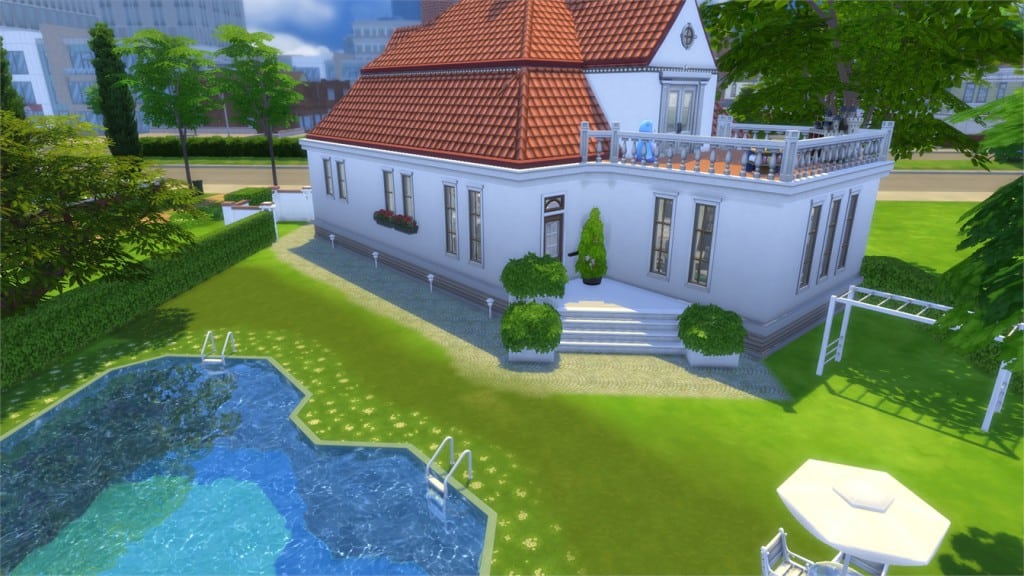
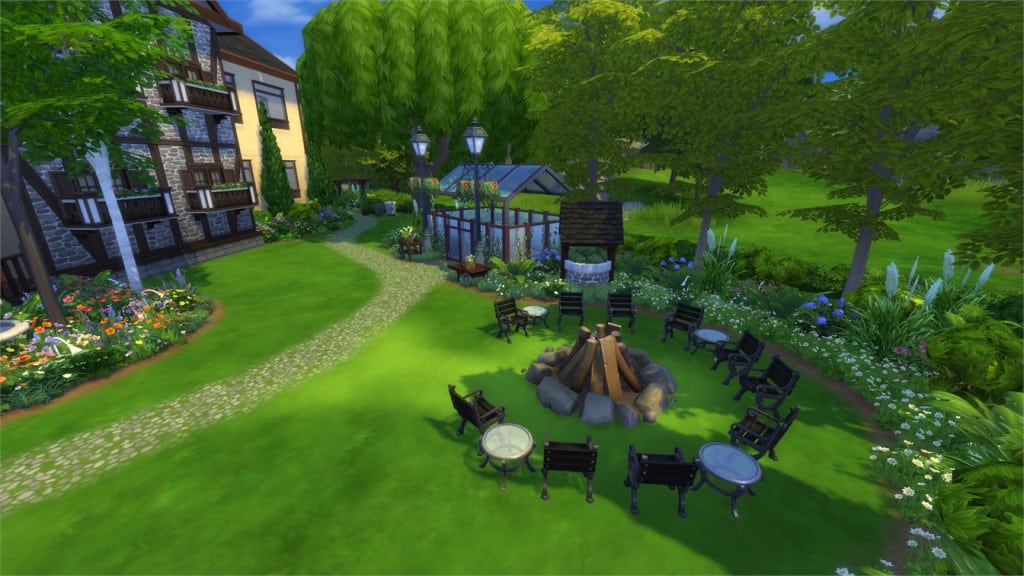
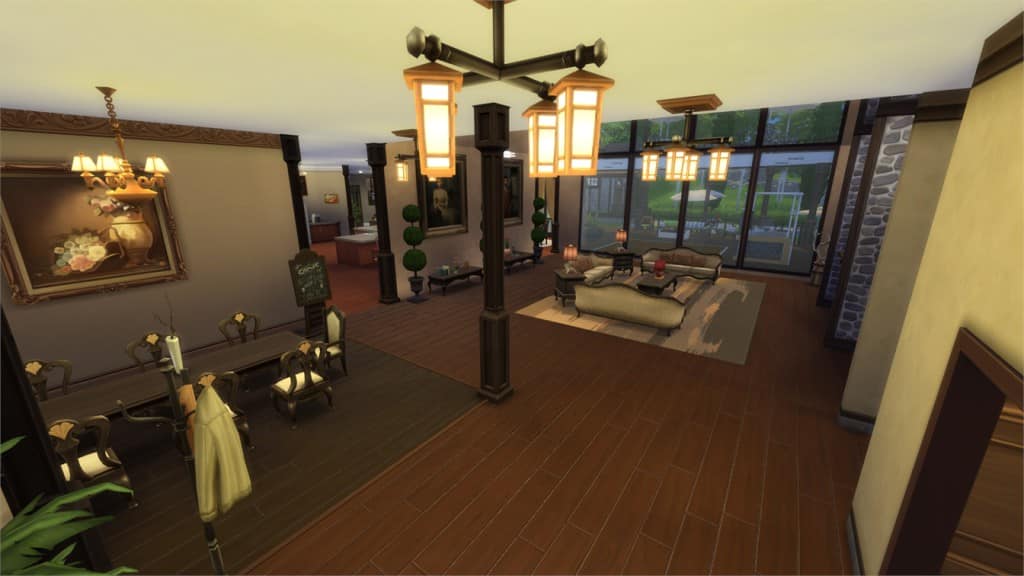
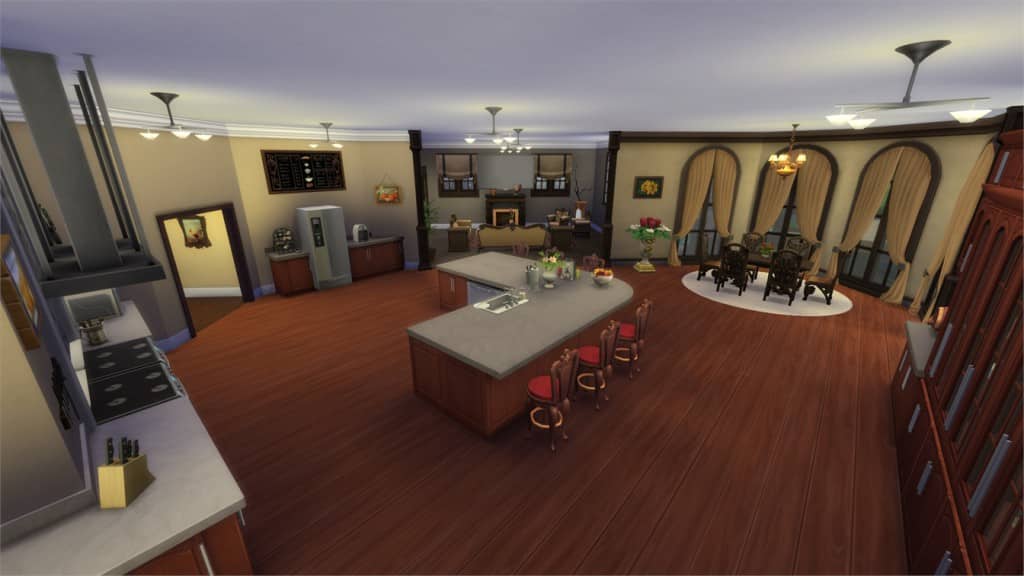
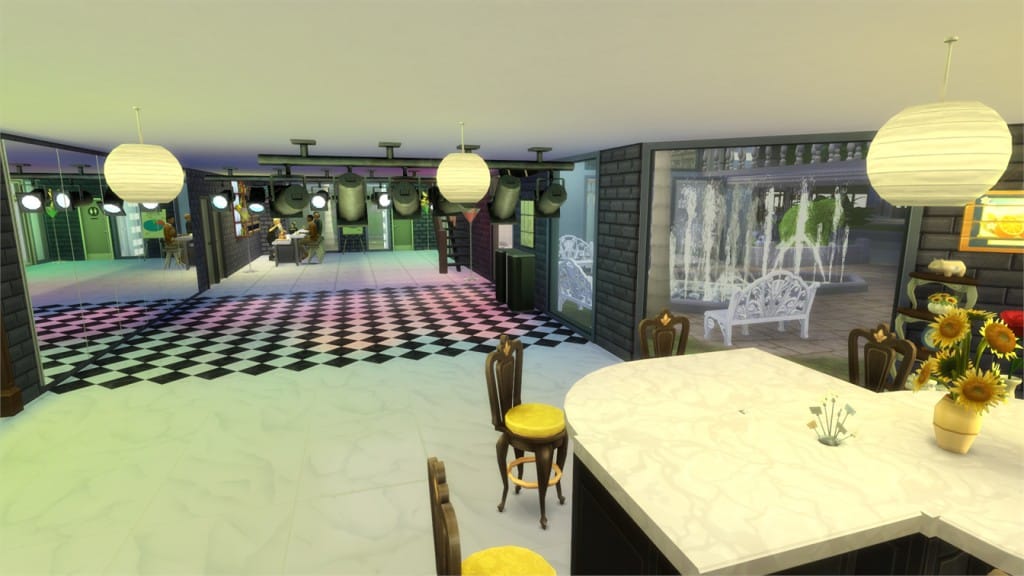
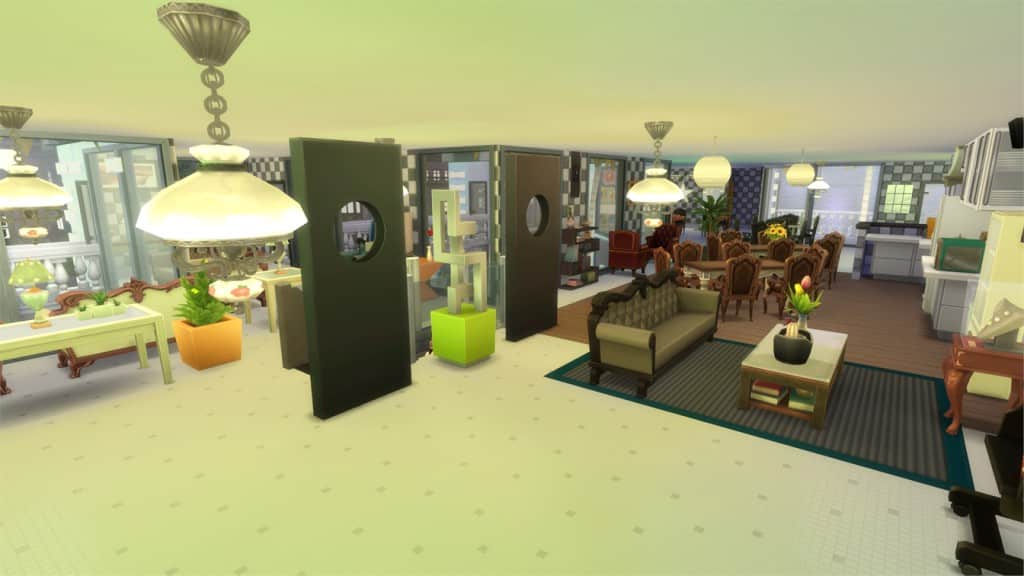
Primrose Manor (Download Here)
by Vixella
Value: §185,541
Size: 30×20
Lot Type: Residental Lot
Required Packs: Outdoor Retreat, Get to Work, Perfect Patio, Spa Day, Cool Kitchen, Get Together[/ult_hotspot_items][/ult_hotspot]

[/ult_hotspot_items][ult_hotspot_items icon_type=”custom” icon_img=”37721|https://simscommunity.info/wp-content/uploads/2015/08/plumhotspot.png” img_width=”26″ tooltip_custom_color=”#1e73be” tooltip_custom_bg_color=”#ffffff” tooltip_width=”500″ enable_bubble_arrow=”off” tooltip_continuous_animation=”on” tooltip_font_size=”desktop:12px;” tooltip_font_line_height=”desktop:18px;” hotspot_position=”51.970996732026144,33.29886642156863″ tooltip_custom_border_size=”border-style:solid;|border-width:2px;border-radius:5px;|border-color:#81d742;”]

[/ult_hotspot_items][ult_hotspot_items icon_type=”custom” icon_img=”37721|https://simscommunity.info/wp-content/uploads/2015/08/plumhotspot.png” img_width=”26″ tooltip_custom_color=”#1e73be” tooltip_custom_bg_color=”#ffffff” tooltip_width=”500″ enable_bubble_arrow=”off” tooltip_continuous_animation=”on” tooltip_font_size=”desktop:12px;” tooltip_font_line_height=”desktop:18px;” hotspot_position=”44.26402505446623,62.670419730392155″ tooltip_custom_border_size=”border-style:solid;|border-width:2px;border-radius:5px;|border-color:#81d742;”]

[/ult_hotspot_items][ult_hotspot_items icon_type=”custom” icon_img=”37721|https://simscommunity.info/wp-content/uploads/2015/08/plumhotspot.png” img_width=”36″ tooltip_custom_color=”#1e73be” tooltip_custom_bg_color=”#ffffff” tooltip_width=”500″ enable_bubble_arrow=”off” tooltip_continuous_animation=”on” tooltip_font_size=”desktop:14px;” tooltip_font_line_height=”desktop:18px;” hotspot_position=”86.58058681672026,3.25497287522604″ tooltip_custom_border_size=”border-style:solid;|border-width:2px;border-radius:5px;|border-color:#81d742;”]
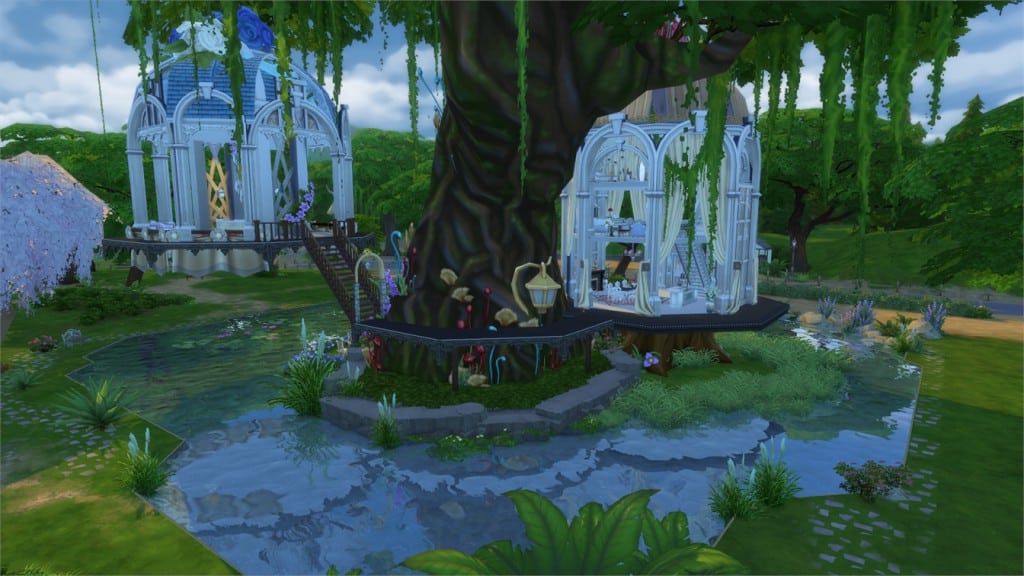
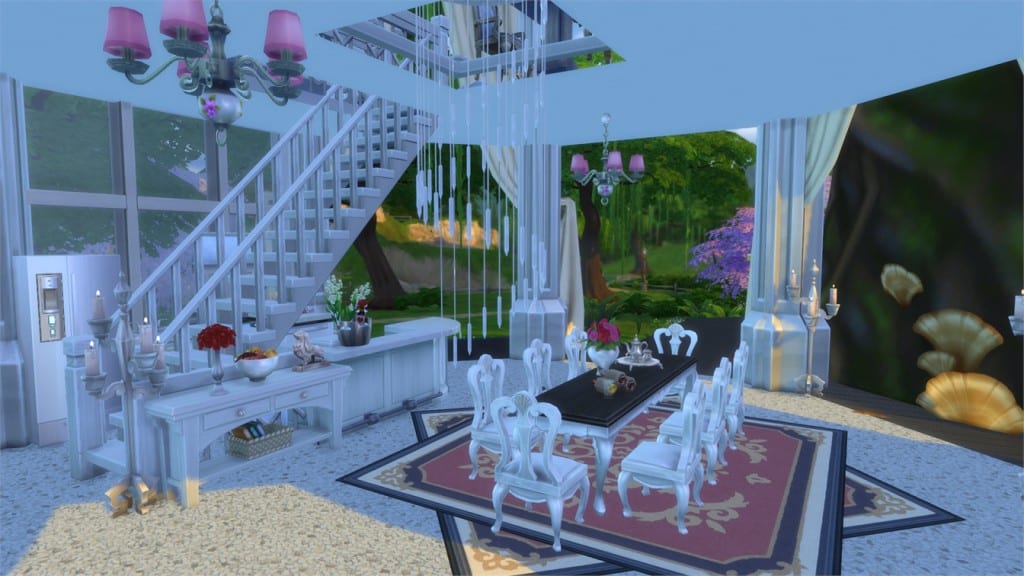
Birdcage Fairy Garden (Download Here)
Value: §234,038
Size: 50×50
Lot Type: Residental
Required Packs: Outdoor Retreat, Get to Work, Perfect Patio, Spa Day, Holiday Celebration[/ult_hotspot_items][/ult_hotspot]

[/ult_hotspot_items][ult_hotspot_items icon_type=”custom” icon_img=”37721|https://simscommunity.info/wp-content/uploads/2015/08/plumhotspot.png” img_width=”26″ tooltip_custom_color=”#1e73be” tooltip_custom_bg_color=”#ffffff” tooltip_width=”500″ enable_bubble_arrow=”off” tooltip_continuous_animation=”on” tooltip_font_size=”desktop:12px;” tooltip_font_line_height=”desktop:18px;” hotspot_position=”31.02192265795207,62.55553002450981″ tooltip_custom_border_size=”border-style:solid;|border-width:2px;border-radius:5px;|border-color:#81d742;”]

[/ult_hotspot_items][ult_hotspot_items icon_type=”custom” icon_img=”37721|https://simscommunity.info/wp-content/uploads/2015/08/plumhotspot.png” img_width=”36″ tooltip_custom_color=”#1e73be” tooltip_custom_bg_color=”#ffffff” tooltip_width=”500″ enable_bubble_arrow=”off” tooltip_continuous_animation=”on” tooltip_font_size=”desktop:14px;” tooltip_font_line_height=”desktop:18px;” hotspot_position=”86.58058681672026,3.25497287522604″ tooltip_custom_border_size=”border-style:solid;|border-width:2px;border-radius:5px;|border-color:#81d742;”]
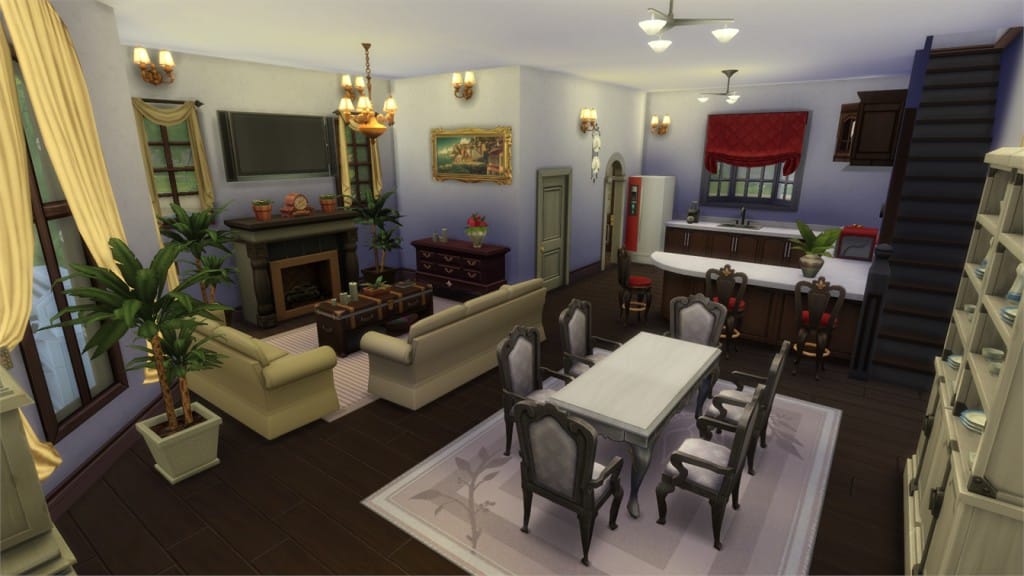
Shutter Lane (Download Here)
Value: §219,818
Size: 20×15
Lot Type: Residental Lot
Required Packs: None[/ult_hotspot_items][/ult_hotspot]

[/ult_hotspot_items][ult_hotspot_items icon_type=”custom” icon_img=”37721|https://simscommunity.info/wp-content/uploads/2015/08/plumhotspot.png” img_width=”26″ tooltip_custom_color=”#1e73be” tooltip_custom_bg_color=”#ffffff” tooltip_width=”500″ enable_bubble_arrow=”off” tooltip_continuous_animation=”on” tooltip_font_size=”desktop:12px;” tooltip_font_line_height=”desktop:18px;” hotspot_position=”55.75639978213508,34.44393382352941″ tooltip_custom_border_size=”border-style:solid;|border-width:2px;border-radius:5px;|border-color:#81d742;”]

[/ult_hotspot_items][ult_hotspot_items icon_type=”custom” icon_img=”37721|https://simscommunity.info/wp-content/uploads/2015/08/plumhotspot.png” img_width=”26″ tooltip_custom_color=”#1e73be” tooltip_custom_bg_color=”#ffffff” tooltip_width=”500″ enable_bubble_arrow=”off” tooltip_continuous_animation=”on” tooltip_font_size=”desktop:12px;” tooltip_font_line_height=”desktop:18px;” hotspot_position=”56.50190631808278,51.29825367647059″ tooltip_custom_border_size=”border-style:solid;|border-width:2px;border-radius:5px;|border-color:#81d742;”]

[/ult_hotspot_items][ult_hotspot_items icon_type=”custom” icon_img=”37721|https://simscommunity.info/wp-content/uploads/2015/08/plumhotspot.png” img_width=”26″ tooltip_custom_color=”#1e73be” tooltip_custom_bg_color=”#ffffff” tooltip_width=”500″ enable_bubble_arrow=”off” tooltip_continuous_animation=”on” tooltip_font_size=”desktop:12px;” tooltip_font_line_height=”desktop:18px;” hotspot_position=”31.50190631808279,48.724724264705884″ tooltip_custom_border_size=”border-style:solid;|border-width:2px;border-radius:5px;|border-color:#81d742;”]

[/ult_hotspot_items][ult_hotspot_items icon_type=”custom” icon_img=”37721|https://simscommunity.info/wp-content/uploads/2015/08/plumhotspot.png” img_width=”36″ tooltip_custom_color=”#1e73be” tooltip_custom_bg_color=”#ffffff” tooltip_width=”500″ enable_bubble_arrow=”off” tooltip_continuous_animation=”on” tooltip_font_size=”desktop:14px;” tooltip_font_line_height=”desktop:18px;” hotspot_position=”86.58058681672026,3.25497287522604″ tooltip_custom_border_size=”border-style:solid;|border-width:2px;border-radius:5px;|border-color:#81d742;”]
Greek Greece Santorini (Download Here)
Value: §301,845
Size: 30×30
Lot Type: Generic
Required Packs: Perfect Patio, Get Together[/ult_hotspot_items][/ult_hotspot]
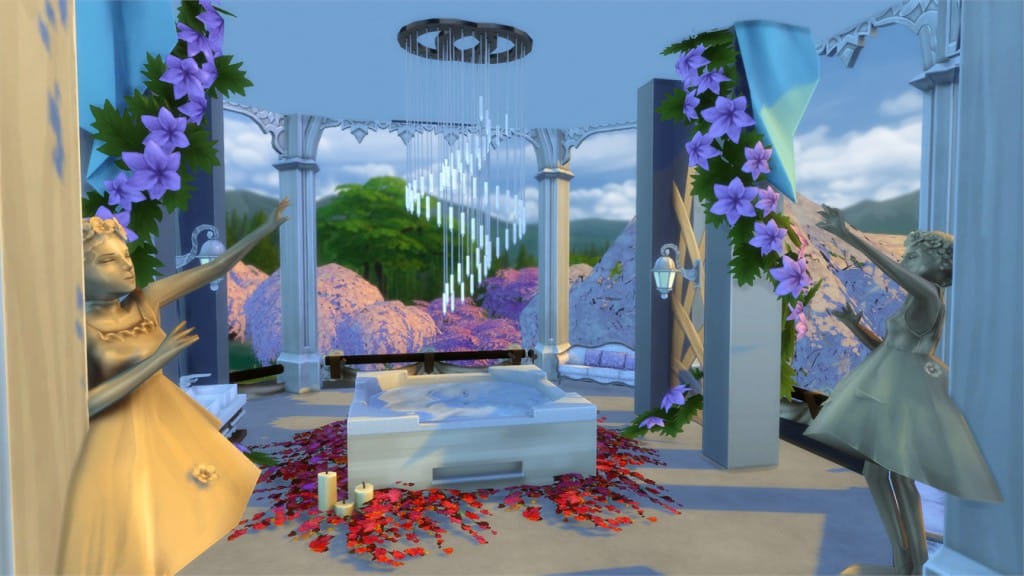
Romantic Wedding Place (Download Here)
by leeloo86
Value: §111,525
Size: 30×30
Lot Type: Generic
Required Packs: Outdoor Retreat, Get to Work, Luxury Party, Perfect Patio, Spa Day, Get Together, Digital Deluxe Content[/ult_hotspot_items][/ult_hotspot]

[/ult_hotspot_items][ult_hotspot_items icon_type=”custom” icon_img=”37721|https://simscommunity.info/wp-content/uploads/2015/08/plumhotspot.png” img_width=”26″ tooltip_custom_color=”#1e73be” tooltip_custom_bg_color=”#ffffff” tooltip_width=”500″ enable_bubble_arrow=”off” tooltip_continuous_animation=”on” tooltip_font_size=”desktop:12px;” tooltip_font_line_height=”desktop:18px;” hotspot_position=”50.76252723311547,31.803385416666668″ tooltip_custom_border_size=”border-style:solid;|border-width:2px;border-radius:5px;|border-color:#81d742;”]

[/ult_hotspot_items][ult_hotspot_items icon_type=”custom” icon_img=”37721|https://simscommunity.info/wp-content/uploads/2015/08/plumhotspot.png” img_width=”26″ tooltip_custom_color=”#1e73be” tooltip_custom_bg_color=”#ffffff” tooltip_width=”500″ enable_bubble_arrow=”off” tooltip_continuous_animation=”on” tooltip_font_size=”desktop:12px;” tooltip_font_line_height=”desktop:18px;” hotspot_position=”59.698393246187365,64.40142463235294″ tooltip_custom_border_size=”border-style:solid;|border-width:2px;border-radius:5px;|border-color:#81d742;”]

[/ult_hotspot_items][ult_hotspot_items icon_type=”custom” icon_img=”37721|https://simscommunity.info/wp-content/uploads/2015/08/plumhotspot.png” img_width=”36″ tooltip_custom_color=”#1e73be” tooltip_custom_bg_color=”#ffffff” tooltip_width=”500″ enable_bubble_arrow=”off” tooltip_continuous_animation=”on” tooltip_font_size=”desktop:14px;” tooltip_font_line_height=”desktop:18px;” hotspot_position=”86.58058681672026,3.25497287522604″ tooltip_custom_border_size=”border-style:solid;|border-width:2px;border-radius:5px;|border-color:#81d742;”]
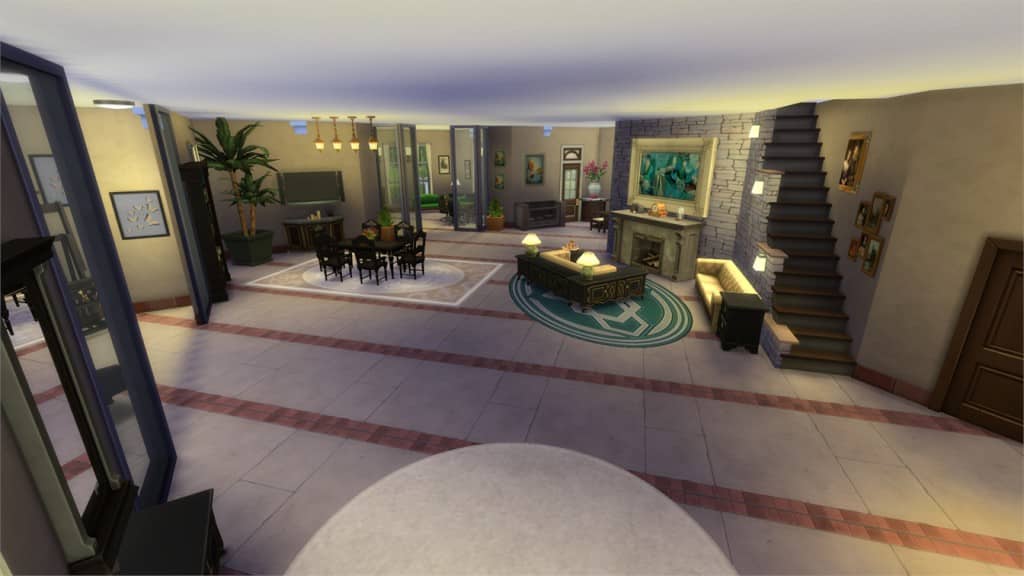
The Melacoo Villa (Download Here)
by Little_Crude
Value: §214,883
Size: 40×30
Lot Type: Residental Lot
Required Packs: None[/ult_hotspot_items][/ult_hotspot]

[/ult_hotspot_items][ult_hotspot_items icon_type=”custom” icon_img=”37721|https://simscommunity.info/wp-content/uploads/2015/08/plumhotspot.png” img_width=”26″ tooltip_custom_color=”#1e73be” tooltip_custom_bg_color=”#ffffff” tooltip_width=”500″ enable_bubble_arrow=”off” tooltip_continuous_animation=”on” tooltip_font_size=”desktop:12px;” tooltip_font_line_height=”desktop:18px;” hotspot_position=”56.307870370370374,47.72709865196079″ tooltip_custom_border_size=”border-style:solid;|border-width:2px;border-radius:5px;|border-color:#81d742;”]

[/ult_hotspot_items][ult_hotspot_items icon_type=”custom” icon_img=”37721|https://simscommunity.info/wp-content/uploads/2015/08/plumhotspot.png” img_width=”36″ tooltip_custom_color=”#1e73be” tooltip_custom_bg_color=”#ffffff” tooltip_width=”500″ enable_bubble_arrow=”off” tooltip_continuous_animation=”on” tooltip_font_size=”desktop:14px;” tooltip_font_line_height=”desktop:18px;” hotspot_position=”86.58058681672026,3.25497287522604″ tooltip_custom_border_size=”border-style:solid;|border-width:2px;border-radius:5px;|border-color:#81d742;”]
Familia Villa (Download Here)
by Waldifox
Value: §196,229
Size: 40×30
Lot Type: Residental Lot
Required Packs: None[/ult_hotspot_items][/ult_hotspot]

[/ult_hotspot_items][ult_hotspot_items icon_type=”custom” icon_img=”37721|https://simscommunity.info/wp-content/uploads/2015/08/plumhotspot.png” img_width=”36″ tooltip_custom_color=”#1e73be” tooltip_custom_bg_color=”#ffffff” tooltip_width=”500″ enable_bubble_arrow=”off” tooltip_continuous_animation=”on” tooltip_font_size=”desktop:14px;” tooltip_font_line_height=”desktop:18px;” hotspot_position=”86.58058681672026,3.25497287522604″ tooltip_custom_border_size=”border-style:solid;|border-width:2px;border-radius:5px;|border-color:#81d742;”]
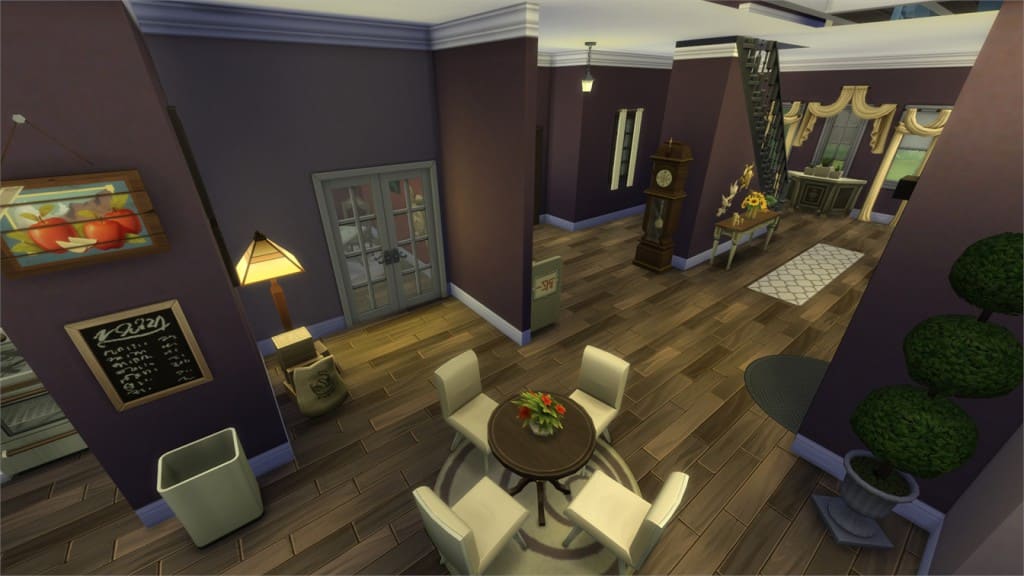
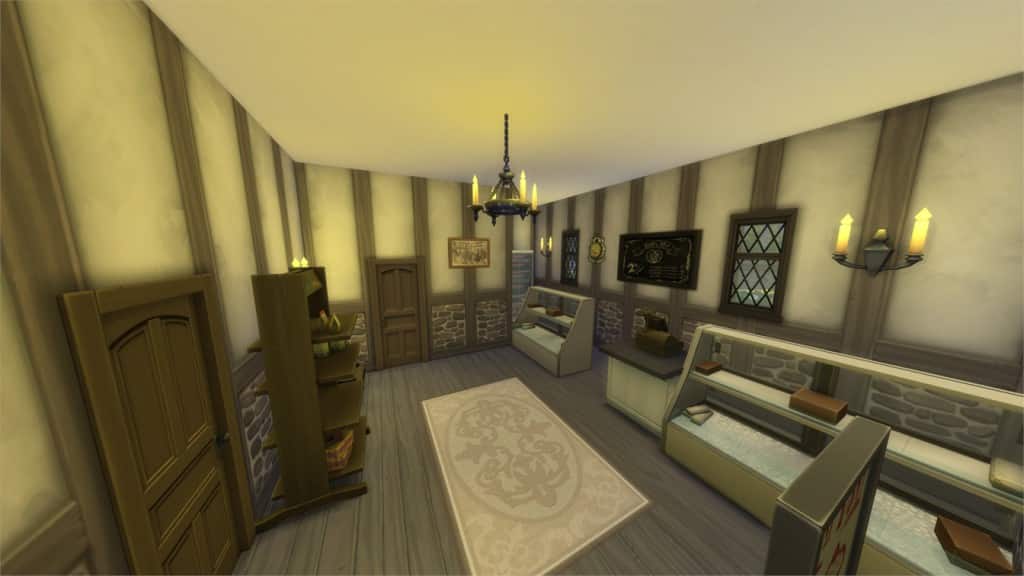
‘Ye Olde Bakery’ (Download Here)
by luckyheather
Value: §91,436
Size: 20×20
Lot Type: Retail
Required Packs: Outdoor Retreat, Get to Work, Get Together[/ult_hotspot_items][/ult_hotspot]

[/ult_hotspot_items][ult_hotspot_items icon_type=”custom” icon_img=”37721|https://simscommunity.info/wp-content/uploads/2015/08/plumhotspot.png” img_width=”26″ tooltip_custom_color=”#1e73be” tooltip_custom_bg_color=”#ffffff” tooltip_width=”500″ enable_bubble_arrow=”off” tooltip_continuous_animation=”on” tooltip_font_size=”desktop:12px;” tooltip_font_line_height=”desktop:18px;” hotspot_position=”23.24346405228758,17.028569240196077″ tooltip_custom_border_size=”border-style:solid;|border-width:2px;border-radius:5px;|border-color:#81d742;”]

[/ult_hotspot_items][ult_hotspot_items icon_type=”custom” icon_img=”37721|https://simscommunity.info/wp-content/uploads/2015/08/plumhotspot.png” img_width=”26″ tooltip_custom_color=”#1e73be” tooltip_custom_bg_color=”#ffffff” tooltip_width=”500″ enable_bubble_arrow=”off” tooltip_continuous_animation=”on” tooltip_font_size=”desktop:12px;” tooltip_font_line_height=”desktop:18px;” hotspot_position=”54.163262527233115,51.342294730392155″ tooltip_custom_border_size=”border-style:solid;|border-width:2px;border-radius:5px;|border-color:#81d742;”]

[/ult_hotspot_items][ult_hotspot_items icon_type=”custom” icon_img=”37721|https://simscommunity.info/wp-content/uploads/2015/08/plumhotspot.png” img_width=”26″ tooltip_custom_color=”#1e73be” tooltip_custom_bg_color=”#ffffff” tooltip_width=”500″ enable_bubble_arrow=”off” tooltip_continuous_animation=”on” tooltip_font_size=”desktop:12px;” tooltip_font_line_height=”desktop:18px;” hotspot_position=”52.89011437908496,42.64131433823529″ tooltip_custom_border_size=”border-style:solid;|border-width:2px;border-radius:5px;|border-color:#81d742;”]

[/ult_hotspot_items][ult_hotspot_items icon_type=”custom” icon_img=”37721|https://simscommunity.info/wp-content/uploads/2015/08/plumhotspot.png” img_width=”36″ tooltip_custom_color=”#1e73be” tooltip_custom_bg_color=”#ffffff” tooltip_width=”500″ enable_bubble_arrow=”off” tooltip_continuous_animation=”on” tooltip_font_size=”desktop:14px;” tooltip_font_line_height=”desktop:18px;” hotspot_position=”86.58058681672026,3.25497287522604″ tooltip_custom_border_size=”border-style:solid;|border-width:2px;border-radius:5px;|border-color:#81d742;”]
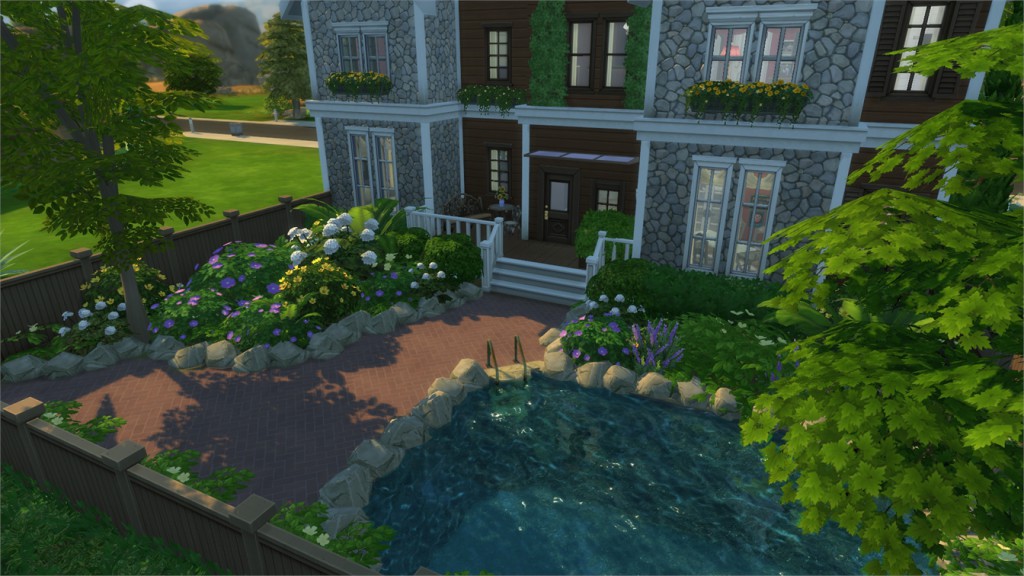
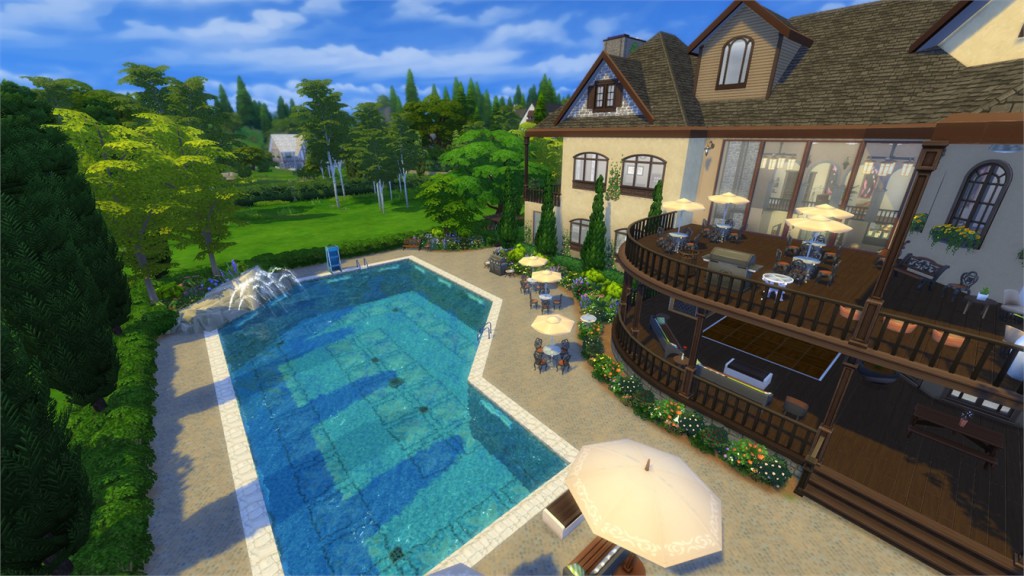
Brookeside Mansion (Download Here)
Value: §969,735
Size: 64×64
Lot Type: Residental
Required Packs: Get to Work, Get Together, Holiday Celebrations[/ult_hotspot_items][/ult_hotspot]

[/ult_hotspot_items][ult_hotspot_items icon_type=”custom” icon_img=”37721|https://simscommunity.info/wp-content/uploads/2015/08/plumhotspot.png” img_width=”26″ tooltip_custom_color=”#1e73be” tooltip_custom_bg_color=”#ffffff” tooltip_width=”500″ enable_bubble_arrow=”off” tooltip_continuous_animation=”on” tooltip_font_size=”desktop:12px;” tooltip_font_line_height=”desktop:18px;” hotspot_position=”39.13058278867103,53.4256280637255″ tooltip_custom_border_size=”border-style:solid;|border-width:2px;border-radius:5px;|border-color:#81d742;”]

[/ult_hotspot_items][ult_hotspot_items icon_type=”custom” icon_img=”37721|https://simscommunity.info/wp-content/uploads/2015/08/plumhotspot.png” img_width=”26″ tooltip_custom_color=”#1e73be” tooltip_custom_bg_color=”#ffffff” tooltip_width=”500″ enable_bubble_arrow=”off” tooltip_continuous_animation=”on” tooltip_font_size=”desktop:12px;” tooltip_font_line_height=”desktop:18px;” hotspot_position=”25.656998910675384,39.087392769607845″ tooltip_custom_border_size=”border-style:solid;|border-width:2px;border-radius:5px;|border-color:#81d742;”]

[/ult_hotspot_items][ult_hotspot_items icon_type=”custom” icon_img=”37721|https://simscommunity.info/wp-content/uploads/2015/08/plumhotspot.png” img_width=”36″ tooltip_custom_color=”#1e73be” tooltip_custom_bg_color=”#ffffff” tooltip_width=”500″ enable_bubble_arrow=”off” tooltip_continuous_animation=”on” tooltip_font_size=”desktop:14px;” tooltip_font_line_height=”desktop:18px;” hotspot_position=”86.58058681672026,3.25497287522604″ tooltip_custom_border_size=”border-style:solid;|border-width:2px;border-radius:5px;|border-color:#81d742;”]
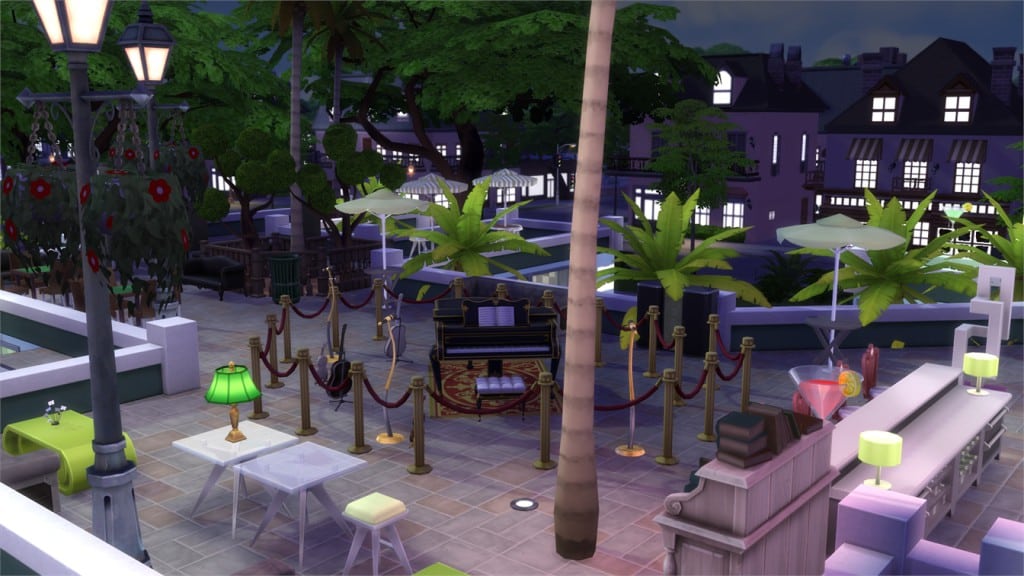
The Palm Nightclub 2 (Download Here)
by NoodleDrag
Value: §614,410
Size: 40×30
Lot Type: Nightclub
Required Packs: None[/ult_hotspot_items][/ult_hotspot]
The Sims 4: Herbalism Skill Guide
Herbalism Skill Guide

In order to have the Herbalism Skill as an option you need to get the Outdoor Retreat Game Pack. This is also needed to gather certain plants to make the different brewed concoctions. If you haven’t gotten Outdoor Retreat yet knowing that it brings the Herbalism Skill to the Game might be an incentive. Visit Granite Falls to get Started, I love the look of Granite Falls and the fact you can explore this area as you increase your Herbalism Skill is a bonus.
When leveling up your Herbalism skill you will need to learn what plants to grow and splice together to create other plants. Having your gardening skill maxed out is a huge help when doing the Herbalism skill. Gain levels to unlock new Recipes to Brew, and learn to identify Herbs found in the massive Forest of Granite Falls. This Guide to Herbalism will list all of the Recipes your Sims can learn, guide you toward the Hermit’s location and list the effects of each of the creams, ointments, and liniments your Sims can Brew with the Skill.
Collecting Herbs and Insects:
Identifying Herbs is the first thing you should do to get started with the Skill. Later, Brewing Recipes will get you to level 10. Herbs are naturally the primary component of these Recipes, but some require regular Gardening produce, and many require Insects. Collecting Herbs will give your Sims the skill needed to brew different concoctions. A lot of the Produce needed for the recipes can be found via the Gardening Guide and around Granite Falls (even rares like Blackberries are found there). Finding Herbs is easy – just search around with the camera low, and watch for Plants that sparkle. If your Sims has Gardening level 5, you can not only Harvest the Plants, but also Take Cutting so that you can Graft them onto other existing plants and get more of them later on by incorporating them into your Garden at home.
Collect insects:
Insects can be the hardest part. A good search pattern and keen eye are necessary, as you collect the insects they will be added to your inventory in a terrarium like container. These can be displayed on various shelfs and surfaces. A great idea is to build a collection shed, or buy the collection chest from the Trick or Treat Challenge reward update.
Dust Spirits come out at Night in Granite Falls
Insects are another matter all together. You must keep an eye out at all times while searching for Herbs and collect every one that you see. Bugs that fly are the easiest to catch. Those that crawl, however, are much harder. I suggest you keep your Camera at eye level as though you are looking through the Forest yourself, because otherwise treetops will obscure your view. Try to use a pattern and search the Forest without revisiting the same places. It can be tough at first, especially if you’re new to Outdoor Retreat, but you’ll eventually get the hang of it. Most insects are easiest to spot during daytime, but some like Fireflies and Dust Spirits only come out at night.
As your Skill rises, you’ll be more likely to Identify Herbs. Herbalism comes with two main interactions with Herbs.
Identify Plant:
Attempting to Identify an Herb will give your Sim some Skill Experience. You can do this over and over on a high-level herb to help you gain Skill, but it’s not really recommended since the most experience comes from Brewing Recipes. By level 5, your Sim should be able to identify all types of Herbs (even Rares) within a few tries.
Eating Plants:
Each of the 10 total Herbs has a normal and poisonous variety. If you know it’s the normal, it’s safe to eat. If you’re unsure, don’t bother risking it. Some Herbs can leave your Sims itchy for a long time and even need a remedy to get over the ailment quickly. Thankfully, all maladies herbs may produce will go away with time and it could help your Sims to identify an Herb. Fireleaf can be found in a couple of places. Fireleaf can sometimes be found here (near the Hermit’s cave in the National Park) and another possible spawner is near the Waterfall Fishing spot. Hermit’s hidden area has Morel Mushrooms. While False Morels are found all over, the Hermit Area sometimes has true Morels in the Rock Garden. It depends on your luck.

Brewing Herbalism Concoctions:
As your Sims gains levels in Herbalism, you’ll unlock new Recipes. You should save the Herbs you collect for a mass-brewing back at Lodging in Granite falls or your own Home to level the Skill. Making these will give you the most Skill XP out of any of the interactions. It’s kind of like Cooking in that way. I preferred to take the Herbs home and plant them on my lot, to ensure I had access to these while at home. Trips to Granite Falls may be necessary in order to collect Insects, as previously mentioned, because they are required in a lot of the best Recipes.
The following are the herbs in the game pack. As noted before, there is a poisonous (bad moodlet) and normal (often good moodlet) version of each Herb. I’ll also list what happens when you eat them in the notes section. Growth times etc. are for your reference when planting them in your home lot. Prices are for Perfect variants.

LIST OF HERBS:
Chamomile Chamomile– Common – Value: $14 – Grows in 24h – Found in Granite Falls National Park (Big Forest). Eating gives +1-3 4 hour Happy Moodlet (Quality-determined)
Toxic Chamomile– Common- Value:$15 – Grows in 24h -Found in Granite Falls National Park (Big Forest). Eating gives +2 Tense Moodlet for 2h
Elderberry- Common-Value:$6- Grows in 18h- Found in Granite Falls National Park (Big Forest). Eating gives +1-3 4 hour Happy Moodlet (Quality-determined)
Noxious Elderberry– Common- Value:$- Grows in7 18h – Found in Granite Falls National Park (Big Forest). Eating gives +2 Sad Moodlet for 2h
Huckleberry– Uncommon- Value:$8- Grows in 18h – Found in Granite Falls National Park (Big Forest). Eating gives +1-3 4 hour Happy Moodlet (Quality-determined)
Muckleberry– Uncommon- Value:$9- Grows in 18h- Found in Granite Falls National Park (Big Forest). Eating gives +2 Dazed Moodlet for 2h. Dazed Sims are better targets for Romance.
Fireleaf– Uncommon- Value:$13- Grows in 18h- Found in Granite Falls National Park (Big Forest). Eating gives +1-3 4 hour Happy Moodlet (Quality-determined)
Poison Fireleaf– Uncommon- Value:$11- Grows in 18h-Found in Granite Falls National Park (Big Forest). Eating gives +2 Angry Moodlet for 2h
Morel Mushroom– Rare- Value:$17- Grows in 24h- Morels are sometimes found in the Hidden Area of Granite Falls. Eating gives +1-3 4 hour Happy Moodlet (Quality-determined)
False Morel Mushroom–Rare- Value:$19- Grows in 24h- Found in Granite Falls National Park (Big Forest). Eating gives +2 Uncomfortable Moodlet for 2h

HERBALISM RECIPE LIST & SKILL UNLOCKS:
The only Skill unlocks of Herbalism are the new Recipes your Sims learn. Here’s a list of all of them and how to get the Secret Recipe:
Herbalism Recipe List
Level 1 Insect Repellent Liniment- 2 Noxious Elderberry, 2 Basil Prevents Insect Bites while in the Wilderness, which can happen when collecting them.
Level 1 Sadness Alleviation Lotion- 2 Elderberry, 1 Firefly Eliminates any Sadness-inducing Moodlets
Level 1 Fungal Infusion Fertilizer– Recipe 3 Morel Mushroom, 2 False Morel, 1 Blackberry, 1 Dust Spirit Learn from Friendship with Hermit. See below. Likely the best Fertilizer in-game – it should last a long time. Use it to help Evolve Plants.
Level 2 Deodorizing Cream- 1 Elderberry, 1 Strawberry, 2 Parsley Replenishes the Sim’s Hygiene Need. Higher Quality seems to do more.
Level 3 Soothing Skin Balm- 2 Chamomile, 2 Basil, 1 Locust Heals or reduces duration of any insect bites and possibly burns.
Level 4 De-Stressing Decoction- 2 Chamomile, 2 Muckleberry, 1 Walking Stick Eliminates Stress Moodlets
Level 5 Tummy Therapy- 2 Huckleberry, 2 Sage, 1 Termite Alleviates Nausea-type Moodlets and other stomach-related ailments
Level 6 Clear Mind Distillation- 2 Toxic Chamomile, 2 Huckleberry, 2 Parsley Gives Sim a +2 Focused Moodlet for 4 hours
Level 6 Fireleaf Extract- 2 Poison Fireleaf, 2 Morel Mushroom, 1 Fire Ant Makes Sims extremely uncomfortable giving Unrelenting Itch for 8h and an upset stomach
Level 7 Natural Herbicide Oil- 2 Toxic Chamomile, 3 Fireleaf, 1 Stink Bug Can only be used on a plant when the ‘Weed’ option is available. Pouring this oil will remove the weeds and stop them from growing for a time.
Level 8 Energizer Infusion- 3 Muckleberry, 2 Poison Fireleaf, 1 Dragonfly Gives a +2 Energized Moodlet for 4 hours
Level 9 Rage Relieving Salve- 3 Noxious Elderberry, 2 Fireleaf, 1 Tomato, 1 Rainbow Firefly Eliminates any Anger-producing Moodlets
Level 10 Elixir of Fertility-4 False Morel, 2 Sage,1 Bee, 1 Will-o-the-Wisp Increases the likelihood of Twins and Triplets
These are not worth selling most of the time given the cost and value of ingredients themselves. These are for using to benefit your Sims!

You can learn a secret Recipe from the Hermit of Granite Falls:
Talking to the Hermit of Granite Falls may give your Sims some Herbalism Skill experience when you talk about it with them, though it seems to stop at a point. The Hermit’s role in Herbalism is, upon reaching Good Friends, that you can use the special Interaction, ‘Learn Herbalism Recipe’ to get the Fungal Infusion Fertilizer Recipe, no matter your level. Be careful cooking this, as it can cause a fire at low level. Becoming Friends with the Hermit is also crucial to Milestone III of Outdoor Retreat’s Outdoor Enthusiast Aspiration. Visiting this area is highly recommended, as it’s possible you will find Herbs you don’t yet have, along with the will-o-the-wisp (rare insect) at night. which you need to create some of the higher level Herbalism recipes including the Fungal Infused Fertilizer Recipe.
Well I know my Sim had fun learning all the recipes of the Herbalism skill and I hope yours will too.
So until next time Happy Simming!
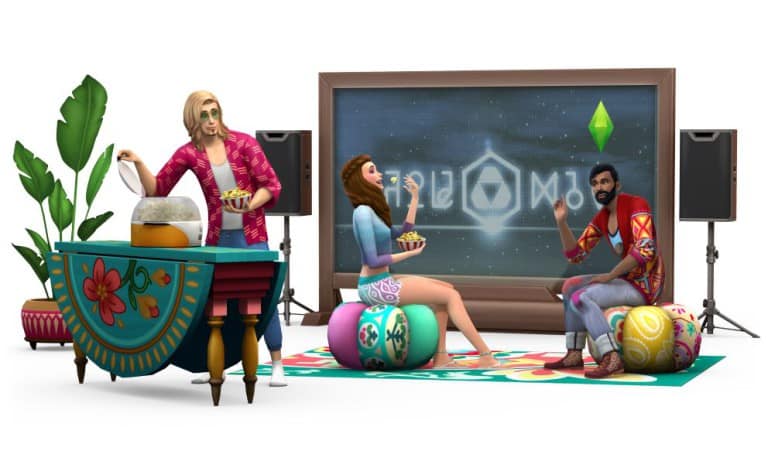
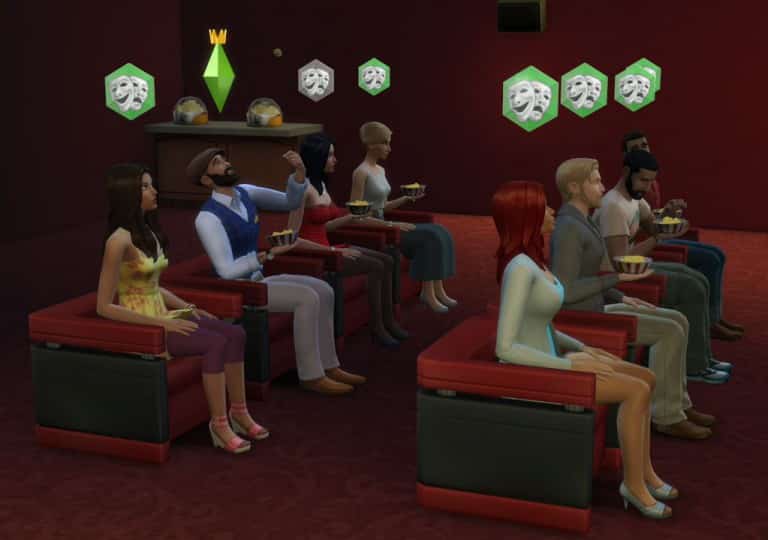
The Sims 4 Movie Hangout Stuff: Screen by SimGuruRomeo
SimGuruRomeo has shared a new screenshot from The Sims 4 Movie Hangout Stuff, showing off his Movie Club enjoying a movie with some popcorns!
Just an every day Club Gathering for the Oasis Springs Film Critics (OSFC)
The Sims 4: New Game Update! (January 7th, 2016)

The Sims Team has released a brand new Update for The Sims 4, preparing us for the release of The Sims 4 Movie Hangout Stuff that’s out next week!
To download the latest version of The Sims 4, simply open your Origin program and if the game doesn’t update automatically, right click on The Sims 4 and select ”Update”.
Update: 01/07/2016 – PC Version 1.14.49.1020 / Mac Version 1.14.49.1220
Happy year of the new, Simmers!
We have a short and sweet release this fine 7th of January, like a New Year’s Eve peck – just a quick welcome to 2016!
Around the corner, I hear Sims are prepping the popcorn for their movie relaxations (just remember, if the bunny in the woods is too much, just call on the super kids to battle the dancing undead).
And with that warning out of the way, we have a bit of NEW…
- We have modified the way in which Sims react to those acting inappropriately in their neighbors’ homes. Beware, for you might find your Sim asked to leave if they get out of line.
- We have also modified the behavior of Sims when a fight occurs.
- Your friends may cheer you on, but your enemies may cheer when you’re down.
- There are 8 new wall decorations to decorate your décor! (ok, well, they don’t decorate the décor, they add to the décor… I really just wanted to ignore the conventions of grammar and write what I wanted to write. There… I admitted it, I ignore grammar!)
- Movie posters for It’s Amber!, Stay Weirder, Cow Plant Love, Cop and Llama, Malpractice, Epic Wood, Sul Sul, and Still Life, are all now available in the Build catalog.
… And have addressed a few Issues…
- The repair service will no longer become unavailable if the player switches active households while the repair service was in progress.
- The repair service is no longer available to not service a retail lot.
- It is now not available, as it was not repairing. Thus, the service will now not charge you for not repairing, when you attempted to have a repair service, service your repairs.
- We fixed an issue that could result when connecting or reconnecting online, in an interface misalignment in the My Library tab of the Gallery.
- Essentially, interface elements were not redrawing properly, and were overlapping in ways that made parts of the interface inaccessible.
- In-acc-sess-ible is so much more fun to say when you accent each syllable.
- We have addressed an issue that could allow users to modify existing lots and upload them as their own.
- Without going into too much detail, through a means of saving, deleting, and re-uploading, it was possible for the owner ID to be “lost” and thus allow the owner modification to occur.
- Sims can now chat with children playing on a jungle gym without route failing.
- … of course I thought the whole purpose of the park was to let your kids run free, while you found peace in the nature inspired sanctuary of silence…
- “Dad?!”
- Blissful, golden silence…
- “DAD!!!”
- SILENCE!
- “DAD?!”
- “What?!”
- “Nuh-thing.”
- We fixed an issue with the DJ booth that could result in the upgrade action failing to perform, but still deducting the parts from the Sims’ inventory.
I hope you had a pleasant December, and wish you joy as we move into the beginnings of this new year.
-SimGuruGnome
The Sims 4 Movie Hangout Stuff Twitter Tidbits
SimGurus are sharing new info about the latest Stuff Pack – The Sims 4 Movie Hangout!
.@Ceres_Meiriona Happy to hear; the number of detailed pattern variants for the objects & clothes in this pack is nuts! Very versatile.
— Graham Nardone (@SimGuruGraham) January 6, 2016
.@Howdy_Simmer This pack is for friends/family gathering in a relaxing setting to enjoy a movie, it’s not for a cinema or home theater feel.
— Graham Nardone (@SimGuruGraham) January 6, 2016
.@nickperri_ Definitely. Sims can even declare their favorite movie genre! Check out the blog if you haven’t yet: https://t.co/rZjFHthFYq
— Graham Nardone (@SimGuruGraham) January 6, 2016
.@Howdy_Simmer Sims consider them as different activities. For example, you could have a club that watches movies and avoids watching TV.
— Graham Nardone (@SimGuruGraham) January 6, 2016
.@Howdy_Simmer Each movie is about an hour and a half in Sim time. It’s a unique interaction to watch each one so they’ll stick around.
— Graham Nardone (@SimGuruGraham) January 6, 2016
.@Sathos_voice Each movie is about an hour and a half in Sim time. That adds up to approximately 20 minutes of new video in real time 🙂
— Graham Nardone (@SimGuruGraham) January 6, 2016
@thesimplynando There’s a new club rule to watch movies if that’s what you’re asking about.
— Graham Nardone (@SimGuruGraham) January 6, 2016
@Howdy_Simmer That’s the idea; they’re great fun to watch along together with your Sims!
— Graham Nardone (@SimGuruGraham) January 6, 2016
@SimInterstellar Yup, multiple new styled rooms. Some really lovely arrangements thanks to the wide variety in the pack.
— Graham Nardone (@SimGuruGraham) January 6, 2016
.@thesimplynando Yes, there are ways to watch together, or join in watching a movie in progress. Even a new romantic cuddle while watching.
— Graham Nardone (@SimGuruGraham) January 6, 2016
@Sim_Cookie The movies don’t directly change their emotion, but Sims do have varying degrees of enjoyment when watching a flick.
— Graham Nardone (@SimGuruGraham) January 6, 2016
.@Weealbet Movies can be watched on TVs, and TV can be watched on the new screens. New gameplay is around Sim behavior during/after movies.
— Graham Nardone (@SimGuruGraham) January 6, 2016
@MooniGaming @thesimplynando No sofa woohoo; turn the movie off and take it to the bedroom 😉
— Graham Nardone (@SimGuruGraham) January 6, 2016
@catloverplayer @thesimplynando Yes, or until the movie ends.
— Graham Nardone (@SimGuruGraham) January 6, 2016
@PattonKieran Kids don’t make popcorn; but they can eat the popcorn that adults make in the new popcorn popper.
— Graham Nardone (@SimGuruGraham) January 7, 2016
@daniel_willyan You can invite friends to hang out & then watch a movie with them; it didn’t feel like something needing a dedicated event.
— Graham Nardone (@SimGuruGraham) January 7, 2016
.@ZerbuTabek The ten movies don’t loop or repeat themselves, each tells its own complete story from start to finish 🙂
— Graham Nardone (@SimGuruGraham) January 7, 2016
@PattonKieran They sure can.
— Graham Nardone (@SimGuruGraham) January 7, 2016
.@purpleclauu The reactions they have relate to what’s happening on screen, i.e., monster pops out; Sims jump in fright. Not emotion based.
— Graham Nardone (@SimGuruGraham) January 7, 2016
.@leo3487 Did someone say telesplosion? I love that in Get Together! …and yes, it works & looks fantastic on the new Movie Stuff screens.
— Graham Nardone (@SimGuruGraham) January 7, 2016
@Chelle_Jo44 Yup, each one is two minutes in real time.
— Graham Nardone (@SimGuruGraham) January 7, 2016
@RacodyZ No, it’s done via an interaction in-game. There are a number of new socials between Sims that they can use after watching a movie.
— Graham Nardone (@SimGuruGraham) January 7, 2016
@RacodyZ This pack is for friends/family to gather in a relaxing setting and enjoy a movie. Comfy boho clothing and accent piece furniture.
— Graham Nardone (@SimGuruGraham) January 7, 2016
@RacodyZ We specifically stayed away from cinema as that’s a totally different experience, and something larger than a stuff pack.
— Graham Nardone (@SimGuruGraham) January 7, 2016
@RacodyZ Things like discussing a scene, asking about the plot, chatting about actors or directors, spreading spoilers, etc. Variety.
— Graham Nardone (@SimGuruGraham) January 7, 2016
.@RacodyZ There are four popcorn flavors… buttered, caramel, cheddar, and kettle.
— Graham Nardone (@SimGuruGraham) January 7, 2016
.@Ceres_Meiriona In Movie Hangout Stuff, shushing happens when a Sim who is enjoying a movie gets distracted by other Sims who aren't.
— Graham Nardone (@SimGuruGraham) January 8, 2016
.@Ceres_Meiriona Examples… if another Sim starts talking, or laughs during a serious moment, a Sim enjoying the movie may "SHH!" them.
— Graham Nardone (@SimGuruGraham) January 8, 2016
.@Howdy_Simmer @leegravesg15 Watching TV and watching a movie are two separate club rules that can be selected independently of each other.
— Graham Nardone (@SimGuruGraham) January 8, 2016
@QueenavaZ No, making popcorn isn't a club activity.
— Graham Nardone (@SimGuruGraham) January 9, 2016
The Sims 3 Store: SimPoints / World Purchase Process Change
SimGuruDrake has announced today that The Sims 3 website will be down for site maintenance and that they’ll change the way you purchase SimPoints and Worlds from The Sims 3 Store.
Hello Simmers!
Today the The Sims 3 store / website will be going down for a short time for site maintenance starting at 11AM PT. We will be making an update to the way that you purchase SimPoints and Worlds on The Sims 3 store.
When selecting a SimPoint or World bundle you will now be brought to Origin.com for your payment.
The payment flow will goes as follows:
For SimPoints:
- Log in to Origin.com using your thesims3.com username and password.
- Choose the amount of SimPoints you want and follow the instructions on-screen to purchase them.
- Go back to https://store.thesims3.com/ and refresh the page (press CTRL + F5 on a PC or Command + R on a Mac)
- Your SimPoints balance will refresh too, and you’ll see your new points have been added.
- If your SimPoints balance does not correctly display your expected balance, log out of https://store.thesims3.com/ and log back in.
- If you’re also logged into the game, or have the launcher open, you’ll need to exit and restart so that your new Points balance is updated in-game.
For World Bundles:
-
If you select a World Bundle from the store on thesims3.com, you’ll be taken to the Origin.com purchase page for that bundle.
-
If you’re asked to, please log in to Origin.com using your thesims3.com username and password.
-
Follow the instructions to complete your purchase and you will be given a code to redeem.
-
To redeem the code, go to the code redemption page on thesims3.com and enter your code.
- Check the box to agree to the Terms of Service and Privacy Policy.
- Click Redeem.
-
Next, go to your Purchase History and click the Download button for your new World.
-
The World should now be available for you to download through The Sims 3 launcher.