Home Blog Page 482

The Sims 4: 3D Models by Michael Long

0

Created by Michael Long!

I was the first artist on The Sims 4, early on in pre-production you are mostly concerned with style exploration and solving broad technical questions. One of the first questions was “What does a couch look like?” So here is a French Provincial couch.

sims4_2_L

Over the years I’ve made many a tree, most of them were too small but here is an example of a style exploration and the first tree in The Sims 4.

sims4_3_L

Here is a first stab at a performance target for a New Orleans mansion, without textures.

sims4_1_L

The Sims 4 Gallery: Follow Function is getting an Update!

0

Via SimGuruBChick!

UPDATE 3/2: Over the next few weeks, a number of changes are being rolled out to the way Followers are displayed within The Gallery. With the release of The Sims 4 Get to Work Expansion Pack, you will be able to see the names of players who are following you as long as their Origin Privacy Settings allow their username to be shown to you.

The way your Origin Privacy Settings are set up effect what people are allowed to see in your profile. For example, let’s take two The Sims 4 players: Debi and Matt. Matt wants to follow Debi because Debi builds some of the coolest houses around, but Debi’s Origin Profile is set to only be viewable by friends. With that setting, Matt is able to see the awesome houses Debi posts, but he isn’t able to view her bio or post on her wall. Also, if Debi decided to follow Matt, he wouldn’t see her name in his list of followers – instead, it would be listed as anonymous. Of course, if Debi wants to block Matt outright, she’s still able to do that.

To change your profile settings from the web:

  1. Log into origin.com.
  2. From “My Account” in the top navigation bar, select “Privacy Settings”.
  3. “Who can see my profile” is the first option in the Privacy Settings section. Note that even if you set your profile visibility to “Everyone”, you can still opt out of showing your real name and limit how people can search for you (such as by e-mail address or console ID). Also, we do honor the Block List.
  4. Select “Update” at the bottom of the page.

To change your profile settings from the Origin client:

  1. Open Origin on your computer.

  2. From “Origin” in the top navigation bar, select “Account and Privacy”.

  3. Select “Privacy Settings” in the left navigation.

  4. “Who can see my profile” is the first option in the Privacy Settings section.

  5. Select “Update” at the bottom of the page.

The Sims 4: Interior Design Guide

3

1) Pick a Theme

Each room or home needs to have a theme to give your decorating a direction.  It can be as simple as a colour or colour scheme, to a specific time period or style.  Your room could be a blue study room, or a Classic styled distressed living room, or a dark Modern bedroom.

03-01-15_12-16 PM

I wanted the study to be blue to make it more inspiring for my Sims.

2) Space

Keep in mind space, and less CAN be more: do not stress over the clutter items.  A room can be beautiful with just a painting and a plant.

02-23-15_11-39 PM

This tiny kitchen still looks comfy and full because of a few decorative items.  Consider using different styled chairs to give your room charm.

3) Wallpaper and Flooring

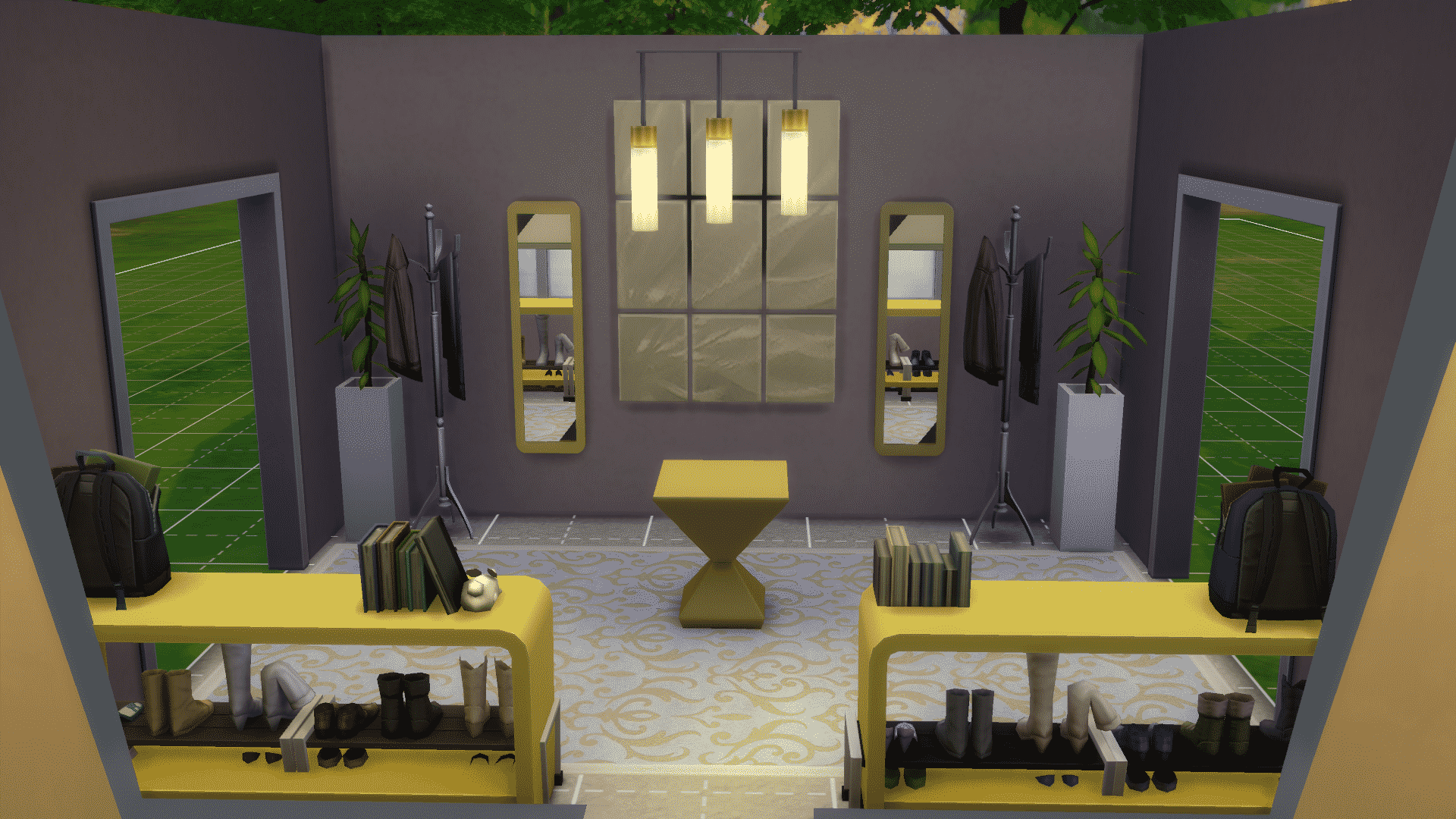
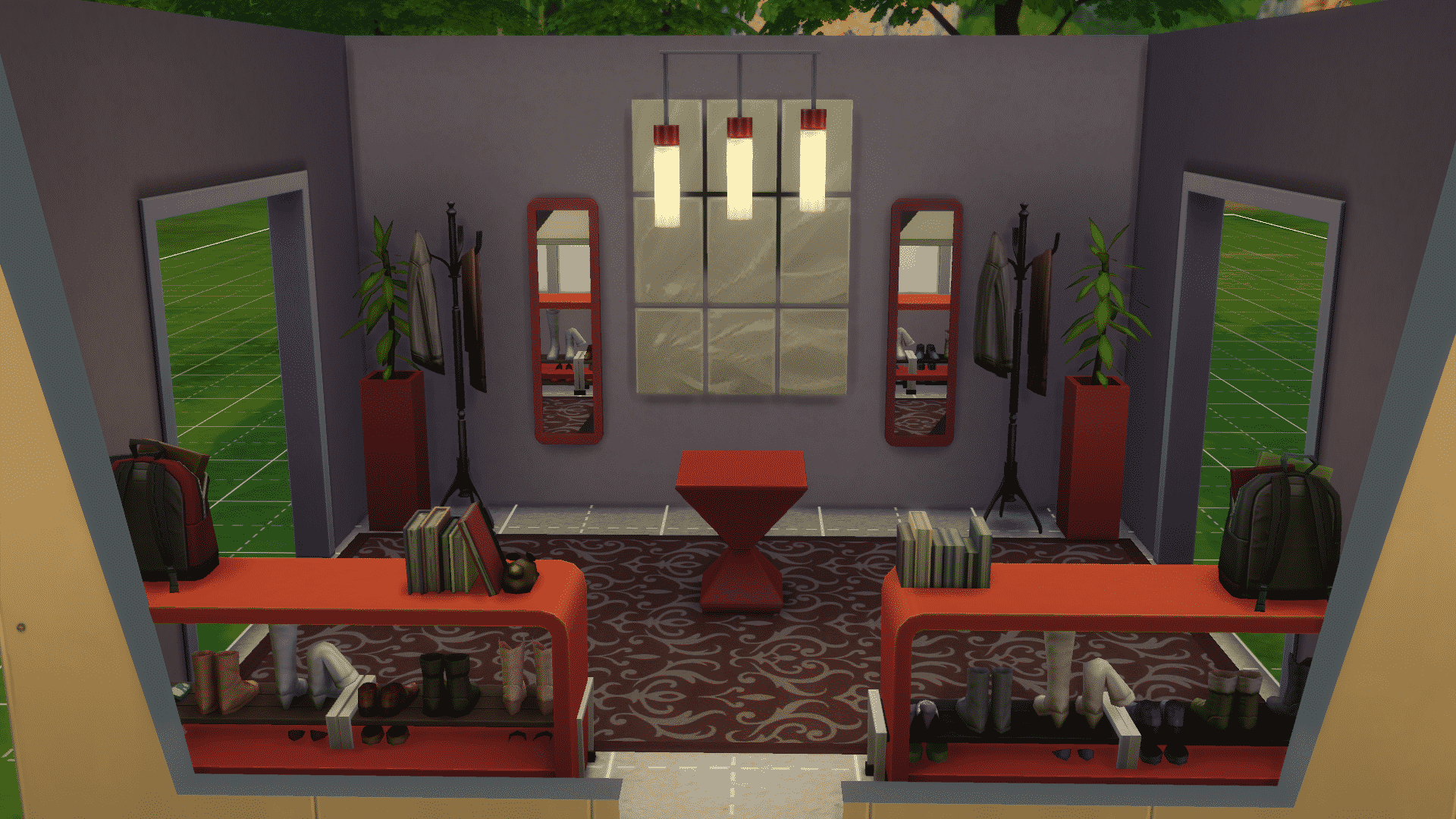
Neutral coloured walls allow for more flexibility in your decorating options.  Think of it as your canvas.

Yellow

03-01-15_12-32 PM

Red

03-01-15_12-33 PM

Blue

03-01-15_12-33 PM-2

4) Utility of The Room

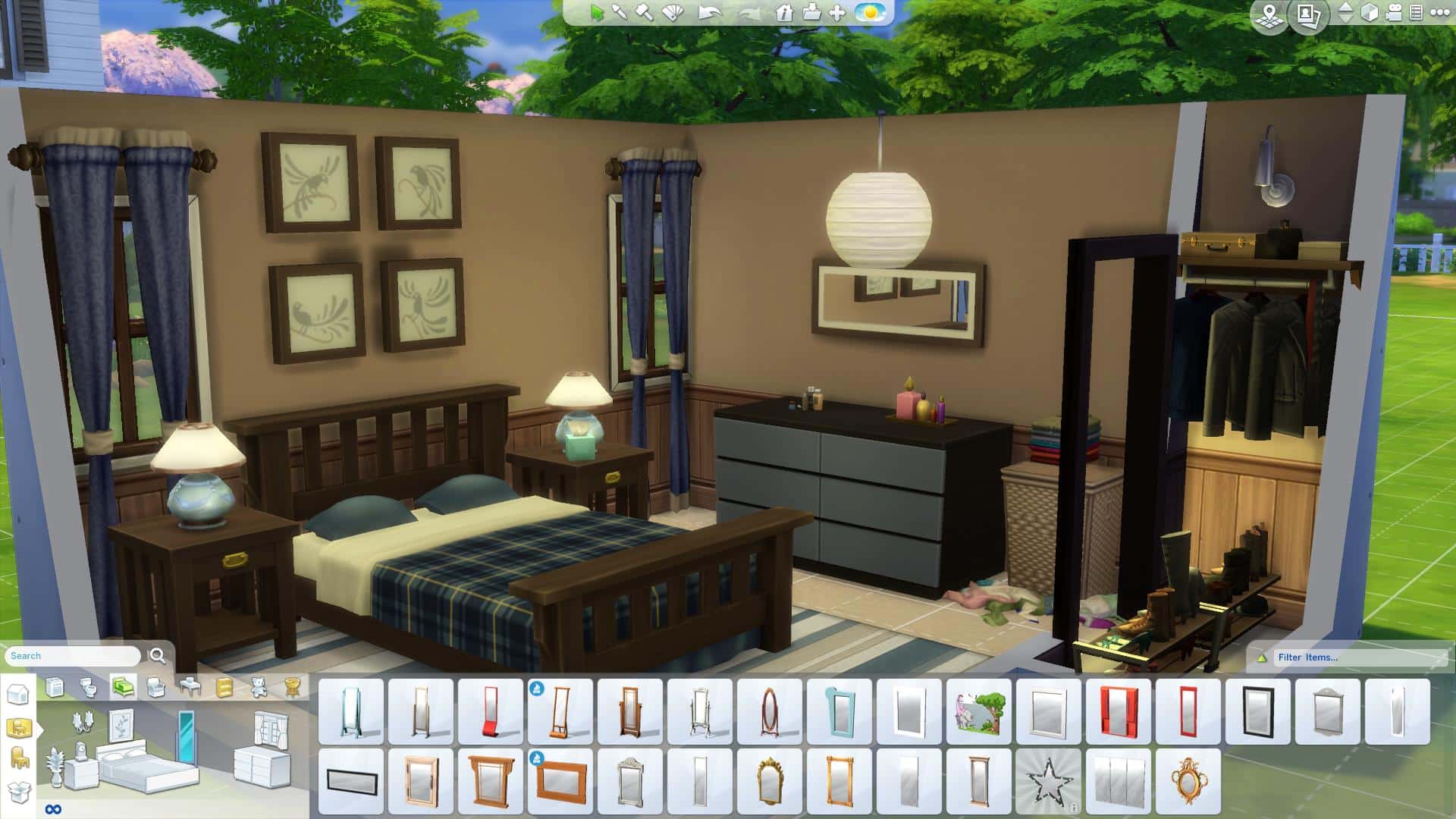
Keep in mind what the room is going to be used for.  Although the Sims do not directly use most of the decorative objects, we would probably use them in real life.   A kitchen should have objects on the counter; such as a knife block, a bowl of fruit, dishes, a coffee maker, a microwave, etc.  A bedroom definitely has a closet and sometimes shoes.

03-01-15_12-49 PM-2

5) Curtains are your Friend

Curtains can make or break a room.  A room without curtains on its windows feels empty and incomplete.

Without Curtains:

03-01-15_12-52 PM

With Curtains:

03-01-15_12-53 PM-2

6) MoveObjects Cheat

Do not be afraid to use the moveobjects on cheat! It increases the possibilities of your decorating abilities tenfold! Put the cheat on and use 9 to raise an object up, or 0 to drop an object down to put decorative objects anywhere! Holding down left Alt key allows you to place items off the grid. You can also resize objects by pressing left Alt + ] to increase size, or left Alt + [ to decrease the size to normal.

01-19-15_3-26 PM-3

Here I resized the painting on the wall, and used the 9 key to stack items on top of the fireplace.  I used left Alt throughout the room to get the exact positioning for the furniture and objects I wanted.

7) Colors

Be careful using too much colour in a room.  Understanding how colours work together will definitely improve your room/house decorating.  Think about contrasting and complementary colours, monochromatic colours and triadic colours.  Also, shades and tones of one colour can be just as beautiful as using contrasting colours.

01-19-15_3-55 PM

8) Test your Limits

I like to sometimes use the Room Catalogue to remind myself what objects usually go into a room, but I also recommend pushing yourself and going through the objects catalogue and putting anything into any room.  Counters and cupboards can be used in living rooms, bathrooms, even foyers.  Couches can be used in studies and bedrooms.  Mirrors can go anywhere you want!  And decorative items are universal.

Objects by Room

TS4 2015-03-01 12-55-50-97

Objects by Function

TS4 2015-03-01 12-56-10-89

9) Look Online and in your Own Home

Gather inspiration from pictures online of homes and rooms. Watch YouTubers and see what they are doing.  Also, look at your own home and try recreating rooms to get an idea of what a room should look like.

02-05-15_8-27 PM

I saw this kitchen in an Interior Design competition and recreated it.  It gave me ideas of how to really take my kitchens to the next level.

10) Have Fun!

Some people find decorating a chore.  Look at it as a place you can be proud of.  I am always way more happy to play a room I decorated and built myself than  playing one someone else decorated.  And I keep in mind that feeling when I am decorating and building because I know I will be rewarded.

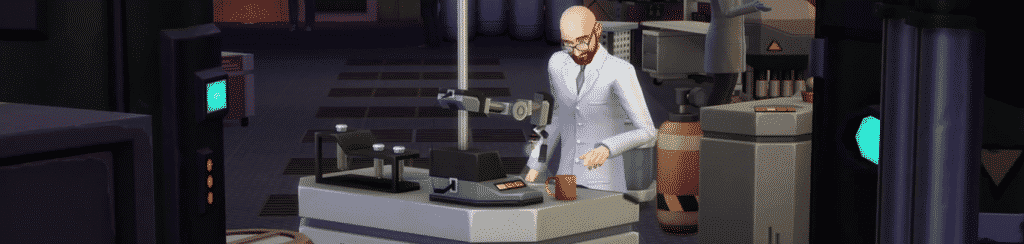
The Sims 4 Get To Work: New Scientist Render!

Update: TheSims.com posted a better quality version of this render. Sadly, it’s still not available in full, transparent format.

Capture

Via TheSims3.com!

TS3com_HeroBanner_EP1_scientist

Maxis Emeryville is closing!

6

906x283_ea-emeryville

UPDATE: Polygon got an official response from EA regarding the closure of Maxis Studio in Emeryville:

Today we are consolidating Maxis IP development to our studios in Redwood Shores, Salt Lake City, Helsinki and Melbourne locations as we close our Emeryville location. Maxis continues to support and develop new experiences for current Sims and SimCity players, while expanding our franchises to new platforms and developing new cross-platform IP.

These changes do not impact our plans for The Sims. Players will continue to see rich new experiences in The Sims 4, with our first expansion pack coming soon along with a full slate of additional updates and content in the pipeline.

All employees impacted by the changes today will be given opportunities to explore other positions within the Maxis studios and throughout EA. For those that are leaving the company, we are working to ensure the best possible transition with separation packages and career assistance.

Guillaume Pierre, one of the producers of SimCity has announced that Maxis Studio in Emeryville is shutting its doors.

Capture

Don’t worry, the Maxis Studio (one of EA’s divisions) still exists in San Francisco and their primary focus is The Sims 4.

If you’re not familiar with the games that were created in Maxis Emeryville, here’s a list down below created by Sims Wikia!

Capture

The Sims Blog: Love in a Science Lab

 Via thesims.com!

Last week we stepped into a crime scene and joined detective Tate Rackett as he cracked another tough case. This week we’re looking into the lives of two scientists in The Sims 4 Get to Work.

Each day, Darla Nadine Applesworth arrives at the science lab at 7:00 a.m. She loves her job, but she loves something else even more: her co-worker and fellow scientist, Herbert Leipstein. Herbert likes Darla, but truly only thinks of her as a friend and colleague. She wishes it was different. Maybe one day, it will be.

Darla likes to get a jump start on the day, working on new inventions by herself before anyone else gets in. Her hard work has paid off – she invented the Momentum Conserver and a Hover Lamp, both of which she took home to display as decorations.

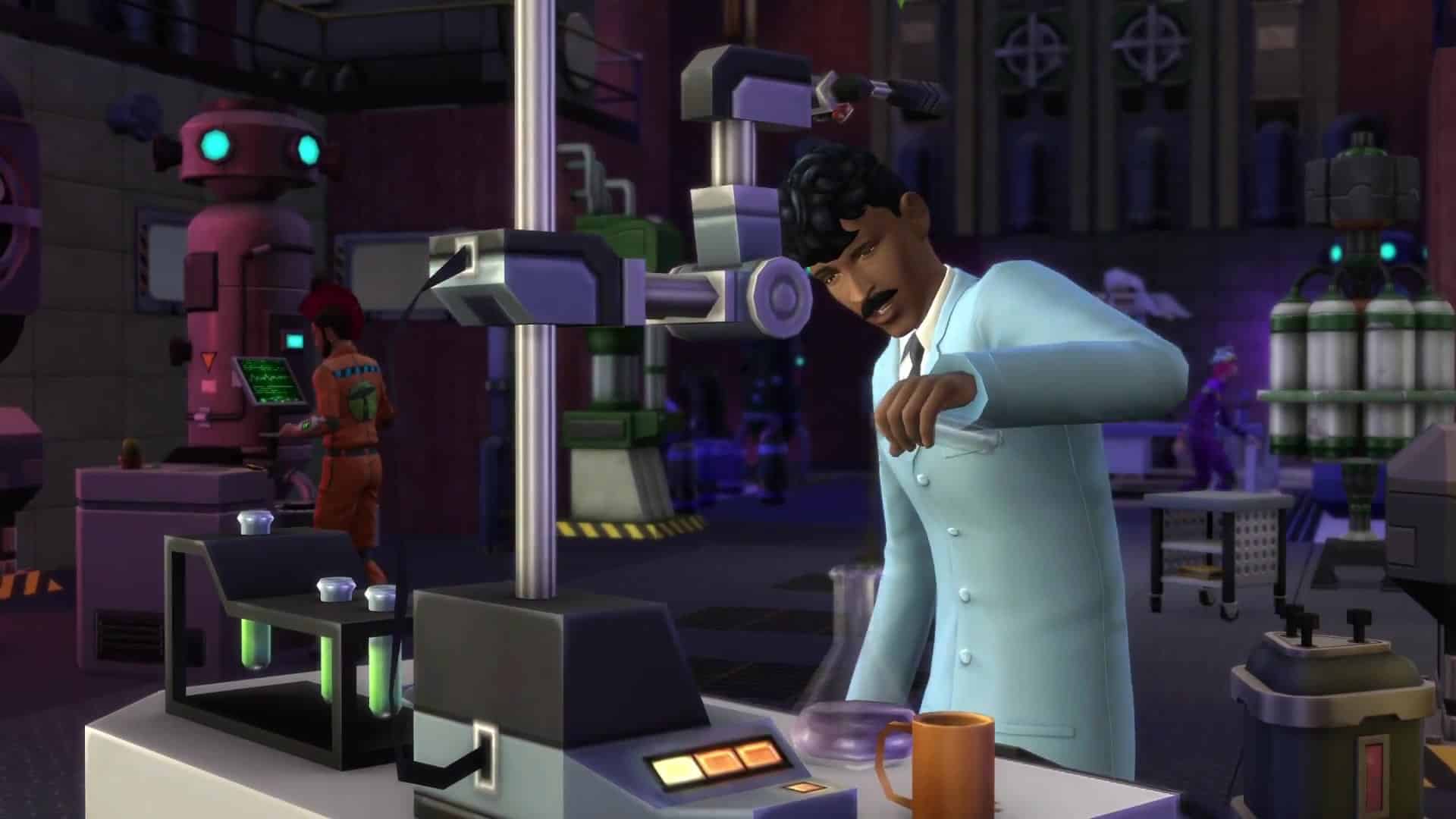
One morning, Darla was experimenting and using the Chemical Analyzer when she had a breakthrough. She ran over to the Invention Constructor and began tinkering. Tah-dah! The Cloning Machine was created!

Herbert arrived a few minutes later, looking as handsome as ever in his lab coat. Darla was thrilled to show Herbert her latest invention.

He steps into the machine with a huge grin on his face. Darla begins scanning and BOOM! A clone of Herbert steps out. The new Herbert looks exactly the same as Herbert. It was Darla’s lucky day – two Herberts! They named the clone Number One.

TS4_423_SCIENTIST_3_002

Number One was almost exactly the same as the original Herbert except for one key difference: he didn’t have any relationships or knowledge of this world. He was a clean slate. Darla and Herbert introduced themselves to Number One and had him wait in the lab next door, giving him some activities to do to keep him busy.

Darla and Herbert wasted no time. They made another clone. And another. The final clone, Number Five, was a little different. He had red eyes and a goatee. Something was… off.

Oh well. Time to leave work!

Darla walked into the lab next door and told the clones they were coming home with her. She couldn’t leave them at the lab overnight, they could get into real trouble. Plus, Darla liked the idea of having five replicas of Herbert hanging out at her house all night.

TS4_423_SCIENTIST_2_002

Back at her home, they decided to have a party. It was everything Darla had hoped for… until Number Five started yelling and making a mess all over Darla’s house. This wasn’t right! This wasn’t what she expected at all.

The next morning, Darla found a new home for her failed experiments. She was done with cloning (and with love) for a while. She decided to focus on her career and discover the next big scientific breakthrough. Who knows where that might take her…

We hope you have enjoyed this peek at the Scientist career and a bit of a love story. In our next adventure, we’ll follow the path of a Retail Business Owner and see the ups and downs along the way to the top.

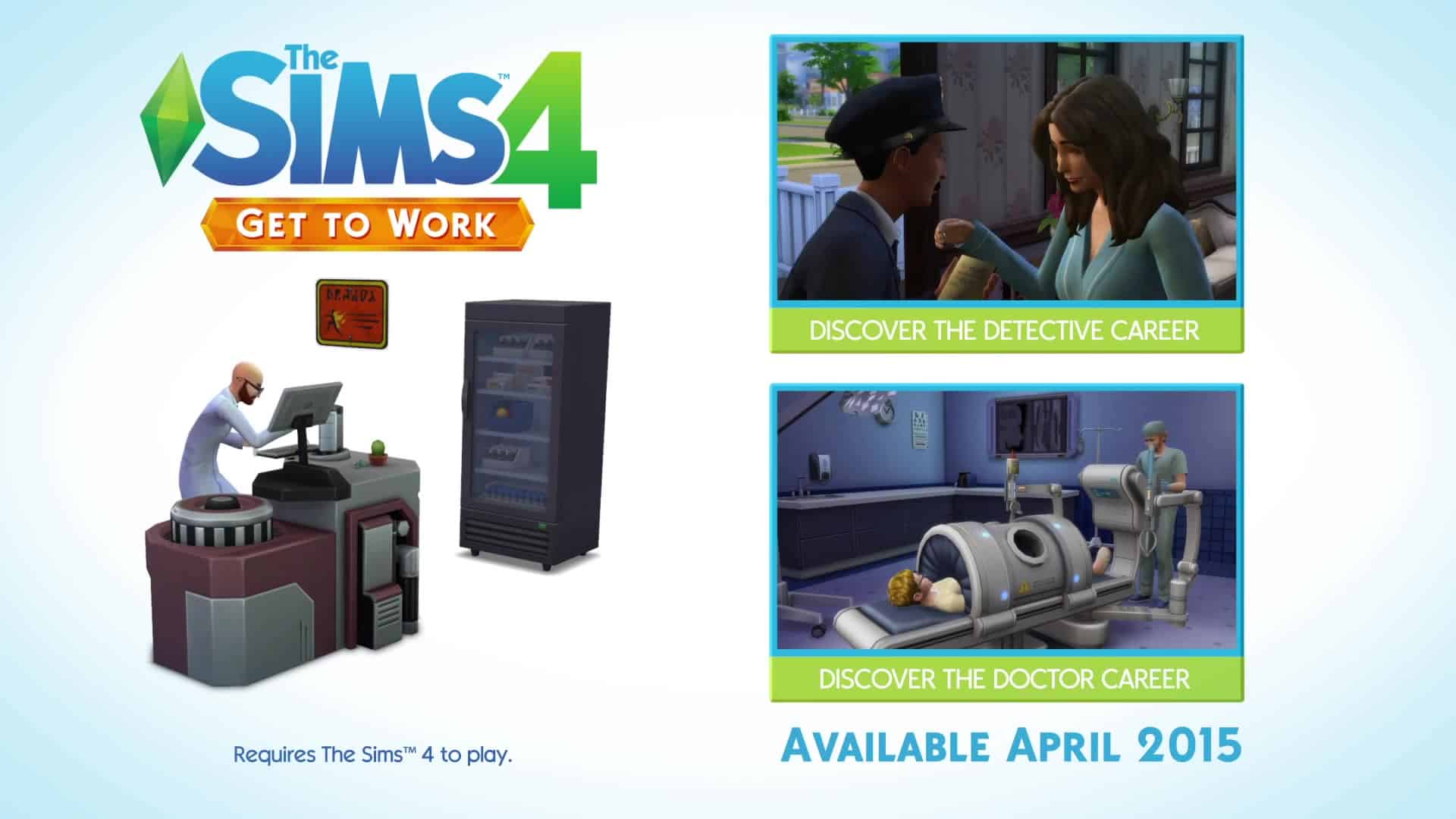
This April, your Sims will rule the workplace in The Sims 4 Get to Work Expansion Pack. You will control your Sims’ every action as they tackle three active careers, whether it’s saving lives as a daring doctor, solving crimes as a fearless detective, or creating inventions as a mad scientist. You will also be able to put your Sims’ entrepreneurial ambitions to the test as you create and customize unique retail businesses. Plus, there are new venues, more skills to learn, and the chance to befriend some aliens!

The Sims 4 Mod: No-Fade Trees and Streetlamps

0

This Mod has been brought to you by fakehousesrealawesome!

This mod includes overrides of a number of MODL resources of buyable trees, as well as the landscaping and streetlamps in non-editable public spaces, in order to stop them fading in Live Mode.

In addition to the trees, I’ve also included no-fade edits for a number of large shrubs that I felt faded at too far a distance. There are other shrubs, however—either buyable in the catalog or the ones in public spaces—that still fade, but at a distance I thought was reasonably close and not worth editing.

Click on the picture below to download this Mod!

tumblr_nkmfj5Pb9D1s5nro3o1_1280

Click Here for more information on how to install Mods and Custom Content!

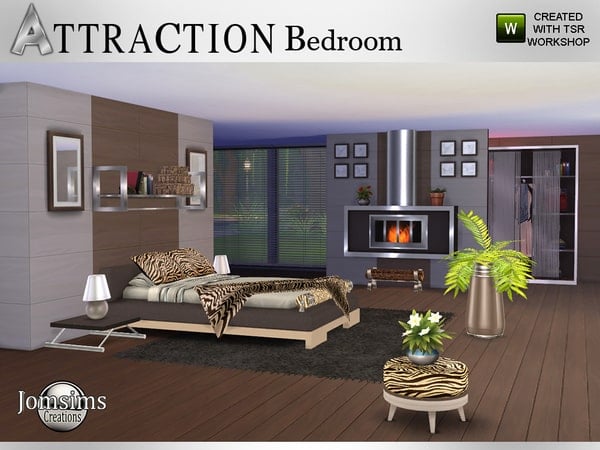
The Sims 4 Custom Content: Attraction Bedroom Set

This Set has been brought to you by The Sims Resource member – jomsims!

Here for the series Attraction. The bedroom.
Modern, confortable and soft color. Find in this set. 1 bed double in 4 colors. 1 rounded cushion bed, to put in the footboard in 3style zebra . 1 double cushions bed deco in 3 style zebra and black back. 1 decorative blanket in 4 style , 2 zebra and 2 colors. 1 fireplace 4 colors and metal . 1 part 2 for fireplace decorative logs. 1 dresser dressing in 4 colors with deco.1 puff round in 3 style zebra. 1 metal shelf deco with 3 decobox. 1 floor plant pot in 2 colors. 1 end table attraction style in 4 colors.

Click on the picture below to download this Set!

w-600h-450-2565734

Click Here for more information on how to install Custom Content!

The Sims 4 Get To Work: Ask A Guru Facts (03/03/15)

gettoworklogohq

XopaxPax: The telephones in the Detective Trailer can they be buyed for your home also? Will a telephone be in a update also.

SimGuruBChick: The phone you saw in the Detective trailer is a special object linked to the Front Desk in the Police Station, with specific functionality. No other plans around phones at this time.

fullspiral: One thing I am curious about is the house calls. Would this be some kind of “3rd dimension” sim house that they go to? Or will the attend various sim houses in the community? I ask because I don’t have any NPC sims living in houses in my main game.

SimGuruSteph: You get house calls on higher level doctor career. The house and household are generated by the game. It could be a mixture of existing house and households.

KitOnlyHuman: Could you please tell us more about the photography skill? Will pictures be able to be hung on walls? Can you paint portraits now by using the camera feature? Will the “Take Picture Together” interaction now have an actual picture taken and placed in inventory?

SimGuruJill: Hi KitOnlyHuman, I can speak to your photgraphy questions! Yes, you can hang your photos on the walls and use the camera for assisting with portraits. Also yes, the “Take Picture Together” interaction will put a photo in your inventory when it’s user-directed.

MoodBeamy:

1) Why was the decision made to not include home businesses (businesses run from the home lot) in GTW?

2) In a recent interview it was stated that GTW will add a new neighbourhood and new environments to the existing neighbourhoods. Can I ask what exactly ‘new environments’ means? I’m slightly confused.

SimGuruCoop:

  1. While you can’t run a business from your home lot, you are able to fulfill most of your needs on business lots. There are some things you’ll need to return to your “home” to do, but you can sleep, eat, and do most other things in a room above your retail business if you want.
  2. The new environments mentioned were specific to the new active careers: the Science Lab, Hospital, and Police Station. They’re in existing neighborhoods, integrated into the world.

RosiaMia_: Will the Doctors career have a wage? Will the release date for ‘get to work’ be the same for everywhere all will UK be later than US

SimGuruSteph: Yes! as a doctor you will have wages. At the end of every day you will be paid based on performance so make sure you complete all your goals! As for the release date, we have not announced a date yet

ems0309: Is this EP going to be available on disk? Just wondering because having to download eats a lot of bandwidth and some people can’t download a whole EP.

SimGuruCoop: Yes! It will be available on disk.

KitOnlyHuman:

  • Will there be a trailer about Aliens or will aliens be added to base game?
  • Can doctors have ‘at home’ practices or small clinics? Will they be able to treat sick sims out of the hospital?
  • Could you please tell us more about the photography skill? Will pictures be able to be hung on walls? Can you paint portraits now by using the camera feature? Will the “Take Picture Together” interaction now have an actual picture taken and placed in inventory?

SimGuruBChick:

  • Yes, we will have an out of this world trailer for Aliens (see what I did there?).
  • Doctors can’t have “at home” practices but they will be able to make house calls.
  • Photography skill is really cool. Yes, you will be able to hang the pictures on walls. Yes, there is a way to paint portraits using the camera. I’m checking into the last part of this as I think the answer to selfies is no but I’m not sure.

RosiaMia_: Will we get a ‘retail shop’ trailer ?

SimGuru Coop: You sure will!

XopaxPax: Can you take pics with the cellphone?

SimGuruJill: Absolutely!

catloverplayer: Hi can the sims spouse or lover watch her deliver the baby in the hospital? And if you can answer is the secret alien world in the the science trailer restricted to only scientist who work in the science building?

SimGuruSteph: When your Sim is ready to deliver, there is an option on your Sim to “Deliver baby at hospital”. Once you choose to go to the hospital a Sim picker will appear. You can then choose someone from your household to come with you.

SelenaGrey: How come our sick sims cant go to the hospital to be treated?

SimGuruSteph: Sick Sims can alleviate their symptoms in other ways, like by drinking tea, orange juice and napping. They can also cure themselves by buying medicine from the computer.

agent_bev: One more… when you announce an EP, how far is it in the development phase? Are you still tweaking and adding new things, or is it pretty much just fixing bugs at this point?

SimGuruBChick: I don’t know if you know much about PC development but, unlike console development, we can keep working on the software right up until the last minute, although the last few weeks are mostly about polishing, tuning and bug fixing. There is a lot of work in an EP, so the design and much of the feature set is locked well before we announce, but we do have some scope to refine and add more content if it makes sense. There is a constant review process as we evaluate designs, test functionality and see what the impact is on related systems. That’s probably more information than you wanted 🙂

ceejay402: Can you give an example of the things you need to return home to do, I’m planning on having an empty lot as my home base so just want to confirm I’ve thought this all out, thanks again

SimGuru Coop: There are a handful of things, like paying bills, that you can only do from your actual “home.” Other Sims in your household will also return there after their work/school day, and won’t go to your retail lot on their own.

AndyGal: Is Alien abduction and alien pregnancy returning? Are there any new CAS traits in GTW? What about new aspirations?

SimGuruJill: On the topic of Aliens:
THE TRUTH IS OUT THERE
(soon…) 😉

ems0309: Are you able to tell the exact amount of new lots coming with the game? I have seen a lot of fighting on this issue and its really a downer to see everyone throwing 3 year old style tantrums before really having any information. Love this game so far and super excited for this EP.

SimGuru Coop: There will be four new lots in a new an entirely new neighborhood, Magnolia Promenade. Three of these lots offer new retail spaces for your Sims to visit, and the fourth lot is completely customizable for you to open up a retail business, or move your Sim’s household into.

MegandtheMoon: So, I was wondering if you could tell us all a little about how the traits are going to exhibit themselves in the new careers? Thanks!

SimGuruJill: Hi MegandtheMoon – great question! Just like a Sim’s traits will affect their normal day-to-day, they’ll also affect their mood at work. For instance, if my Sim has the Loner trait but she has to talk to her coworkers, she’ll get the “Stranger Danger” buff and get uncomfortable. It makes for some really cute story-telling opportunities.


The Sims 4 Get To Work: 90 Scientist Trailer Screens

Click on the pictures below to see these Screens in Higher Definition. The Original Video can be found HERE!

 GTWscientist 023 GTWscientist 027 GTWscientist 036 GTWscientist 051 GTWscientist 062 GTWscientist 064 GTWscientist 070 GTWscientist 074 GTWscientist 075 GTWscientist 076 GTWscientist 078 GTWscientist 080 GTWscientist 083 GTWscientist 087 GTWscientist 094 GTWscientist 098 GTWscientist 100 GTWscientist 102 GTWscientist 106 GTWscientist 110 GTWscientist 112 GTWscientist 117 GTWscientist 121 GTWscientist 123 GTWscientist 126 GTWscientist 127 GTWscientist 129 GTWscientist 130 GTWscientist 132 GTWscientist 133 GTWscientist 136 GTWscientist 138 GTWscientist 141 GTWscientist 144 GTWscientist 151 GTWscientist 158 GTWscientist 163 GTWscientist 166 GTWscientist 168 GTWscientist 172 GTWscientist 175 GTWscientist 177 GTWscientist 180 GTWscientist 183 GTWscientist 187 GTWscientist 192 GTWscientist 196 GTWscientist 198 GTWscientist 200 GTWscientist 203 GTWscientist 210 GTWscientist 215 GTWscientist 218 GTWscientist 227 GTWscientist 230 GTWscientist 235 GTWscientist 241 GTWscientist 243 GTWscientist 246 GTWscientist 247 GTWscientist 252 GTWscientist 255 GTWscientist 259 GTWscientist 262 GTWscientist 263 GTWscientist 267 GTWscientist 270 GTWscientist 272 GTWscientist 275 GTWscientist 279 GTWscientist 282 GTWscientist 286 GTWscientist 290 GTWscientist 295 GTWscientist 299 GTWscientist 302 GTWscientist 306 GTWscientist 308 GTWscientist 312 GTWscientist 315 GTWscientist 318 GTWscientist 321 GTWscientist 323 GTWscientist 324 GTWscientist 328 GTWscientist 334 GTWscientist 339 GTWscientist 343 GTWscientist 347 GTWscientist 351

The Sims 4 Custom Content: Nature Bedroom Set

This Set has been brought to you by The Sims Resource member – Pilar!

Nice bedroom that blends with nature.

Click on the picture below to download this Set!

w-600h-450-2563500

Click Here for more information on how to install Custom Content!

SimCity BuildIt: Tokyo Town Update Now Available!

0

To get the latest update for SimCity BuildIt just open up the Application on your Android/iOS device.

Hello Mayor! Bring your city to life with the all-new Tokyo Town Update, featuring:
• An International Airport – Ship cargo and earn Tokyo Town items
• Tokyo Town Buildings – Add flair to your city.
• Himeji Castle – Build the Tokyo landmark in your city.
• A new Mailbox to receive rewards, gifts, and game update news.
• Hot air balloons and blimps that fill the sky!
Plus behind-the-scenes improvements on overall gameplay and global trade. Thanks as always for playing.
tokyotownavailable

Inventions of the Past

bannerscience

Before the scientist career trailer is released, I thought it would be fun to look back on the previous inventions our sims could… err… invent. While it would be nice to see some of these make a reappearance, new inventions are always welcome, as I’m sure we’ll see soon.

Sims 2 Robotics

Sims 2 Open for Business included the robotics talent badge. With it, your sim was able to invent four types of roverbots to help with everyday life. As long as they were built correctly, that is.

bots
HydroBot:
Not only could he put out fires, but he could water your garden as well.
CleanBot: Dirty plates, ash piles, puddles, nothing on the floor was too dirty for this bot to clean.
MunchieBot: Would detect a sim’s low hunger, quickly leave the lot, and bring home something to nourish any grumbly tummies.
SentryBot: The mechanized guard dog of robots that zapped and chased off any unruly visitors.

While these roverbots were all greatly appreciated, they did come with some negatives. They would only travel on the floor they were located, no using stairs or elevators. So if you had multiple floors in your house, you’d need a bot for each. There was also the potential for the bots to break and wreak havoc on your household until fixed. The CleanBot would spew garbage piles, the HydroBot would shoot water puddles, the MunchieBot would bring back spoiled food, and the SentryBot will shock sims randomly leading to angry visitors and lots of tears.
Even so, all these roverbots earned their keep and were worth the time taken to invent.

Sims 3 Inventing

Sims 3 Ambitions debuted the inventing skill, which allowed your sim to create widgets, toys, and more importantly, big inventions. These inventions were nothing like those found in Sims 2, no roverbots here.

inventions

Floor Hygienator: When walked over, it would release a puff of scented mist that not only increased a sim’s hygiene, but would frequently give a positive moodlet as well.
Harvester: No longer would gardening take all day, as this allowed you to harvest everything on the lot in one fell swoop. It could also be used on collectibles such as rocks, gems, insects, and more.
Miner: This could be used to create a tunnel system that a sim could use to travel from one lot to another. Sims frequently dug up collectibles while using the miner, and sometimes created explorable tunnels with text-based adventues.

Time Machine: Sims could travel to the past or future leading to any number of results from new family members being added to the household to someone’s career changing. Like the mining tunnels, this was also a text-based adventure.

Full-Fledge Robots

One invention that could be created in both Sims 2 and 3 was a full-fledge robot that became a member of the household. In Sims 2 these were called servos, and in Sims 3 they were called SimBots.

servobot

These were the life state of each respective expansion and were treated like a normal member of the household, with some robotic flair. As Get to Work already has aliens as the life state for the pack, it’s hard to say whether or not a robot of this nature will make a return with the science career.

Other Possibilities

11045309_853856884653383_1174844653080688822_o

The above teaser image released for the science career shows a woman sporting a robotic type helmet of sorts. We’ve seen this type of helmet before in Sims 2 with the Thinking Cap and Noodlesoother. They were aspirtation rewards that increased skill gain and needs respectively. Could something of this nature return in Get to Work?

caps

I don’t know about you, but I’m excited to find out more about the science career and what inventions our sims will be slaving away to create.