Home Blog Page 7

Official Guide to Getting Your Content Approved for The Sims 4 Marketplace

Looking to create content for The Sims 4 Marketplace? Maxis has released an official set of guidelines!

The Sims Team is opening up the world of Custom Content to all supported Console and PC platforms with the upcoming release of The Sims 4 Marketplace. First coming to PC and Mac on March 17th and later in a few months to Xbox and Playstation.

Sims custom content creators will be able to join a special Maker program where they’ll get to create their themed Build / CAS Sets and sell it to the official Marketplace for a 30% cut. The Sims Team has a very strict set of rules when it comes to the “Maxis Match” style of low polygons and texture resolutions.

To make sure all of your content complies and gets approved to the marketplace, the team released a special set of Guidelines for Create A Sim and Build Mode. Revealing what steps you need to take for a maximum approval rate to The Sims 4 Marketplace, coming March 17th.

Learn more in the officicial guidelines release below:

clipboard sc

The Sims 4 Marketplace: Create a Sim Technical Test Criteria 

Sul Sul! We’re excited you want to make great content for The Sims 4. We look forward to seeing your ideas and assets. To help you successfully pass the Criteria Test, we’ve put together a checklist guide with examples, so that your asset will successfully load and be seen as intended. 

Please note that two assets that meet the below criteria, are required for the technical evaluation. 

Software Requirements 

● Ability to generate 3D models into a .fbx file. 

● Ability to generate .tga and .psd files. 

Common Term Definitions 

Diffuse map – A texture map that contains color and shading information, such as highlights, shadows, AO, etc. 

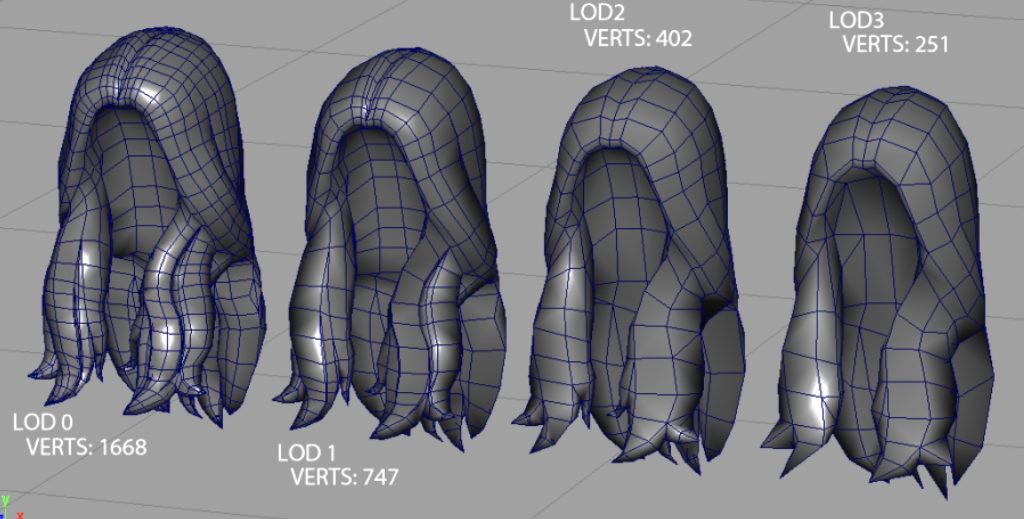
LOD – Level of Detail, or the number of poly faces in a 3D Mesh object. ○ LOD0 – Highest polycount. Used for close-up view. 

LOD1 – 30% of the polycount of LOD0. Used for viewing from a short distance. 
sims 4 marketplace guidelines1

Normal map – A texture mapping technique used for faking the lighting of bumps and dents – an implementation of bump mapping. It is used to add details without using more polygons. 

Occluders – Planes that cast shadows from a light source on floors and walls. 

Poly Planes – Individual faces that make up the 3D model 

Snow mask map – A variation of the diffuse map that shows what the object looks like if it was covered in snow. 

Specular map – determines the shininess or reflectivity of an object in 3D. It’s used in conjunction with a diffuse and normal map to enhance the realism of the object’s texture. Do not use gradients. Only flat values of grayscale. 

Tris – Triangular Poly Plane. Tri’s (triangles) can be used to break up an n-gon (5 sided plane) or when trying to avoid shading issues on the mesh. 

Quad / Poly Plane – A 4 sided Poly Plane. This equals 2 Tris in your LOD Polycount. Aim for modeling using quads/Poly Planes where possible. 

Checklist Overview 

  • File Structure Checklist 
  • Mesh File Format is .fbx or .ma 
  • Files are Named Appropriately 
  • Modeling Checklist 
  • The Mesh is Well Constructed. 
  • CAS Asset Renders as Expected 
  • CAS Triangle Targets 
  • Texture Checklist 
  • PSD file is Setup Correctly 
  • Texture Files are Correctly Sized 
  • File Structure Checklist 

Mesh File Format is .fbx or .ma 

● Save your 3D Model mesh as .fbx or .ma. 

Files are Named Appropriately 

To create your AssetName for your CAS Part, combine the BodyType, Clothing Type, and a Short Descriptor that is NOT a color. Camel Case is encouraged. For example: yTopGraphicTee, mBottomDenimShorts, fNecklaceBohoBeads 

Body Type: 

● Y = Youth 

● M = Masculine 

● F = Feminine 

Clothing Types: 

● Top 

● Bottom 

● FullBody 

● Coat or Robe 

● Shoes

● Hat 

● Glasses 

● Gloves 

● Necklace 

● Bracelet 

● Sock 

Once you have your AssetName, please structure your folders and files as below: 

● A Root folder: [CreatorName] 

● Asset Folder: [CreatorName_AssetName] ○ .fbx or .ma File [CreatorName_AssetName] ■ Geo Mesh Outliner for LOD0: <CreatorName_AssetName>_LOD0 

■ Geo Mesh Outliner for LOD1: <CreatorName_AssetName>_LOD1 

○ .psd File [CreatorName_AssetName].psd 

○ .tga File Normal Map [CreatorName_AssetName_n].tga 

○ .tga File Specular Map [CreatorName_AssetName_s].tga 

○ .tga File Shadow Map [CreatorName_AssetName_sh].tga 

○ .tga File Diffuse Color Map Variant 1 [CreatorName_AssetName_colorVariant1].tga 

○ .tga File Diffuse Color Map Variant 2 [CreatorName_AssetName_colorVariant2].tga 

○ .package file (your asset as a mod) 

Modeling Checklist 

The Mesh is Well Constructed. 

● Before Submission, please REMOVE any templates or assisting artifacts used for the creation process. We want to review only your work on the finished asset, and you must have rights to any data submitted in the 3D modeling file. 

● Face Normals are outward facing. 

● Vertices are merged, there’s no collapsed polygons, no 5-sided concave polys, and no laminar faces. 

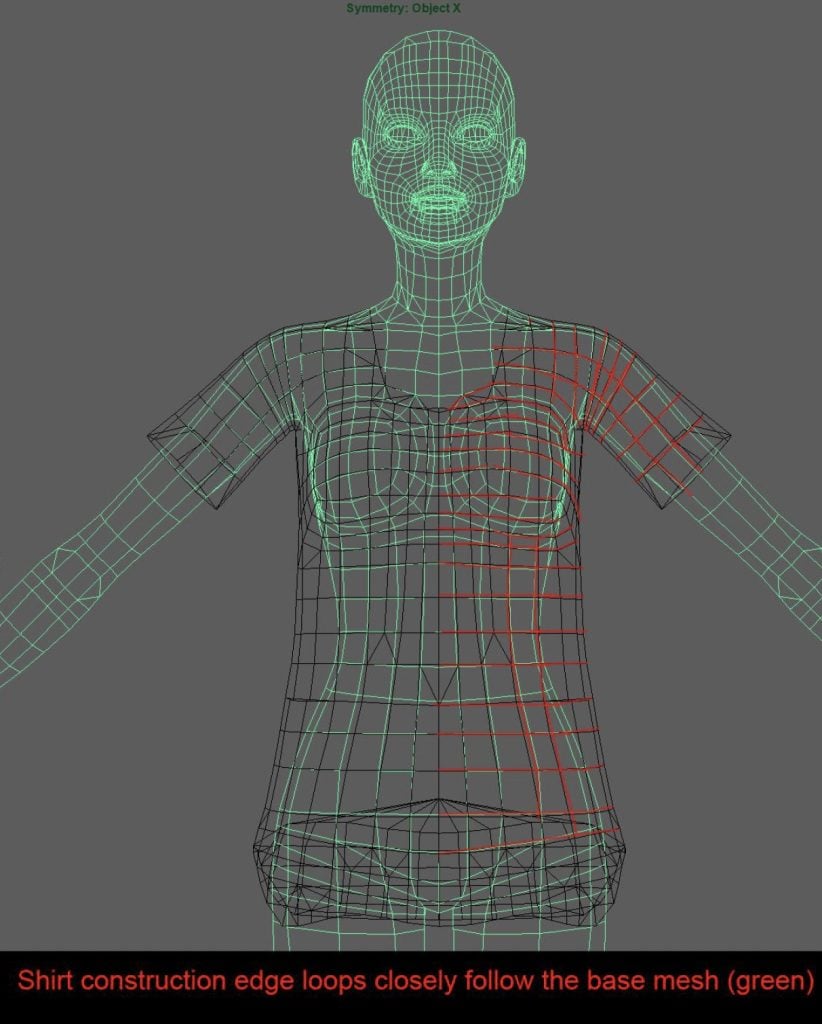
● It is recommended to line up the asset’s edge loops with the base model’s edge loops. Example: 
sims 4 marketplace guidelines5

Color the Vertices to indicate close fitting (black), or loose fitting (red). Example: 
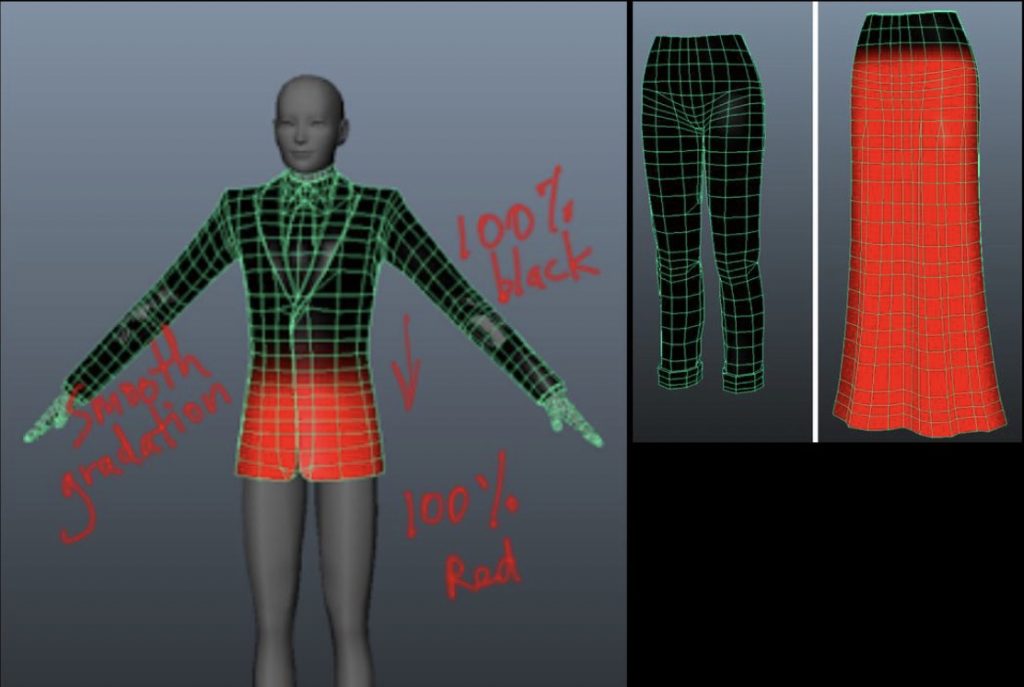
sims 4 marketplace guidelines4

CAS Asset Renders as Expected 

How to test: 

● Create a .package file of your CAS asset feel free to use whatever workflow or 3rd party tools you are familiar with. 

● Add this .package file to your Mods folder under My Documents > Electronic Arts > The Sims 4 > Mods 

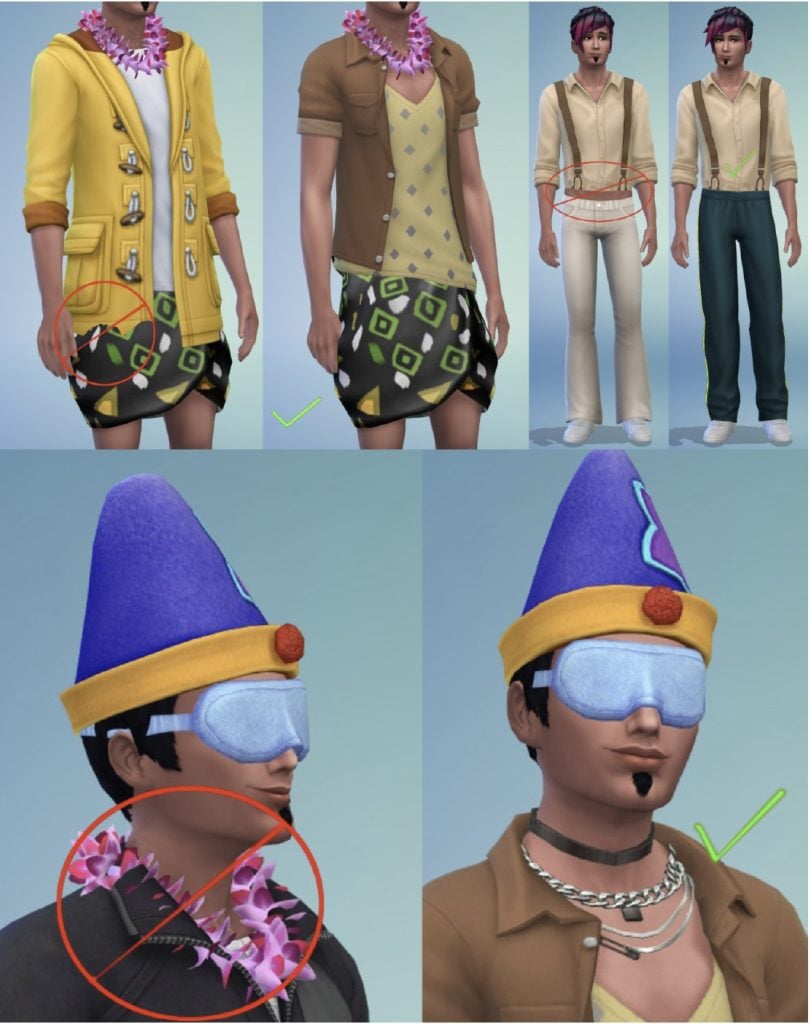
● If any visual issues occur when applying the content to the Sim. 

● How the asset performs on different CAS body frames and skin tones. ○ Push and pull the body frame to check for any clipping or weird geometry effects 

● How the CAS asset stacks with other clothing items. For example: ○ Check bracelets, rings, necklaces, nails, shoes, and hats do not have any undesired effects. 

● If the clothing deforms smoothly over the body. 
sims 4 marketplace guidelines3

CAS Triangle Targets 

It’s ok to go over by up to 10%, but please keep it below the limit when possible. Please follow the polygon counts provided below: Clothing Type LOD0 Count L0D1 Count 
Bottoms 1100 770 
Full Body 4200 2940 
Shoes 350 245 
Tops 200 140 
Hats 1200 1000 

Texture Checklist 

PSD File is Setup Correctly 

● Do not flatten the layers. 

● Use layer masks and gradients to make color variants. 

● Keep the highlights and shadows layers separate. 

● When making textures with alpha, please ensure that those are saved with the alpha channel (32-bit) in the .tga file. 

Texture Files are Correctly Sized 

Diffuse Color Map: 1024 x 2048 (32 bits) 

Normal Map: 1024 x 1024 (24 bits) 

Specular Map: 1024 x 2048 (32 bits) 

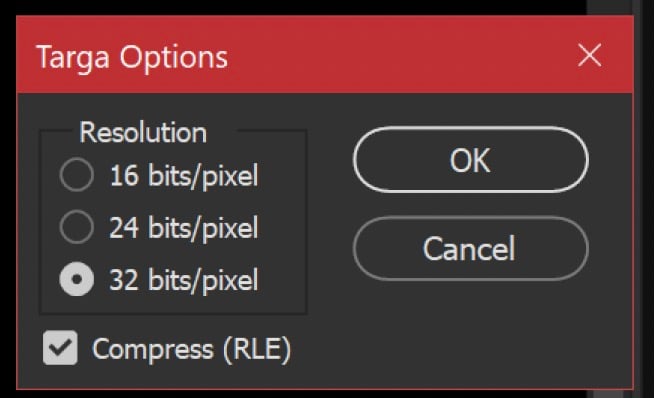
● Textures should be saved as .tga Targa files. All maps, except the Normal Map, should have alpha channels and 32 bit resolution and the Compress (RLE) option box checked. Normal Maps don’t need an alpha channel and should be saved at 24 bit resolution with the Compress (RLE) option box checked. 
sims 4 marketplace guidelines2

The Sims 4 Marketplace: Build/Buy Technical Test Criteria 

Sul Sul! We’re excited you want to make great content for The Sims 4. We look forward to seeing your ideas and assets. To help you successfully pass the Criteria Test, we’ve put together a checklist guide with examples, so that your asset will successfully load and be seen as intended. 

Please note that two assets that meet the below criteria, are required for the technical evaluation. 

Software Requirements 

● Ability to generate 3D models into a .fbx file. 

● Ability to generate .tga and .psd files. 

Common Term Definitions 

AO map – An Ambient Occlusion (AO) map creates soft shadowing, as if the model was lit without a direct light source, like on a cloudy day. 

Diffuse map – A texture map that contains color and shading information, such as highlights, shadows, AO, etc. 

Dirty map – A variation of the diffuse map that shows what the object looks like in a dirty state. 

Light map – Light maps are a texture that emulates the effect of light casting on an object. We use light maps on assets that aren’t lights and therefore do not have the benefit of a light in the Maya file or vertex color painted on the model itself. 

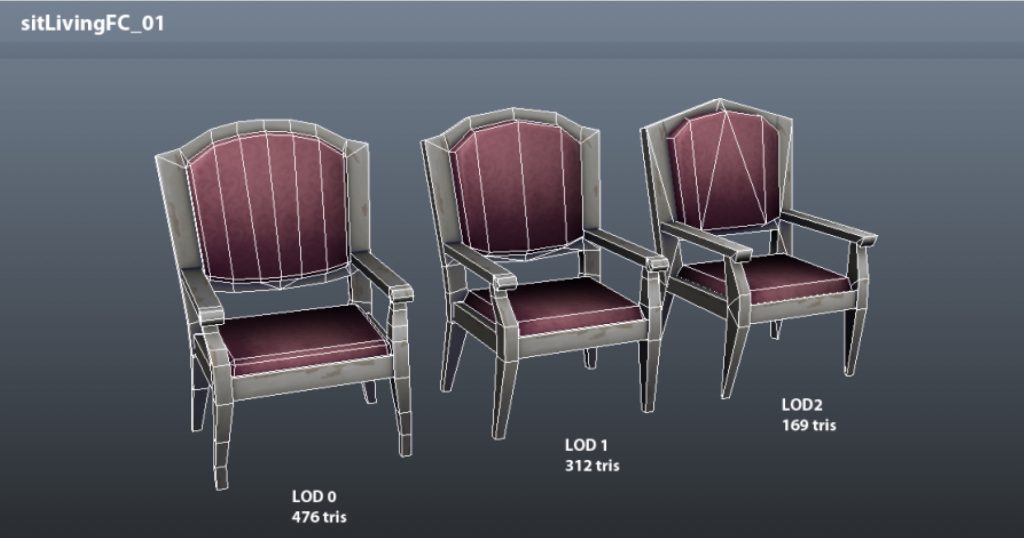
LOD – Level of Detail, or the number of poly faces in a 3D Mesh object. ○ LOD0 – Highest polycount. Used for close-up view. 

LOD1 – 30% of the polycount of LOD0. Used for viewing from a short distance. 
sims 4 marketplace build guidelines1

Normal map – A texture mapping technique used for faking the lighting of bumps and dents – an implementation of bump mapping. It is used to add details without using more polygons. 

Occluders – Planes that cast shadows from a light source on floors and walls. Uses AO maps

Poly Planes – Individual faces that make up the 3D model 

Shadow map – flat shadow plane(s) placed underneath an object. Also known as drop shadow. 

Snow mask map – A variation of the diffuse map that shows what the object looks like in a state with snow 

Specular map – determines the shininess or reflectivity of an object in 3D. It’s used in conjunction with a diffuse and normal map to enhance the realism of the object’s texture. Do not use gradients. Only flat values of grayscale. 

Tile – Unit of measurement, one tile equals one meter, for example a 3 Tile high wall is 3 meters tall. 

Tris – Triangular Poly Plane. Tri’s (triangles) can be used to break up an n-gon (5 sided plane) or when trying to avoid shading issues on the mesh. 

Quad / Poly Plane – A 4 sided Poly Plane. This equals 2 Tris in your LOD Polycount. Aim for modeling using quads/Poly Planes where possible. 

Checklist Overview 

  • File Structure Checklist 
  • Mesh File Format is .fbx or .ma 
  • Files are Named Appropriately 
  • Texture Checklist 
  • PSD file is Setup Correctly 
  • Texture Files are Correctly Sized 
  • Modeling Checklist 
  • Asset Compatibility with Gameplay Requirements 
  • The Mesh is Well Constructed 

Mesh File Format is .fbx or .ma 

● Save your 3D Model mesh as .fbx (Blender) or .ma (Maya). 

● Maya formats are preferred. 

Files are Named Appropriately 

● A Root folder: [CreatorName] 

● Asset Folder: [CreatorName_AssetName] ○ .fbx or .ma File [CreatorName_AssetName] ■ Geo Mesh Outliner for LOD0: <CreatorName_AssetName>_LOD0 

■ Geo Mesh Outliner for LOD1: <CreatorName_AssetName>_LOD1 

○ .psd File [CreatorName_AssetName].psd 

○ .tga File Normal Map [CreatorName_AssetName_n].tga 

○ .tga File Specular Map [CreatorName_AssetName_s].tga 

○ .tga File Drop Shadow Map [CreatorName_AssetName_sh].tga 

○ .tga File Vertex Light Map [CreatorName_AssetName_l].tga (if applicable) 

○ .tga File Snow Map [CreatorName_AssetName_sm].tga (if applicable) 

○ .tga File Dirty Map [CreatorName_AssetName_d].tga (if applicable) 

○ .tga File Diffuse Color Map Variant 1 [CreatorName_AssetName_colorVariant1].tga 

○ .tga File Diffuse Color Map Variant 2 [CreatorName_AssetName_colorVariant2].tga 

○ .package file (your asset as a mod) 

Texture Checklist 

PSD File is Setup Correctly 

● Do not flatten the layers. 

● Use layer masks and gradients to make color variants. 

● Keep the highlights and shadows layers separate. 

● When making textures with alpha, please ensure that those are saved with the alpha channel (32-bit) in the .tga file. 

Texture Files are Correctly Sized 

Standard Object Sizes 

● General rule is that one tile = 256×256 

● If object is: ○ 1×1 (1 meter high) texture = 256×256 

○ 1×1 (up to 2 meters high) texture = 256×512 

○ 2×1 texture = 512×512 

○ 2×2 or 4×1 texture = 512×1024 

○ larger than 4 tiles texture = 1024×1024 

Small Decorative Objects 

● Small objects = 256×256 or less ○ sculptTableSmall = 128×128 max 

○ sculptTableMedium and sculptTableLarge = 128×256 or 256×256 max 

Special Cases 

● 1×1 painting = 256×256 

● 2×1 painting = 512×256 

● 3×1 sofa = 1024×512 

● 1×1 refrigerator = 1024×512 

● 4×2 awning = 1024×512 

● 2×3 (high) curtain = 512×512 

● bedSingle frame = 512×512 sheets = 512×512 (or one 1024×1024) 

● bedDouble frame = 512×1024 (or 1024×1024 if necessary) sheets = 1024×1024 

Counters, Cabinets, Bars 

● counterModTile: ○ The surface texture should be 1024×512 

○ The wood casing texture should be 1024×512 

counterIsleMod: ○ The surface texture should be 512×1024 or 1024×512 

○ The wood casing texture should be 1024×1024 or 1024×512 

● cabinetMod ○ The texture should be 1024×1024. 

● barPro’s: 

○ The texture should include the countertop, and wood casing, and should be 512×1024 for bar2x1 and bar4x1. barProCurved5x2 can be 1024×1024 (but smaller would be better if possible). 

Other Texture File Sizes 

Specular map tga (assetName_s.tga) should be ¼ size as your diffuse texture. For example, if the diffuse map is 256×256 the specular map should be 128×128. 

Normal map tga (assetName_n.tga) should be the same size as your diffuse texture. For example, if the diffuse map is 256×256 the normal map should be 256×256. 

Dirty map tga (assetName_d.tga) should be the same size as your diffuse texture. For example, if the diffuse map is 256×256 the dirty map should be 256×256. 

Snow Mask tga (assetName_sm.tga) should be ¼ size as your diffuse texture. For example, if the diffuse map is 256×256 the snow mask should be 128×128. 

Lightmap tga (assetName_l.tga) should be ¼ size as your diffuse texture. For example, if the diffuse map is 256×256 the lightmap should be 128×128. 

Drop Shadow map tga (assetName_sh.tga) should be shaped according to the asset. If the asset has an irregular shape the drop shadow mesh should be shaped accordingly to keep the shadow tight to the asset. The drop shadow mesh should be made with the fewest triangles possible. 

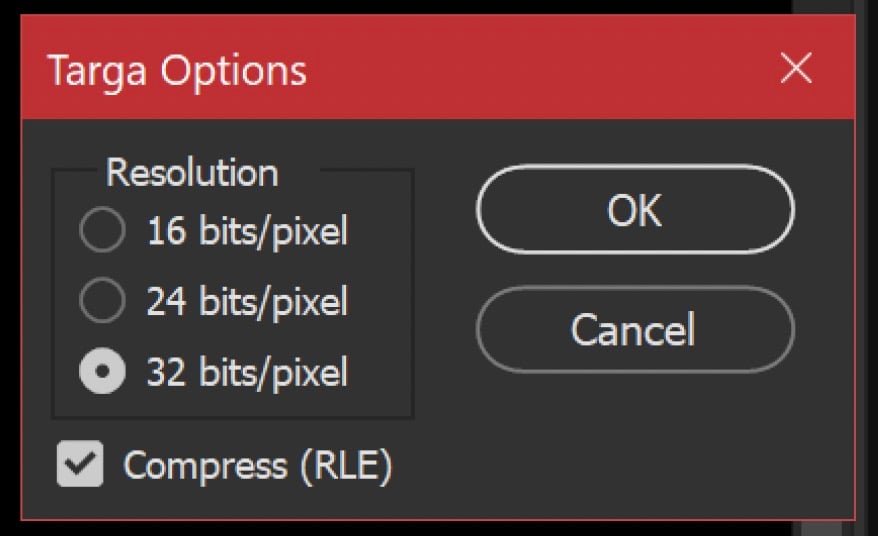
● Textures should be saved as .tga Targa files. All maps, except the Normal Map, should have alpha channels and 32 bit resolution and the Compress (RLE) option box checked. Normal Maps don’t need an alpha channel and should be saved at 24 bit resolution with the Compress (RLE) option box checked. 
sims 4 marketplace build guidelines2

Modeling Checklist 

Asset Compatibility with Gameplay Requirements 

● Appropriate animations should avoid interacting or intersecting with non-functional areas of the asset. (ie. Sims clipping through seats, table legs, armrests, assets clipping into walls, etc.). 

● The areas where a Sim can interact with the asset such as touching, grabbing, or sitting have the correct animation and prop targets. 

● The asset should adhere closely to the size of the intended item subcategory. For example: ○ Ceiling lights should not clip with book cases or armoires. 

○ Pets should be able to route under and above tables and surfaces. 

○ Sims should not be able to walk through solid materials. 

The Mesh is Well Constructed 

● Before Submission, please REMOVE any templates or assisting artifacts used for the creation process. We want to review only your work on the finished asset, and you must have rights to any data submitted in the 3D modeling file. 

● Face Normals are outward facing. 

● Vertices are merged, there’s no collapsed polygons, no 5-sided concave polys, and no laminar faces. 

● Most object asset’s origin can be centered. 

● Wall placeable object’s origin is recommended to be set to the bottom middle of the base and back of the object. 

● Bottom of object recommended to be set to Y=0. 

● Drop shadows are recommended to be set to .006 in Y. 

● Assets under ¼ tile in size don’t need drop shadows or occluders. 

● Occluders are casting shadows and blocking light as expected. 

● The appropriate number of tris is used for LOD0 and LOD1 meshes. 10% overage is ok. ○ LOD0 = 800 tris per tile 

○ LOD1 = 560 tris per tile 


What are your thoughts on The Sims 4 Marketplace guidelines laid out above? Let us know in the comments down below and stay tuned to Sims Community for all the latest Sims 4 Marketplace News!
All of The Sims 4 Marketplace Sets Revealed

A Boatload Of New Content Is Coming To Your Game Through Creator-Made Sims 4 Marketplace Sets!

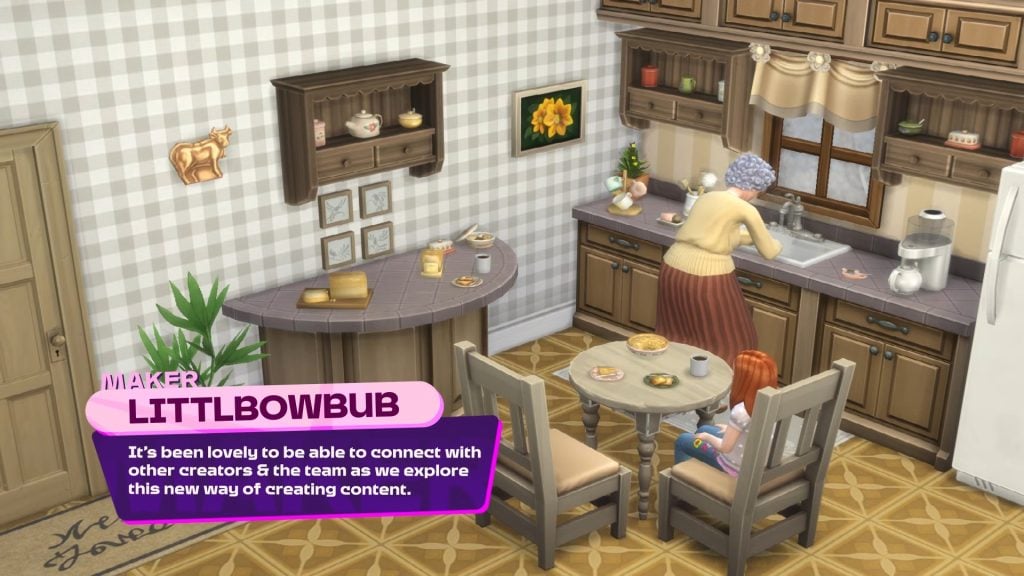
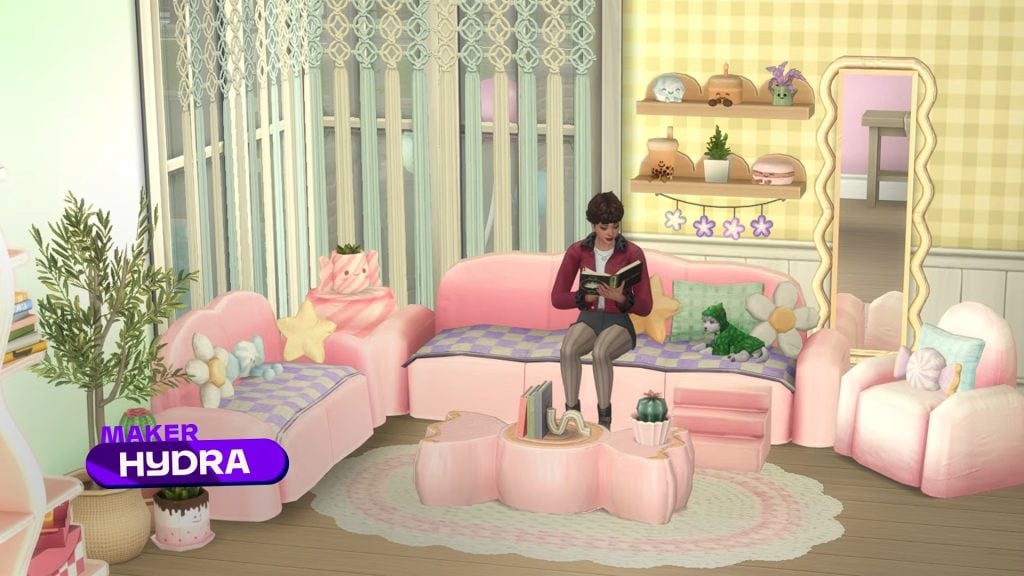
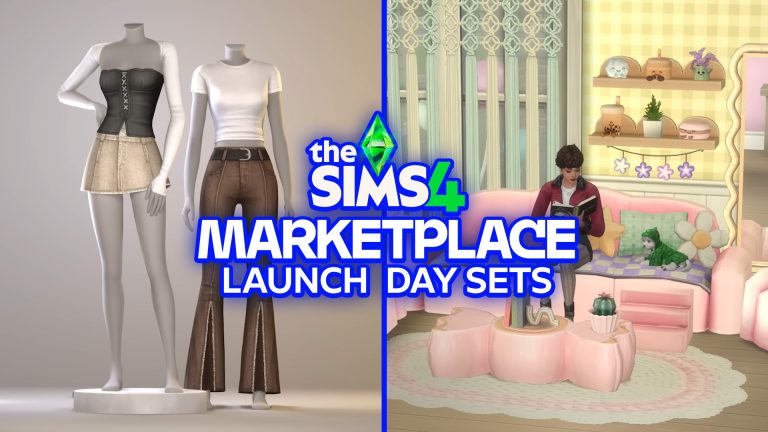
The Sims team have just announced The Sims 4 Marketplace, allowing players to purchase creator-made content with ‘Moola’ coins and have it installed directly into their game, no matter what platform they are playing on. The team have collaborated with several creators to launch this new platform via The Sims Maker Program, allowing creators to submit designs for review and, if successful, receive a 30% cut from every purchase. Let’s take a look at all the new Sims 4 Marketplace Sets!

How Do The Sims 4 Marketplace Sets Work?

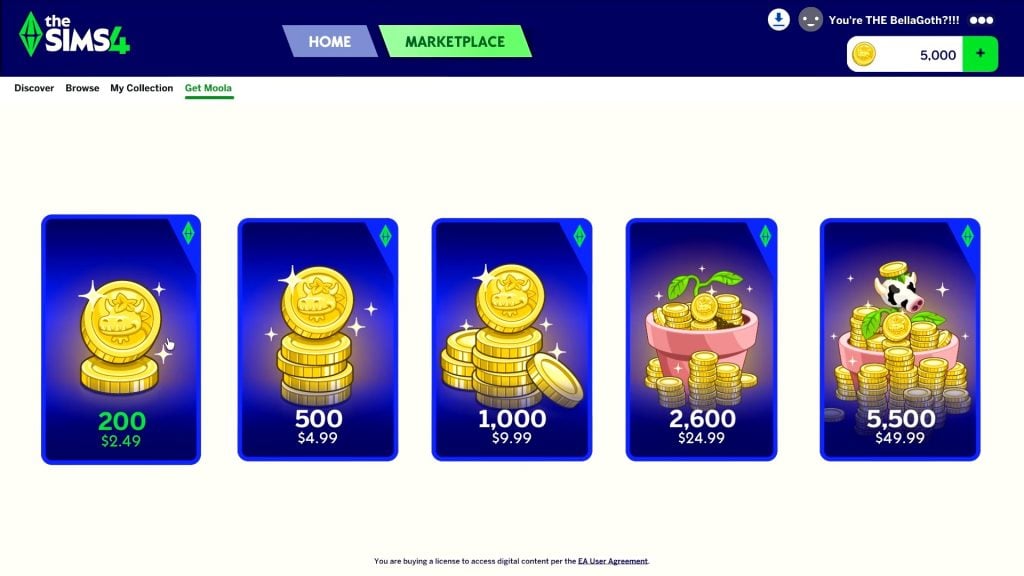
The Sims 4 Marketplace Sets can be purchased with the aforementioned ‘Moola’, a virtual currency available in 5 tiers, ranging from $2.49 to $49.99. Both Create-A-Sim and Build/Buy sets can be purchased on the Marketplace and will be installed directly into your game, no matter what platform you play on. Creators can join The Sims 4 Maker Program to participate. Let’s take a look at some of the sets that have been showcased so far!

Introducing The Sims 4 Marketplace The Maker Program 2 17 screenshot

Create-A-Sim Sets

Several Create-A-Sim Sims 4 Marketplace Sets have been revealed, some of which have been designed by creators who have previously collaborated in making Creator Kits.

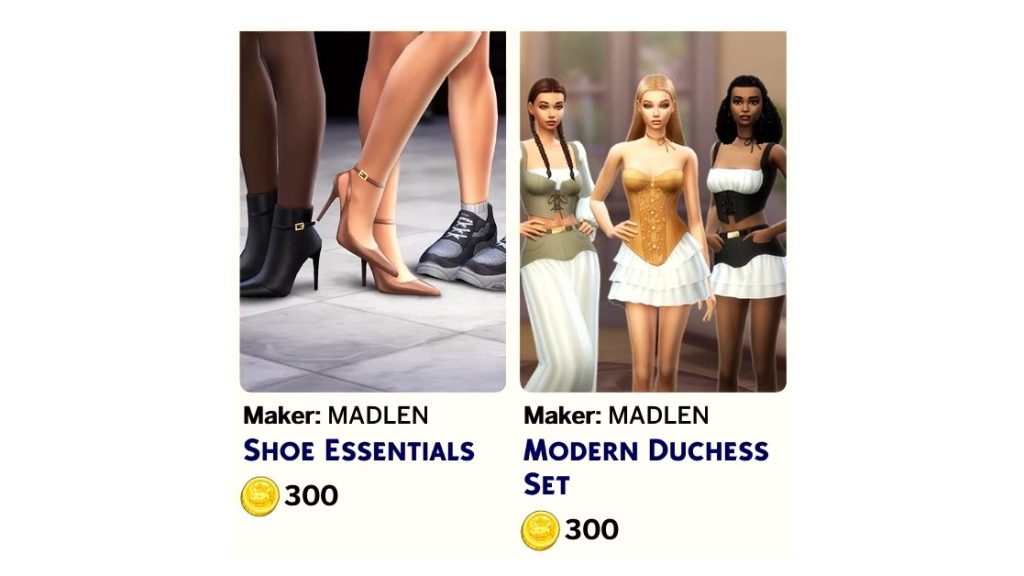
  • Shoe Essentials – MADLEN
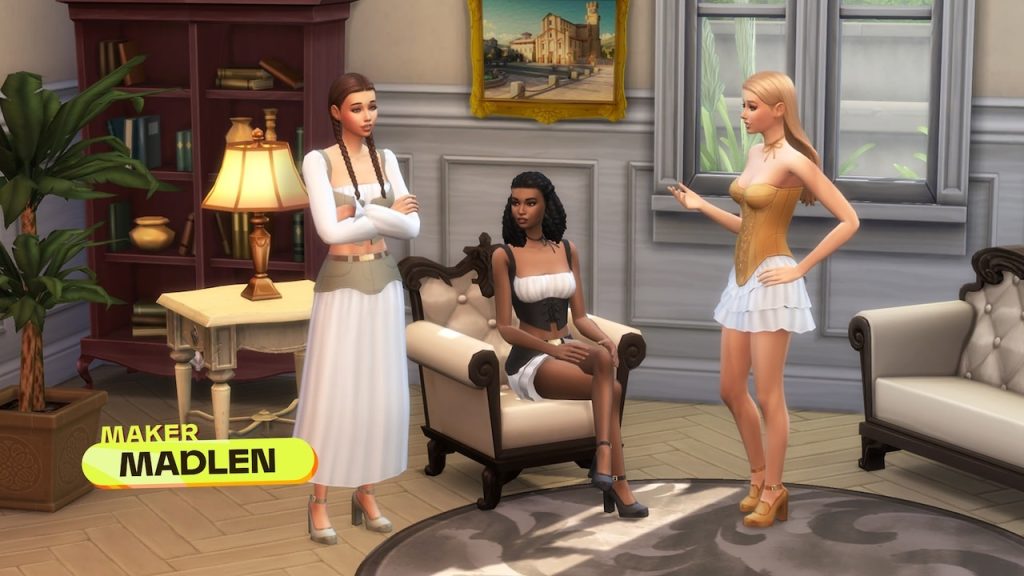
  • Modern Duchess Set – MADLEN
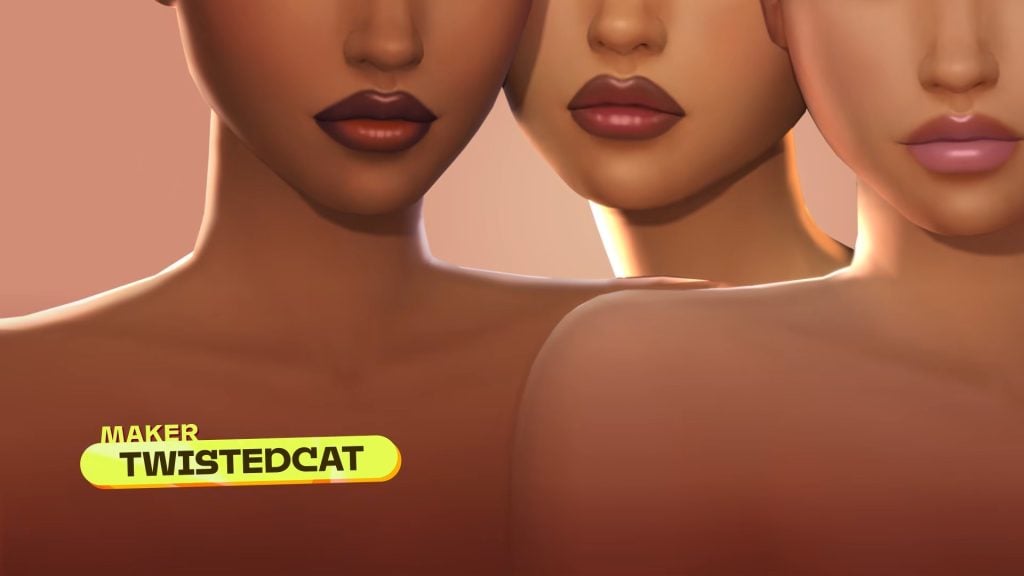
  • Lip Coture – TwistedCat
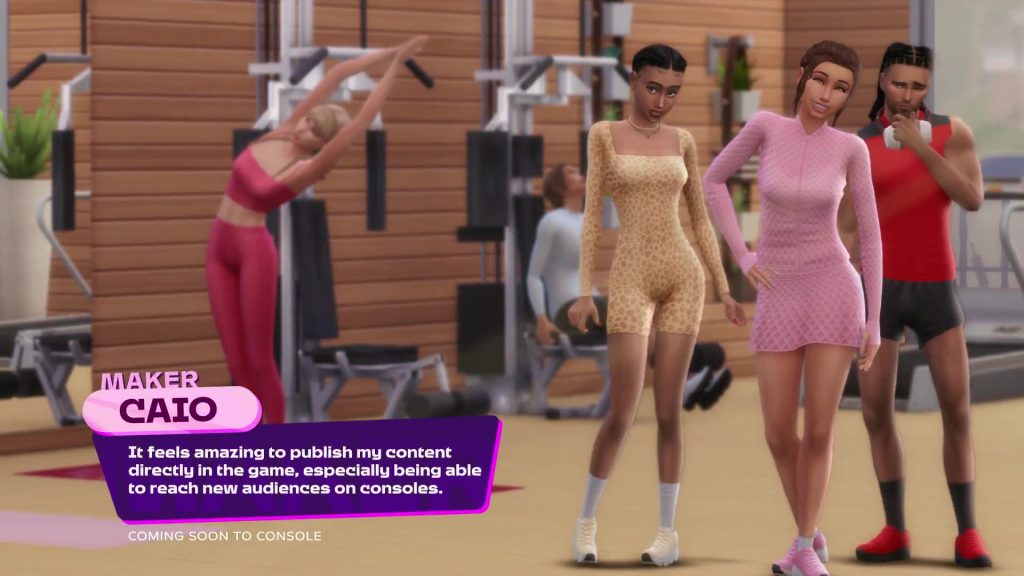
  • Unnamed Gym Set – Caio
  • Unnamed Makeup Set – Crypticsim

Unknown CAS Sets

Build/Buy Sets

As with the Create-A-Sim kits, you may recognise some of the names below, with many having worked on their own Creator Kits, or you may even play with some of their content!

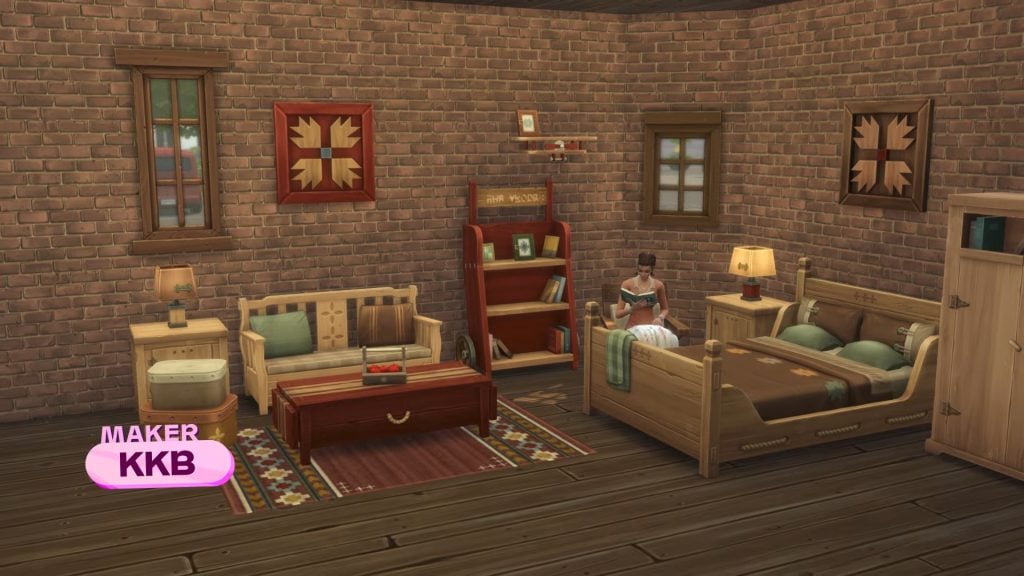
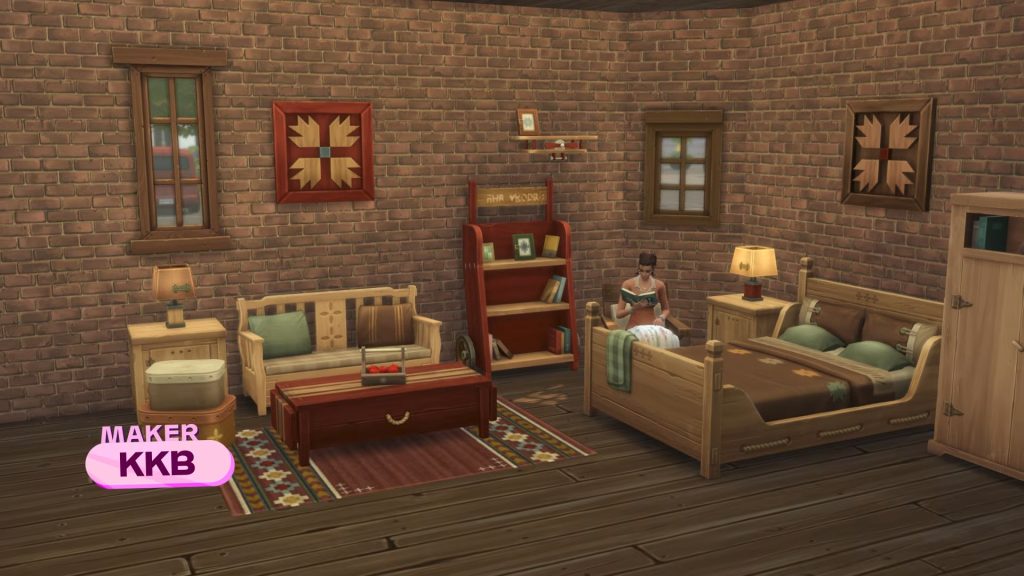
  • Rustic Nest – KKB
  • Spindi Dining Room – Peacemaker
  • Japandi Home Bedroom – Sixam CC
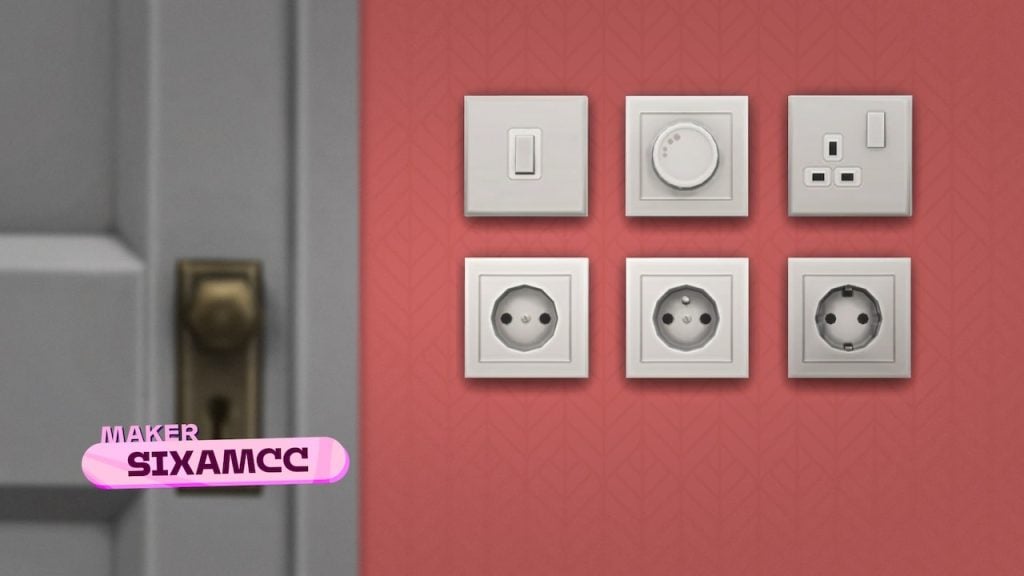
  • Unnamed Sockets and Outlets – SixamCC
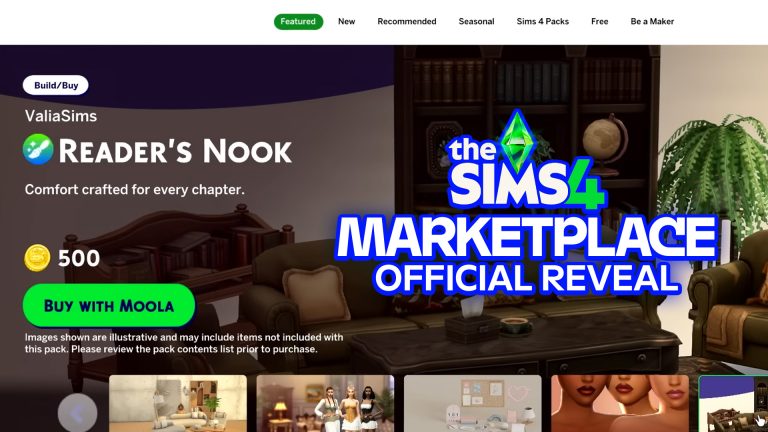
  • Readers’ Nook – ValiaSims
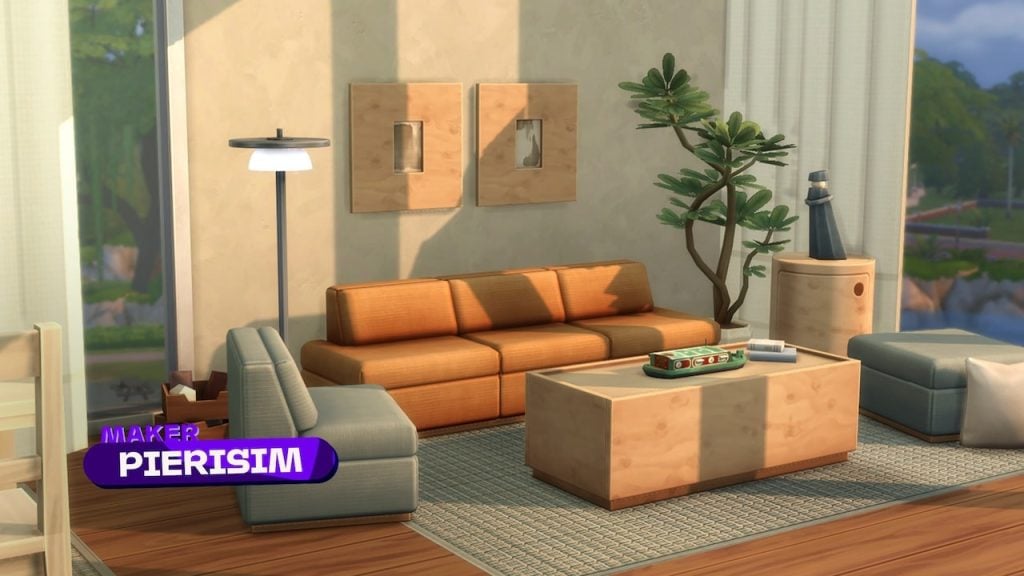
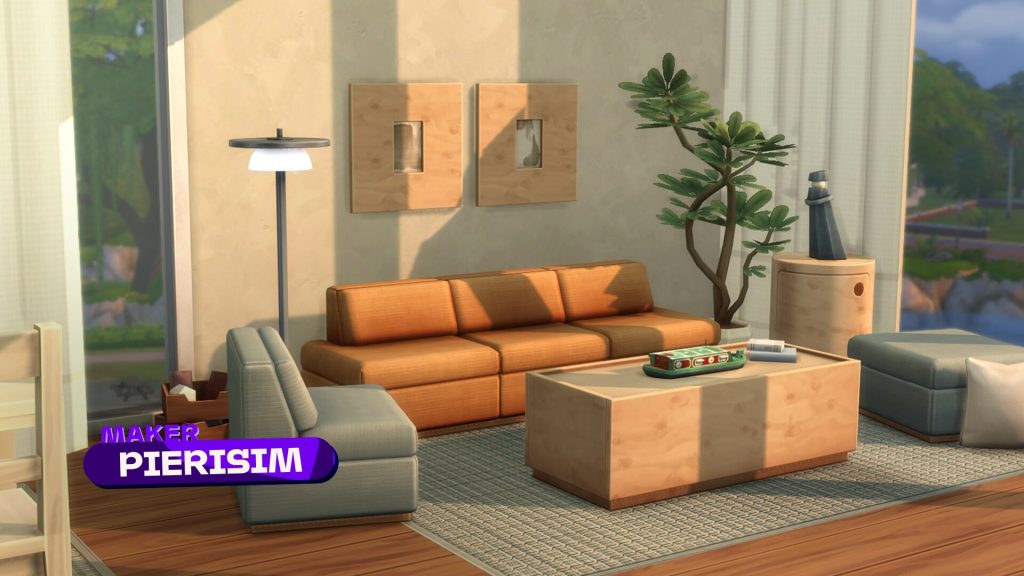
  • Soft Linens Living – Pierisim
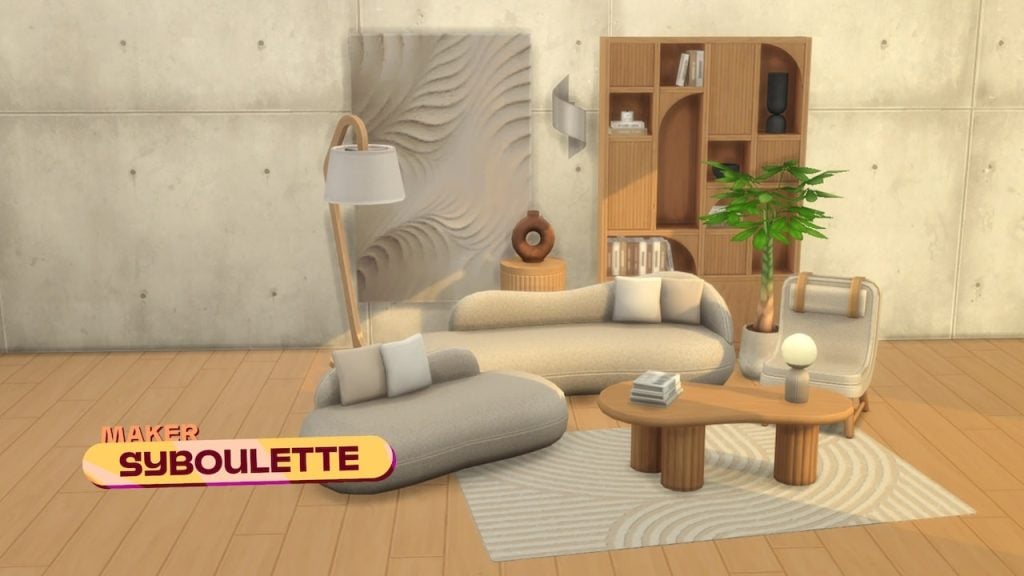
  • Snazzy Living Room – Syboulette
  • Nona Set – Mechtaims

What are your thoughts on The Sims 4 Marketplace Sets? Let us know in the comments below, and stay tuned to Sims Community for all the latest on The Sims 4.

EA Announces The Sims 4 Marketplace and “Moola” Microtransactions

It’s all true in the end – The Sims 4 Marketplace with Moola microtransaction coins is coming March 17th, 2026.

EA and Maxis have announced today a new The Sims 4 Marketplace. Where players can purchase additional sets, CC and content for the game in exchange for a virtual currency called “Moola”. It was first revealed in a rumor that EA is planning to launch this marketplace in March, with additional leaks that revealed “Mooca” as the coin. Only one letter difference but it’s all true in the end!

Hear what EA has to say about the official Sims 4 Marketplace and new game microtransactions:

Official Video Introduction

The Sims Team released a 3 minute official video introducing The Sims 4 Marketplace and Moola coins. Take a look:

The Sims Blog Introduction to The Sims 4 Marketplace

The official Sims blog released today talks more about the official information that you should know about The Sims 4 Marketplace release happening this March. Take a full read down below:

CONVERSATION 2

From the beginning, The Sims has been shaped by our community. This includes custom content creators, whose work helps players make every Sim, and every build, feel more personal.

We’re celebrating that creativity with the launch of The Sims Maker Program, alongside The Sims 4 Marketplace, a new in-game platform designed to support custom content creators, help more players discover their work alongside all The Sims 4 content.

An cartoon style image of a cowplant from The Sims 4 with the text Marketplace

Here’s how it all comes together:

  • The Sims Maker Program is a new initiative that allows creators who specialize in custom content to publish officially to The Sims 4 in-game Marketplace. This introduces new ways for them to earn while bringing fresh content to all players around the globe, across every platform.
  • The Sims 4 Marketplace is a brand-new in-game destination where players can discover, purchase, and play with official Maker Packs, as well as Expansion Packs, Game Packs, Stuff Packs and Kits created by The Sims team.
  • Moola is The Sims 4 virtual currency that can be used to make purchases of both Maker Packs and The Sims 4 Kits in the Marketplace. Purchases of Maker Packs support the Makers. 
  • The Sims 4 Marketplace launches in-game on PC and Mac on March 17, 2026. The feature will roll out to PlayStation and Xbox players in the next couple of months.

This is an intentional evolution of a multi-year strategy to support custom content creators, expanding from co-developed Kits to Creator Kits and now The Sims 4 Marketplace and the Maker Program. This has all been thoughtfully built over the past few years to expand the reach and celebrate these incredible creatives.

An illustration of a cowplant from the Sims 4 with a gradient yellow and blue background.

Let’s Talk About the Makers and The Maker Program

At the heart of the new in-game Marketplace are the Makers. Makers are community specialists who design custom content to help you express yourself in new ways. They bring new perspectives and ideas inspired by how they love to play.

Through the The Sims Maker Program, accepted Makers can earn by publishing new creations directly to the Marketplace, reaching Simmers around the world through an officially supported platform. 

An in-game screenshot of a contemporary stylish living room in the Sims 4.
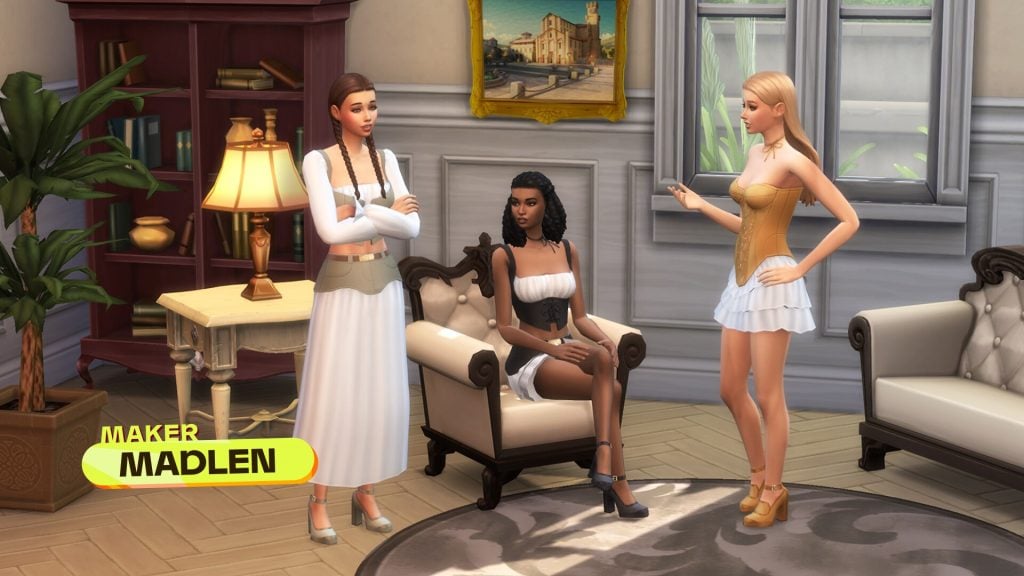
3 Sims in trendy outfits converse in a modern style living space with text that reads Creator Madlen
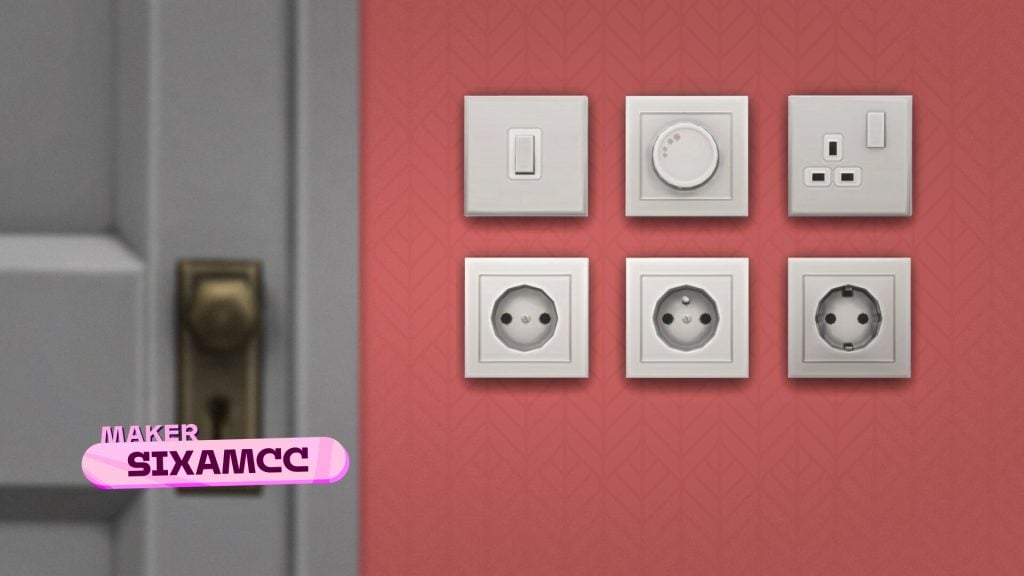
An in-game screenshot of a variety of wall plugs on a bright pink wall with the text that reads Maker Sixamcc

Makers have creative ownership of their work and decide how their content is packaged and priced, within the Marketplace guidelines. Their creations are offered as Maker Packs, which are Create a Sim and/or Build/Buy items created by a Maker.

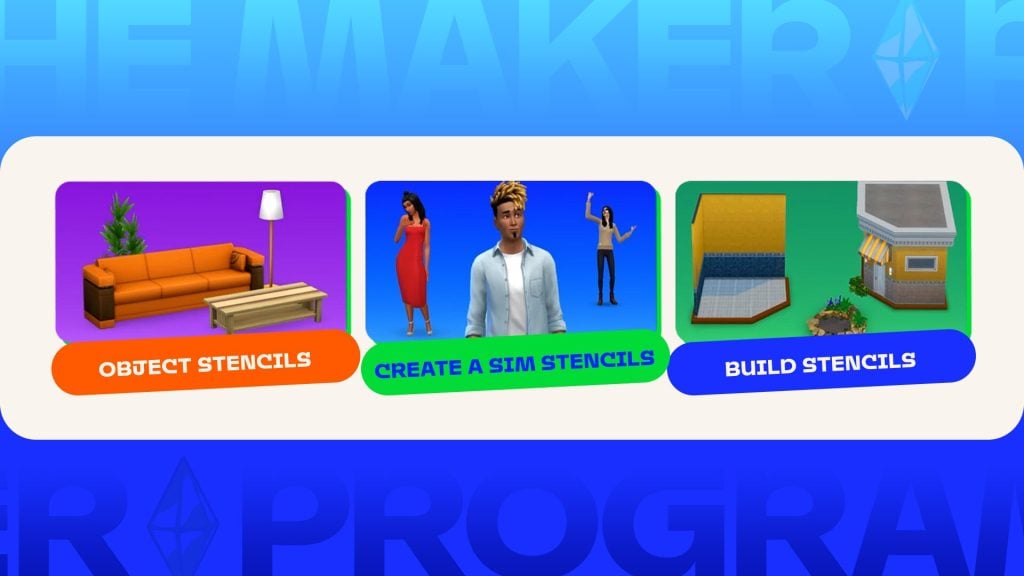
Interface graphic showing three categories: Object Stencils, Create a Sim Stencils, and Build Stencils, each with example items and Sims.
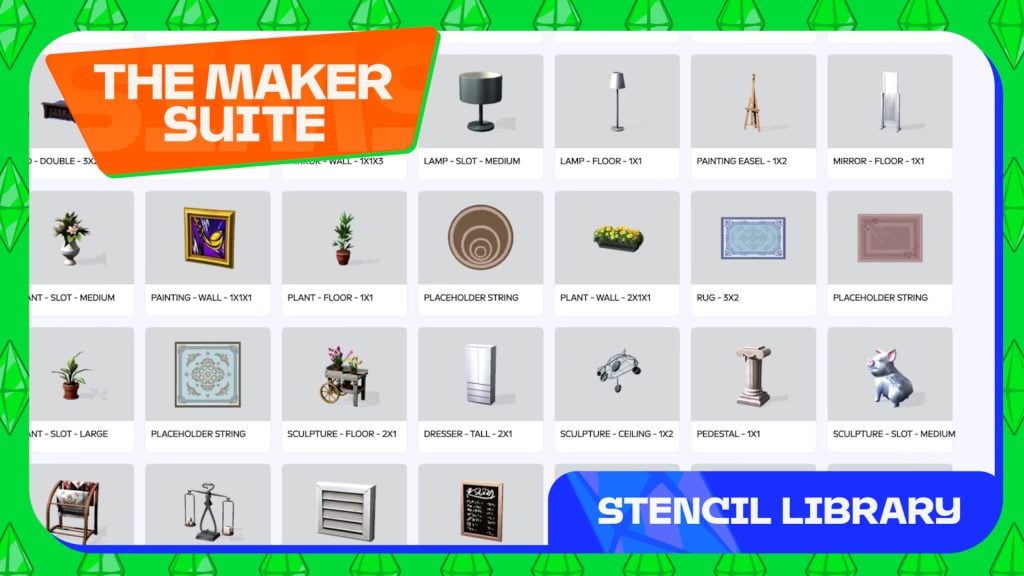
Stencil Library interface showing “The Maker Suite” with a grid of object thumbnails including lamps, plants, rugs, sculptures, and decor items.

Makers are supported with our new Maker Suite, which provides official tools, resources, and clear guidelines to make sure their content is compatible and plays smoothly in The Sims 4, all while staying true to their individual style and creative vision. 

All Maker content is reviewed to meet The Sims’ safety and community standards, guided by our Positive Play Charter. While Maker content may look different from content made by The Sims team, that difference reflects the creative freedom Makers have to express their unique style.

If you’re interested in becoming a Maker, you can apply through the Maker Program starting March 5, 2026 and submit content for review. More details on the Maker Program, including information on revenue share, can be found in the below FAQ.

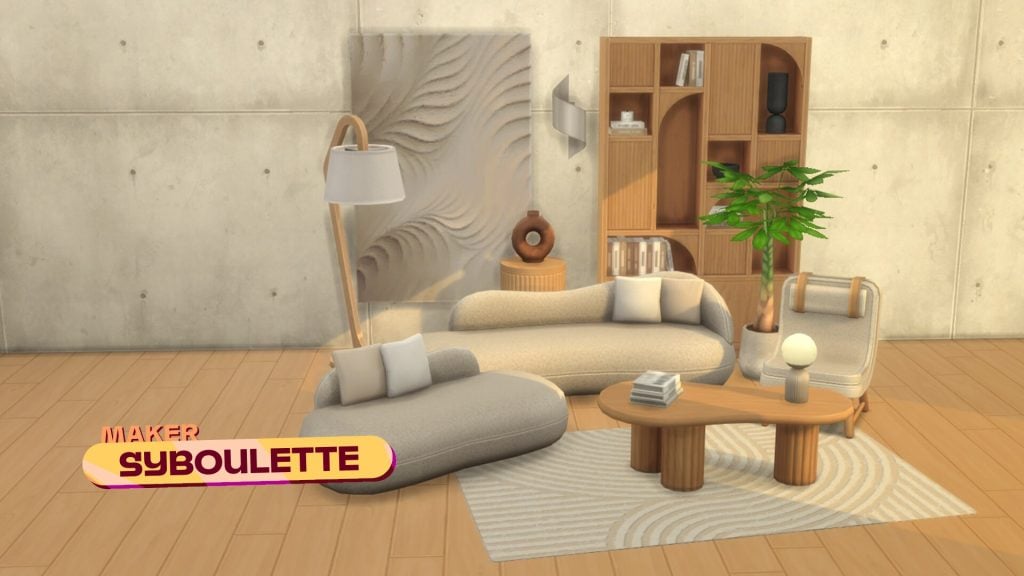
Modern living room scene featuring curved sofas, wooden furniture, a textured wall panel, indoor plants, and neutral-toned decor by maker Syboulette.

What Is The Sims 4 Marketplace?

The Marketplace brings Maker-made content into a trusted, officially supported platform, available directly in-game in The Sims 4.

Inside the Marketplace, you’ll find Maker Packs, including Create a Sim items, Build/Buy pieces, and themed collections. The Sims 4 Packs and Kits will also be available on the Marketplace.

When you purchase Maker Packs, you are supporting the Makers behind it. Recognizing the time, care, and creativity they bring to The Sims, your purchases provide an official, structured way for Makers to earn revenue from their work.

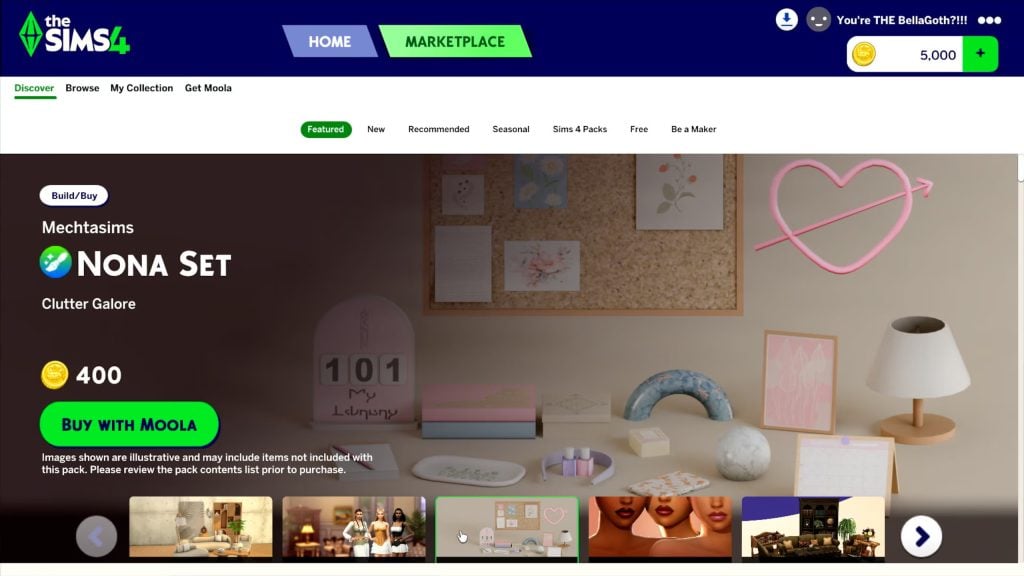
Marketplace page showing the Mechtasims Nona Set with clutter decor items, price in Moola, and a Buy with Moola button.
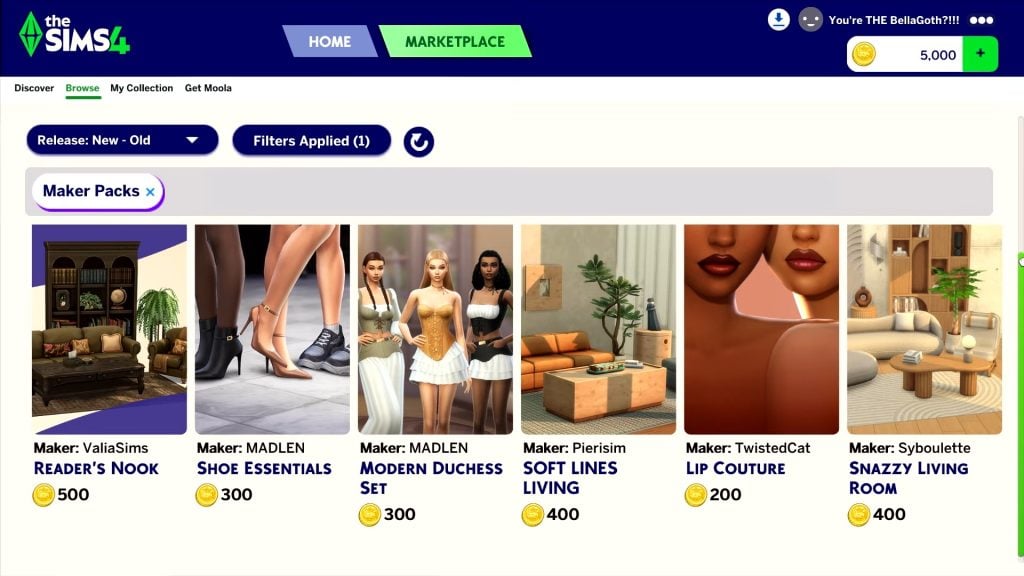
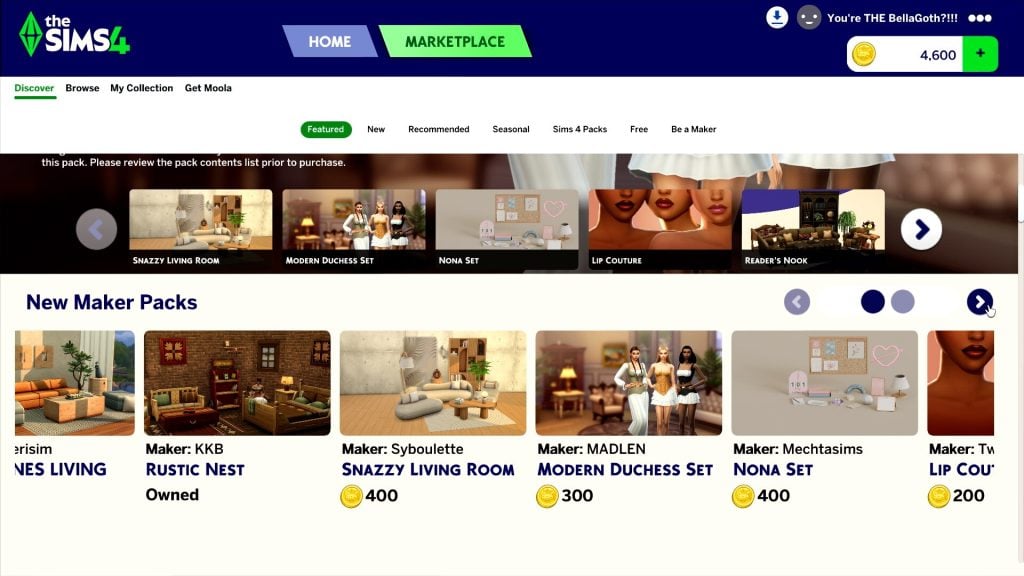
Marketplace page showing New Maker Packs, including Rustic Nest, Snazzy Living Room, Modern Duchess Set, and Nona Set with Moola prices.

The Marketplace is fully integrated into The Sims 4, making it easier than ever to play with new content. Curated collections and improved discovery tools help you find creations that match your playstyle. With seamless loading, you can add Maker-made content and The Sims 4 Kits into your game without worrying about compatibility or restarting.

The Marketplace does not replace free content. Makers may continue to offer free or paid early access custom content and mods on other platforms under our mod policy. However, content made available elsewhere is not eligible for sale through the Marketplace. The Gallery and Base Game updates will also continue to offer free creations, features, and improvements for all players, just as they do today.

Moola Supports Makers

The introduction of Moola, a virtual currency, allows The Sims 4 to support Maker content that is available to all players across every platform. It provides a safe, simple, and secure way to purchase Maker Packs while enabling Makers to release new content on a regular cadence.

You’ll be able to purchase Moola through your preferred platform store. Once in your wallet, you can use it in the Marketplace to purchase and download Maker Packs, as well as Kits created by The Sims team.

Players can still purchase official Expansion Packs, Game Packs, Stuff Packs through their platform’s Marketplace with standard currency, just not with Moola.

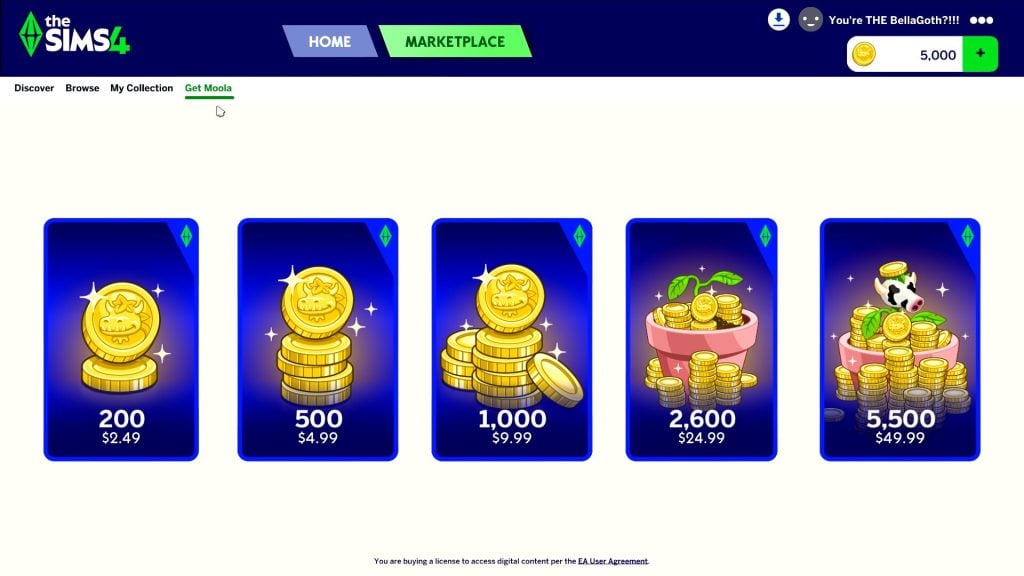
Get Moola page showing purchase options for 200, 500, 1,000, 2,600, and 5,500 Moola with corresponding prices.

More Choice for Players, From Your Favorite Makers

Creative freedom, accessibility, and trust have always been central to The Sims. By giving Makers an official place to share their work, and giving you an easy way to discover and support it, the Marketplace stays true to the values that have shaped The Sims for decades.

For the first time, players on console will be able to access official custom content directly in-game.

At its core, the Marketplace is all about giving you more choices, and supporting the Makers whose creativity continues to shape how we all play The Sims.

As The Sims continues to evolve, our focus remains the same: celebrating self-expression and building the future together as a community.

We can’t wait to see what you and our amazing Maker community create next.

The Sims 4 Marketplace launches in-game on PC and Mac on March 17, 2026. The feature will roll out to PlayStation and Xbox players in the next couple of months.

Marketplace is brand-new to The Sims 4, and we’re rolling it out in phases to ensure stability and deliver a smooth, high-quality experience for everyone. We’ll share more details on the console release soon.

When the Marketplace goes live on PC and Mac, Kits will move out of existing storefronts and become exclusively available in the in-game Marketplace for Moola. Any Kits you already own will remain in your library and ready to play. For console players, this change will happen when the Marketplace launches on your platform, and we’ll share updates ahead of time so you know what to expect. 


TALKING

Frequently Asked Questions

Marketplace FAQ

What is The Sims 4 Marketplace?

The Marketplace is the official in-game storefront for The Sims 4, where players can discover and purchase downloadable content, including Maker Packs created by approved Sims Makers, as well as Expansion Packs, Game Packs, Stuff Packs, and Kits created by The Sims team.

What’s happening to Kits?

When the Marketplace launches on PC and Mac on March 17, 2026, Kits will become exclusively available in the in-game Marketplace. Any Kits you already own will remain in your library and ready to play. For console players, this change will happen when the Marketplace arrives on your platform, and we’ll share updates ahead of time.

Moving Kits into the Marketplace ensures that we can continue releasing new content without hitting technical or storage limitations.

What do players need to access the Marketplace?

All players must be online while playing The Sims 4 to access the Marketplace. You can still play The Sims 4 offline, but the Marketplace will be unavailable except for viewing your Collection.

When does The Sims 4 Marketplace launch and what platforms are the Marketplace available on?

The Sims 4 Marketplace launches in-game on PC and Mac on March 17, 2026. Marketplace will roll out to PlayStation and Xbox players in the next couple of months.

Why is Xbox and PlayStation coming later than PC and Mac?

Marketplace is a brand-new feature for The Sims 4. We’re taking a phased approach to ensure stability and deliver a smooth, high-quality experience for players on every platform. We appreciate your patience and look forward to bringing Marketplace to console very soon.

What regions is the Marketplace available in?

The Marketplace is available in regions where The Sims 4 is currently supported, subject to local regulations and platform requirements.

Is the Marketplace replacing free updates or the Gallery?

Free Base Game updates and The Sims 4 Gallery will continue as usual.

Is Marketplace content safe to use?

Yes. All Marketplace content is human-reviewed to help ensure it’s safe, compatible, and appropriate for the game’s rating.

What is a Maker Pack?

A Maker Pack is a curated collection of Create a Sim and/or Build/Buy items created by a Maker. Maker Packs can contain anywhere from 3 to 50 assets and will be purchased with Moola. Both cost and amount of assets are determined by the Maker.

Who can create and sell items on the Marketplace?

Only Makers accepted into The Sims Maker Program can create, share, and earn revenue on the Marketplace.

Does buying Marketplace content support Makers?

When you purchase Maker Packs, you’re supporting the Makers who created that content.

Can Marketplace content be gifted or shared?

No. Marketplace content purchased with Moola cannot be gifted or transferred to other players.

If I purchase any Expansion Packs, Stuff Packs, or Game Packs on the Marketplace, do I need to restart my game?

Yes. Any purchases of Expansion Packs, Stuff Packs, or Game Packs will require a game restart. Maker Packs and Kits purchased with Moola do not require a restart.

Are microtransactions, subscriptions and/or battle passes coming to The Sims 4?

There are no plans to require additional purchases to enjoy the game or introduce a subscription service or battle pass to The Sims 4The Sims 4 will continue to be a game with a mix of free base game updates and optional DLC, so you can choose what’s right for your playstyle. 

Maker FAQ

Who are Makers?

Makers are skilled custom content creators who have been accepted into the official Sims Maker Program. Their content is reviewed, moderated, and supported by The Sims team.

What is The Sims Maker Program?

The Sims Maker Program is an official program for custom content creators who specialize in creating Create a Sim and Build/Buy items for The Sims 4 using official tools supported by The Sims team.

Who can become a Maker?

Aspiring Makers can apply if they meet the following requirements:

  • Be 18 years of age or older.
  • Not reside in an EA-embargoed region.
  • Be proficient in English (communication will be in English).
  • Be in good standing with EA’s User Agreement
  • Successfully complete a Technical Evaluation by submitting two assets for review.

Applications open March 5, 2026. More details on The Sims Maker Program can be found here.

What is the difference between custom content creators and Makers?

  • Custom content creators are anyone who creates custom content for The Sims. Custom content creators may distribute their content outside the game in accordance with our mod policy.
  • Makers are custom content creators who participate in the official Maker Program and are authorized to publish approved content on the in-game Marketplace.

How do Makers create content for the Marketplace?

Makers use official tools supported by The Sims team to create Marketplace-ready content that meets technical, quality and content standards. 

Using The Sims Maker Suite, Makers create collections (Maker Packs) and submit them for review. Makers decide the size and value of each pack, however, there are limitations. 

Are there content restrictions?

Yes. Approved Makers must follow the Maker Content Policy, which outlines content, legal and technical requirements. All content must be created using supported stencils to ensure compatibility.

What content guidelines will Makers need to follow, and could these restrict creative freedom?

The Sims team supports the creative freedom of all Makers. Makers will receive and comply with a Content Policy outlining common-sense guidelines and legal requirements. As long as their creations comply with that policy, meet our technical requirements, align with The Sims’ age ratings (ESRB, PEGI, etc.), and do not infringe on third-party intellectual property, they are free to create using the supported tools within the Maker Suite.

How is content reviewed?

All Marketplace content is human-reviewed before release to help ensure it’s safe, playable, and appropriate for the game’s rating, guided by The Sims’ Positive Play Charter.

Can Makers publish on multiple platforms?

Yes. Publishing through the Marketplace allows Makers to reach players across PC, Mac and consoles through a fully integrated in-game storefront.

How do Makers earn money?

When players purchase Maker Packs in the Marketplace, Makers earn from those purchases through the official Sims Maker Program

Makers choose their own pack sizes and prices (within the Marketplace guidelines), and are empowered to determine the value of their content. 

What is the revenue share?

Makers take home approximately 30% of the Moola from their Pack sales. That means for every 100 Moola someone spends on their content, they earn 30 cents USD.

The Sims is covering all costs and fees associated with publishing, including overhead costs such as platform fees, VAT taxes, server costs, and other transactional expenses, which may vary by platform.

In addition to covering the publishing fees, The Sims’ reinvests in the Maker community, supporting Makers, improving tools and resources available to them, funding human-led quality verification, as well as ensuring every Maker Pack is translated into all 18 supported languages.

Can Makers continue to post custom content on other platforms?

Makers may continue to offer free or paid early access custom content and mods on other platforms. However, content made available elsewhere is not eligible for sale through the Marketplace.

All rules and regulations around custom content and mods published outside of The Sims Maker Program can be found here.

Is support available for Makers?

Yes. Makers have access to documentation, clear content guidelines, and dedicated support to help them navigate the publishing process.

Moola FAQ

What is Moola?

Moola is a virtual currency designed specifically for The Sims 4 and is used exclusively for Marketplace purchases. You can use it in the Marketplace to purchase and download Maker Packs and Kits from The Sims team. Players can still purchase Expansion Packs, Game Packs and Stuff Packs through their platform’s Marketplace with standard currency, just not Moola.

How much does Moola cost?

Moola is available in multiple purchase options, with prices varying by region and platform. 

  • $2.49 USD for 200 Moola
  • $4.99 USD for 500 Moola
  • $9.99 USD for 1,000 Moola
  • $24.99 USD for 2,600 Moola
  • $49.99 USD for 5,500 Moola

Why is The Sims introducing a virtual currency?

Moola provides a simple, consistent, and secure way for players to purchase Marketplace content in-game across platforms and regions. At the same time, it supports a creator-driven Marketplace by helping ensure reliable payouts to Makers and sustainable support for their work.

Can Moola be earned through gameplay?

No. Moola is purchased and used exclusively for Marketplace.

Why not allow direct real currency purchases instead of Moola?

Moola helps make buying Maker content quick and seamless directly in-game, without extra steps or redirects. It also allows us to support a much larger and more frequently updated catalog of Maker Packs than traditional store listings.

Using virtual currency works more smoothly across platforms and regions, keeps pricing consistent for players worldwide, and helps ensure Makers are paid fairly and reliably. It also enables us to deliver new Maker content at the scale and pace Makers want.

Does Moola work across platforms?

Moola can be used across the same platform family. For example, Moola purchased on the EA app will also be available when playing on Steam or Epic Games. However, Moola does not transfer between different platform families, such as PlayStation and Xbox.

Is Moola refundable?

No, Moola is not refundable.

Can Moola be transferred, traded, or gifted?

No, Moola cannot be transferred, traded or gifted.

Can Marketplace content be gifted to other players?

No. Maker Packs and Kits purchased with Moola cannot be gifted to other players.


We plan to update you on more news and information about The Sims 4 Marketplace right here on Sims Community!

What are your thoughts on the latest Marketplace and Moola Coins announcement? Join the conversation below and stay tuned for latest Sims News!
The Sims 4 One Tile Challenge Stories: From One Tile to Perfect Dream Home

What is The Sims 4 One Tile Challenge?

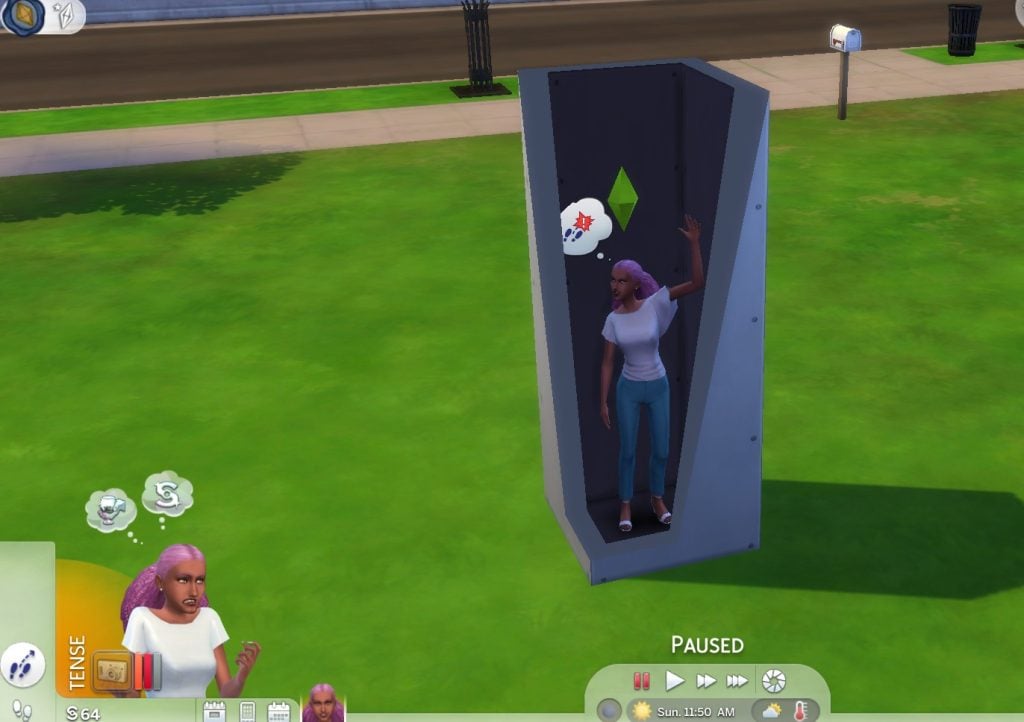
Out of all of the challenges a common simmer could choose , many could argue that the Sims 4 One Tile Challenge is the most difficult — yes, even more so than the 100 baby challenge. One sim, one tile. But how exactly does it work?

onetile cantmove
  1. The player creates a sim, the gender and look of the Sim doesn’t matter. You can choose or randomize the traits and aspirations, however it is recommended you don’t use easy traits like “Loner” or “Slob”.
  2. On an empty lot in any world, place your sim on any spot within your lot.
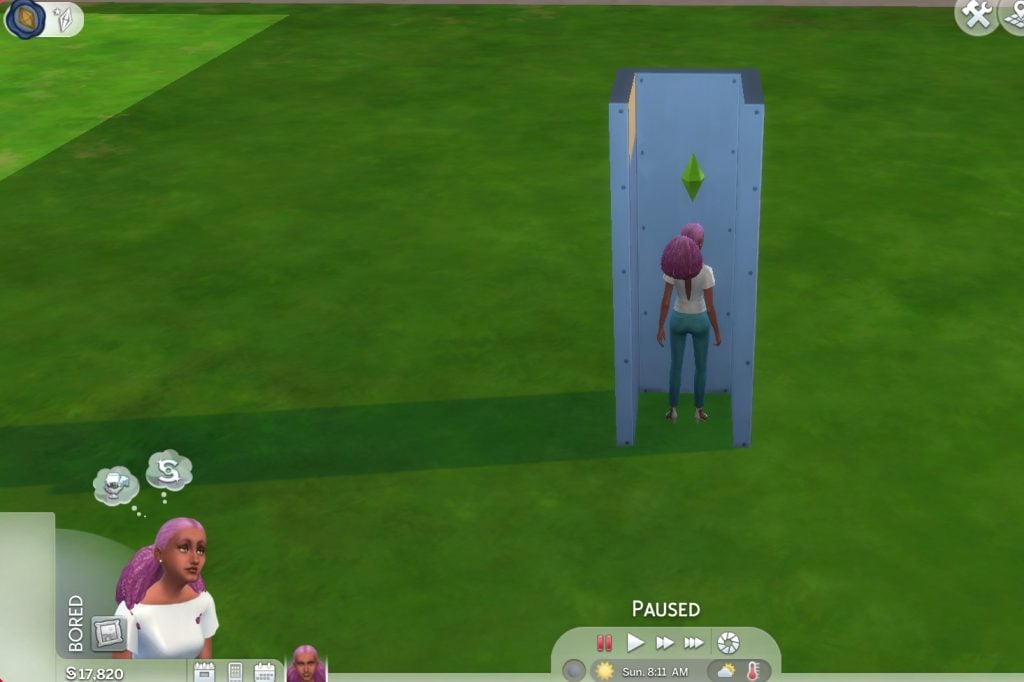
  3. Build 3 walls, have your Sim enter, then add a 4th wall. Do not add doors, do not add windows.
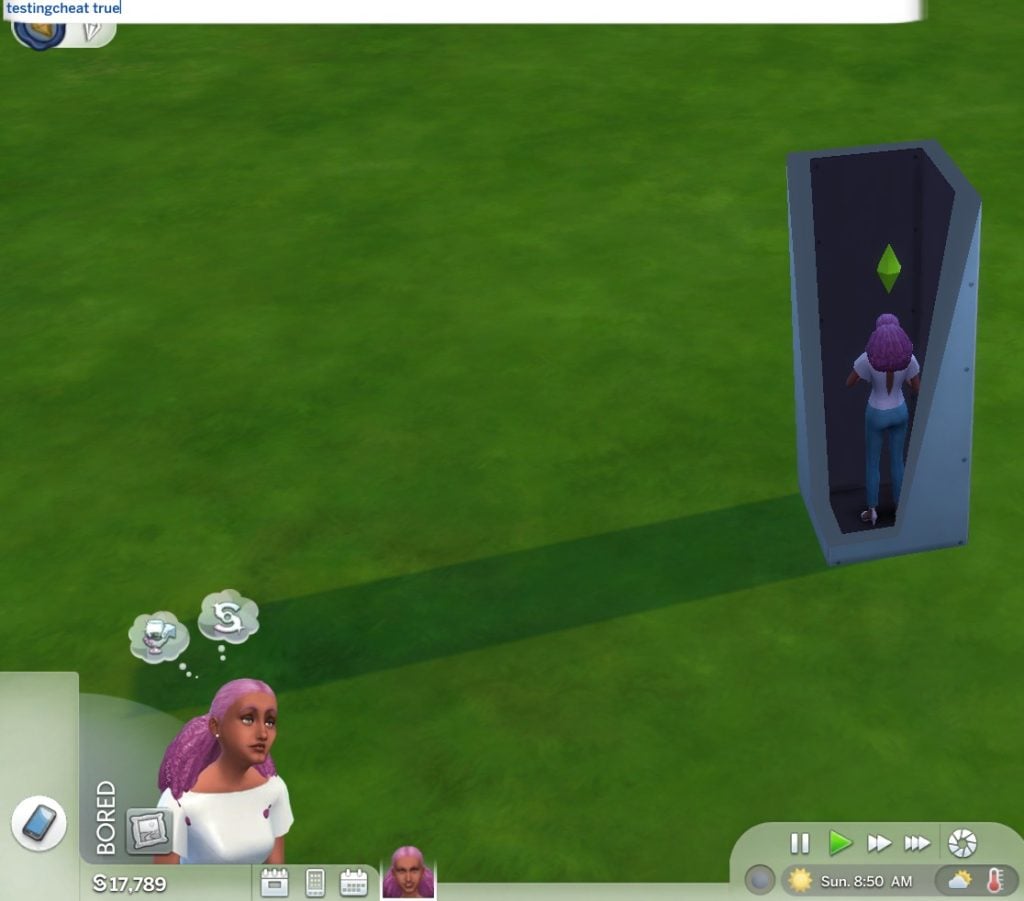
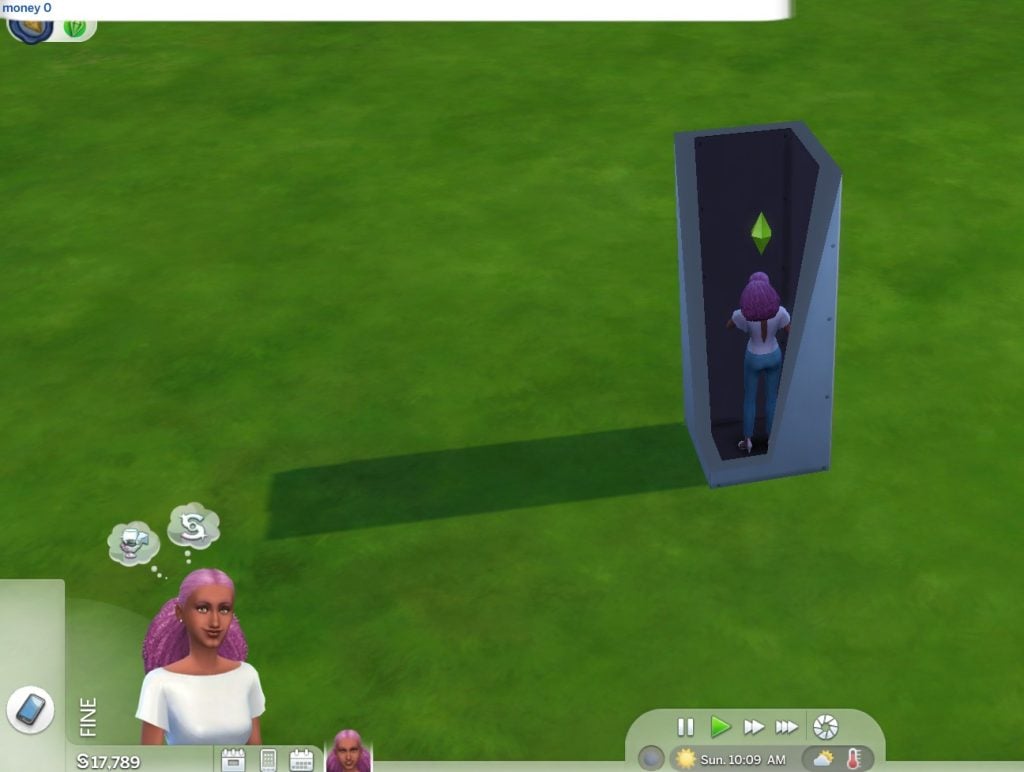
  4. Set all your funds to zero. To do this, pause your game, press the Cntrl+Shift+C on your keyboard, then type “testingcheats true”. Press the “Enter” key. Then type “money 0”. Press the “Enter” key again. You are not allowed to use any other cheats after this. 
  5. As for your household, you can not get married, have babies, or get a pet until the challenge ends (if ever).
onetile testingcheats
Use the “money” cheat to set your cash to zero.
onetile money 0

The goal of the challenge is to earn money within the 1×1 box. The challenge is complete when the Sim has these rooms fully furnished and decorated in their house:

  • Bathroom
  • Bedroom
  • Living room
  • Kitchen

We have our own Guide Playthrough of The Sims 4 One Tile Challenge available right here. With a full set of rules and experiences!

An impossible task? Well, it depends on the strategy. Here are a few players who were able to beat the game…err…eventually. 

One Tile, One Death

The Spiffing Brit, a popular British Youtuber and content producer, well known for exploiting some of the most popular video games and social media sites, presents himself as more than prepared for the one tile challenge. With a long history of breaking games like Skyrim, Crusader Kings, and The Sims 4 past, there was no double he could tackle a measly “One Tile” challenge.

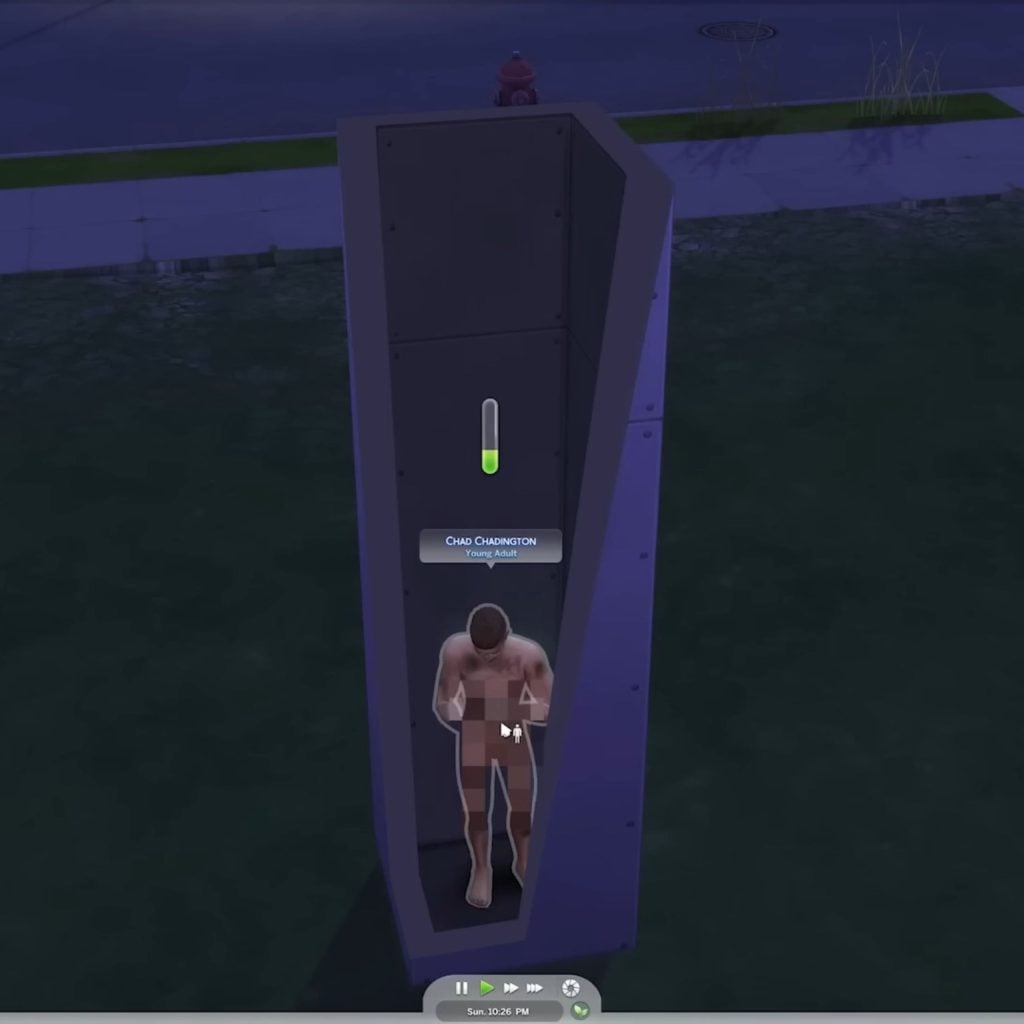
Spiffing Brit begins the challenge by introducing the views to Chad Chaddington. He gives him a gregarious personality with the traits Active, Good, and Dance Machine, making him an all around charming fellow. When choosing Chad’s Aspiration, he strategically goes for the Knowledge aspiration. Spiffing Brit explains that this trait gives Chad the most Chad-level bonus trait for survival — Quick Learner. He looks over his creation like a proud father and says, “It’s gonna be perfect. Let’s see if we can get him to survive.”

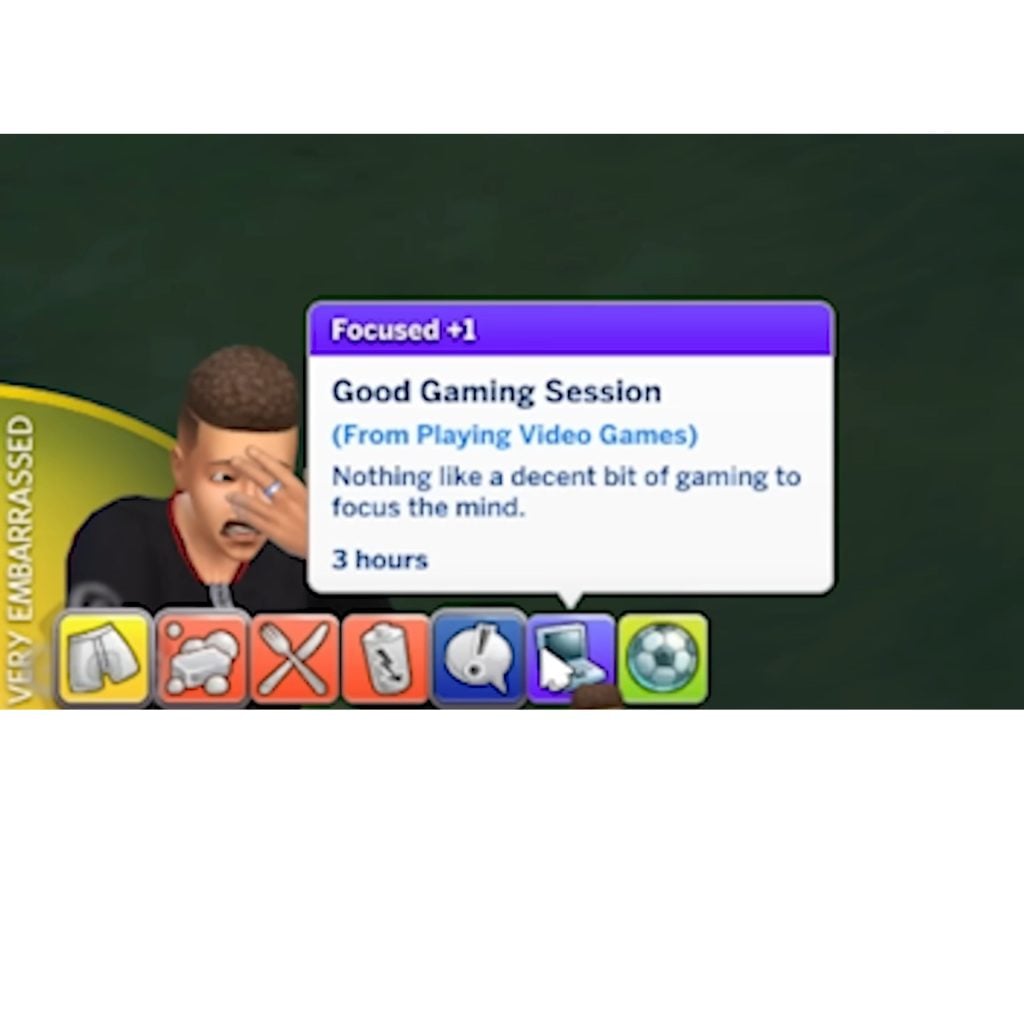
Chad begins the challenge surprisingly calm, despite being locked inside a dark box. “He looks really happy, however, he shouldn’t be because the man is inside a box in a lot by himself and he has no money whatsoever.” As Spiffing Brit tries to figure out how to make money, Chad spends his time gaming — and he’s pretty good.

The Sims 4 One Tile Challenge. Sad Sim
Chad Chaddington is clearly suffering.

Brit seems to furiously click through Chad’s phone to find any semblance of hope. After the first day, Chad’s need quickly begin to decay. His suffering is starting and Brit seems to lack a plan. “Chad, you’re going to starve yourself in about 2 days. I just need you to play video games until an opportunity presents itself.”

The Sims 4 One tile challenge naked sim
Chad Chaddington can’t afford clothes. Photo by The Spiffing Brit

Once Brit does realize that he can make money through photography, he sees that Chad only has seconds to live. He says, “Without a way to make money, Chad simply can’t survive. I think it’s possible our failed experiment child here just wasn’t cut out for this world. So we’re going to have to start out with a new, stronger character.” Brit could have benefitted from reading this article here that has 8 Photography Tips for Aspiring Shutterbugs.

After only 8 minutes into the video, the courageous Chad Chaddington, dies of starvation. So starved, in fact, that he clips through his house as a final death throw. Spiffing Brits last words to his trailblazing Sim are, “He decided to put on some clothes…oh…goodbye, Chad Chaddington. OH! He decided to touch the floor! That’s cheating!” Admittedly, a less than warm goodbye.

The Sims 4 One Tile Challenge. Failed Challenge.
Chad Chaddington didn’t survive the one tile challenge.

Brit decides that he needs someone stronger, better, and with more stamina to survive the harsh world of the one tile challenge. Brit, unwilling to lose again, rethinks his Sim and brilliantly decides to use the traits to his advantage.

With new traits like Gloomy, Loner, and Slob he is able to equip the unflappable Drew P. Schlong for the One Tile challenge. Brit decides that Drew needs to master photography and become a world class photographer. At the last minute, Brit changes Drew’s aspiration to Mansion Baron. How can a Sim become a Mansion Baron on one tile? The Spiffing Brit will figure it out.

SpiffingBrit Drew

Will Drew survive? Will he achieve his goal of Mansion Baron? Does he ever expand his home past one tile?

Check out the video to find out what happened to Drew and The Spiffing Brit. 

The Designer, a Bunny, and a Dream

Vixella, a popular content creator for The Sims 4, has tried nearly every challenge under the sun. With her ability to think outside the box, viewers are confident that she’ll be able to think inside the box too. But Vixella’s greatest challenge was not running out of money for the sake of interior design. 

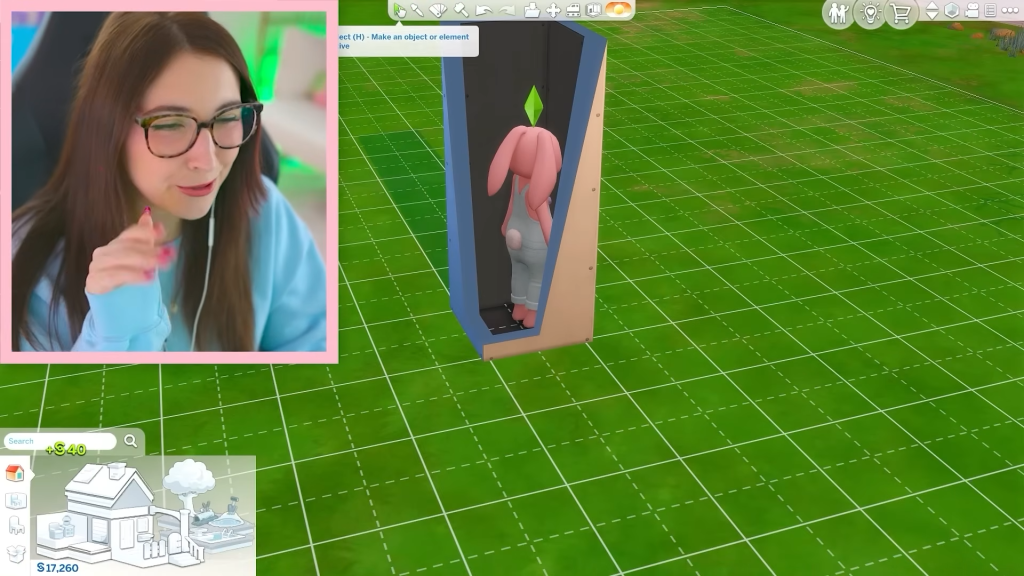
After creating Bunny Boop, a sim dressed in an adorable, but most likely stuffy, flower bunny costume from The Sims 4: Seasons Expansion pack. She lured Bunny Boop inside of the box and promptly deleted the ornate door from the Cottage Living expansion pack.  Vixella quickly gets Bunny boop to work taking photos. Despite the cuteness of Boop’s costume, the best selling work was photos of the wall – everyone’s a critic. 

The Sims 4 One tile Challenge. Vixella.
Vixella and Bunny Boop just starting out.

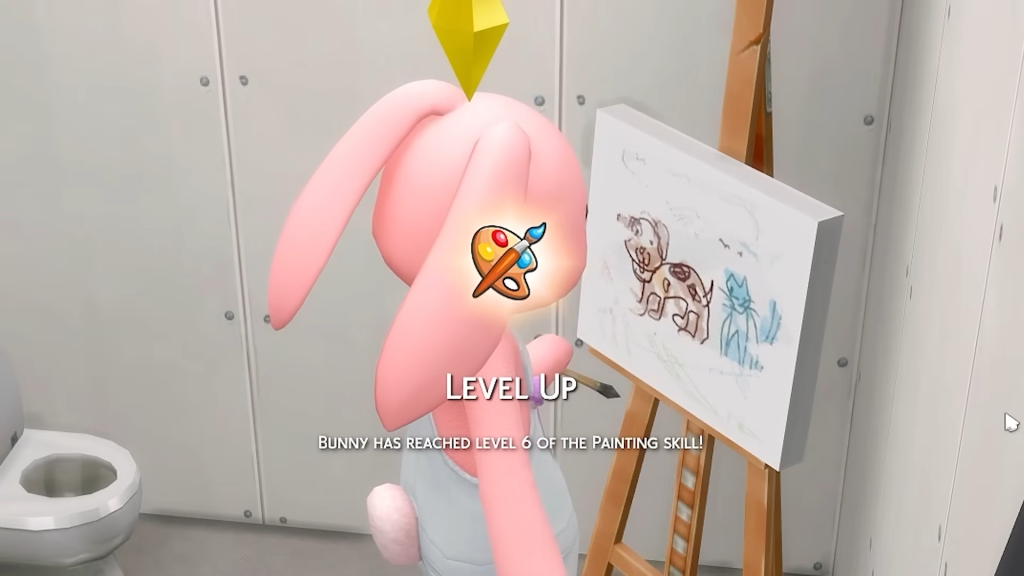
Vixella sails through the challenge with little to no complications. Within the first 10 minutes of the video, Vixella is able to upgrade her room to 4 tiles, add a mini-fridge, toilet, and easel for Bunny Boop to use. To the chagrin of most fine art grad students, Bunny Boop is sailing through pottery and every art movement in painting without a sweat…except for realism for some reason.

vixella realism

The true challenge begins when Vixella realizes that she has enough money to start decorating. She flies through wallpapers, paintings, and debates between rugs and fireplaces. Every time she runs out of money, she flings Boop to her pottery wheel. Despite Boops desperate need for socialization, Vixella ignores the random calls that vibrate in the bunny’s backpocket. Vixella’s desire for domestic design ends up being her downfall when, within moments of purchasing a door, they’re met with an unwanted guest. Vixella and Bunny Boop are burgled by none other than a robber named Robin! Instead of a new best friend, she has a worst enemy.  What will happen to Bunny Boop? Did the robber take anything? 

Check out the video to find out. 

Double the Sims, Double the “Fun”

For some seasoned simmers, the one tile challenge just doesn’t generate enough chaos, enough difficulty, enough sims. A player and Youtuber, Sim Rot, creatively curated a new set of rules to help increase the difficulty and help players really feel “locked in”.

Publishing her challenge on Reddit and Youtube, Sim Rot was able to provide all the chaotic details of her very unique one tile challenge.

With the help of other players, Sim Rot was able to write these rules as follows:

  1. Turn all lot challenges on.
  2. When your Sims starvation is at 24 hours before death, start the challenge.
  3. You can only make money from a skill once your sim has mastered it
  4. Give your sim traits that will make them hate the box (ie, loves the outdoors, etc.)
  5. (Optional, but so very fun) Add an NPC sim with traits and aspirations that your other sim will hate! 
  6. No “Always Needs a Snack Bag”
  7. Say yes to every pop up
  8. You cannot leave the box until you’ve built a mansion or completed your sims chosen aspiration.

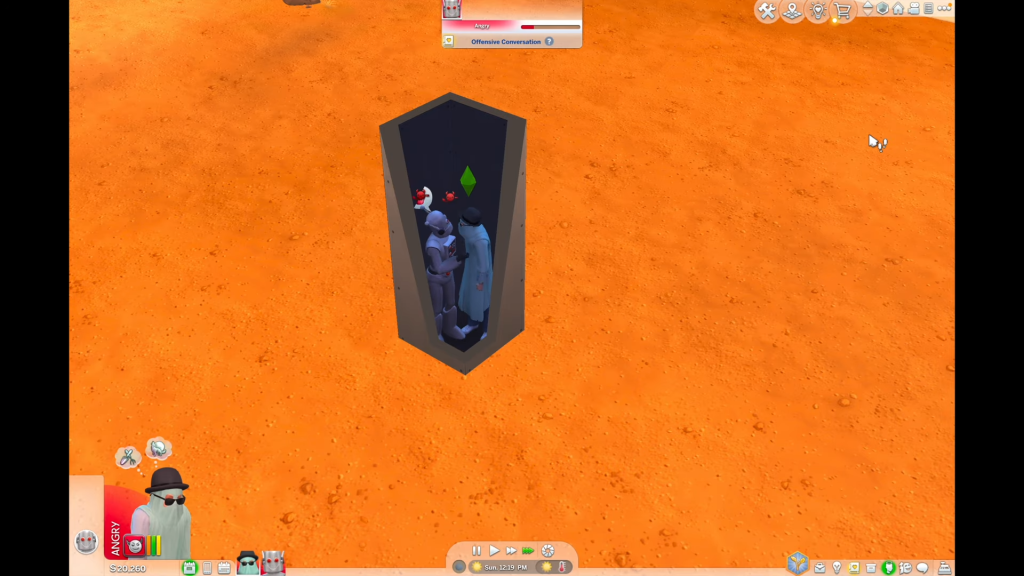
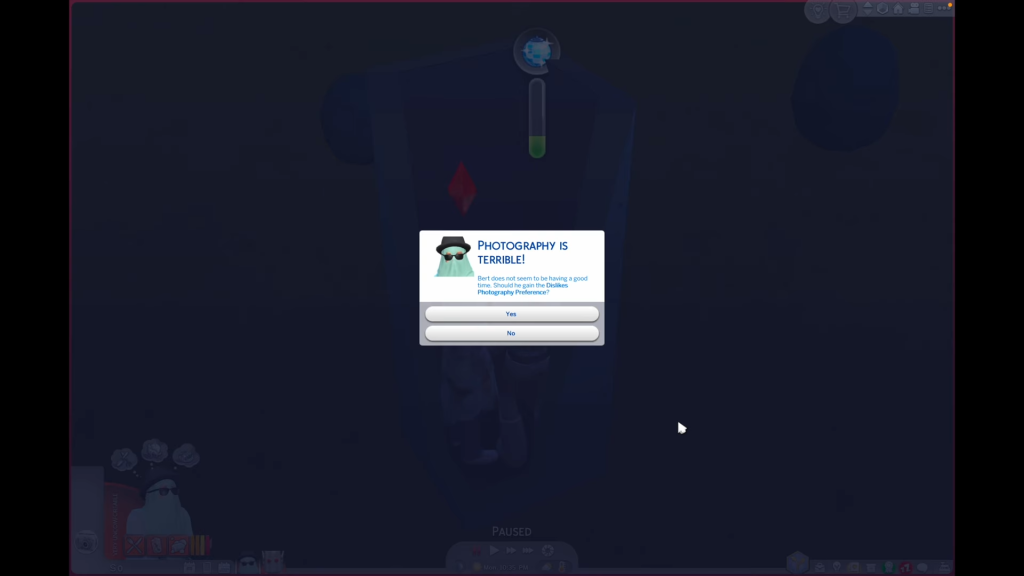
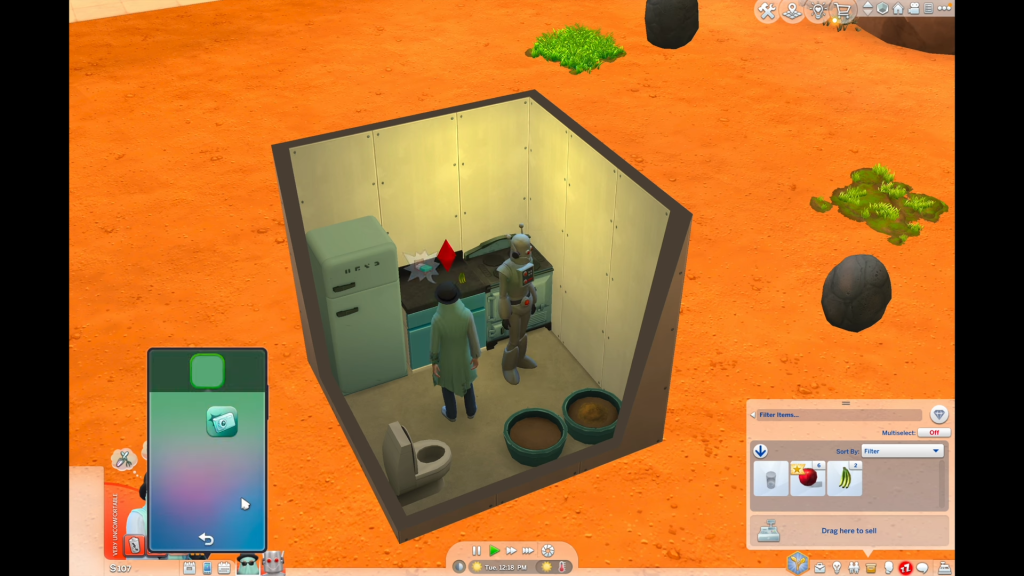
The beginning of the challenge shows signs of a downward decline. Every social interaction between Jeffry Frye (Robot) and Burt Burton (The top hat ghost) ends with a negative reaction. Sim Rot was successful in making those boys hate each other. When it was finally time to start, the sims were filthy and furious. Only two inches from Jeffry’s face, Burton flashed photos of himself, storing them in his inventory until he finally mastered the skill. Sim Rot was worried that she may have made her challenge a little too challenging stating, “Living off the grid makes this game difficult. In the best way! Combined with simple living, I thought my sims were gonna die for sure.”

simrot badrep

With only sixteen hours left until starvation, Burt Burton was able to master photography with over a hundred photos under his belt, he earned more than two thousand simoleons…which was against the rules to use. So, Sim Rot prompt deleted the cash, setting the boys back to zero. Tensions are high as Burt needs to remake the magic he once had to help him and Jeffry survive another full day – that, and Burt hates photography.

simsrot photography

After Burt earns a cool six hundred-seventy seven simoleons, they expand their house to four tiles. The progress is slower but the race against time feels faster. Every little reward Burt and Geoffry received felt well worth it. Sim Rot writes, “ But this actually challenged me and took my gameplay places it’d never been before. And it felt gratifying to make progress on his aspiration instead of just going through the motions. I felt so accomplished when my sim could make tomato soup!”

simsrot expandedhome2

If you want to find out where Geoffry and Burt are now, check out her video. 

We Challenge You!

Have you tried One Tile challenge? If you haven’t tried it, tell us what your favorite challenge is in the comments below. Leave a comment, tag us on socials (@TheSimCommunity), or submit via Gallery/Reddit spotlights – we’d love to feature you next!

The Sims 4 Castles: 11 Royal Residental Lot Picks from The Gallery

A few weeks have passed since the release of The Sims 4 Royalty & Legacy, and the community has already transformed the gallery into a kingdom of breathtaking creations. From sun-drenched Mediterranean palaces to dark Gothic strongholds and enchanted fairy courts, players have embraced the royal theme in wildly different ways. If Ondarion is starting to feel familiar, or your Sims are ready to claim a new seat of power, this curated selection of must-download Sims 4 Castles might be exactly what your dynasty needs.

In this gallery spotlight, we’re highlighting castles built primarily with Royalty & Legacy, alongside a special section featuring builds that expand their grandeur through additional expansion packs. Whether you’re crafting a traditional noble lineage, a magical monarchy, or a dynasty wrapped in mystery, these creations prove that royalty in The Sims 4 has never looked more diverse.

Before placing these lots, many detailed builds make use of the bb.moveobjects cheat to achieve their intricate layouts. For best results, we recommend activating it before placing the lot to ensure everything appears exactly as intended.

Royalty & Legacy Castle

This enchanting build by TheCrackedKyber brings classic Disney-inspired magic to the new world of Ondarion. Though it may be a smaller castle, it offers the perfect royal retreat, where your Sim can unwind on the spacious terrace beneath the stars or draft new decrees for the kingdom in peace.

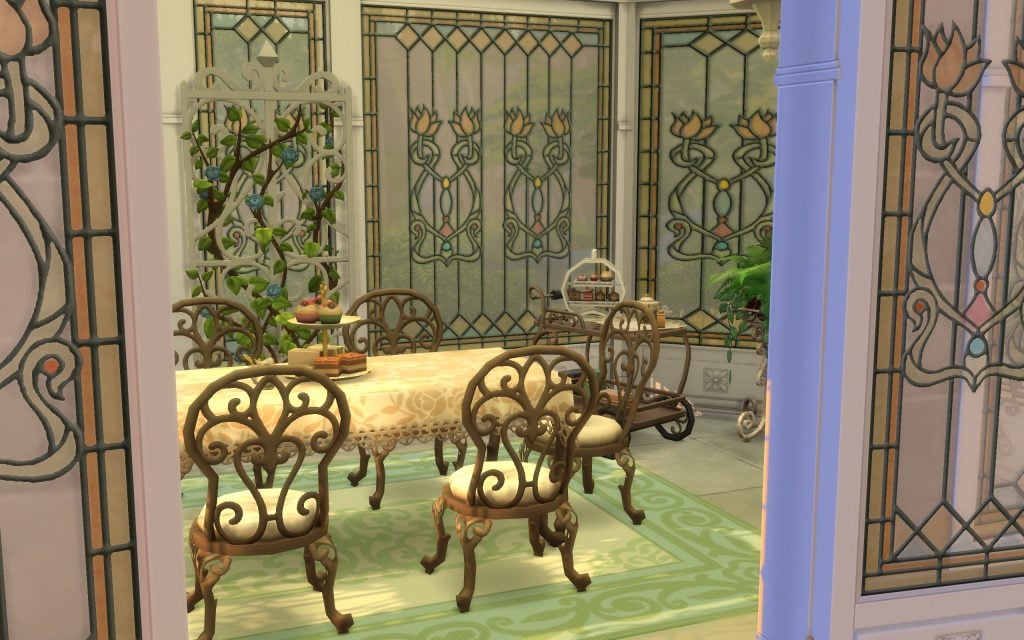
Embrace your inner princess by hosting elegant tea parties with fellow nobles, discussing upcoming events, or indulging in the latest courtly scandals.

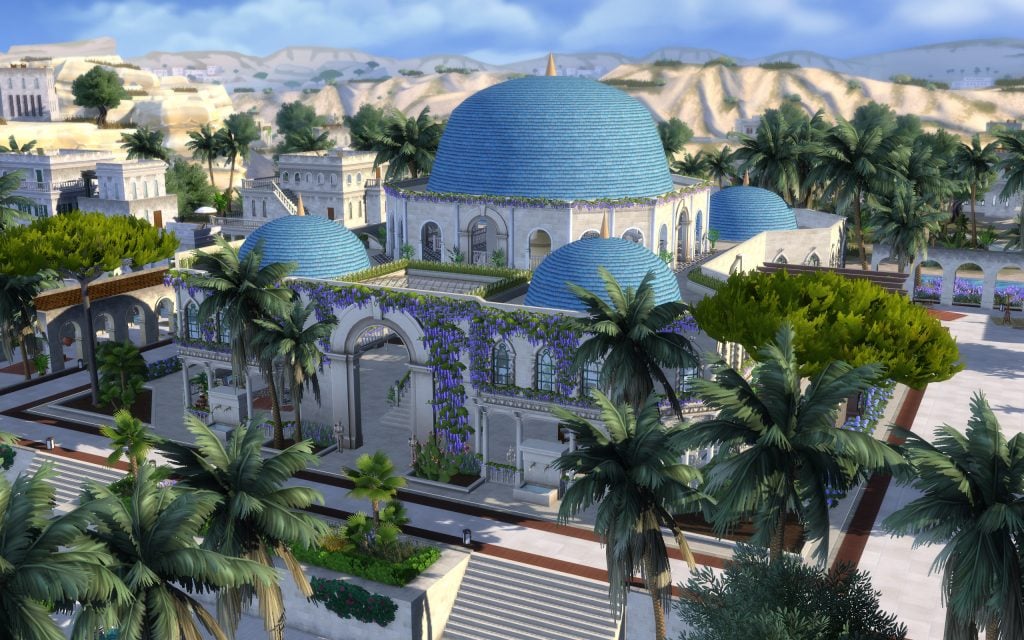
Blue Dome Royal Palace

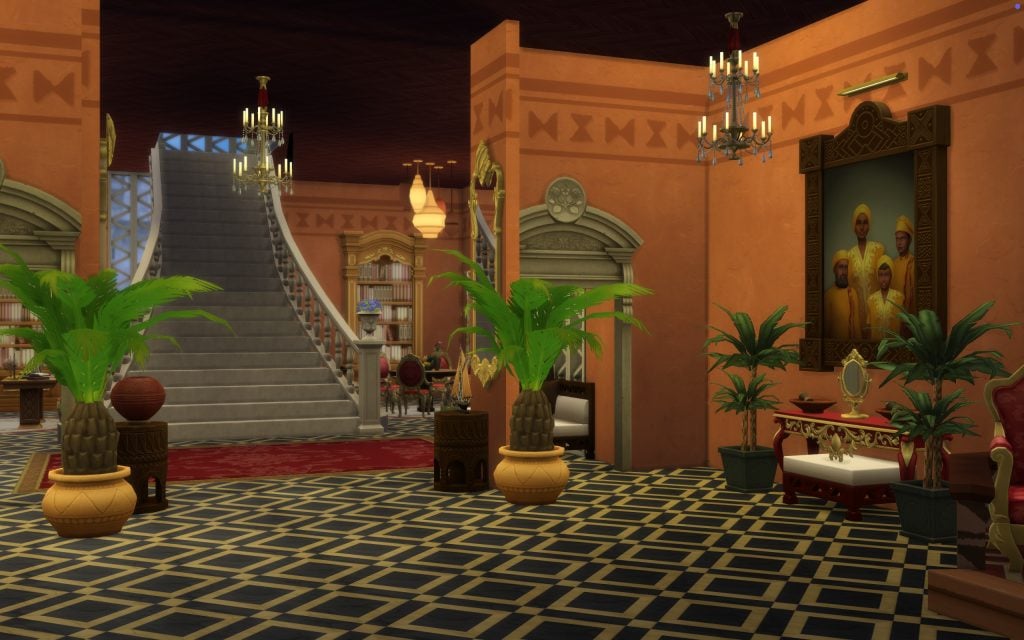
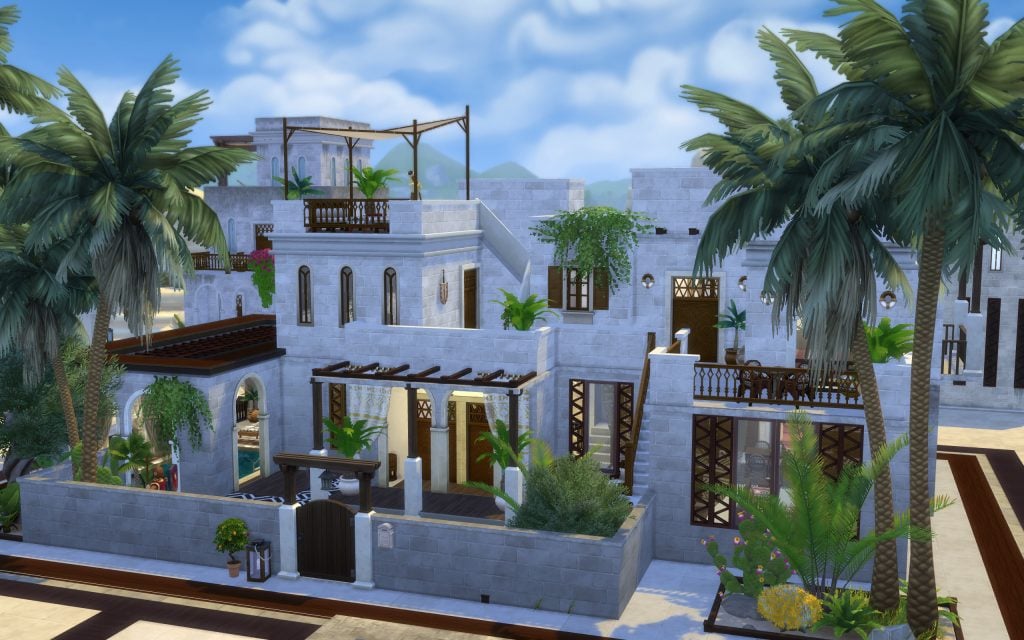
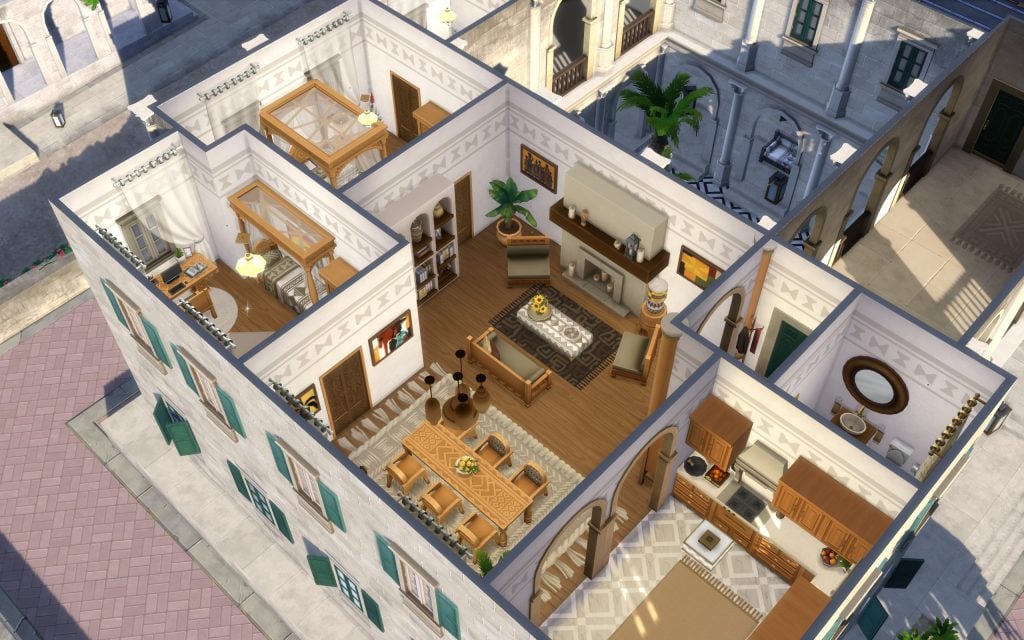
Madamredo brings to Dambele a spectacular dome palace where your Sim can rule the kingdom beneath the roof of a truly majestic residence. With its expansive halls and generous courtyard, this building ensures comfort for every guest.

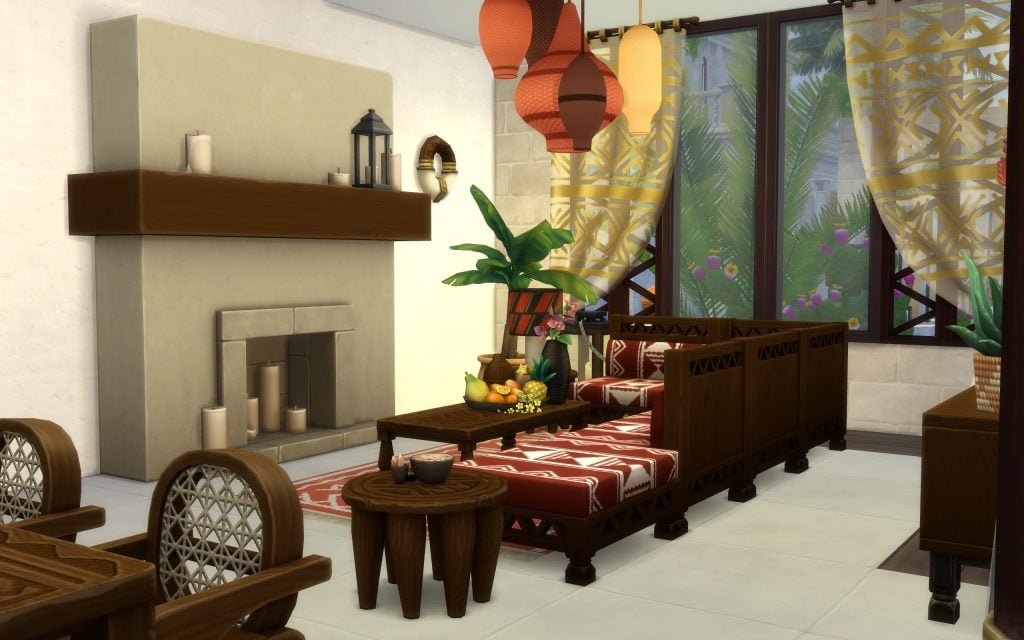
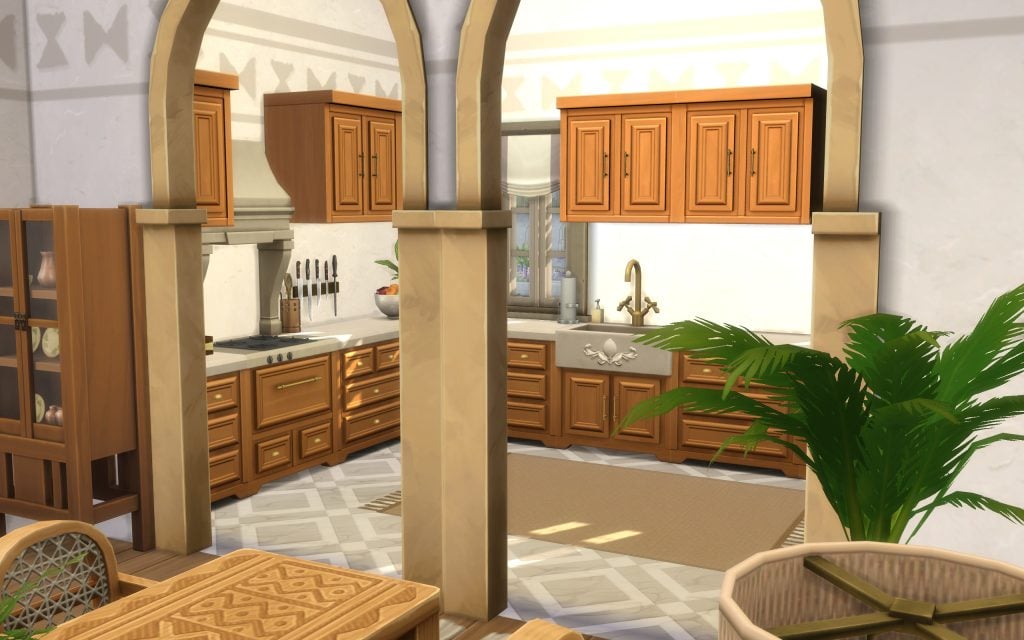
The architecture beautifully showcases the African-inspired items introduced in The Sims 4, from the intricate arches and patterned textiles to the lush courtyards framed by elegant columns. It’s a stunning choice for players who want their royal stories to unfold in a setting rich with culture, warmth, and grandeur.

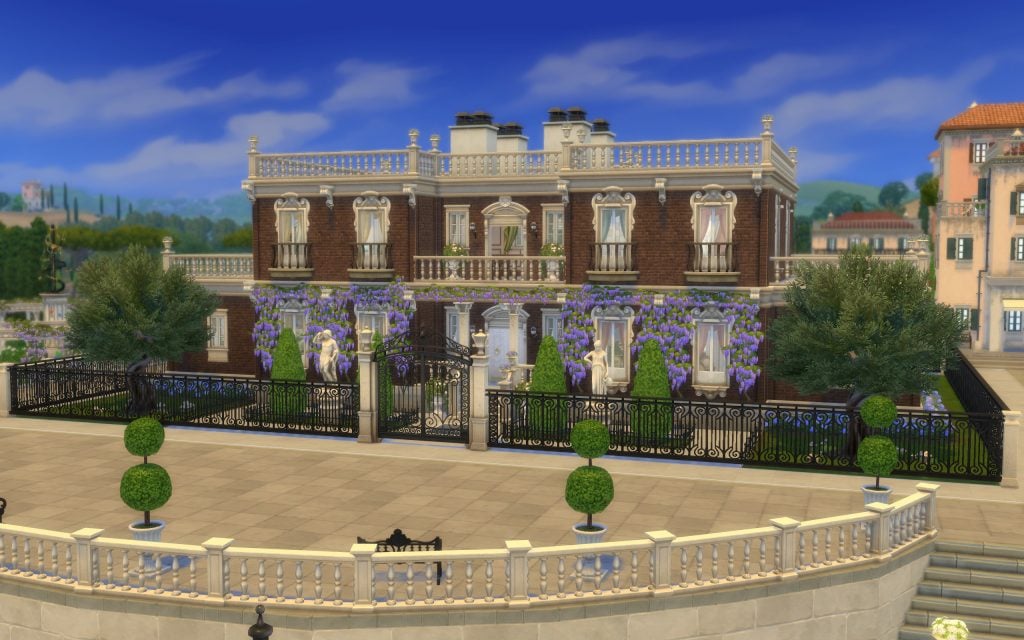
Royalty & Legacy Estate

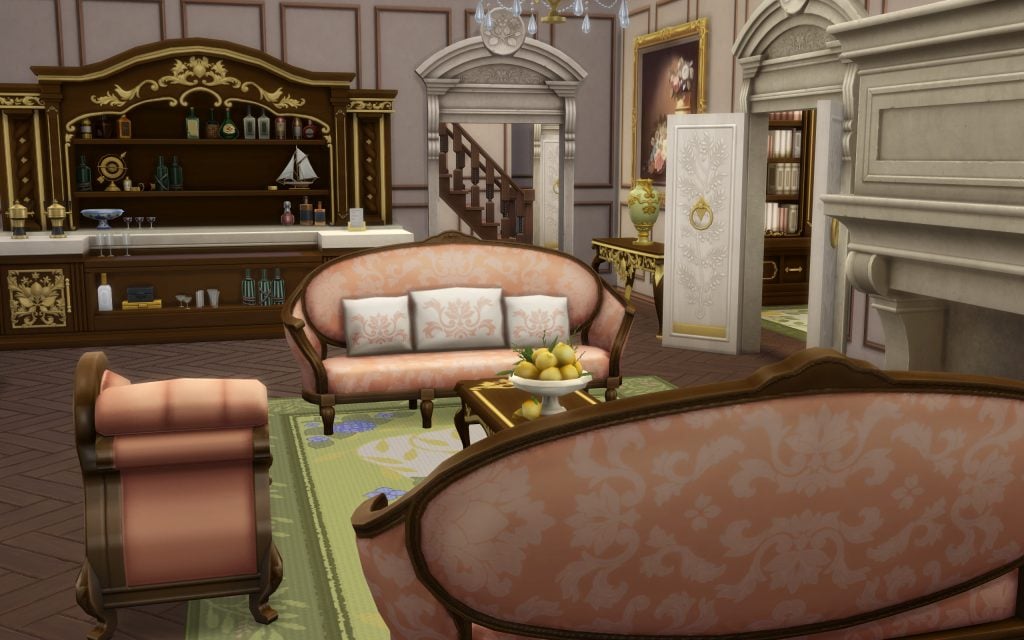
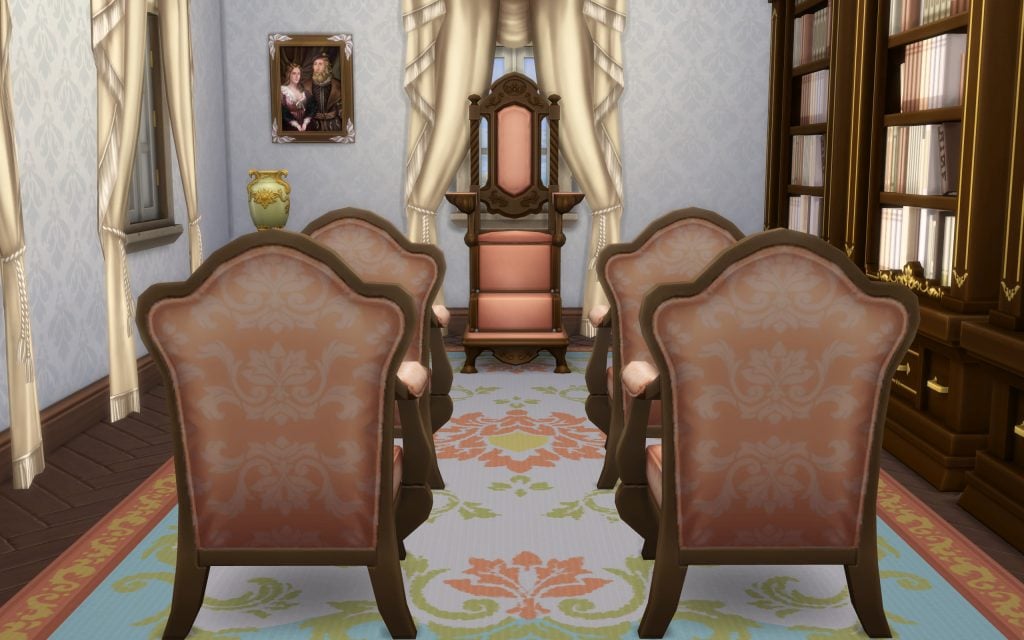
Sweeten the landscape of Bellacorde with this Bridgerton-inspired estate by honeymaysims. With its refined brick façade, climbing wisteria, and ornate iron gates, this residence feels like the perfect setting for whispered scandals and afternoon promenades.

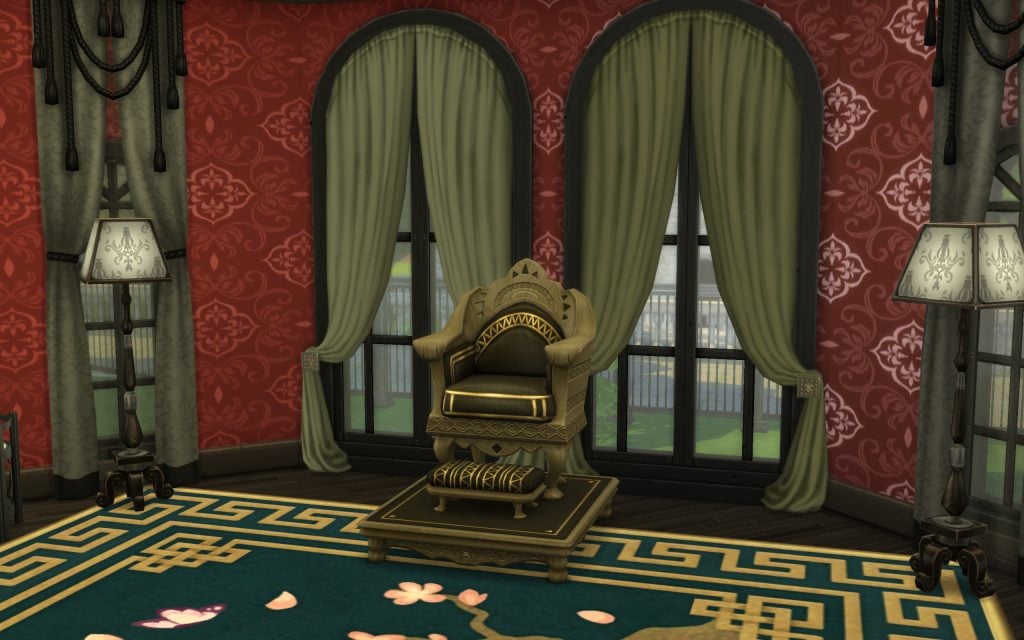
Inside, soft pastel tones, delicate gold accents, and elegant Regency-style furnishings create an atmosphere of romance and prestige. From the charming sitting room to the intimate throne space framed by flowing curtains, every corner of this build invites your Sims to rule with grace — and perhaps a touch of drama.

Dambele Palace

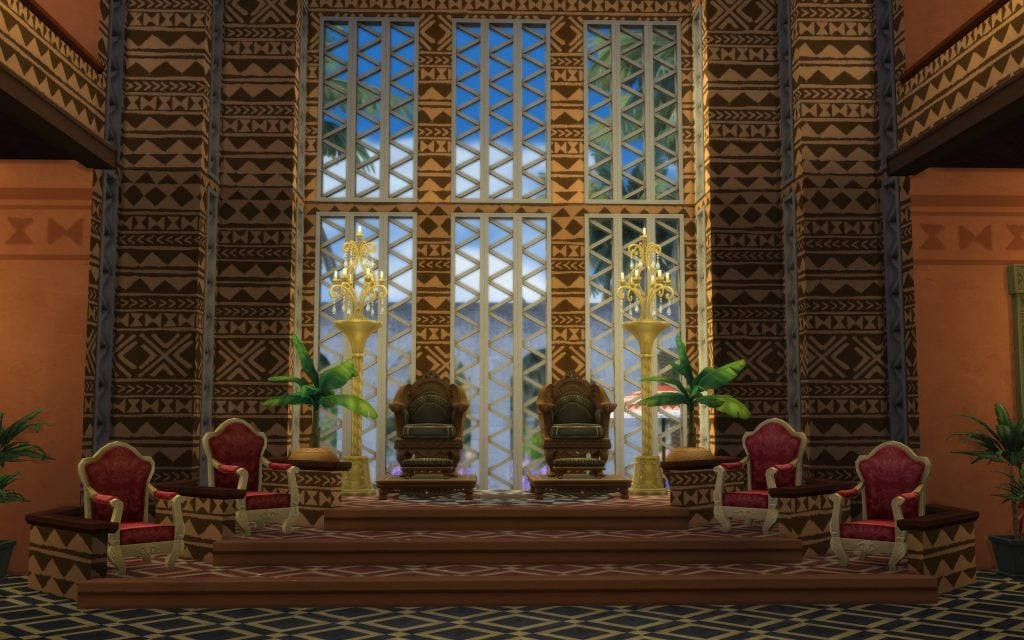
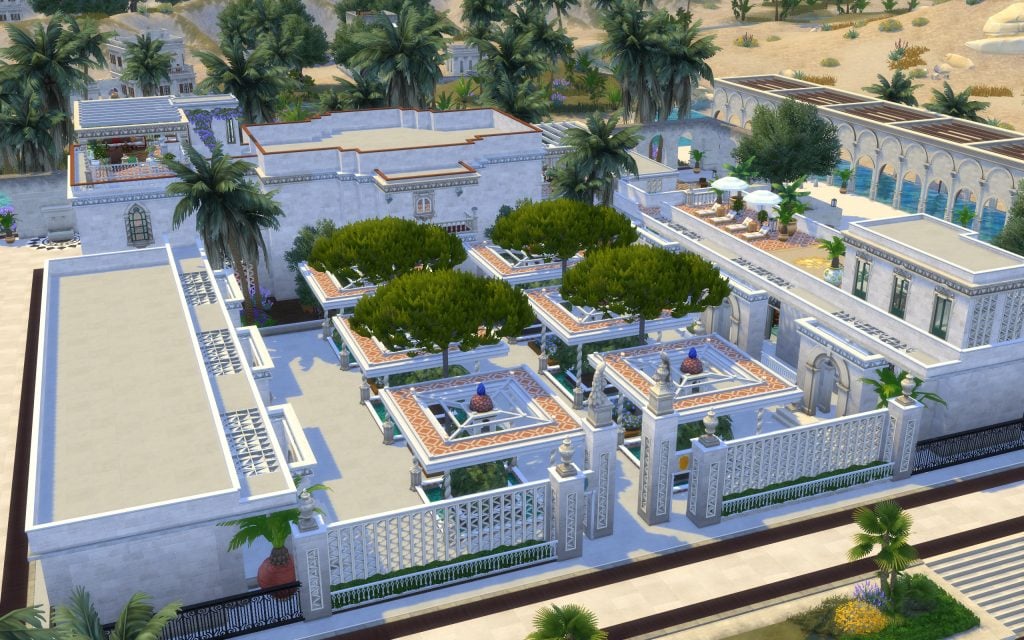
This palace, built by JasonSterlingRMC, offers one of the most breathtaking ways to rule your kingdom. Surrounded by palm trees and framed by elegant white walls, the estate blends grand courtyards, geometric layouts, and tranquil water features into a residence that feels both powerful and serene.

Inside, bold patterns, rich earth tones, and intricate wall designs create a throne room worthy of true royalty. The soaring windows flood the space with light, while the elevated seating area commands attention, making every audience feel ceremonial and significant.

Sankofa Residence

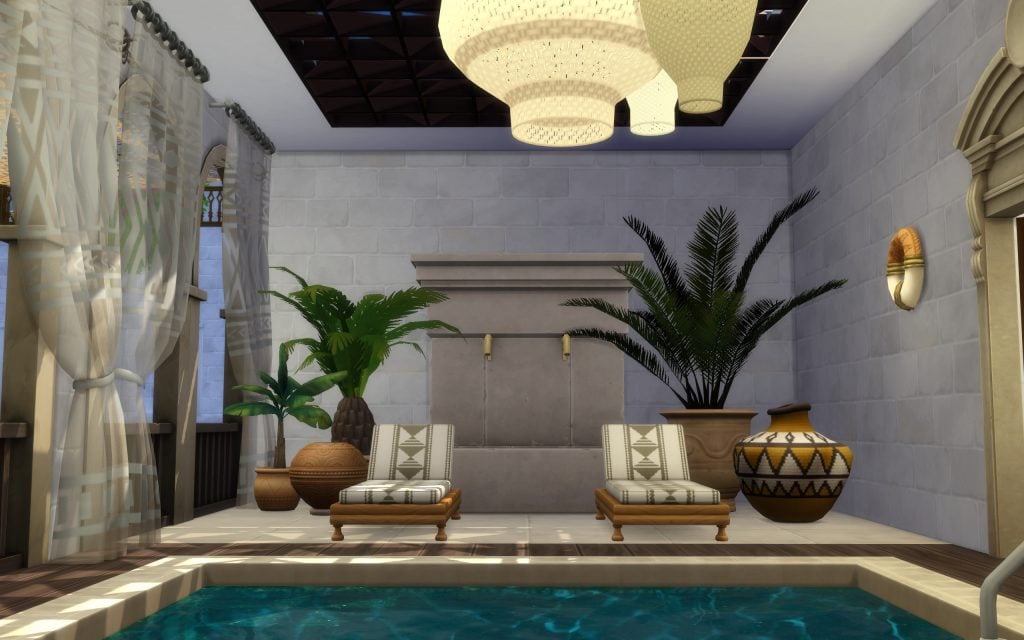
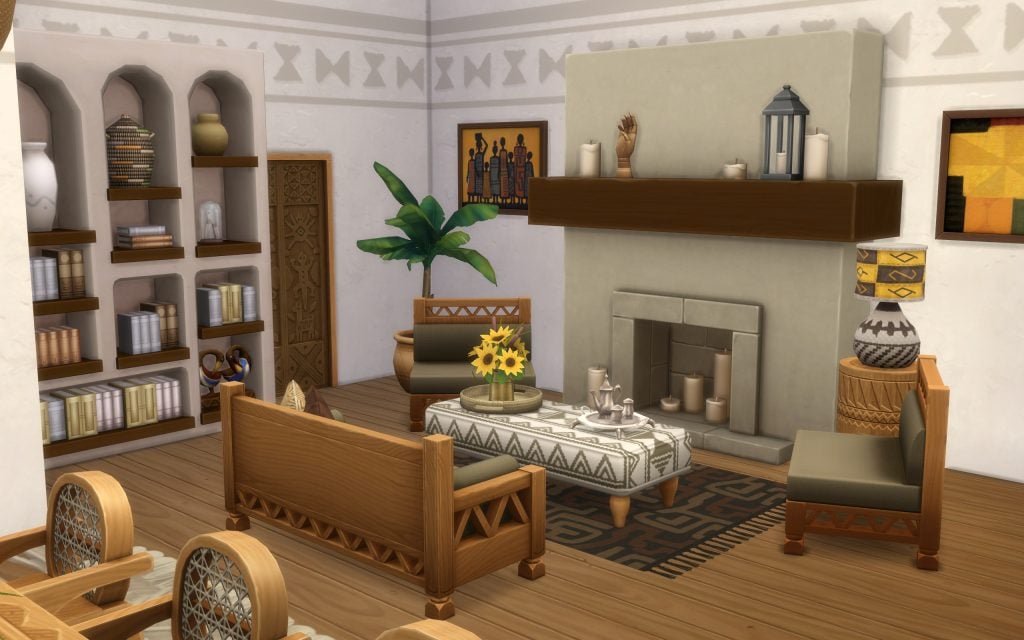
If your rising noble family is settling down in Dambele, this gorgeous residence by Wafl deserves a closer look. Inspired by African architecture and natural textures, the home blends clean white stone walls with warm wood details, patterned fabrics, and handcrafted accents.

The open living areas are filled with sunlight, creating a welcoming atmosphere where earthy tones and organic materials take center stage. From the cozy seating areas to the tranquil indoor pool corner, every space feels thoughtfully designed for both comfort and quiet prestige. It’s an ideal choice for players who want their dynasty to grow in a home that feels warm, proving that not all royalty needs towering walls to make a statement.

castle 6

17 Bright Cliff Apartment

Okay, this may not be a castle, not even close, but how could we ignore the fact that The Sims 4 Royalty & Legacy also introduces new apartments to Ondarion?

Not every noble begins their story behind towering walls. The newly appointed aristocrats arriving in town might prefer a more modest exterior, while hiding a refined, palace-worthy interior within. That’s exactly what ninahschmidt delivers with this beautifully designed apartment.

From the outside, the building blends seamlessly into the streets of Dambele. Step inside, however, and you’ll discover warm wooden textures, patterned fabrics, handcrafted décor, and carefully curated details that elevate the entire space. The layout feels intimate yet sophisticated, perfect for a rising dynasty building influence quietly before unveiling their true power.

Verdemar Palace

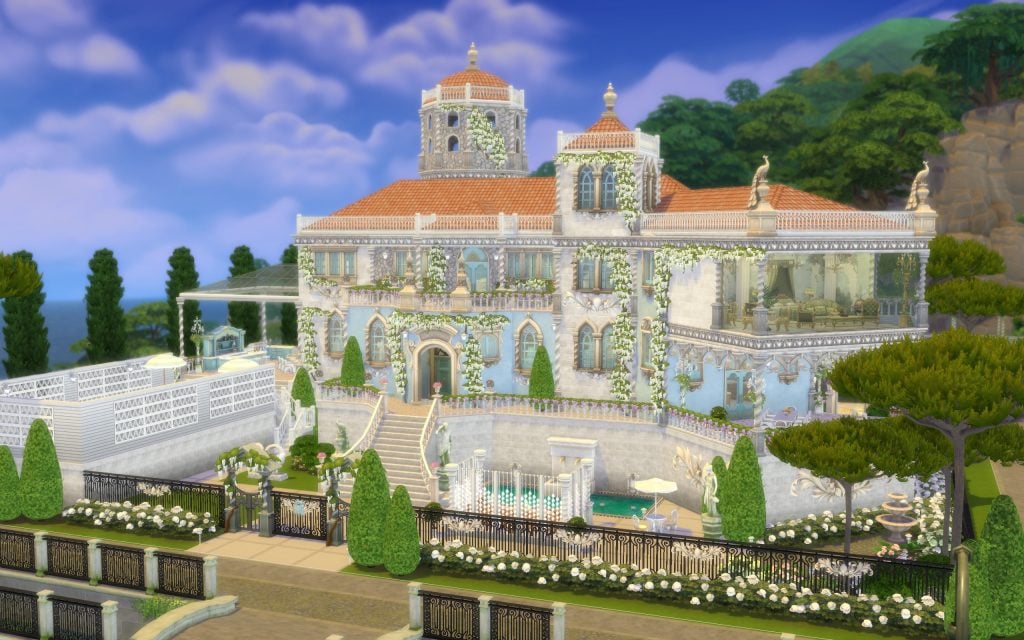
The hills of Verdemar have long been dominated by the legendary palace of the Thebes dynasty — until VelvettB introduced this breathtaking new residence, offering them (or any ambitious noble house) a stunning alternative from which to rule.

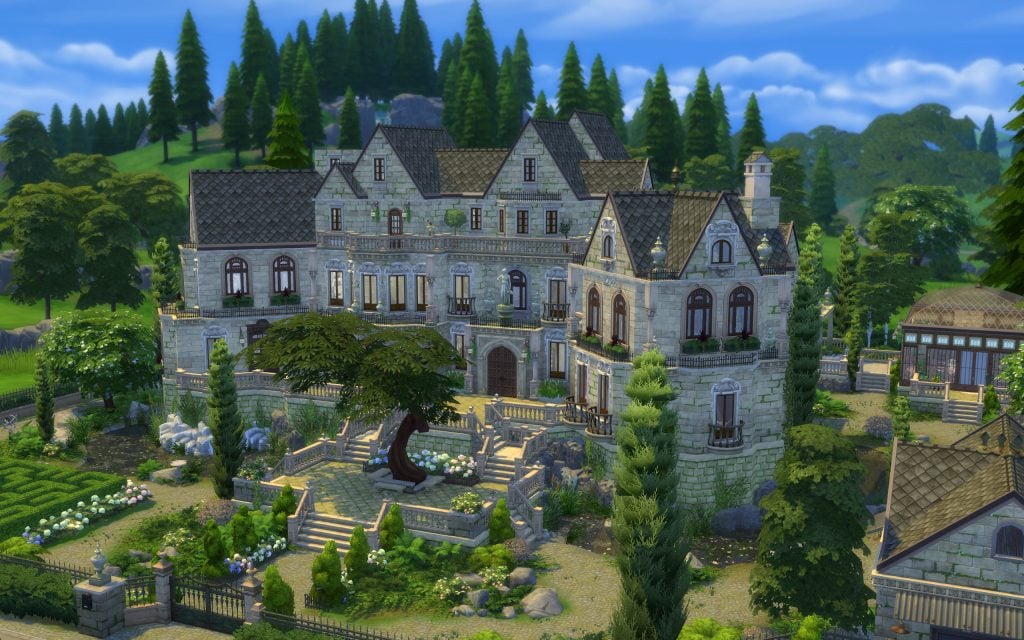
Overlooking the coastline, this Mediterranean-inspired castle blends soft blue façades, terracotta roofs, ornate iron gates, and cascading greenery into a picture-perfect royal estate. The grand staircase leads down to manicured gardens and elegant terraces, creating a setting that feels both powerful and effortlessly refined.

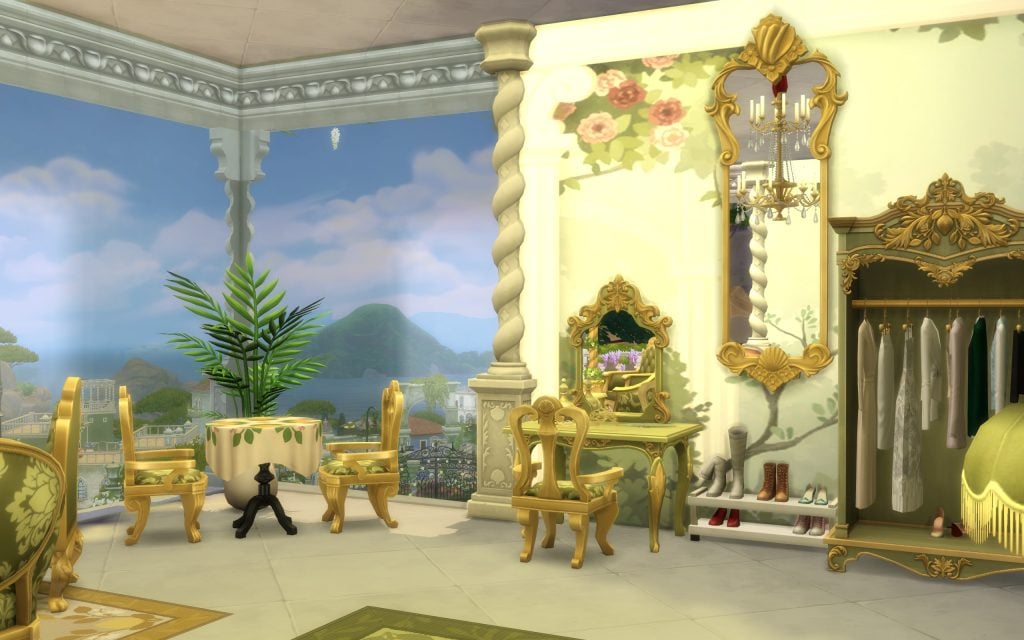
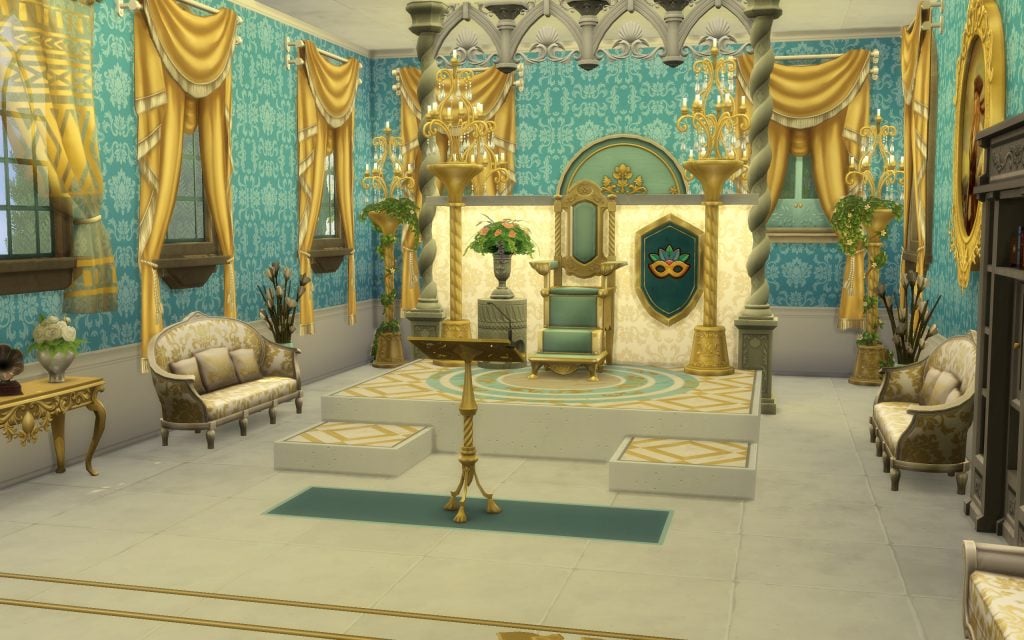
Inside, rich teal walls, golden drapery, intricate moldings, and a regal throne room elevate the build into pure aristocratic fantasy. From private balconies with ocean views to lavish dressing rooms fit for royalty, every space celebrates luxury without losing the warmth of a lived-in palace.

And if Royalty & Legacy alone isn’t enough for your ambitious Sims, why not elevate their reign with the help of other Expansion Packs and Kits? Combining different DLCs can add even more depth and atmosphere to your royal storytelling — whether you’re dreaming of mystical fortresses shrouded in legend or refined estates enhanced with the Castle Estate Kit and other complementary content.

By blending styles and themes, you can create kingdoms that feel richer, more contextualized, and unique to your dynasty’s legacy.

Palacio Real Feérico (Royal Fairy Palace)

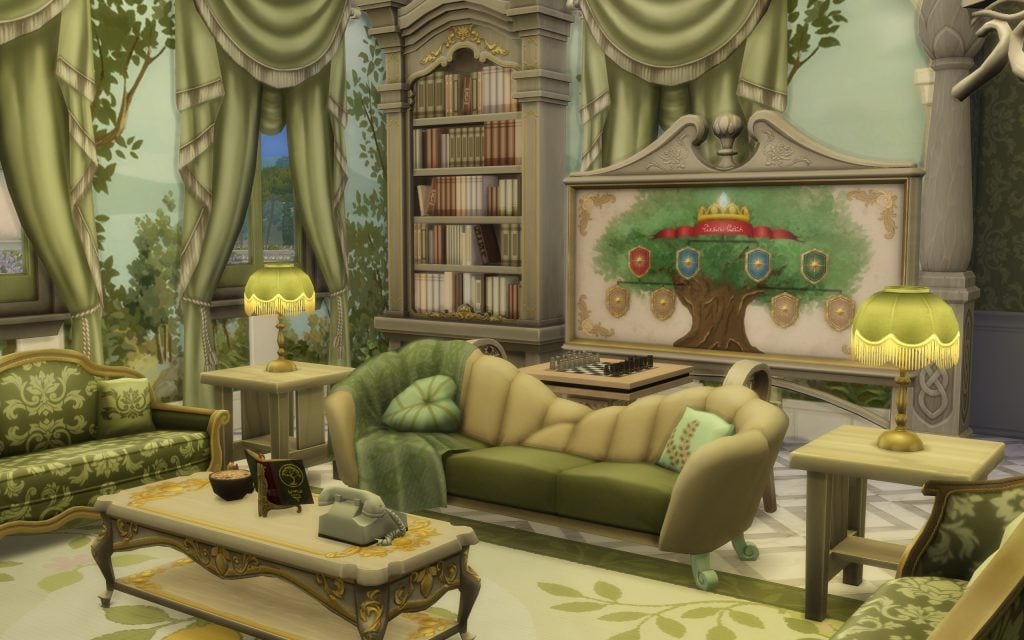
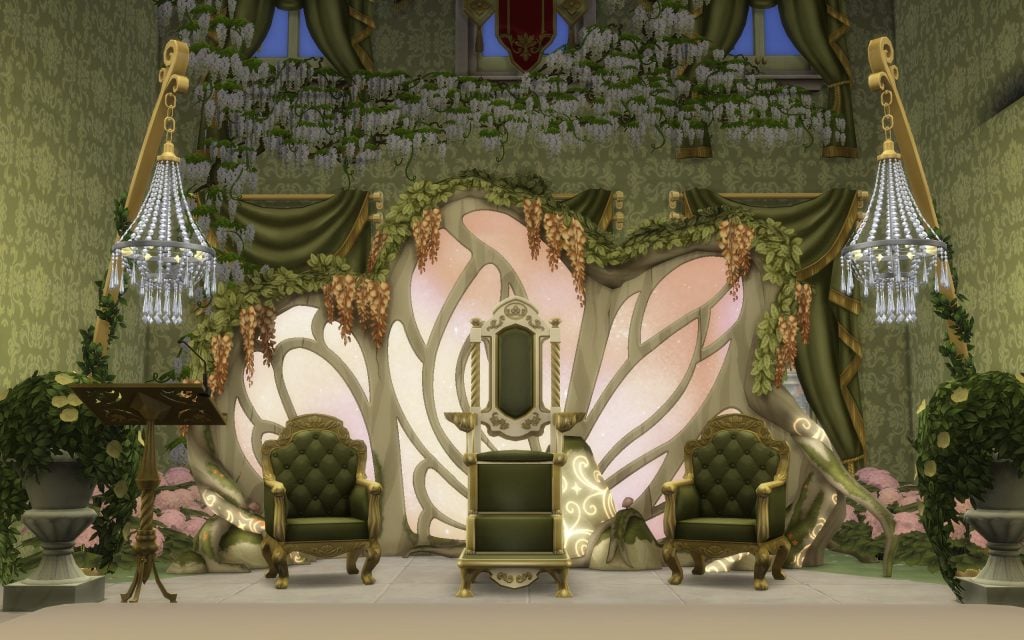
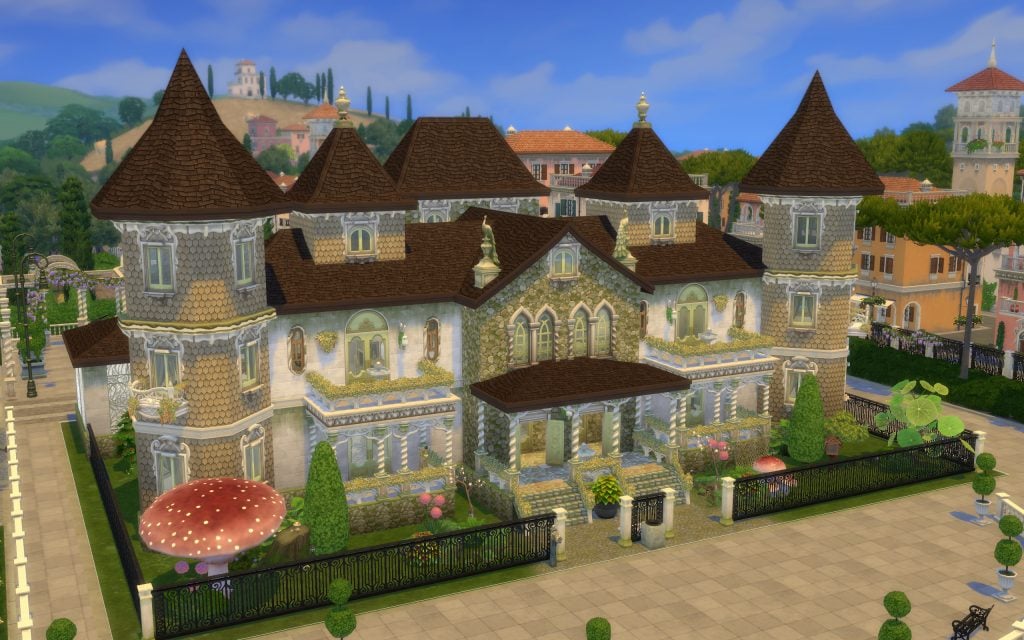
Creator anlus has taken the majesty of Ondarion’s castles beyond its borders, bringing royal grandeur to other worlds in The Sims 4. With the help of Enchanted by Nature and additional packs, this build transforms noble life into something straight out of a fairytale.

Here, a fairy noble can rule from a throne nestled within an enchanted woodland-inspired hall, surrounded by cascading vines, blooming florals, glowing accents, and intricate organic carvings that mimic the curves of ancient trees. Rich emerald tones, golden details, and nature-infused décor blend seamlessly to create a castle that feels alive — as if the forest itself pledged loyalty to its ruler.

Castle 7

Castle of the Wizard King

Fairy royalty is not enough… a Wizard King deserves his throne too.

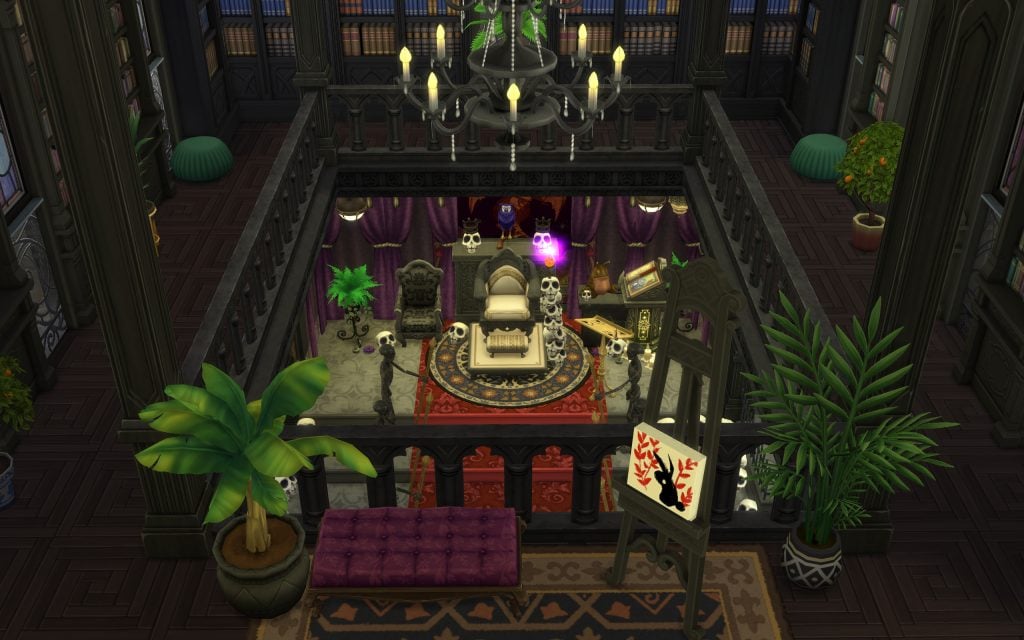
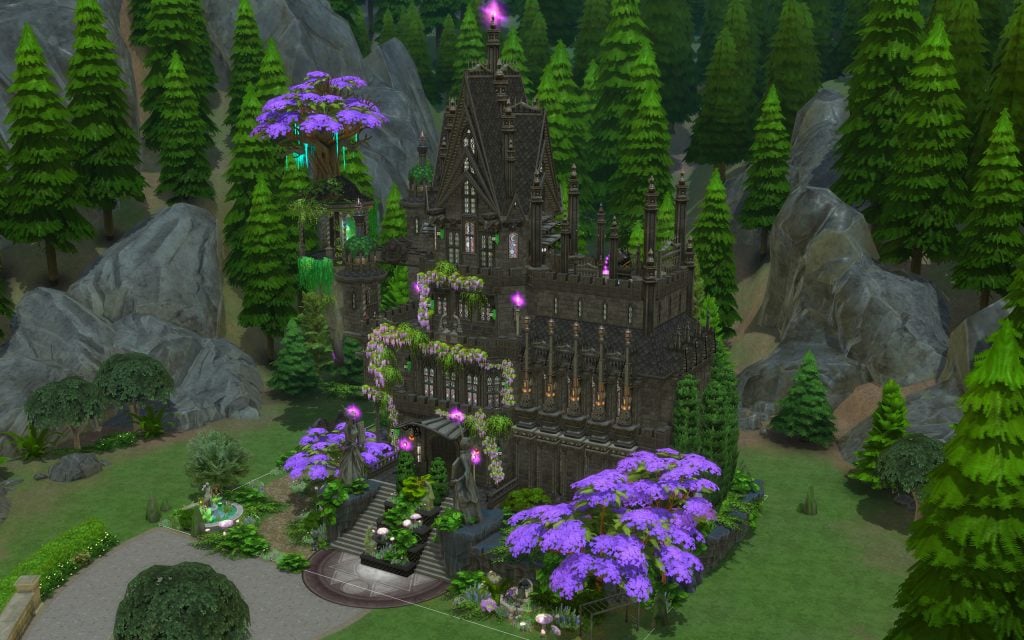
Creator furtikofta brings an imposing and atmospheric castle to Glimmerbrook, perfect for ruling over every spellcaster, sorcerer, and chaotic occult Sim in town. Tucked deep within the forest and surrounded by towering pines, this dark fortress feels like the political heart of the magical world.

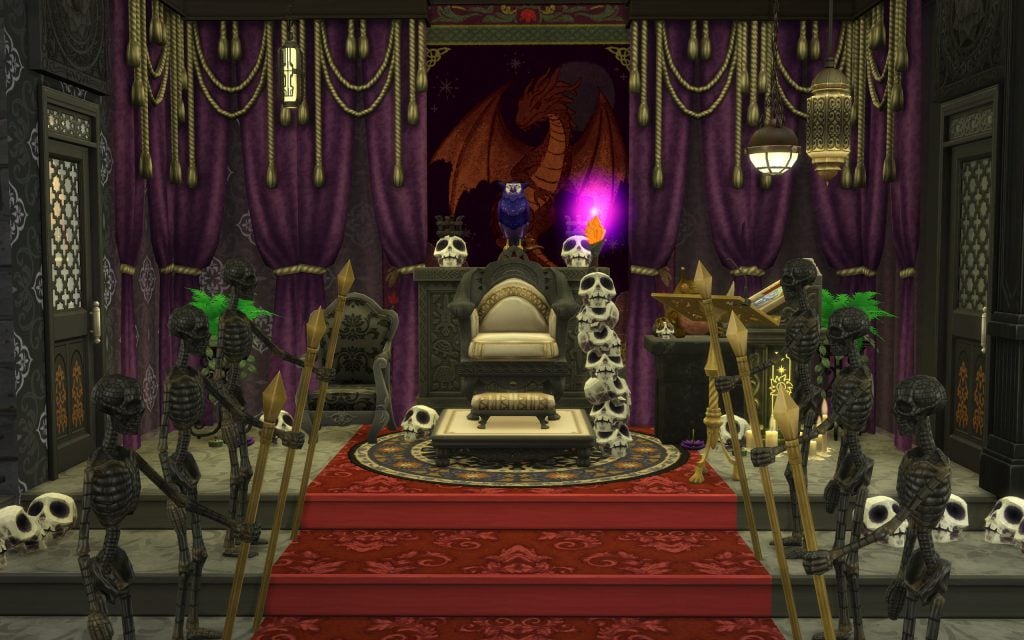
Inside, rich velvet drapes, arcane relics, ancient tomes, glowing crystals, and ominous skull-lined décor frame a throne room worthy of a powerful spellcaster monarch. The mix of gothic architecture and mystical accents gives the impression that this castle has witnessed centuries of magical conflicts, secret rituals, and forbidden knowledge.

If your save file is overflowing with unruly occults, perhaps it’s time to crown someone powerful enough to rule them all.

castle 12

Windenburg Castle

How could we not mention the original “royal-core” world of The Sims 4 before Ondarion arrived?

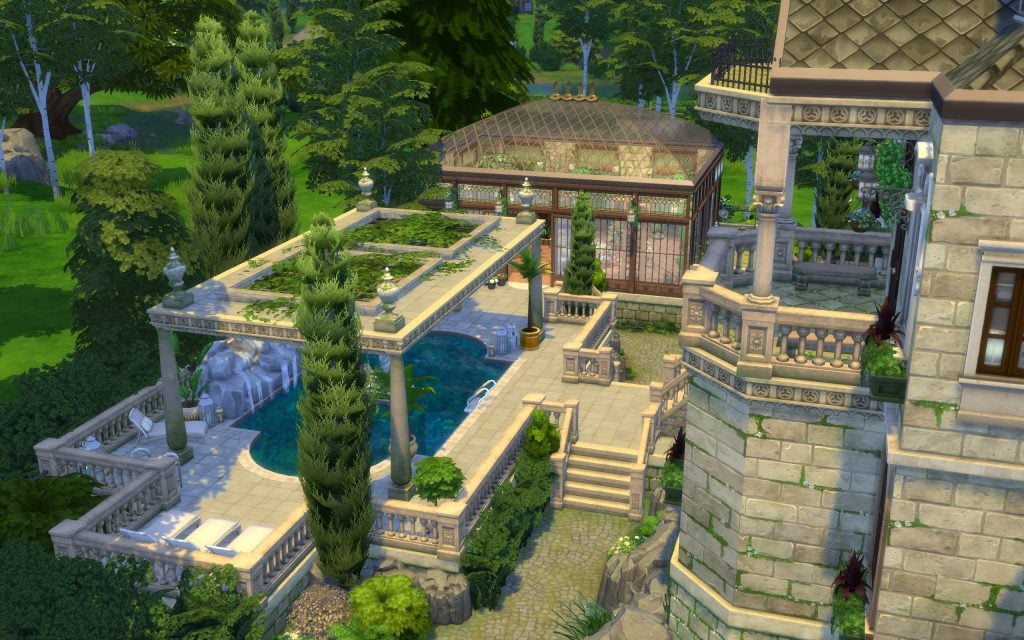
Windenburg has always been the perfect backdrop for aristocratic storylines, sprawling estates, and old-money dynasties — and creator SylvieLittle proves it beautifully with this enormous castle. Nestled among lush greenery and classical landscaping, this building blends European elegance with unmistakable noble grandeur.

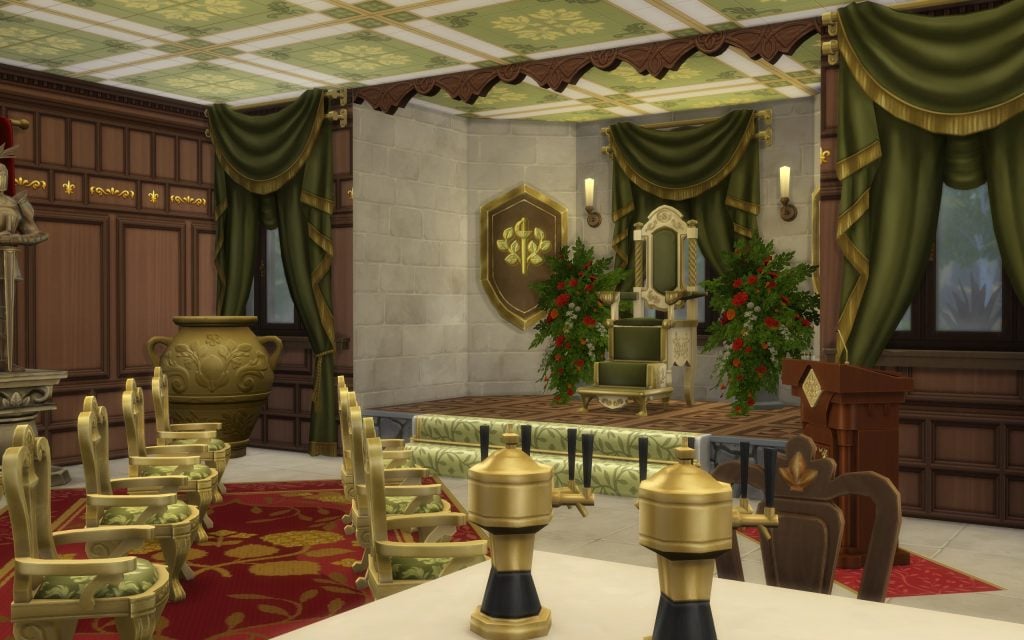
From its stone façade and dramatic staircases to the regal throne room dressed in deep greens and gold accents, every space feels designed for diplomacy, legacy, and carefully orchestrated court intrigue.

Royal Ravenwood Estate

Another majestic world that feels tailor-made for a grand castle to be built is Ravenwood.

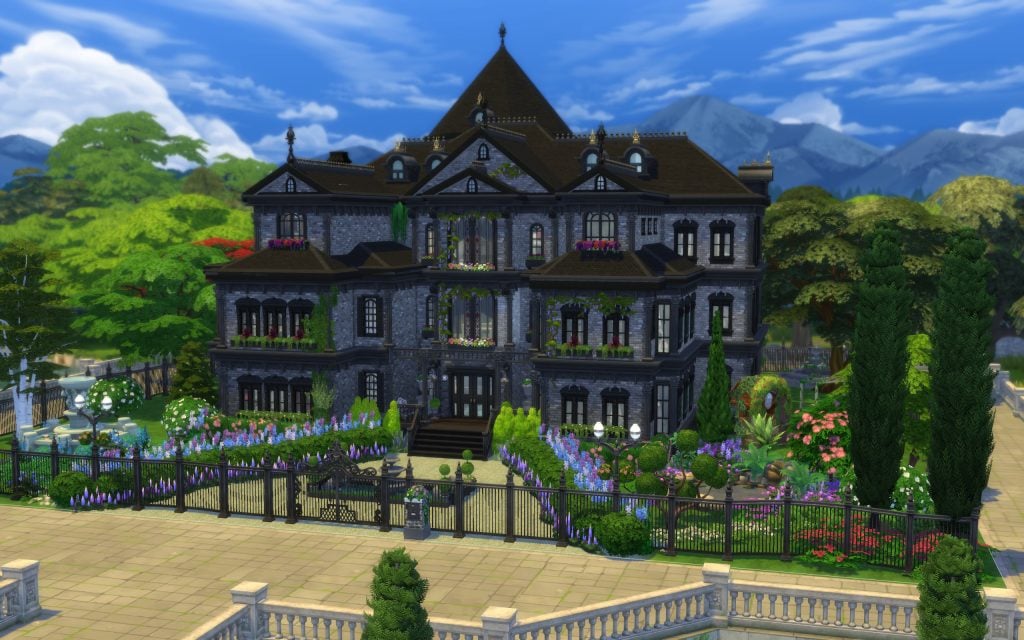
Surrounded by its dark forests, misty landscapes, and ever-present mysterious aura, this world offers the perfect setting for a dynasty that rules with quiet intensity. Creator Superhyde12 embraced that gothic atmosphere to craft an imposing estate where a noble family can oversee their kingdom from above — both literally and symbolically.

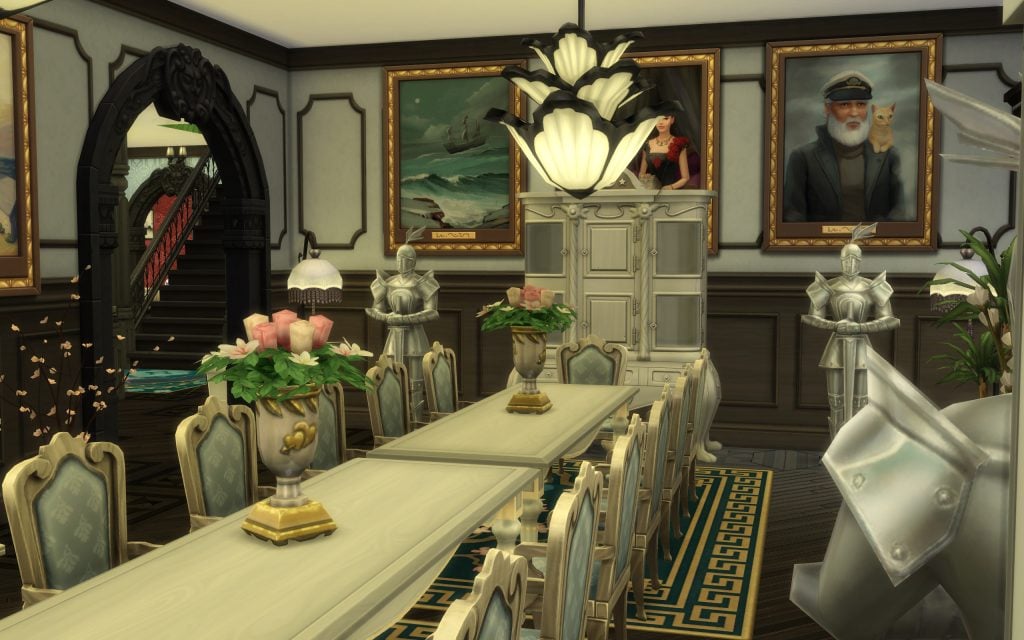
The exterior’s deep stone tones and dramatic rooflines blend seamlessly with Ravenwood’s shadowy environment. At the same time, inside, rich reds, dark woods, ancestral portraits, and ceremonial spaces create the feeling of a lineage that has ruled for generations. This is not a bright fairytale palace, it’s a seat of power shaped by tradition, strategy, and perhaps a few carefully guarded secrets.

And that’s a wrap! From sunlit Mediterranean-inspired palaces to dark gothic strongholds, from enchanted fairy courts to wizard kingdoms hidden deep in the forest, the Royalty & Legacy expansion has inspired the community to reimagine what ruling a dynasty truly looks like. No matter the world, the aesthetic, or the type of monarch, one thing is clear: creativity is reigning supreme.


We want to know: what kind of royal legacy are you building in your save file? Have you spotted any builds that we haven’t? Let us know!

ModTheSims Accounts Compromised With Malicious Virus Uploads

To best protect yourself, it’s suggested you don’t download any Mods or CC from any account on the ModTheSims website currently, not just the ones mentioned below. These malicious virus uploads have been found attached to several The Sims 4 and The Sims 2 files, so this issue is not only affecting The Sims 4 players.

Everyone should be on the lookout for these malicious files. Read on below for more information about the matter along with ways to protect yourself.

ModTheSims Virus Uploads

Sims After Dark first brought the issue to our attention with the below announcement on their Discord.

ModTheSims Virus announcement from Sims After Dark

The issue was first discovered on March 1, 2026. If you have downloaded any Mods or CC from the site since then you should delete the files, run a system virus scan, and change your password.

What was first thought to be a matter of a single compromised account has turned out to be a possible site wide attack. Known accounts that have been found to contain virus files attached to their uploads include NateTheL0ser, PurrSimity, and jellyheadDimbulb.

As previously mentioned, these are the accounts so far discovered to contain these virus files, but any account is at risk. Everyone is cautioned against downloading any Mods or CC from the site at this time.

Tips to Protect Yourself

The Sims Official Forums has an entire page dedicated to safely downloading and installing Mods and CC for The Sims 4.

Their tips include how to find Mods and CC, what to avoid, things to be on the lookout for, and how to detect outdated Mods. It’s highly suggested you read their information before jumping into the massive, chaotic world of Mods and CC gaming.

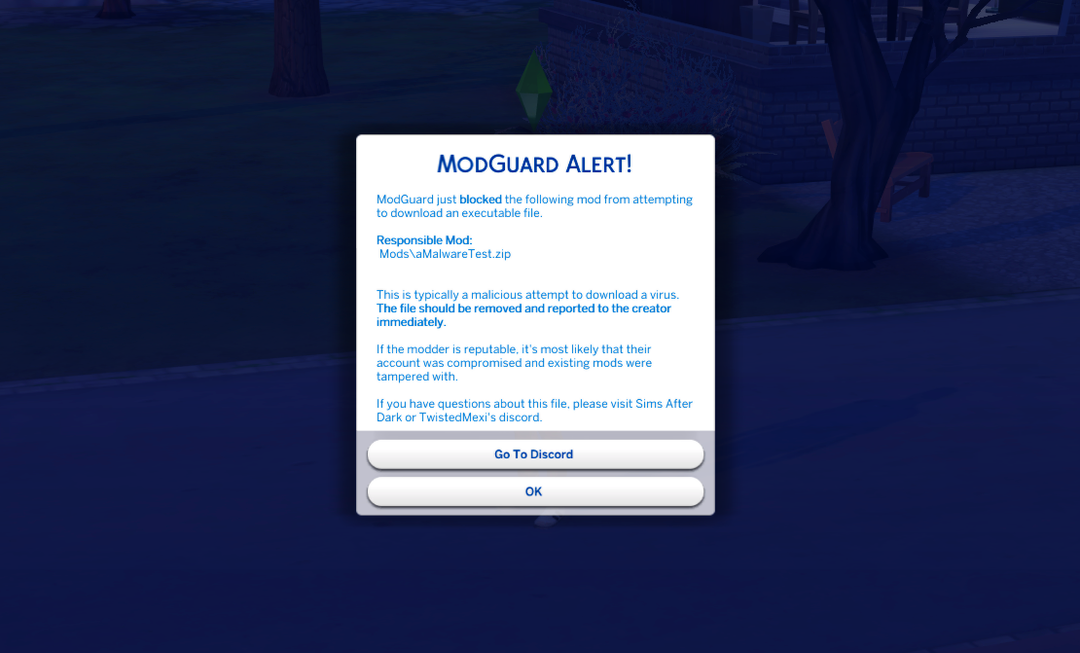
TwistedMexi has a Mod for The Sims 4 called ModGuard which handles all of the dirty work for you. This Mod will alert you to any attempts to download a virus file from Mods or CC, blocks the attempt, displays the name of the problematic Mod or CC, and even alerts the team so they can notify the modder as soon as possible to rectify the issue.

Below is an example of the alert you will be given in game from ModGuard if a malicious file is detected.

ModGuard alert example
Image courtesy of TwistedMexi

If you download any Mods or CC to your game, it’s highly suggested you also install ModGuard to protect yourself and others. You will be helping to keep not just yourself safe, but the entire Modding and CC community.

Wait Before Downloading

It has been suggested that players wait at least a week before downloading any Mods or CC to ensure this matter is taken care of properly.

We will keep this article updated with news and information as it comes out as this is a developing situation.

Updates

Update 1 – March 2: It turns out this issue is not isolated to just the ModTheSims website. Another mod (Virginity System) from user o_pedrão at the website Lovers Lab contains an active virus as well. It turns out this situation is worse than originally thought.

If you’re concerned you may have been hit by this virus, you can search for “out.exe” or just “out” in your Sims 4 installation location. If you find this executable:

  • Delete the executable
  • Delete any recent Mods/CC you downloaded
  • Empty your recycling bin
  • Run a virus scan
  • Reset your site password

Keep an eye out for any unknown script files when downloading CC.

Update 2 – March 4:

ModTheSims has added new security measures to their site to prevent unauthorized access to user accounts, especially accounts that have gone long periods of time without logins.

The accounts previously mentioned as being compromised have been handled and their uploads have been reverted to previous versions without the attached virus files. This doesn’t mean these are the only accounts that have had issues, however, so keep an eye out for strange files that comes attached to CC and Mod files.


In the meantime, we have plenty of news about not just The Sims 4, but life simulation games as a whole for you to read.

InZOI Team Reveals New Engine Testing on March 5th and Extra Update Features

inzoi update feb 28th 2026

As per usual, the weekly InZOI Update Developer Diary has released, going over items that are planned for, in-progress, in-testing, or coming to the soonest major update! After being away for the holidays, the developers have a primary focus on player feedback and streamlining gameplay and the user interfaces for players, as well as bringing certain parts of the game to something closer to true realism.

Director and Producer of InZOI, Hyungjun “Kjun” Kim, discusses the little annoyances, new settings to customize the player experience, and feedback on visual changes to Zois themselves that are now being planned for or worked on, and will likely be implemented in an update seen in the new future!

Planned for the Next InZOI Update

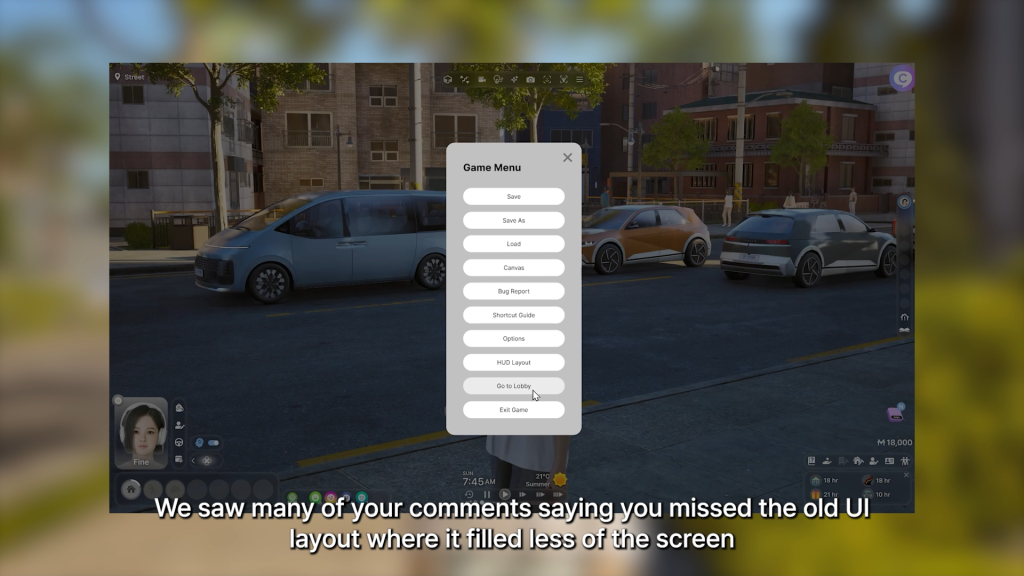
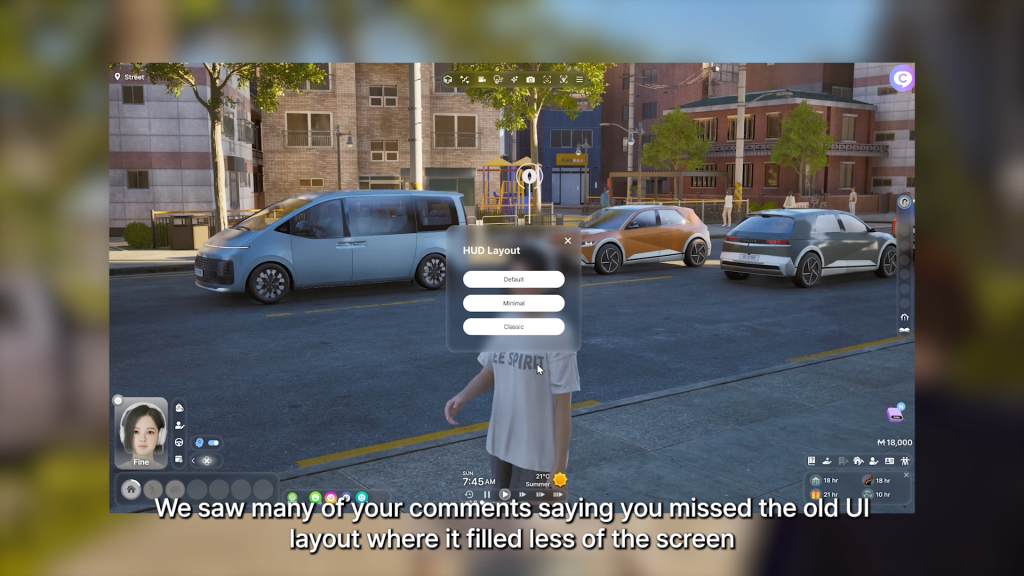
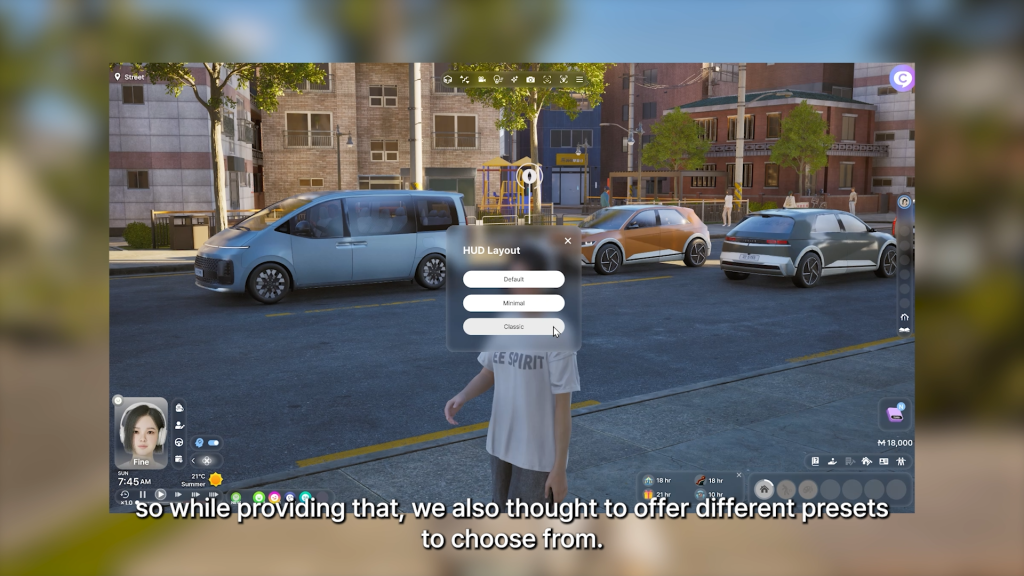
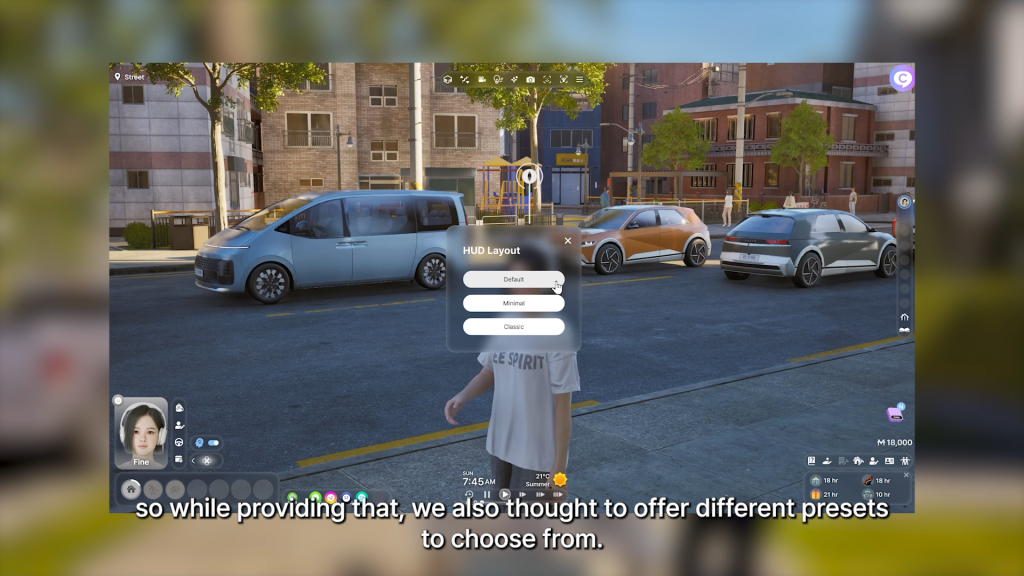
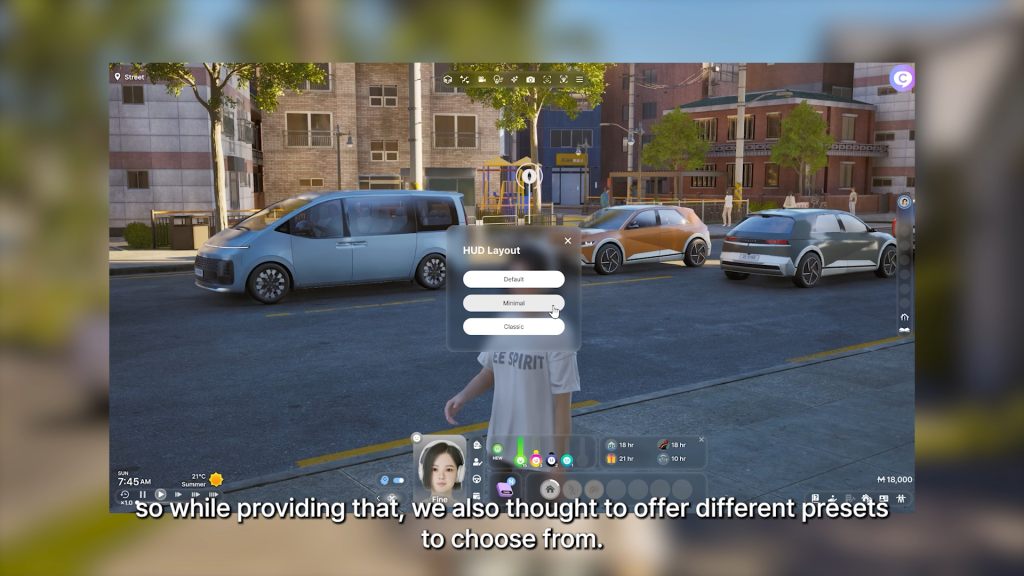
○ UI Customizability changes; UI can now be swapped between the new layout (Fills more of the screen) and the old layout (Fills less of the screen). More presets were also added, and you can now change the sizing and layout of multiple UI elements to suit your preferences.

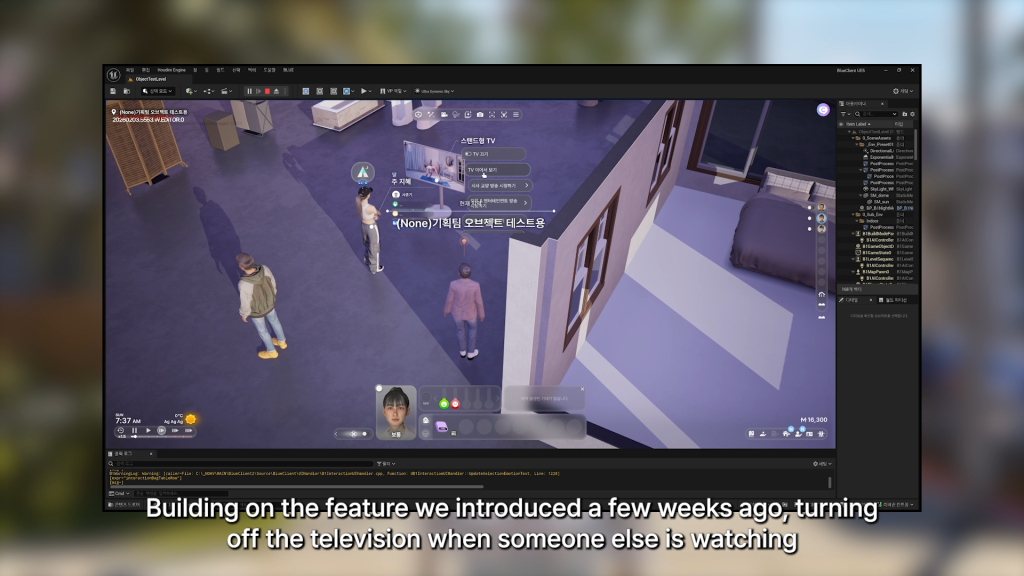
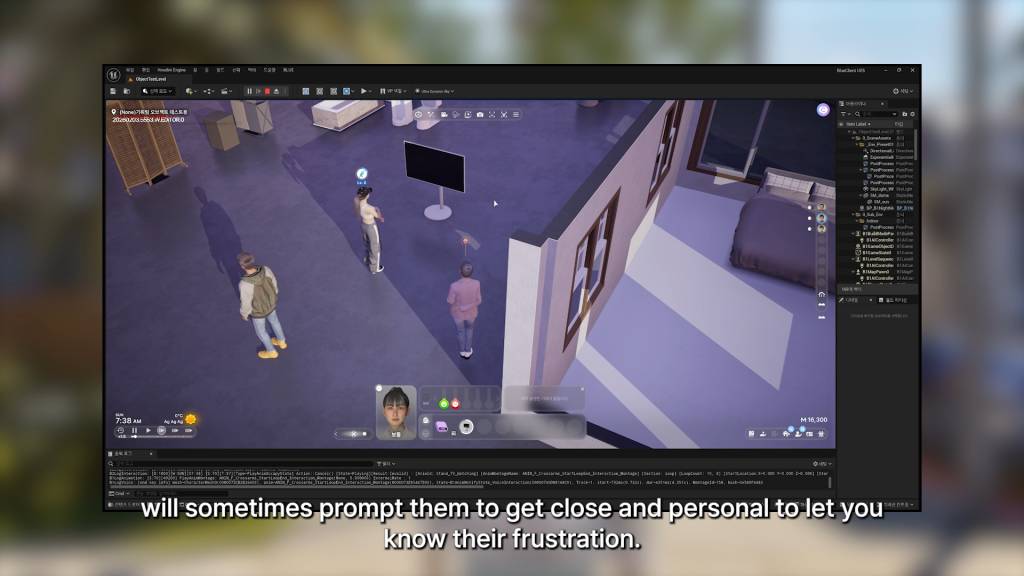
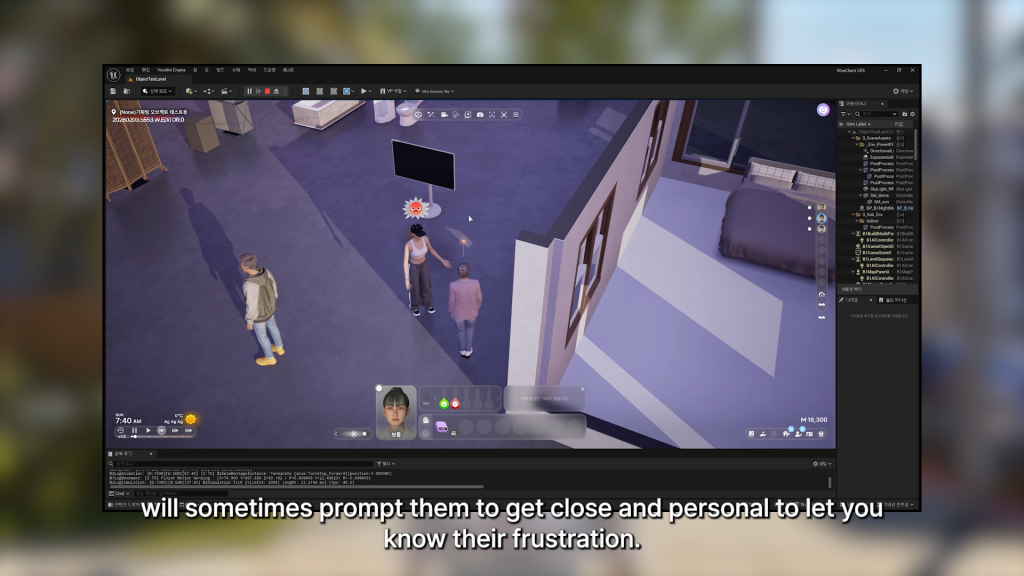
○ An expansion on actions that influence other Zois, mentioned last week, is that if you turn off a television that another Zoi is watching, they may now approach you and get angry.

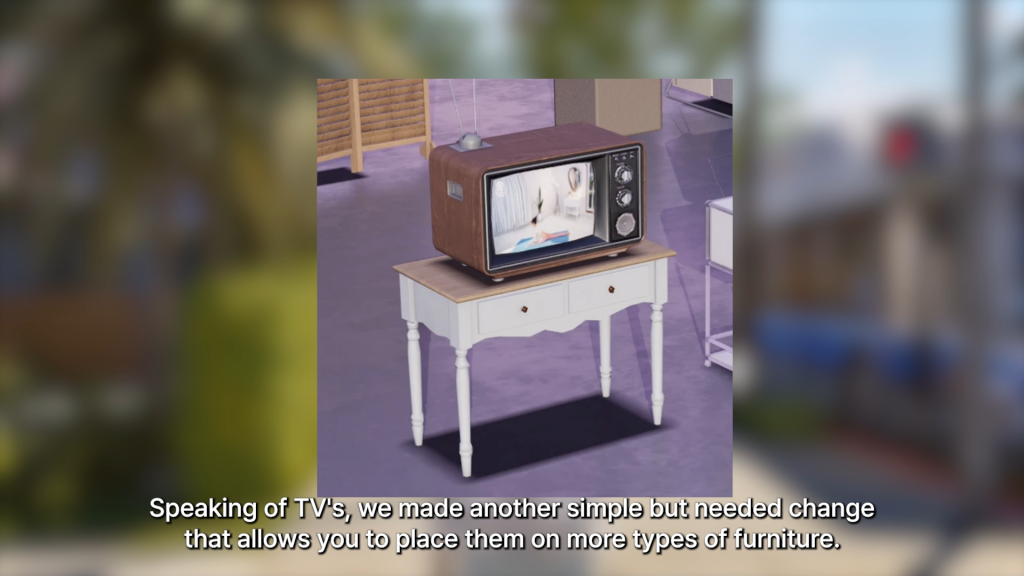
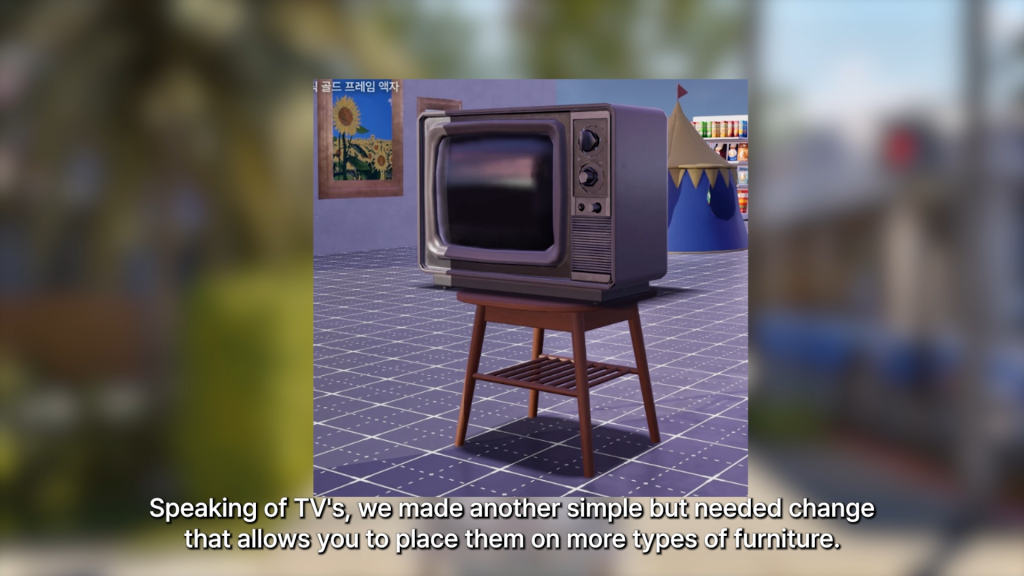
○ Televisions can now be placed on more types of furniture, looks mainly like end tables.

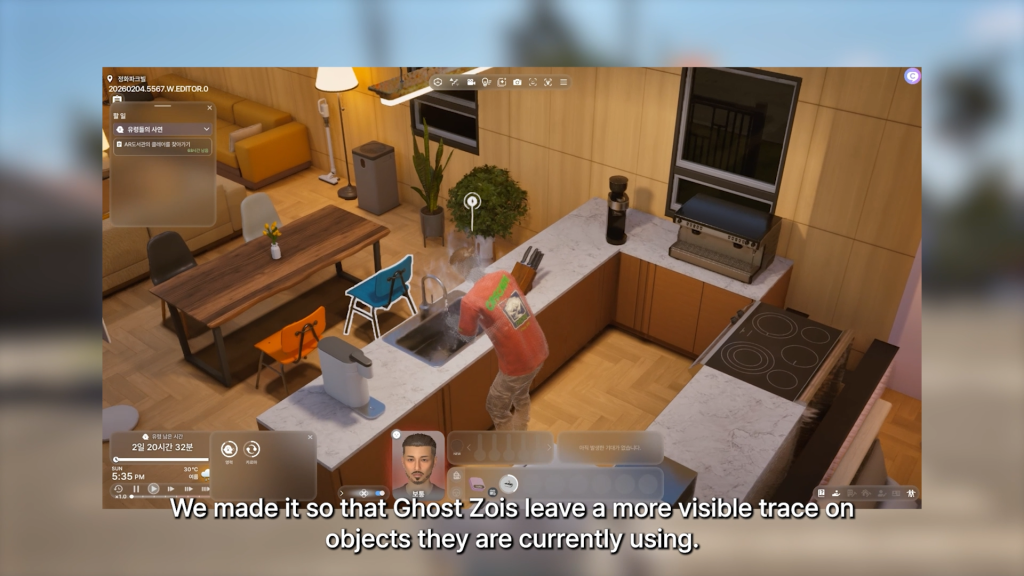
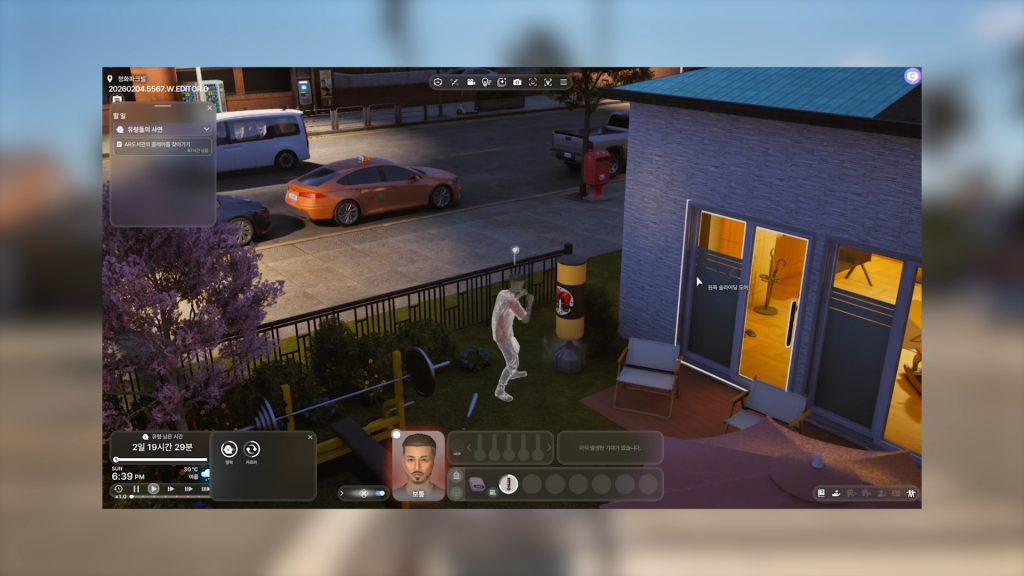
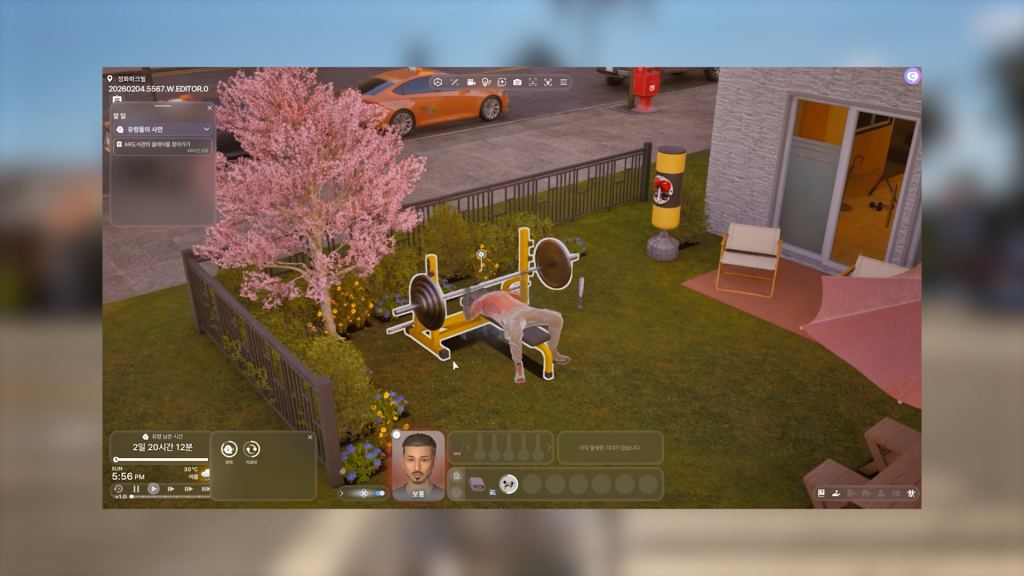
○ The visual effects are more prominent when a Ghost is using objects.

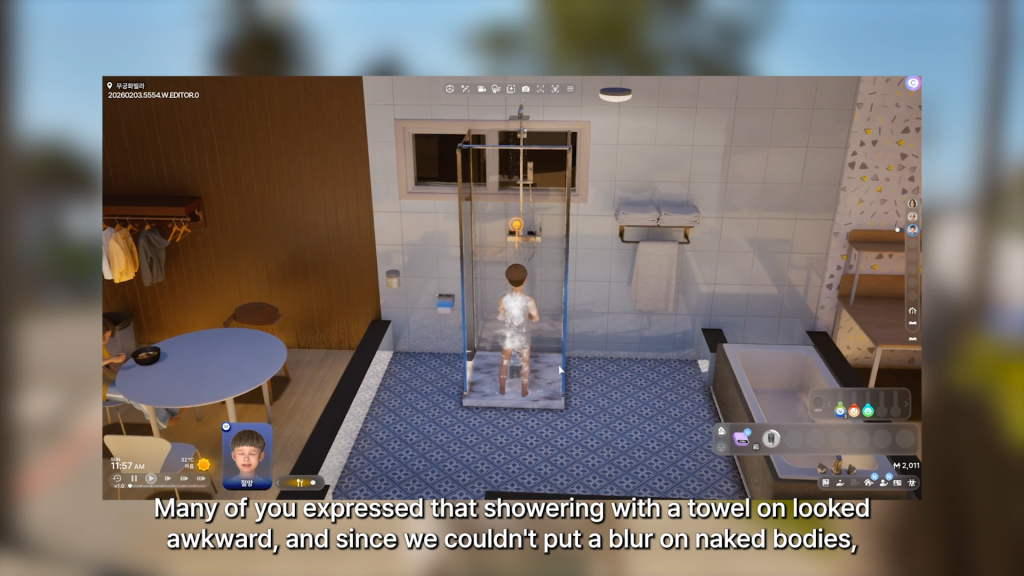
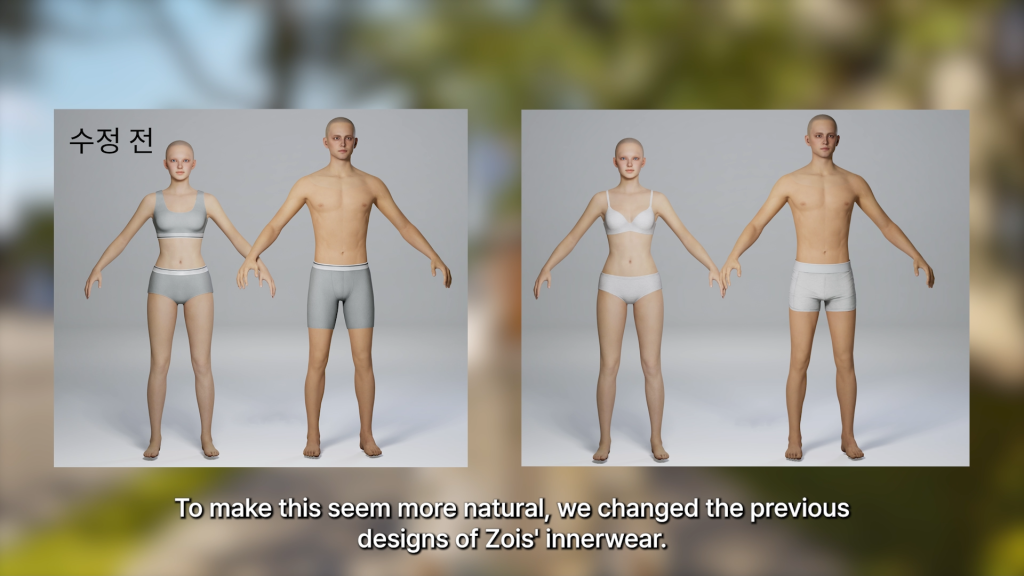
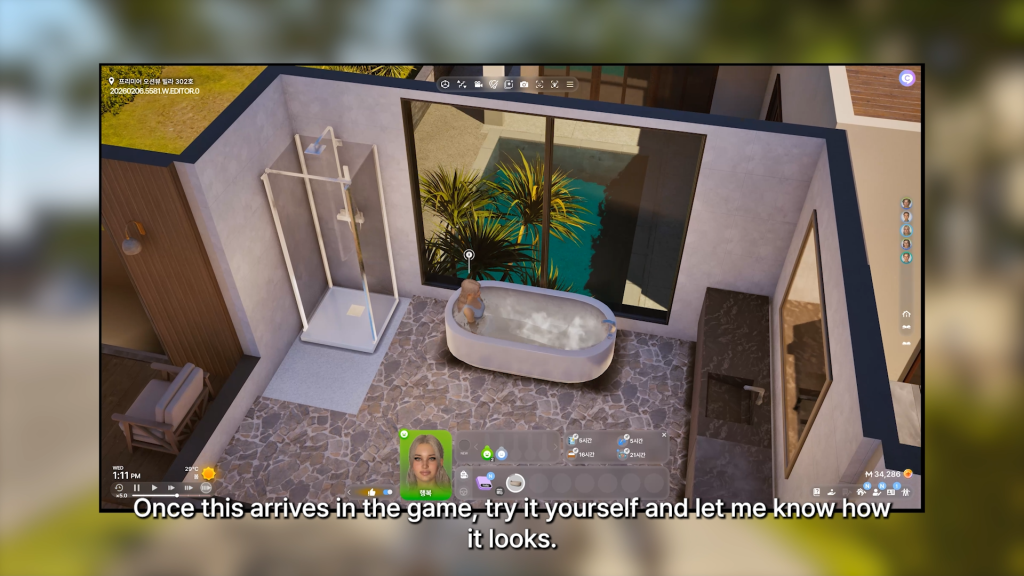
○ Changes to censoring bodies during bathing; Instead of Zois wearing towels under their bubble censors, the bubbles now spawn on top of their underwear. The underwear has also been changed to a plain white, in hopes that it will blend in better. It was noted that the team is not able to a standard mosaic over naked bodies.

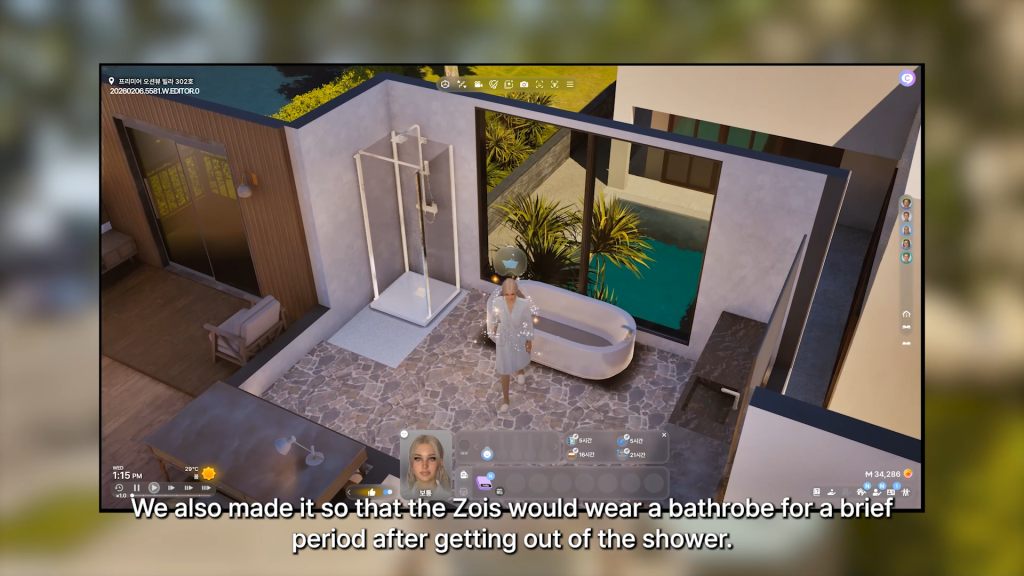
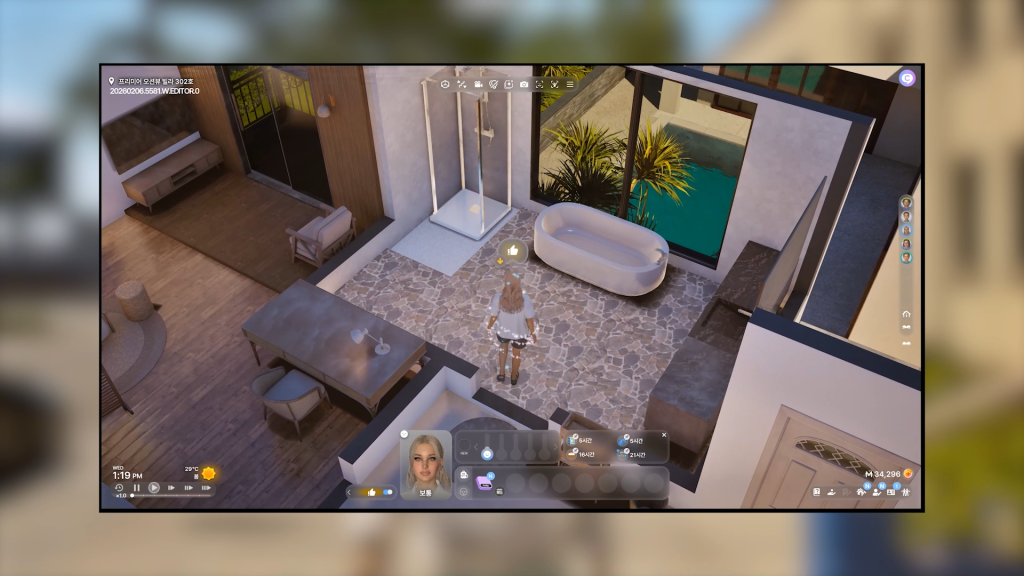
○ Zois will now wear a bathrobe for a short period of time after getting out of a shower of bathtub.

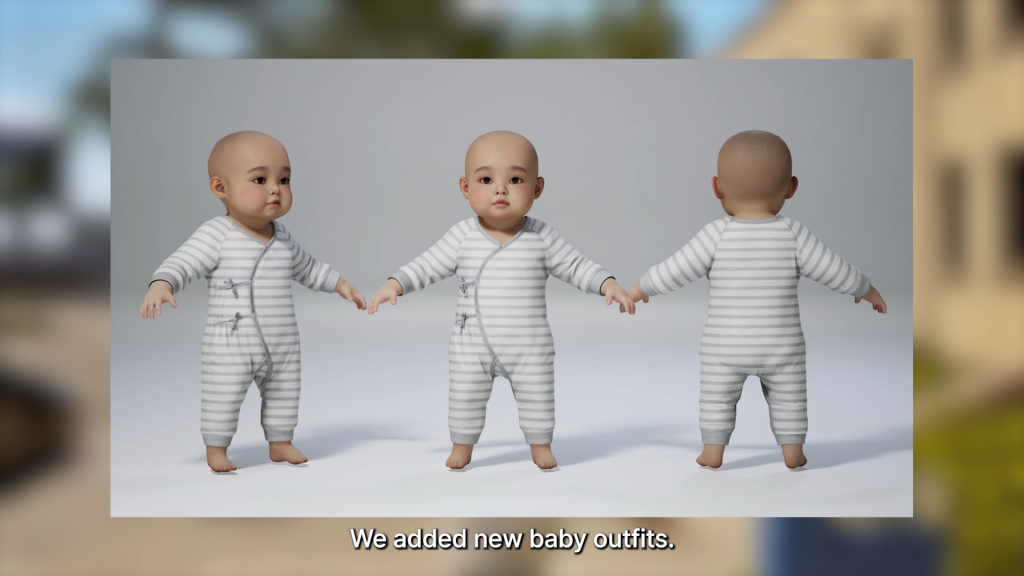
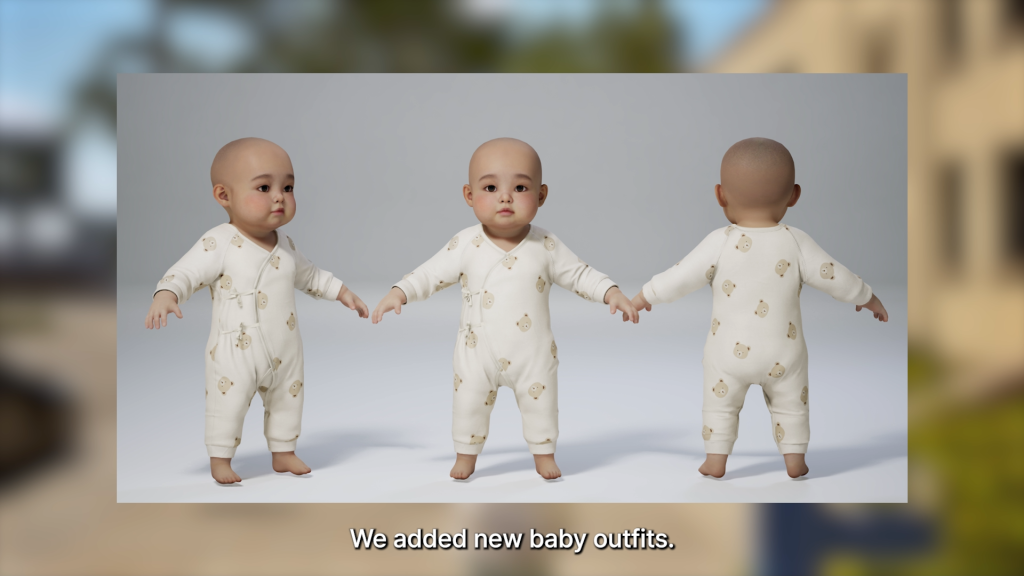
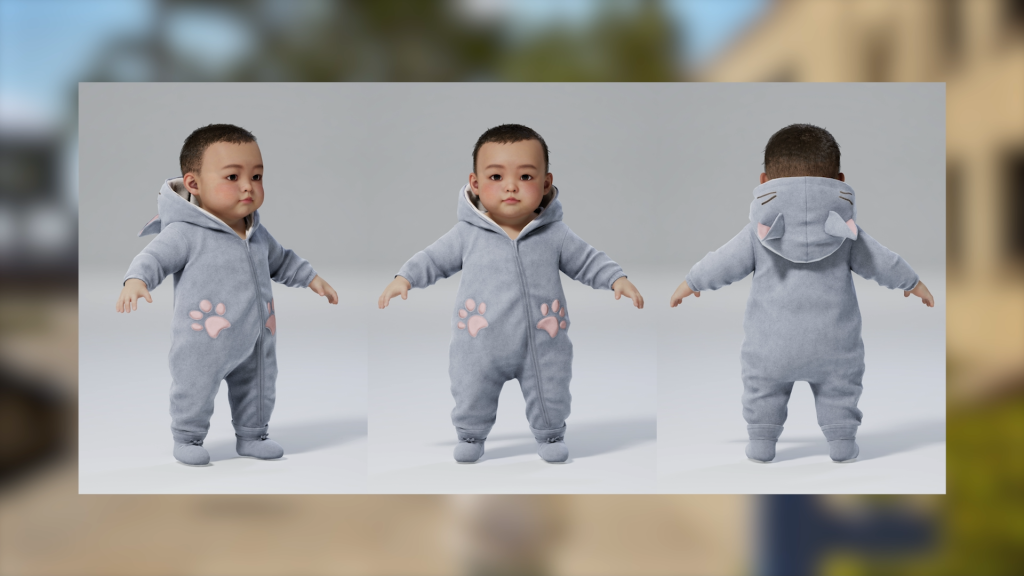
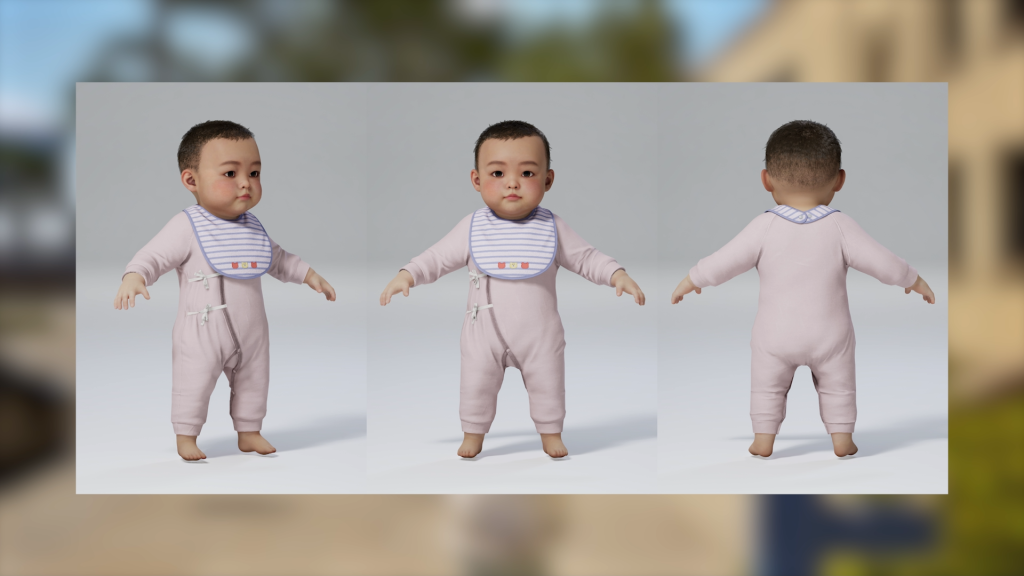
○ More baby outfits have been added!

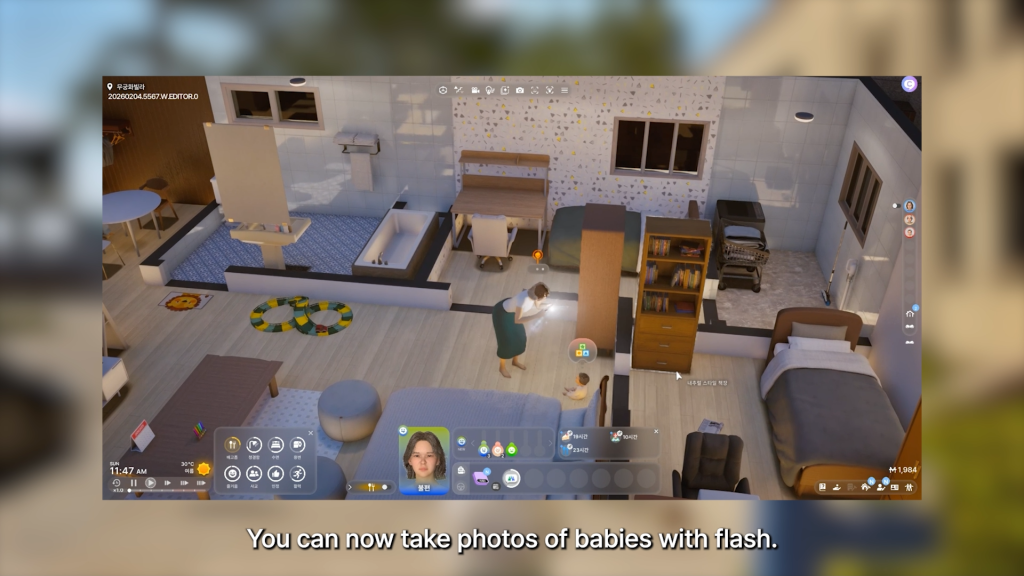
○ Your Zois can now use flash when taking pictures of their babies.

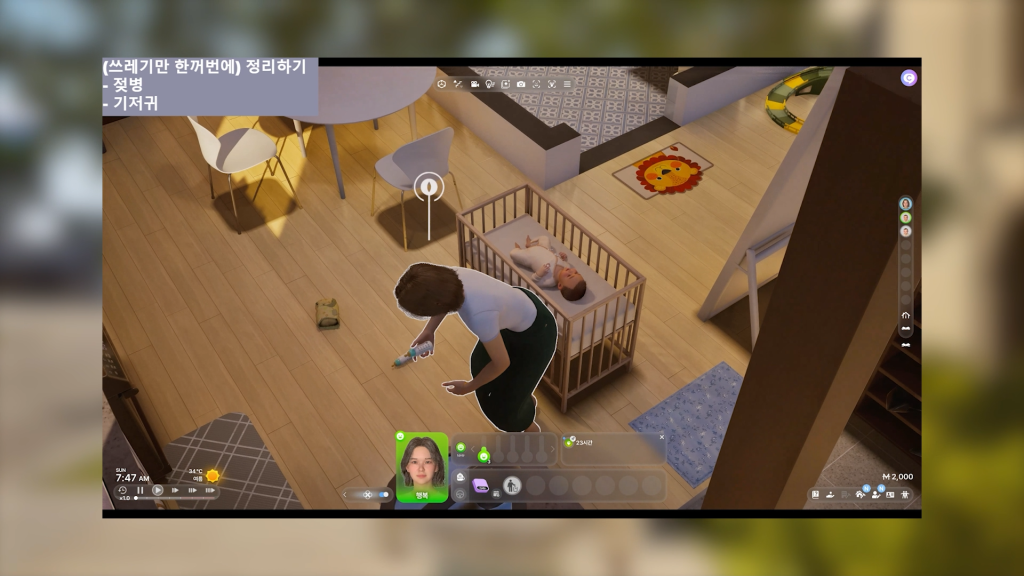
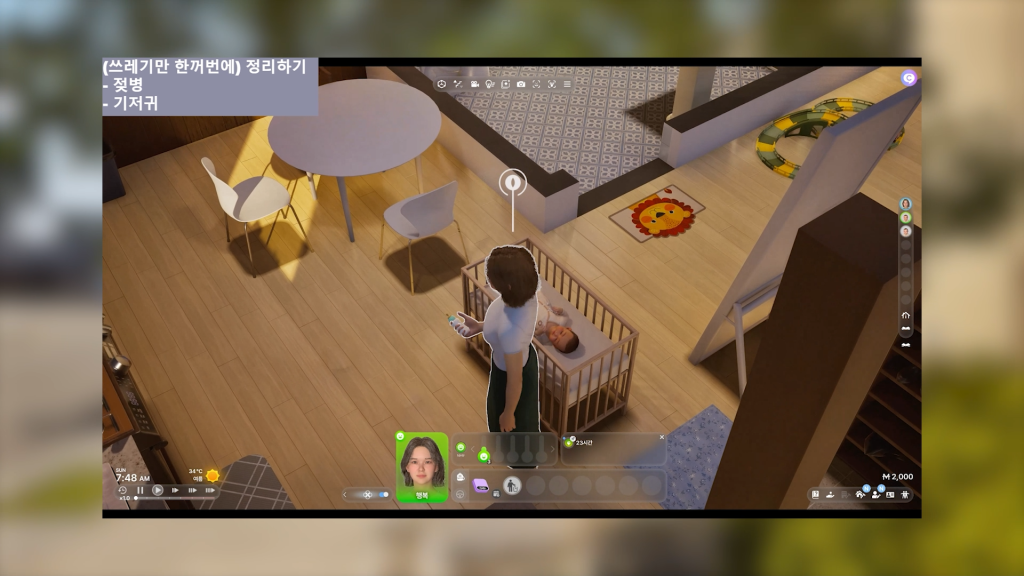
○ Zois can now clean up all the mess a baby made in a room by interacting with one object, rather than throwing out each object individually.

Breastfeeding

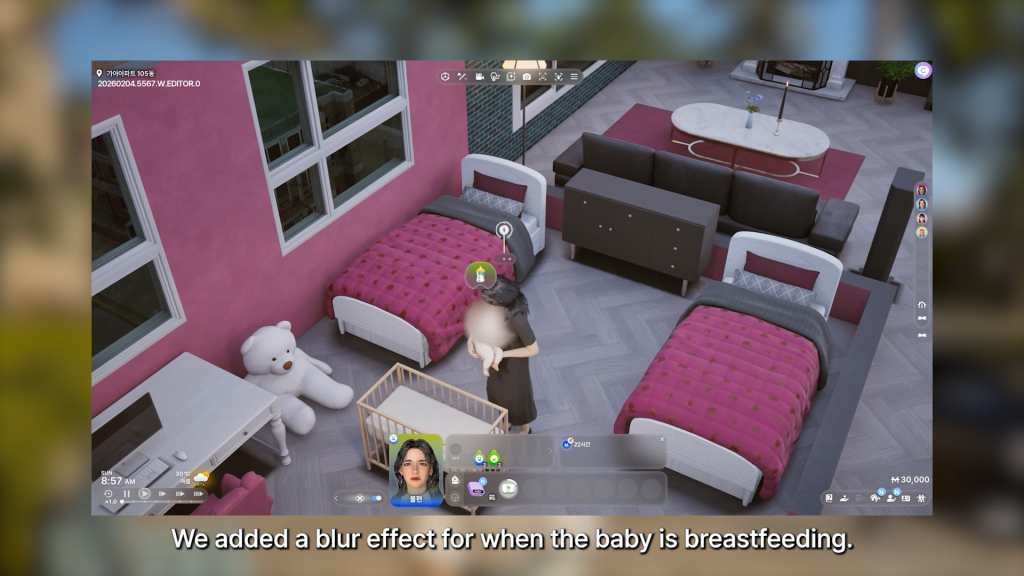
○ A blur effect has been added when a baby is breastfeeding.

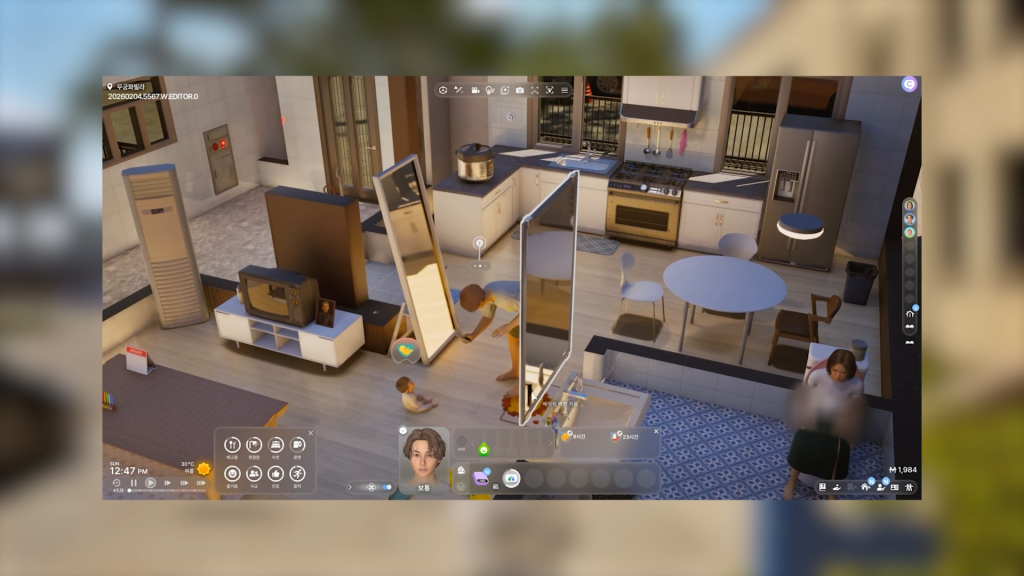
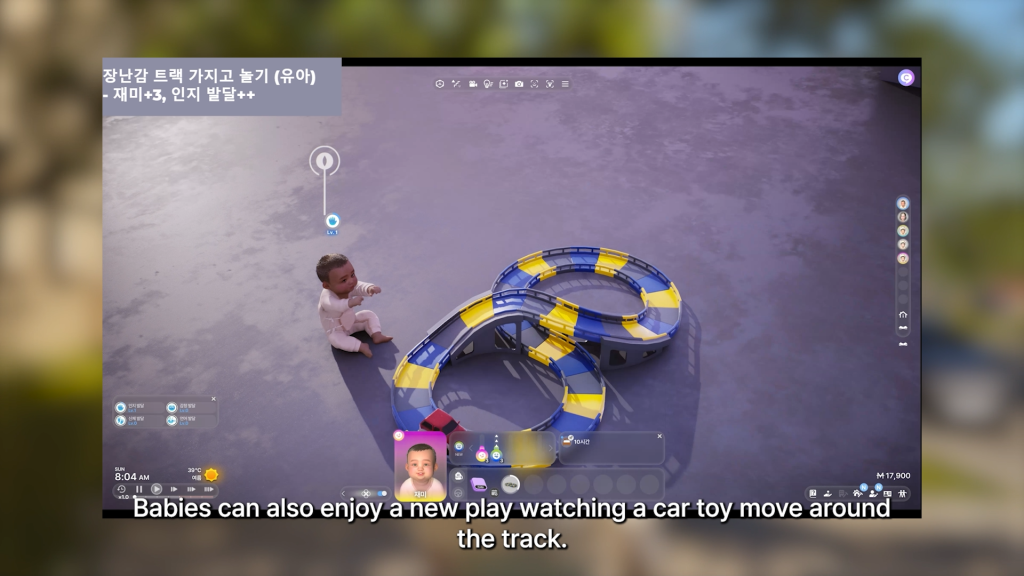
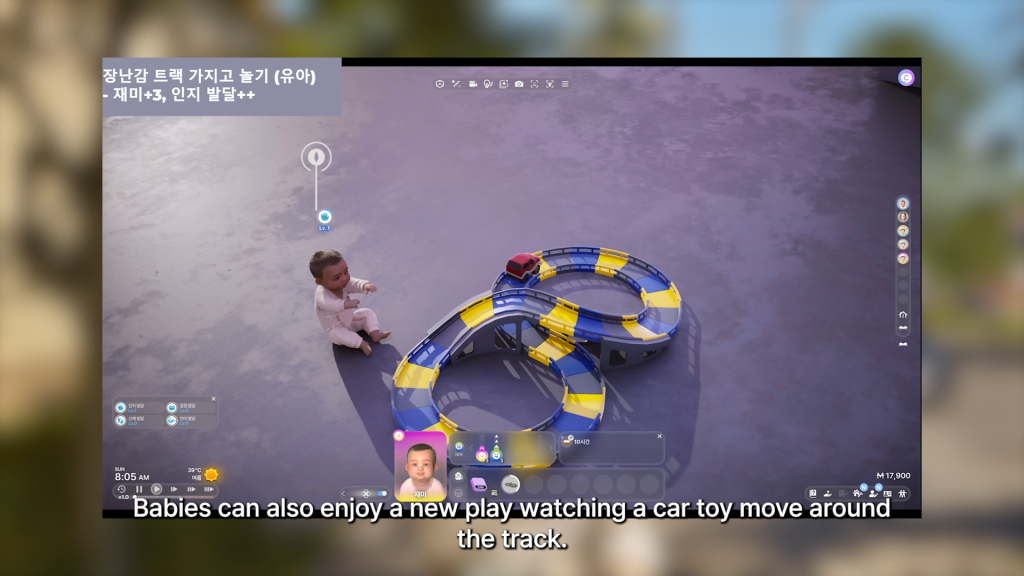
○ A new toy car race track has been added, letting babies watch and play with the car on the track.

In Development with No Specific Release Date

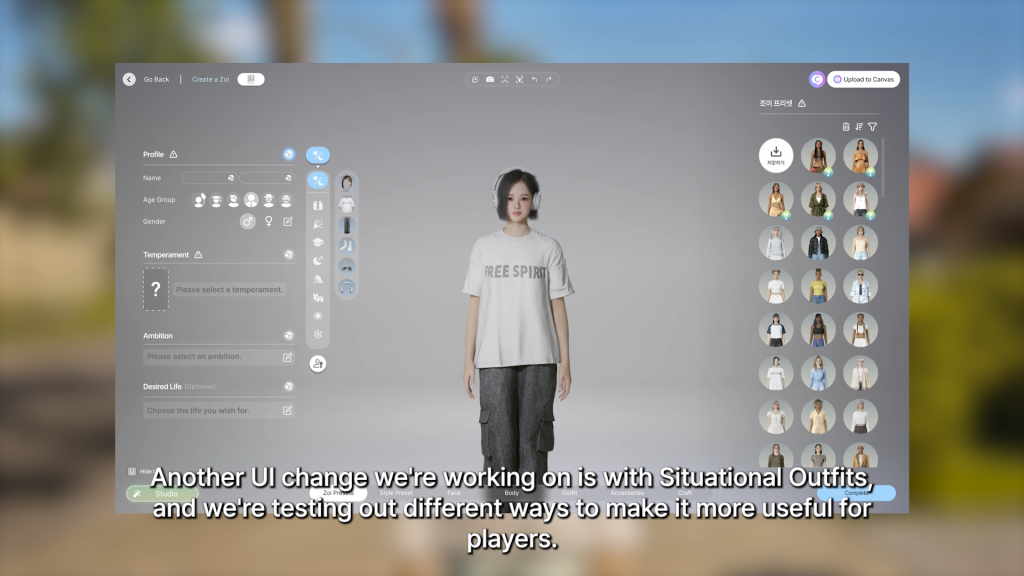
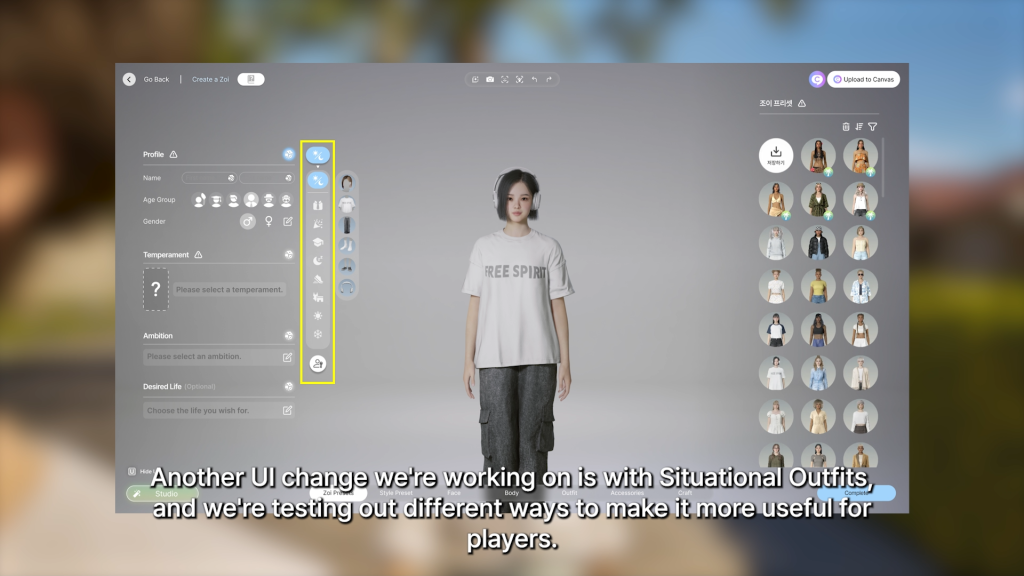
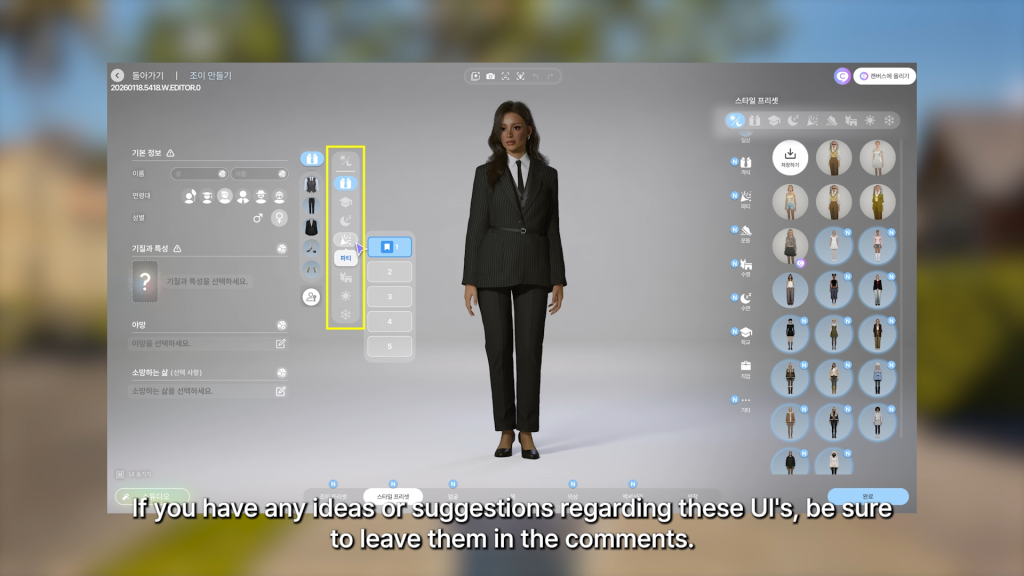
○ Changes to the UI in Create a Zoi regarding situational outfits. Not many details were provided, and Kjun did ask for feedback and suggestions from players.

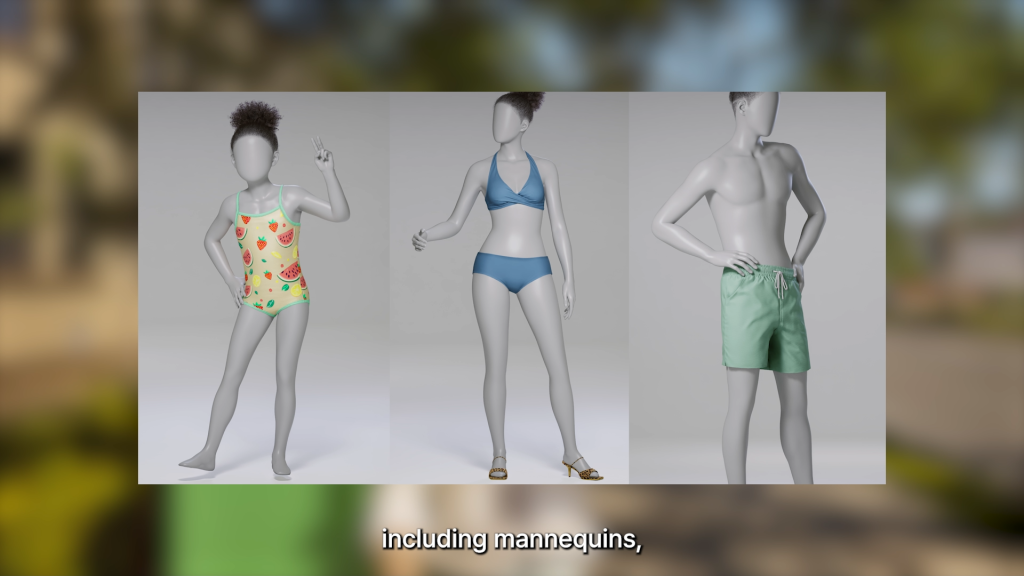
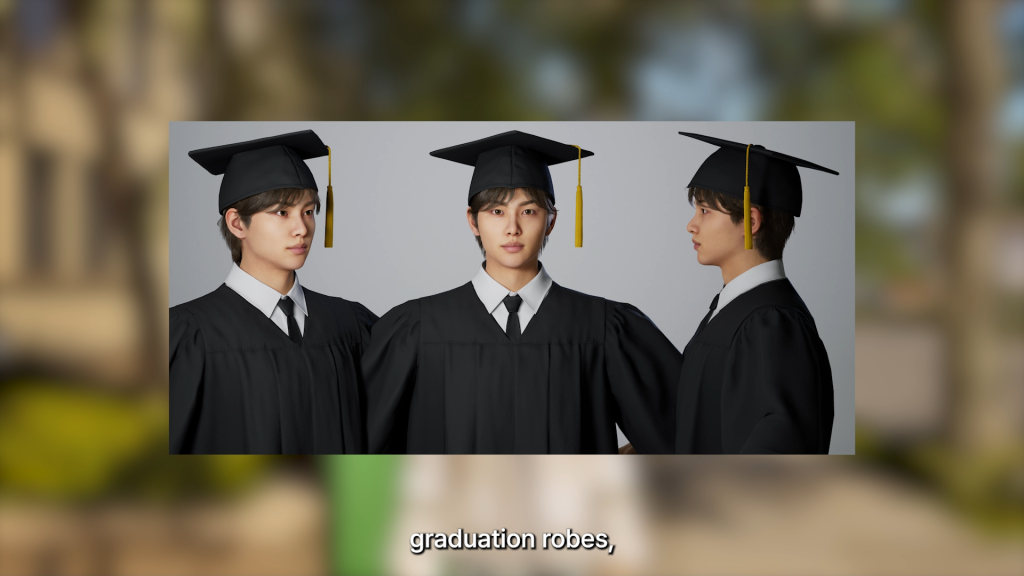
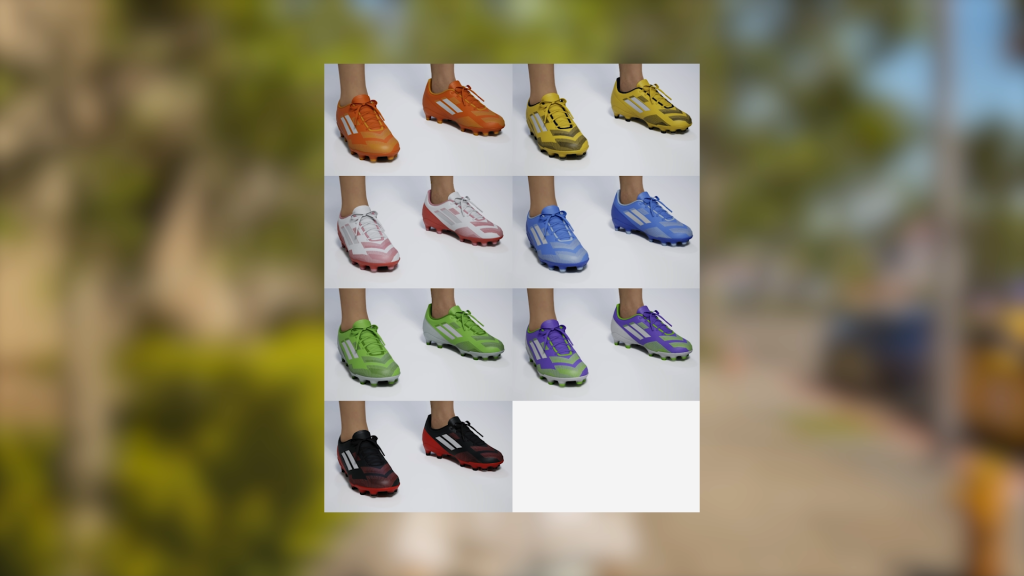
○ New assets being added for a future update:

Mannequins

○ Mannequins

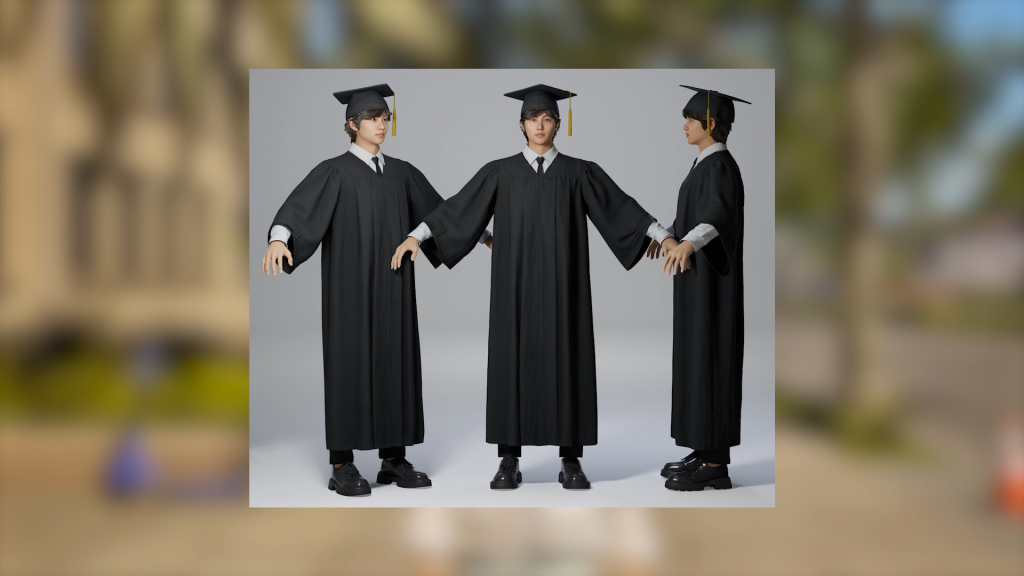
○ Graduation Robes

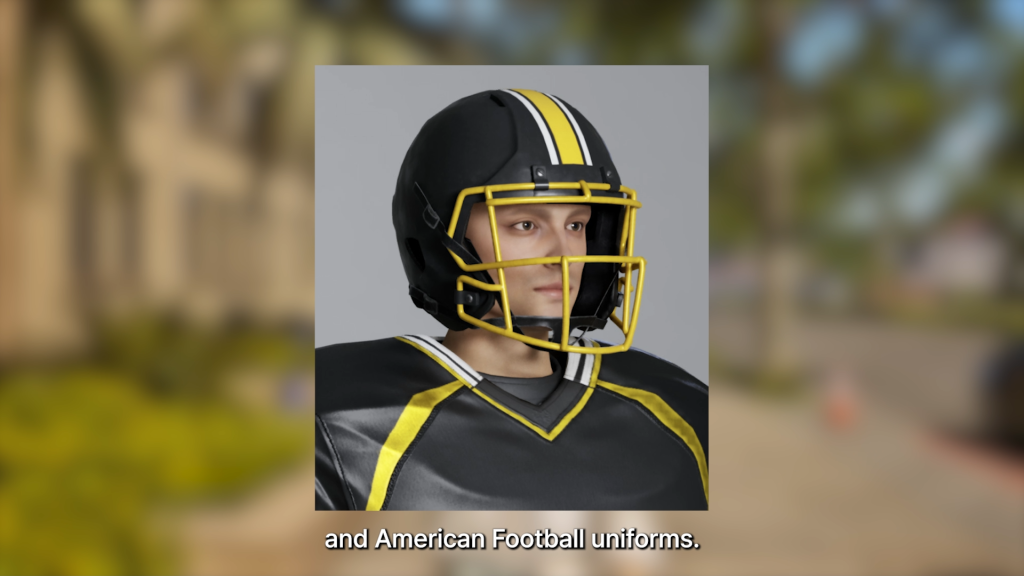
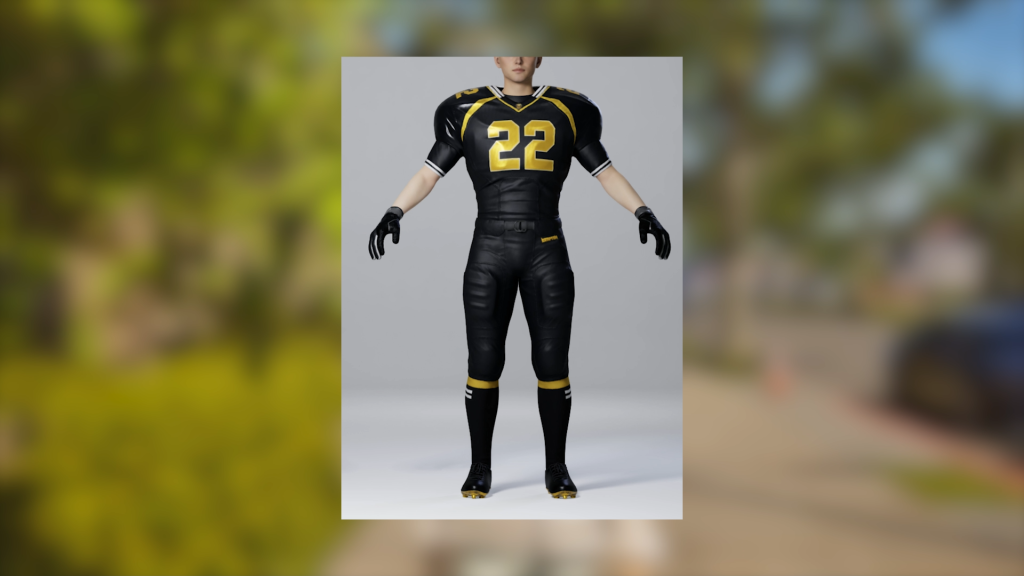
○ American Football Uniforms

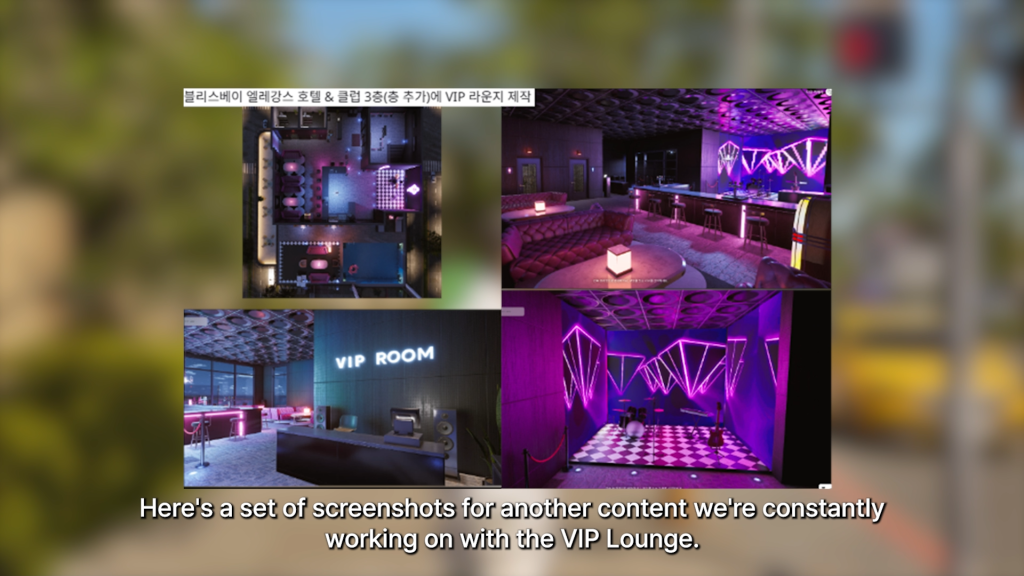
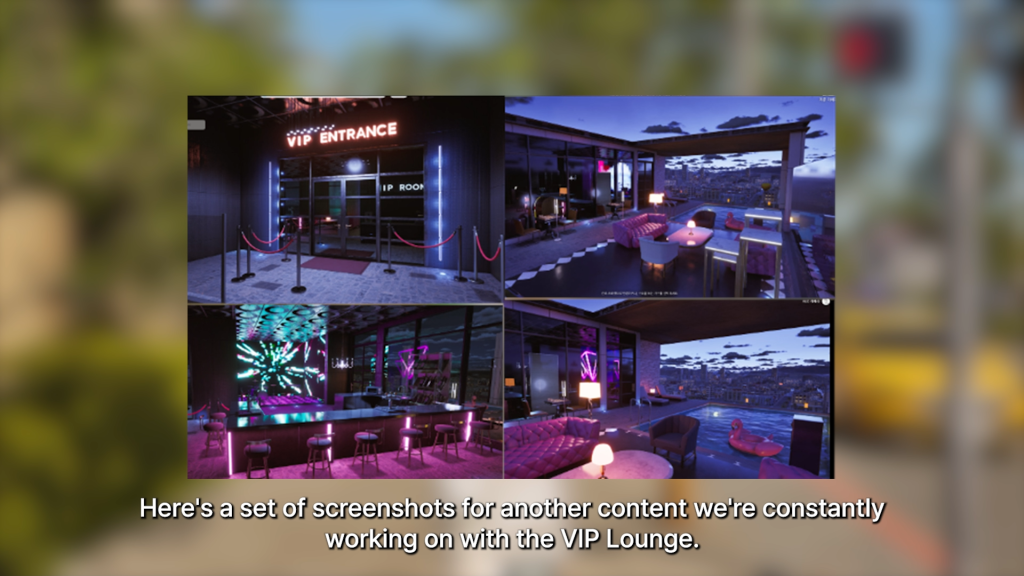
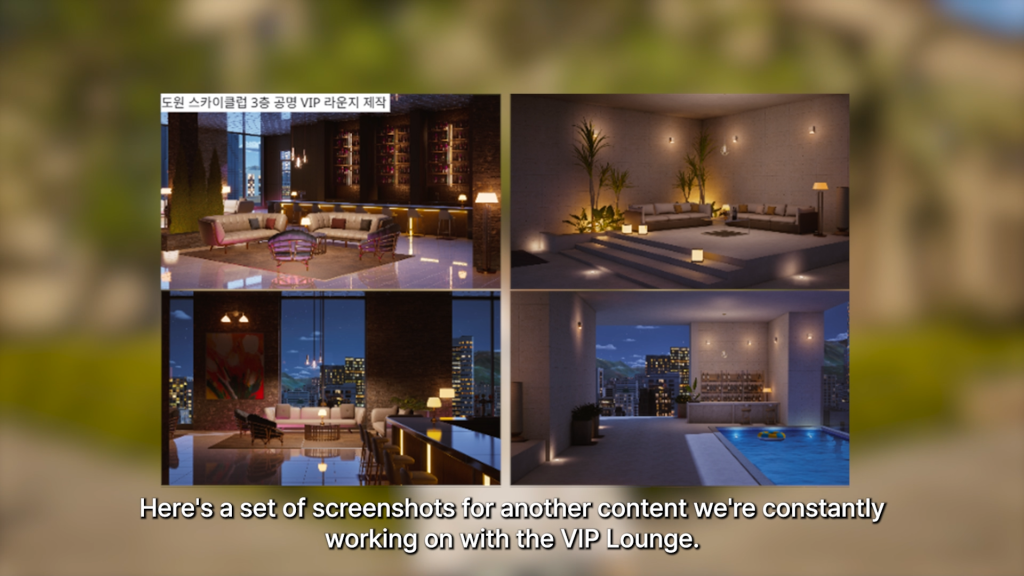
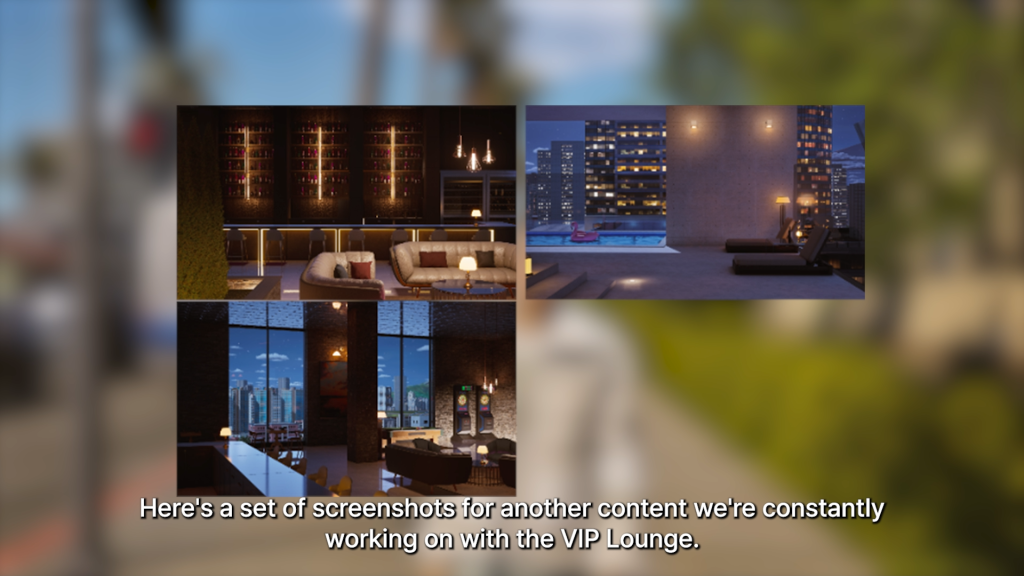
○ More screenshots were shown regarding the VIP lounge and possible fame system that is being worked on.

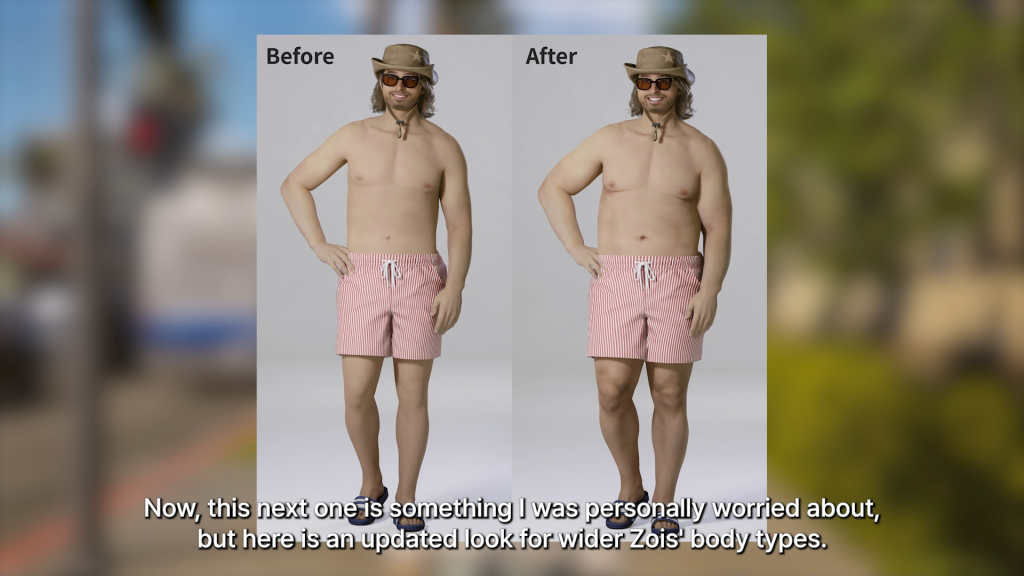
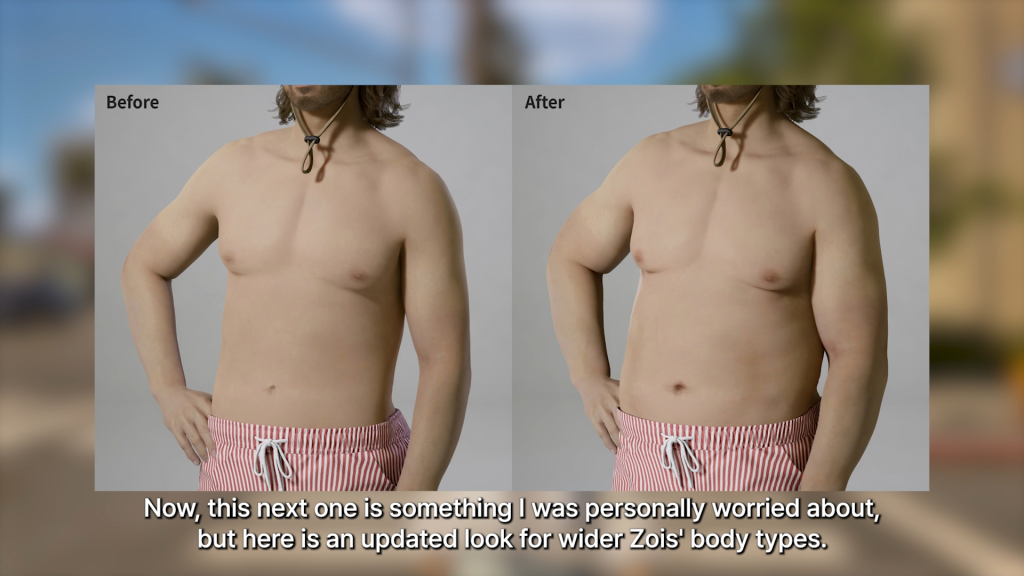
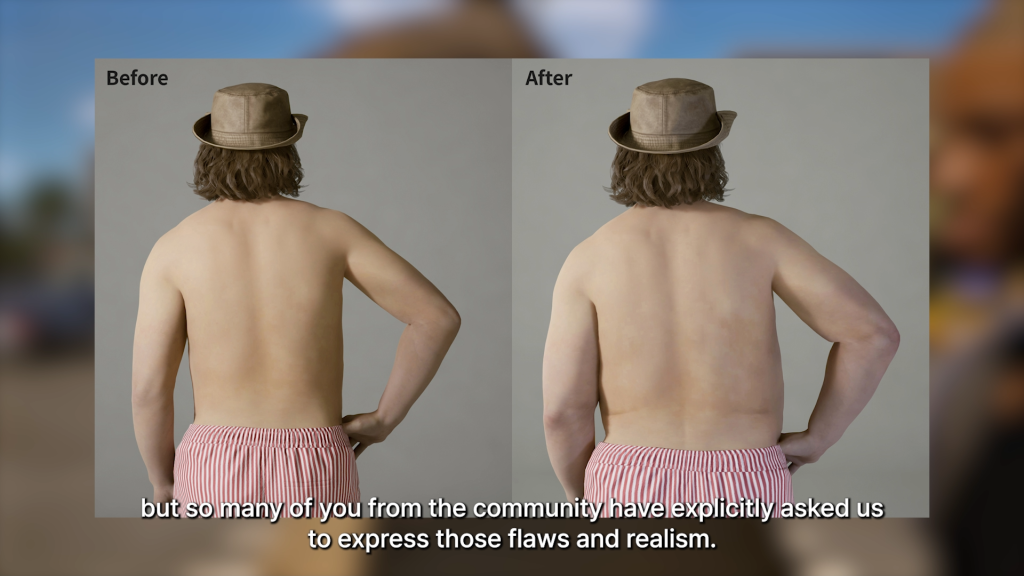
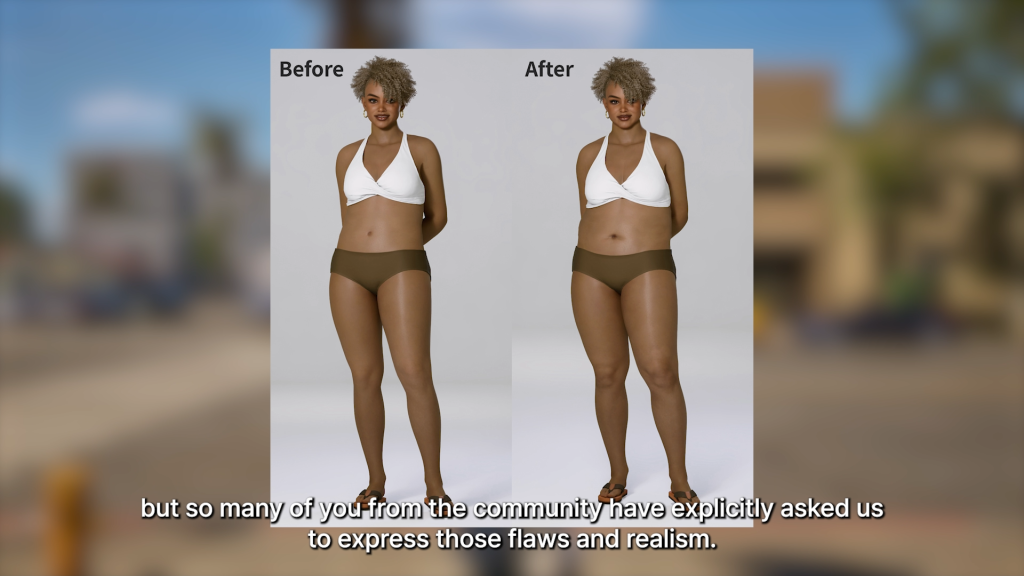
○ Changes being made to the bodies of wider or bigger Zois, making them less smooth and more natural. It was noted by Kjun that in Korean culture, there’s a tendency to make everything look “Flawless”, but they heard from many players that they want realistic bodies rather than bodies that looks smoothed or airbrushed.

Kjun’s Weekly Diary, February 28th 2026

intro2

InZOI Developer Update: Kjun’s Letter, February 28th, 2026

Hello. It’s a wonderful Friday. The weather in Korea has been getting much nicer lately. Today, I have multiple news to share. First, an announcement about the inZOI “Next Engine Preview” Beta Branch Test. We are currently in the process of upgrading inZOI’s Unreal Engine from version 5.4 to 5.6. To verify the stability and compatibility of the newly integrated engine code in a real gameplay environment, we will be conducting a beta branch test. This build is primarily focused on bug fixes and overall stability improvements. If the test results are positive, we plan to include these changes in the March update. (Yes, there will be another update in March — the inZOI team is working very hard!

However, to properly verify stability, we truly need many of you to participate and play this build. ^^ Your existing save files will remain fully compatible, so you can join without any additional preparation. Please note that mod usage will be restricted in the beta branch for stability testing purposes. Your participation and feedback will greatly help ensure a stable update for the official branch.

○ Participation Period

Thursday, March 5, 2026 ~ Until the official engine upgrade release

○ Available on Steam only.

○ How to Participate (Detailed instructions will be included in next week’s patch notes)

  1. Select inZOI in your Steam Library
  2. Right-click → Open Properties
  3. Go to the “Game Versions & Betas” menu
  4. Select “next_engine” from the beta branch list

The selected version will download automatically after choosing the beta branch. Second, this week we will be sharing various development updates through a video. Please enjoy watching it, and let me know if we are listening carefully to your feedback and making the right improvements.

Thanks to all your valuable feedback, I had another happy week. We will continue doing our best to create the best possible game. See you next week.

kjun


Are there anything teased here that you’re hoping they expand upon, or any changes you’ve been hoping to see that they finally discussed! Sound off below!

Make sure to follow The Sims Community to keep up to date on everything in the Life Simulation genre! You can also review roadmaps and current InZOI features on their official website!

The Sims 4 Discover University Gameplay Tips to Help You Pass With Flying Colors

4

The Sims 4 Discover University offers one of the most entertaining life experiences in the game.

The Sims 4 Discover University can either be chaotic and fun… or three weeks of homework, and stress. If you’ve ever dropped out mid-degree (no judgment), this guide will help you rediscover why your Sims university era can actually be one of the most fun life experiences in the game.

Here are a few tips and tricks to make your university gameplay feel fresh, exciting, and story-driven again. Some of them are inspired from a Reddit discussion called “how to make UNIVERSITY FUN in the sims 4?” on r/Sims4.

Prepare Your Sim Before Applying to University

Just like in real life there are a few things to have in mind before applying to university. A prepared Sim = a less stressful semester.

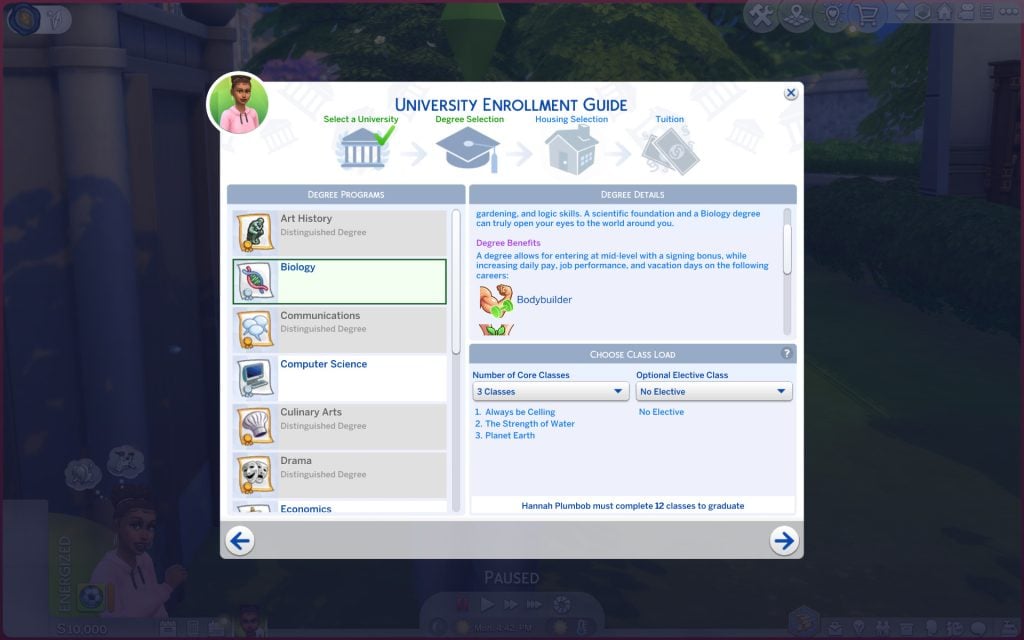
  • Give your Sim a real storyline. Who are they? For example, The overachiever on the edge of burnout or The party Sim who is trying to balance love and exams.
  • Pause/Turn off aging so you can focus on studies, friendships, and parties instead of racing against the clock.
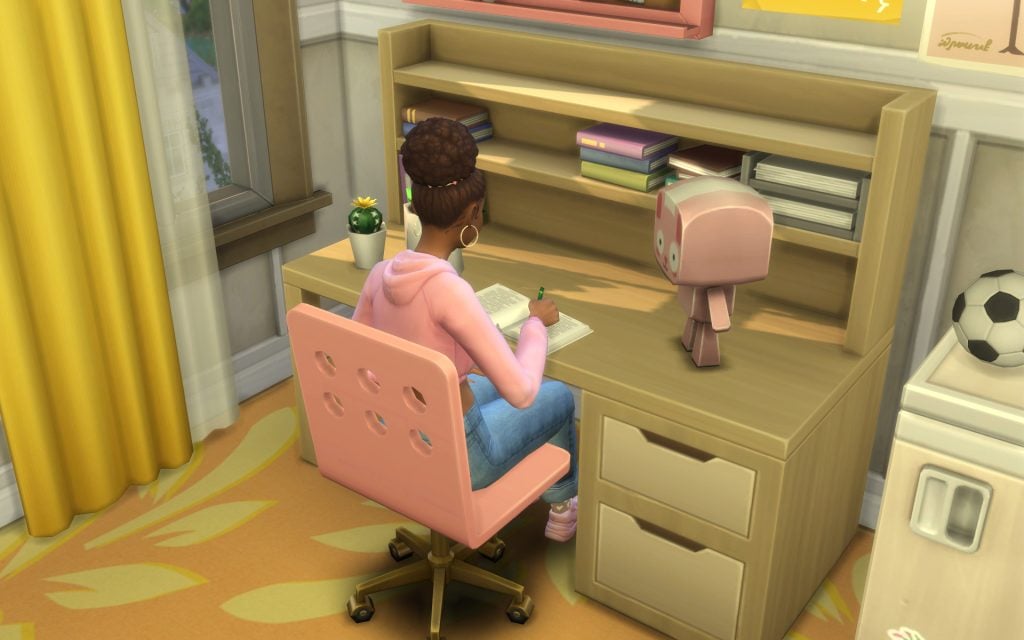
  • Reach level 3 in the Research and Debate skill to be able to boost your homework/term papers.
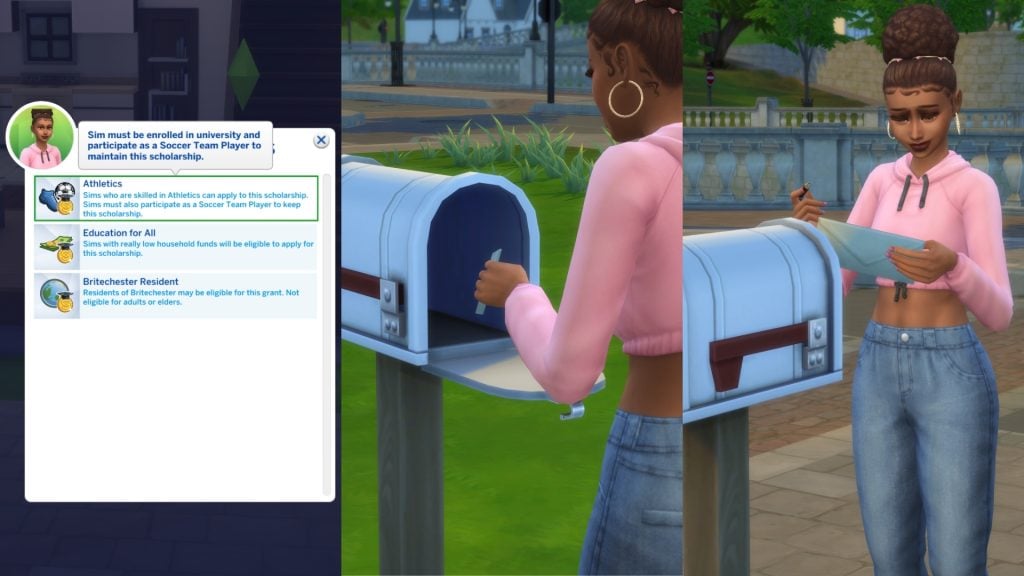
  • Lastly, what will your Sim study? Pick a degree and level up in a few skills so you can apply for scholarships. You can apply to more than one.
  • And now…you’re ready to apply. Campus life awaits!
1920x1080 4

Accepted to University! A New Chapter Begins.

  • Always enroll so that your semester starts on a Friday, as a result you get the entire weekend to finish homework, term papers, presentations, and build skills. It makes the semester feel organized instead of overwhelming.
  • Play smart with classes. Take 3 classes per term instead of 4. This will give your Sim more time for other activities, and to have an actual social life. University isn’t just about surviving — it’s about living.
  • Did you know? That if you have The Sims 4 High School Years you can graduate high school early and enroll in university as a teen.
Enrolling

Personalize Your Dorm

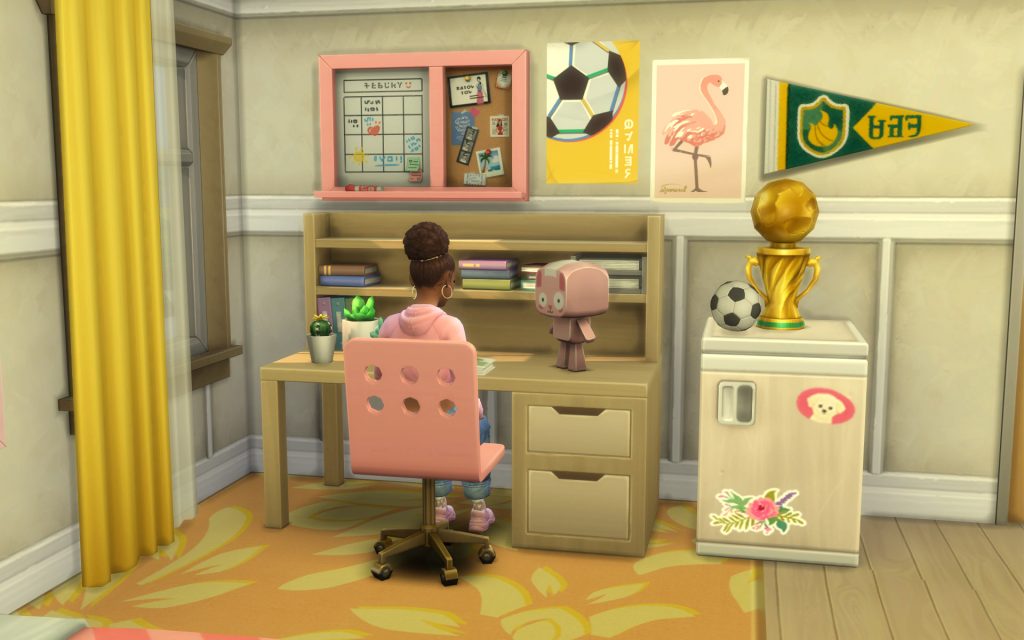
Moved into a dorm and realized you can’t even move a chair slightly to the left? Frustrating. With the cheat code bb.enablefreebuild, you can fully customize your Sims dorm room exactly how you want it without moving your Sim back and forth to the dorm. Build a cozy study corner, set up one (or two) party spaces, design a cool hangout area. Or why not go all in and renovate the entire floor?

Personalized Dorm

Make Your Sims Life Easier (including yours)

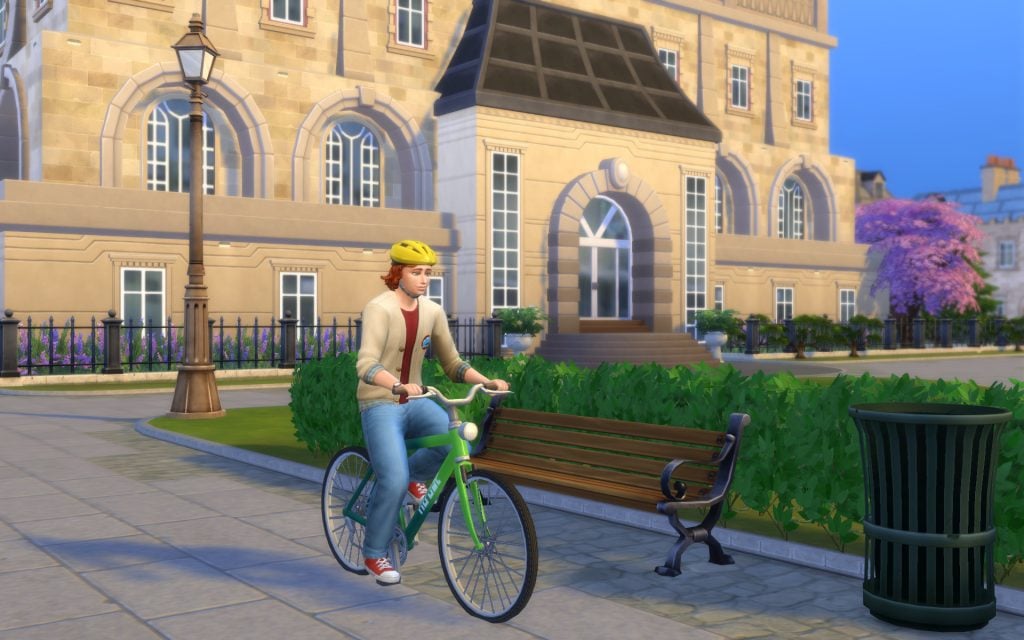
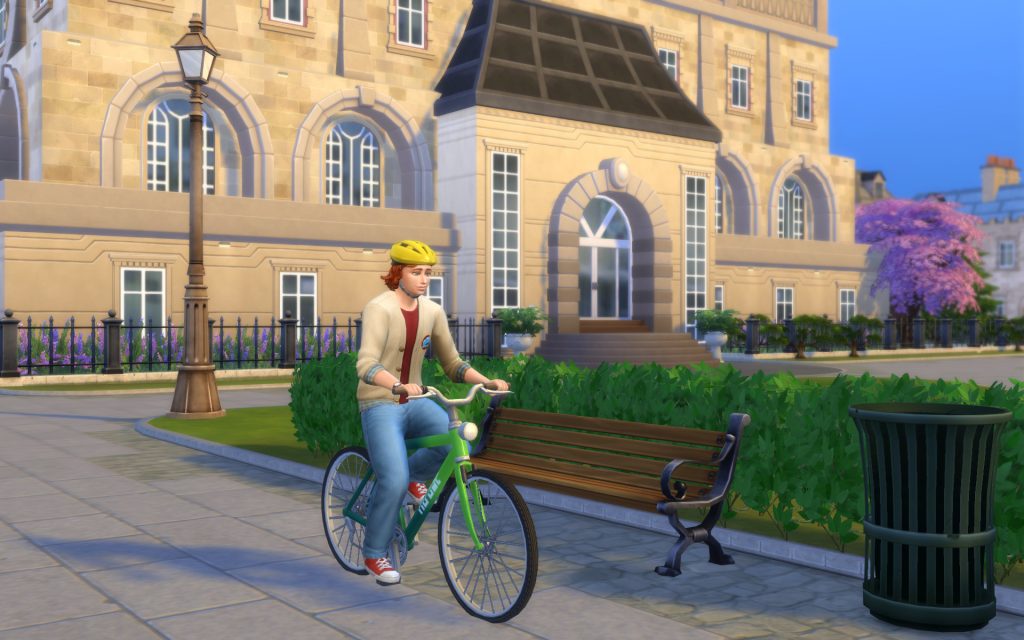
  • Get a bicycle for your Sim to get to class faster.
  • Upgrade your bed so your Sim sleeps like a royalty, and needs less sleep.
  • Always take notes in class, it will boost your grade.
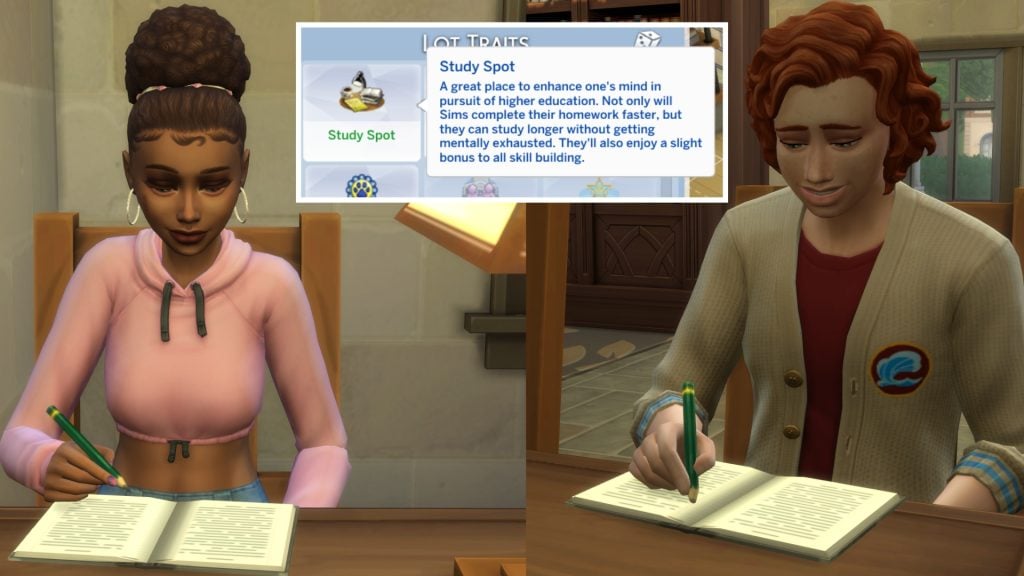
  • Study on lots with the lot trait Study Spot to boost your homework.
Bicycle
Lot Trait

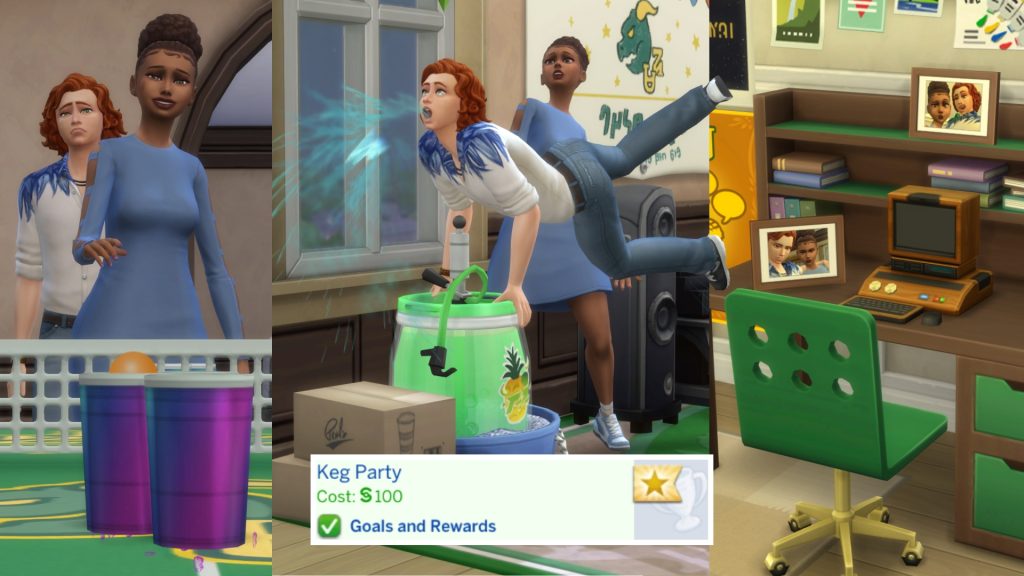
Host Keg Parties, and Have FUN!

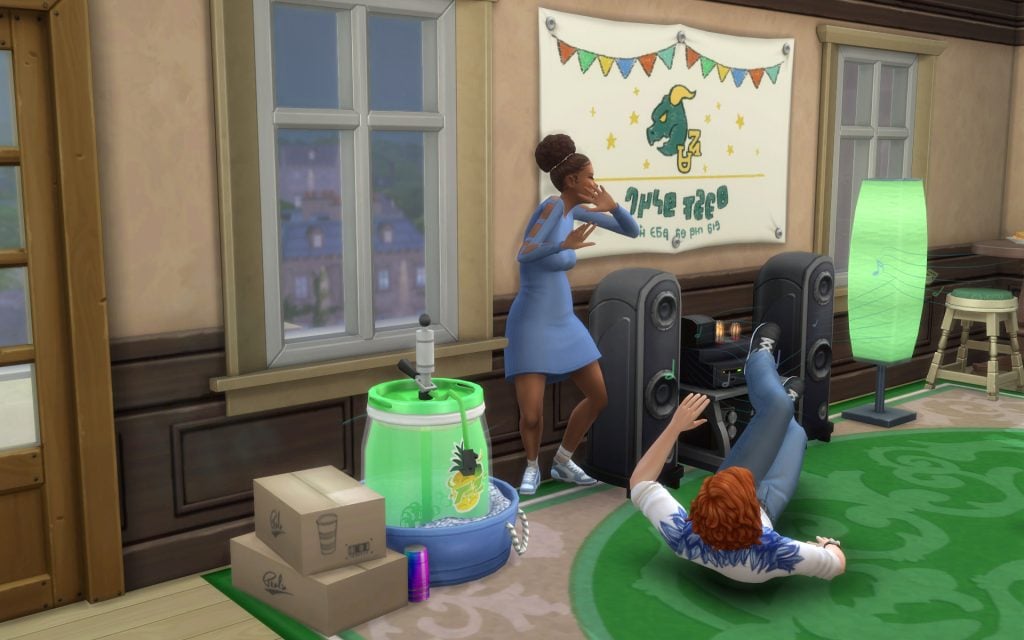
Host keg parties and actually enjoy campus life! Your Sims need to boost their Fun to keep up with all that homework and studying. Fill your dorm walls with photos of late-night study sessions, chaotic parties, and maybe even your first love.

Kegparty

Embrace Rivalries

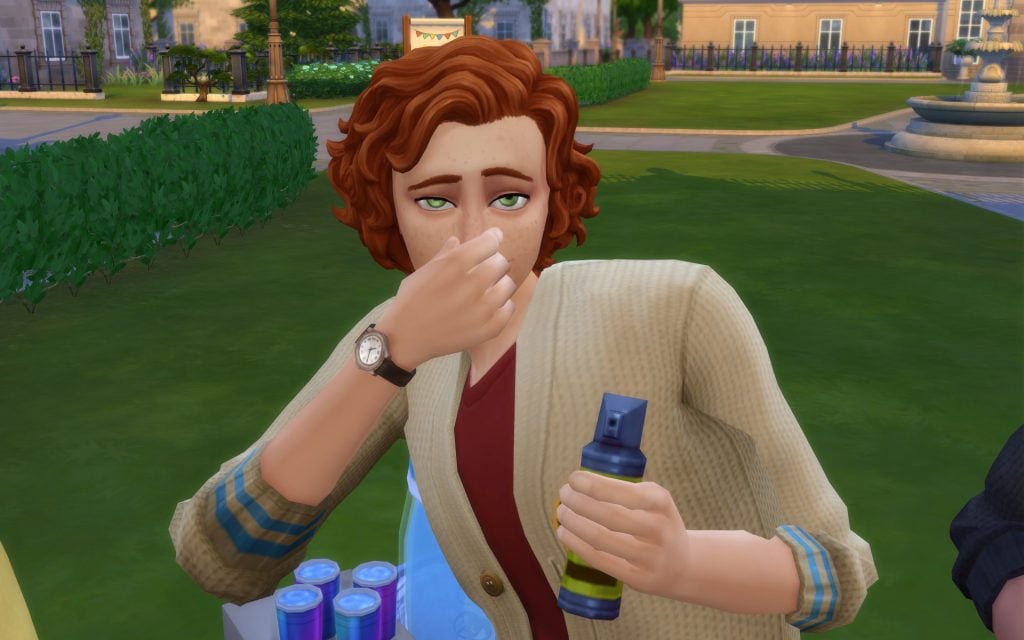
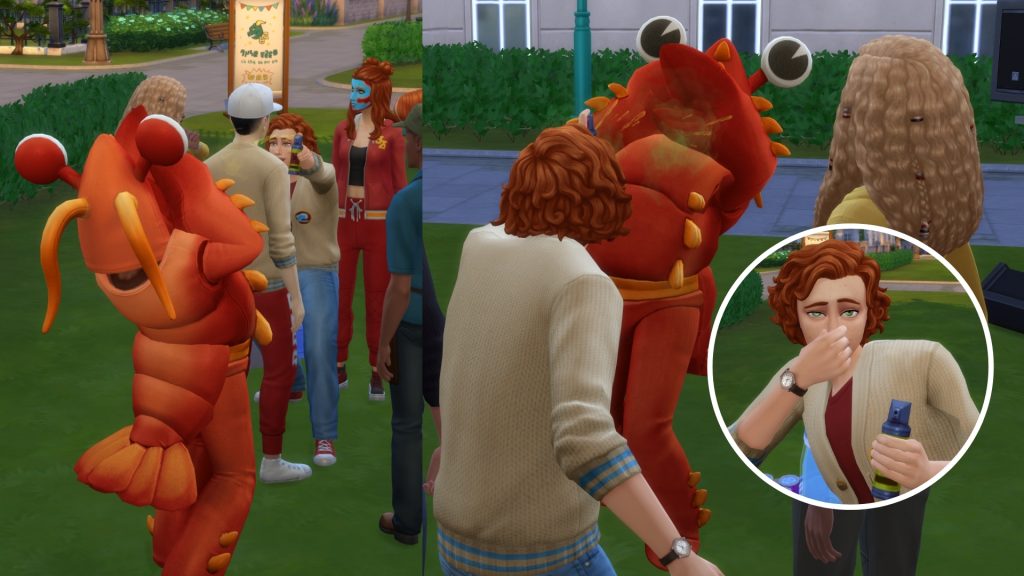
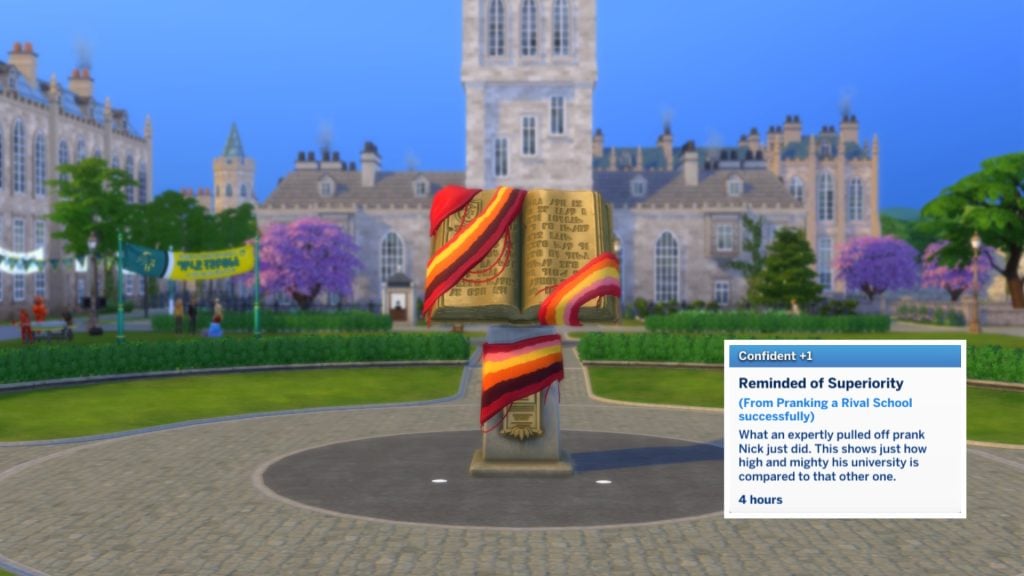
Sprinkle a little harmless chaos over Britechester. Pull pranks on your rival university — especially if they’ve targeted yours first. Defend your school’s statue with pride and don’t be afraid to fight back with a little stink spray revenge.

Stinky
Prank

Join The Soccer Team or The E-Sports Team

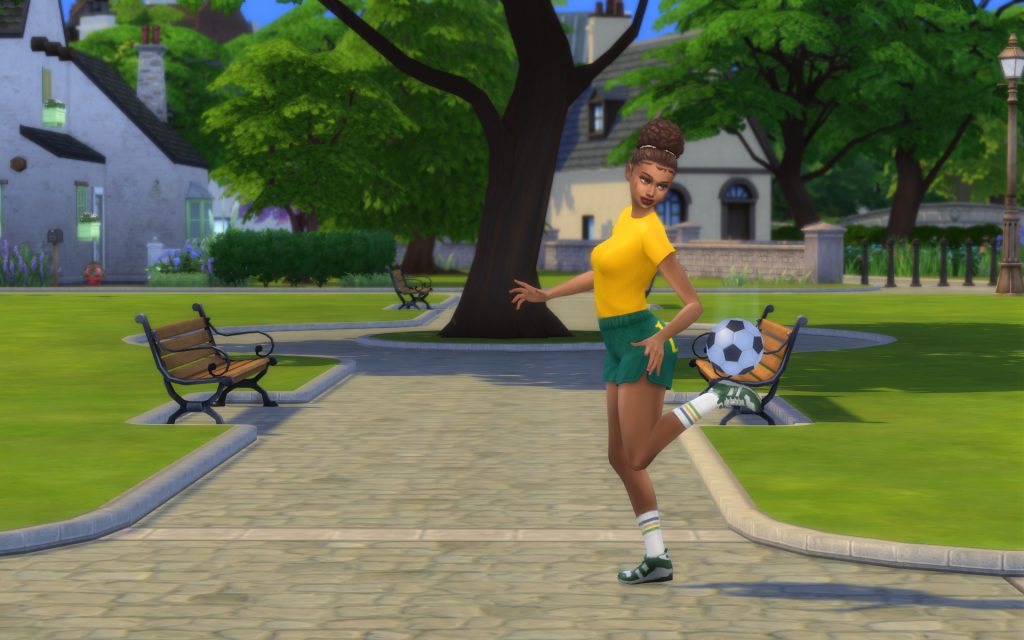
Join either the Soccer Team or E-Sports team to boost skills, build friendships, and give your Sim a strong head start in athletic or tech-related careers. Just keep in mind that being part of a team requires commitment — practices and game days will fill most of their schedule. Read more about the Soccer Team here and the E-Sports Team here.

Soccer Team

Join University Organizations

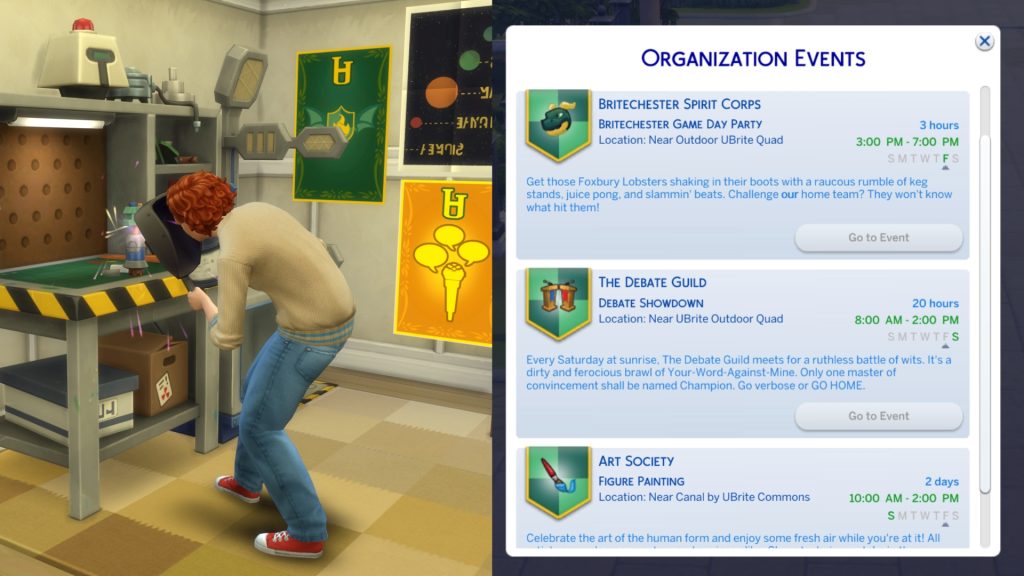
Make friends, build skills, and unlock social and academic perks. Each university offers three different organizations. Sims can join these organizations by finding members and asking if they can join them.

UBrite Organizations are: Art Society, UBrite Spirit Corps, and The Debate Guild
Foxbury Institute Organizations are: Bot Savants, Foxbury Spirit Squad, and The Brainiacs.
Read more about each organization here.

Join Organizations

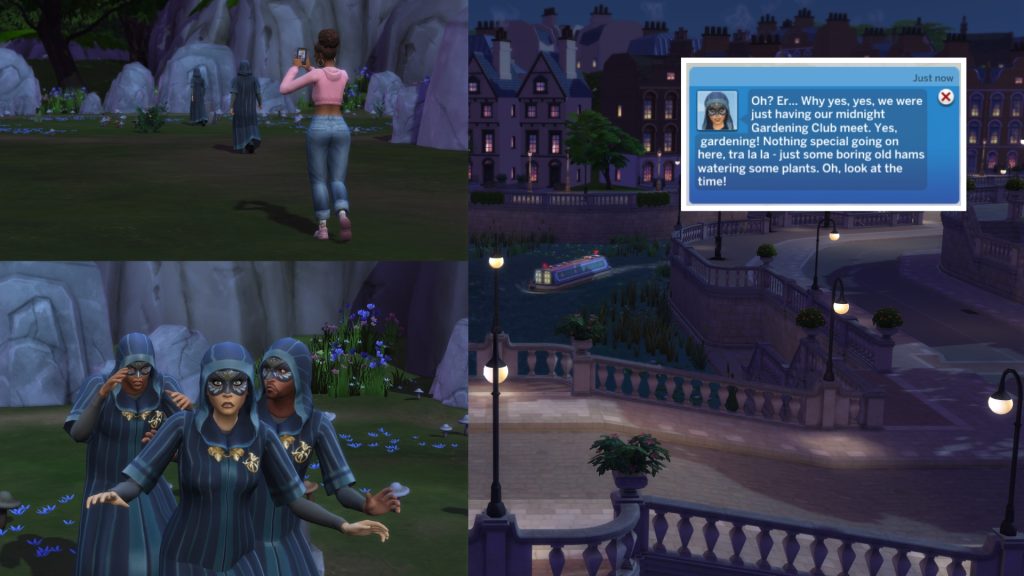
Discover the Secret Society

Joining the Secret Society adds a magical and unexpected twist to university gameplay. More than that I won’t tell you. If you want to know the spoilers you can read about it here.

Secret Society

Prepare well, play smart, and have fun— campus life is what you make of it. It’s about the memories, the chaos, and the stories you create along the way. What is your best university experience? Or have you discovered any tips along the way? Let us know in the comments and see more of our Original Articles and Game Guides!

Maxis is Collecting Feedback for Upcoming The Sims 4 Infant and Toddler Improvements

47

The Sims Team is looking for feedback on how they can improve these two Life Stages!

As announced in the latest Quality of Life Roadmap for 2026, The Sims Team is looking to add Sims 4 Infant and Toddler improvements through various set gameplay systems and mechanics. If you’ve been wanting to change anything in regards to Infant and Toddler autonomy, interactions and/or needs, now’s the time to let the team know!

There are four different segments of feedback you can give to the team through the official EA Sims discord. Here’s the official information you need to know:

CONVERSATION 2

The Sims 4 Infant and Toddler Improvements: Official Feedback Info

We announced Infant updates in our latest Quality of Life Roadmap, and now our devs need your help prioritizing and address improvements. Please keep feedback specific and constructive (specific examples help!).

  1. Most frustrating Infant/Toddler autonomy behavior? What happens + what you’d prefer instead.
  2. Any non-autonomy issues hurting fun? Interactions, pacing, tuning, UI, etc.
  3. Thoughts on Infant Need Balance (not bug related)? • Say which Need (Hunger, Energy, etc.) • Share what you like and/or dislike
  4. If you could change one small thing, what would it be?

Thanks for helping us make improvements that matter.

sims 4 infant improvements

You can send in your feedback only if you have a Discord account and have joined the EA Discord group linked above. The forum thread is linked in the #feedback-forum > Infant & Toddler Feedback Forum

SIMS 4 Infant Improvements Screen 2

The Sims 4 Infant and Toddler Improvements should be delivered some time between March and August 2026. Along with updates to Sim Autonomy and fixes for Crashes and data loss.

March through August 

We’re going to be investigating improvements on these areas:

  • Sim autonomy: such as Sims choosing inappropriate locations for certain actions, being obsessed with certain objects, or NPC interrupting conversations and other behaviors. Additionally, a large focus on improving Sim sleeping behavior and eyelid animations. 
  • Infant improvements: improving infant and caregiver autonomy, plus ensuring infants receive the correct milestones, interactions, and buffs. 
  • Crashes and data loss: including fixes for black photo issues and the game freezing or crashing.

What feedback do you have about The Sims 4 Infant and Toddler improvements for EA? Let us know in the comments below and stay tuned on Sims Community for more Sims News!
The Sims 4 Gaming CC: 25 Sets To Create The Ultimate Gaming Space

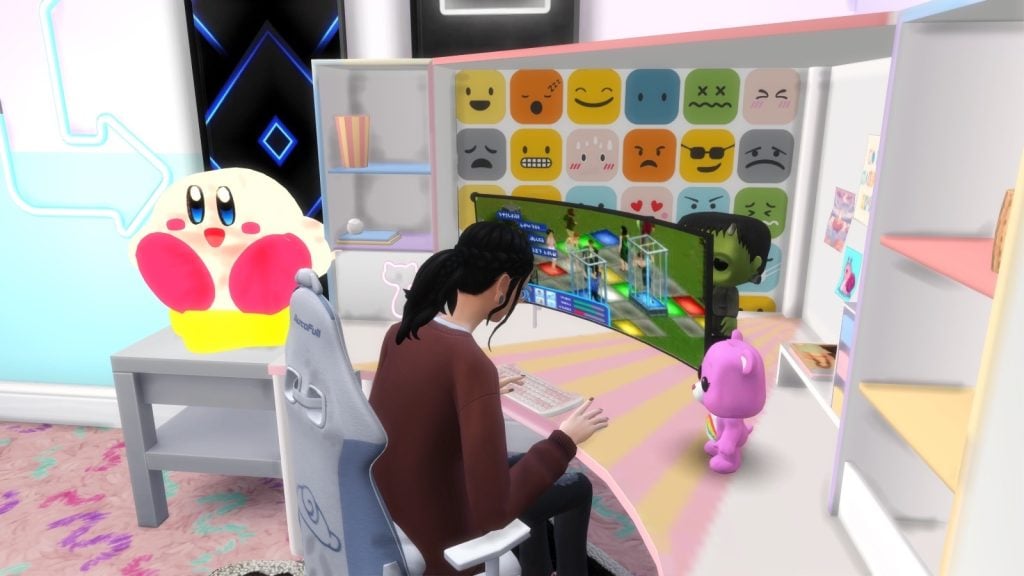
The right Sims 4 gaming cc can turn any boring space into the ultimate gamer dream room. Whether your Sim is a streamer, competitive gamer, or casual console lover, this guide features some of the best The Sims 4 gaming room custom content I could find to create personal, realistic, and functional setups.

SIMS 4 Gaming CC Screen

Computers/Gaming Consoles

The pinnacle of every gaming room, the meat, the bread and butter; the gaming console. While The Sims 4 does offer gaming on multiple platforms, it lacks realism, and the same systems or the same computers can get boring. Thanks to these amazing creators, though, these pieces below offer you a new way for your Sim to enjoy their favorite pastime!

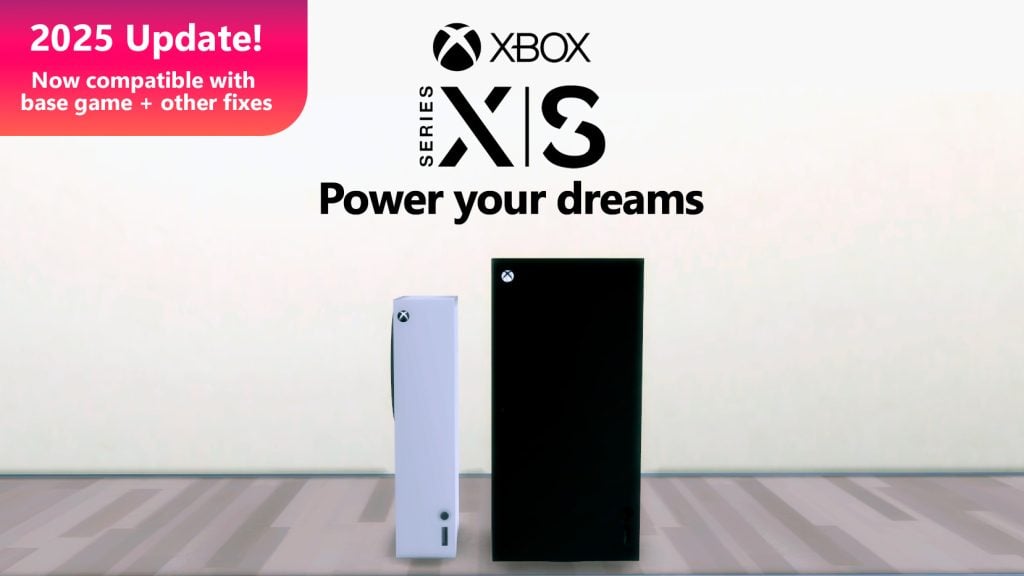
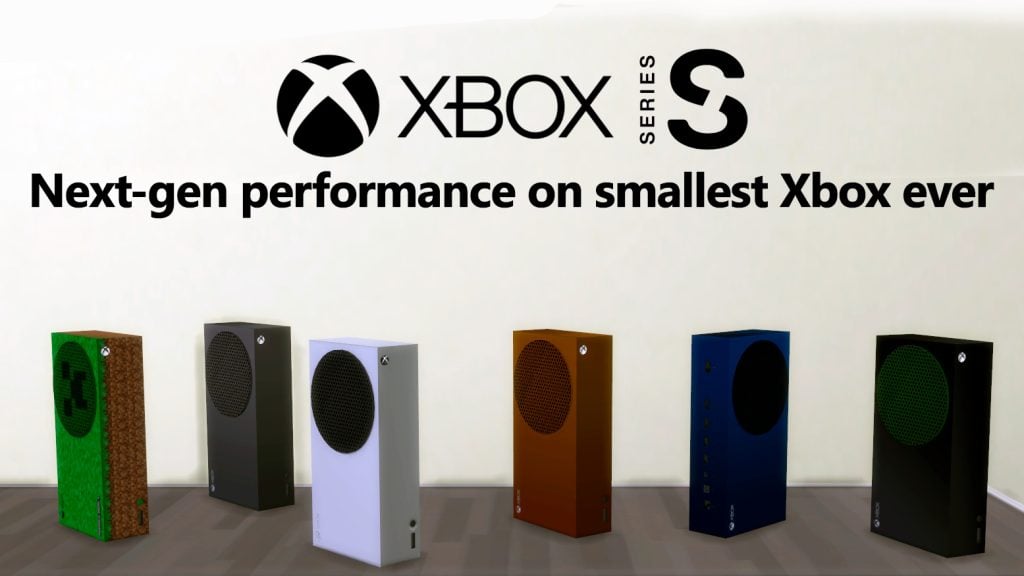
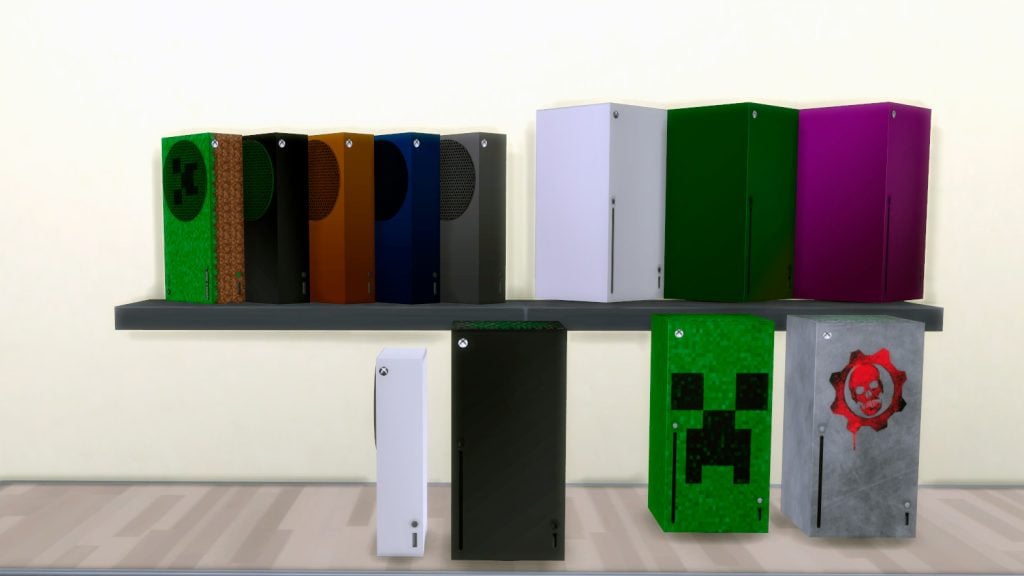
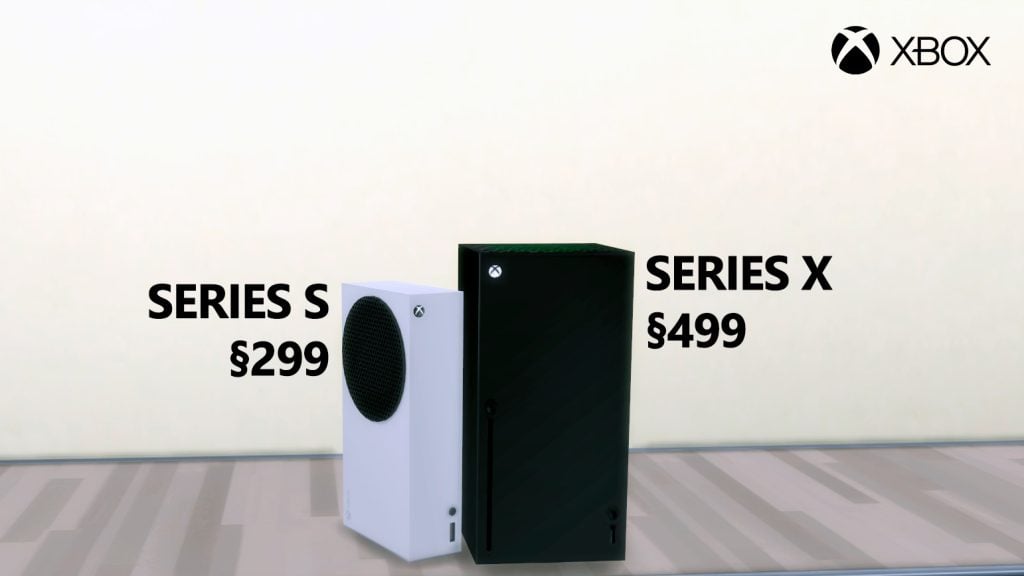
Xbox Series X and Series S Gaming Consoles by mattmartinsm

xbox1

Power your Sims’ dreams with Xbox Series X and Series S Gaming Consoles by mattmartinsm. This realistic console comes in 6 swatches, 4 are colors, and 2 are video game themed (Minecraft and Gears of War). They are both base game compatible as well, and found in the electronics area for 299-499 Simoleons.

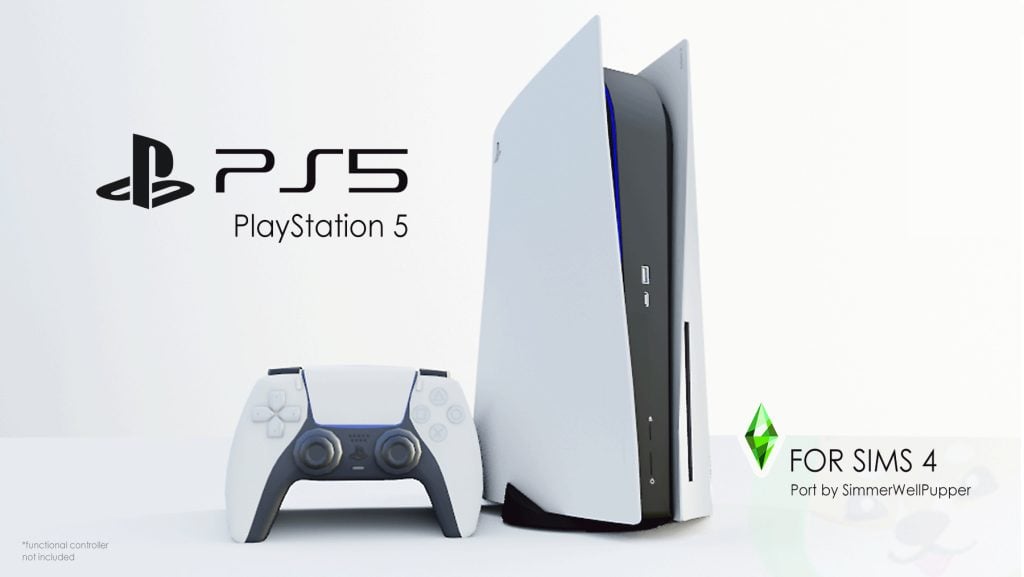
Sony PS5 Set (Functional) by SimmerWellPupper

ps51

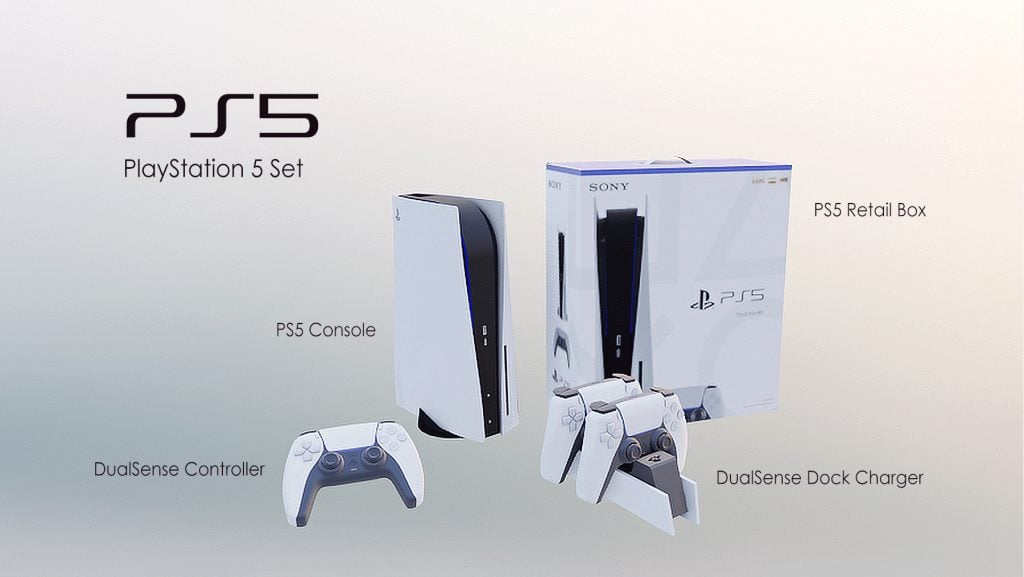
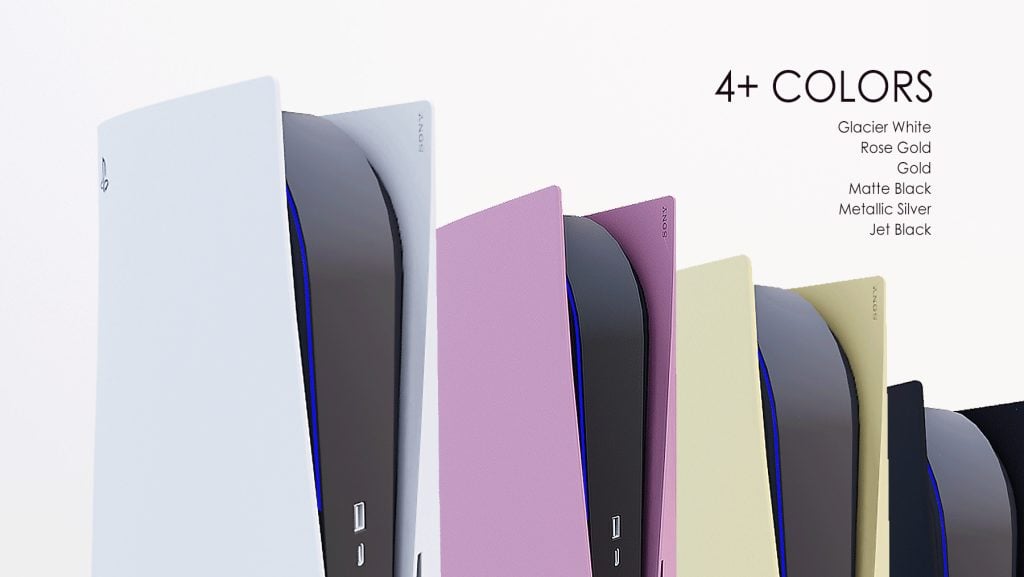
Never stop playing with the help of SimmerWellPupper! Sony PS5 Set (Functional) is a new gaming system for your Sims that comes in 6 gorgeous swatches and features 5 other miscellaneous items as well, such as a kids’ controller toy, a doc, and a retail box. You will need the City Living Expansion to enjoy this piece of custom content.

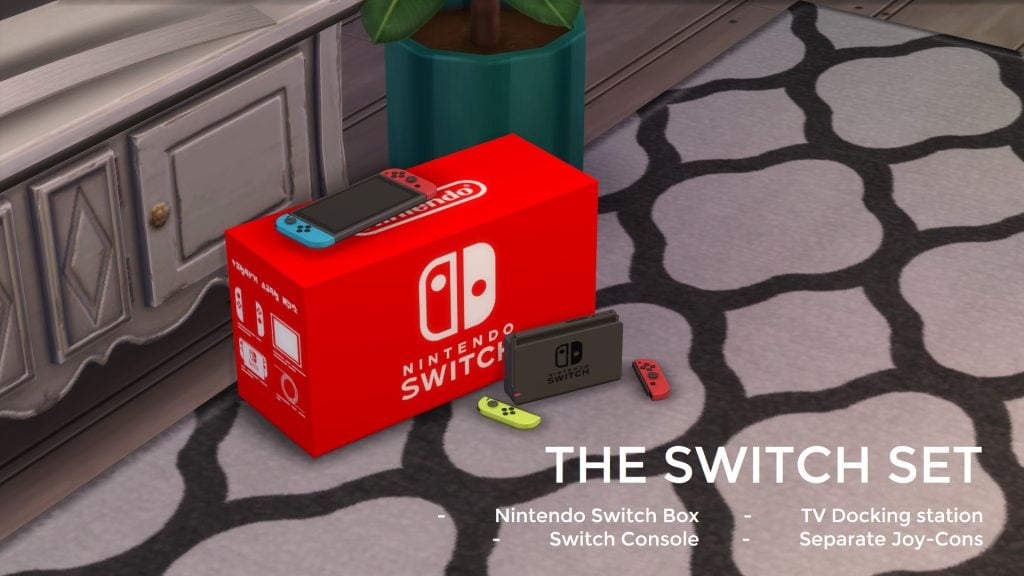
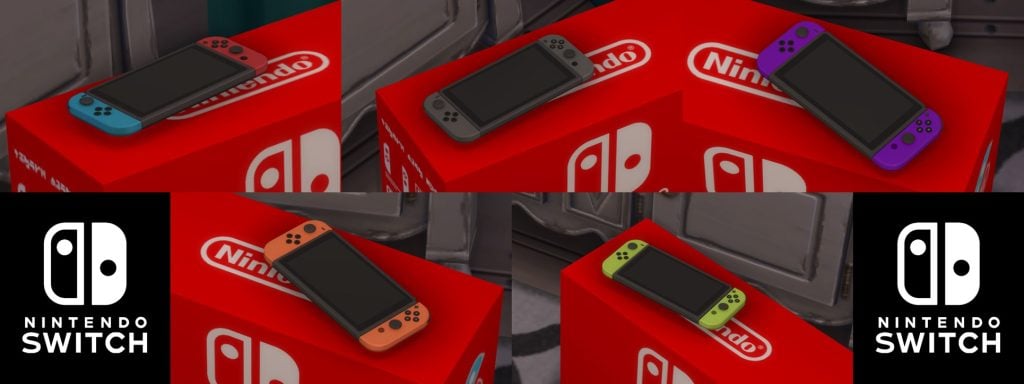
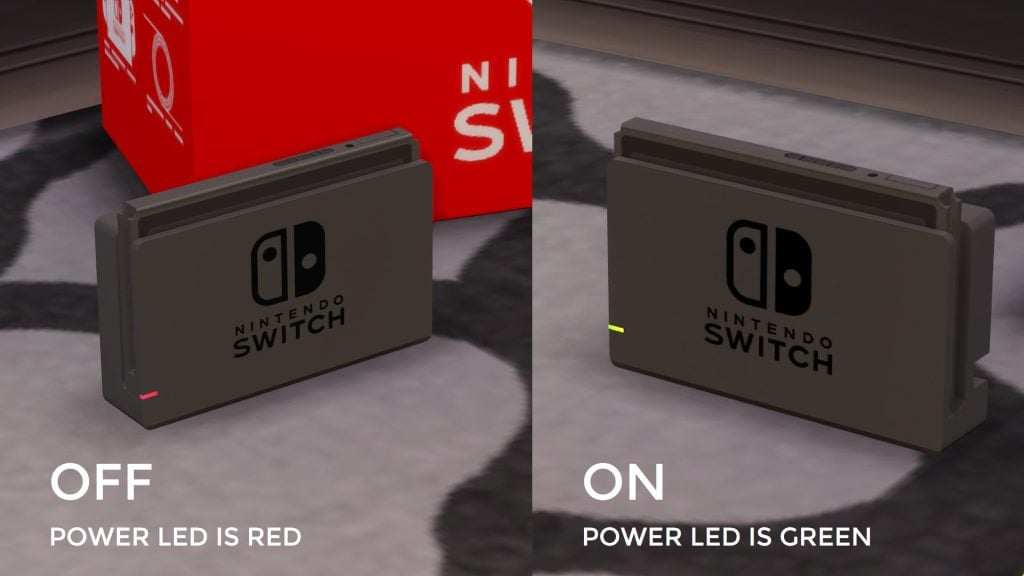
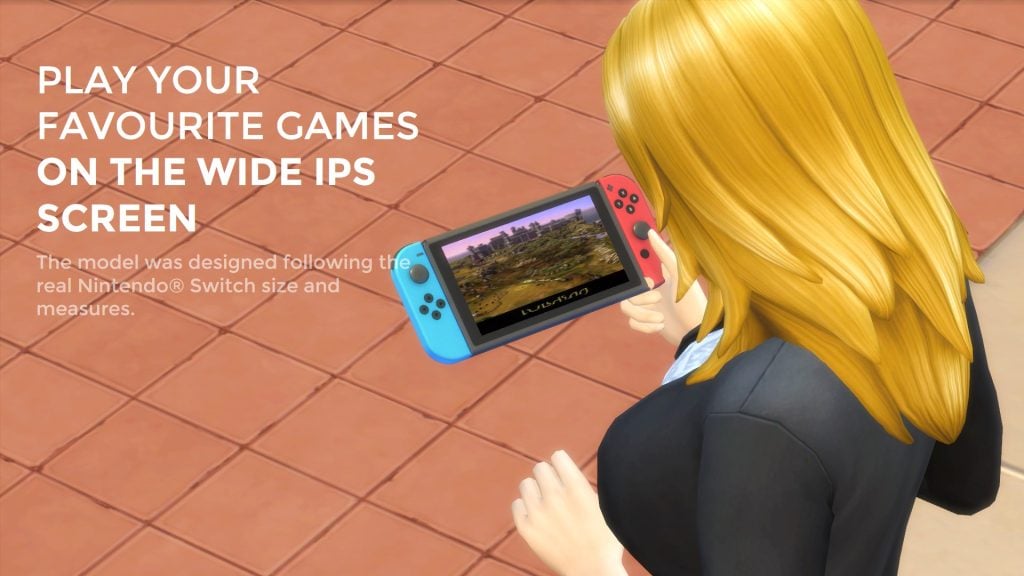
Nintendo SWITCH – Base Game + City Living by littledica

switch1

Your way to play can now be your Sims’ way to play with Nintendo SWITCH – Base Game + City Living by littledica! In this custom content pack, you will find a total of 5 items, 3 of which are purely decorative, 1 will be a functional tablet, and 1 will be a functional video game system if you have City Living installed. There are 5 different swatches for the Switch, and the creator has even made the LED light in the doc turn on and off.

Gaming PC & Mouse/Keyboard/Monitor Set by Bill L.

pc1

Does your gaming Sim need some new hardware to match their hard work and determination? Gaming PC & Mouse/Keyboard/Monitor Set by Bill L will make an amazing addition to any Sims’ gaming room! The computer itself operates as an intricate light, and the monitor, which includes the mouse and keyboard, will be a functional computer!

Rewinding the 80s – Console Game – Requires CITY LIVING by SIMcredible!

rewinding80s

Rewind back to a simpler time with Rewinding the 80s – Console Game – Requires CITY LIVING by Simcredible! As mentioned in its name, this pack will need City Living for it to operate as a functional gaming console and is part of a larger set if you’re loving the retro vibe for your Sims’ favorite space!

Desk/Chairs

What’s a gaming room without an amazing desk and chair setup? These pieces will be sure to give your Sims’ gaming room a refresh and a little more comfort!

My Smiley Corner Set by SNOOTYSIMS

Mysmiley1

Showcase all the emotions your Sims are feeling while gaming in the cutest desk and chair set by SNOOTYSIMS! My Smiley Corner Set features a matching chair and desk; the desk will hug a corner perfectly while still utilizing the space. On the desk, you will find different smiley faces, notes, and a cubby section on either side, while the chair is more plain with some cute stickers on the back!

Sims 4 Video Station by Barbara Sims

videostation1

When your Sim loves to game and stream, it can be tedious having a bunch of different desks and workstations. Sims 4 Video Station by Barbara Sims helps ease some of that stress by combining a streaming and editing station into one. There are different lighting options available for both your ringlight and decorations, such as the small moon that sits on the right-hand side of your desk!

Radical Research Desk by angophorasims

radical1

Radical Research Desk by angophorasims is a lovely desk that has multiple different cubby areas, perfect for all your Sims’ collectibles! On top of having plenty of desk area, your Sim should have no problem putting all their good luck charms on there, as well as their gaming computer!
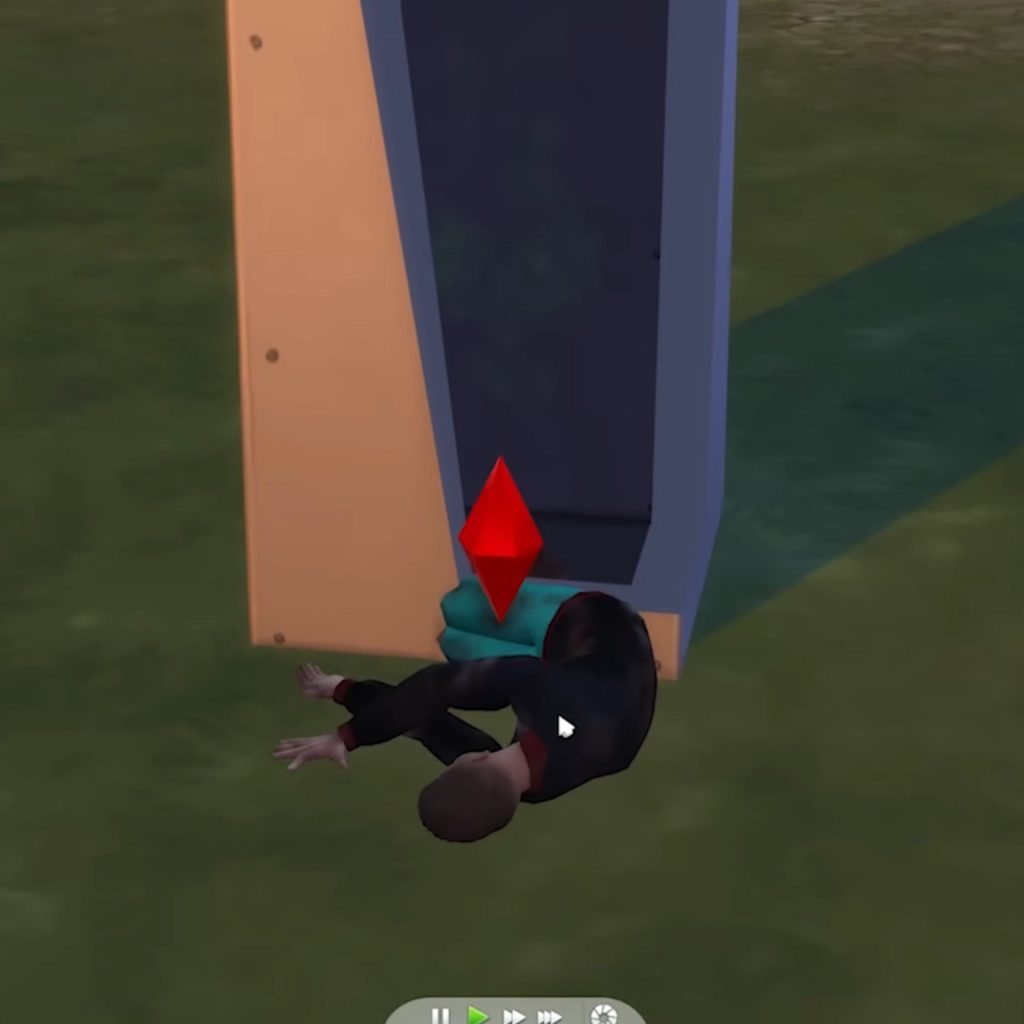
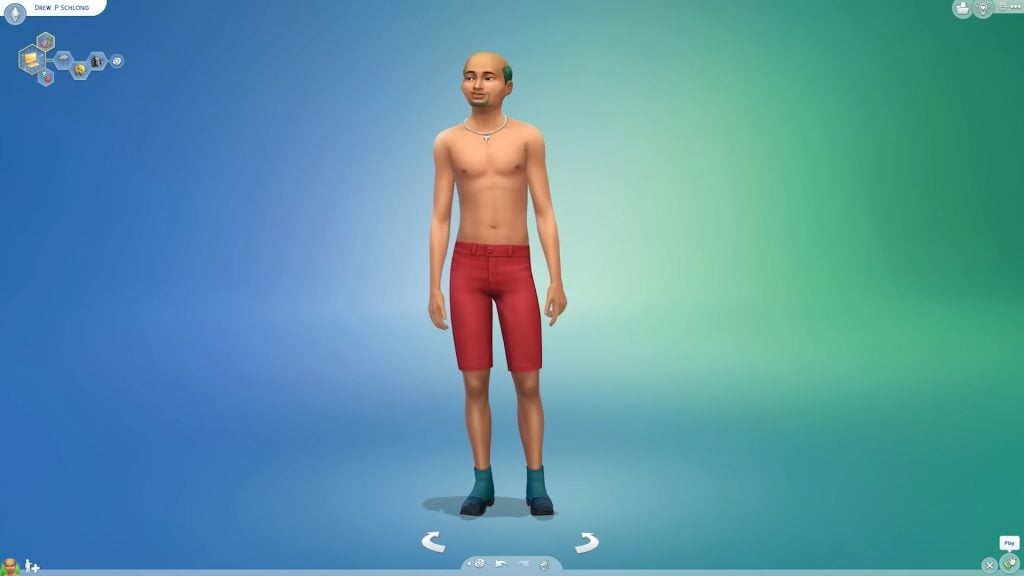
Bunny Gaming Chair by Desimny

bunnygaming1

No desk setup can really be complete unless it has the perfect chair! Bunny Gaming Chair by Desimny comes in 11 different swatches, but you will need Get Famous in order to enjoy this fantastic piece of custom content! The ears adorning the top are absolutely adorable!

Cinnamoroll Gaming Chair by BKNYSIMZ

cinnamoroll1

Show your Sanario love with Cinnamoroll Gaming Chair by BKNYSIMZ! Along with multiple Cinnamoroll decorations, there are two pillows; Cinnamorolls face towards the top, and a fluffy cloud as a lower back pillow. The small details make it a standout piece and would work amazingly for any gaming Sim needing a touch of their favorite Sanario character!

Lighting

Without the right lighting in your Sims gaming room, things can become tedious quickly. You don’t want your Sim afraid of the dark but you don’t want to oversaturate the room with light. These custom content pieces allow you a new way to light up your Sims room, and give it a more custom feel.

Kirby Gaming Lights by Gawdly Games

kirby1

Poyo!!! Kirby Gaming Lights by Gawdly Games will be the perfect small addition to your Sims’ gaming room! You will need Dine Out to enjoy this piece of custom content. Included are stars, clouds, a lamp, and a neon light!

Flashy Neon Set by Syboubou

flashyneon1

Eye-catching and bright! Flashy Neon Set by Syboubou contains 8 different lights, all of which the color of the light can be changed. A martini, arrows, eyelashes, clouds, cacti, and cats can be found in this lighting pack!

Neon Strip Lights by amoebae

neonstrip1

Neon Strip Lights by amoebae contains 9 different colored neon strip lights that would look astounding lining your Sims’ gaming room walls! Each light is its own separate package and comes up as a separate item. To enjoy this piece of custom content, you will needthe Strangerville game pack installed.
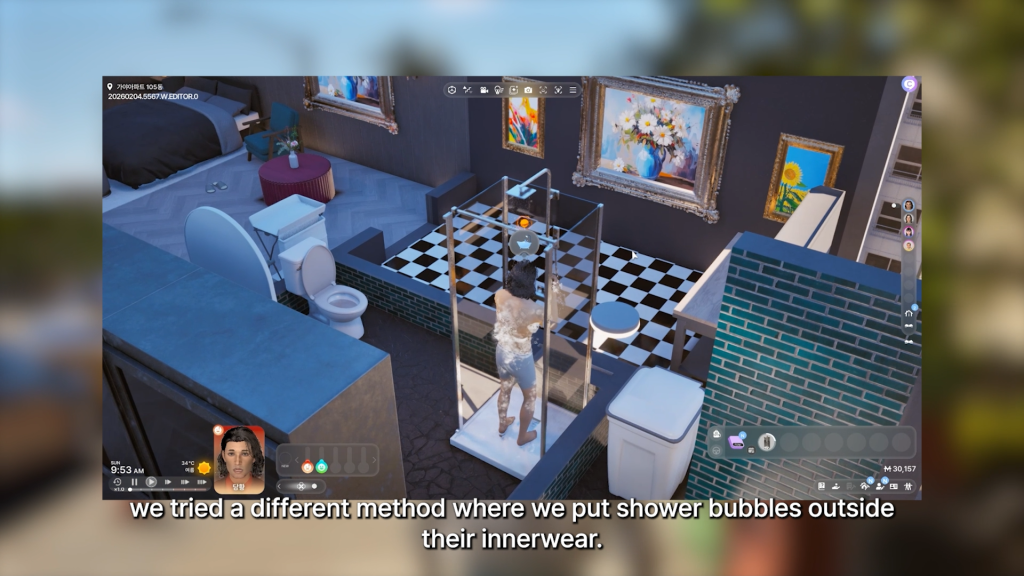
TS4: Kawaii Lamp Set by channel4sims

channel4sims kawaii lamp set

Kawaii Lamp Set for the kawaii gamers! Channel4sims has created 5 adorable lamps, 4 table lamps, and 1 floor lamp that come in many different swatches. There is even a cloud lamp with majestic unicorns and palaces in the background, along with the cutest little creature poking out of an egg while lighting up your gaming space!
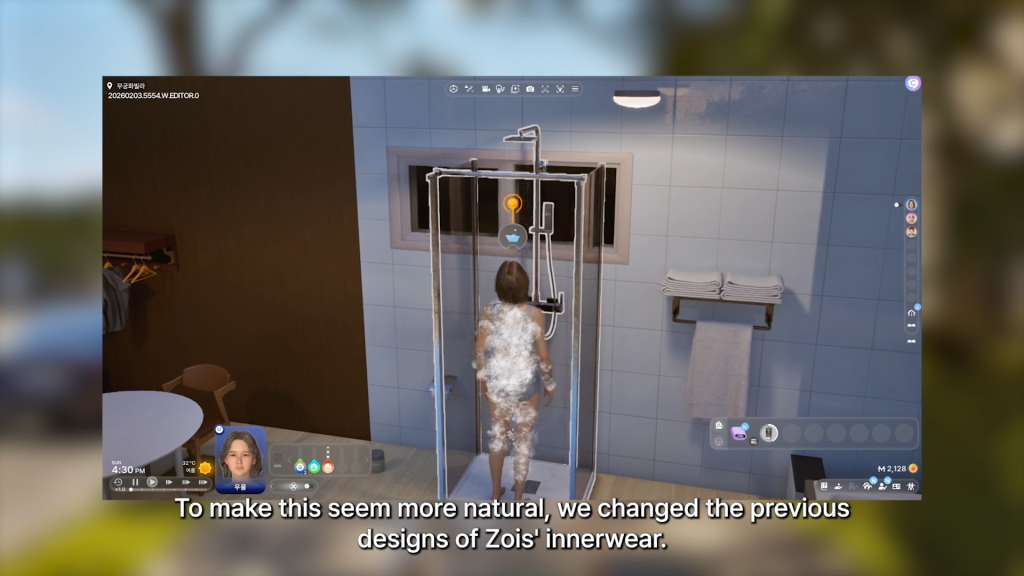
Wall Light Waterfall by Severinka_

walllightwaterfall1

This Wall Light Waterfall by Severinka may have been intended for a child’s bedroom, but I can see this being the perfect backdrop to your Sims gaming room! The lights twinkle downwards on a string in diamond-shaped patterns, creating a quaint and cozy look. If you would like this for your Sims child as well, be sure to check out the entire collection by Severinka, which can be found on the download page!

Clutter & Decor

Every gaming room needs a bit of decoration, a collection, something to make it your own. What’s better than a bit of clutter? This collection of creators has made some lovely pieces of custom content to adorn your Sims gaming room with and make it truly unique.

Random Collection of Rugs 2 by BKNYSIMZ

ruggz1 0000

The ultimate customizable addition to your Sims gaming room! Random Collection of Rugs 2 by BKNYSIMZ contains a whopping 100 different swatches of rugs. Everything from milk icons to your favorite anime characters, this pack has a rug for every Simmer!

Witchy and Vaporwave Desk Mats by Simder Talia

deskmat1

Does your Sims desk need a bit more of a custom feel? Check out Witchy and Vaporwave Desk Mats by Simder Talia! This is base game compatible and features 20 amazing swatches, with designs such as Jack-O-Lanters, moons, cellphones, and more! Please note that this is a recolor of a creation by yroshi, this file needs to be in your game folder as well and can be found on the download page.

20 Video Game Posters 2 by xWISPAx

posters1

Showcase your own favorite games in your Sims gaming room with 20 Video Game Posters 2 by xWISPAx. These are more of a “banner style” poster and come in themes such as Zelda, Skyrim, Crash, Minecraft, and many more!

Funko Pop (19 Items) by Jennifer Jennisims

funko1

One thing every gaming room needs at least 1 of? Pop Figures! Thanks to Jennifer Jennisims, you can add 19 amazing pop figures to your collection of collectibles! Funk Pop contains characters such as Care Bears, E.T, Monsters, Hello Kitty, and other insatiable must-haves!

Figures Pack by Jochi

figurespack1

Figures Pack by Jochi contains 24 different well-made figures for your Sims collection, featuring characters such as The Hulk and Green Power Ranger! These sculptures do cost 723 Simoleons, so everyone will know your Sim is a true die-hard fan!

Complete CC Sets

When your wanting a new look but lacking inspiration, these fantastic custom content creators have you covered! These are sets of fantastic game rooms and desk setups that have already been perfectly assembled for you!

Kawaii Neko Gaming Station by HYDRA

kawaiinekogamingstation1

One of the most unique and amazing pieces of custom content I have come across! Kawaii Neko Gaming Station by HYDRA features 7 different items and is base game compatible! Place it as you would any other desk, then snap the gaming station into place, and then snap the chair to it. Done! The chair can also be used as a standalone living chair, perfect for using the console in front of the T.V. Once another Sim sees your setup, they will know you are the ultimate kawaii gamer!

Cute Gamer Pack by Desimny

cutegamer1

This lovely little pack of custom content from Desimny has 7 different items, and comes in swatches like pink, blue, purple, green, yellow, and black! Cute Gamer Pack consists of 3 different chairs, 2 rugs, and 2 decorative frames. Will provide a softer, more pastel vibe for your Sims gaming room!

The Game On Collection by JustDraven

gameon1

Wanting some more wall decorations for your Sims gaming room? The Game On Collection by JustDraven includes 10 different daring canvases featuring the excitement of gaming!

Vocaloid Set by usamarusims

vocaloid1

Are you a fan of Hatsune Miku? If yes, Vocaloid Set by usamarusims may just be perfect for you! 9 items are in this set, and many of them have different swatches as well, some featuring colors to resemble the other characters in the anime. Even if you are not a fan of the show, the color schemes and look of the items are very bold and stunning.

The Perfect Night by – Geek Set by Syboubou

perfectnight1

Sometimes the perfect night is just a good video game and a cozy space to enjoy it in. Thanks to Syboubou, your Sim can now feel the same with The Perfect Night – Geek Set. 8 items come in this set to create the ultimate, cozy desk space, such as cube shelving, dual monitors, a gaming chair, a new desk, 2 neon lights, a headphone stand, and a speaker. With many different swatches, any Sim can customize this set to their specific vibe, and it is base game compatible as well!


What are your thoughts on our list of recommeneded The Sims 4 Gaming CC sets? Let us know in the comments below and check out more of our Sims 4 Custom Content spotlights!

Meet The Residents of Ondarion: The Sims 4 Royalty & Legacy Characters Guide

New premade families have landed with the release of The Sims 4 Royalty and Legacy. Premades can be a contentious subject as almost everyone feels differently about every family. Some players delete or ignore any premade sims and prefer to only play with their own, some love to incorporate them into their own stories, some even recreate premade sims from earlier franchise entries! However, with so much of the background in the world of Ondarin centered around the three dynasties that populate it and the individual residents of Ondarion themselves, it may be worth it to at least get to know them a bit before clearing your Unplayed Households!

residents of ondarion sims 4 royalty and legacy

Dambele

Known for its vibrant streets, communal spaces and a strong tradition of painting and crafting, Dambele is a warm and welcoming place. Don’t be misled by its no-frills exterior: this is an extremely wealthy neighborhood…they just don’t like to flaunt it here. After all, the greatest of Dambele traditionKnown for its vibrant streets, communal spaces and a strong tradition of painting and crafting, Dambele is a warm and welcoming place. Don’t be misled by its no-frills exterior: this is an extremely wealthy neighborhood…they just don’t like to flaunt it here. After all, the greatest of Dambele traditions is for everyone in its community to share with each other.s is for everyone in its community to share with each other.

Darong Family

Members: Adekoya Darong, his daughter Jawara Darong, and her children Amarachi Darong & Obi Darong

The Sims 4 Royalty and Legacy: Household Description

Strength Through Union, the Darong’s family motto. And united they’ve been for generations…but can it last forever? The old Adekoya, head of the Dynasty, has dreamed of his daughter Jawara becoming Queen since her youth. Over the years she proved herself a wonderful candidate, gathering favor across the kingdom through her philanthropic efforts. Her path to the crown seemed to be smoothly falling in place, right until the premature and sudden passing of her husband. As if that wasn’t enough, with her growing popularity more rabble-rousers began to pry into the Darongs, probing into whether this seemingly perfect family had truly no Scandals to hide. As challenges pile on, Jawara forges ahead, mustering the strength of her beloved family to support her in the race to the crown.

TS4 x64 fpb 2026 02 26 08 17 55 646
Adekoya Darong
  • Age: Elder
  • Pronouns: He/Him
  • Gender Settings:
    • Physical Frame: Masculine
    • Style Preference: Masculine
    • The Sim is Able To: Get Others Pregnant
    • Can this Sim produce milk?: No
    • Can this Sim use the toilet standing?: Yes
  • Sexual Orientation:
    • Romance: Women & Men
    • WooHoo: Women & Men
    • Exploration?: Yes
  • Romantic Boundaries:
    • WooHoo Triggers Jealousy
    • Physical Romance Triggers Jealousy
    • Non-Physical Romance Triggers Jealousy
    • Open to Exploring Romantic Boundaries
  • Traits:
    • Bookworm
    • Ambitious
    • Practice Makes Perfect
    • Muser (Aspiration Bonus Trait)
    • Speed Reader (Reward Trait)
    • Morning Sim (Reward Trait)
    • Former Noble Hustler (Noble Career)
  • Aspiration: Bestselling Author
  • Likes:
    • Activities
      • Painting
      • Writing
      • Swordsmanship
    • Music Genres
      • Afrobeats
      • Singer-Songwriter
    • Sim Characteristics
      • Artsy
    • Conversations
      • Stories
  • Dislikes:
    • Activities
      • Gardening
      • Programming
    • Sim Characteristics
      • Nature Enthusiasts
  • Voice: Clear – Low
  • Walk Style: Default
  • Career: Noble – Kingdom Leader – Level 10
  • Skills:
    • Charisma – Level 10
    • Painting – Level 4
    • Swordsmanship – Level 8
    • Writing – Level 10
  • Milestones:
    • Had a Baby (Jawara Darong)
  • Relationships:
    • Jawara Darong
      • Daughter
      • 14/100 – Acquaintances
    • Amarachi Darong
      • Granddaughter
      • 45/100 – Friends
    • Obi Darong
      • Grandson
      • 60/100 – Good Friends
    • Afua Ananou
      • Daughter (Secret Child)
      • 0/100 – Acquaintances
    • Akachi Onoja
      • 5/100 – Acquaintances
TS4 x64 fpb 2026 02 26 08 18 06 244
Jawara Darong
  • Age: Young Adult
  • Pronouns: She/Her
  • Gender Settings:
    • Physical Frame: Feminine
    • Style Preference: Feminine
    • The Sim is Able To: Get Pregnant
    • Can this Sim produce milk?: Yes
    • Can this Sim use the toilet standing?: No
  • Sexual Orientation:
    • Romance: Women & Men
    • WooHoo: Women & Men
    • Exploration?: Yes
  • Romantic Boundaries:
    • WooHoo Triggers Jealousy
    • Physical Romance Triggers Jealousy
    • Non-Physical Romance Triggers Jealousy
    • Open to Exploring Romantic Boundaries
  • Traits:
    • Good
    • Ambitious
    • Family-Oriented
    • Gregarious (Aspiration Bonus Trait)
    • Night Owl (Reward)
    • Regal Romancer (Noble Career)
  • Aspiration: Big Happy Family
  • Likes:
    • Family-Motivated (Sim Characteristic)
    • Optimistic (Sim Characteristic)
  • Dislikes:
    • Pessimistic (Sim Characteristic)
  • Voice: Sweet – Low
  • Walk Style: Perky
  • Career: Noble – Respected Regent – Level 9
  • Skills:
    • Charisma – Level 9
    • Painting – Level 6
    • Swordsmanship – Level 8
    • Writing – Level 8
  • Milestones:
    • Joined a Dynasty
    • Got a Job
    • First Promotion
    • Became Dynasty Heir
    • Had a Baby (Amarachi Darong)
    • Had a Baby (Obi Darong)
  • Relationships:
  • Adekoya Darong
    • Father
    • 14/100 – Acquaintances
  • Amarachi Darong
    • Daughter
    • 80/100 – Good Friend
  • Obi Darong
    • Son
    • 45/100 – Friend
  • Akachi Onoja
    • Co-Workers
    • 25/100 Friendly – Acquaintances
    • 15/100 Romance – Romantic Interest
TS4 x64 fpb 2026 02 26 08 22 14 528
Amarachi Darong
  • Age: Teen
  • Pronouns:
  • Gender Settings:
    • Physical Frame: Feminine
    • Style Preference: Feminine
    • The Sim is Able To: Become Pregnant
    • Can this Sim produce milk?: Yes
    • Can this Sim use the toilet standing?: No
  • Sexual Orientation:
    • Romance: Women & Men
    • Mess Around: Women & Men
    • Exploration?: Yes
  • Romantic Boundaries:
    • WooHoo Triggers Jealousy
    • Physical Romance Triggers Jealousy
    • Non-Physical Romance Triggers Jealousy
    • Open to Exploring Romantic Boundaries
  • Traits:
    • Art Lover
    • Creative
    • Night Owl (Reward)
    • Creative Visionary (Aspiration Reward)
    • Muser (Aspiration Bonus Trait)
  • Aspiration: Painter Extraordinare
  • Likes:
    • Sim Characteristics
      • Artsy
      • Funny
      • Optimistic
      • Pessimistic
  • Dislikes:
    • Sim Characteristics
      • Rascal
  • Voice: Melodic – Medium
  • Walk Style: Swagger
  • Career: High School Student – B Grade
  • Skills:
    • Charisma – Level 5
    • Painting – Level 9
    • Swordsmanship – Level 2
    • Writing – Level 4
  • Milestones:
    • Joined a Dynasty
  • Relationships:
    • Jawara Darong
      • Mother
      • 80/100 – Good Friend
    • Obi Darong
      • Brother
      • 50/100 – Friend
    • Adekoya Darong
      • Grandfather
      • 45/100 – Friend
    • Akachi Onoja
      • 5/100 – Acquaintances
TS4 x64 fpb 2026 02 26 08 16 15 194
Obi Darong
  • Age: Child
  • Traits:
    • Genius
    • Morning Sim
    • Neutral Confidence
  • Aspiration: Whiz Kid
  • Likes:
    • Activities
      • Video Gaming
    • Music Genres
      • Retro
    • Conversations
      • Deep Thoughts
      • Discussing Hobbies
      • Stories
    • Sim Characteristics
      • Cerebral
      • Homebody
  • Dislikes:
    • Activities
      • Fitness
      • Piano
    • Sim Characteristics
      • High Energy Sims
  • Voice: Warm – Medium
  • Career: Grade School Student – Grade A
  • Skills:
    • Logic – Level 2
    • Mental – Level 5
    • Video Gaming – Level 2
  • Milestones:
    • Joined a Dynasty
  • Relationships:
    • Jawara Darong
      • Mother
      • 45/100 – Friend
    • Amarachi Darong
      • Sister
      • 50/100 – Friend
    • Adekoya Darong
      • Grandfather
      • 60/100 – Good Friend
    • Akachi Onoja
      • 5/100 – Acquaintance

Ananou Family

Members: Ekene Ananou and his granddaughter Afua Ananou

The Sims 4 Royalty and Legacy: Household Description

Playful and goofy, the Ananous are a warm and welcoming family—as long as you don’t mind the pranks! But there’s more to them than just fun and games. Ekene Ananou, who spent his life as a modest artisan, is now raising his granddaughter Afua after her mother’s passing. And her father? Well, no one knows who that truly is. Ekene says he was too different from the rest of them. It was a mutual agreement that Afua would stay an Ananou and grow up to have a “regular life”, whatever that means. But many still gossip about the mystery. Some even swear they’ve seen some sizeable donations in the Ananou’s mailbox.

TS4 x64 fpb 2026 02 26 08 24 19 921
Ekene Ananou
  • Age: Elder
  • Pronouns: He/Him
  • Gender Settings:
    • Physical Frame: Masculine
    • Style Preference: Masculine
    • The Sim is Able To: Get Others Pregnant
    • Can this Sim produce milk?: No
    • Can this Sim use the toilet standing?: Yes
  • Sexual Orientation:
    • Romance: Women & Men
    • WooHoo: Women & Men
    • Exploration?: No
  • Romantic Boundaries:
    • WooHoo Does NOT Trigger Jealousy
    • Physical Romance Does NOT Trigger Jealousy
    • Non-Physical Romance Does NOT Trigger Jealousy
    • Not Open to Exploring Romantic Boundaries
  • Traits:
    • Good
    • Childish
    • Practice Makes Perfect
    • Marketable (Reward Trait)
  • Aspiration: Nerd Brain
  • Likes:
    • Activities
      • Comedy
      • Fitness
      • Handiness
      • Mischief
      • Video Gaming
    • Conversations
      • Jokes
      • Potty Humor
      • Pranks
      • Silly Behavior
    • Sim Characteristics
      • Family-Motivated
      • Optimistic
      • Spirited
    • Music Genres
      • Afrobeats
  • Dislikes:
    • Activities
      • Swordsmanship
    • Sim Characteristics
      • Egotistical
      • Nature Enthusiasts
      • Pessimistic
    • Music Genres
      • Alternative
      • Waltz
  • Voice: Brash – Low
  • Walk Style: Bouncy
  • Career: W/ level included
  • Skills:
    • Charisma – Level 4
    • Comedy – Level 6
    • Handiness – Level 10
    • Mischief – Level 6
    • Video Gaming – Level 1
  • Milestones:
    • No Milestones
  • Relationships:
    • Afua Ananou
      • Granddaughter
      • 60/100 – Good Friend
    • Adekoya Darong
      • Neighbor
      • -40/100 – Disliked
TS4 x64 fpb 2026 02 26 08 26 38 624
Afua Ananou
  • Age: Child
  • Pronouns: She/Her
  • Traits:
    • Self-Assured
    • High Confidence
  • Aspiration: Social Butterfly
  • Likes:
    • Activities
      • Comedy
      • Mischief
      • Video Gaming
    • Music Genres
      • Afrobeats
      • Pop
    • Conversation Topics
      • Jokes
      • Potty Humor
      • Pranks
      • Silly Behavior
    • Sim Characteristics
  • Funny Sims
  • Homebody Sims
  • Dislikes:
    • Activities
      • Piano
    • Music Genres
      • Kids Radio
    • Sim Characteristics
      • Egotistical
  • Voice: Sweet – Low
  • Career: Grade School Student – D Grade
  • Skills:
    • Creativity – Level 1
    • Social – Level 2
  • Milestones:
    • No Milestones
  • Relationships:
    • Adekoya Darong
      • Secret Parent, Neighbor
      • 0/100 – Acquaintances
    • Ekene Ananou
      • Grandfather
      • 60/100 – Good Friends

Verdemar

Fierce and untamed like its people, Verdemar is a place of bold contrasts. Rowdy pirates and educated Nobles have both called it home throughout history. What may seem like an odd clash from the outside, is in truth a peaceful marriage of cultures. Indeed it is almost impossible to find a Noble family without pirace ancestors here. To this day this is a place for the adventurous and the outcasts, where the strong and the savvy earn the most respect.

Thebe Family

Members: Cordelia Thebe V and her husband, Thiago Abrantes

The Sims 4 Royalty and Legacy: Household Description

After years of adventures at Sea, Cordelia Thebe V has returned to Verdemar and seemingly settled down. Now happily married to Thiago of the Abrantes Dynasty, she seems to have everything one needs to win the race to the throne. But many do wonder if she’s truly interested in ruling, or if her appetite for adventure would inevitably take over. There’s plenty of eyes on her, thirsty for a potential new Scandal…

TS4 x64 fpb 2026 02 26 08 33 36 113
Cordelia Thebe V
  • Age: Young Adult
  • Pronouns: She/Her
  • Gender Settings:
    • Physical Frame: Feminine
    • Style Preference: Feminine
    • The Sim is Able To: Get Pregnant
    • Can this Sim produce milk?: Yes
    • Can this Sim use the toilet standing?: No
  • Sexual Orientation:
    • Romance: Women & Men
    • WooHoo: Women & Men
    • Exploration?: Yes
  • Romantic Boundaries
  • WooHoo Does NOT Trigger Jealousy
  • Physical Romance Does NOT Trigger Jealousy
  • Non-Physical Romance Does NOT Trigger Jealousy
  • Not Open to Exploring Romantic Boundaries
  • Traits:
    • Loves Outdoors
    • Materialistic
    • Romantic
    • Business Savvy (Bonus Trait)
    • Collector (Bonus Trait)
    • Brave (Reward Trait)
    • Regal Romancer (Noble Career)
  • Aspiration: The Curator
  • Likes:
    • Activities
      • Fishing
      • Mischief
      • Swordsmanship
      • Rocket Science
      • Fitness
      • Romance
    • Conversation Topics
      • Hobbies
      • Physical Intimacy
      • Stories
      • Affection
    • Sim Characteristics
      • Hard-Working Sims
      • Nature Enthusiasts
    • Music Genres
      • Afrobeats
      • Waltz
  • Dislikes:
    • Activities
      • Painting
      • Piano
    • Conversation Topics
      • Malicious Interactions
    • Sim Characteristics
      • Egotistical
      • Pessimistic
  • Voice: Melodic – Medium
  • Walk Style: Bouncy
  • Career: Noble – Respected Regent – Level 9
  • Skills:
    • Charisma – Level 9
    • Swordsmanship – Level 8
    • Fitness – Level 6
    • Logic – Level 6
    • Mischief – Level 4
    • Handiness – Level 3
    • Fishing – Level 3
  • Milestones:
    • First Swordsmanship Duel Win
    • Got A Job
    • First Promotion
    • Got Married (Thiago Abrantes)
    • Fell in Love (Thiago Abrantes)
    • Fell in Love (Fia Acosta)
  • Relationships:
    • Thiago Abrantes
      • Spouse
      • 85/100 Friendly – Good Friends
      • 25/100 Romantic – Lovebirds
    • Ermelinda Abrantes
      • Mother-in-Law, Neighbor
      • -60/100 – Disliked
    • Fia Acosta
      • Secret Lover
      • 10/100 Friendly – Acquaintances
      • 80/100 Romantic – Lovers
    • Sofia Abrantes
      • Sister-in-Law
      • -10/100 – Acquaintances
TS4 x64 fpb 2026 02 26 08 33 54 529
Thiago Abrantes
  • Age: Young Adult
  • Pronouns: He/Him
  • Gender Settings:
    • Physical Frame: Masculine
    • Style Preference: Masculine
    • The Sim is Able To: Get Others Pregnant
    • Can this Sim produce milk?: No
    • Can this Sim use the toilet standing?: Yes
  • Sexual Orientation:
    • Romance: Women & Men
    • WooHoo: Women & Men
    • Exploration?: Yes
  • Romantic Boundaries
    • WooHoo Does Trigger Jealousy
    • Physical Romance Does Trigger Jealousy
    • Non-Physical Romance Does Trigger Jealousy
    • Open to Exploring Romantic Boundaries
  • Traits:
    • Loyal
    • Materialistic
    • Perfectionist
    • Quick Learner
  • Aspiration: Renaissance Sim
  • Likes:
    • Activities
      • Swordsmanship
      • Research & Debate
      • Rocket Science
    • Conversation Topics
      • Discussing Hobbies
      • Discussing Interests
      • Compliments
      • Deep Thoughts
      • Affection
    • Sim Characteristics
      • Cerebral
      • Egotistical
  • Dislikes:
    • Conversation Topics
      • Malicious Interactions
      • Potty Humor
  • Voice: Brash – Low
  • Walk Style: Default
  • Career: Noble – Distinguished Dignitary – Level 8
  • Skills:
    • Charisma – Level 8
    • Logic – Level 7
    • Swordsmanship – Level 5
  • Milestones:
    • First Swordsmanship Duel Win
    • Joined a Dynasty
    • Became Dynasty Heir
    • Got a Job
    • First Promotion
    • First WooHoo
    • Fell in Love (Cordelia Thebe V)
    • Got Married (Coredelia Thebe V)
  • Relationships:
    • Cordelia Thebe V
      • Spouse
      • 25/100 Friendly – Friend
      • 85/100 Romantic – Lovebirds

Abrantes Family

Members: Ermelinda Abarantes and her daughter, Sofia Abrantes

The Sims 4 Royalty and Legacy: Household Description

After the successful marriage between her eldest son and the heiress of the Thebe family, Ermelinda Abrantes would now be in the perfect position to retire. Unfortunately, her desire for her family to climb up more ranks didn’t really go away with old age. In between the family’s politics and power plays, her teen daughter Sofia often finds herself as a naive observer to Noble life, occasionally picking up court Scandals that might otherwise go unnoticed.

TS4 x64 fpb 2026 02 26 08 47 04 810
Ermelinda Abrantes
  • Age: Elder
  • Pronouns: She/Her
  • Gender Settings:
    • Physical Frame: Feminine
    • Style Preference: Feminine
    • The Sim is Able To: Get Pregnant
    • Can this Sim produce milk?: Yes
    • Can this Sim use the toilet standing?: No
  • Sexual Orientation:
    • Romance: Women & Men
    • WooHoo: Women & Men
    • Exploration?: Yes
  • Romantic Boundaries:
    • WooHoo: Triggers Jealousy
    • Physical Romance: Triggers Jealousy
    • Non-Physical Romance: Triggers Jealousy
    • Romantic Boundaries Exploration: Open to Exploration
  • Traits:
    • Ambitious
    • Materialistic
    • Hot-Headed
    • Domestic (Bonus Trait)
    • Regal Romancer (Noble Career)
  • Aspiration: Successful Lineage
  • Likes:
    • Activities
      • Swordsmanship
      • Painting
    • Conversation Topics
      • Deception
    • Decor
      • Luxe
    • Sim Characteristics
      • Emotional Decision-Makers
      • Argumentative
    • Music Genres
      • Classical
  • Dislikes:
    • Activities
      • Programming
        • Fitness
        • Romance
    • Conversation Topics
      • Silly Behavior
    • Decor
      • Basics
    • Fashion
      • Hipster
    • Sim Characteristics
      • Ambitionless
      • Nature Enthusiasts
      • Hard-Working
  • Voice: Melodic – Medium
  • Walk Style: Snooty
  • Career: Noble – Admirable Aristocraft – Level 6
  • Skills:
    • Charisma – Level 8
    • Logic – Level 7
    • Swordsmanship – Level 5
    • Fitness – Level 1
    • Video Gaming – Level 1
  • Milestones:
    • Got a Job
    • Founded a Dynasty
    • First Promotion
    • Had a Baby (Thiago Abrantes)
    • Had a Baby (Sofia Abrantes)
  • Relationships:
    • Sofia Abrantes
      • Daughter
      • 46/100 – Friend
    • Thiago Abrantes
      • Son
      • 15/100 – Acquaintances
    • Cordelia Thebes
      • Daughter-in-Law
      • -60/100 – Disliked
TS4 x64 fpb 2026 02 26 08 46 15 175
Sofia Abrantes
  • Age: Teen
  • Pronouns: She/Her
  • Gender Settings:
    • Physical Frame: Feminine
    • Style Preference: Feminine
    • The Sim is Able To: Get Pregnant
    • Can this Sim produce milk?: Yes
    • Can this Sim use the toilet standing?: No
  • Sexual Orientation:
    • Romance: Women & Men
    • Mess Around: Women & Men
    • Exploration?: Yes
  • Romantic Boundaries
    • Physical Romance: Triggers Jealousy
    • Mess Around: Triggers Jealousy
    • Non-Physical Romance: Triggers Jealousy
    • Romantic Boundaries: Open to Exploration
  • Traits:
    • Cheerful
    • Loyal
    • Gregarious (Bonus Trait)
  • Aspiration: Neighborhood Confidante
  • Likes:
    • Activities
      • Swordsmanship
    • Colors
      • Blue
      • Pink
      • White
    • Conversation Topics
      • Discussing Interests
      • Gossip
      • Jokes
    • Sim Characteristics
      • Optimistic
      • Romance Enthusiasts
    • Music Genres
      • Afrobeats
      • Waltz
  • Dislikes:
    • Conversation Topics
      • Complaints
      • Malicious Interactions
      • Potty Humor
  • Voice: Sweet – High
  • Walk Style: Default
  • Career: High School Student – Grade A
  • Skills:
    • Charisma – Level 8
    • Swordsmanship – Level 5
    • Logic – Level 5
    • Research & Debate – Level 1
  • Milestones:
    • Joined a Dynasty
    • Became Dynasty Heir
    • First Swordsmanship Duel Win
  • Relationships:
    • Ermelinda Abrantes
      • Mother
      • 46/100 – Friends
    • Thiago Abrantes
      • Brother
      • 64/100 – Good Friends
    • Cordelia Thebe V
      • Sister-in-Law
      • -10/100 – Acquaintances

Romualdo

Members: Aloisio Romualdo

The Sims 4 Royalty and Legacy: Household Description

Aloisio learned his greatest life lesson at a young age: the end…always justifies the means. And you know, growing up in Dambele was nice, but he knew he wanted a little more thrill in his life. So he moved to Verdemar, where his father originally came from. Here he quickly noticed that if you’re ambitious, and shrewd, there’s a lot of intriguing work to be found in fighting the inequality between Commoners and Nobles…or in taking advantage of it.

TS4 x64 fpb 2026 02 26 09 09 04 058
Aloisio Romualdo
  • Age: Young Adult
  • Pronouns: He/Him
  • Gender Settings:
    • Physical Frame: Masculine
    • Style Preference: Masculine
    • The Sim is Able To: Get Others Pregnant
    • Can this Sim produce milk?: No
    • Can this Sim use the toilet standing?: Yes
  • Sexual Orientation:
    • Romance: Women & Men
    • WooHoo: Women & Men
    • Exploration?: Yes
  • Romantic Boundaries:
    • WooHoo: Triggers Jealousy
    • Physical Romance: Triggers Jealousy
    • Non-Physical Romance: Triggers Jealousy
    • Romantic Boundaries Exploration: Open to Exploration
  • Traits:
    • Kleptomaniac
    • Self-Assured
    • Loyal
    • High Metabolism (Bonus Trait)
    • Beguiling (Reward Trait)
    • Great Kisser (Reward Trait)
  • Aspiration: Public Enemy
  • Likes:
    • Activities
      • Swordsmanship
      • Mischief
    • Conversation Topics
      • Deception
      • Discussing Interests
      • Gossip
    • Sim Characteristics
      • Rascals
  • Dislikes:
    • Conversation Topics
      • Complaints
      • Small Talk
    • Sim Characteristics
      • Egotistical
      • Emotional Decision-Maker
  • Voice: Warm – Medium
  • Walk Style: Swagger
  • Career: Criminal – Minor Crimelord – Level 5
  • Skills:
    • Swordsmanship – Level 8
    • Mischief – Level 8
    • Fitness – Level 1
    • Fishing – Level 1
  • Milestones:
    • Got a Job
    • First Promotion
  • Relationships:
    • Fia Acosta
      • 67/100 – Good Friends
    • Connie Fidential
      • 60/100 – Good Friends

Bellacorde

Class, opulence and elegance. In Bellacorde everything is romantic, beautiful… and crazy expensive. With a long history rooted in chivalry and court drama, there’s no better place to savor every aspect of the elite lifestyle. Just don’t get too carried away and end up doing something scandalous. Gossip is sharp and travels fast here, and in Bellacorde there’s no greater sin than a tainted image.

Capp Family

Members: Tybalt Capp and his three children, Beatrice Capp, Celeste Capp, and Virgilio Capp

The Sims 4 Royalty and Legacy: Household Description

Tybalt certainly got plenty from life—all the Simoleons one could wish for and a dream home to enjoy his lavish parties. Oh, and ever since he ousted his sister Juliette he’s the highest ranking Noble in Bellacorde. But maybe there’s more he could get? After all, who better than a wealthy man like him to be King of Ondarion? There’s only one small stain in his perfect image: his three kids are grown, yet they insist on being chronically single and not settling down! First Beatrice, a diamond beloved across the Kingdom, she could have anyone yet complains about dreaming of something more “meaningful”. Then there’s Celeste, the idealist, who believes the family mottos of honor and chivalry are meant to be taken quote seriously. How naive. And finally Virgilio. UGH. What a disgrace of a son, always criticising high society and calling them hypocrites. Why can’t he just enjoy his money like Tybalt does!

TS4 x64 fpb 2026 02 26 09 11 24 593
Tybalt Capp
  • Age: Adult
  • Pronouns: He/Him
  • Gender Settings:
    • Physical Frame: Masculine
    • Style Preference: Masculine
    • The Sim is Able To: Get Others Pregnant
    • Can this Sim produce milk?: No
    • Can this Sim use the toilet standing?: Yes
  • Sexual Orientation:
    • Romance: Women & Men
    • WooHoo: Women & Men
    • Exploration?: No
  • Romantic Boundaries:
    • WooHoo: Triggers Jealousy
    • Physical Romance: Triggers Jealousy
    • Non-Physical Romance: Triggers Jealousy
    • Romantic Boundaries Exploration: Open to Exploration
  • Traits:
    • Ambitious
    • Materialistic
    • Snob
    • Business Savvy (Bonus Trait)
    • Gregarious (Bonus Trait)
    • Regal Romancer (Noble Career)
    • Thrifty (Reward Trait)
  • Aspiration: Mansion Baron
  • Likes:
    • Activities
      • Swordsmanship
      • Painting
      • Piano
    • Colors
      • Red
      • Yellow
      • Black
    • Conversation Topics
      • Compliments
      • Arguments
    • Sim Characteristics
      • Egotistical
    • Music Genres
      • Classical
      • Waltz
  • Dislikes:
    • Activities
      • Cooking
      • Handiness
      • Mischief
    • Conversation Topics
      • Potty Humor
      • Silly Behavior
    • Sim Characteristics
      • Ambitionless
      • Emotional Decision-Makers
      • Funny
      • Hard-Working
  • Voice: Clear – Low
  • Walk Style: Default
  • Career: Noble – Respected Regent – Level 9
  • Skills:
    • Charisma – Level 9
    • Painting – Level 8
    • Swordsmanship – Level 7
    • Piano – Level 6
  • Milestones:
    • Got a Job
    • First Promotion
    • Had a Baby (Beatrice Capp)
    • Had a Baby (Celeste Capp)
    • Had a Baby (Virgilio Capp)
  • Relationships:
    • Beatrice Capp
      • Daughter
      • 62/100 – Good Friends
    • Celeste Capp
      • Son
      • 46/100 – Friends
    • Virgilio Capp
      • Son
      • -70/100 – Disliked
    • Consort Capp
      • Grandfather
      • -40/100 – Disliked
    • Enzo Alto
      • Co-Worker, Neighbor
      • 40/100 – Friends
    • Juliette Monty
      • Sister
      • -90/100 – Despised
    • Romeo Monty
      • Brother-in-Law
      • -80/100 – Despised
    • Dante Monty
      • Nephew
        • -10/100 – Acquaintances
TS4 x64 fpb 2026 02 26 09 11 54 538
Beatrice Capp
  • Age: Young Adult
  • Pronouns: She/Her
  • Gender Settings:
    • Physical Frame: Feminine
    • Style Preference: Feminine
    • The Sim is Able To: Get Pregnant
    • Can this Sim produce milk?: Yes
    • Can this Sim use the toilet standing?: No
  • Sexual Orientation:
    • Romance: Women & Men
    • WooHoo: Women & Men
    • Exploration?: Yes
  • Romantic Boundaries:
    • WooHoo: Does Not Trigger Jealousy
    • Physical Romance: Does Not Trigger Jealousy
    • Non-Physical Romance: Does Not Trigger Jealousy
    • Romantic Boundaries Exploration: Not Open to Exploration
  • Traits:
    • Materialistic
    • Snob
    • Loyal
    • Gregarious (Bonus Trait)
  • Aspiration: Friend of The World
  • Likes:
    • Activities
      • Painting
      • Piano
    • Colors
      • White
    • Conversation Topics
      • Gossip
    • Sim Characteristics
      • Optimistic
      • High Energy
    • Music Genres
      • Afrobeats
      • Waltz
  • Dislikes:
    • Activities
      • Fishing
      • Mischief
    • Conversation Topics
      • Deception
      • Potty Humor
      • Pranks
      • Silly Behavior
    • Sim Characteristics
      • Ambitionless
      • Argumentative
  • Voice: Sweet – Medium
  • Walk Style: Feminine
  • Career: Journalist – Page Two Journalist – Level 6
  • Skills:
    • Charisma – Level 9
    • Piano – Level 9
    • Swordsmanship – Level 7
    • Painting – Level 6
    • Writing – Level 5
  • Milestones:
    • Joined a Dynasty
    • Became Dynasty Heir
    • Got a Job
    • First Promotion
  • Relationships:
    • Tybalt Capp
      • Father
      • 62/100 – Good Friends
    • Celeste Capp
      • Brother
      • 50/100 – Friends
    • Virgilio Capp
      • Brother
      • -20/100 Acquaintances
    • Consort Capp
      • Great-Grandfather
      • 5/100 – Acquaintances
    • Enzo Alto
      • Neighbor
      • 5/100 – Acquaintances
TS4 x64 fpb 2026 02 26 09 12 22 459
Celeste Capp
  • Age: Young Adult
  • Pronouns: They/Them
  • Gender Settings:
    • Physical Frame: Masculine
    • Style Preference: Feminine
    • The Sim is Able To: Get Others Pregnant
    • Can this Sim produce milk?: No
    • Can this Sim use the toilet standing?: Yes
  • Sexual Orientation:
    • Romance: Women & Men
    • WooHoo: Women & Men
    • Exploration?: Yes
  • Romantic Boundaries:
    • WooHoo: Triggers Jealousy
    • Physical Romance: Triggers Jealousy
    • Non-Physical Romance: Triggers Jealousy
    • Romantic Boundaries Exploration: Open to Exploration
  • Traits:
    • Outgoing
    • Art Lover
    • Cheerful
    • Muser (Bonus Trait)
  • Aspiration: Soulmate
  • Likes:
    • Activities
      • Swordsmanship
      • Painting
      • Guitar
      • Piano
    • Decor
      • Boho
    • Sim Characteristics
      • Artsy
    • Music Genres
      • Waltz
  • Dislikes:
    • Activities
      • Cooking
    • Colors
      • Gray
    • Conversation Topics
      • Arguments
    • Sim Characteristics
      • Hard-Working
      • Pessimistic
  • Voice: Lilted – Medium
  • Walk Style: Perky
  • Career: Musician – Serious Musician – Level 6
  • Skills:
    • Charisma – Level 9
    • Painting – Level 8
    • Swordsmanship – Level 6
    • Piano – Level 6
    • Guitar – Level 4
    • Video Gaming – Level 2
  • Milestones:
    • Joined Dynasty
    • Got a Job
    • First Promotion
  • Relationships:
    • Tybalt Capp
      • Father
      • 46/100 – Friend
    • Beatrice Capp
      • Sister
      • 50/100 – Friends
    • Virgilio Capp
      • Brother
      • 45/100 – Friends
    • Dante Monty
      • Cousin
      • 80/100 – Good Friends
    • Consort Capp
      • Great-Grandfather
      • 5/100 – Acquaintances
TS4 x64 fpb 2026 02 26 09 12 43 284
Virgilio Capp
  • Age: Young Adult
  • Pronouns: He/Him
  • Gender Settings:
    • Physical Frame: Masculine
    • Style Preference: Masculine
    • The Sim is Able To: Get Others Pregnant
    • Can this Sim produce milk?: No
    • Can this Sim use the toilet standing?: Yes
  • Sexual Orientation:
    • Romance: Women & Men
    • WooHoo: Women & men
    • Exploration?: Yes
  • Romantic Boundaries:
    • WooHoo: Triggers Jealousy
    • Physical Romance: Triggers Jealousy
    • Non-Physical Romance: Triggers Jealousy
    • Romantic Boundaries Exploration: Open to Exploration
  • Traits:
    • Goofball
    • Geek
    • Mean
    • Dastardly (Bonus Trait)
  • Aspiration: Chief of Mischief
  • Likes:
    • Activities
      • Mischief
      • Swordsmanship
      • Programming
      • Video Gaming
    • Colors
      • Black
      • Gray
      • Green
    • Conversation Topics
      • Pranks
      • Malicious Interactions
    • Sim Characteristics
      • Rascals
    • Music Genres
      • Alternative
      • R&B
  • Dislikes:
    • Activities
      • Painting
      • Piano
    • Sim Characteristics
      • Optimistic
    • Music Genres
      • Classical
      • Waltz
  • Voice: Brash – Medium
  • Walk Style: Tough
  • Career: Business – Assistant to the Manager – Level 3
  • Skills:
    • Charisma – Level 9
    • Mischief – Level 6
    • Swordsmanship – Level 5
    • Logic – Level 2
    • Painting – Level 2
    • Piano – Level 2
  • Milestones:
    • Joined a Dynasty
    • Got a Job
    • Became Dynasty Outcast
    • Got First Promotion
  • Relationships:
    • Tybalt Capp
      • Father
      • -70/100 – Despised
    • Beatrice Capp
      • Sister
      • -20/100 Acquaintances
    • Celeste Capp
      • Brother
      • 45/100 – Friend
    • Consort Capp
      • Great-Grandfather
      • 5/100 – Acquaintances
    • Enzo Alto
      • Neighbor
      • -10/100 – Acquaintances

Alto Family

Members: Enzo Alto

The Sims 4 Royalty and Legacy: Household Description

Listen here, Enzo is the hottest and most charming eligible bachelor in all of Ondarion. At least according to his mother, who’s been waiting desperately for him to stop having fun and do something with his life. The dozens of exes he’s left behind might have different opinions of him.

TS4 x64 fpb 2026 02 26 09 46 04 930
Enzo Alto
  • Age: Adult
  • Pronouns: He/Him
  • Gender Settings:
    • Physical Frame: Masculine
    • Style Preference: Masculine
    • The Sim is Able To: Get Others Pregnant
    • Can this Sim produce milk?: No
    • Can this Sim use the toilet standing?: Yes
  • Sexual Orientation:
    • Romance: Women & Men
    • WooHoo: Women & Men
    • Exploration?: Yes
  • Romantic Boundaries:
    • WooHoo: Triggers Jealousy
    • Physical Romance: Triggers Jealousy
    • Non-Physical Romance: Triggers Jealousy
    • Romantic Boundaries Exploration: Open to Exploration
  • Traits:
    • Hot-Headed
    • Jealous
    • Hates Children
    • Alluring (Bonus Trait)
    • Regal Romancer (Noble Career)
  • Aspiration: Serial Romantic
  • Likes:
    • Activities
      • Swordsmanship
      • Romance
    • Colors
      • Brown
      • Gray
    • Conversation Topics
      • Flirtation
      • Affection
    • Sim Characteristics
      • Emotional Decision-Makers
      • Romance Enthusiasts
    • Music Genres
      • Afrobeats
      • Waltz
  • Dislikes:
    • Activities
      • Fishing
    • Decor
      • Shabby
    • Sim Characteristics
      • Family-Motivated
  • Voice: Brash – Medium
  • Walk Style: Snooty
  • Career: Noble – Opulent Overseer – Level 7
  • Skills:
    • Swordsmanship – Level 9
    • Charisma – Level 3
    • Romance – Level 2
    • Fitness – Level 1
  • Milestones:
    • Got a Job
    • First Promotion
    • Founded a Dynasty
  • Relationships:
    • Geoffrey Landgraab
      • 66/100 – Good Friends
    • Tybalt Capp
      • Neighbor
      • 40/100 – Friends
    • Beatrice Capp
      • Neighbor
      • 5/100 – Acquaintances
    • Celeste Capp
      • Neighbor
      • 5/100 – Acquaintances
    • Virgilio Capp
      • Neighbor
      • -10/100 – Acquaintances

Monty Family

Members: Romeo and Juliette Monty, and their son Dante Monty

The Sims 4 Royalty and Legacy: Household Description

Following her heart had drastic consequences for Juliette Monty (formerly Capp). Disowned by her old Dynasty, she’s lost her Noble ranking and most of her fortunes. Yet life is so much better with her sweetheart Romeo. It has truly filled her heart to see their son Dante grow up to be as kind-hearted as his father. However—now that her family is rooted and settled—she keeps daydreaming about claiming back all that was taken from her.

TS4 x64 fpb 2026 02 26 09 55 34 701
Romeo Monty
  • Age: Adult
  • Pronouns: He/Him
  • Gender Settings:
    • Physical Frame: Masculine
    • Style Preference: Masculine
    • The Sim is Able To: Get Others Pregnant
    • Can this Sim produce milk?: No
    • Can this Sim use the toilet standing?: yes
  • Sexual Orientation:
    • Romance: Women & Men
    • WooHoo: Women & Men
    • Exploration?: Yes
  • Romantic Boundaries:
    • WooHoo: Triggers Jealousy
    • Physical Romance: Triggers Jealousy
    • Non-Physical Romance: Triggers Jealousy
    • Romantic Boundaries Exploration: Open to Exploration
  • Traits:
    • Outgoing
    • Bro
    • Foodie
  • Aspiration: Soulmate
  • Likes:
    • Activities
      • Mixology
      • Cooking
      • Video Gaming
    • Conversation Topics
      • Discussing Hobbies
      • Physical Intimacy
      • Flirtation
      • Affection
    • Sim Characteristics
      • Spirited
  • Dislikes:
    • Activities
      • Violin
    • Conversation Topics
      • Malicious Interactions
    • Sim Characteristics
      • Egotistical
      • Emotional Decision-Maker
    • Music Genres
      • Classical
      • Waltz
  • Voice: Clear – Medium
  • Walk Style: Default
  • Career: Culinary – Line Cook – Level 5
  • Skills:
    • Cooking – Level 10
    • Gourmet Cooking – Level 8
    • Mixology – Level 7
    • Video Gaming – Level 3
  • Milestones:
    • Joined a Dynasty
    • Got a Job
    • First Promotion
    • Fell in Love
    • Got Married
    • Had a Baby (Dante Monty)
  • Relationships:
    • Juliette Monty
      • Spouse
      • 45/100 Friendly – Friends
      • 75/100 Romance – Sweethearts
    • Dante Monty
      • Son
      • 60/100 – Good Friends
    • Tybalt Capp
      • Brother-in-Law
      • -80/100 – Despised
TS4 x64 fpb 2026 02 26 09 54 39 409
Juliette Monty
  • Age: Adult
  • Pronouns: She/Her
  • Gender Settings:
    • Physical Frame: Feminine
    • Style Preference: Feminine
    • The Sim is Able To: Get Pregnant
    • Can this Sim produce milk?: Yes
    • Can this Sim use the toilet standing?: No
  • Sexual Orientation:
    • Romance: Women & Men
    • WooHoo: Women & Men
    • Exploration?: Yes
  • Romantic Boundaries:
    • WooHoo: Triggers Jealousy
    • Physical Romance: Triggers Jealousy
    • Non-Physical Romance: Triggers Jealousy
    • Romantic Boundaries Exploration: Open to Exploration
  • Traits:
    • Ambitious
    • Family-Oriented
    • Foodie
    • Business Savvy (Bonus Trait)
    • Entrepreneurial (Reward Trait)
    • Savant (Reward Trait)
  • Aspiration: Master of Grudges
  • Likes:
    • Activities
      • Swordsmanship
    • Conversation Topics
      • Physical Intimacy
      • Flirtation
      • Affection
    • Sim Characteristics
      • Artsy
      • Family-Motivated
  • Dislikes:
    • Activities
      • Piano
    • Conversation Topics
      • Malicious Interactions
    • Decor
      • Shabby Decor
    • Sim Characteristics
      • Ambitionless
    • Music Genres
      • Classical
  • Voice: Lilted – High
  • Walk Style: Default
  • Career: Unemployed
  • Skills:
    • Charisma – Level 10
    • Swordsmanship – Level 6
    • Piano – Level 4
    • Fishing – Level 2
  • Milestones:
    • Fell in Love
    • Got Married
    • First WooHoo
    • Had a Baby (Dante Monty)
    • Founded a Dynasty
  • Relationships:
    • Romeo Monty
      • Spouse
      • 45/100 Friendly – Friends
      • 75/100 Romance – Sweethearts
    • Dante Monty
      • Son
      • 27/100 – Acquaintances
    • Tybalt Capp
      • Brother
      • -90/100 – Despised
    • Consort Capp
      • Grandfather
      • -60/100 – Disliked
TS4 x64 fpb 2026 02 26 09 56 26 491
Dante Monty
  • Age: Teen
  • Pronouns: He/Him
  • Gender Settings:
    • Physical Frame: Masculine
    • Style Preference: Masculine
    • The Sim is Able To: Get Others Pregnant
    • Can this Sim produce milk?: No
    • Can this Sim use the toilet standing?: Yes
  • Sexual Orientation:
    • Romance: Men
    • Mess Around: Men
    • Exploration?: Yes
  • Romantic Boundaries:
    • Mess Around: Triggers Jealousy
    • Physical Romance: Triggers Jealousy
    • Non-Physical Romance: Triggers Jealousy
    • Romantic Boundaries Exploration: Open to Exploration
  • Traits:
    • Goofball
    • Good
    • Gregarious (Reward Trait)
  • Aspiration: Joke Star
  • Likes:
    • Activities
      • Comedy
      • Cooking
      • Video Gaming
    • Conversation Topics
      • Discussing Hobbies
      • Jokes
    • Sim Characteristics
      • Funny
      • Optimistic
  • Dislikes:
    • Activities
      • Fitness
    • Conversation Topics
      • Malicious Interactions
    • Sim Characteristics
      • Egotistical Sims
      • Pessimistic Sims
    • Music Genres
      • Classical
  • Voice: Warm – Medium
  • Walk Style: Default
  • Career: High School Student – Grade C
  • Skills:
    • Video Gaming – Level 8
    • Cooking – Level 5
  • Milestones:
    • Joined a Dynasty
    • Became Dynasty Heir
  • Relationships:
    • Romeo Monty
      • Father
      • 60/100 – Good Friends
    • Juliette Monty
      • Mother
      • 27/100 – Acquaintances
    • Celeste Capp
      • Cousins
      • 80/100 – Good Friends
    • Tybalt Capp
      • Uncle
      • -10/100 – Acquaintances

Homeless Households

Fidential Family

Members: Connie Fidential

Information Broker

TS4 x64 fpb 2026 02 26 10 19 25 887
Connie Fidential
  • Age: Young Adult
  • Pronouns: She/Her
  • Gender Settings:
    • Physical Frame: Feminine
    • Style Preference: Feminine
    • The Sim is Able To: Get Pregnant
    • Can this Sim produce milk?: Yes
    • Can this Sim use the toilet standing?: No
  • Sexual Orientation:
    • Romance: Women & Men
    • WooHoo: Women & Men
    • Exploration?: Yes
  • Romantic Boundaries:
    • WooHoo: Triggers Jealousy
    • Physical Romance: Triggers Jealousy
    • Non-Physical Romance: Triggers Jealousy
    • Romantic Boundaries Exploration: Open to Exploration
  • Traits:
    • Outgoing
    • Snob
    • Self-Assured
    • Quick Learner (Bonus Trait)
  • Aspiration: Bestselling Author
  • Likes:
    • Conversation Topics
      • Deception
      • Arguments
      • Gossip
      • Complaints
    • Sim Characteristics
      • Argumentative
      • Emotional Decision-Makers
    • Music Genres
      • Waltz
      • Afrobeats
  • Dislikes:
    • Activities
      • Gardening
      • Handiness
    • Conversation Topics
      • Small Talk
    • Sim Characteristics
      • Homebody
  • Voice: Lilted – Medium
  • Walk Style: Feminine
  • Career: Unemployed – NPC Information Broker
  • Skills:
    • None
  • Milestones:
    • None
  • Relationships:
    • Aloisio Romualdo
      • 60/100 – Good Friends
    • Fia Acosta
      • 60/100 – Good Friends
    • Consort Capp
      • 15/100 – Acquaintances

Acosta Family

Members: Fia Acosta

Royal Robber

TS4 x64 fpb 2026 02 26 10 17 33 610

Fia Acosta

  • Age: Young Adult
  • Pronouns: She/Her
  • Gender Settings:
    • Physical Frame: Feminine
    • Style Preference: Feminine
    • The Sim is Able To: Get Pregnant
    • Can this Sim produce milk?: Yes
    • Can this Sim use the toilet standing?: No
  • Sexual Orientation:
    • Romance: Women
    • WooHoo: Women
    • Exploration?: No
  • Romantic Boundaries:
    • WooHoo: Does Not Trigger Jealousy
    • Physical Romance: Does Not Trigger Jealousy
    • Non-Physical Romance: Does Not Trigger Jealousy
    • Romantic Boundaries Exploration: Not Open to Exploration
  • Traits:
    • Good
    • Noncommittal
    • Hot-Headed
    • Dastardly (Bonus Trait)
    • Carefree (Reward Trait)
    • Brave (Reward Trait)
    • Independent (Reward Trait)
    • Shameless (Reward Trait)
  • Aspiration: Public Enemy
  • Likes:
    • Activities
      • Swordsmanship
      • Fishing
      • Mischief
      • Mixology
    • Colors
      • Black
      • Gray
      • Green
    • Conversation Topics
      • Physical Intimacy
    • Sim Characteristics
      • Optimistic
      • High Energy
      • Spirited
    • Music Genres
      • Afrobeats
  • Dislikes:
    • Activities
      • Gardening
    • Conversation Topics
      • Potty Humor
      • Small Talk
    • Sim Characteristics
      • Egotistical
      • Pessimistic
  • Voice: Sweet – Low
  • Walk Style: Tough
  • Career: Unemployed – NPC Royal Robber
  • Skills:
    • Swordsmanship – Level 10
    • Fitness – Level 9
    • Mischief – Level 9
    • Mixology – Level 8
    • Charisma – Level 5
    • Handiness – Level 5
    • Fishing – Level 4
    • Archery – Level 4
  • Milestones:
    • Fell in Love (Cordelia Thebe V)
    • First WooHoo
  • Relationships:
    • Cordelia Thebe V
      • Lovers, Secret Lovers
      • 10/100 Friendly – Acquaintances
      • 80/100 Romance – Lovers
    • Aloisio Romualdo
      • 67/100 – Good Friends
    • Connie Fidential
      • 60/100 – Good Friends

Capp Family

Members: Consort Capp

Consort Capp

  • Age: Elder (Deceased)
  • Pronouns: He/Him
  • Gender Settings:
    • Physical Frame: Masculine
    • Style Preference: Masculine
    • The Sim is Able To: Get Others Pregnant
    • Can this Sim produce milk?: No
    • Can this Sim use the toilet standing?: Yes
  • Sexual Orientation:
    • Romance: Women
    • WooHoo: Women
    • Exploration?: Yes
  • Romantic Boundaries:
    • WooHoo: Does Not Trigger Jealousy
    • Physical Romance: Does Not Trigger Jealousy
    • Non-Physical Romance: Does Not Trigger Jealousy
    • Romantic Boundaries Exploration: Open to Exploration
  • Traits:
    • Ambitious
    • Erratic
    • Hot-Headed
    • Domestic (Bonus Trait)
    • Former Noble Huster (Noble Career)
    • Death by Old Age (Death Type)
  • Aspiration: Successful Lineage
  • Likes:
    • Activities
      • Piano
      • Swordsmanship
      • Painting
    • Conversation Topics
      • Arguments
    • Music Genres
      • Waltz
  • Dislikes:
    • Sim Characteristics
      • Homebody
      • Ambitionless
      • Emotional Decision-Makers
  • Voice: Brash – Low
  • Walk Style: Snooty (Not Applicable if Dead)
  • Career: None
  • Skills:
    • Swordsmanship – Level 8
    • Painting – Level 7
    • Piano – Level 6
  • Milestones:
    • Died
  • Relationships:
    • Tybalt Capp
      • Grandson
      • -40/100 – Disliked
    • Juliette Monty
      • Granddaughter
      • -60/100 – Disliked
    • Beatrice Capp
      • Great Granddaughter
      • 5/100 – Acquaintances
      • Celeste Capp
      • Great Grandson
      • 5/100 – Acquaintances
      • Virgilio Capp
      • Great Grandson
      • 5/100 – Acquaintances

Onoja Family

The Sims 4 Royalty and Legacy: Household Description

To be truly elite, one requires skill, beauty and smarts. Akachi has them all. Then why does it feel like there’s probably still more to life—a higher purpose calling for them?

TS4 x64 fpb 2026 02 26 10 43 31 100

Akachi Onoja

  • Age: Young Adult
  • Pronouns: They/Them (Default Settings, but referred to as “Them” in Household Description)
  • Gender Settings:
    • Physical Frame: Masculine
    • Style Preference: Feminine
    • The Sim is Able To: Neither
    • Can this Sim produce milk?: No
    • Can this Sim use the toilet standing?: No
  • Sexual Orientation:
    • Romance: Women & Men
    • WooHoo: Women & Men
    • Exploration?: Yes
  • Romantic Boundaries:
    • WooHoo: Triggers Jealousy
    • Physical Romance: Triggers Jealousy
    • Non-Physical Romance: Triggers Jealousy
    • Romantic Boundaries Exploration: Open to Exploration
  • Traits:
    • Perfectionist
    • Active
    • Self-Assured
    • Home Turf (Bonus Trait)
    • Regal Romancer (Noble Career)
  • Aspiration: Body Builder
  • Likes:
    • Activities
      • Dancing
      • Swordsmanship
    • Conversation Topics
      • Gossip
    • Sim Characteristics
      • Hard-Working
      • High Energy
    • Music Genres
      • Afrobeatz
      • Waltz
      • Metal
  • Dislikes:
    • Activities
      • Video Gaming
    • Conversation Topics
      • Deception
    • Sim Characteristics
      • Egotistical
      • Ambitionless
    • Music Genres
      • Hip Hop
  • Voice: Lilted – Medium
  • Walk Style: Swagger
  • Career: Noble – Influential Liege – Level 5
  • Skills:
    • Swordsmanship – Level 9
    • Fitness – Level 7
    • Charisma – Level 5
  • Milestones:
    • Got a Job
    • First Promotion
  • Relationships:
    • Jawara Darong
      • Co-Workers
      • 25/100 Friendly – Friends
      • 15/100 Romance – Romantic Interests
    • Adekoya Darong
      • 5/100 – Acquaintances
    • Amarachi Darong
      • 5/100 – Acquaintances
    • Obi Darong
      • 5/100 – Acquaintances

Have you found a favorite resident of Ondarion yet, or have you played with the premade residents at all? Let us know how you feel about them, and be sure to follow The Sims Community while we keep you updated with news and guides for The Sims and Life Simulation Games!

The Sims 4 Royalty & Legacy Grand Bundle is out now, available for $39.99 USD or your local currency.

The Sims 4 Wonderland Playroom Kit Review: Down The Rabbit Hole

Why is a raven like a writing desk? Is a question I know we’ve all asked ourselves before, but now, with the release of The Sims 4 Wonderland Playroom Kit, you’ll be able to answer it! The Sims 4 Wonderland Playroom Kit releases February 26th at 4.99 USD on the heels of the release of The Sims 4 Royalty & Legacy which also premiered with it’s own exclusive kit bundle with the pack (purchasable until March 15th, 2026).

TS4 x64 fpb 2026 02 26 17 34 40

Will this kit be a great pairing with these featured purchases? Scroll forward and see with out exclusive kit overview!

Public Service Announcement – This isn’t a Disney Collab!

We noticed in our announcement post for the newest kits that there was some confusion when it came to The Sims 4 Wonderland Playroom Kit.

This kit is based off of writer Lewis Carroll’s classic children’s novel ‘Alice in Wonderland‘ which has long since been in the public domain. The public domain is consistent of various creative works that have never been and/or have aged out of their respective copyright.

Which is just fancy legalize for—anyone can make content using whatever parts of the story they wish! So, no, this is not a collaboration with Disney using their respective version of ‘Alice in Wonderland‘. The kit is purely based off the completely free-to-use novel that served as an inspiration point for the film, and so many other fun properties (shout out to American McGee’s Alice series).

Official Kit Description

What we’re able to glean from the pack information at a glance.

Screenshot 2026 02 26 135417

Use fantastical décor to create a whimsical play space with The Sims 4 Wonderland Playroom Kit. This collection elevates activities, pretend tea parties, homework, or even daydreaming to imaginative new levels with furniture featuring cards, teacups, keyholes, and more flourishes fit for a fable.

Kit Features:

  • All Frabjous Day – This is a space where imagination can soar, whether kids are playing or learning. With fanciful bookshelves, a matching desk, and a chess set, this playroom doubles as a place for kids to learn and grow.
  • Curiouser & Curiouser – A delightful stuffed rabbit, hanging top hats, and wall décor featuring dodo birds or grinning cats are just a few of the ways this kit will transport you to a world both familiar and fantastic.
Screenshot 2026 02 26 135339 1

Catalogue Overview

Screenshot 2026 02 26 175718

This kit adds 25 new assets to the Build/Buy category; three being for Build with the rest being for Buy. A majority of these items are targeted at Child Sims

Object Swatches

“Tortoise, Taught Us” Ottoman

TS4 x64 fpb 2026 02 26 16 18 28

Cheshire Charm Chair

TS4 x64 fpb 2026 02 26 16 29 40

Looking Glass Lounge

TS4 x64 fpb 2026 02 26 16 18 14

Dodo Dining Table

TS4 x64 fpb 2026 02 26 16 18 48

Tidy Topiary Sidetable

TS4 x64 fpb 2026 02 26 16 27 27 edited 1

Wonderous Workspace

TS4 x64 fpb 2026 02 26 16 43 00

Queen of Hearts’ Royal Chess Table

TS4 x64 fpb 2026 02 26 16 27 42 edited

Flamingo’s Fantasy Activity Table

TS4 x64 fpb 2026 02 26 16 32 35

Mad Tea Party Playset

TS4 x64 fpb 2026 02 26 16 41 17

Wonderland Decals

TS4 x64 fpb 2026 02 26 16 35 23

Caterpillar’s Canopy

Curious Cardscape

Curious Cat of Cheshire

TS4 x64 fpb 2026 02 26 16 29 57

Keyhole Wall Shelf

The White Rabbit

TS4 x64 fpb 2026 02 26 16 30 17

Gryphon’s Treasure Trunk

TS4 x64 fpb 2026 02 26 16 32 15

Dreaming Doormouse

TS4 x64 fpb 2026 02 26 16 19 02

Queen’s Curio Bookcase

TS4 x64 fpb 2026 02 26 16 38 56

Rabbit Hole Repository

TS4 x64 fpb 2026 02 26 16 47 25

Mad Hatter’s Radiance

Topsy-Turvy Tea Party Lamp

TS4 x64 fpb 2026 02 26 16 26 58

Cheshire Checkers

TS4 x64 fpb 2026 02 26 16 58 39

Walls of Wonder

TS4 x64 fpb 2026 02 26 17 00 09

A Portal to Another World

TS4 x64 fpb 2026 02 26 18 23 38 694
Sims 4 Refined Living Room Kit Review

Our Review of The Sims 4 Wonderland Playroom

I am relentlessly delighted with this kit.

It’s the kind of bold whimsical delight that I’ve been wanting out of The Sims 4 for a while and, honestly, it put a big grin on my face. It’s all just so different. When I’ve been emphasizing the concept of kit’s being bold in my last few reviews I feel like I was misunderstood.

I want kit’s that are fun—we’re guaranteed solid, modern stables when we’re given a new Game pack or Expansion, but kit’s, to me, are supposed to be wildcards. Fun, interesting bits of content that throw a wrench in things and make Simmers go “Wow…I need that!”

The Sims 4 Wonderland Playroom Kit embodies that principle perfectly. It’s a fun, niche idea that, truly, I feel is actually quite versatile in it’s design. The kit leaning into the campiness inherent to the theme of ‘Alice in Wonderland’ and gives us assets that will be sure to make your Sims’s space pop.

sims 4 wonderland playroom kit screen

Though, of course, there are some downsides; once again we’ve been given a tea set, and while this tea set is specifically for “pretend” tea. It’s functionally the same as any other tea set in game. I would have wished for a genuine “play” version of one where Child Sims had unique animations acting out a tea party instead of, well, picking up empty cups and drinking from them.

The Dreaming Doormouse item is also another frustration as it’s functionally a large teddy bear that lacks the ability to be hugged and/or otherwise physically interacted with. Which, of course, you could personally give or take it, but the pack seems to imply that a Child Sim could have a tea party with this toy as one would expect a child to…but it doesn’t seem all that possible. Bleh.

All in all? The kit is exceptional if you have a soft spot for camp like myself. Obviously, I am simply here to give you a taster of this pack so you can decide whether or not you want to spend your hard earned money on it, but I would recommend it. It seems like it would pair exceptionally with The Sims 4 Royalty & Legacy as well as having applications as use as a fun public playground in a number of lots we have available in the game.


Are you interested in peering through the looking glass with this latest kit, or are these maddening delights too much for you? Let us know in the comment section down below, and always know that The Sims Community will keep you up-to-date on The Sims 4 and other LifeSim games! Make sure to check out our other The Sims 4 Kits reviews if you’re still down for a read.

The Sims 4 Yard Charm Creator Kit Review: Money Can’t Buy Happiness!

Is anyone else a little burnt out from releases? It’s almost March, and we got an entire expansion pack, two additional kits, bundle items, and then… two more kits? Overshadowed by the release of Royalty & Legacy, two new kits dropped today, February 26th. One is the Sims 4 Wonderland Playroom kit, with a build & buy catalogue heavily inspired by the classic tale Alice in Wonderland. The other is this one; The Sims 4 Yard Charm Creator Kit, in collaboration with longtime CC Creator and Modder Ravasheen.

sims 4 yard charm creator kit

Ravasheen, who has been on a hiatus for a period of time recently, is a creator well-known for her highly detailed pieces that fit into the game and offer expansions to existing features and gameplay that are must-haves for so many simmers. Almost all of the objects she releases are functional and take care of pesky annoyances many players have, so after just about a year of being offline, many were surprised to see that the next Creator Kit was, in fact, with Ravasheen.

the sims 4 kits releases official cover2

The Sims 4 Yard Charm Creator Kit

Official Description:

Adding charm to your Sims lawn isn’t about perfection-it’s about personality. Go full yardcore with The Sims 4 Yard Charm Kit! This playful collection turns plain porches and tired lawns into cozy corners bursting with color. Mix and match modern tones, textures, and timeless details to create a handcrafted look for any neighborhood. Whether your neighbors are popping over with fruitcake or peeking over the hedge, your Sims will stay stylish, social, and totally keeping up with the Goths. Created by Ravasheen.

Kit Features:

  • Mix, Match, and Say It’s Yours – Make misdelivered mail a thing of the past! Backlit, modern numbers shine on DIY-style bases, giving your Sims a customizable way to show the whole block where they live-and that yes, this is the right house for their fruitcake.
  • Charming Touches – Dress up your curb with that charming DIY look with pieces crafted to delight passersby-while subtly reminding them this vibe is for viewing only. Whether you’re hosting neighbors or ghosting them, your yard stays effortlessly curated.

Official Screens:

TS4 CK012 yard charm 3840x2160

Objects Overview

The Catalogue

Weekend Project Bench

Weekend Project Lounge Chair

Weekend Project End Table

Udderly Delivered Accent Table

Some Assembly Required Submerged Hot Tub

Wood You Live Here? Address Sign

The Feather Fountain

Ode to a Sim With a Hose

Planter? I Hardly Number!

The Ready for Layering Doormat

Path of Least Resistance – Straight

Path of Least Resistance – Curved

House Character Sign I

House Character Sign II

House Character Sign III

Plank With Potential

Fragile Breeze Wind Chime

Catfish Tail-lights

Illumi-rocks

Distract-a-Path

Plank & Post Mailbox

Trash & Timber

Sims 4 Refined Living Room Kit Review

Our Review of The Sims 4 Yard Charm Creator Kit

As someone who personally loves and adores Ravasheen and has followed her work for quite a few years, this feels like seeing a beautiful endangered bird who had their wings clipped. I think if EA was more willing to do gameplay kits, like Bust The Dust, this would’ve been a very different situation. However with the kit that was released and the objects that came with it, I cannot personally recommend the purchase of it unless you have some very specific wants.

TS4 x64 fpb 2026 02 26 14 34 15 728

These wants include more plain-textured items that are quite boxy, more outdoor decoration that looks like they were entirely created for the original on-release architecture of Oasis Springs homes, and if you really want to put Simlish numbers on your homes.

While the swatches are consistent among items, the color choices are fairly questionable and make it hard to style it with a lot of things. The kit overall feels rushed and thrown together, like someone got told to throw this together with maybe a month to do so. Some items seem poorly made or just generally do not make sense to the average player, and struggle to fit into decorating the outside of a home, as it is intended to do.

This, once again, is nothing against Ravasheen as a person or a creator. We’ve seen this before with creator kits, where what is released is often nowhere near the personal CC and modded items the creators themselves are able to put out. You can go on Ravasheen’s website and browse her items, and they are often made with such obvious love, care, and creativity that is really not here.

I love the existence of creator kits as a concept because they allow smaller custom content creators to gain wider recognition, console and unmodded players to get access to new and fun items, and for creators to actually get paid for the hard work they put into their creations. However, when you can tell a creator was limited heavily likely based on what EA thought might sell well, or based on graphical limitations imposed on them, it breaks your heart a bit.

Unless you are someone who really enjoys this type of minimalist and modern furniture with interesting palette choices, something you can also find in packs like Spa Day and Adventure Awaits, I do not recommend this pack be purchased. Form your own decision, but for me, it is not worth the price. 3/10.


If you really want this kit, or at least want to check it out, below are links to the various online stores it is available on. If you’d like to see more reviews about upcoming DLC for The Sims 4, as well as other upcoming releases in the Life Simulation genre, make sure to keep up with The Sims Community! Lastly, to support and check out the creator, head to Ravasheen’s website!

OUT NOW: The Sims 4 Wonderland Playroom and Yard Charm Kits

4

Two new The Sims 4 Kits have hit the digital shelves today!

Today marks the release of two new Sims 4 Kits for the game series. One Kit release is an official Maxis-produced Kit titled “Wonderland Playroom” Kit, featuring Alice in Wonderland themed build objects. The second Kit is titled “Yard Charm” Kit and is done in collaboration with Sims creator Ravasheen, bringing a new set of whimsy outdoor furniture to Build Mode. In total, 10 dollars worth of new content is being pushed today!

Screenshot 2026 02 03 at 21.31.20

See everything about the new Kit releases down below. Including official features, screens and now a newly released preview of all items included within each Kit.

the sims 4 kits releases official cover1

The Sims 4 Wonderland Playroom Kit

Official Description

Use fantastical décor to create a whimsical play space with The Sims 4 Wonderland Playroom Kit. This collection elevates activities, pretend tea parties, homework, or even daydreaming to imaginative new levels with furniture featuring cards, teacups, keyholes, and more flourishes fit for a fable.

Kit Features:

  • All Frabjous Day – This is a space where imagination can soar, whether kids are playing or learning. With fanciful bookshelves, a matching desk, and a chess set, this playroom doubles as a place for kids to learn and grow.
  • Curiouser & Curiouser – A delightful stuffed rabbit, hanging top hats, and wall décor featuring dodo birds or grinning cats are just a few of the ways this kit will transport you to a world both familiar and fantastic.

Official Screens:

Items Preview:

Screenshot 2026 02 26 at 19.00.52

Where to Get:

You can purchase The Sims 4 Wonderland Playroom Kit for 4.99USD, or a price equivalent to your local currency. This Kit release can be purchased from the following official online retail stores:


the sims 4 kits releases official cover2

The Sims 4 Yard Charm Creator Kit

Official Description:

Adding charm to your Sims lawn isn’t about perfection-it’s about personality. Go full yardcore with The Sims 4 Yard Charm Kit! This playful collection turns plain porches and tired lawns into cozy corners bursting with color. Mix and match modern tones, textures, and timeless details to create a handcrafted look for any neighborhood. Whether your neighbors are popping over with fruitcake or peeking over the hedge, your Sims will stay stylish, social, and totally keeping up with the Goths. Created by Ravasheen.

Kit Features:

  • Mix, Match, and Say It’s Yours – Make misdelivered mail a thing of the past! Backlit, modern numbers shine on DIY-style bases, giving your Sims a customizable way to show the whole block where they live-and that yes, this is the right house for their fruitcake.
  • Charming Touches – Dress up your curb with that charming DIY look with pieces crafted to delight passersby-while subtly reminding them this vibe is for viewing only. Whether you’re hosting neighbors or ghosting them, your yard stays effortlessly curated.

Official Screens:

Nighttime backyard scene with Sims chatting on benches, decorative lights and plants, and two Sims relaxing in a pink outdoor hot tub.

Items Preview

sims 4 yard charm items e1772130697571

Where to Get:

The Sims 4 Yard Charm Creator Kit is available for purchase for 4.99USD, or a price equivalent to your local currency. You can get this Kit release from the following official online retail stores:


New Sims 4 Kits Release Poll

Are you interested in getting any of the two new Sims 4 Kits releasing today? We created a small, transparent community poll where you can cast your vote about which purchasing decisions you’re making today. And see what other players think about getting!

[totalpoll id=”194298″]


What are your thoughts on the new Sims 4 Kits releasing today? Join the conversation below and stick around on Sims Community for in-depth Reviews of both Kits releasing very soon within our Sims 4 Kits category!

The Sims 4 Backroom Lots, Explained

A backroom lot – a place usually found at the back of a building or office block, a place for administrative work. For me, I hear ‘backroom” and I think of the places described in gaming where there is endless space, with yellow walls and no end in sight. Another description? It is a private space. Somewhere for secretive meetings, influential planning and ‘backroom’ deals. But with this game? The Sims 4 Backroom Lots are a new lot type introduced in the latest Royalty & Legacy expansion pack.

Backroom Lot

So what is a ‘Backroom Lot’?

A Sims 4 backroom lot is two lots in one really, if I had to simplify it. By day, they act like the traditional community spaces that we have all come to know. As long as you use the required items you could build whatever fits your narrative to have as the main cover of your hidden nightclub. The Sims team have designed it that you could have either a library, a museum or gym by day so your sims could read or study, exercise, socialize or hang out. Then by night, they transform into a whole new lively space for Sims to let loose, dance and party the night away.

These new community lots are tied into the new storytelling systems introduced with the new The Sims 4: Royalty & Legacy expansion pack. From secrets and dynasties to scandals – these new backrooms could open up a whole new world of storytelling.

Your prestigious Sims could meet at the neighborhood library during the day for important meetings and formal reading, and sip on fizzy drinks and socialize all night in an underground club when the sun sets – all on the same lot! No need for a separate bar or club!

TS4 x64 2026 02 20 16 11 04

Why are they so special?

These lots have a dual function, by day your Sims will treat it as one lot and by night a whole new one. Two distinct personalities dwelling on the same lot at the same time. Sounds perfect for avoiding loading screens and having some interesting twists with your storytelling. The correct Sims for certain activities, like bartending, will appear for the evening shift of your Backroom lot.

Visual example

We get our first look at what these Sims 4 backroom lot types are all about with a 20×20 lot in the region of Dambele, in the world of Ondarion. Designed and built by Studio Gabri, the Hardcover Backroom is a slow, calm and collaborative space for studying and reading during the day and for high life partying after dark.

What kind of options do we have?

One could think up all kinds of possibilities when it comes to the options of night and day and the opposite ends of the spectrum that could create. Your imagination is once again the limit here, and if you can’t think up anything that excites you too much you can always turn to the community to see what others have conjured up because we know how talented this community is.

You could build a loud, sweaty, adrenaline induced gym space by day which can then transform into a rowdy werewolf bar by night. A royal bathhouse by day and secret society gathering when night falls. Even having unique and ancient artwork adorning walls and statues towering in hallways, but hidden beneath it all could be a vampire nightclub! Or a whole occult centered spot for all occults to gather… not saying it would work well but you could build it!

Backrooms are perfect for storytelling opportunities like secret meetings, backroom negotiations, scandalous rendezvous and nightlife gossip hubs. Have a hidden romance up your sleeve? Or perhaps a secretive alliance with an opposing royal family? There are options to encourage players to explore their creativity here.

How do they work?

Now we know the where, when and why all we need to know is the how. In your building menu when setting the lot type, “Backroom” is now an option. And as you will see, backrooms come with set requirements for you to have on your lot as well as optional ones. Important to note is the inclusion of essential bar items as well as having the option of a variety of ‘everyday’ objects.

These objects include a bookshelf, art or gym equipment, three of any of these to be exact. This means as long as you have, for example, 3 workout machines or 3 bookshelves or 3 pieces of art, you could make a really cool underground/rooftop/secret backroom for your Sims nightlife to come alive.

TS4 x64 2026 02 20 16 11 15

Final thoughts

This new lot type is perfect for both builders and players who love narrative and dual-purpose design. Those who want to mix and match an unassuming build with a hidden night life scene, with an eye for design and the mysterious and secretive. Does it work as intended? Sometimes… sometimes Sims just wander around the whole lot not really participating in any one particular activity at a specific time. Bartenders do show up, the lots are functional as both things presented, more Sims do arrive throughout the day… it’s functional. But does it require more imagination and storytelling than what is presented? Possibly, but this is The Sims and this is a life sim game.

In terms of some of the new features, you could have a Sims 4 Backroom lot accessible via a secret passageway, or secret bookshelf. Connect backroom lots or rather just the nightclub section of your build to other nightclubs or Sims 4 backroom lots in your world using secret passageways. Playing more into the expansion pack you could use backrooms for scandalous royal plots, hidden heir locations or secret meet up spots for the elite.

TS4 x64 2026 02 26 16 33 13 edited

Now the final thing to do is jump in game and start playing! Have you built, seen or played in a specific ‘backroom’ lot that you have loved and can’t imagine your game without? Let us know in the comments down below so we can check it out! Also, what creative spaces are you thinking up for your next backroom?

For more information about The Sims 4: Royalty & Legacy expansion pack have read through our other articles, such as a list of all the possible scandals, and how the scandal system works.