Home Blog Page 374

The Sims 4 Creative Construction: DIY Sectional Sofa

sims 4 build, sims 4 sectional sofa, sims 4 building, sims 4 design

Hello Simmers!

Welcome to the first instalment of a series that I’m going to call ‘Creative Construction’ while building in The Sims 4.

Custom content exists and is a huge part of the way some people play the game, which help to add specific objects not available in The Sims 4 to date. That’s great, but what about people who don’t want to mod in new meshes and want to keep their game strictly vanilla? Well, you’ve come to the right place! Each post in this series is a mini-tutorial which will show you how to combine items and create something not available in the game!

Sectional Sofa

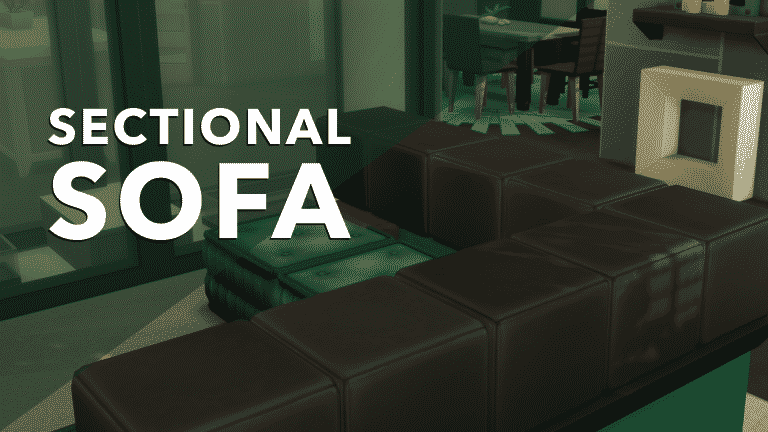
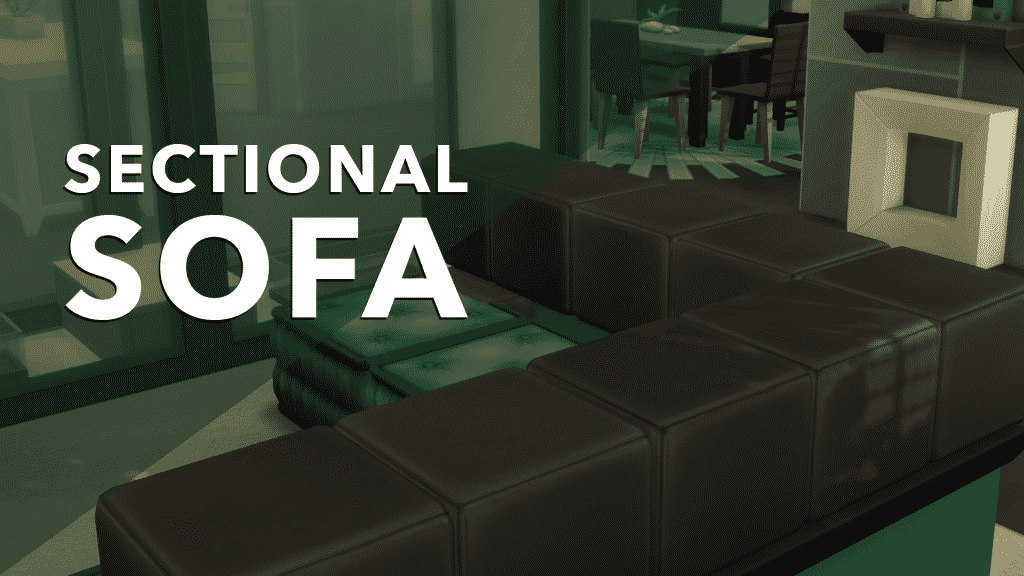
For some reason The Sims 4 does not yet have a sectional sofa in the game; not the base game or any of the downloadable content. I, for one, would love to see a more versatile piece for our Simmies to sit on. Follow these steps, and you can create something that’s passable!

Make sure to have the bb.moveobjects cheat enabled!

Use the wall tool to create a right angle. This will be the walls of your couch. Change your wall height by clicking on the half wall icon found under the wall tool. You can also change the wall trim by clicking on the icon below.

sims 4 build, sims 4 sectional sofa, sims 4 building, sims 4 design

The Sims 4 Creative Construction: DIY Sectional Sofa

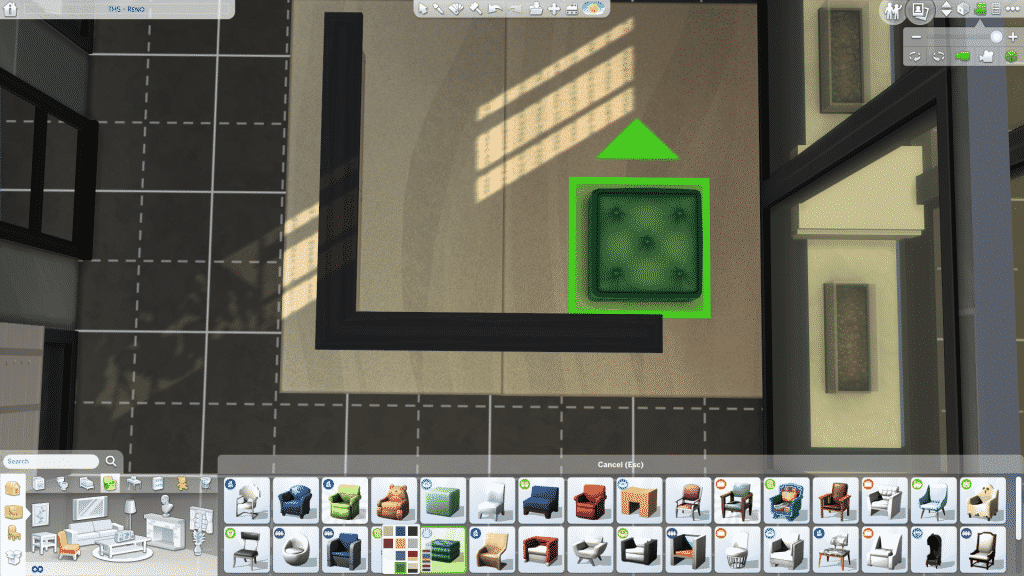
Find the Pillow Fluff cushion from the City Living EP and place it along the wall, leaving a half square of room in between. Use the ALT key when dragging to allow placing outside of the snapping floor grid. Place all along the walls. This is the seat.
sims 4 build, sims 4 sectional sofa, sims 4 building, sims 4 design

sims 4 build, sims 4 sectional sofa, sims 4 building, sims 4 design

Find thePeaceful Pouf Ottoman from the Spa Day GP and place it up against the wall, and use the ( 9 ) key to move it above the Pillow Fluff cushion. Double these up (one resting on the floor and one on top) on either end to hide the corners. Repeat until you cover the length of the walls.

sims 4 build, sims 4 sectional sofa, sims 4 building, sims 4 design

sims 4 build, sims 4 sectional sofa, sims 4 building, sims 4 design

sims 4 build, sims 4 sectional sofa, sims 4 building, sims 4 design

Add some wall covering (paint, wallpaper, panel, etc.) and you’re ready to have a movie night!

sims 4 build, sims 4 sectional sofa, sims 4 building, sims 4 design

sims 4 build, sims 4 sectional sofa, sims 4 building, sims 4 design

Try it out! Feel free to tweet me a screenshot of your creations!

Check out my livestreams daily on twitch.tv/holliebb

Starting Your First Retail Store in The Sims 2 Open for Business

When open for business first came out, I immediately wanted to build the store of my dreams. But being only 12 when the expansion came out, I really didn’t know much about building or even running a sim business.

Well, being 23 now, I have finally started getting the concept of building a successful retail business and what essential items you need to make your first store in Sims 2 Open for business a very successful one. These are some tips that I use throughout the game to get up and running when I first create a store.

Starting Your First Retail Store in The Sims 2 Open for Business

Don’t overdo it!

When you first start your retail store, don’t go big and flashy right off the bat. If you have bought a community lot, start out small. I like to use the Corner Shop in Bluewater Village. This is super small store and really limits what you can do. But, this will do you plenty of good when you first start up your business.

Always think about curb appeal.

Sims love flashy things. They are like humans (duh!) and love flashy and shiny things. Make the storefront and entrance shine! You want to attract potential customers, and by doing so, you will increase your revenue in the long run. But, like I have said, don’t overdo it. You want to find the balance of not enough and too much curb appeal.

Focus on the Business Perks

When starting your business, look to see what the business perks are and how they will relate to your business. I love using the “Wholesale” perk track, just because I can restock the items at a much lower cost and sell them at a higher cost. I love doing that because I get more profit that way. Don’t let those perks go to waste. The same with The “Cash” perk track. Those are easy ways to get money fast.

Starting Your First Retail Store in The Sims 2 Open for Business

Sell Sell Sell!

When your main sim opens a business, have them solely focus on selling. This is the main part of having a store in the first place. What I usually do is make sure my store is totally stocked BEFORE I even open it. Then, when I open the store, I let all the items run out. Once my store has been cleaned out and I have made all the sales, I close the store. Any remaining customers will leave or line up at the register. This way I can cash all my customers out in one sweep. Once all customers are cashed out, I can restock and open the store back up at a later date.  This is a technique that I use when I have a one person family running a business. It makes money for the store and builds skills up quicker.

Don’t Hire Outside Help…. to start

I don’t like to hire employees to help out in the beginning. Because each hour they need to get paid and I lose out on money that I could be using to expand my business. I focus on making sure I have a steady flow of income coming into the store. THEN I can start hiring outside help. Once the store is big enough, I can start having employees come in and start working for me. Having a tiny store and having 5 employees is a waste of time and money. So, start small, but plan big!

Starting Your First Retail Store in The Sims 2 Open for Business

These are just some ideas to help you start a business. The one thing to remember is: Start small, but plan big for the future of your store!

The Sims 4 Bowling Night: First Thoughts

Are you ready to hit your Sim’s local bowling hangout because we sure are as the wait for the next stuff pack for The Sims 4 is finally over!

The Bowling Night Stuff pack was released earlier today and it has been received extremely well by the community but here is what I think about the new stuff pack so far.

Create A Sim

There is a good balanced variety of new Create A Sim items for both male and female Sims and of course a few additions for child Sims. The Sims team went for a rockabilly feel for the CAS in this pack. It doesn’t feel unbalanced against the rest of the game either when compared against build/buy objects. I must add that there are some of my favourite CAS items in this pack not just for female Sims but CAS as a whole.

The Sims 4 Bowling Night: First ThoughtsBuild/Buy Mode

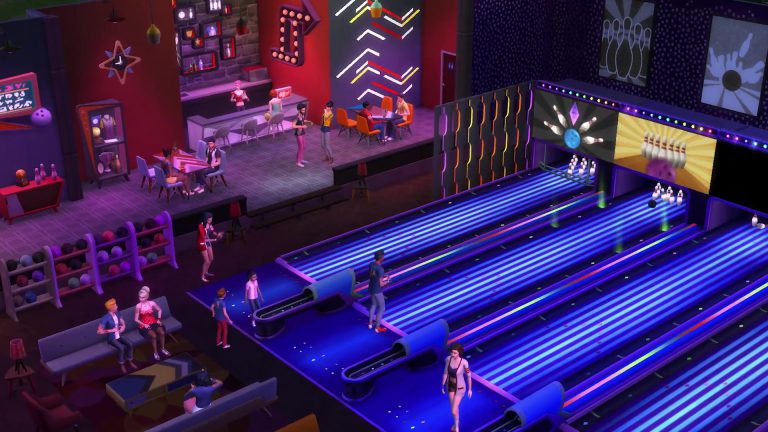
Full of new chairs, tables, decorative items and of course bowling hangout essentials ranging from the alleys themselves to memorabilia displays and trophy cabinets there is plenty of items here that will bring your bowling hangout to life. Not only that I feel that many of the items will also work well with existing packs like City Living and Get Together.

Continuing with build/buy mode there are two new pre-styled rooms which are full of colour just like you would expect from an actual bowling alley. My first mission is to try and create my local Bowling Alley on a small scale in game!

The Sims 4 Bowling Night: First ThoughtsGameplay

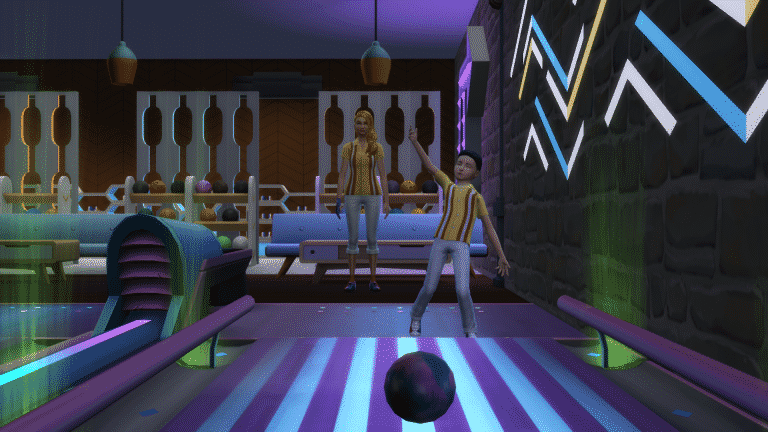
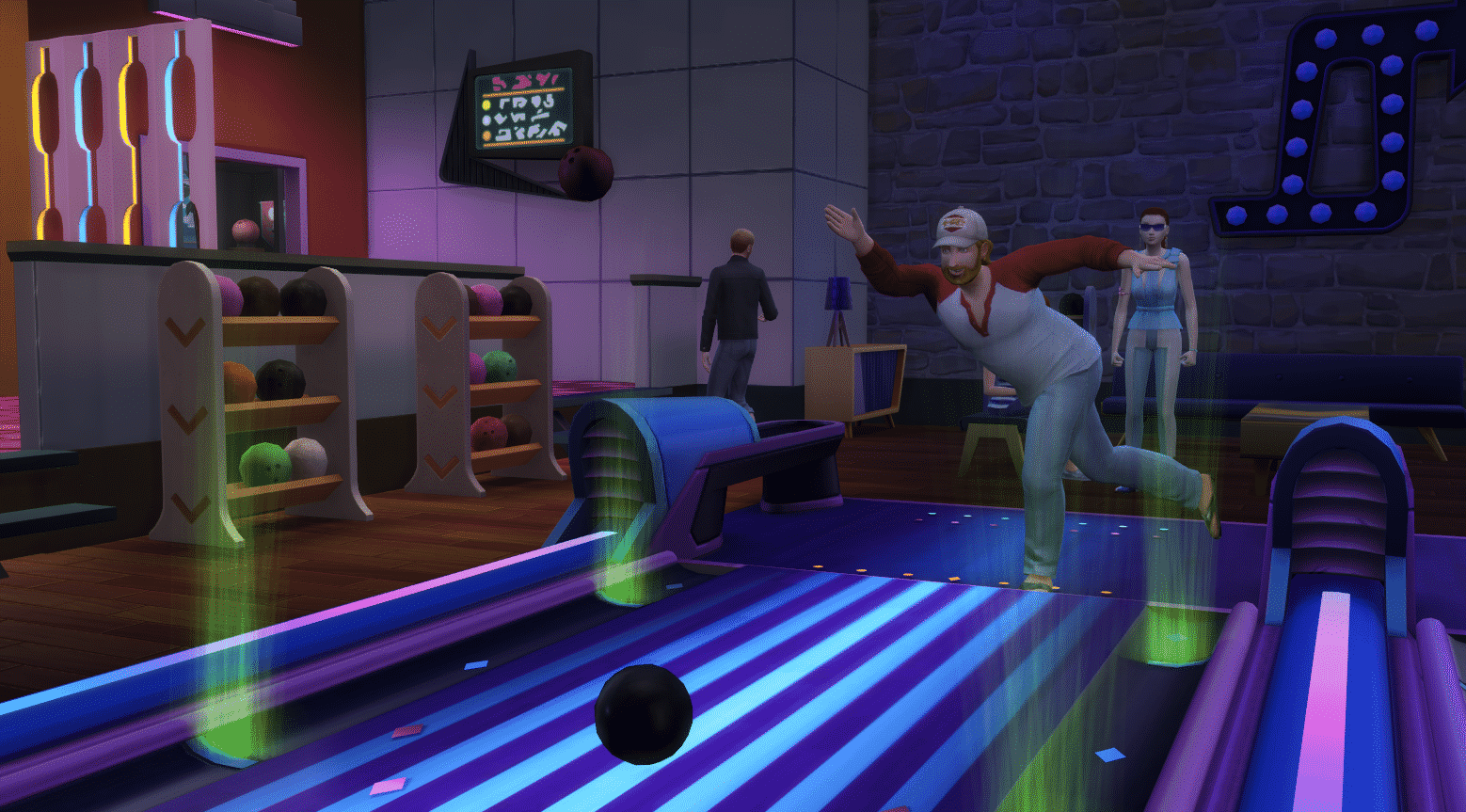
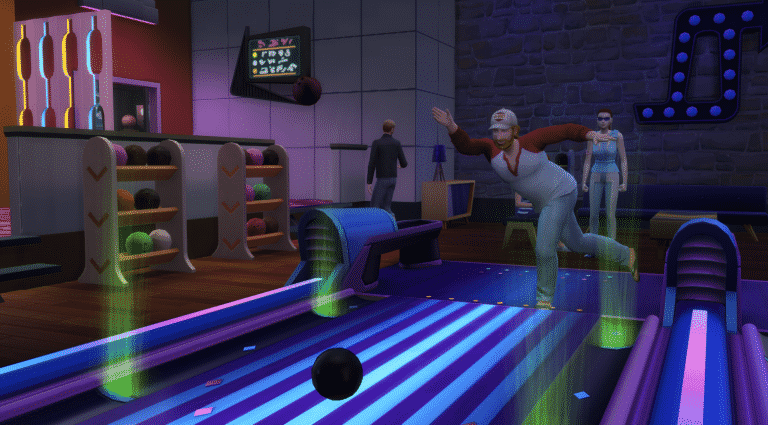
The pack comes with the new bowling skill which both child and adult Sims can build up to a maximum level of five. Of course along the way many Sims will overcome bowling fails, feel frustration as well as excitement as they become better bowlers. The animations that The Sims Team have created to help show these emotions is a lovely touch. I especially love the new little celebration dance that Sims do from time to time. With every level your Sim has a chance to unlock a new bowling ball.

Moonlight Bowling I must say I love as well. It really does remind me of my local bowling alley every time I visit there. Another detail I thought was a great touch was the bumpers coming up for child Sims.

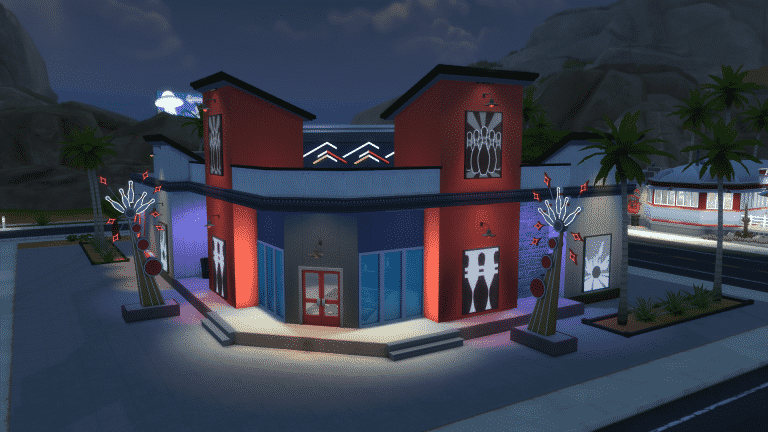
The Sims 4 Bowling Night: First ThoughtsIn the game library is a pre-built bowling hangout that you can drop straight into your game. This is the same build that the SimGuru’s showcased in the Bowling Night Twitch stream last week. Also if you search MaxisCreator_01 in the gallery you will find the Bowl More Alley and the Rockin’ Rollers Household both of which you can add to your game.
For fans of the original The Sims games you may recognize a handful of the tracks played. They are none other than some of The Sims House Party tracks from the disco radio station!

Overall Thoughts

Although I was very unsure about this pack when it was originally announced I do really like this pack so far and what it brings to the game. In all honesty I think it’s a great addition to the game. For me this pack brings back some memories of The Sims 2 and The Sims 3 and not just in regards of gameplay.

Bowling Night Stuff also opens up more ideas and possibilities for builds both community and residential lots and I feel the pack integrates with other existing packs like City Living and Get Together which I mentioned earlier.

It will be interesting to see what The Sims team have in store for the game next. A new quarterly trailer is due to be released soon with many fans hoping to see Pets or Seasons make an appearance in some form in that trailer.

The Sims 4 Bowling Night Stuff Pack is available now for purchase from Origin.

The Sims 4 Bowling Night Stuff: Bowling Skill Cheat + Debug Cheats

6

UPDATE: If you enter the testingcheats true cheat on and shift + click on your Sim you’ll unlock the debug “Cheat Bowling…” option which comes with 2 options: Always Throw Tricks and Never Fail. The Always Throw Tricks option will force your Sim to perform various tricks when throwing a ball, while the Never Fail option will try to keep your ball on the lane.

The Sims 4 Bowling Night Stuff: Bowling Skill Cheat + Debug Cheats

If you want to level up your Sim’s Bowling Skill to Level 5 in a matter of seconds, you can do so by entering the following cheat: stats.set_skill_level Skill_Bowling [1-5] (add a skill level from number 1 to 5 instead of the brackets). Make sure you’ve entered the testingcheats true cheat first!

For more skill cheats, check out our The Sims 4 Cheats page.

The Sims 4 Bowling Night Stuff: Bowling Skill Cheat + Debug Cheats

The Sims 4 Bowling Night Stuff: New Objects + Venue Overview

The Sims 4 Bowling Night Stuff comes with more than 30 items in Build Mode, including new objects, new wallpapers and a new flooring. There’s also a new Bar Venue called Oasis Springs Dust Bowl with 30×20 dimensions that you can find pre-installed in your Gallery library.

New Objects

Styled Rooms

New Venue

The Sims 4 Bowling Night Stuff: CAS Overview

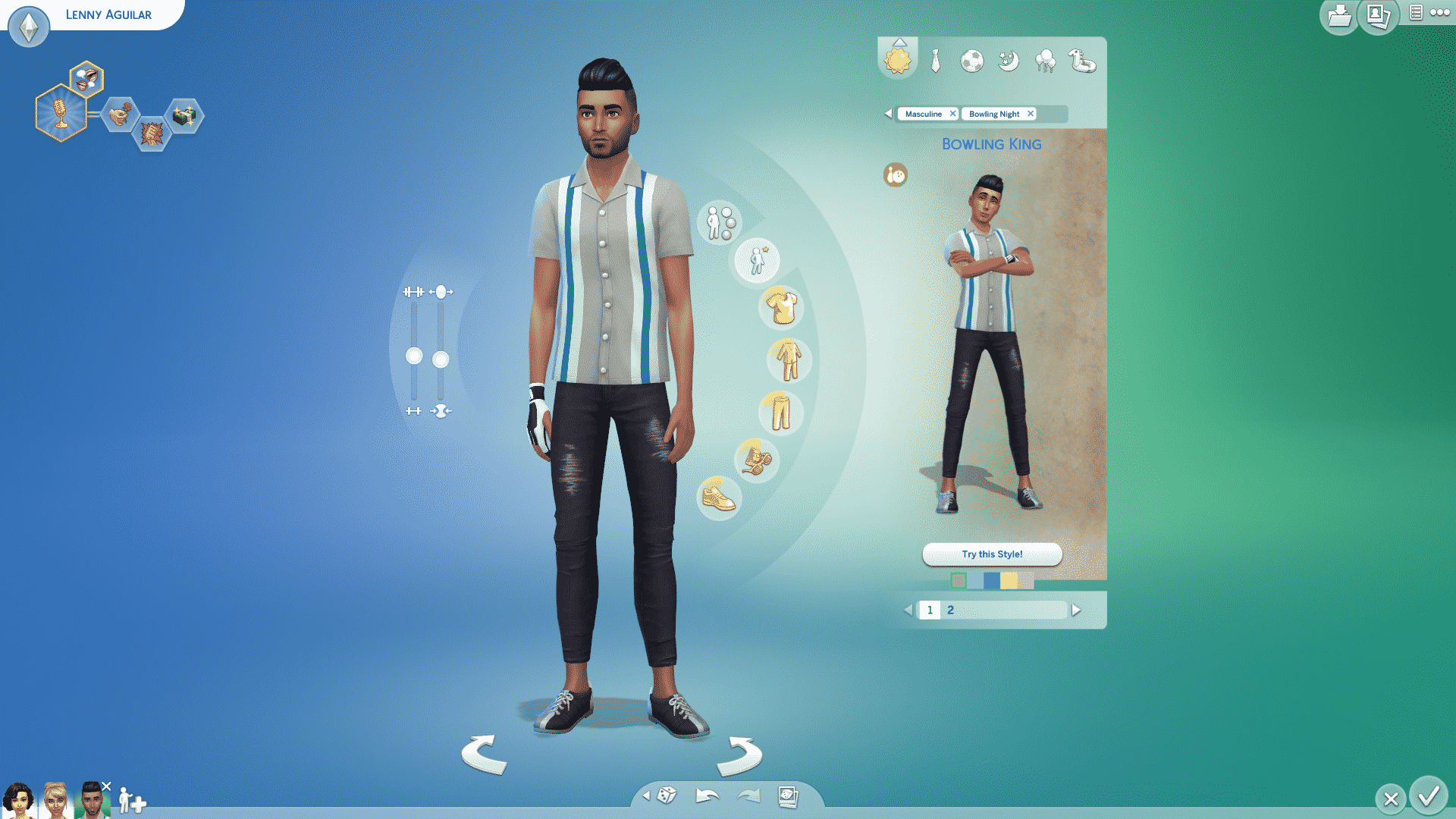
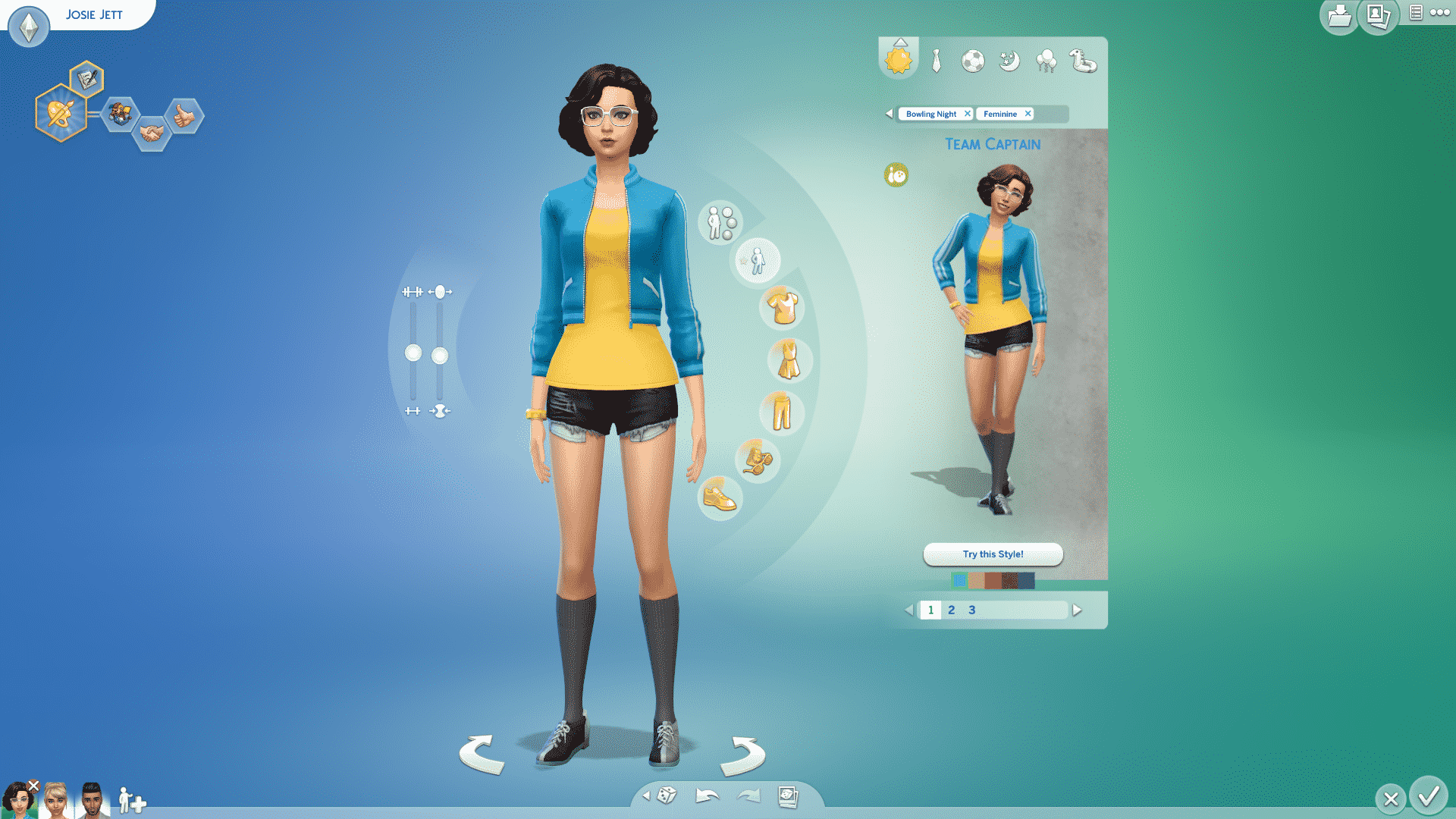
The Sims 4 Bowling Night Stuff comes with around 30 new Create A Sim items for Children and Adults (nothing new for Toddlers because, well, they cannot bowl). These CAS pieces mostly revolve around the retro theme which fits right in with the rest of the pack.

Down below you can see all the CAS items. To zoom in, simply click on an image of your choice!

Adult Male

Hairstyles (1)

The Sims 4 Bowling Night Stuff: CAS Overview

Tops (5)

The Sims 4 Bowling Night Stuff: CAS Overview The Sims 4 Bowling Night Stuff: CAS Overview The Sims 4 Bowling Night Stuff: CAS Overview The Sims 4 Bowling Night Stuff: CAS Overview The Sims 4 Bowling Night Stuff: CAS Overview

Bottoms (1)

The Sims 4 Bowling Night Stuff: CAS Overview

Accessories (1)

The Sims 4 Bowling Night Stuff: CAS Overview

Shoes (1)

The Sims 4 Bowling Night Stuff: CAS Overview

Styled Looks (2)

The Sims 4 Bowling Night Stuff: CAS Overview The Sims 4 Bowling Night Stuff: CAS Overview

Adult Female

Hairstyles (2)

The Sims 4 Bowling Night Stuff: CAS Overview The Sims 4 Bowling Night Stuff: CAS Overview

Tops (6)

The Sims 4 Bowling Night Stuff: CAS Overview The Sims 4 Bowling Night Stuff: CAS Overview The Sims 4 Bowling Night Stuff: CAS Overview The Sims 4 Bowling Night Stuff: CAS Overview The Sims 4 Bowling Night Stuff: CAS Overview The Sims 4 Bowling Night Stuff: CAS Overview

Bottoms (3)

The Sims 4 Bowling Night Stuff: CAS Overview The Sims 4 Bowling Night Stuff: CAS Overview The Sims 4 Bowling Night Stuff: CAS Overview

Outfits (1)

The Sims 4 Bowling Night Stuff: CAS Overview

Accessories (1)

The Sims 4 Bowling Night Stuff: CAS Overview

Shoes (1)

The Sims 4 Bowling Night Stuff: CAS Overview

Styled Looks (3)

The Sims 4 Bowling Night Stuff: CAS Overview The Sims 4 Bowling Night Stuff: CAS Overview The Sims 4 Bowling Night Stuff: CAS Overview

Children

Tops (2)

The Sims 4 Bowling Night Stuff: CAS Overview The Sims 4 Bowling Night Stuff: CAS Overview

Shoes (1)

The Sims 4 Bowling Night Stuff: CAS Overview

Styled Looks (1)

The Sims 4 Bowling Night Stuff: CAS Overview

The Sims 4 Bowling Night Stuff: Official Lot and Household

The Sims Team released an official Lot and Household that you’ve seen in promotional material for The Sims 4 Bowling Night Stuff. As always, these creations can be downloaded by searching the MaxisCreator_01 Origin ID in The Gallery OR by simply clicking the download links down below:

The Sims 4 Bowling Night Stuff: List of New Items

0

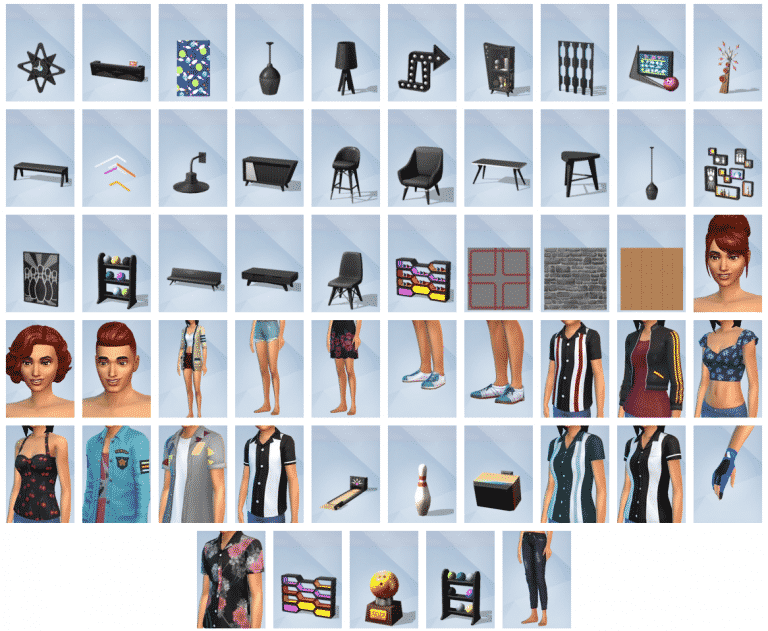
TheSims.com website published a full list of new items that come with The Sims 4 Bowling Night Stuff.

If you’re looking for a more in-depth overview of all the new objects that come in this pack, stick around on our website as we’ll be posting full overviews in the next few hours!

The Sims 4 Bowling Night Stuff: List of New Items

The Sims 4 Bowling Night Stuff Now Available on Origin!

0

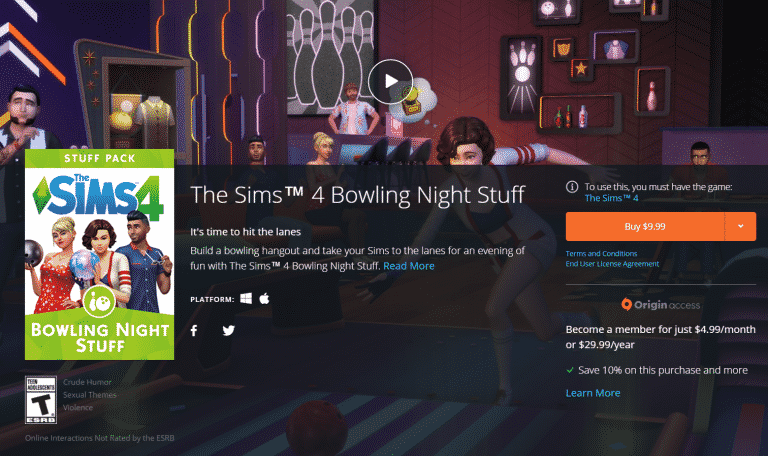
The Sims 4 Bowling Night Stuff is now available for purchase on Origin! Click below to be directed to the origin purchase page.

The Sims 4 Bowling Night Stuff Now Available on Origin!

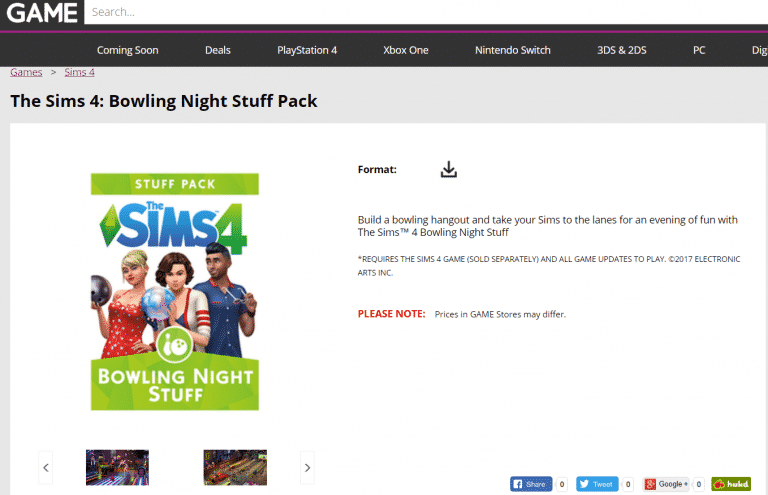
The Sims 4 Bowling Night Stuff available for purchase on GAME

0

British retail website GAME has released The Sims 4 Bowling Night Stuff on their website. Although you might get the game codes for this pack right after the purchase, the game will unlock on Origin at 6:30PM CET / 9:30AM PT (at least that’s when the previous packs were unlocked).

The price is the same as any Stuff Pack and it’s available for everyone worldwide.

Click below to purchase this pack!

The Sims 4 Bowling Night Stuff available for purchase on GAME

These Sims 4 Interior Build Screenshots Will Inspire You!

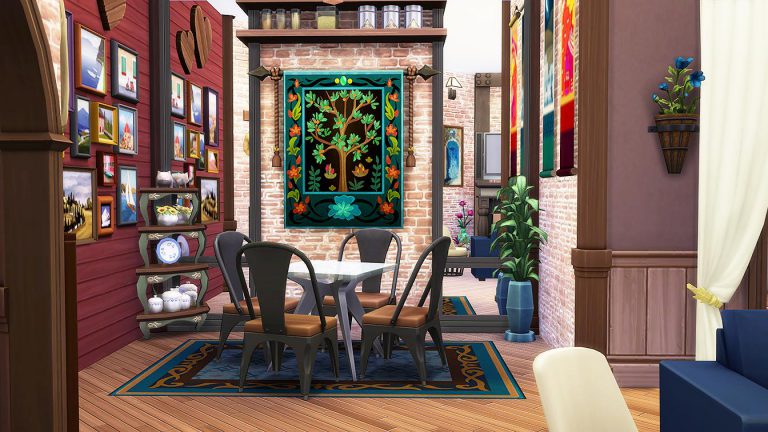
Are you like me and have no inspiration or creativity to decorate and furnish the interior of builds in The Sims 4? Well, you’re in luck as the talented Simkea has put up a brilliant image gallery of her builds.

Her brilliant usage of clutter, mixing the right colors and placing down the right furniture will inspire you to start designing the interior of those empty house shells you promised yourself you’ll finish up one day.

Simkea also has a Gallery where you can download all of her builds. Simply click on the button below to check out her builds!

[mks_button size=”large” title=”TheSimkea’s Gallery” style=”rounded” url=”https://www.thesims.com/gallery/browse?category=all&searchtype=ea_origin_id&sortby=newest&time=all&searchquery=TheSimkea&max=50&maxis=false” target=”_blank” bg_color=”#1e73be” txt_color=”#FFFFFF” icon=”fa-picture-o” icon_type=”fa” nofollow=”0″]

These Sims 4 Interior Build Screenshots Will Inspire You!These Sims 4 Interior Build Screenshots Will Inspire You!These Sims 4 Interior Build Screenshots Will Inspire You!These Sims 4 Interior Build Screenshots Will Inspire You!These Sims 4 Interior Build Screenshots Will Inspire You!These Sims 4 Interior Build Screenshots Will Inspire You!These Sims 4 Interior Build Screenshots Will Inspire You!

REMINDER: The Sims 4 Bowling Night Stuff is releasing tomorrow!

4

The Sims 4’s 10th Stuff Pack – Bowling Night Stuff is releasing tomorrow (March 29th). Although the exact release time of this pack is not official, we can assume that, just like previous packs, it’ll come out at 7PM CET / 10AM PT.

The pack will be released on Origin. After the release of this pack we’ll shortly after update the site with new overviews, a review and articles related to Bowling Night Stuff so stick around!

P.S. – You still have time to enter our Bowling Night Stuff Giveaway where you can win 1 out of 5 copies of this pack! CLICK HERE to enter!

REMINDER: The Sims 4 Bowling Night Stuff is releasing tomorrow!

The Sims 4 Bowling Night Stuff: Bowling Clip

0

The Sims Team has released a new clip showcasing the 2 different styles of bowling lanes in The Sims 4 Bowling Night Stuff!

The Sims 4 Bowling Night Stuff: New Hairstyles Screen

0

The Sims Team released a new screen showcasing some of the new hairstyles in The Sims 4 Bowling Night Stuff.

The Sims 4 Bowling Night Stuff: New Hairstyles Screen

5 features we’re hoping to see in The Sims 4 Pets

After over a decade of playing the Sims, it’s come to my attention that the Pets expansion has remained one of the most memorable packs.  It all started out with The Sims: Unleashed, which was released all the way back in 2002! Back then, our control over the pets and their diversity was limited.  Fast forward to The Sims 3: Pets, in which we could customize not only cats and dogs, but horses as well!  We’ve gotten some recent clues that a new Pets pack is in the works, and I couldn’t help but wonder what this new expansion might hold for us.  While we wait for the Pets to be officially announced in the (hopefully) near future, here are 5 features we’d love to see revamped in this pack.

1) Exotic Pets

Dogs and cats remain the classic pets, but smaller animals have always been a key feature in the Pets expansion.  Rodents, turtles, fish, snakes, lizards and parrots!  Each of these animals brought a diversity of interactions to the Sims’ lives.  It would be amazing to see our Sims build certain skills with their exotic pets, for instance practicing comedy/charisma with parrots, or developing wellness while gazing into a fish tank.

5 features we’re hoping to see in The Sims 4 Pets                                         5 features we’re hoping to see in The Sims 4 Pets

2) Adopt a Pet

While it is still unclear whether or not building our own pet shops will be an option, I believe that adopting a pet remains one of the more realistic traits to be retained from past expansions.  Picking up a pet who needs a forever home can prove to be a more rewarding challenge than creating your own!

5 features we’re hoping to see in The Sims 4 Pets

3) Pet Careers

This feature first came out in The Sims 2: Pets.  Sims could choose one of three careers for their pets: Security, Service or Show Biz.  These careers would encourage a good relationship between the Sim and their pet, as they need to learn tricks in order to be promoted.  Considering the Get To Work expansion made it possible for us to accompany our Sim to their workplace, I think it would be interesting to do the same with the pet.

5 features we’re hoping to see in The Sims 4 Pets

4) Developing Traits

I loved this trait in The Sims 3: Pets, as it also thoughtfully reflected real life.  Your Sim could affect how their pet’s personality developed.  This way, pets’ behaviors mirrored their owner’s personalities, and gameplay was more interesting.  The pets could acquire traits such as piggy, destructive, quiet or loyal. Of course, we could also manage what traits they gained by controlling them directly, but it was still a nice touch and deepened the pets’ personalities.

5 features we’re hoping to see in The Sims 4 Pets

5) El Bandito

Remember that little raccoon?  Always looking to sift through your trash bin and make a huge mess, that one!  Your pets could even get into scuffles with him before he scampered off into the night time.  El Bandito was a cute feature in the first edition of the Sims.  Generally, I would love to see the return of wild animals within the new Pets expansion.  This would bring the Sims and their environment even closer together!  It would also be interesting for certain wild animals to only be found in specific neighborhoods, or in Granite Falls.

What do you want to see in a new Pets game pack? Let us know in the comments below!