

The Sims Team released a brand new Quarterly Teaser for The Sims 4, showcasing all the new content coming to The Sims 4 in April, May and June 2017.
The Sims 4: How to Enable Custom Eyes for Toddlers

Hey guys,
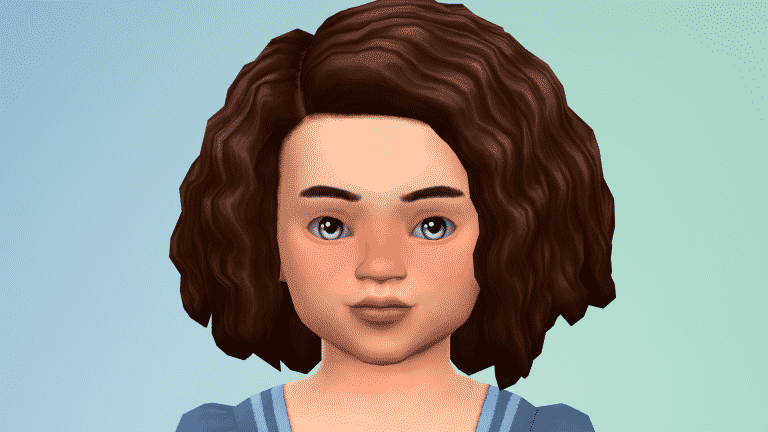
I was recently asked on my tumblr how I enabled custom eyes for toddlers. The easiest way to do this is to go back to the creator and see if they updated them. If they are no longer active, then you can follow the below steps (note: that this will also work for skin details like freckles, moles, blush, scars but not full body skins).
Version 1 (the easiest one):
Open the package with Sims4Studio and then navigate to categories. Right on top, there will be a toddler box. Select that and then select apply to all swatches. You might get a pop-up message that says something about it needing to be updated. Select OK (or yes, I can’t remember which one it says). Select a different eye color to make sure they all have toddlers enabled.
Scroll to the bottom and save.
That’s it!

Version Two (the not so easy one):
You open the package and you see the below. Without getting into all the details of the differences between the two, it can still be enabled for toddlers. It just takes a little more work.

So, what you are going to do is select the line that says “CAS part” and then click the box that says “toddler”. You will do this for every single CAS part. This is why I said it’s a little harder but just because it’s tedious.
Once you’re done, save the package and viola!
Done!

The Sims 4: Bowling Night Custom Content Showcase
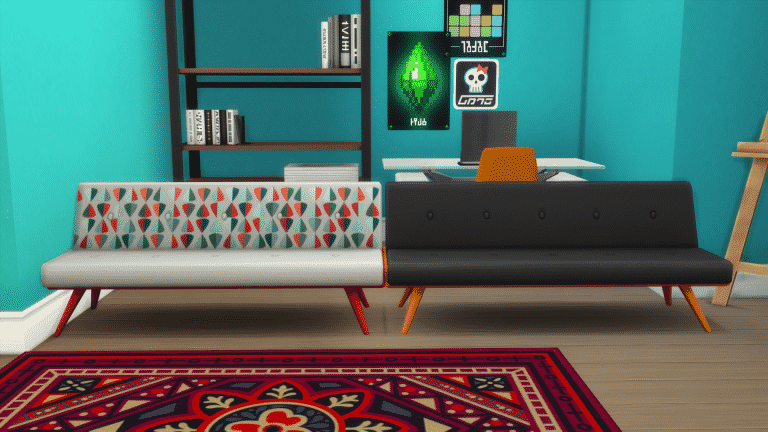
The Sims 4: Bowling Night Stuff Pack may have only come out last week but custom content creators are already creating some exciting new Bowling Night content for us to add to our games!
*Please note that all custom content featured in this post is Maxis Match*
Bowling Night Stuff Sofa Mesh Edit by Chillissims

Mutant League Bowling Shirts by SimDoughnut


Bowling Night Stuff Hair Recolours by WildlyMiniatureSandwich


Glitter & Gold Mesh Edit by Dustflwr


MysteriousDane’s Bowling Night Jeans Edit Recolour by Purrsephone


To use these in your game you will need to download the mesh by MysteriousDane here.
Bowling Night High Waisted Shorts Recolour by Purrsephone


To find more Bowling Night Custom Content you can check out Lana’s Sims 4 Find blog alternatively you can check out some other great sources via our list here.
The Sims: 17 Years of Weirdness

If you’ve ever played any of The Sims game you will know it is full of fun tidbits and interesting quirks that arguably make it one of the best and most successful game franchises ever, if not slightly weird. From the very first game that started it to the latest expansion pack, I’m going to be looking at some of the best from the series.
The Sims – Prank Calls
Probably one of the creepiest aspects is the terrifying prank calls your Sims receive when trying to get on with their lives, they weren’t all bad though ranging from a mild “Do you canoe?” to a slightly scarier “They’re coming soon. Maybe you should think twice about opening the door.” but I think we can all agree which one was the worst one of all.

The Sims 2 – Social Bunny
If you managed to get your Sims social need fully depleted then you’ll remember the Social Bunny, one of the many NPC’s found in The Sims 2. This one-eyed giant bunny was there to help put your Sims back into a good mood, even better is that if multiple Social Bunny’s are active they can actually socialise with each other, be careful though as if they are the same colour sparks may fly!

The Sims – Tragic Clown
Very similar to the Social Bunny, this misunderstood NPC was summoned by having a portrait of him as well as your Sim having a low social need. His main job is to make Sims feel better, problem is he wasn’t too happy himself leading to some hilarious antics, at least he tries. The Tragic Clown makes an appearance in almost all The Sims expansion packs as well as The Sims 4.

The Sims 3 – Fruity Genders
Everyone loves to be in control, our Sims are no different, in The Sims 3 if you want to sway the gender of your Sims baby all you have to do is eat either apples for a boy or watermelons for a girl. Quite a handy feature you can even go one step further and make your Sim listen to childrens music while pregnant for a higher chance of multiple babies!

The Sims 2 – Death by Satellite
One of the many ways to die in The Sims 2 is by a falling satellite. All your Sims had to do was cloudgaze and there was a 1% chance that a falling satellite would crush them, killing them instantly. On the bright side if you sold the debris you could earn a cool §1,999, although with a depleting value sell it quick.

The Sims 2 – Back From the Dead
Since The Sims 2 there have always been ways to bring a Sim back to life after they have died, though each game offers new ways to do this some are harder than others. It’s questionable if you count ghosts and zombies as back to life but hey, they can do most of the stuff normal Sims can do, they just don’t breathe. Never skimp when it comes to bringing Sims back to life, you never know what you might get in return.

The Sims 4 – Hidden Lots
One of the many fun activities you can do in The Sims 4 is locating the few hidden lots within the game, one of which means talking to a tree, I’m sure that looks normal to passing Sims. It can be quite tricky to locate these hidden lots if you don’t know exactly where to look. These fun places contain loads of exclusive collectibles which can earn a Sim a few extra simoleons, plus they are absolutely stunning.

The Sims FreePlay: Day Care Update Trailer
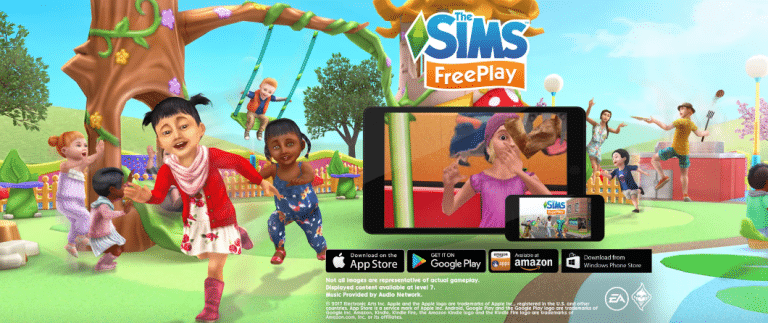
The Sims FreePlay is getting a brand new Day Care Update in the coming hours for Android and iOS. Before the update comes out take a look at the trailer!
The latest Sims Project proves The Sims 4 is far from over!

In case you’re out of the loop, The Sims Team has announced a new project where the entire simming community gets to be involved by voting a new theme, items, clothing and more for a new Stuff Pack throughout this year! This project will last for almost the entire rest of this year as explained in the breakdown of this Stuff Pack’s development process (the last step is voting for the Stuff Pack’s title which will take place sometime this fall).
In TheSims.com’s FAQ page about this project, the team stated that this community-involved Stuff Pack will be available in 2018:
This Stuff Pack will be available for purchase in the next year, when development has been completed.
So yeah, other than SimGurus’ promise that 2017 will be a great year for The Sims 4, we now also know that 2018 as well will bring new content for The Sims 4!

The Sims 4: “Help us create a Stuff Pack” FAQ
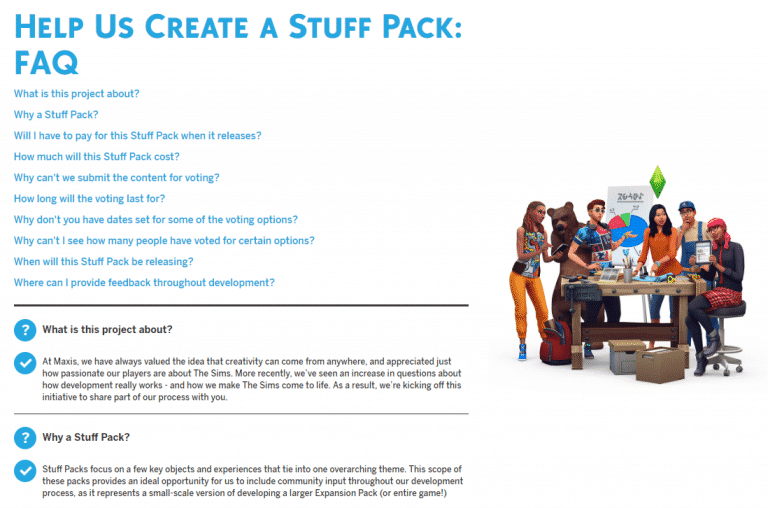
TheSims.com published a Frequently Asked Questions page related to their latest “Help us create a Stuff Pack” project, which lets you make all the important decisions about developing an upcoming Stuff Pack.
Click below to be directed to the FAQ page!

Create a new Stuff Pack for The Sims 4!
The Sims Team has announced a brand new project today which involves YOU! The Sims 4’s future Stuff Pack will be all about the theme, gameplay features and objects in-game that you pick out! More information in the official post below:
Hi Simmers! Today marks the start of an exciting partnership between those of us here at Maxis, and each and every one of you. We’re here today to announce a new project where we want you to help us create an all-new Stuff Pack for The Sims™ 4. How will this work? Let us explain…
Today is the first major inflection point for this upcoming Stuff Pack, and we’re looking to you and The Sims community to guide this pack through its critical steps of development. We’re going to ask you the same questions we ask ourselves, and ultimately we’ll have a pack we can all be proud of. Development here in Maxis is always a collaborative process, with input from multiple disciplines to shape everything that we create. By adding your voices and your feedback, we’re going to make a Stuff Pack that represents your desires.
From now until April 6th, we’re gathering your votes at the bottom of this blog to help select the theme of this Stuff Pack. At this early stage of pre-production, we pair potential features with a theme to help conceptualize the pack we aspire to create. You’ll see those features mentioned in the survey, but to be clear – you are not selecting specific features in this vote. Feature selection will occur in a separate vote, at a later time in the campaign.
The entire development of this new Stuff Pack will give you a transparent look into how Maxis works together to make new experiences for your Sims. Not only will your votes help determine what we create, but we’ll also be sharing in-depth information about our progress throughout the development process. We’ll show you images and videos of the Stuff Pack throughout development, so you can see what we see when we’re building the game. You’ll have a window into our process, be it an inside look at the meetings we hold, to gaining insight into how we respond to unexpected challenges. Along the way you’re going to meet other developers on our team, and learn about what they contribute.
You can take part in a new section of our forums that’s dedicated to this project. It’s there that we’ll post regular updates, and we’ll jump in to engage in spontaneous discussions. Your feedback in the forums will be another opportunity to help shape the course of this pack. Of course, participating can be as simple as just voting. Be sure to circle the following dates on your calendar, and return to TheSims.com to make your voice heard.
• Theme Vote (April 3rd – April 6th): Select the overall theme for the pack. Every part of the pack will be influenced by this key decision.
• Art Style Vote (April 10th – April 12th): Select between proposed art styles for the pack, which will guide our concept artists in the objects and clothing they create.
• Objects & Clothing Vote (May 18th – May 21st): Browse through the concept art we’ve drawn for the pack, and select your top choices to help us determine which objects and pieces of clothing are included.
• Feature Vote (June 23rd – June 26th): Select the top gameplay feature(s) you want to have included in the pack.
• Pack Icon Vote (Fall): Peruse different icons and select the one that will appear in the pack’s box art and within the in-game catalog.
• Pack Title Vote (Fall): Select a title that best summarizes the pack’s atmosphere and content.For years, we’ve worked to make Sims games that we think you’ll love. This unique opportunity to work directly with all of you has our team incredibly excited. So come on… put on your honorary Producer cap and come join us. Let’s build something great, together. We can’t wait to learn more about what we’ll start making in just a few short days!
The five themes you’ll be voting on represent some of the most requested additions we’ve seen on the forums that fit within the scope of a Stuff Pack. They are…
Eco Living Stuff – Adopt new home technologies to help your Sim with domestic responsibilities and live an eco-friendly life. Potential areas of focus include laundry, home technology, and solar energy.
Starter Home Stuff – Customize your household with affordable, pre-owned furniture and clothing that’s perfect for Sims just starting out (or struggling to get by). Potential areas of focus include space-saving furniture, multi-function appliances, and yard sale items.
Arcade Stuff – Take your Sims to an arcade for an afternoon of entertainment with friends! Potential areas of focus include arcade activities, games of skill, and social experiences.
Dangerous Stuff – Live life on the edge by subjecting your Sims to new dangers that celebrate the afterlife. Potential areas of focus include Sim deaths, funeral experiences, and the Grim Reaper.
Wedding Stuff – Make your Sim’s big day an even bigger celebration with new wedding content and experiences. Potential areas of focus include wedding customization, the ceremony, and cultural diversity.

VOTE HERE!
Top 3 Stuff Packs for The Sims 4 – voted by the community!
The Sims 4’s collection of Stuff Packs keeps growing rapidly and with so many themes to choose from, some Simmers may not find themselves in a position to purchase all Stuff Packs at once. If you’re new to The Sims 4 or just want to update your collection with new Stuff Packs but don’t know which one to choose, here are 3 Stuff Packs that were voted by the community that bring enough gameplay and items for 10 bucks.
3. The Sims 4 Kids Room Stuff
This Stuff Pack is all about decorating your child’s bedroom with new colorful objects and objects that bring new gameplay such as the Voidcritter Battle Station and the Puppet Theatre. With more than 70 items and 20 collectibles to discover and play with, you’ll easily keep you child sims occupied for hours.

2. The Sims 4 Vintage Glamour Stuff
Vintage Glamour Stuff is the only Stuff Pack so far to introduce a new NPC – a butler. Beside this gameplay-filled NPC you also get around 70 new items for your Sims, including 2 new gameplay objects – the vanity table and and a globe bar. The vanity table lets you apply preset makeup with different styles to choose from. Even kids can play with it and have messy makeup on their face for a few hours! The globe bar adds 5 exclusive drinks that you can pour and drink, while kids can play with that object as well. All in all a perfect Stuff Pack for those who dig the vintage luxury style.

1. The Sims 4 Movie Hangout Stuff
The Stuff Pack that took most of your votes! It brings the most unique items and clothing to The Sims 4. It adds around 60 new Boho Chic themed items and clothing with 2 new gameplay objects: the popcorn maker and a huge home cinema screen. The pack also adds 10 movies with different genres that you can watch on any TV. Each movie will bring different reaction and sims will react at appropriate times depending on what scene is being screened. The new popcorn recipes go great with these movies!

You can check out our Stuff Pack poll HERE and cast your vote!
The Sims 4 Bowling Night Stuff: Giving Your Lanes the Bowler Disco Look
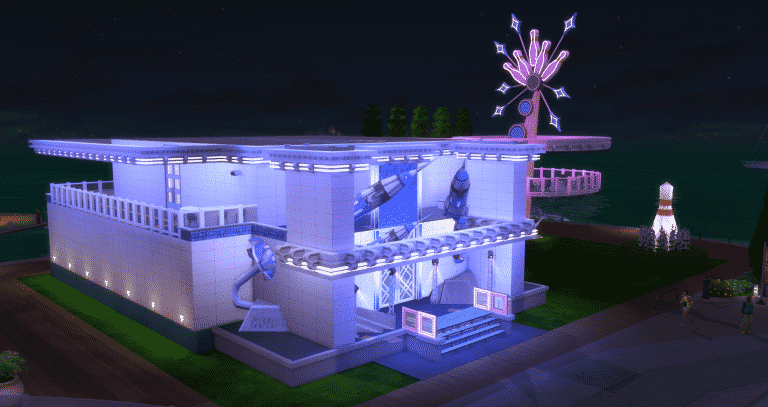
Hi, I’m Jason Sterling. I’ll start this article about creating a Bowler Disco look with the “Sims Builder’s Three Best Friends” in-game cheats.
- bb.IgnoreGamePlayUnlocksEntitlement (IGUE) Unlocks all items tied to in game advancement from the start.
- bb.ShowHiddenObjects (SHO) Displays all hidden objects for use in building such as ponds, dishes, bottles ect.
- bb.MoveObjects (MOO) Allows build/buy items to be freely moved around within the build and activates the height slider that raises objects up and down in the air and on the walls using the number 9 for up and the number 0 for going back down.
If you are new to the Sims 4 or just new to building in the Sims 4, press CTRL/SHIFT/C to open the command box within your game and enter each of the cheats above should you wish to access their features. Now on with the article.

How Can I Use This in a Way That’s Not Intended?
There are many items within the sims 4 that give you the opportunity to combine them through the BB.MoveObjects cheat into something different from what they originally were. I’m going to outline a relatively simple construction use here to build the disco banquette seating in my new RockIt Bowler Disco pictured above. We’ll be using the Glowstone Lamp included with the base game to create a Neon Lighting effect on this seating. This build can be done as a BASE GAME ONLY project. I provide alternate material suggestions in the list below for the non-base game items I am using. There is also a picture at the end of the article showing the base game only version of this seating.
Start by activating the BB.Moveobjects (MOO) cheat. Following that if you have any walls near the construction area REMOVE THEM. I do this whenever I want to place items in a free floating manner that normally auto-snap into place on the walls, such as the Glowstone Lamp below.

Next, assemble the items in the list. (Grid Picture #1) These are what I have used for this particular look. However, I encourage you to pursue your own look and ideas.
- The Harbinger Island Flat Front and Curved Corner versions (Base Game Item)
- Glowstone Lamp (Base Game Item)
- Straight Arrow High Back Plush Booth (Dine Out Item) / Squarely There Modern Sofa (Substitute Base Game Item)
- Illuminating Pillar (City Living Item) / You can substitute any column here you like or play around with standing light sources or leave it out completely.
- Seema Bar Stool (Bowling Night Item) / Any bar stool can be substituted here, although I personally would use The Celestial from the base game.
Place the six Plush Booths in a standard manner on the grid, three back to back as shown. (Grid Picture #2) Next, position the Harbinger Islands as shown. There will be a slight protrusion of the booths through the bar at each corner. While holding down “Alt” slide the booth back just enough to hide the protrusion. You don’t have to do this if the bleed through does not bother you. (Grid Picture #3) Then place the barstools. (Grid Picture 4)

You apply the lighting next. First, increase the size of the Glowstone Lamp by pressing the “]” button a single time while holding it. Then, while holding “Alt”, slide the light into the booth until it appears aligned with the island. Lift the lamp up by pressing the number “9”. Once you have the correct height maneuver it until it appears visually correct as shown. Repeat this for the remaining three islands. (Grid Picture #1) Do the same procedure for the bar seating at each end. Here, you only raise the light until the upper panel is showing above the surface of the island. (Grid Picture #2) Next, slide the Glowstone lamps along the floor until they are nearly completely inserted into the booth to create a glowing strip. It’s not necessary to hold “Alt”. (Grid Picture #3) Place the columns as shown. (Grid Picture #4)

To finish, you go into live mode and choose the color you’d like for the lighting. In this case I’ve chosen blue. There is a quick trick you can use to color all the lighting at once, while leaving the rest of the room unchanged. Draw a room around the arrangement as in the picture below. Then enter live mode- Click on any of the lights on the arrangement- Click “Set Color and Intensity”- Click “This Room”- Chose the color- Enter build mode and remove the walls.

Finally, here is a picture of this concept as a smaller, two section set up and executed using the BASE GAME ONLY. I really like the sofas in this configuration. In fact, I use a modified version of this for ultra-modern homes. It also works well in Sci-Fi builds. I’ve dropped the lights on the end cap island seating and instead added extra strips to the flat front island inserted into the booths. I placed half walls to create a higher back for the seating and to seal the gap between the two sides. You can also do both versions shown in this tutorial as single sided seating. I’ve left off the columns. Instead, I’ve added the “Perfect Picture Art Lighting” to the half walls. You can shade these in a different color from the rest of the lighting for a mixed effect.

You have finished the project. As a builder or a player we have a great new seating style decked out in a neon look and perfect for our new Bowler Disco or any nightclub set up.

You can watch a video version of this tutorial on my Youtube Channel: https://youtu.be/DJUnKUW0fxA
Hopefully you’ve found this build article helpful and even more so I hope you’ll be inspired to take the everyday things in your game and use them as they were not intended. Do you have any pictures you’d like to share of your bowling alley or any questions? Please post them in the comments below and please join me next time.
If you like this build and would like to see its fully completed form it’s available on the Gallery: https://www.thesims.com/en_AU/gallery/9B8775AB168311E78D4917952A7A4D81?category=lots&searchtype=ea_origin_id&sortby=newest&time=all&searchquery=&max=50&maxis=false
There are also additional pictures of the completed RockIt Bowler Disco build here: https://www.facebook.com/pg/MyWorldofSims/photos/?tab=album&album_id=1226760004106088
The Sims 4 Bowling Night Stuff Gallery Spotlight
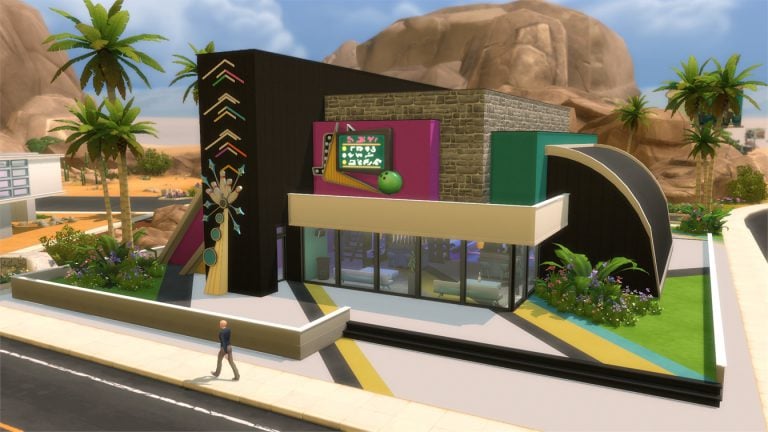

In this Spotlight, we’re featuring venues that have been built using The Sims 4 Bowling Night Stuff Pack (and some other packs as well).
Hover over the pulsing plumbobs to see screenshots of marked areas. Pulsing plumbob that’s on the left bottom corner contains all the info (and download link) of the lot.
To see more of our previous Gallery Spotlights, CLICK HERE!
[ult_hotspot main_img=”id^59887|url^https://simscommunity.info/wp-content/uploads/2017/04/04-01-17_4-31-31-PM.jpg|caption^null|alt^null|title^04-01-17_4-31-31 PM|description^null”][ult_hotspot_items icon_type=”custom” icon_img=”id^39525|url^https://simscommunity.info/wp-content/uploads/2015/09/plumbob2.png|caption^null|alt^null|title^plumbob2|description^null” img_width=”38″ tooltip_custom_color=”” tooltip_custom_bg_color=”rgba(255,255,255,0.01)” tooltip_width=”400″ tooltip_position=”right” enable_bubble_arrow=”off” tooltip_continuous_animation=”on” hotspot_position=”58.082217261904766,33.84369765494137″]

[/ult_hotspot_items][ult_hotspot_items icon_type=”custom” icon_img=”id^39525|url^https://simscommunity.info/wp-content/uploads/2015/09/plumbob2.png|caption^null|alt^null|title^plumbob2|description^null” img_width=”38″ tooltip_custom_color=”” tooltip_custom_bg_color=”rgba(255,255,255,0.01)” tooltip_width=”400″ tooltip_position=”right” enable_bubble_arrow=”off” tooltip_continuous_animation=”on” hotspot_position=”28.66908482142857,34.13421273031826″]

[/ult_hotspot_items][ult_hotspot_items icon_type=”custom” icon_img=”id^39525|url^https://simscommunity.info/wp-content/uploads/2015/09/plumbob2.png|caption^null|alt^null|title^plumbob2|description^null” img_width=”52″ tooltip_custom_color=”#1e73be” tooltip_custom_bg_color=”#ffffff” tooltip_width=”450″ tooltip_position=”right” tooltip_continuous_animation=”on” hotspot_position=”89.61858624454149,3.190184049079755″ tooltip_custom_border_size=”border-style:solid;|border-width:2px;border-radius:5px;|border-color:#81d742;”]
Rock ‘N’ Bowl (Download Here)
by sakuraleon
Value: §98,263
Size: 40×30
Lot Type: Bar[/ult_hotspot_items][/ult_hotspot][ult_hotspot main_img=”id^59890|url^https://simscommunity.info/wp-content/uploads/2017/04/04-01-17_4-34-10-PM.jpg|caption^null|alt^null|title^04-01-17_4-34-10 PM|description^null”][ult_hotspot_items icon_type=”custom” icon_img=”id^39525|url^https://simscommunity.info/wp-content/uploads/2015/09/plumbob2.png|caption^null|alt^null|title^plumbob2|description^null” img_width=”38″ tooltip_custom_color=”” tooltip_custom_bg_color=”rgba(255,255,255,0.01)” tooltip_width=”400″ tooltip_position=”right” enable_bubble_arrow=”off” tooltip_continuous_animation=”on” hotspot_position=”66.40625,60.42190117252931″]

[/ult_hotspot_items][ult_hotspot_items icon_type=”custom” icon_img=”id^39525|url^https://simscommunity.info/wp-content/uploads/2015/09/plumbob2.png|caption^null|alt^null|title^plumbob2|description^null” img_width=”52″ tooltip_custom_color=”#1e73be” tooltip_custom_bg_color=”#ffffff” tooltip_width=”450″ tooltip_position=”right” tooltip_continuous_animation=”on” hotspot_position=”89.61858624454149,3.190184049079755″ tooltip_custom_border_size=”border-style:solid;|border-width:2px;border-radius:5px;|border-color:#81d742;”]
Bowling Fever (Download Here)
by Costa
Value: §98,605
Size: 40×30
Lot Type: Nightclub[/ult_hotspot_items][/ult_hotspot][ult_hotspot main_img=”id^59892|url^https://simscommunity.info/wp-content/uploads/2017/04/04-01-17_4-36-58-PM.jpg|caption^null|alt^null|title^04-01-17_4-36-58 PM|description^null”][ult_hotspot_items icon_type=”custom” icon_img=”id^39525|url^https://simscommunity.info/wp-content/uploads/2015/09/plumbob2.png|caption^null|alt^null|title^plumbob2|description^null” img_width=”38″ tooltip_custom_color=”” tooltip_custom_bg_color=”rgba(255,255,255,0.01)” tooltip_width=”400″ tooltip_position=”right” enable_bubble_arrow=”off” tooltip_continuous_animation=”on” hotspot_position=”68.88485863095238,62.000104690117254″]

[/ult_hotspot_items][ult_hotspot_items icon_type=”custom” icon_img=”id^39525|url^https://simscommunity.info/wp-content/uploads/2015/09/plumbob2.png|caption^null|alt^null|title^plumbob2|description^null” img_width=”38″ tooltip_custom_color=”” tooltip_custom_bg_color=”rgba(255,255,255,0.01)” tooltip_width=”400″ tooltip_position=”right” enable_bubble_arrow=”off” tooltip_continuous_animation=”on” hotspot_position=”37.36514136904761,61.932056113902846″]

[/ult_hotspot_items][ult_hotspot_items icon_type=”custom” icon_img=”id^39525|url^https://simscommunity.info/wp-content/uploads/2015/09/plumbob2.png|caption^null|alt^null|title^plumbob2|description^null” img_width=”52″ tooltip_custom_color=”#1e73be” tooltip_custom_bg_color=”#ffffff” tooltip_width=”450″ tooltip_position=”right” tooltip_continuous_animation=”on” hotspot_position=”89.61858624454149,3.190184049079755″ tooltip_custom_border_size=”border-style:solid;|border-width:2px;border-radius:5px;|border-color:#81d742;”]
Southport Industrial Bowl (Download Here)
by SpringSims
Value: §85,251
Size: 30×20
Lot Type: Bar[/ult_hotspot_items][/ult_hotspot][ult_hotspot main_img=”id^59895|url^https://simscommunity.info/wp-content/uploads/2017/04/04-01-17_4-38-51-PM.jpg|caption^null|alt^null|title^04-01-17_4-38-51 PM|description^null”][ult_hotspot_items icon_type=”custom” icon_img=”id^39525|url^https://simscommunity.info/wp-content/uploads/2015/09/plumbob2.png|caption^null|alt^null|title^plumbob2|description^null” img_width=”38″ tooltip_custom_color=”” tooltip_custom_bg_color=”rgba(255,255,255,0.01)” tooltip_width=”400″ tooltip_position=”right” enable_bubble_arrow=”off” tooltip_continuous_animation=”on” hotspot_position=”53.352864583333336,62.00272194304858″]

[/ult_hotspot_items][ult_hotspot_items icon_type=”custom” icon_img=”id^39525|url^https://simscommunity.info/wp-content/uploads/2015/09/plumbob2.png|caption^null|alt^null|title^plumbob2|description^null” img_width=”52″ tooltip_custom_color=”#1e73be” tooltip_custom_bg_color=”#ffffff” tooltip_width=”450″ tooltip_position=”right” tooltip_continuous_animation=”on” hotspot_position=”89.61858624454149,3.190184049079755″ tooltip_custom_border_size=”border-style:solid;|border-width:2px;border-radius:5px;|border-color:#81d742;”]
Spare Me (Download Here)
by wrathofcath
Value: §82,772
Size: 30×20
Lot Type: Bar[/ult_hotspot_items][/ult_hotspot]
FreeSO has a new text-to-speech feature for April Fools and it’s hilarious!
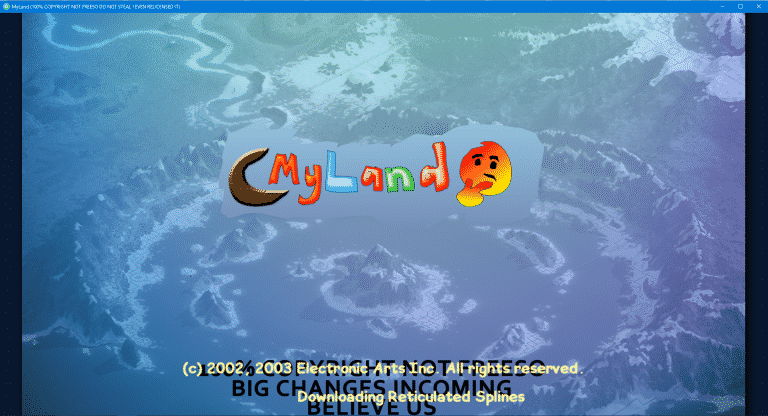
FreeSO, a fanmade project which is focused on reviving The Sims Online and its features has released a new update for April Fools which is just hilarious!
Other than changing the entire project’s name from FreeSO to MyLand, there’s another feature which makes the entire game a l0t more interesting.

When loading up a lot filled with other Simmers, you’ll notice that all chat messages written on the lot are now converted to actual speech. You can write your own message by pressing the enter button!
Here’s a video example recorded by Vixella:
april fools on @FreeSOGame literally has me in tears, i’m cackling over the text to speech feature right now pic.twitter.com/Wj6rwjU8ZU
— Sasha 💜 (@Vixella) April 1, 2017
For more information on how to install FreeSO (or in today’s case, MyLand), check out our tutorial!

(April Fools) The Sims 3: NEW UPDATE! (Bug Fixes + Minor Improvements)

After 4 years of waiting for The Sims 3 to become fully functional with all released content such as Expansion Packs, Stuff Packs and Store Content which we all paid for and expected to run well, The Sims Team has finally released a statement apologizing for making us wait 4 years to finally play the game without any issues. Here’s what they said:
Sul Sul Simmers!
We’re truly sorry for making you all wait 4 years to play The Sims 3 without encountering “The Sims 3 has stopped working” every 30 minutes. We’ve been so hard at work to deliver you new content for The Sims 4 that we forgot that there are still people who’d want to play The Sims 3 every now and then.
We’re releasing a new update for The Sims 3 today that’ll fix many issues and improve some things, including:
- We’ve made sure that you no longer can install mods that fix the gameplay of The Sims 3 and do all the work for us. In case your game is broken or you’re experiencing bugs and glitches that prevent you from enjoying the game, report to us and we’ll try to fix it……..in a matter of few years.
- The Sims 3’s “Expansions & Stuff” section of the launcher will no longer encourage you to only play a few packs instead all of them. Feel free to enable all packs!
- Some users reported that they’ve been loading Sims University and Oasis Landing since the release of University Life / Into the Future, hoping that they would eventually load it. This update cuts down the loading time from 10 years to only 5 years. Hang in there Simmers, only 1 year to go!
- We’ve made some small changes to The Sims 3 Main Menu.
- We’ve cut down the “The Sims 3 has stopped working” crashes from every 30 minutes to every 2 hours!
- Isla Paradiso no longer stutters every 3-4 seconds. We’ve solved this issue by removing all Sims from the world!
The update can be downloaded by opening your The Sims 3 Game Launcher. You can also download it manually HERE!


The Sims 4 Bowling Night Stuff: Promo Release Trailer
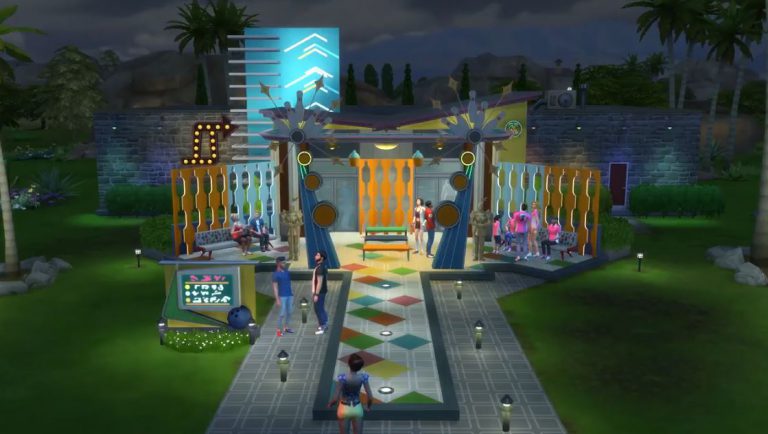
The Sims Team released a promotional release trailer for The Sims 4 Bowling Night Stuff. Check it out!