Home Blog Page 377

The Sims 4 Realism: Character Details for your Builds

The Sims 4 Realism: Character Details for your Builds

The Sims 4 builds can feel pretty true to life at times, especially when you give the rooms that ‘lived-in’ vibe. Most of the time we have this mental check-list of the items that need to be in each house in order for our Sims to live a comfortable life. You know, like a toilet, shower, bed, and all of the other essentials; very life-like items that go in all of our houses. In this build article, I’d like to remind you of things that you can include in your builds in order to make them more detailed and interesting that go beyond game functionality.

Pull-Out Couch

sims 4 building, the sims 4, build, design, the sims 4 building, sims 4 builds

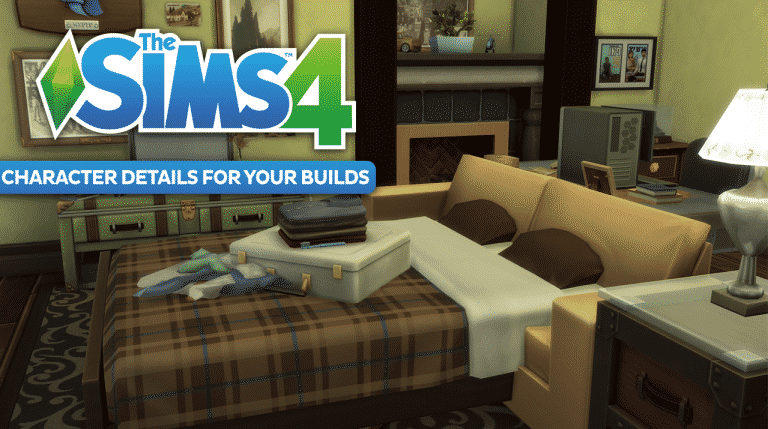
Having a family member or friend stay over? Why not build a pull-out couch in that den space for them to stay in. This is a cute little detail to add and it’s super simple! I used two base-game items, a normal couch and a bed, and used the cheat bb.moveobjects to place one inside the other! The bed is functional and is a great way to tell a story with your builds.

Utility Room

sims 4 building, the sims 4, build, design, the sims 4 building, sims 4 builds

If I have a small area in a commercial space or even some under-the-sitars space I’d like to fill, sometimes I pop in a little utility closet for fun. Where else would your Sim hide to play video games on their work break?

Pantry

sims 4 building, the sims 4, build, design, the sims 4 building, sims 4 builds

sims 4 building, the sims 4, build, design, the sims 4 building, sims 4 builds

This shot is from an apartment build that I created a while ago. The space was too small to be functional, so I thought adding a little food pantry could be a nice way to utilize the area and add some visual appeal.

Laundry Room

sims 4 building, the sims 4, build, design, the sims 4 building, sims 4 builds

When will we have functional laundry in The Sims 4? Hopefully soon! In the meantime, you can add these rooms to your interiors if you want the added realism. This gorgeous laundry room build was created by my stream community member epic_wifey!

Do you have any other build details which realism that you like to include in your designs? Let me know in the comments below!

You can catch my Let’s Plays and Build Casts daily on twitch.tv/holliebb

The Sims 4: Twitch Upload Challenge

The Sims 4: Twitch Upload Challenge

Do you fancy winning a Twitch hoodie and some other exciting Twitch swag? Well in honour of St. Patrick’s Day Twitch want you to share your St Patrick’s Day themed builds from The Sims 4 and Minecraft with them.

The competition runs from 17th March at 10:00am PST to 31st March 2017 at 11:59pm PST.

Once all entries have been submitted and reviewed Twitch staff will select between five and ten winners. Winners will be revealed on Twitch social media on Monday 3rd April 2017.

To see more about the competition and submit your entry click here. Don’t forget to check out the official rules as well before submitting your entry.

Good luck!

The Sims 4: Windenburg Residents Reimagined As Vampires

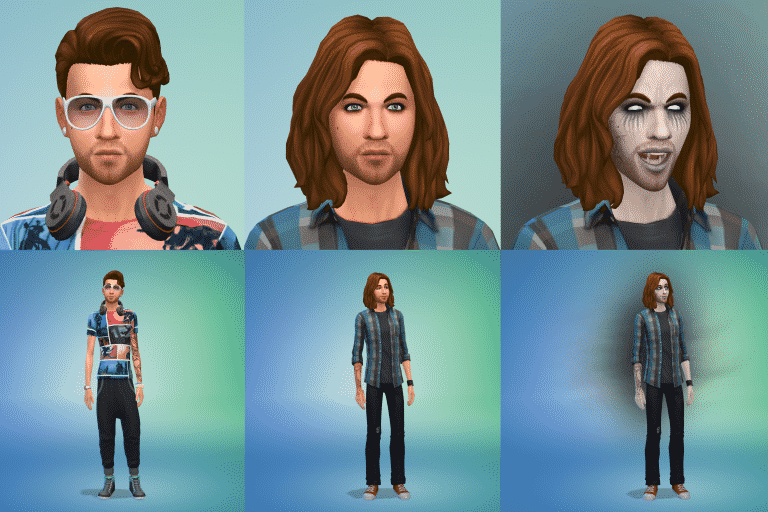
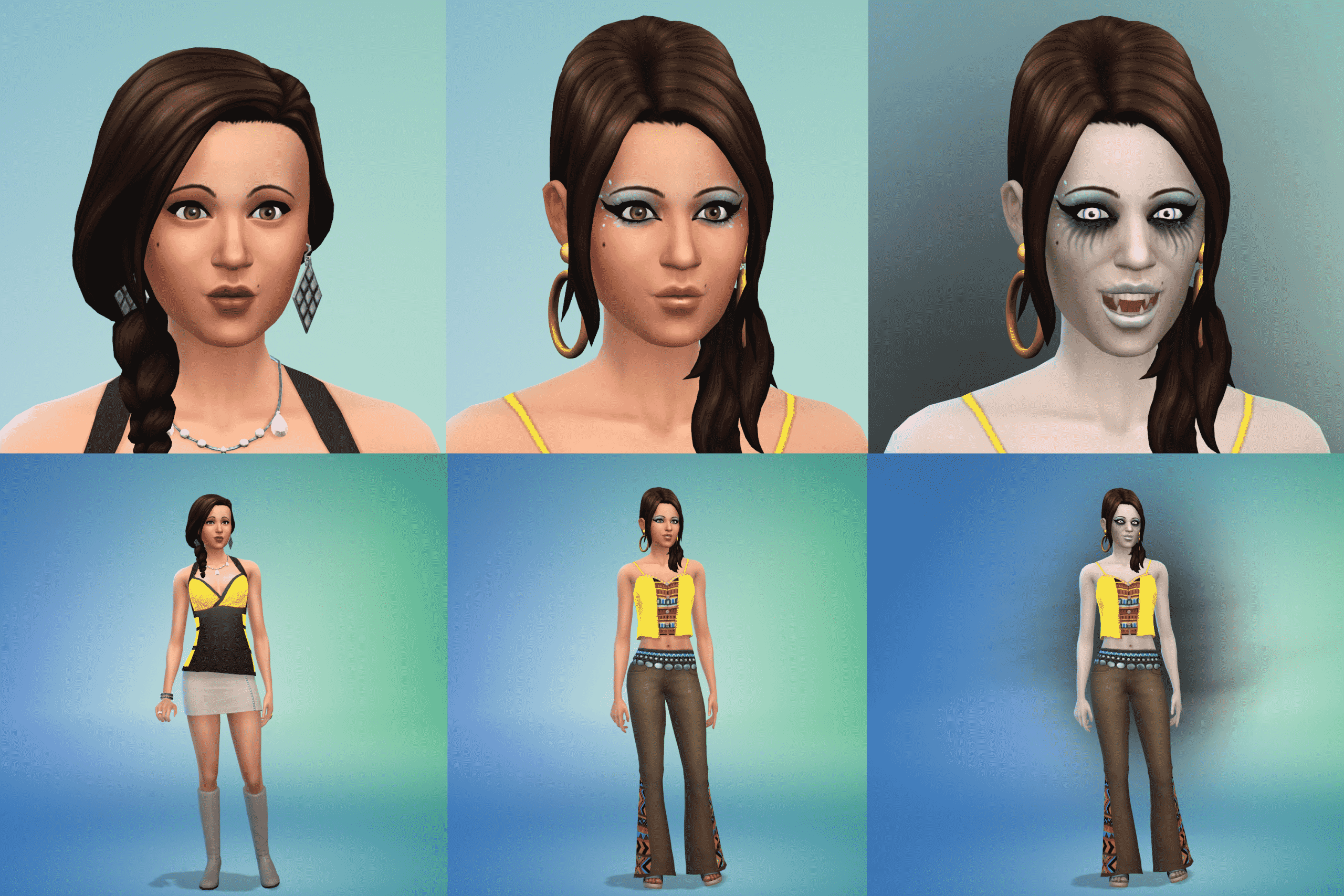
Have you ever wondered what the residents of Windenburg would look like if they were actually Vampires? Then fear not as Reddit user SinsForSaints has got us covered.

The Sims 4: Windenburg Residents Reimagined As Vampires

The Sims 4: Windenburg Residents Reimagined As Vampires

The Sims 4: Windenburg Residents Reimagined As Vampires

The Sims 4: Windenburg Residents Reimagined As Vampires

Take a look at all twenty-six residents reimagined as Vampires from different decades and centuries by checking out the gallery in full!

[mks_button size=”large” title=”FULL IMAGE GALLERY” style=”rounded” url=”http://imgur.com/a/0Vmru” target=”_blank” bg_color=”#1e73be” txt_color=”#FFFFFF” icon=”fa-picture-o” icon_type=”fa” nofollow=”0″]


The Sims 4’s 10th Stuff Pack is called “Bowling Night”

16

Synnex, a website which revealed The Sims 4 Backyard Stuff months ago has listed The Sims 4 Bowling Night Stuff Pack which should be announced and released in the next 2 weeks.

The Sims 4’s 10th Stuff Pack is called “Bowling Night”

As SimGuruDrake has confirmed that all packs will now have pre-announcement teasers, we can expect Bowling Night to be teased this monday.

yrm9eeePMOr0G8dm 31

For more information stay tuned on our Bowling Night Stuff news category!

Tip: The Sims Style

SimGuruKimmi’s Seafood Restaurant Challenge – WINNERS!

As many of you are aware SimGuruKimmi of the Maxis team held a Twitter based challenge to create a restaurant from a shell she placed on the Sims 4 Gallery. The contest ended around two weeks ago. The task of selecting a winner was daunting. Over eighty Simmers entered builds but at last the wait is over. A winner has been announced!

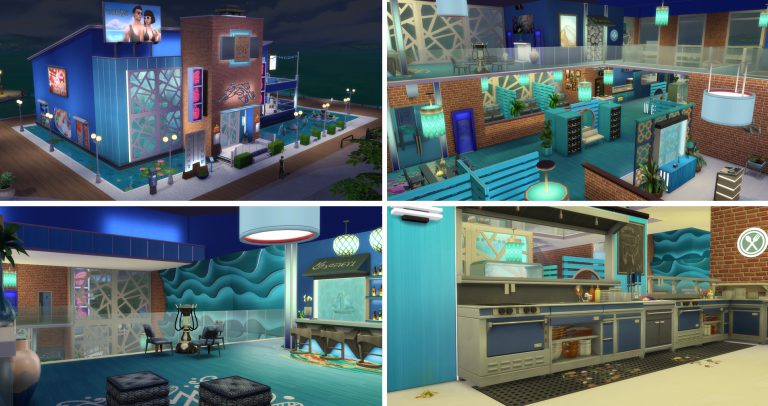
Kimmi’s Favorite build of the Seafood Kimmi Challenge is…. KIMMI’S PLACE by Gallery creator ALYXSTRIKRE (Twitter @Vankuar)!

You can view his full gallery here: https://www.thesims.com/en_GB/gallery/browse?searchtype=ea_origin_id&time=all&category=all&searchquery=alyxstrikre&sortby=newest&max=50&maxis=false

This is the direct link to the winning build and below are a selection of pictures illustrating it: https://www.thesims.com/en_GB/gallery/A1EB0954FC7711E6817ECEA2275DD5CA?searchtype=ea_origin_id&time=all&category=all&searchquery=alyxstrikre&sortby=newest&max=50&maxis=false

CONGRATULATIONS ALYXSTRIKRE!

SimGuruKimmi’s Seafood Restaurant Challenge – WINNERS!

SimGuruKimmi’s Seafood Restaurant Challenge – WINNERS!

SimGuruKimmi’s Seafood Restaurant Challenge – WINNERS!

SimGuruKimmi’s Seafood Restaurant Challenge – WINNERS!

As well, a second winner was chosen at random, raffle style and that winner is…. SALTY AIR BBQ AND GRILL by Gallery Creator SUELADYSIMS (Twitter @Sueladysims)!

You can view her full collection here: https://www.thesims.com/en_GB/gallery/browse?searchtype=ea_origin_id&time=all&category=all&searchquery=sueladysims&sortby=newest&max=50&maxis=false

This is the direct link to the winning build and below are a selection of pictures illustrating it: https://www.thesims.com/en_GB/gallery/3923DA6EFB5A11E68442D17DD91519F7?searchtype=ea_origin_id&time=all&category=all&searchquery=sueladysims&sortby=newest&max=50&maxis=false

CONGRATULATIONS SUELADYSIMS

SimGuruKimmi’s Seafood Restaurant Challenge – WINNERS!

SimGuruKimmi’s Seafood Restaurant Challenge – WINNERS!

This was a really great challenge that saw over eighty entrants with a wealth of creatively. It was exciting to see all the different takes on a single theme from around the world. You can browse through the entire entry catalog here to find inspiration and maybe a new place for your sims to have a night on the town: https://www.thesims.com/en_GB/gallery/browse?searchtype=hashtag&time=all&category=all&searchquery=seafoodkimmi&sortby=newest&max=50&maxis=false

Project Vie is 100% a hoax!

48

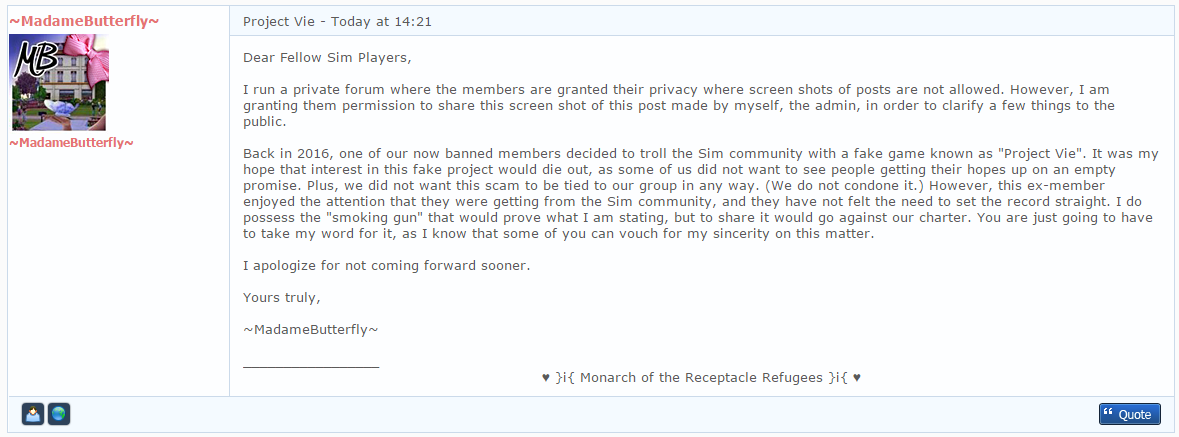
UPDATE: The folks behind this hoax posted the screenshots of “the game”. This is the last update on this project as it’s obviously all photoshop and scam.

You’ve probably heard about Project Vie, a new, promising life-simulation game that was supposed to compete with The Sims in terms of features.

Well, that project is 99,9% likely to be a hoax. How so you may ask?

For starters, MadameButterfly warned us a few weeks ago that Project Vie was a growing project by a banned member aimed to do nothing more but troll the community with a fake life-simulation game that would raise our hopes up and give us a new Sims competitor that we’ve been waiting for a while now.

Project Vie is 100% a hoax!

We’re only a few hours from their announcement that should take place at 18:00 GMT. They provided us with some material including logos, game summary and information about the people behind this project. What’s interesting is that, from their “About Us” document, I still don’t know a single thing about anyone from this Project Vie “team”.

Here’s a small excerpt from their game summary, which obviously references to Rick Astley’s “Never Gonna Give You Up” chorus, which is usually used nowadays for trolling on the internet.

Project Vie is 100% a hoax!

I have nothing to say except add this Tyra Banks GIF:

Project Vie is 100% a hoax!

The Sims 4: SimGuruMegs wants your Feedback regarding New Skintones

34

SimGuruMegs is looking for your feedback regarding skintones in The Sims 4.

If you feel like there aren’t enough skintones in the game or you just feel like some important skintones are not included in the game, reply to SimGuruMegs’ tweet down below with your suggestion!

Down below you can take a look at all the skintones we have in the game for now (palette on the right side of the interface)

The Sims 4: SimGuruMegs wants your Feedback regarding New Skintones

The Sims 4 Building Tips: One House, Six Rooftops

The Sims 4 Building Tips: One House, Six Rooftops

In Sims 4 rooftops is an aspect of building that tends to get overlooked by new builders.  While in many ways, building overall is easier in Sims 4, roofing is one that can be a bit of a challenge.  We no longer have an “auto-roof” feature, and roof styles are still a little limited even after 3 expansion packs and 4 game packs.  However, the features that are available are easy to use, and tend to be less finicky than it’s predecessors.

If you’re new to building, this article explores how to take one fairly basic house and make it more interesting with different styles of rooftops that are easy to create.   No custom content is used, and the only cheat turned on is “bb.moveobjects on”.

Some general tips:

  1. Use the cheat code “bb.moveobjects on” to place objects where they are normally restricted by the game.
  2. Don’t forget about the roof trim.
  3. Don’t worry about creating unused rooms to make the tops of the houses more interesting.
  4. Use friezes and build decor liberally.
  5. Be inspired: look up at the roof tops in your real life neighbourhood.

Roof 1 (Gabled):

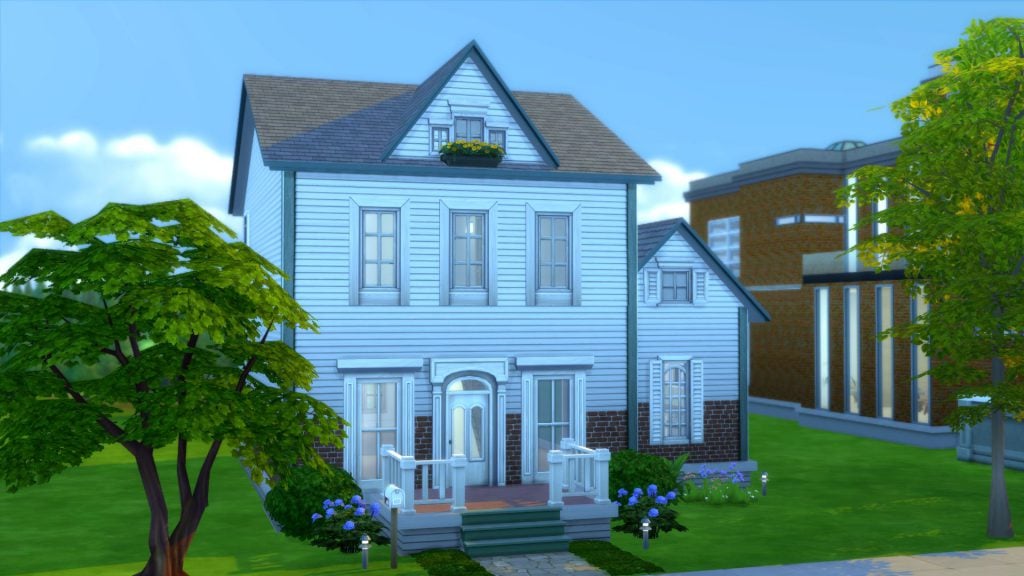
Here’s our base house:

The Sims 4 Building Tips: One House, Six Rooftops

This is a basic 2 bedroom house on a 30×20 lot in Newcrest.  It has the familiar gabled roof, my go-to rooftop for most of my builds.

The layout is a rectangle. Nothing too spectacular.

The Sims 4 Building Tips: One House, Six Rooftops

 Roof 2 (Gambrel):

The Sims 4 Building Tips: One House, Six Rooftops

This really simple adjustment changes the entire look of the house.   This gambrel roof was created by simply using the roof curve function, changing the roof pattern and trim and adding the weather vane roof decor object from Get Together.  The round window makes use of the empty space and is a bit of a contrast to the blocky windows on the levels below it.

sims 4 roof 1

Tip: Windows,weather vanes and finials are like jewelry; when dressing your home, never forget the accessories.

Roof 3 (Dormers):

The Sims 4 Building Tips: One House, Six Rooftops

Roof 3 is another easy roof top.  Build it by turning the existing gable 90° and adjusting it to fit the roof.  Add another smaller gable perpendicular to the large roof to create a dormer.

sims 4 roof 2

Roof 4 (Mansard):

The Sims 4 Building Tips: One House, Six Rooftops

If you like a more classic “Second Empire” look to your home, you can try building a mansard roof.  Do this in game using the half-hipped roof.

  1. Build a smaller room on the roof about one or two squares from the edge of the building
  2. Line up a half-hipped roof against the wall and adjust the length and height.
  3. Copy this roof and use it for the other edges of the building, adjusting the length as needed

Sims 4 Roof Building

Sims 4 Rooftops Mansard Roof

Tip: Use friezes and trims to create interesting roof tops.  Most friezes can be used on the middle and highest wall height and are added to the top of a level.  Exterior trims are only added to the bottom of a level, so you will need to create a “space” above the top level to use these. You might use exterior trims instead of friezes if your upper level is the shortest height, or if you’d just like to use a smaller or less ornate frieze.

sims 4 rooftops difference between friezes and trims

Roof 5 (Modern):

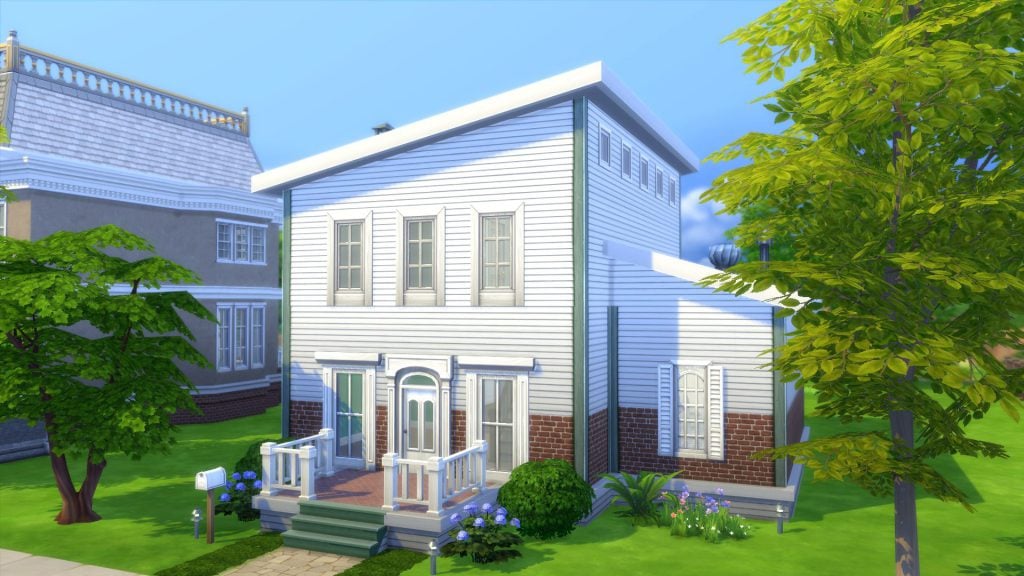
Sims 4 rooftops - a leanto roof

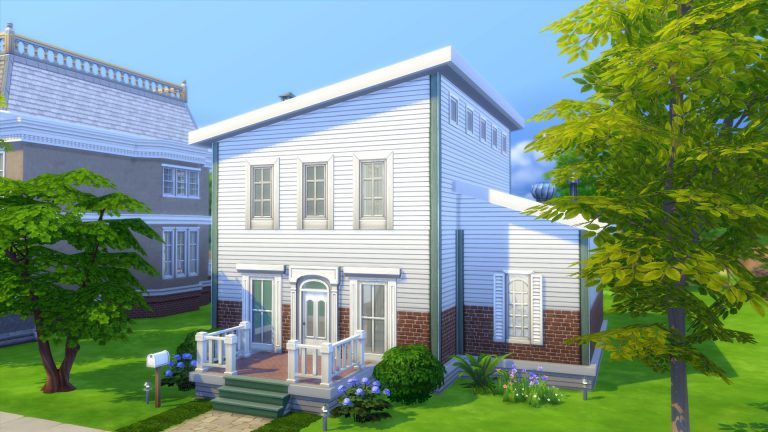
A very easy roof with a big impact. It already makes the house look more modern even though nothing else about the building  was changed.

The Sims 4 Building Tips: One House, Six Rooftops

Roof 6 (A Tower):

Sims 4 rooftops with a tower

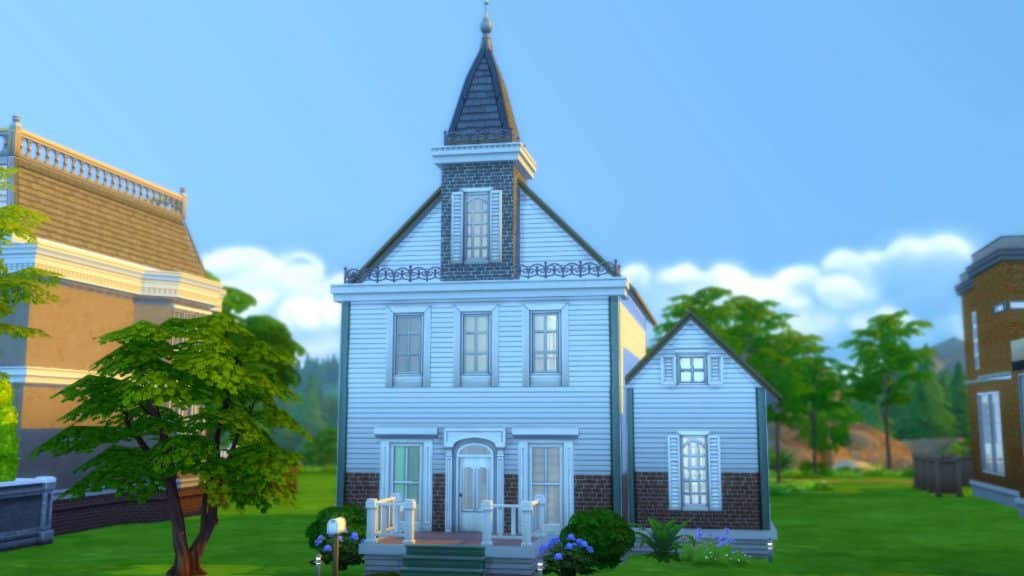
To give your house a little bit of Victorian schoolhouse charm, add a tower!   One of the easiest ways to determine when a building was built or it’s architectural influence is to look at it’s roof top.

The Sims 4 Building Tips: One House, Six Rooftops

  1. Build a square room above your highest level.
  2. Copy this room and stack it above. Delete the ceiling of this room and replace the walls with fencing.
  3. Add a mansard roof. Use the curve tool to adjust the curvature of the roof if you’d like.
  4. Add wall texture, a frieze, and a window.

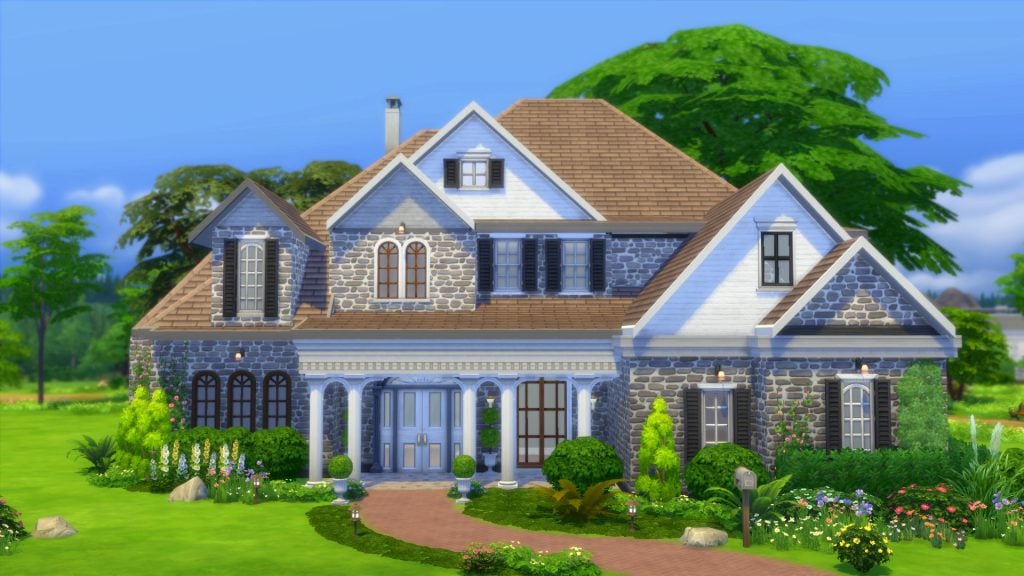
Of course, all of these are basic examples with self-imposed limitations (e.e. not touching the house at all), but it shows how many looks even the simplest of lots can have.  Once you get comfortable with building, you will find yourself incorporating the roof in the planning stages of your layout.  You’ll also be more comfortable with making adjustments along the way, finding out what works, and what does not.  Soon you’ll be addicted to building and creating elaborate rooftops like the example below.  (I call this lot “So Many Gables”).

The Sims 4 Building Tips: One House, Six Rooftops

Just have fun with your builds and share what you’ve got!  If you have any other fun tips to share, let us know in the comments!

Find the full speed roof building video on Youtube here:  Sims 4 Building Tips – Rooftops

The Sims 4: Announcement Teasers to be replacing ”Excited GIFs”

0

Remember when we all used to stalk SimGuruDrake’s twitter profile in order to find out if we’ll be getting an announcement in the week ahead? Yup, those days of waiting for ”Excited GIFs” are now over!

SimGuruDrake has confirmed that from now on, we’ll be getting announcement teasers! This marketing strategy will apply for all packs from now on:

This means that we should expect the announcement teaser for The Sims 4 Bowling Stuff Pack next monday (March 20th) and the announcement on the next day, considering we only have two weeks left of this quarter.

You can see some of the examples of these announcement teasers down below:

Leona Lewis to be featured in the upcoming Sims 4 Pack? (SPECULATION)

12

Please note that this post is pure speculation until proven otherwise!

Just a few moments ago, Leona Lewis, a famous british pop singer, has made an interesting tweet:

Leona Lewis to be featured in the upcoming Sims 4 Pack? (SPECULATION)

What’s interesting is that the twitter account of Leona Lewis is being followed by the official twitter account of The Sims Team. So far The Sims Franchise didn’t feature Leona Lewis in its simlish soundtrack but that could possibly change with the upcoming The Sims 4 Pack.

If you’ve been out of the loop for the past few weeks, The Sims Team has left a significant chunk of game codes hinting that The Sims 4 Pets could be the next Expansion Pack. Could it be that Leona will have her song recorded in simlish for this pack? Time will tell!

Tip: Patrick

Using The Sims 4 as a Box of Building Blocks: Corner Sink

Hi, I’m Jason Sterling and this is the second in a series of articles about turning standard Sims 4 objects into something other then what they were intended for using the MoveObjects cheat, the “Number 9” height adjuster and the “ALT” button allowing the free sliding placement of objects. This article will focus on building a corner sink. So, to begin I’ll list the “Sims Builder’s Three Best Friends” in-game cheats.

  • bb.IgnoreGamePlayUnlocksEntitlement (IGUE) Unlocks all items tied to in game advancement from the start.
  • bb.ShowHiddenObjects (SHO) Displays all hidden objects for use in building such as ponds, dishes, bottles ect.
  • bb.MoveObjects  (MOO) Allows build/buy items to be freely moved around within the build and activates the height slider that raises objects up and down in the air and on the walls using the number 9 for up and the number 0 for going back down.

If you are new to the Sims 4 or just new to building in the Sims 4, press CTRL/SHIFT/C to open the command box within your game and enter each of the cheats above should you wish to access their features. Now on with the article.

Using The Sims 4 as a Box of Building Blocks: Corner Sink

How Can I Use This in a Way That’s Not Intended?

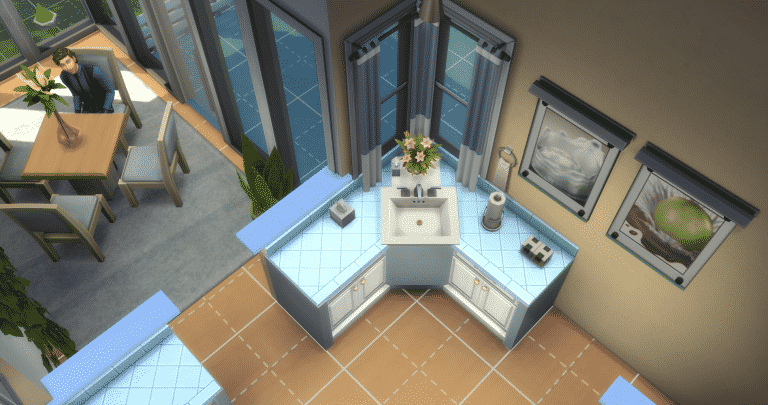
There are many items within the sims  4 that give you the opportunity to combine them through the BB.MoveObjects cheat into something entirely different from what they originally were. I’m going to outline a relatively simple use here to build a corner sink in a traditional kitchen in the home shown above.

Using The Sims 4 as a Box of Building Blocks: Corner Sink

Start by activating the BB.Moveobjects (MOO) cheat and the ShowHiddenObjects (SHO) cheat. Following that REMOVE THE WALLS around the area you are working on. I do this whenever I want to place items in a free floating manner that would normally auto-snap into place on the walls. Such as the bath mirror below.

Then, assemble the items in the list. (Grid Picture #1) I have used these items for this particular look. However, I encourage you to experiment with your own look and ideas.

  • S. Cargeaux Counter (Base Game Item)
  • The Patrician (Pedestle Sink) (Base Game Item)
  • The Source (Bath Mirror) (Base Game Item)
  • Common Upgrade Part (Base Game Item) ONLY AVAILABLE IN BUILD MODE USING SHO
  • Lap Guides from Slousch Co. (Get Together Item)

First, I place the kitchen cabinets in the traditional manner. (Grid Picture #2) Next, I position the sink. It auto-snaps into place as shown. (Grid Picture #3) Take the sink and while holding down the “ALT” button on the keyboard slide it back until it appears as in the picture. This should be the maximum point where the sim can still use it while not being fully extended into the floor space. Lift the sink one level by pressing the “Number 9” on the keyboard and click the sink into place. (Grid Picture 4)

Using The Sims 4 as a Box of Building Blocks: Corner Sink

Once we have settled the sink into place, take “The Source” mirror and position it in front of the sink. (Grid Picture #1) Flip the mirror around so that the back is facing out. (Grid Picture #2) Then, while holding down the “ALT” button, slide the mirror back so that it is positioned to hide the bulk of the sink, leaving only the basin exposed. This gives the appearance of a vessel sink. (Grid Picture #3) Repeat this process twice more to place end caps on the counters that match the new central panel. As a result, we have a more uniform and cohesive look. (Grid Picture #4)

Using The Sims 4 as a Box of Building Blocks: Corner Sink

In addition, I’m going to put in a few cosmetic touches on the new sink to increase it’s realism. First to hide the tile of the counter top I slide in the “Lap Guide” using “ALT”. (Grid Picture #1) Then, lift it into place using the number “9”. (Grid Picture #2) I continue by creating the look of a new drain in the new flat bottom by using the “Upgrade Part”. (Grid Picture #3) Maneuver it as above (using ALT and 9) and align it beneath the sink so that just the very top shows through the slab. Then click it into place. (Grid Picture #4)

Using The Sims 4 as a Box of Building Blocks: Corner Sink

Further, you can add your own touches of clutter if you wish. The project is now complete. We have a great corner sink that functions just as it should. It gives all of us, as builders and players, a new look.

Using The Sims 4 as a Box of Building Blocks: Corner Sink
You can watch a video version of this walk through on my Youtube Channel: https://youtu.be/np3uk4jxZXA

To conclude, I hope you’ve found this build article helpful. Also, I hope you’ll be inspired to take the everyday things in your game and use them as they were not intended. If you have any questions please post them below. As well, please join me next time when I will be breaking from the Sims 4 and spotlighting an intriguing, current builder from the Sims 3.

You can download this build from the Gallery: https://www.thesims.com/en_GB/gallery/8FB7F2D9077C11E78DC8E48ABC225458?category=lots&searchtype=ea_origin_id&sortby=newest&time=all&searchquery=tonysterling&max=50&maxis=false

Lastly, there are additional pictures of the completed build here: https://www.facebook.com/pg/MyWorldofSims/photos/?tab=album&album_id=1207037296078359

Origin On The House: Syberia 2 (FREE)

0

Origin has just put a new game On The House – Syberia 2! This means that you can claim this game completely free.

Simply click on the image below to be directed to the On The House page!

Origin On The House: Syberia 2 (FREE)

The Sims 4: Not So Berry Legacy Challenge

Recently a new legacy challenge has been popping up over Twitter, Tumblr and Youtube. The challenge by AlwaySimming and LilSimsie was created by accident but it turned out to be something pretty exciting.

You’re probably asking yourself what is the Not So Berry Legacy Challenge? Well, it is a ten generation legacy challenge with a focus on bright colours and brand new experiences.

The rules are simple but for each generation you have certain criteria that must be completed first.

  1. Each heir must represent the color of the generation (i.e. hair, makeup, clothing), but brightly colored skin is not necessary (these aren’t actually berry Sims, that’s the joke)
  2. The colors of the spouses don’t matter as they aren’t part of the challenge. Unless otherwise stated you can do whatever you please with them.
  3. Money cheats can be used, but not excessively. Suggestion: use freerealestate for you first home, but no cheats afterward.
  4. You may live wherever you please unless something is specified in the rules of a generation.
  5. Keep the lifespan on normal.
  6. If you play this challenge and want to share it with us, go ahead and post with #notsoberry so we can see!


Here’s a sneak peek at what you need to do to complete Generation One!

Generation One: Mint

You’re a mischievous scientist that really loves the color mint. You’re career driven but still make time for silly pranks and outings with your closest friends. You love luxury and want the best for yourself and your family.

Traits: Vegetarian, Jealous, Materialistic
Aspiration: Chief of Mischief
Career: Scientist

Rules:

Master scientist career

Master mischief and logic skills

Complete elements collection

To see the rules for the Not So Berry Legacy Challenge in full click here.

You can also follow the AlwaySimming and Lilsimsie as they complete the challenge over on their Tumblr accounts dedicated to the challenge. Don’t forget to use #notsoberry on social media to share how your challenge is going.

The Sims 4 Toddler Animations by Chris Ondyak

5

https://vimeo.com/207237074

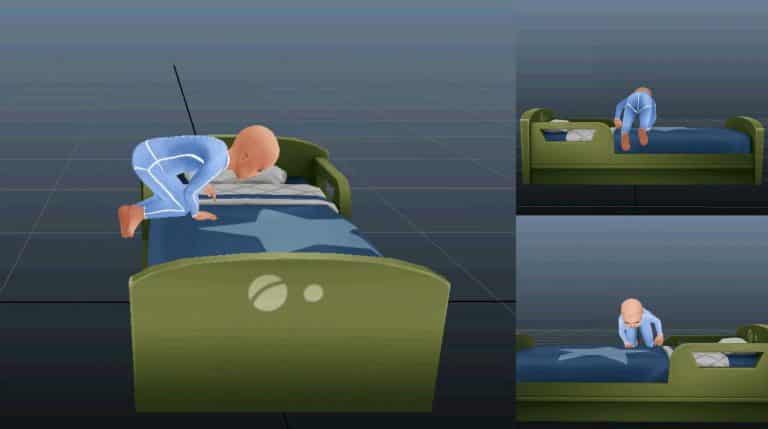
Chris Ondyak published some of the animations work he made for The Sims 4 Toddlers Update. Check it out!

The Sims 4 City Living Apartment Renovations: 19 Culpepper House

Renovation videos for The Sims is something that has always intrigued me. There are so many different ways you can renovate a build no two builds are ever the same. Recently I’ve been looking at a lot of apartment renovations for the apartments in San Myshuno. So here are three of my favourite custom content free renovation videos both of which are for apartment 19 Culpepper House.

First up is Lilsimsie’s Not So Berry legacy challenge Apartment. Featuring lots of minty green colours, plenty of clutter and a balcony that looks out over the gorgeous city of San Myshuno. The apartment is perfect for a small Sim family.

https://www.youtube.com/watch?v=-phEwTraSsY

For more information on the Not So Berry legacy challenge click here.

The second apartment renovation is by Fantayzia.  This apartment renovation removes the old horrible worn down surfaces and appliances and brings the apartment up to date with a modern city feel. Again the apartment is perfect for a small Sim family.

https://www.youtube.com/watch?v=JzLQRrASe8M

The third and final favourite apartment renovation is by SimLicy. Starting with a blank canvas this renovation is full of colour, patterns and clutter. Although there is a lot going on in such a small space everything is perfectly functional. The addition of the third bedroom is perfect if you want your Sim’s family to expand or just want a new roomate.

Have you done any apartment renovations in your game? If so, let us know in the comments below if you have and also let us know what some of your favourite renovation videos are in the comments too.