Home Blog Page 378

Building on a Budget: Tips for a Stylish 10k Starter Build

sims 4 build, 10k build challenge, sims 4 build challenge, sims 4 starter home

One of the things I struggle with most while building is money restrictions. Designing an amazing house using all items from the many DLC packs without worrying about how much Simoleons (The Sims’ currency) you’re spending.

I put myself to the test with this build. Not only did I want to spend under 10K Simoleons, which is hard enough for me, but I also wanted to make sure it was trendy, chic, and a starter house that my sim-self would be happy to call home. Also, the lot price has to be factored into the 10k price-tag.

All-in-all, it was a fun experience. I’m trying to experience more build challenges and it was a different build experience since I don’t usually worry about money. Here are a couple of tips I have for building a small starter home using as little money as possible.

Build Inside Out

Okay, follow me here; Usually starting with walls, floor, and a roof would be step number one, however we’re going to leave that until later. I placed my furniture first, then worked my way out, starting in the centre. This helped me visualize the usable layout and could adjust placement without building any walls. Then you can build the walls around everything, using the minimal amount.

sims 4 build, 10k build challenge, sims 4 build challenge, sims 4 starter home

sims 4 build, 10k build challenge, sims 4 build challenge, sims 4 starter home

Enlarge Objects

Have a small TV but want it to look bigger? Select it, press the right bracket key ( ] ) and viola! Instant big screen. I didn’t add a TV in this build (I seriously could afford it), but I did enlarge the curtains on the wall to fit the window, and to take up some space as wall decor.

sims 4 build, 10k build challenge, sims 4 build challenge, sims 4 starter home

Get Creative with Wall Space

One of my favourite things to add to the walls are the arrow decals from Get to Work. Seriously, they look cool. Paintings and framed pieces are pretty expensive, so using these can add some character to a room without breaking the budget. You can also use wallpaper or tile to make the walls seem less boring.

sims 4 build, 10k build challenge, sims 4 build challenge, sims 4 starter home

Debug is Love, Debug is Life

I didn’t use any debug items in this build (I wanted to keep it simple), but most of the items in the debug catalog are priced at zero and will allow you to add some clutter for free! To find debug items you can type in the cheat: bb.showhiddenobjects and filter debug on in the search options.

sims 4 build, 10k build challenge, sims 4 build challenge, sims 4 starter home

Although this took a lot more time to build than I would like to admit, I really love how it turned out! Do you like Sims 4 build challenges? Let me know in the comments some of your favourites!

You can catch my Let’s Plays and Build Casts daily on twitch.tv/holliebb

Builder Spotlight: Breezyblue022

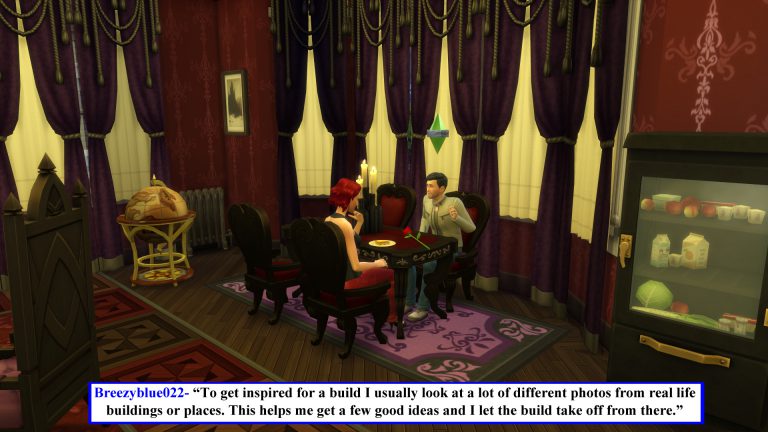
Hi, I’m Jason Sterling. When it comes to building inspiration I often look to our fellow Simmers. The Sims is a world spanning game with seventeen years of development. As such, it has perhaps the most diverse player base of any PC game on the market today. This provides a wealth of opportunity for exploring different styles and ideas through builds. From time to time I’ll spotlight a builder that has struck me with their creative ability. Today that builder is Breezyblue022. Her “Vampire’s Valentine Apartment” is the particular build I fell in love with.

It’s available on the Gallery: https://www.thesims.com/gallery/677F3B89EB1C11E68C719BB546B89220

What caught my attention first about this build is the way Breezy has created a large area rug from three separate elements and placed it front and center. So, your eye is immediately drawn into the build. She continues with an intense feel of large scale grandeur throughout the small apartment. That’s an important thing to remember. Small in space doesn’t have to equate to small in style. Also, small spaces can be dark yet still feel very open and roomy. As a result this space works brilliantly. The pictures below will further illustrate this apartment in a thousand visual words. In addition, the text inserts provide a bit of insight about the Simmer who created it.

Builder Spotlight: Breezyblue022

Builder Spotlight: Breezyblue022

Builder Spotlight: Breezyblue022

Builder Spotlight: Breezyblue022

I hope you have enjoyed seeing this example of the talented Sim builder and designer, Breezyblue022. You can see her full range of abilities by looking through her entire Gallery Collection:

[mks_button size=”large” title=”Breezyblue022’s Gallery” style=”rounded” url=”https://www.thesims.com/en_GB/gallery/browse?searchtype=ea_origin_id&time=all&category=all&searchquery=Breezyblue022&sortby=downloads&max=50&maxis=false” target=”_blank” bg_color=”#1e73be” txt_color=”#FFFFFF” icon=”fa-picture-o” icon_type=”fa” nofollow=”0″]

Thank-you for joining me for this spotlight. Do you have some builders you really admire? If so, please post a pic below of their work or a link to their gallery below. They may be in the Spotlight in the future. Next time I’ll take a look at the winning builds of “SimGuruKimmi’s Seafood Restaurant Challenge”.  After that, I’m back to building! Please join me then.

Origin Publisher Sale: Save up to 75%! (The Sims 4 + Expansions Included)

2

Origin is having a new Publisher Sale where you can save up to 75% on all EA titles!

In this sale are included The Sims 4 Base Game, Expansion Packs and Bundle Packs that you can get on Origin. Here are all The Sims games included:

  • The Sims 4 Base Game (67% off)
  • The Sims 4 Get to Work (50% off)
  • The Sims 4 Get Together (5o% off)
  • The Sims 4 City Living (50% off)
  • The Sims 4 Bundle 1 (GTW, Outdoor Retreat, Luxury Party) (20% off)
  • The Sims 4 Bundle 2 (Get Together, Spa Day, Movie Hangout) (20% off)

Make sure you take advantage of this sale! It ends on March 14th at 10AM PDT.

Origin Publisher Sale: Save up to 75%! (The Sims 4 + Expansions Included)

Three Styles of Historical Architecture in The Sims 4

This article will outline characteristics of three architectural styles that were popular in American history.  If you are new to building, knowing about these simple elements and what you can achieve in-game may fine tune the character of your Sims 4 historical lots.

The Sims has always given us tools that  allow us to create homes with distinct architectural details. It’s these details that add realism and a sense of history to the lot and your neighbourhood.  This is no different in Sims 4, and with the addition of packs such as Sims 4 Vintage Glamour and  Sims 4 Vampires, you have more build mode objects and decor to be creative with.

Sims 4 Historical Lots
Some general tips:
  1.  The Cheat code “bb.moveobjects on” and resizing objects with the “[ ]” square brackets are your friends.  Use generously.
  2. Use game items in different ways than they were intended.
  3. Don’t skimp on the details.  You don’t have to be an Architecture student (I’m not). However, even doing quick Google research on the type of house style you want to build can give you great ideas to refine your build.

1. Antebellum ( Neoclassical )

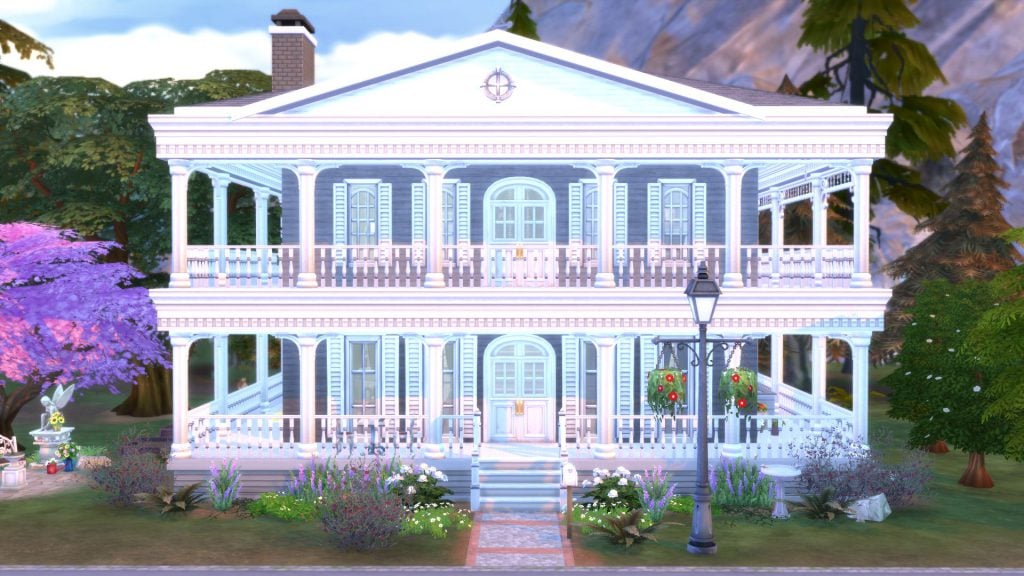
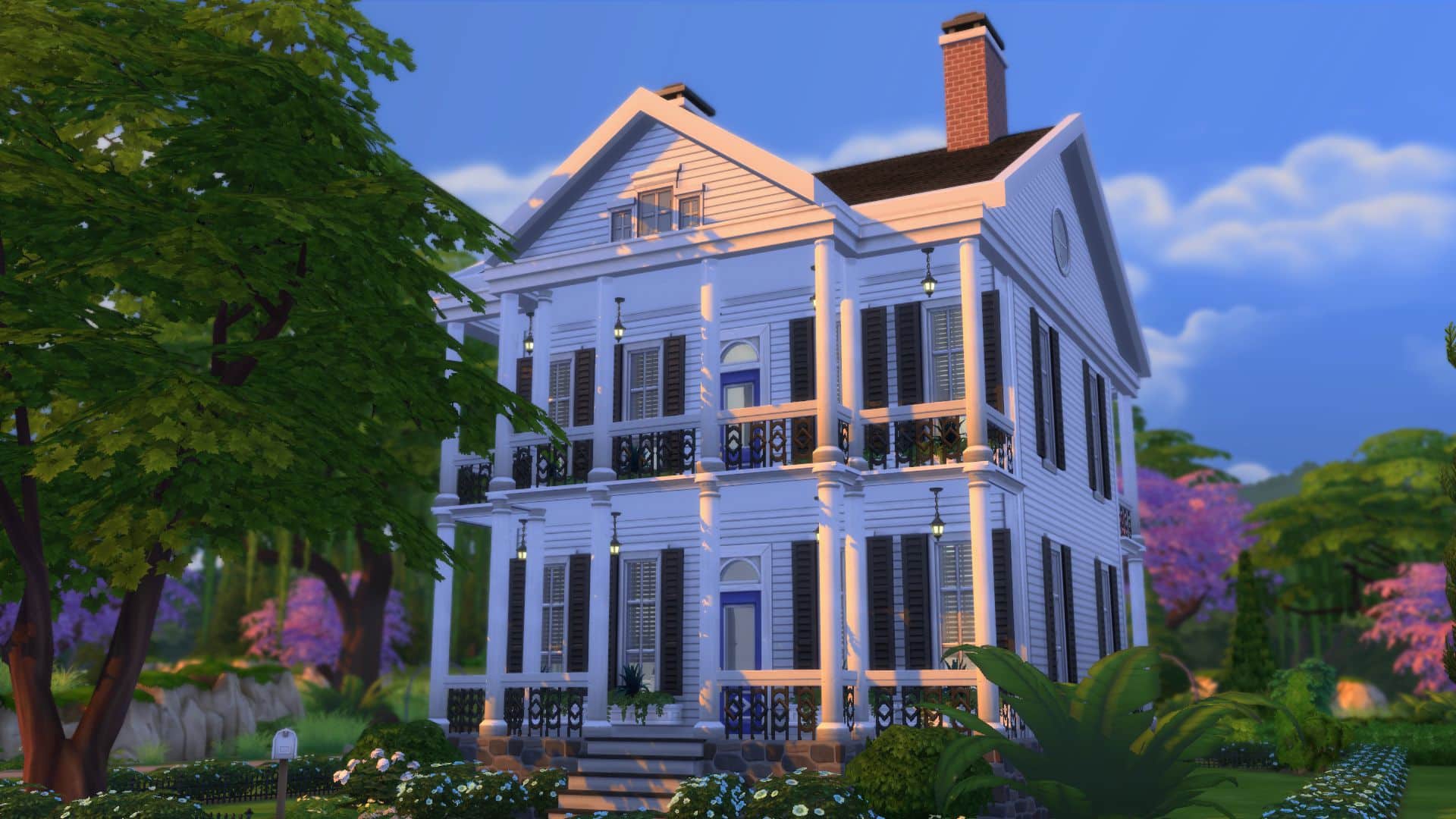
The iconic neoclassical mansions of the American south were built in the post-revolutionary times (early 1800’s) influenced by English and French settlers to the region. The term “Antebellum” is not necessarily an architecture style, but more of the period in America before the American Civil War.  You can see the Antebellum influence in the Sims 4 with lots such as the “Oakenstead” in Willow Creek.

Because of it’s symmetrical layout,  these type of houses may be the easiest to build in the game.

Three Styles of Historical Architecture in The Sims 4
Characteristics:
  • Breezy porches and balconies helped the residents deal with the Southern heat.
  • large sash windows with shutters
  • Greco-roman style columns and pillars were used as a reflection of neoclassical architecture.
  • Mansions were built symmetrically with center front entrances, influenced by ancient Greek and Roman architecture.

Three Styles of Historical Architecture in The Sims 4

Build Objects for an “Antebellum” lot:
sims 4 architectural build objects and decor
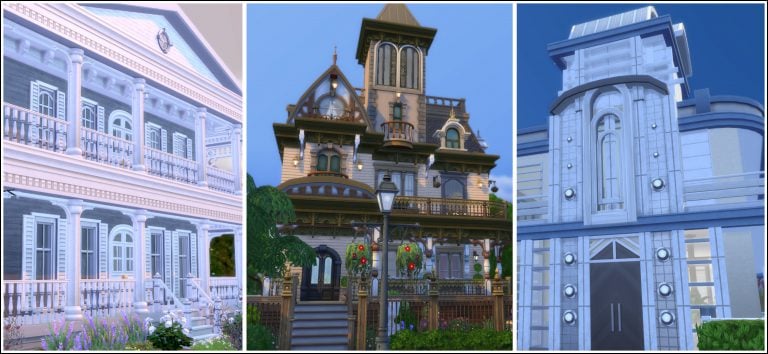
Three Antebellum inspired lots from the Sims Gallery:

[mks_col]

[mks_one_third]

gallery antebellum4
“A Southern Belle” by slawfishnubu

[/mks_one_third]

[mks_one_third]

gallery antebellum3
“American Classic 2” by Ca1911

[/mks_one_third]

[mks_one_third]

gallery antebellum
“N’awlins Haunt” by rostrijodu

[/mks_one_third]

[/mks_col]

Sims Gallery links: “A Southern Belle” / “American Classic 2”  / “N’awlins Haunt” 

2. Queen Anne ( Victorian )

The American “Queen Anne”  is a style of Victorian architecture which rose in popularity near the end of the the 1800’s.    The Industrial Revolution, which overlapped with the  Victorian era, brought about technological advances and improvements to transportation. These allowed the faster transport and production of raw materials and goods.  Decorative elements such as trims and window frames could be pre-fabricated, which in turn made Victorian homes easier, and less expensive to build.  Limited lot sizes in urban areas forced builders to build upwards, which is why you see tall, narrow, multi-storied buildings in this style.  The “Ophelia Villa” in Willow Creek where the Goth family resides, and the “Wolfsbane Manor” in Forgotten Hollows appears to take some Victorian-ish inspiration.

Doing a Sims Gallery search for “Victorian” will bring up plenty of results. It’s easy to see why these  type of houses are so fun to build.  Because these are eclectic in nature, you can be creative with build objects, and it would still work for a Queen Anne house.

Sims 4 Historical Architecture Queen Anne Victorian

Characteristics:
  • Eclectic styles influences by gothic, tudor and medieval architecture, which is why towers and turrets are an iconic part of a Queen Anne build
  • Different dormers and roof types, such as gabled and mansard roofs
  • wraparound front porch
  • Decorative ornamentation, different wall textures
  • Elaborate gardens. Victorians loved their gardens.
Three Styles of Historical Architecture in The Sims 4
Build Objects:

Three Styles of Historical Architecture in The Sims 4

Three Queen Anne inspired lots from the Sims Gallery:

[mks_col]

[mks_one_third]

Sims 4 Historical Buildings Queen Anne
“Dollhouse Victorian” by SpecterCody

[/mks_one_third]

[mks_one_third]

Sims 4 Historical Architecture Queen Anne
“Claret Victorian” by cyprinsims

[/mks_one_third]

[mks_one_third]

Sims 4 Historical Architecture Queen Anne
“‘Queen Anne’ Mansion” by Lapleesa

[/mks_one_third]

[/mks_col]

Sims Gallery links: “Dollhouse Victorian”  /  “Claret Victorian”  / ‘Queen Anne’ Mansion 

3.  Streamline Moderne  (Art Deco)

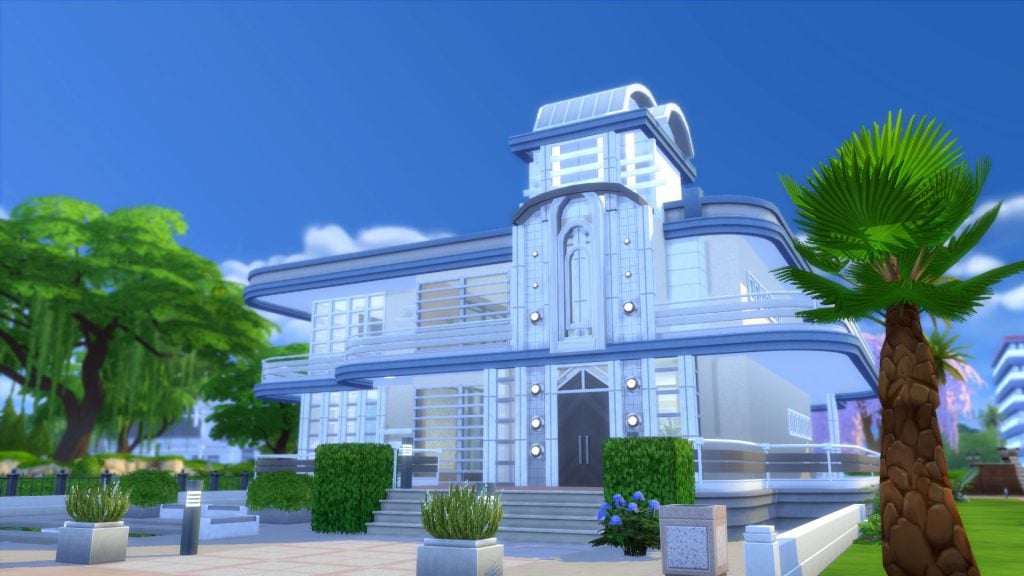
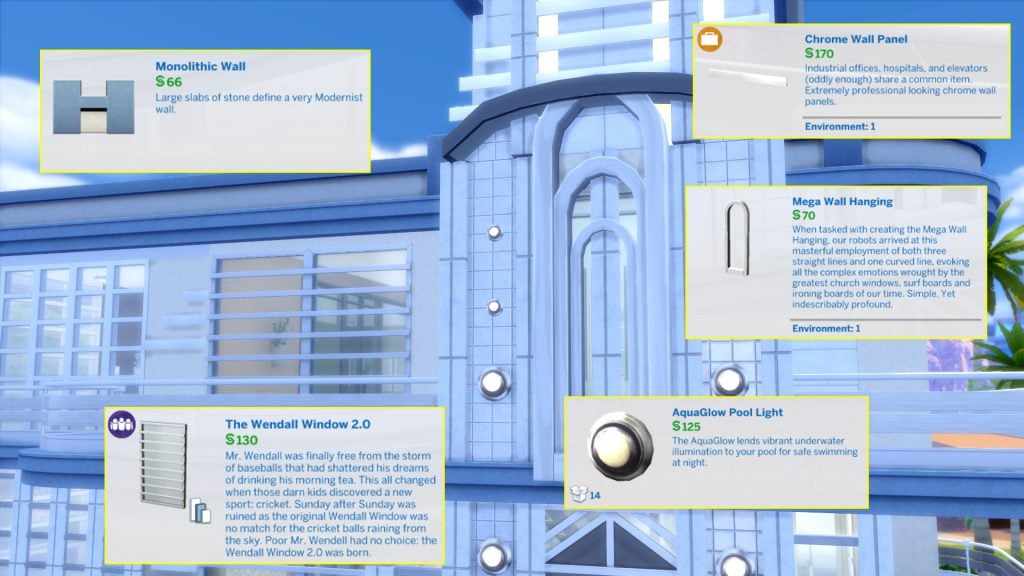
Mid-century “retro” came about from the “Streamline Moderne” or  “Art Moderne” style, which emerged from the tail end of the “Art Deco” movement.  This ultra modern style emphasized a concept of stream-lined motion, and stripped away the ornate details of it’s Art Deco past.  Because it also reflected the economic times of Great Depression, buildings were constructed with inexpensive materials such as glass and cement, and designed with a sense of optimism to a bright future.  Take a look at the “Solar Flares Lounge” and the “Futures Past” museum in Oasis Springs to see Streamline Moderne in the Sims 4.

The terms “midcentury”, or “art deco” are popular in the Gallery, though it may take a little more digging to find ones that suit the Streamline Moderne aesthetic. Sims 2 had the “Mansions and Gardens” expansion pack which included art deco build objects, but these are lacking in Sims 4 as of writing this article.  However, you can still create interesting lots.

Sims 4 Streamline Moderne

Characteristics:
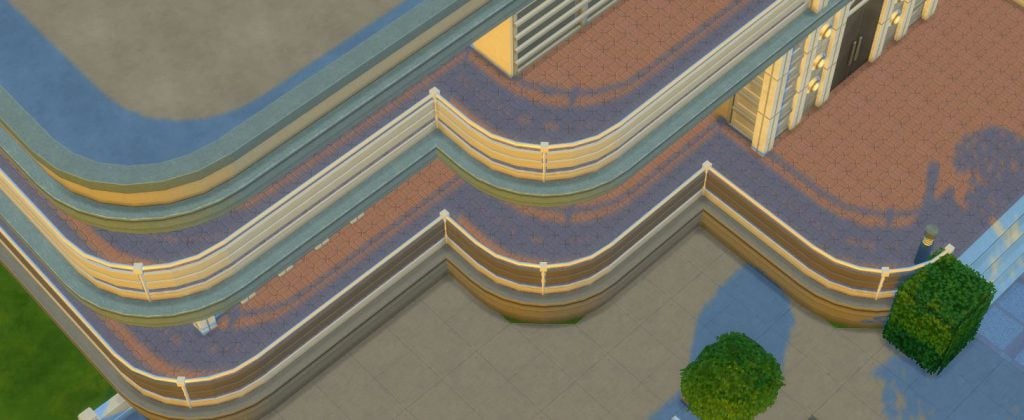
  • Modern materials such as glass, chrome and cement
  • Straight horizontal lines to give a sense of motion
  • Curved, “aerodynamic”, corners
  • “futuristic” decor elements

Three Styles of Historical Architecture in The Sims 4

Build objects for a Streamline Moderne lot:

Three Styles of Historical Architecture in The Sims 4

Three Streamline Moderne inspired lots from the Sims Gallery:

[mks_col]

[mks_one_third]

gallery artmodern02
“McAlpin Hotel&Restaurant” by chaoticshelly

[/mks_one_third]

[mks_one_third]

gallery artmodern01
“Art Deco Inspired Mansion” by SweetSputnik

[/mks_one_third]

[mks_one_third]

gallery artmodern03
“Glamorous Cakes And Bakes” by luckyheather

[/mks_one_third]

[/mks_col]

Sims Gallery links: “McAlpin Hotel & Restaurant” / “Art Deco Inspired Mansion” / “Glamorous Cakes and Bakes”

Building  Sims 4 historical lots is a great challenge and may be easier than you think! Give it a try and tell us about it in the comments!

(The example lots can be found on the gallery under my EA id “belledaisies”.)

New FreeSO Update adds new features and bug fixes!

2

FreeSO, a reimplementation of The Sims Online, has released a brand new update which adds new features and bug fixes.

To download the latest update, simply open FreeSO when you’ll be asked to update your game. Select ”Yes” and wait for the update to download and install. You’ll need to restart your game afterwards.

New FreeSO Update adds new features and bug fixes!

One of the best things about the new update is that you can now change the resolution of FreeSO by dragging the corners of the FreeSO window. You can even use the full potential of your computer’s resolution by dragging the FreeSO window to the top corner of your screen.

New FreeSO Update adds new features and bug fixes!

Here are the full patch notes of the latest update:

  • Implement Volume Controls (via options menu)
  • Implement Door Permissions EOD (permissions, code, fee)
  • Optimise smooth zoom.
  • Actually purge old entries from Lot Visits table
  • Optimise monetary transactions slightly.
  • Right control and shift keys work across the board (unified modifiers)
  • Drag-to-resize windowed mode. Maximise and windows snap-to-side also work.
  • Backend work for dynamic resizing
  • Server url in debug options
  • Fix Binding crash (on logout)
  • Fix restaurant plates stacking out of world, in such a way that they created an infinite stack
  • Stop any stackable objects creating infinite stacks in general

For more information on how to install FreeSO, CLICK HERE!

“God is in the Clutter” Building Your Sim’s History Into Your Builds

Hi, I’m Jason Sterling and this is the third in a series of Sims 4 build articles outlining build tips and tricks within the new world of Forgotten Hollow in the Sims 4. I’ll start this article with the “Sims Builder’s Three Best Friends” in-game cheats.

bb.IgnoreGamePlayUnlocksEntitlement (IGUE) Unlocks all items tied to in game advancement from the start.
bb.ShowHiddenObjects (SHO) Displays all hidden objects for use in building such as ponds, dishes, bottles ect.
bb.MoveObjects (MOO) Allows build/buy items to be freely moved around within the build and activates the height slider that raises objects up and down in the air and on the walls using the number 9 for up and the number 0 for going back down.

If you are new to the Sims 4 or just new to building in the Sims 4, press CTRL/SHIFT/C to open the command box within your game and enter each of the cheats above should you wish to access their features. Now on with the article.

“God is in the Clutter” Building Your Sim’s History Into Your Builds

Famous Architect Mies van der Rohe said God is in the Clutter. No, not really. He said “God is in the Details” but I said “God is in the Clutter” and it’s essentially the same thing. We’re like intellectual twins he and I- lol. I’ve also said our history surrounds us and I’ve written this article to explain that. A really great build in my opinion stands out in its “details” and in its “clutter”. I have a process to assist me when placing objects in a build for a sim that follows the three stages of life. I’ll describe them below via illustrations of the evolution of the kitchen in my Apothecary House.

“God is in the Clutter” Building Your Sim’s History Into Your Builds

The first stage most people begin with and some also end with, when building structures is The Present.

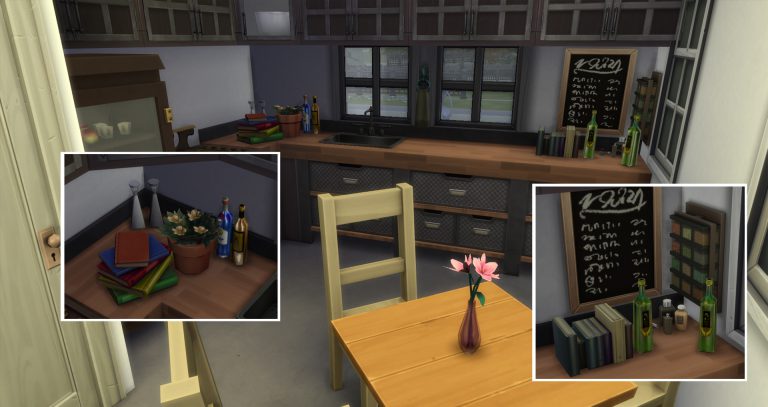
It doesn’t need much explaining. I first set up the basic day to day needs for whatever room I am working on. It’s a kitchen so that means cabinets, appliances and someplace to eat. Then some basic flooring and wall coverings. Not bad but not entirely authentic looking. So I’ll place a few items about.

  • Hand towels
  • Salt and pepper
  • Flowers

It’s our sim’s every day space and it’s just like ours, so it comes naturally. This is where some people stop because they are satisfied with the outcome or because they don’t know where to proceed next.

“God is in the Clutter” Building Your Sim’s History Into Your Builds

I though, like many others, proceed to the next step of The Future.

The future is what our Sims are going to do for work and entertainment when we begin playing. My sim is an “Apothecary”- an imaginary job I pretend in the game. Essentially, he’s a gardener. To support the feel of the imaginary career I’ve set up various clutter items that suggest someone creating medicines in their kitchen.

  • Various bottles (found by turning on the SHO cheat and searching “bottles”) for holding elixirs
  • Numerous books for consultation
  • A small plant he’s grafting
  • A chalk board for notes and so on.

“God is in the Clutter” Building Your Sim’s History Into Your Builds

On the other side of the room are his gardening tools. He has children who are definitely part of his future history. So, I’ve placed a toy cat he found in the garden with the shears. There’s a toy duck peeking out from under the chest too, hidden or lost- only his children know, ha! A lot people I believe are finished here. The room works. You have your sim’s “now” and your sim’s “future”.

“God is in the Clutter” Building Your Sim’s History Into Your Builds

However, the last step fulfills the reality of life for me. It’s the Past.

I visually create the past for a brand new Sim. I do it by surrounding my sim with their history. The history of my sim is that he came from Windenberg with just enough money to buy a home in Hollow, expand it and establish his practice. My sim bought a small brick house pictured here in and enlarged it. Since his funds are limited all of his expansions are done in wood and he’s kept what he could of the original structure. You can see that clearly in this exterior shot.

“God is in the Clutter” Building Your Sim’s History Into Your Builds

It’s also evident in the style of the kitchen that was added onto the back of the house. The original exterior brick wall and flag stone of the porch that the kitchen replaced are still there. Next, I chose objects specifically related to Windenberg. I used the sort function of the Buy Catalog to show only objects from Get Together. Then I could easily chose items that have a player association with Windenberg. I picked items like a pennant and a rug from organizations he belonged to and the shelving containing kitchen implements related to coffee- a Windenberg staple. These additions create a greater sense of personality. He’s not just existing right now and in the future but he is also existing, through his surrounding history, before I started him in my game.

“God is in the Clutter” Building Your Sim’s History Into Your Builds

There we are. I have gone from an empty box to a room that’s surrounded by this sim’s history. The history he has already lived, the history he is living and the history he will live. “God is in the Clutter.”

“God is in the Clutter” Building Your Sim’s History Into Your BuildsI hope you’ve enjoyed this article and it helps you surround your sim’s with their history in your future builds. If you ever have any questions please feel free to post below any article. As well, if you have any builds or examples of what you’ve created that run with the theme of an article, please share those with us too! We would love to see them. Please see my next article, coming soon. Thanks for reading.

This build is available on the Gallery: https://www.thesims.com/en_GB/gallery/278A15F6FA8B11E687E95FCC3DBFD9B8?category=lots&searchtype=item_name&sortby=newest&time=all&searchquery=&max=50&maxis=false

Additional pictures of the entire build are available here: https://www.facebook.com/pg/MyWorldofSims/photos/?tab=album&album_id=1194213234027432

What Makes a Great Expansion Pack?

We are currently two and a half years into the development of The Sims 4, we’ve had several expansion packs since the launch, but what makes an expansion pack actually good? I’m going to try my best to answer that.

I’ve been asking the community recently what their favourite expansion packs are from previous games and the results are quite interesting, it was no surprise that many love the staple packs we’re so used to getting such as pets, seasons and university, but some of the others were quite surprising.

Jobs and Careers

It seems like quite a few people love the whole career aspect of gameplay, getting their Sims truly involved in working and playing them through their days at work. The reason this surprised me is because it never came into my mind as a big deal, but thinking back to The Sims 3 Ambitions, it was a huge deal.

article3
Rabbit holes and Sims disappearing off to work was a usual occurrence to Simmers and then the devs announced we could actually see what happens when our Sims left the lot to earn those simoleons. Another popular choice was The Sims 2 Open for Business, in my opinion one of the best expansion packs we’ve ever received, it was absolutely brilliant and not hard to see why it got many votes, it completely opened your Sims up to a world of retail, to create your own businesses and work your way from the bottom to the top. We’ve obviously got a version of this kind of gameplay in the form of Get to Work, but this also added similar features from Ambitions, we could once again go to work and guide our Sims through the ranks.

article1
But why are these popular? Most people say it added extra realism to the game, opened up something brand new we hadn’t seen before and obviously was much more interesting than watching your empty lot fast forward.

Urban Life

Another surprise to me was the love for The Sims 4 City Living and The Sims 3 Late night, the ability to live way above the ground in fantastic high rises is definitely more interesting than a grassy plot of land. City Living was especially good at making a great lot with the addition of grungy furniture to make realistic and fun apartments, it’s nice to have those extra details.

I don’t think it’s just the apartments though, I think it’s the environment, San Myshuno is one of the most beautiful worlds the guru’s have ever created and it looks amazing from literally any view, Bridgeport is another fantastic world and it’s always my go-to world when I load up The Sims 3.

article2
But is a nice environment enough? It’s when the sun goes down our Sims really start to play, The Sims 2 Nightlife added some amazing features and stands out as one of the second iterations best packs, the addition of cars was mind blowing, it added so many new features that really don’t get enough credit, table interactions made dining out a better experience and bowling allowed our Sims to spend more time together.

It’s not hard to see why these packs are so great, they add amazing worlds, fantastic ways to live and so many new interactions, a brilliant combination for a brilliant set of expansion packs.

Family Time

Generations received so much attention in my research, it seemed like such a popular choice and I was really surprised at this, until I really gave it some thought.

The Sims 3 Generations was one of my favourite packs, it added such brilliant features, some of which we’ve never seen and some we’ve seen before. Now this sounds all well and good, but is that where it fails, it had features you’d expect in the base game, The Sims 2 didn’t have a generations pack but then again it didn’t need it, it had the fun family aspect in its base game and within the other expansion packs. Was the generations pack just a quick fix for a game which lacked the family story telling telling? I think so, but I still loved it.

article6
Giving it some more thought I asked myself is history repeating? The Sims 4 is a brilliant game but it was very clearly geared towards the young adult life state, with the many party options and bar/club venues it feels like it doesn’t have enough stuff aimed at families, that’s why I believe a generations pack is so requested.

So while yes it was a good pack, I believe it’s so popular because it filled a very large gap within The Sims 3 base game. Regardless of that it was a great expansion pack and added some fantastic features.

The Classics

I couldn’t write an article about great expansion packs without including the classics, pets, seasons and university. There is a reason they’ve been remade several times, they are brilliant.

Pets are a crucial part of life, we will all have them some time in our lives so why shouldn’t our Sims get them too? It’s not just having the pets that’s fun it’s making them, we’ve had some brilliant tools to make great pets in so many different varieties and it’s clear a lot of effort goes into the pets expansion packs.

article4
Seasons is another crucial pack, we all experience weather and seasons so it seems strange our Sims live in perpetual sunlight until this pack comes along. A statement which stood out to me was that having seasons in the game adds the aspect of time passing which couldn’t be more true. The pack makes it feel like you’re actually going somewhere in your games when you have the various seasons, it’s definitely a pack we’ve all come to love and miss when a new base game comes around.

article5
University is the next and it’s definitely a must for me. I believe the whole process of sending your young Sims to college and the challenge of managing work and social life is a great experience. I think that this pack adds such depth and awesome features to the game and it’s not hard to see why it’s a very demanded pack. It would be interesting to see The Sims 4 take on a university expansion pack, I’d love to see them expand upon the class function and add more depth.

I think the reason these packs keep coming back is because they have so much love, care and attention put in them and it really does show, the gurus do such a great job and we should all be so grateful for the work they do for us.

Let us know what your favourite pack is and why below.

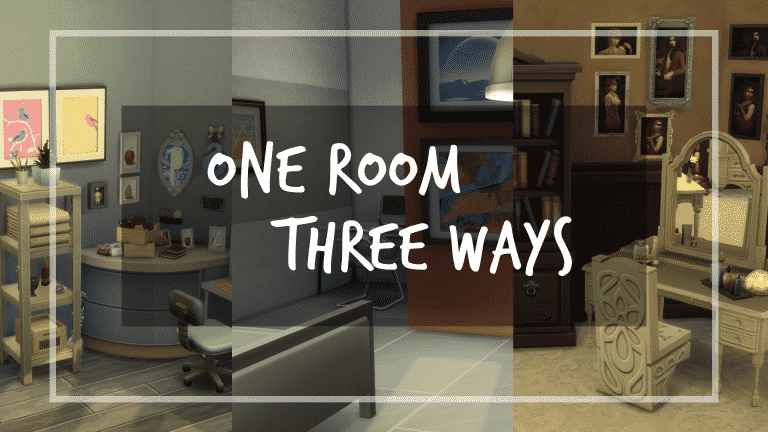
Sims Building Design Skills: Three Rooms, Three Styles

Sims Building Design Skills: Three Rooms, Three Styles

A novice builder might look at creations on the Sims 4 gallery and become a little discouraged. “I could never build something like that!” you might tell yourself, however it’s totally possible to develop your Sims building design skills!

There are many components to a great build, but they can all be summed up with one descriptor: Great attention to detail.

In this tutorial I’m going to demonstrate a design technique for interiors which might help you out if you’re struggling to design and decorate rooms.

For this tutorial, I’m going to start out with a room shell that I created. This is a random room shape, with designated door and window placement. Let’s copy this room twice, so we now have three identical rooms. Each of the interiors will be designed in three different styles for demonstration purposes.

sims 4 building, building tutorial, building techniques, sims 4 build tutorial

Decide Your Style

Are you creating this room with a Sim in mind? What is their personality like? If you don’t have a specific family or household you’re designing for, then make one up! Think of who would be living here and give them a little story. This will help you tremendously and make your build less generic. For my three bedrooms themes, I’m going to go with comfy, modern, and traditional.

Swatch It Out

Decide your floor and wall pattern, textures, and colours. Pick a wall, any wall, inside your room. These can help guide the tone of your room so you don’t get off track.

Room 1: I really wanted to go for a comfortable and ‘lived-in’ motif; something that has a nice abundance of clutter and items all around. Since there would be a lot of stuff for your eye to look at in this room, it might be best to go with a more muted colour palette on the walls and floor.

sims 4 building, building tutorial, building techniques, sims 4 build tutorial
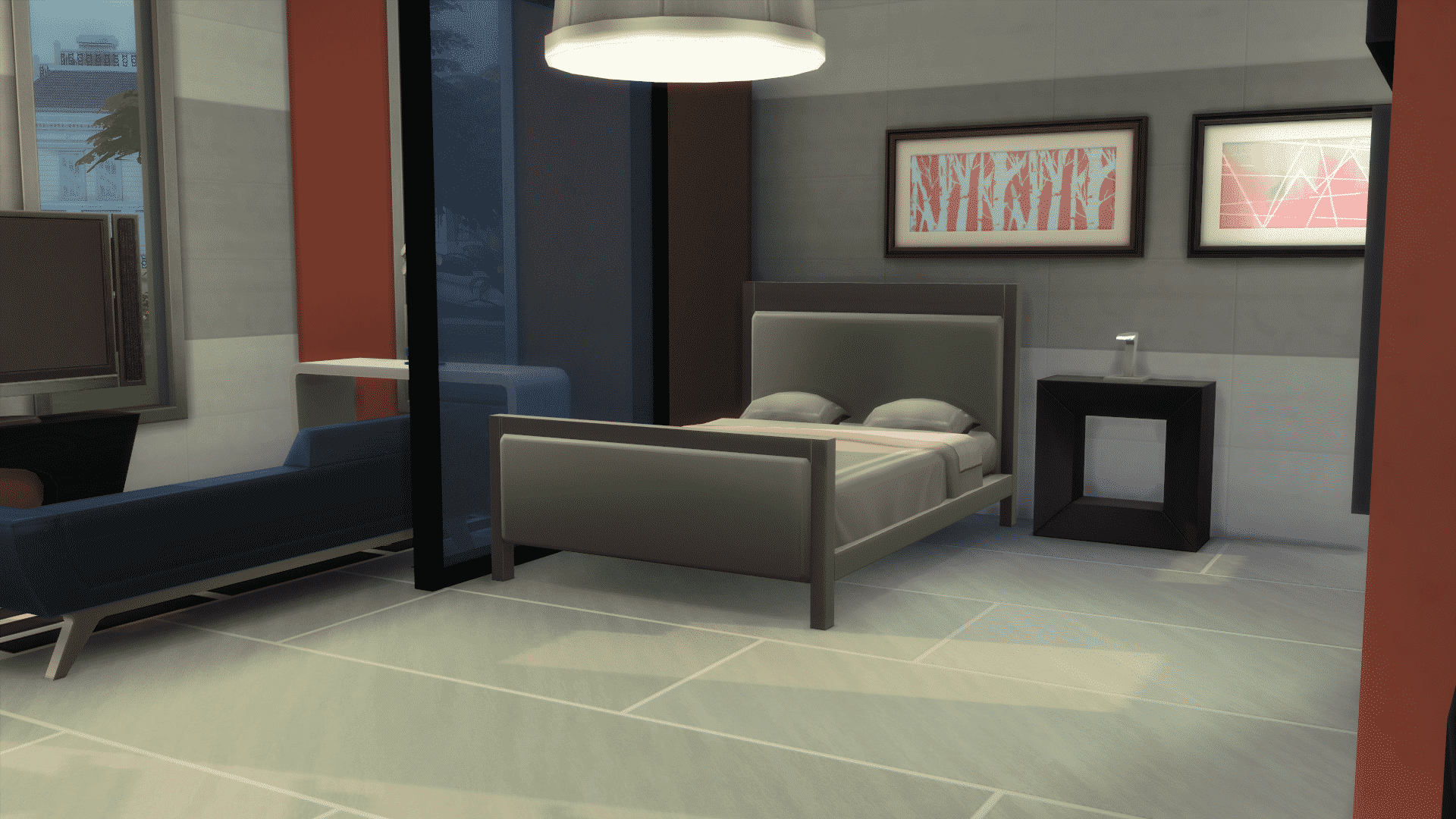
Room 2: For this room, clutter was out and modern was in. I wanted a more futuristic vibe, which gave me thoughts of greys, shiny surfaces, mirrors, glass and clean lines. These grey and orange swatches will do quite nicely for this theme.

sims 4 building, building tutorial, building techniques, sims 4 build tutorial
Room 3: For this room, we went back in time. An old Victorian style with carpeting, paneling and wallpaper. These will set the stage for our old-timey interior.

sims 4 building, building tutorial, building techniques, sims 4 build tutorial

Place The Big Stuff

Get all of that clutter out of your brain for just a second. Done? Good! Now is the time to look at large pieces of furniture you would like to incorporate based on your style. Don’t worry about paintings, lamps, small chairs, or any other small clutter right now. You really want to define the layout of the space with the large pieces, and then the small stuff will come much easier.

This is when you can decide where to place your bed, closet, chests, couches, or anything else that’s going to be taking up some space. Don’t be afraid to rearrange things again and again! It’s not about getting it right the first time. Place something, let it marinate, and then place it someplace else. How does it feel in this position compared to the one before? Feel out the space. The more you do this, the more you will develop better design instincts. Practice makes perfect!

Room 1: Bed, couch, closet, desk, easel. Got it!

sims 4 building, building tutorial, building techniques, sims 4 build tutorial

Room 2: Bed, desk, sitting area, dresser. No problem!

sims 4 building, building tutorial, building techniques, sims 4 build tutorial

Room 3: Bed, armoire, chest mirror, vanity. Too Easy!

sims 4 building, building tutorial, building techniques, sims 4 build tutorial

Add Details

Once you have your large objects, you can work on the little things. Start in one corner and work your way all around the room. Use bb.moveobjects to add clutter on top of surfaces that do not have item slots, and also use bb.ignoregameplayunlocksentitlement to unlock some of that cool stuff that is progress locked (if you don’t mind using this, that is!). Also, don’t forget about bb.showhiddenobjects to place some of that hidden debug build gold. Place objects whatever you like! Try to use items that work with the theme you started out with. This will narrow down your detailing so you don’t feel so overwhelmed by objects.

Room 1: This was a clutter filled room! Here are the final pictures.


Room 2: So very different than the first! Ultra-modern and sophisticated. Check out the final shots!


Room 3: Old fashioned and fabulous! It’s amazing how much decor can change things up!


Working in steps will help you develop a process. After you have some practice, you won’t even have to think about it anymore!

Let me know in the comments if this Sims building technique has worked for you! What are some of your build processes?

You can catch my Let’s Plays and Build Casts daily on twitch.tv/holliebb

The Sims 4 Get Together: Add 20 (or even 50) Sims to your Club! (Mod)

Ever wanted to add more than 8 Sims to your club? Now you can!

This mod lets you add up to 20 Sims to your club. If you want to go to the extremes there’s even a different version of this mod that lets you add up to 50 Sims to your club. Please make sure you have a computer powerful enough to run all 50 sims at once!

To start, download THIS MOD from Mod The Sims. Extract the zipped .package file to Electronic Arts > The Sims 4 > Mods folder. Make sure you have Mods / CC enabled in your game options!

Now, you won’t be able to add 20 Sims to your club momentarily – you’ll have to earn it first!

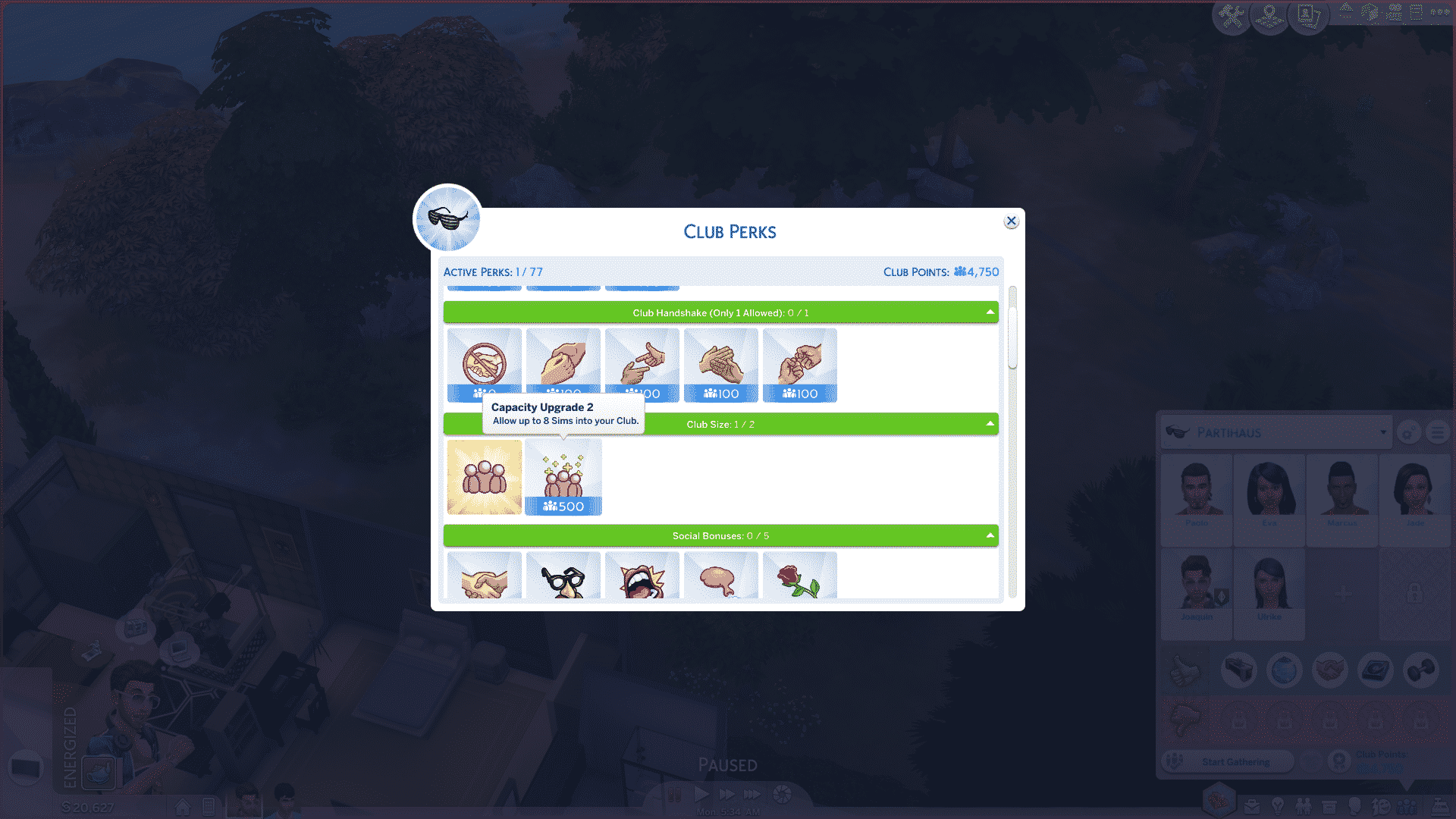
You’ll be able to add up to 20 Sims to your club once you purchase the ”Capacity Upgrade 2” Club Perk.

The Sims 4 Get Together: Add 20 (or even 50) Sims to your Club! (Mod)

Then, select an empty slot with a + icon and add any Sim you want to your club.

NOTE: After you’ve done this you won’t be able to add sims to your club using this method. There’s a workaround…

The Sims 4 Get Together: Add 20 (or even 50) Sims to your Club! (Mod)

Simply click on a Sim of your choice and select Clubs > Invite to Club > *Club Name*.

The Sims 4 Get Together: Add 20 (or even 50) Sims to your Club! (Mod)

There you have it. With this mod it’s a party wherever you go!

The Sims 4 Get Together: Add 20 (or even 50) Sims to your Club! (Mod)

The Sims 4: A Third Survery Has Surfaced (SPECULATION)

28

Please note that this post is pure speculation until proven otherwise.

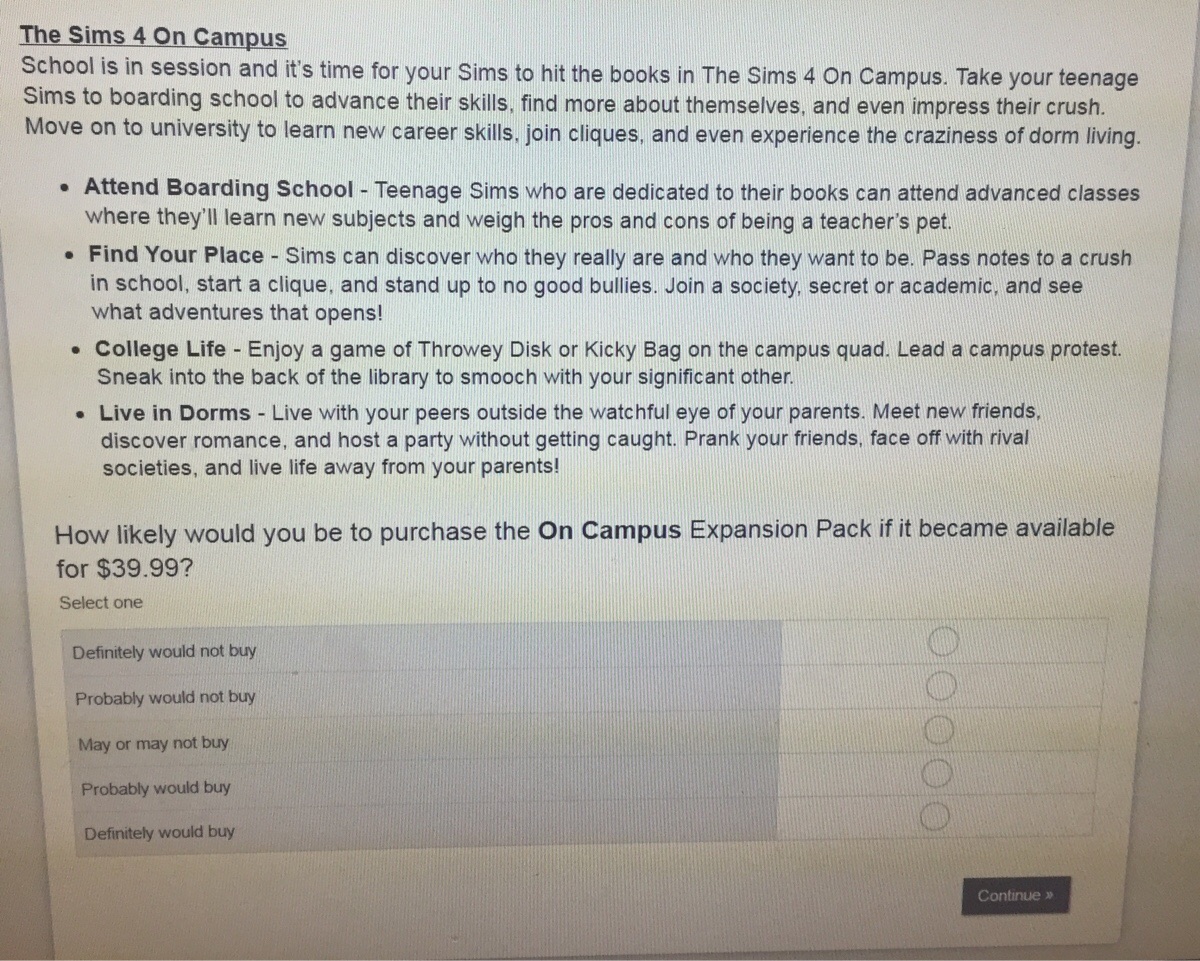
UPDATE: Another Reddit user reports taking this survey. This user also had a University-themed Expansion Pack suggested called “On Campus”:

The Sims 4: A Third Survery Has Surfaced (SPECULATION)

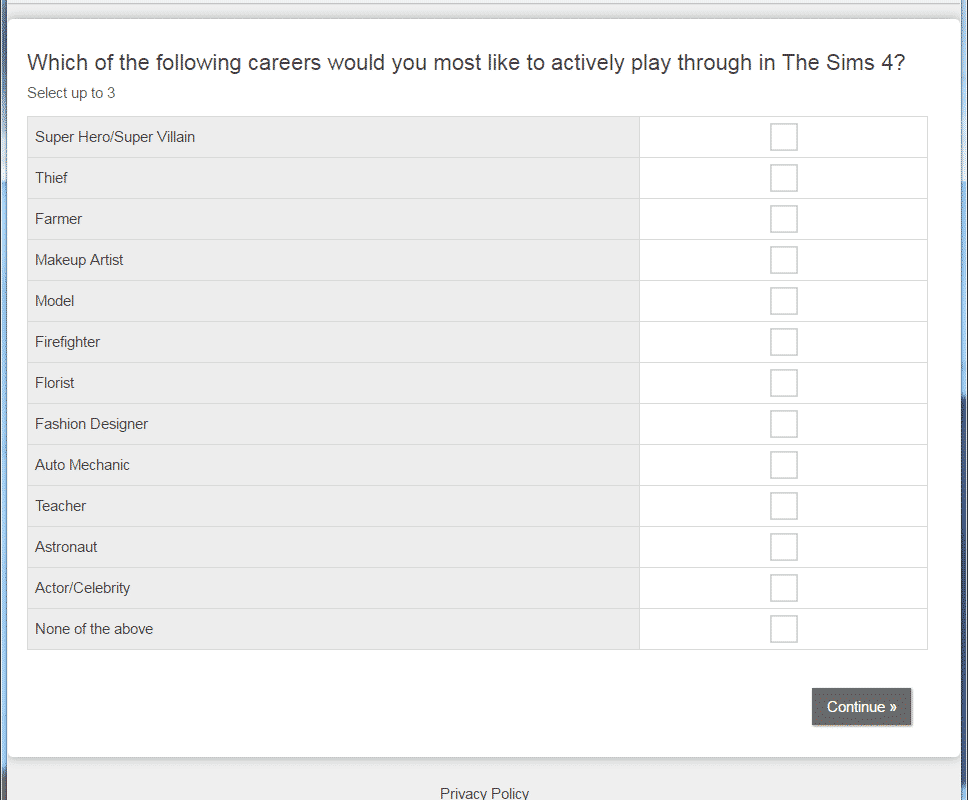
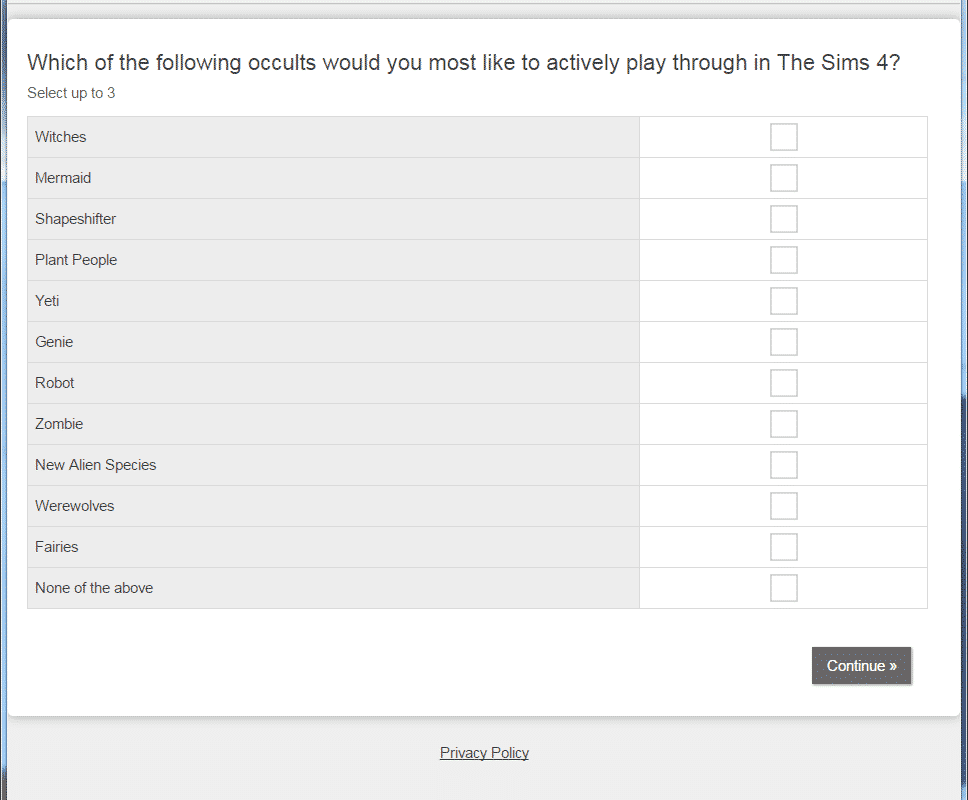
Reddit user Becccaboo has shared screenshots of another survey that has been sent out to some players. This makes it the third survey in the past week. Although some of the content is repeated we see new additions to the survey in the form of Witches and fairies.  Becccaboo took to the comments section to add some context to the post explaining that she receives emails from EA from time to time asking her to complete the surveys.

Check out the 2 other survey that surfaced with different pack suggestions:

To put some context to this, I do surveys online and this turned up in my most recent survey. I had to rate the attractiveness of each point in the pack and how likely I was to buy it and then give my opinion on what I thought on the pack as a whole.

The survey also asked a lot about brands that go with the Sims franchise so I don’t know why they wouldn’t do this.

They did feel like they were more ideas floating around as they asked all about brands and celebrities that you associate with The Sims franchise too.

The Sims 4: A Third Survery Has Surfaced (SPECULATION)The Sims 4: A Third Survery Has Surfaced (SPECULATION)The Sims 4: A Third Survery Has Surfaced (SPECULATION)The Sims 4: A Third Survery Has Surfaced (SPECULATION)

The Sims Blog: SimGuru Spotlight – SimGuruNinja

2

Via TheSims.com

We’re back with another Meet a Guru spotlight! We’re so fortunate to have people working on The Sims that choose to take on extra duties as SimGurus, and these individuals are excited about engaging with our amazing community and sharing their knowledge with you! For this spotlight we wanted to highlight one of our more playful SimGurus who had a hand in the creation of The Sims™ 4 Vampires Game Pack*.

  DaveMiotke SGNinja

Can you give us a brief introduction to yourself?
My name is Dave Miotke (David if I’m in trouble) and I’ve been with EA & Maxis for over 8 years. I love strategy & simulations games, collecting vintage toys from the 80’s & 90’s, gardening, and (recently) playing VR games.
I started here at Electronic Arts as a QA tester and worked on titles like The Sims Pet Stories, The Sims Castaway, and MySims Kingdom.

As a designer, I worked on MySims Agents; a game I’m very proud of. I joined production to work on The Sims Medieval series before moving onto The Sims 4 team in 2011. Alas, I remember joining EA like it was yesterday. I was so happy, excited, and full of youthful energy. Now I have greying hair, an ever expanding tummy, and a growing appreciation for dad jokes.
Basically, I’m super old now. But I’m young at heart and still madly in love with games and with Maxis! So I have that going for me.

What do you do on The Sims 4?
I’m a Producer; one-part planner, one-part cheerleader, and one-part tester. (or I think that’s the official recipe to make a producer).

Early in a project I help to pitch & refine ideas & concepts. If a pitch is green lit, I help to further clarify and prioritize features for the pack as well as communicate the intent and ongoing progress team wide. Later in the project I help to evaluate the software and plan for iteration and/or additions to maintain a high quality bar for you, the players.
To date I’ve worked on…

The Sims 4 base game: working on social system, relationships, screenshots/memories, social events, etc.
The Sims 4 Get To Work ( The Sims 4’s first expansion pack), The Sims 4 Get Together ( The Sims 4’s second expansion pack), The Sims 4 Dine Out (The Sims 4’s third Game Pack), and… The Sims 4 Vampires! (The Sims 4’s fourth Game pack), where I generally oversaw gameplay features.

What’s the best thing about being a SimGuru?
The best part of being a SimGuru is interacting with our players, of course. It is so much fun to be able to directly chat with people and see what kind of fun and trouble they are getting into with this game. Our community is one of the best and even when they yell at me for misusing the word “soon” I’ve got nothing but love for them.

  The Sims Blog: SimGuru Spotlight – SimGuruNinja

What do you love most about The Sims franchise?
I absolutely love that The Sims is so open-ended and caters to so many different play-styles. It’s amazing to see what architectural madness our hard-core builders cook up and submit to the Gallery. It’s a blast following strong storytellers to watch their drama and characters emerge over multiple Let’s Play segments. It’s super fun watching game play-oriented folks create and run through legacy challenges. It’s just such a diverse game that caters to your personal desires; it’s awesome. I’m a bit of a subversive player myself. I immensely enjoy creating perfect worlds and then wreaking havoc with my sims to see it all go down in flames.

What’s your favorite ice cream flavor?
The flavor of ice cream is unimportant. What’s important is that it comes with a large slice of PIE!!!!!! Mmmm…. pie.
Or Cobbler… YUM! (Sad side story – A shoe repair store on my way home prominently features a “Cobbler” sign. When I see it my tummy grumbles and then I get sad that it’s the wrong kind of cobbler. Every darn time. Stupid shoe cobbler. Why do they even still exist?!)

And did you know that pie/cobbler pairs perfectly with barbecue?
Of course you knew. It’s common knowledge that BBQ + Pie is nourishment for the soul.
Oh my goodness. Pulled pork. Brisket. Mac & Cheese. A nice cornbread muffin and maybe a few ribs for good measure. I’m literally drooling now. For all that is holy, why did you ask me an ice cream question? You know I have a food weakness!!
It’s a serious condition.

Well, it’s been nice chatting with everyone, but I need to go grab a bite to eat before I get hangry. Talk to you all again soon!

The Sims Facebook Pages are merging

2

UPDATE: @SimGuruPanda announced that The Sims Facebook Page now work in an ”umbrella” – which means that the main The Sims Facebook page will redirect to the page of your language. You can change the language of The Sims Facebook page by clicking the 3 dots under the cover photo and by selecting the ”Switch Region” option.

The Sims Facebook Pages are merging

In case you’ve been following The Sims Facebook Pages for other countries such as Germany, France, Poland and so on, you probably noticed that Facebook Pages for those countries are now gone for some odd reason.

All of those pages now redirect to the biggest page of them all – The Sims.

There’s no official information for now but we do assume that, if you for example live in Germany, you’ll be seeing posts on The Sims page exclusively in German language.

The Sims Facebook Pages are merging

The Sims 4: Another Survey Has Surfaced (Speculation)

Please note that this post is pure speculation until proven otherwise.

UPDATE: @RemiSurridge reports receiving an e-mail with a different survey sent by EA – the same email that sends her usual The Sims 4 newsletters. Unfortunately, she wasn’t able to take the survey as she didn’t take it on time.

Apparently, this survey is asking people if they would recommend The Sims 4 to others and their thoughts on the game.

The Sims 4: Another Survey Has Surfaced (Speculation)

Just a few hours after we reported on a Survey asking about our interest in various The Sims 4 Pack themes, MissTiquelle has reported on Reddit that she received a similar survey.

MissTiquelle published the images of the survey she took saying:

I’ve taken this survey, but it had different options for game pack & expansion pack ideas. It also asked about brands/celebrities I liked/associated with the sims and which occults I most wanted to play (witches, fairies, etc.).

It’s just a survey, the price is probably made up, it’s just floating ideas out there. Chill, don’t panic. Take it with a pinch of salt, it’s just a survey after all.

Unlike the survey linked above which was translated from french to english (as it was taken by a french member), this one is fully in english with some different features and pack themes suggested. Take a look!

The Sims 4: Another Survey Has Surfaced (Speculation)

The Sims 4: Another Survey Has Surfaced (Speculation)

The Sims 4: Another Survey Has Surfaced (Speculation)

The Sims 4: Another Survey Has Surfaced (Speculation)

The Sims 4: Another Survey Has Surfaced (Speculation)

The Sims 4: Another Survey Has Surfaced (Speculation)

Tip: @TonzaOfficial

The Sims 4: SimGuruKimmi’s Dine Out Build Challenge

0

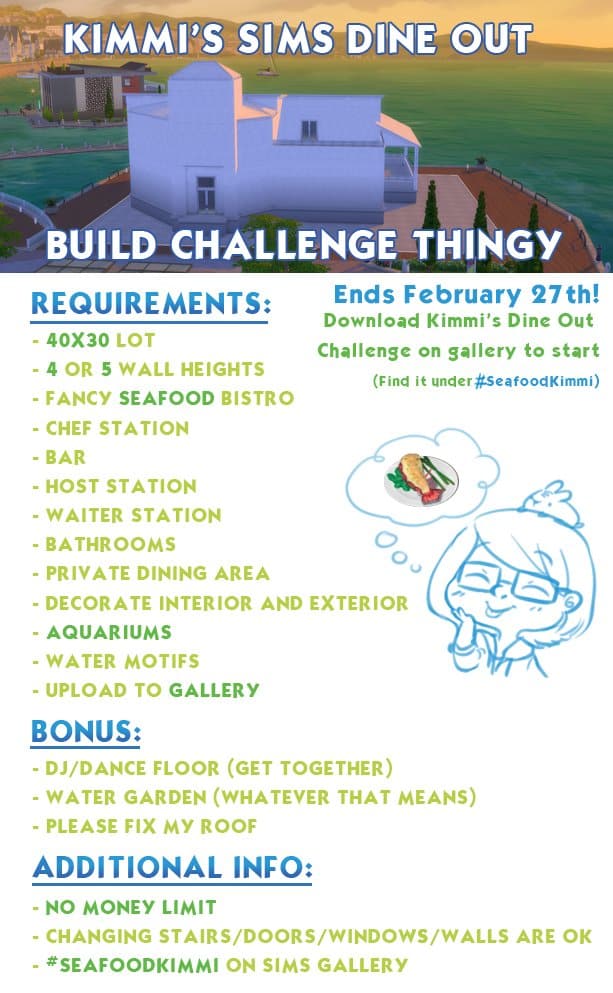
SimGuruKimmi, concept artist on The Sims 4, published a new build challenge on twitter.

Basically all you have to do is download the restaurant shell that she’s made from The Gallery and furnish & decorate it using the requirements shown in the image below.
If you’re looking for a new Sims 4 challenge and love building, this challenge is perfect for you. Do keep in mind that you’ll need The Sims 4 Dine Out Game Pack in order to do this challenge.

To stay up-to-date about this challenge, follow SimGuruKimmi on Twitter!

The Sims 4: SimGuruKimmi’s Dine Out Build Challenge

The Sims 4 CC Showcase: Toddler Clothing

So, The Sims 4 Toddlers have been out for over a month, and creators wasted no time in making all the custom content for them – we would expect no less!

In this showcase, we’ve highlighted our favourites in Custom Content Toddler Clothing, with all links included of course. To be directed to the download page just click on the name of each creator!

Toddler Suspender Outfit – GeorgiaGLM

Cardigan Outfit – GeorgiaGLM

Patterned Jammies – Butterscotch Sims

Dress Conversion – Simple Simmer

The Incredibles Outfit – Janysims3

02 19 17 7 14 53 PM

Vintage Glamour Glasses Conversion – Beth Glasses – hlsimies

02 19 17 7 11 30 PM

Toddler Tee – Pheebsims

Let us know what your favourites are in the comments!