Home Blog Page 430

The Sims 4 Modding: Plant Object IDs

Hey guys!  I recently released an article showing you how to extract the Object IDs out of your games.  Now using that information, I was able to compile the below list of plant object IDs that you can use to spawn the seeds.  I needed this information for the Garden Club I am making that will use a community garden (park) as their meeting location.

How to use these cheat codes, you have to go into build mode on an active lot. Then you type in your cheat following the example below.

Example:

  • Shift+CTRL+C (opens cheat window bar)
  • Testingcheats true (to enable cheats)
  • objects.gsi_create_obj 0x0x5B8D (spawns a strawberry)

ExtractingObjectIDs1bExtractingObjectIDs1c

A word of warning, items will spawn close to your Sim so I like to move her into the center of the lot. Be sure to always save before spawning items because they can show up outside your lot. Use these cheats with caution because they could break your game.

  • Apple 0x55B3
  • Basil 0xB2A4
  • Bird of Paradise 0x5B9F
  • Blackberry 0x5B8E
  • Blue Bells 0x5B9D
  • Bonsai Buds 0xB2C7
  • Carrot 0xB0F3
  • Chamomile 0x1025F
  • Chamomile (Toxic) 0x1071C
  • Cherry 0x57C3
  • Chrysanthemum 0x5B9B
  • Cowberry 0x93E2
  • Daisy 0x5899
  • Death Flower 0x1010C
  • Dragonfruit 0x5B90
  • Elderberry 0x1025C
  • Elderberry (Noxious) 0x10723
  • Fang Flower 0x11AC1
  • Fireleaf 0x102A0
  • Fireleaf (Poison) 0x10725
  • Glow Orb 0x11AC3
  • Grapes 0x5B92
  • Huckleberry 0x107E4
  • Lemon 0x57C2
  • Lily 0x5B9A
  • Morel Mushroom 0x10261
  • Morel Mushroom (False) 0x10724
  • Muckleberry 0x107E5
  • Mushroom 0xB0FF
  • Onion 0xB53C
  • Orchid 0x5B9C
  • Parsley 0xB2A6
  • Pear 0x5B95
  • Plantain 0x57C4
  • Pomegranate 0x5B8F
  • Potato 0xB0EF
  • Quill Fruit 0x11AC7
  • Rose 0x5B97
  • Sage 0xB2A8
  • Snapdragon 0x55A6
  • Spinach 0xB961
  • Strawberry 0x5B8D
  • Tomato 0xB500
  • Trash Fruit 0x5FAE
  • Tulip 0x5B98
  • U.F.O. 0x7151

Have any questions? Reach out to me on Sims Community Social!

The Sims 4 Concept Art by David Le Merrer

2

David Le Merrer shared some interesting concept art for The Sims 4 that he made last year. Although it wasn’t stated for which The Sims game were these concepts made exactly, you can clearly see that there’s some Concepts of the Police Station, Science Lab and the Hospital (The Sims 4 Get to Work), as well as the Cafe Lots, Espresso Machine and Nightlife Clubs (The Sims 4 Get Together).

david-le-merrer-6david-le-merrer-5david-le-merrer-10david-le-merrer-7david-le-merrer-9david-le-merrer-2david-le-merrer-3david-le-merrer-11david-le-merrer-4david-le-merrer-8david-le-merrer-1

In this post there’s an official confirmation that he currently works for EA.

Merry Christmas from the Sims Community Team!

0

The entire team from Sims Community and Sims Community Social wishes you a Merry Christmas!

merryxmasfeatured

The Sims 4: New Teaser for Upcoming Content!

3

The Sims Team released a new Holiday-themed Video today, featuring footage from The Sims 4 and some of it’s packs. In one scene of that video there’s a sim on the left with an unknown hairstyle. I checked it myself and there’s not a single pack that brought this hairstyle to the game.

Capture

This isn’t the first time The Sims Team teased new content. Just 2 days ago Lucy Hale shared a promotional image from The Sims 4 featuring another new hairstyle (Sim in the middle).

856986_612075262278722_6904927485826381930_o

Tip: @TheSimScraper

Happy Holidays from The Sims Team! (Video)

The Sims Team wishes you Happy Holidays!

The Sims 4 Modding: How to Extract Object IDs

Hey guys!  Today I’m going to talk about how to extract Object IDs.  I have spent the past several weeks beating my head against the wall trying to figure out how to do this.  Then late last night during a bout of severe insomnia, I had an epiphany that resulted in finally conquering this thing.  I wanted to share this with everybody so nobody else has to go through the painful process I just endured trying to figure this out on their own.

Tools Needed:

Step 1:

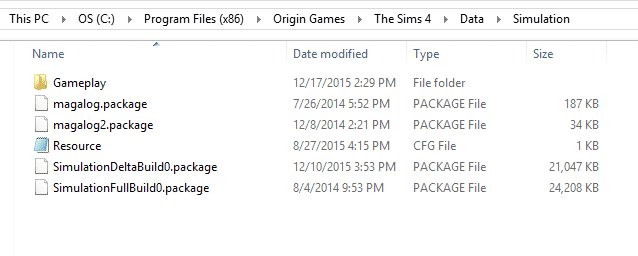
Navigate to your Sims 4 Data Simulation Folder.  Mine is found via this path but yours might be different:  C:Program Files (x86)Origin GamesThe Sims 4DataSimulation

ExtractingObjectIDs1

Step 2:

Select the files called SimulationDeltaBuild0 and SimulationFullBuild0 and then COPY/PASTE them to a modding folder in your documents folder.  DO NOT do anything to these files where they are currently located or risk ruining your game.  You have been warned.

Step 3:

Open Sims 4 Studio (S4S) and then open your SimulationFullBuild0.package.  I wanted to get the ID’s for a strawberry plant so I could spawn it (for reasons, lol).  So, I typed in objectdefinition into the search bar and then selected filter.  I scrolled down till I found gardenFruitGENStrawberry_01.  Then I looked under instance and got the code to spawn this strawberry plant.  If you use this code, you don’t need to include all the leading zeroes.  You can truncate it and just use 0x5B8D, it will result in a strawberry plant spawning either way.

ExtractingObjectIDs1a

Here are some screens of me using this to spawn my strawberry plant in game.

ExtractingObjectIDs1bExtractingObjectIDs1c

And that is it!  Easy, right?  This can be used to spawn things for yourself or to make mods or pretty much whatever.  Hope it helps and prevents anybody else from spending days trying to get these ID’s.

Have any questions? Reach out to me on Sims Community Social!

Smart Girls Build with The Sims 4: EP3 – Photography!

0

Amisha, a 14 year old girl with a love of photography and traveling makes her own Sim with the developers of The Sims 4 in Smart Girls Build!

We brought a few of our favorite Smart Girls to Electronic Arts for a very special behind-the-scenes experience with game developers at The Sims 4.

The Sims 4 Build Tutorial: How to Build a Loft

Hey Guys!  I thought I’d take a break from my modding and CC tutorials to show you guys some fun things you can do in building.  I adore Industrial Style interiors and what works perfectly with those?  Lofts!  Lofts can be tricky; especially since the game just loves to poke those roof pieces right through your lovely and carefully placed walls.  I’m going to show you via screenshots how I build my lofts.

I started with this house that I built for the Sims Community Designer’s Challenge.  It’s a modern build and will look great with a loft.  To begin, you will go to the second floor and use the room tool to make a room where you want your loft.  Then you click on the floor of that room and select the option to remove the floor.  You will be left with a lovely gaping hole that allows you to view the room below.

 ModernLoft1b ModernLoft1 ModernLoft1c ModernLoft1dModernLoft1e

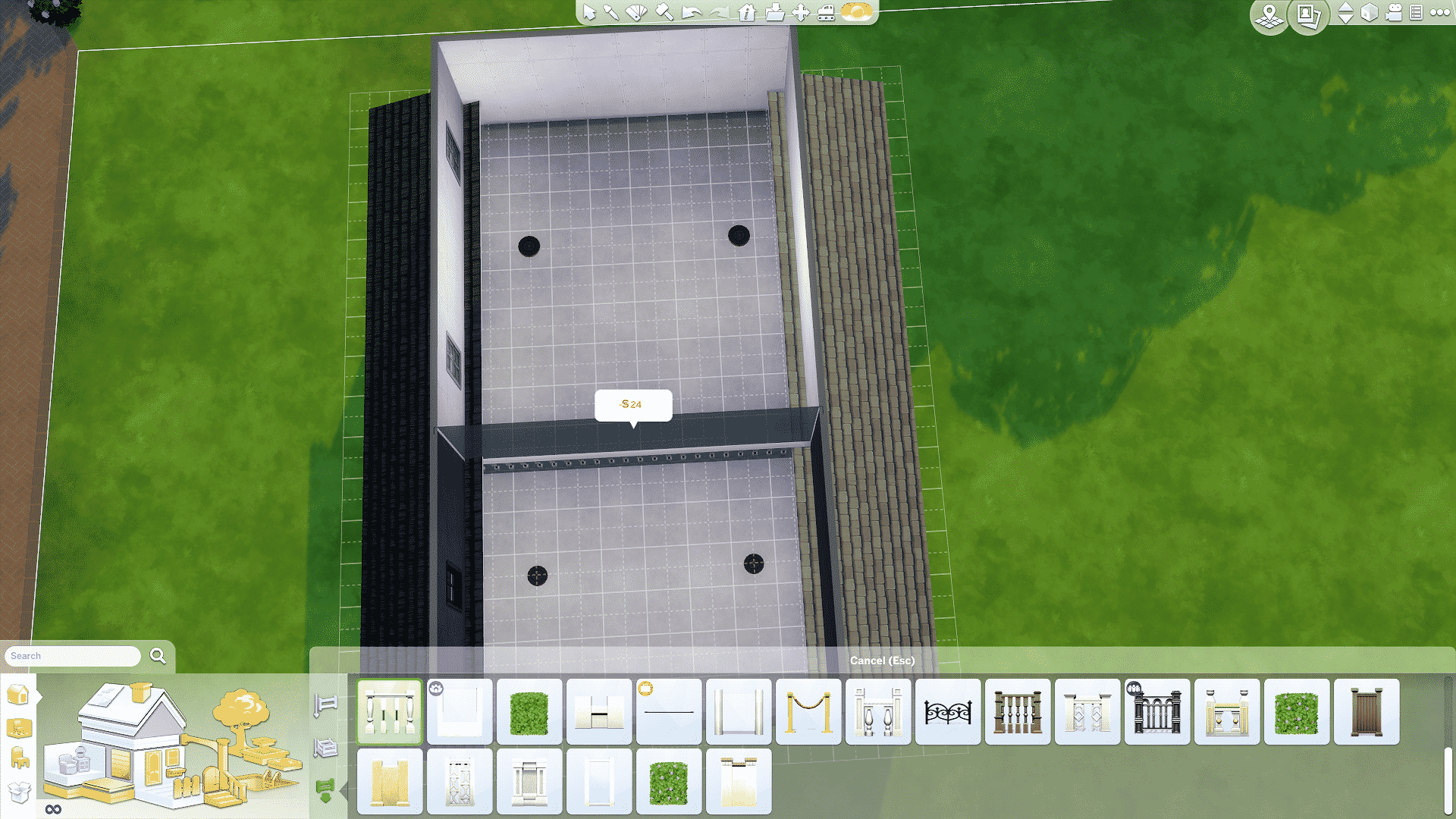
Your next step will be to add the fence and then the stairs.  This type of loft is super easy but looks really cool in most builds.  It also allows you to experiment with various architectural details and move away from building blocks.

ModernLoft1h ModernLoft1g

Now what about a more challenging build?  Like a multi-level Farmhouse?  The challenge with this type of build is the way rooms are designed in Sims 4.  The second you place that fence, the roof pops through your walls and completely ruins your build.  Is there a way to cheat around this?  Sort of, I will show you next how I fix this so the roof isn’t as obtrusive and you can still design your rooms.

I built this house to show how to work around the roof issue with lofts.  As you can see, the roof angles are fairly pronounced.  When you attempt to add a loft following the same method above, the roof pops through the walls once you add a fence.

farmhouseloft1a farmhouseloft1 farmhouseloft1b farmhouseloft1cfarmhouseloft1d farmhouseloft1e

So what can you do?  First you can decrease the pitch of the roof (how steep it is) and you can also draw it back some more from the walls.  Then you try to add the fence again and see that the roof sticking through isn’t as pronounced as before but it’s still there and still getting in the way of designing that loft.

farmhouseloft1f farmhouseloft1g

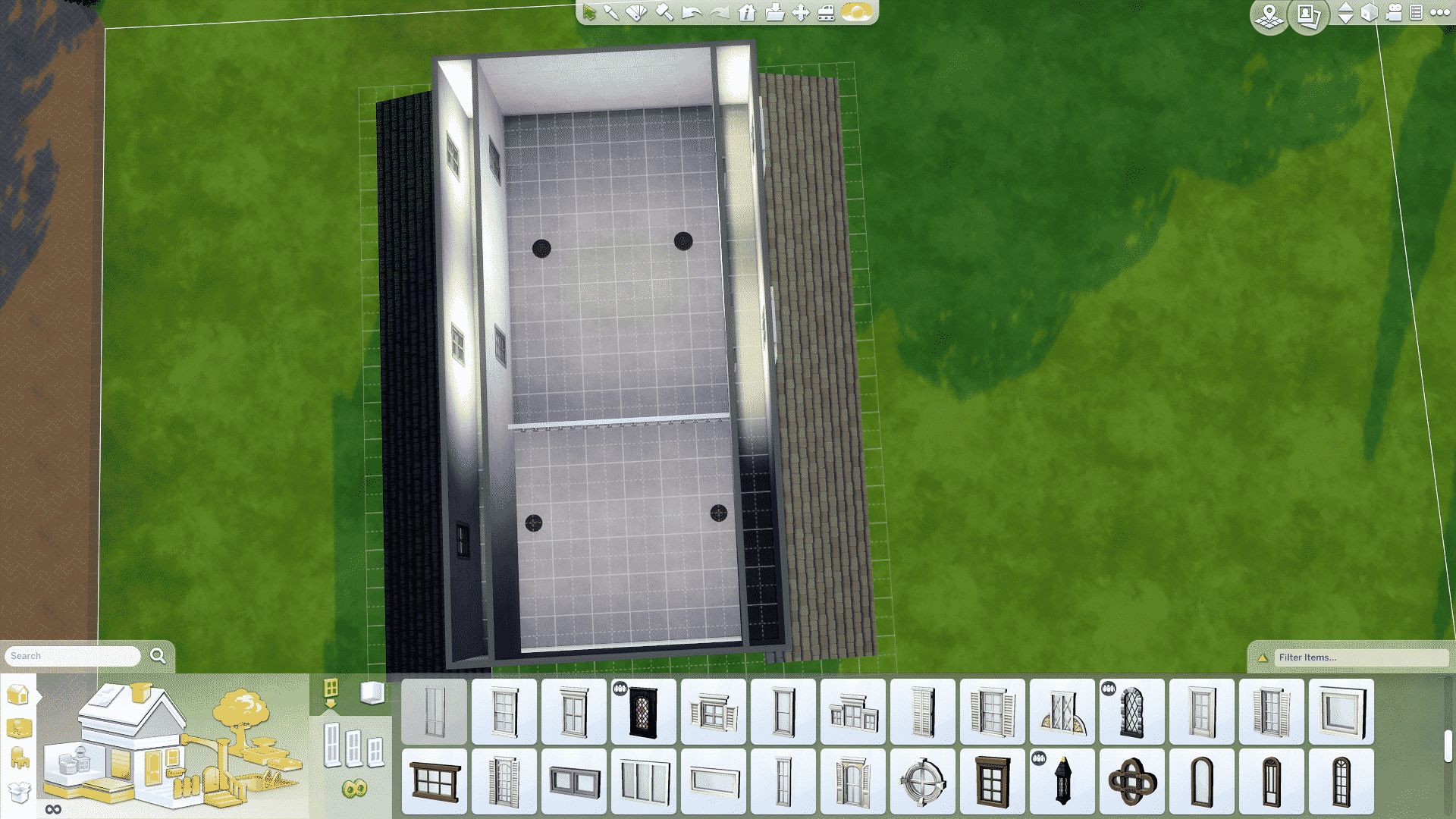
At this point, what I do is I add a fake room that separates the roof from my loft.  The roof will pop through that room and I won’t see it in the loft area.  You can add windows so that light shines through.  It’s not a perfect solution but it’s a solid work around that allows you to design your build without that unsightly roof poking through the walls.

farmhouseloft1h farmhouseloft1ifarmhouseloft1j

And there you have it, how I like to build my lofts.  Have any questions? Reach out to me on Sims Community Social!

The Sims 4 Get Together: Clubs of Windenburg

Learn about how clubs work in The Sims 4 Get Together!

What makes Windenburg and Get Together so unique is that the world comes with eleven pre-made clubs just waiting for additional members! This article tells you what those Sims 4 clubs are and who is already in them as well as requirements to join the club and the encouraged and banned activities for each of the clubs.

But first, let’s go over exactly what clubs in The Sims 4 are and how they work!

The Sims 4 Clubs: What are They?

The Sims 4 Clubs

Clubs in The Sims 4 are social groups Sims can either create or join. Basically, think of clubs like social cliques or hobby groups. They are groups of Sims who have similar interests and mindsets who spend a lot of time together indulging in those interests. Also, every club needs to have a club leader and can have up to 7 additional members.

Take Control as a Leader!

Of course, as a club leader, you will have a lot of power over your club. You get to decide what activities your club members will do while in a club gathering, what they aren’t allowed to do, and even control what your club members wear while gathering. Also, you get to decide the location of your club’s hangout spot. Additionally, as your club spends time in club gatherings doing club activities, you’ll earn points to spend on various rewards and perks for your club. These perks make gathering more worthwhile by increasing things like skill gain and relationship gain while in a club gathering.

The Sims 4 Clubs

However, as a club member, you won’t have as much control over your club. Indeed, you won’t get to decide on what you wear in a club gathering or any of the club activities. Although, being a member of Sims 4 clubs can be a nice way to spend time out socializing without having to worry too much about micromanaging the other members. Although, if you decide you don’t like the way the club is being run, you can overthrow the leader by turning the other members against them or by just outright asking them to step down. Very Mean Girls. Also, child and older Sims can create and join clubs.

Of course, you can create your own club through the Social Group tab on your Sim’s info panel. Obviously, clubs you create yourself are fully customizable. You can create a club for just about anything! Alternatively, there are also existing clubs to join if you don’t feel like creating one.

List of Windenburg Clubs

The Sims 4 Clubs

The following list of clubs are readily available to join as soon as you start the game! Furthermore, they each have a leader and some members, along with club activities and a hangout.

gticon (26) Avant Gardes

The Sims 4 Get Together: 104 Screens from the Windenburg Trailer

Sims 4 Clubs Description: Enjoy debating the subtle points of fine literature? Need help with your homework? Or maybe you just don’t fit in anywhere else? Maybe, just maybe, you could be an Avant Gardes.

  • Invite Only
  • Club Hangout: South Square Coffee
  • Members
    • Maaike
    • Hugo
    • Yuki
    • Gunther
  • Requirements: None
  • Club Activities
    • Read
    • Do Homework
    • Play Video Games
    • Write
    • Drink Coffee
  • Banned Activities: None

gticon (18) Garden Gnomes

The Sims 4 Clubs

Sims 4 Clubs Description: Nature’s all around you — go and explore it! If you love hiking, fishing, and gardening…maybe you’re a Garden Gnome too!

  • Open Invitation
  • Club Hangout: Hare Square
  • Members
    • Moira
    • Lucas
    • Bjorn
  • Requirements: None
  • Club Activities
    • Fish
    • Look for Frogs
    • Tend Garden
  • Banned Activities: None

gticon (118) Knights of the Hedge

The Sims 4 Get Together: 104 Screens from the Windenburg Trailer

Sims 4 Clubs Description: We proud knights serve no master, but are pledged to wander the fair gardens of our very own chalet.

  • Open Invitation
  • Club Hangout: Von Haunt Estate
  • Members
    • Jacques
    • Yuki
    • Wolfgang
  • Requirements: None
  • Club Activities
    • Play Chess
    • Wander Maze
  • Banned Activities: None

gticon (21) League of Adventurers

The Sims 4 Clubs

Sims 4 Clubs Description: The world’s a mysterious place, full of adventure. Pirate ships and space cruisers can be found around every corner, and are waiting to take you away to magical lands and distant galaxies. Who will dare? Only adventurers!

  • Open Invitation
  • Club Hangout: Hare Square
  • Members
    • Elsa
    • Lucas
    • Max
  • Requirements
    • Child
  • Club Activities
    • Play in Closet
    • Play on Playground Equipment
  • Banned Activities: None

gticon (50) Paragons

The Sims 4 Get Together: 104 Screens from the Windenburg Trailer

Sims 4 Clubs Description: It takes work to look this good. Perfection isn’t easy. But everyone needs someone to look up to. That’s why we have Paragons.

  • Invite Only
  • Club Hangout: Bathe de Rill
  • Members
    • Siobhan
    • Luna
    • Sofia
    • Sergio
  • Requirements: None
  • Club Activities
    • Be Mean to Renegades
    • Try on Outfits
    • Drink Coffee
  • Banned Activities: None

gticon (36) Partihaus

The Sims 4 Clubs

Sims 4 Clubs Description: Partihaus is about one thing: partying. And being a house. So, two things.

  • Invite Only
  • Club Hangout: The Narwhal Arms
  • Members
    • Jade
    • Paolo
    • Eva
    • Marcus
  • Requirements: None
  • Club Activities
    • Dance
    • Be Romantic with Everyone
    • Drink Bar Drinks
  • Banned Activities: None

gticon (55) Powerhouse

The Sims 4 Get Together: 102 Screens from the Clubs Trailer

Sims 4 Clubs Description: We can all be better, faster, stronger, fitter. Whether you need  words of encouragement or someone to kick your butt, we’re here to help you get it done.

  • Open Invitation
  • Club Hangout: Harbor Quarter Gym
  • Members
    • Marcus
    • Paolo
    • Clara
  • Requirements: None
  • Club Activities
    • Work Out
    • Swim
  • Banned Activities: None

smallicon (20) Renegades

The Sims 4 Clubs

Sims 4 Clubs Description: Wanna make friends? Wanna be popular? TOO BAD! The first rule of the Renegades  is that you don’t talk about the Renegades!

  • Invite Only
  • Club Hangout: Bathe de Rill
  • Members
    • Max
    • Morgan
    • Ulrike
    • Wolfgang
  • Requirements: None
  • Club Activities
    • Be Mean to Paragons
    • Be Mischievous to Everyone
    • Sabotage Objects
  • Banned Activities
    • Don’t be Mischievous to Renegades

gticon (64) Spin Masters

The Sims 4 Get Together: 104 Screens from the Windenburg Trailer

Sims 4 Clubs Description: Think you’re got the moves and grooves it takes to join the Spin Masters? Find us and prove it!

  • Invite Only
  • Club Hangout: Discotheque Pan Europa
  • Members
    • Dominic
    • Joaquin
    • Candy
  • Requirements:
    • 2+ Skill in DJ or Dancing
  • Club Activities
    • Dance
    • DJing
  • Banned Activities: None

gticon (75) The Good Timers

The Sims 4 Clubs

Sims 4 Clubs Description: Everyone can be a Good Timer! You just need to appreciate a good drink and a game of Foosball among friends.

  • Open Invitation
  • Club Hangout: The Shrieking Llama
  • Members
    • Bjorn
    • Dominic
    • Mila
    • Jacques
  • Requirements
    • Teen – Elder
  • Club Activities
    • Play Pub Games
    • Drink Bar Drinks
  • Banned Activities: None

gticon (53) The Upper Crusts

The Sims 4 Get Together: 104 Screens from the Windenburg Trailer

Sims 4 Clubs Description: We’re not really stuck up; we just enjoy sharing the better things in life – as long as it’s food-related.

  • Open Invitation
  • Club Hangout: The Lighthouse
  • Members
    • Clara
    • Mila
    • Hugo
  • Requirements: None
  • Club Activities
    • Eat
    • Cook
    • Mix Bar Drinks
    • Drink Bar Drinks
  • Banned Activities: None

Additionally, looking for creative ways to use Sims 4 clubs? We show you how to create your own werewolf packs with them!

The Sims 4 High School Years Cheats Guide

Did you know about these secret clubs in The Sims 4 Get Together?

This article was updated by SnarkyWitch!

The Sims 4 Get Together: Submit your Club Activity Suggestion!

Zerbu recently found a way how to create custom club activities for The Sims 4 Get Together and he wants your suggestions for which club activity mods should he create and release!

I’ve recently figured out how to add custom club activities to the club system in Get Together. I created a test mod which has Sims use the toilet as an activity, and it worked without a hitch.

Unlike editing autonomy, adding new club activities doesn’t require overriding existing interaction resources – you just need to define a list, and Sims will automatically be pushed to use those interactions, and the club will receive points for doing them.

As far as I’m aware, there are no interactions that can’t be used.

Click on the picture below to post your suggestion!

Capture

The Sims 4: Animations by Ed Woodworth

Contains animations from The Sims 4 Base Game, Get to Work and Get Together! Created by Ed Woodworth.

Keeping Your The Sims 4 Folder Tidy: Saves

ts4e3logo

Hey guys!  Today I wanted to talk about how I like to keep my “Saves Folder” nice and tidy. I suggest printing this out because I got very wordy in my attempt to make sure I explained all the steps completely.

So, why is it important to back up your saves and have them neatly organized?  Have you ever had a save become corrupted?  Have you ever had a save inexplicably vanish?  Then you have experienced the heart wrenching pain of losing a favorite Sim (and their family).  Keeping your “Saves Folder” tidy will help prevent this from happening.   So, let’s get started!  Shall we?

Step 1: 

Open your “Saves Folder” located in your Sims 4 folder in your documents.  Next you will select everything in that folder (including the scratch folder … more on that later).  Then you will copy/paste all of this into a folder somewhere else on your computer.  If you have read any of my other tutorials, you will know how big I am on keeping things organized.  I suggest naming this folder as follows.

TS4 Saves

–Original (stick all of your stuff in here that you just copied)

–Base Saves (this is what you are about to make and I have tons of them since I’m always redoing things)

—–Unpopulated (this is for you builders out there)

———Date (or number; I actually have mine like so, WB Unpop 1, WB Unpop 2, and so on)

—–Populated

———Date (or number; I actually have mine like so, WB Pop 1, WB Pop 2, and so on)

Now that you have set things up and copy/pasted your original “Saves Folder” to this safe place, you are ready to start organizing.  It’s tedious but super easy, so hang in there.

Step 2:

Delete everything in your saves folder, do it!  You did save everything like I told you, right?  So don’t worry and just delete it all.  Next drag your mods, tray, and screenshots somewhere safe because they need to be out of there.  You are making a clean save so once you are done, delete your Sims 4 folder.  As long as you took the steps I outlined above (copied your saves, moved your mods, tray, and screenshots then you have nothing to worry about and it’s all safe).  Once you have done all that, go to Origin and click on repair game.  Finally, launch your game to generate an all new and sparkly clean Sims 4 folder.

Step 3:

Exit your game.

At this point, decide if you want a base save that is completely clean of everything or if you want one that has mods/CC in it.  If you want one clean, then leave your mods folder where you placed it.  If you want one that isn’t, drag those things things back into your Sims 4 folder (not the original “Saves Folder” though, that will not be put back).  I always make myself a base save that is mod/cc free but it’s up to you what you want to do.  I also have my own lots so I go ahead and put them and all my own NPC Sims into my tray.  Delete your localthumbscache.package (especially important if your putting your mods folder back in).

Launch the game and select a Sim to place in this save via CAS and then go live and make your changes.  I usually delete all the pre-mades and move that CAS sim out of the lot I placed them in so they’re now homeless.  Then I delete all the buildings since I like to use my own.  Once you are done and you have a completely empty world (or set up the way you want), then you will click on “save as”.  Delete whatever shows up there and name it whatever you want; mine would be WB Unpop 1.  Save again.  Alt + Tab out of your game and go to your Sims 4 Saves Folder.  Copy everything there (including the scratch folder) and then paste all that into the folder that you made previously for this save.

Now alt+tab back into your game and set up your townies (again, I’m showing you the way I do this but you might want to set up things differently).  Once they’re all in place and you have clicked on every household (with the game paused so that time stays at 8am on Sunday), then you can save this as your populated save.  Click on “save as” and again delete whatever save shows up, I will name this one WB Pop 1.  Alt+tab out of your game, copy everything in your Sims 4 Saves Folder (including the scratch folder), paste it all into your folder that you named for this save (it should be a different folder from your one above).

Step 4A:

Swapping between new saves.

Now that everything is nice and tidy, you can play this save.   Remember to every Sim week or so to save a copy of your current save to the folder that you created for it.  However, let’s say you want to start a new save?  How would you do that?  Since everything is set up already, it’s easy to do and no longer requires hours to get things ready.  Make sure you copy/pasted everything in your current save to that folder that you made for it.  Now, delete the files in your Sims 4 Saves Folder (DO NOT TOUCH THAT SCRATCH FOLDER!).  Go to your base saves folder and copy/paste whichever one you want (the unpopulated one or the populated one) into your Sims 4 Saves Folder (except the scratch folder).  There should be nothing in there other than these files (and the scratch folder that you DID NOT DELETE).

Launch your game, look around and make sure it’s all there as you want (because if you deleted that scratch folder, chances are good that it won’t be).  Set up your new game and then do a “save as”.  Delete whatever shows up and name it whatever you want.  Alt+tab out of your game and go to your Sims 4 Saves Folder.  Delete everything in there (DO NOT TOUCH THAT SCRATCH FOLDER!).  Alt+tab back into your game and do another “save as”, name it what you had named it a second ago.  Do TWO MORE SAVES!  Then alt+tab out of your game and check to make sure that the game generated at least 6 files (not counting the scratch folder).  Copy/paste all of this into a folder that you make outside the Sims 4 folder for this save.

Mine would look like so:

Jackson Family

—-Start (This is where I will put the files from above when I first started this save, go ahead and put a copy of that scratch folder in here.)

—-Week 1 (Copy/paste all the files labeled slot into here but not the scratch folder and so on for the following weeks.)

—-Week 2

—-Week 3 Child

Step 4B:

Swapping between existing saves.

If you want to play a different save then you will make sure that you copy/pasted everything in your Sims 4 Saves Folder to your folder named for that save (remember each save grouping needs to be in a different folder).  Then you will delete everything in your Sims 4 Saves Folder (don’t you touch that scratch folder!).  Next go to the folder of the save you want to play (the latest save) and copy/paste all of that (except the scratch folder) into your Sims 4 Saves Folder.  Launch your game and take a look around.  If you did things right, it should all be there and ready to go.

Don’t forget to copy/paste the files from this save to your folder outside the Sims 4 folder that you created (every save grouping should have it’s own folder).

A word on the scratch folder.  This folder contains all your lot information.  Consider it pre-loading.  It’s there so when you go to the lots you don’t have to wait for them to load to your game.  If you delete this folder then you will could lose all your lots.  They will not be there when you load your game.  The reason I am having you copy this when you set things up is so that it’s there if things go wrong later.  When you are swapping between saves, you shouldn’t need to do a thing to that scratch folder in your Sims 4 Saves Folder.  You copied it just for protection in case something happens.

Have any questions? Reach out to me on Sims Community Social!

Thank you Ashleighanne90 for helping me test this out.

The Sims 4 Get Together: Lucy Hale Promo Image (+ New Hairstyle Tease?)

1

One of Pretty Little Liar’s stars of the show Lucy Hale has shared a promotional image from The Sims 4 Get Together. The scene and props look very familiar with what we get with the game, except for one tiny detail. The brown hairstyle that you can see in the middle looks almost brand new. Although it has a few resemblances with THIS hairstyle from Cool Kitchen, some tweaks and detail changes in the hairstyle down below are more than obvious.

Could this Hairstyle be featured in one of the upcoming Packs? Stay tuned for more info!

856986_612075262278722_6904927485826381930_o

Tip: @DonSimmer

The Sims 4 Modding Tutorial: Testing to see if a mod needs an update

Hey guys!

Today I wanted to discuss how to find out if a mod needs an update or not.

To begin you are going to follow the same resource extractions that I outlined in my Modding 101: How to make a mod tutorial located here:

Step 1

Important note:  If you are just testing the mods, you will need the resource files from BEFORE the patch.  I suggest extracting those before you update so you have files to compare against those from the patch.

Make a folder dedicated to modding. Inside this folder should be sub-folders. I’ll show you what mine looks like but set yours up in a way that makes sense to you. Below is the structure of my modding folder with the top line being the main folder:

Sims 4 Mods

–Mods WIP

—–Name of Mod

–Extracted Resources

–Patch 9_24 (this is the date of the old patch)

–Patch 12_4 (this is the date of the new patch)

–Issues

Step 2

Now you are going to extract those resources from Sims 4. Begin by launching S4S and then you will click on the tools tab and select “extract tuning”. At the bottom of the popup window, make sure the “use sub-folders” and “extract all” boxes are checked. Do not have the “use EA naming” box checked. Click on the export button and select the folder you want to extract to (the folders with the date according to when that patch was released). The process takes a fair amount of time, so be patient and leave the program alone. It took almost 10 minutes for mine, so go grab something to drink or two.

tut1 tut1a tut1b

Step 3

Once you have finished extracting those resource files, launch the XML Compare program.  You will need to set the paths for each line.  This is why you were told to put each resource file for that mod into its own folder with the mod.  It will make this step easier for you.

  • “Your XML File” browse to your folder that contains the mod (and its resources) that you are testing.  Select all the resource files (don’t do more than 50 at a time) and then select open.
  • TS4 XML Extract Folders Old:  browse to the folder where you placed your old extracted resources (in this case it is the 9_24 folder).
  • TS4 XML Extract Folders New:  browse to the folder where you placed your new extracted resources (in this case it is the 12_4 folder).
  • Uncheck the box “Open all files in one instance of WinMerge”
  • Launch WinMerge

modcheck1a

You will see a bunch of windows opening and closing, if none of them stay open then your mod does not need updating.  The windows that remain open will need updating.  Compare the differences between the two windows.  The file on the left is your old file and the one on the right is the new resource file.  The items in yellow may not need updating and could just mean that things were rearranged and that can be ignored.  Items in red will need updating.  The way I proceed at this point is to write down the resource files that need updating and what lines were affected.  Then I rewrite the mod.

Below are examples using my personal mod; No Auto Computers.  As you can see, the items that I need to fix are in yellow.  Wait!  Didn’t I just say that things in yellow may not need updating?  Yes; however, these do.  It’s why you should look at every item.  These are in yellow because all the instances where I added and/or changed “allow autonomous” to “false” have been removed.  I have to put them back.  Also, new coding has been added to make this an approved activity for clubs.  I need to look at them and see if I want clubs to be able to do this autonomously.  I created this mod for my police stations so my detectives didn’t have to fight to get to the computer.  So, I don’t care if the NPCs are hogging it up at the library.  I will keep that club addition in the script.

modcheck1b modcheck1c

What I do is I open the old mod with S4S and then open the changed resource file in Notepad++.  Since I wrote down the lines that were changed, I scroll to those and make the changes in the new resource files so that they are doing the same thing that they did in the old mod.  Once I have made all the changes, I save the mod with a new version number at the end.  I like to keep my things organized so the new mod and the new resource files are placed inside a folder titled “12_4 Mod Updates”.  It makes it easier to find them for the next update.

Once you have made the changes, test your mod in game but first be sure to delete that localthumbscache.package first.

Have a question about modding? Reach out to me on Sims Community Social!

The Sims 4 Get Together Gallery Spotlight: Venues

header_logo_en

In this Spotlight, we’re featuring some of the most beautiful Venues including Bars, Pools and Cafés created by Simmers for The Sims 4 Get Together.

Hover over the pulsing plumbobs to see screenshots of marked areas. Pulsing plumbob that’s on the left bottom corner contains all the info (and download link) of the lot.

To see more of our previous Gallery Spotlights, CLICK HERE!

[ult_hotspot main_img=”44431|https://simscommunity.info/wp-content/uploads/2015/12/12-20-15_2-02-31-PM.jpg”][ult_hotspot_items icon_type=”custom” icon_img=”37721|https://simscommunity.info/wp-content/uploads/2015/08/plumhotspot.png” img_width=”26″ tooltip_custom_color=”#1e73be” tooltip_custom_bg_color=”#ffffff” tooltip_width=”500″ enable_bubble_arrow=”off” tooltip_continuous_animation=”on” hotspot_position=”63.57911220043573,91.04051776960785″ tooltip_custom_border_size=”border-style:solid;|border-width:2px;border-radius:5px;|border-color:#81d742;”]

12-20-15_2-02-47 PM

[/ult_hotspot_items][ult_hotspot_items icon_type=”custom” icon_img=”37721|https://simscommunity.info/wp-content/uploads/2015/08/plumhotspot.png” img_width=”26″ tooltip_custom_color=”#1e73be” tooltip_custom_bg_color=”#ffffff” tooltip_width=”500″ enable_bubble_arrow=”off” tooltip_continuous_animation=”on” hotspot_position=”48.7234477124183,65.64031862745098″ tooltip_custom_border_size=”border-style:solid;|border-width:2px;border-radius:5px;|border-color:#81d742;”]

12-20-15_2-02-56 PM

[/ult_hotspot_items][ult_hotspot_items icon_type=”custom” icon_img=”37721|https://simscommunity.info/wp-content/uploads/2015/08/plumhotspot.png” img_width=”26″ tooltip_custom_color=”#1e73be” tooltip_custom_bg_color=”#ffffff” tooltip_width=”500″ enable_bubble_arrow=”off” tooltip_continuous_animation=”on” hotspot_position=”48.92769607843137,38.80208333333333″ tooltip_custom_border_size=”border-style:solid;|border-width:2px;border-radius:5px;|border-color:#81d742;”]

12-20-15_2-03-10 PM

[/ult_hotspot_items][ult_hotspot_items icon_type=”custom” icon_img=”37721|https://simscommunity.info/wp-content/uploads/2015/08/plumhotspot.png” img_width=”26″ tooltip_custom_color=”#1e73be” tooltip_custom_bg_color=”#ffffff” tooltip_width=”500″ enable_bubble_arrow=”off” tooltip_continuous_animation=”on” hotspot_position=”62.86083877995643,16.86389399509804″ tooltip_custom_border_size=”border-style:solid;|border-width:2px;border-radius:5px;|border-color:#81d742;”]

12-20-15_2-03-21 PM

[/ult_hotspot_items][ult_hotspot_items icon_type=”custom” icon_img=”37721|https://simscommunity.info/wp-content/uploads/2015/08/plumhotspot.png” img_width=”36″ tooltip_custom_color=”#1e73be” tooltip_custom_bg_color=”#ffffff” tooltip_width=”500″ enable_bubble_arrow=”off” tooltip_font_size=”14″ tooltip_continuous_animation=”on” hotspot_position=”86.58058681672026,3.25497287522604″ tooltip_custom_border_size=”border-style:solid;|border-width:2px;border-radius:5px;|border-color:#81d742;”]

Oasis Swim Club (Download Here)

by thesimified

Value: §123,101
Size: 40×30
Lot Type: Pool
Required Packs: Get Together[/ult_hotspot_items][/ult_hotspot]

[ult_hotspot main_img=”44436|https://simscommunity.info/wp-content/uploads/2015/12/12-20-15_2-06-11-PM.jpg”][ult_hotspot_items icon_type=”custom” icon_img=”37721|https://simscommunity.info/wp-content/uploads/2015/08/plumhotspot.png” img_width=”26″ tooltip_custom_color=”#1e73be” tooltip_custom_bg_color=”#ffffff” tooltip_width=”500″ enable_bubble_arrow=”off” tooltip_continuous_animation=”on” hotspot_position=”21.316721132897605,77.83777573529412″ tooltip_custom_border_size=”border-style:solid;|border-width:2px;border-radius:5px;|border-color:#81d742;”]
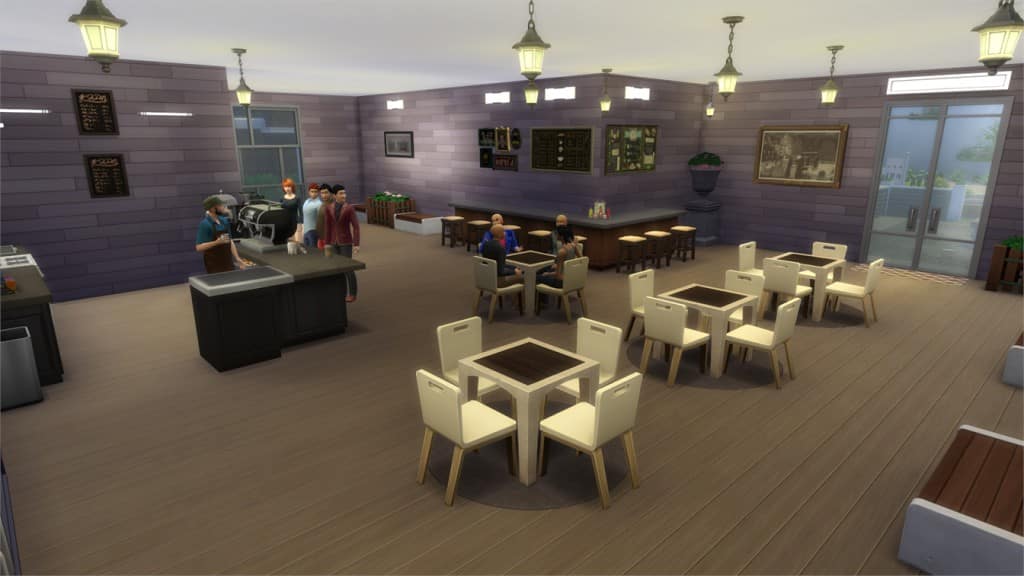
12-20-15_2-06-24 PM

[/ult_hotspot_items][ult_hotspot_items icon_type=”custom” icon_img=”37721|https://simscommunity.info/wp-content/uploads/2015/08/plumhotspot.png” img_width=”26″ tooltip_custom_color=”#1e73be” tooltip_custom_bg_color=”#ffffff” tooltip_width=”500″ enable_bubble_arrow=”off” tooltip_continuous_animation=”on” hotspot_position=”42.16707516339869,47.759650735294116″ tooltip_custom_border_size=”border-style:solid;|border-width:2px;border-radius:5px;|border-color:#81d742;”]

12-20-15_2-07-33 PM

[/ult_hotspot_items][ult_hotspot_items icon_type=”custom” icon_img=”37721|https://simscommunity.info/wp-content/uploads/2015/08/plumhotspot.png” img_width=”26″ tooltip_custom_color=”#1e73be” tooltip_custom_bg_color=”#ffffff” tooltip_width=”500″ enable_bubble_arrow=”off” tooltip_continuous_animation=”on” hotspot_position=”52.54289215686274,58.74885110294118″ tooltip_custom_border_size=”border-style:solid;|border-width:2px;border-radius:5px;|border-color:#81d742;”]

12-20-15_2-07-59 PM

[/ult_hotspot_items][ult_hotspot_items icon_type=”custom” icon_img=”37721|https://simscommunity.info/wp-content/uploads/2015/08/plumhotspot.png” img_width=”36″ tooltip_custom_color=”#1e73be” tooltip_custom_bg_color=”#ffffff” tooltip_width=”500″ enable_bubble_arrow=”off” tooltip_font_size=”14″ tooltip_continuous_animation=”on” hotspot_position=”86.58058681672026,3.25497287522604″ tooltip_custom_border_size=”border-style:solid;|border-width:2px;border-radius:5px;|border-color:#81d742;”]

Cafe & Arcade Club (Download Here)

by leoxgamer360

original by Kriint

Value: §131,445
Size: 40×30
Lot Type: Café
Required Packs: Get Together[/ult_hotspot_items][/ult_hotspot]

[ult_hotspot main_img=”44440|https://simscommunity.info/wp-content/uploads/2015/12/12-20-15_2-09-45-PM.jpg”][ult_hotspot_items icon_type=”custom” icon_img=”37721|https://simscommunity.info/wp-content/uploads/2015/08/plumhotspot.png” img_width=”26″ tooltip_custom_color=”#1e73be” tooltip_custom_bg_color=”#ffffff” tooltip_width=”500″ enable_bubble_arrow=”off” tooltip_continuous_animation=”on” hotspot_position=”59.15373093681917,50.86167279411765″ tooltip_custom_border_size=”border-style:solid;|border-width:2px;border-radius:5px;|border-color:#81d742;”]
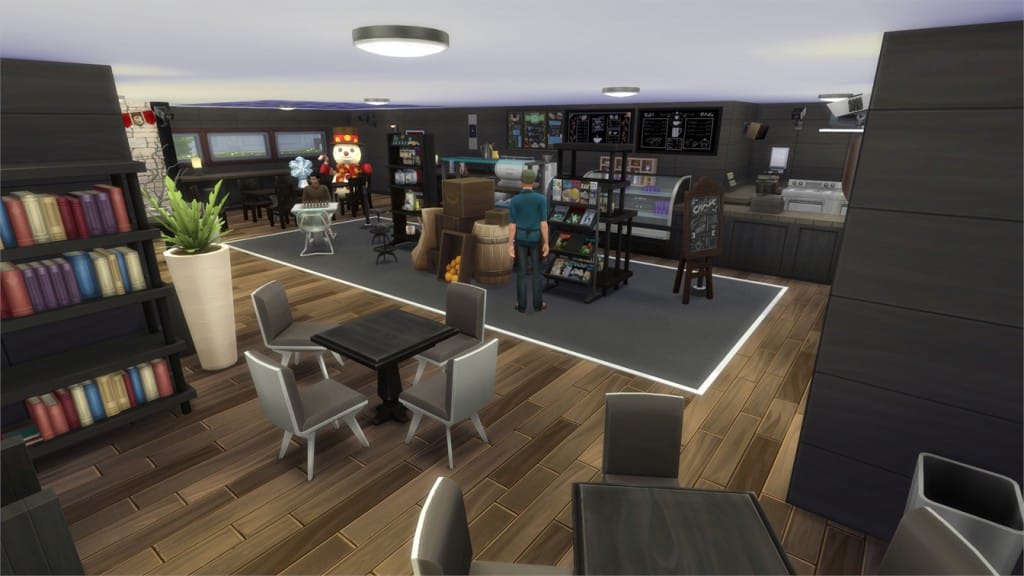
12-20-15_2-09-56 PM

[/ult_hotspot_items][ult_hotspot_items icon_type=”custom” icon_img=”37721|https://simscommunity.info/wp-content/uploads/2015/08/plumhotspot.png” img_width=”36″ tooltip_custom_color=”#1e73be” tooltip_custom_bg_color=”#ffffff” tooltip_width=”500″ enable_bubble_arrow=”off” tooltip_font_size=”14″ tooltip_continuous_animation=”on” hotspot_position=”86.58058681672026,3.25497287522604″ tooltip_custom_border_size=”border-style:solid;|border-width:2px;border-radius:5px;|border-color:#81d742;”]

Ancient Ruins Coffee Shop (Download Here)

by blwjay

Value: §24,642
Size: 20×15
Lot Type: Generic
Required Packs: Cool Kitchen, Get Together[/ult_hotspot_items][/ult_hotspot]

[ult_hotspot main_img=”44442|https://simscommunity.info/wp-content/uploads/2015/12/12-20-15_2-14-58-PM.jpg”][ult_hotspot_items icon_type=”custom” icon_img=”37721|https://simscommunity.info/wp-content/uploads/2015/08/plumhotspot.png” img_width=”26″ tooltip_custom_color=”#1e73be” tooltip_custom_bg_color=”#ffffff” tooltip_width=”500″ enable_bubble_arrow=”off” tooltip_continuous_animation=”on” hotspot_position=”33.55460239651416,77.5314031862745″ tooltip_custom_border_size=”border-style:solid;|border-width:2px;border-radius:5px;|border-color:#81d742;”]

12-20-15_2-15-13 PM

[/ult_hotspot_items][ult_hotspot_items icon_type=”custom” icon_img=”37721|https://simscommunity.info/wp-content/uploads/2015/08/plumhotspot.png” img_width=”26″ tooltip_custom_color=”#1e73be” tooltip_custom_bg_color=”#ffffff” tooltip_width=”500″ enable_bubble_arrow=”off” tooltip_continuous_animation=”on” hotspot_position=”52.27056100217865,50.37530637254902″ tooltip_custom_border_size=”border-style:solid;|border-width:2px;border-radius:5px;|border-color:#81d742;”]

12-20-15_2-15-54 PM

[/ult_hotspot_items][ult_hotspot_items icon_type=”custom” icon_img=”37721|https://simscommunity.info/wp-content/uploads/2015/08/plumhotspot.png” img_width=”26″ tooltip_custom_color=”#1e73be” tooltip_custom_bg_color=”#ffffff” tooltip_width=”500″ enable_bubble_arrow=”off” tooltip_continuous_animation=”on” hotspot_position=”41.469226579520694,56.93550857843137″ tooltip_custom_border_size=”border-style:solid;|border-width:2px;border-radius:5px;|border-color:#81d742;”]

12-20-15_2-16-01 PM

[/ult_hotspot_items][ult_hotspot_items icon_type=”custom” icon_img=”37721|https://simscommunity.info/wp-content/uploads/2015/08/plumhotspot.png” img_width=”36″ tooltip_custom_color=”#1e73be” tooltip_custom_bg_color=”#ffffff” tooltip_width=”500″ enable_bubble_arrow=”off” tooltip_font_size=”14″ tooltip_continuous_animation=”on” hotspot_position=”86.58058681672026,3.25497287522604″ tooltip_custom_border_size=”border-style:solid;|border-width:2px;border-radius:5px;|border-color:#81d742;”]
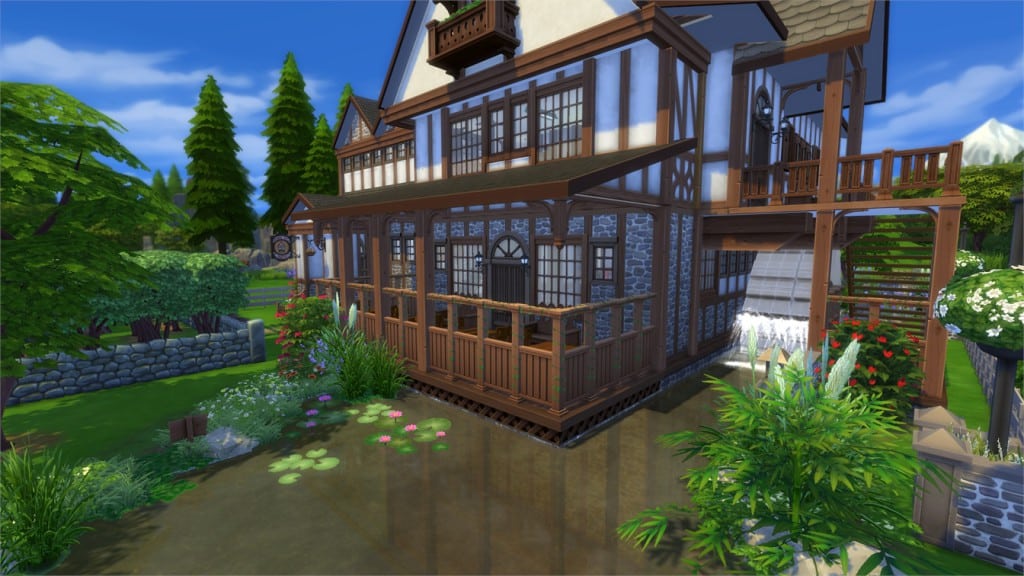
Cocoa Bean Café (Download Here)

by shifrasays

Value: §96,347
Size: 30×20
Lot Type: Café
Required Packs: Get to Work, Spa Day, Get Together, Holiday Celebration[/ult_hotspot_items][/ult_hotspot]

[ult_hotspot main_img=”44446|https://simscommunity.info/wp-content/uploads/2015/12/12-20-15_2-23-39-PM.jpg”][ult_hotspot_items icon_type=”custom” icon_img=”37721|https://simscommunity.info/wp-content/uploads/2015/08/plumhotspot.png” img_width=”26″ tooltip_custom_color=”#1e73be” tooltip_custom_bg_color=”#ffffff” tooltip_width=”500″ enable_bubble_arrow=”off” tooltip_continuous_animation=”on” hotspot_position=”59.10947712418301,46.436504289215684″ tooltip_custom_border_size=”border-style:solid;|border-width:2px;border-radius:5px;|border-color:#81d742;”]
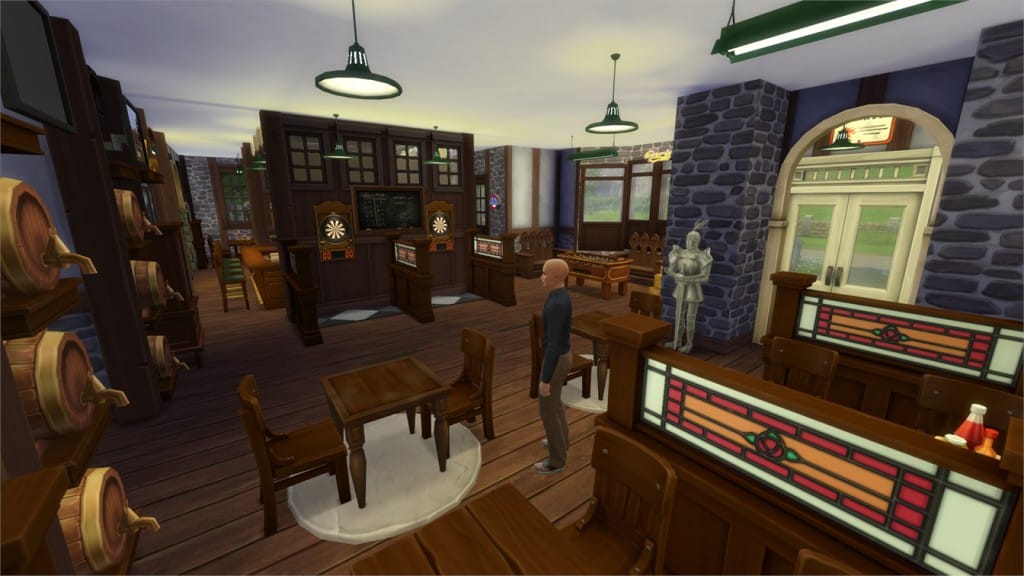
12-20-15_2-24-16 PM

[/ult_hotspot_items][ult_hotspot_items icon_type=”custom” icon_img=”37721|https://simscommunity.info/wp-content/uploads/2015/08/plumhotspot.png” img_width=”36″ tooltip_custom_color=”#1e73be” tooltip_custom_bg_color=”#ffffff” tooltip_width=”500″ enable_bubble_arrow=”off” tooltip_font_size=”14″ tooltip_continuous_animation=”on” hotspot_position=”86.58058681672026,3.25497287522604″ tooltip_custom_border_size=”border-style:solid;|border-width:2px;border-radius:5px;|border-color:#81d742;”]
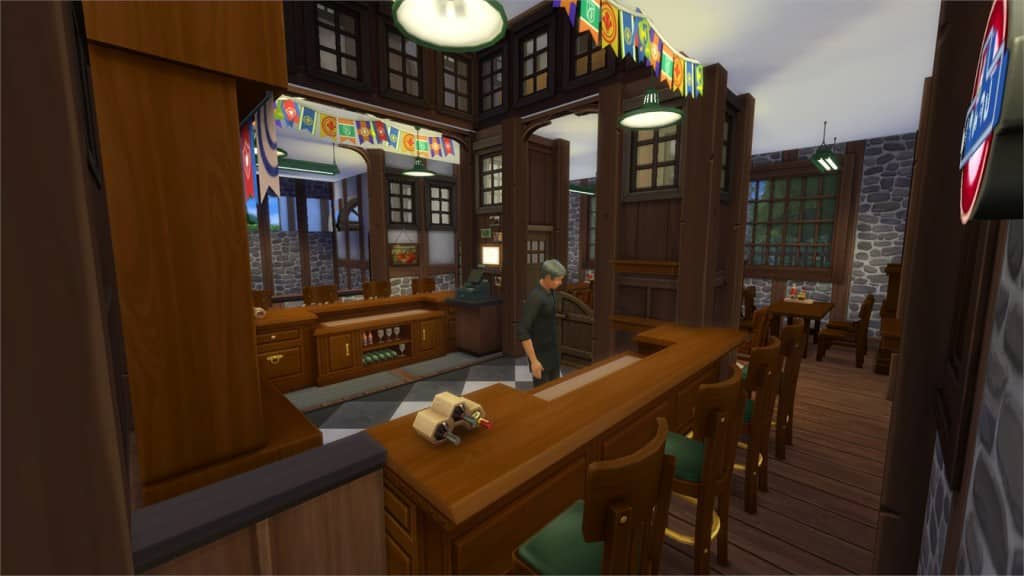
Ye Olde Pub (Download Here)

by arielle47

Value: §128,828
Size: 30×20
Lot Type: Bar
Required Packs: Outdoor Retreat, Get to Work, Perfect Patio, Spa Day, Cool Kitchen, Spooky Stuff, Get Together, Holiday Celebration[/ult_hotspot_items][/ult_hotspot]

[ult_hotspot main_img=”44464|https://simscommunity.info/wp-content/uploads/2015/12/12-20-15_8-52-38-PM.jpg”][ult_hotspot_items icon_type=”custom” icon_img=”37721|https://simscommunity.info/wp-content/uploads/2015/08/plumhotspot.png” img_width=”26″ tooltip_custom_color=”#1e73be” tooltip_custom_bg_color=”#ffffff” tooltip_width=”500″ enable_bubble_arrow=”off” tooltip_continuous_animation=”on” hotspot_position=”39.72290305010893,29.310278799019606″ tooltip_custom_border_size=”border-style:solid;|border-width:2px;border-radius:5px;|border-color:#81d742;”]
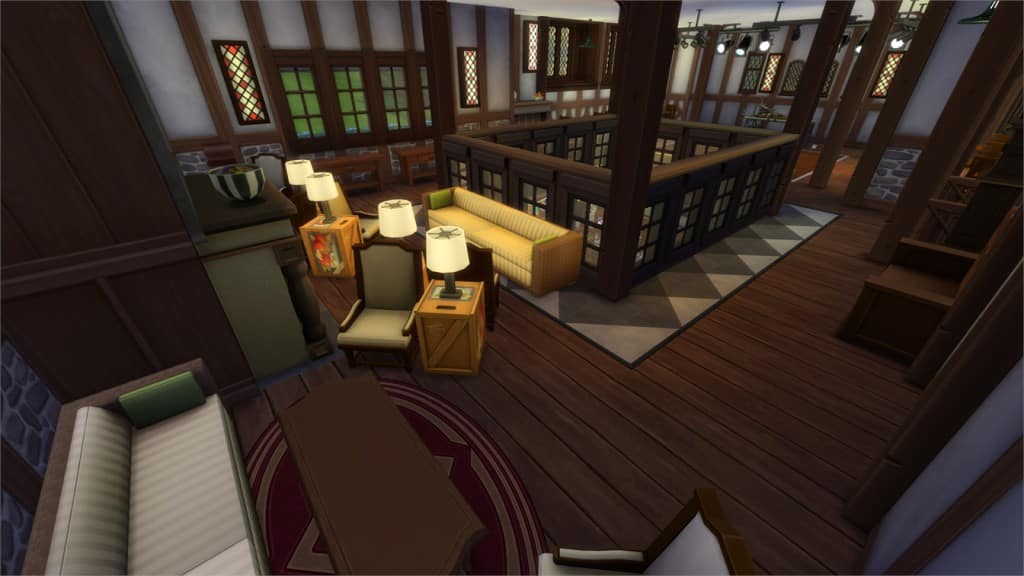
12-20-15_8-52-50 PM

[/ult_hotspot_items][ult_hotspot_items icon_type=”custom” icon_img=”37721|https://simscommunity.info/wp-content/uploads/2015/08/plumhotspot.png” img_width=”26″ tooltip_custom_color=”#1e73be” tooltip_custom_bg_color=”#ffffff” tooltip_width=”500″ enable_bubble_arrow=”off” tooltip_continuous_animation=”on” hotspot_position=”61.22004357298475,77.63671875″ tooltip_custom_border_size=”border-style:solid;|border-width:2px;border-radius:5px;|border-color:#81d742;”]
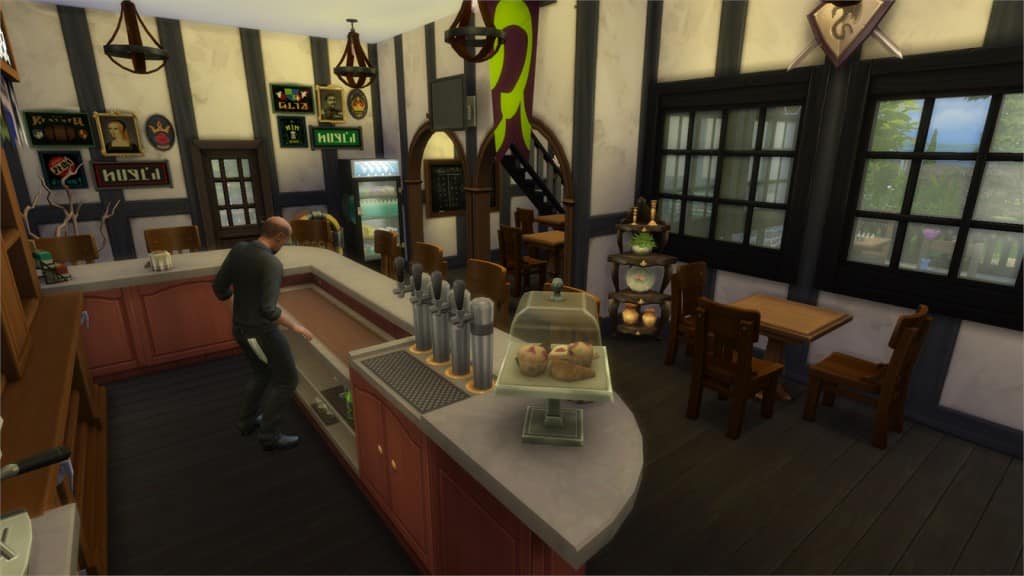
12-20-15_8-53-05 PM

[/ult_hotspot_items][ult_hotspot_items icon_type=”custom” icon_img=”37721|https://simscommunity.info/wp-content/uploads/2015/08/plumhotspot.png” img_width=”36″ tooltip_custom_color=”#1e73be” tooltip_custom_bg_color=”#ffffff” tooltip_width=”500″ enable_bubble_arrow=”off” tooltip_font_size=”14″ tooltip_continuous_animation=”on” hotspot_position=”86.58058681672026,3.25497287522604″ tooltip_custom_border_size=”border-style:solid;|border-width:2px;border-radius:5px;|border-color:#81d742;”]
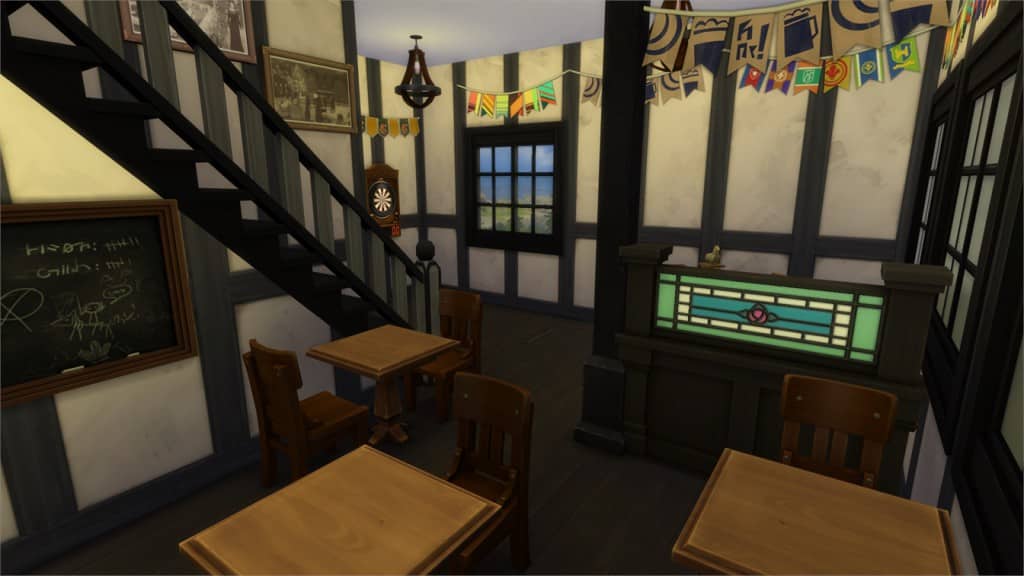
Tropico Natural Springs (Download Here)

by arielle47

Value: §147,281
Size: 40×30
Lot Type: Pool
Required Packs: Outdoor Retreat, Get to Work, Luxury Party, Perfect Patio, Spa Day, Get Together, Holiday Celebration[/ult_hotspot_items][/ult_hotspot]

[ult_hotspot main_img=”44448|https://simscommunity.info/wp-content/uploads/2015/12/12-20-15_2-32-28-PM.jpg”][ult_hotspot_items icon_type=”custom” icon_img=”37721|https://simscommunity.info/wp-content/uploads/2015/08/plumhotspot.png” img_width=”26″ tooltip_custom_color=”#1e73be” tooltip_custom_bg_color=”#ffffff” tooltip_width=”500″ enable_bubble_arrow=”off” tooltip_continuous_animation=”on” hotspot_position=”39.1952614379085,14.94140625″ tooltip_custom_border_size=”border-style:solid;|border-width:2px;border-radius:5px;|border-color:#81d742;”]
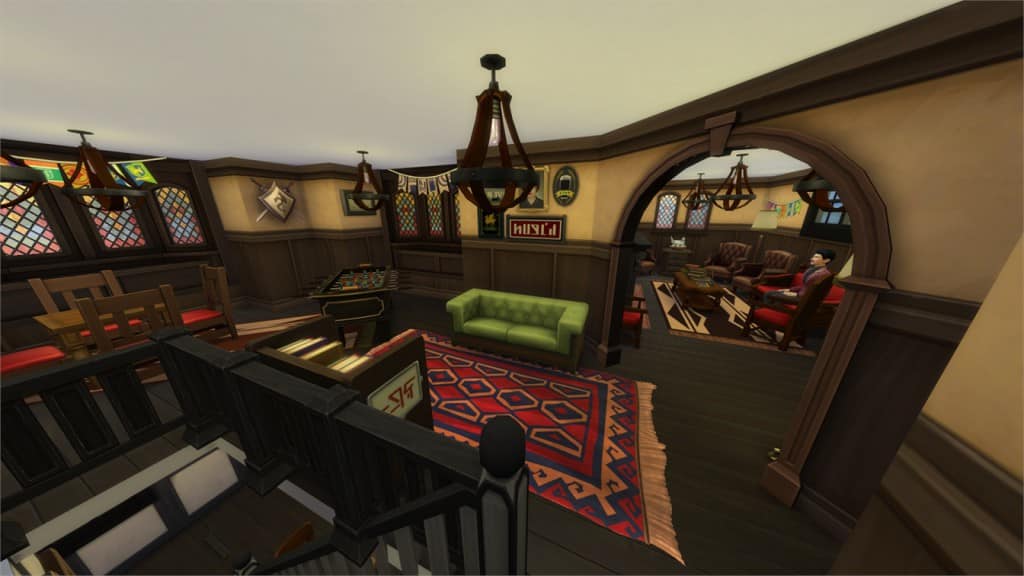
12-20-15_2-32-46 PM

[/ult_hotspot_items][ult_hotspot_items icon_type=”custom” icon_img=”37721|https://simscommunity.info/wp-content/uploads/2015/08/plumhotspot.png” img_width=”26″ tooltip_custom_color=”#1e73be” tooltip_custom_bg_color=”#ffffff” tooltip_width=”500″ enable_bubble_arrow=”off” tooltip_continuous_animation=”on” hotspot_position=”54.1292211328976,35.717294730392155″ tooltip_custom_border_size=”border-style:solid;|border-width:2px;border-radius:5px;|border-color:#81d742;”]

12-20-15_2-33-12 PM

[/ult_hotspot_items][ult_hotspot_items icon_type=”custom” icon_img=”37721|https://simscommunity.info/wp-content/uploads/2015/08/plumhotspot.png” img_width=”26″ tooltip_custom_color=”#1e73be” tooltip_custom_bg_color=”#ffffff” tooltip_width=”500″ enable_bubble_arrow=”off” tooltip_continuous_animation=”on” hotspot_position=”55.70874183006536,49.666819852941174″ tooltip_custom_border_size=”border-style:solid;|border-width:2px;border-radius:5px;|border-color:#81d742;”]
12-20-15_2-33-22 PM

[/ult_hotspot_items][ult_hotspot_items icon_type=”custom” icon_img=”37721|https://simscommunity.info/wp-content/uploads/2015/08/plumhotspot.png” img_width=”26″ tooltip_custom_color=”#1e73be” tooltip_custom_bg_color=”#ffffff” tooltip_width=”500″ enable_bubble_arrow=”off” tooltip_continuous_animation=”on” hotspot_position=”35.712826797385624,64.37270220588235″ tooltip_custom_border_size=”border-style:solid;|border-width:2px;border-radius:5px;|border-color:#81d742;”]

12-20-15_2-33-43 PM

[/ult_hotspot_items][ult_hotspot_items icon_type=”custom” icon_img=”37721|https://simscommunity.info/wp-content/uploads/2015/08/plumhotspot.png” img_width=”36″ tooltip_custom_color=”#1e73be” tooltip_custom_bg_color=”#ffffff” tooltip_width=”500″ enable_bubble_arrow=”off” tooltip_font_size=”14″ tooltip_continuous_animation=”on” hotspot_position=”86.58058681672026,3.25497287522604″ tooltip_custom_border_size=”border-style:solid;|border-width:2px;border-radius:5px;|border-color:#81d742;”]

The Cider House Tavern (Download Here)

by SimDoughnut

Value: §293,524
Size: 40×30
Lot Type: Bar
Required Packs: Outdoor Retreat, Get to Work, Luxury Party, Perfect Patio, Spa Day, Cool Kitchen, Spooky Stuff, Get Together[/ult_hotspot_items][/ult_hotspot]

[ult_hotspot main_img=”44453|https://simscommunity.info/wp-content/uploads/2015/12/12-20-15_2-36-36-PM.jpg”][ult_hotspot_items icon_type=”custom” icon_img=”37721|https://simscommunity.info/wp-content/uploads/2015/08/plumhotspot.png” img_width=”26″ tooltip_custom_color=”#1e73be” tooltip_custom_bg_color=”#ffffff” tooltip_width=”500″ enable_bubble_arrow=”off” tooltip_continuous_animation=”on” hotspot_position=”63.391884531590414,36.02366727941176″ tooltip_custom_border_size=”border-style:solid;|border-width:2px;border-radius:5px;|border-color:#81d742;”]

12-20-15_2-36-45 PM

[/ult_hotspot_items][ult_hotspot_items icon_type=”custom” icon_img=”37721|https://simscommunity.info/wp-content/uploads/2015/08/plumhotspot.png” img_width=”26″ tooltip_custom_color=”#1e73be” tooltip_custom_bg_color=”#ffffff” tooltip_width=”500″ enable_bubble_arrow=”off” tooltip_continuous_animation=”on” hotspot_position=”52.90713507625272,54.662607230392155″ tooltip_custom_border_size=”border-style:solid;|border-width:2px;border-radius:5px;|border-color:#81d742;”]

12-20-15_2-36-50 PM

[/ult_hotspot_items][ult_hotspot_items icon_type=”custom” icon_img=”37721|https://simscommunity.info/wp-content/uploads/2015/08/plumhotspot.png” img_width=”26″ tooltip_custom_color=”#1e73be” tooltip_custom_bg_color=”#ffffff” tooltip_width=”500″ enable_bubble_arrow=”off” tooltip_continuous_animation=”on” hotspot_position=”28.96582244008715,49.02535232843137″ tooltip_custom_border_size=”border-style:solid;|border-width:2px;border-radius:5px;|border-color:#81d742;”]

12-20-15_2-37-11 PM

[/ult_hotspot_items][ult_hotspot_items icon_type=”custom” icon_img=”37721|https://simscommunity.info/wp-content/uploads/2015/08/plumhotspot.png” img_width=”36″ tooltip_custom_color=”#1e73be” tooltip_custom_bg_color=”#ffffff” tooltip_width=”500″ enable_bubble_arrow=”off” tooltip_font_size=”14″ tooltip_continuous_animation=”on” hotspot_position=”86.58058681672026,3.25497287522604″ tooltip_custom_border_size=”border-style:solid;|border-width:2px;border-radius:5px;|border-color:#81d742;”]

Pub Club Frai-Pio (Download Here)

by sonymao

Value: §111,816
Size: 20×20
Lot Type: Bar
Required Packs: Outdoor Retreat, Get to Work, Spa Day, Cool Kitchen, Get Together[/ult_hotspot_items][/ult_hotspot]

[ult_hotspot main_img=”44457|https://simscommunity.info/wp-content/uploads/2015/12/12-20-15_2-54-49-PM.jpg”][ult_hotspot_items icon_type=”custom” icon_img=”37721|https://simscommunity.info/wp-content/uploads/2015/08/plumhotspot.png” img_width=”26″ tooltip_custom_color=”#1e73be” tooltip_custom_bg_color=”#ffffff” tooltip_width=”500″ enable_bubble_arrow=”off” tooltip_continuous_animation=”on” hotspot_position=”68.30065359477125,74.99425551470588″ tooltip_custom_border_size=”border-style:solid;|border-width:2px;border-radius:5px;|border-color:#81d742;”]

12-20-15_2-55-06 PM

[/ult_hotspot_items][ult_hotspot_items icon_type=”custom” icon_img=”37721|https://simscommunity.info/wp-content/uploads/2015/08/plumhotspot.png” img_width=”26″ tooltip_custom_color=”#1e73be” tooltip_custom_bg_color=”#ffffff” tooltip_width=”500″ enable_bubble_arrow=”off” tooltip_continuous_animation=”on” hotspot_position=”32.2337962962963,35.54496017156863″ tooltip_custom_border_size=”border-style:solid;|border-width:2px;border-radius:5px;|border-color:#81d742;”]

12-20-15_2-55-17 PM

[/ult_hotspot_items][ult_hotspot_items icon_type=”custom” icon_img=”37721|https://simscommunity.info/wp-content/uploads/2015/08/plumhotspot.png” img_width=”36″ tooltip_custom_color=”#1e73be” tooltip_custom_bg_color=”#ffffff” tooltip_width=”500″ enable_bubble_arrow=”off” tooltip_font_size=”14″ tooltip_continuous_animation=”on” hotspot_position=”86.58058681672026,3.25497287522604″ tooltip_custom_border_size=”border-style:solid;|border-width:2px;border-radius:5px;|border-color:#81d742;”]

Windenburg Club & Hangout (Download Here)

by ChelsiLynne21

Value: §128,594
Size: 20×20
Lot Type: Bar
Required Packs: Get to Work, Luxury Party, Perfect Patio, Spa Day, Cool Kitchen, Get Together[/ult_hotspot_items][/ult_hotspot]

[ult_hotspot main_img=”44460|https://simscommunity.info/wp-content/uploads/2015/12/12-20-15_2-58-40-PM.jpg”][ult_hotspot_items icon_type=”custom” icon_img=”37721|https://simscommunity.info/wp-content/uploads/2015/08/plumhotspot.png” img_width=”26″ tooltip_custom_color=”#1e73be” tooltip_custom_bg_color=”#ffffff” tooltip_width=”500″ enable_bubble_arrow=”off” tooltip_continuous_animation=”on” hotspot_position=”66.06072984749454,43.49915747549019″ tooltip_custom_border_size=”border-style:solid;|border-width:2px;border-radius:5px;|border-color:#81d742;”]
12-20-15_2-59-07 PM

[/ult_hotspot_items][ult_hotspot_items icon_type=”custom” icon_img=”37721|https://simscommunity.info/wp-content/uploads/2015/08/plumhotspot.png” img_width=”36″ tooltip_custom_color=”#1e73be” tooltip_custom_bg_color=”#ffffff” tooltip_width=”500″ enable_bubble_arrow=”off” tooltip_font_size=”14″ tooltip_continuous_animation=”on” hotspot_position=”86.58058681672026,3.25497287522604″ tooltip_custom_border_size=”border-style:solid;|border-width:2px;border-radius:5px;|border-color:#81d742;”]

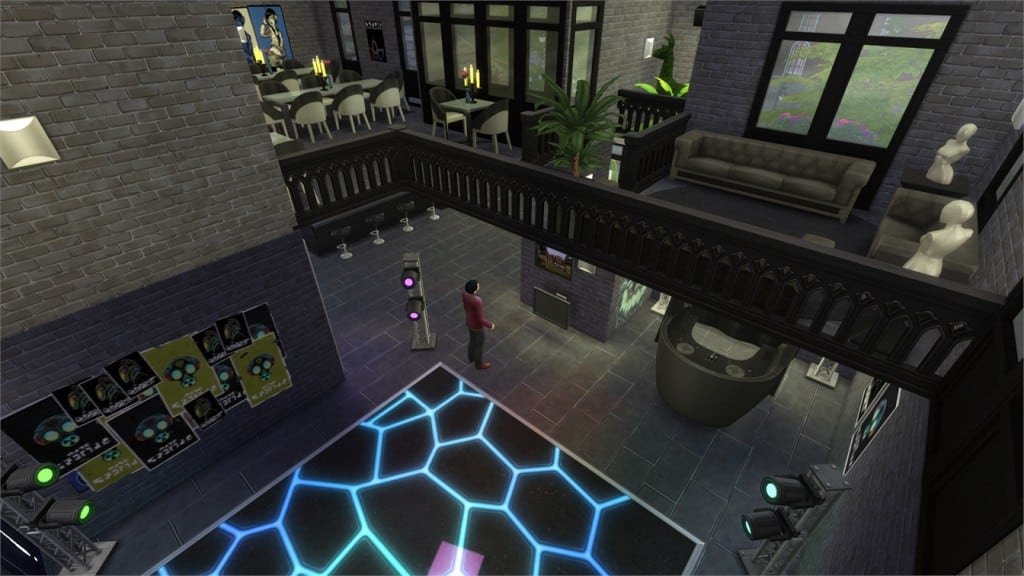
Tower Bar (Download Here)

by Rowpop

Value: §191,060
Size: 40×30
Lot Type: Bar
Required Packs: Outdoor Retreat, Get Together[/ult_hotspot_items][/ult_hotspot]