Via Anthony Ashton!


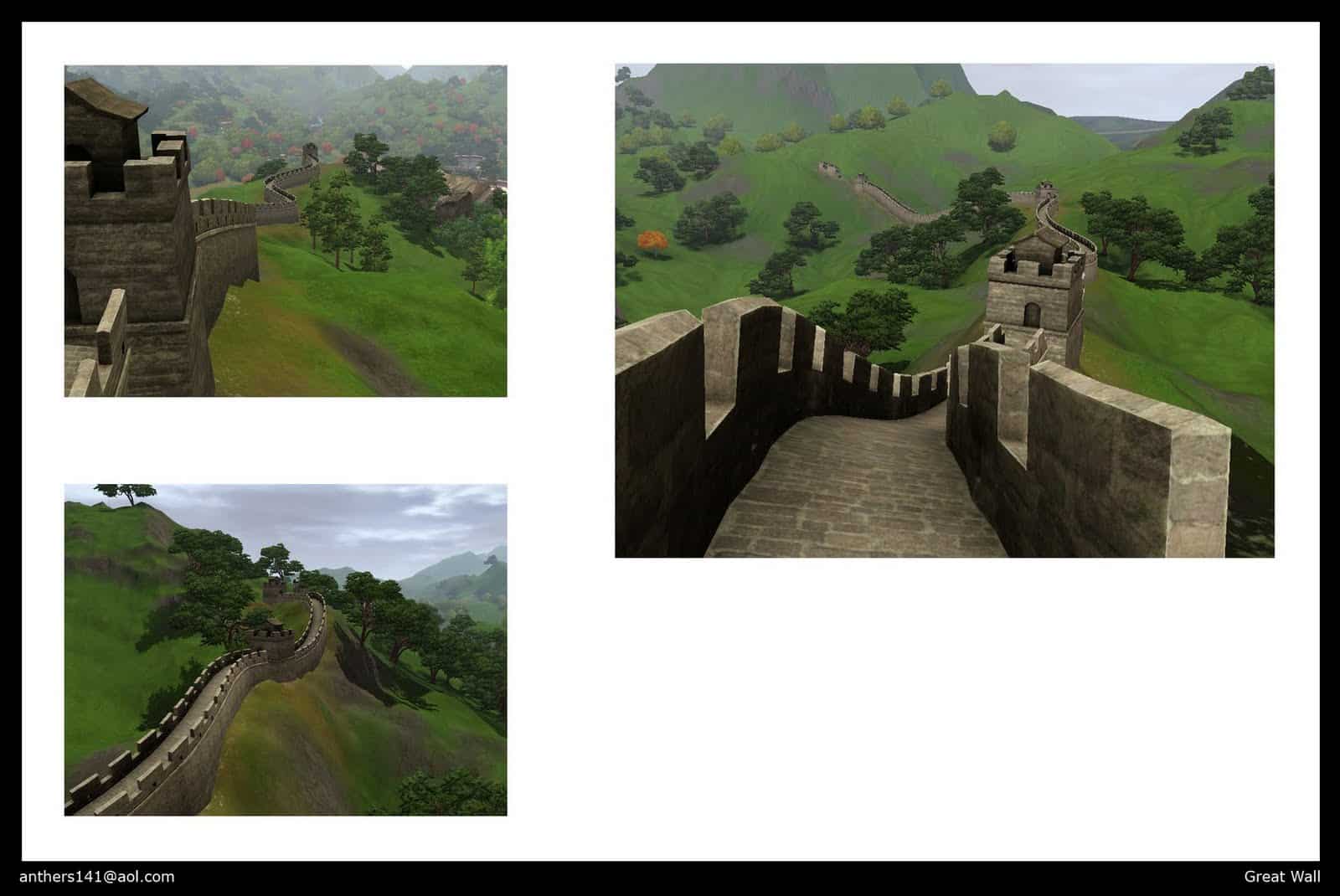

This Set of 32 Rugs (size 4×3) has been brought to you by Saudade Sims!
Click on the picture below to download this Set!
Click Here for more information on how to install Custom Content!
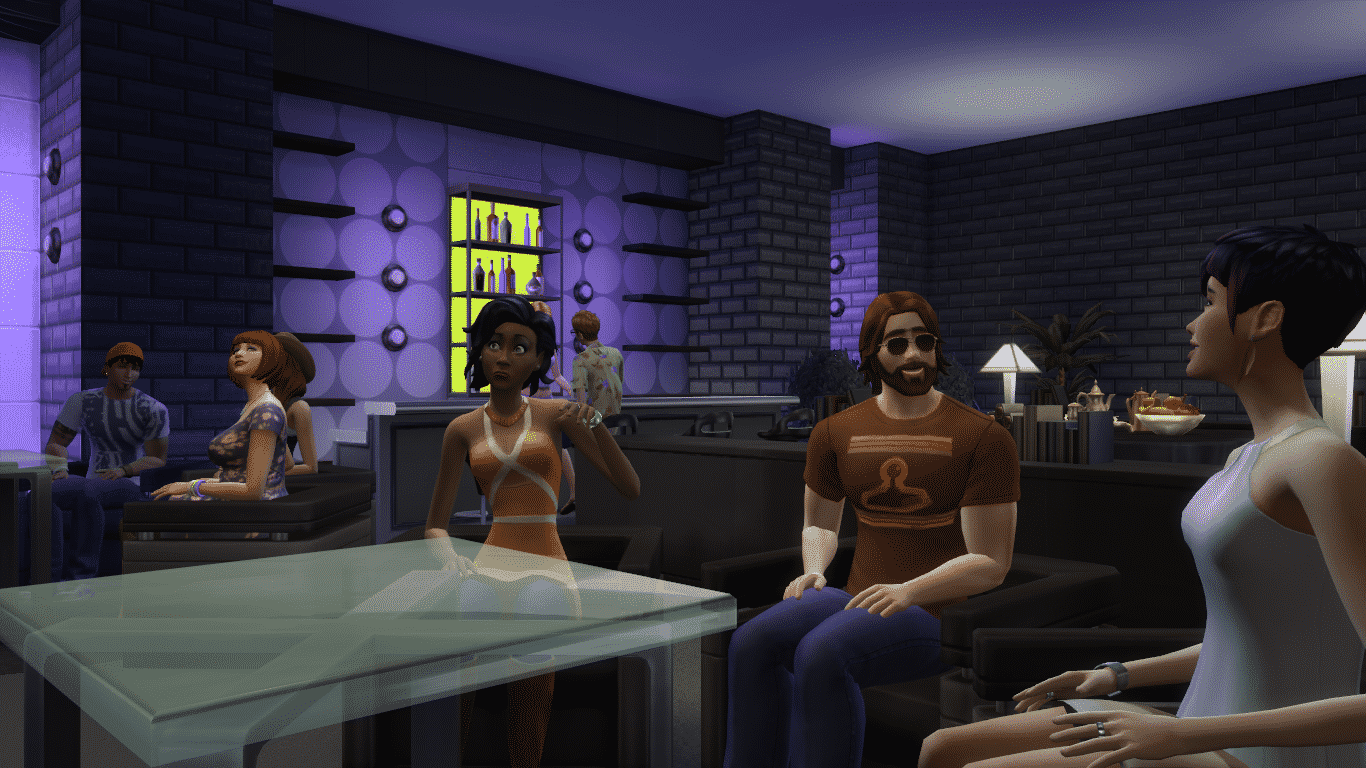

Throwing a Girls-Only party in this Room guarantees ultimate fun!
No CC,pls activate MOO and place it on build mode ^-^ for more creations look in my profile tyvm<33 #cute #modern #celebrity #sexy #girly #sims4
Value: §29,098
Size: 13×7
Room Type: Career & Misc


This Kitchen has a perfect combination of 3 colors: White, Black and Purple.
Check out my other creations! #room #kitchen#modern #beautiful #cute #nice #cozy #purple #lifesimmer #pool #sims4 #tsm0202 #celebrity #rich #sexy #family #danishdesign #design #denmark #christelps
Value: §44,169
Size: 6×8
Room Type: Kitchen


This Room is specifically designed for your 2 lovebirds to level up their Romance Relationship Bar.
Value: §13,452
Size: 8×6
Room Type: Bedroom


Relax from all the Sims and Job Tasks by spending your time…in a Bathroom?!
#nocc #bathroom #modern #beach #chic#romantic #family #closet #sims4 #sexy #cool#cute #aqua #sand #plants #flower
Value: §38,296
Size: 9×4
Room Type: Bathroom


Need a Bar in your Home? Don’t worry, this Room has everything you need from a modern Bar (and more)!
No CC,pls activate MOO and place it on build mode 🙂 for more creations look in my profile,tyvm ^-^ <33
Value: §41,315
Size: 8×12
Room Type: Living Room


This Mod has been brought to you by PekeSims!
This mod allows you to choose how many babies you want to give birth.
You have to download one of these three flavours:
- 1 baby for sure: your sim will give birth to one baby. I included this because since the last patch (December 16), people are having too many twins and triplets.
- Twins for sure: your sim will give birth to twins.
- Triplets for sure: your sim will give birth to triplets.
Installation:
Unzip the package file to your Mods folder.Usage:
Having ONE flavour of this mod installed while your sim gives birth ensures you she will have the number of babies you want.
You don’t need to have any of them installed during the conception.
Click on the picture below to download this Mod! (Requires MTS registration)
Click Here for more information on how to install Mods and Custom Content!

This Set has been brought to you by The Sims Resource member – Angela!
The Kanto Garden, now also available for SIms 4!! Decorative pieces for your oriental flavoured garden. Gives your garden just that little extra detail.
Click on the picture below to download this Set!
Click Here for more information on how to install Custom Content!

Click on the picture below to download this Hairstyle! For more awesome TS4 Hairstyles and Creations, check out FenrilSims’ site!
Click Here for more information on how to install Custom Content!

This CAS piece has been brought to you by NyGirl Sims!
A simple layered and collared sweater mini. Made with a mixture of edited TS3 and TS4 textures. Comes in 6 solid and 2 patterned presets.
Click on the picture below to download this outfit!
Click Here for more information on how to install Custom Content!

It’s time for another The Sims 4 Gallery Spotlight! Simmers were really creative the last 7 days so lets get started..
This beautiful, New England themed home is perfect for any Household with over 2 Sims.
#wrathofcath #noc c#4br3ba #family #pool #moo This home has lots of room for a large family with a great backyard including outdoor kitchen, pool, gardens and playhouse for the little ones.
Value: §256,392
Size: 40×30
Type: Residential


Although it’s not furnished, this Residental Lot is a beautiful canvas that’s waiting for you to be painted!
Built this house for MagicalMunicorn! Check out the Speed Build of this house on YouTube/Twitter – SimmyLexis #munihouse #modern #daroofdaroofisonfire #sexy #cute #sims4
Value: §27,511
Size: 30×20
Type: Residential


This Home is a perfect combination of Fancy, Modern and Cozy!
#luxus #loft #modern #white #garden #pool #fountains #mansion #expensive #rich #bedroom #villa #luxury
Value: §242,760
Size: 40×30
Type: Residential


Only Sims with a massive wallet will be able to enjoy this fairytale Palace…
NO CC 🙂 pls activate MOO and place it on build mode 🙂 enjoy the beauty view of garden palace,for more creation look in my profile tyvm<33
Value: §788,502
Size: 50×50
Type: Residential


This Set has been brought to you by The Sims Resource member – Lulu265!
An Elegant Dining Set, with 14 New meshes, light and dark wood combinations
2 variations of wood combinations
3 colour options included for the upholstery, lamp shades, paintings and rug
Cabinet decor in 3 colours , but with added slots for your own decor items
Click on the picture below to download this Set!
Click Here for more information on how to install Custom Content!

Since Origin only lets you have up to 100 friends, The Sims 4 doesn’t allow you to follow more than 100 people in The Gallery. Luckily there’s an easy way to follow as much people as you’d like to..

Open The Gallery Website and log in by clicking the Sign In button on the upper right corner using your Origin details.
Now, search for The Gallery creations using the Origin ID that you’d like to follow and select one the creations that the person created.


Below their creation you can find a Follow button with a Llama icon. Click it!

With this you’re able to follow as many people as you want without encountering any errors in The Sims 4’s Gallery. Happy following!

A lot of people are reporting on Reddit that unknown people (hackers) are taking over their Origin Account and are making video game purchases without them knowing anything about it.
We’re not sure how are Hackers breaking into someone else’s Origin account, but in order to prevent your account from getting hacked, you should remove your Payment information and change your Password just in case.
To remove your Payment Information, simply go to Origin > Account & Privacy > Payment & Shipping and next to your Payment setting you should find a Delete button and click it.
To change your Password, go to Origin > Account & Privacy > Security and click the blue Edit text where you can change your Password. It’s also recommended that you add one or two security questions!
This post will be updated as soon as EA makes a statement about this issue.
Tip: VentureBeat

2014 was great by many things, but one of the most memorable milestone that happened this year was EA’s The Sims 4 launch! We waited for the game, analyzed each and every detail in The Sims 4 Screens and Trailers and finally got our hands on it. In general, from what we’ve seen on Twitter and Facebook, Simmers are enjoying the game and like to give constructive criticism and their opinions what do they like and dislike. Overall, we’re excited to see how well will The Sims 4 expand in 2015.
This year was our best so far with over 1,3 Million visits on our site. With that being said, we’d like to thank everyone who visited it at least once and read our News, Articles, Guides and Tutorials. We have so much more in plan for next year so make sure you stay tuned on our website!
We provided a detailed infographic of our statistics for this year that we took via Google Analytics.

Thanks for being a fan of our website and we’re looking forward to give you more content next year!
– Sims Community Team

Hey everyone, Zerbu here!
I’m here to bring you a special Christmas gift for all of the community: The Sims 4 Buff and Trait Factory!
The Sims 4 Buff and Trait Factory is a user friendly tool allowing even beginners to create their own custom traits for The Sims 4. It uses textboxes, sliders and other features to let you easily input data you want.
Using The Sims 4 Buff and Trait Factory, you can apply various attributes to your trait. It allows you to set the rate at which needs decay, set the skill gain rate for individual skills or skill categories, assign autonomy templates from other traits as well as set the strength of both autonomy templates and needs, set the relationship increase and decrease rates, assign a default emotion, block Sims with the trait from experiencing certain emotions, assign whims, and of course, you can set the name, description, icon and category. Once you get deeper into trait creation, you can also create buffs (Moodlets) which can be linked to the trait and pop up every so often, like how many of the base game traits occasionally generate Moodlets that assign emotions.
You can download the program here: http://zerbu.tumblr.com/post/106141962267/the-sims-4-buff-and-trait-factory
How to Install Mods: https://simscommunity.info/2014/10/07/sims-4-tutorial-installing-custom-contentmods/


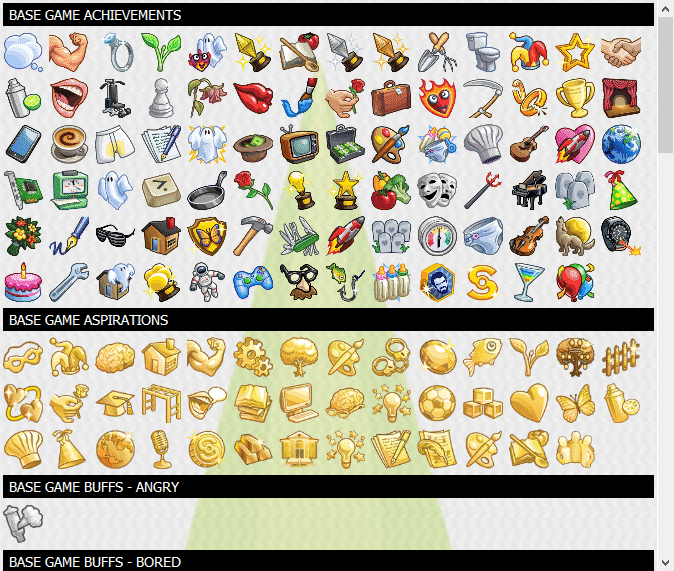

The entire Sims Community team is wishing you a Merry Christmas!

Note: use these Tutorial steps at your own risk. The safest way to uninstall a Pack is to uninstall The Sims 4 entirely and then install it again.
It seems like after you download and install a Pack for The Sims 4 in Origin that you just can’t remove it at all since the ”Uninstall” button has not been provided for Packs.
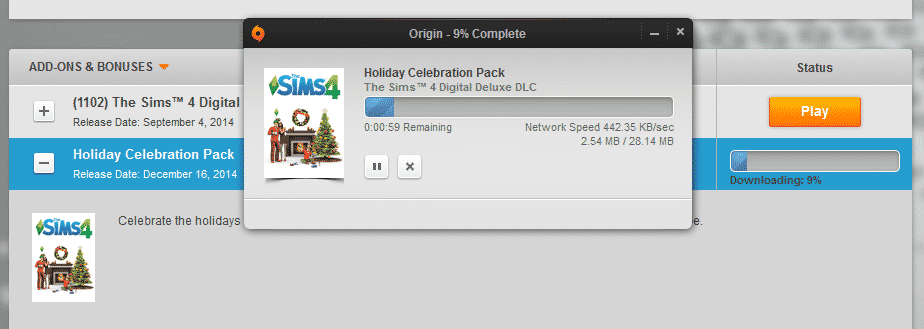
There is an easy solution for this though!
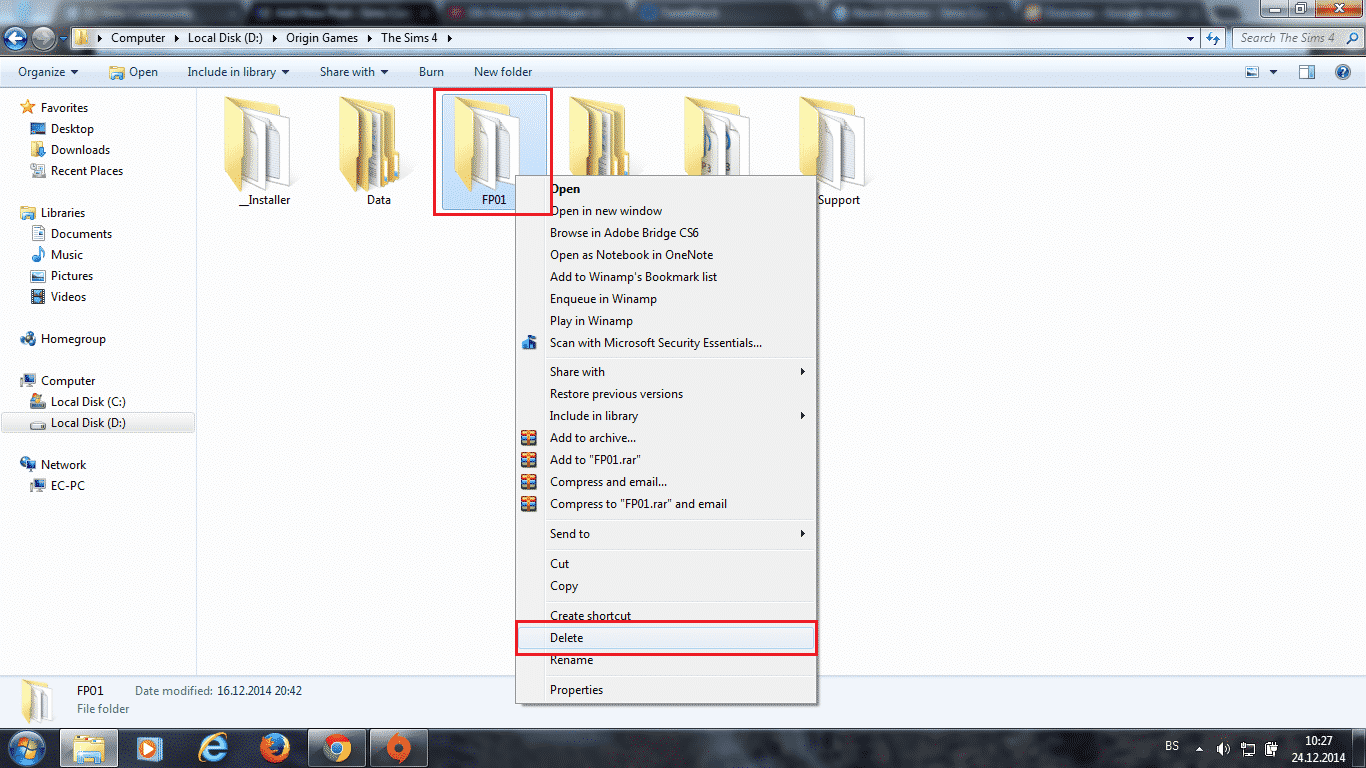
To Uninstall a Pack, just find a folder where all your Origin Games are installed, open The Sims 4 folder and delete a Pack folder of your choice.
Pack Folders: (will be updated as new Packs release)
I’ve opened The Sims 4 after deleting a Pack just to see if things are running smooth without any errors or crashes – and it did!
Note: Save Games that contain uninstalled content will have their stuff from Sims and Houses removed.