

Note: use these Tutorial steps at your own risk. The safest way to uninstall a Pack is to uninstall The Sims 4 entirely and then install it again.
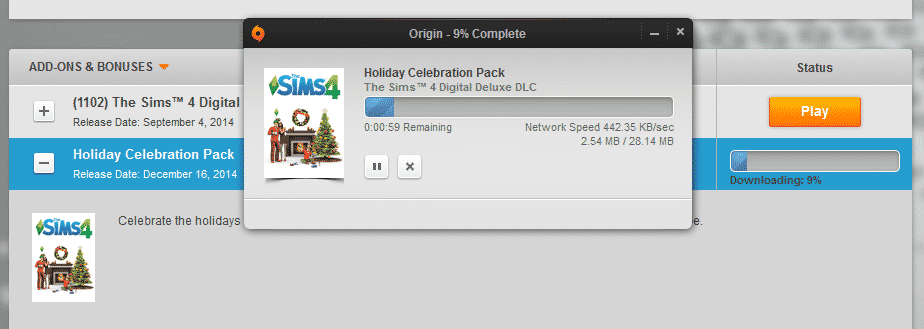
It seems like after you download and install a Pack for The Sims 4 in Origin that you just can’t remove it at all since the ”Uninstall” button has not been provided for Packs.
There is an easy solution for this though!
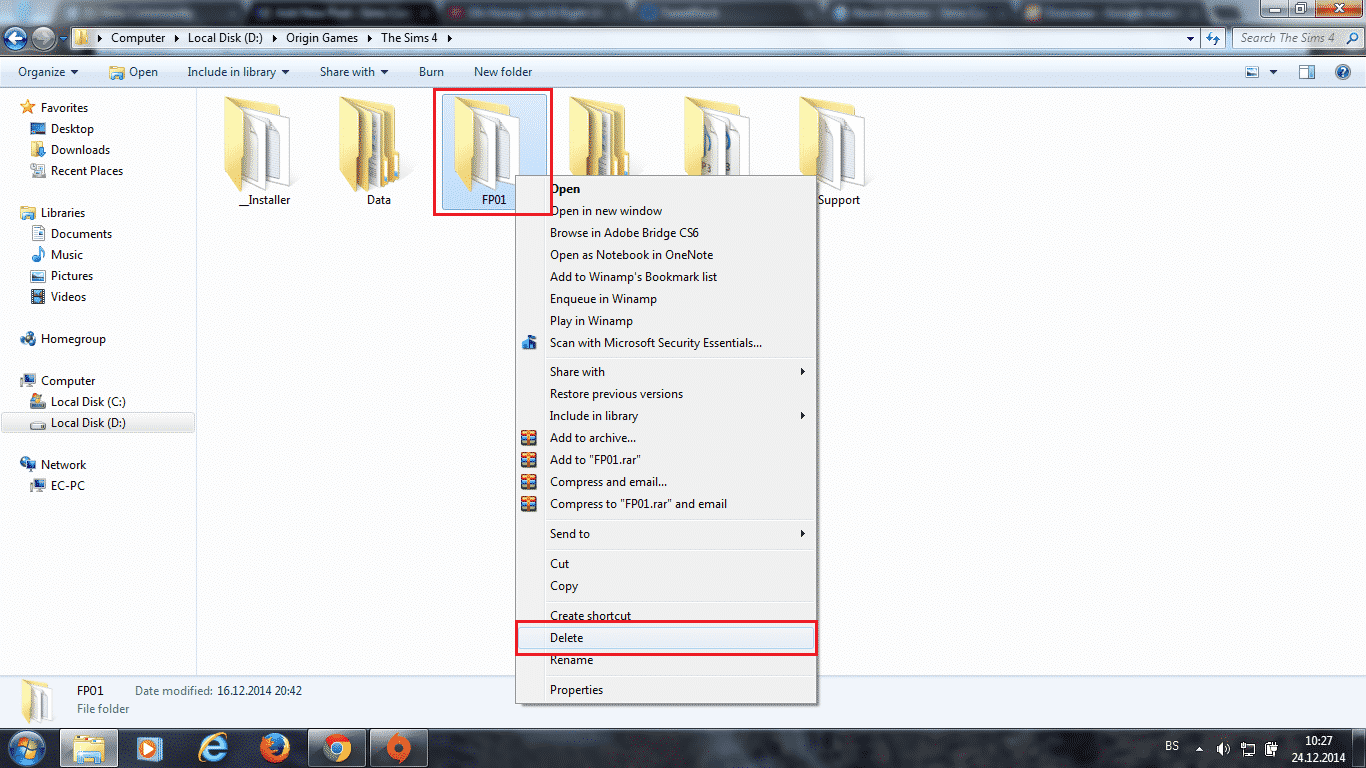
To Uninstall a Pack, just find a folder where all your Origin Games are installed, open The Sims 4 folder and delete a Pack folder of your choice.
Pack Folders: (will be updated as new Packs release)
- FP01 – Holiday Celebration Pack (Download For Free)
- GP01 – Outdoor Retreat Game Pack (Purchase Here)

I’ve opened The Sims 4 after deleting a Pack just to see if things are running smooth without any errors or crashes – and it did!
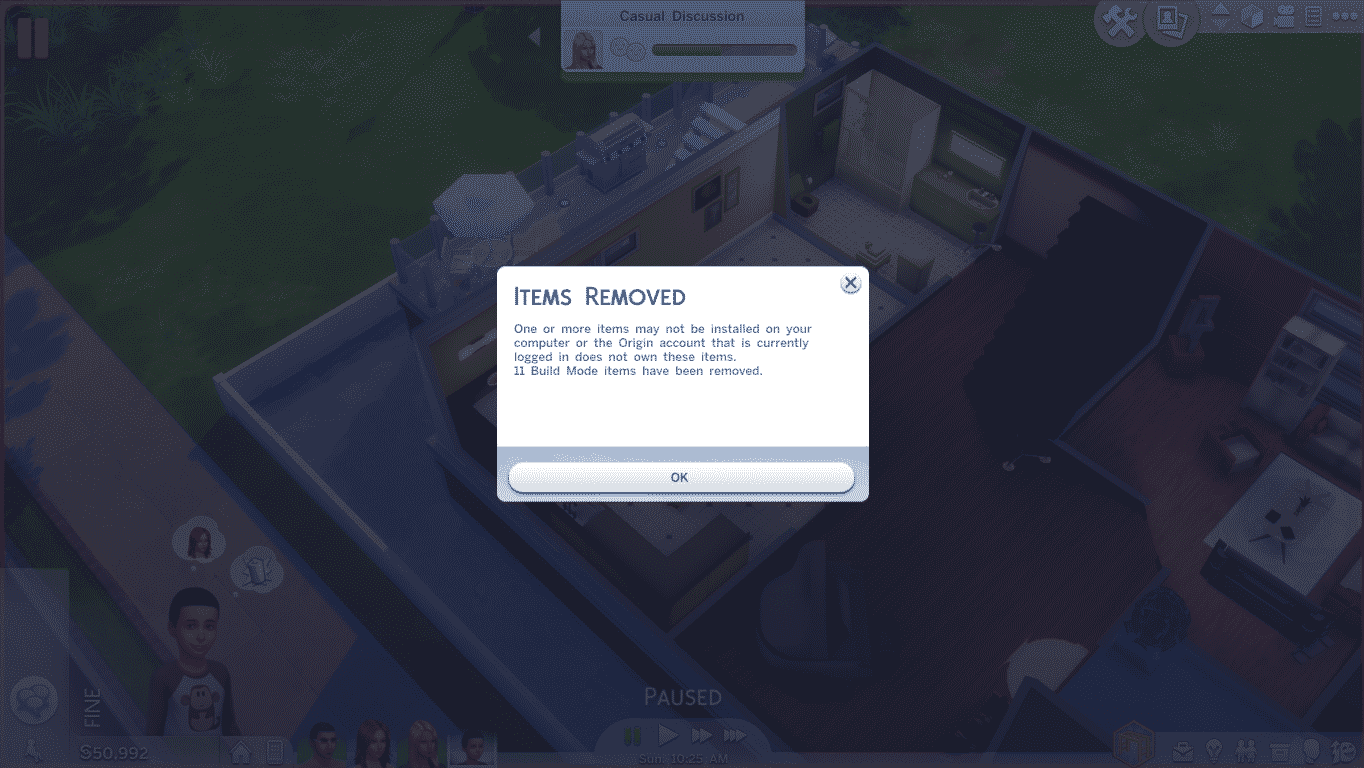
Note: Save Games that contain uninstalled content will have their stuff from Sims and Houses removed.
13 Comments
hiya, i recently downloaded the christmas holidays pack and ever since, i have been unable to open sims 4 as it says that origin isn’t running but it is! anyway i have tried to remove the package but i can’t find the files anywhere on my computer? please try and help as i only got this game in the summer, thanks.
Reply to izzy
I know this is veryyyy late, but go to boot, search for Origin Games and you will see it 🙂
Reply to Jadie
hi please rely quickly but where do i type in boot i have a Hp computer
Just for the information :
EP0x = Expansion pack number 1-3 (1:Get to work 2:get together 3:city living)
GP0x = Game pack number 1-4 (1:outdoor retreat 2:Spa day 3:Dine out 4:Vampire)
SP0x = Stuff pack number 1-9 (1:Luxury party 2:Perfect patio 3:Cool kitchen stuff 4:Spooky stuff 5:Movie hangout 6:Romantic garden 7:Kids room 8:Backyard stuff 9:Vintage glamour)
Reply to Campepsi
i cant find it in the files im trying to uninstall dine out and vampires
Reply to Campepsi
how about toddlers stuff and parenthood? i want to delete it :’)
Reply to Campepsi
I would like the numbers for all packs now please
thanks!
Reply to Campepsi
do you know what number seasons comes under
hi pls help idownloaded sims 4 without having to install origin. Now i dont know how to uninstall sims 4 without origin…
Reply to Crissie
go to the local files for the sims 4 and delete the folders, as well as the folders in the documents section of the file explorer under Electronics arts, the actual game files are under the C: drive program file the sims 4
I have the Sims 4 and the vampires game pack for PS4… Is there anyway to remove the vampires add-on from that? All I see is how to do it for computers
What is the pack folder for legacy edition?
I can’t find where the packs are in my folders
Welcome to Sims Community!
Our community is about connecting people through open and thoughtful conversations. We want our readers to share their views and exchange ideas in a safe space.
In order to do so, we've created a simple set of rules that will improve your experience. Simply put, keep it civil.
Your post will/might be rejected if it contains:
User accounts will/might be blocked if we notice:
So, how can you be a power user?
Thanks for reading our community guidelines. Please note that we're aware of certain issues with Sign In / Log In and Create Account / Email Confirmation issues. We're working behind-the-scenes on a new Account Creation process. Thank you for your patience and remember - freedom of speech is not freedom of reach