Home Blog Page 506

The Sims 4 – Official Files for Creating Mods!

1

Blog Post

Hi everyone!

We’ve been busy working on technical documentation to share with you on best practices for Custom Content and Mods and details about how the game works. We’re happy to announce that this can now be found here: TS4_Custom_Content_Guide.zip

The Sims 4 is a large game, so we can’t document everything about it, but we’ve included information about a few key things we thought you’d appreciate.

We hope this accelerates your progress. Please continue to ask questions in the forums, and we will do our best to answer them.

Thanks again for all your hard work and awesome creations.

Please note that we do not pre-screen Custom Content and that players should always exercise caution when adding Custom Content to their game files.

IMPORTANT!

The two example mods, simsmodsquad-maslow.zip and simsmodsquad-novelist.package will not work out of the box because of a couple bugs we recently discovered. So you will need to massage them a bit to get them to work, as follows:

– The game will not currently execute new scripts out of the Mods directory when python is initialized. You can work around this by replacing Maxis-authored scripts to inject your code.

– The game will not currently load tuning files from inside a package file in the Mods dir. You can work around this by as follows:

Add the following to the Resource.cfg in the Mods directory:

DirectoryFiles unpackedmod autoupdate

What this will do is allow loading of loose resource files out of the directory called “unpackedmod”. Extract all the records in simsmodsquad-novelist.package to this new directory with the names of the format 0x<group>!0x<instance>.0x<type>, i.e. “0x005fdd0c!0xed7000a97ea8f032.0x545ac67a”. The game will now recognize the files.

A patch will be released in the near future that will correct both of these issues, at which time the mods will work out of the box. I will let you know when those fixes have been released.

The terms and conditions set out in The Sims 4 End User License Agreement (ea.com/1/product-eulas) and EA’s Terms of Service (ea.com/terms-of-service) are applicable to the use of The Sims 4 product and services and all materials distributed by Maxis that relate to creating Custom Content and Mods for The Sims 4.

The Sims 4 – New Update (Ver 1.0.671.10)

It has been brought to our attention that some of our cute and adorable babies have had difficulty expressing themselves without… well… distorting.  There was an issue with some integrated chipsets causing the poor little ones to appear in their own “unique” way. We have corrected the problem and pulled everyone back together. Thank you for helping us identify, and track down this issue.

EA Help

To download this update, simply open Origin!

Capture

The Sims 4 Tutorial: How to add Grim Reaper to your Household

59

Before reading this Tutorial you’ll need 3 following things:

– At least 2 Sims in your Household.

– enabled ”testingcheats true” cheat. (hit CTRL + Shift + C keyboard buttons to open the cheat console)

– 2 Sim Days of patience.

I started off with Ollie and Cassidy Purdue. Some of them had to die in order for Grim Reaper to appear, so I decided that Ollie will be that victim.

09-06-14_12-30 AM

The most certain death in The Sims 4 is Death by Hunger, so I decided Ollie to starve. It wasn’t an easy task though since I felt really guilty watching Ollie being more and more uncomfortable.

After more than 2 Sim Days, Ollie died. Grim Reaper showed up and took Ollie’s soul.

TS4 2014-09-06 00-35-02-25

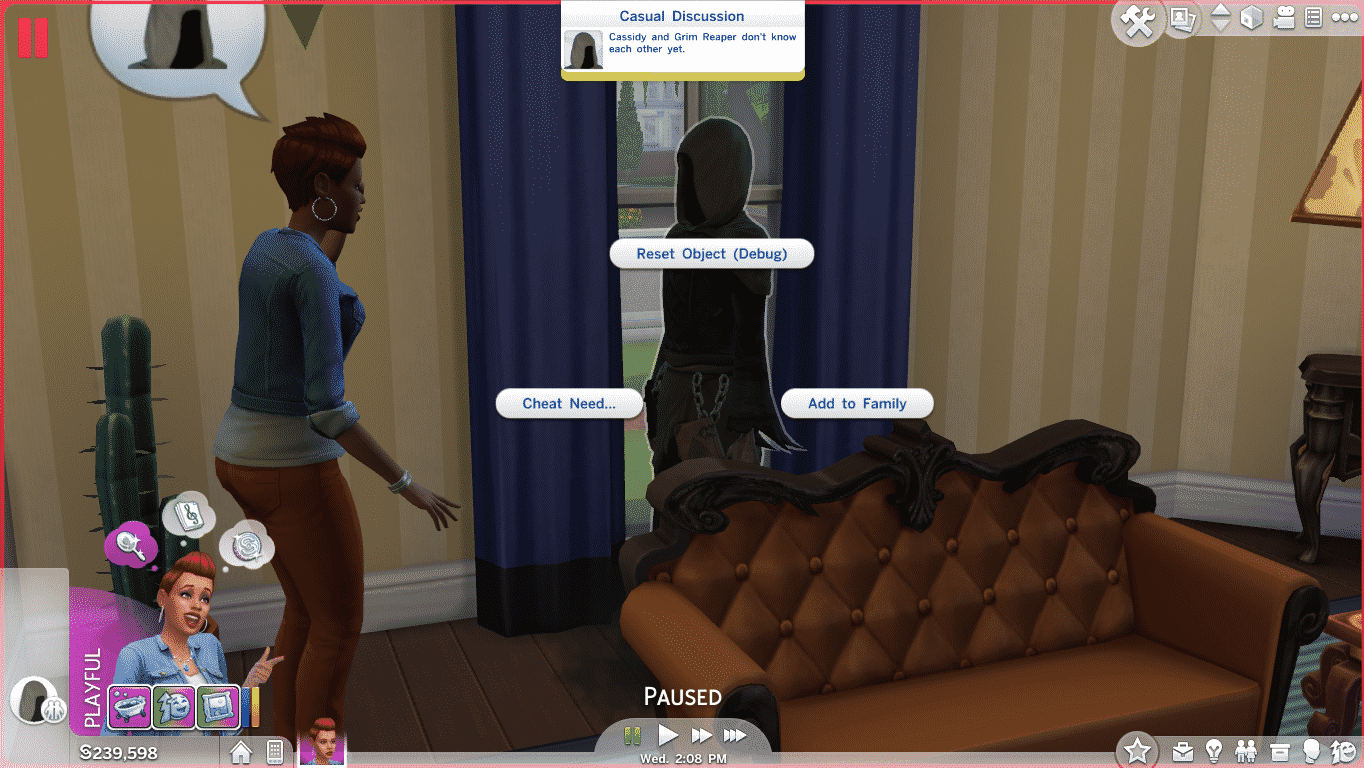
After the Grim Reaper finishes his job, hold shift, left click on him and select ”Add to Family”.

TS4 2014-09-06 00-35-47-43

As a Grim Reaper, you can go around town and socialize with other Sims. But, you cannot do most interactions that are related to fulfilling Grim’s needs and emotions.

TS4 2014-09-06 00-42-44-83 TS4 2014-09-06 00-46-28-37 TS4 2014-09-06 01-01-33-17

Extended Loading Time when starting The Sims 4 is being fixed!

0

EA Help posted that they’re currently working on a glitch where it takes a long time to bypass the loading time after starting The Sims 4.

TS4 2014-09-05 23-31-44-62

We’re aware that some players are experiencing extended load times at the The Sims 4 logo or the plumbob screen when loading the game. Our team is currently investigating in order to find a solution.

In the meantime, putting Origin into Offline mode (click the Origin menu and select “Go Offline”) has allowed some of the affected players to be able to load The Sims 4 and access.

Stay tuned for more updates.

EA Help Post

The Sims 4 – Official Warning about Bugs in the game!

4

The Sims 4 Team gave a fair warning about bugs we may encounter in the game!

They added a Lesson called ”Bugs” where they explain what type of bugs we could encounter in the game, as well as their apology if we ever encounter them.

TS4 2014-09-05 20-52-28-78 TS4 2014-09-05 20-52-31-50 TS4 2014-09-05 20-52-33-91

They also added a ”Bunnies” Lesson right underneath the Bugs Lesson. It’s obvious that this is a hilarious Bugs Bunny reference!  :rotfl:

TS4 2014-09-05 20-52-38-21 Capture

The Sims Freeplay – Pet Paradise Update Coming Soon!

0

Tails are wagging and there are purrs aplenty with the grand opening of Barkshire Pet Park! Grab your furry friends and explore a pet paradise, filled with exciting new activities for your Sims and their Pets. Roam free, Pets! Roam free!

Video Link

The Sims 4 – Premium Service coming this October

1

Instant Gaming – a French gaming site, listed ”The Sims 4 Premium Service” on their site. According to them, this Premium Service will release on 10. October, 2014. It’s price will be 24,99 Euros, although it seems that’s just a 50% discount of it’s original, 50 Euro price.

Capture

This confirms a leaked text of The Sims 4 Premium Membership from a 20-minute gameplay walkthrough of The Sims 4.

Capture23

Please note that the release date of Premium Service may vary as we get closer to October.

Thanks Sims Village for letting us know about this!

The Sims 4 Tutorial: How to record Videos in Bigger Resolution!

15

The Sims 4 offers 3 video resolutions: Small (320×240), Medium (640×480) and Large (1024×768). There is one problem though: none of these Video sizes are not recognizable as High Definition.

TS4 2014-09-04 20-36-50-35

To make your video files bigger, you’ll need to adjust a small detail in The Sims 4’s Game Files.

To edit your video size, open the folder where you install your Origin Games and then go to The Sims 4 > Game > Bin > res. In the ”res” folder, you’ll have to open a configuration setting file called ”VideoRecording”.

To make a video larger, simply rename the ”Large =” section from 1024 to any bigger resolution you want.

Capture

After your’re done with editing, go to File and select Save.

Here’s a tip: if you plan to The Sims 4 Videos on YouTube, it’s recommended that you set the resolution to 1280 (1280×720 – 720p) or 1920 (1920×1080 – 1080p).

The Sims 4 Tutorial: How to avoid Grids when placing Objects!

18

TS4 2014-09-04 10-10-12-73

The Sims 4 introduces a similar way of avoiding grids like we could do so in The Sims 3.

To avoid a grid when placing objects, all you have to do is select an object and press the ”ALT” keyboard button. While holding that button, you can move around your selected object anywhere, as long as it doesn’t touch another object or a wall.

You can also rotate objects for 360°. To do so, select an object, press the ”ALT” keyboard button, click the left mouse button and now you can rotate it however you want.

TS4 2014-09-04 10-10-34-78 TS4 2014-09-04 10-10-53-16

Wall objects can be moved anywhere on the wall with the ”ALT” keyboard button as well.

Let’s say I want to add paintings and other wall objects around this TV.

TS4 2014-09-04 10-11-22-72

I’ll move the TV up with the ALT keyboard button so I can place more paintings underneath it.

TS4 2014-09-04 10-11-32-80 TS4 2014-09-04 10-12-24-22

With the magic of ALT button, I managed to fill the entire wall with paintings and posters!

TS4 2014-09-04 10-14-03-00

You can do the same thing for Windows as well, although you can’t move it just anywhere when it comes to left and right directions, only up and down.

TS4 2014-09-04 10-14-22-86

The Sims 4: Interactive Map

SimFans have created an interactive map for The Sims 4 worlds. Click the image below and check it out. 🙂

sims4-interaktives-special_519

The Sims 4 – Transferring Sims from the Demo to the Base Game!

0

TS4CAS 2014-08-03 03-20-45-69

Any Sims that you uploaded to the Gallery in the Create A Sim (CAS) demo must be downloaded from the Gallery in the full game. Households that are just saved to your Library will not be available in the full game until they are downloaded from the Gallery.
 
If you are not finding your Sims, it could be due to one of the following issues:

The CAS demo and The Sims 4 are on separate Origin accounts.

  • If your demo and base game are tied to different Origin accounts, then your Sims from the demo will not populate into your base game Gallery.
  • The easiest way to get your Sims is to upload them to the Gallery from the CAS demo. Then you can search for the proper Origin ID in Gallery and  download them in The Sims 4 on your other Origin account and download your Sims from the Gallery.*

 
The CAS demo and The Sims 4 are on the same Origin account, but the Sims were never uploaded to the Gallery.

  • If the demo and base game are tied to the same Origin account, it’s likely that your Sims were not uploaded to the Gallery. Sims that are saved only to your Library in the demo will not display in the full game.

  • The easiest way to get your Sims into the full game is to just upload them to the Gallery from the demo and then download them into the full game.* Otherwise, you can copy the files fromDocumentsElectronic ArtsThe Sims 4 Create A Sim DemoTray to DocumentsElectronic ArtsThe Sims 4Tray in order to “move” your Sims from the demo to the full game.

Via EA Help

The Sims 4 – How to add Custom Music into the game!

15

EA Help explained how to add your Custom music into The Sims 4!

Please note that your music file *must* be .mp3!

You can play your own MP3s through the radios in The Sims 4. Copy them into the The Sims 4Custom Music folder that corresponds with your genre of choice and tune your in-game radio to that station to hear your music.

The-Sims-4_-Stories-Official-Gameplay-Trailer-074

The Sims 4 – Quality Settings Comparison Photo

2

What do you think? Would you be happy playing the game on a low setting? Do you think it looks better than The Sims 3 at a low setting?

sc_comparison

The Sims 4 – 100 Early Development Screens!

2

Found in The Sims 4 game files. Please note that these screens do NOT represent the current version of The Sims 4!

1d 100d 99d 98d 97d 96d 95d 94d 93d 92d 91d 90d 89d 88d 87d 86d 85d 84d 83d 82d 81d 80d 79d 78d 77d 76d 75d 74d 73d 72d 71d 70d 69d 68d 67d 66d 65d 64d 63d 62d 61d 60d 59d 58d 57d 56d 55d 54d 53d 52d 51d 50d 49d 48d 47d 46d 45d 44d 43d 42d 41d 40d 39d 38d 37d 36d 35d 34d 33d 32d 31d 30d 29d 28d 27d 26d 25d 24d 23d 22d 21d 20d 19d 18d 17d 16d 15d 14d 13d 12d 11d 10d 9d 8d 7d 6d 5d 4d 3d 2d

The Sims 4 – Concept Art of an Unannounced World!

5

Back in June, GamesTM published their preview of The Sims 4. There was an interesting sentence about a potential world in the game:

We spot a drawing on a nearby whiteboard of a humble rural shack, surrounded by rolling farmland, livestock and mountains in the distance. Could the American frontier be another location in The Sims 4? Truong and his colleagues refuse to comment.”
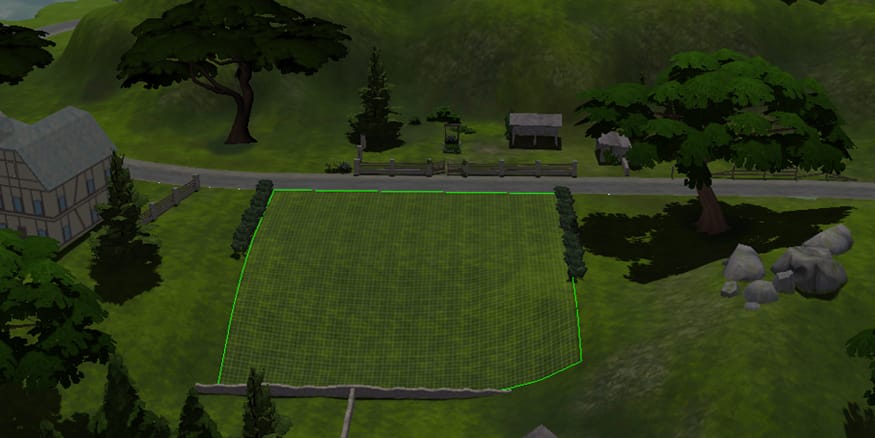
While going through The Sims 4 Game Files, I saw this Concept Art of the World. It exactly matches with the description that GamesTM gave!

conceptunannounced