


Learn what to avoid before this annoying Sims 4 bug gets fixed in early February!
The latest Sims 4 Update promised that it’ll fix an issue with Photos turning black in the game. Unfortunately for many players, especially those who didn’t encounter this issue before – the issue returned.
Players who never reported having the black photos bug have gotten their photos turned dark with a Sims 4 Update that promised to deliver an appropriate fix.
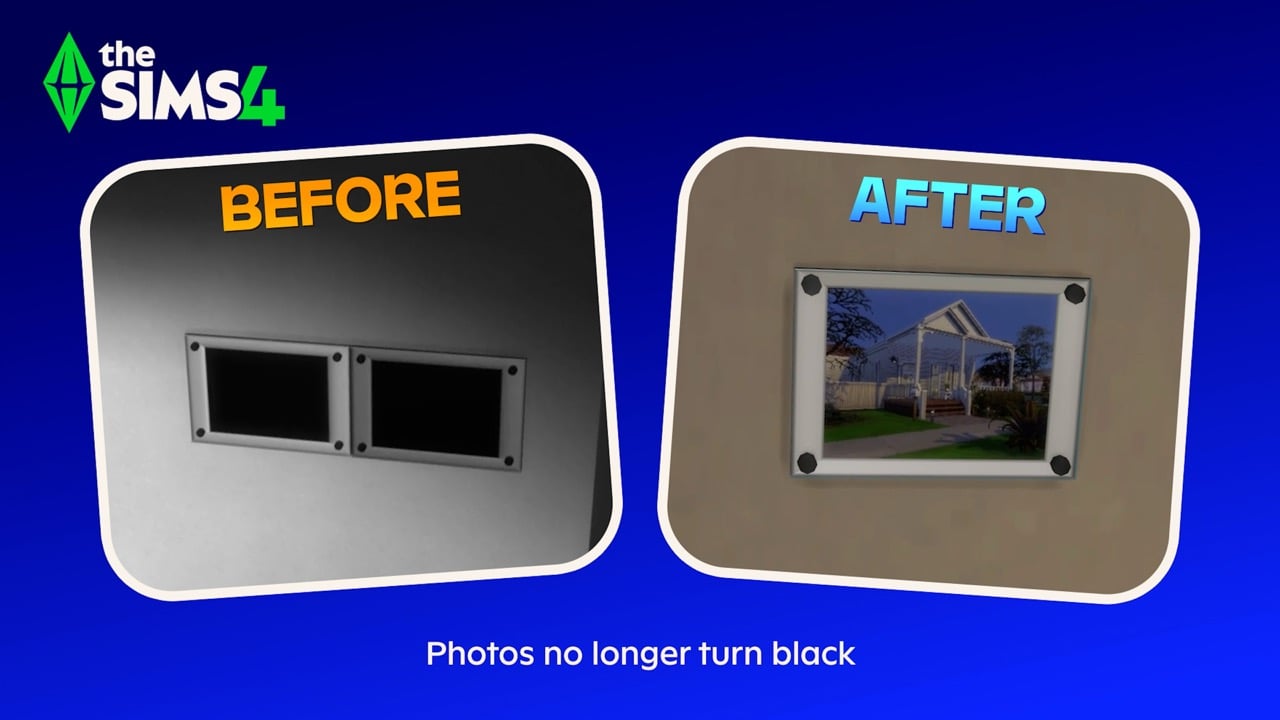
The Sims Team addresed the Sims 4 black photos issue publicly, stating that they’ll deliver a new fix in early February. Possibly packing the fix along with the pre-Expansion Pack Sims 4 Patch that’s coming for Royalty & Legacy.
Simmers, We have identified a fix for the issue causing photos to turn black that was reported after our recent Base Game update. You can expect to see this fix in our next Base Game update in early February.
That’s still a few days left to avoid using this precious Sims 4 feature. In the meantime, there’s a possible workaround shared by a player that will help you prevent photos turning black until the hotfix comes.
The Sims 4 Black Photos Bug – Player Workaround
Reddit user u/Elfinemly shared a handy workaround that helped them from Sims 4 black photos bug happening in their game. Note that this testing was only done on a PC / Mac version of the game, so it’s not known how the workaround takes effect on the Console version of the game.
So being able to recover all my photos, I took the opportunity to test out which actions end up causing the glitch, and I hope this helps to prevent some of you from losing the photos.
Source: Elfinemly
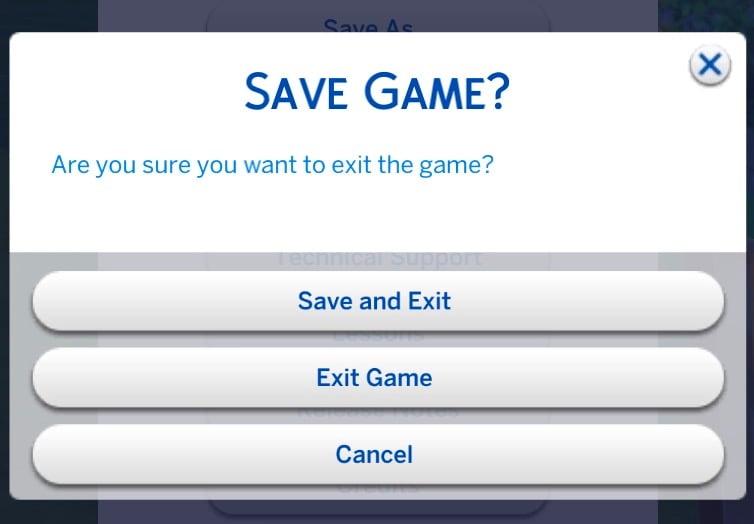
Here’s the workaround that helped them. Apparently, it all comes down to avoiding the “Save & Exit” feature:

Mind you these are actions to take if your in-game photos have YET to turn black. Also this is just what I could gather from my testing and I cannot guarantee if these will help everyone. (I play on a PC so i don’t know if this will help console users)
- Do not use the “save & exit” button at all! This action will turn your photos black no matter what.
Save first and then exit without saving. This way the bug won’t occur - Do not try to exit to the main menu at all from your save! Doesn’t matter if you save or not, this will break the photos in the save you left from, when you come back to it. Until EA fixes the bug i recommend closing the game completely and opening it back up if you want to change the savefile your playing.
- “Save as” won’t break the photos in the earlier version of the save. I recommend doing this from time to time, to make sure you have back ups of the saves. This way you can go back to an earlier version of your save and recover your photos IF something causes the bug to occur in your game.
- As you take in game photos, make a room with all of them, and upload it to your library. This way you can also recover them without having to go back to earlier versions of your saves later if the bug occurs.
Source: Elfinemly
Have you encountered The Sims 4 black photos bug in your game? Did the workaround help prevent it?
Let us know in the comments below and stay tuned for more updates on The Sims 4!
















What day in February will this bug update be?
Probably mid to late Feb given recent patterns!
Most likely when the base game update comes out for the pack.
I never use Save & Exit, my photos are black.
It’s funny how the Sims Team is hiding under a rock since the patch, and they supposedly have the fix, but not before next month. You know, they have to do it the right way. So tired.
They probably also want to test it harder now given how the last photo patch went lol
This doesn’t work. I did as this user advises, and still al my photos turned black.
It’s a heartbreaker, isn’t it ?
I never had many problems with photos (on my Windows 11 beast of a PC).
Even now, as long as i stick to 1 household in a simple save with no multiple My Households (you know, the ones with the green hearts), i can load in, save out and load back in and all pictures and Paintings by Reference will be there.
My main save is 6+ years old with many households with 100.000Kbs worth of historic pictures. They all turn black as soon as i leave my household.
I always Save As. Something that’s baked in me since Sims 3.
I never Save Quit.
Sigh, heartbreaking. I love my Sims, my extended, virtual family.
I’m heading towards 8000 hours in this game.
Ah they will fix it… And i’m big on backup saves. Weekly. I can return to any point in my main save from the past 6 years. For fun.
For now, i will not continue my main Legendary Legacy and just stick with the little side saves.
Good Luck, fellow Simmers.
I get ya, over 3 years and 40 generations in mine keep crossing my fingers every patch lol
Nossa, sim! Eu faço exatamente isso. Na verdade, eu deixo a atualização automática desativada. Sempre que tem atualização, eu faço backup. Mas é bem, isso. Sabemos que jogos antigos que nem os nossos (inclusive, o meu tem tanto tempo quanto o seu, é bastante né?) podem se perder e valorizamos nosso tempo e esforço. O que eu fiz depois dessa atualização foi entrar, criar alguma casa, salvar na galeria e sair sem salvar para não dar o erro das fotos, mas é complicado né? Eu AMO jogar o modo simulação, acho as coisas muito aleatórias e inusitada as vezes, e agora, nas férias, a EA conseguiu tirar isso de mim.
Hugs/ abraços (hope I got that right lol)
I have not played since the coach updated because all my legacy pictures are black. I deleted the most recent save and back tracked to the last save before the update. I’m not touching my game until the next update to fix the photo. Which I hate because it’s my comfort game 🙁
I used save as and then returned to the main menu. According to this article this should have ruined my photos but it didn’t so far *knocks on wood* So results might vary per user.
Glad I backed up my legacy save before I patched, a signed autograph of a long dead legacy spouse went black (I haven’t risked it with any others), I still have his ghost but I’ve had it for song it kind hurt it was busted. But now I know I can recover it from there!
Today I’ve noticed not only do my pictures turn black but they also disappear from the inventory if I switch the lots. Also, leftovers disappear from the fridge. :/
nah it’s not a solution coz I do that already, and I have this bug in my save.
Reason #205 why Im never in a hurry to update my game.