EA publishes a new The Sims 4 Laundry List for game improvements coming March 17th.
Electronic Arts has revealed a brand new Sims 4 Laundry List for an upcoming Game Update coming March 17th, 2026. Beside the new Update that introduces the Marketplace to the Main Menu, the team also revealed some additional bug fixes and game improvements that you should expect along with the patch.
The Sims Team also revealed that this Patch is coming for PC and Mac. With Xbox and Playstation updates set for a later date.
Learn about the improvements and features in the official Laundry List below:
Table of Contents
The Sims 4 Laundry List: March 10th, 2026
Hi Simmers!
Welcome to the Laundry List, where we share the top community concerns that we’re currently investigating and hope to resolve.
Please note; this Base Game update will launch on PC and Mac on March 17th, with PlayStation and Xbox coming later. During this time, console players may experience a temporary version mismatch when using the Gallery.
The Sims Team
Here’s the list of the top community concerns you can expect to see resolved in our next update:
Top 5 Most Voted Fixes:
[EA Forums][EA Forums] Extensive updates to ensure that Sims’ eye blinking will now show fully closed eyes for most interactions, see the blog post for more information on these changes.
[EA Forums] Prom will once again appear on Calendars and Sims will be able to attend, this fix will ensure it is working for both new and old saves. Alongside this fix, we fixed another issue where Prom goals weren’t able to be completed. (High School Years)
[EA Forums] We fixed an issue where Pet and Horse data was being lost in Premade Households. This will no longer occur in fresh saves. However, if this occurred in an old Save, it will still be occurring in that instance. (Cats & Dogs, Horse Ranch)
[EA Forums] We’ve implemented a notable change to how Sims determine who they speak with on a lot. Now, Sims will generally prefer speaking with familiar Sims they already have a good rapport with, and Sims are less likely to engage with strangers spontaneously.
[EA Forums] Animals can be assigned to an Animal Shed after moving the Household to a new lot. They no longer become stuck in Household or Sim Inventory. This is also fixed for saves where the animals were already stuck. (Cottage Living)
Sims Autonomy Improvements
“Sim autonomy” is one of our key focus areas based on community feedback, and this update delivers on 3 of our top autonomy issues : Sims socializing with strangers, excessive flirting, and Sims using certain objects obsessively.
Base Game
[EA Forums] We’ve addressed the issue where Sims were excessively flirting with each other.
[EA Forums] We’ve heard your feedback and wanted to address Sims using Computers and Phones too often. We’ve added a few new preferences to the Base Game including: Likes Phones, Likes Computers, Dislikes Phones, and Dislikes Computers. If you don’t want your Sims to autonomously use these objects, please give them the “Dislikes Phones” or “Dislikes Computers” Preferences. If you want them to be obsessed… you know what to do.
Screenshot
[EA Forums] If a Sim autonomously uses the Computer, they will receive a cooldown on wanting to do this autonomously again for half of a Sim day. This cooldown does not exist for non-active Household Sims, for Sims who are Geeks, Sims who Like Computers, or when it is a preferred interaction for Getaways, Clubs, Small Businesses, or Dynasties. Sims who Dislike Computers (a new Preference we added) will never use them autonomously anymore.
[EA Forums] The “Troll teh Forums” Computer Interaction has been added to the same cooldown that is used for other Computer interactions. Sims will also now need Mischief Skill of 6 or higher to consider this action autonomously unless they have the following Sims Traits: Evil, Childish, Geek, Hot-Headed, Erratic, or Mean (who always have it available). (Base Game)
[EA Forums] If a Sim autonomously destroys a Doll House, it will receive a cooldown on wanting to do this autonomously again for some time. We also made a change so that only Sims with certain Traits (Evil, Hates Children, Mean Hot-Headed) will ever autonomously decide to destroy a Doll House while Angry. Before this update, this autonomous behaviour could occur for any Sim who was feeling Angry or Dazed.
[EA Forums] If a Sim autonomously mixes a drink, they will receive a cooldown on wanting to do this autonomously again for a Sim day for non-NPCs. Previously this would occur frequently for Sims who were Inspired, or Sims with the Bro or Foodie Trait.
[EA Forums] If a Sim autonomously Swims, they will receive a cooldown on wanting to do this autonomously again for some time. This cooldown does not exist for non-active Household Sims, on Pool Venues, during Pool Party or Birthday Party events, when Swimming is a preferred interaction for Getaways, Clubs, or Small Businesses, or if the Sim is a Mermaid or Plant Sim.
[EA Forums] If a Sim autonomously plays the Violin, they will receive a cooldown on wanting to do this autonomously again for a Sim day. This cooldown does not exist for non-active Household Sims, for Sims who are Music Lovers, Sims who Like Violins, or when it is a preferred interaction for Getaways, Clubs, Small Businesses, or Dynasties.
[EA Forums] If a Sim autonomously plays the Guitar, they will receive a cooldown on wanting to do this autonomously again for a Sim day. This cooldown does not exist for non-active Household Sims, for Sims who are Music Lovers, Sims who Like Guitars, or when it is a preferred interaction for Getaways, Clubs, Small Businesses, or Dynasties.
[EA Forums] If a Sim autonomously plays Chess, they will receive a cooldown on wanting to do this autonomously again for a Sim day. This is for non NPCs only, and not applicable during clubs or getaways revolving around chess.
[EA Forums] We’ve added a cooldown for Sims dancing while on a lot that the Sim owns. Sims who Like Dancing, Dance Machine Trait Sims, and certain situations will not receive this cooldown. This cooldown is not for Non-Active Household Sims. This cooldown will disappear when Sims move lots in case they are going to a lot where they want to dance.
[EA Forums]We’re reducing how often a Sim considers turning on the radio. Sims with the Music Lover trait will consider listening to music more often than other Sims.
[EA Forums] Though practically a staple of Sim culture (I’m being cheeky), we’ve added a cooldown for autonomous Push-Ups, Sit-Ups, and Stretches. Now, only Sims who are Energized at the Gym Venue or Sims with the Active trait will consider doing this autonomously.
[EA Forums] We’ve added a cooldown for Foodie Sims watching Culinary Training Videos on the television where they won’t do this autonomously for two days after doing it.
[EA Forums] If a Child Sim autonomously uses the Space Ship playground, they will receive a cooldown on wanting to do this autonomously again for a Sim day. This cooldown does not exist for non-active Household Sims or when it is a preferred interaction for Getaways, Clubs, or Small Businesses. Leaving the current lot also removes the cooldown.
[EA Forums] If a Sim autonomously plays with the Lump of Clay, they will receive a cooldown on wanting to do this autonomously again for a while. This cooldown does not occur for Creative Sims or Sims who Like Pottery.
Discover University
[EA Forums] If a Sim autonomously plays with the Soccer Ball they will receive a cooldown on wanting to do this autonomously again for a while. This cooldown does not occur for Sims who Like Fitness or non-Household Sims.
Cottage Living
[EA Forums] If a Sim autonomously does Cross-Stitch, they will receive a cooldown on wanting to do this autonomously again for some time. This cooldown does not exist for Sims who Like Cross-Stitching or when it is a preferred interaction for a Club.
Lovestruck
[EA Forums] Sims will no longer consider playing Thumbs Up or the WooHoo Card Game while in the middle of writing a book on the computer.
Adventure Awaits
[EA Forums] If a Sim autonomously plays with the Paper Airplane, they will receive a cooldown on wanting to do this autonomously again for a while. This cooldown does not occur for Sims who Like Papercrafting.
Spa Day
[EA Forums] If a Sim autonomously uses the Yoga Mat, they will receive a cooldown on wanting to do this autonomously again right away. This cooldown does not exist for High Maintenance Sims or Sims who Like Wellness. (Sims must be Level 2 to Autonomously use a Yogo mat – previously and still.) The cooldown is removed when leaving the lot, and when it’s the preferred interaction for Getaways, Clubs or Small Businesses.
Movie Hangout Stuff
[EA Forums] A cooldown has been added to the Popcorn Popper so that after it has been used by a Sim that Sim will not want to immediately use it again for some time.
Pet & Animal Fixes
With two of our Top Community Issues being around animals and pets, we fixed a few other bugs also in this category to provide a better overall experience with these systems.
[EA Forums] Animals in the Animal Shed, Chicken Coop, Mini Goats, and Sheep will no longer be multiplied. This was happening when these animals were placed into a Sim inventory, then back in the world, and after that the Sims moved their Household. (Cottage Living, Horse Ranch)
General Bug Fixes
We addressed a handful of other important issues that were quickly rising, particularly problematic, or easy fixes to get in.
Base Game
Sims with the Unflirty trait will no longer get the ick when hugged.
Placing a painting on the wall and then returning it to the Sim’s inventory will no longer result in a Simulation error.
Seasons
[EA Forums] Flowers will no longer get stuck midair while crafting a Flower Arrangement.
For Rent
[EA Forums] The “Do Inspection and Maintenance” interaction is now available on broken objects in a Tenant Household for Landlord Sims.
Life & Death
We’ve adjusted design elements on some of our swatches for the Ornate Mystery Run which were concerning to some players.
Royalty & Legacy
[EA Forums] There was an issue where the updated Family Tree could cause wrong connections and overlapping which has now been fixed.
[EA Forums] We fixed a crash that could occur when resuming the game after deleting the Capp Household in Ondarion.
[EA Forums] Ondarion’s Verdemar lot is no longer reversed.
Parenthood
Child and Teen Sims who grew up in the same Household but weren’t related could get the Super Sibling relationship, despite not being related and then could later romance each other. Because we didn’t want to prevent stories where children could have possibly been in the same Household at one point while not related and end up in a relationship, we decided to fix this by renaming the relationships to Childhood Besties and Childhood Frenemy.
StrangerVille
There should no longer be a Script Call Fail error when the Plant Containment Cell is on the lot and the player tries to place other objects.
CAS & Build Mode Tagging Updates
We had the opportunity to address a large swath of simpler tagging bugs, making CAS and Build Mode sorting more accurate overall. Here are related issues we fixed:
Base Game
All Makeup that was in the Everyday Category has been added to both Hot and Cold Weather Outfit Category as a sorting option.
We’ve sorted 43 existing items under the Kids Decoration category.
Various lights (that were previously considered wall lights) have been sorted into the Lighting > Outdoor Lights Build Mode Category.
“Cute Critter Basket” is now sorting under Objects by Function > Kids > Decorations.
Updated the swatch color for (yfMakeupLipstick_EF28GlossyLips_RedRuby) to appear more accurate.
(yfBottom_SDX040CCHSkirtPleated) will no longer appear for masculine frame Sims.
The Pencil Holder object has been additionally sorted into the Clutter Category in Build Mode.
The “Wicker-Work Diaper Storage” object is now sorting under Objects by Function > Kids > Kids Furniture.
The “Bow, Bow, Bow!” object is now sorting under Objects by Function > Activities & Skills > Life Events.
The “Martian Soil” wall pattern is now categorized under the Misc category rather than the Paneling Build Mode Category.
The (wall_V_Clapboard02SGBrick_NT_PeachWhiteBrick) and (wall_V_Clapboard02SGBrick_NT_BlueRedBrick) wall patterns are now sorting into Masonry and Siding.
The Sycee of the Prosperous Moon, Right Side Up Gnome, and Bob the Butler Fancy Sculpture have been removed from their previous sorting category and are now sorted under Function > Decorations > Sculptures.
Multiple
We updated a large amount of love seats and benches to properly be identified as “Benches” for lot requirements when placed.
Lovestruck
We’ve adjusted the Lovestruck Beard swatches to display in the correct order.
(ymBottom_EP16Jeans) will now appear as a Masculine Fashion Choice in CAS filters. (Lovestruck)
Life & Death
“Perilous Paneling” and “Patterned and Perilous Paneling” now sort into the Paneling category, and “Lunar Reverie” sorts into the Wallpaper category.
Enchanted by Nature
“Wild Uncanny Cane” plant is now sorted in both Roof Sculptures and Outdoor Plants.
Backyard Stuff
(yfTop_SP08TeeBoatNeck_GradientPink) no longer sorts as Yellow in CAS filters. (Backyard Stuff)
Moschino
The “Libearian” bookshelf and the “I’m So Shiny!” surface have been removed from the Sculptures category.
Free Holiday Stuff
The “Kinara” and “Menorah” light objects are now sorting under Lighting > Table Lamp.
“Holiday Snowman” and “Pre-Strung Tree of Lights” are now sorting under Lighting > Outdoor Lighting.
Kitchen Clutter
All clutter items from the Kitchen Clutter pack are now visible when sorting by the pack filter and looking under the Misc Decorations category in Build Mod’s room view.
The Forever Friends Event
(ymTop_EV0641TankTwistBack_SolidBlackCyan) will no longer appear for masculine frame Sims.
The Nature’s Calling Event
The Cove Stone – Round, Cove Stone – Flat, and Cove Stone Cluster objects are now sorted in the Outdoor Plants > Rocks category in Build Mode.
Updates on Top Community Voted Issues
As part of our investigation into Save Corruption, we began gradually relocating Scratch files from the Documents folder to AppData on PC back in January. This change was designed to help prevent conflicts with cloud backup services, and we rolled it out in phases so we could carefully monitor the impact. The transition is now complete for all PC players.
Since the roll out has completed, we have observed improvements in Infinite Load occurrences just shy of what we’d classify as a “statistically significant” shift, which is a great step in the right direction and observed improvements thus far are encouraging.
Our team continues to investigate other community concerns for future fixes. Please note that some topics can be complicated to replicate and require an extended investigation on our end, so even though we are actively reviewing, it’s not a guarantee that we’ll have an immediate fix for it in the upcoming patch. This includes the following top voted issues:
We’ve been working on some “Player Redundancy Solutions” which would add more long term saves in our “Recover Save” feature. We are currently testing these solutions and plan to be providing more information in the future.
[EA Forums] We’ve been investigating adding safeguards in the game to check against inappropriate sibling relationships with spouses or fiances. Despite a heavy focus to reproduce the issue, we’re still struggling to reproduce this naturally through gameplay, and the saves we’ve received have the issue already occurring in code (even if it hasn’t been updated to UI yet where players can see). This has made it particularly difficult to nail down a preventative fix. These safeguards would fix it after it occurs, rather than preventing it, so we’re being extra careful with our approach for this and need more time and thought to get it right.
[EA Forums] [EA Forums][EA Forums][EA Forums][EA Forums] We’ve been investigating a handful of Black Photo/Texture issues that were recently reported after the February Patch. We’ve been able to verify that none appear to be newly introduced issues, with most going back years. This means, most of our recent fixes have made progress towards cutting down on the number of black photo issues that exist in the game. This is important to clarify so we know if we’re breaking things with our fixes or making progress towards fully eliminating all instances. Thankfully, it’s the latter! Each issue has a very unique set of steps to reproduce and as equally unique a fix required. At this time, fixing the remaining Black Photo issues is one of our highest prioritized areas of focus.
[EA Forums] [EA Forums][EA Forums][EA Forums][EA Forums][EA Forums][EA Forums][EA Forums][EA Forums][+ More] We know that “Infants” and the experiences you have playing with them are one of the top areas of community concern. We’re currently investigating a bunch of different infant bugs, including: Sims picking up infants from the cribs and putting them down on the ground, “Check Infant” interactions happening too frequently, and more. These are particularly difficult bugs to address, so we’re hoping to be able to make progress and update you on them soon.
[EA Forums] Another important community issue is a situation where Build Mode items can become unplaceable, new objects disappear immediately, and existing objects cannot be moved or deleted. We believe we have a fix, but it will still need testing to verify, so stay tuned!
[EA Forums] [EA Forums] We’ve also noticed there are an array of comments and posts concerning various, different sleeping issues that are very highly rated with the community. As simulation remains a top area of focus for us, we’re planning to try to address these concerns holistically with another set of fixes pertaining to “Sims sleeping.”
Eyes Animation Updates
A seperate Sims Blog post was published revealing additional updates to Eye Animations in The Sims 4. See all affected animations and changes below:
Sul Sul, Simmers,
After receiving community feedback, we’re excited to be releasing some significant improvements to eyelid functionality in The Sims 4 with the free Base Game update on March 17th. This wasn’t a single fix, and it required many teams across QV, Tech Art, Animation, and Create a Sim working together to trace the issue across assets, systems, and workflows. This type of work is normally hidden to the average player, so we wanted to share a breakdown of the work that went into making this improvement possible.
We hope you find it interesting, and for mod authors, useful!
Eye See What You Did There Before any work could get started, the QA team first looked into player reports, verified what was happening in the game, and created detailed replication steps. This included where blinking was being limited, where it was being exaggerated, and how eye shape variations complicated both. That information was then passed on to the Tech Art team.
Good Eyedea to Adjust Animation in Maya Files A Tech Art script scanned all Maya files in The Sims 4 Base Game and DLCs to identify upper eyelid rotation animations. It targeted those within a specific range: enough to detect eyelids not fully closing but not detect intentional poses like squinting. The script then adjusted these animations, either increasing or decreasing the eyelid rotation to match the value required for eyes to fully close. If the rotation already exceeded the closed-eye threshold, the script reduced it appropriately. This process fixed a great number of eye blinking issues where the eyelid rotation either too high or too low in the default Sim mesh animators use in Maya.
What remains: While a great deal of eye blinking issues in Maya has now fixed, this does not automatically resolve all Sims character blinking in the Create a Sim system. Each eye shape archetype in Create a Sim requires a different rotation amount to fully shut the eyelids. Previously, rotation was dampened globally to avoid eyelash clashing, especially after the addition of new lower eyelash assets in The Sims 4: Lovestruck.
These Are Getting Cornea Each eye shape preset in Create a Sim has unique joint values, shaping the eyes into various archetypes. To ensure eyes close correctly for every eye shape, a specific rotation multiplier is applied to each preset. Earlier, eyelid rotation was globally dampened to prevent over-blinking due to lower eyelash geometry. However, this sometimes led to under-blinking. The new approach finds an ideal balance, further reducing under-blinking without causing excessive over-blinking.
Iris There Was More For interactions highlighted by players as problematic, the Animation team manually refined over 280 animation files (list below) to ensure eyes fully close without any eyelash clashing. The “half-blink” in Create a Sim, originally an intentional animation style, was changed to a complete blink to avoid confusion with actual under-blinking. Mood-based sleep loop animations were also improved for smoother transitions. Facial overlays were removed to prevent double-layered facial expressions during these loops. A Create a Sim artist has reskinned the lower eyelashes, allowing them to move more accurately with the lower eyelid.
Eye’ve Heard Enough, Let’s Put a Lid on This In rare cases, some unique eye shapes may still display slight over-blinking. This was considered preferable to widespread under-blinking. Player-created poses and animations were not individually adjusted but will still benefit from the global Tech Art script and modifier updates. Player-created Sims will see improvements from these global fixes, though some unique eye shapes may still show minor blinking inconsistencies.
As with any systemic fix, we’ll be closely monitoring for additional issues after release.
As announced in the Laundry List, expect The Sims 4 Console to have a mismatching Gallery version until the console version of The Sims 4 gets an update too. Learn more below:
Simmers,
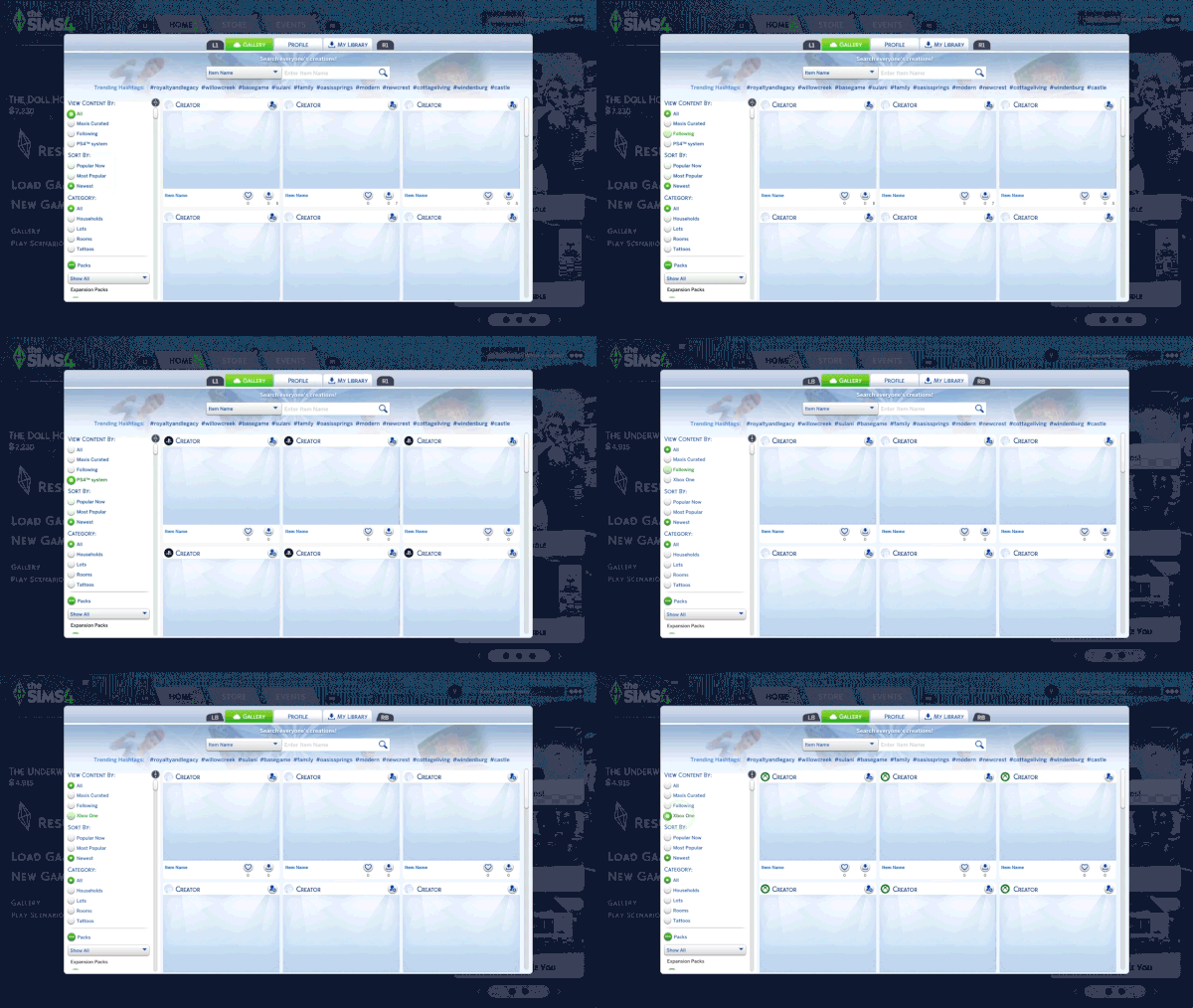
We want to share an important update for PlayStation and Xbox Simmers regarding The Gallery following the upcoming PC and Mac Base Game update on March 17.
Consoles will receive this Base Game update at a later date, and therefore will temporarily experience a different version of The Gallery. During this time, players will see a “Version Mismatch” error when attempting to download some content.
We want to make sure this update delivers the best experience possible for console Simmers. By launching on PC and Mac first, we’ll be able to validate performance, stability, and overall quality before bringing the update to Xbox and PlayStation. Taking this extra time helps ensure everything works exactly as intended on consoles.
To help make this transition as smooth as possible for everyone, our team will roll out Marketplace updates for Xbox and PlayStation Simmers as soon as we’re able, with a focus on supporting a great experience for all players. We’ll share more details on console timing as soon as they’re confirmed.
In the meantime, you can still download content that was made and uploaded by PC and Mac players prior to the March 17th update. You can also avoid mismatch errors while browsing The Gallery on console by using the platform-specific filters to view only console compatible content. The Most Popular and Maxis Curated filters should work as well, but there may be some exceptions. There will be no impact to previously downloaded content you have in My Library.
Thanks for your patience and understanding,
EA Team
What are your thoughts on upcoming fixes coming to the game with the latest Sims 4 Laundry List? Let us know your thoughts in the comments below and stay tuned on Sims Community to be the first to know when the new patch drops!
Reticulating splines as a webmaster for Sims Community over the last 12 years. You can find me here writing articles and doing reports on your favorite life sim games, among other things!
Our community is about connecting people through open and thoughtful conversations.
We want our readers to share their views and exchange ideas in a safe space.
In order to do so, we’ve created a simple set of rules that will improve your experience.
Simply put, keep it civil.
Your post will/might be rejected if it contains:
Spam
Insults, profanity, incoherent, obscene or inflammatory language and threats of any kind
Attacks on the identity of other commenters or the article’s author
User accounts will/might be blocked if we notice:
Continuous attempts to re-post comments that have been previously moderated/rejected
Racist, sexist, or homophobic comments
Attempts or tactics that put the site security at risk
So, how can you be a power user?
Stay on topic and share your passion. Feel free to elaborate to get your point across.
‘Like’ or ‘Dislike’ when you are filled with emotions!
Protect your community. Use the report tool to alert us when someone breaks the rules.
Thanks for reading our community guidelines. Please note that we're aware of certain issues with Sign In / Log In and Create Account / Email Confirmation issues. We're working behind-the-scenes on a new Account Creation process. Thank you for your patience and remember - freedom of speech is not freedom of reach!
I hope it will fix almost all Sims flirting around, even when their partner stands next to them. It’s ridiculous. And it destroys my gameplay!
Also makes me angry, when I tell a Sim to take care for an infant and does nothing, because someone else comes mess it up.”Grandpa, I don’t told you so! You were on the other side of the house and Mummy stands next to her child! Let her do her duty!”
CrispySims
2 months ago
Does anyone know if there is a bug where a Sim’s Will doesn’t arrive after they’ve died? I had one of my Sims do their Will and then they drowned a few days later and I’ve waited a couple of in game weeks already and their Will still hasn’t been posted in the mail.
Jason
2 months ago
Yo, they’re making the traits more genuine now, like The Sims 3. If your sim is evil or mean, they will autonomously break a doll house instead of normal sim being angry or tense.
Elle
1 month ago
I autoplay a lot so my sims can decide their personality and who they get into a relationship with. I’m just hoping in reducing a lot of the autoplay as they have it won’t impact them being able to make these decisions. It’s fundamental to my game.
Few series have shaped the romantic fantasy aesthetic quite like Bridgerton. Its extravagant ballrooms, dramatic social gatherings, and luxurious Regency-inspi...
Paralives will be releasing in its initial early access release phase on May 25th 2026, roughly six years after the beginning of its development. While approac...










I hope it will fix almost all Sims flirting around, even when their partner stands next to them. It’s ridiculous. And it destroys my gameplay!
Also makes me angry, when I tell a Sim to take care for an infant and does nothing, because someone else comes mess it up.”Grandpa, I don’t told you so! You were on the other side of the house and Mummy stands next to her child! Let her do her duty!”
Does anyone know if there is a bug where a Sim’s Will doesn’t arrive after they’ve died? I had one of my Sims do their Will and then they drowned a few days later and I’ve waited a couple of in game weeks already and their Will still hasn’t been posted in the mail.
Yo, they’re making the traits more genuine now, like The Sims 3. If your sim is evil or mean, they will autonomously break a doll house instead of normal sim being angry or tense.
I autoplay a lot so my sims can decide their personality and who they get into a relationship with. I’m just hoping in reducing a lot of the autoplay as they have it won’t impact them being able to make these decisions. It’s fundamental to my game.