Home Blog Page 168

The Sims 4 Cottage Living: All About Chickens

Presented by EA Game Changers

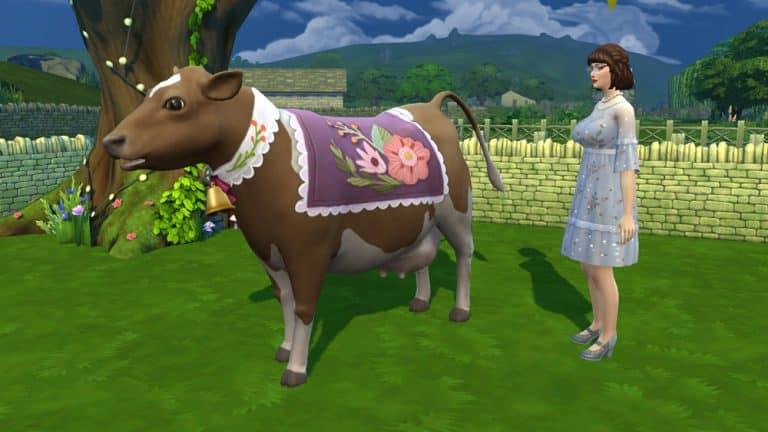
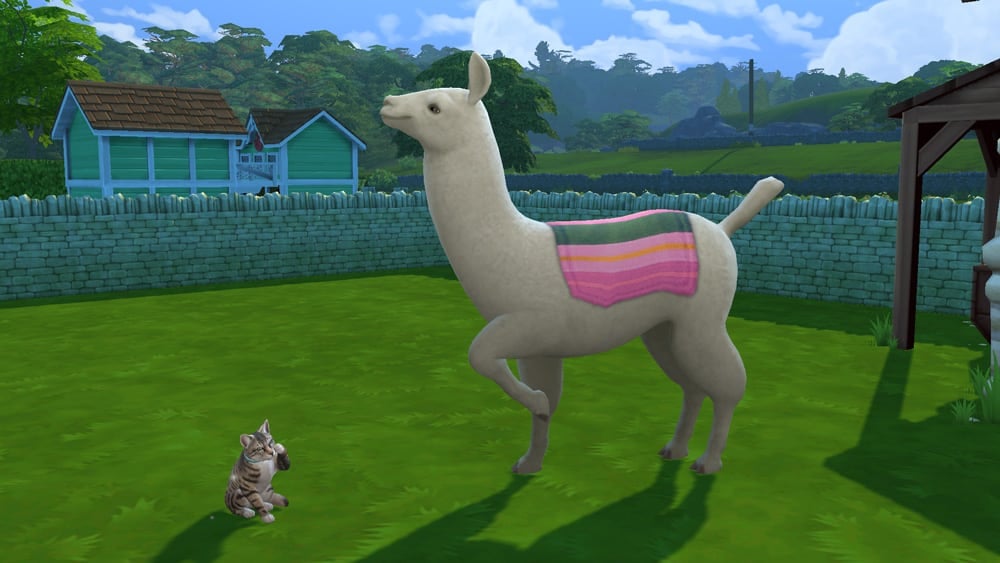
In The Sims 4 Cottage Living, your Sims can own a wide variety of animals, including llamas, cows, and chickens! These animals will provide your Sims with high quality products they can use in cooking, cross-stitching, and more as long as you keep them healthy and happy.

Read on to learn how to take the best care of your new animal friends!

Chicken Coops

The Sims 4 Cottage Living: All About Chickens

To obtain chicks, hens, and roosters, you must first purchase a Chicken Coop from Build/Buy, or purchase a lot with a Chicken Coop already on it. Each coop houses up to 8 chickens but there is no limit to the number of coops you can have on your property. If you want more than 8 chickens, you will need to have more coops to house more birds.

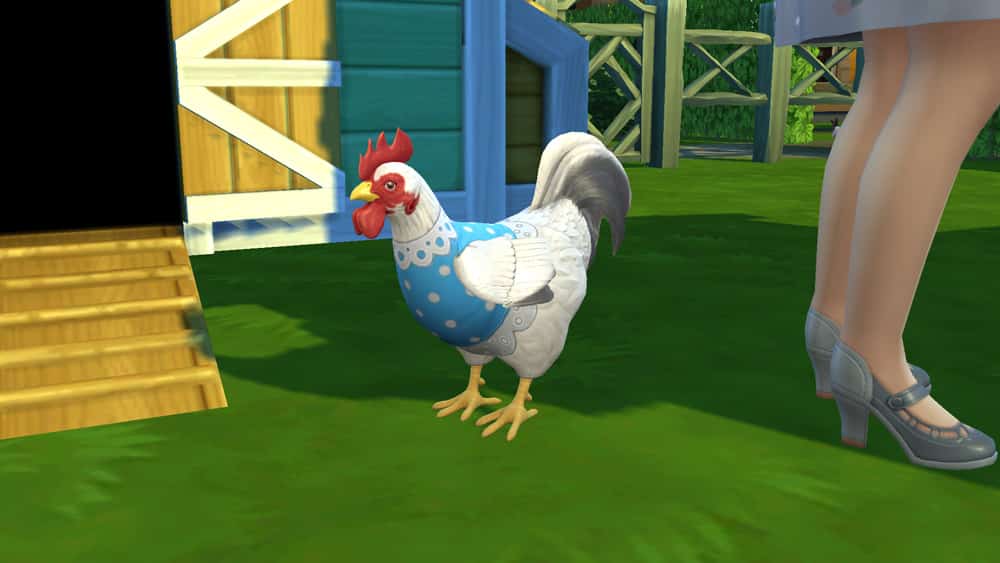
Once placed, you can click on the coop to purchase chicks, hens, and roosters to inhabit it. You can choose between three types of adult chickens (white, brown, and black) and either male or female chicks. More types of chickens can be obtained by feeding your chickens specific animal treats.

Chicken coops have to be cleaned regularly. You can see your coop’s status by hovering over it with your cursor. When the chicken coop is dirty, make sure you clean it so your chickens will stay happy and healthy. Sims must also click on the chicken coop to scatter chicken feed nearby for the chickens to peck at. Make sure to remember to do this every day to keep your chickens well fed. Hovering over the coop will also tell you how many chicks, hens, and roosters are living in the coop and how many eggs are ready to be collected.

Chicken coops can also be upgraded to require less maintenance. Sims can install an auto-feeder in their coops to ensure their chickens always have enough to eat even if you forget to scatter chicken feed nearby. They can also install an upgrade that makes the chickens more relaxed, leading to a longer lifespan, as well as install a fox alarm to keep foxes from stealing eggs. Chicken Coop upgrades require a new type of upgrade part, called Livestock Upgrade Parts. Sims can obtain Livestock Upgrade Parts by running errands for Sims in Henford-on-Bagley.

ComfortCare Life Extender

  • Description: This upgrade extends the lifespan of the chickens living in the coop.
  • Requires: 2 Livestock Upgrade Parts

Livestock Auto-Feeder

  • Description: This upgrade installs an automatic feeder in the coop! Your Sims never need to scatter feed again!
  • Requires: 6 Livestock Upgrade Parts

Fox-Be-Gone Alarm

  • Description: This upgrade adds an alarm to the coop that goes off whenever a fox tries to get into the coop. Never worry about the safety of your chickens or eggs again!
  • Requires: 3 Livestock Upgrade Parts

Taking Care of Your Chickens

There are three types of adult chickens you can purchase for a chicken coop; a white chicken, a brown chicken, and a black chicken. All three types of chickens are available as both hens and roosters. Baby chicks can also be purchased as either hen or rooster chicks. All three types of adult hens lay Normal Eggs but can produce other kinds of eggs if given specific animal treats. For more information about animal treats, see our guide, The Sims 4 Cottage Living: All About Animal Treats.

Roosters and baby chicks do not lay eggs but you will need at least one rooster in your coop for your hens to lay hatchable eggs. Not every egg your hens lay will be hatchable. Hover over the egg with your cursor to see if any of the eggs your Sim collected can hatch into chicks. Eggs can be used in cooking recipes and given as gifts to wild animals. They can also be useful in running village errands and be entered into the Finchwick Fair.

The Sims 4 Cottage Living: All About Chickens

Even though they all live in the same coop, each chicken can be named individually and has their own individual needs and relationship with your Sim. Make sure you’re checking on all your chickens every day so no one gets left out.

Chickens need to have a clean coop and be kept full and happy in order to give the highest quality eggs. You can view your chicken’s stats by hovering over them with your cursor.

  • Age: This tells you how old your chicken is. If you have at least one hen and one rooster in your coop, you can breed your chickens by hatching any fertilized eggs your hens lay. This stat will tell you if your chicken is a baby or adult and how close they are to passing from old age.
  • Happiness: This is a cumulative stat that takes into account both the coop’s condition and the chicken’s condition. Keep the coop clean, scatter feed, and socialise with your chickens daily to keep them happy.
  • Hygiene: When the coop is dirty, your chickens will become dirty, too. Dirty chickens are unhappy chickens, so make sure you stay on top of keeping the coop clean for them.
  • Hunger: This shouldn’t be a problem if you stay on top of scattering feed around the coop daily but if you have hungry chickens, you can also feed them individually to build some relationship with them.
  • Attention: Socialise with your chickens to keep their attention need satisfied. If you talk to a chicken, any chickens nearby will also gain social, so this can be a good way to save time. Call all your chickens over to you and chat with them all at the same time.
  • 6am Harvest: This tells you what kind of egg you can expect to receive from your hen the next time you collect eggs from the coop. Hens will typically produce Normal Eggs but feeding them different treats can cause them to produce different types of eggs. Roosters and baby chicks do not have this stat.
The Sims 4 Cottage Living: All About Chickens

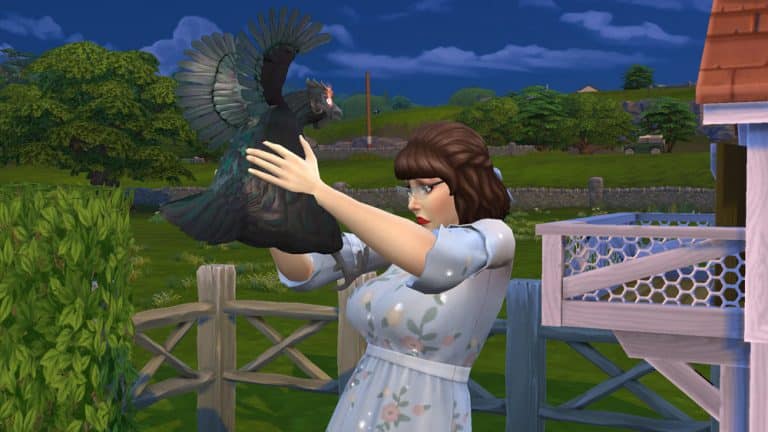
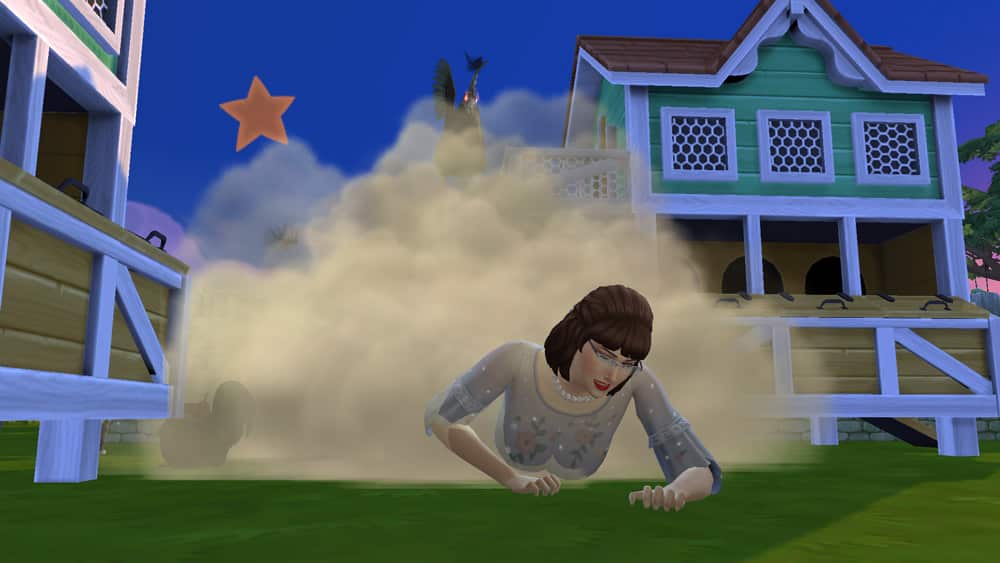
Depending on your relationship with your chickens and what mood they are in, they might not be so receptive to you. Chickens can sometimes attack your Sim. Do enough mean socials with your chicken and push your luck one too many times and there is even a chance that your Sim could die from a chicken attack so be nice to your chickens! Happy chickens with a high relationship with your Sim are less likely to attack.

Chickens do have a lifespan and will eventually grow old and die. There are treats and coop upgrades that can extend your chickens’ lifespan but if the idea of ever having to say goodbye to them is too sad for you, you can disable animal aging in the Game Options.

Chickens can be called in and out of their coops but this isn’t typically necessary. Unless something prevents them from doing so, chickens will go into their coop for the night at around 6pm all on their own and come back out in the morning at around 6am.

Trading Your Chickens

If your farm is struggling to make ends meet or if you’re just looking to downsize the number of animals you have, you can trade in your chickens for various rewards. If you click on a chicken and select the Actions option, you’ll see a Trade For option in the pie menu. You can also do this from the coop. You’ll be able to select the chicken you want to trade from a menu.

The Sims 4 Cottage Living: All About Chickens

You can trade your chickens for simoleons, animal treats, ingredients and produce and even… meat. Yes, you can send your beloved chickens off to be slaughtered in exchange for their delicious meat. It’s not something I would ever have the heart to do, but hey, if your Sim’s really gotta eat… I’m just saying it’s an option.

Make sure you really want to get rid of that chicken because once you trade it, it’s gone forever. If you want another chicken, you’ll have to click on an empty shed again to purchase a new one.

Golden Chickens and Evil Chickens

In addition to the standard three styles of chicken you can purchase directly from the coop, you can turn any of your adult hens or roosters into a Golden Hen/Rooster or an Evil Hen/Rooster by feeding them animal treats. Golden Treats create Golden Chickens and Obsidian Treats create Evil Chickens.
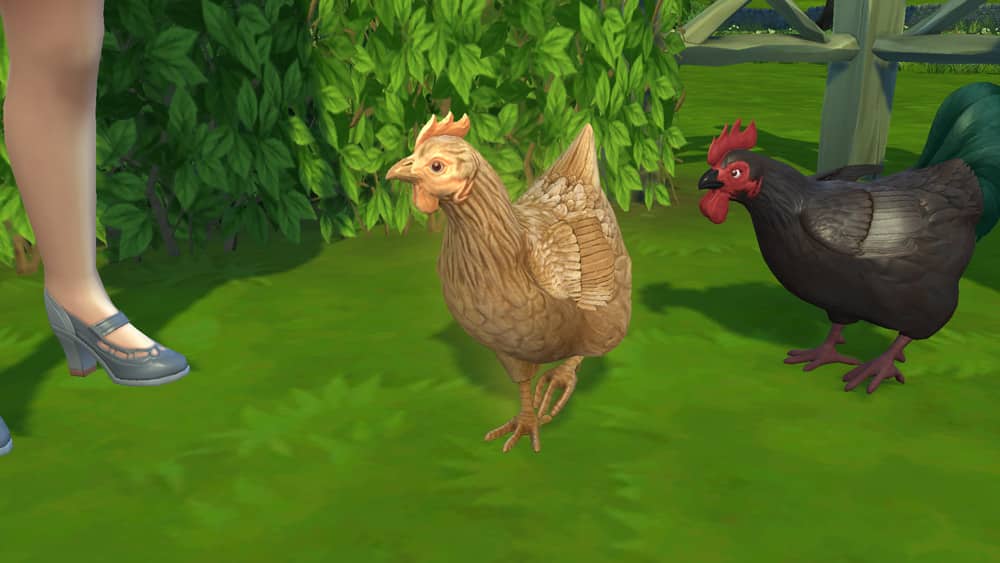
Golden Chickens are more likely to lay Golden Eggs (if they are a hen and not a rooster). You can also ask them for Golden Chicken Help. While Golden Chicken Help is active, your Golden Chicken will raise the quality of any products near it, so this can be a good way to increase the quality of all the eggs laid in your coop from all your hens.

Evil Chickens are more likely to lay Obsidian Eggs (if they are a hen and not a rooster). You can also ask them for Evil Chicken Help. While Evil Chicken Help is active, your Evil Chicken will protect your home from foxes, household enemies, vampires, and even the Grim Reaper!
Creating Your Own Cottage Living Inspired Clubs in The Sims 4

Presented by EA Game Changers

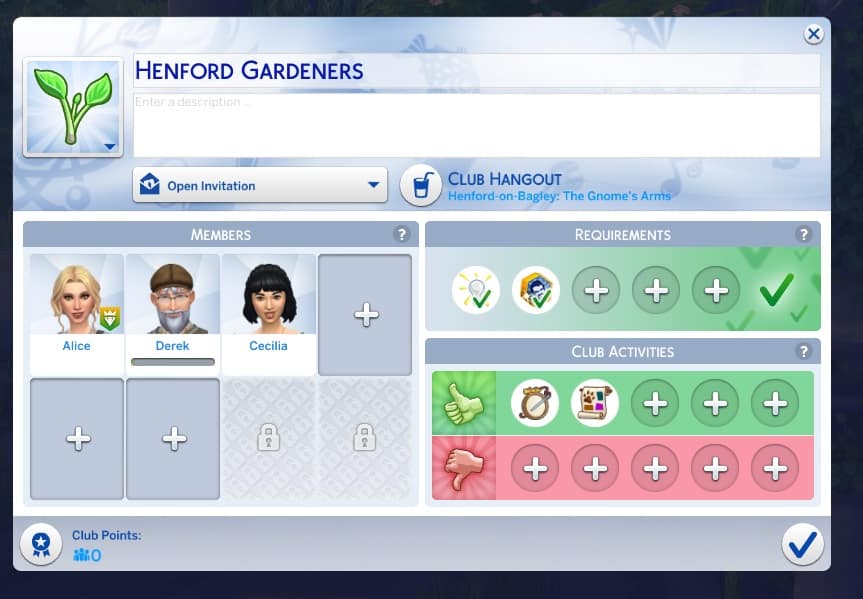
Do you want to create an exclusive gardening club or maybe an adorable little cross-stitching club in Henford-on-Bagley? Well now you can!

The Sims 4 Cottage Living has added a few new club options for players who also own The Sims 4 Get Together. In this article, we will cover how to create your own club and as well as the new details that come with the new expansion pack.

Creating Your Own Cottage Living Inspired Clubs in The Sims 4

Now, setting up a Club is easy. Simply head over to the Clubs panel on the right-hand side of the user interface, and you’ll have the option to join a Club.

Creating Your Own Cottage Living Inspired Clubs in The Sims 4

The Club Manager will then appear with a list of currently established Clubs, but you will want to select Create a Club at the bottom of the pop-up instead. While there is already a Garden Gnomes club, you can continue with that one of create a new one which is tailored more towards Cottage Living.

From there you can start to customize different aspects of your Club. From the Club name, the Club Hangout, members, requirements and club activities.

Requirements

As with any club, there will be some requirements your Sims will need to meet before they can join. You’ll find three new club requirements that you can choose from.

  • Animal Enthusiast (Trait)
  • Lactose Intolerant (Trait)
  • Cross-stitch (Skill)

Club Activities

Likewise with the new requirements, there are two new club activities that you can choose from as well.

  • Cross-stitch (Arts & Music)
  • Care for Animals (Outdoor)

Creating Your Own Cottage Living Inspired Clubs in The Sims 4

You can keep track of Club members and activities in the Club interface as well as start/end a gathering, modify Club outfits and buy Club Perks.

The great thing about the club feature and The Sims 4 Cottage Living is that there are plenty of other club requirements and club activities that work hand in hand with this pack. It can vary depending on which packs you own, but there are a variety of gardening and animal based you can also use when creating your clubs.

Once you have set up your club and customized it the way you want, you are all ready to go and can start your first Club Gathering! Don’t forget to check back later and spend those Club Points too!

Let us know what kind of Cottage Living inspired clubs you plan on creating!


The Sims 4 Cottage Living: All About Animal Clothes!

Presented by EA Game Changers

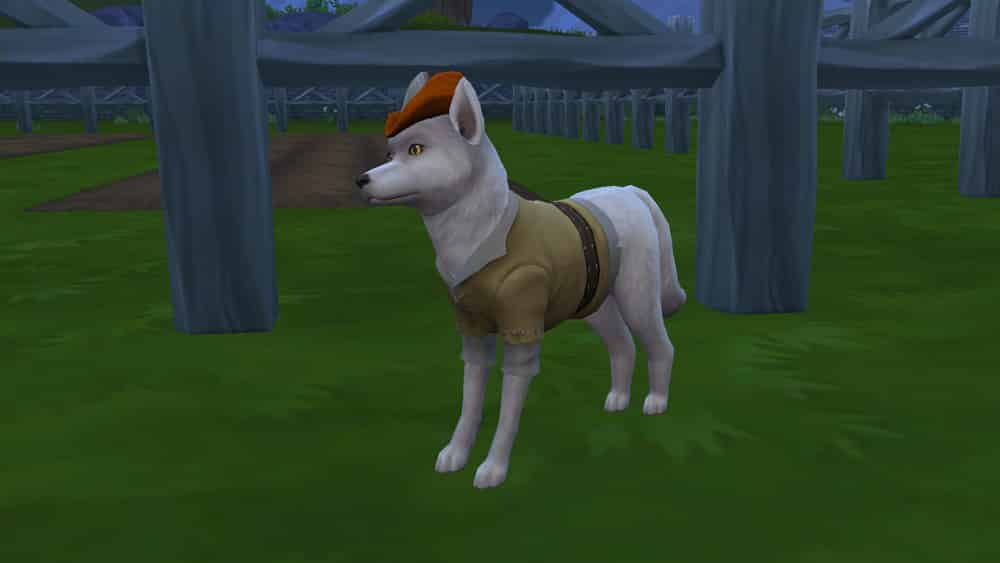
In The Sims 4 Cottage Living, Sims can have all kinds of animals, like cows, llamas, and chickens. They can befriend wild animals like bunnies and foxes, too! All of these animals can be dressed in a variety of different outfits that your Sim must obtain through interacting with the Bramblewood’s Creature Keeper in Henford-on-Bagley.

Read on to learn more about all the different outfits your animal friends can wear and how to make them!

Finding the Creature Keeper

The Sims 4 Cottage Living: All About Animal Clothes!

If you want to dress your cows, llamas, chickens, bunnies, and foxes in cute little outfits, you’ll need to find the Creature Keeper. The Creature Keeper is an NPC Sim who lives in a secluded cottage in the Bramblewood area of Henford-on-Bagley. You can click on his cottage and select Focus on Creature Keeper to find him instantly. He is inside his cottage and unavailable at night but is usually out wandering around the area during the day.

Introduce yourself, then select Animal Outfits from his pie menu. You have the option to purchase whatever animal clothes he’s selling that day. If you have llama wool in your inventory, you can also request that he craft you specific clothing items. The Creature Keeper doesn’t sell every animal outfit every day; his stock changes, so requesting a crafted outfit is a good way to obtain an animal outfit you really want but he doesn’t have for sale that day.

Below is the full list of all animal outfits and the required materials to have the Creature Keeper craft it for you.


NOTE: If the Nifty Knitting Stuff pack is installed, Sims can also knit their own animal clothes using llama wool. Thank you to Atashi77 for prompting me to investigate that!


[table id=90 /]

Dressing Your Animals

The Sims 4 Cottage Living: All About Animal Clothes!

Once you have some animal outfits in your inventory, you can dress up your animals! If you have at least one outfit in your Sim’s inventory for that type of animal, you can select the animal and choose Dress Animal In…

A menu of all available outfits will pop up. Select the outfit you want your animal to wear and presto! Instant animal fashion!

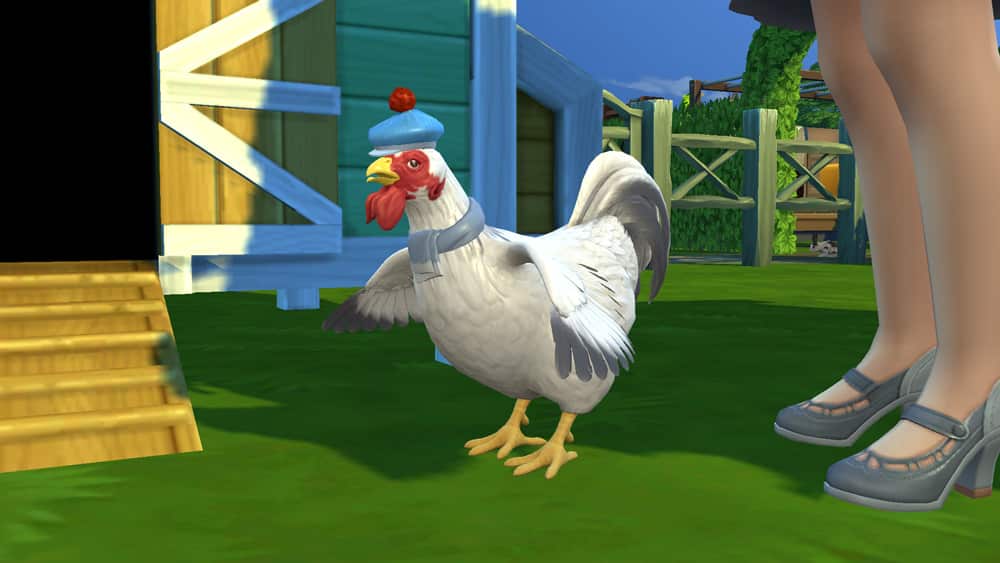
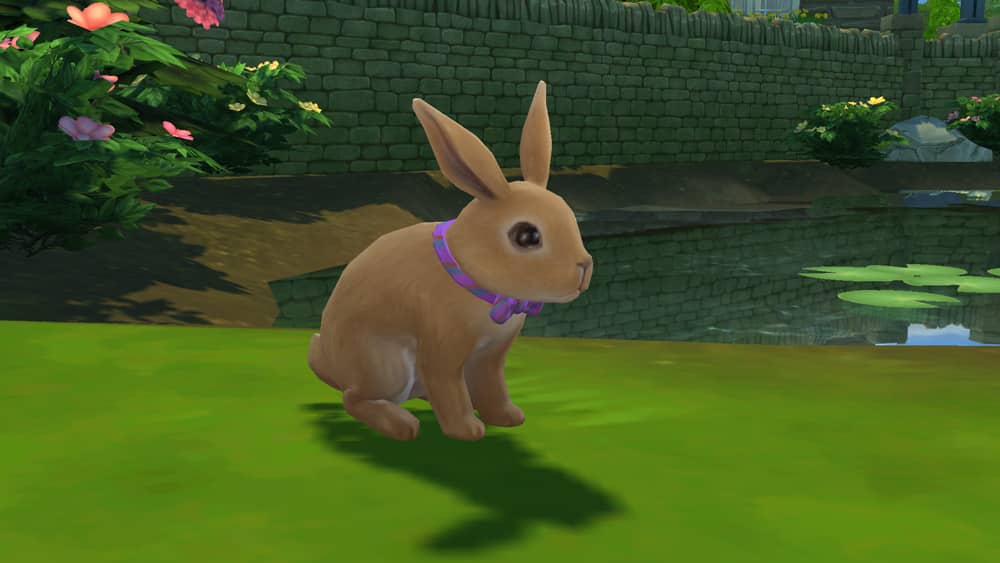
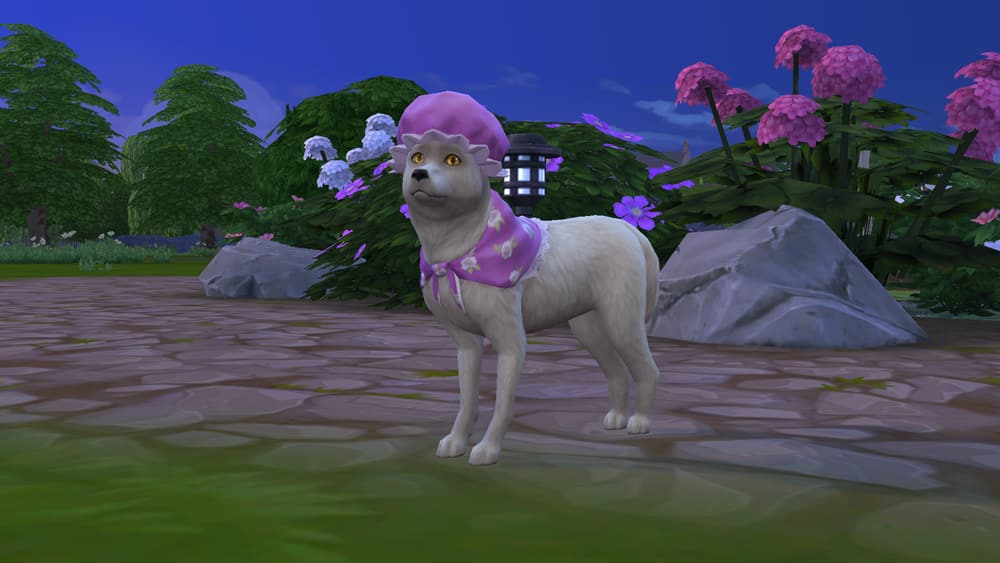
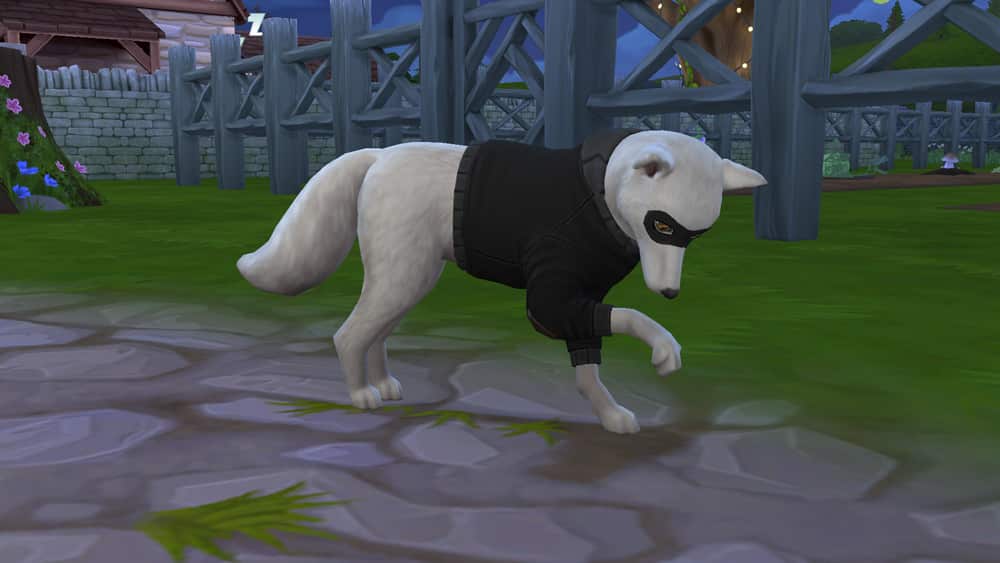
There are a wide variety of styles and colours to dress your animals in. Bunnies and foxes have the widest variety of clothing options but chickens have a decent selection as well. Cows and llamas have the smallest selection but both have some very entertaining outfit options.

All outfits for every type of animal are pictured below.

Cow Outfits

Llama Outfits

Chicken Outfits

Bunny Outfits

Fox Outfits

The Sims 4 Cottage Living: Gnome On The Go Content Now Available!

If you’ve already pre-ordeder The Sims 4 Cottage Living Expansion Pack from Origin or the official Microsoft / Sony Stores for The Sims 4 on Console then you have a special treat waiting for you in the game!

That’s right, after updating The Sims 4 to the latest version you’ll be able to enjoy the Gnome on the Go Content. This set contains three objects including:

These objects are available right now with the latest version of The Sims 4 Base Game + a purchase of The Sims 4 Cottage Living on Origin, Microsoft or Sony accounts.

Please note that although this is a limited time offer you aren’t required to Pre-Order The Sims 4 Cottage Living Expansion Pack in order to have these items. All you have to do is get The Sims 4 Cottage Living by September 2nd, 2021 and you’ll be able to keep these objects and have them in your library forever!

07 20 21 9 06 19 PM

The Sims 4 now lets you create the most Chaotic Lot ever

The latest update for The Sims 4 introduces Lot Challenges – a new way for you to spice up your Gameplay.

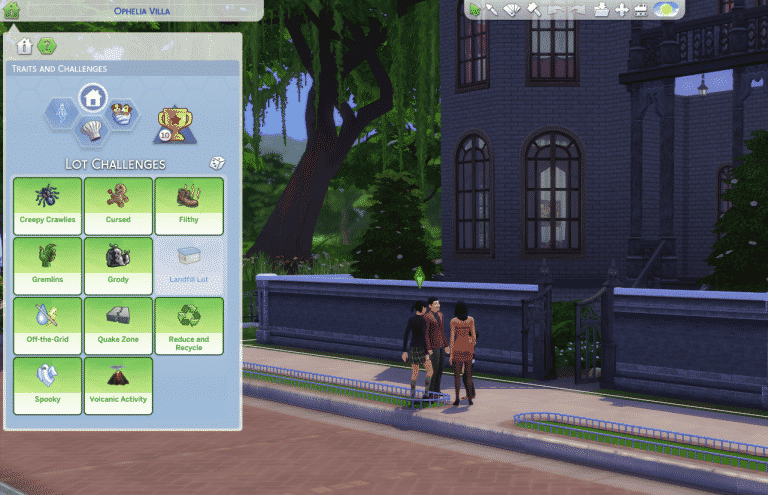
These Lot Challenges can be found in Build Mode in the Venue Info section in the top left corner under the Traits and Challenges Category.

As you can see in the image below, the Off-the-Grid Challenge, along with other Challenges from previous Packs listed here have been transferred over from the Lot Traits section. The only difference now is that you can apply multiple Lot Challenges and STILL have 3 seperate Lot Traits.

Capture

The full list of Lot Challenges includes:

  • Off-the-Grid (Base Game)
  • Creeply Crawlies (Jungle Adventure)
  • Cursed (City Living)
  • Filthy (City Living)
  • Gremlins (City Living)
  • Grody (City Living)
  • Landfill Lot (Eco Lifestyle – for Community Lots)
  • Quake Zone (City Living)
  • Reduce and Recycle (Eco Lifestyle)
  • Spooky ( City Living)
  • Volcanic Activity (Island Living)
  • Simple Living (Cottage Living)
  • Wild Foxes (Cottage Living)

You already know all about the current Lot Challenges already. You can check out more about the upcoming Cottage Living Challenges HERE!

With this feature you’ll be able to unleash chaos by applying ALL the Lot Challenges from the current packs you have installed. You can also mix things up and roll the dice with the randomize button which will assign you a random set of Lot Challenges, but only up to 3 Challenges.

The Sims 4 PC & Consoles: NEW UPDATE + Patch Notes! (July 20th, 2021)

The Sims 4 PC & Consoles: NEW UPDATE + Patch Notes! (July 20th, 2021)

The Sims Team has released a brand new update for The Sims 4 on PC, Mac, Xbox One and PS4!

To download the latest version of The Sims 4, simply open your Origin program and if the game doesn’t update automatically, right click on The Sims 4 and select ”Update”.

In case you have Mods or Custom Content, the game will automatically disable them for you after first launching The Sims 4 after the update. To re-enable all your Mods and Custom Content, select the Settings option in the Menu and select Settings. Under the ”Other” section you’ll find the ”Enable Custom Content and Mods” option. Check it and restart your game in order for it to take effect!

Patch Notes

Update 07/20/2021

PC: 1.77.131.1030 / Mac: 1.77.131.1230

Console: Version 1.44

Hello Simmers!

Hope you are well wherever you are in the world and that you are all having a fantastic Summer of Sims! We are excited to share today’s update with you. There is a lot of info, so make sure you have your tea/coffee/beverage of choice ready to read on. You all know I have my coffee ready for this!

As we continue to get ready to explore the countryside charm of Henford-on-Bagley and cannot absolutely wait to play with the adorable animals in Cottage Living, we also have updates and fixes that should improve and complement your Sims’ everyday life. We have something for everyone and we hope that you all enjoy them. Thank you for all your feedback and support.

Cheers!

-SimGuruRusskii ft. SimGuruRomeo and SimGuruJoAnna

What’s New?

Let’s start with some items that we shared in our last Sims 411!

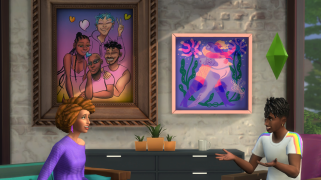
For this update, we partnered with two talented artists from the LGBTQ+ community, Ashley Lukashepsky, and Mohammed Iman Fayaz, and they have brought their inspiring and beautiful artwork into the game. We have also included the modernized version of the large afro hairstyle that we showed you. But more than tell you about it in text, let me actually attach a screenshot of everything put together:

ts4 basegame update july2021

I love everything about this scene, not only it shows you how the artwork looks in a real game setting, but the whole scene with the two Sims and their surroundings is quite magical. Also, look at that hair! The way the light highlights it, perfection! You may also notice the hair of the Sim on the right, which was also added with this update for everyone. I want to personally thank all Simmers for their feedback and recommendations, as we are continuously working on adding more diverse hairstyles and textures to not only packs, but also to our base game.

Now that we are talking about artwork, the last patch notes I forgot to add the artwork made by the wonderful Jupiter Stevens-Hill. I apologize for that, I totally blanked out. However, I’m happy to see that a lot of you are enjoying it and placing it in your Lots! That makes a very happy Russkii =)

To find Jupiter, Ashley, and Mohammed’s paintings in Build Mode, make sure you take a look at the Paintings and Posters sort and filter by Base Game items. These artists are amazing and we hope you enjoy their creations.

Now, without further ado, let’s get to some new features and improvements that are part of this update!

A little bit of Gallery

When you download a lot made with the bb.moveobjects cheat, the game now notifies you about this so you know to activate the cheat before placing the lot. Builders, this means you won’t need to mention it in the lot’s description anymore!

A little for Sims

Trying to find the Sims in the current neighborhood? Select their portraits in the Relationship Panel.

  • “Focus the Camera” moves the camera to the Sim.
  • “Lock the Camera” moves the camera to the Sim and keeps following them.

Where did the Notebook go?

Found it! The Notebook has moved out of the Phone and into its own button for quicker access.

The “Center on Current Lot” button that used to be there has moved to the top right, adjacent to the Camera Controls.

Water Tool

You now can make natural, organic bodies of water! Just head into Build Mode, make a hole with the Terrain Manipulation tool, and fill it with water. It is that easy! The Terrain Manipulation and Paint Tools also have more brush sizes to enable finer detail.

In adding the Water Tool, we also took the chance to overhaul the related tools and object categories. Why not? Enjoy!

Pond Effects

All sorts of critters are available to complete the look of your pond ranging from ducks and swans to pesky mosquitoes. There is even an alligator!

New Pond Objects

Outdoor Water Décor now has an assortment of new Pond Objects to decorate the perfect pond. Some of these objects such as the Bog Log and Colorful Lily Pads have interactions on them in Live Mode to activate Turtle and Frog effects. The new Fishing Allowed Sign enables you to stock your pond with any fish your Sims have previously caught. Try it out!

New Water Styles

Go beyond the original crystal blue and dreamy magenta water. Additional options range from “Mossy Water” to “Pond Scum” to complete that au natural look.

The Shrubs category includes new plants to complement the water styles: “Green Fern”, “Leaning Not-Grass Grass”, “Not-Grass Grass Sans Inflorescence.”

Gardening with Children

Children now can help out in the garden by planting, watering, and weeding. They build their Mental skill as they garden. The process of purchasing and planting seeds is streamlined as well to make gardening more enjoyable for everyone.

Group Cooking

Cooking no longer is a solo affair. Sims now can cook in groups of up to five Sims including children. Start cooking together by selecting a fridge, stove, or any empty countertop.

Zoomers Food Delivery Service

Are your Sims getting tired of the same old pizza delivery every night? Well, gone are the days of redundant pizza nights. Maybe you are in the mood for pasta primavera or even a fancy steak dinner. All this and more are available courtesy of Zoomer Food Delivery. Order delivery through the phone or the refrigerator and the food will arrive in a jif.

Calendar

The calendar, previously available only with Seasons, now is available with Base Game to see upcoming events such as birthdays, school and work schedules, festivals, and fairs. You even can use it to book events, so it’s time to get to party planning!

Bug Fixes

Consoles

  • In Snowy Escape, skiing, sledding, and snowboarding on Bunny Slopes now contribute to the Extreme Sports Enthusiast Aspiration.
  • Also in Snowy Escape, Sims with high enough Skiing and Snowboarding skills now can enjoy the more advanced slopes. Sims also use the Lift to go to the top of the slopes and not go “the hard way.”
  • Simmers can now rotate Sims downloaded from the Gallery in Create a Sim. Spin them ‘round, ‘round, Simmers ‘round, ‘round –  like a record ‘round, ‘round, ‘round, ‘round.

The Sims 4

  • We made some improvements that should help our Simulation lag, particularly on the usage of some computer interactions like playing BlicBlock, along with fishing interactions, which should make the game perform a bit better. Note that this doesn’t entirely fix simulation lag but it should help and it is a step in a good direction.
  • Fixed an issue in which placing Mirrors directly opposite Doors would create a visual glitch in which walls and borders would disappear around them and well it was quite spooky to be honest, glad we solved that one!
  • Ever wish your food didn’t expire? I know I do, especially when it comes to traveling and coming back to see a fridge in pristine condition, that is a dream… but alas, it is not meant to be in life or in Sims. Fixed an issue in which traveling didn’t let food expire.
  • Sims stuck sleeping and couldn’t cancel that interaction? Not a product of a sci-fi film as I thought, but I can say that we have fixed this issue, well I hope.
  • You want to know how to not make my day, have my coffee brew endlessly but without giving me the coffee! Luckily the issue in-game about the Brew Coffee interaction being stuck has been fixed. Wasn’t it odd? Wait… Sleep and Brew Coffee were stuck in a mysterious loop? SUS.
  • If your Child Sims suddenly interrupted their computer sessions to draw on the activity table when Inspired, worry not, this should not happen after this update.
  • Fixed an issue that caused the “Items Removed” pop-up to appear when no items were removed from the game.
  • Fixed an issue in which setting Lots on Slipshod Mesquite would sometimes generate a crash of the game for some Simmers. The Lot couldn’t handle that much flavor.
  • Some blush and lipstick opacity sliders are back as they were greyed out.
  • Step-Parent/Child relationships are no longer missing in the Genealogy Panel. Similarly, other cases of broken families in the Genealogy Panel have been fixed as well. It is all about reconnecting or connecting with what is important.
  • Platforms will no longer raise in height automatically when creating new walls to intersect part of them.
  • We also fixed an issue in which if you placed platforms in basement levels and a staircase from the floor to the platforms, it would create this gap or hole in front of the stairs and Sims were not able to route correctly. You know, I have played many platformers in my lifetime, but do you imagine Sims trying to jump those gaps? I mean, I am called JumpFail for a reason… glad we fixed this one!
  • World view Lots that had some off-centered border have been adjusted.
  • Toddlers will no longer gain negative Sentiments against their parents randomly, especially the Festering Grudge Sentiment. I should not be laughing at this issue as I type it, I should not…<giggles>
  • We got word that the camera was malfunctioning and bouncing uncontrollably in some Lots across multiple Worlds. We fixed an issue that caused this, but let us know if there are new instances.
  • Sometimes Ghosts can be part of our Households if we choose to, however, it is really hard to live with Ghosts that constantly break things, it makes it a bit… unlivable. So our expert team of Simghostologists has communicated with these Ghosts in the non-physical realm and they have agreed to not break everything all the time.
  • Fixed an issue related to flooring glitches while placing the dance floor or crystal clear flooring.
  • Went through all the trouble in hiring a Nanny only to have your Toddler get sent to Daycare? More than a schedule conflict I imagine having the Nanny show up and there is no Toddler so what does the Nanny do in this case? Do they leave? Do they stay and wait? I must know… However, This should no longer be an issue.
  • Fixed an issue where using ‘{}’ (curly brackets)  in renaming objects would make these invisible in lists or UI in general.
  • Fixed an issue in the Likes and Dislikes section in Create a Sim that had some categories displayed incorrectly (either cut off, or words broken apart in new lines incorrectly) for some languages.
  • There was a clipping issue with the eye preset ymAsian13_Eyes that occurred when Sims were in extreme emotion, like Angry, and blinked. We adjusted this preset so this should not occur.
  • Toddlers can be picky eaters, but Toddlers not eating any fish recipe? That is suspicious, so we had a chat with the little angels and we have found a way to help them enjoy the complex flavors of our fish recipes.
  • Our UI team has fixed an issue in which a scrollbar appeared in the Sentiment section in the Relationship Panel when there were no sentiments. The mysterious scrollbar was mysterious. Similarly, they have also fixed an issue in which if multiple Sims gained sentiments together their thought bubbles look quite not right with the incorrect colors, so now they should look proper.
  • The Likes and Dislikes icon in Create a Sim will no longer overlap its text. It looked weird, honestly.
  • Droids (if you own Journey to Batuu) and Drones (if you own Get Famous) clipping into all kinds of objects in Build Mode? We saw that too, so there should be a fix for that in this game update. I mean this went beyond just crashing into things…
  • The option “Join After School Activity” will no longer be available if Simmers don’t have Seasons or Get Famous packs installed.
  • Sims in deviant paths now can properly reach the Level 4 of the Criminal Career.
  • Now, this is one that made my day, Cowplants are now able to dance again when Sims play music in front of them. Dance Cowplant, Dance!
  • Fixed an issue in which relationship points gained by friendly introductions were more than usual if Simmers didn’t have Snowy Escape installed.
  • We adjusted the color swatches for the S. Cargeaux Counter Island so that when it gets dirty, the counter doesn’t completely change colors. Dirty Counter – who dis?
  • Fixed an issue where the Scared Emotion UI was displaying a broken pose for Toddlers. The pose was kinda more scary than what the Toddler had been scared of, so glad that is done.
  • Outfits worn while Purchased and Worn in Festivals/Kiosks/Stalls should no longer remove accessories that were in place for the Sim.
  • Error code 134:571e5862 that occurred to some Simmers should be fixed now.
  • We fixed a few hairstyles (yfHair_EP05WavyBob, yfHair_EP01PartedFlat, yfHair_EP05UnderCutDreads, yfHair_EP01ShortSwept, and yfHair_DreamyCrew) that when used with the recently added color options would create splotches in the eyes, change the color of teeth, and/or change the eyelashes color.
  • As always the Localization team and this author have fixed and improved text across all packs and updates.

Get to Work

  • Aliens can now enjoy their custom Blush options in Create a Sim. Lewks out of this world!
  • Retail employees will now appropriately change into their assigned outfits. Listen, I grew up wearing uniforms for school, I get it, sometimes they are not the prettiest… but you have to wear them if you have to go to that establishment. I know the pain too well… but my sense of style grew from that… I think.
  • We made a fix to some of the swatches from the Barely Better Digital Camera that were missing a description for the item, so now all the swatches will display the text in all its glory.

Get Together

  • Some of these Sims are not like the others, some of these Sims just don’t belong. Can you tell which are not like the others by the time I finish writing these notes?
    • Fixed an issue where Sims didn’t sometimes change into their Club outfits when a Club Gathering was being held.
  • Fixed an issue in which some of the rooftops in Winderburg were not displaying Snow (if you own Seasons) correctly.

City Living

  • The Scattered Panes window in Build Mode now displays appropriate shadows in all options.
  • Sims enrolled in the Social Media career will now gain influence at the end of their stream instead of every few Sim-minutes.
  • Two hairstyles (ymHair_EP03BunHighPins and ymHair_EP03BraidedFlateBun) have been updated to reflect the correct look when choosing the Neutral Black color option.
  • Your Sims want to shoot some Basketball Close Shots, but they are trying to eat first? Well, now your Sims can finish eating before trying those hoops. Nutrition is important!

Cats and Dogs

  • We fixed an issue in which whiskers were not being seen applied to Cats. A Cat without whiskers is like Peanut butter without Jelly… or something like that! Just wrong!
  • Robot Vacuums should all now return to their docks accordingly. I hope this issue was not a sign that they were becoming sentient.
  • Sims will no longer get a Moodlet referring to the death of their Pet when witnessing the death of another Sim. The loss of a Sim is heartbreaking, but also getting a Moodlet for the death of their Pet when the Pet has not died, that is cold Grimmy, very cold.
  • Speaking of Robot Vacuums becoming sentient a few lines above, we fixed an issue that made the game crash when Cats would sit on the Robot Vacuum. CatonRobot.exe is now working.
  • We fixed an issue in which some Simmers experienced a crash with their last played Household loading into Brindleton Bay.

Seasons

  • Sims were changing into their cold-weather gear… while not in cold weather? We had some conversations with Sims and even though they love their winter outfits, dressing up in full winter gear in the summer was probably not the wisest choice. So the issue in which Sims randomly would change into their winter outfits while not in winter is solved.
  • Egg Hunts are adorable and fun! But not being able to have the furniture reset after looking for Eggs in them, can be quite the rain on Sims’ parade. But this should no longer occur.

Island Living

  • Mermaids will no longer keep the “Dried Scales” Moodlet when they are hydrated. Mermaids’ skincare regimen pays off! Moisturize, moisturize, moisturize!
  • Fixed an issue in which Lots that are placed in the sand looked quite odd displaying all edges of the Lot when it rained.
  • Sims that have the Collector Aspiration Trait are now able to catch Frogs in Sulani as part of their adventures exploring the island waterfall. Good Luck!
  • We fixed an issue in which some Simmers experienced game crashes when loading into certain lots in Mua Pe’lam. Happy Exploring!

Discover University

  • Sims having a hard time in Uni? No matter what they do they keep failing classes? Worry not, Sims will no longer fail classes when meeting all the criteria for course completion. Work hard, pass your classes hard!
  • Having Roommates can be hard. Have your Sims had Roommates complain constantly and leave even when their needs are met? Yeah, we made it so that Roommates don’t do this any longer.
  • Fixed an issue in which beds were counted incorrectly when placing an ad for Roommates. I mean, as much as Pets and even Toddlers can live with Roommates, the ad should be truthful to how many beds there are actually in the Lot, not count Toddlers and Pets as needing adult-sized beds.
  • We fixed Servo animations so that they don’t look like they are walking on one leg when hovering to their destination. Now they will hover properly.
  • We fixed an issue in which in some instances Professors could not go to work when a Professor NPC is added into that same Household.
  • Fixed an issue in which removing and adding back Household members as Roommates would create some… inappropriate moments, ahem.

Eco Lifestyle

  • Evergreen Harbor’s peace has been restored: roads and parts of neighborhoods no longer disappear or turn blue when businesses open in Port Promise while the Modern Development N.A.P is active.
  • yfBody_EP09DressShirt no longer has a weird texture in some of the footwear from various packs, especially platform shoes and chunky sneakers.
  • Had you moved to Cypress Terrace in Willow Creek and found you couldn’t really do anything there? We fixed the routing failures and interaction failures on the Mitey-Mitey Home – Insect Farm.

Snowy Escape

  • Mountain Climbing can be challenging, even for those experienced. But having indecisive moments before a climbing route like getting off and on your bike constantly seems that a lot of doubt is passing your mind… However, we did speak to these Sims that were experiencing this behavior and calmed their fears and doubts, so this should no longer be an issue.
  • The hairstyle yfHair_EP10BobBluntOmbre now covers all of the Sim’s ears.
  • For Simmers who own Seasons together with Snowy Escape, rain options no longer affect snow.
  • Sims no longer have the option to give a respectful or military introduction during activities such as Dancing or Bike Riding. I mean, I’m not sure about you, but I can’t dance and respectfully introduce myself at the same time. So many falls… so many falls.
  • We made some corrections to the Slippers that came with this pack and they should no longer display a greenish texture on Sims’ toes when selected in Create a Sim. Yikes.
  • Fixed an issue in which for some Simmers playing with the Yoshida Hall Household would generate a game crash when loading into Mt. Komorebi.
  • We took a look at our Ramen menu and have updated our cooking menu to label Miso and Egg Ramen as Vegetarian safe options. Buen Provecho!
  • Want to run a Restaurant in Yukimatsu but also want to enjoy the slopes? Now your Sims can enjoy the slopes and dine in style. However, this action is only directed, and will not be autonomous. In the same vein, Restaurant employees will not be tempted to leave work to enjoy the slopes.

Journey to Batuu

  • Batuu is an awesome destination for those who want to enjoy something fun and different, but if you bought a Droid from the Droid Depot and never saw it in your inventory, I know how frustrating it can be. Never fear, the Droids you were looking for will appear now in Inventories when purchased.
  • In Journey to Batuu, the First Order ID no longer disappears from inventory so Sims now can Access First Order Plans for the Top Notch Trickery Mission.
  • Fixed an issue with the Leveling the Playing Field Mission in which the Scoundrel Informant would not appear on the scene after Sims stole the Prototype Blaster and went to Oga’s Cantina to wait for the informant.

Dine Out

  • Eggs and Toast sound super basic and easy right? They will continue to be that way for our unassuming Chefs on the Chef Station since we fixed an issue that made them… challenging. Sims can also use the second burner for other recipes without fail or routing out.

StrangerVille

  • The Decorations and Kid’s categories in Build Mode should no longer have a “New” highlight when there’s nothing actually new.

Dream Home Decorator

  • Lighting can change the ambiance of a room, and your mood in a flash. Luckily we have fixed an issue that lighting was not even on sectional sofas to continue to set the right mood for our Sims.
  • Our stylists fixed the Sleep ‘N’ Study Styled Room to remove the P.R.I.M.A Computer from it as this is not an item that is accessible for everyone, pardon our dust.

Laundry Day

  • Fixed an issue where an animation clipped when Sims were loading their laundry machines. Because having your clothes go through you is awkward, are Sims made of fabric? I don’t think so.

Bust the Dust

  • Don’t need Simoleons, don’t need Fame. Don’t need dinner to have this date. It’s strong and it’s sudden and it’s cruel sometimes but it might just end your night… the power of Dust, that’s the power of Dust.
    • Our cleaning agents have determined that Sims won’t get romantic negative Moodlets related to filthy levels of dust in public places like parks.

I Played The Sims 2 on Xbox & This Was My Experience

0

The Sims 2 was released back in 2004 and even now it remains hugely popular. Not only did we have the PC version of the game, we also had a number of console versions of The Sims 2. Spanning across PlayStation 2, Nintendo GameCube and Xbox as well as the Nintendo DS, Game Boy Advance, Sony PSP and even some Mobile ports, there was plenty of opportunities to experience The Sims 2 in some way.

The console games were released in late 2005 and while many aspects of the PC version of the game could be seen in the console versions, there were some differences. The home consoles contained a story mode as well as a free play mode, whereas the handheld versions of the game had their very own storylines instead.

Now, I’ve been taking a little trip down memory lane recently, and I’ve been adding some of the older The Sims console games to my collection. I’ve played a few of them in the past here and there, but it was so long ago that I don’t really remember too much about them, so now was the perfect time to play through them again.

I picked up The Sims 2 for Xbox from eBay for around £4 before postage, which wasn’t too bad. The disc itself was fully tested beforehand and in brilliant condition. As soon as it arrived, it popped it into my Xbox 360 and jumped into the game.

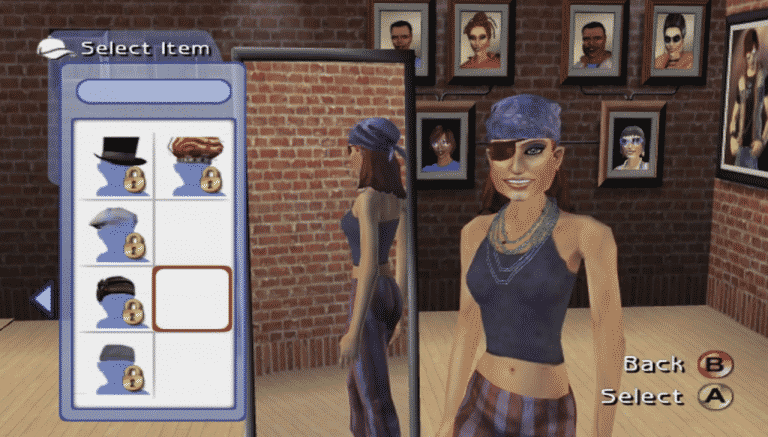
First things first, I needed to create a character. After the game selected two random Sims to create my Sim I was able to change her looks and style up to something that suited her a little more. Scrolling through the different sections of Create A Sim made me realize just how different yet in depth it was for The Sims 2. Being able to choose a top but then customize it further with different cuts, sleeves and collars compared to just its swatches was slightly mind-blowing for a moment as I had forgotten that there was so much more when it came to customization.

The whole Create A Sim process, even for the game on console, just blew me away. I honestly don’t remember it being this in depth at all!

Now that I had my Sim ready to go, my first port of call was to visit our home for the first time and meet our roommates.

The first thing that threw me off was being able to directly move my character around freely, but after a few minutes I was okay with the controls. You can swap and have the Classic Controls where you can queue the actions like you would normally in The Sims as well if you want. For now, I’ve kept it with being able to freely move around as it’s more fun, although I do keep running into the odd door or two here and there.

As I had just started out in the game, I followed through the prompts the game was giving me and started to learn the different controls for each of the menus. It was pretty straight forward and easy to remember how to access the different menus for Wants & Fears, Needs, Skills and even into the main menu to access the build/buy mode and a few other sub-menus that I’m yet to explore. Interacting with my roommates was easy, even if my Sim did slap one of them.

It feels strange to be playing an Xbox game that is nearly sixteen years old in twenty-twenty one, but at the same time it isn’t. It felt nostalgic revisiting this game on console, and I’m excited to see how the story mode plays out. It’s still too early to guess what could happen next, but for now it will be learning the basics and working on the relationships with my roommates.

Would you like to see us share more of The Sims 2 on Xbox? Let us know in the comments below!

Preparing for The Sims 4 Cottage Living + Base Game Update

This week there are two big releases for The Sims 4 – the Base Game Update and the release of The Sims 4 Cottage Living Expansion Pack.

The upcoming update for The Sims 4 Base Game expected to release either this Tuesday, July 20th if we follow the pattern of previous Base Game Updates released right before Expansion Packs.

This week’s next big release is The Sims 4 Cottage Living Expansion Pack which comes out on Thursday. There is a different type of release for Expansion Packs this time around so check out our Countdown Post to know exactly when the pack is coming in your area!

The Sims 4 Base Game Update

The upcoming update for The Sims 4 is bringing tons of new features, including:

  • New Water Tools
  • Lot Challenges
  • The Calendar
  • Group Family Activities
  • Revamped Notes

There’s a lot more featues and changes coming with the update that you can check out in the overview video below:

Since the Cottage Living Expansion Pack is set to release this Thursday it’s more than likely that the Base Game Update is set for July 20th release at 10AM Pacific Time.

Because there are a lot of changes and new features being added to the game with this update it’s likely that some of your favorite Mods / CC might get broken.

It’s very important to keep track of the creators of your favorite Mods / CC creators to ensure their creations work (or don’t work) with the latest update. We have a dedicated channel on our Discord Server with all the compatibility updates for well-known Mods!

Although that the game will automatically disable all CC and Mods the first time you open The Sims 4 after updating, it’s best advised that you don’t re-enable the Mods until mod creators confirm that their mods are safe / will be getting a compatibility update soon. Enabling your Mods / CC without assuring that they’ll work with the new Sims 4 version might break your game.

If, however, you want to test out your current Mods / CC and see how they’re working with the latest update I advise you to make a backup of your current save game folder (located in Documents > Electronic Arts > The Sims 4).

Here are some useful articles to help ensure a stabile CC / Mods experience after updating The Sims 4:

The Sims 4 Cottage Living Release

The Sims 4 Cottage Living Expansion Pack is set to release on July 22nd at 10AM PT. You can check out the exact release time of the pack in your area in the countdown linked above.

The Sims 4 Cottage Living, just like the last few Packs and DLC released will only be available for 64bit systems and won’t be supported by The Sims 4 Legacy Edition.

To ensure that you’ll be able to play the game properly make sure you check these things:

  • Make sure your PC runs on a 64bit system. 32bit systems are no longer supported ever since the release of The Sims 4 Legacy Edition and if you have a computer that’s running on a 32bit system you WON’T be able to either update your Base Game nor play Cottage Living.
  • Make sure you meet the following system requirements for Cottage Living:

PC SYSTEM REQUIREMENTS

MINIMUM SPECS:
OS: 64 Bit Required. Windows 7 (SP1), Windows 8, Windows 8.1, or Windows 10
CPU: 1.8 GHz Intel Core 2 Duo, AMD Athlon 64 Dual-Core 4000+ or equivalent (For computers using built-in graphics chipsets, the game requires 2.0 GHz Intel Core 2 Duo, 2.0 GHz AMD Turion 64 X2 TL-62 or equivalent)
RAM: At least 4 GB RAM
DISC DRIVE: DVD Rom Drive required for installation only
HARD DRIVE: At least 15 GB of free space with at least 1 GB additional space for custom content and saved games
VIDEO: 128 MB of Video RAM and support for Pixel Shader 3.0. Supported Video Cards: NVIDIA GeForce 6600 or better, ATI Radeon X1300 or better, Intel GMA X4500 or better
DIRECTX: DirectX 9.0, 10 and 11 Compatible
INPUT: Keyboard and Mouse
ONLINE REQUIREMENTS: Internet connection required for product activation.

RECOMMENDED SPECS:
OS: 64 Bit Windows 7, 8, 8.1, or 10
PROCESSOR: Intel core i5 or faster, AMD Athlon X4
VIDEO CARD: NVIDIA GTX 650 or better
MEMORY: 4 GB RAM
HARD DRIVE: 18 GB of Hard Drive space

MAC SYSTEM REQUIREMENTS

MINIMUM SPECS:
OS: Metal required. Mac OS® X 10.11 (El Capitan)
CPU: Intel Core 2 Duo 2.4GHz Processor or better
RAM: At least 4 GB RAM
HARD DRIVE: At least 15 GB of free space with at least 1 GB additional space for custom content and saved games
VIDEO: NVIDIA GeForce GTX 680, AMD Radeon RX 560 or better
INPUT: Keyboard and Mouse
ONLINE REQUIREMENTS: Internet connection required for product activation.

RECOMMENDED SPECS:
OS: Mac OS® X 10.11 or later
PROCESSOR: Intel Core i5 or better
VIDEO CARD: NVIDIA GeForce GTX 680, AMD Radeon RX 560 or better
MEMORY: 8GB RAM
HARD DRIVE: 18 GB of Hard Drive space


Stay tuned on Sims Community for all the latest news and articles on this week’s big releases!

The Sims 4: Top 5 Vacation Locations for Rental Lots

Ever since we gained the ability to place rental lots in residential worlds, the possibilities for vacations have really opened up. Now that we can vacation in any world we want, it can be hard to choose where to send our Sims on vacation. There are so many choices and each world has its own personality and sets of attractions to enjoy.

Here are our top five picks for vacation destinations in residential worlds!

Remember, you won’t be able to vacation in some of these worlds until you’ve placed a rental lot in them!

Sulani

The Sims 4: Top 5 Vacation Locations for Rental Lots

Let’s get the obvious out of the way, first. Sulani is the perfect tropical getaway for those looking to let go of all the stress of the rat race and find some peace and relaxation. With snorkeling, swimming with dolphins, diving, jet-skiing, canoeing, beach combing, sunbathing, and special island events all on Sulani’s long list of activities, there’s lots for your Sims to do on vacation here.

San Myshuno

The Sims 4: Top 5 Vacation Locations for Rental Lots

Sims looking for a wide variety of cultures in one spot and a fast-paced vacation will love the bustling metropolis of San Myshuno. No matter what you’re interested in, there’s something for you in the city. Geek conventions, markets, cultural festivals, diverse cuisine, art galleries, and karaoke bars all await you in San Myshuno.

Mt. Komorebi

The Sims 4: Top 5 Vacation Locations for Rental Lots

Adventure and thrill-seekers will want to make Mt. Komorebi their number one vacation spot. It offers everything an active Sim looking for excitement could ever want; skiing, snowboarding, rock climbing, and tobogganing all await you at the slopes! And when your toes are frozen solid and you need to warm up, head further down the mountain to enjoy some lush forest hikes and cultural festivals.

Windenburg

The Sims 4: Top 5 Vacation Locations for Rental Lots

We’ve all been there. Mom wants to go somewhere with history on vacation. Dad wants to relax with a good drink by the fire, and the teens want to party. If that’s the case for your Sims family, Windenburg is where you’ll want to book your next vacation. It’s the perfect blend of old and new. You can visit the ancient ruins, take a tour of the historic Von Haunt Estate, head back into town for a macchiato at the cafe, and dance the night away at the hottest nightclubs all in one beautiful city. You can’t go wrong with rich history and a hopping nightlife!

Del Sol Valley

The Sims 4: Top 5 Vacation Locations for Rental Lots

Del Sol Valley gets a bad rap for its lack of lots but don’t be so quick to write off this city! This is the home of the rich and famous, so Sims who are hoping to catch a glimpse of their favourite celebrities need to vacation here! Take a selfie next to your favourite celeb’s star on the Walk of Fame, attend a fan meet and greet at the local bar, or take a trip up to the hills to see how the world’s most famous Sims live. You’ll never be closer to the stars in Del Sol Valley!

Sims Community Challenge: June/July Cottagecore Builds Showcase

Well, what can I say? The team was blown away by everyone’s creations for our first ever The Sims Community Challenge! Before we take a look at some of our favourite Cottagecore creations, I’d just like to say a huge thank you to every who took part in the challenge, to our members over on Discord who made this such a fun experience and the community as a whole who helped bring the challenge to life and hyped it up even more!

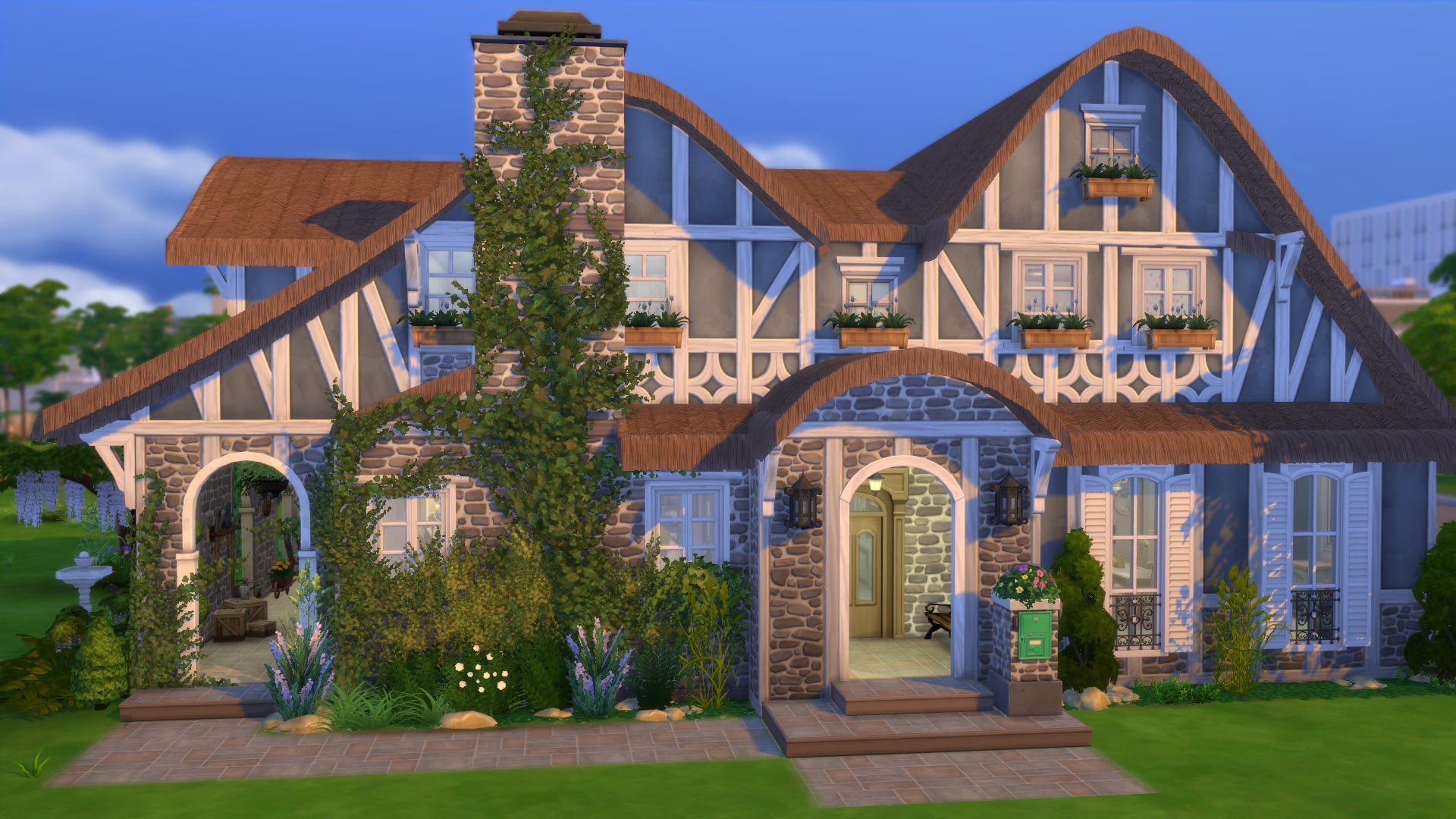
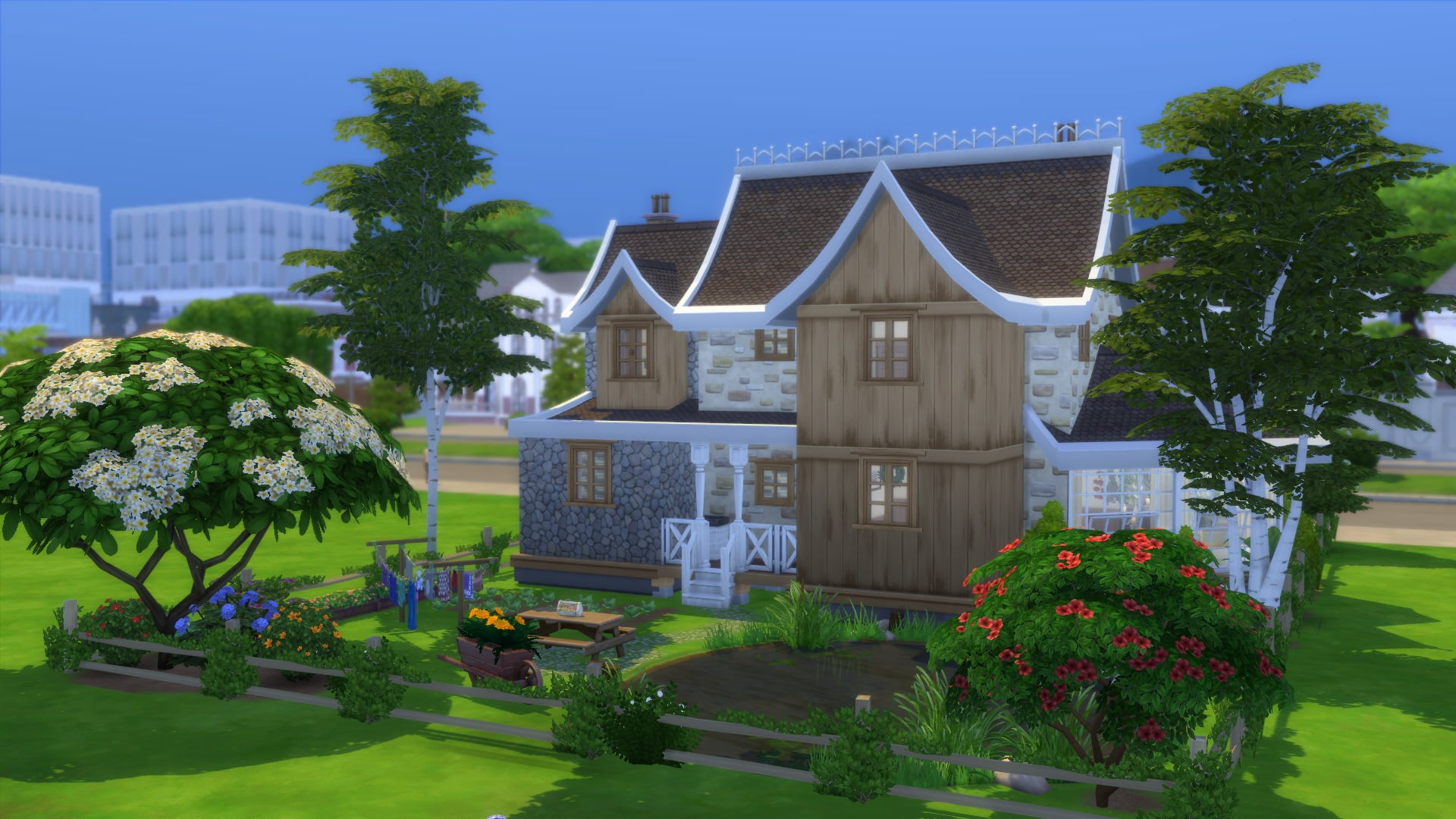
While I wish we could showcase each of the 175 creations that were created, we had to narrow it down to just five!

As a reminder, this challenge was to create a 30×20 fully furnished cottagecore themed build with a budget of $50,000!

Here are our top five Cottagecore inspired builds from the June/July Challenge!

Middle Class Cottage by Suavek_Sims

Sims Community Challenge: June/July Cottagecore Builds Showcase

Gallery Link

Picturesque Cottage by WheezaAnn

Sims Community Challenge: June/July Cottagecore Builds Showcase

Gallery Link

Family Cottage by Melanieee_Drake

Gallery Link

Grandparents’ Cottage by Smilal

Gallery Link

Cozy Cottage by Petchology

Gallery Link

Again, I’d just like to say a huge thank you to everyone who took part. Each and every single build we looked at was amazing. The way everyone interpreted the challenge and put their own twist on it made it even harder to narrow down the builds we wanted to share in the showcase.

Don’t forget, you can check out all the entries on The Gallery now by searching the hashtag #SCCottagecore. Stay tuned as we will be revealing the August Challenge soon!

The Sims 4: CAS Pieces to Help You with Historical Gameplay

Ever wanted to do a Sims playthrough or story that was set way back when in Victorian or Medieval times but lacked the costumes to deck out your Sims in a way that looked believable? Me too. Of course, fan-made custom content can and has come to the rescue during times like these but what if you play on console? What if your computer can’t handle a lot of custom content? Or what if you’re just not that tech savvy and don’t want to bother with any of that?

Well here are a few of my favourite pieces and outfits I like to use to help tell my stories!

These gladiator costumes from Spooky Stuff do make for a great party costume but if you’re ever in need of some Ancient Roman battle attire, these should do quite nicely! They come in most masculine and feminine styles to suit either frame.

Writing or filming a story about Sims sailing the seven seas? Look no further than the Spooky Stuff and Get Famous packs, each of which contain a pirate costume for both masculine and feminine Sims. The pirate costume from Spooky Stuff is crisp and clean while the Get Famous costumes look more worn out and roughed up, perfect for a pirate fight!

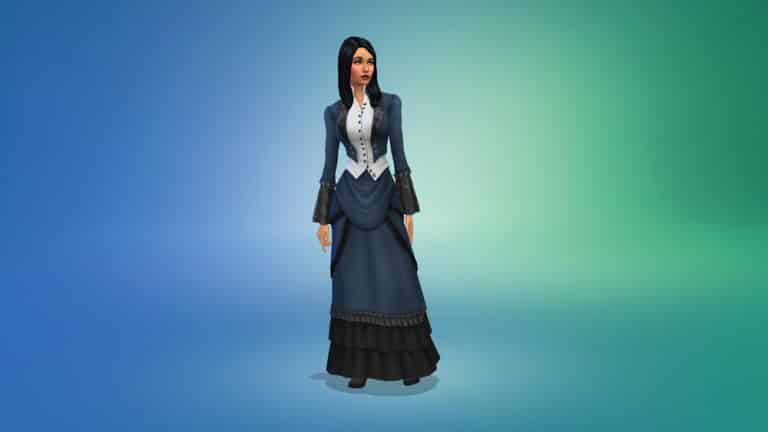
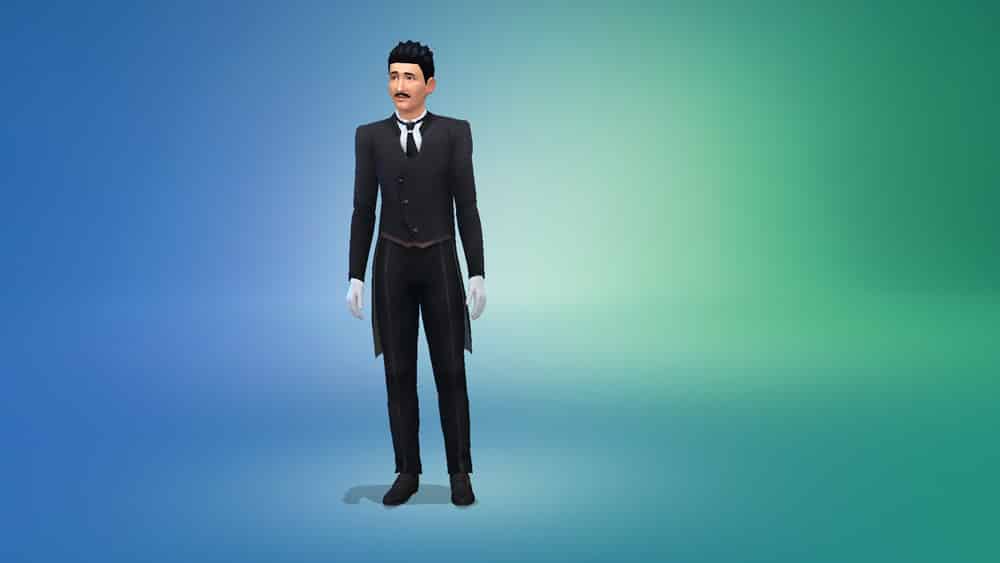
When it comes to Victorian and Edwardian attire, The Sims 4 actually has a pretty decent selection for both masculine and feminine Sims! Numerous packs have brought a variety of pieces inspired by the Victorian and Edwardian periods, including Get Together, Vampires, Get Famous, and Vintage Glamour Stuff.

If you’re looking for even more selection, plenty more Victorian and French Renaissance outfits can be unlocked through the Acting career! Or just download a Sim from the Gallery who has everything unlocked then delete them from your household to gain access to their entire unlocked wardrobe!

Let’s head on over to the Wild West with these rootin’ tootin’ outfits courtesy of Get Famous and StrangerVille. Bella’s dress and Mortimer’s hat come from Get Famous, while Mortimer’s old-fashioned pinstripe suit is from StrangerVille. Combine the two packs to get some pretty great Old Western looks for your Sims.

And if you’re looking to go way back to Medieval times or even earlier, there are several options as well. Various tops, bottoms, hats (or hoods), and full body outfits from various packs like Outdoor Retreat, Realm of Magic, Get Famous, and even the Digital Deluxe version of the base game will help you tell those dark stories from Ye Olden Days.

And here are a few extra outfits that might be a little more costume than historical but that you may still find useful in some of your more fantastical historical stories nonetheless! Spooky Stuff has plenty of costumes and accessories to suit a wide variety of unconventional stories and even packs like Get Together have a few timeless pieces as well. Even some of the base game Star Wars outfits could be repurposed for some kind of prehistoric or apocalyptic gameplay.

Before we go, we can’t forget about the kids! Here are a few CAS pieces for the little ones that harken back to days long since passed. While there isn’t as wide a selection as there is for teen and older Sims, Spooky Stuff and Vampires offer the most historical looks for children. There is a pirate outfit, a Victorian tailcoat with ruffled collar, a princess dress in a Renaissance style, a gothic Victorian gown and a Victorian suit.


I hope some of these pieces will help you tell amazing historical stories in The Sims 4! Many of these pieces are my personal favourites when I’m telling stories based in history and I really enjoyed sharing them with you here today!

Favourite Places To Take Screenshots in The Sims 4

One of my favourite things to do when playing The Sims 4 is taking countless screenshots. I’m sure this is something that many of us can relate to as well. A couple of days ago, I was scrolling through my screenshots folder and was thinking about why do I take these screenshots? There’s a number of reasons really, but before I had a chance to really think about why I did, I was thinking about which of the worlds within The Sims was my favourite to take screenshots in.

Truth be told, it’s all the worlds, although currently, I’ve spent a lot of time with my Sims visiting Sulani.

Favourite Places To Take Screenshots in The Sims 4

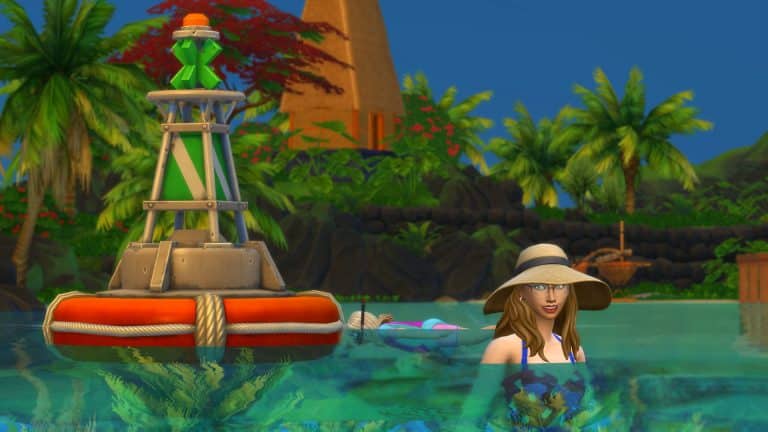
What I love about Sulani is that not only is it a beautiful place for your Sims to visit and live in, but there is just so many lovely places for your Sims to explore, relax and soak up the sun. Of course, this creates some perfect opportunities to take screenshots.

One of my favourite places to take screenshots is in Ohan’Ali Town. The mixture of beaches to explore as well as the town life gives you plenty of chances to take some lovely and sometimes random moments.


Whether you are exploring the volcano and waterfall in the remote district of Mua Pel’Am, relaxing on the sands of Lani St. Taz or embracing the Sulani culture down in Ohan’Ali Town there is plenty to offer in Sulani.

Favourite Places To Take Screenshots in The Sims 4

What are some of your favourite Worlds or locations to take screenshots of your Sims? Let us know in the comments below!

The Sims 4 Rabbits: Befriend These Adorable Cuddly Critters!

Dress these cuddly critters in cute outfits and enlist their help in your garden!

Presented by EA Game Changers

Sims 4 rabbits are just one of the new animals coming with the Cottage Living expansion pack!

In this article I’ll be doing a deep dive of every aspect of wild rabbits in this pack, including interactions with the rabbits, rabbit clothing, befriending a rabbit and more. Please note that the software used to capture this info is early alpha and things are subject to change.

Where to Find Sims 4 Rabbits

There are several locations where you can find Sims 4 rabbits in the new world of Henford-on-Bagley. You can check out where they’re located in the Wild Animals Maps!

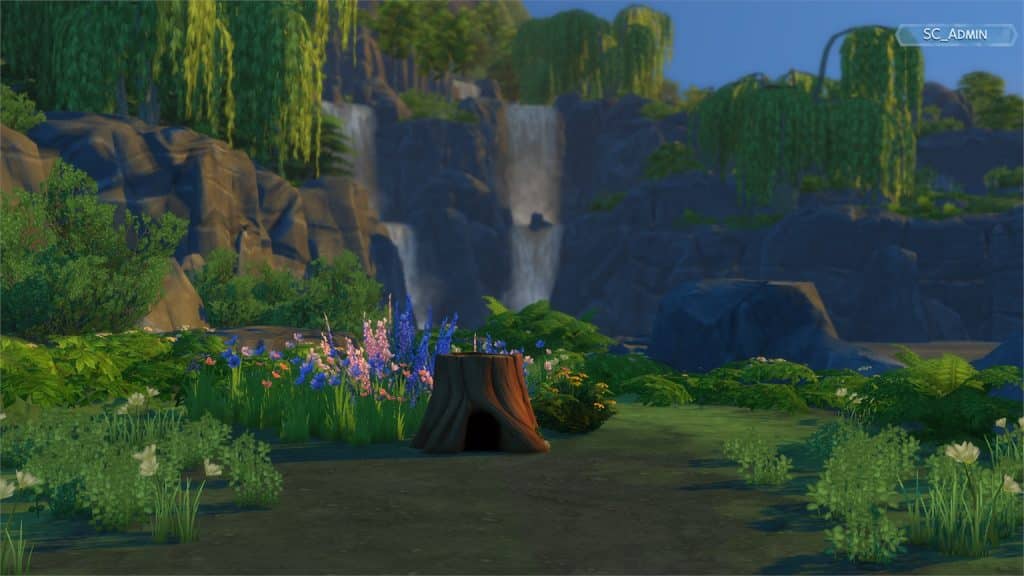
They can be found hanging around the tree stumps placed in the Old New Henford and The Bramblewood neighborhoods. In Old New Henford there is a tree stump near a walking path, while in The Bramblewoods there is one near the Creature Keeper and one near the waterfall. You can check out what they look like below:

If you can’t find a rabbit to interact with roaming around Henford on Bagley then you can try to “Lure Out Rabbits” out of the tree stumps – that is if Sims 4 rabbits are hiding in them. It’s recommended that you try this interaction only during daytime because they don’t like to be bothered when sleeping during the night.

The Sims 4 Cottage Living: All About Rabbits

Once you manage to lure out the rabbit you’ll have plenty of interactions to choose from. It’s recommended that, if you want to befriend a rabbit, to approach Sims 4 rabbits carefully by observing them from the distance. You can also always choose a more direct approach and interact with them immediately.

There are numerous interactions you can do with rabbits! Check out the preview below:

The Sims 4 Cottage Living: All About Rabbits

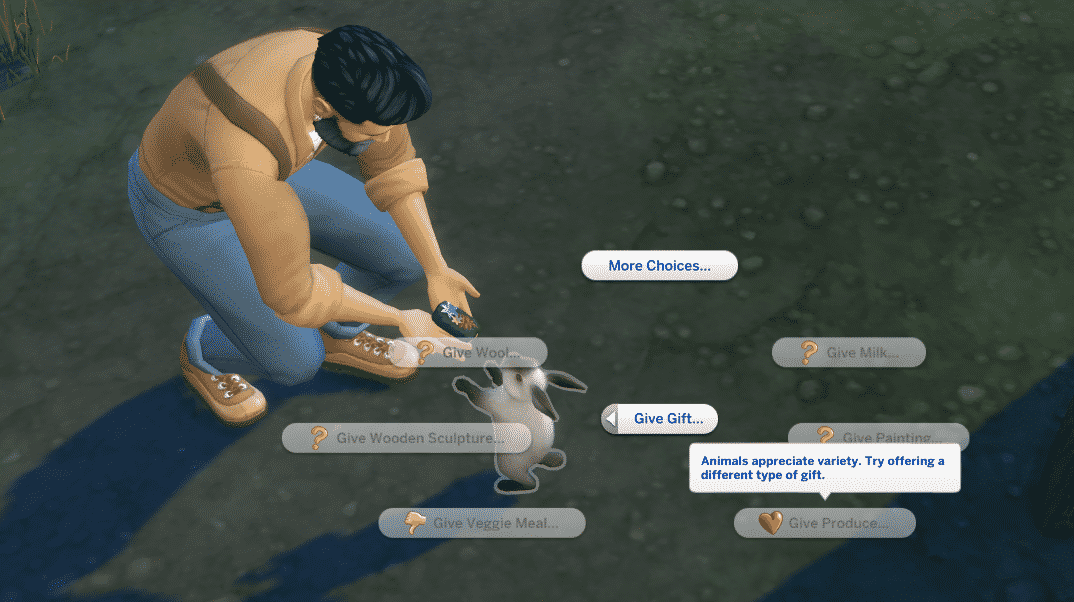
In the Actions menu you’ll have interactions to Admire the Rabbit (if your Sim has the Animal Enthusiast Trait) and to make the camera lock on them. In the Socialize section there are funny, friendly, mean and mischevious social interactions that you can choose to perform with the rabbit. There’s also an option to Give Gift to the rabbit (or take a gift offered by a rabbit if they’re friendly enough) and an option to Discover Gift Preferences.

Rabbits and Gifts

There are numerous collectibles that you can gift to (and receive from) Sims 4 rabbits, including: books, canned goods, cross-stitch, drinks, eggs, fish, flowers, meat meals, wool, milk, paintings, produce, veggie meals and wooden sculptures.

After choosing the Discover Gift Preferences interaction you’ll get information about what they like/dislike. In this case after I used the interaction I only discovered that the wild rabbit I stumbled across doesn’t like veggie meals, while everything else was still under a question mark whether they’ll like the gift or not. It’s often fun to experiment and give animals gifts whether or not you know their preferences.

The Sims 4 Cottage Living: All About Rabbits

After having several positive social interactions with the rabbit you’ll be able to Take the Gift that the rabbit prepared for you! Each rabbit will be able to give you a gift on a daily basis – just make sure you positively interact with them!

The gifts that Sims 4 rabbits give to your Sims have the same range as gifts you can give to rabbits. In this scenario I’ve gotten 1 Pink Llama Wool from the wild rabbit I’ve started socializing with.

The Sims 4 Cottage Living: All About Rabbits

Befriending a Rabbit and Rabbits at Home

There are many social interactions that will help you befriend a rabbit. If your Sim is an Animal Enthusiast they’ll also be able to form a friendship with a wild rabbit faster! My Sim who’s an Animal Enthusiast had more luck befriending a rabbit, however other Sims might have to be a bit more persistent.

If it’s your first time befriending a rabbit you’ll unlock a wild rabbit home that you can place down on your Residential lot. Also, every time that you befriend a rabbit, you’ll get a powerful moodlet:

The Sims 4 Cottage Living: All About Rabbits

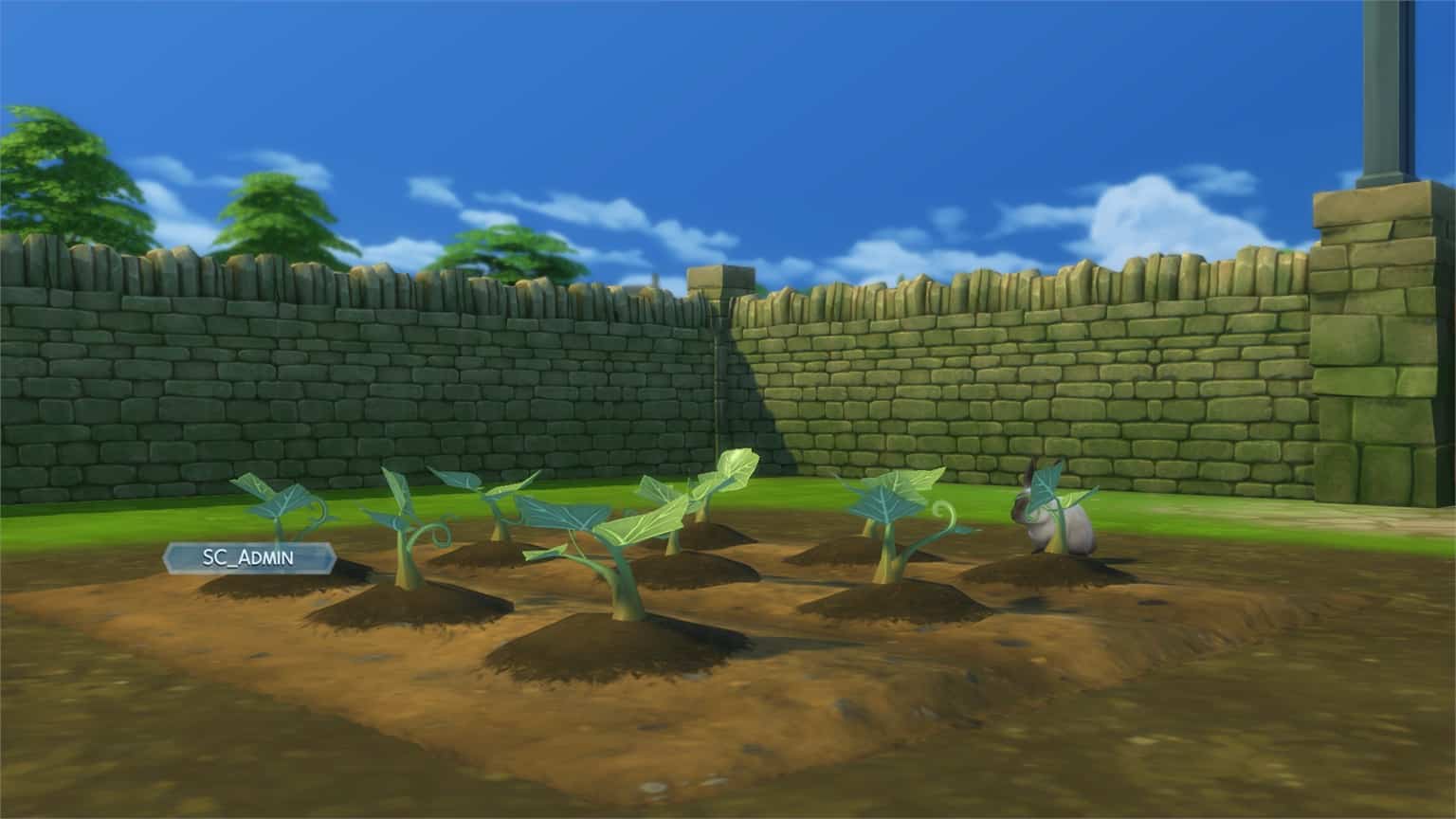
One of the benefits of befriending Sims 4 rabbits is that you’re able to Ask for Gardening Help. The rabbit you’ve asked for help will then occasionally visit your lot and help with the garden. You can check out the status if they’re set to help or not by hovering over them:

The Sims 4 Cottage Living: All About Rabbits

Sims 4 rabbits help out in two ways with your Garden – by eating the weeds and by, well, pooping on the plants in your garden. Don’t worry – their poop acts as a fertilizer!

The Sims 4 Cottage Living: All About Rabbits

You’ll be able to purchase a wild rabbit home from Build Mode for 400 Simoleons. It can be found in the Outdoor Activities section – or simply use the search bar and type in Wild Rabbit Home! A thing I’ve noticed is that I wasn’t able to house the rabbit I befriended first in The Bramblewood, so I had to lure out a new rabbit out of the tree stump and make a connection with them.

TIP: You can have multiple wild rabbit homes placed down on your lot, meaning that you can have multiple Sims 4 rabbits on your Lot!

The Sims 4 Cottage Living: All About Rabbits

So, what do the rabbits do on your Lot?

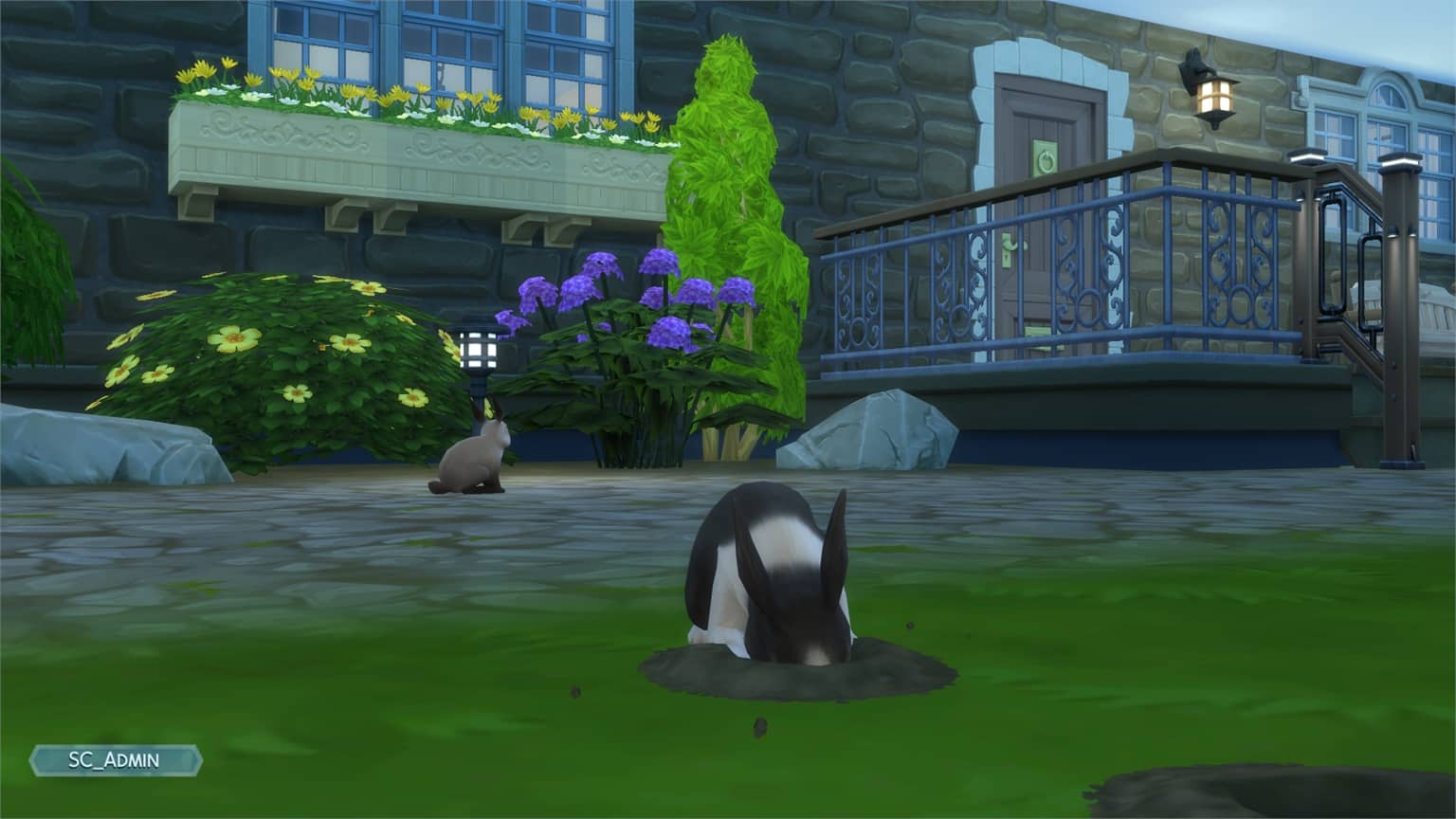
Beside being of great help with the garden, they’re also very active when on your lot. They can be found sniffing around the outside, digging tunnels and interacting with your Sims… as long as you’re in a good mood.

The Sims 4 Cottage Living: All About Rabbits

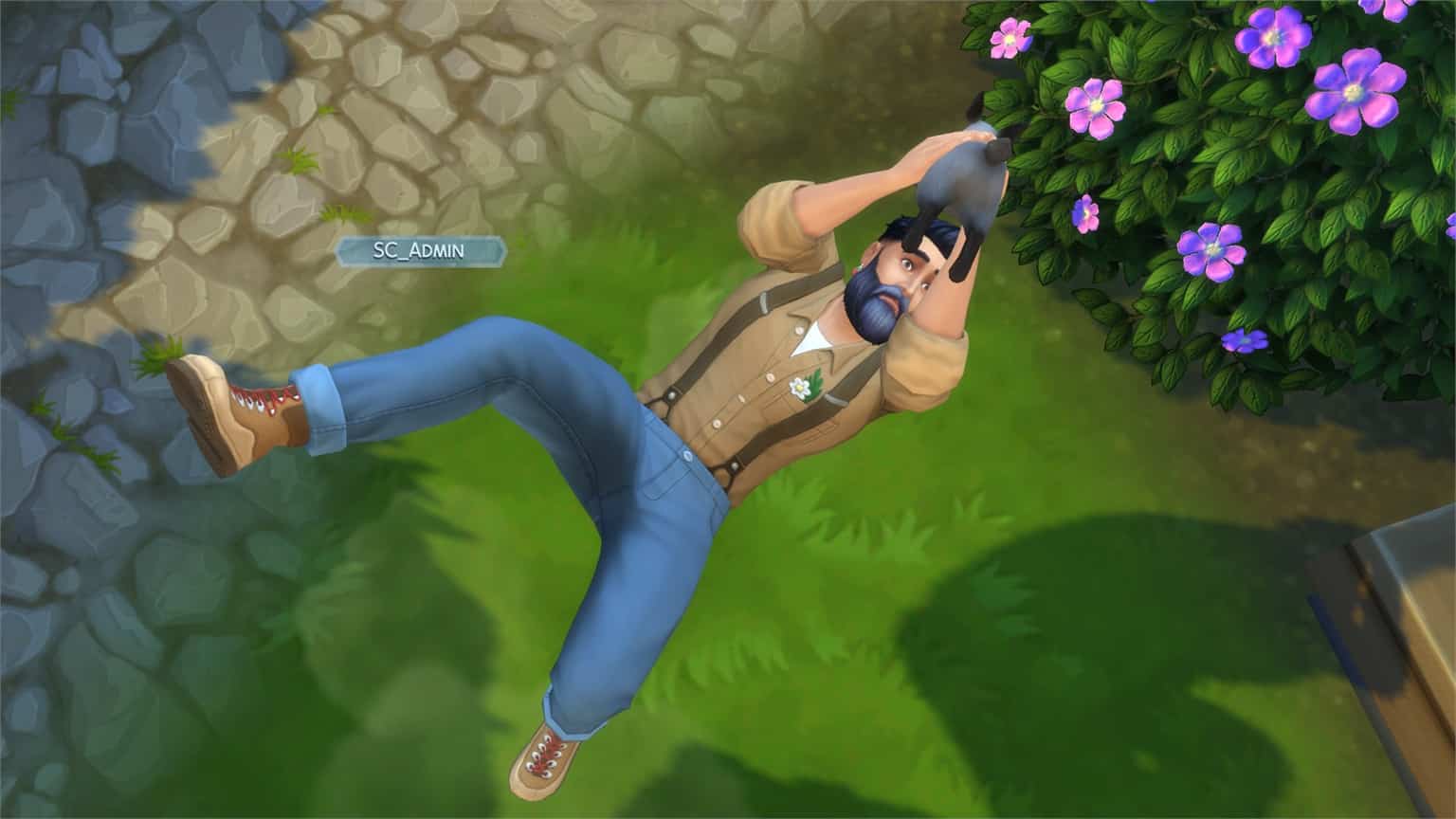
Choosing to pick fights with a wild rabbit can end fatally. If you provoke a rabbit way too many times, they’ll attack your Sim. Sometimes your Sim will leave the fight with nothing but a fair warning from the rabbit, but on rare occasions they can get killed by the rabbit. Worry not, we’ve covered the new deaths that come with Cottage Living for you!

The Sims 4 Cottage Living: All About Rabbits

Rabbit Clothing

Sims 4 rabbits have their own set of clothing that you can dress them up in! To obtain clothing for rabbits you can check the Creature Keeper in The Bramblewood to purchase outfits. There’s a limited stock of items and clothing for different animals rotating every day so make sure you check up often! For players with the Nifty Knitting Stuff pack, they can use llama wool to knit the animal clothes themselves.

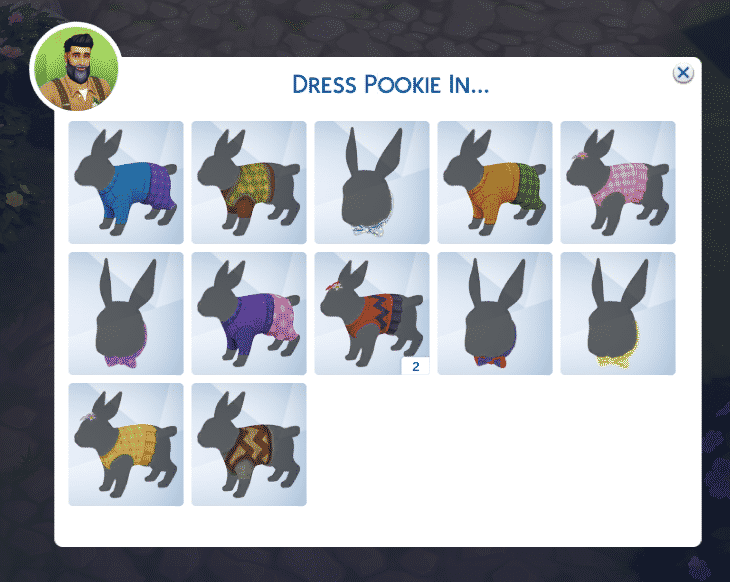
After obtaining a piece of clothing for rabbits click on them and select Dress Rabbit In…

The Sims 4 Cottage Living: All About Rabbits

Here’s a full overview of all the clothing available for rabbits:

Types of Rabbits

There are 8 types of Sims 4 rabbits that you can find in total. Down below is a full visual overview of all eight rabbits!

Other Facts about Rabbits

  • You can rename wild rabbits:
The Sims 4 Cottage Living: All About Rabbits
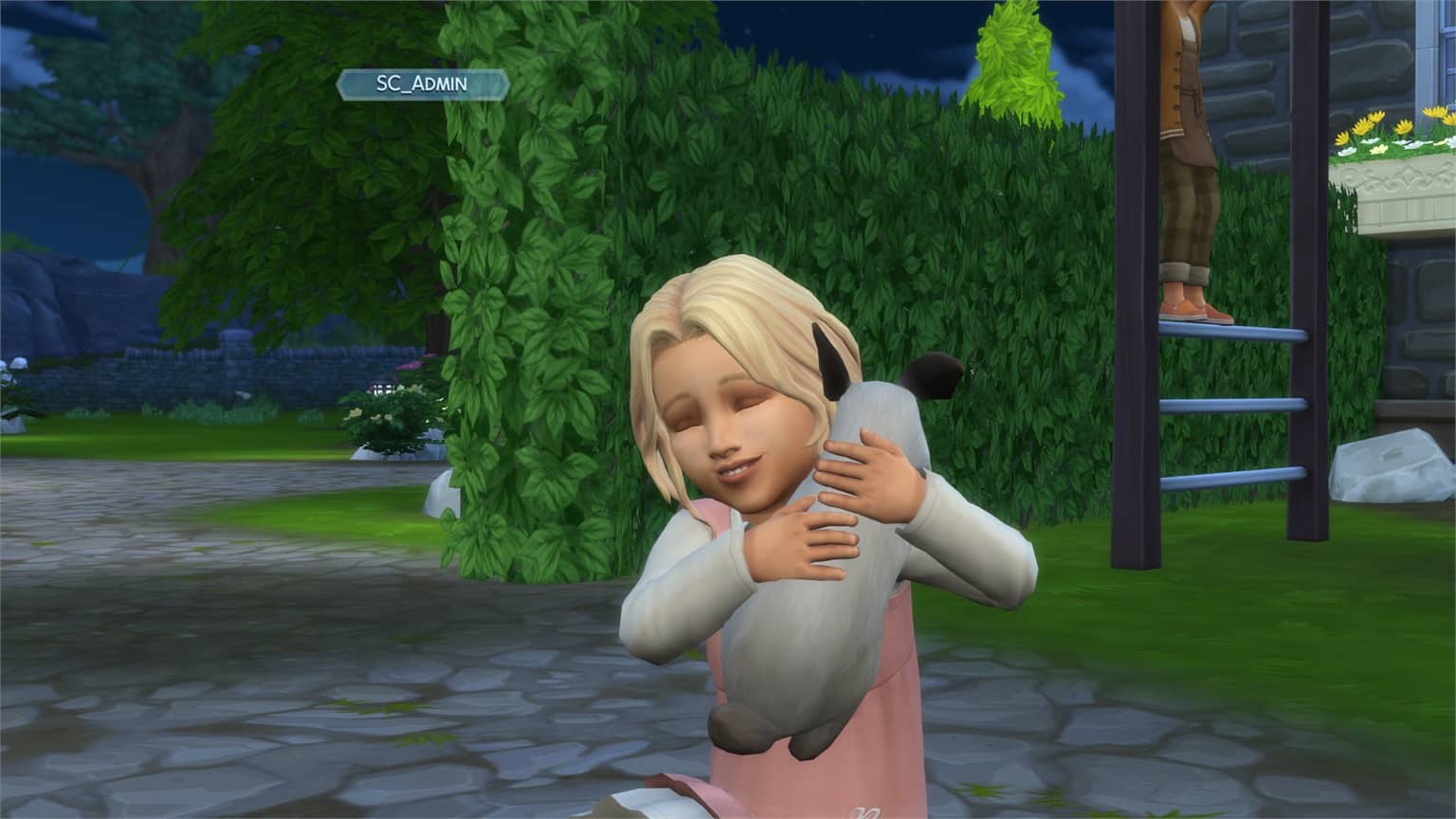
  • Toddlers and Children can also socialize with rabbits and give them a pat or a warm hug.
The Sims 4 Cottage Living: All About Rabbits
  • You can keep track of all the rabbits you’ve socialized with in the Relationships panel.
  • All rabbits in the game are Young Adults and they don’t age and die like some of the other animals.
  • Wild foxes can be fatal for rabbits on your Lot.

Secret Inherited Traits in The Sims 4 and How to Get Them

Did you know that there are three traits in The Sims 4 that can only be inherited from a parent? Did you also know that you can have a Sim with all three of these traits? It’s true! If you’ve got the patience and dedication, that is. Here’s how to do it!

The three traits are Father Winter’s Baby, Sulani Mana, and Ancient Bloodline. To have a Sim with all three traits, you’ll need the Seasons, Island Living, and Realm of Magic packs.

Secret Inherited Traits in The Sims 4 and How to Get Them

To begin, we’re going to make two spellcasters in CAS and move them into the world. Neither of these Sims have any of the traits we’re looking for, but since they are spellcasters, their descendants will! With the help of cheats to speed things along, I had these two Sims Try for a Baby and then sped the pregnancy up to get an instant baby!

This baby was born with the Weak Bloodline trait but that’s not good enough. To continue strengthening this magical bloodline trait, we need to bring in a third generation spellcaster. So our Weak Bloodline Sim was aged up to a young adult immediately and I added one of my other spellcaster Sims to the household for him to Try for a Baby with.

Their child was born with the Strong Bloodline trait. Better, but still not good enough. Our third generation spellcaster gets aged up to a Young Adult and another spellcaster Sim gets added to the household. They Try for a Baby to bring in generation four. A fourth generation spellcaster should have the trait we need.

YES! Our fourth generation spellcaster is born with the Ancient Bloodline trait! Now to get the other two coveted traits. For that, we’ll need a change of scenery. This house is getting crowded. It’s also important to remember to give your Ancient Bloodline Sim the Child of the Islands trait. They will need to have this trait to bring the Sulani Mana trait into the family.

Secret Inherited Traits in The Sims 4 and How to Get Them

We moved our Ancient Bloodline Sim to a place of her own in Sulani and had her use the self-interaction, Summon Island Elementals. Three elementals showed up on the lot but we set our sights on one of the male ones and only talked to him. It took two visits from the elementals but when our Sim had a fully maxed out friendship bar with the elemental, she could ask him to move in. This option won’t be available until the friendship bar is completely full.

Moving the Island Elemental into the household made him human but if he is still a ghost for you, you can resurrect him with cheats or through any in-game method you like. The Island Elementals all have the Sulani Mana trait and they keep this trait even after being humanized and moved in. Yup, you guessed it. It’s time to bring in generation five with our Ancient Bloodline Sim and our Sulani Mana Sim.

Secret Inherited Traits in The Sims 4 and How to Get Them

Their resulting child has both the Ancient Bloodline trait and the Sulani Mana trait! We got lucky and ended up with a female child but if you get a male, you can temporarily change his pregnancy settings to become pregnant in CAS for the next part. We still need to get the Father Winter’s Baby trait.

To do this, create a holiday for the following day and set Father Winter as a holiday tradition. It’s handy to put a fireplace in your house, too; that way, Father Winter will spawn right in your house and not down the street at 8pm. When 8pm rolls around on the holiday and Father Winter makes his appearance, it’s go time! We had our fifth generation Sim with the Ancient Bloodline and Sulani Mana traits put the moves on Santa.

When our Sim gives birth to our sixth generation, this is finally the Sim we were after all this time! This baby is born with all three traits that can only be inherited from a parent. Baby Cecilia Frost has the Ancient Bloodline, Sulani Mana, and Father Winter’s Baby traits.

So if you’re looking to do this in your own game, you’re going to have to play through (or cheat through) six generations of Sims, beginning with spellcasters, then an Island Elemental, and finally, Father Winter. Or if that’s way too much work for you, Cecilia Frost is available in the Gallery for you to download. She has no CC and is under the ID SnarkyWitch.

Secret Inherited Traits in The Sims 4 and How to Get Them
Cecilia has all three inherited traits, plus a cool backstory! Download her to skip all the hard work!

Countdown to the release of The Sims 4 Cottage Living

0

Countdown to the release of The Sims 4 Cottage Living

We are just a few days away until the release of The Sims 4 Cottage Living Expansion Pack on PC, Mac, Xbox and Playstation!

This Pack has a different release schedule compared to the releases of previous Expansion Packs. Unlike previous EPs which had a staggered release for multiple regions and territories, this Pack will have a single release time for all regions and all platforms!

The Pack is set to release on July 22nd at 10AM Pacific Time for PC and Consoles. To be precise, that’s when you’ll be able to get the Pack immediately from the official stores such as Origin, Steam, Microsoft Store and Playstation Store.

Since we know that time zones can get confusing we’ve included a countdown timer down below that counts exactly to the moment of Cottage Living’s release. As soon as the timer turns zero you’ll be able to download and play the pack!

We also have some amazing coverage for The Sims 4 Cottage Living underway – keep checking the Cottage Living Articles for exclusive information, articles and guides on the pack!

You can also join in the countdown hype and celebrate the pack with the community on our Sims Community Discord!

PC & Console Worldwide Release

[janky target_time=”1626973200″ color=”#0aa6b6″]

Countdown to the release of The Sims 4 Cottage Living