Home Blog Page 234

The Sims Mobile Team is teasing the Next Update

0

The Sims Mobile Team has started actively teasing the next big update for the game!

It seems that it all began with a simple tweet from SimGuruJackS, associate Game Designer on The Sims Mobile, talking about Neighbors…3 times:

Then, we’ve gotten an official GIF teaser from The Sims Mobile:

…and if that wasn’t enough – SimGuruMegz who works at Marketing & Community for the game has left a big clue on the screen behind her:

The Sims Mobile Team is teasing the Next Update

I can assure you that I have no idea what they’re talking about. Nope, not in the slightest do I know what it is…

…but stay tuned to our The Sims Mobile News Category to find out!

The Sims 4 Discover University: Applying to University

Presented by EA Game Changers

Is your Sim fresh out of high school and eager to start the next chapter of their life? Maybe they’re a struggling single parent who wants a fresh start and an opportunity to provide a better life for their child? Or maybe they’re an elder looking to spend their retirement expanding their mind?

No matter the story, any Young Adult or older Sim can apply to university! The process is easy. The most difficult part is waiting for that acceptance letter and any scholarship approvals.

Scholarships

The Sims 4 Discover University: Applying to University

Before applying to university, it’s a good idea to apply for scholarships. Sims can apply for scholarships through the phone, computer, or mailbox. Sims can get an idea of which scholarships they’re likely to be eligible for by consulting with a guidance councilor through the computer as well.

There are six types of scholarships:

  • Distinguished Scholarships: Sims who have been accepted into distinguished degree programs will automatically receive scholarships, with an amount based on how many distinguished degrees they’ve gotten into. Working on a Sim’s grade and skills before applying can lead to more degree acceptances and, in turn, more scholarship money!
  • Need-Based Scholarships: Every Sim deserves a university education, and the need-based Education for All and Helping Hand scholarships are designed to give Sims from households with less a chance to attend. Sims with less savings and assets are encouraged to apply!
  • Skill Scholarships: Sims who have developed any number of practical skills are eligible to apply for a variety of skill-based scholarships. Those hours spent working on cooking, fishing, handiness, and many other skills can turn into scholarship funds! However, these scholarships are targeted at younger students and so are not available to adult or elder Sims.
  • Career Scholarships: Universities want to encourage younger Sims that may already be dipping their toes in the job market. These scholarships offer teen and young adult Sims who have achieved some amount of career success with a way to help pay for a university education that can boost them in their career of choice in the future.
  • Sports & E-Sports Scholarships: There are a few scholarships that require Sims to participate in an after-school activity as part of their requirements. An Athletics scholarship requires the Sim to be a Soccer Team Player, while the E-Sports scholarship requires the Sim to be an E-Sports Competitor. A Sim cannot be accepted by both of these scholarships at the same time.
  • Resident Grant: For teens and young adults, the place they live may offer grants providing students financial help in pursuing a university education. Each location has its own grant amounts, and students are encouraged to apply and represent their community!

When your Sim applies for a scholarship, they’ll be presented with a list of every scholarship they are eligible for. Your Sim can choose to apply to some or all of them. Being eligible for a scholarship isn’t a guarantee that your Sim will be accepted, but it doesn’t hurt to apply to everything you can. You never know!

The Sims 4 Discover University: Applying to University

Once your Sim has sent out all their scholarship applications, they’ll receive the results in the mail the next day. Collect the mail and then open the envelopes for all the scholarships your Sim applied to in order to see if they’ve been accepted or not. Sims can also check the status of their applications on the phone or computer.

Applying to University

The Sims 4 Discover University: Applying to University

Once your Sim has some scholarships, they should apply to university. Sims can apply to university through the computer. They can also research universities on a computer, which will present them with an information popup that details all the degrees offered by both universities, the University of Britechester and Foxbury Institute.

It costs §75 to apply to university. Once an application has been sent off, your Sim will receive an acceptance letter in the mail the following day. Sims can also check their application status on the phone.

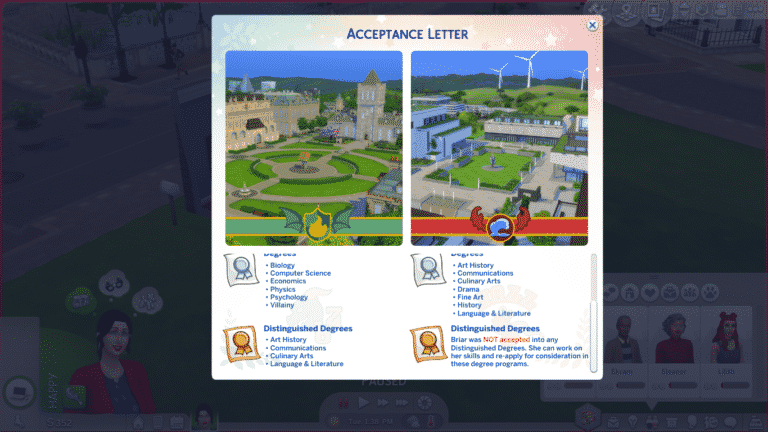
Sims will never be outright rejected from university all together; they will always be accepted into the standard degrees regardless of high school grades or skills, but unskilled Sims with poor grades will most likely not be accepted into any distinguished degrees from either school. Sims seeking a distinguished degree should make sure they are applying with good grades and/or a few skills. Distinguished degrees are more prestigious and offer better scholarships, rewards, and career boosts after graduation.

When your Sim receives their acceptance letter, it will detail which degrees your Sim has been accepted into. Depending on your Sims’ grades and skills, they may be accepted into some distinguished degrees from one school, but not the other. It’s up to you to decide which school and degree your Sim should attend based on the degrees they’ve been accepted into.

Enrolling in University

The Sims 4 Discover University: Applying to University

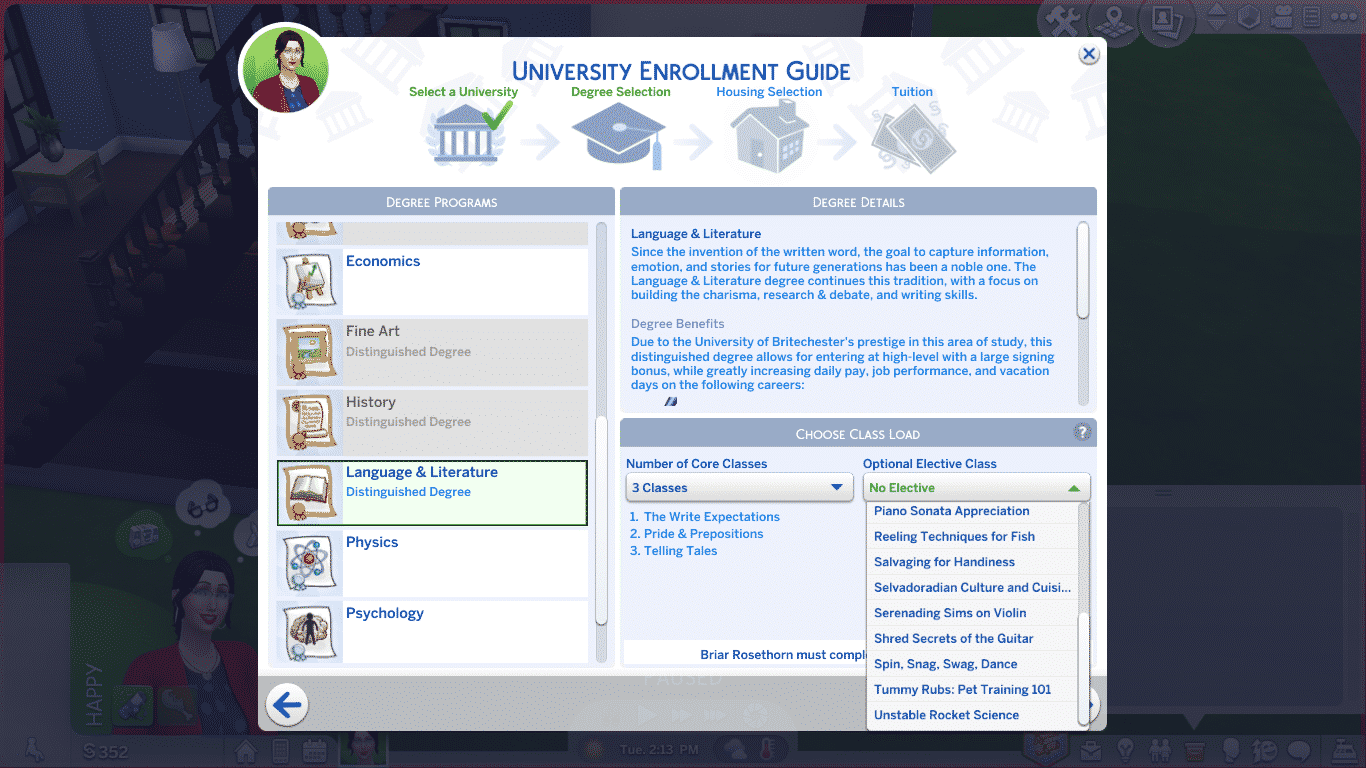
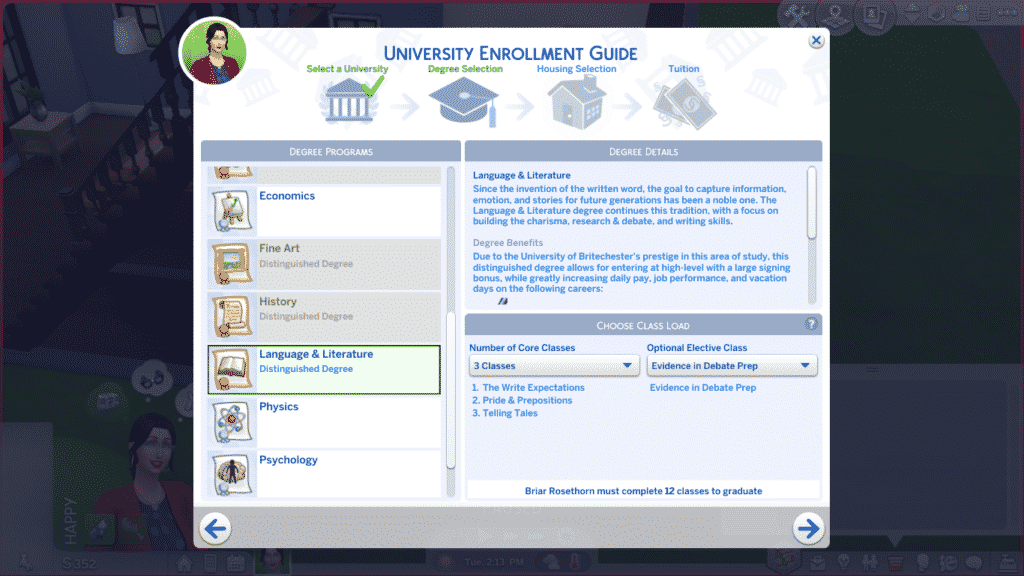
Once your Sim has received their acceptance letter, they can enroll. Sims can enroll in university on the computer. When enrolling, a information popup screen will guide you through the process of enrolling step-by-step. This screen is where you will make all the big decisions about which school you’ll enroll in, which degree and classes you’ll take, where you’ll live, and how you’ll be paying for your tuition.

  • Select a University: There are two universities to choose from, the University of Britechester and Foxbury Institute. Both schools offer the same degrees, but their distinguished degrees are reversed according to that school’s specialty. Science and tech degrees are distinguished degrees at Foxbury, while various art and literature degrees are distinguished degrees at Britechester. Select the school that best suits your Sim’s interests and future career plans.
  • Degree Selection: On the degree selection screen, you’ll be able to pick your degree as well as how many classes your Sim will be taking that term. Degrees that are greyed out in the side panel are degrees that your Sim was not accepted into, so they cannot select those degrees. Read the degree details to make sure the degree your Sim selects is one that matches their future career goals. If you don’t see a degree that suits your Sim, try going back to the university selection screen and picking the other university to see if that school offers a degree that’s better for your Sim. With your degree selected, choose up to four classes (either 4 standard classes, or 3 standard classes and 1 elective). Taking less classes gives your Sim more free time in university, but they will have to complete more terms to meet the 12 credit requirement for graduation. It’s up to you how to balance this out.
  • Housing Selection: This screen is where you’ll decide where your Sim will live while studying. They can stay in their current home at no cost or move into university housing on their school’s campus. Living in university housing can be a great way to meet new people, but it is an added expense. Sims can also choose to move somewhere off-campus. Any residential lot in any world the player has installed in their game can be moved into, but your Sim must be able to afford the lot. Households with only one Sim cannot choose to move somewhere else off-campus.
  • Tuition: The last screen in the enrollment guide breaks down all your tuition costs. Each class your Sim takes costs simoleons. If your Sim chose to live in university housing, there is an added fee for this. Any scholarships your Sim has are automatically applied and deducted from your tuition costs on this screen. If your Sim still has outstanding tuition fees after all scholarships have been applied, they can pay the rest with their household funds or take out a student loan to cover the remaining cost. Student loans do not need to be paid off until the Sim has graduated, but after graduation, the loan must be repaid with interest.

Once your Sim has made all the necessary arrangements, they will be officially enrolled in university! If your Sim chose to move somewhere else, you’ll be taken to a household split and merge screen where you’ll be able to transfer any household funds over and, if your Sim was the last Sim on the lot, sell any furnishings in the home.


Do you know which school your Sim will be attending? What degree will they take? Let us know in the comments or come chat with us on social media!

The Sims 4 Discover University: Guide to Academic Success

Presented by EA Game Changers

Getting into university is one thing; excelling in university is quite another. For most people, the joys of university lie in balancing work with pleasure. A little studying here, a little partying there, leading to an overall well-rounded university experience.

This guide is not for the casual university student. This guide will walk you through how to throw yourself completely into your education in order to achieve the best grades (and the best future) possible. Throw away your juice kegs and break out those textbooks because school is all you’re going to know for the next three terms.

For a breakdown on scholarships and applying to university, see our guide, Discover University: Applying to University!

Class Selections

The Sims 4 Discover University: Guide to Academic Success

Of course, it all starts with enrolling and selecting your degree and classes. No matter which degree you pursue, you’ll have to select up to 4 classes per term. Classes change every term so you’ll see new ones available every time you select your classes at the start of term. You can’t change which classes you’ll be taking for your degree; you can only choose the number of classes.

However, Sims have the option of enrolling in 1 elective each term. Electives are fun classes that focus on skills outside of your degree and you will be able to select which elective your Sim will take that term. There are all kinds of electives that span a wide variety of skills. Electives are fully integrated across all packs, so depending on which add-on content you have installed, you may see different electives for skills from different packs.

Electives are optional; your Sim doesn’t need to take any electives at all, but if they do choose to take an elective, they can only take up to 3 other classes. Sims are limited to 4 classes per term in total, so either 4 classes, or 3 classes and 1 elective.

Our recommendation? Take 3 classes and 1 elective every term for maximum academic success. Electives still count as credits towards your degree so taking an elective doesn’t hurt your progress at all, plus your Sim will graduate with a few extra skills thanks to the electives they took.

Terms
The Sims 4 Discover University: Guide to Academic Success

One term last 5 working days. There is no way to shorten or lengthen a term. They are fixed periods. Sims can begin a new term anytime during the week, but weekends don’t count as term days. If your Sim starts a new term on a Friday, the term won’t end until Thursday the following week. Starting a new term in the middle of the week can be a good academic strategy for dedicated students because it will give them the weekend to catch up on homework and final assignments.

How many terms your Sim needs to complete in order to graduate is entirely dependent on how many classes they decide to take per term. A Sim needs to earn 12 credits in order to graduate.

Here is the breakdown of how many terms your Sim will need to complete based upon their classes:

  • 4 classes per term = 3 terms (15 working days)
  • 3 classes per term = 4 terms (20 working days)
  • 2 classes per term = 6 terms (30 working days)
  • 1 class per term = 12 terms (60 working days)

These calculations are based on the assumption that your Sim completes the same number of classes every term. It is possible to take a different number of classes each term (4 classes one term, 2 the next term, for example), in which case the number of terms needed to graduate will vary.

Even if a Sim only takes 3 terms to graduate, they will still spend the majority of their young adult life in university; however, unlike past Sims games, your Sims are not trapped on campus with no way to work or live a life outside of university. Sims can live wherever they want, have a job, and raise a family while going to school, so this balances things out. If the length of university is not ideal for your play style, we recommend turning aging off in the game options while your Sim is in university. That way, they don’t lose any time to climb a career ladder or pursue other life goals.

Of course, you will want to be taking 4 classes every term for maximum efficiency. Sims who don’t mind sacrificing their social life and plan to devote all their time to their studies should take a full course load every term.

Attending Classes
The Sims 4 Discover University: Guide to Academic Success

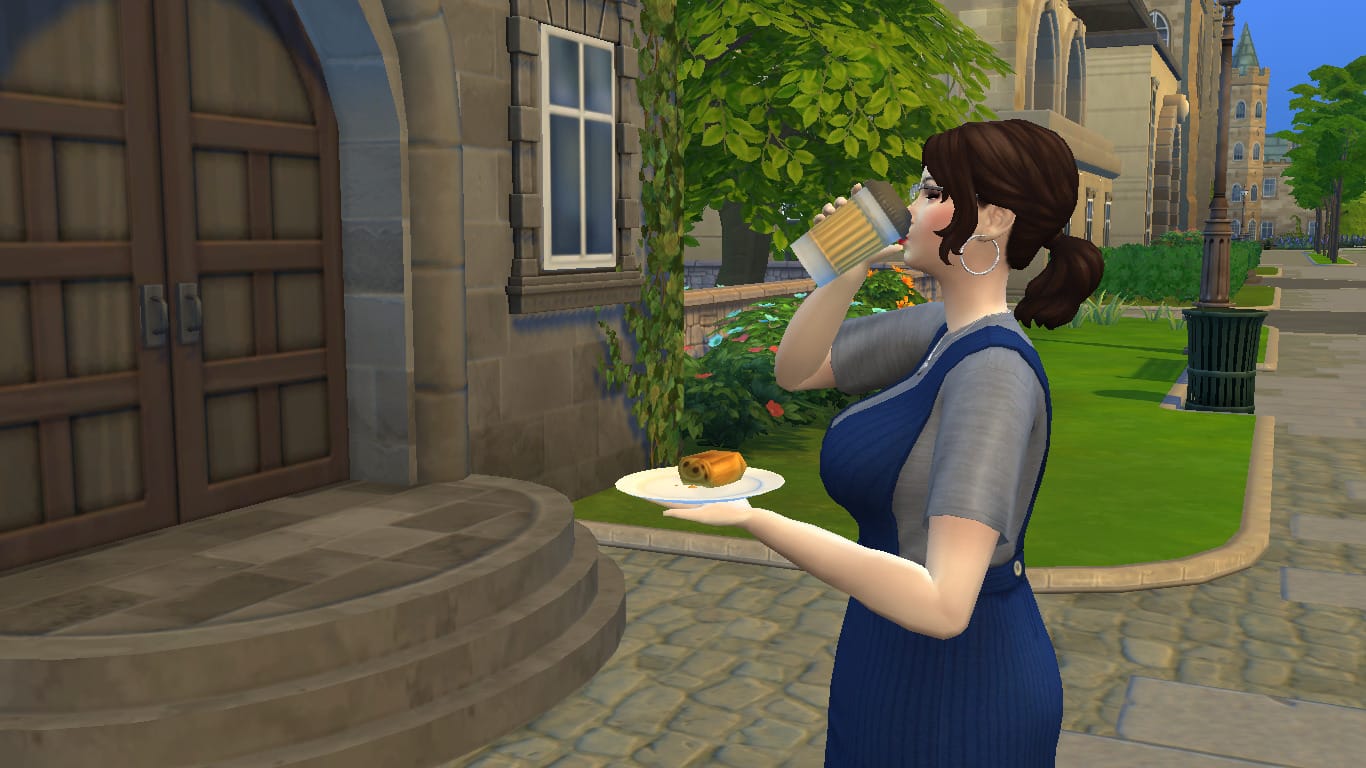
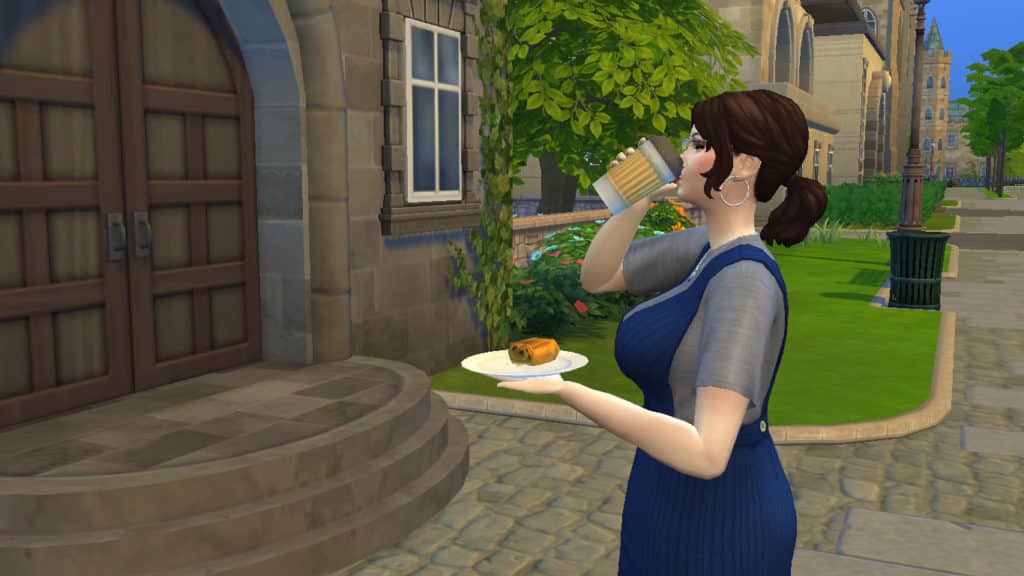
It’s important to actually attend class in order to get the most out of your university education. Missing class will hurt your grades. Sims in the area will autonomously try to get to class a little early. Sims who’ve arrived to class early will wait outside the building with the other early bird students. This can be a good time to get some last minute homework finished or to quickly finish the rest of that coffee and snack you purchased to-go at the cafe vendor.

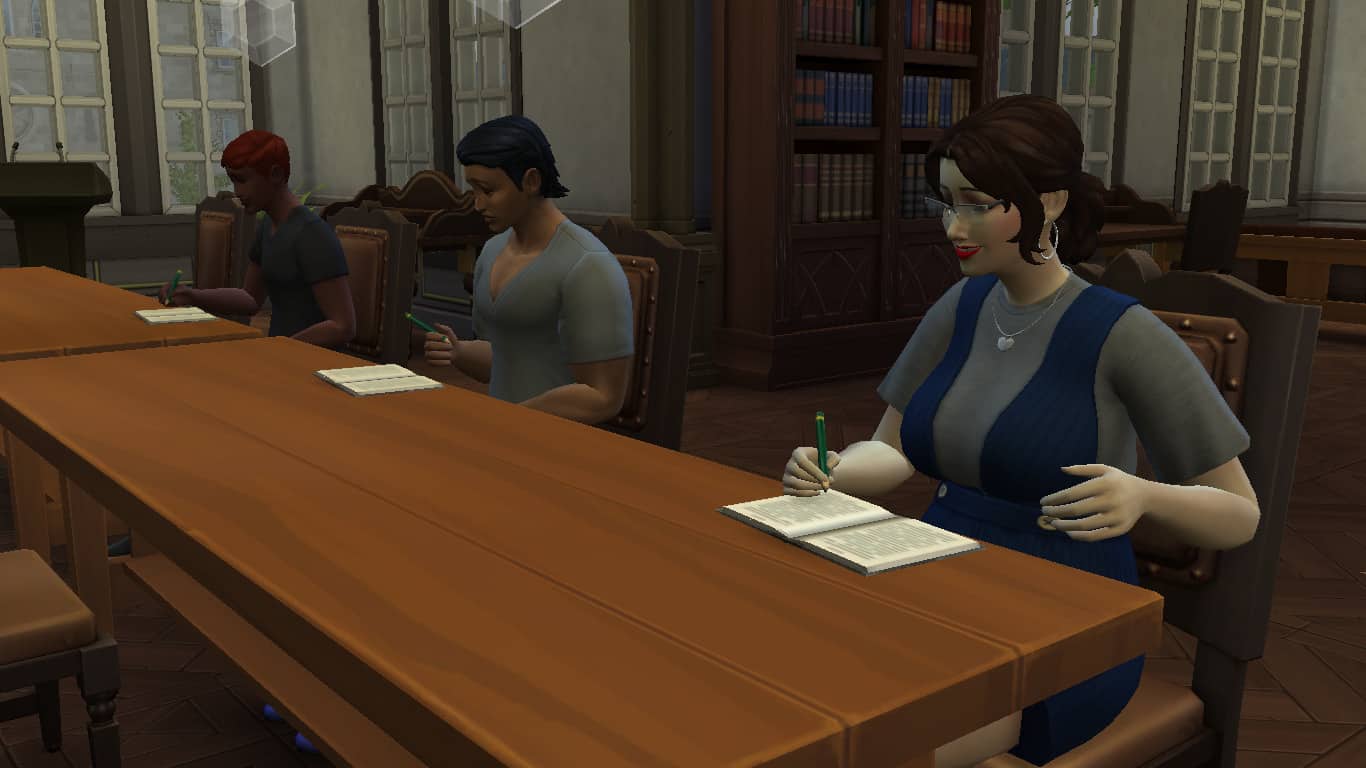
While your Sim is inside the classroom rabbithole, they will have various options available to them by clicking on their portrait, much like the different work options for inactive careers. Click the class icon on the Sim’s portrait to see the various actions they can take in class. Sims can Actively Listen, Take Notes, Sleep in Class, or Chat with Friends. To get the most out of every class, make sure your Sim is taking notes or actively listening. I’m sure we don’t need to tell you that sleeping in class and chatting with friends are not good ways to improve your grades.

If you’re taking a full course load, it’s likely that your Sim will have more than one class in a day, or even back to back classes. Make sure to check the career panel often to keep track of your class schedule so you can budget your time for homework, finals, and self-care effectively.

Ideally, you will want your Sim to attend every single class with all of their homework completed and taking an active role in the class while they are there. This will ensure your Sim gets the most out of their classes and, in turn, gets the best grades at the end of term.

Homework
The Sims 4 Discover University: Guide to Academic Success

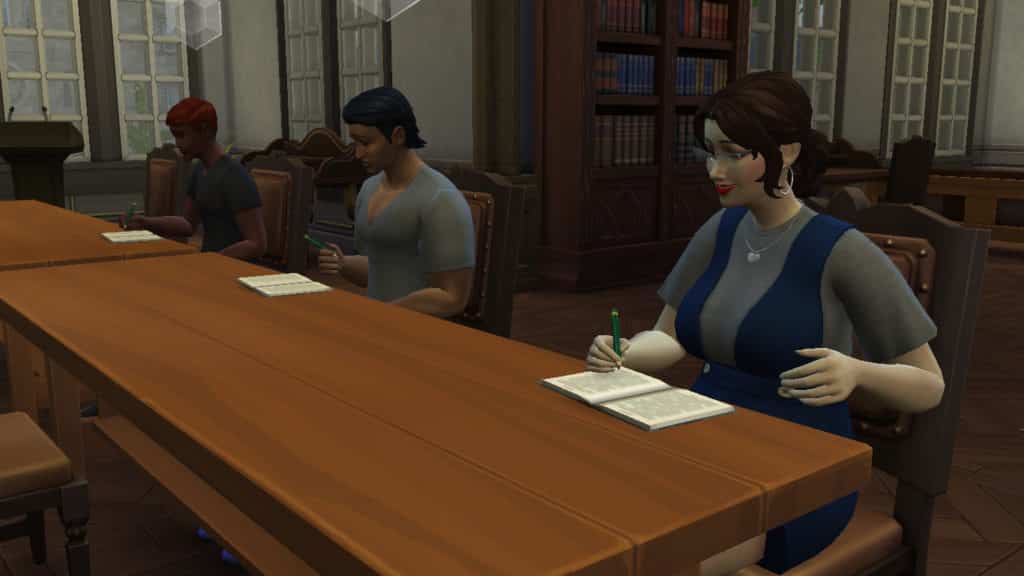
Every course your Sim takes has homework due before every class. When your Sim enrolls in university, they are automatically given a homework notebook in their personal inventory. Sims can complete homework for all their classes using this notebook. Homework takes some time to complete, but Sims with high enough Research & Debate skill complete homework faster.

Sims who stay on top of their homework and pay attention in class will get more out of attending classes and it will have a positive impact on their final grade. Always complete homework before every class and actively pay attention in class for maximum academic success.

Finals

In addition to homework that must be completed on a regular basis throughout the term, each class also has a final. Finals are very important and worth a large chunk of your grade. Skipping out on your finals will have a big negative impact on your final grade, so make sure you complete all of them.

Each class will have different requirements for its final. Some classes will require your Sim to write a term paper. Others have final exams and presentations. Look at your class schedule in the career panel to see what’s required of each class.

Exams
The Sims 4 Discover University: Guide to Academic Success

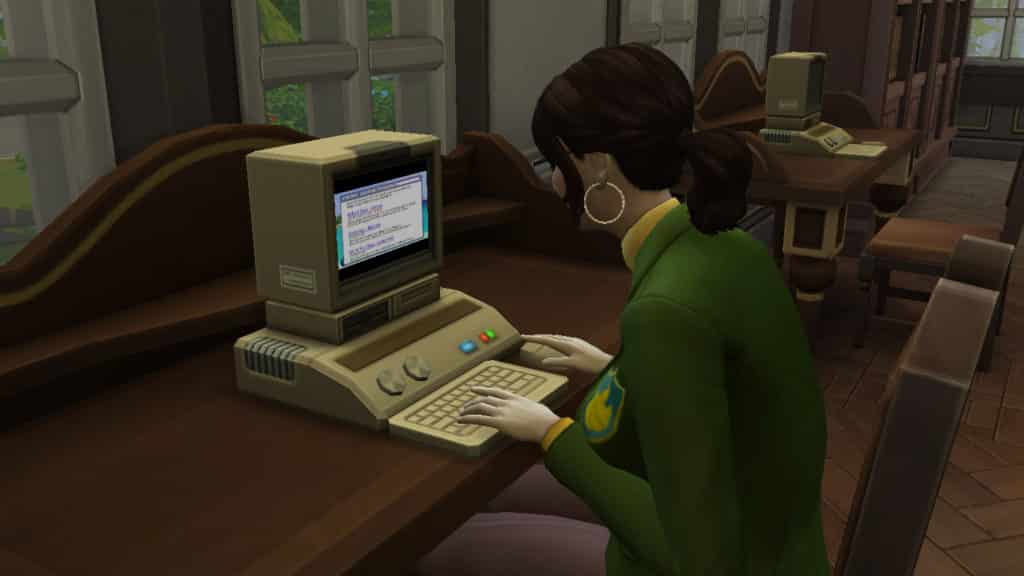
Exams take place during the last class of the term. If your Sim has done all their homework and attended all their classes, they’re likely to do well on their exam, but Sims can also study for a class using a course book purchased from the university kiosk, a computer, or research station to boost their chances of doing well on their exam.

Don’t miss your final exam! Failing to write the exam results in a big fat zero and will seriously hurt your final grade!

PSST! You can also cheat on your exam by selecting the option on your Sim’s portrait while they’re in the exam… but you would never do that… would you? Getting caught has serious consequences.

Term Papers

The Sims 4 Discover University: Guide to Academic Success

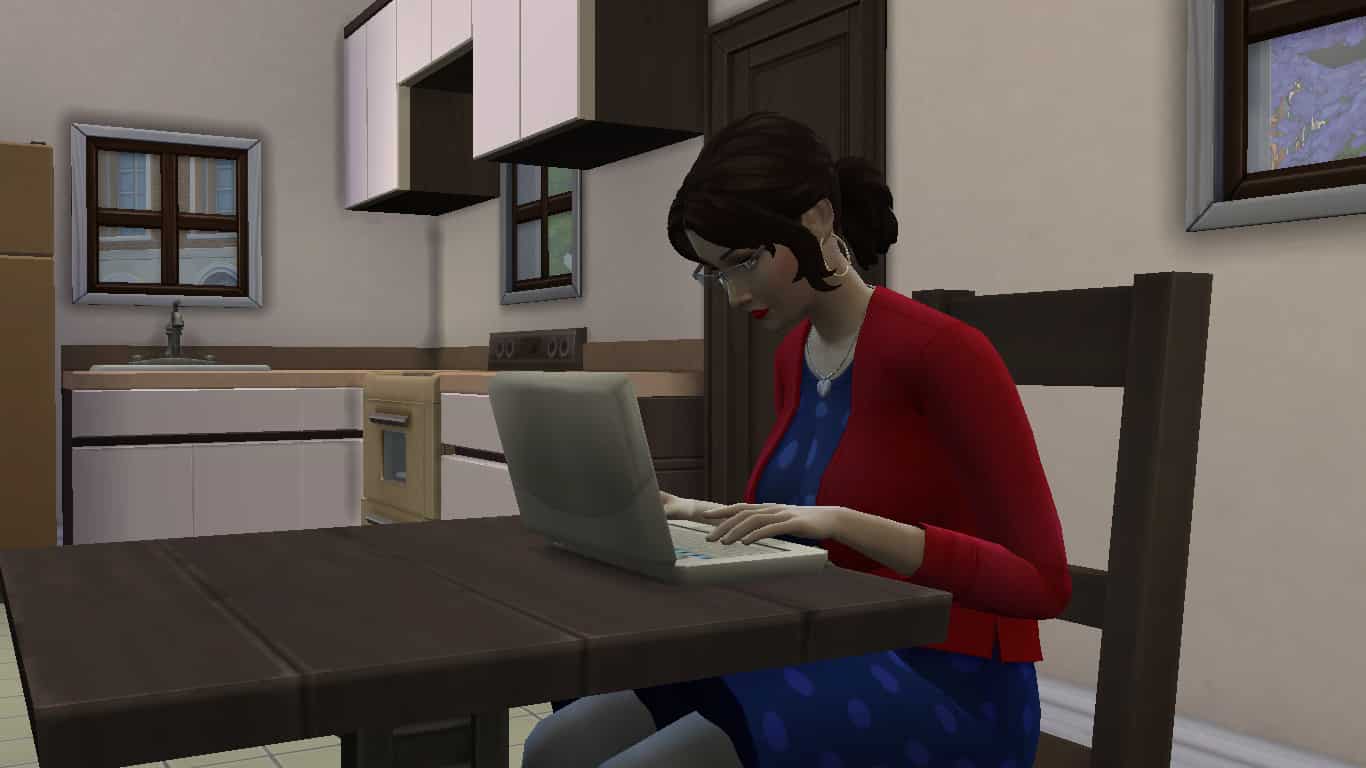
Term papers can be written on the computer under the University menu option. A Sim can write and submit a term paper for a class at any point during the term, so dedicated Sims might want to get these out of the way early.

Term papers take a long time to complete, but Sims with high enough Research & Debate skill complete term papers faster. The first draft of a term paper is usually poor quality. Your Sim can submit poor quality term papers, but f they want the best grade, they should spend some time editing their paper before they submit it.

Term papers can be edited until they are outstanding quality. You’ll receive a notification telling you that your term paper won’t benefit from any further editing once your Sim has increased its quality to outstanding. Scrolling over the term paper option in the computer’s menu will tell you the quality of the term paper.

When your Sim is satisfied with the quality of their paper, they can submit it using the computer.

PSST! You can also plagiarize your term papers by selecting the plagiarize option on the computer… but you would never do that… would you? Getting caught has serious consequences.

Presentations
The Sims 4 Discover University: Guide to Academic Success

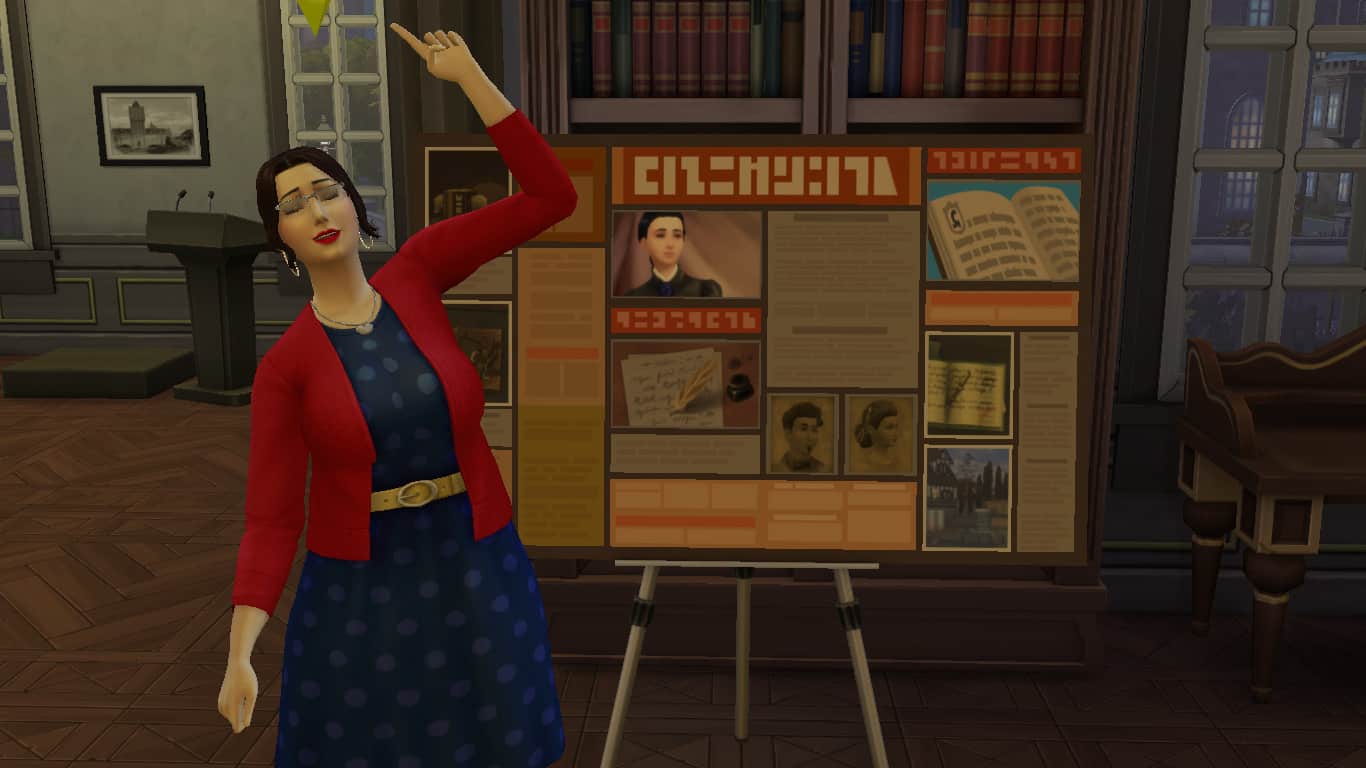
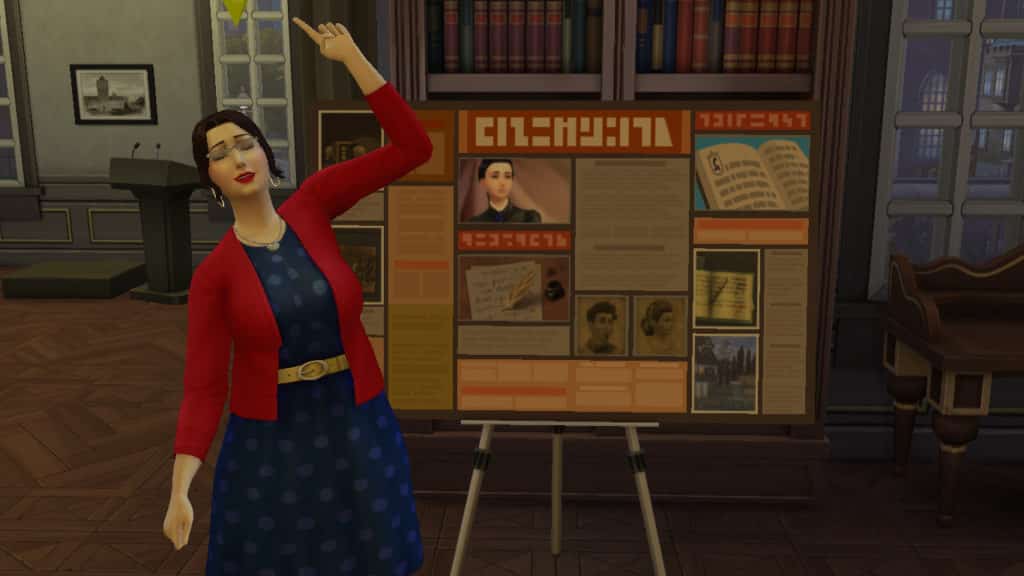
Your Sim will receive a presentation board in their personal inventory at the start of term for any classes that have a presentation requirement as their final. Presentations function similar to term papers; your Sim will need to compile all of their material on the board, then refine the presentation board until it’s suitable to present in class.

To start, drag the presentation board out of your Sim’s inventory and into the world somewhere, then choose the Capture Information option on the board. Your Sim will spend some time compiling all their material for their presentation onto the board. When they’ve finished, they will have a poor quality presentation board. You can see the board’s quality by hovering over it.

Sims can improve the quality of their presentation by refining and organizing it, and asking other Sims for feedback on their presentation. They can also practice their presentation. Practicing presentations builds the Charisma skill. Once the board cannot be improved any further, you will receive a notification informing you that your Sim’s presentation board looks great and that continuing to fiddle with it won’t improve it any more.

When your Sim is satisfied with the quality of their presentation, they can go to class with the presentation board in their inventory and present it. Presentations do not take place during regular classes; your Sim must click on the class rabbithole and select the presentation option. Presentations can only be given during the day. Your Sim won’t be able to present in the middle of the night.

Final Grades & Starting a New Term
The Sims 4 Discover University: Guide to Academic Success

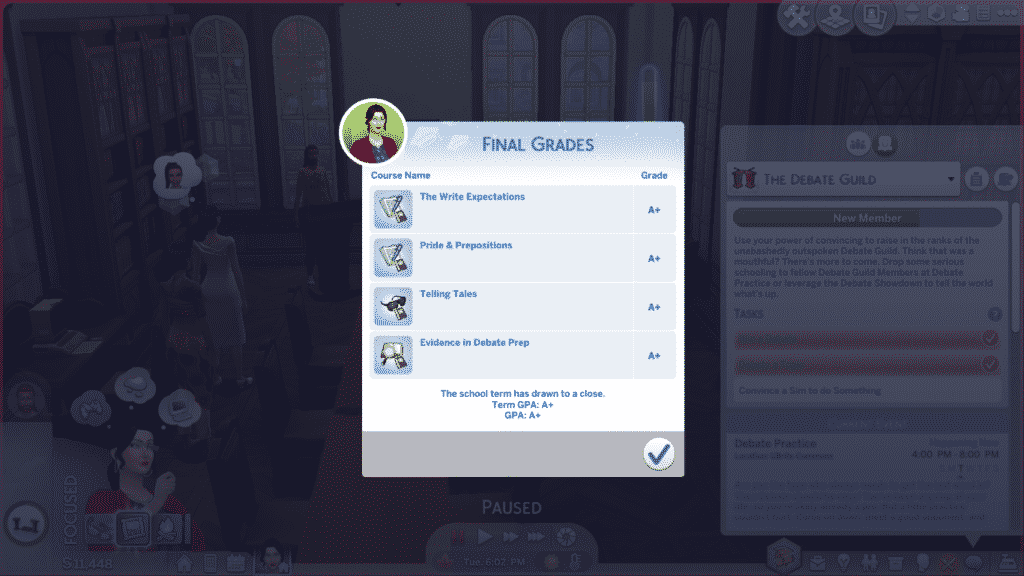
If your Sim has done all their homework, attended every class as an active participant, and completed all their finals with outstanding quality, they should have no trouble getting an A+ grade in every class. However, perfect grades don’t come easy. You’ll find that your Sim has little to no time for extracurricular activities, organizations, or socialising when they are taking 4 classes and trying to achieve an A+ grade in every single one of them. University is definitely a rewarding challenge in The Sims 4, just like in the real world.

Since grades aren’t given out until the end of term, it’s up to your Sim to take a proactive approach to finding out how they’re doing in their classes. They can visit their professors during their office hours or email them on the computer to get an idea of how they’re performing in their classes and how they can improve.

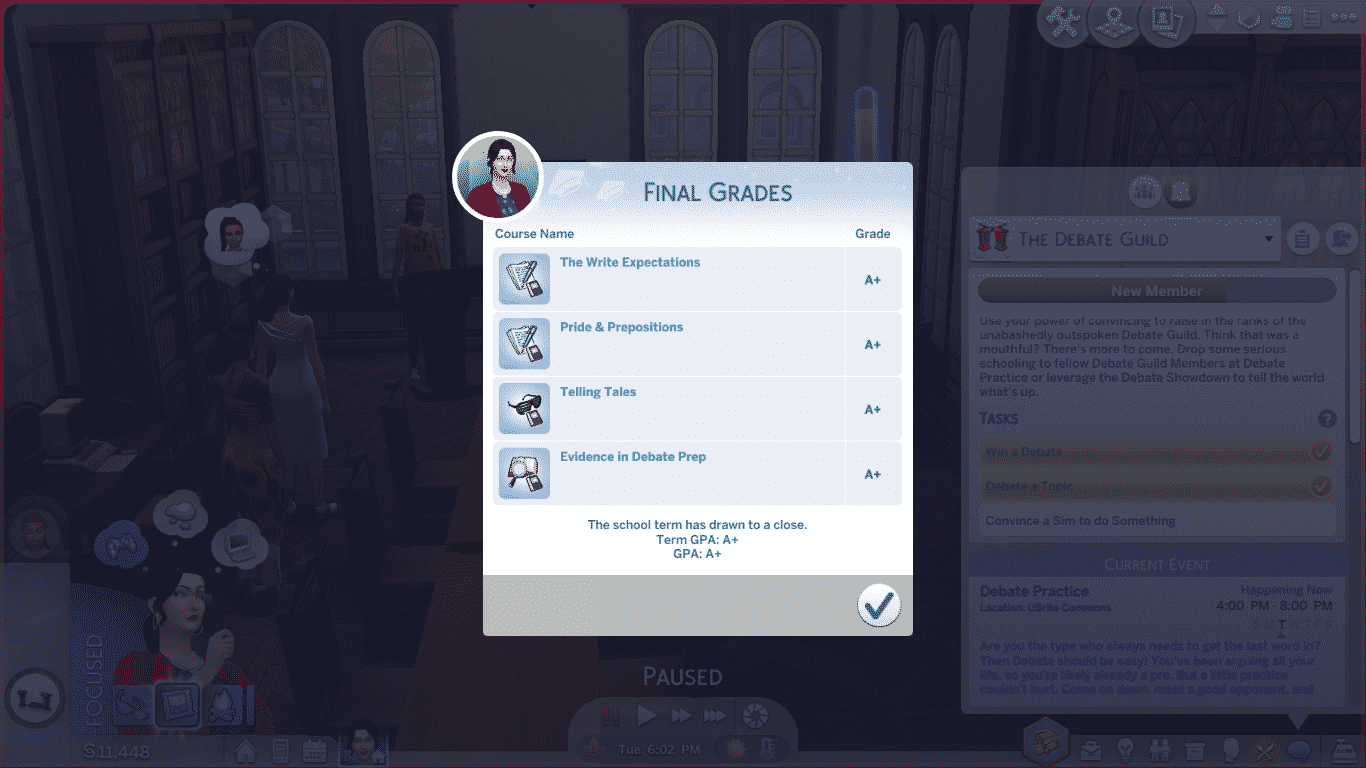
Once all coursework has been submitted, your Sim will be free to enjoy themselves (for once) while their final grades are being processed. Once the final grades are in, you’ll receive a popup with all your final grades for each class, as well as your overall GPA.

From there, you can choose to enroll in another term right away, or take some time off before starting a new term. If your Sim has any scholarships, they must enroll in a new term immediately or they will lose their scholarships. Tuition costs for the new term will be handled at this point as well. Sims can pay with household funds or take out a loan to pay any tuition costs for the new term that scholarships don’t cover.

Your Sim will also be given the opportunity to make different housing arrangements at the start of each new term. They can choose to stay wherever they are currently living, or move somewhere else. This change does not happen right away. Your Sim will have about a day left in their old residence, which gives them an opportunity to pack up any personal items they may have purchased for their living space. A small “Packing Up” event will occur a couple hours before the move to remind your Sim to gather up their things, too.

As long as your Sim continues on the path to success they started in their first term, all their future terms are bound to result in perfect A+ grades across the board. Keep doing that homework, working on those finals, and paying attention in class!


Have any tips of your own for academic success? Share them with us in the comments or come chat with us on social media!

The Sims 4 Discover University: Welcome to Britechester

Presented by EA Game Changers

Welcome to Britechester!

“Begin a new chapter in the historical University of Britechester or modern Foxbury Institute. Live in a dorm room or off-campus in the welcoming town of Gibbs Hill. Explore Britechester on a bicycle, spend time in the student commons, and have a study session at the library. Cheer on the student body at a school spirit event and wear school colours to show your Sim’s pride.”

The Sims 4 Discover University: Welcome to Britechester

The world is essentially divided into three areas. Foxbury Institute Campus on the left-hand side, Gibbs Hill in the middle and University of Britechester Campus on the right-hand side. There is a total of thirteen lots in Britechester although nine of these are tied to the Universities.

Foxbury Institute Campus

“Foxbury Institute may seem young compared to the historical town surrounding it, but it has quickly distinguished itself in academia. For the students who have worked hard to attend Foxbury Institute, it’s not just work, but the pursuit of personal passions that keeps this campus bustling.”

The Sims 4 Discover University: Welcome to Britechester

Larry’s Lagoon – 40×30

This lot is the Foxbury Commons.

The Sims 4 Discover University: Welcome to Britechester

Maritime Manor – 30×20 -$64,6341

Foxbury Institute students only.

The Sims 4 Discover University: Welcome to Britechester

Briny Tower 30×20 – $58,425

This University Housing Lot is occupied by Cameron Fletcher when you first enter Britechester.

The Sims 4 Discover University: Welcome to Britechester

Tidal Tower – 30×20 $58,701

Foxbury Institute students only.

The Sims 4 Discover University: Welcome to Britechester

Gibbs Hill – The Town of Britechester

“Gibbs Hill is nestled in the centre of Britechester right between the two universities, Foxbury Institute and the University of Britechester. It was the first centre of activity in Britechester and its famous Laurel Library has stayed a key location for many students to study and learn. The Pepper’s Pub has also become a common spot for students from all around to make friends regardless of their rivalries.”

Laurel Library (Community Lot)

The Sims 4 Discover University: Welcome to Britechester

Honeydew Fields – 20×15 – $22,337

This lot is unoccupied.

The Sims 4 Discover University: Welcome to Britechester

Mossy Lane – 20×15 – $122,370

This lot is occupied by The Pleasant Family when you first enter Britechester.

The Sims 4 Discover University: Welcome to Britechester

Spring Steppes – 20×15 – $77,140

This lot is occupied by The Elderberry Family when you first enter Britechester.

The Sims 4 Discover University: Welcome to Britechester

Pepper’s Pub – 20×20 (Community Lot)

The Sims 4 Discover University: Welcome to Britechester

University of Britechester Campus

“This university is the oldest in Britechester, founded by the famous Felix Psyded, who was well known for his enthusiasm for learning and humorously large books. As the years have passed the University of Britechester has established itself as an esteemed institute of classical education.”

The Sims 4 Discover University: Welcome to Britechester

Drake Hall

University of Britechester students only.

The Sims 4 Discover University: Welcome to Britechester

Darby’s Den

This is the UBrite Commons lot.

The Sims 4 Discover University: Welcome to Britechester

Wyvern Hall – 30×20 – $85,283

This lot is occupied by The Best Friends Family when you first enter Britechester. This lot is also for University of Britechester students only.

The Sims 4 Discover University: Welcome to Britechester

Darkwing House

University of Britechester students only.

The Sims 4 Discover University: Welcome to Britechester

There is plenty to explore in the historic world of Britechester. With plenty of open spaces and places to explore on land, water and even on two wheels!

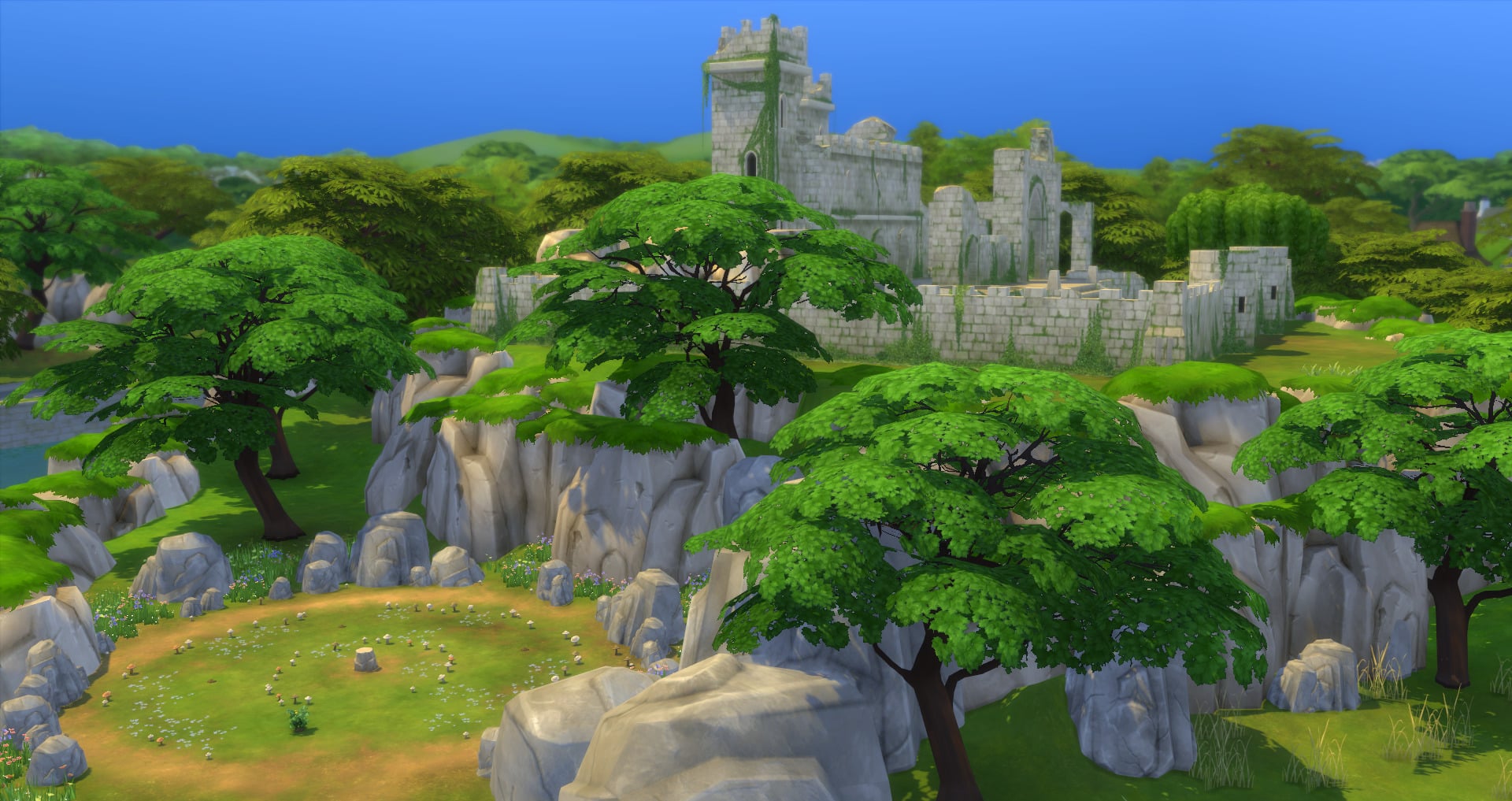
Whether it is learning more at Laurel Library or catching up with friends at Pepper’s Pub there is plenty for University Students, Residents and those planning on studying at one of Britechester’s two universities in the future. Add Britechester’s historical background and charm into the mix and it really is the place your Sims need to be. Just keep an eye out for strange and mysterious things happening near the castle late at night.

The Sims 4 Discover University: Early Access Livestream

0

Join us at 6PM Pacific Time / 3AM Central European Time (yup, I’ll be livestreaming at 3AM) as I cover The Sims 4 Discover University Expansion Pack!

We’ve gotten a special, Early Access copy of the pack so we can cover the content and showcase it to you guys and we’re beginning with today’s Early Access Livestream. Hope to see you there!

The Sims 4 November 2019 Update: Content Overview

The Sims 4 received a new content update today that added a new accessibility feature, updates to the home screen, some new holiday CAS assets for children and toddlers, new build tools, and a new radio station.

Let’s dive right in and showcase all these new goodies, shall we?

Home Screen

The Sims 4 November 2019 Update: Content Overview

Upon loading the game, players will now be informed of all the latest updates for the game as well as new blog posts and any upcoming content. Players can cycle through these notifications to make sure they stay up to date on all the latest Sims news.

CAS

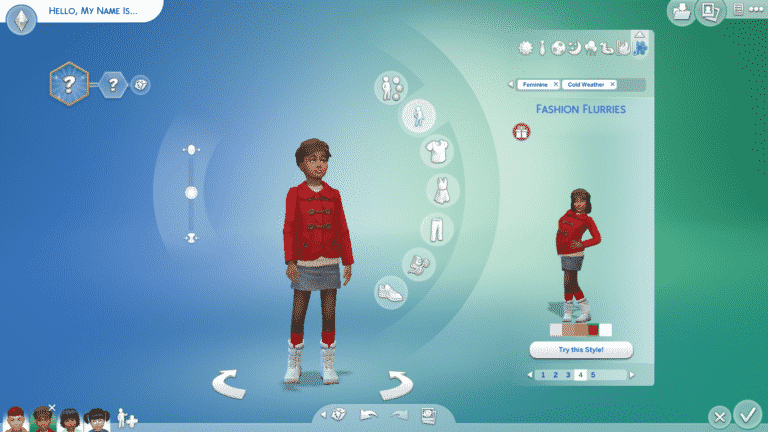
For children, we have 1 new female top, 1 unisex top, and 1 unisex pair of boots.

For toddlers, we have 1 new male full-body outfit, 1 new female full-body outfit, and 1 unisex pair of shoes.

We also have 4 new styled looks across both genders and age groups! Look for them in the everyday and cold weather clothing categories.

Build/Buy

The Sims 4 November 2019 Update: Content Overview

Builders rejoice! There are new tools regarding columns at your disposal! Columns are now multi-story and can be dragged out up to four stories high to accommodate the tallest buildings. Columns that have had their height extended will keep their height when being moved or copied.

Most columns can be dragged out to the full four stories, but a few have a max height restriction due to their visual design. You can see which columns have a max height restriction when you scroll over their thumbnail in the Build/Buy catalogue.

New Radio Station

The Sims 4 November 2019 Update: Content Overview

The Hip Hop radio station from Get Famous has now been added to the base game! Songs on the Hip Hop station that were exclusive to Get Famous still require Get Famous, but some new songs have been added to the Hip Hop station for the base game:

  • “Big Moe,” by Beau Young Prince

  • “Dumbstruck,” by Ceraadi

  • “Good Life,” by RDGLDGRN & Daniela

  • “Block List,” by Rico Nasty

  • “Litest,” by Supreme Madness

UI Scaling

The Sims 4 November 2019 Update: Content Overview

There is now a new tab in the Game Options, called Accessibility. Players can now scale the UI up and down in the Accessibility tab. If the player tries to scale the UI too large or small, a warning will appear informing the player that some parts of the UI may overlap or bleed off the screen at the current size.

That’s it for new content features but today’s update also came with TONNES of crucial bug fixes for both the base game and various packs! See the full patch notes here for more details!

What’s your favourite part of today’s update? Let us know in the comments or come chat with us on social media!
PSST! Want the inside scoop on a few “hidden” update features not mentioned in the patch notes? Check out Sims Community’s YouTube channel!

The Sims 4 Community Voted Stuff Pack: First Look at the possible Themes

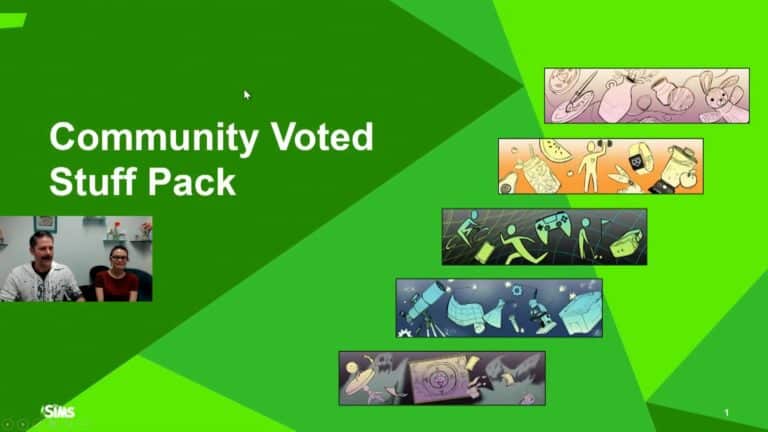
During the November Maxis Monthly livestream, it was revealed that The Sims team is creating another Community Voted Stuff Pack. SimGuruNinja and SimGuruDana explained the overall timeline for this Community voted Stuff Pack but also gave us a glimpse of the themes & gameplay features that we, as  a community can vote for from 18th November 2019!

After this first voting block there will be four more voting periods spaced out over the next few months.

Important: Make sure you have surveys enabled in game! To do this simply go into your Game Options > Other > Enable in-game surveys.

The Sims 4 Community Voted Stuff Pack: First Look at the possible Themes

As for the Themes and Gameplay features, there are five different ones to chose from. When voting goes live we will see more information about each of the five themes but take a look at the gallery below for an overview of what each theme is.

You can read more about the Community Voted Stuff Pack in more detail here.

Let us know which theme you like the most in the comments below!

Help Shape A Future Stuff Pack for The Sims 4!

During the November Maxis Monthly Livestream, the SimGurus revealed that it is time for another Community Voted Stuff Pack. This is the second time that we have seen the opportunity to help shape a Stuff Pack for The Sims 4. The first community voted stuff pack was The Sims 4 Laundry Day Stuff which was released back in 2018.

Take a look at the official blog post below which details everything you need to know and even gives you a look at how the approximate timeline for this Community driven stuff pack. 

Via TheSims.com

Hi, Simmers! We’re here today to announce a collaborative new project: we want you to help us create an all-new Stuff Pack for The Sims™ 4. How will this work? Let us explain…

Help Shape A Future Stuff Pack for The Sims 4!Today is the first major inflection point for this upcoming Stuff Pack, and we’re looking to you and The Sims community to guide this pack through its critical stages of development. We’re going to ask you the same questions we ask ourselves, and ultimately we’ll have a pack we can all be proud of.

Development here at Maxis is always a collaborative process with input from multiple disciplines that shapes everything we create. By adding your voice and your feedback, we’re going to make a Stuff Pack that represents your desires.

From 10 a.m. PST on November 18 until 10 a.m. PST on November 25, we’re gathering your votes to help select the theme and potential gameplay for this new Stuff Pack. For this first survey, we will present you with five gameplay themes, each with five possible gameplay features. You will have the opportunity to rank the features within the themes, and then rank the themes themselves. The top-ranked theme and the top-ranked feature within that theme will become the core of our new Stuff Pack! Other gameplay from the chosen theme may be included in the final Stuff Pack, but only the top-ranked gameplay feature is guaranteed.

The entire development of this new Stuff Pack will give you a transparent look into how Maxis works together to make new experiences for your Sims. Not only will your votes help determine what we create, but we’ll also be sharing in-depth information about our progress throughout the process. You’ll be able to see what we see when we’re building the game, including images and development blogs about the Stuff Pack. You’ll have a window into our process, from getting an inside look at the meetings we hold to gaining insight into how we respond to unexpected challenges. Along the way, you’re going to meet other developers on our team and learn about what they contribute.

Once voting begins on November 18 at 10 a.m. PST, a new section of our forums will be opened that is dedicated to this project. There, we’ll post regular updates and jump in to engage in spontaneous discussions. Your feedback in the forums will be another opportunity to help shape the creation of this pack. Of course, participating can be as simple as just voting. Be sure to circle the following dates on your calendar and return to TheSims.com to make your voice heard.

    • Theme and Gameplay Vote (November 18, 2019 – November 25, 2019): Select the overall theme and potential gameplay features for the pack. This key decision will influence every part of the pack.
    • Art Style Vote (December 23, 2019 – January 3, 2020): Choose between proposed art styles for the pack, which will guide our concept artists in the objects and clothing they create.
    • Clothing Style Vote (Late January 2020): Review concept art of families wearing different styles of clothing and decide on your favorite clothing style. This will influence the look of the clothing in the pack.
    • Object Style Vote (March 2020): Browse through the concept art we’ve drawn for the pack and select your top choices to help us determine which objects to include.
    • Pack Name and Pack Icon Vote (April 2020): Pick a title that best summarizes the pack’s atmosphere and content. You can also peruse different icons and vote on the one that will appear in the pack’s box art and within the in-game catalog.

For years, we’ve worked to make Sims games that we think you’ll love. This unique opportunity to work directly with all of you has our team incredibly excited. So come on—put on your honorary producer cap and come join us. Let’s build something great together. We can’t wait to learn more about what we’ll start making in just a few short days!

– SimGuruSarah and SimGuruNinja

Don’t forget that you can chat with fellow community members on The Sims 4 Forums, follow us on Twitter and Instagram, like us on Facebook, and subscribe to our YouTube channel.

BY SUBMITTING FEEDBACK OR MATERIAL, YOU EXPRESSLY GRANT EA ALL RIGHTS NECESSARY TO ENABLE EA TO USE THE FEEDBACK OR MATERIAL IN ANY FORM AND FOR ANY PURPOSE WITHOUT ATTRIBUTION, NOTICE, OR COMPENSATION TO YOU. WHILE YOUR VOTES WILL HELP US DETERMINE WHAT WE MAY INCLUDE IN THIS STUFF PACK, EA WILL MAKE THE FINAL DECISION.

The Sims 4 PC / Mac Update: Video Overview (New Content + Bug Fixes)

6

The latest update for The Sims 4 on PC / Mac has added new features such as resizable UI, Columns Slider, New CAS items for Children and Teens + tons of bug fixes! We’ve covered it all in-game in our latest video that you can check out above!

The Sims 4 PC/Mac: New Update + Patch Notes! (November 12th, 2019)

ts4logonew

The Sims Team has released a brand new Update for The Sims 4 on PC and Mac!

To download the latest version of The Sims 4, simply open your Origin program and if the game doesn’t update automatically, right click on The Sims 4 and select ”Update”.

In case you have Mods or Custom Content, the game will automatically disable them for you after first launching The Sims 4 after the update. To re-enable all your Mods and Custom Content, select the Settings option in the Menu and select Settings. Under the”Other” section you’ll find the ”Enable Custom Content and Mods” option. Check it and restart your game in order for it to take effect!

Patch Notes

UPDATE: 11/12/2019 – PC 1.58.63.1010/ Mac 1.58.63.1210

Happy Fall! We have a few new Holiday items available for you in Create A Sim to celebrate the holidays. Along with that a new Multi Story Column feature to help you build tall columns for a grand entrance or interior. UI Scaling is also available in the options panel to give you more options with our UI configurations. Want to know what Sims 4 content is out there? New Main Menu Message is now avail on load to easily help you find the latest and greatest content from The Sims 4. In addition, we’ve fixed bugs and community concerns to improve your Sims daily lives.

-SimGuruSteph

NEW & IMPROVED FEATURES

Multi Story Columns
I’m not sure calling them multi-story columns is accurate. They are more like multi-height columns. Just go into the build catalog, place a column, grab the handle at the top, and drag it up and down to re-size. Some have a maximum size, others however… I think I topped out around 100 feet.

UI Scaling
Now available in the Options menu – UI Scaling! Are you a 4k player with tiny user interface issues? Do you prefer your interface to be readable at distances greater than fifty feet away? Have you a desire to customize the scale to your personal preferences? Now you can! From the Options panel, open up Game Options, and choose Accessibility. Stay away from the red parts of the slider to keep things in the safe range for your display. But, if you are feeling adventurous, give it a try, go crazy! If for some reason you find yourself in a bad state, you can always reset – either from the options panel, or by using Ctrl+U to reset the scaling back to default!

Main Menu Messaging
We know you want to know EVERYTHING about what’s going on, so we’ve added the ability to show you the latest and greatest Sims content on the Main Menu. You’ll be able to learn about free content, check out the latest updates on upcoming releases, pore over the newest blog posts, and more!

New Clothing
We have updated the Holiday Celebration Pack with some new children and toddler clothing! If you haven’t already added the Holiday Celebration Pack to your game, click on the icon at the Main Menu, and download the free pack! From there, head on in to Create a Sim and select the Holiday filter to find the new assets! Children have a new male top, female top, and winter boots! Toddlers have a new outfit for males, a new outfit for females, and some shoes! Or open up the Styled Looks, where SimGuruMorgan created some great new looks with the content!

Music
We have made the Hip Hop Radio Station available for everyone! This means that it is no longer exclusive to Get Famous. However, Get Famous specific music will still need Get Famous to be played.

We added the following songs as part of this update:

“BMO”
Performed by Ari Lennox
Written by Courtney Salter, Damon Coleman, Ron Gilmore, Jr., Anthony Parrino and Galt MacDermot
Published by Ari Lennox Publishing Designee (BMI), Damon Coleman Publishing Designee, Ron Gilmore Music (BMI), Kobalt Music Services America o/b/o Elite That’s Me Publishing and Third Side America o/b/o MacDermot Music
Contains a sample of “Space” by Galt MacDermot
Recording courtesy of Dreamville/Interscope Records under license from Universal Music Enterprises and Third Side Music o/b/o Kilmarnock Records

“Big Moe”
Performed by Beau Young Prince
Written by Jaimy Lageweg and Beau Young
Published by Jailo Music and Rough Trade Songs
Recording courtesy of Def Jam Recordings under license from Universal Music Enterprises

“Dumbstruck”
Performed by Ceraadi
Written by Emaza Gibson, Saiyr Gibson and Troy Johnson
Published by Emaza Gibson Publishing Designee, Saiyr Gibson Publishing Designee and Sony/ATV Tunes o/b/o Margetts Road Music/Noni Zuri Music
Recording courtesy of Roc Nation under license from Universal Music Enterprises

“Good Life”
Performed by RDGLDGRN & Daniela
Written by David Lichens, Pierre Desrosiers, Andrei Busuioceanu and Marcus Parham
Published by Songs of Kobalt Music Publishing o/b/o Fungai Music (BMI) and Warner Chappell
Recording courtesy of RDGLDGRN

“Block List”
Performed by Rico Nasty
Written by Maria Kelly and Mark Nilan
Published by Kobalt Music Services America o/b/o Artist Publishing Group West (ASCAP)/Artist 101 Publishing Group (BMI)
Recording courtesy of APG/Atlantic Recording Corp. by arrangement with Warner Music Group Video Game Licensing

“Litest”
Written and Performed by DJDTP

Enjoy!

FIXES & UPDATES

The Sims 4

  • Sims that dislike Fruitcake no longer react negatively to all other food. On the other hand, Sims that like Fruitcake no longer will react positively to Poor Quality foods.
    • You can say the Fruitcake was the culprit, jury is still out on that one.
      • Objection! Maybe not…
  • Grab Meal or Give Food for all ages will now fulfill the hunger needs completely. Hopefully it will help with the 100 baby challenge Standard smile
  • Spoiled visual effect now will go away on servings from coffee and tea pots.
  • Sims will now place grilled food on the table appropriately instead of their inventory.
  • Terrain Manipulation brush and eraser cursor is now visible for all terrain tools in 32 and 64 bit mode on PC.
  • Fresh drinks are now available on the drink tray (for those who own Spa Day and/or Backyard Stuff). “Grab drink” from drink tray functions and will no longer give you an incorrect message.
  • Households populated in the “Other Households” tab in Manage Worlds can no longer be composed of just a Child.
    • They are now properly supervised.
  • Idle Sims will no longer drink water excessively.
    • They will now hydrate appropriately.
  • Skin details no longer go away when randomizing Sim features other than the “Face” or “All” categories.
  • NPC Sims that are not Gardeners will no longer remove Wild Plants from lots autonomously.
  • Rare and uncommon harvestables will now be produced at higher rates when splicing.
  • Fixed an issue in which typing in the search field in Build Mode made the phrase “Text Field” appear erroneously.
    • It was haunting.
  • Sims will no longer leave the dining table after they’ve started having their meal when using the “Call to Meal” interaction.
  • Fixed an issue in which Sims were not able to wash dishes or use the dishwasher if there were shelving units above the sink or the dishwasher.
  • Child Sims will not longer have their eyebrow color changed to Brown when they are set to Blonde.
    • Now both eyebrow and hair color will match as set by Simmers.
  • Fixed an issue that made Adult Sims constantly change outfits while Taking a Shower, and then giving a Bath to Toddlers.
  • Fixed an issue where capturing screenshots with the Capture UI option enabled didn’t actually capture the UI.
  • Fixed an issue which made the option “Put <Sim/Pet Name> here” not available when holding Pets and Toddlers.
    • Though we would love to hold them forever.
  • Fixed an issue which made Paying Bills via Phone not be fulfilled if Simmers queued any other action before it would complete.
  • Simmers playing in Laptop Mode will now see improvements on the in game lighting.
  • Moving a wall will no longer delete objects on a separate shelf when bb.moveobjects cheat is used.
  • Fixed an issue in which Toddlers that had maxed out their skills were not receiving the Top Notch Trait when aging up.
  • Toddler Traits are no longer visible after aging.
  • Success Lineage Aspiration can now be completed once appropriate conditions are met.
  • Terrain Paints now persist when placing a lot from the gallery.
  • Assets yfBody_EP06DressFur_GoldGreen, yfBody_GP07DressWestern_FlowerOrange & yfBody_EP03TankStrappy_ElephantAquaCream were updated to look better with various shoe styles.
  • Vendors will no longer use your Sims’ fireplace as an imaginary portal to mysterious places.
  • Emotional sculpture thumbnail in sims inventory and world appearance are now visually the same.
  • “Get Married to..” whim now complete when you actually get married. Achievement Unlocked!
  • Sims now are more diligent in putting back their books in the bookshelf and/or bookcase.
  • Focused Sims can now go back to hacking work process when they reach level 6.
  • Sims that randomly decided to cosplay and have pointy ears have now revert back to their normal selves.
  • Nature’s Welcome Arch gate will no longer have metal gate audio.
  • Catching fish with excellent quality will now count toward the “Make 6 Great Catches” task of the Angling Ace Aspiration.
  • Creating stairs to the second floor of a raised block will no longer need a drop wall to support it for Sims to be able to route on it.
  • Sims are now able to route into their home after using terrain manipulation tools in their home lot.
  • Sims are no longer collecting items in their inventories without your permission.
  • Alien Disguises and Vampire Dark Forms uploaded to gallery are now properly flagged for packs and custom content used.
  • Sims will now autonomously interact with each other if one is sitting down and the other is standing.
  • Move lot will no longer inadvertently unhide stairs, specifically stairs above the first floor.
  • Updated Muslim inspired assets so clipping is not apparent below the Sims’ chin.
  • Updated Apron tops to look smoother.
  • Sims are now less considerate and do not congratulate their romantic partners when they find a new romantic partner.
  • Send Geo Council for collectables will no longer require you to send your computer with it.
  • Glass roof created on the ground should now be routable (as long as there is an entryway built into it).
  • Randomize Twin in Create-a-Sim will carry user-manipulated ears and nose over to the twin.
  • Fixed an issue that would cause interactions to get stuck in the queue.
  • Selling Normal quality Mystery novels will now give you money in return.
  • Copy interaction is now available on Cookbooks and Mixology books.
  • Sims that despise each other and have no romantic relationship will no longer greet each other with a passionate kiss. Seem normal to me?!
  • Child sit-to-stand transitions for toddler bed and lounge chair exhibit less clipping.
  • Perk and trait buffs will now persist through travel.
  • Drop walls from stairs will now fill in when terrain is manipulated below the stairs.
  • Sims’ Inventory will no longer reset and jump to the top while in use.
  • Hover Tip for Electrified Artist updated to proper text.
  • Fixed an issue in which railings were clipping into the walls.
  • Railings on extended landing do not have missing posts or different looking sections.
  • Drawn on eyebrow thumbnail will no longer show incorrect swatch.
  • Music artist names in the Music Game Options are no longer cut off.
  • Collared jean jacket will clip less with various hair styles.
  • Fence posts are now updated when terrain manipulation occurs.
  • Sims are now able to do Check Toddler interaction while swimming.
  • Steps in enclosed courtyard will no longer auto delete a part of your staircase.
  • Take a Vacation day and Call in Sick are no longer available options when Sims are already on vacation.
  • Teen Sims will no longer get adult Woohoo buff.
  • Park Cub table can now be put in the inventory.
  • Wall Height icon in the description text in Build Mode will now the appropriate wall height.
  • Fixed some issues which may cause Error Code 102 or Error Code 139 to appear during gameplay.

Get to Work

  • Patient Sims that are referred to the surgery table will no longer leave in the middle of surgery.
  • Sims can no longer simultaneously have two occult types. Specifically Vampire and Aliens.

Get Together

  • Steam will no longer accumulate in rooms above indoor swimming pools, or natural pools, built with vents.
  • Book Covers do not change when you place them on retail display.
  • Club panel text field size has been increased to accommodate longer text.

City Living

  • NPC Sims that attend Festivals are not longer seen in not festival appropriate outfits.
  • Fixed an issue that Simmers with Outdoor Retreat and City Living didn’t have the “Ask to Cloudgaze” interaction available in San Myshuno apartments.
  • Fixed an issue that didn’t allow the camera to zoom in properly when looking at lots at their basement level.
  • Updating the pricing of counter and cabinets to be more consistent with the rest of the Build Mode catalog.
  • Updated rental options to not exist in Sulani.
  • Promote Cause Daily Tasks will now be fulfilled with the Promote Policies Interaction.

Cats & Dogs

  • Fixed an issue in which all stray dogs were large dogs. Now they can be all sizes.
  • Lighthouse Woohoo spot is back in business.
  • Sims are able to complete crafting pet medicine with Marketable trait.
  • Quickly Update your Dr. Magi-Heal’s Surger-o-matic 3000 with an instant upgrade.
  • A jacket blazer now layers better with bottoms
  • Dogs will no longer try to put the cat wand away when they can’t and stretch into a mystical form.
  • Clipping issues were improved with a pair of shorts and various tops, specifically the asset yfBottom_EP04Shorts.
  • Turning on view distance in option panels will no longer make a brick fence in the world completely white.

Seasons

  • Child and Teen Sims are now spawning to knock on doors during the holiday season with trick or treat.
    • Fixed an issue in which rewards from the Scout after school activity were not being awarded properly.
      • The reward will now appear in the Sims’ Inventory, instead of being unlocked in Build Mode.
  • It’s less likely to rain at GeekCon festivals now, which should help keep those computers safe!
  • Fixed an issue in which Sims were able “Rake Leaves” in their Home Lot while Sims were far from leaves to rake.
  • Mix breed cat function in Create a Sim now works again. Yay!
  • Social events put in calendar are now functional and will trigger.
  • Simmers playing with Low Graphics settings can now see improved textures when Sims are wearing Scout uniforms.

Get Famous

  • Sims employed in any career will no longer be prompted to miss work, or end their shift early, when work hours coincide with visits from Sims that were given a residence key.
  • Have Sim Dance at the Same Time goal at the Fan Meet and Greet Event can now be completed when you have your Sims and other Sims dance at the same time.
  • Talent Showcase events will no longer sometimes occur on an invalid location.
  • Text was updated to hover tip for Action Vol 3 purchase book picker.
  • Tooltip text for Quality description of videos created by the video station is now colored purple.
    • Consistency!
  • Sims Radio too loud? You can adjust the radio volume now after listening to the music you created on the Mix Master Music Production Station.

Island Living

  • Uninvited Sims will no longer appear when attending Kava Parties on lots with the “Private Dwelling” Lot Trait.
    • It’s my party, and I don’t invite you if I want to.
  • Beach Venues lots can now be selected for Sims to go on dates.
    • Romantic!
  • Fixed an issue in which samples taken from Sulani to fulfill Conservation career tasks were disappearing from the Sim Inventory after analyzing said samples.
  • Fixed an issue in which the “Dried Scales” buff would not disappear after Mermaids fulfilled their hydration needs.
  • Fixed an issue with Mermaid Children that did not allow them to Take Baths INSIDE bathtubs.
    • Being used to the vastness of the Ocean, Mermaid Children were not happy being limited by a bathtub.
  • Traditional Sarong asset will not clip with tops as much.
  • Fixed an issue that made aged up Mermaid Teen Sims have their Mermaid Tails disappear in Create a Sim and while Swimming.
  • Career Promotions for Conservationist can still occur after reaching level 10.
  • Bulldozing waterfront lots in Island Living will now not remove terrain paint.
  • Goggles no longer create an awkward shadow that does not make sense.
  • Sims can now store coconuts away in the fridge. Woot woot!
  • Human Sims no longer will think they are Mermaids by swimming like them when swimming laps.
  • Promotion task is marked completed when Sims have a diving knife.
  • Sims can now release the fish back into the ocean.
  • Sims with Master Chef Trait do not make spoil food anymore.
  • Sunkiss buff will now have the appropriate icon.
  • Rounded blocks will no longer have missing stilts
  • Blueprint placement for lots with floor lights will no longer place them underneath structure and float. Gravity is more realistic.
  • Stilt foundation shadows now appear properly.
  • Game will no longer crash when placing particular lots from The Gallery.
  • A TV stand missing in search bar will now appear. You didn’t know what you were missing out on when using search… or you did know and now it’s fixed!
  • Penthouses from The Gallery will now place all available items properly.
  • Some furniture items that did not appear on the cursor from Build Mode will now appear.
  • Claiming a bed is now exclusive to one Sim. Now Sims can sleep in their own bed without disturbance or worry about another Sim using their bed.
  • Selected tattoos in Create A Sim will no longer automatically reapply clothing.
  • Hot and Cold outfit categories will no longer filter tattoos upon re-entry.
  • Jet visual effect will now display properly when streaming from a drone.
  • Burnt visual effects no longer appear on lot terrain when there is fire on homes with stilt foundations.
  • Configuring a U shape staircase to another floor will cause the stair cause to lose some steps no more!
  • Mermaid Sims will do their special swim idle when performing Mermaid interactions.
  • Mermaid Sims that have been turned into skeletons can now take a bath. Keep those bones clean.
  • Set favorite watercraft will now set correct one to favorite.
  • Plants placed on Suspended Modern from gallery will no longer place plants in odd places.
  • Island Welcome Wagon will now continue to hold Kava bowls to give to your Household instead of placing it on the ground when it rains.

Dine Out

  • Fixed textures for a few Experimental Dishes.
    • We apologize, our Glazed Heirloom Bamboo Roll, Space Taco with Pearled Egg Core, and Free Range Sixam Pit Beast did not look quite like what you actually ordered.
  • Restaurant signs no longer have an odd bounding box shadow around it. It’ll be well rounded.

Vampires

  • Vampire Sims will no longer get scolded if they drink plasma from Sims even though they had been granted permission to do so.
  • Options from the Face category in Create A Sim are no longer missing for Vampire Sims when using the Change Sim interaction.
  • Vampires have adjusted to daylight savings now and are awake when you invite them to hang out.
  • Vampire Dark form uploaded to gallery are now properly flagging CC content and packed used.

Parenthood

  • Adult Sims are less likely to autonomously watch Kids Network if Toddlers/Children/Teens aren’t nearby.

Realm Of Magic

  • Spellcasters with the Bloodline trait will no longer have their rank reset if they reach the Virtuoso rank.
  • Potions can now be sold for Simoleons.
    • Profit!
  • Fixed an issue which allowed the Emotional Stability Potion to remove certain buffs from Sims unintentionally.
  • Fixed an issue where the Spellbinding Tile wall pattern was displaying duplicate swatch colors in Build Mode.
  • Cooking and Brewing in cauldron will no longer change sell price in build mode.
  • Drinking animation is performed by Sims when Sims drink potion of curse cleaning to remove curse.
  • Animation for the teleport is no longer getting cut off.
  • Orb Familiars will not pop and jump from their locations while following their Sims out of water.
  • Two necklaces were updated to improve capability with other Create a Sims assets.
  • Trouser texture will no longer appear on the top of a pair of boots.
  • Bicep bracelet is now shown properly in Create A Sim thumbnail.

Cool Kitchen Stuff

  • Removed “Get Leftovers” option for ice cream since it was never intended, and who leaves ice cream for leftovers? Not me Standard smile

Spooky Stuff

  • Spooky Party will now count towards the Party Animal Aspiration.

Moschino Stuff

  • Fixed an issue in which in some cases the game would freeze while in Photo Mode.
  • Sims that you have not met will no longer appear in the Sims selector when triggering Take photo of.

LIVESTREAM: The Sims Team’s November 2019 Maxis Monthly

1

The Sims Team will be doing their Maxis Monthly Livestream today, November 12th at 11AM Pacific Time.

SimGuruFrost has teased that for this livestream we should be expecting new reveals including new CAS additions, new build feature, an accessibility feature in game options and “one…more..thing”.

To make things easier for you we’ve included a countdown down below that counts down to the exact moment when the livestream should begin. We’ll keep you updated on all the latest that gets announced during the livestream so stay tuned!

[janky target_time=”1573585200″ color=”#0060ba”]


Countdown to the release of The Sims 4 Discover University (PC/Mac)

366

Countdown to the release of The Sims 4 Discover University (PC/Mac)

We’re just a few days away until the official release of The Sims 4 Discover University Expansion Pack on PC and Mac!

The pack is set to release on November 15th, 2019 worldwide. However, there’s a catch! Just like with all previous Expansion Pack releases, this one is going to have a staggered release across 5 different time zones. The pack will first release in Australia, followed by other regions that are set to release at around midnight.

The pack has 4 different release schedules in total, with each release belonging to a different time zone / group of countries that we’ve added down below.

Down below we have a full list of all different regions and their countdowns to the exact release. As soon as the timer hits zero, your Origin pre-orders will be available for download and you’ll be able to get into the game after it! Note that there’s no advantage of pre-ordering the pack, meaning that as soon as the pack comes out you can also purchase it right away, download and play with it.

Make sure you bookmark this article and also stay tuned on our YouTube Channel as we’ll be throwing a Launch Party for The Sims 4 Discover University – counting down to the exact release of Discover University in Europe and America (yup, the livestream will last for more than 10 hours!).

Our Launch Party Livestream begins at 9PM CET. We hope to see you there!

North & South America (Midnight EDT New York Time, November 15th)

[janky target_time=”1573794000″ color=”#0aa6b6″]

Europe (Midnight CET Paris Time, November 15th)

[janky target_time=”1573772400″ color=”#0aa6b6″]

Russia, Saudi Arabia, Israel & Turkey (Midnight MSK Moscow Time, November 15th)

[janky target_time=”1573768800″ color=”#0aa6b6″]

Japan, Korea & the rest of Far East (Midnight KST Seoul Time, November 15th)

[janky target_time=”1573747200″ color=”#0aa6b6″]

Australia & New Zealand (Midnight AEST Sydney Time, November 15h)

[janky target_time=”1573743600″ color=”#0aa6b6″]

The Sims 4: Video Preview of the Next Update + Hints for Tomorrow

2

Want to take a sneak peek at what’s coming in the upcoming update for The Sims 4? Check out our latest video!

We’re looking for new people to join our Team!

70

The Sims Franchise is more alive than ever and we’re looking for new creative folks that know all about one of the most essential part of The Sims – its community! The community hasn’t been this creative and active in YEARS, and we’re looking for YOU to help keep up the pace, update our readers on the latest and the greatest community creations and promote yourself and your content along the way.

JOIN OUR TEAM!

Please note: Any member that gets chosen will not be getting a monthly salary. However, there are other rewards and benefits for those who take their roles seriously and decide to make posts on a regular basis:

  • You will receive the latest Sims 4 Packs.
  • You’ll get to promote your Sims creations through posts and our social media.

Any content that you create will be in ownership of you and Sims Community website exclusively.

You can send your application to our E-Mail: contactsimscommunity@gmail.com. The deadline is set for Sunday, November 17th 2019 at 6PM CET!

Community Reporter

Your role is to report great releasements by Simmers on a regular basis (Mods, Custom Content, YouTube Videos, Stories, Challenges etc.).

Requirements:

  • Above average English language knowledge.
  • 18 + years old.
  • Know the its and bits of what the simming community is all about.
  • Own The Sims 4.

It would be good if:

  • You have fair knowledge of WordPress.
  • You already have experience in writing articles and written content.
  • You have all the latest Sims 4 Games.
  • You’re a part of the Simming Community since The Sims 3 days.

Suggest your role!

Feel like you could fit in a role that’s not listed? Tell us what you’d like to contribute to the website and list some of your ideas.

Requirements:

  • Above average English language knowledge.
  • 18 + years old.
  • Own The Sims 4.

It would be good if:

  • You have fair knowledge of WordPress
  • You already have experience in writing articles and written content.

The Sims 4 to require 64bit operating systems with Discover University

62

A few months ago The Sims Team has made an announcement that they’ll be releasing a 64bit-only update for The Sims 4 Base Game, making it exclusive and playable only for users who have a 64bit operating system. The update, which was meant to be released in June 2019 was delayed, but it seems that it’s finally coming with the release of The Sims 4 Discover University Expansion Pack according to Origin.

It’s also expected that The Sims 4 Legacy Edition (which was explained HERE) should be released soon for 32bit players that should support The Sims 4 and all of the packs that have been released until Discover University.

Origin has updated the system requirements for both PC and Mac that now read:

MINIMUM SPECS:
OS: 64 Bit Required. Windows 7 (SP1), Windows 8, Windows 8.1, or Windows 10
CPU: 1.8 GHz Intel Core 2 Duo, AMD Athlon 64 Dual-Core 4000+ or equivalent (For computers using built-in graphics chipsets, the game requires 2.0 GHz Intel Core 2 Duo, 2.0 GHz AMD Turion 64 X2 TL-62 or equivalent)
RAM: At least 4 GB RAM
DISC DRIVE: DVD Rom Drive required for installation only
HARD DRIVE: At least 15 GB of free space with at least 1 GB additional space for custom content and saved games
VIDEO: 128 MB of Video RAM and support for Pixel Shader 3.0. Supported Video Cards: NVIDIA GeForce 6600 or better, ATI Radeon X1300 or better, Intel GMA X4500 or better
DIRECTX: DirectX 9.0, 10 and 11 Compatible
INPUT: Keyboard and Mouse
ONLINE REQUIREMENTS: Internet connection required for product activation.

RECOMMENDED SPECS:
OS: 64 Bit Windows 7, 8, 8.1, or 10
PROCESSOR: Intel core i5 or faster, AMD Athlon X4
VIDEO CARD: NVIDIA GTX 650 or better
MEMORY: 4 GB RAM
HARD DRIVE: 18 GB of Hard Drive space

MAC SYSTEM REQUIREMENTS

MINIMUM SPECS:
OS: Metal required. Mac OS® X 10.11 (El Capitan)
CPU: Intel Core 2 Duo 2.4GHz Processor or better
RAM: At least 4 GB RAM
HARD DRIVE: At least 15 GB of free space with at least 1 GB additional space for custom content and saved games
VIDEO: NVIDIA GeForce 9600M GT, ATI Radeon HD 2600 Pro or better. Video RAM of 256MB or better
INPUT: Keyboard and Mouse
ONLINE REQUIREMENTS: Internet connection required for product activation.

RECOMMENDED SPECS:
OS: Mac OS® X 10.11 or later
PROCESSOR: Intel Core i5 or better
VIDEO CARD: NVIDIA GTX 650 or better
MEMORY: 8GB RAM
HARD DRIVE: 18 GB of Hard Drive space


Tip: Crinrict