Origin.com has just updated their Build-A-Bundle feature for The Sims 4 with the latest release of Discover University Expansion Pack!
Now you’ll be able to create two types of bundles with this pack including:
The Sims 4 Base Game + Discover University (35% off on the total price)
The Sims 4 Discover University + Game Pack + Stuff Pack (35% off on the total price)
Building a bundle with the Base Game would require for you to not have either Discover University or the Base Game in your Origin game library while building the second bundle type would require you to not have at least 1 Game Pack and 1 Stuff Pack in your game library.
For more information about the Build Your Bundle feature on Origin – CLICK HERE!
The Sims 4 Discover University adds two brand new After School Activities. These are only accessible once your Sim has enrolled at either Foxbury Institute or the University of Britechester.
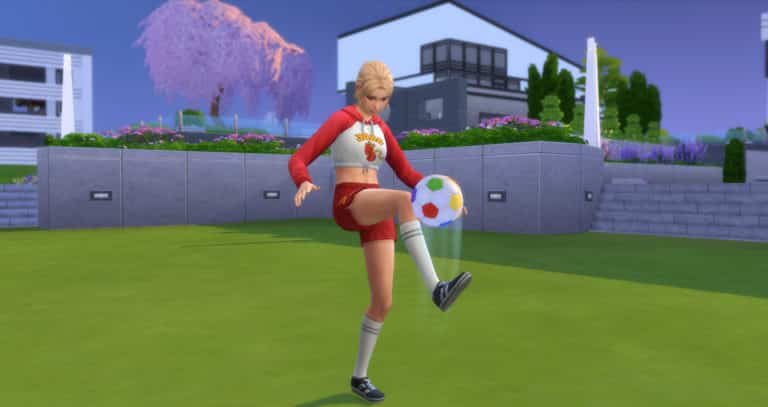
As with any career, your Sim can join the Soccer Team career simply by sitting down at a laptop, computer, using their cell phone or by the career tab on the user interface. You will then be given the option to choose which of the two new careers you would like your Sim to join. You can also click on the Foxbury Arena and Join a Sports Team.
Trainee
Schedule – Mon, Tues, Wed, Thurs, Fri 6 pm-9 pm
Advancement Tasks – Reach Level 2 Fitness Skill & Make 2 Friends with Teammates
Bonus – MVP! MVP! Soccer Trophy (this can be found in your Sims inventory)
Note: Each level of the Soccer Team Career has a daily task that is required to be completed every day to help your Sim advance to the next promotion. These tasks vary from day to day.
Future Opportunities
Being a part of the starting line up on the University Soccer Team also opens up the Professional Athlete branch of the Athlete Career for your Sims. This higher starting point means your Sims can jump straight into this profession. Your Sim will also receive a higher hourly rate, easier promotion opportunities and extra vacation days.
Soccer Games
Every Friday the Foxbury Arena will host the weekly Soccer game. These start at 6 pm and tickets are available to purchase at the start of the match from the arena. Tickets cost $45 and any Sim can attend.
Soccer Match Schedule
Foxbury Institute Arena – Friday at 6 pm
Ubrite Arena – Saturday at 6 pm
Sims that are due to play in the Soccer match will attend the match as if they were attending a shift at work and you can control how they perform by clicking on the two little Sims displayed on your Sim at the bottom of the user interface.
Every now and then you may receive a pop up to help influence an aspect of the match i.e – Whether a teammate should make a pass to your Sim or to another Sim.
Once the game is over you will be told how the match ended in the Notification Wall.
Whether you are Team Foxbury or Team UBrite head on down to the Arena and cheer for your favourite team!
Possibly one of the most exciting new additions with The Sims 4 Discover University is Servo! What is Servo, you ask? Well, in technical terms, Servo is a Sim! A robot Sim, specifically. That’s right! Servo is a fully playable life state in the game, just like Aliens, Vampires, Mermaids, and Spellcasters. Add Servo to your household and play with Servo just like any other Sim!
Guide to The Sims 4 Robots
Servo Biology
Unlike other life states, Servo cannot be created directly in CAS. This is largely due to the fact that Servo is meant to be a high level reward for the Robotics skill. Being able to create Servo in CAS would take away a huge gameplay portion of the Robotics skill. Servo also cannot wear clothes or change the physical structure of her appearance; only her colours, which can be changed in Live Mode. Servo’s traits and aspiration can also be changed directly in Live Mode, so there is no real need to be able to edit Servo in CAS. If the player wishes to add a Servo to the household immediately, a Servo can be purchased in Build/Buy after unlocking the debug menu with the bb.showhiddenobjects cheat.
All Servo are classified as Young Adults, but are immortal and will never age. Servo cannot die from old age. There are no teen, child, or toddler Servo and no Servo babies. However, Servo can still die! If Servo breaks down and is not repaired for a certain length of time, Servo will become scrap metal and be gone forever. Servo even has her own tombstone and urn! Servo also has her own special plumbob that features gears etched into a metal ring.
Servo can be programmed to be male or female upon activation. Since my Servo in the game is female, I’ll be using female pronouns in this guide by default, but you can absolutely have a male Servo as well!
Servo can WooHoo with Sims, but cannot Try for Baby. Due to Servo’s mechanical makeup, she is unable to produce biological children; however, Servo can adopt human children via the computer and raise them as her own. Any children adopted by Servo will become Servo’s children both on the family tree and in the Relationships panel, so this is a good way for Servo to raise a family in spite of her biological restrictions.
Servo has four motives: Fun, Social, Durability, and Battery Charge. Servo does not need to eat, bathe, or use the toilet. Sims can tell Servo to recharge when her battery is low, or Servo can recharge herself. While Servo is recharging, she will stop where she is and go into stasis where she will be unable to do anything for a period of time. Recharging is Servo’s equivalent of sleep. When Servo’s Durability motive is low, Sims can perform Tune Ups on Servo. If Servo has been Enhanced, Servo can also perform Tune Ups on herself. Don’t allow Servo’s Durability motive to deplete or Servo will break down and need to be repaired. A Servo that has not undergone any Enhancements will not be self-sufficient and will require a Sim with Robotics skill in the household to do Tune Ups. With enough Enhancements, Servo can become completely self-sufficient and perform all maintenance on herself.
Servo is NOT immune to water! Do not send Servo swimming or tell Servo to bathe. If Seasons is installed, do not let Servo go out in the rain without an umbrella. Water will cause Servo to break down and possibly die if Servo is not repaired soon enough. Servo cannot be enhanced or upgraded to be immune to water. All Servo will always be vulnerable to water.
How To Make A Servo Robot in The Sims 4
If you want a Sims 4 Robot Servo to become a member of your household, your Sim will need to invest a lot of time into the Robotics skill. Sims can build Servo on the Robotics Workstation at level 8 of the Robotics skill. Servo requires a lot of different parts in order to be constructed:
Electronic Upgrade Part (x10)
Common Upgrade Part (x15)
Kitchen Upgrade Part (x5)
Plumbing Upgrade Part (x2)
Mechanism (x18)
Computer Chip (x12)
Robot Salvage Part (x75)
Once a skilled Sim has all the required parts, they can begin constructing Servo on the Robotics Workstation. Constructing Servo takes quite a bit of time, but when completed, you can click on Servo to sell her or you can activate Servo. If you choose to sell Servo, she’ll disappear and simoleons will be added to your household.
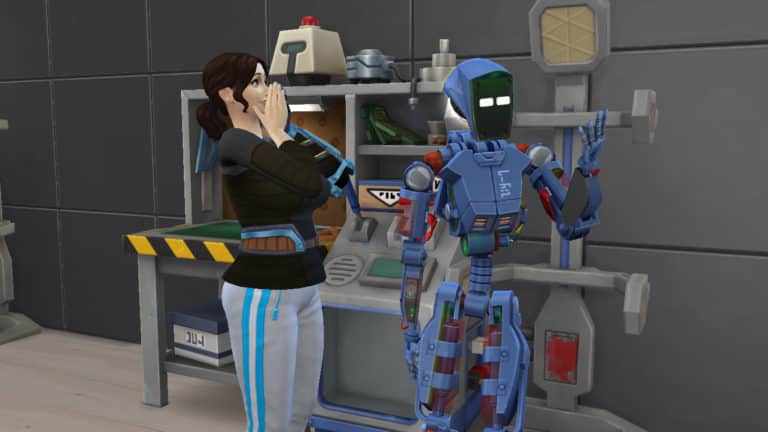
If you choose to activate Servo, your Sim will inject Servo with a large jolt of electricity and Servo will come to life! There is a very cute animation between Servo and your Sim when this happens. Once activated, Servo becomes a fully playable member of your household. Activating Servo will prompt you to select Servo’s programmed gender. Servo also starts out with level 3 Robotics skill.
By default, all Servo are called Servo Bot, but you can change Servo’s name by clicking on Servo and selecting the Servo options in the social pie menu. Servo will activate with randomly assigned traits which can also be reprogrammed by clicking on Servo. Change Servo’s aspiration the same way you would a normal Sim; through the Aspiration info panel.
Servo’s colours can also be changed by selecting Change Appearance in the Servo social menu options. There are six different colour variants you can select for Servo:
Black and Blue
Gold and Brown
Grey and Brown
Red and Green
Silver and Grey
White and Beige
Once Servo is customised to your liking, it’s time for Servo to go forth and live a life!
Sims 4 Servo Abilities
Servo can do anything a regular Sim can do (except water-related activities and Try for Baby). Servo can build relationships and skills, WooHoo, get married, go to university, get a job, raise an (adopted) family, and just about anything else you can think of that a normal human Sim would be able to do.
But of course, Servo wouldn’t be all that special if she could only do things a regular Sim can do. So what else can Servo do?
Scan Sims to find out all of their traits at once
Scan Sims to find out the Sim’s current emotional state
Toggle between hover mode and a regular walk style
“Discuss Important Robot Things” with Utili-Bots, which gives any nearby Sims a Tense “They’re Planning Something!” moodlet
Zap Sims, which will cause them to run away
Wait, that’s it? That’s lame! Or… it would be if Servo Enhancements weren’t a thing. Servo Enhancements are so detailed that they get two sections of this guide all to themselves! Servo Enhancement and Behaviour Modules.
Servo Enhancement and Upgrades
Servo Enhancement is technically a third skill that comes with Discover University; however, it is a hidden skill that only Servo can learn. Sims can perform enhancements on Servo, or Servo can perform self-enhancements.
Because Servo starts out as a brand new creation who is unfamiliar with the world, she needs to gain knowledge about the world in order to enhance her knowledge. Servo can make progress towards her next enhancement level by learning skills. Servo can also gain progress towards the next Enhancement level by Downloading Enhancement Data from the global Servo servers. Servo will go into stasis while downloading data and will stay that way until Servo becomes too Uncomfortable or until the player cancels the action. Check on Servo’s Enhancement Progress by clicking on Servo.
Enhancing Servo will unlock new behaviour modules for Servo, as well as improve her battery charge and durability decay rates. Servo can also learn how to become more self-sufficient by repairing and maintaining herself.
There are a total of 10 enhancements levels that offer new abilities and benefits to Servo:
Level 1
Increase Charge gain by 10%
Ability to Download Enhancement Data from the global Servo servers
Level 2
Durability decay decrease: 10%
New Behaviour Modules
Level 3
Gain skills 10% faster
Can self-repair
New Behaviour Modules
Level 4
Improve battery life by 10%
New Behaviour Modules
Ability to toggle Behaviour Modules on or off
Level 5
Increase Charge speed by 25%
Level 6
Improve Durability by 25%
New Behaviour Modules
Level 7
Gain skills 25% faster
Level 8
Decrease Charge decay by 25%
New Behaviour Modules
Level 9
Gain skills 50% faster
Level 10
Increase Charge speed by 50%
New Behaviour Modules
Behaviour Modules
Behaviour Modules are added functions Servo can learn which dictates Servo’s autonomous behaviour. Behaviour Modules tell Servo which tasks to prioritize. Behaviour Modules do not affect what Servo can do while you are actively playing with Servo; they only guide Servo’s autonomous actions when the Servo is not the active Sim.
There are six different Behaviour Modules. Servo can toggle Behaviour Modules on and off at Enhancement Level 4.
Eco-Friendly Tech: Prioritizes gardening tasks for Servo. Be careful not to have this Behaviour Module activated while it’s raining if Seasons is installed; Servo will attempt to garden in the rain, which will cause Servo to break down.
Fix-O-Matic: This prioritizes repair tasks for Servo. Servo will autonomously repair any broken objects and Utili-Bots on the lot.
Parameterize and Sanitize: Prioritizes cleaning tasks for Servo. Servo will autonomously clean any dirty objects on the lot, mop up puddles, and pick up trash.
Party Machine: Turns Servo into the ultimate party-goer! Servo will perform the functions of the Party-Bot by playing music, offering food, and keeping the party jumping.
RoboNanny: Prioritizes child care tasks for Servo. Servo will autonomously check on any children on the lot and take care of their needs. Sims can also install this module for Servo at level 9 of the Robotics skill.
Sim Defence Matrix: Turns Servo into your personal bodyguard. If any uninvited guests barge into your personal space, Servo is programmed to go confront them for you. Servo will also deal with annoying paparazzi and pesky vampires if Get Famous and Vampires are installed, respectively. Sims can also install this module for Servo at level 10 of the Robotics skill.
What kinds of stories will you tell with your Servo? Tell us all about it in the comments or come chat with us on social media!
The tradition of releasing brand new theme songs with Expansion Packs for The Sims 4 is still in full force since Cats & Dogs.
The Sims 4 Discover University Expansion Pack comes with a new theme song tune that randomly plays on par with other theme songs after opening up The Sims 4. We’ve extracted this theme song from the game files so you can listen to it!
The Sims 4 Discover University comes with several new Lot Types as well as two new Lot Traits. The great thing about both of these is that they are not completely restricted to being used in the world of Britechester. You can use them in any world providing that both the Lot Traits and Lot Types are compatible with each other. This means you can ultimately extend either University campus as much as you wish across the game.
Lot Types
Foxbury Commons – The Foxbury Commons is a place for students from the Foxbury Institute to get food and study. Between classes, the Foxbury commons hosts a variety of fun activities for students.
UBrite Commons – The UBrite Commons is a place for students from the University of Britechester to get food and study. Between classes, the UBrite commons hosts a variety of fun activities for students.
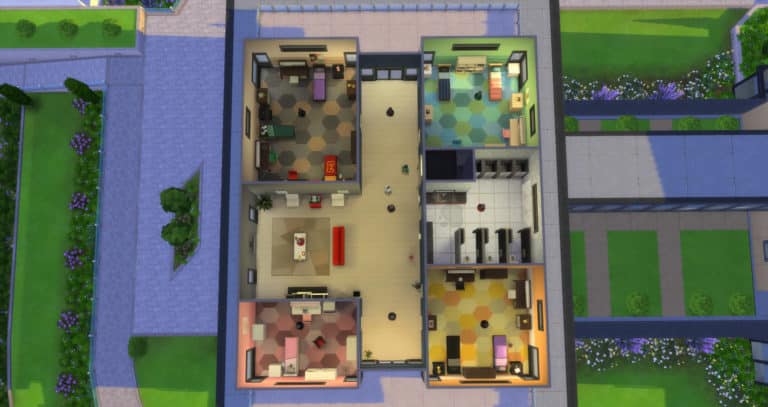
University Housing – University Housing is a place for students to live and rest their head while going to University. Each University Housing can be designated for one of Britechester’s two prestigious universities.
Each Lot Type will have requirements that will be displayed in a drop-down menu in the Lot Info Panel.
With University Housing, you are unable to enter Build/Buy Mode while there are active Sims living there. This is where the University Kiosks come in handy for purchasing a selection of live draggable objects. However, you can edit University Housing if you enable the freebuild cheat (bb.enablefreebuild). If you don’t wish to use the cheat, you will have to move any active Sims out to another lot first.
University Housing also means that depending on the number of beds that are present on the lot, the game will randomly spawn roommates to fill those. The roommates could be super helpful and keep on top of keeping things clean and repair broken objects or they could be very messy and not help with cleaning or repairing objects. You will see a Maid come in once a week who will clean up dirty objects but they will not pick up after messy roommates. You can also call for a Repairman for free if you are in University Housing.
Additionally with the University Housing Lot Type, you can choose the University, any gender restrictions and if there are any affiliations to any Organizations or Get Together Clubs. These settings can be found under the University Housing Configuration Menu which is located next to the Lot Info Panel.
Lot Traits
University Student Hangout – This spot has great prices on food and drink, so the university students are sure to flock to it.
Note: This Lot Trait is not available for Residential, Retail, Spa, Restaurant, Vet Clinic, University Housing or Rental lots.
Study Spot – A great place to enhance one’s mind in pursuit of higher education. Not only will Sims complete their homework faster, but they can study longer without getting mentally exhausted. They’ll also enjoy a slight bonus to all skill-building.
Note: There are no known restrictions for this Lot Trait.
Which lot trait or lot type are you most excited to play with?Let us know in the comments or come chat with us on social media!
The Sims 4 Discover University adds two brand new After School Activities. These are only accessible once your Sim has enrolled at either Foxbury Institute or the University of Britechester.
As with any career, your Sim can join the E-Sports Competitor career simply by sitting down at a laptop, computer, using their cell phone or by the career tab on the user interface. You will then be given the option to choose which of the two new careers you would like your Sim to join. You can also click on the Foxbury Arena and Join a Sports Team.
Practice Squad Member
Schedule – Mon, Tues, Wed, Thurs 6 pm-10 pm
Advancement Tasks – Reach Level 3 Video Gaming Skill
Note: Each level of the E-Sports Competitor Career has a daily task that is required to be completed every day to help your Sim advance to the next promotion. These tasks vary from day to day.
You will also notice that you will periodically receive sponsorship gifts from the Power-Sip Brand. This ranges from posters, drinks, a gaming chair and more.
Future Opportunities
Being a part of the starting line up on the University E-Sports Team also opens up the eSport Gamer branch of the Tech Guru Career for your Sims. This higher starting point means your Sims can jump straight into this profession. Your Sim will also receive a higher hourly rate, easier promotion opportunities and extra vacation days.
E-Sports Matches
Every Saturday the Foxbury Arena will host the weekly E-Sport Match for both the University of Britechester and Foxbury Institute. These start at 6 pm and tickets are available to purchase at the start of the match from the arena. Tickets cost $45 and any Sim can attend.
E-Sports Match Schedule
Ubrite Arena – Friday at 6 pm
Foxbury Institute Arena – Saturday at 6 pm
Sims that are due to play in an E-Sports match will attend the match as if they were attending a shift at work. Once the match is over you will be told how the match went in the Notification Wall.
Whether you are Team Foxbury or Team UBrite head on down to the Arena and cheer for your favourite team!
The Sims Mobile Team has teased another gif over on their Twitter ahead of next weeks big announcement.
Earlier this week in a previous article, we shared the first teaser GIF along with some Tweets from The Sims Mobile team. You can check those out here.
The Engineer Career is just one of three brand new careers that come with The Sims 4 Discover University. The career itself comes with two branches.
As with any career, your Sim can join the Engineer Career simply by sitting down at a laptop/computer, using their cell phone or by the job tab on the user interface. You should keep in mind that if your Sim has completed a degree that relates to the chosen career that your Sim is joining, they have the option to either start at the lowest level or at a higher point in the career. You will also notice that your Sim will receive a higher hourly rate and a signing bonus (which is only awarded once per Sim every seven days) and also more vacation days.
Once you have joined the career you will be greeted with a pop up asking you if you wish to start the first Work From Home Assignment/Work Assignment/Daily Task. You can either start it right away or hold off and do it at a time that suits your Sim better. Just make sure it is completed as soon as possible every time.
Note: If you are not sure what your Sims work from home assignment is or what you need to do you, can head to the Career panel and there will be a section for Work From Home Assignments/Work Assignment. Hover over the required task and it will let you know how to complete it.
When it is time for your first shift you will be presented with another small pop up which asks you if you want your Sim to Go To Work, Work from Home or Take Paid Time Off (PTO). The choice is up to you. If you choose to Go To Work or Work From Home you will still be working towards your Sims next promotion. If you choose to Take PTO your Sim can go about their day however they please. If you choose to Work From Home make sure you check the Career Panel to see what tasks your Sim needs to complete during the day.
The Engineer Career divides into two different branches which are either the Computer Engineer branch or the Mechanical Engineer branch. You can choose either one and see where it takes your Sim.
Once your Sim earns the PC Prodigy promotion, there will be no further promotions. However, your Sim can periodically earn a bonus and also a raise that will increase their hourly rate over time based on their performance.
Once your Sim earns the Master of Machines promotion, there will be no further promotions. However, your Sim can periodically earn a bonus and also a raise that will increase their hourly rate over time based on their performance.
Additional Notes
Using a computer or laptop will allow your Sim to access career-specific interactions. These can be found via the Careers menu followed by the Engineer Career sub-menu.
It is worth investing in one of Dr F’s Official Robotics Workstation for $1,100 as the majority of the promotion rewards will be accessible through this object.
There is one Create A Sim rewards in this career and there are also two new Buy Mode objects that unlock during the career which you will find below.
11 13 19 9 02 28 PM
11 13 19 3 28 55 PM
Lets us know what you think about the Engineer Career in the comments below!
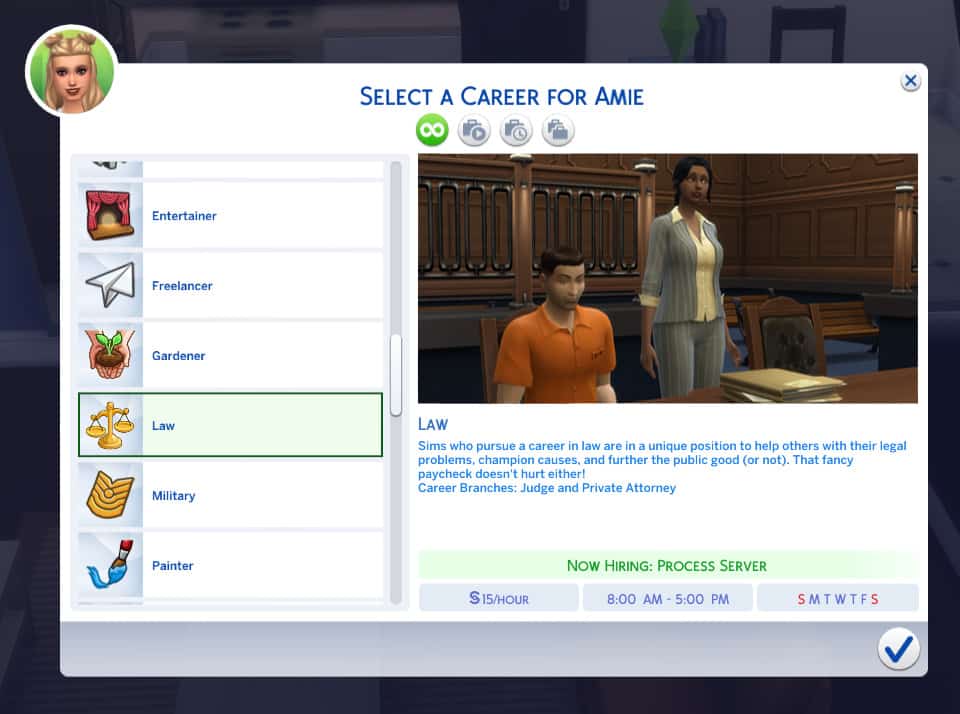
The Law Career is just one of three brand new careers that come with The Sims 4 Discover University. The career itself comes with two branches.
As with any career, your Sim can join the Engineer Career simply by sitting down at a laptop/computer, using their cell phone or by the job tab on the user interface. You should keep in mind that if your Sim has completed a degree that relates to the chosen career that your Sim is joining, they have the option to either start at the lowest level or at a higher point in the career. You will also notice that your Sim will receive a higher hourly rate and a signing bonus (which is only awarded once per Sim every seven days) and also more vacation days.
Once you have joined the career you will be greeted with a pop up asking you if you wish to start the first Work From Home Assignment/Work Assignment/Daily Task. You can either start it right away or hold off and do it at a time that suits your Sim better. Just make sure it is completed as soon as possible every time.
Note: If you are not sure what your Sims work from home assignment is or what you need to do you, can head to the Career panel and there will be a section for Work From Home Assignments/Work Assignment. Hover over the required task and it will let you know how to complete it.
When it is time for your first shift you will be presented with another small pop up which asks you if you want your Sim to Go To Work, Work from Home or Take Paid Time Off (PTO). The choice is up to you. If you choose to Go To Work or Work From Home you will still be working towards your Sims next promotion. If you choose to Take PTO your Sim can go about their day however they please. If you choose to Work From Home make sure you check the Career Panel to see what tasks your Sim needs to complete during the day.
Process Server
Hourly Rate – $15
Schedule – Mon, Tues, Wed, Thurs, Fri 8 am-5 pm
File Clerk
Hourly Rate – $18
Schedule – Mon, Tues, Wed, Thurs, Fri 8 am-5 pm
Promotion Tasks – Reach Level 2 Research & Debate Skill
Bonus – $150 & Legal Case Files
Legal Secretary
Hourly Rate – $22
Schedule – Mon, Tues, Wed, Thurs, Fri 8 am-5 pm
Promotion Tasks – Reach Level 3 Research & Debate Skill
Bonus – $200 & Chat about Scandalous Lawsuit Interaction
The Law Career divides into two different branches which are either the Judge branch or the Private Attorney branch. You can choose either one and see where it takes your Sim.
Bonus – $1200 & New Clothes. Your Sim will also unlock the following interactions: Read Pleadings, Research Legal Issues and Visit University Law Class.
Once your Sim becomes earns the Chief of Justice promotion, there will be no further promotions. However, your Sim can periodically earn a bonus and also a raise that will increase their hourly rate over time based on their performance.
Bonus – $1450 & New Clothes. Your Sim will also unlock the following interactions: Craft Legal Argument, Research Case Law, Discuss Complex Case Law and Visit University Law Class.
Once your Sim becomes earns the Preeminent Partner promotion, there will be no further promotions. However, your Sim can periodically earn a bonus and also a raise that will increase their hourly rate over time based on their performance.
Additional Notes
Using a computer or laptop will allow your Sim to access career-specific interactions. These can be found via the Careers menu followed by the Law Career sub-menu.
To complete the Work From Home Assignment for this career, your Sim will need to use an Electromagnetic Research Archive Machine. These can be found in the Student Commons or you can purchase one from Buy Mode.
There are several new Create A Sim items that unlock during the career which can be found below.
11 13 19 1 39 22 PM
11 13 19 1 40 00 PM
11 13 19 1 39 41 PM
As well as the new Create A Sim items there are also several new Buy Mode items which you can find below.
Let us know what you think of the new Law Career below in the comments!
The Education Career is just one of three brand new careers that come with The Sims 4 Discover University. The career itself comes with two branches.
As with any career, your Sim can join the Engineer Career simply by sitting down at a laptop/computer, using their cell phone or by the job tab on the user interface. You should keep in mind that if your Sim has completed a degree that relates to the chosen career that your Sim is joining, they have the option to either start at the lowest level or at a higher point in the career. You will also notice that your Sim will receive a higher hourly rate and a signing bonus (which is only awarded once per Sim every seven days) and also more vacation days.
Once you have joined the career you will be greeted with a pop up asking you if you wish to start the first Work From Home Assignment/Work Assignment/Daily Task. You can either start it right away or hold off and do it at a time that suits your Sim better. Just make sure it is completed as soon as possible every time.
Note: If you are not sure what your Sims work from home assignment is or what you need to do you, can head to the Career panel and there will be a section for Work From Home Assignments/Work Assignment. Hover over the required task and it will let you know how to complete it.
When it is time for your first shift you will be presented with another small pop up which asks you if you want your Sim to Go To Work, Work from Home or Take Paid Time Off (PTO). The choice is up to you. If you choose to Go To Work or Work From Home you will still be working towards your Sims next promotion. If you choose to Take PTO your Sim can go about their day however they please. If you choose to Work From Home make sure you check the Career Panel to see what tasks your Sim needs to complete during the day.
Substitute Teacher
Hourly Rate – $22
Schedule – Mon, Tues, Weds, Thurs, Fri 8 am-4 pm
Teaching Assistant
Hourly Rate – $32
Schedule – Mon, Tues, Weds, Thurs, Fri 8 am-4 pm
Promotion Tasks – Reach Level 2 research and Debate Skill
Bonus – $425 & A is for Apple Clock
Teacher
Hourly Rate -$38
Schedule – Mon, Tues, Weds, Thurs, Fri 8 am-4 pm
Promotion Tasks – Reach Level 3 research and Debate Skill
Bonus – $475 & The Teacher’s Desk
Mentor Teacher
Hourly Rate -$44
Schedule – Mon, Tues, Weds, Thurs, Fri 8 am-4 pm
Promotion Tasks – Reach Level 4 research and Debate Skill & Reach Level 2 Logic Skill
Bonus – $525 & The World Is Your Oyster
Department Head
Hourly Rate -$56
Schedule – Mon, Tues, Weds, Thurs, Fri 8 am-4 pm
Promotion Tasks – Reach Level 5 research and Debate Skill & Reach Level 2 Charisma Skill
Bonus – $595
The Education Career divides into two different branches which are either the Administrator branch or the Professor branch. You can choose either one and see where it takes your Sim.
Administrator Branch
Student Services Officer
Hourly Rate -$100
Schedule – Mon, Tues, Weds, Thurs, Fri 9 am-5 pm
Promotion Tasks – Reach Level 6 research and Debate Skill & Reach Level 3 Charisma Skill
Bonus – $1000 & the following interactions Review Budget Proposals, Ask for Donation, Plan Agenda for Faculty Meeting and Write Grants.
Dean of Admissions
Hourly Rate – $125
Schedule – Mon, Tues, Weds, Thurs, Fri 9 am-5 pm
Promotion Tasks – Reach Level 7 research and Debate Skill & Reach Level 4 Charisma Skill
Bonus – $3,500
Director of Academics
Hourly Rate – $170
Schedule – Mon, Tues, Weds, Thurs, Fri 9 am-5 pm
Promotion Tasks – Reach Level 8 research and Debate Skill & Reach Level 5 Charisma Skill
Bonus – $2,500 & Memories of Graduation
Vice-Chancellor
Hourly Rate – $225
Schedule – Tues, Weds, Thurs, Fri 10 am-4 pm
Promotion Tasks – Reach Level 9 research and Debate Skill & Reach Level 6 Charisma Skill
Bonus – $3,200
Head Chancellor
Hourly Rate – $325
Schedule – Tues, Weds, Thurs 10 am-4 pm
Promotion Tasks – Reach Level 9 research and Debate Skill & Reach Level 6 Charisma Skill
Bonus – $3,150 & Learning Embetterment Award
Once your Sim becomes earns the Head Chancellor promotion, there will be no further promotions. However, your Sim can earn a raise that will increase their hourly rate over time.
Professor Branch
Inspired Instructor
Hourly Rate – $72
Schedule – Mon, Tues, Weds, Fri 9 am-4 pm
Promotion Tasks – Reach Level 6 research and Debate Skill & Reach Level 3 Logic Skill
Bonus – $975 & New Clothes
Lead Lecturer
Hourly Rate – $110
Schedule – Mon, Tues, Thurs, Fri 9 am-4 pm
Promotion Tasks – Reach Level 7 research and Debate Skill & Reach Level 4 Logic Skill
Bonus – $1250
Adjunct Professor
Hourly Rate – $135
Schedule – Mon, Tues, Wed, Fri 9 am-4 pm
Promotion Tasks – Reach Level 8 research and Debate Skill & Reach Level 5 Logic Skill
Bonus – $2250
Tenured Professor
Hourly Rate – $175
Schedule – Tues, Wed, Thurs 10 am-4 pm
Promotion Tasks – Reach Level 9 research and Debate Skill & Reach Level 6 Logic Skill
Bonus – $2850
Master Educator
Hourly Rate – $265
Schedule – Tues, Wed, Thurs 10 am-4 pm
Promotion Tasks – Reach Level 9 research and Debate Skill & Reach Level 6 Logic Skill
Bonus – $3150 & Learning Embetterment Award
Once your Sim becomes earns the Master Educator promotion, there will be no further promotions. However, your Sim can earn a raise that will increase their hourly rate over time.
Additional Notes
Using a computer or laptop will allow your Sims to access the Education Career Sub-menu in the Careers menu. This allows you to write a letter of recommendation and create a lesson plan. You can also Tutor a student online about a variety of subjects including Arts, Communication, Entertainment, Health and Technology. These are unlocked when you first join the Education Career and your Sim can do any of these interactions while they work their way up the career ladder. You will also unlock more interactions the further through the career your Sim gets.
In your Sims’ Inventory, you will find the Teacher’s Padfolio of Student Homework that allows you to grade student’s homework.
There is one new Create A Sim Jacket that is unlocked with the Education Career.
There are also several new Buy Mode objects that are unlocked with the Education Career.
Let us know what you think about the new Education Career below in the comments!
While it’s important to do well in your classes at university, school is not the only thing university students have to focus on. Students looking to strike a balance between work and play (or maybe neglect work in favour of more play) might be interested in joining an organisation. Organisations are like school clubs that offer your Sims a chance to make friends while learning new skills and unlocking benefits that can help them both academically and socially.
Each school has three organisations to choose from, as well as a “hidden” seventh organisation, which is the secret society that students from either school can join.
Joining an Organisation
Sims can join an organisation by finding members of that organisation and asking them to join after introducing themselves. Organisation members can be found all around both campuses during organisation events, so keep an eye out and don’t be shy about joining in on these events and getting to know the members.
Sims can be part of multiple organisations, but remember that organisations can be time consuming. It’s all about finding a balance between school and other activities. Make sure your Sim isn’t biting off more than they can chew.
Organisation Events
Every organisation has its own events that happen regularly around campus. There are minor events which your Sim won’t be notified about but can stumble across randomly while exploring campus. There are also large events for each organisation, which all Sims will be notified about. Sims who are part of an organisation can see all of their organisation’s event times in the social group info panel.
Sims don’t need to be part of an organisation to participate in that organisation’s events, so feel free to join in on any of the organisation activities you find happening around campus. This can be a good way to socialise and build a few extra skills without making a huge time commitment to a specific organisation.
There are also a few minor events that are not affiliated with an organisation, like Mixer Nights at the Commons, where Sims from both universities get together to mingle. Sims will be notified about these inter-school events.
Organisation Levels and Tasks
Each organisation has three membership levels. Sims start out as a New Member in any organisation they join. Members can increase their rank in the organisation by completing tasks and participating in organisation events. Organisations have their own tasks to complete, much like careers, but the difference here is that organisation tasks can be completed at your Sim’s leisure and there is no penalty for failing to complete an organisation task. Participate in organisations as much or as little as you like, but Sims who excel in organisations can receive a variety of benefits at higher levels within the organisation.
There is no rush to rise in membership ranks; your progress in an organisation carries over into the next term. You have your entire university career to work on becoming a Senior Member of your organisation.
Clubs vs. Organisations
For players who have the Get Together expansion pack installed, Organisations will be in the same panel as Clubs, but under separate tabs. This is because Organizations and Clubs function independently of each other. They are not the same thing. Clubs function differently than Organisations. Unlike Clubs, you cannot create your own Organisations. Sims must join an existing Organisation and participate in its unique activities and events. Sims must be enrolled in university in order to join an Organisation.
However, if Get Together is installed, there is nothing stopping you from creating your own clubs focused on University-related activities. They will just be treated as standard clubs rather than Organisations with membership tiers and benefits.
UBrite Organisations
The Debate Guild
Use your power of convincing to rise in the ranks of the unabashedly outspoken Debate Guild. Think that was a mouthful? There’s more to come. Drop some serious schooling to fellow Debate Guild Members at Debate Practice or leverage the Debate Showdown to tell the world what’s up.
Events
Debate Practice
Location: UBrite Commons
Times: Tuesdays and Wednesdays from 4-8PM
Debate Guild Bar Night
Location: The Local Bar
Times: Thursdays from 8PM-12AM
Debate Showdown
Location: UBrite Outdoor Quad
Times: Saturdays from 8AM-2PM
Membership Benefits
New Member
Organisation t-shirt
Organisation poster
Seasoned Member
Ability to earn extra credit for Communications, History, Language, Psychology, and Economics classes when participating in Debate Guild events
Senior Member
Debate Guild jacket
TY84 Gold Plus Research Archive Machine
Ability to convince professor to Increase Grade, Give Study Tips, Give Homework Help
UBrite Spirit Corps
The Britechester Spirit Corps has a mission to spread the joy of school cheer in everything they do. They help to make Britechester shine just a bit brighter every day with wholesome high-fives, pepping up other Sims, and taunting that loathed Foxbury Lobster.
Events
Britechester Game Day Party
Location: Outdoor UBrite Quad
Times: Fridays and Saturdays from 3-7PM
Spirit Corps Bar Night
Location: The Local Bar
Times: Saturdays from 10PM-2AM
Creativity Celebration
Location: Outdoor UBrite Quad
Times: Sundays from 3-9PM
Membership Benefits
New Member
Organisation t-shirt
Organisation poster
Seasoned Member
Ability to perform the UBrite Greeting
Senior Member
UBrite Dragon Mascot Outfit
Dragon Pong!
Art Society
Are you consumed by the insatiable need to create? You’re not alone! Share that passion with your comrades in the Art Society. Earn Organisation progress in your spare time by doing creative Tasks.
Events
Figure Painting
Location: Canal by UBrite Commons
Times: Mondays and Thursdays from 3-7PM. Sundays from 10AM-2PM
Art Society Bar Night
Location: The Local Bar
Times: Tuesdays from 8PM-12AM
Membership Benefits
New Member
Organisation t-shirt
Organisation poster
Seasoned Member
Ability to earn extra credit for Fine Art and Art History classes when participating in Art Society events
Senior Member
Rob Russ’ Happy Little Easel
Gain Creative Skills at a greater rate
Foxbury Institute Organisations
Bot Savants
Tinker alone or tinker with friends! Bot Savants have regular meetups to build robots together or celebrate their latest creations. Gain robo cred on the side and earn Organisation points by doing Robotics Tasks in your free time.
Events
Bot Savants Bar Night
Location: The Local Bar
Times: Mondays from 8PM-12AM
Robot Building Meetup
Location: Foxbury Commons
Times: Tuesdays and Thursdays from 7-11PM
Utili-Bot Contest
Location: Foxbury Outdoor Quad
Times: Sundays from 12-6PM
Membership Benefits
New Member
Organisation t-shirt
Organisation poster
Seasoned Member
Ability to earn extra credit for Computer Science, Physics, and Villainy classes when participating in Bot Savant events
Senior Member
Party-Bot Gold Edition
Gain Robotics Skill at a greater rate
Robotics Upgrades cost significantly less
Foxbury Spirit Squad
Party lightly with School Spirit Day or party hard with the Game Day Party! Expect your school’s Lobster Mascot or the juice keg to make an appearance at one or both of these gatherings.
Events
Foxbury Spirit Squad Bar Night!
Location: The Local Bar
Times: Wednesdays from 8PM-12AM. Sundays from 6-10PM
Foxbury Game Day Party
Location: Foxbury Outdoor Quad
Times: Fridays from 3-7PM
School Spirit Day
Location: Foxbury Institute
Times: Saturdays from 11AM-5PM
Membership Benefits
New Member
Organisation t-shirt
Organisation poster
Seasoned Member
Ability to perform the Foxbury Greeting
Senior Member
Foxbury Pincers Mascot Outfit
Ping! Pincers! Pong!
The Brainiacs
The growing brain needs food. And that’s no exception for The Brainiacs. This knowledge-hungry and over-achieving Organisation meets up for regular Study Sessions at the Library. Gain extra-curricular Brainiac points by completing Organisation Tasks.
Events
Study Session
Location: Library
Times: Mondays, Tuesdays, Wednesdays, and Thursdays from 3-7PM
Brainiacs Bar Night
Location: The Local Bar
Times: Fridays from 8PM-12AM
Membership Benefits
New Member
Organisation t-shirt
Organisation poster
Seasoned Member
Ability to earn extra credit for ALL classes when participating in Brainiacs events
Senior Member
Brainiacs Plaque
Gain Mental Skills at a greater rate
The Secret Society
STOP! SPOILER WARNING!
The following section contains major spoilers about the Secret Society’s events, membership ranks, and rewards. It also details how to join the Secret Society. If you want to find all this out on your own, don’t continue reading. This is the last section of the guide, so you will not miss out on any other important info.
The Order of Enchantment
The secret of the sprites has been held precious for generations. It is truly a gift to be awoken to their blessings. Bestow the sprites with respect (or sweets) and they will graciously return the favour. Snub them and things may not go as well for you.
Events
Sprite Celebration Ritual
Location: Ritual Grounds in Gibbs Hill
Times: Wednesdays, Fridays, and Sundays from 10PM-2AM
Membership Benefits
New Member
Rank 1 Order Robes
Order Masks
Seasoned Member
Rank 2 Order Robes
Ability to perform Sprite Attacks on others
Senior Member
Rank 3 Order Robes
Ability to Summon powerful Sprites on yourself
PSST!Joining The Order of Enchantment is different than joining the other Organisations. It’s not as easy as just introducing yourself to a member and asking them to join. If it was, it wouldn’t really be a “secret” society, would it?
We managed to get our Sim into this elusive Organisation by having her offer Excellent quality baked goods at the university statues, which gave her a Surreal Focus moodlet. When our Sim returned home, all she had to do was wait. Organisation members showed up at her dorm while she was sleeping and invited her to join their ranks. Other Excellent quality foods and collectibles should work, too.
Which organisation will your Sim be joining? Let us know in the comments or come chat with us on social media!
It’s that time again! The Sims 4 Discover University is nearly here and it is time to take a look at just a few of the new features that are included in the expansion pack. There is so much to explore and discover in this expansion pack that it was hard to choose which ones we wanted to share in this article.
Britechester
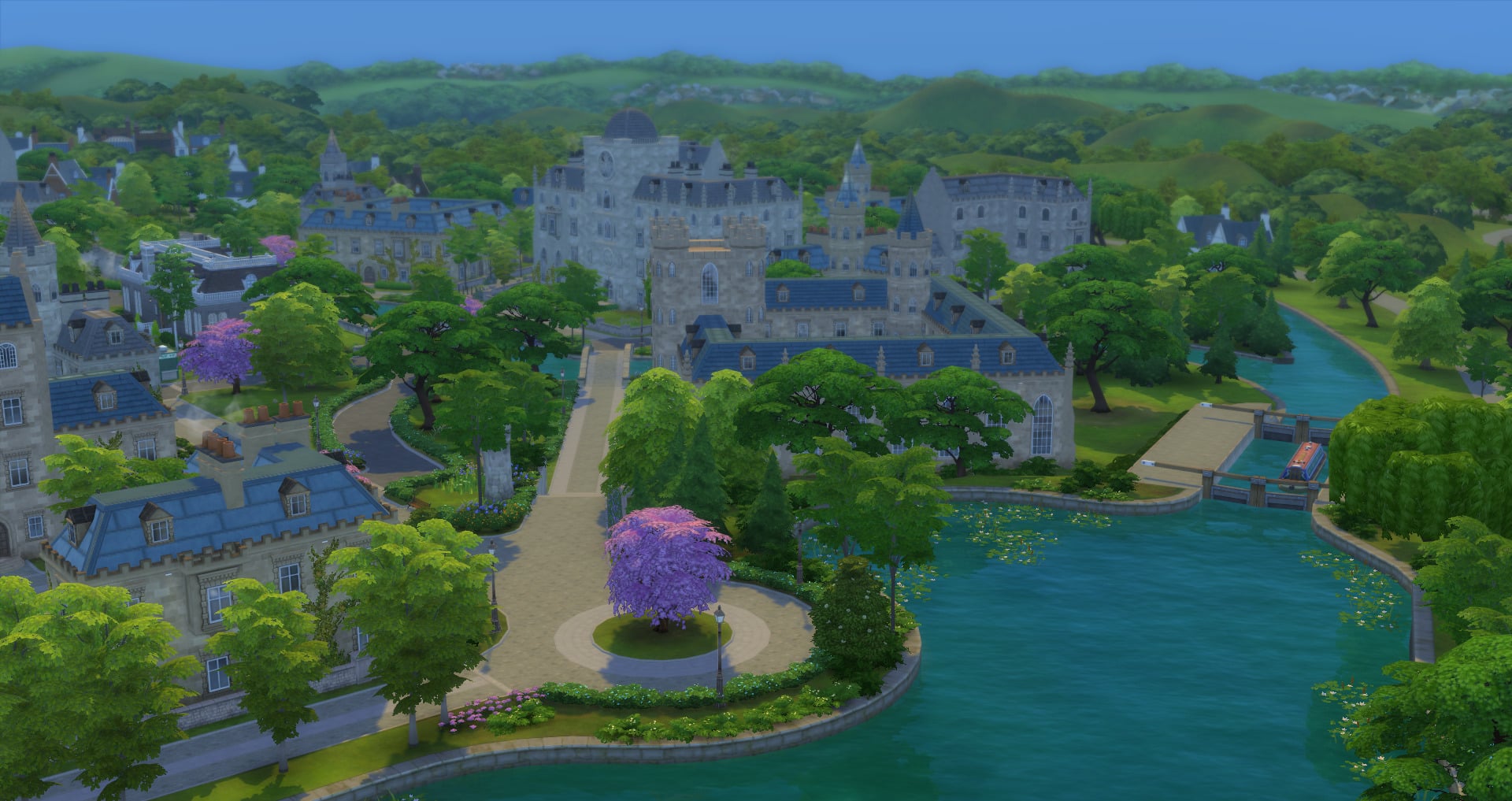
The historical town of Britechester offers something for everyone. Whether you are a Foxbury Institute Student, a University of Britechester Student or even just a resident of Britechester there is something for everyone. You can find out more about Britechester here.
11 14 19 11 50 21 AM
11 14 19 11 59 44 AM
11 14 19 12 01 45 PM
Don’t forget to look out for the new opening swimming areas too!
Univerisity of Britechester
Home of Darby the Dragon, UBrite students take on a more classical approach to higher education with more arts-based degrees.
Foxbury Institute
Home of Larry the Lobster, Foxbury Institute specialises in science-based degrees. Foxbury Institute strives on supporting Sims’ personal passions!
New Careers
There are three new Careers that come with The Sims 4 Discover University. These are the Law, Education and Engineering Careers. Your Sims can also work while studying meaning your Sims can live a relatively normal life outside of university.
Sports Teams
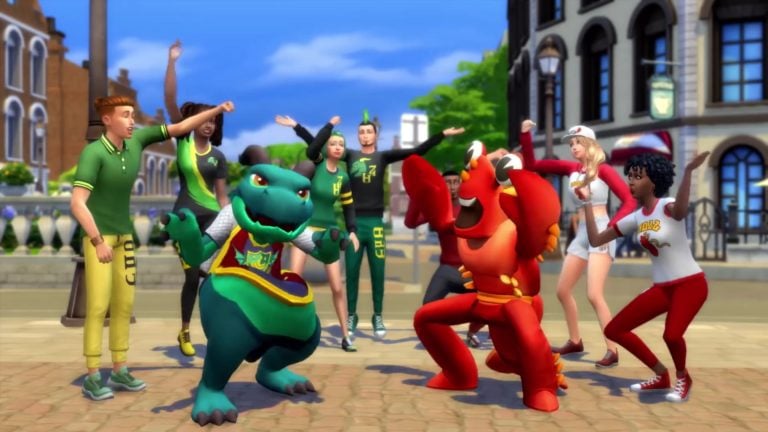
As a University Student, you are able to join either the E-Sports Team or the Soccer Team. These are primarily classed as after school activities but they are also a great way to build up specific skills and interact with other students with similar interests. Don’t forget to keep a lookout for Larry and Darby too!
Servo’s and Utili-Bots
Servo is back and not without a few new Utili-Bot friends!
There is plenty to explore in regards to robotics from building your own Servo, creating Utili-bots, Crafting Cybernetics and much more!
11 14 19 11 00 02 AM
11 14 19 11 19 31 AM
We might be biased but we love Party-Bot!
Roommates
Being at University means living with Roommates. In fact, your Sim can even advertise for Roommates even if they want providing, they don’t live in University Housing. While you aren’t able to choose your Roommates if you live in University Housing, you are able to potentially find your perfect roommate if you live off-campus!
Bicycles
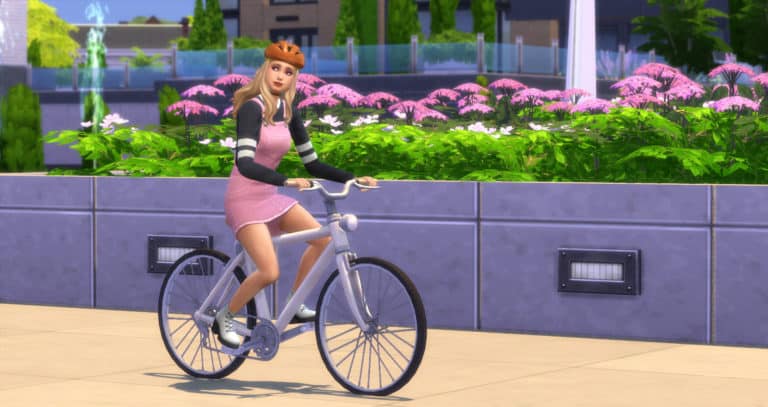
The perfect way to get around Campus is definitely on two wheels! In fact, why not use your Bicycle to head into Gibbs Hill or even when you are visiting one of the other worlds?
Organisations & Events
Like most universities, there is always an event of some kind happening on one of the two campuses. Whether your Sim attends a Foxbury Spirit Squad event or you take part in a Figure Painting event run by The Art Society there is plenty on offer. Why not join one of the many organisations too while you are at it?
You can keep up to date with when events are happening via the Social Groups panel.
Secret Society
This secretive group appear every now and then at night but who they really are or how you join them really is a mystery to most in Britechester!
There is plenty to explore in the world of Britechester and both university campuses. This is just some of the many features that come with the new expansion pack. There is definitely plenty more to discover too!
Don’t forget to let us know what you are most excited to check out in The Sims 4 Discover University Expansion Pack and you can find more articles about Discover University in our dedicated section of the site here.
Today we will be celebrating the launch of The Sims 4 Discover University Expansion Pack by throwing a live launch party!
Join us as we count down to the official release of the pack in Europe and North America. The stream is set to begin at 9PM CET / 8PM BT / 12PM PT and will last for more than 10 hours! For more information about the release of the pack, click here!
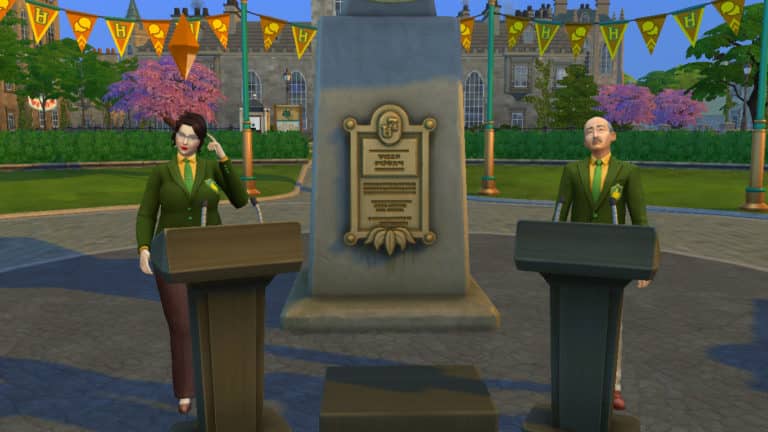
The Research & Debate skill is a new 10-level skill that comes with The Sims 4: Discover University. Sims will learn the power of persuasion and the importance of doing their research with this skill, which will come in handy for coursework, debates, and convincing other Sims to do various tasks.
Leveling up in this skill will help your Sims win debates, so Sims involved in UBrite’s Debate Guild organization will want to focus on building this skill. Any academically-inclined Sims will benefit from this skill, as it will allow them to finish homework and write term papers faster. Mischievous Sims may have an interest in building this skill in order to convince other Sims to do all kinds of tasks for them, from cleaning and cooking to doing their homework for them.
The Research & Debate Skill is built by researching topics on the research machine and practicing debates either at a debate podium or in the mirror. Researching the Secret Society and Urban Legends does not build the Research & Debate skill.
Research & Debate Skill Levels
Level 1
Can use the research machine to research some limited topics
Can use a mirror to practice debating
Level 2
Can read books faster
Can debate with other Sims at the debate podium
Level 3
Can complete homework faster
Prepare for Debate on the research machine
Convince other Sims: Bathe, Do Keg Stand
Level 4
Greater study progress while studying
Research more topics on the research machine
Level 5
Convince other Sims: Do Homework for Sim, Cook
Level 6
Can complete presentations and term papers faster
Contribute Knowledge on research machines for simoleons
Level 7
Convince other Sims: Clean
Can convince roommate to stay if roommate is thinking of leaving the house
Level 8
Write and publish research papers on the computer
Faster skill gain from reading books
Level 9
Convince other Sims: Go Streaking
Convince Boss to Give Bonus on the phone
Level 10
Can have professional debates at the debate podium for simoleons (and fame if Get Famous is installed)
Give Professional Commentary at a debate podium or single podium for simoleons (and fame if Get Famous is installed)
What’s your favourite part of the Research & Debate skill? Let us know in the comments or come chat with us on social media!
For a full breakdown of the Robotics skill, check out our article, Discover University: Robotics Skill Overview




 Soccer Games




 Lot Traits