

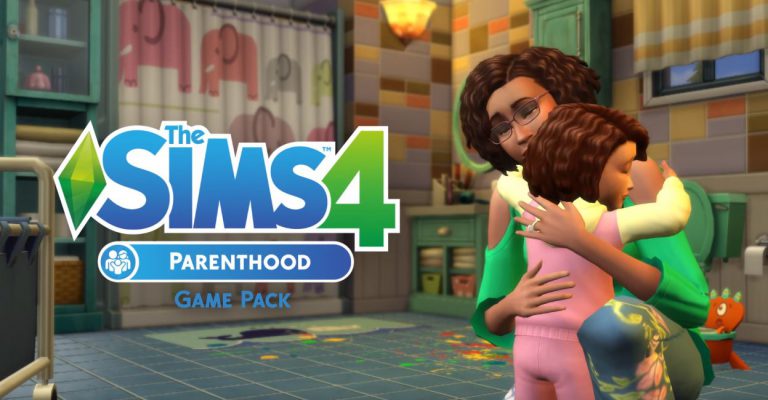
The Sims Team released a brand new gameplay trailer for The Sims 4 Parenthood Game Pack!
The Sims 4: Official “How to Cheat” Page
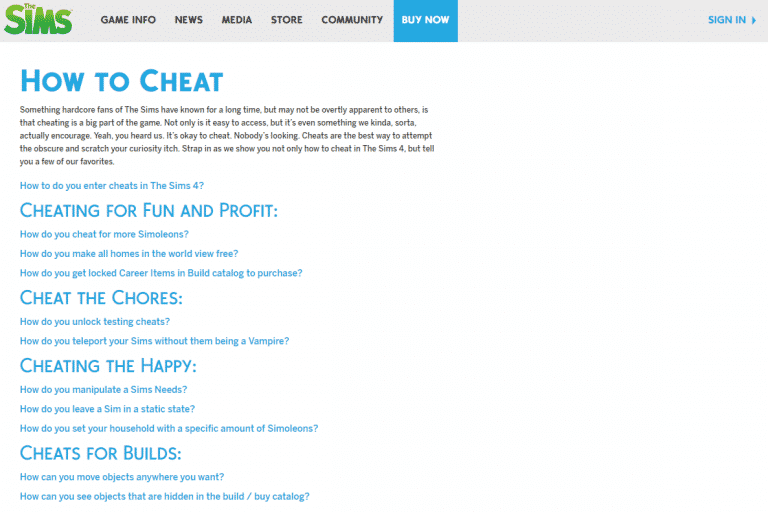
TheSims.com published an official “How to Cheat” page for The Sims 4, teaching you how to use some of the most basic cheats in the game.
If you’d like a complete list of both normal and advanced cheats for The Sims 4, CLICK HERE!

Online Parties in The Sims Mobile
Reaching Level 9 in The Sims Mobile grants you the ability to attend and host other people’s parties! Yup, you can actually interact with your Facebook friends through parties in The Sims Mobile.
It’s pretty simple to attend a party – simply search for parties in the parties menu. You’ll have a list of newly hosted parties listed with possible rewards and who’s hosting them. Simply tap the attend button and you’ll be taken to that person’s home!

There are several things you need to know about attending a party:
- You receive free actions when attending a Party. Use them to make the party a success! (There are 5 free actions that you can refill with a party cupcake)
- Party actions from everyone increase the averall party level. All players will earn these rewards!
- Party actions also increase your individual party progress. Earn more stars for greater rewards!
Interacting with other Sims, as well as using specific party objects will earn you party points.

Parties last for 24 hours. You’ll be able to receive your prizes after the 24 hours. During that time you can attend multiple parties, meet new Sims, gain XP and earn prizes!
When it comes to hosting parties, you can throw 4 types of parties:
- Birthday Party
- Wedding Party
- Foodie Party
- Studio Party

You can choose different reward tiers which’ll let you earn better and more valuable rewards but for a price. You can also set your parties for everyone to join worldwide or just your friends!

There are party objects that you can purchase in Build Mode. These provide new interactions and let you earn party points by using them!

If you’ve set your party so that everyone can join, you’ll see Sims from simmers all over the world joining in. As they perform party interactions you’ll level up.
You’ll ensure your bronze award by collecting all the pink XP stars!

Parties also provide some new group interactions which lets multiple Sims in your house participate!

As your party group levels up you earn more Simoleons. However, it feels like this part of the game isn’t yet polished as I’m not really sure how working hard to level up just to get 1 simoleon is that rewarding…

The Sims 4 Mod: Functional Beekeeper Box
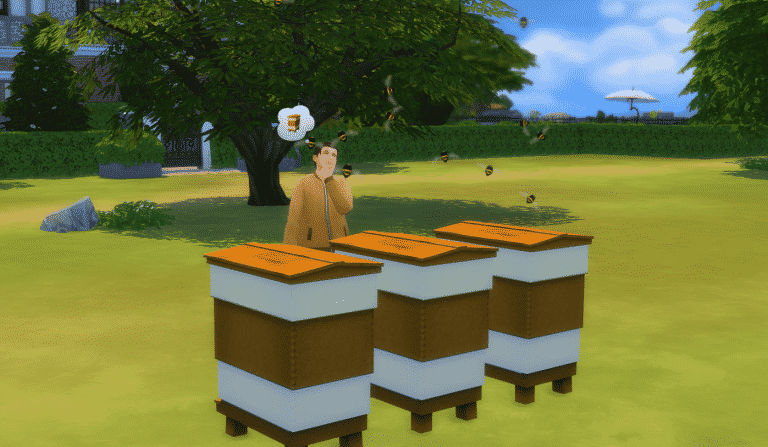
Mod The Sims member icemunmun came up with a functional beekeeper mod which lets you “take care of the bees” and collect honey!
The honey that you collect is drinkable and gives you special moodlets. Watch out for the bees as you might get stung by them from time to time!
Beside the beekeeper box, the mod comes with 3 collectibles: Beeswax, Honey and Honey Jar.
You can download the mod by clicking the download button below. Install it by extracting the zipped content to Electronic Arts > The Sims 4 > Mods. Make sure you have Mods / CC enabled in your game options!
[mks_button size=”large” title=”DOWNLOAD!” style=”squared” url=”http://www.modthesims.info/download.php?&t=594645″ target=”_blank” bg_color=”#1e73be” txt_color=”#FFFFFF” icon=”fa-arrow-down” icon_type=”fa” nofollow=”0″]

The Sims 4 Parenthood: SimGuru Q&A Part 2
Considering there have been so many tweets added to our first SimGuru Q&A post, I’ve decided to write up a second part instead of updating the original one. Plus, we’re getting a whole new batch of information about the parenting system next week.
@MidnightASims @Lucas_Stonem94 Oh you can pack just about anything into a sack lunch. (I like to pack slices of cake for their lunch, because I’m cool Dad!)
— Dave Miotke (@SimGuruNinja) May 17, 2017
@TaliqueDaGreat This ain’t no party pack!!!!!!!!!!! (hee hee hee)
— Dave Miotke (@SimGuruNinja) May 17, 2017
@karrot_x yup
— Dave Miotke (@SimGuruNinja) May 17, 2017
@TheSimmerAbby @AgentNyx @EnglishSimmer Teen mood things are indeed a thing. (And their associated walk style is pretty funny)
— Dave Miotke (@SimGuruNinja) May 17, 2017
@adventfear A few 😉
— Dave Miotke (@SimGuruNinja) May 17, 2017
@Minifrites @To7mBenfell @FabulousSimmer It’s true we could have gone a few different ways with it. We chose what we think is the most versatile…
— Dave Miotke (@SimGuruNinja) May 18, 2017
@Minifrites @To7mBenfell @FabulousSimmer You choose when to place them on and to what degree and the game doesn’t try to tell you it’s a bad or unclean thing or anything like that..
— Dave Miotke (@SimGuruNinja) May 18, 2017
@Minifrites @To7mBenfell @FabulousSimmer So an adult can have acne in the game and it’s not something gameplay considers negative in any way.
— Dave Miotke (@SimGuruNinja) May 18, 2017
@MarianaF53 Not a skill per se, but part of playing with the Doctor Set
— Dave Miotke (@SimGuruNinja) May 18, 2017
@storyteller93 @MarianaF53 yeah – they’ll run through a variety of animations.
— Dave Miotke (@SimGuruNinja) May 18, 2017
¸
@RoryplaysSims @AllySpivey2009 Parenting Skill of adults affects the Character Values of kids which affects the trait(s) the kids get upon age up. More details to come!
— Dave Miotke (@SimGuruNinja) May 19, 2017
@davimachaado It is!
— Dave Miotke (@SimGuruNinja) May 19, 2017
@davimachaado I really like it. The details on the door change depending on which variant you select from the build/buy catalog.
— Dave Miotke (@SimGuruNinja) May 19, 2017
@davimachaado We included a surprising number of placemat options too!
Really wanted choices to fit the styles of almost any table/kitchen.— Dave Miotke (@SimGuruNinja) May 19, 2017
@RinconDelSimmer @SimGuruLakshmi They can become Caregivers for the children if they’re not their biological parents.
— Megan G (@SimGuruMegs) May 18, 2017
@RodrigoKKDVK @RinconDelSimmer @SimGuruLakshmi Teens cannot parent until they are Young Adults.
— Megan G (@SimGuruMegs) May 18, 2017
@jane_plays_sims They can bite anyone!
— Megan G (@SimGuruMegs) May 19, 2017
Sims Community’s 4th Anniversary Giveaway
We’re celebrating our 4th anniversary with some amazing prizes!
There are 5 giveaways that you can enter and test your luck, and those are:
- The Sims 4 Get to Work Giveaway (4 copies)
- The Sims 4 Get Together Giveaway (4 copies)
- The Sims 4 City Living Giveaway (4 copies)
- The Sims 4 Vampires Giveaway (4 copies)
- The Sims 4 Parenthood Giveaway (5 copies) (SCsocial)
You can make 1 entry per each giveaway if you want to! All of these end on May 30th at 8PM CET / 12AM PDT. Winners will be chosen a few hours later using random.org.
Good luck!

GIVEAWAY: Win 1 out of 4 copies of The Sims 4 Vampires!
The winners of this giveaway are:
- Dennis Wolf
- doublejaysims
- Angelo Bautista
- Salvador
Check your e-mails!
To celebrate our 4th anniversary, we’re giving away 4 copies of The Sims 4 Vampires!
To enter this giveaway all you have to do is write a comment down below.
Before entering this giveaway, please note:
- This giveaway will end May 30th, 8PM CET / 12AM PDT.
- The winners are chosen randomly via random.org.
- The winners will get a digital code.
- Winner who doesn’t reply within 48h to our message will be replaced by a new winner.
- The code can be redeemed using Origin.
- Make sure you’ve entered a correct e-mail address before writing a comment.
- Not more than one comment!
- The codes will be delivered via e-mail.
- Cheating is NOT allowed! If you try to represent as someone just so you have a bigger shot of winning, you will be disqualified.
- Foul language is NOT allowed
Good luck!
Thank you EA for providing us with the game codes!

GIVEAWAY: Win 1 out of 4 copies of The Sims 4 City Living!
The winners of this giveaway are:
- Ally_Catx
- Cristy
- Chaz
- Chasta Beaverson
Check your e-mails!
To celebrate our 4th anniversary, we’re giving away 4 copies of The Sims 4 City Living!
To enter this giveaway all you have to do is write a comment down below.
Before entering this giveaway, please note:
- This giveaway will end May 30th, 8PM CET / 12AM PDT.
- The winners are chosen randomly via random.org.
- The winners will get a digital code.
- Winner who doesn’t reply within 48h to our message will be replaced by a new winner.
- The code can be redeemed using Origin.
- Make sure you’ve entered a correct e-mail address before writing a comment.
- Not more than one comment!
- The codes will be delivered via e-mail.
- Cheating is NOT allowed! If you try to represent as someone just so you have a bigger shot of winning, you will be disqualified.
- Foul language is NOT allowed
Good luck!
Thank you EA for providing us with the game codes!

GIVEAWAY: Win 1 out of 4 copies of The Sims 4 Get Together!
The winners of this giveaway are:
- KittySimmer_AB
- Alexandria Web
- Kristina Meyers
- Asen
Check your e-mails!
To celebrate our 4th anniversary, we’re giving away 4 copies of The Sims 4 Get Together!
To enter this giveaway all you have to do is write a comment down below.
Before entering this giveaway, please note:
- This giveaway will end May 30th, 8PM CET / 12AM PDT.
- The winners are chosen randomly via random.org.
- The winners will get a digital code.
- Winner who doesn’t reply within 48h to our message will be replaced by a new winner.
- The code can be redeemed using Origin.
- Make sure you’ve entered a correct e-mail address before writing a comment.
- Not more than one comment!
- The codes will be delivered via e-mail.
- Cheating is NOT allowed! If you try to represent as someone just so you have a bigger shot of winning, you will be disqualified.
- Foul language is NOT allowed
Good luck!
Thank you EA for providing us with the game codes!

GIVEAWAY: Win 1 out of 4 copies of The Sims 4 Get to Work
The winners of this giveaway are:
- Crystal Revis
- Jules Smith
- Rosie
- Currikitaum
Check your e-mails!
To celebrate our 4th anniversary, we’re giving away 4 copies of The Sims 4 Get to Work!
To enter this giveaway all you have to do is write a comment down below.
Before entering this giveaway, please note:
- This giveaway will end May 30th, 8PM CET / 12AM PDT.
- The winners are chosen randomly via random.org.
- The winners will get a digital code.
- Winner who doesn’t reply within 48h to our message will be replaced by a new winner.
- The code can be redeemed using Origin.
- Make sure you’ve entered a correct e-mail address before writing a comment.
- Not more than one comment!
- The codes will be delivered via e-mail.
- Cheating is NOT allowed! If you try to represent as someone just so you have a bigger shot of winning, you will be disqualified.
- Foul language is NOT allowed
Good luck!
Thank you EA for providing us with the game codes!

The Sims 4 Parenthood: New GIF
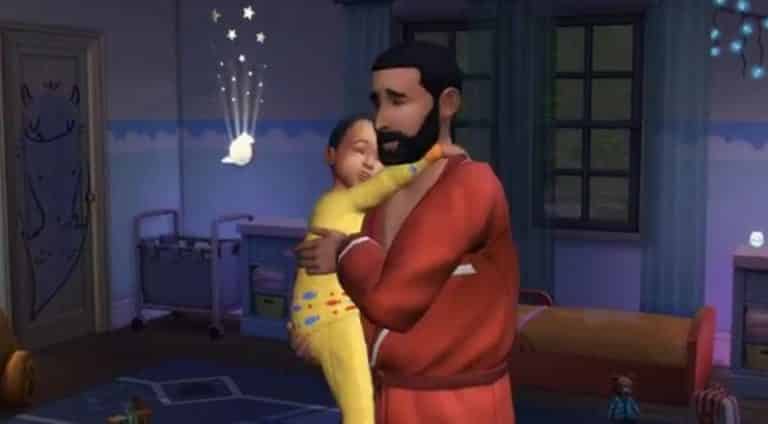
The Sims Team shared a new GIF of The Sims 4 Parenthood Game Pack, featuring Pancake Bob and his toddler Iggy! (check out that cool night light in the background)

The Sims 4 Creative Construction: Bunkbed DIY

Hello Simmers!
Welcome to the third instalment of a series that I’m going to call ‘Creative Construction’ while building in The Sims 4.
Custom content exists and is a huge part of the way some people play the game, which help to add specific objects not available in The Sims 4 to date. That’s great, but what about people who don’t want to mod in new meshes and want to keep their game strictly vanilla? Well, you’ve come to the right place! Each post in this series is a mini-tutorial which will show you how to combine items and create something not available in the game!
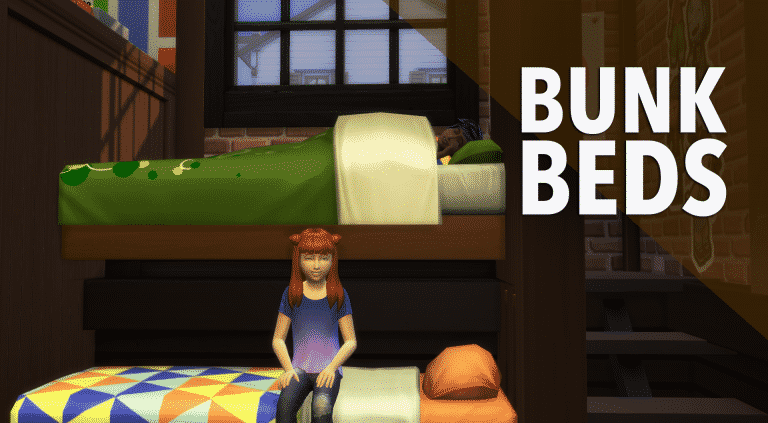
Bunkbeds
Let’s talk bunkbeds for a minute; they’re nowhere to be found, we all want ’em, and it’s about time they’re added! Until then, we can soothe the mob with a little DIY action!
I came up with this idea while live on stream. One of my lovely subs, Tiara said something in the twitch chat about bunkbeds and it totally inspired me to put this together using foundation level hacks. I knew I had to get this out into the world!
This build isn’t without its obstacles. I’ll share some tips at the end of the article. The biggest issues you’re going to run into with this technique are:
- Deleting floors and moving walls afterward can cause some headaches where room detection is concerned.
- You’ll need enough room for a staircase to get down into the room.
- Wall coverings can’t be hung underneath the foundation line.
- You’ll need to play around with how far to pull out the top bunk. This technique definitely works, but keep a sim on the lot in order to test the beds to find that sweet spot.
Let’s get started!
Make sure to have the cheat bb.moveobjects enabled.
Next, you’re going to need your room. Don’t forget to add a foundation! This is an important step and the bunkbeds will not work without it! I make mine kind of deep, maybe halfway up the slider.
I haven’t tried this inside of an actual home yet, so that may come with it’s own set of issues. If you’re well versed in creating split-level homes with foundation hacks, then you should be able to pull this off easily. If you want to recreate this in a house, the bedroom will need to be on the main floor.

Once you have your room, you’re going to use low fence to sketch out where the raised bed will be. You’ll need a 3 x 1 area.

This fencing creates a separate room, so now you can delete the floor in the larger area by clicking on floor until you see the highlighted yellow around the edge. Once it is highlighted, you can click on the yellow area once and a prompt will allow you to delete the floor.

Once the floor is deleted, you’ll see it is lower and ‘inside’ the foundation. Yay! Add some stairs next to the wall. This will be the way up to the top bunk!

Now for the beds! Place on on the lower level and one on the top. Use the ALT key on the keyboard while positioning the beds in order to avoid the grid snapping.
The top placement is tricky, so make sure to have a sim on the lot to keep testing it. You’ll want to pull it slightly over the bottom bed (father out from the foundation edge) so it looks like it’s more on top. If you pull it out too far over the bottom, the sim won’t be able to get to it. Try to find the sweet spot. You’ll need a little patience!

In order for your sim to get into the room, make sure you have another set of stairs going down into the bottom level. Also a door – We can’t forget that!

Tips and Tricks
- Experiment with objects that will help blend the beds together. Things like bookcases, closets, desks, dividers, curtains, etc. can be moved into or close to these beds to make them appear as if they are combined.
- Try out different bed styles! Sometimes one bed object will stack better than another one. Sometimes you just have to try and see what it looks like!
- If your roof disappears, add a room to the level above. It will fix it without you having to go back and redo the rooms.
- The space between the top bed and the wall is the walking area, so make sure it is at least half of a square wide or your sim will not be able to get into bed.
- Make the room large enough so that a second staircase will fit (needed to get into the room).
The Final

I used layers of the wood slat room divider from city living to blend them in the headboard area. Also a doubled up curtain on the top. On the footboard I used a bookcase from the Kids Stuff pack and merged it with a desk.

If you need a little demonstration, be sure to check out this highlight from my livestream. You’ll be able to see me talking through the process live on twitch.

Try it out! Feel free to tweet me a screenshot of your creations!
Check out my livestreams daily on twitch.tv/holliebb
The Sims Mobile at EA Play 2017
The Sims Mobile will be one of the games that you’ll be able to test out at this year’s EA Play event which is taking place in Hollywood.
We reached out to EA who confirmed that The Sims Mobile will be playable:
The Sims Mobile will have a presence on the Fan Fest show floor where players can try it out. There won’t be any livestreams or live video presentations of the game.
So there you have it; if you’re attending this year’s EA Play make sure you check out the Fan Fest show floor and test out the game yourself!
You can register HERE on EA’s official registration page for a FREE EA Play ticket! Hurry up because there’s only a limited amount of tickets left.

Sims Community celebrates 4 years!
It’s been 1458 days since Sims Community website went live on the internet….or we can round that number up to 4 years. The 4th anniversary of Sims Community is on 21st of May but I thought about publishing this post a bit earlier as I feel that 24 hours just isn’t enough to mark this amazing milestone.
Thank you all who visit this website on a regular basis to stay updated on The Sims news and articles and also 50 thousand of you who have decided to sign up to our Sims Community Social website and use the site as your creative outlet. Without your support this website wouldn’t be where it is today.
Big thanks to Sims4Thoddy who constantly supports us and throws HUGE giveaways over at SC Social. We’re all thankful for your generous support!
This website also wouldn’t be the same without the diverse and creative content our wonderful staff brings out regularly (make sure you support them by giving them a follow on social networks they’ve provided in the linked page).
And last (but not least), thank you The Sims Team for releasing new content and giving us enough material and stuff to write about. Don’t forget to keep up this pace 😉
To celebrate, we’re giving away 5 COPIES of the upcoming TS4 Pack – The Sims 4 Parenthood Game Pack. You can enter here!

The Sims 4 Parenthood: Official Description + Features
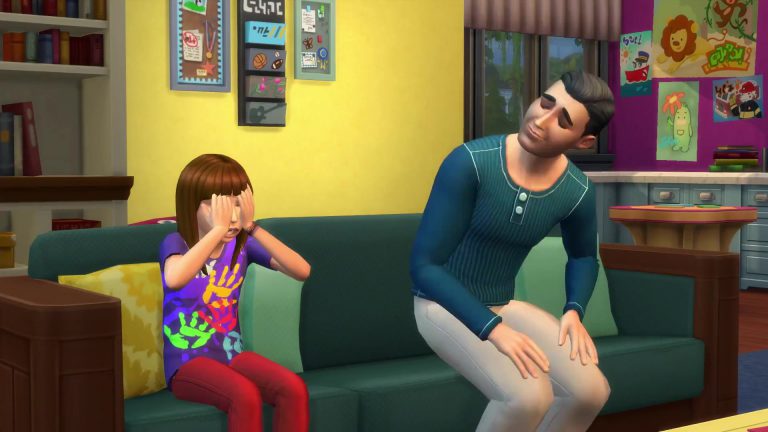
Game UK has just listed The Sims 4 Parenthood Game Pack on their online store, as well as the official description and key features of the game:
Develop your Sim’s parenting skills to help shape their children’s lives into adulthood with The Sims™ 4 Parenthood. Choose when to discipline or encourage child behaviours, teach life values, and leave a lasting impact on their future. Experience fun family activities and personalise your household with new home décor and family fashion.
KEY FEATURESDevelop Parenting Skills – Level up your Sim’s parenting skills to satisfy their child’s needs and influence their behaviours. Gain new abilities through experience and choosing when to discipline bad actions, encourage good behavior, or just let kids be kids.Shape Your Sim’s Childhood – The decisions you make influence how your Sim parents and leave a lasting impact on their child’s future. Each choice shapes their personality, affects their traits, influences their family relationships, and guides their path into adulthood.Enjoy New Family Activities – Gather your Sim’s family to participate in new activities and spend quality time with each other. Sims of all ages can work together to complete a variety of school projects, express their creativity using construction blocks, or volunteer their time for good.Personalise Your Household – Customise your Sims’ looks and their home with new family fashion and build items. Give the kids’ bedrooms extra personality, remodel the kitchen to feel homier, and let your Sims express their sporty or artistic sides with new outfits.
