Home Blog Page 452

The Sims 4: New Patch! (24/9/05)

0

Via EA Help!

An early Boo for you Simmers!

There seems to be some Spooky Stuff skulking in the shadows just around the corner, but before we peek into the candy bowl, we have a few treats for you in today’s release!

Knock, knock.
Who’s there?
Boo!
Boo who?
Don’t cry… I’ll tell you what’s new.

  • Sims have a new social trait to choose – Jealous!
    • These Sims get Jealous more easily than other Sims. They gain a boost of Confidence from being around their significant other, but get Tense if they haven’t seen them recently.
    • Be wary of those jealous tendencies however – we spent some time encouraging Sims to react more consistently in situations where jealous reactions are warranted.
  • Two new interactions have snuck their way into your social options along with a special icon next to them…
    • The icon is there to indicate that these are limited time interactions.
    • Limited? Yup, for a limited time only, we’ve introduced “Trick” and “Treat” interactions in preparation for that spooky festival at the end of October. We will be sharing more info on why being a Tricker or a Treater might matter in the coming weeks.
  • A new interaction “Claim” can now be found on beds. Choosing this interaction will cause Sims to prefer the chosen bed when sleep comes to claim them.

Knock, knock.
Who’s there?
Ya.
Ya who?
I know, I’m excited about the fixed issues too!

General Issues

  • We fixed an issue that was causing some users to be unable to progress past acquaintance relationship status, no matter how high their relationship.
    • This would be most obvious as players attempted to progress up the Friend of the World aspiration track – finding they were unable to complete several of the milestone tracks.
  • The creative juices are flowing, the melody is visualized, and you are ready to write that song! And then you aren’t… you just want a snack, chat with your friends, or maybe it’s just time for work. But wait, you can’t stop writing the song! “Why!?” you scream silently.
    • Fear not my little song writers. We have defeated the unseen entity that bound you to your song writing – now, you can stop writing that song (whether from a guitar or violin) any time your little Simmy heart desires.
  • We fixed an issue that could be caused when using a trackpad, resulting in the cursor becoming stuck (most often while in Create a Sim), and leave users in an unplayable state.
  • The Clayblob and Microscope slides are now live draggable.
    • We were creating inventory issues by allowing items in the inventory that could not be live dragged, resulting in some bad behaviors.
  • Sims that are soulmates prior to reaching the “Achieve Soulmate Relationship with Spouse” aspiration goal, will now auto complete that goal.
    • New and Improved Soulmate 2.0! …when your first soulmate just doesn’t cut the aspirational mustard.
  • Nothing says completed Space Rock collection like an Orchid! Aren’t space rocks and orchids practically synonyms for one another?
    • “Hey mom, did you see this cool orchid I got from space camp?”
    • “The bouquet of space rocks you gave me for mother’s day are beautiful sweetie.”
    • …see?
    • Fine, we changed this. Now, you get a plaque. A commemorative plaque… are you happy? Space Rock Commemorative Plaque… it hurts just to say it.
  • Elder Sims hair color no longer changes to grey when modifying their eye color.
    • I knew it! Eye color, grey, hair, changes – it all adds up! Elders are old!
  • We have added more lot sizes to the gallery filters in order to properly filter lots into their own sorts.
    • The 40×30 and 50×40 sizes now have their own filter.
  • We fixed an issue that was incorrectly locking the male beige cardigan (ymTop_CardiganCollar_Beige) from being worn by Sims.
  • Sims now prefer to wash their dishes in a dishwasher rather than a sink.
  • Divorced Sims, who live in the same household… really? Because that’s not a tiny bit awkward… will no longer autonomously sleep together in the same bed.
  • The level 3 Criminal reward interaction “Pick Pocket” is once again available under the Mischief category after being unlocked.
  • The “Go on 2 Dates” goal of Amore Amateur milestone will now properly track for all dates, no matter who initiated them.
  • The help text for teen careers will no longer reference school performance tips.
  • You will no longer be able to upgrade a broken refrigerator.
    • I suppose, technically you can upgrade a broken refrigerator, since repairing it could be considered an upgrade from the broken state. So, it should have read “You will no longer be able to choose the interaction named upgrade when the refrigerator is broken.”
    • But it was probably fine not going into that extra level of detail.
  • The “Make a Friend” goal for the child Social aspiration will now properly satisfy… when you make a friend.
  • Rugs now properly resize with the “[” and “]” keys when using the resize cheat.
    • This has just opened up an entire new world of home decorating possibilities for me!
  • Tense Sims can now resume their wood working crafts.
    • I always find that when I’m feeling stressed out and tense, that wielding a hammer and a saw do wonders for my tension.
      • I’m sure it’ll be fine.
  • Fixed an issue where some sculpture objects were not able to be cloned with the eyedropper tool.

Get to Work

  • The Lice Cold Freezer will now allow Sims to properly route to it in order to make a purchase.

Outdoor Retreat

  • Placing a home from the gallery on top of a rented home in Granite Falls will no longer make the game unplayable.

Spa Day

  • Yoga is definitely good for your health and fitness, but you should no longer expect your Sim to become hulking masses of pure muscle tone madness by doing Yoga alone.
  • We fixed an issue that was preventing the use of Saunas when placed in a basement.

Perfect Patio Stuff

  • The Hot Tub control panel should no longer hide for no apparent reason.
  • The Buy a Hot Tub whim will now only complete when you buy a hot tub… not when you buy anything other than a hot tub.

Cool Kitchen Stuff

  • Restocking an ice cream bowl will now also include ice cream in the bowl.
    • I’ve often found that when bringing my children to an ice cream shop, having ice cream as the end result often yielded greater positive results over simply stepping in to grab a spoon.
  • Dragging a carton of ice cream onto a counter will no longer cause the carton of ice cream to disappear.
    • Leaving a carton of ice cream on the counter however does increase its probability of disappearance through natural causes.
  • The Steam Catcher (a ceiling light) has been made easier to find by sorting it within the stove sort.
    • That made more sense when we fixed it than it does when we read about the fix.
  • Ice Cream tubs can now be live dragged into the refrigerator for safe keeping.
    • Now you can make tubs and tubs of ice cream without feeling guilty as you watch them melt away on the counter tops. Just place them in a fridge for a dozen nights of ice cream delights!
  • Dragging a partially eaten bowl of ice cream will no longer refill the ice cream bowl magically.
    • Why can’t this be true!? Whyyyyyyyy!?

MAC

  • The game will now properly launch when Origin is set to offline.

Thank you for your feedback, keep the tricks and treats coming, and happy Simming,

-SimGuruGnome


The Sims 4 Spooky Stuff: Twitter Q&A with SimGuruGraham (New Info)

1

spookyiconmedium

SimGuruGraham took time to answer some of the questions about The Sims 4 Spooky Stuff!

We’ll be updating this post as new tweets surface.

The Sims 4 Spooky Stuff: 67 Screens from the Trailer

0

Click on the pictures below to enlarge them!

[vc_media_grid style=”lazy” items_per_page=”10″ element_width=”3″ gap=”5″ arrows_design=”none” arrows_position=”inside” paging_design=”radio_dots” loop=”” autoplay=”-1″ item=”mediaGrid_Default” grid_id=”vc_gid:1443035786909-9b907400-02cc-1″ include=”39605,39606,39607,39608,39609,39610,39611,39612,39613,39614,39615,39616,39617,39618,39619,39620,39621,39622,39623,39624,39625,39626,39627,39628,39629,39630,39631,39632,39633,39634,39635,39636,39637,39638,39639,39640,39641,39642,39643,39644,39645,39646,39647,39648,39649,39651,39652,39653,39654,39655,39656,39657,39658,39659,39661,39662,39663,39664,39665,39666,39667,39668,39669,39670,39671,39672,39673″]

JUST ANNOUNCED: The Sims 4 Spooky Stuff Pack!

3

Get ready for a spooky party! The Sims 4 has just announced they are treating us all to a brand new Spooky Stuff pack coming on September 29th! Let’s take a look at the official trailer and news on this brand new pack released by The Sims today:

YOUR SIMS ARE IN FOR A SCARE

Double, trouble boils below;
Tombstones smoke and caldrons glow.
Tempt the Spooky Candy Bowl,
Carve a Pumpkin for passed souls!

Transform your Sim’s home with ghoulishly fun decorations, including creepy paintings, spider webs, and all manner of tattered furniture. Want to temporarily (or… permanently) turn your Sim’s home into a creepy house of horrors? Go for it.

The Sims 4 Spooky Stuff includes two new gameplay objects: the mischievous Spooky Candy Bowl and a new Pumpkin Carving Station. Your Sims can make festive works of carved art, creating the jack-o-lantern of their dreams. And once they’re done, Ghost Sims can take a candle-lit pumpkin, put it on their head, and haunt up the night!

If you’re looking to throw a Spooky Party (a new type of party in The Sims 4 Spooky Stuff), you can do just that. Besides being able to decorate your Sim’s home with the new objects to set the eerie mood, there are also three new ghoulish recipes: an Eyeball Cheese Plate, Zombie Cake, and Spooky Cookies. You can even ask other Sims for party treats (though don’t be surprised if they play a trick on your Sim instead).

Spooky Stuff

A variety of new costumes are also available to help make your party stand out, from Pirates and Ninjas to Super Llamas and Fairies, there are a bunch of great outfits for Sims young and old. Of course, these costumes aren’t restricted to use at Spooky Parties, either – if you want to dress your Sim like a Witch year-round, you can totally do that.

Spooky Stuff 2

The Sims 4 Spooky Stuff releases worldwide on September 30 – are you excited to throw a party that everyone will be dying to attend?

Are you excited for this new stuff pack? Let us know in the comments below! We will bring you more on our thoughts very soon.


The Sims Series: Concepts, Facts and more!

SimGuruLyndsay has decided to share interesting and never-before seen concepts and facts of previous sims games.

Here’s what she shared so far (we’ll continue to update this post as she posts new tweets):

Supernatural Simmers – Do we desire a touch of Magic in The Sims 4?

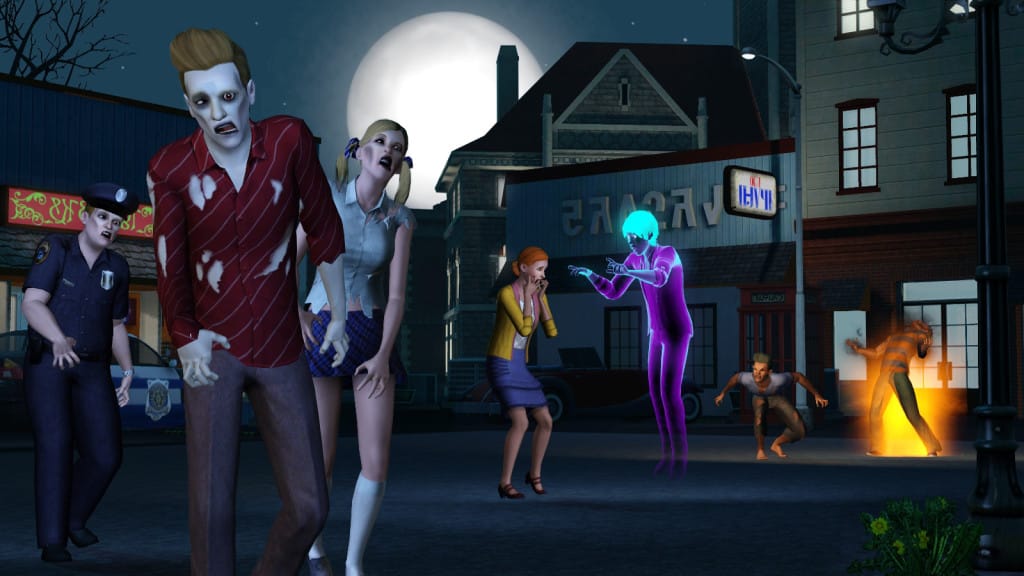
As we approach this time of year with Halloween creeping up on us (see what i did there? – creeping…Halloween?) I noticed that within the community the topic of supernatural sims has started to trend a little, there is something about the end of September leading into October where I always get the urge to play The Sims 3 Supernatural again, and head back to Moonlight Falls for some supernatural adventures, we have of course also heard rumors that a spooky stuff pack could be announced, however I doubt this would be anything on the scale of transforming sims into alternative beings.

Now before I begin I understand that supernatural isn’t for everyone and it also isn’t at the top of the list of priorities for additions in TS4, but I would really love see them at some point incorporate a bit of magic into our sims lives, the additional game play and adventure it added to The Sims 3 made it a very popular expansion, lets take a quick look at some of the ways our sims could transform in TS3 Supernatural:

FAIRIES

Fairy - Supernatural

One of my favorites! I loved the addition of wings with different styles and they looked fantastic in both female and male versions, fairies could even shrink and interact with certain objects and who can forget the fairy arboretum lot. Of course they wouldn’t be complete without the addition of fairy dust which was also included!

VAMPIRES

Vampire - Supernatural

Now these already existed if you had Late Night installed however they were also an addition for supernatural, they had to wear sunscreen to protect themselves from the sun and could even achieve the immortal life reward to stop aging, and of course we all liked to add fangs to our sims in CAS!

WEREWOLVES

Werewolf - Supernatural

A rather hairy bunch but extremely useful if you were looking to collect things such as gems, insects or metals as they had a special sense for these items, they would also go into full werewolf mode whenever there was a full moon, they could then bite other sims who would then go on to become werewolves as a result!

WITCHES

Witch - Supernatural

Another one of my favorites, I would really love to see these back in TS4, we had the flying brooms which looked incredibly fun in the Broom Arena, spells which could be used for good or evil and these included curses. They could transform collectibles and even upgrade objects, also does anyone remember the magical wardrobe?

ZOMBIES

Zombie - Supernatural

If you bought the limited edition of supernatural they teamed up with Plants VS Zombies to make having zombies simply epic with the added peashooter plant! They were pretty much your typical zombie biting other sims who would as a result also become zombies. They mainly moved around annoying sims and you needed to put up fences and gates to keep them out!

MY MOST LOVED FEATURES IN THIS EXPANSION

So whilst I am reminiscing about TS3 supernatural I just wanted to list a couple of mystical and magical extras that came as part of this superb expansion, if we have any supernatural simmers out there you can also leave a comment below stating your most loved features too:

A
  • Bonehilda! – A very creepy maid which could be hired by a sim and scare other sims, you could even purchase Bonehilda’s very own living quarters.
  • Fortune Teller Career – I loved the gypsy caravan lot and the way fortune telling sims could also become scam artists and earn a fair bit of money in doing so!
  • The Flying Vacuum – If nothing else I just found this incredibly amusing to see a sim flying around on a vacuum cleaner!
  • Traits – I loved some of the new traits, in particular how a sim could opt to be a supernatural fan or skeptic and even a night owl.
A

So let’s get back to the question, are supernatural simmers desiring a touch of magic in The Sims 4? Well I definitely think the positive response from TS3 supernatural has opened up an opportunity for something similar to be developed in TS4, as I said earlier its not a major priority for most simmers but it’s certainly something we think about at this time of year, and perhaps some of us return to TS3 to enjoy the spooky architecture of moonlight falls. It’s still been a hot topic this year on twitter and this voting poll created on The Sims Community Social suggests simmers are looking for even more supernatural options:

Supernatural Question result

I personally hope we do see a little touch of magic in TS4 even if it is only a small addition of a new interaction. So let us know what you think! Are you a supernatural simmer? Would you like to see a bit of magic added to TS4? If so which supernatural beings, traits or even careers would you like to see included? Also if you weren’t a fan of supernatural let us know your thoughts too!

Playing with poses in The Sims 4

Start posing!

The Sims 4 comes with a wide variety of animations and poses that immerse you more deeply into the gameplay and the life itself. For simmers who like to tell stories and share unique photos, it’s hard to catch the perfect moment that they were expecting from their Sims, but luckily there’s a solution for that!

Andrew over at Sims4Studio created an awesome tool called The Sims 4 Pose Player that lets you play with over 12,000 animations/poses!

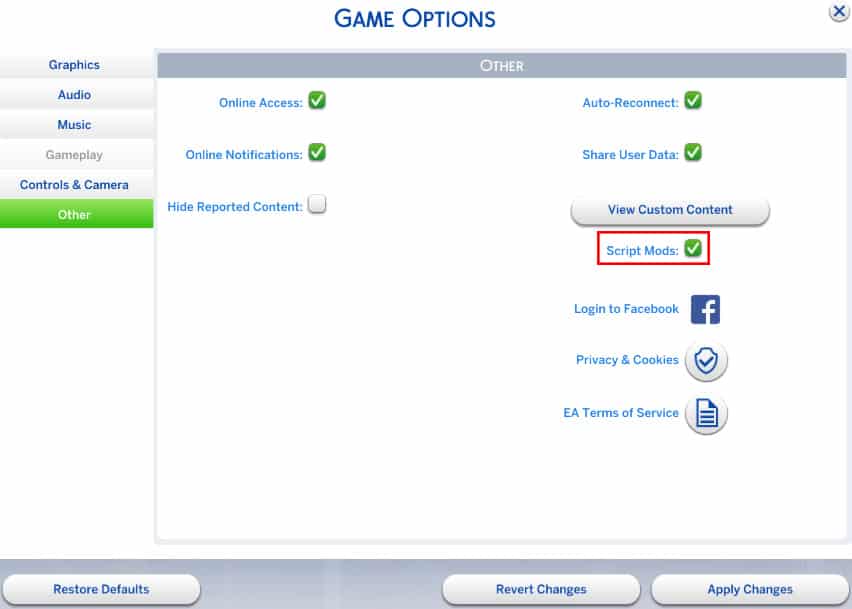
To get started, you’ll need to enable Script Mods from The Sims 4’s settings. If you haven’t enabled Script Mods before, you’ll need to restart The Sims 4 after enabling them.

scriptmods

Then, download the Pose Player mod from Sims4Studio HERE! (download button can be found on the bottom of the first post).

Extract the .zip file in Electronic Arts > The Sims 4 > Mods.

posetutor

Now you’re ready to start! Load up your household (or start a new one, doesn’t really matter) and make sure the Sim you want to test poses on is standing. Click on a Sim of your choice and select ”Pose by Name’‘. Now, download the full list of all animation/pose codes for The Sims 4 from HERE!

Now:

  • Select the animation/pose code of your choice
  • Press CTRL + C
  • Pop up The Sims 4 game window
  • Press CTRL + V  + check button

animationstutorial

To see this procedure in action, check out the video below!

[vc_video link=’https://www.youtube.com/watch?v=K2ERRM7Xgw8′]

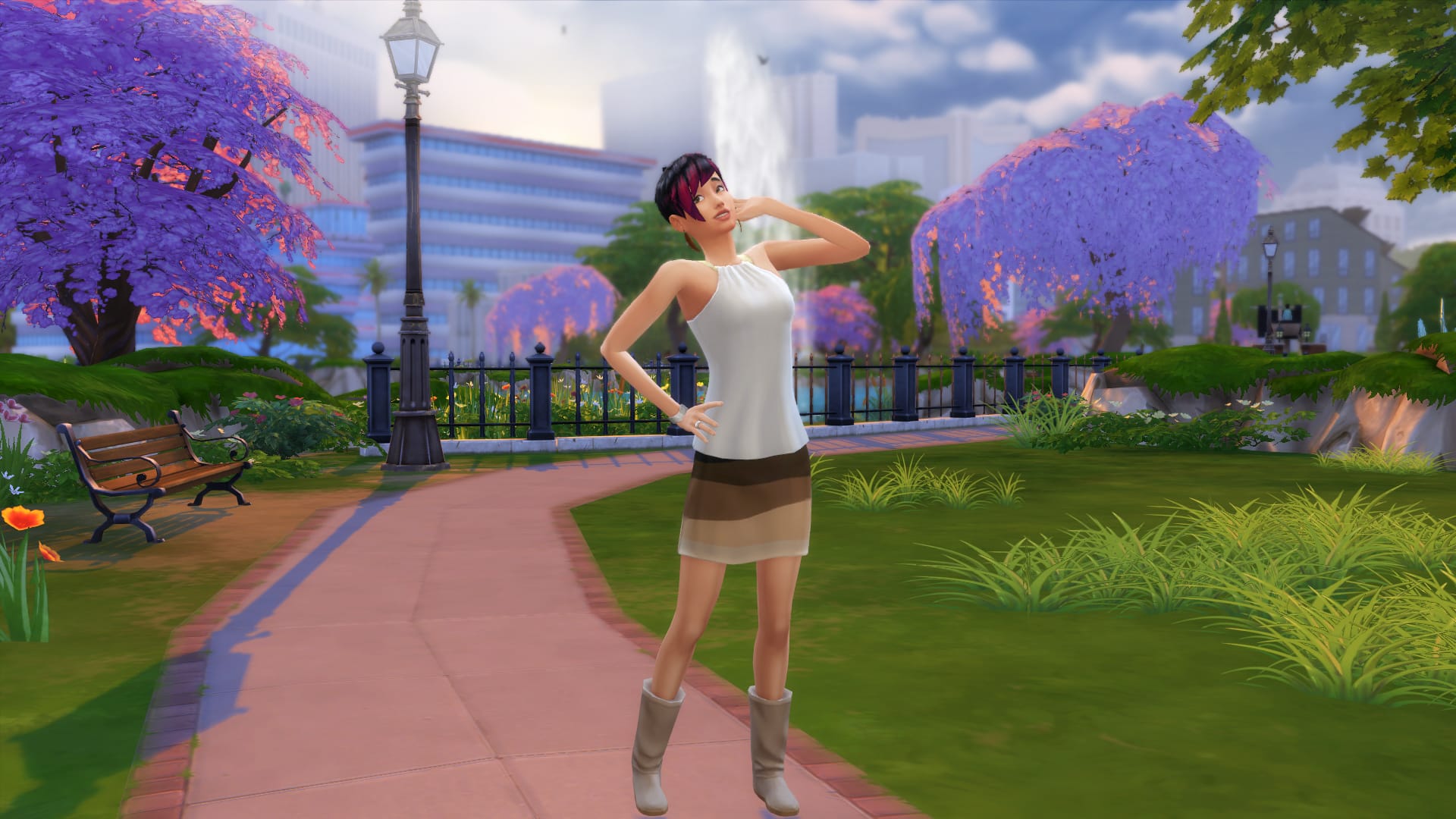
You can create some beautiful screenshots using this mod. Here are some that I’ve taken:

pose4 pose2pose3 pose5

And now, we want to see your screenshots of your Sims doing all sorts of poses! (we accept both beautiful and funny pics). Click on the Sims Community Social logo below to start submitting your screenshots!

sociallogotransparent

The Sims 4 Mod: Animated Grandfather’s Clock

0

Andrew over at Sims4Studio managed to create a cute little mod that adds animation to Grandfather’s Clock pendulum!

downloadbutton

[vc_video link=’https://www.youtube.com/watch?v=rNCe8QlPmvA&’]

The Sims 4: Living in Granite Falls

Move into Granite Falls today!

Requires Outdoor Retreat Game Pack

If you’re not a fan of Destination World features but still would love to move your Sims in Granite Falls, Zerbu’s got a solution for you! The Destination to Residental World Mod lets Granite Falls be treated like any other World we have to this date, allowing your Sims to move in, visit neighborhoods and never leave the world again!

To start your endless Granite Falls adventure, download Zerbu’s Destination to Residental Granite Falls Mod HERE!

The .zip file that you have downloaded needs to be extracted in Electronic Arts > The Sims 4 > Mods.

When you launch up your game and either start a new game or load up your old save, you’ll notice that Granite Falls has been immediately added to Residental Worlds section. From there you can choose the Granite Falls World and move all 5 households to the Neighborhood.

TS4 2015-09-19 01-26-45-90 TS4 2015-09-19 01-32-51-35

Visiting your neighbors works flawlessly as well!

TS4 2015-09-19 01-35-17-75

You’ll notice that Households that you move into Granite Falls will slowly start wearing outdoor-appropriate clothing. Park rangers and Sims in bear costumes will still appear, and overall, the entire world will still remain active like it was before you installed the mod.

09-19-15_1-49 AM-2 09-19-15_1-49 AM

All interactions also remain the same except the hiking interaction, which probably only sticks to Destination type worlds.

TS4 2015-09-19 01-48-41-07

In conclusion, this Mod may have some ups and downs depending on the stability of your game and other mods you have installed, but it’s certainly a really neat extension for all the storytellers out there!

The Sims Video Spotlight: #1

0

scplaylogo

Welcome to the first week of a new Sims video spotlight, featuring some great content from our wonderful community!

I’ll be bringing you some of the best Let’s Plays, Challenge videos and more – whether they’re a little older or brand new. Our community is full of amazingly creative people who work so hard to keep us entertained doing what they love, so these posts will be a great way to spread the word and even bring new YouTube simmers into the light!

Let’s Play: The Sims 2

By RoseSimmer

Let’s begin with possibly one of the most entertaining Sim series’ I’ve seen. Natalie (RoseSimmer) keeps everything lively by just being so funny and easy to listen to. This Let’s Play follows sim Brooklyn Foster through her life in The Sims 2, which is wonderfully nostalgic to watch. As this is a general Let’s Play, it includes a whole lot of different events and experiences, for example being in University, and is definitely deserving of some more views. There aren’t that many Sims 2 Let’s Plays out there anymore, so this is a great find for those who miss it!

[vc_video link=’https://www.youtube.com/watch?v=wzLUG31Fs3s&list=PLA9dmc0kbhDcOpz2Ce-K54nd_JjJJFPP4′]

The Legacy Challenge (Damico Legacy)

By KatieGalaxyPlays

If you’re looking for a new Sims 4 Let’s Play to watch, this one is worth the shot. Katie recently held a super generous giveaway for hitting 100 subscribers, and I think she deserves continuous support as her videos are rather entertaining. This is her Legacy Challenge with sim, Jane Damico. She may even feature your sims, households or lots if you upload them to the Gallery with the tag #DamicoLegacy.

For those of you who may not know what the legacy challenge is, it’s a challenge that has the player try to play through 10 generations with a family, starting with one adult sim. In every generation there is supposed to be an heir to keep the legacy going.

This Let’s Play has been a joy to watch and follow along with so far, and I sincerely hope this runs for a while. If challenges are your thing, definitely consider watching this one!

[vc_video link=’https://www.youtube.com/watch?v=mH8Oe8kEJfE’]

 The Sims 4: Hidden Child Challenge

By LFSimmer

The next Let’s Play/Challenge video featured this week is the Hidden Child Challenge. This involves having a family unit with existing children, and making the mother have an affair resulting in pregnancy. The mother has the father believe it is his child, and later tells him she had a miscarriage or something to that effect. I’m not sure why, but it’s interesting nonetheless!

The child produced from the affair is then not to be seen by the husband at all, and can not communicate with the other children. If either of these things happen, the challenge is lost. This a great one to watch or get involved in if you like to mess with your sims and stir things up a bit. LFSimmer releases these episodes every Friday, so if you want a few laughs or something a bit different, check it out!

[vc_video link=’https://www.youtube.com/watch?v=iCHk7ym0vkQ’]

 100 Baby Challenge: Final Hope

By Sims3Symbiote

And last but not least, this last little gem is a tweaked version of The 100 Baby Challenge, Sims3Symbiote and xSimSugar’s incredible backstory gives this Let’s Play a rather different, darker tone. It’s very well thought out and such an interesting take on the challenge. Here are a few brief notes from the story:

  • In 2021 an aggressive virus, Influenza S, nearly wiped out all of Sim kind in 43 hours.
  • Of the few remaining Sims, a temporary governing body was formed along with the sub-committee “Final Hope”
  • This was designed to plan to re-populate the world, with certain criteria. All chosen sims were moved to special compounds, and any sim who wasn’t chosen was sterilized and released into lawless, suburban regions.
  • Women who produced the healthiest, most fertile and most adaptable children received the best care and resources.

Sims3Symbiote definitely explains this fantastic story in more detail, and I highly recommend you check this Sims 3 Let’s Play out – it’s an impressive 3 seasons long too, and still going!

[vc_video link=’https://www.youtube.com/watch?list=PLSoS7JY5bOzXaEOPcMntK827o26Xf2QG9&v=NBXggHtyPm8′]

That’s all for this weeks spotlight. To all you wonderful Simmers out there, thank you for your creativity and please keep on sharing! I hope this post brought you something new to enjoy and maybe introduced you to some new Simmers, have a great day!

The Sims 4 Tutorial: Travelling to Career Lots

Requires Get to Work Expansion Pack

If you ever wanted to visit the Hospital, Police Station or Science Lab without having to join one of the 3 active careers, you’re in luck! Zerbu created a mod that allows you to visit such lots and roam around the Get to Work neighborhoods whenever you want!

First and foremost, you need to download Zerbu’s Travel to Special Lots Mod from HERE!

The .zip file that you have downloaded needs to be extracted in Electronic Arts > The Sims 4 > Mods. As this is a Script Mod, you’ll need to enable Script Mods from The Sims 4’s settings. If you haven’t enabled Script Mods before, you’ll need to restart The Sims 4 after enabling them.

scriptmods

Now that you have successfully installed the mod, load up your save game and click the phone UI icon. Under the Travel section you’ll find 3 new options:

  • Travel: Hospital
  • Travel: Police Station
  • Travel: Science Lab

Each option will take you to the lot you’ve chosen.

travellotpic

Just like any other Lot, you can enter the Hospital, Police Station and Science Lab. Although the lots are empty, the Career Neighborhoods are often active! You’re free to use Lot objects that don’t require active career promotions and all of the Neighborhood usable objects are, well, usable!

09-18-15_9-13 PM-3 09-18-15_9-13 PM-2 09-18-15_9-11 PM 09-18-15_9-10 PM-2

The Sims 4 Mod: Change World Type

Ever wanted to make Oasis Springs a Destination World and have your Sims enjoy themselves at a top-notch resort? Or perhaps you want your Sim to live permanently at the peaceful land of Granite Falls. Now you can change any Residential World into a Destination World, or turn Granite Falls into a Residential World!

You can get the mods here: http://zerbu.tumblr.com/post/129304670162/the-sims-4-mods-world-type-changes – pick out whichever ones you want!

Granite Falls Residential Oasis Springs Destination

The Sims Plumbob Dress designed by Leyre Valiente!

0

Ever wondered what would it look like if The Sims’ iconic Plumbob became a dress? Well, now you know!

During the MB Fashion Week in Madrid (Spain), Spanish Designer Leyre Valiente was able to show off her skills with her Sims Plumbob dress!