Home Blog Page 466

The Sims 4 Newcrest + Latest Patch Notes!

7

SIMS4_Logo_Final_rgb

The Sims team has released a new patch with Newcrest, new features and bug fixes!

Make sure you remove all Custom Content and Mods before installing the new Patch.

Update: 06/11/2015 – PC Version 1.8.61.1020 / Mac Version 1.8.61.1220

Hey Simmers,

It’s Thursday! There’s some exciting Stuff happening just around the corner, and we have a release to release to you… in this release. So, stretch out to a new world, welcome your Sims with a little fruitcake, and draw up a room where you can place a chair to sit in, in order to relax, if that is your inclination, or perhaps you’re more of an on the edge of your seat type of person, in which case you shouldn’t sit back, because that wouldn’t really make sense…

…well, anyway.

Um, what’s new!?

We have heard the cries from the mountain tops for space (“My Sims need space!” <- see right there). And so, welcome to Newcrest! Fifteen lots await your creative hand to build to your desire. OR if you are less inclined to build from scratch, jump into the Gallery and populate your world from your fellow Simmers’ creations. Some have already built some amazing lots, just search for #BuildNewcrest.

The return of the Welcome Wagon! Have you been finding it difficult to break the ice with your neighbors? Can’t seem to get anyone to come to the door and engage in a deep conversation about dinosaurs or your insecurities? Now when you move in to a new lot, your neighbors* will arrive with a welcoming smile and a pound of fruitcake.

*Please note: fruit cake, welcoming smile, and inviting neighbors require neighbors.

And to answer the unanswerable question of where does a lawn ornament go when their time is up, the Reagnomper gnome has been seen skulking about the Build catalog.

Tutorials have been given a facelift! Introductory dialogs now provide context as to the mode or lesson being taught, and allow you to skip a portion of the tutorial that you may already be familiar with.

A new tool, the Custom Room Tool, is now in Build Mode. This tool will allow you to draw your own room shapes.

  • You can find the tool in the Walls and Empty Rooms sort in Build Mode.
  • As you draw, each click will place a new wall segment, an indicator of the last clicked position, and a starting position. To complete the room, click back to the starting position.
  • The last clicked position provides information to you in regards to the undo behavior.

And what about issues we’ve fixed?

Issues (General)

  • We fixed a plagiarism issue that was allowing the “Original by” creator information associated with a lot or room to become lost after using the placement option via Manage Worlds and then re-uploading the lot to the Gallery.
  • Sims in inactive households will no longer find themselves conscripted into unwanted jobs.
  • You! Yes you ‘in the inactive household’ behind the ‘build structure that approximates the appearance of a’ grandstand. Stand still, Simmie!
  • We fixed an issue that could cause corruption of the save files when players attempted to share their save files with one another.
  • Using the “Enchanting Introduction” while running on a treadmill will no longer cause the Sim to sink into the treadmill.
  • Working Out will no longer satisfy the Mentor Fitness or Study Opponents daily tasks from Professional Athlete and Bodybuilder career branches.
  • Hungry Ghosts will no longer be informed that they might drown while they are swimming… mostly because we couldn’t quite agree from a philosophical approach about what it means to die when dead.
  • I suppose if you consider the ghost as a reanimation of former life, it is possible that the re-death would result in a termination of that animation. But not all agree that the ghost is a reanimation, but rather a reflection of the former Sims spirit housed in a ghostly apparition. In which case, death of a reflection no longer made sense.
  • Discussions on a Sims development team can get quite odd sometimes…
  • don’t ask me about woohoo.
  • Fixed an issue that could prevent the player from editing the relationships of a household that was downloaded from the Gallery and merged with a currently non-played household.
  • Candles will no longer be impacted by the paying of or lack of paying bills.
  • Much to our dismay, it turns out that candles don’t actually draw their fuel source from the power grid, but instead rely upon a rudimentary combustion for their fuel, or in some cases battery power. Neither of which are impacted by payment of bills. Huh, crazy I know.
  • Ask on Date was available as an option earlier than intended, resulting in many Sims hopes being dashed without any possibility of success.
  • I remember those times.


Issues (Get to Work)

  • Aliens have begun to adjust to the strange and scary visiting Sims to their home world and are more likely to venture from their homes, if only to catch a glimpse of a Sim.
  • Male Sims that reach level 10 in the detective career will now properly unlock the prison jumpsuit in Create a Sim.
  • Fixed an issue that was failing to save the mannequin outfit, resulting in the mannequin display reverting to another outfit rather the players setting.


Issues (Luxury Party Stuff)

  • Fruit Punch Fountain will now appear charred when charred.
  • Ok, you probably didn’t run into this (crosses fingers)… but if you ran into the “why doesn’t it burn issue” that was briefly possible in late May, and you have installed Luxury Party Stuff and you then attempted to upload to the Gallery or bulldoze the lot that had the burn issue, you may have found yourself in a “my lot is corrupted, life has ended, I see a light” state of mind, or maybe not to that extreme. This issue has now been fixed.


Much appreciation for your time, feedback, and patience,

-SimGuruGnome


The Sims 4 Perfect Patio: New Info from SimGuruGraham

perfectpatioicon

SimGuruGraham shared some interesting facts and information about The Sims 4’s second Stuff Pack, Perfect Patio.

The Sims 4 Perfect Patio Stuff Pack is Coming Next Week

SIMS4_Logo_Final_rgb

Get Decked Out

ProEXR File Description =Attributes= cameraAperture (float): 36 cameraFNumber (float): 7.50001 cameraFarClip (float): 1e+030 cameraFarRange (float): 1000 cameraFocalLength (float): 75.0001 cameraFov (float): 26.9914 cameraNearClip (float): 0 cameraNearRange (float): 0 cameraProjection (int): 0 cameraTargetDistance (float): 200 cameraTransform (m44f): [{0.999781, -0.0206895, -0.003246, -5.89882}, {-0.0209426, -0.987698, -0.154961, -42.3993}, {-1.86265e-009, 0.154995, -0.987915, 28.5946}, {0, 0, 0, 1}] channels (chlist) compression (compression): Zip dataWindow (box2i): [0, 0, 9215, 10799] displayWindow (box2i): [0, 0, 9215, 10799] lineOrder (lineOrder): Increasing Y name (string): "" pixelAspectRatio (float): 1 screenWindowCenter (v2f): [0, 0] screenWindowWidth (float): 1 type (string): "scanlineimage" =Channels= A (half) B (half) G (half) R (half) VRayGlobalIllumination.B (half) VRayGlobalIllumination.G (half) VRayGlobalIllumination.R (half) VRayLighting.B (half) VRayLighting.G (half) VRayLighting.R (half) VRayReflection.B (half) VRayReflection.G (half) VRayReflection.R (half) VRayRefraction.B (half) VRayRefraction.G (half) VRayRefraction.R (half) VRaySampleRate.B (half) VRaySampleRate.G (half) VRaySampleRate.R (half) VRaySpecular.B (half) VRaySpecular.G (half) VRaySpecular.R (half)

Your Sims have been on an outdoor retreat. They’ve gone to work. They’ve attended some luxurious parties. That sounds fun, but more than a little exhausting. Isn’t it time they just had some rest and relaxation? Next week, your Sims can get just that, when The Sims 4 Perfect Patio Stuff Pack* releases, complete with new decorations, items, and – of course – hot tubs!

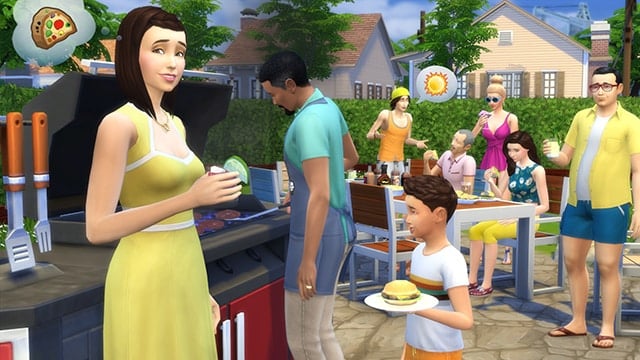
Perfect Patio Stuff gives your Sims all the things they need to create an awesome outdoor space. There’s a new grill and patio bar where Sims enjoy some outdoor dining, and new furniture and décor to help keep your Sim’s back yard looking fresh and stylish. New swimsuits, hairstyles, and casual outfits are also included for Sims who want to relax in the afternoon sun.

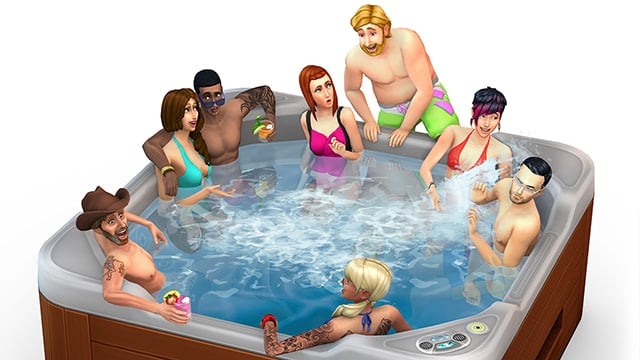
But most exciting is the addition of the all-new hot tub! Up to eight Sims (including children, for the first time in The Sims history!) can be in the hot tub at once. It’s a great place to hang out, and can get even better if your Sims enhance it with the stereo and aromatherapy upgrades. Sure, hanging out in hot water is pretty awesome, but listening to some killer music and enjoying pleasant aromas at the same time? That’s livin’ the life.

TS4_495_SP02_03_002

We wanted to make sure that hot tubs in The Sims 4 were the best in the series, and we think you (and your Sims) are going to love them. The Sims 4 Perfect Patio Stuff has that and much more – and we can’t wait for you to see it for yourself next week!

Want to get your back yard ready for a perfect patio? Check out Basement Building Tips and some advice on Creating a Perfect Pool.

Stay in the conversation! Follow us on Twitter and Instagram, Like us on Facebook, and Subscribe to our YouTube channel.
*REQUIRES THE SIMS 4 GAME (SOLD SEPARATELY) AND ALL UPDATES TO PLAY.

The Sims 4: SimGuruGraham explains the development timeline

3

SIMS4_Logo_Final_rgb

The Sims 4 so far had per one of each 3 Pack types – Game Pack (Outdoor Retreat), Expansion Pack (Get to Work) and a Stuff Pack (Luxury Party). All of these Packs released 8 months after The Sims 4’s release and fans are wondering at what frequency and pace will this game release new Packs and  new content.

@JtcmW: Graham, is there a rough frequency we can expect from stuff packs (like on average we get 2 EPs per year)?

@SimGuruGraham: To me, Sims 4 feels like a different approach to studio/team management and development timelines. Things may change as we learn what players respond best to between SPs/GPs/EPs. I wouldn’t comfortably place a number on a routine cadence of releases at this point while we continue to experiment with different ways to deliver content.

How many Packs do you expect to be released this year?

devtimeline

Thanks PekeSims for the heads up!

The Sims 4 Gallery Spotlight: #BuildNewcrest

buildnewcrestgallery

Wavecrest (Download Here)

4 bedroom home that sleeps up to 8 Sims. #Party deck outside with #tropical themed #poolwith #waterfall. Sunken media room. #nocc #modern #sexy #buildnewcrest #openliving #cool #stopstealing #sims4

Value: §264,822
Size: 40×30
Lot Type: Residental Lot
Required Packs: Outdoor Retreat, Get to Work, Luxury Party

06-08-15_9-30 PM-2 06-08-15_9-30 PM-3 06-08-15_9-32 PM

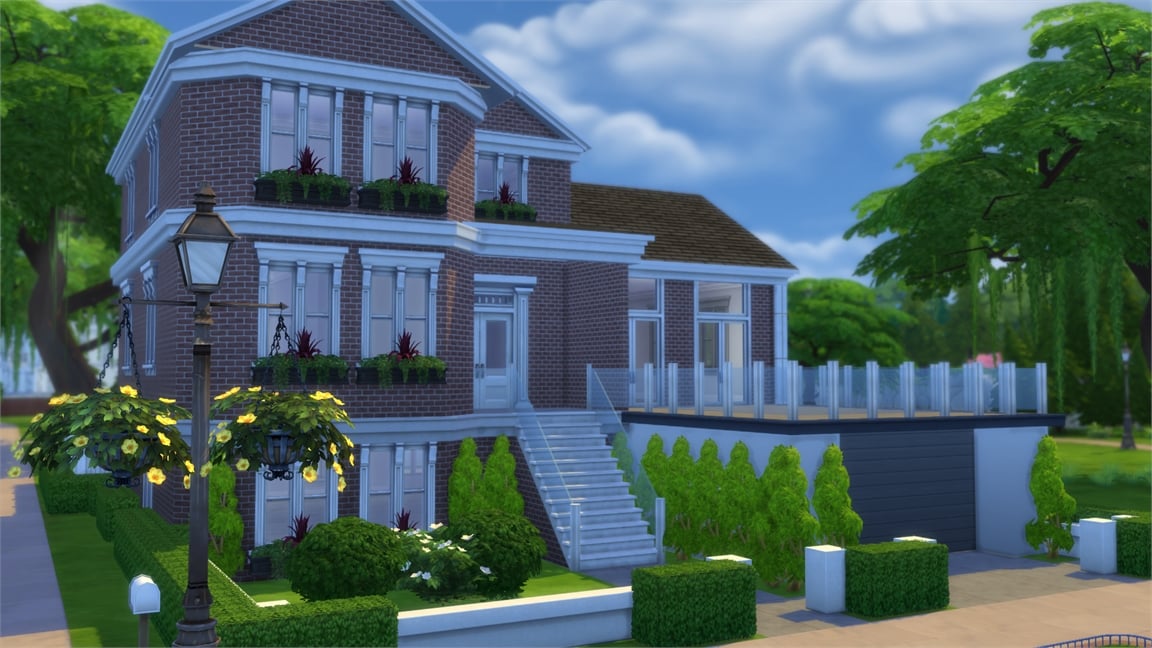
Creative Craftsman (Download Here)

Hope you all enjoy 🙂 (Semi-Finished basement space so you can add whatever you would like) #craftsman #ladysbuilds #buildnewcrest

Value: §202,851
Size: 40×30
Lot Type: Residental Lot
Required Packs: Outdoor Retreat, Get to Work, Luxury Party

06-08-15_9-46 PM 06-08-15_9-46 PM-2 06-08-15_9-48 PM-2

Newcrest Contempo 4 (Download Here)

#BuildNewcrest An #affordable #modern #contemporary #family home with #NoCC #ruthless Go to getsimplyruthless.blogspot.com for more pix

Value: §43,579
Size: 30×20
Lot Type: Residental Lot
Required Packs: None

06-08-15_10-00 PM 06-08-15_10-00 PM-2 06-08-15_10-00 PM-3

Anchor Parkway (Download Here)

A cozy two story 30×20 home for the upcoming neighborhood Newcrest! #BuildNewcrest

Value: §96,517
Size: 30×20
Lot Type: Residental Lot
Required Packs: None

06-08-15_10-15 PM 06-08-15_10-15 PM-2 06-08-15_10-17 PM

Acuity by SimmyLexis (Download Here)

Here’s a #furnished #aframe house called “Acuity.” Watch the speed build on #YouTube. just search “SimmyLexis” #cute #sims4 #acuity #modern #nocc #simmylexis #family #buildnewcrest

Value: §105,390
Size: 30×20
Lot Type: Residental Lot
Required Packs: Get to Work

06-08-15_10-21 PM 06-08-15_10-21 PM-2 06-08-15_10-22 PM

Luxury Townhouse (Download Here)

Enjoy #modern #luxury #townhouse to #decorate as you wish & ready for $buildnewcrest #nocc #moo #MOO #stopstealing #nobadcomments #sims4 #nice #carlsguide

Value: §81,862
Size: 30×20
Lot Type: Residental Lot
Required Packs: Get to Work

06-08-15_10-27 PM 06-08-15_10-27 PM-4

The Blue Rose Newcrest (Download Here)

#buildnewcrest

Value: §156,406
Size: 30×20
Lot Type: Residental Lot
Required Packs: Get to Work

06-08-15_10-28 PM 06-08-15_10-28 PM-2

House Olivka (Download Here)

#nocc #karamustafa #forumpl #poland #createlifeinsims #house #sims4 #stopstealing #pool #BuildNewcrest #yvonne2772 #Newcrest Activate MOO

Value: §193,517
Size: 30×20
Lot Type: Residental Lot
Required Packs: Get to Work, Luxury Party

06-08-15_10-30 PM-3 06-08-15_10-33 PM-2 06-08-15_10-35 PM

Newcrest Contempo Starter (Download Here)

#BuildNewcrest A #contemporary #modern #starter home with #NoCC.

Value: §18,016
Size: 20×15
Lot Type: Residental Lot
Required Packs: None

06-08-15_10-37 PM

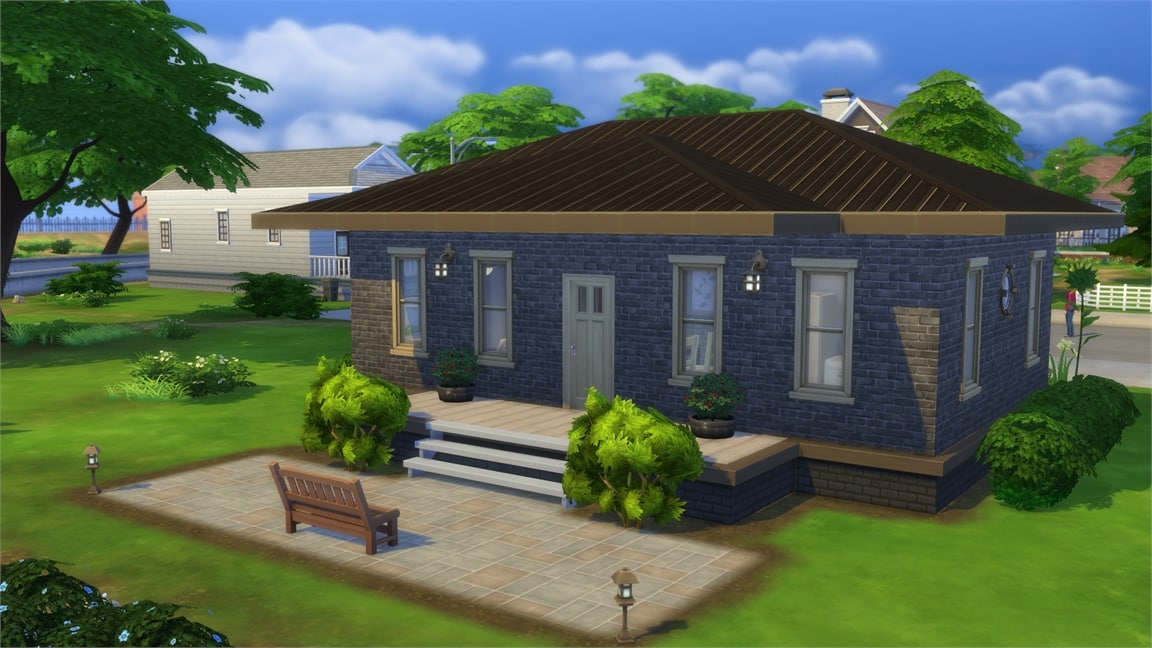
Dark Brick Starter (Download Here)

Perfect #starter with a lovely #garden. #noCC #MOO #cute #newcrest #buildnewcrest

Value: §17,382
Size: 20×15
Lot Type: Residental Lot
Required Packs: None

06-08-15_10-40 PM 06-08-15_10-41 PM

The Sims 4 Mod: Hotels

This Mod has been brought to you by Mod The Sims member – simmythesim!

Have you ever wanted Hotels in The Sims 4?
Well now you can! With my Sims 4 Hotel Mod, your sims can finally move into their own hotel!

This adds a new Hotel venue, which sims can live on. It also invites 6 sims to act as the guests of the hotel. There is also one sim which takes care of cleaning the hotel.
I strongly advise you to download Scumbumbo’s door locking mod so the hotel’s guests don’t constantly barge into your room.
If you want some more hotels for your sims, search on the gallery by selecting the Hotel Lot type. I’ve put up the first hotel named “The Awesome Hotel”, but you have to check Include Custom Content in the settings.

Click on the picture below to download this Mod! (Requires MTS Registration)

MTS_simmythesim-1538151-06-08-15_10-56AM

Click Here for more information on how to install Custom Content and Mods!

Playtest a Sims game in EA Canada (Burnaby)

The Sims Team wants you to test one of their products (probably a new Sims game or pack) in EA Canada in Burnaby. After you apply in the survey linked below, you’ll be able to attend this playtesting event and give feedback about the unknown Sims game.

The event and the product tested inside EA Canada will probably be embargoed until further notice.

Sims fans, the EA Playtesting team wants YOU to attend a playtest at EA Canada in Burnaby on Thursday, June 11th!

If you’re selected to participate, you’ll come into the studio and give feedback, and you’ll leave with a free EA-developed game as thanks for your time! Interested in applying? Please fill out the survey at the link below:
http://bit.ly/1eWt2wl

We’ll be contacting selected participants by email early next week!

ScreenShot_20150607214010

The Sims 4: Free New World coming this June!

3

The Sims Team has just announced in their latest Sims Blog that a brand new world named Newcrest is coming to The Sims 4 for free this June!

Via thesims.com

Welcome to Newcrest

Simmers have created millions of Sims since The Sims 4 released last September, and many of our players have been asking for more space to move them into. Next week, we’ll answer that request by adding a new World, free* for all The Sims 4 owners!

The World of Newcrest will be joining Willow Creek and Oasis Springs next Thursday! Everyone playing The Sims 4 will be able to start building right away in Newcrest, a completely empty world ready to be settled by your Sims.

We know that many of you wanted more room to expand, but didn’t have the heart to evict the likes of Bella Goth, Malcolm Landgraab, and Bob Pancakes. We can’t blame you – who would want to live in a world without the Goths? That’s why we made Newcrest a clean slate. It’ll contain three new neighborhoods, each with five empty lots. You can download homes from the Gallery, build your own, and put whatever you want there! Bars, clubs, parks, houses, pools – you’ll be able to let your creativity shine in Newcrest. In case you want to start building homes now to get ready, here are the lot sizes:

Neighborhood #1:

• 50×40
• 40×30
• 40×30
• 30×30
• 30×20

Neighborhood #2:

• 30×20
• 30×20
• 40×30
• 20×15
• 20×15

Neighborhood #3:

• 30×20
• 30×20
• 30×20
• 40×30
• 40×20

Moving day is June 11, so start building awesome new houses (or find some cool ones on The Gallery). We can’t wait to see what you create in Newcrest!

Want some building tips to get you started? Check out Basement Building Tips and some advice on Creating a Perfect Pool.

Stay in the conversation! Follow us on Twitter and Instagram, Like us on Facebook, and Subscribe to our YouTube channel.

The Sims 4 Gallery Spotlight: Rooms (02/06/15)

header_logo_en

Classic Bathroom (Download Here)

Value: §8,812
Size: 4×3
Room Type: Bathroom
Required Packs: None

06-01-15_8-52 PM

Bumble Bee Kitchen / Dining (Download Here)

#MOO #nocc #kitchen #dining #yellow Fun Little Color mix

Value: §23,703
Size: 5×6
Room Type: Kitchen
Required Packs: Outdoor Retreat, Get to Work

06-01-15_8-53 PM 06-01-15_8-53 PM-2

Charmante (Download Here)

If you like my creation, please look at my catalog for more choices, thanks ♥ #nocc #stopstealing

Value: §25,668
Size: 6×5
Room Type: Bedroom
Required Packs: Get to Work

06-01-15_8-56 PM-2

Kitchen (Download Here)

by sandy2k, moveobjects. this is in the new build, enjoy.

Value: §54,083
Size: 12×9
Room Type: Kitchen
Required Packs: Outdoor Retreat, Get to Work, Luxury Party

06-01-15_8-57 PM 06-01-15_8-58 PM-2

Terasse (Download Here)

Value: §10,593
Size: 9×12
Room Type: Outdoors
Required Packs: Outdoor Retreat, Get to Work, Luxury Party

06-01-15_9-00 PM

The Sims 4: Customizable Career Outfits (Mod)

Want to customize your Sim’s career oufit? Now you can! No longer will you be stuck with the outfit the game assigns you.

This mod adds a new interaction, “Plan Career Outfit” to the dresser. As the name implies, it allows you to customize your Sims’ career outfits. Additionally, your Sim will always be pushed to switch to that outfit when going to work, even if there isn’t an outfit associated with the current career level. This will effect both open careers from Get to Work, and closed careers from the base game.

By default, the game will still generate new outfits when you start a career or get promoted to a level that has a default one, which will erase any changes you made. However, I’ve included a script mod that disables this, so the game will only use outfits you set.

You can download the mod from here: http://zerbu.tumblr.com/post/120497972477/the-sims-4-mod-customizable-career-outfits

06-02-15_1-40 AM

Click Here for more information on how to install Custom Content and Mods!

The Sims 4 will support Windows 10!

9

windows10sims

After Microsoft’s announcement that Windows 10 is coming on July 29, 2015, Simmers started to wonder if The Sims 4 will run on this Operating System.

To clarify things, yes, The Sims 4 will support Windows 10 (and probably previous Sims titles). SimGuruEugi made it clear on Reddit that they’re planning to support Windows 10 on the day of it’s launch:

Our plan is to support Windows 10 at launch. However, we haven’t started fully testing against it, so we can’t say with 100% certainty whether things will go as planned. 🙂

With that being said, do you have plans to switch to Microsoft’s latest Operating System?

Windows 10 is coming on July 29, and those who already have genuine copies of Windows 7 / Windows 8.1 can get it for free! (More info)

The Sims 4 Tutorial: How to create rooms with curved glass windows

The Sims 4 lets you build curved fences but sadly that doesn’t apply for walls. Thankfully, Mod The Sims member maloverci created a special glass fence that comes in 5 heights. There are 3 heights that match wall heights, letting you create glass walls and curved glass walls!

Here’s what you need to do in order to create rooms with curved glass windows:

1. Download and install the Glass Fence

The glass fence can be downloaded HERE! To install it, simply extract the .zip file and paste 5 .package files into DocumentsElectronic ArtsThe Sims 4Mods.

2. Plop the Rounded Deck with Fence

Select ”Walls and Empty Rooms” and find the Rounded Deck with fence (choose from any of the 3 sizes) and plop it on the ground.

TS4 2015-06-01 20-21-38-28 TS4 2015-06-01 20-21-47-08

3. Place the Glass Fence

Select the fences category and while in ”Replace fences” mode, select the glass fence of your height choice and click on the areas where you want to place glass fences.

 TS4 2015-06-01 20-21-53-56

4. Add another Rounded Deck on the top

Go up to next floor and plop another rounded deck right beneath the glass deck.

TS4 2015-06-01 20-29-07-58 TS4 2015-06-01 20-29-17-60

Voilà!

TS4 2015-06-01 20-32-11-95

You can also apply these steps for for levels above.

TS4 2015-06-01 20-35-46-38

The Sims 4 Custom Content: Blue Glass Fence

This fence has been brought to you by Mod The Sims member – maloverci!

This is a Set of Fences in Glass.
I find they are very modern.
you can also use it as Windows.

You can find it ingame in Build Mode – Fences Glaswand for 69 Simoleons in 5 sizes.

Click on the picture below to download this fence! (Requires MTS Registration)

MTS_maloverci-1535337-30.05.15_10-21

Click Here for more information on how to install Custom Content!

Whatculture: 12 Problems with reality only Sims 4 Players will understand!

0

12. You Can’t “Motherlode” Your Real-life Bank Account

Sims-4

What it’s all about: “Motherlode” is a cheat code used to increase your sim’s cash by 50 000 simoleons (the currency used in Sims 4) and probably the oldest cheat in the book. If you’re an avid “Simmer”, you’d be lying if you said that you haven’t used it at least once in your Sim life.

How it would affect reality: Apart from the world being your playground, could you imagine the consequences of a cheat like this in real life? Nobody would work, because nobody would need to work – which means no farmers to farm, no supermarkets to stock food, and no eating for you.

Read more…