Home Blog Page 487

The Sims Official Blog: Simmer Spotlight – Cinderellimouse

Via TheSims.com!

Sims fans never cease to amaze us with their creativity. From the amazing stuff in The Gallery to the mods and Custom Content, we’re constantly amazed by what people do with The Sims 4. This week, we talked to clever Custom Content creator, Cinderellimouse, who recently made waves with some shockingly quick work on a famous dress.

How long have you been a fan ofThe Sims?

Since the very beginning! My best friend and I loved to tell stories about this cast of characters we had invented, and The Sims was the perfect game for us to make those characters come alive! We were so excited to get the base game, I can still remember staring at that box art and working out who each Sim would be. I absolutely love the brand! What appeals strongly to me is that it allows people a lot of freedom to be creative and do different things: there are builders, people who enjoy making Sims in CAS, storytellers, modders, and custom content artists. I see the game as a tool for people to use their imagination and get creative! It’s interesting seeing how other people play, because Simmers really make their game their own.

cinderellimouse_IMAGE1

What do you like most about The Sims 4?

The Sims. That sounds really silly, but as someone who has played so many versions of the game on PC and console I find the TS4 Sims so real. They are so expressive and funny to watch, the animations are brilliant! I find myself taking so many screenshots of their faces. I’ve been making the same set of Sims since the very first game, so their personalities are quite fixed in my mind. The TS4 version of my Sims really seem to have those personalities, the way each Sim acts suits them so much! My tough soon-to-be cop moves and acts much differently to her flirty, artistic sister.

I’m a big fan of the emotion system, too. I love how you can just look at a Sim walking down the street and tell what kind of mood they are in! And how a Sim might be doing the slouchy walk, but you can look at their face to see if they are tired-happy, or tired-sad. Sad dancing is so adorable! <3

A few weeks ago, the internet blew up about #thedress and, and you quickly made it as Custom Content in The Sims 4. Why did you decide to make it?

It was a bit of a joke really. I’d had a bad day, and I was annoyed at the dress for confusing my poor tired brain! I thought, “I’m not going to let a dress dictate colours to me!” and I took control of the situation by creating the dress for the game in a variety of colours. If I say the dress is red, then the dress is red! Hee hee!

How was the reaction to your #thedress?

It was hilarious! My notifications on Twitter blew up with people crying “Nooooooo!!! Why would you do this to me!?” People really feel passionately about that dress! XD

Unrelated, but… which color did you see?

Red. 😛

It was weird, I was looking at the images of the real dress while I was creating the Sim version and the dress kept changing colour! I think the colours you see depend on what you have been looking at beforehand.

cinderellimouse_IMAGE2

Do you have any tips for people interested in getting into making their own custom content in The Sims 4?

Yes! Grab one of the free third-party programs that are available like Sims4Studio or TSR Workshop and check out one of the many tutorials that are available. Mod the Sims is a great place to find tutorials on creating Custom Content. Keep an eye on my blog site, Sims in the Woods, because I’m planning on writing a series of tutorials there soon and will be happy to answer any questions! You can also poke me on Twitter if you need any help @Cinderellimouse.

I’d say when creating any kind of custom content that there is a learning curve, and the more you do it, the better you get. I used to make clothing for TS2 but I’m a bit rusty now and could do with a bit more practice. Try not to expect too much of yourself at first, we all have to start somewhere and we all have epic fails! I recently managed to put an image on the BACK of a t-shirt! I was confused as to why the image hadn’t shown up in game, until I spun the Sim around in CAS and saw the mistake! XD

But being able to take control of the game and make your own content or mods is incredibly satisfying! I’d recommend everyone give it a go. ^.^

The Sims 4 Gallery Spotlight: Rooms (19/03/15)

1

header_logo_en

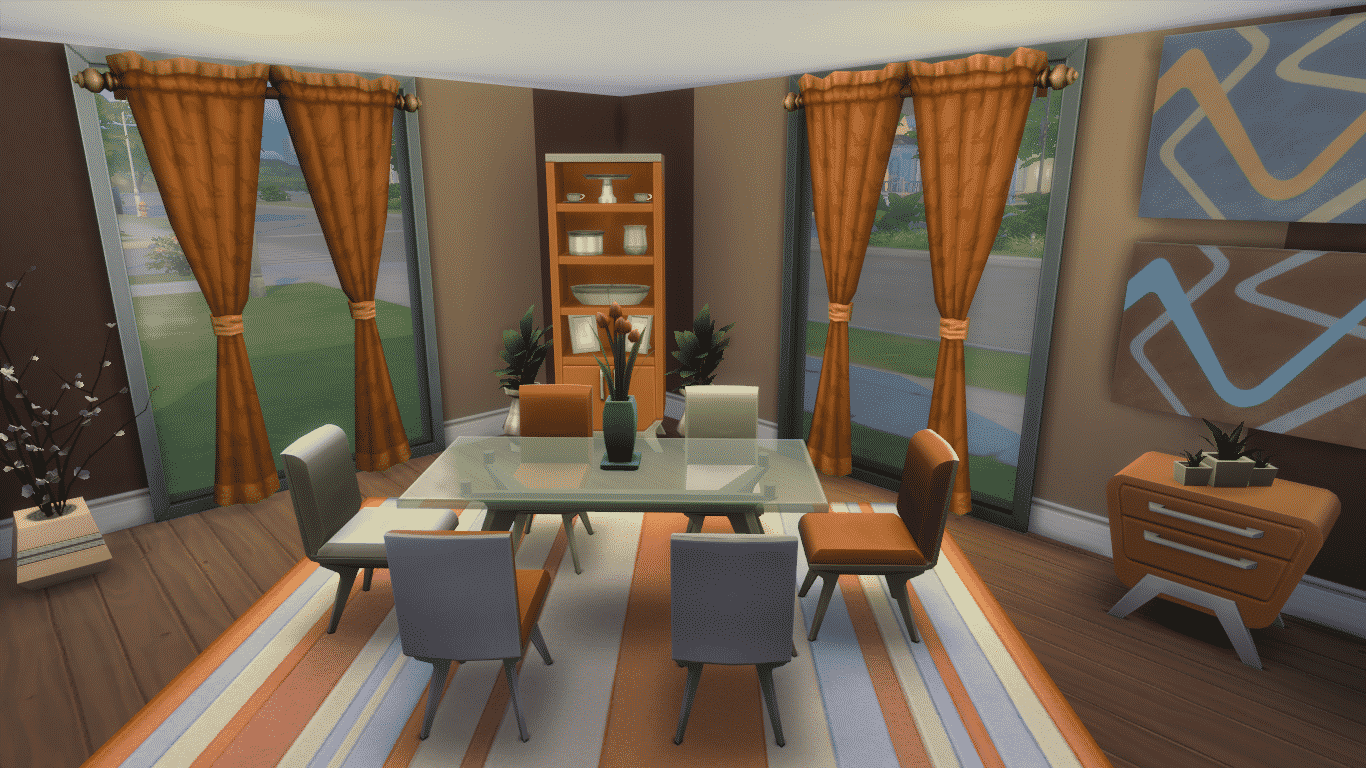
Dining Room (Download Here)

Simple Dining Room with warm colors will make any snack and chit-chat pleasant.

#esszimmer #dining

Value: §7,048
Size: 5×6
Room Type: Dining Room

03-19-15_12-06 PM 03-19-15_12-09 PM

Sunrise Kitchen (Download Here)

A classic Kitchen for Sims with good cooking skills.

Sunrise Kitchen made by Xyllier

Value: §30,422
Size: 9×7
Room Type: Kitchen

03-19-15_12-03 PM-3 03-19-15_11-56 AM 03-19-15_11-58 AM-2

Eco Open Plan Living (Download Here)

An open plan kitchen/dining/living and study area with mini garden complete with chess in the center. Hope you like it!

Value: §31,340
Size: 9×10
Room Type: Kitchen

03-19-15_11-46 AM 03-19-15_11-48 AM-2 03-19-15_11-45 AM

Monochrome Urban Living (Download Here)

The Ultimate Room that’s a combination of a Kitchen, Living Room, Dining Room and Study.

#living #livingroom #dining #diningroom #kitchen#study #monochrome #black #white #openplan#trendy #stylish #cool #princesshelsie #sims4

Value: §84,689
Size: 17×13
Room Type: Living Room

03-19-15_11-34 AM 03-19-15_11-35 AM 03-19-15_11-35 AM-2

The Sims 4 Custom Content: Photo Studio Set

This Set has been brought to you by Kewai-Dou!

Photo studio set for The Sims 4. I made studio set MOD which for take a good screenshot of your sim in the sims 4.
The back screen has white, black, green and blue. Green and blue are for chroma key. Those lighting color have set the pure white(= #FFFFFF) and have high power light. Enjoy take a screen shot in the Sims4. 🙂

Click on the picture below to download this Set!

 KEWAI-DOU_TS4studioset

Click Here for more information on how to install Custom Content!

The Sims Blog: Pregnant Sims from Outer Space!

0

Via TheSims.com!

Last week we looked in on a baker opening up her own retail business in The Sims 4 Get to Work. This week, we’re following a young alien couple hiding in plain sight, about to embark on a magical journey.

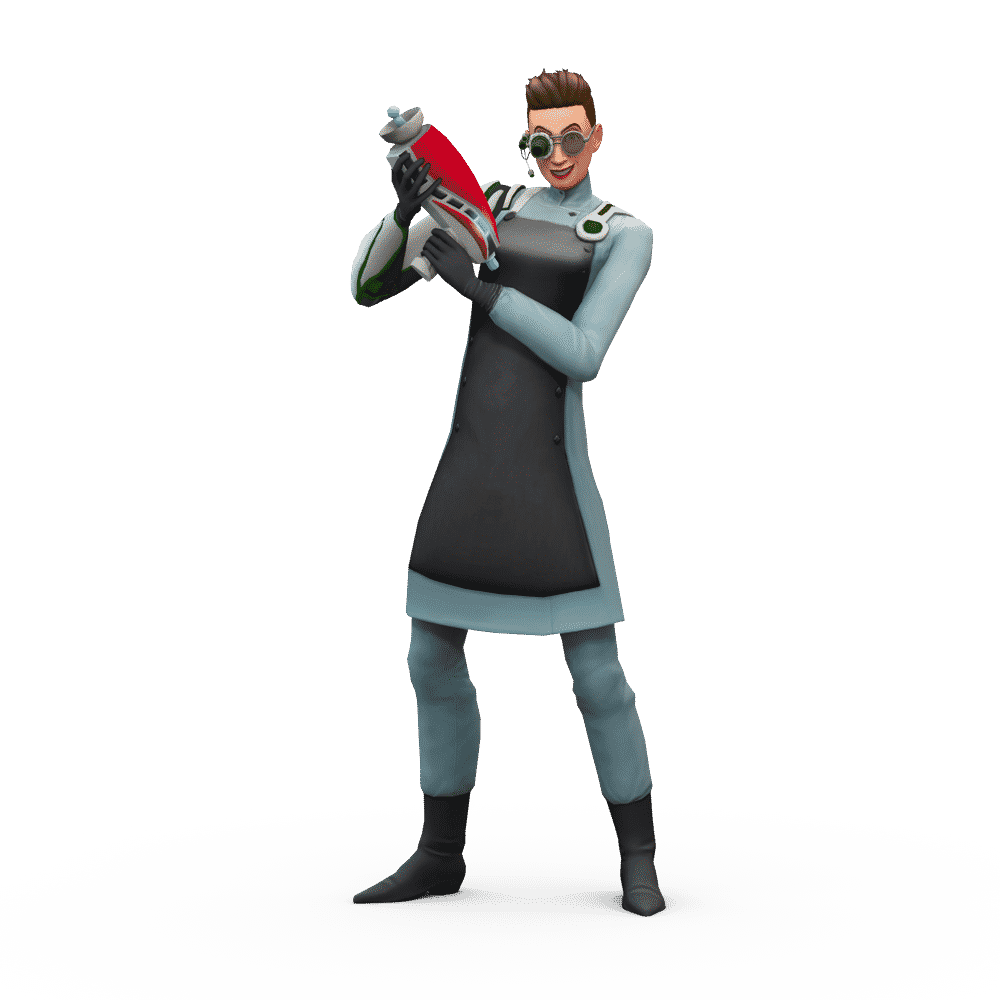
It was love at first sight for Kristen Dyson and Spencer Jackson. They met outside the new bakery in town and moved in together after a brief courtship. How great it was to be young and in love! The first night in their new home was one of celebratory WooHoo, but they couldn’t stay uptoo late. They’d recently started new careers – Kristen was a Scientist, and Spencer was a Detective – and they had to be up bright and early for the day ahead. And to think, no one they worked with knew that they were aliens, living in disguise as regular Sims!

A few days later, Kristen felt something odd. She’d started the day in a good mood, but only halfway into her work at the Future Sim Labs she was really tired. She knew she wasn’t sick. This felt… different. Could this be what she thought it was? After work, she told Spencer the good news: she was pregnant! He had a surprise for her as well: so was he!

A few days later they both had visible belly bumps. A loving couple, pregnant with each other’s alien babies – how joyous. Now they were able to share every uncomfortable, waddling step of this miracle together.

Before they got too big, they wanted to travel back to their home world to share the big news with some of their own kind. Lucky for them, Kristen had just recently brought home an Electroflux Wormhole Generator from work, so it wasn’t difficult for the duo to travel light-years away to visit the planet Sixam. Once they passed through the portal they were able to freely drop their Sim disguises to hang out with their alien buddies. Their friends on Sixam were overjoyed with the news, and looked forward to having more aliens they could discuss those weird human foods with.

A few days later, Kristen and Spencer started getting so big they looked like they could pop at any moment. What would they do if they bothwent into labor at the same time?

When the big day finally came, it was Kristen who went into labor first! Luckily, a new hospital had just opened up in their town, so they rushed Kristen to the emergency room to let the professionals (with their high tech robot machines) deal with it. Once they were there, Spencer realized that their alien origin was safe – the doctor, too, was an alien in disguise. They knew they were in good hands.

TS4_423_SCIENTIST_1_001

Everything went perfect for mom and Myra, the couple’s new baby girl. They went straight home to start cooing and cuddling, but just as they got settled, it was Spencer’s turn! Luckily, Spencer had been planning for a home birth, so he was ready to take care of business himself. What he wasn’t planning for, though, was twins. Two beautiful, perfect, green, alien children: Kaloy and Sodi.

Once the three children were asleep, Kristen and Spencer went right to bed. They’d had quite the busy day! And now that their household more than doubled in size, they’ll surely have plenty more ahead of them…

This March 31, your Sims will rule the workplace in The Sims 4 Get to Work Expansion Pack. You will control your Sims’ every action as they tackle three active careers, whether it’s saving lives as a daring doctor, solving crimes as a fearless detective, or creating inventions as a mad scientist. You will also be able to put your Sims’ entrepreneurial ambitions to the test as you create and customize unique retail businesses. Plus, there are new venues, more skills to learn, and the chance to befriend some aliens!


The Sims 4 Get to Work: 6 New Renders

0

Click on the Render of your choice to see it in bigger resolution!

gtwren1 gtwren2 gtwren3 gtwren4 gtwren5 gtwren6

The Sims FreePlay: Royalty Update Now Available!

5

Capture

To download this Update simply open your The Sims FreePlay application and you’ll be prompted to download the new Update that comes with the following content:

What’s New in Version 5.12.0

A magnificent castle has appeared shrouded in mystery! Only those who are chivalrous, valiant, and honorable can lift the curse upon it and become the king or queen. Hurry, Sim Town is waiting for the rightful heir to the throne!

• Lower the drawbridge and open the gates to the majestic Northern Glade Castle! Complete the Royal Lineage quest to explore the castle at level 14+.
• Take the throne as the queen or king of Sim Town! Create your royal family with perfect princesses and playful princes.
• Be covered in fairy dust from magical and mischievous fairies. Complete the Royal Lineage quest to welcome pet fairies to your family!
• Hit a bullseye in the new archery hobby. Become an archery master to unlock spectacular statues for your courtyard garden.
• Entertain royalty as a hilarious Jester. Perform sidesplitting dances and acts to unlock the throne room.
• Ascend to the throne room to issue decrees! Take rule and affect Sim Town in new exciting ways.
• Dazzle onlookers with jewel-studded crowns, gorgeous flowing gowns, and commanding royal attire!

screen640x640screen640x640 (1)

The Sims 4 Custom Content: Classy Hair

This Hairstyle has been brought to you by Delco Webney!

New hair for females, from teen to elder. Mesh/texture sculpted/painted from scratch. Comes in all CAS colors. Disabled for random. All LODs. Supports hats.

Click on the picture below to download this Hairstyle!

tumblr_nl5taun5Ht1upi30no1_1280

Click Here for more information on how to install Custom Content!

The Sims 4 Get to Work: Preview by TrustedReviews

0

Sims4-Get-to-Work-3-

First up, what you need to know is that there are three playable career tracks introduced with Get To Work – Doctor, Detective and Scientist. Each of these new playable career modes offers unique workplaces, career tracks and objectives to complete.

I chose to try the Doctor track first. Get To Work now allows your Sims to feel under the weather – sometimes simply rectified by a good cup of tea, but you may need someone to take care of them.

That’s where the Doctor career track comes in. Joining this career will take your Sim to the local hospital every day, where they’ll need to learn how to diagnose and treat patients. Of course, you’ll need to mop up a few puddles and get your head stuck into medical journals from time to time, too.

Regardless of which playable career track you choose, each day you’ll find a progress bar in the top-left-hand corner of the screen, with a series of tasks that you’ll need to complete before the day is out if you want a good review from the boss.

Read More

The Sims 4 Custom Content: Sims 2 Sculptures Set

This Set has been brought to you by Mod the Sims member – AdonisPluto!

As part of my to do list from different requests, here is a set of four decorative sculptures converted from the Sims 2.

Click on the picture below to download this Set! (Requires MTS Registration)

MTS_AdonisPluto-1512834-TS42015-03-1313-54-02-22

Click Here for more information on how to install Custom Content!