Home Blog Page 145

The Sims 4: Walkthrough of the Honey Production Mod Pack

Advanced Honey Making and Mead Brewing all in one powerful Mod Pack!

History players, off-the-grid players, and players who love to craft are going to love this. Today, I’m showcasing a brand new mod that enhances honey harvesting in the game and allows your Sims to use their refined honey to brew their own mead! PiedPiper has created a honey production and mead brewing mod that will allow your Sims to craft 61 new types of food and drink; 25 different types of honey and 36 flavours of mead.

In addition to the 60+ new craftables, this mod also adds three interactive custom objects, 3 different styles of display shelves for your honey and mead, a custom 10 level skill, new moodlets, a custom animation, and several new ways to sell what you’ve crafted. All custom objects are functional Off-the-Grid.

Most of the mod is base game compatible but Seasons and Get Famous are recommended expansions to have access to the mod’s full range of features.

The mod is currently in early access for patrons but will be released to the public on February 12th, 2022!

[mks_button size=”medium” title=”Download” style=”rounded” url=”https://www.patreon.com/posts/61498571″ target=”_blank” bg_color=”#4aa500″ txt_color=”#FFFFFF” icon=”fa-arrow-down” icon_type=”fa” nofollow=”0″]

Honey Production

The Sims 4: Walkthrough of the Honey Production Mod Pack
To start producing honey, Sims can use the wild honey stump found in Build/Buy under Outdoor Activities or the bee boxes from Seasons. The honey stump can be harvested from once every 24 hours but there is only a 50% chance of a successful honey harvest. If your Sim is successful in harvesting the honey, they will end up with a basket of honey in their inventory.

Purchase a honey press from Build/Buy to start refining your honey! The Filter Wild Honey option on the press is base game compatible and allows you to refine honey harvested from the wild honey stump. Press Raw Honey is only available to players with the Seasons expansion; this option is for refining honey harvested from bee boxes.

The Sims 4: Walkthrough of the Honey Production Mod Pack
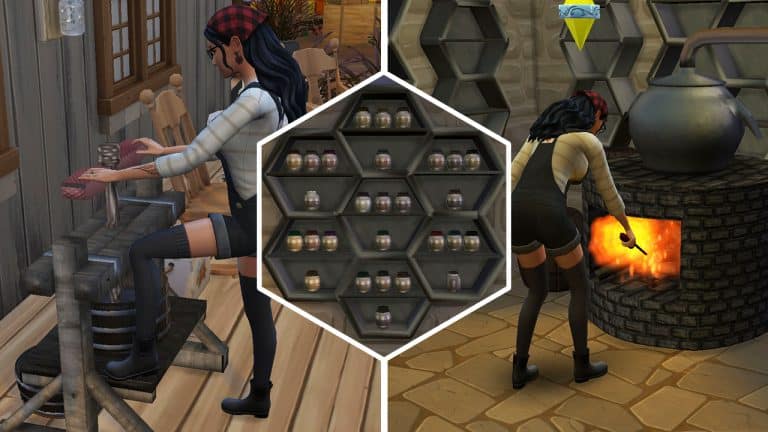
Your Sim will do a custom animation while using the honey press. When the honey has been refined, you can collect the contents from the honey press. Honey from the wild stump will give you 6 jars of wild honey. Honey from bee boxes will give you 6 jars of an assortment of different honey types. Although there are a total of 25 types of honey, your Sims won’t be able to harvest every type; the type of honey you get is dependant on region. Some types of honey are native to specific worlds and cannot be harvested outside of that world.

Here are the different types of honey that can be harvested in each region:

  • Mt. KomoberiAlfalfa, Acacia, Clover, Heather or Multiflower Honey
  • Henford-On-Bagley Forest, Clover, Eucalyptus, Dandelion or Multiflower Honey
  • Newcrest – Sunflower, Manuka, Buckwheat, Multiflower or Macadamia Honey
  • Oasis Spring – Acacia, Multiflower, Chestnut, Macadamia or Avocado Honey
  • SulaniOrange Blossom, Clover, Sage, Thyme or Multiflower Honey
  • Brindleton BayRosemary, Acacia, Sunflower, Rapeseed or Multiflower Honey
  • Willow CreekBlueberry, Multiflower, Lavender, Clover or Linden Honey
  • WindenburgPinetree, Multiflower, Tupelo, Wildflower or Clover Honey
  • All Other Worlds – Sunflower, Acacia, Clover, Multiflower or Clover Honey

Multiflower Honey can be harvested in all regions! Clover, Acacia, and Sunflower Honey are also common types of honey that can be harvested in most regions.

The Sims 4: Walkthrough of the Honey Production Mod Pack
All honey types can be eaten, used as cooking ingredients, and be sold for profit. Most of the honey types will also help your Sims recover from illness when eaten. Multiflower, Orange Blossom, Dandelion, Lavender and Linden Honey do not have any healing effects on Sims but all other types of honey help prevent illness in Sims and will also help Sims recover from illness if they are sick.

Some types of honey also have other effects. For example, Pinetree, Chestnut, Wildflower and Sunflower Honey will slightly increase your Sim’s Energy motive. Clover Honey is also higher in calories than other types of honey.

All honey is edible and can be sold directly to a Health Food Store for profit by clicking on the honey. It’s also tagged as sugar so it can be used in place of sugar in cooking recipes.

Mead Brewing

The Sims 4: Walkthrough of the Honey Production Mod Pack
Honey is also the main ingredient in brewing mead. To start brewing mead, purchase a mead brewer from Build/Buy and instruct your Sim to light the fire. Once a fire is going, you can begin brewing mead with the honey you’ve crafted, along with various other ingredients in the game. There are 36 different flavours of mead and your Sim will eventually unlock them all as they build the new custom Mead Brewing skill. The Mead Brewing skill is a major skill; it has 10 levels.

The Sims 4: Walkthrough of the Honey Production Mod Pack
All the ingredients for brewing mead are optional. Your Sims can still make mead without the listed ingredients; this is so base game players who don’t have access to the different honey types or other pack-specific ingredients will still be able to make all the different kinds of mead. Of course, it is cheaper to make mead if you have all the ingredients so if you’re looking to make a larger profit, having the ingredients is helpful. Pied Piper has also incorporated many of their own custom ingredients into the recipes. The recommended harvestables for those ingredients are linked on their Patreon page.

The Sims 4: Walkthrough of the Honey Production Mod Pack
When your Sim finishes brewing a batch of mead, they will get a barrel. The barrel can be stored and displayed on the custom shelves that come with this mod. They can also be poured out into bottles. Each barrel makes 6 bottles of mead and each bottle makes 6 flagons of mead. The bottles can be sold instantly at the Farmer’s Market (L6 Mead Brewing) or to a Liquor Store (L10 Mead Brewing). Selling to the Farmer’s Market is more profitable than selling from the inventory; you’ll make 2x the profit from selling via the Farmer’s Market option. You make slightly less money from selling to a Liquor Store but you do gain fame from doing so if Get Famous is installed.

The Sims 4: Walkthrough of the Honey Production Mod Pack
Here are all the different types of mead along with their ingredients and their required skill level. All recipes have a base cost of §120 to craft but having ingredients will reduce the brewing cost.

[table id=101 /]

Drinking mead will give a variety of different moodlets depending on the type of mead. Sims can become either Confident or Dazed from continuing to drink mead after the initial 3 hour Relaxing Remedy moodlet wears off.

Display Shelves
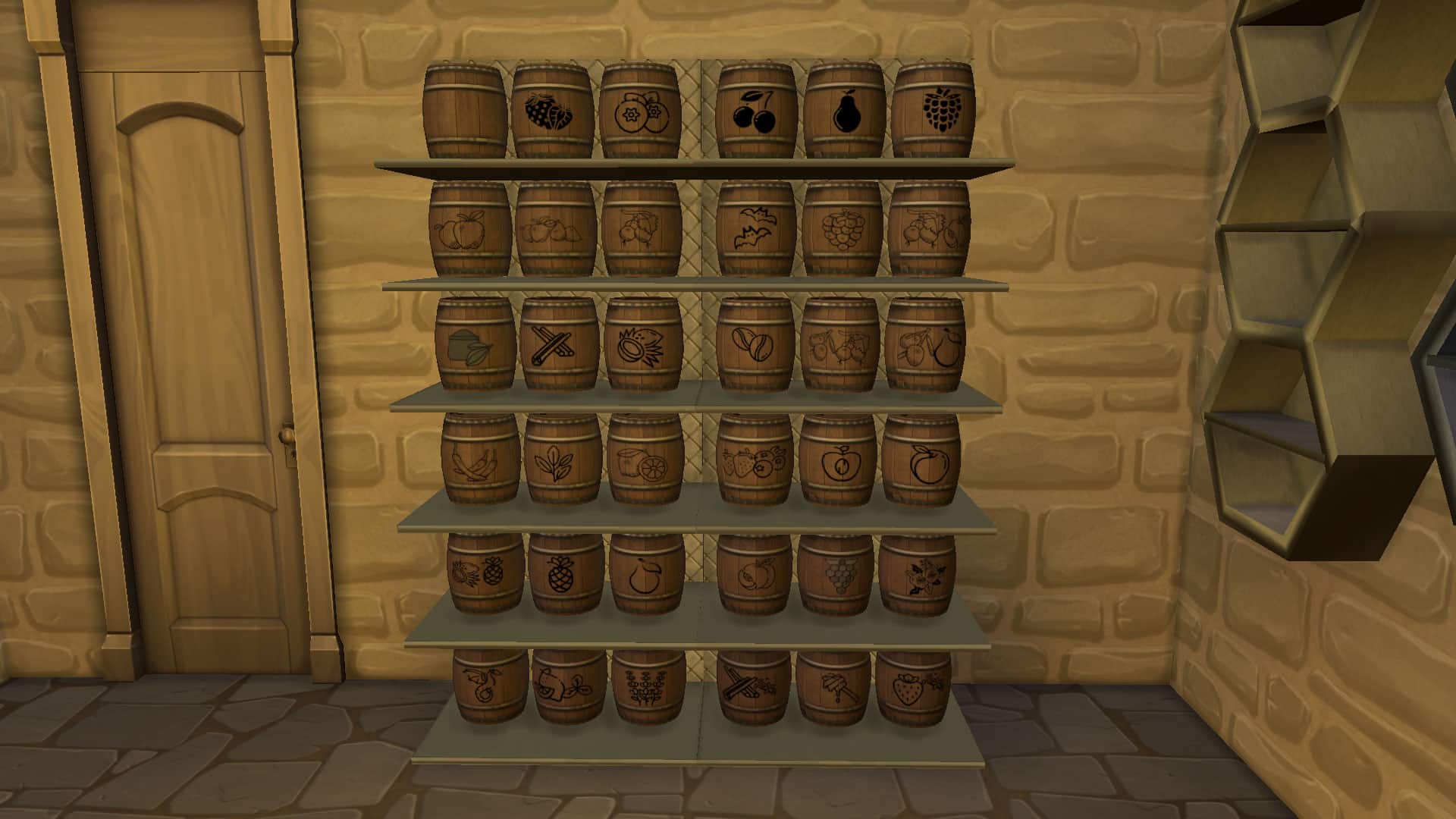
PiedPiper has also included three different display shelves with this mod to store your honey and mead. You can customise your very own mead cellar and keep barrels of mead stored on the large floor shelves. The two honeycomb shaped shelves are perfect for storing honey or individual bottles of mead.

Our Thoughts

We previously wrote a walkthrough of one of PiedPiper’s other mods, a Functional Loom, and we were very impressed by the complexity and detail of that mod. We knew we were in for a treat when we got the opportunity to explore this mod and we were not disappointed! We had a lot of fun refining all the different types of honey and using all the new objects to brew so many different kinds of mead. Just like the Functional Loom mod, the Honey Processing mod is much more than just a new functional object. It adds over 60 new craftables, 3 different interactive objects, a custom animation, a new major skill, new ways to sell our crafted items, and even three different shelves designed specifically for displaying these craftables. It’s basically a whole DLC pack in and of itself.

I think my favourite detail of this mod is how the different types of honey are region-specific. It’s such a unique and realistic detail that adds a layer of challenge to the mod. If you want to harvest every type of honey, you’ll have to travel the whole Sims world to find them all. It’s a really neat way to motivate us to explore worlds we may not have really bothered to play in before.

I also like that all the mead recipes can be made without ingredients. It was a smart choice considering that the honey types are locked to specific regions and not all players have all the packs containing the ingredients for some of the mead recipes. Base game players can still enjoy the full functionality of the mead brewer even if they don’t have the unique honey types which requires Seasons.

We can’t wait to see what PiedPiper comes up with next!

The Sims 4 My Wedding Stories: First Screens & Features

ARTICLE UPDATE: A new screenshot has surfaced! We’ve added it to the gallery list below.


The first official screenshots for The Sims 4 My Wedding Stories Game Pack have surfaced the web!

The first finding seems to appear from the official store page that has been translated from a different language – revealing the official description and key features of the game pack.

Of course, some of the things have been lost in translation so keep that in mind while reading this through:

It’s time to walk down the aisle with The Sims 4 My Wedding Stories Game Pack*! Embark on this journey for the day more and plan the perfect ceremony. From the wedding request to the reception, customize every detail to celebrate each Sim’s love story in a truly unique way. In the world of Tartosa, anything becomes romantic.

KEY FEATURES

Get ready to party – asking the question is just the beginning of your Sim’s wedding experience. After saying “yes,” the excitement and anxiety takes over. There is so much to plan! Choose Sims of honor to make the wedding experience the most fun possible. Then hold the engagement dinner, rehearsal and make the most of the last night without a spouse.

Bring your plans to life – focus on the details of your nuptials. Select the wedding costume of The Sims and everything necessary for the big day: the menu, the decoration, the programming…. everything! Visit locations created by community staff as your Sims sample cakes, choose the flowers and adjust the traditions that will make the wedding day more special.

Affirm commitment – before the big event, celebrate with the family at a rehearsal dinner. When it’s finally time, let the love flow and realize all your wills. Exchange vows, alliances and kisses at the altar before the real celebration begins. Start the ceremony serving tea to the family or go straight to the reception. People at weddings and those who have been invited Can Dance With Us honey, while spouses cut the cake, make speeches and receive congratulations.

The Sims 4 My Wedding Stories: First Screens & Features

This Game Pack is rumored to be released on February 17th, 2022. Check out the first in-game look of The Sims 4 My Wedding Stories with the official screenshots below:

Taking your Sims down the aisle, a whole new beach world, cute stained window glass and some gorgeous CAS assets are some of the first things we spotted in these screenshots. If you pay close attention there’s also a beautiful new piano in the first screenshot (all the way to the left).

You can catch up on the latest news with our latest The Sims 4 My Wedding Stories category!

What are your thoughts on everything we have so far on the upcoming Game Pack? Did you spot anything we missed? Let us know in the comments below!

Source: @lunar_britney, @gimmescars

The Sims 4 My Wedding Stories Cover has leaked

First look into The Sims 4 My Wedding Stories Game Pack!

Just a few hours after reporting on the apparent name leak for The Sims 4’s upcoming Game Pack there’s now a cover surfaced on the internet as well!

Last night a reliable Microsoft database insider has revealed that the upcoming Game Pack for The Sims 4 is titled “My Wedding Stories” and is set to release publicly on February 17th.

Today, the official cover for this Game Pack has surfaced across twitter – showcasing never-before seen elements, environments and clothing from the Pack!

The Sims 4 My Wedding Stories Cover has leaked

As you can see from the official cover – two Sims are walking down the aisle with Sims congratulating them in the background. Most importantly – is that a new beach world?!

There’s plenty of questions to be answered, but for now enjoy everything there is to the Game Pack from the cover.

We’ll make sure to keep you updated on the latest news about The Sims 4 My Wedding Stories right here on Sims Community – stay tuned!

Steam Trial: Play The Sims 4 for FREE this Weekend!

0

The Sims Team is celebrating 22 years of The Sims Franchise with a new trial over on the Steam platform!

In case you or your friends haven’t gotten a chance to play The Sims 4 Base Game, you can try out the game for free this weekend. The trial is available right now and will last until February 7th at 10AM Pacific Time.

During this time you can also enjoy the new discounts and offers on the Steam platform, including:

  • The Sims 4 Base Game – 88% off
  • The Sims 4 Expansion Packs – 50% off
  • The Sims 4 Game Packs – 30% off
  • The Sims 4 Stuff Packs – 30% off

The same deals are available on Origin as well, however they expire sooner – on February 8th, 2022.

You can take advantage of The Sims 4 Free Trial + Discounts on Steam by visiting this page!

Steam Trial: Play The Sims 4 for FREE this Weekend!

Iconic Objects through The Sims Series

3

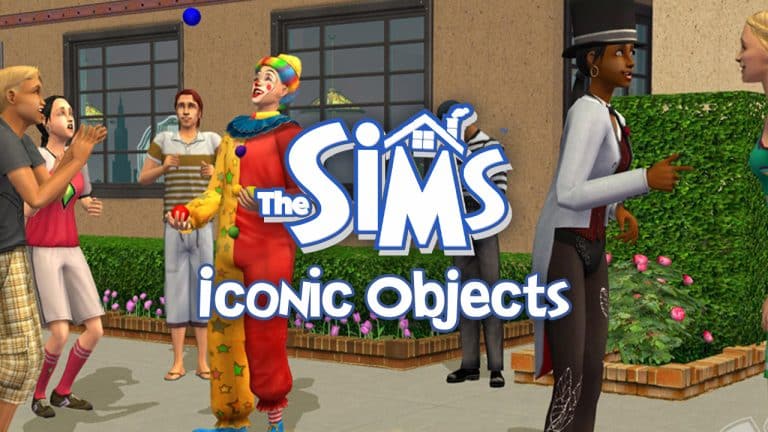
With the 22nd birthday of The Sims series coming up this February 4th, we’re taking a look back at some of the most iconic objects in the game that have made The Sims, well… The Sims! Objects that both young and old players alike will no doubt have fond memories of and that shaped the way they played The Sims… or were just super weird and funny. That’s cool, too.

With thousands upon thousands of objects across all four main titles alone, it would have been impossible to narrow things down without some criteria. We decided to focus on objects that have made an appearance in at least 3 out of the 4 main titles. The object could not be a basic generalization, like any old chair or any old shower. It had to be a specific object with some kind of unique function or significance. And finally, it had to be a tangible object, not a concept or a character.

So here are 10 of The Sims series’ most iconic objects throughout the years!

Hot Tub

Iconic Objects through The Sims Series

The hot tub! It’s been around since the dawn of Sims! Many a Sims baby has been conceived underneath its steamy waters. It’s where friendships are made and new romances begin. Throughout the years, the hot tub has been a focal point of socialization and relationships for Sims. I remember back in The Sims 1 days, if I wanted to make sure I threw an awesome party all my guests would rave about, all I had to do was make sure there was a hot tub to enjoy. Instant roof raiser, oh yeah!

Gnomes

Iconic Objects through The Sims Series
What would The Sims series be without these utterly pointless yet delightful little lawn ornaments? Back in the early days when Sims had an Environment motive you had to look after, plopping a few of these friendly little fellas in your front yard was a convenient and low cost way of making sure your Sim left for work in a good mood. These days, they’re more of a long-running joke. And a lot more vengeful in The Sims 4. But there’s a whopping 16 of them now. No, seriously. We ranked them.

Flamingo

Iconic Objects through The Sims Series
Ah yes. The ever present and even more pointless lawn flamingo! This staple of The Sims series has been in every single main title and some spinoffs as well. You probably forgot about their existence and yet, if you ever found out this flamingo had disappeared from the series, you would be outraged on a deep emotional level. You would. Don’t lie.

Cowplant

Iconic Objects through The Sims Series
The famous Cowplant, or more technically named, the Laganaphyllis Simnivorii, did not join us until The Sims 2 but it has been a beloved icon for Simmers ever since. This weirdly cute but very dangerous carnivorous plant first appeared as a career reward object in The Sims 2, then as Store content in The Sims 3. It made another return in the base game of The Sims 4 as part of the gardening collection. Simmers became so attached to their Cowplants that a movement started to allow us to name our Cowplants like we can name other minor pets such as fish. The devs granted our wish and now our Cowplants can have individual names. I named mine Moonshine.

Heart Bed

Iconic Objects through The Sims Series

Sadly, the latest installment of the series lacks this iconic object but it was present in The Sims 1, 2, and 3. For the Don Lotharios of the Sims world, owning one of these bad boys told every suitor who came to call that you were serious about romance. Just maybe don’t let them in on how many other suitors have enjoyed the romance of this bed…

Wishing Well

Iconic Objects through The Sims Series

The wishing well was first introduced in The Sims 2 Seasons and returned as Store content for The Sims 3. It was brought back again in The Sims 4 with the release of the Romantic Garden Stuff pack. I’ve lost count of just how many disasters have befallen my Sims over the years because of this malevolent monster but I still can’t really picture a complete Sims game without it and its merciless treachery.

Espresso Machine

Iconic Objects through The Sims Series
Maybe I’m alone in this but somehow, the espresso machine just feels like one of those things every Sims game has to have even if my Sims hardly ever use it. It might be because I have a lot of fond memories of my Sims drinking a shot of espresso in The Sims 2 and then becoming jittery for the next several hours. Did anyone else think their game was glitching out? Because I did. Turns out, it’s just the espresso! I’ll have another cup, please!

Birthday Cake

Iconic Objects through The Sims Series

How could we leave out this timeless gem? In spite of the fact that Sims did not age in The Sims 1, the game did have a birthday cake that Sims could celebrate with! This means that this iconic object has been present in all four installments of the main PC series. I dn’t think we really need to explain why this object is iconic, do we? Generations upon generations of celebrations and important life milestones have been celebrated around this cake.

Tragic Clown Painting

Iconic Objects through The Sims Series
I know, I know. The Tragic Clown is a character, not an object and therefore, he does not qualify for this list. That’s true, but his painting is an object and even though it doesn’t have a unique function in 3 out of 4 titles, it is present in 3 of the main Sims titles. So the Tragic Clown Painting just barely makes this list. In The Sims 1 and 4, viewing a Tragic Clown painting will cause the Tragic Clown to appear on the lot and make everyone miserable with his terrible magic tricks and awkward conversation. He’s not present as a living Sim in The Sims 3 but his painting still comes with one of the free Store sets.

Agnes Crumplebottom’s Purse

Iconic Objects through The Sims Series
Okay, this might not be an object you can grab out of the regular Build/Buy catalogue but it is, technically, an object. And it has a very unique function. Wanton violence. If you haven’t been mercilessly beaten over the head by Agnes Crumplebottom’s purse at least once in a Sims game, have you really played The Sims? It’s a sacred rite of passage every Simmer must go through. Have your strength tested against the rage of an angry old lady and emerge stronger and wiser than before. That is the way.


What other objects would you consider iconic to The Sims series? Tell us in the comments below or let us know on social media!

The Sims 4 Carnaval Streetwear Kit: CAS Overview

Everything included with The Sims 4 Carnaval Streetwear!

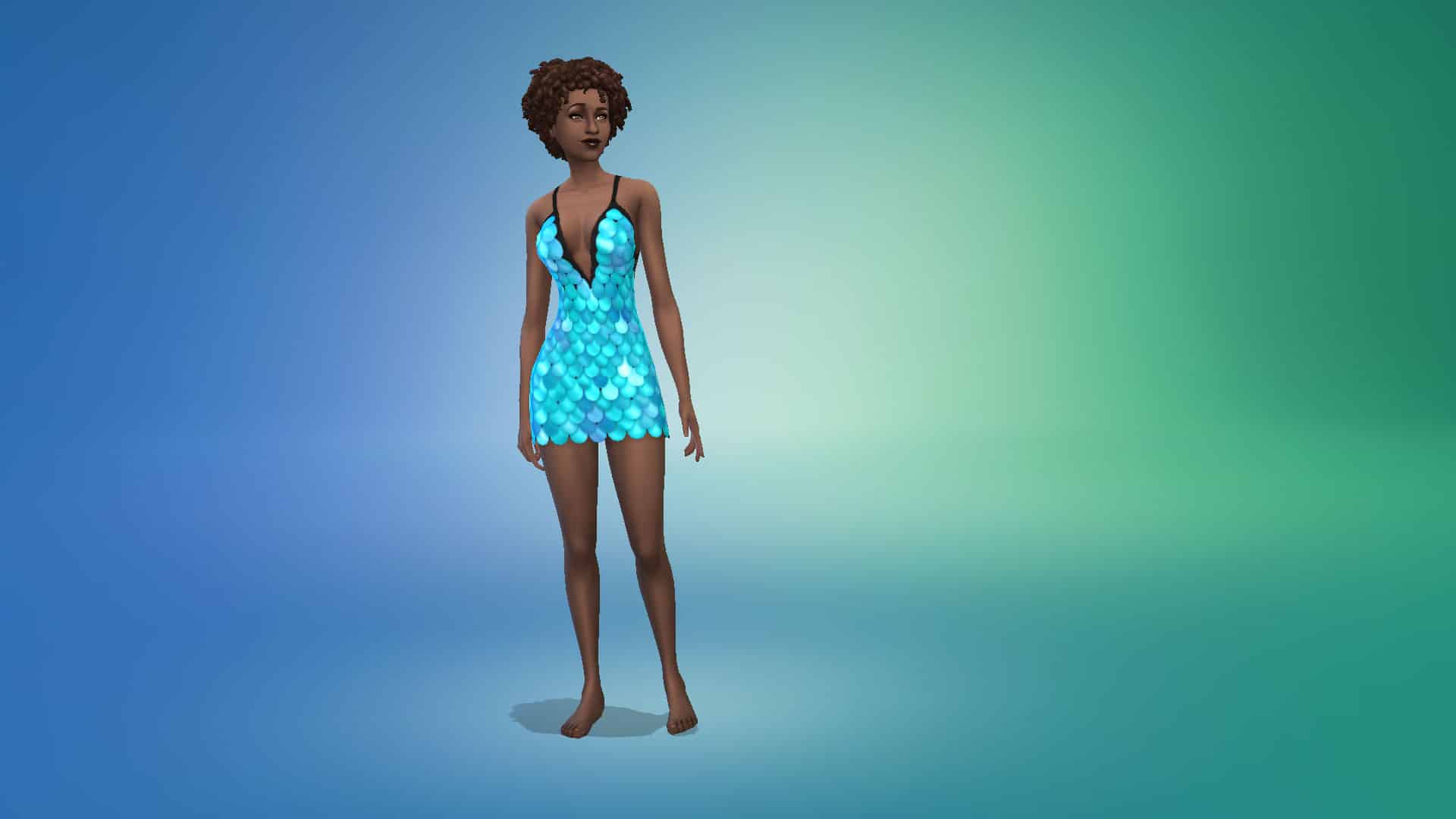
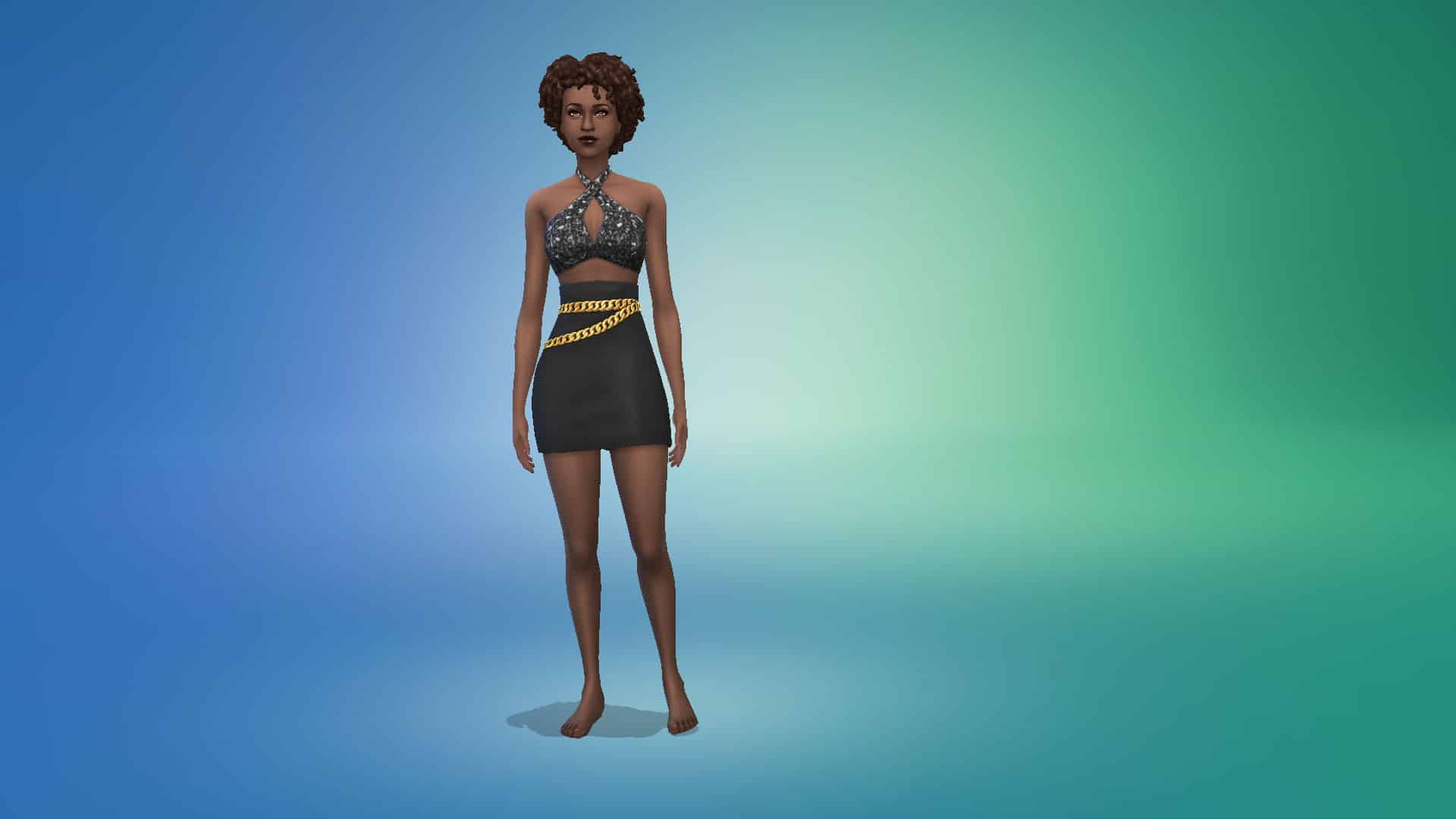
The Sims 4 Carnaval Streetwear Kit comes with 26 clothing items and accessories for both masculine and feminine adult Sims. The kit does not contain any content for children or toddlers.

Check out every new CAS item below. To zoom in, just click on a picture to get a larger view.

Adult Feminine

Tops (3)

Bottoms (4)

Full-Body Outfits (5)

Accessories (1)

The Sims 4 Carnaval Streetwear Kit: CAS Overview

Styled Looks (1)

The Sims 4 Carnaval Streetwear Kit: CAS Overview

Adult Masculine

Tops (4)

Bottoms (1)

The Sims 4 Carnaval Streetwear Kit: CAS Overview

Full-Body Outfits (2)

Styled Looks (1)

The Sims 4 Carnaval Streetwear Kit: CAS Overview

Adult Unisex

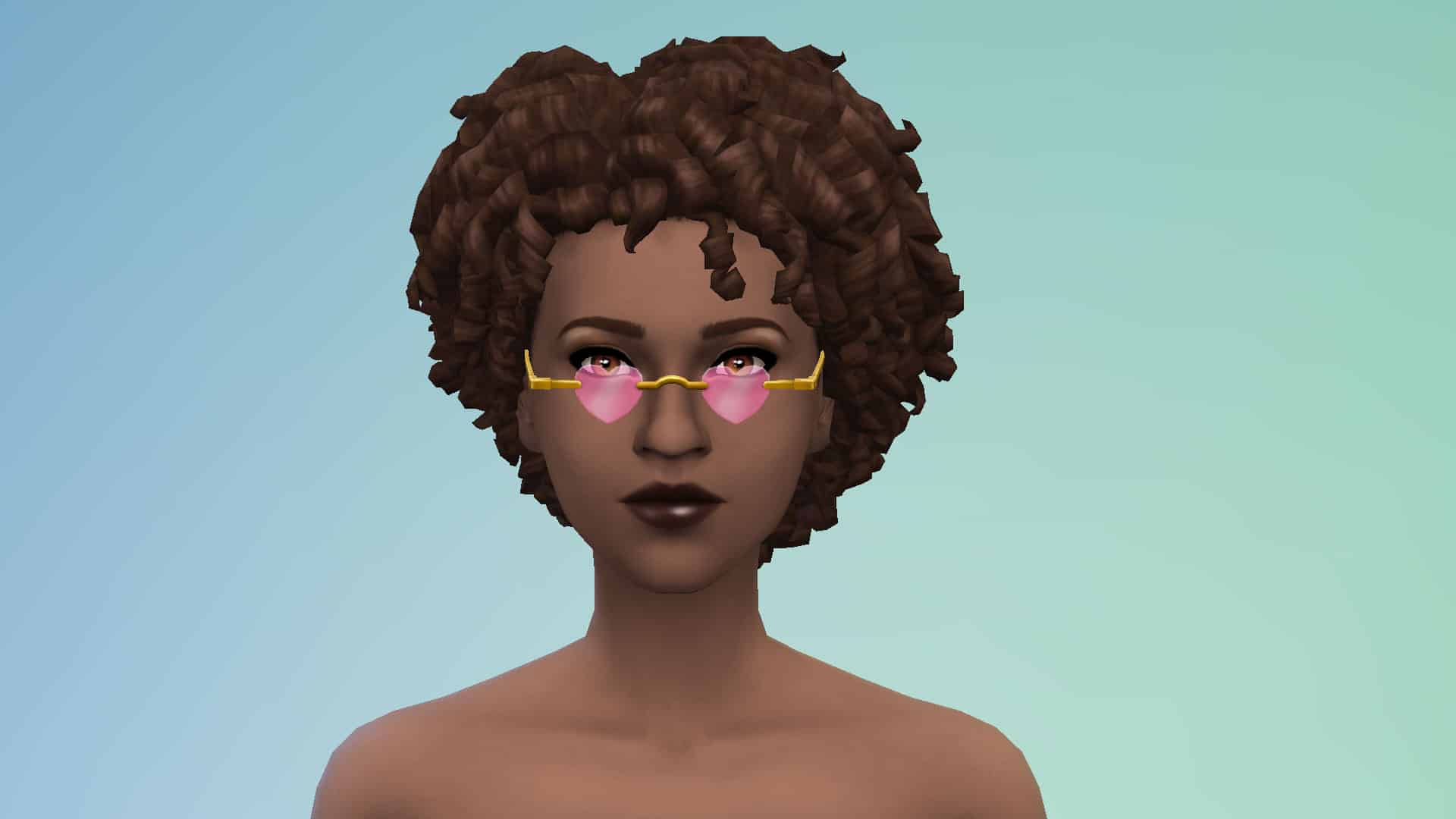
Accessories (4)

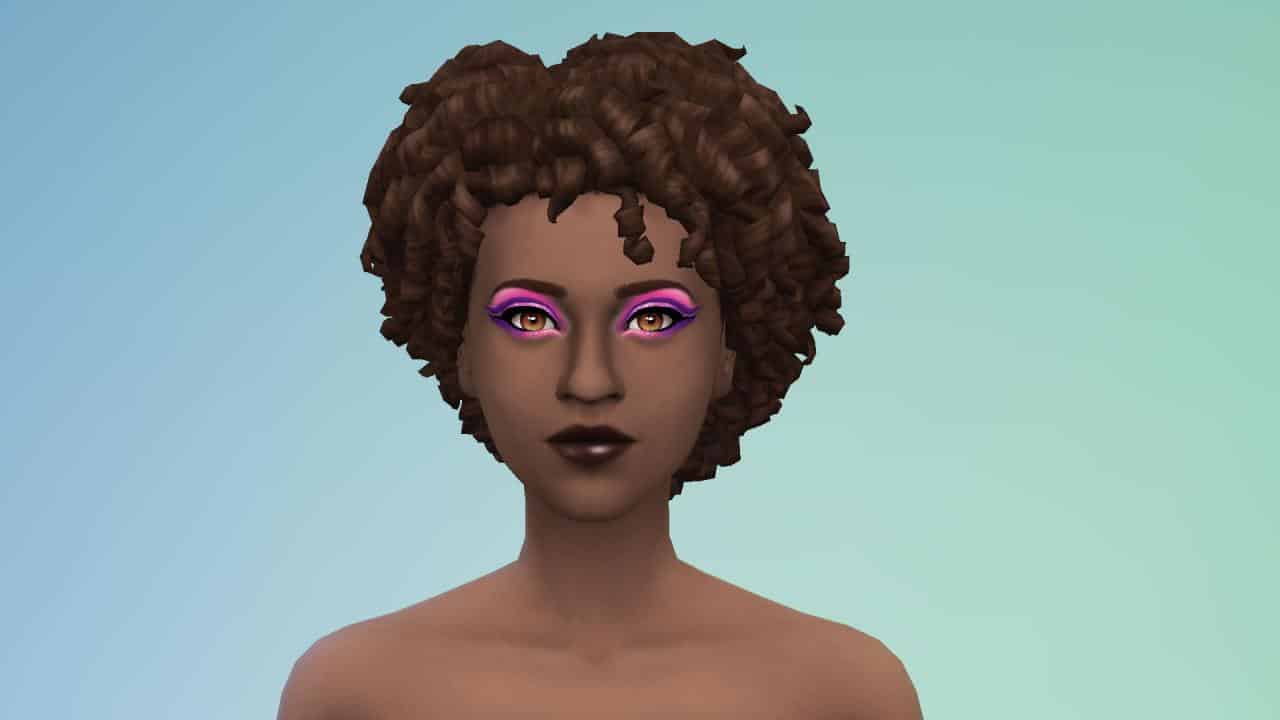
Makeup (2)

Author’s Swatch Picks

Just for fun, I’ve picked out my personal favourite swatch for every item and styled look that comes with this kit. Check them out below!

SPECULATION: The Sims 4 “My Wedding Stories” Releasing February 17th

The next Game Pack for The Sims 4 is allegedly called “My Wedding Stories”

@Alumia_Italia, the same user who provided us with leaks for some of the last few Kits for The Sims 4 (including Blooming Rooms and Carnaval Streetwear) is back with another report from the Microsoft database!

Apparently there is now first information regarding The Sims 4’s upcoming Game Pack which was already rumored to be themed around weddings.

According to the user, the Game Pack is titled “My Wedding Stories” and is set to release on February 17th, 2022. That’s this month!

Unlike with some of the previous leaks done by this user they haven’t provided any official assets / screenshots from the Game Pack…yet. The insider was asked about any proof including screenshots / cover, but it seems they don’t plan to share it just now.

We’ve seen from the official roadmap from The Sims Team that the next Game Pack is definitely related to Weddings – you can find it in both the teaser and the confetti icons around the teaser below:

SPECULATION: The Sims 4 “My Wedding Stories” Releasing February 17th

We’ll keep you posted on all the information about the upcoming Game Pack right here on Sims Community!

New Look into The Sims 4’s Next Sims Delivery

2

Durags and Bonnets coming to CAS!

Recently The Sims Team has confirmed that the upcoming Sims Delivery Express coming to The Sims 4 is set for February 9th, 2022.

Beside the 6 new recipes inspired by East Asian cuisine, there’s also a collaboration with a Custom Content creator – ComplexSims!

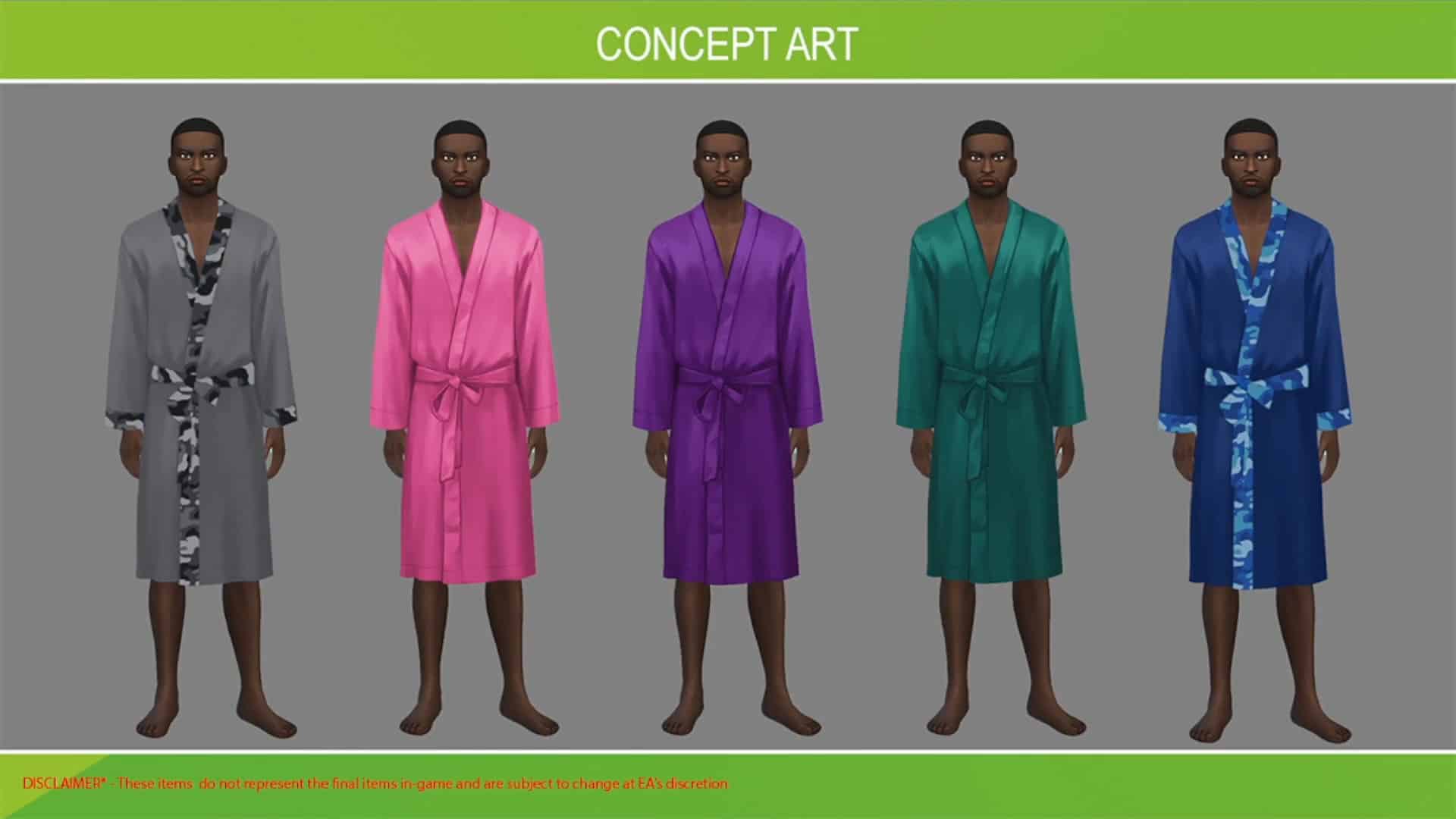
The new Sims Delivery will bring 3 unique pieces into Create A Sim including new robes. We only saw a glimpse of what the robes will look like from the Concept Art below:

New Look into The Sims 4’s Next Sims Delivery

In today’s latest Blog Post interview with ComplexSims, the team revealed a new screenshot of the upcoming CAS assets, including the robes, durags and bonnets all coming to CAS next week!

Check out the preview below:

Why are a bonnet, a durag and a unisex robe important items for your collaboration?  

These items are very useful to my community and are incorporated into our daily routine. They offer multiple advantages in terms of comfort and preservation. I’ve used every one of these items in my everyday life at some point. These items being integrated into the base game will allow a lot of the core fans to feel seen and represented. If you have these items when you need them, they’re pretty much an insurance policy against looking a mess when you wake up! You’ve seen them everywhere, from the corner store, to the airport, even the runway. These items will keep you on lock and in tact wherever you go.

I think they’re important to expand the possibilities for players who like to accommodate Sims of diverse backgrounds. It will also allow some players more representation because they fit into their everyday lives.

Why did you select these colors and prints?

I selected the specific patterns that I did because I wear and have worn some of these items myself. I have quite a few and chose them based on what I currently have. I would say that my favorite pattern was the kente inspired one. All the colors really represented the cultural pattern very well.

New Look into The Sims 4’s Next Sims Delivery

The Sims 4 Carnaval Streetwear Kit is Now Available!

0

The Sims Team has just started rolling out the release of their latest Kit for The Sims 4 – the Carnaval Streetwear Kit!

Just like previous Kits for the game, this one is retailed at $4.99USD – or a price that’s equivalent to your local currency.

We are currently working on a detailed overview of this Create A Sim Kit so expect a full rundown very soon!

The Kit is available in the official online stores listed below, including:

Screenshot 2022 02 03 at 18.58.43

Creating Functional Home Plants with Grafting in The Sims 4

1

We never cease to be amazed at the creativity and resourcefulness of Simmers. Sometimes, we’re so impressed with these clever tricks that we just have to write an article about it! Mushilda on Twitter recently tweeted about how they created functional indoor potted fruit trees with no mods or CC just by using the grafting mechanics in the game!

They took a cutting from a lemon tree and grafted it onto a potted black bean plant, then sized down the planter once with the bb.moveobjects on cheat and the [ key. The result was a fully functional potted lemon tree that could easily sit in your living room window! Mushilda says they were inspired by the Blooming Rooms Kit; they wished the plants that came with the kit were interactive and decided to create their own imitation.

We wanted to showcase Mushilda’s functional lemon tree as well as experiment with some of these grafting combinations ourselves. You can see Mushilda’s setup below.

https://twitter.com/Mushilda/status/1488217999429488641

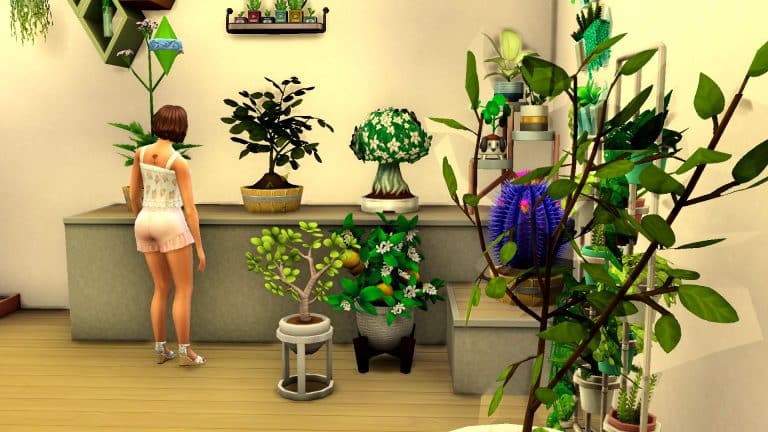
We wanted to experiment with this a little bit ourselves. The basic idea is to take a cutting from a fruit tree and graft it onto a smaller plant to grow a smaller version of that fruit tree which can be kept indoors. To add visual appeal to the setup, decorative plants from the Blooming Rooms kit are displayed alongside it. The decorative plants help the functional grafted plants to blend in and look and feel like a functional part of the kit.

We loved the idea of having more unique-looking plants that bore fruit so we used valerian root and quill fruit for two of our small plants. The valerian plant is a tall flowering stalk that we thought would look very appealing inside the home and the quill fruit resembles some kind of succulent which are super popular, low-maintenance houseplants. For the fruit trees, we used pomegranate, pear, and plantain.

Creating Functional Home Plants with Grafting in The Sims 4
Our Sim took the cuttings from the fruit trees and grafted them onto the smaller plants. We paired pomegranate with the quill fruit, plantain with the valerian root, and pear with a more typical looking kava root plant. Then we sized down the planters they were in and tried a few different setups to display them. All three plants were completely functional and could be harvested from and tended as long as there was nothing obstructing the Sim’s path to the plant. However, they looked visually hilarious. We had pears and plantain growing out of the dirt which gave us a good chuckle.

Creating Functional Home Plants with Grafting in The Sims 4
After our little mishap, we realised that this technique for making functional indoor fruit trees looked best when a fruit was paired with a small plant that blossoms on the leaves. So flowers for example were good candidates for this; the grafted fruit would display on the leaves just like the flowers do. But grafting fruit onto small root plants resulted in fruit growing out of the soil.

Creating Functional Home Plants with Grafting in The Sims 4
So if you’re thinking of experimenting with this yourself, try grafting fruit onto plants that produce their harvestables on the leaves of the plant. Your indoor fruit trees will look best that way. Or, if you don’t care to bother with grafting, Mushilda has her lemon tree setup available in the Gallery.

Community Thoughts: The Future of The Sims 4 Stuff Packs

Since early last year, we have seen a variety of new content released for The Sims 4. While the release schedule did not follow a similar pattern compared to previous years, we did get content in the form of one Stuff Pack, Game Pack and Expansion pack as well as nine new Kit-style Packs.  Of course, this is not including content via Patches or the recently introduced Sims Delivery Express Feature.

However, you may be thinking, but this seems like a lot of content? It is definitely a lot of content, however, one thing that stands out is that we only saw one Stuff Pack last year. There are probably a number of reasons for this. Some of these could include the fact we saw the introduction of the new Kit pack types, many people were still working from home due to the current global situation and many more reasons.

The last Stuff Pack that was released was The Sims 4 Paranormal Stuff back in January 2021!

While speculating if and why we haven’t had a new Stuff Pack in over a year isn’t the main aim of this article, I wanted to focus more on what not only myself but also what the community would love to see in future Stuff Packs while The Sims 4 is still in active development.

I decided to reach out to the community on Discord, Twitter and in our Facebook Group to see what kind of ideas they had for potential new Stuff Packs.

After going through the replies, it was clear to see that many players echoed similar ideas for what they would love to see as a future Stuff Pack. With so many different ideas, it’s clear to see that Stuff Packs are still something that the community would love to see return.

There were a variety of different ideas shared and a number that if they weren’t viable for a Stuff Pack could also work as a Game Pack and maybe even an Expansion Pack.

For the purpose of this post, I’ve grouped together ideas that fit into similar categories.

Life Stages

  • Teen Stuff
  • Elder Stuff
  • Baby/Toddler Stuff
  • Kids Stuff
  • Generations

Occults

  • Werewolves
  • Fairies
  • Plant Sims
  • Elves

Activities

  • Hobbies
  • Crafting
  • Arts
  • Music/Bands
  • Night Life
  • Arcade
  • After School/School Activities
  • Voidcritters
  • Tiny Pets (Rabbits, Hamsters, Birds)

Other

  • Historical
  • Goth/Rock
  • Space
  • Fantasy
  • Medieval
  • Retro Stuff
  • Burglars
  • Clutter
  • Everyday items
  • Household items
  • Kitchen Appliances
  • Cars
  • Horses
  • Ikea

You can see the original Tweet and all the replies here.

Another idea that popped up several times was a Wedding themed Stuff Pack. However, based upon the most recent Road Map released by The Sims Team, there has been a lot of speculation amongst the community that the next Game Pack could possibly be based around Weddings. While there is no official confirmation about this currently, however, it will be interesting to see what the next Game Pack is about when it is revealed.

Community Thoughts: The Future of The Sims 4 Stuff Packs

A number of players also referred to some of the concept ideas that we saw from the previous Community Voted Stuff Packs and that it would be nice to see some of those features make their way into the game in some form as well.

There’s no denying that the more recent Stuff Packs have been more in-depth than earlier Stuff Packs, with many offering a good mixture of gameplay, Build Buy and Create A Sim options. Maybe we will see some of the earlier Stuff Packs receive a Pack Refresh, like we did with The Sims 4 Spa Day Game Pack.

Personally, I would love to see more Stuff Packs released in the future. Many of the ideas that the community have shared are ones that I would be interested to see, including more random household items, kitchen appliances and clutter in general, as well as more content for Teen and Elder Sims. I’d also love to see a Stuff Pack which would be more of a throwback to either The Sims or The Sims 2 where it would feature some classic items from that game, be it Create A Sim or Build Buy items, remade for The Sims 4.

With so many possibilities, it will be interesting to see when the next Stuff Pack is revealed and what it will be based upon.

What kind of Stuff Pack would you like to see next? Let us know in the comments below!

The Sims 4 LUX Lights Mod Kit Reveal

Arnie is a popular modder within The Sims 4 community and is always pushing the boundaries of the game with his mods. Now you may recognize his name from the likes of his Farmland, Create Your Style, Plumfruit 2 + Simstagram and World Edit mods. Now, Arnie is back with a brand new mod kit.

The LUX Lights Mod Kit takes your lighting options in The Sims 4 to the next level!

Featuring a number of new ways to explore lighting, including LED lighting strips, modular lights, neon lights and vintage lightbulbs, there is an option for every type of room. However, that’s not all!

The Sims 4 LUX Lights Mod Kit RevealYou will be able to customize the new lighting options in more depth than before. With a specially created pie menu, customize each individual lights colour and intensity or even a full group of lights in one go.

Take a look at the LUX Lights Mod Kit Trailer below!

The LUX Lights Mod Kit is out now for early access download and will be publicly available soon! Check out the link below to find out more and download the Mod Kit!

[mks_button size=”large” title=”LUX Lights Mod Kit Download” style=”squared” url=”https://www.patreon.com/posts/61671637″ target=”_blank” bg_color=”#4e62ac” txt_color=”#FFFFFF” icon=”” icon_type=”” nofollow=”0″]

Don’t forget to follow Arnie for all the latest updates on his current and upcoming mods!

The Sims 4 Laundry List: February 1st, 2022

9

The Sims Team has published their first The Sims 4 Laundry List for 2022!

In case you don’t know what a Laundry List is – it’s a list of all the highly reported bugs and issues that are notable in The Sims 4. The Laundry List covers bugs and glitches that are being investigated for The Sims 4’s upcoming Game Patch. If all goes well, The Sims 4 should have these reported bugs and issues resolved this month!

Check out the Laundry List below:

Hi Simmers!

Welcome to the Laundry List where we’ll share a list of the top community concerns that we’re currently investigating and hope to have resolved in the upcoming patch. This is just a top list, there are more topics that we saw reported by players that are not listed and being worked on. 

These concerns were reported by players who help us continue our work of improving the user experience on a regular basis.

Please note that some topics can be tricky and require an extended investigation on our end, so even though we are actively reviewing, it’s not a guarantee that we’ll have an immediate fix for it in the upcoming patch.

Here’s the list of the top community concerns we’re investigating for the game update this month:

Thanks for all your patience and valuable help! Please continue sharing with us about any issues you’re experiencing on Answers HQ. We’ll continue to check in, and together we can make this game the best that it can be. Happy Simming!

The Sims 2: Mods to Enhance the Look of Your Game!

4

Upgrade your graphics, textures and lighting with these The Sims 2 Mods!

If you’ve just started playing The Sims 2 again on new hardware, you might have noticed that the game doesn’t look quite as good as how you remember it from nearly 20 years ago. That’s because The Sims 2 has trouble recognizing newer hardware. The good news is that it’s actually pretty easy to fix all these problems. I’ll be linking you to some resources to help optimize the look of your game! Not only that but I’ll also be showing you a few mods to upgrade the graphics. Enjoy crystal clear, reflective water, custom skies, greener grass and more!

The Sims 2: Mods to Enhance the Look of Your Game!

Graphics Rules Maker

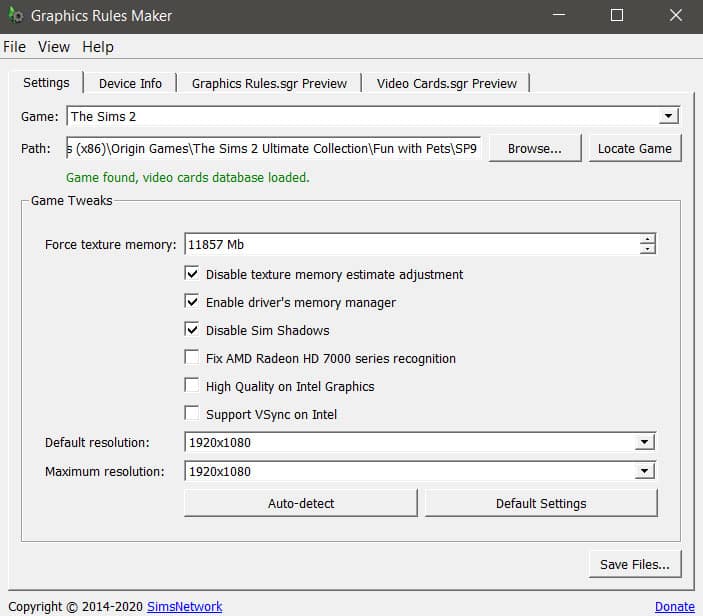
Before you do anything else, you should download and install the Graphics Rules Maker program. This program does all the hard work of optimizing The Sims 2 for you. It will force the game to recognize your graphics card and optimize the screen resolution to match your monitor’s native resolution.

The Sims 2: Mods to Enhance the Look of Your Game!
Just open the program, select The Sims 2 from the dropdown list and hit Auto Detect. Make sure Disable Sim Shadows is checkmarked if it isn’t already. Once it’s detected your settings, hit Save Files. If you get a popup about your graphics card, just hit OK. That just means The Sims 2 doesn’t recognize your graphics card so the program is asking you if you want it to fix that for you.

And you’re done! The Sims 2 should already look loads better but if you want to take things a step further and make the game look even nicer, here are some of the mods I’m currently using in my own game that you might enjoy as well.

Realistic Ocean and Pond Water

The Sims 2: Mods to Enhance the Look of Your Game!
We really can’t fault The Sims 2 for having ugly water; after all, the game is almost 20 years old and at the time, the water looked great! Still, it’s 20 years later and we can do a bit better with the water visuals. If you feel like the look of your water could use an upgrade, I really recommend this mod over on Mod The Sims. It will make your ocean and pond water look more realistic, closer to how the water in The Sims 3 and The Sims 4 looks.

Custom Skyboxes

The Sims 2: Mods to Enhance the Look of Your Game!
Have you ever noticed that the sky in The Sims 2 looks very… flat? It’s the same tone of blue with no variation or clouds at all. There is a mod to add clouds to the sky but I actually prefer to use custom skyboxes. Why? Custom skyboxes are a lot more detailed and add much more variation to the sky than just clouds. My personal favourite is the animated skies collection. It comes with a nice variety of different skyboxes you can use that are animated; the clouds, stars and other details slowly move through the sky. And if you’re using the realistic water mod listed earlier, it makes for some truly beautiful reflections.

To use custom skyboxes, place the spawner object in the corner of your neighbourhood map or lot, depending on whether the skybox you downloaded is for the neighbourhood or your lot.

Detailed Sun and Moon

The Sims 2: Mods to Enhance the Look of Your Game!
Another default replacement I love are these more detailed sun and moon. Only install one of each; you can’t have all three in your game. I use the real moon version and the regular sun. I also use the optional corona effect around the sun because I think it looks much prettier with those rays of light beaming out from around the sun.

Neighbourhood Lighting Fix

The Sims 2: Mods to Enhance the Look of Your Game!
This might not be something you’ve noticed before, but once you see the difference, you won’t be able to unsee it. There’s a problem with the lighting on the neighbourhood screen causing buildings and other world décor objects to appear dark in places where they shouldn’t be. This mod fixes that for you and creates a nice, even lighting that will make your neighbourhood look brighter and clearer.

Tree Replacements

The Sims 2: Mods to Enhance the Look of Your Game!
These tree texture replacements are awesome and really make your neighbourhoods look more vibrant. I never realised how flat the trees in the neighbourhood looked until I downloaded these replacements and now I don’t think I could ever go back. There are replacements for both the pine and oak trees available.

Terrain Replacements

The Sims 2: Mods to Enhance the Look of Your Game!
These neighbourhood terrain replacements make your grasses look more full and lush and your cliffs look more detailed. I use the lush grass replacement and the grey cliffs replacement in my own game. I just love how rich and vibrant it makes everything look. That faded, bedraggled grass was not the vibe for me.

Crisper Speech Bubbles

The Sims 2: Mods to Enhance the Look of Your Game!
I’m not sure why the speech bubbles in The Sims 2 are so blurry but this mod will clean them right up for you, giving the bubbles a nice crisp outline. It’s a small detail but a detail that I’m quite fond of all the same.

Clean UI

The Sims 2: Mods to Enhance the Look of Your Game!
The old Sims 2 UI is rather dark and cluttered. I never really liked it even back when The Sims 2 was the newest Sims game. The Clean UI mod is one of my favourite visual mods ever for The Sims 2! It cleans up the UI a great deal and changes that dark blue/purple colour to pale whites and blues. When I first installed it, I honestly felt like I was playing a completely new Sims game. It really changes the entire feel of the game that much.

The only reason it’s last on this list is because it’s a lot more complicated to install than the other mods I’ve listed here. Make sure you pay very close attention to all the install instructions and read all the folder labels carefully so you don’t mess up your game trying to install this.

Taking Things a Step Further

If you’re pretty mod and tech-savvy and want to really take things a step further with improving the look of your Sims 2 game, you should check out this tutorial by Boring Bones on YouTube! With the exception of the Clean UI mod, I’ve only listed visual enhancements that are fairly easy to install; they just require you to drag and drop a few files into your Sims 2 Downloads folder.

Boring Bones really takes things a step further with improving the look of his game and he shares his process over on YouTube. It’s definitely a longer, more complex process that requires editing some of the installation files but in the end, his game looks absolutely stunning! It really looks even better than The Sims 4 so I definitely recommend checking out some of his advanced tips. In fact, a lot of the visual mods I recommend here, I learned about from Boring Bones! Definitely go subscribe to his channel on YouTube!

Cozy up your Living Room with The Sims 4 Winter Garden CC Set!

Cozy, Maxis Match objects for your Living Room!

PieriSims has released his first part of the Winter Garden Custom Content Set for The Sims 4 to the public!

This set consists of 22 items completely Maxis Match that you can use primarily for your Living Room. The set is packed with new sofas, a gorgeous circular loveseat, wooden stools and surfaces, plants of all variations, throw pillows and more!

Check out the breakdown below:

Cozy up your Living Room with The Sims 4 Winter Garden CC Set!

Oh, but what about the swatches? I was pleasantly surprised with the amount of color variations and patterns that come with each object. Just check out the amount of swatches for this loveseat:

Cozy up your Living Room with The Sims 4 Winter Garden CC Set!

The set can be yours to download and add to your game right now! Simply click the download button below and you’ll find the .package that contains this set at the bottom of the creator’s Patreon post.

The set can be installed by pasting the .package file to Electronic Arts > The Sims 4 > Mods folder.

[mks_button size=”large” title=”DOWNLOAD!” style=”squared” url=”https://www.patreon.com/posts/winter-garden-60953790″ target=”_blank” bg_color=”#1e73be” txt_color=”#FFFFFF” icon=”fa-arrow-down” icon_type=”fa” nofollow=”0″]

Keep in mind that this is only the first part of the Winter Garden Set!

The creator shared some work-in-progress photos for their second part of the set, including new windows and doors, columns, doors and spandrels. The second set will primarily focus on the exterior part of houses, as well as patios and lofty designs.

Cozy up your Living Room with The Sims 4 Winter Garden CC Set!

You can stay up to date on PieriSims’ creations by finding them on these socials: