Home Blog Page 182

There is a real life Simlish Dictionary out there, but…

1

It’s not for everyone!

Have you ever wondered how do voice actors find their way around to some of the words and catchphrases in The Sims? Sure, some of the words in this made-up language, or Simlish as we all know, are entirely nonsensical, but there are a lot of words and phrases in Simlish that actually have a meaning.

You’ve probably noticed that there are a few phrases in the game that logically repeat. If your Sims are interacting and socializing with a baby they’ll refer to them as “NooBoo”, if they’re greeting their friend they’ll say “Sul Sul” and if they simply want to count to three they’ll say “Mik, Mak, Maka”. In fact there is an entire fanmade blog called Simlish Dictionary that managed to catch some of these phrases and find an actual meaning to them, you can check out the preview to some of the words and their meaning below:

There is a real life Simlish Dictionary out there, but…

However this fanmade dictionary only has a few phrases and words that actually have a logical translation to them. The real, official Simlish Dictionary exists at this very moment but it’s only available to Voice Actors for The Sims 4.

Luckily enough Krizia Bajos, one of the Voice Actors for The Sims 4 who is giving the voice for the Lilit Voice Type has shared some interesting facts and previews of what goes on behind Simlish, as well as her official Simlish dictionary.

She showcased this Simlish Dictionary in one of her first Sims TikToks after doing a Simlish Voiceover Challenge:

This Simlish Word Bible is full of pages and pages of official Simlish phrases. Unfortunately as she explained in the TikTok below the full dictionary is only for her private use. The book is a collection of all the phrases and meanings she gathered over the course of the last 9 years during which The Sims 4 has been constantly in development. As she explained to us in an Instagram comment:

I dunno about “official” but I have put this little black book together during the almost NINE (!) years of working on the game. I believe I’m the only one who has this … since I created it 🙂

This talented Voice Actor did however share a lot of cool meanings and words on her TikTok. For example she sang an entire Happy Birthday song in Simlish without even having to think twice about what the translation to Simlish is!

@krizia_bajos

Reply to @taylormfey HBD!

♬ original sound – Krizia Bajos

Krizia also just recently started her mini-series on TikTok, the Simlish Lessons, explaining some of the Simlish phrases and meanings in detail that you can check out below:

We can expect more fun facts and tidbits for Simlish from Krizia Bajos so make sure you give her a follow on TikTok!

The Sims 4 Artz Living Room CC Stuff Pack is here!

The community is always full of bright, talented ideas when it comes to Custom Content and Mods for The Sims 4 and Sixam CC creator is no exception!

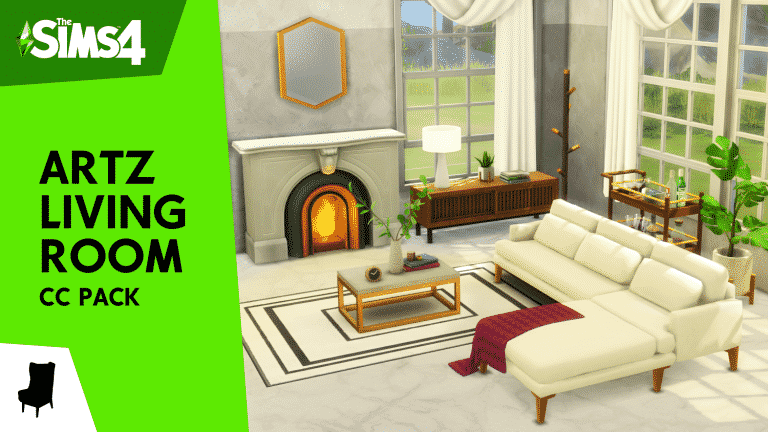
Last month they’ve announced their latest Custom Content Stuff Pack called Artz Living Room which was available for all the Patreon supporters. Today that Custom Content Stuff Pack is available for everyone for free!

This CC Stuff Pack consists of 36 unique objects that are designed for Living Room areas. There are objects such as an art deco fireplace, a sectional sofa, new furniture and decor and so much more! Oh, there’s also a special object for all of those who own The Sims 4 Vintage Glamour Stuff Pack – the bar cart!

You can check out some of the previews of this amazing set below:

Installing this set is simple – simply paste the downloaded .package file to Electronic Arts > The Sims 4 > Mods folder and ensure you have Mods and CC enabled in your game options.

You can download this set by clicking the download button below! The link to the Google Drive link is on the bottom of the Patreon page.

[mks_button size=”large” title=”DOWNLOAD!” style=”squared” url=”https://www.patreon.com/posts/47933876″ target=”_blank” bg_color=”#1e73be” txt_color=”#FFFFFF” icon=”fa-arrow-down” icon_type=”fa” nofollow=”0″]

PORTADA

Custom Addons for The Sims 4 Bunk Beds

Do you feel like there should be more utilization of all that space you get with the new Bunk Beds in The Sims 4? We do so too!

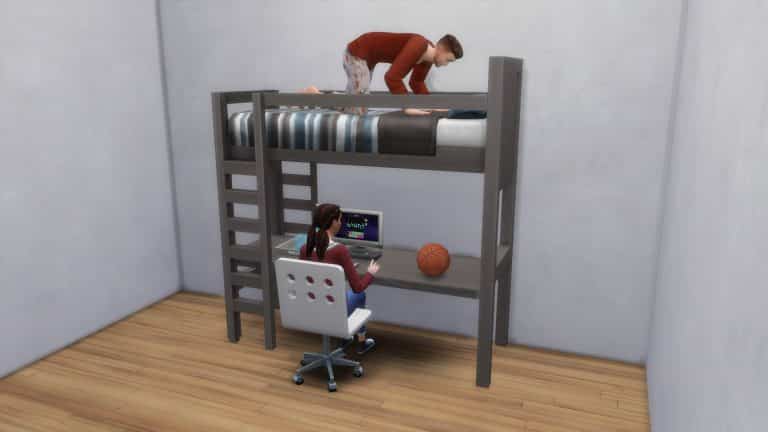
Although SimGurus have teased that the Bunk Beds that we have as of now are currently just a “first iteration” and that we can expect more, there are already some cool Mod Addons for Bunk Beds created by Nando that you can get for your Sims right away!

The first Custom Addon is a simple yet functional attachment desk that you can place down on the loft beds. As of now you aren’t really able to place a study table, a chair and a computer and have it all functional with the loft beds but this Custom Version easily lets you have all that!

Custom Addons for The Sims 4 Bunk Beds

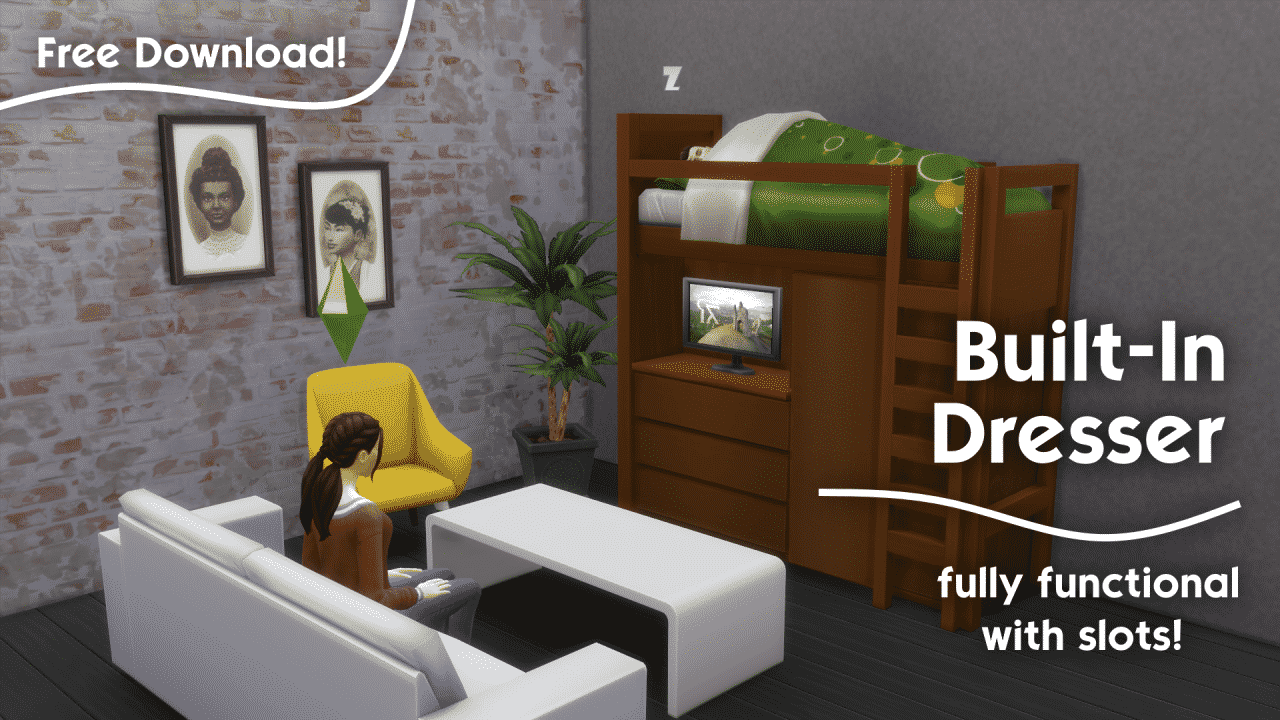
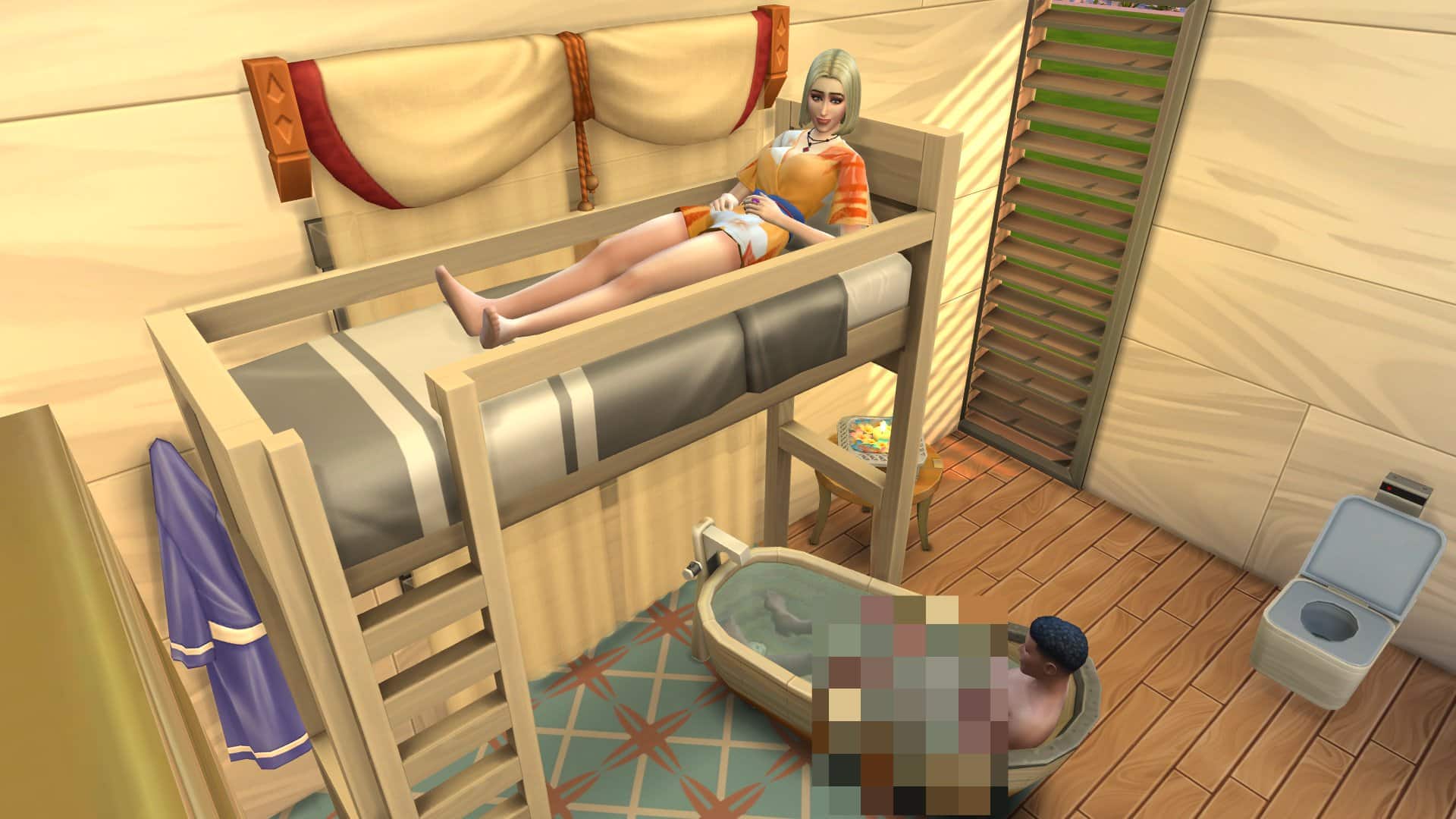
The second addon lets you place down a dresser inside of the loft bed and you’ve guessed it – it’s also completely functional! Check out the preview below of this great combo – you can even place a TV on top of the Dresser!

built in

Both of these awesome Custom Addons are available right now on Nando’s Patreon Page right away! You can download them by clicking the download button below:

[mks_button size=”large” title=”DOWNLOAD!” style=”squared” url=”https://www.patreon.com/posts/49154243″ target=”_blank” bg_color=”#1e73be” txt_color=”#FFFFFF” icon=”fa-arrow-down” icon_type=”fa” nofollow=”0″]

Simply select the .package files of your choice and place them in the Electronic Arts > The Sims 4 > Mods folder and ensure Custom Content and Mods are enabled in your Game Options.

The Sims 4: More About Normalized Everyday Activities

2

In the past it would take a bit for your Sims in The Sims 4 to fulfill their needs but with the latest update some of the everyday activities have gotten a lot faster!

Two specific needs have gotten a much faster boost: Hunger and Hygiene. Specifically activities revolving around fulfilling these needs will now fill these two need bars at a much, much faster rate.

SimGuruBat explained in the livestream that previously that a part of the reason why this change was introduced was because Sims would usually take more time to fulfill these needs and usually miss out on their activities, such as going to work.

Thanks to the new update you will have a lot less worries about missing out on your work shift or school!

03 24 21 10 25 40 PM

A New “Sofa Feature” has been accidentally revealed for The Sims 4

0

During yesterday’s Inside Maxis official livestream the SimGurus got a chance to showcase new features that were released yesterday for The Sims 4. The catch was that the developers were showcasing these new features on a newer build where they accidentally showcased features such as new Hair Colors and a mysterious new Trait Slot.

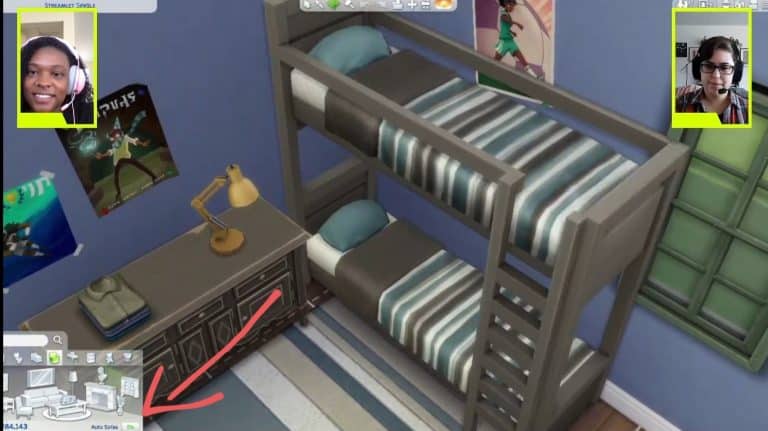
However, it seems they didn’t just accidentally showcase these new CAS Features coming soon. Twitter user @ThisIsCoen pointed out a mysterious new “Sofa Feature” that the developers revealed in Build Mode.

As you can see in the screenshot below there’s a brand new “Auto-Sofa” option on the bottom right of the Build User Interface which showed up in the Living Room Category. Take a look:

A New “Sofa Feature” has been accidentally revealed for The Sims 4

This “auto” option is currently available for Kitchen Counter placements which lets you place modular counters that adapt to each corner automatically. There’s also an option as of yesterday in the Bedroom Category called “Auto Bunk Beds” which, when turned on, automatically hides the ladders from the second side when placed next to a wall.

Some players are speculating that the “Auto Sofa” feature option could mark the return of sectional sofa and perhaps some other modular possibilities with placement. We won’t know for sure though until The Sims Team releases official information so stay tuned!

The Sims 4: Simmers Share their Bunk Bed Spaces!

It may have taken a while for them to be introduced to the game but bunk beds are now in The Sims 4! Yesterday SnarkyWitch shared an overview to the latest additions and since then, the community has been busy creating a variety of rooms using the new bunk beds. You can take a look at the bunk beds overview article here!

It became clear pretty early on that while you couldn’t simply just place objects under either of the Top Bunk only options, with a little help from the Move Objects On cheat, it made it possible to customize them even more. While many players were disappointed initially that there were some restrictions with using bunk beds, a tweet from SimGuruNinja confirmed that these bunk beds were merely the first iteration which leads us to believe that we will see more bunk beds with improved functionality and customization options in the future.

What is also interesting is that a number of members who are experienced with looking at the game code and modding have discovered that the bunk beds actually do have coding to allow other objects to be placed under them. Hopefully it won’t be too long before we see these as normal customization options for bunk beds.

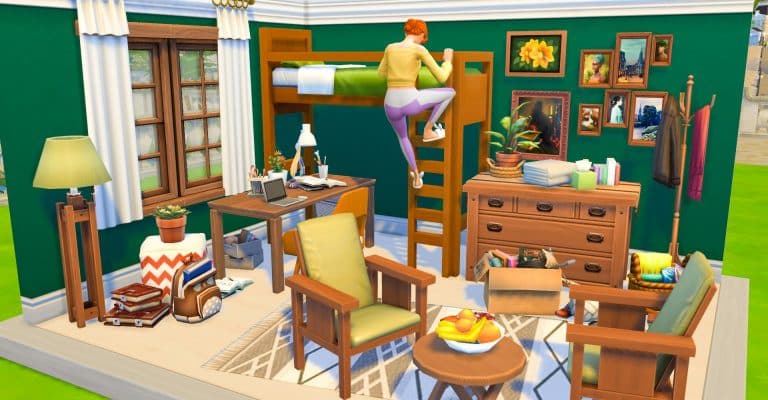
Now, as I mentioned at the start of this article, the community has been busy creating some brilliant and unique rooms with bunk beds. Here are some of the ones that have been shared with us so far!
“Fully functional!” – StephanyedYT

The Sims 4: Simmers Share their Bunk Bed Spaces!

“Here’s one that I built for an Instagram Reel!” – ChrissieYT


” 🥰 ” – Paulaplayssims


Simmers even took on adding multiple bunk beds together to open up even more building possibilities!

“Just popped this on the gallery ID: dottydot89. Fully functional bunk beds in a split level bedroom made for triplets. Lots to do and so much fun to be had in the bedroom for three :)” – DottyDot89

The Sims 4: Simmers Share their Bunk Bed Spaces!

DrGluon was another who took bunk beds to the extreme!

I’m Loving these new Beds!! #breezy #whataview” – Drgluon

The Sims 4: Simmers Share their Bunk Bed Spaces!

And there is definitely some unique ideas when it comes to utilizing the space under the Top bunk with as this interesting concept from SimMattically shows!

“why? because.” – SimMattically

Finally SimmyTara shared ten ways to use the new bunk beds in their latest video!

There are endless possibilities when it comes to building with bunk beds and with these being just the first iteration of them, it makes you wonder what else could be possible in the future!

Let us know what you think about bunk beds below in the comments!

The Sims 4: New Trait Improvements

Today’s patch for The Sims 4 on PC, Mac and Console brought a number of improvements to seventeen of the traits that come as part of the base game.

The improvements for these traits focus on making their gameplay aspect more meaningful with clearer visual cues as well as more accurate and unique behaviours.

So, which traits have been improved?

  • Bookworm
  • Cheerful
  • Clumsy
  • Genius
  • Gloomy
  • Glutton
  • Goofball
  • Hates Children
  • Hot-Headed
  • Jealous
  • Mean
  • Neat
  • Noncommittal
  • Perfectionist

As well as the fifteen traits mentioned above,  the Slob and Ambitious traits have also received some reactionary updates. You’ll also notice that some daily tasks like taking a shower and eating a meal will now take less time to complete.

But what do these improvements look like in-game?

The Sims 4: New Trait Improvements

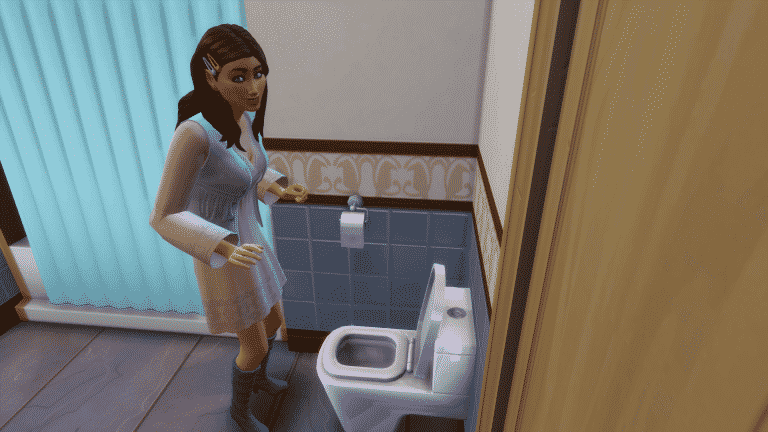
There’s a variety of ways that these improvements show in game. For example, if you have a Sim with the Goofball trait, you will now find that they will prank the toilet without being prompted. You might also find that a Cheerful Sim will be given the Cheered to Death moodlet when they start to get tense. Clumsy Sims have been known to fall from the top bunk more often and Sims with the Bookworm trait will gain an inspired moodlet when they are browsing quickly through books.

It’s still early to tell just how many improvements have been made for each of the traits however, over on The Sims Forums and on Twitter, many users have been sharing the changes they have noticed in-game so far.

What are some of the trait improvements you have discovered since today’s update? Let us know in the comments below!

The Sims 4: Bunk Beds and their Functionality

A while back, The Sims Team teased bunk beds coming to the game in late March. Today, the update that brings us bunk beds has finally arrived after seven long years of waiting for this highly requested feature.

Let’s dive right into all the ways the new bunk beds can be used!

Build/Buy Information

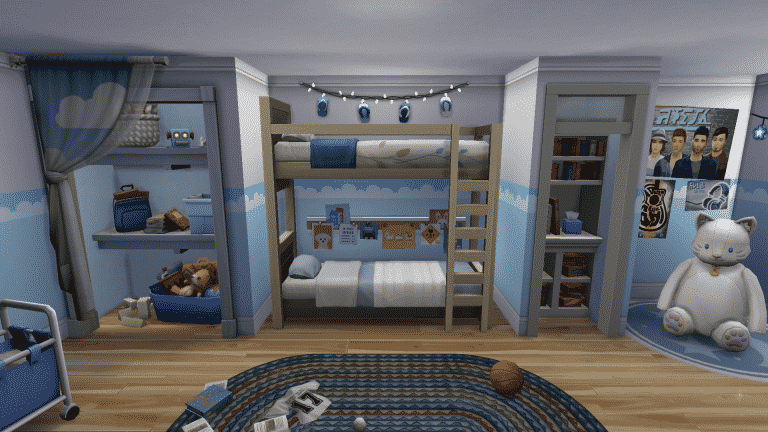
There are four variants of bunk beds in the Build/Buy catalogue; one loft and one bunk in two separate styles each.

The Sims 4: Bunk Beds and their Functionality

Although the bunks appear to be a separate object, they are actually the same object as the loft style beds. The bottom beds can be pulled out and swapped with other beds and a limited number of one tile objects. Both single beds and toddler beds can be snapped into the bottom bunk slot. The only single beds and toddler beds that don’t snap into the bottom bunk slot are the ones with canopies, so the Parenthood canopy single bed and the Eco Lifestyle toddler bed are not compatible with this feature.

Below are the object descriptions and prices of each catalogue entry:

In-Game Functionality

You’ll notice that the functionality of bunk beds appears to be rather limited without the use of cheats; only single beds and toddler beds can be slotted underneath without using any cheats, making the loft style beds kind of… pointless?

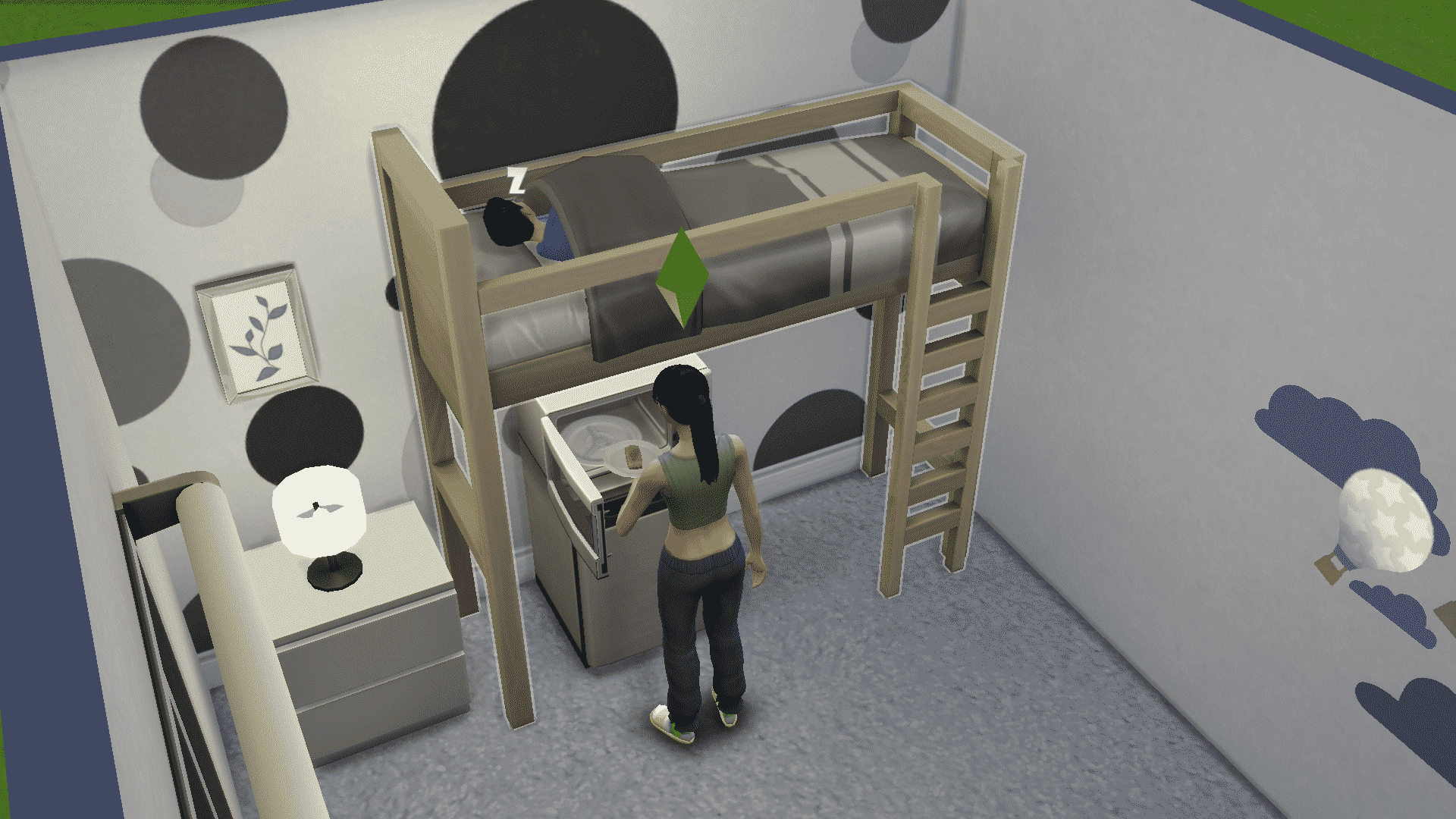
However, with the use of the cheat bb.moveobjects on, some additional items can be placed underneath the top bunk while retaining functionality. Almost any single-tile object and objects that have been sized down to be single-tile can be placed under the top bunk farthest away from the ladder. We tested various objects, such as single-tile desks and dressers, toy boxes, sized down dollhouses, stuffed animals, some short single-tile bookcases, and even mini-fridges with microwaves on top. All of these items remain completely functional and the top bunk can still be used by a Sim.

Children and older Sims can use the top bunks. Toddlers cannot use the top bunks but can sleep in a toddler bed slotted into the bottom frame.

The Sims 4: Bunk Beds and their Functionality

In-Game Limitations

While the new bunk beds can be used in some different ways, they do still have quite a few limitations. The space next to the ladder in the centre of the bed has to be completely clear, otherwise Sims will not be able to use the top bunk. This of course does not apply to the single and toddler beds that snap into the bottom frame but everything else is subject to this drawback. This immediately eliminates the majority of items in the game that a player might want to place underneath a loft bed, like two-tile dressers, desks, and even double beds. If it has a two-tile footprint, it will not work with the loft bed above, no matter what you do.

As an example of a setup that sadly does not work, Sims can get into the double bed on the bottom in the picture below from both sides; however, the top bunk is not functional even though the ladder looks like it should be clear. This is quite a disappointment to players who were hoping for a little more versatility with these new bunk beds than what we currently have.

The Sims 4: Bunk Beds and their Functionality

Still, there is hope! SimGuruNinja addressed these concerns from players today in a tweet, mentioning that this is only the first iteration of bunk beds to be added to the game. This implies that there will be more coming in the future and that perhaps they will have a wider range of functionality than the ones added to the game today.

The Sims 4: Your Sims can now finally Relax in their Beds

It took a while to get to this point but your Sims are now a little bit smarter when it comes to using their Beds!

The Sims 4’s latest Update introduces a new “Relax” interaction on Beds which finally lets your Sims unwind on their matresses without having to either just sit on them or completely fall into a deep sleep.

The Sims 4: Your Sims can now finally Relax in their Beds

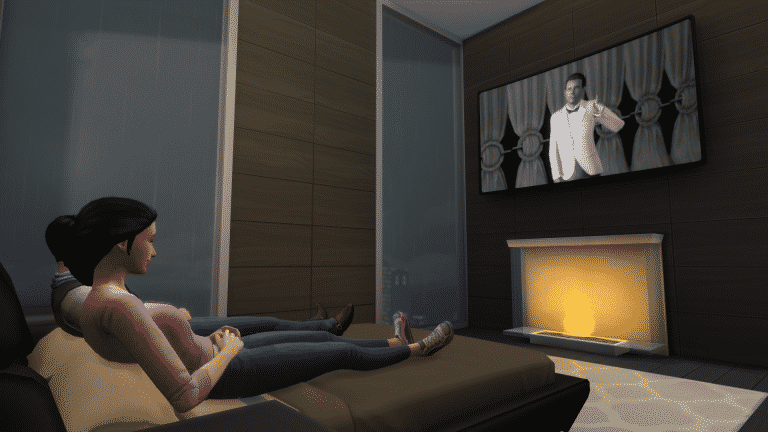
The Sims Team shared in their Patch Notes that Sims will also be able to do some relaxing multitasking – such as watching the TV. All you have to do is have a TV placed down somewhere across the Bed and you’ll be able to both watch the TV and Relax on your Bed at the same time!

The Sims 4: Your Sims can now finally Relax in their Beds

However, it seems that that’s pretty much it? I’ve tried to do some other “relaxing” activities while relaxing such as reading a Book. My Sim didn’t want to perform this interaction and instead decided to just sit up and read the book next to the Bed, probably meaning that this type of relaxing multitasking isn’t allowed in the game just yet.

The Sims 4: Your Sims can now finally Relax in their Beds

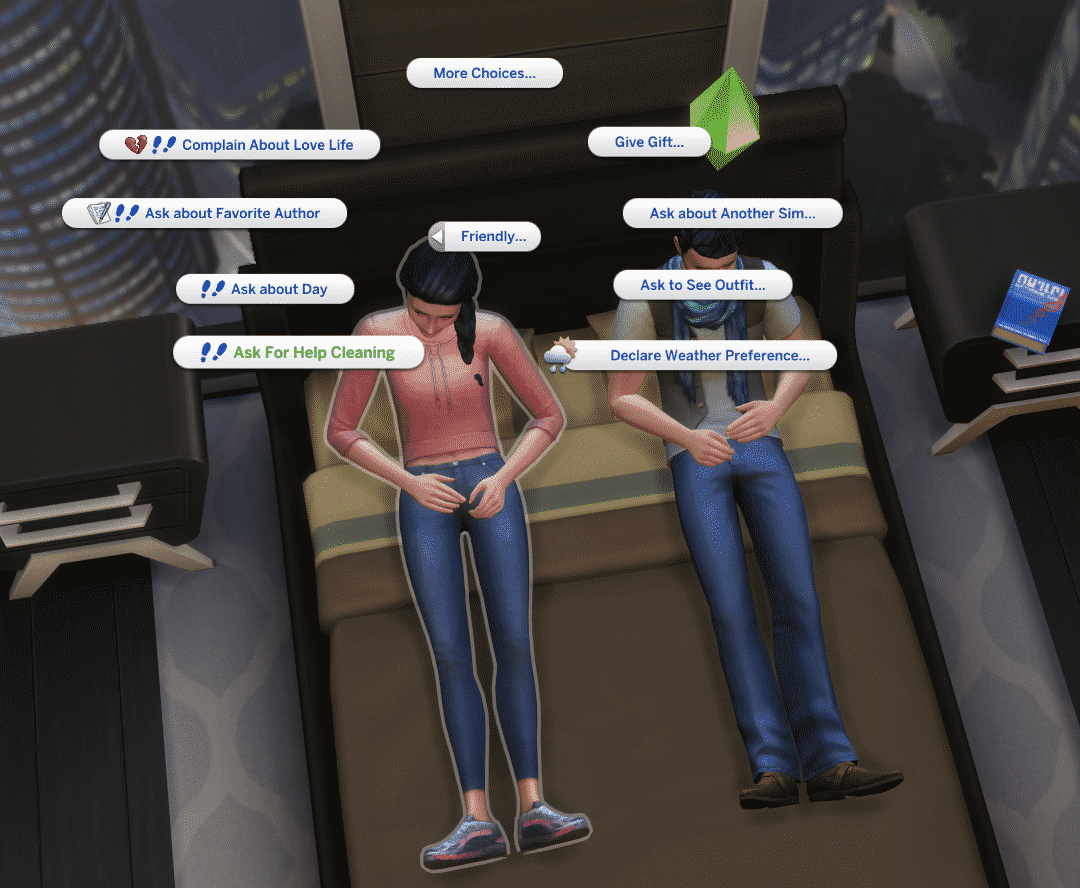
Another thing I’ve noticed is that if you have two Sims relaxing on a Bed at the same time they won’t be able to communicate with each other until they stand up or sit right next to each other – even though they’re just half a meter apart!

The Sims 4: Your Sims can now finally Relax in their Beds

It’s clear that there’s still a lot of multitasking abilities left to explore when it comes to object and social interactions. I’m hoping that The Sims Team plans to further develop this aspect in the game because there’s a lot of potential for plenty of social interactions!

Maxis talks about Generations, Cars and Upcoming Content for The Sims 4

11

During The Sims Team’s latest Inside Maxis Livestream SimGuruAzure and SimGuruBat got to talk a little bit more about the future of The Sims 4 and what The Sims Team is planning.

In their Sims 411 segment both developers answered a “When will you add…?” Frequently Asked Question. The two developers acknowledged highly suggested features and packs such as Generations type of Pack and Cars and that currently it’s among their top priority to release these features. They’ve also reassured fans that The Sims 4 will definitely STILL have many more years of new content!

You can check out the full transcript of their answer from the official livestream that I’ve written down below.

SimGuruAzure: We’ve seen a lot of questions from you guys about specific pack themes and features such as Generations Packs and Cars and here’s what we want you to know. We love your ideas, first of all, and I personally really enjoy having those things in my game too. What we can say is that these suggested packs and highly, highly requested features are always at the top of our mind. Especially when we think about what we want to do next. As soon as these things become more real we’ll update you right here at Inside Maxis. What do we need to make it more real?

Just to give you a little bit of a behind-the-scenes look at what we do; to bring new content to the game it involves many, many processes. We have to take important steps that are a part of the game development process and often that takes a lot of time. This time is needed to ensure that we meet your expectations and that we’re delivering the best quality to you guys. Sometimes there’s also foundational technology that we need to work on and sometimes we have to dig into the designs very deeply that make these things happen.

SimGuruBat: We’ve read a lot of your feedback and our goal is for you to be as excited about packs and features as we are. We put a lot of heart into what we do and we try to make as many people as happy as we can but we also know it’s kind of impossible to meet everyone’s expectations. The great thing is as our game continues to grow and we look forward to delivering more stuff as the game goes on…for many, many more years to come.

SimGuruAzure: Many more years to come!

Maxis talks about Generations, Cars and Upcoming Content for The Sims 4

The Sims 4: Preview of Two New Hairstyles coming to Base Game

1

SimGuruAzure and SimGuruRad have shared a little bit about which new hairstyles are coming to The Sims 4’s Base Game!

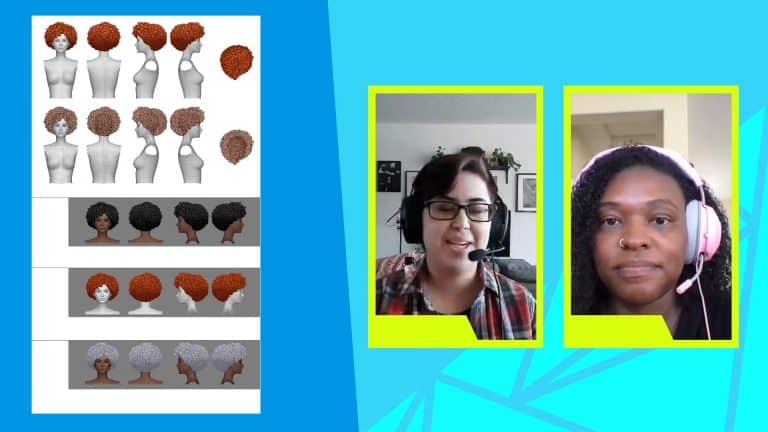
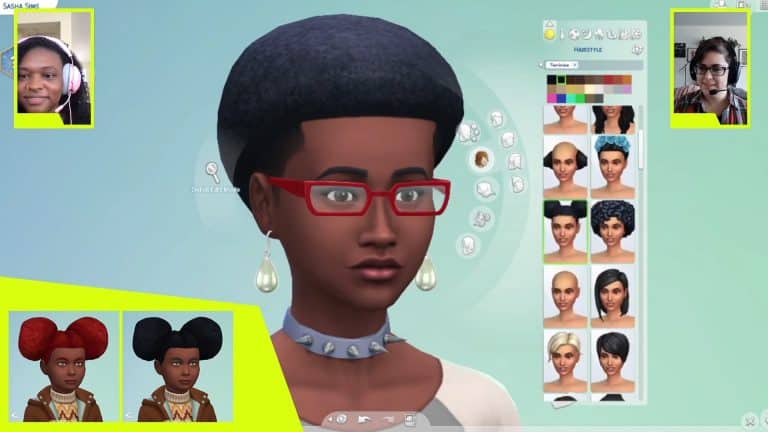
They’ve revealed these two Hairstyles with some different color variants that you can check out below. One of the SimGurus have also confirmed that the first hairstyle is unique and is not to be mistaken with the Base Game Afro from 2014 – which they’re planning to update seperately in the coming period.

Check out the new Hairstyles!

The Sims 4: Preview of Two New Hairstyles coming to Base GameThe Sims 4: Preview of Two New Hairstyles coming to Base Game

The Sims 4: New Trait Slot in CAS and New HAIR COLORS are coming!

9

The latest Inside Maxis Livestream has just ended!

SimGuruAzure and SimGuruBat got to talk more about their latest update for The Sims 4 including Bunk Beds, some new Hairstyle Updates and a little bit more from today. However, they seemed to have teased at something else which they seemed to have teased on their screen.

If you look closely on the bottom screen you’ll notice that there’s a new Trait Slot added right below the Aspirations Menu. Check it out below:

The Sims 4: New Trait Slot in CAS and New HAIR COLORS are coming!

HOWEVER, that’s not all! The two SimGurus also seemed to have shown some new Hair Color options for all Hairstyles which you can check out down below. There are new options for silver-ish tones, blond tones and some other ones that you can spot.

The Sims 4: New Trait Slot in CAS and New HAIR COLORS are coming!

LuumiaSims was also able to quickly spot the differences between the current Black Hair Color we have and the True Black Color that they’ve teased in the stream:

The two developers haven’t exactly addressed when these changes are coming. However, assuming that they’re already there in their latest build we can take a guess and say that they’ll be ready by the time the next content update gets announced.

Stay tuned for more details on the upcoming update on our website!

OFFICIAL LIVESTREAM: The Sims 4 Update (Inside Maxis)

0

The Sims Team will be doing a special livestream today, March 23rd, 2021 at 11AM PT / 7PM CET / 6PM BT to talk more about their latest update for The Sims 4 Base Game!

The latest update adds Bunk Beds, Trait Improvements and more which they’ll be showcasing officially in the stream. Maxis has also teased that they’ll also talk about “what’s coming in The Sims 4” so make sure you don’t miss out!

We’ll make sure to keep you updated on all the latest info from the stream on Sims Community! You can watch the stream below:


new Twitch.Player(“twitch-embed”, {
channel: “thesims”
});

The Sims 4 PC & Console: NEW UPDATE + Patch Notes! (March 23rd, 2021)

The Sims 4 PC & Console: NEW UPDATE + Patch Notes! (March 23rd, 2021)

The Sims Team has released a brand new update for The Sims 4 on PC, Mac, Xbox One and PS4!

To download the latest version of The Sims 4, simply open your Origin program and if the game doesn’t update automatically, right click on The Sims 4 and select ”Update”.

In case you have Mods or Custom Content, the game will automatically disable them for you after first launching The Sims 4 after the update. To re-enable all your Mods and Custom Content, select the Settings option in the Menu and select Settings. Under the ”Other” section you’ll find the ”Enable Custom Content and Mods” option. Check it and restart your game in order for it to take effect!

Patch Notes

PC: 1.72.28.1030 / Mac: 1.72.28.1230
Console: Version 1.39

Happy Spring, Simmers! We hope you are well wherever you are in the World.

Today we bring to you a plethora of updates and bug fixes. There is something for everyone, so we hope that you all enjoy these additions.

As always we thank you for your continued support and feedback.
Happy Simming!

-SimGuruJill and SimGuruRusskii

What’s New?

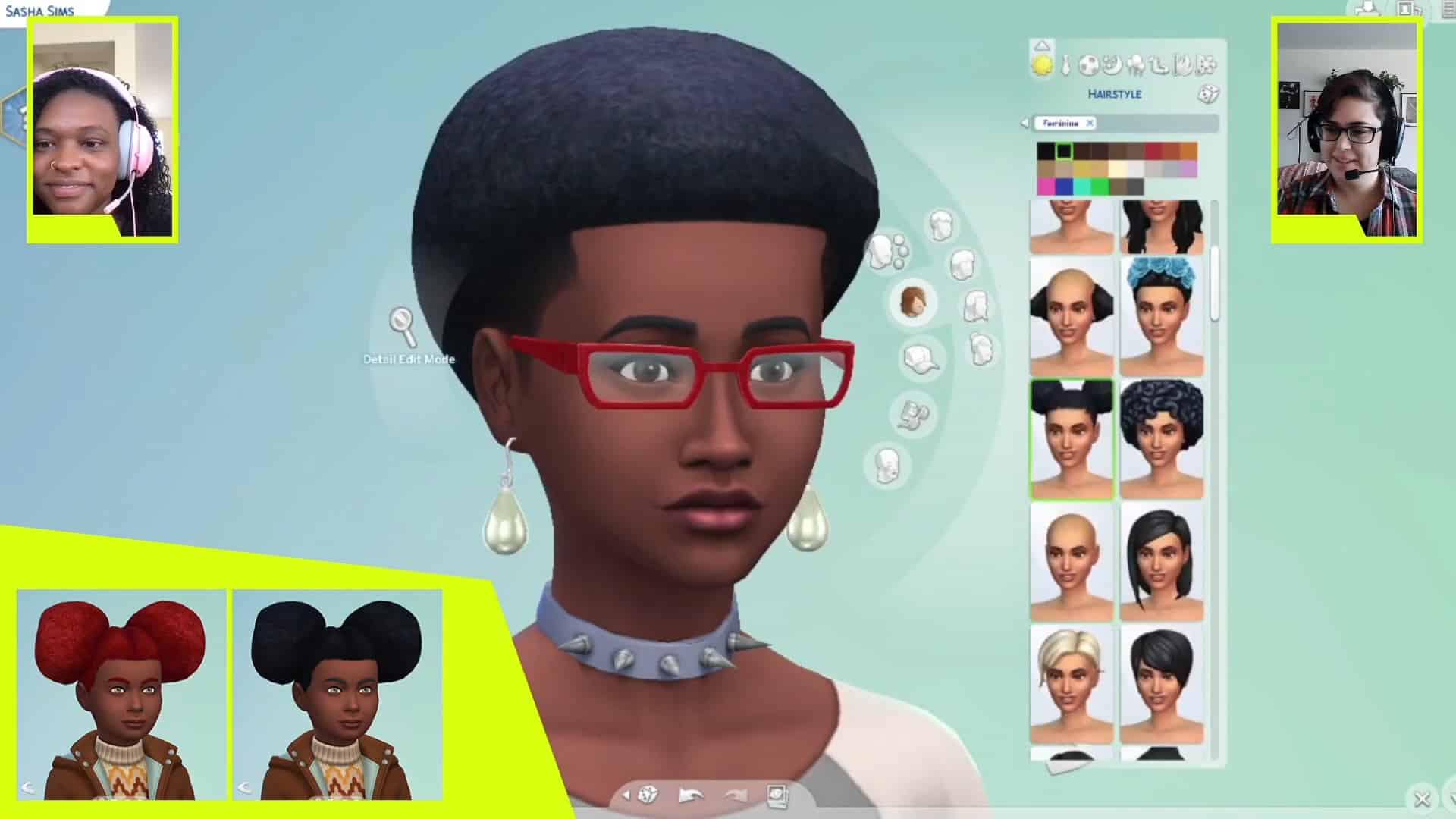
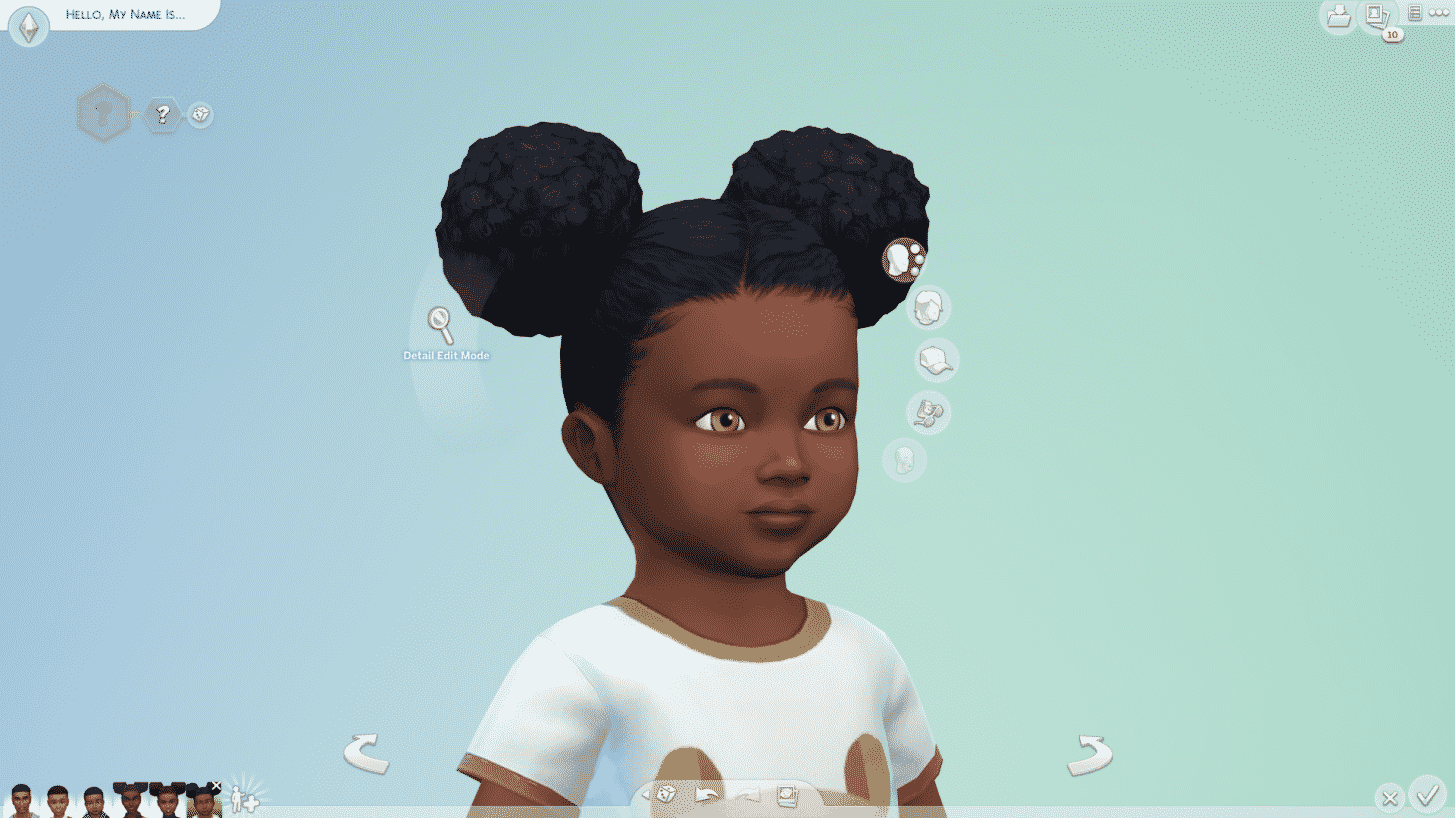
We made some updates and improvements to a couple of hair options in Create a Sim. Now cfHair_Puffball and ymHair_ShortAfro not only look fabulous, but we also provided conversions for Adults and Toddlers for cfHair_Puffball and to Children and Toddlers for ymHair_ShortAfro. Screenshots below for maximum reference.

The Sims 4 PC & Console: NEW UPDATE + Patch Notes! (March 23rd, 2021)

cfHair_Puffball

The Sims 4 PC & Console: NEW UPDATE + Patch Notes! (March 23rd, 2021)

yfHair_EF29AfroPuffs

The Sims 4 PC & Console: NEW UPDATE + Patch Notes! (March 23rd, 2021)

pfHair_EF29AfroPuff

The Sims 4 PC & Console: NEW UPDATE + Patch Notes! (March 23rd, 2021)

ymHair_ShortAfro

The Sims 4 PC & Console: NEW UPDATE + Patch Notes! (March 23rd, 2021)

cHair_ShortFro

The Sims 4 PC & Console: NEW UPDATE + Patch Notes! (March 23rd, 2021)

pmHair_EF29ShortFro

And if you were wondering what they would look like in different Frames, here is a peek.

The Sims 4 PC & Console: NEW UPDATE + Patch Notes! (March 23rd, 2021)

ymHair_ShortAfro on Female Frame Sims

The Sims 4 PC & Console: NEW UPDATE + Patch Notes! (March 23rd, 2021)

ymHair_EF29AfroPuffs on Male Frame Sims

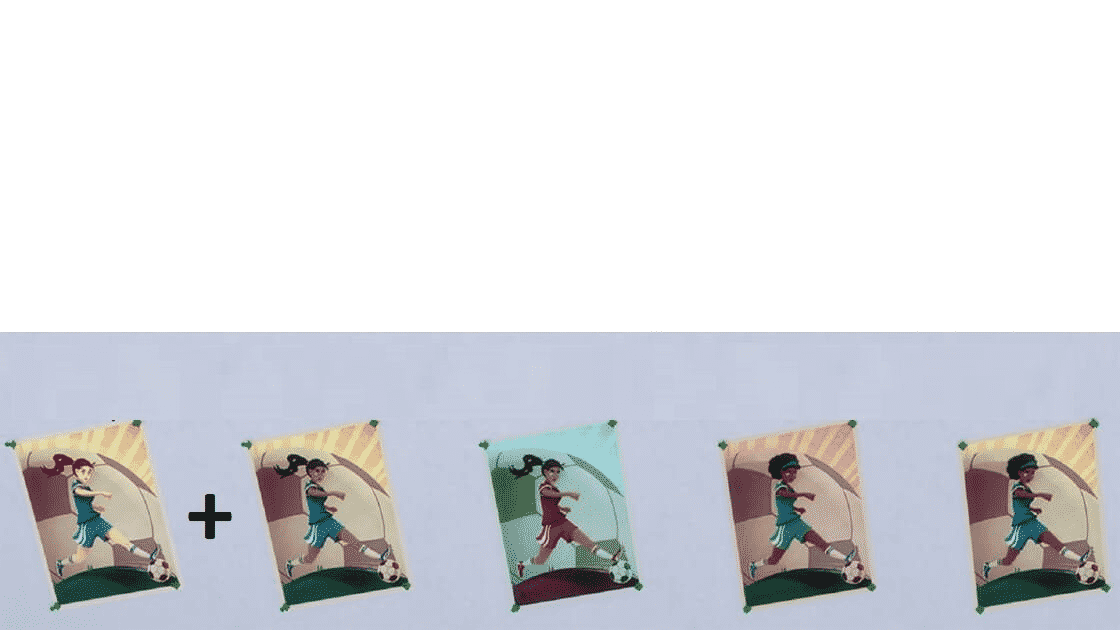
We have taken the following paintings and posters and given them a few more variants to not only provide more choices in customization for your Lots, but also to add diversity in the designs to broaden representation.

The Sims 4 PC & Console: NEW UPDATE + Patch Notes! (March 23rd, 2021)

Rock My Universe Pin Up Girl Poster

The Sims 4 PC & Console: NEW UPDATE + Patch Notes! (March 23rd, 2021)

Dramatic Cooking Poster

The Sims 4 PC & Console: NEW UPDATE + Patch Notes! (March 23rd, 2021)

The Illustrated Sports Poster

The Sims 4 PC & Console: NEW UPDATE + Patch Notes! (March 23rd, 2021)

Teen Idol Poster

The Sims 4 PC & Console: NEW UPDATE + Patch Notes! (March 23rd, 2021)

Henry Puffer Poster

The Sims 4 PC & Console: NEW UPDATE + Patch Notes! (March 23rd, 2021)

“Just Justin” Fan Poster

The Sims 4 PC & Console: NEW UPDATE + Patch Notes! (March 23rd, 2021)

Kick It Sally Soccer Poster

The Sims 4 PC & Console: NEW UPDATE + Patch Notes! (March 23rd, 2021)

Mystery Poser Antique Portrait

The Sims 4 PC & Console: NEW UPDATE + Patch Notes! (March 23rd, 2021)

Art in a Box

The Sims 4 PC & Console: NEW UPDATE + Patch Notes! (March 23rd, 2021)

Portrait of a Marriage

In addition to adding these spectacular variants, we have also edited some of the text to reflect these changes. We hope you love them as much as we do!

We made some improvements to the visuals of our Sims for Simmers that were affected by improper-looking textures, particularly with Skin Tones in Live Mode for Console players. You should see improvements with how your Sims appear in live mode… This change will also benefit Simmers running Minimum System Requirements on PC/Mac. Thank you for your patience on this issue, and as always, we will continue to improve over time.

On the Gameplay side, we have made some targeted improvements to a selection of Base Game personality Traits to make them more meaningful in gameplay. The idea is to provide these Traits a noticeable improvement so that Simmers can identify the specific Traits with more obvious visual cues and apparent, unique behavior.

The Traits that we have improved are Bookworm, Cheerful, Clumsy, Genius, Gloomy, Glutton, Good, Goofball, Hates Children, Hot-Headed, Jealous, Mean, Neat, Noncommittal, Perfectionist. We also made some Reactionary Trait changes to Slob and Ambitious. We think this selection captures a proportional set of positive and negative Traits. But wait… there’s more! We also made some changes to daily activities, such as Taking a Shower or Eating a Meal, that would allow them to be completed in less time. We hope that you enjoy playing with these changes and we look forward to hearing from you about them.

And I think that is it, ya? Hold on… let me check my notes for a sec… <looks at her bunch of sticky notes> Hairs… check. Some tweaks to traits and everyday activities… check. Painting variants… check. Backend stuff… oh! I knew I had forgotten something!

OK, there is one more thing…

B-B-B-BUNK BEDS!

Yes indeedy, Bunk Beds have been added to The Sims 4. You can now cram twice as many kids, teens, young adults, full grown adults, and elders into their sleeping quarters than ever before. Why share the same horizontal space when you can literally sleep… above? Let this be one more way to show whoever gets the lower bunk that you are superior in every way, including elevation.

We’ve included a basic style Bunk Bed that matches with the existing Mod Pod Bed from Base Game, as well as a Metal Framed Bunk Bed to carry out all of your twisted or industrial Bunk Bed story-telling needs.

What’s more, we’ve added a new Relax posture to all beds so your Sims can now relax in bed while doing relaxing things like watching TV, even from the top bunk. I may never want to leave my bed again!

You may see on first glance of the Bunk Beds in the catalog that they have two ladders. “That was very generous of you and all, but I really only needed one ladder”, you might say. We’re with you! By default, when you place a Bunk Bed against a wall, the extra ladder will be automatically and cleanly removed. This automatic ladder removal can also be toggled off via the “Auto Bunk Beds” button in the Comfort Sort UI.

But wait, what is that Top Bunk thing I see sitting next to the Bunk Beds in the catalog, you might ask? Good eye. We can’t forget the Top Bunk! Hyphen over-use-incoming: The all-in-one Bunk Bed is intended for ease-of-use for the more grab-and-go builder. But for those of you who want to further control your bed’s makeup, this one’s for you. You can use this on its own for the visual interest and excitement of simply sleeping higher up (and without having to share your bedroom), and you might notice a sprocket icon next to the Top Bed’s color swatch UI. Clicking this sprocket will also turn off the “Auto Bunk Beds” toggle for ladder placement and offer you options to have the ladder on the left, right, or keep 2 ladders. Additionally, you can slot in any existing single bed below the Top Bunk if you want to get a little more creative with your Bunk Bed style.

For this first iteration of Bunk Beds, placement of other objects beyond single beds will not be supported. But for those of you who want to experiment, we’re excited to see what kind of creative things you come up with from leveraging the MOO cheat!

Bug Fixes

Sims 4

  • Toddlers will now eat the food your Sims have prepared for them. My mom used to say when my siblings and I were children that “this is not a restaurant, you eat what I cook for you all” so yeah… a lot of times I saw my sister stay at the table until she finished all her veggies… her nemesis was spinach. Bet my Mom wishes she had this fix… yup!
  • Is your Sim creating puddles as they drink water? We have tweaked and duct-taped every leak your Sims could have so this should no longer occur.
  • Auto Solving for Hygiene should no longer queue a drink in the interaction queue. OK.
  • Elder, Adults, Young Adults, and Teen Sims can now Play Dolls With Toddlers. Aww, adorable. ^_^
  • 21st Birthday Create a Sim assets puTop_EF28TankScallop and puBottom_EF28JeansCuffed are now properly displayed with the Special Birthday icon and tooltip.
  • As always this editor and the Localization team made some adjustments and perfected some of the text in-game across all packs and previous updates. #fabuloso

Get to Work

  • Scientists Sims can now complete the Transform Some Grass task.

Cats and Dogs

  • Kittens will now Age Up when given Age Up Treats. Now, why would you have your kittens age? Who wannnntttsss kittensss to live foreverrrrrrrrrrr? – Oh ooo oh – Who dares to be a kitten foreveeeerrrr?
  • Pet Poop is now able to be used properly as a Fertilizer. This means that no, you are not storing Pet Poop forever in your Sims inventory, it will now be used again… as intended.

Seasons

  • Ever heard that saying “it is as useless as plowing the sea?” What? Is that a Venezuelan saying only? Well, those Maids that were mopping puddles while in a thunderstorm? That’s a thing in the past… the immediate past… yes.
  • For those who are Polar Bear enthusiasts, we have great news! The Polar Bear Plunge Tradition is now able to be celebrated.

Get Famous

  • Global Superstar Sims will no longer get the React with Disgust from other Sims – especially on their wedding… really? This was a thing? <clutches pearls> – Reacting with Disgust will be left for those Celebrity Sims that are not famous and they appear on the Lot – Perfectly balanced, as all things should be.

Eco Lifestyle

  • Fixed an issue with Insect Farms that were displaying Ready to Collect when they actually were not. Hold yer tiny insect horses little guys!
  • What? Vertical Gardens are evolving! Fixed an issue in which Vertical Gardens didn’t Evolve when they were both in the Ready to Evolve and Ready to Harvest state.
  • The Community Voting Board has been found and reinstated in Build Mode! However Cafés, Restaurants, and Vet Clinics will have to wait for a future update as it will be still missing for these lot types.
  • Loving that Off the Grid life but suddenly plumbing is required? Wait, what? Say no more… We have now made it so that eating/drinking Cereal, Milk, Juice, Yogurt, and Water doesn’t require plumbing. Wait, why would Milk – well even Cereal – require plumbing? Is there a Cereal bar plumbing system I don’t know about that is in the game? Wouldn’t that be filled with soggy Cereal? I have questions!
  • The best way to keep Cricket Flour is to store it in the refrigerator! Now you can have your flour ready to use extra fresh and crisp (crisp? crunchy?). We have also made it possible to store Beetle Nuggets, Bombardier Beetle Nuggets, and Grub Meal. Buen Provecho!

Parenthood

  • Parent Sims, were your Teens misbehaving? You grounded them, but they keep doing mischievous things? We have fixed an issue with Teens misbehaving stealthily while Grounded via the Phone. My parents grounded me in person, but hey, whatever works.

Journey to Batuu

  • We fixed an issue in which Batuu alien residents did not have the correct look. However, this fix is not retroactive and will be seen fixed in New Saves.

Nifty Knitting

  • Sims can resume Knitting after being interrupted while Knitting.
  • The Beginner’s Yarn Basket is now properly tagged under Skill-Building Objects in Sims’ Inventories.

Bust the Dust

  • We retrained our adorable yet filthy Dust Bunnies to not appear quite so often. We also made some tweaks to the dust situation and we hope now that it doesn’t accumulate as frequently as it has. What’s your favorite name for your Dust Bunny? Mine is Furthur! (Italian Simmers… hope you know what I’m talking about).

The Sims 4 on Next-Gen Consoles is a Smooth, Solid Experience

But it can be better!

A few months ago I wrote an article saying that The Sims 4 with All Packs is no longer a playable experience on PS4 and Xbox One. Okay, I might admit that the headline of this article may have been a little more dramatic than it should be, but for someone who’s been playing The Sims 4 on PC ever since release I couldn’t accept the fact that it takes more than 10 minutes just to jump into my game.
Some of the readers pointed out the fact that the way The Sims 4 is made just isn’t cut out for the build of the current-gen consoles PS4 and Xbox One, which are built using outdated Hard Disk Drives that contribute to very slow loading times, especially with all packs installed. There is a workaround to make The Sims 4 run a lot smoother on PS4 and Xbox One using external SSD drives which I’ll be talking about in my future article, but for now let’s see how The Sims 4 performs on next-gen consoles.

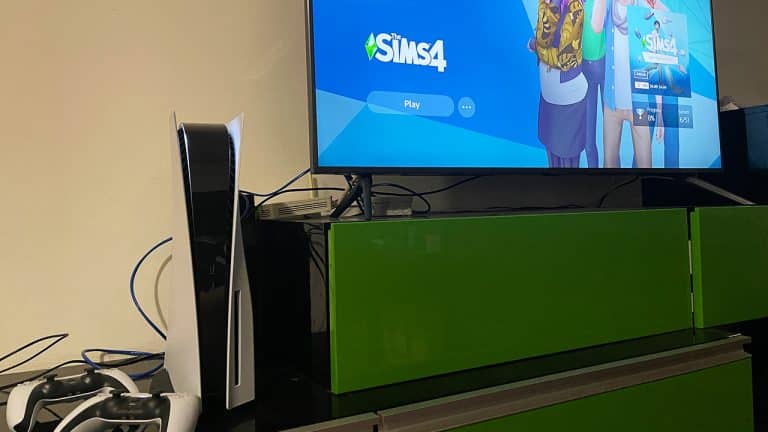
For this comparison article I’ve tested out The Sims 4 (PS4 version) with almost all Packs installed on my PS5 however the results should be the same for players who own an Xbox Series X.

20210322222610

I’ve managed to boot up The Sims 4 to the Main Menu from the splash screen in about 50 seconds. This might not sound like an ambitious number but it took me 4 minutes to get to the Main Menu when I was playing The Sims 4 with the same Packs on my PS4 Pro. Hard Disk Drives – they’re a real pain when you’re trying to run The Sims 4 with multiple packs and that reflected on the loading times of my previous console.

The Sims 4 on Next-Gen Consoles is a Smooth, Solid Experience

To further test out how well The Sims 4 runs I’ve booted up one of the heaviest Save Games I have on my Console which includes two Sims and 6 Pets. To get from the Main Menu to Live Mode it took me about 40 seconds if you exclude the time I’ve spent in the Manage Worlds screen. This cannot even compare to the loading times I had on my PS4 Pro which lasted 6 minutes to jump into Live Mode!

In conclusion, when it comes to the full loading process from the console’s splash screen to Live Mode it takes approximately a minute and a half to get into your favorite household. It truly feels like a solid, smooth experience even after because there are no lags or waiting for all of the object assets to load up after you’re in Live Mode, which was always the case on my PS4 Pro.

The Sims 4 on Next-Gen Consoles is a Smooth, Solid Experience

It’s of course guaranteed that these loading times may not exactly reflect on your next-gen consoles and that there are a few variables in seconds, but it just can’t compare to the struggle I’ve experienced before, which was waiting 10 minutes to jump into the game.

I later tested out some other things like jumping into Build Mode and travelling to a different Neighborhood and it all felt like a smooth experience that you’d want when playing The Sims 4.

I’ve even tested out how long does it take to place a build from The Gallery onto an empty lot. On PS4 Pro this experience took me more than a minute to finally place the lot down, with lots that aren’t even that heavy in objects. I was able to place down a full blown mansion on the PS5 in less than 30 seconds, with almost constant 60 frames-per-second after placing it down.

The Sims 4 on Next-Gen Consoles is a Smooth, Solid Experience

You can check out the full 9 minute video of me testing out the game on Playstation 5 down below:

So, how can it be better?

For starters The Sims 4 on next-generation consoles isn’t exactly fully updated and optimized to reach the full potential. The Sims 4 on PS5 will still be treated as a “PS4 version” – with the difference only being mostly in loading times, textures and minor graphic setting improvements that very much resemble the graphics on PC with high/ultra settings.

Assuming that The Sims Team plans to put out PS5 / Xbox Series X versions of the game they’d have to consider fully embracing the console’s next gen SSDs and graphics. This would include completely getting rid of the loading screen bars and just relying on the spinning plumbob with just seconds of loading screen times that you’d encounter on higher-end PC builds. That plus an update on the resolution of the game as it can currently run only up to 1080p.

These are just little details that could overall improve a smooth, steady experience that’s already there on next-gen consoles.