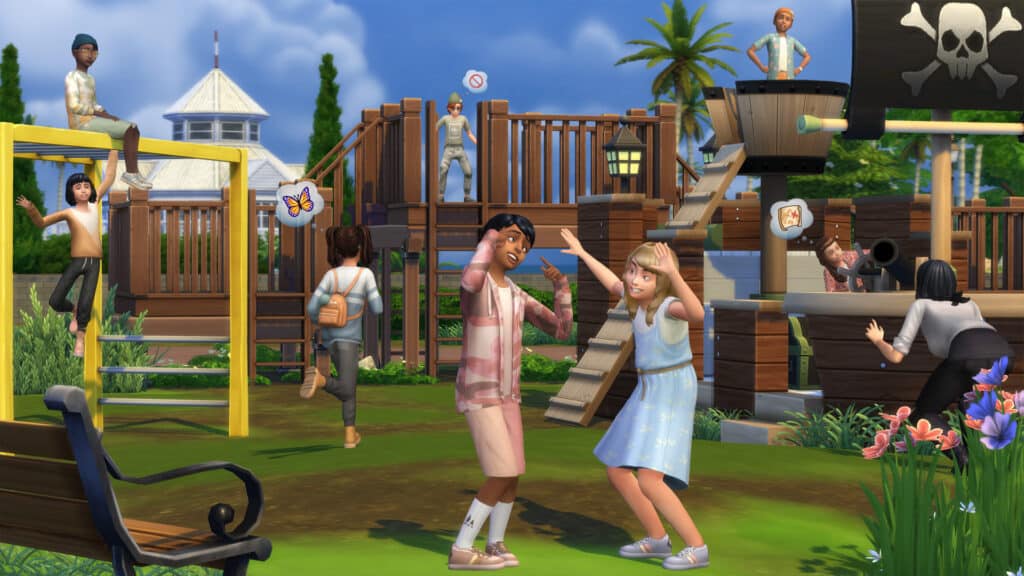
First Fits Kit is a CAS Kit for The Sims 4 that introduces new Fashion and Clothing for Children! Check out what the team had to say for this one:
The Sims 4 First Fits Kit
With @XUrbanSimsX, a passionate Sims 4 storyteller, as our fashion guide, set the next generation of trendsetters with kids’ clothing that is both fun and fashionable, perfect for any occasion in The Sims 4!
Release date: September 1st
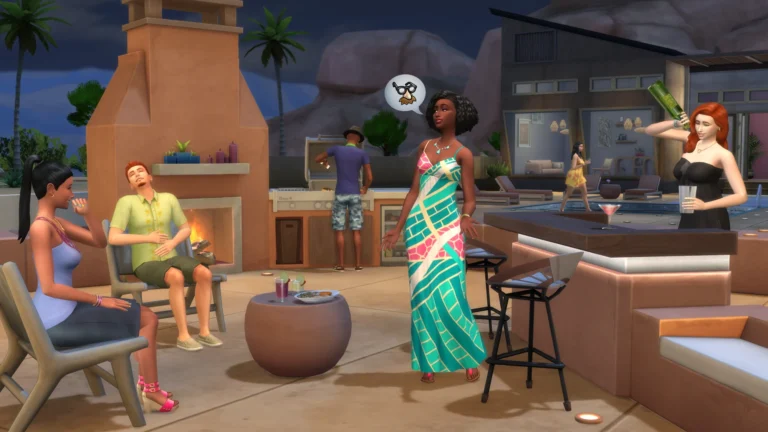
The Desert Luxe is a Build Kit for The Sims 4, with new objects that will fit the Desert lifestyle. Specifically Oasis Springs. Okay, maybe also Strangerville.
The Sims 4 Desert Luxe Kit
With the help of @AvelineSims, an avid Sims 4 builder, The Sims 4 Desert Luxe Kit brings new furniture inspired by the natural landscape of the Southwestern Desert so your Sims can arrange a space indoors & outdoors for both relaxation & entertainment.
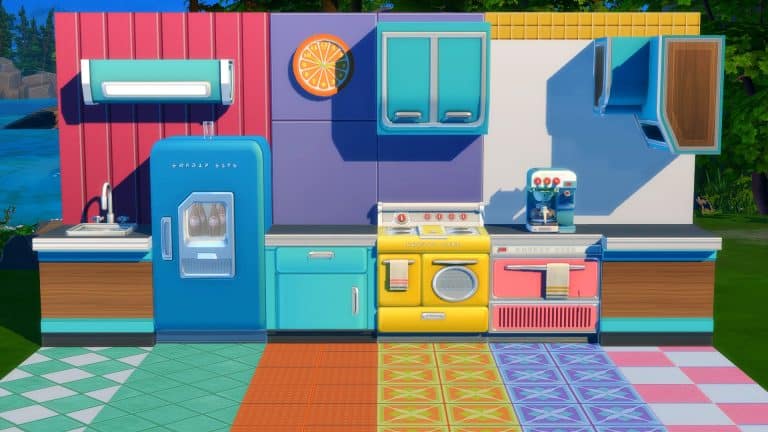
Latest Update for The Sims 4 is all about Fixing Bugs. Check out the Patch Notes!
The Fixing Update…Part 2
The Sims Team has released a brand new update for The Sims 4 on PC, Mac, Xbox and Playstation.
To download the latest version of The Sims 4, simply open your Origin program and if the game doesn’t update automatically, right click on The Sims 4 and select ”Update”. If you play on Xbox and Playstation, you should Check the Game for Updates in case Automatic Updates are off.
In case you have Mods or Custom Content, the game will automatically disable them for you after first launching The Sims 4 after the update. To re-enable all your Mods and Custom Content, select the Settings option in the Menu and select Settings. Under the ”Other” section you’ll find the ”Enable Custom Content and Mods” option. Check it and restart your game in order for it to take effect!
Patch Notes
Update 08/30/2022 PC: 1.91.186.1030 / Mac: 1.91.186.1230 Console: Version 1.63
Hello Simmers!
As we close out the summer, we’re excited to bring you this base game update. With new Scenarios and a list of bug fixes, we hope you’ll have fun discovering new ways to play. – The Sims Team
What’s New?
Learn more about friends, careers, and family life with the new Welcome Scenarios! Three new Scenarios with more complexity, premade households, and special rewards depending on the outcome you reach!
New In Town focuses on learning about relationship making with the newest arrival to the town, Farrah Nouvel. Explore the world of The Sims™ 4, with a brand new household.
Stuck In Their Shadow features Nova Curious and her rival, Lewis Sancho, in their longtime fight to be the top dog at work. With 28 different outcomes depending on your choices during play, you’ll get a chance to explore many pathways to career success!
Parenting Predicaments is all about family, with Pablo and Jennifer Martinez and their adorable twins, Sofia and Leonardo. Can you manage this growing family and guide Sofia and Leonardo into a happy teenagehood?
These Welcome Scenarios will include Clickable Goals. Left-click on any goal in the Welcome Scenarios to receive tips and guidance about how to complete the goal!
Bug Fixes
The Sims 4
Plant Sims can move items from their inventory without issues now.
Camera movement on macOS is more responsive, especially for those running Monterey.
Some instances of incorrect pronouns have been resolved.
We clarified some Scenario goals.
Text for Scenarios with existing households also is more accurate.
Limited-Time Scenarios show that they are time-limited again and end at the proper time.
Scenarios info popups now have a link to Lessons so you can learn more about them.
Lessons for Scenarios have new images.
Scenarios no longer immediately complete when starting a second Scenario in the same saved game.
The Event and Scenarios details panels no longer are blank when double clicking their button for information.
We made some small interface improvements for Scenarios. For example, when selecting an existing household for a Scenario, the button to configure Neighborhood Stories no longer appears.
In the My Households tab, households with active Scenarios no longer have a purple heart icon while Neighborhood Stories is inactive.
The Scenario bubble no longer overlaps with the sidebar for some resolutions.
The “Engaged in Conflict” Scenario no longer repeats the ‘On Second Thought’ goal.
Scenario “Perfectly Well-Rounded” has the goal to “Reach Level 3 in Any Skill” which now can be completed.
Color swatches for back hair now appear in the standard order.
Images for Stuff You Might Like in the Main Menu now display at the proper ratios for all game resolutions.
Get to Work
No more goofing off on the job – Doctors no longer T-pose while performing surgery.
Alien Toddler’s legs now stay visible while applying outfits in Create a Sim.
High School Years
Graduating Sims who arrive late to the event now change into their graduation gown and all graduates stay in their gowns during the event. This is a big moment, so dress the part!
Early Graduates now receive their diploma and no longer are erroneously told that they are dropping out.
Detention was a smidge harsh. Sims no longer indefinitely study for exams when in detention.
Sims with low Fitness skill succeed with the Football Toss more often.
The team practice pop-up no longer references a non-existent crush.
Business Plan objects in the inventory now can be scrapped if you want to clear up some inventory space. If you love to store clutter, feel free to keep them around
The Social Bunny contact button now always stays visible for your Sims who have friends.
A few facial hairs were growing from stubble straight to full beards. They now grow more incrementally.
The facial hair ymFacialHair_EF11BeardShortStubble now can be clean shaven. Razors were adjusted to catch this short stubble.
ymBottom_EP12PantsSkinnyCalf pants now only display once in Create a Sim.
The sunlight in Copperdale is less intense. A 6° change in the angle of the sun makes a big difference!
Engaging in a Pillow Fight with Sims you do not know no longer is deemed acceptable. At least say hello first!
The shadow for the Single Serve Hammock now appears correctly under this chair.
High School Years now appears only once in the Packs section of the main menu.
Missing images for items on the High School Years pack page have been found. They now display properly.
Sims will correctly direct their prom invites to the Sim they intended to ask, not the Sim currently controlled by the player.
Sim phone usage has been tamped down. Teens will still use the phone more often.
Vampires
We made some pronoun-related bug fixes thanks to community reports!
Parenthood
More pronoun fixes!
Dream Home Decorator
Sims now can add rooms for Room Addition gigs.
Bust the Dust
“Bust the Dust” visual effects no longer appear when the Dust system is turned off.
After a month of radio silence on the broken game, The Sims Team addresses the Bugs with an Update announcement.
The Sims Team has announced that they will be releasing a new update for The Sims 4 Base Game today!
In a tweet shared a couple of hours ago, the team has stated that the upcoming update is all about Bug Fixes, and is set to release on August 30th, 2022 across PC and Consoles.
Sul Sul Simmers.
Tomorrow, Aug 30, at 10 AM PT, we have a game update bringing bug fixes to The Sims 4.
The Update has been set to release at 10AM Pacific Time. To make things easier for everyone, we’ve included a countdown to the release of the Patch. As soon as the timer turns zero you’ll be able to The Patch Notes will be released shortly after said time.
[janky target_time=”1661878800″ color=”#5225F2″]
The promised Bug Fix Update for The Sims 4 comes more than a month after the release of High School Years Expansion Pack, after which many bugs started showing up for players across platforms.
We will keep you posted with the latest patch notes right here on Sims Community. Stay tuned!
A new mod for The Sims 4 is here and it’s a complete game changer for builders and decorators! Carl has once again worked technical magic on the game and created a Colour Picker tool that can recolour almost anything in-game!
Getting Started
Before you do anything, you’ll need to install the mod. Download the Colour Picker mod, extract the .zip file and put the folder directly in your Mods folder.
Enable the testingcheats true cheat in-game. Carl’s Colour Picker will only be visible with testingcheats.
General Use
Colour Picker options are in Live Mode. SHIFT+Click any object to bring up Colour Picker options. Clicking on a single object will only recolour that object. Clicking on the floor will recolour everything in the room.
By default, recolouring an object recolours every object of the same type but you can change this by turning Apply to Multiple Objects off under ColourChanger > Apply Colour from List.
Swatch Picker
Let’s start with the simplest tool. The swatch picker is limited to EA swatches but it allows you to quickly match an entire room or multiple sets of objects without having to go into Build Mode.
This tool is most useful when applied to a whole room. Using it while clicking the floor will attempt to find the best matching swatches for everything in the room. You can create perfectly matching sets with one click.
Colour Changer
This is the more advanced but more creative tool. This tool allows you to go beyond EA swatches and truly make any object in the game your own.
The most basic thing to remember when using this tool is that it doesn’t change the underlying base colour; it adds tints to the base colour. So if you want bright neons or pale pastels, start with a white or neutral-coloured object. If you want dark, rich colours, start with a darker coloured object.
With that in mind, the tool I found easiest for beginners to work with is the Adjust All RGB option. This is as simple as picking your hue and dimming/lightening it as you please the same way you’d adjust the colour and brightness of lights. Locking the colour of an object and copying custom colours from one object to another are also simple tools anyone can grasp.
However, if you want to get into advanced stuff, you definitely can! Players with knowledge of colour theory can also apply any colour of the rainbow and then further adjust the tint by increasing or decreasing reds, blues, and greens within that colour. If you have a specific colour you’re looking for and know the hex code, you can even input hex codes to get the exact look you want.
There are over 100,000 colours available with the mod and text commands you can use to further customize colours. Check out Carl’s more detailed explanation for a thorough breakdown of every feature.
Things to be Aware Of
Builds that use this mod can be uploaded to the Gallery but the other players will need to have the mod installed for the custom tints to show up in their game.
Recolouring an item recolours the entire object. You can’t pick and choose which parts of the object to recolour.
Occasionally, a colour might get stuck while dimming/brightening it but we easily fixed this by just clicking another hue and then clicking back to the previous hue.
The ColourPicker mod is in early access. It goes public on September 8th, 2022!
Kick it old school with Get A Life mode from The Sims on PlayStation 2 and GameCube… in The Sims 4!
Looking for a unique Sims 4 challenge? We’ve got the perfect dose of Sims nostalgia for you! When I was a kid, my favourite game was The Sims on my PlayStation 2. I must have played through the story mode (hilariously called Get A Life mode) a thousand times. Somehow, I never got bored of it. I do still have the game and a PlayStation 2 but there’s no denying that in 2022, the game feels a little bit clunky and dated. I wanted the nostalgia of the original game blended with everything I love about The Sims 4.
So I did exactly that! I wrote this Sims 4 challenge quite some time ago that replicates the original levels and goals of Get A Life mode in The Sims as exactly as I could, right down to the lots you have to play through and characters you need to deal with. Why? Because we need a unique Sims 4 challenge in this community. And now I’m sharing it with you!
So without any further preamble… Welcome to the Get a Life Challenge for The Sims 4! Begin by getting a job and moving out of Mom’s house, then work your way up from trashed party pads to lavish mansions, making friends and raising a family along the way! For nostalgia lovers, this might just become your favourite Sims 4 challenge!
PSST! Does this sound familiar? It should!You’ll be playing Get a Life mode from The Sims on PlayStation 2 and GameCube… in The Sims 4.
Table of Contents
Objective
Like the original console game, you’ll progress through six levels in this Sims 4 challenge, completing a set of goals in each level before progressing to the next level. A CC-free save with exact replicas of every lot from the original console game has already been set up for you in Newcrest. Your roommates for each lot (Mom, Mimi, and Dudley) are also included in this save and are also CC-free. Everything has been set up for you. All you need to do is hop in and play. Welcome to the most nostalgic Sims 4 challenge!
Rules
These rules apply to every level in the game. You must abide by these rules throughout the entire Sims 4 challenge. See goals for each level for any rules for specific levels.
No mods! You will have to play the game exactly as it was intended to be played, just like you had to play the original console game exactly as it was intended to be played. This Sims 4 challenge is not going to be easy.
No cheats except the ones the rules specifically instruct you to use.
CC that does not change the game in any way can be used.
Pay your bills on time. Self-explanatory.
You may not change or add to the existing lot traits on any house. Each house already has one trait and that is the trait you are stuck with.
You must maintain the original value of every home you live in. If you move out of a home that’s worth less than it was when you moved in, deduct the difference from your funds. You can avoid this penalty by making sure anything you sell in the house is replaced with something of greater or equal value before you move out.
You must leave every home in good condition. Deduct §100 from your funds for every dirty object, dish, trash pile and puddle left on the lot when you move out. Deduct $500 for every broken object on the lot when you move out. You can avoid this penalty by cleaning up the house and fixing anything that’s broken before you move out.
Just like the original console game, you may not leave your home lot except to go to work at an inactive career. You may not go visit other Sims, go to public venues, or go on dates off your home lot. You must invite any Sims you wish to socialise with to your house or chat with them on the phone. Your Sim may walk/jog around the common space in their home neighbourhood but cannot interact with anything off their lot except other Sims.
You may only earn money from careers, home activities related to your career (painting, writing books, programming, etc) and selling home objects unless otherwise stated in the individual level rules.
Small objects (trash, dirty dishes, toys, seed packets, etc) cannot be clicked and dragged anywhere. Your Sim must clean up these items themselves or hire a maid after they unlock the maid during the challenge.
Your Sim must start each new level with the same amount of money they had at the end of the previous level. No magic money from shuffling households! Use the money cheat to reduce your household funds to what they were before if you find yourself with extra money from moving around. The same rule applies to any Sims who move in and bring money with them. Get rid of it immediately with the money cheat.
You may not move any Sims into the household except the ones specifically outlined in the challenge (Mom, Mimi/Dudley, your second roommate, and your spouse). You may not move in any of these Sims before the challenge instructs you to.
Aging must be OFF for all Sims, including your active household. Make sure Move Into Empty Homes is unchecked. You don’t want townies moving into the lots you’ll need to play through.
Sims 4 Challenge: Get a Life
Download the save that’s already been set up for you here. It is recommended that you have most or all add-on packs released up to 2018 for this Sims 4 challenge; this save uses pack content from every expansion and game pack up to Seasons and Jungle Adventure, as well as Perfect Patio, Vintage Glamour, Backyard, Romantic Garden, Cool Kitchen, and Kids Room. If you do not have all pack content listed, you may replace any missing content with similar content you do have in free build mode.
Unzip the folder and copy the files inside. Place them into Documents > Electronic Arts > The Sims 4 > saves. You may get an error message telling you there are already files with that name in the folder. If this happens, copy your saves folder to your desktop for safekeeping, then delete the contents of the saves folder in your Documents before pasting the files from the download into the folder. For console players: I have uploaded all lots and households you need to my Gallery under the hashtag #getalife so all platforms can do this Sims 4 challenge.
Open the game and load the save called Get a Life Challenge, then begin making your Sim in CAS. Your Sim can be either a young adult or an adult. They must be human. They can have any gender customization, traits, aspiration, physical appearance, likes and dislikes, voice, and walk style you want. You may use any CC you like as long as the CC does not alter the game mechanics in any way.
You may NOT use the in-game personality quiz. This was not a feature of the original console game and it’s not a feature of this Sims 4 challenge, either. Your Sim will be starting from scratch like the good ol’ days.
You may not add other Sims or pets to the household in CAS. Just make one Sim to play through this Sims 4 challenge with.
When you are finished making your Sim, move them into the Money From Mom lot in Newcrest. Do not kick Mom out of the house. Your Sim will be living with her. It should not cost anything to move here since you are merging households, not purchasing an empty property.
Before you do anything in Mom’s house, bring up the cheat console by pressing CTRL+SHIFT+C and type in “money 100″ without the quotations.
LEVEL 1: Money From Mom
Lot Value: §21,130
Story
You’re in a beautiful mansion with a sexy Sim who invites you to come “play” in the hot tub with them. Well, who would say no to that? You get in and start getting busy until… “WAKE UP! WAKE UP! ARE YOU GOING TO SLEEP ALL DAY?!” It was all a dream and you wake up in reality in your mother’s house.
Sims 4 ChallengeGoals
Borrow 800 Simoleons from Mom: Build your Charisma skill up to level 7 (when you can ask for a small loan) and become best friends with Mom. Once you’ve done these two things, you may use the money cheat to give yourself 800 simoleons.
Cook a Meal on the Stove Without Starting a Fire
Fix the TV
Maintain House Value: If the home is worth less than it was when you moved in upon moving out, deduct the difference from your Sims’ funds.
Get a Job (Inactive Careers Only!): Mom doesn’t think you’re ready to get a job until you’ve proven yourself capable of handling grown up things. You must complete all other goals first before you tackle this one.
Sims 4 Challenge Rules
You may control Mom, but Mom cannot clean, cook or repair anything. She may grab quick meals and leftovers from the fridge.
Mom cannot have a job.
You may not hire a maid or repair technician. These will be unlocked in the next level.
Since the game does not see Mom as being related to your Sim, there is a chance she may try to initiate Romance socials with your Sim. If this bothers you, you may use the “cas.fulleditmode” cheat to make her your Sim’s mother in CAS. Alternatively, you can just ignore the Romance socials.
Once all goals are completed, you may move on to the next level. Since you can’t sell Mom’s house (because Mom still lives there), you may use the freerealestate cheat to move into the Reality Bites house. You must purchase it furnished.
LEVEL 2: Reality Bites
Lot Value: §29,625
Story
Your mom has some connections with Malcolm Landgraab and manages to secure a small home for you to start your life in. The catch? His kids have trashed the place partying and he wants you to fix it up for him so he can sell it.
Sims 4 Challenge Goals
Clean up the Place
Fix the Broken Stuff
Repair the Damaged Kitchen: Clean up and repair everything in the kitchen, then replace the missing/damaged walls and flooring.
Get Promoted to Career Level 3
Sims 4 Challenge Rules
Once you’ve cleaned the entire house, you may hire a maid from now on.
Once you’ve repaired all the broken objects in the house, you may hire a repair technician from now on.
Once all goals are completed, you may move on to the next level. Do not use the freerealestate cheat. It shouldn’t cost anything to move into the Party Animals house because you’ll be merging with Mimi and Dudley who already live there.
LEVEL 3: Party Animals
Lot Value: §42,896
Story
Malcolm’s impressed with how you’ve managed to turn that dump around. He’s made a nice profit off the property thanks to you. He sends his kids over to invite you to move in with them. He’s hoping you might be able to improve this property too and keep his party animal twins in line.
Sims 4 Challenge Goals
Throw a Raging Party: Throw a house party and earn a gold medal in it.
Upgrade Your Abode: Increase the house value by 3,000 simoleons. Reward objects from careers and throwing good parties may be used to contribute to this goal but you must leave those objects behind when you move out.
Get Promoted to Career Level 5
Move out with a Roommate after a Party: You must complete all other goals before you tackle this goal. Become friends with a party guest of your choosing, then ask them to move in once the party ends. Deduct any money they bring into the household from your funds using the money cheat.
Sims 4 ChallengeRules
When you first move in, kick out one of the Landgraab twins. In the original game, your roommate would be the same gender as your Sim. Since gender is non-binary in The Sims 4, you may choose which Landgraab twin you prefer to live with. They both have the same traits and aspiration so your decision will not impact the challenge in any way.
You may control Mimi/Dudley and get them a job (inactive only), but they cannot build any skills for their career, cook, clean, or repair anything. They may grill on the BBQ and grab quick meals and leftovers from the fridge.
You cannot marry Mimi/Dudley or have children with them, but you can romance them if you wish.
Your roommate for the next level cannot be Mimi or Dudley.
Once all other goals are completed, you may move on to the next level. Move your Sim and their new roommate into the Hot To Trot house. Use the freerealestate cheat. You must purchase it furnished.
LEVEL 4: Hot To Trot
Lot Value: §41,636
Story
Freedom at last! You’ve managed to find a new roommate at one of your parties and move into their much nicer pad. Things are finally starting to look up. Maybe it’s time to start thinking about settling down?
Sims 4 ChallengeGoals
Throw a Raging Party: Throw a house party and earn a gold medal in it.
Upgrade Your Abode: Increase the house value by 5,000 simoleons. Reward objects from careers and throwing good parties may be used to contribute to this goal but you must leave those objects behind when you move out.
Get Promoted to Career Level 7
Propose to a Party Guest at a Party: All other goals must be completed first. The party guest must accept the proposal for this goal to count as completed.
Sims 4 Challenge Rules
You may control your roommate. Gone are the days of lazy, useless roommates! Your new roommate can build skills, cook, clean, repair objects, get a job (inactive only) and gain promotions in that job.
You cannot marry your roommate or have children with them but you can romance them if you wish. The Sim you marry must be a party guest outside the household.
You may propose to a Sim of any gender, regardless of your Sim’s gender.
Once all goals are complete, you may move on to the next level. Move your Sim and their fiance/e to the Who Loves Ya Baby house. Use the freerealestate cheat. You must purchase it furnished.
LEVEL 5: Who Loves Ya Baby
Lot Value: §56,837
Story
Your mom’s done one last favour for you as a wedding gift and asked Malcolm to let you and your spouse live in his old family home that he wants renovated. It’s a bit cluttered but with some TLC, it could be a great place to raise a family.
Sims 4 Challenge Goals
Get Married: Marry the Sim you got engaged to at the end of the last level. If you and your spouse get divorced, you will need to complete this goal again with a different Sim. You may choose to elope or throw a wedding party, but the party must be on the home lot.
Upgrade Your Abode: Increase the value of the home by 7,000 simoleons. Reward objects from careers and throwing good parties may be used to contribute to this goal but you must leave those objects behind when you move out.
Get Promoted to Career Level 9
Have Two Children: Your Sim’s children do not need to belong to your Sim’s spouse. If any children are born in a different household, use Household Management to move them into your household as soon as they are born. You may also choose to adopt two children but they must be babies.
Take Care of Babies: Avoid having your babies taken away by social services. If social services takes them, you must have two more babies to replace the ones that were removed from the home.
Keep Children in School: Avoid failing grades. If social services comes to remove your children because they failed school, you must have more children to replace the ones that were removed from the home.
Sims 4 Challenge Rules
You may control your spouse and children. Your spouse may build skills, cook, clean, repair objects, get a job (inactive only) and earn promotions in that job. Your children can build skills, clean, do their homework and complete school projects.
Age up your babies after 3 full Sim days and no sooner.
Age up your infants and toddlers immediately to skip these life stages entirely.
Do not age up your children. They will stay that age until the end of the challenge.
Do not hire a nanny or send the babies to daycare. They didn’t exist in The Sims on console and they don’t exist in this challenge. Take vacation days, use family leave, whatever you need to do to make sure an adult is home with the babies at all times. Children can be left alone in the home without supervision.
Once all goals have been completed, you may move on to the final level of this Sims 4 challenge. Move your Sim, their spouse, and two children into The Last Simoleon house. Do not use the freerealestate cheat. Sell your current house with all its belongings via the move menu to purchase the final house. This does not break the previous rule about not selling off items. You must purchase the final house furnished.
LEVEL 6: The Last Simoleon
Lot Value: §47,171
Story
Your mother has some shocking news; she and Malcolm are getting married! They want to move into the home you’re currently living in so they’re giving you Malcolm’s mansion. Now’s the time to start saving up for retirement!
Sims 4 Challenge Goals
Get Promoted to Career Level 10
Send the Kids to Prep School: Once the children have an A grade in school, you can move them out of the house. If Parenthood is installed, the children must also have all five character values in positive trait range. You can either dump them on Mom and just pretend they went to prep school or download my CC-free lot Savant Boarding School from the Gallery (ID: SnarkyWitch). Deduct 3,000 simoleons from your household funds when you move out the children. Prep School tuition costs 1,500 simoleons per child.
Save 50,000 Simoleons for an Early Retirement: This does not include the value of your home. You must have 50,000 simoleons on hand.
Throw Your Last but Greatest Party: This time, throw any type of party you want. It must reach gold level. No guest can be in a negative emotional state when the party ends.
Have a Baby: This only applies if your children die or get taken away by social services. You’ll need to replace the children you lost and complete all the same goals with them.
Once all goals have been completed, congratulations! You’ve completed the Get a Life Challenge! Go tell all your friends about it and share this Sims 4 challenge with them!
I won’t be answering questions about whether this or that is allowed in the Sims 4 challenge or when I’m going to update for this or that pack. The rules are general enough to not need frequent updates for every pack. It’s your game. I’m not the Sims 4 challenge police. Use your best judgement and have fun!
If you liked this Sims 4 challenge, check out some of our others in our Sims 4 Challenges category!
This Maxis Match pool set will take your pool patios from drab to fab in no time!
Custom content creators are always blowing us away with high quality, Maxis Match creations that often look better than what Maxis makes themselves. This amazing poolside lounge set by Max 20 proves that!
Image from Max 20
The set is called the Poolside Lounge Pack and comes with 22 Build/Buy objects and 2 CAS pieces for a total of 24 new items themed around pools and general outdoor summer fun. Most of the items are décor pieces but there are four interactive items with gameplay attached to them. All these interactive items are base game compatible. The interactive items include a bar cart, a polaroid camera, a cooler, and a gas lamp.
Image from Max 20
Our personal favourite items in this set are the wide-brimmed floppy hat, the beach umbrella and sun tent, the fountain, and the beach ball. Okay, that’s a lot of favourite items for a 24-piece set but come on, can you blame us? Everything looks amazing!
Image from Max 20
You can download the Poolside Lounge Pack for free right now on Max 20’s Patreon! Grab it by clicking the download button below!
What is your opinion on the current state of Scenarios?
Scenarios have been a part of The Sims 4 for quite a while now and it looks like they’re here to stay. Recently, we’ve seen some more unique and interesting scenarios added to the game but scenarios have their fair share of problems, too. The Sims Team seems more focused on making cosmetic changes to the scenario menu than making changes to the scenarios themselves. The menu has gone through more updates than any of the existing scenarios.
But that doesn’t mean we hate scenarios here at Sims Community! Our regular readers will know that this author especially loves them and writes about every new scenario. But because I love them so much, I’m also harsh on them when they don’t live up to expectations.
I was curious to see if I wasn’t alone in my opinion and that’s what Sims Community is all about; the community coming together to talk about our favourite game series in the world, both what we like and what we don’t like.
Whether you love or hate scenarios, this poll is for you! We want to know what you think!
This community poll is not affiliated with EA or Maxis in any way.
The latest SDX drop for The Sims 4 has added a new permanent scenario to the game; Aliens Stole My Parents. Yeah. It’s as weird as it sounds.
We’re going to walk you through how to complete this scenario!
Getting Started
The scenarios menu has received yet another cosmetic update. The Start Scenario option on the main menu is obnoxiously hard to miss so click that to be taken to a list of scenarios displayed in tile format. The Aliens Stole My Parents scenario is listed as an Intermediate scenario.
The description states that aliens have abducted a teen and a child Sim’s parents, leaving them to fend for themselves. However, the aliens were nice enough to leave a note informing the children that if they raise their grades and make some money, their parents will be returned safely.
As usual, the requirements on the menu screen are completely vague and unhelpful so I’m going to outline the objective in detail for you. You’ll need a household with one child, one teen, and at least one young adult or older Sim but you can have up to six. The goals for this scenario are:
Have $15,000
Raise child’s grades to an A
Raise teen’s grades to an A
Complete an aspiration for the child
Group cook together
Have the teen get a part-time job
Hire a nanny
You have to complete all goals before the teen or the child age up, otherwise you’ll fail the scenario. You can eliminate the risk of failing by turning aging off in the game settings.
On Our Own
When you start the scenario, all the young adult and older Sims will disappear off the lot. Clicking their portraits will show that they’ve been abducted by aliens in their action queue. Your teen and child will be left alone with only $500 in household funds.
I knew this was going to be a challenging scenario so I got right to work. Chloe, my teen, immediately got a part-time job as a Simfluencer because I know for a fact that you can make a killing off of selling Trendi outfits. Trendi’s the best way to go to make $15,000 as a teen. She also joined the cheer team because she has the Goal Oriented teen aspiration.
Almost immediately, I ran into my first big hurdle. I had no money to buy a computer, which Chloe needed for her job. I also had no money to invest in creating Trendi outfits. So Chloe did the only thing she could; she sold absolutely everything but the bare necessities in her house which gave her a couple thousand to start with. She used the money to buy a computer and start putting together her first Trendi outfits to sell. The trick with Trendi is to wildly overprice everything. You won’t sell many outfits at first but you’ll usually sell one or two before the listing expires. Keep relisting them at exorbitant prices for long enough and eventually, they’ll start to sell. That’s what Chloe did and it didn’t take long for her to start selling outfits listed at $5,000 a piece.
As for Elise, her kid sister, she had a lot less on her plate. All she needed to focus on was school and her aspiration so she was in a much better mood than Chloe most of the time. Chloe, on the other hand, was constantly exhausted and craving fun between juggling school, cheerleading, her simfluencer job, and her Trendi side hustle. Oh, and fighting monsters under the bed for her little sister. Yeah. I invested in the Coolala Defender nightlight real fast.
While Chloe worked her butt off day in and day out at selling outfits at the thrift shop, Elise would play on the monkey bars for hours in the nearby park area to work on her Rambunctious Scamp aspiration. And whenever any of them had a spare moment on their hands, they were doing homework and school projects to push those grades up.
Eventually, both girls got an A in school, alleviating some pressure off of Chloe. All she needed to worry about was keeping up with her homework now, which allowed her to do things like sleep and occasionally, handle her raging acne and body hair problem. Elise threw all her time into her aspiration and made faster progress now that she was already an A student and the girls even had some time to bond in the kitchen while making dinner together. That’s four out of seven goals completed. Not bad.
The weekend was a blessing because it gave Chloe and Elise all day to work on scenario goals. Elise basically lived on those monkey bars until she completed her aspiration. Chloe sold enough outfits to have a whopping $18,000 in household funds, and feeling like she had finally earned a break, Chloe made a call to the nanny to watch her sister for a few hours so she could finally go out and have some fun.
This completed the scenario for us in 7 days. Mom and Dad were safely returned to the household, Chloe got the Mentor trait, and Elise got the Speed Reader trait as rewards.
Our Thoughts
This is definitely a strange scenario and a challenging one but I had a lot of fun with it. While it wasn’t too hard for me to juggle everything, I still had to pay very close attention to many things at once 24/7 in order to complete the scenario without any cheats. I would label this scenario as Hard rather than Intermediate due to the crazy amount of multitasking and micromanagement involved.
As for the rewards… two traits I could have purchased is once again, an underwhelming reward. It hardly seems worth all the effort. Can we please just go back to getting 5,000 satisfaction points for every scenario? I miss being able to spend my reward points on traits I actually want.
Are you a fan of the Fallout game series and custom content for The Sims 4? Well, this is the collection for you!
Surely-Sims is known for creating a variety of retro inspired custom content and her latest collection is no different! Inspired by the hugely popular Fallout 4, Surely-Sims has created the perfect pre-atomic war kitchen set.
The Kitchen of Tomorrow Collection features over thirty new items spanning both Build and Buy Mode, including new counters & cabinets, clutter, appliances, walls, floors, and more!
Let’s take a closer look at what comes in this collection.
With everything you need to create your own pre-atomic kitchen for your potential Vault Dwellers, including some Simlish themed Nuka Cola for your Sims to display around their newly furnished kitchen!
Fairy Tales Are Leaping Off the Pages of This Functional Library!
Libraries are an essential community resource in the real world and in The Sims 4. But they don’t have to look boring! Imagine a library that is both functional and part of a fantasy world—SimsilaSimrise did just that! With this Fairy Tale Library, she created a detailed build that tells numerous Fairy Tale stories straight from the pages roof of this library.
This detailed library includes nods to numerous fairy tale stories. All on top of an open book! Then, inside the ”book” is a library that all ages can visit! It has all the items that any Sim would need for a trip to the library!
On “The Pages”
Inside the Library
Inside the book is a functional library with book stacks, computer desks, chess tables, children’s reading rooms, and two restrooms. There’s even a staff room with a television! For your more artistic Sims, there are some easels to paint on. A few of the desks have laptops on them for your Sims to use (if you can trick Bob Pancakes away from it!) Then, when your Sim is done, there is a Circulation Desk to make the library seem more authentic.
Gallery Details
Lot Name: FairyTale Library Gallery ID: SimsilaSimrise Lot Type: Library Value: §122,389 Lot Size: 50×40 Bathrooms: 9
Description: Reading is everything!
Important Information: It has no Custom Content, is play-tested, and is a functional library. Make sure to use bb.moveobjects on before placing the lot.
Make sure to follow SimsiliaSimrise on her Twitter Account to see previews of more of her builds! All her builds have no custom content and are uploaded to the gallery!
You can download this lot from SimsiliaSimrise’s The Sims 4 Gallery.
Everything you need to know about how to become Computer Team Captain of your high school!
The Sims 4 High School Years comes with four brand new after-school activities for your teen Sims to join: Cheer Team, Football Team, Chess Team, and Computer Team.
We’re going to be walking you through joining and excelling in the Computer Team!
Joining the Computer Team
To join the Computer Team, use the phone or a computer to sign up for an after-school activity. Then select Computer Team from the available choices. Signing up for an after-school activity will be under the Business app on your cell phone, or the new High School category on a computer.
Computer Team runs from 3:30pm to 5:30pm on Mondays, Tuesdays, and Thursdays. Computer Team is treated like a rabbithole career. Unlike the Football and Cheerleading Teams, there aren’t a lot of active elements to this activity. Make sure your Sim is at home and not at school when Computer Team starts so they can leave the lot to enter the rabbithole destination.
You’ll start out as a fresh recruit and will have to practice programming between all your Computer Team meetings in order to advance in this activity. Computer Team is tied to the Programming skill.
Computer Team Levels and Rewards
The Computer Team has three promotion levels and each level comes with new rewards.
1) Computer Team Fresh Recruit
Description: The team may call [Sim Name] a noob at the moment, but [Sim Name] is ready for the challenge. Time to get the keyboard ready, there’s a lot of coding to do to reach the next level.
Advancement Tasks:
Reach Level 2 Programming Skill
Daily Task:
Practice Programming
Rewards:
N/A
2) Computer Programming Teammate
Description: Level up! [Sim Name] has cleaned up the spaghetti code and is in with the crowd now. His/Her/Their code is becoming so clean and readable that there is respect growing with the others. Next up might be a captain title if he/she/they keep(s) up the programming skills and make(s) it to practice with the skill to keep up.
Advancement Tasks:
Reach Level 4 Programming Skill
Daily Task:
Practice Programming
Rewards:
Computer Team Flag
Computer Team Flag. This item is only available in one swatch.
3) Computer Team Captain
Description: [Sim Name] has been named captain! From “Hello World” to being able to write a fairly accurate photo classifier. Who knows how deep this rabbit hole goes but [Sim Name] certainly has the skill to find out in the future.
Advancement Tasks:
N/A
Daily Task:
Practice Programming
Rewards:
TONO Gold Programming Laptop
High School Computer Programming Trophy
TONO Gold Programming Laptop. This item is only available in one swatch.High School Computer Programming Trophy. This item is only available in one swatch.
Computer Team Science Fair
While in Computer Team, you can use the phone to request a science fair. A science fair can’t interfere with other school events. When you schedule a science fair, it will take place at 5pm the following day in the high school football field.
The fair is similar to the sports days and chess science fair with all the same general activities like a food and merch vendor and photo backdrops, but the computer fair will have tables with tablets on them. Click a tablet and select the Game Jam option. When you’re finished, submit your score to the judge.
Winning is apparently random because our Sim with level 10 Programming skill didn’t win.
Some big rumors have been circulating the web today.
EA has been on a rumor mill for a few good months in regards to their buyout. From rumors that they’d be sold to Apple, to even Microsoft. However, all of them have been confirmed to be false.
Today a quick new report came out telling that the gaming company would now be sold to Amazon.
The news quickly spread, and have been later confirmed by sources to be another false rumor hitting the mill.
Like many of us, I have fond memories of collecting a variety of different toys while I was growing up. Be it Lego, Pokémon Cards, Beanie Babies, Polly Pocket or Barbie, there were many that stood out during that time.
Needless to say, as I was scrolling through Twitter recently, I was hit with a wave of nostalgia when I came across this Polly Pocket build by Kate Emerald! Polly Pocket toys, especially the Bluebird ones, were one of the stand-out toys of the nineties with just how compact and portable they were as well as the variety of different themes and designs they came with.
This Polly Pocket build from Kate Emerald is fully functional and uses no custom content. Instead, Kate utilizes the features of the T.O.O.L mod to make this build possible!
Take a look at the full build process in Kate’s detailed speed build below!
However, the Polly Pocket build is not the only creation from Kate Emerald that has filled me with some nostalgic memories.
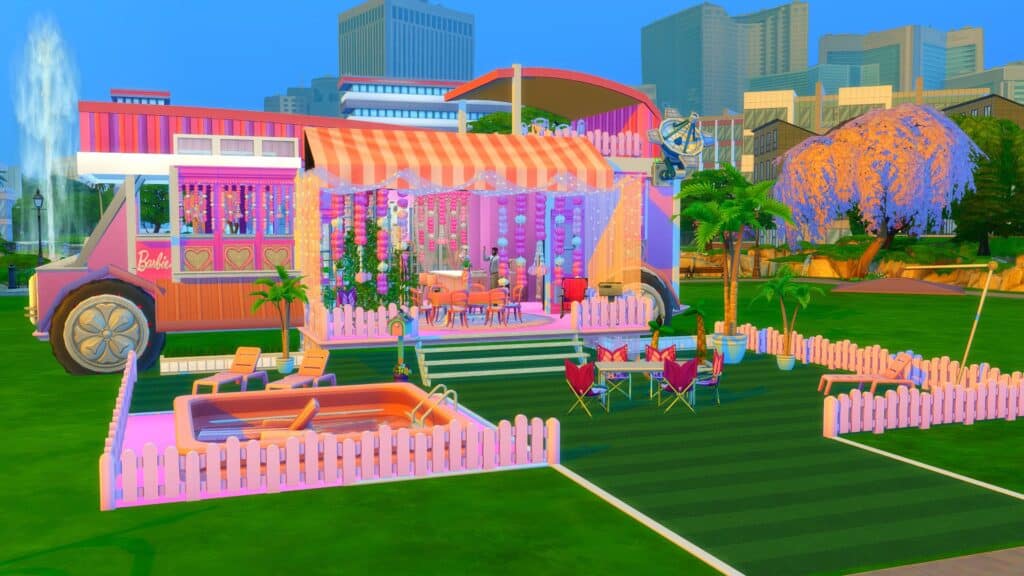
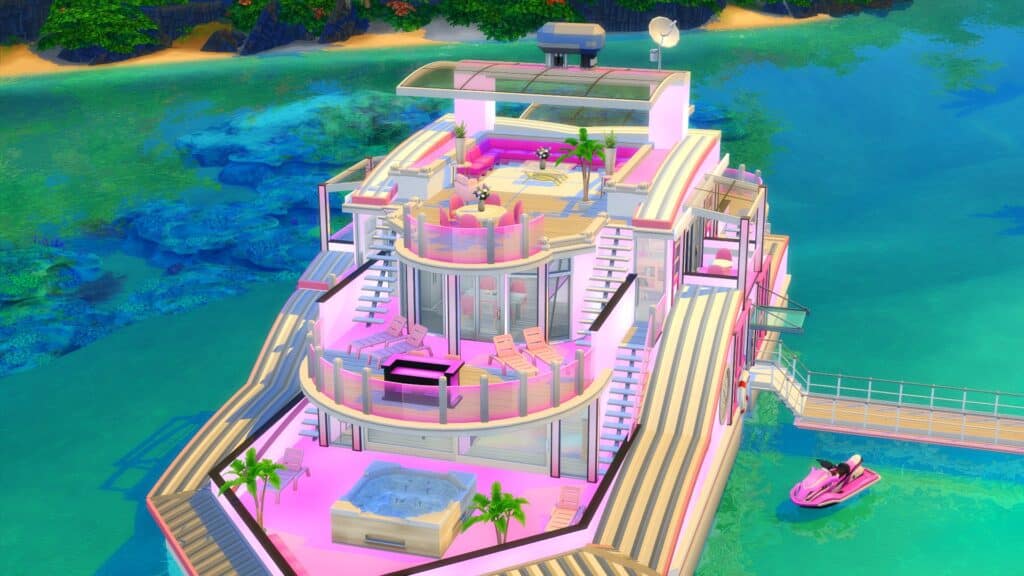
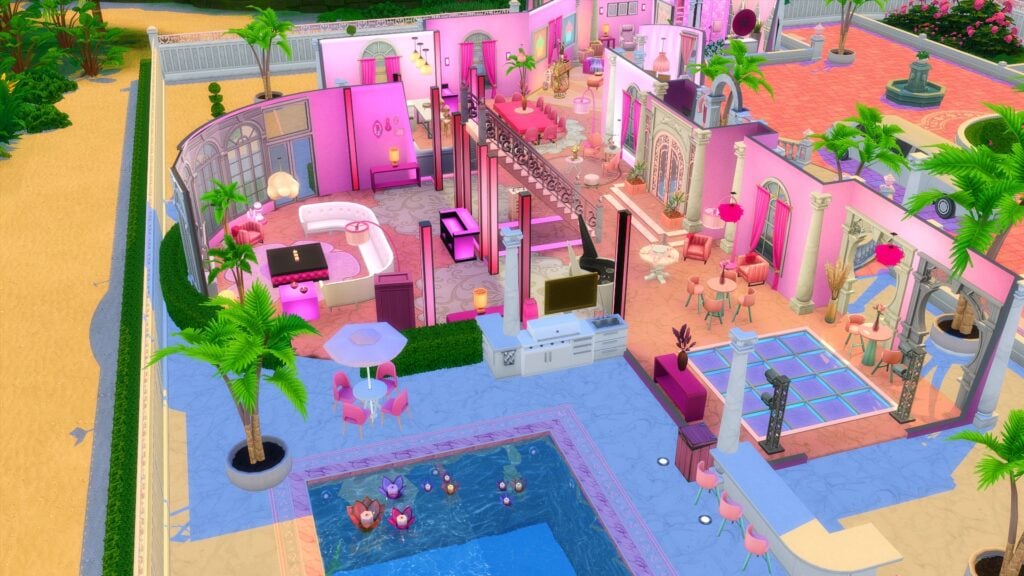
A recent project focused around Barbie also brought back fond memories from when I was growing up. I’m sure this is another that many can relate to as well. Be it the Barbie Camper, Barbie Dream House or Barbie Dream Boat, even if you didn’t own them, you probably had seen them in some way.
Kate has so far created three Barbie themed builds around the iconic Barbie Dream House, Dream Boat and Camper. Each of these builds are full of detail, fully playable and don’t require any custom content. Additionally, it’s a lovely trip down memory lane to be able to place these in game to explore with our Sims!
Let’s take a closer look at Kate’s Barbie inspired creations!
Barbie Dream HouseBarbie Dream House (Upstairs)Barbie Dream House – Downstairs
These Barbie inspired builds are everything. In fact, the Barbie Dream House was once what I thought my dream home would look like when I was younger!
Kate Emerald is truly talented when it comes to creating such detailed and intricate builds that don’t require custom content! Each and every build is fully functional and the use of the T.O.O.L mod makes each build truly come to life!
All of the builds shared in this post can be found on The Gallery by searching for KateEmerald.
Two brothers torn apart by forbidden love. Can everyone learn to get along or will things get ugly?
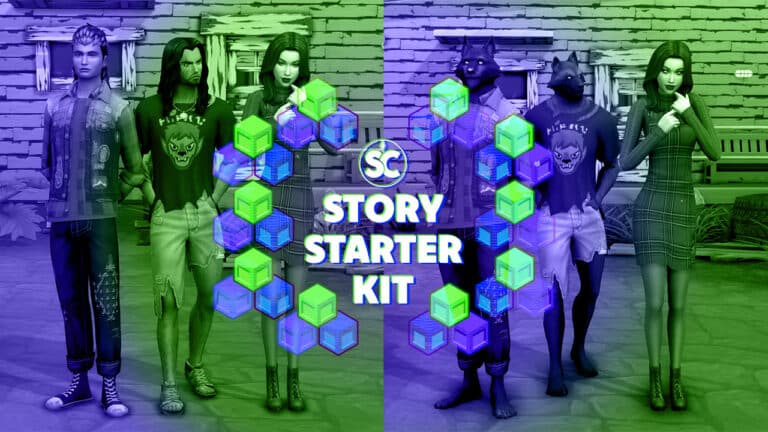
After a two month hiatus, our Story Starter Kits series is back! Welcome to our ninth official Story Starter Kit! If you missed all the info on Story Starter Kits, you can read more about what they are and how they work in our introductory article!
This month, we’re bringing you a teenage couple in love. The catch? One’s a vampire, the other’s a werewolf and their romance is tearing this young werewolf’s tiny pack apart.
A Forbidden Lunar Love
Ever since that fateful camping trip when Lucian was a teenager and his younger brother, Talon, was just a kid, it had been just the two of them on their own in the world. Lucian had begged his parents to let him take his kid brother to Moonwood Mill for a weekend camping trip at the end of the summer. He thought it’d be the adventure of a lifetime; the perfect opportunity to make some memories and do some brotherly bonding before school started up again. His parents thought the same and agreed.
But on their first night in the woods, they took a wrong turn on a hike and wound up lost, wandering in the tall grass near Lake Lunvik. Stumbling upon an old trailer, the boys banged on the door, begging for help only to be confronted by a monster. They ran but they couldn’t escape. They spent the rest of the trip wracked by fevers, chills, and strange hunger pains and by the last night… they had become beasts.
Too scared to return home as the monsters they were, Lucian stayed in Moonwood Mill with his brother, leaving behind bloody garments at their old campsite to make the search and rescue team that came to look for them think the boys had been killed in a bear attack and dragged off somewhere they’d never be found. Lucian felt personally responsible for what happened to his brother and took him under his wing, raising him like a son.
Eventually, Lucian and Talon found their place with the Wildfangs, a pack of brutish werewolves who embraced their beastly natures. They taught the boys everything about how to truly live wild and free. They also taught them all about their sworn enemies; the vampires. Those fanged bloodsuckers were enemies of spellcasters, and as descendants of the spellcasters, the werewolves despised them as well.
Feeling like fully embracing the Wildfangs and their teachings was the only way to guarantee protection for his little brother, Lucian believed everything the Wildfangs taught him and in turn, also taught Talon to hate vampires… until the day Talon found a frightened girl about his own age lost in the woods near their dilapidated trailer home.
She told him she couldn’t remember anything about herself except her own name; Deirdre Havens. And that she was a vampire. She didn’t know how she got here, who or where her clan was, or if she even had a clan. Despite being warned about vampires, Talon felt sorry for her and took her home with him. Lucian nearly killed her on the spot and things haven’t gotten any better since.
Lucian’s convinced she’s lying about her memory loss; that she’s a spy for the vampires sent to infiltrate Moonwood Mill and wipe out the werewolves. Talon insists that’s ridiculous; if she was a spy, why would she outright say she was a vampire to a werewolf of all people unless she really couldn’t remember why they hated each other?
Lucian refused to let Deirdre stay in the trailer so Talon created a makeshift lean-to for her in the yard behind the trailer. Worried about her safety in a town full of werewolves, Talon started staying out there with her almost all the time and the more Lucian tried to keep them apart, the closer Talon and Deirdre became until they fell hopelessly and completely in love with each other. All Talon and Deirdre want to do is run away somewhere with no werewolves or vampires where they can just enjoy the great outdoors and raise a family together in peace someday… but Talon just can’t bring himself to break the bond of family and leave his brother.
Will Talon ever be able to convince Lucian to give Deirdre a chance or will he have to give up one to keep the other in his life? And if Deirdre does ever get her memory back… will it change anything about how they feel about each other?
EverydayFormalAthleticSleepwearPartySwimwearHot WeatherCold WeatherOccult Forms
Vampire Abilities: Bat Form, Vampiric Strength, Vampiric Allure
Vampire Weaknesses: Withered Stomach
Relationships: Talon Crowe (Boyfriend), Lucian Crowe (Enemies)
Packs Used: Vampires, Werewolves
Household Notes:
This household should be able to purchase their lot with their default starting funds.
Deirdre and Talon should be dating and Deirdre and Lucian should despise each other but the Gallery does not preserve non-family relationships. When you enter Live mode with this household, use the testingcheats true cheat, then input the following three cheats:
modifyrelationship Talon Crowe Deirdre Havens +60 LTR_Friendship_Main
modifyrelationship Talon Crowe Deirdre Havens +60 LTR_Romance_Main
Once all cheats have been used, just have Talon ask Deirdre to be his girlfriend, and have Lucian declare her an enemy.
Junkyard Living
Hey, people gotta dump all their junk somewhere, right? Might as well dump it in that overgrown yard. It’s not like anyone actually lives in that dumpster of a trailer… right? Right?! Whoah, what was that?! RUN!
Lot Info:
Lot Type: Residential
Price: §16,406
Size: 30×30
Beds: 3
Baths: 1
Lot Traits: None
Packs Used: Vampires, Werewolves
Your Story Starter Kit is waiting for you! Get The Household and The Lot by downloading them from the official Gallery Website linked on the buttons below. Or, follow SnarkyWitch in the Gallery and look for A Forbidden Lunar Love and Junkyard Living!