Home Blog Page 147

The Sims 4 Scenario Playthrough: Honeymooners

The recent SDX drop dumped two new scenarios in our laps, just in time for the release of My Wedding Stories; Honeymooners and Engaged in Conflict. Both of these scenarios are relationship-focused and are permanent scenarios! There’s no need to start them before a specific date; they are here to stay in our games forever!

Here’s how our Honeymooners scenario playthrough went!

Starting the Scenario

The Sims 4 Scenario Playthrough: Honeymooners
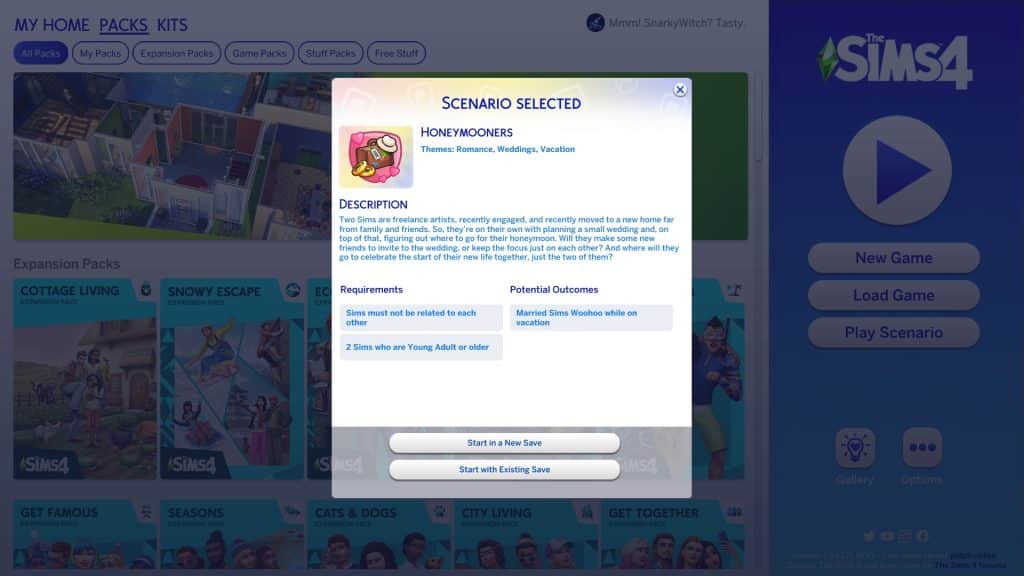
As usual, we selected the New Scenario option on the main menu and selected the Honeymooners scenario to see all of the info on it. The descriptions states that both Sims involved in the scenario will start out as freelance artists and engaged to each other. The household requirements are:

  • 2 Young Adult or older Sims
  • Sims must not be related to each other

There is only one possible outcome for this scenario.

  • Married Sims WooHoo on vacation

It sounds like an underwhelmingly easy goal on the surface but don’t forget that your Sims will start out engaged, not married. You will have the option to make friends and throw a huge fancy wedding or just have a simple, quick ceremony with the two of them. Then you must send them on their honeymoon. The goal itself is easy but there is lots of room for storytelling with this one.

A Quick Engagement

The Sims 4 Scenario Playthrough: Honeymooners
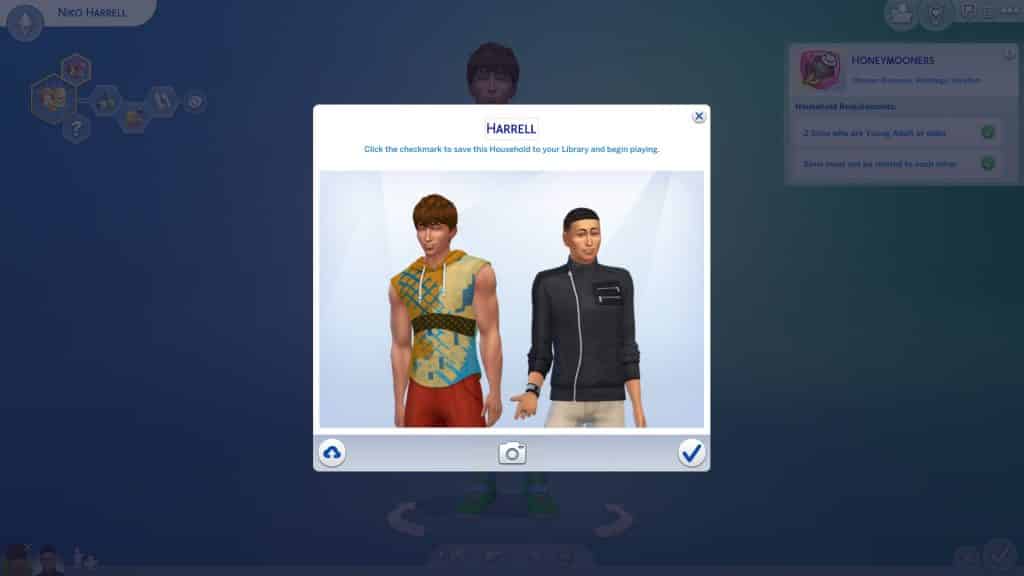
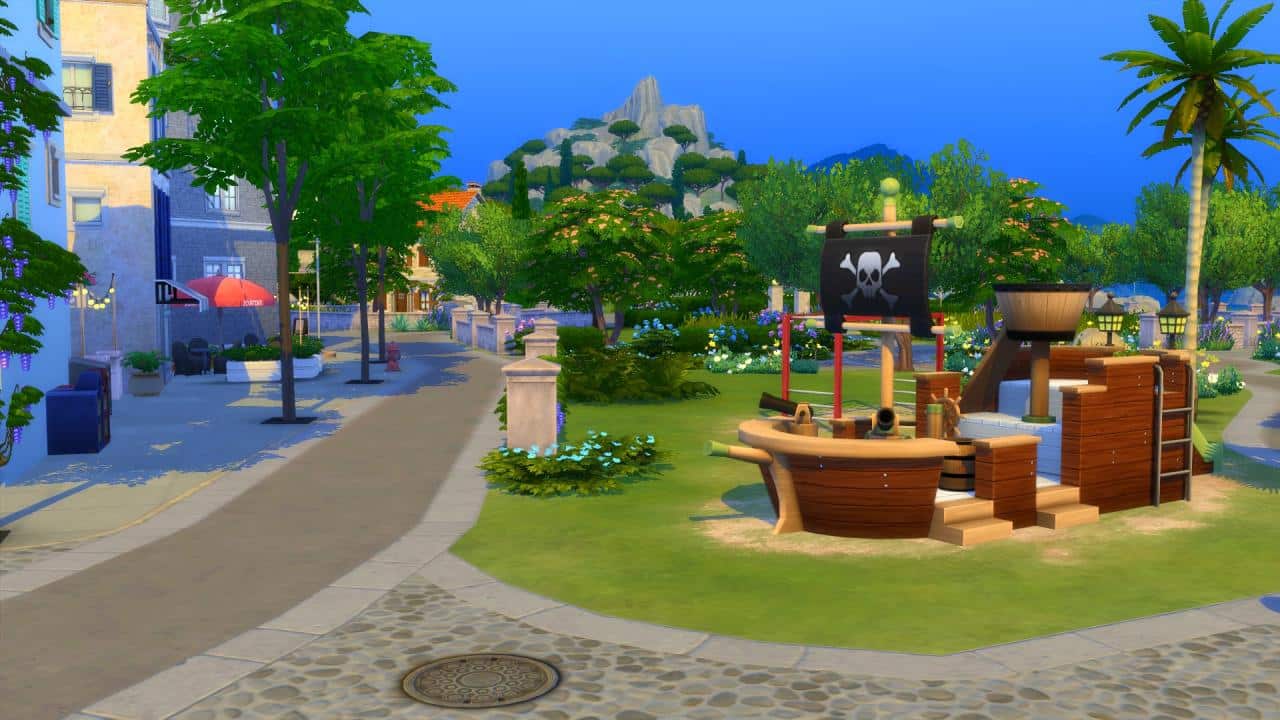
We just went with the first two random Sims the game spit out at us and moved them into one of the default starter lots in Willow Creek. Since we wanted to see how quickly we could complete this scenario, we decided to just have our Sims elope and go on their honeymoon immediately. We did take a few minutes to pick out some nice formalwear for them and send them to the park to tie the knot, though.

The Sims 4 Scenario Playthrough: Honeymooners
When they arrived at the park, we did a few minor edits to the lot to add in a wedding arch for them. They could have just exchanged rings without an arch but we thought they deserved at least a little bit of glamour on their big day if they weren’t going to be throwing a big party. They had a very simple little ceremony between just the two of them under the arch and this happily engaged couple were now happily married!

The Sims 4 Scenario Playthrough: Honeymooners
We got surprised with a new popup we hadn’t seen before as soon as they became spouses! Apparently some distant relatives sent them $2,000 to help them pay for their honeymoon! This is likely just for the scenario but we thought it was a neat feature and would love to see this become standard for all weddings! What a nice little surprise.

With some extra funds, it was time to decide where they would go on their romantic honeymoon. We settled on quaint, charming little Henford-on-Bagley; a quiet and relaxing place to rest, recharge, and get a new marriage off to the right start. If you are playing with just the base game, you can still send your Sims on vacation even if you don’t own any packs with vacation worlds or rentals already in them! Just go to Manage Worlds and make sure to place down or build a rental lot in Willow Creek, Oasis Springs, or Newcrest! When your Sims book their vacation, that world will show up as available to vacation in.

Our Sims chose the semi-modern rental already located in Henford-on-Bagley and wasted no time enjoying their time together. Yup. It was time for WooHoo!

And WooHoo! Another scenario complete in 3 in-game hours!

The Sims 4 Scenario Playthrough: Honeymooners
Our Thoughts

This scenario is one of those ones where it can be as straight forward or as complex as you want it to be. We were speed running things for the sake of this article but there is a lot of room to do your own thing with this one. We could have had an extended engagement and spent time saving up money for a really elaborate wedding and honeymoon. We could have made lots of friends to invite to the wedding as well. Or we could have stirred up some drama between our engaged Sims before they ultimately made up and went through with the wedding.

Even though the goal for this one was simple, we still enjoyed how open-ended it was. If we were to play through this one again, we’d definitely take our time with it and see where we could go with it in terms of storytelling. We played this scenario without My Wedding Stories installed to show you how this scenario can play out without the new pack but players could have a lot of fun working My Wedding Stories content into this scenario, too.

The Sims 4 My Wedding Stories: Wedding Reception Guide

Presented by EA Creator Network – Software Not Final

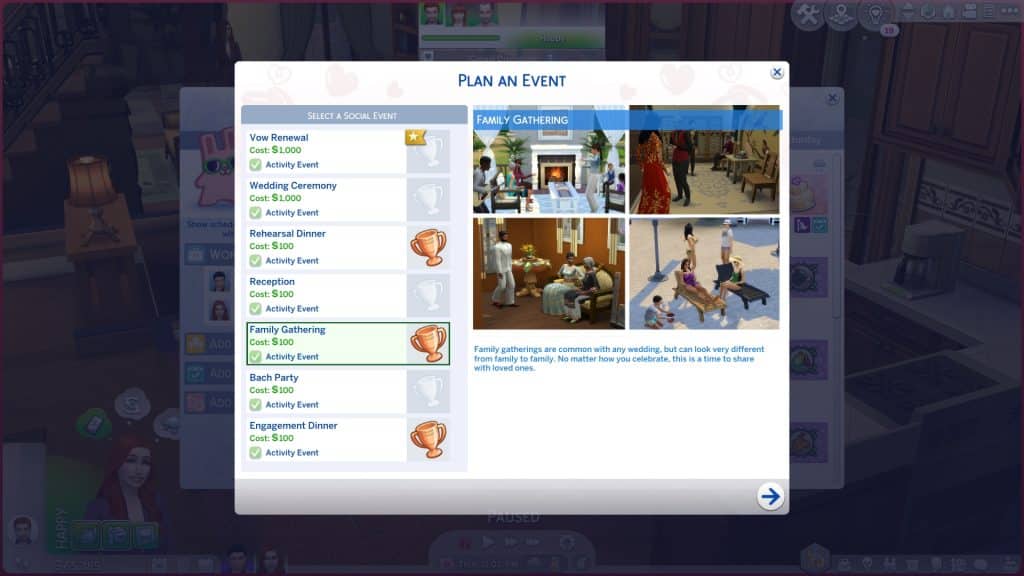
The Sims 4 My Wedding Stories adds a total of seven new wedding and marriage-related social events. Engaged Sims can host engagement dinners, rehearsal dinners, bach parties, and family gatherings before their big day. Wedding ceremonies and receptions can be planned as separate social events instead of being lumped together. Vow renewals for married Sims are a social event now instead of just being an interaction on the wedding arch.

Of course, all the planning and pre-celebrations lead up to the big day itself which usually involves a Wedding Ceremony followed by the Reception. Here’s everything you need to know about hosting a Reception.

Planning the Event

There are two ways Sims can plan a Reception; through the phone and the calendar. Planning a Reception through the phone will start the event immediately. Using the calendar to plan the event will allow you to schedule the event for a specific date and time in the future. On the phone, select Plan Wedding Event in the social tab and select the Reception. On the calendar, select the day you’d like to plan the event for. Scroll down in the left sidebar and select Add a Wedding Event then select the Reception.

Invite Sims

The Sims 4 My Wedding Stories: Wedding Reception Guide
The Invite Sims tab has four roles; your newlywed Sims, guests, mixologist, and entertainer. Only the newly married couple and guests are required. The mixologist and entertainer are optional. If you’re hosting the reception at a nightclub or another lot type that already has entertainers and mixologists, you probably won’t need them. If you want friends and family of both newlyweds to attend the reception, make sure the Sim planning the event knows all of their new spouse’s friends and family, too. Otherwise, they won’t show up in the invite list.

Plan Activities

The Sims 4 My Wedding Stories: Wedding Reception Guide
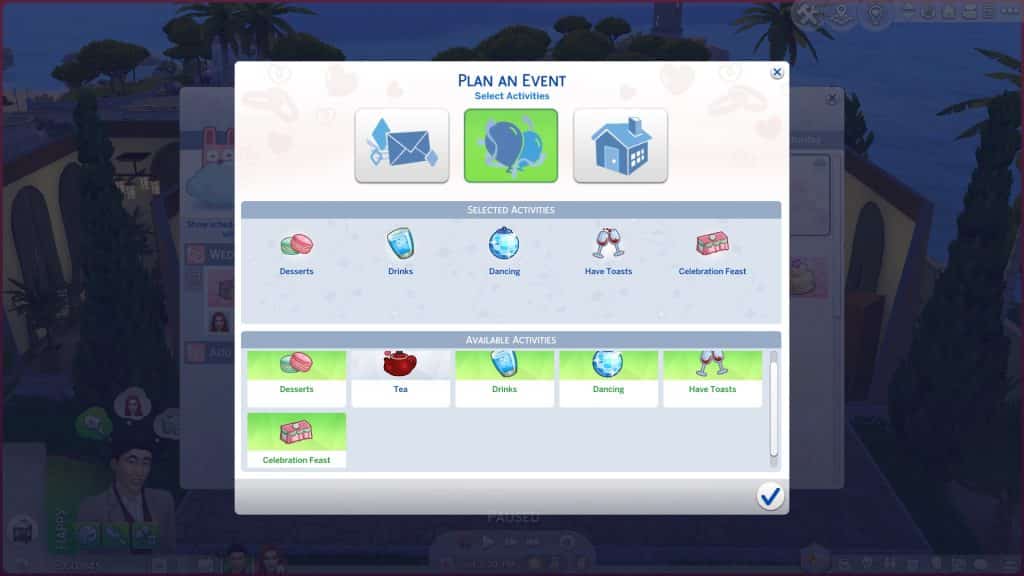
The next tab will let you select the activities you’d like to have at your Reception. All wedding events have customizable activities so you can tailor all of your wedding celebrations to your Sims’ preferences and cultures.

The available activities to choose from for Receptions are:

  • Cut Cake
  • Dancing
  • Celebration Feast
  • Walk Down the Aisle
  • Blow Bubbles
  • Throw Rice
  • First Dance
  • Spousal Kiss
  • Drinks
  • Have Speeches
  • Tea
  • Have Toasts

The activities you select are purely up to your own tastes and preferences. Choose all of them, only one of them, or an assortment somewhere in-between.

Select a Place

The Sims 4 My Wedding Stories: Wedding Reception Guide
You can select the location and time of your event on this screen. Wedding Ceremonies have a variety of lot types they can be hosted on. The following are all the lot types that showed up as being available for us in the venue list:

  • Residential (Engaged Couple’s Residence)
  • Bar
  • Nightclub
  • Lounge
  • Library
  • Museum
  • Park
  • Pool
  • Café
  • Chalet Gardens
  • Karaoke Bar
  • Island Bluff
  • Ancient Ruins
  • Centre Park
  • Community Space
  • Beach
  • Wedding Venue

We did place a restaurant and spa down in our world just to see if they would be available venues for this event but they did not appear in the list of venues.

We noticed that Wedding Ceremonies can’t be scheduled on the same day as the Reception. This struck us as odd. It’s typical in many cultures to host these events on the same day, with the ceremony in the morning or early afternoon and the reception in the evening. We got around this by scheduling the Ceremony event late on Saturday and then scheduling the Reception event at 12am on Sunday so the ceremony led directly to the reception.

Hosting the Event

The Sims 4 My Wedding Stories: Wedding Reception Guide
Before we get into how things went for us at this Reception, we need to stress again that this is not the final software. Which is a very good thing because both the Wedding Ceremony and the Wedding Reception were completely unplayable from start to finish. We were not even able to complete over half of the activities we selected and Sims for the most part were not responsive to any of the commands they were given. Again, this is not the final software but we do have to be honest and admit that it was extremely difficult for us to even cover these events at all because they were not functional on even the most basic level.

If you planned the event using the phone or social interaction, the event will start immediately. If you planned the event through the calendar, you will receive a notification one hour before the event starts to remind you about it. If there’s any setting up that needs to be done beforehand, it’s a good idea to head to the venue an hour early to do any prep work, like filling buffet tables, drink fountains, and adding any objects needed for the activities you chose.

The Sims 4 My Wedding Stories: Wedding Reception Guide
When the event starts, you will be prompted to travel to the venue you picked if your Sims are not already there and any Sims you invited will show up. During our Reception, other Sims still showed up on the lot and crashed the festivities. While they didn’t necessarily interfere with the reception itself, it’s still weird to show up to a stranger’s wedding. Still, people can and do crash large wedding receptions where they aren’t likely to be noticed amongst hundreds of guests so maybe this isn’t so unrealistic, after all.

You’ll see the typical social event goal tracker pop up in the top left corner but it works a little differently than other social events. There is no bronze, silver, and gold progress bar listed at the top and no main goal to complete; the success of the social event just depends on whether or not you are able to complete all of the activities you selected for the event.

You may want to spend some time familiarizing yourself with all the options and planning out the specific order you would like to have things happen in. There are a lot of wedding-specific options here and you will have to micro-manage every single aspect of the reception. Luckily, almost all the objects will have a bunch of options available on them to help you tell your guests when it’s time to cut the cake, time for the first dance, time for the bouquet throw, etc.

The Sims 4 My Wedding Stories: Wedding Reception Guide
The following is how a typical reception might go when the features actually work properly…

  • Click the aisle and tell Sims to Gather at the Aisle
  • Direct Sims to walk down the aisle in your preferred order if you’d like to have a Reception processional to kick things off
  • Call Guests to come and eat
  • Give Speeches
  • Make Toasts
  • Call guests to the cake for the cake cutting ceremony, then have the newlyweds cut the cake together
  • Invite guests to come get a slice of cake
  • Call guests to the dance floor to gather for the first dance, then have the first dance with the newlyweds
  • Invite all guests to dance
  • Call guests to gather for the bouquet throw, have your Sim hold the bouquet and then throw it

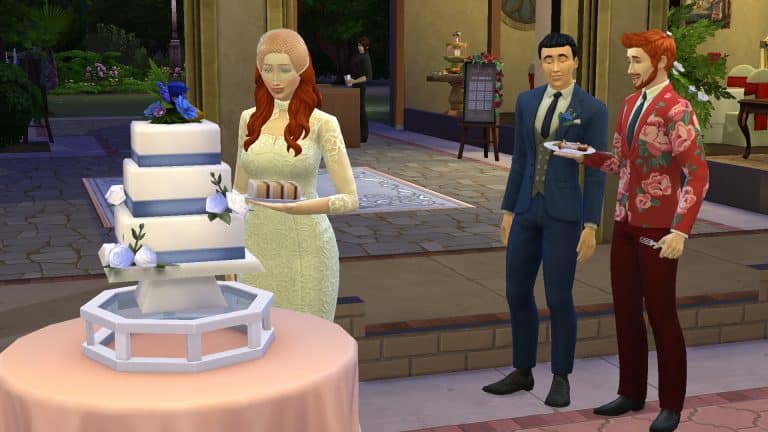
That is not at all what happened at our reception. Guests were not responsive at all to being told to gather for specific things like the first dance and cake cutting. Give Speeches didn’t work at all; every time we tried to give speeches, the action canceled itself. The newlyweds could not cut the cake together. They kept route failing even though the cake was in the centre of an empty buffet table as seen in the trailer where Dom and Cam did cut their cake together. We tried moving the cake to a different table and trying again but the Sim just grabbed a slice of cake on their own and walked away from it without even attempting to wait for their spouse. We also had to purchase a second cake last minute because there was no cake at the reception even though we set the cake for the wedding beforehand. Maybe this was because the cake is tied to the ceremony event, not the reception event but the cake was nowhere to be seen at the ceremony event, either. The bride attempted to call everyone over for the bouquet toss but only two Sims showed up to catch it, one of them being her husband. Then they all got stuck in an endless loop of acting like they were getting ready for the toss but the bride didn’t ever actually toss the bouquet. This went on for 3 or 4 in-game hours before we gave up and canceled the whole reception. We could not complete over half the activities.

The Sims 4 My Wedding Stories: Wedding Reception Guide
With all of the complications and problems we experienced trying to get this reception off the ground, we ran far past the six hours that the other events ended at. Luckily, the event did not end after six hours so it does seem that wedding events will not end before all activities have been completed; however, if all activities are completed quickly, the event will still run for six hours.

While throwing a Reception is not technically required of newlywed Sims; they could just combine the Reception activities into the Ceremony or forego it altogether, it’s still a shame that one of the big highlights of the entire game pack is not functional at all. Since we were not playing with the final software, we hope these bugs will be cleaned up in time for the big day when everyone gets the opportunity to play. It shows a lot of promise but unfortunately needs a lot of work.

New Scenarios for The Sims 4 have dropped!

Two permanent Romance Scenarios are now in your game just in time for My Wedding Stories!

The Sims 4 Base Game has just received a new Sims Delivery Express drop.

Throughout the latest SDX have appeared two new Scenarios that are permanent to stay in your game. They’re also a perfect starting point for you as a player if you’re waiting for tomorrow’s release of My Wedding Stories Game Pack!

What are the new Scenarios about? Let’s break them down!

Honeymooners Scenario

New Scenarios for The Sims 4 have dropped!

Description:

Two Sims are freelance artists, recently engaged, and recently moved to a new home far away from family and friends. So, they’re on their own with planning a small wedding and, on top of that, figuring out where to go for their honeymoon. Will they make some new friends to invite to the wedding, or keep the focus just on each other? And where will they go to celebrate the start of their new life together, just the two of them?

Requirements:

  • Sims must not be related to each other
  • 2 Sims who are Young Adult or older

Potential Outcomes:

  • Married Sims Woohoo while on vacation

New Scenarios for The Sims 4 have dropped!

Engaged in Conflict Scenario

New Scenarios for The Sims 4 have dropped!

Description:

An engaged couple is rethinking their relationship after a huge fight about how to make grilled cheese. A total meltdown over something so trivial might indicate deeper problems. Will cheesy romantic gestures and heartfelt conversations melt the tension before their wedding day?

Sims will start out as engaged but recently having had an argument, with high romance but not-so-great friendship.

Requirements:

  • Sims must not be related to each other
  • 2 Sims who are Young Adult or older

Potential Outcomes:

  • Sims get married and have no negative Sentiments between them
  • Sims get married but have unresolved negative Sentiments between them
  • Sims break up before the wedding
  • Sims break up during the wedding

New Scenarios for The Sims 4 have dropped!

What are your thoughts on the latest Scenarios? Let us know in the comments below!

The Sims 4 Delivery Express: NEW DELIVERY! (February 22nd, 2022)

4

The Sims Team has just dropped a brand new delivery into The Sims 4 Base Game!

The latest SDX drop adds two permanent Scenarios in the game! Check out the end of the article for the breakdown of these two Romance related Scenarios.

Through Sims Delivery Express you are able to download new Create A Sim Content, Build Mode Content and small bug fixes and improvements into your game straight through The Sims 4. Simply open up The Sims 4 and your game should automatically check for new content.

If not, go into Game Options > Sims Delivery and Check for new Content. This method of bringing new content into your game works both on PC and Consoles! Note that you will have to restart your game in order to obtain new content. You can select “Yes, Restart Now” for the game to restart automatically for you.

The Sims 4 Delivery Express: NEW DELIVERY! (February 22nd, 2022)

Sims Delivery Express – February 22nd, 2022 Content – New Scenarios

There are two new permanent Scenarios that you can now play with in The Sims 4!

Check out the breakdown of each Scenario down below:

The Sims 4 My Wedding Stories: Flowers & Wedding Bouquets Guide

All about Flowers, Flower Vendors & Wedding Bouquets!

Presented by EA Creator Network – Software Not Final

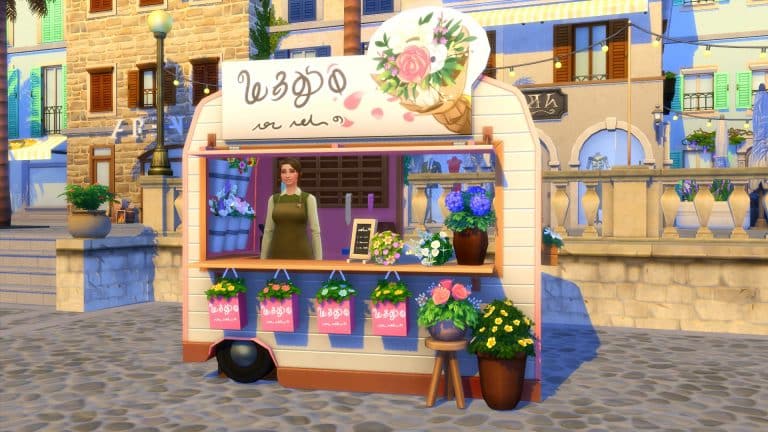
Over the years, we have seen a variety of different vendors appear in game. The Sims 4 My Wedding Stories is no different. With this new Game Pack, we see the addition of a new Flower Vendor.

Petals to the Metal will be your Sim’s one-stop shop for all things floral. From every day flowers to beautiful bouquets for weddings, you will always find exactly what you are looking for!

The Sims 4 My Wedding Stories: Flowers & Wedding Bouquets Guide

There are two ways you can access the Flower Vendor. The first being by visiting Porto Luminoso and secondly by purchasing the trailer from the Buy Mode Catalogue.

Pteals to the Metal – The Mobile Flower Traylah

Where Sims can purchase Flowers and Wedding Bouquets without stress!

When it comes to your special day, the last thing you wanna do is get too hung up on all those pesky details. You have enough to worry about with that whole “no white shoes after Labor Day thing”. So, when it comes to a bridal bouquet, might I suggest Petals to the Metal Mobile Flower Traylah? They’ll come right to you, so all you gotta do is grab a fist full of flowers on the way into your ceremony. They have a huge selection of gently used bouquets to fit even the lowest of budgets. No fuss, no muss (whatever that means)

The Sims 4 My Wedding Stories: Flowers & Wedding Bouquets Guide

Petals to the Metal Mobile Flower Traylah comes in three different swatches as seen in the screenshot above and costs $1,200 to buy. You can also hire a vendor for $100.

Flowers

There are sixteen different varieties of flowers that you can buy from the Flower Vendor. With prices ranging from $9 to $1,125 and everything in between, there really is something for every Sim. You can purchase anything between one and ninety-nine individual flowers, as well as a mixture of all the different flowers at any one time.

  • The Sims 4 My Wedding Stories: Flowers & Wedding Bouquets GuideBegonia – $114
  • Bird or Paradise – $255
  • Bluebell – $9
  • Chamomile – $38
  • Christmas Rose – $70
  • Chrysanthemum – $51
  • Crocus – $45
  • Dahlia – $84
  • Daisy – $12
  • Holly – $15
  • Lily – $180
  • Orchid – $1,125
  • Rose – $144
  • Snapdragon – $78
  • Snowdrop – $24
  • Tulip – $72

However, if you end up buying a few too many flowers, you can also sell them at the Flower Vendor too.

The Sims 4 My Wedding Stories: Flowers & Wedding Bouquets Guide

Wedding Bouquets

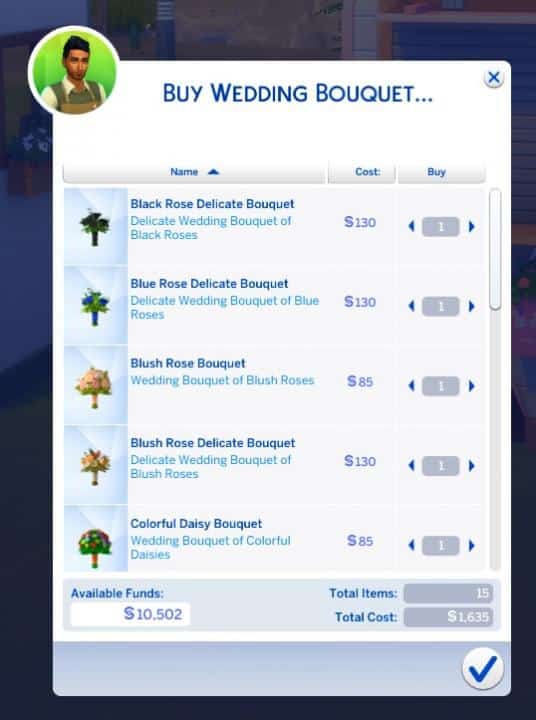
Much like with how you can go about buying individual flowers, you can purchase a number of different Wedding Bouquets. With fifteen beautiful bouquets to choose from, there is something for every kind of wedding.

The Sims 4 My Wedding Stories: Flowers & Wedding Bouquets Guide

  • Black Rose Delicate Bouquet – $130
  • Blue Rose Delicate Bouquet – $130
  • Blush Rose Bouquet – $85
  • Blush Rose Delicate Bouquet – $130
  • Colourful Daisy Bouquet – $85
  • Colourful Daisy Delicate Bouquet – $130
  • Pale Blue Rose Bouquet – $85
  • Pastel Garden Flower Bouquet – $85
  • Pink Rose Delicate Bouquet – $130
  • Pink and Orange Rose Delicate Bouquet – $130
  • Rainbow Rose Bouquet – $85
  • Red Rose Bouquet – $85
  • Red Rose Delicate Bouquet – $130
  • White Rose Bouquet – $85
  • White Rose Delicate Bouquet – $130

Don’t forget, you can also Haggle with the vendors and if you are successful they may give you a nice little discount on the Wedding Bouquets and Flowers too!

The Sims 4 My Wedding Stories: Flowers & Wedding Bouquets Guide

Create Your Own Wedding Bouquets

If you own The Sims 4 Seasons Expansion Pack, you will be able to create your own Wedding Bouquets thanks to the Flower Arranging Skill and the Violets Are Blue Flower Arranging Table. You’ll find that the Wedding Bouquets your Sims can craft are not ones that you can purchase from the Flower Vendor, either.

The Sims 4 My Wedding Stories: Flowers & Wedding Bouquets Guide

Additional Information

  • Bouquets can be displayed on their own and placed around the world.
  • You can hold the bouquets while not at a wedding, as well as being able to start a Bouquet Throw.
  • Individual flowers can be placed around the world, and you can also plant them.

So why not take a trip to your local Flower Vendor to find the perfect Bouquet for that Special Day!

The Sims 4 My Wedding Stories: Flowers & Wedding Bouquets Guide

The Sims 4 My Wedding Stories: Your Guide to Wedding Cakes!

CAKES. EVERY TYPE. EVERY COLOR. EVERY SHAPE!

Presented by EA Creator Network – Software Not Final

The Sims 4 My Wedding Stories comes with a huge number of new wedding cakes and wedding cake toppers to help make your special day perfect. Sims can check out cake samples at the patisserie stand in Tartosa and either purchase or bake their own full-size wedding cakes. Many different toppers can be added to wedding cakes to customise them further.

Although the new cakes are labeled as wedding cakes and are designed with weddings in mind, all the new cakes that come with My Wedding Stories can be used for any type of social event you like. You aren’t limited to only making or buying wedding cakes for weddings.

Taste Testing Wedding Cakes

The Sims 4 My Wedding Stories: Your Guide to Wedding Cakes!

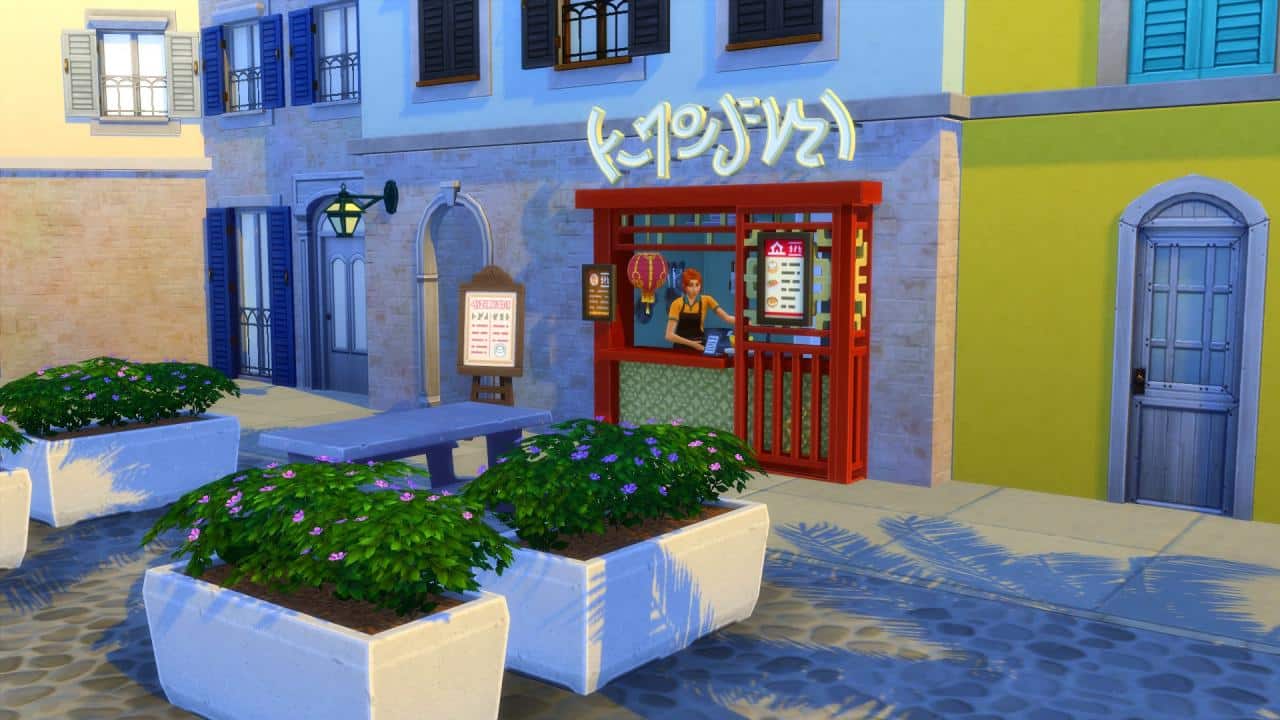
The patisserie stand is located in the Porto Luminoso neighbourhood of Tartosa. It’s built into one of the shell buildings facing the big fountain with seating in the centre of town. Sims can purchase individual slices of wedding cakes here as well as some other desserts. The patisserie stand only carries a limited selection of wedding cake samples; one type of cake from each of the 9 styles. It also functions the same as any other food vendor stand; Sims simply order what they want and sit down nearby to eat it. They may get a generic happy buff from eating good food depending on the quality of the cake.

Basically, the patisserie stand serves more of a roleplay purpose than anything else. You can send your Sims here to try cake as part of your own storytelling that they are picking out their wedding cake but the stand itself is the same as any other food stand. You can’t actually purchase your wedding cake here and there are no special cake-related moodlets to tell you that your Sims like/dislike certain flavours.

Buying a Wedding Cake

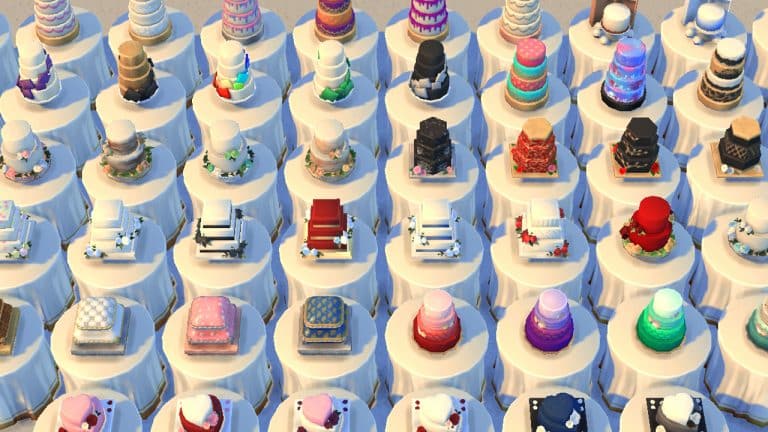
Buying a wedding cake is very simple. Wedding cakes can be ordered through the computer. Wedding Cakes are a new subcategory under the Order category on computers. All 56 wedding cakes will be available to browse through and purchase on the computer.

When you purchase a wedding cake, it will appear immediately in your Sim’s inventory. If your Sim is currently engaged, they can click on the cake and select “Select as Wedding Cake.” The cake will disappear and you’ll get a notification informing you that the cake will be ready for you on the big day. However, we had issues with our cake not being at the wedding reception or the ceremony after doing this so it may be best to just purchase the cake right before the wedding and take it with you yourself.

Below are the prices for each style of cake:

  • Beachy Wedding Cakes – $175
  • Cupcake Wedding Cake Displays – $75
  • Floral Wedding Cakes – $150
  • Heart Wedding Cakes – $175
  • Hexagon Wedding Cakes – $225
  • Pillow Wedding Cakes – $225
  • Round Wedding Cakes – $200
  • Square Design Round Wedding Cakes – $150
  • Square Wedding Cakes – $200

Baking Your Own Wedding Cake

The Sims 4 My Wedding Stories: Your Guide to Wedding Cakes!
If your Sim is a skilled gourmet chef, they can also make their own wedding cakes. To bake your own wedding cakes, your Sim must first have unlocked the Gourmet Cooking skill by reaching level 5 of the Cooking skill. Once your Sim has learned the Gourmet Cooking skill, a new interaction on the fridge called Cook Wedding Cake will become available.

Making wedding cakes comes with new cooking animations. Sims will mix up the batter and pour it into a cakepan in the oven like other types of cakes and desserts. Instead of the cake popping out of the oven fully decorated, Sims will spend some time decorating the cake after they take it out of the oven.

Sims can only make wedding cakes they are skilled enough for. At level one of the Gourmet Cooking skill, they will only be able to make the cupcake displays but other types of wedding cakes will open up at higher skill levels.

Below are the skill levels required to make all 9 cake styles:

  • Cupcake Wedding Cakes – 1
  • Floral Wedding Cakes – 5
  • Square Design Round Wedding Cakes – 5
  • Heart Wedding Cakes – 6
  • Beachy Wedding Cakes – 6
  • Square Wedding Cakes – 7
  • Four-Tiered Round Cakes – 7
  • Hexagon Wedding Cakes – 8
  • Pillow Wedding Cakes – 8

Wedding Cake Closeups

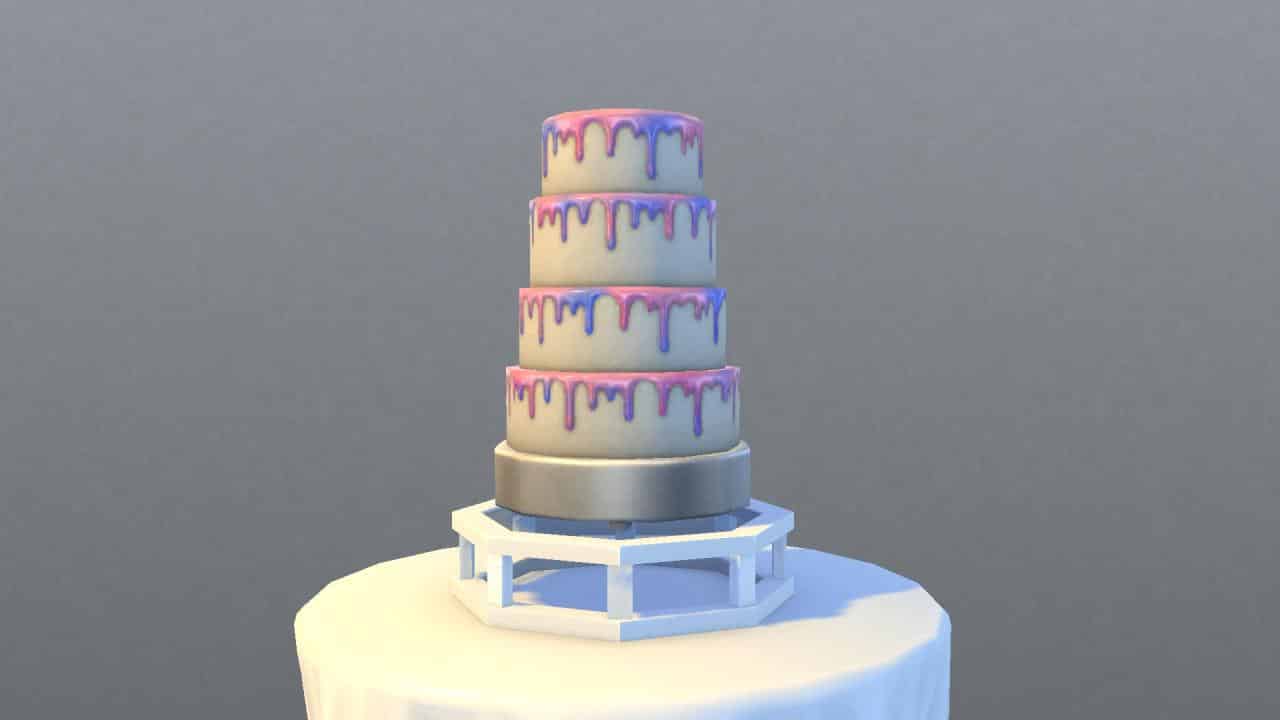
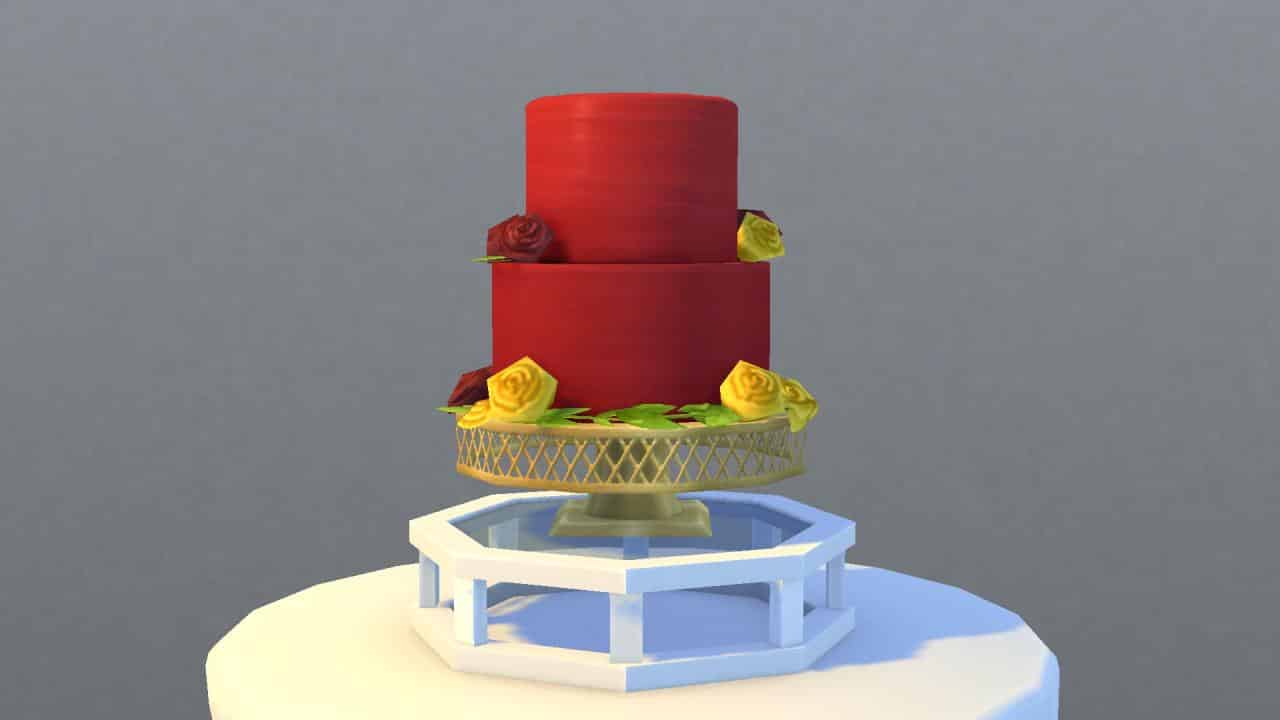
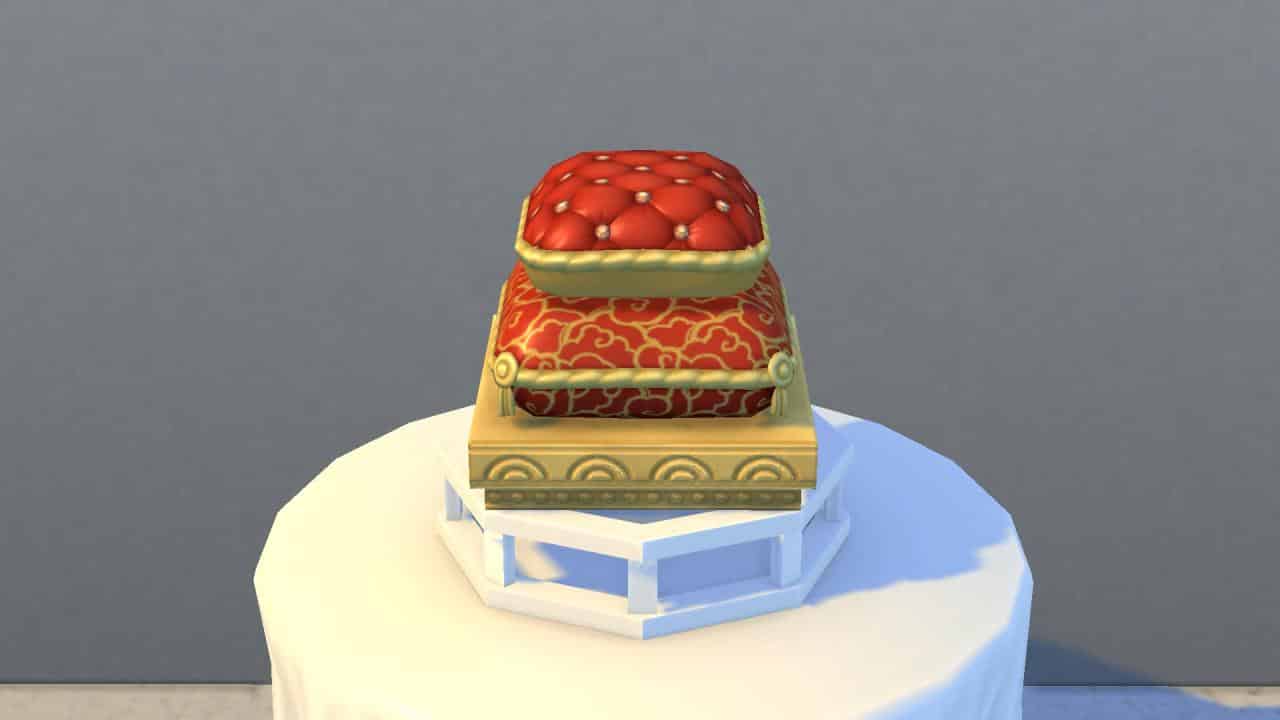
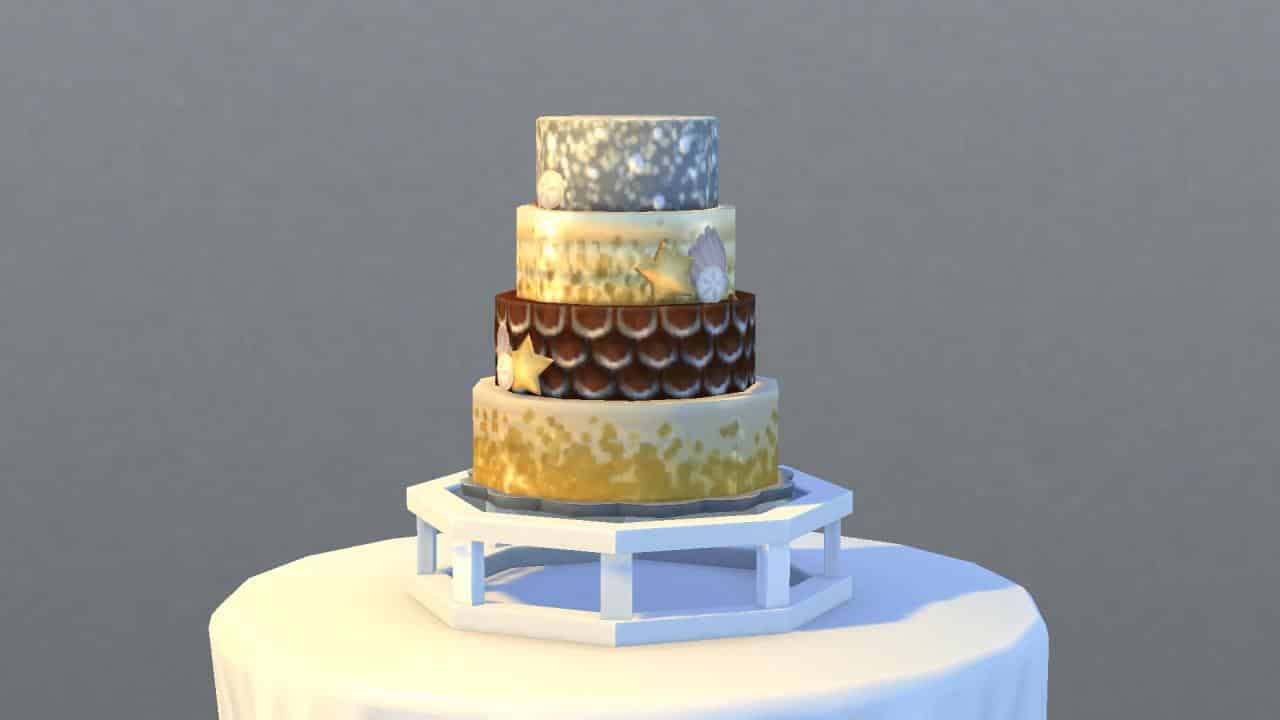
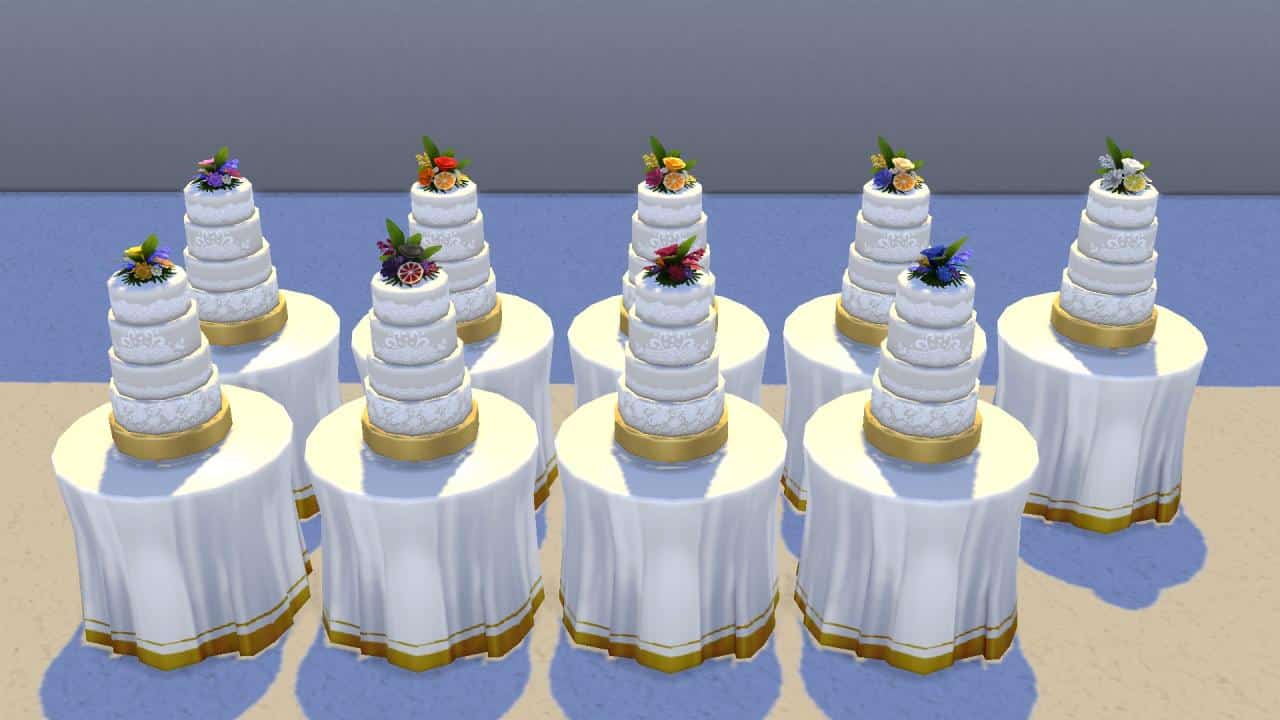
Below is a closeup of each cake in all 56 colours and 9 styles. There are a couple cakes designed for occults as well, such as the Sixam cake for aliens and the plasma drip cake for vampires.

Three-Tiered Hexagonal Cakes

Two-Tiered Heart Cakes

Four-Tiered Round Cakes

Two-Tiered Round Cakes

Three-Tiered Square Cakes

Two-Tiered Pillow Cakes

Four-Tiered Round Cakes with Square Design

Beachy Four-Tiered Round Cakes

Cupcake Displays

Cake Interiors

We’ve included pictures of what each cake looks like as an individual slice. This should help you match the full size cake to the individual slice samples available at the patisserie stand when you’re taste testing cakes. As you can see, many of the cakes have their own unique flavour and colours inside, as well as different shapes to match the shape of the overall cake.

Note: We were unable to show a slice of the Silver and Gold Beachy Four-Tiered Cake. It appears to be glitched at the moment; Sims will reset themselves every time you direct them to interact with the cake. This cake was the only one we had any trouble with.

Cake Toppers

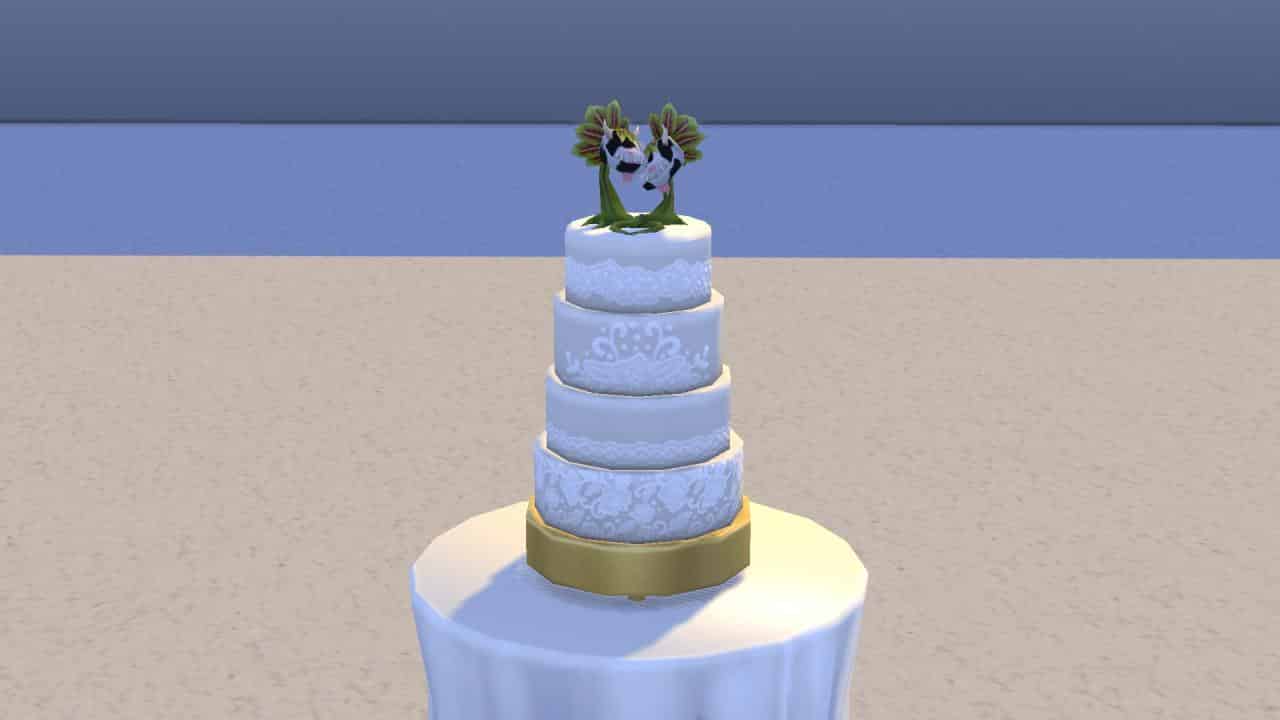
There are a total of 96 different toppers in 11 styles available for wedding cakes. To select a topper for your wedding cake, click on a finished wedding cake and choose Select New Cake Topper to bring up the topper selection menu. You can use the filters to help you find the topper you’re looking for faster.

It doesn’t cost anything to add a topper to your wedding cake. Cake toppers can be inscribed and kept after the wedding as a keepsake.

Cake Topper Pictures

Below are all 96 cake toppers in their 11 different styles. You’ll notice there are many traditional ones, like roses and flowers with script, a well as fun ones like bats, ghosts, and cowplants. There are also a variety of LGBTQIA+ toppers as both rainbows and mini-Sims.

The Sims 4 My Wedding Stories: Engagement Dinner Guide

Presented by EA Creator Network – Software Not Final

The Sims 4 My Wedding Stories adds a total of seven new wedding and marriage-related social events. Engaged Sims can host engagement dinners, rehearsal dinners, bach parties, and family gatherings before their big day. Wedding ceremonies and receptions can be planned as separate social events instead of being lumped together. Vow renewals for married Sims are a social event now instead of just being an interaction on the wedding arch.

The first social event your Sims may find themselves hosting after getting engaged is the Engagement Dinner event. Here’s everything you need to know about hosting an Engagement Dinner.

Planning the Event

There are two ways Sims can plan an Engagement Dinner; through the phone and the calendar. Planning an Engagement Dinner through the phone will start the event immediately. Using the calendar to plan the event will allow you to schedule the dinner for a specific date and time in the future. On the phone, select Plan Wedding Event in the social tab and select the Engagement Dinner. On the calendar, select the day you’d like to plan the event for. Scroll down in the left sidebar and select Add a Wedding Event then select the Engagement Dinner.

Invite Sims

The Sims 4 My Wedding Stories: Engagement Dinner Guide
The Invite Sims tab has two roles to fill; hosts and guests. Select all the Sims you’d like to be attending the Engagement Dinner. If you want friends and family of both engaged Sims to attend, make sure the Sim planning the event knows all of their betrothed’s friends and family, too. Otherwise, they won’t show up in the invite list.

Plan Activities

The Sims 4 My Wedding Stories: Engagement Dinner Guide
The next tab will let you select the activities you’d like to have at your Engagement Dinner. All wedding events have customizable activities so you can tailor all of your wedding celebrations to your Sims’ preferences and cultures.

The available activities to choose from for Engagement Dinners are:

  • Desserts
  • Tea
  • Drinks
  • Dancing
  • Have Toasts
  • Celebration Feast

The activities you select are purely up to your own tastes and preferences. Choose all of them, only one of them, or an assortment somewhere in-between.

Select a Place

The Sims 4 My Wedding Stories: Engagement Dinner Guide
You can select the location and time of your event on this screen. Engagement Dinners can be hosted on many different lot types. The following are all the lot types that showed up as being available for us in the venue list:

  • Residential (Engaged Couple’s Residence)
  • Bar
  • Beach
  • Café
  • Nightclub
  • Lounge
  • Library
  • Museum
  • Park
  • Pool
  • Wedding Venue
  • Chalet Gardens
  • Karaoke Bar
  • Island Bluff
  • Ancient Ruins
  • Centre Park
  • Community Space

We did place a restaurant and spa down in our world just to see if they would be available venues for this event but they did not appear in the list of venues.

Hosting the Event

The Sims 4 My Wedding Stories: Engagement Dinner Guide
If you planned the event using the phone, the event will start immediately. If you planned the event through the calendar, you will receive a notification one hour before the event starts to remind you about it. If there’s any setting up that needs to be done beforehand, it’s a good idea to head to the venue an hour early to do any prep work, like filling buffet tables, drink fountains, and adding any objects needed for the activities you chose.

The Sims 4 My Wedding Stories: Engagement Dinner Guide
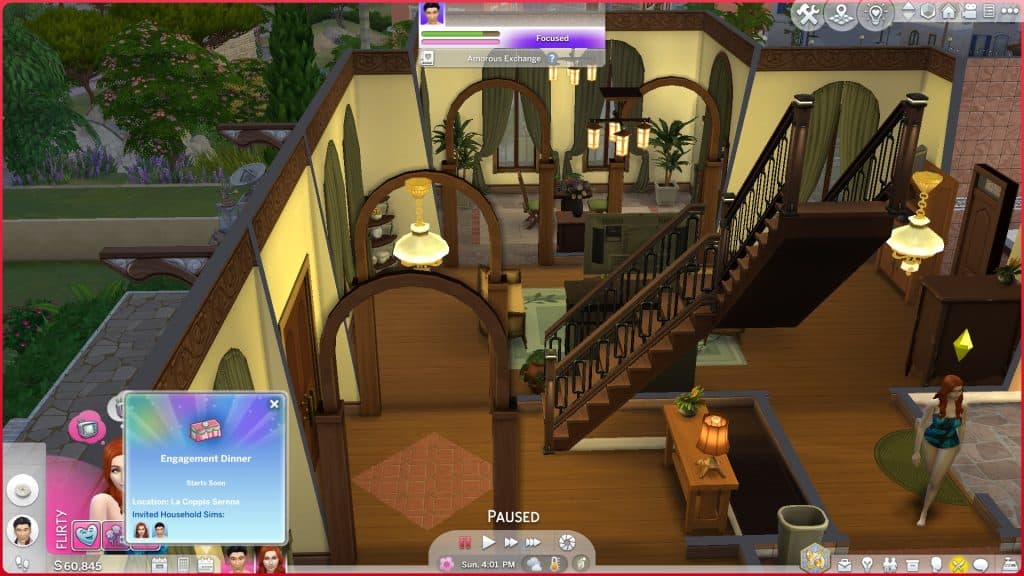
When the event starts, you will be prompted to travel to the venue you picked if your Sims are not already there and any Sims you invited will show up. During our Engagement Dinner, other Sims still showed up on the lot and crashed the dinner. It wasn’t a huge problem for us; they did not interfere with the event goals and if anything, they added to the social atmosphere but if you’d prefer to make your Engagement Dinner invitee-only, we recommend hosting on a residential lot.

The Sims 4 My Wedding Stories: Engagement Dinner Guide
You’ll see the typical social event goal tracker pop up in the top left corner but it works a little differently than other social events. There is no bronze, silver, and gold progress bar listed at the top and no main goal to complete; the success of the social event just depends on whether or not you are able to complete all of the activities you selected for the event.

The Sims 4 My Wedding Stories: Engagement Dinner Guide
Many of the objects tied to event activities, such as the champagne bottles on ice and the buffet tables have group interactions on them to help you control the flow of the event. You can direct all your guests to come and make toasts or grab food to eat. This avoids the problem of your guests all milling about aimlessly doing their own thing. Just click the object and select “Call Attendees to Activity.” If guests are currently occupied with another event activity, they may not be responsive to being assigned a different activity. If you’ve just called everyone to sit down and eat, it’s best to wait until all the guests have finished their meals before directing them to make toasts, for example.

The Sims 4 My Wedding Stories: Engagement Dinner Guide
If you don’t know how to complete a specific activity, hover over the activity in the event goals list to get a tooltip with some helpful information on how to complete it.

The Sims 4 My Wedding Stories: Engagement Dinner Guide
Our Engagement Dinner did not have an event timer but it started at 5pm when we scheduled it via the calendar and ended at exactly 11pm so it seems like this event lasts for 6 in-game hours. We scheduled quite a few activities for the Engagement Dinner but did not have much of an issue completing all the tasks within the given time frame. We did run into a few hiccoughs with some actions. For example, our guests would not gather for toasts using the Call Attendees to Activity option on the champagne bottles but when our bride made a toast by herself, everyone else did join in and raise their glasses to toast with her. This still completed the Make Toasts activity.

Hosting an Engagement Dinner, like all the other lead-up events to the wedding ceremony, is optional. My Wedding Stories is about tailoring your wedding to your own likes and experiences so if an Engagement Dinner is not something that suits your Sims, you can skip it entirely.

Premade Wedding Venues coming with The Sims 4 My Wedding Stories

5 different Wedding Venues covering 5 different cultures!

Presented by EA Creator Network – Software Not Final

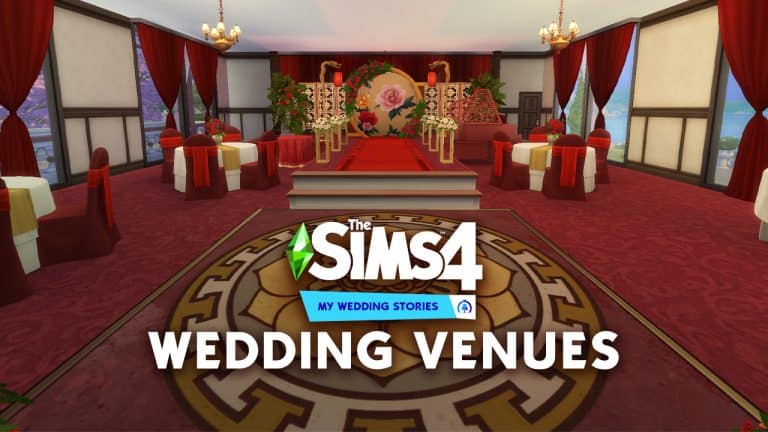
The Sims 4 My Wedding Stories Game Pack comes with 5 Pre-Made Wedding Venues!

These Wedding Venues can be found in your “My Library” in The Gallery after installing the Game Pack.

Each Wedding Venue should represent different culturual weddings including Island, Hispanic, Christian, Chinese and Indian-inspired Weddings.

Take a closer look at each Wedding Venue below:

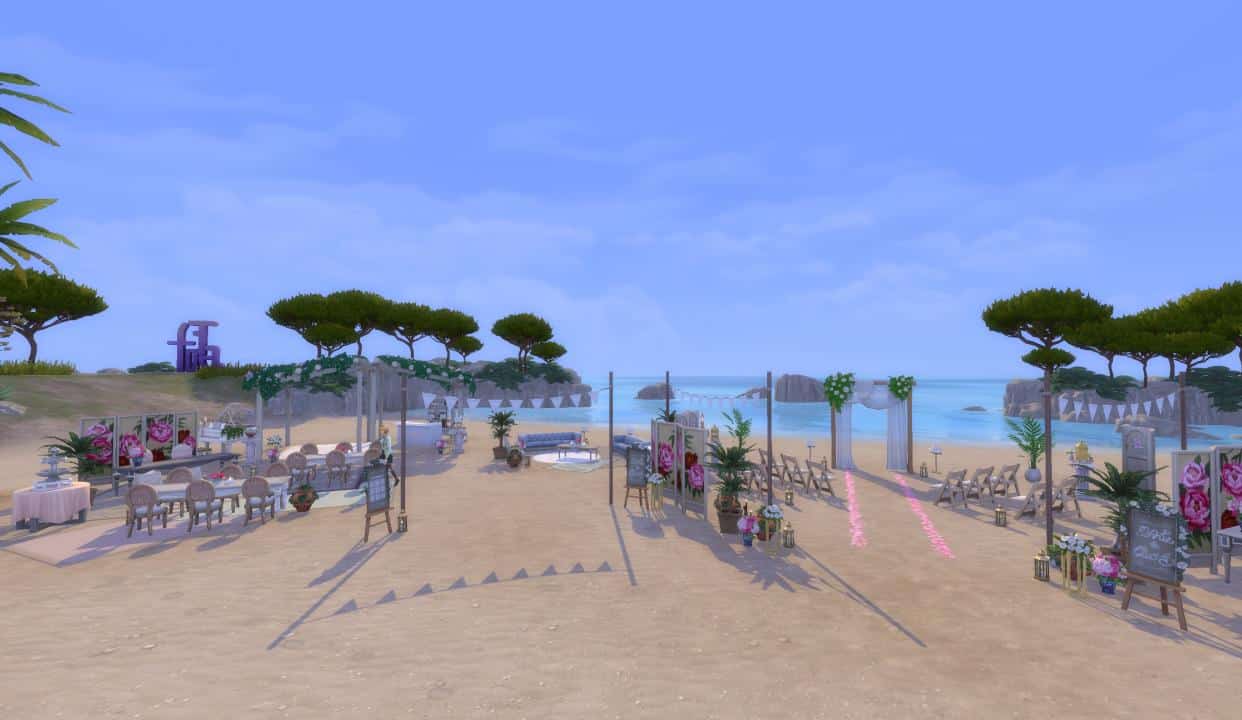
Felicita Sulla Sabbia

Ensure your Sims’ “I do’s” are set against the romantic backdrop of sea and sky. Enjoy a relaxing, easy-paced ceremony on the beach with music, dancing, lounging, and love. What better opportunity to make the promise of a lifetime than here on the beach as waves usher in a hopeful future!

Lot Size: 40×20
Value: 32,400 Simoleons


Jardin De Mis Amores

Host a memorable and festive Hispanic-inspired wedding celebration in this botanical Wedding Venue. Relax indoors amongst the greenhouse gardens or spend the evening dancing away in the courtyard! There’s plenty of space for both romance and merrymaking.

Lot Size: 50×40
Value: 177,511


Glasswork Lover’s Chapel

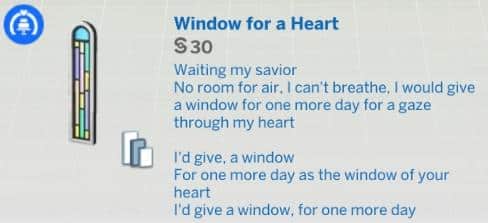
The perfect venue for a classic, chapel wedding. Say your vows against a stained-glass backdrop, with hopes that your marriage will be as colorful as the day you were married. Then head outside for a charming reception in the flower garden.

Lot Size: 50×40
Value: 86,291


Centurial Harmony Garden

The perfect venue to host a lavish, traditional Chinese-inspired wedding banquet. Renewing gardens welcome guests upon arrival, their winding paths leading to the venue’s various spaces. Enjoy tea with family in the wedding suite, celebrate at the private bar next door, take photos against the lobby’s cherry blossom backdrop, or simply bask in the illuminated glow of the ceremony hall.

Lot Size: 50×40
Value: 203,838


Garden Palace of Vows

Celebrate the fire of love and take your vows at this romantic, Indian-Inspired Wedding Venue. Your Sims may not be loyal, but they’ll certainly feel like they are, whether they’re strolling the palace’s halls or dancing with friends and family in the garden. It’ll be the ceremony of a lifetime.

Lot Size: 50×40
Value: 168,057

The Sims 4’s Major Lag Issue seems to be Fixed!

14

However, you need to repair your game first!

The Sims 4 had an obnoxious problem ever since Seasons came out. The game would have random bouts of lag spikes whenever you would Enter Build Mode and exit it, leaving a much lower framerate to the player.

Players already found a method of temporarily solving the issue by going into the Game Options through the Escape key button, which would often resolve the lag issue.

This issue would also sometimes pop out of the blue when doing certain placements on lots. Let’s just say that the lag issue had a mind of its own most of the time. After almost 4 years of this major issue I can’t believe I’m saying this but the lag has been resolved! From what I can tell so far from playing the game! Please don’t take my word for it 100%!

I know, most of you are going to say “well my game has gotten worse”. Which, in reality is true! The latest update for The Sims 4 did resolve the lag. However, it seems that there are some interferences with the lag improvements that came with the latest update causing the game to lag even more. Thankfully, all of this can be resolved.

If you’re playing The Sims 4 on PC/Mac through Origin all you have to do is right-click on The Sims 4 cover and select “Repair”. This time around the process of repairing the game lasts a little bit longer, especially if you have multiple DLC packs installed.

The Repair option will re-update some of the core essential files for The Sims 4 and its DLC. It might take a few minutes until your game is ready to play.

The Sims 4’s Major Lag Issue seems to be Fixed!

Krista, one of our team members, told me that The Sims 4 was lagging heavily for her yesterday when she was doing the Tartosa World Overview. A similar thing happened to me as well after updating The Sims 4, causing the game to have an extremely low Frames-Per-Second in almost any scenario. The “Esc” method that I’ve been using for so long didn’t work this time.

After disabling CC/Mods entirely and still seeing no improvements whatsoever, the only solution that came to my mind is Repair. Needless to say that this solution worked like a charm.

One of the most difficult lots that always caused a major lag per load was the Watson’s Household Lot in Henford-on-Bagley. I’m assuming it was extra difficult for the game to render the 64×64 lot along with 5 different Household members.

The Sims 4’s Major Lag Issue seems to be Fixed!

Going back and forth between Build Mode any lag issues and framerate drops that I’d have before didn’t stick in the end! The game would continue to run smoothly.

The Sims 4’s Major Lag Issue seems to be Fixed!

Of course experiences with framerate drops and lag also vary depending on which computer/laptop you’re playing on. The framerate screens that you see above have been taken on an M1 Mac with 16GB of RAM. All game settings are set on High (1440p) with all of the Packs installed, including My Wedding Stories.

The performace of The Sims 4 on my Windows PC has also improved after applying this solution with the game running incredibly smoothly now.

Oh, and also Krista’s game got a positive framerate improvement too.

The Patch Notes mention that the update should “improve performance when switching from Live to Build Mode in certain cases” There have also been numerous other Bug Fixes that could’ve impacted the improvements in the game’s FPS stability.


Now that we have the Framerate Lag resolved, can we get improvements on the Simulation Lag next?

Let us know how your game runs after using the “Repair” method in the comments down below!

The Sims 4 My Wedding Stories: Meet The Residents & Townies of Tartosa

Presented by EA Creator Network – Software Not Final

Welcome to Tartosa

The Sims 4 My Wedding Stories Game Pack not only introduces us to the world of Tartosa, but it also means it is time to meet some new Households and the residents of Tartosa!

Below, you’ll get to meet the backstory of each pre-made Sim, their personality traits, sentiments, careers, skills, relationships and much more! You’ll also find details about the NPC Twonies of Tartosa on the third page too!

So, let’s meet the residents and Townies of Tartosa:

Markovic Household

Household Description

The Markovic family are locally-renowned for their contribution to the musical-side of the wedding industry, despite having put off their own wedding time and time again. This is in no small part due to relations between them and the Laurent family being rather strained. Mateo believes the Laurents have a stranglehold on local wedding business and works hard to retain relevance. While Lucia’s animosity is directed at Hector, a former lover, all the drama and work has kept them busy and unwed!

Mateo Markovic

The Sims 4 My Wedding Stories: Meet The Residents & Townies of Tartosa

  • Age: Young Adult
  • Career: Professional Pianist
  • Aspiration: Big Happy Family
  • Traits: Domestic, Romantic, Goofball, Loves Outdoors
  • Likes: Romance Music, Dancing, Fishing, Piano
  • Dislikes: Electronica Music, Cooking,  Gardening
  • Skills: Fishing 6, Piano 7, Signing 5
  • Relationships:
    • Arnessa Thebe – Acquaintances
    • Camille Soto – Good Friends
    • Lucia Markovic (Spouse) – Sweethearts
    • Tomi Markovic (Daughter) – Friend

Lucia Markovic

The Sims 4 My Wedding Stories: Meet The Residents & Townies of Tartosa

  • Age: Young Adult
  • Career: Professional Pianist
  • Aspiration: Musical Genius
  • Traits: Muser, Music Lover, Outgoing & Ambitious
  • Likes:  Hip Hop Music, Comedy, Cooking, Guitar & Singing
  • Dislikes: Orange, Fitness & Mixology
  • Skills: Baking 5, Guitar 5, Singing 6
  • Relationships:
    • Tomi Markovic (Daughter) – Friend
    • Mateo Marjovic (Spouse) – Sweethearts
    • Hector Laurent – Disliked
    • Hilary Laurent – Good Friends

Tomi Markovic

The Sims 4 My Wedding Stories: Meet The Residents & Townies of Tartosa

  • Age: Child
  • Career: Grade School D Student
  • Aspiration: Artistic Prodigy
  • Traits: Creative
  • Likes:  Electronica Music & Video Gaming
  • Dislikes: None
  • Skills: Creativity 5, Mental 3, Motor 5, Social 1
  • Relationships:
    • Lucia Markovic (Mother) – Friend
    • Mateo Markovic (Father) – Friend

Head over to the next page to find out more about the Laurent Household!

The Sims 4 My Wedding Stories: Bach Party Guide

Presented by EA Creator Network – Software Not Final

The Sims 4 My Wedding Stories adds a total of seven new wedding and marriage-related social events. Engaged Sims can host engagement dinners, rehearsal dinners, bach parties, and family gatherings before their big day. Wedding ceremonies and receptions can be planned as separate social events instead of being lumped together. Vow renewals for married Sims are a social event now instead of just being an interaction on the wedding arch.

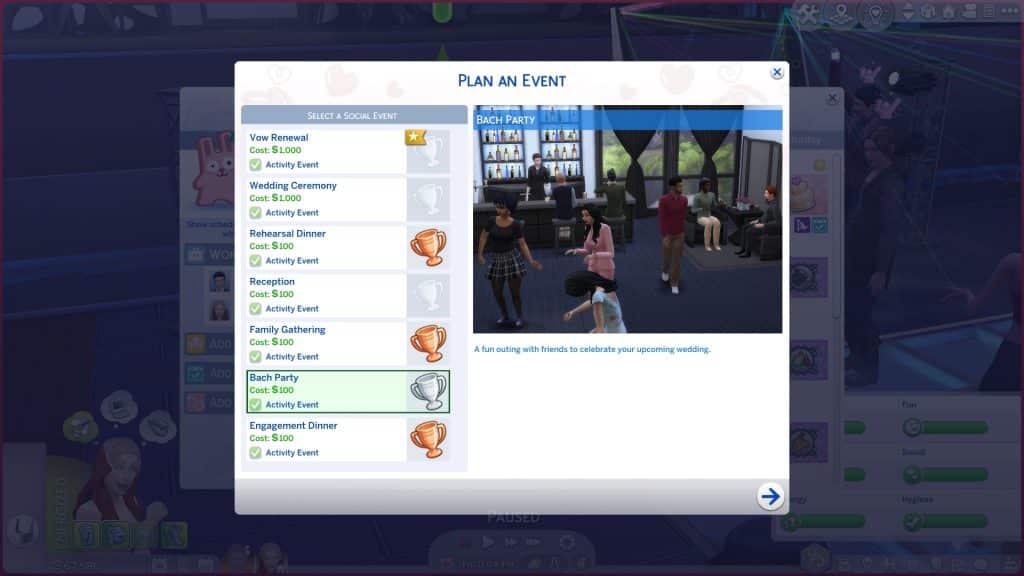
One of the final social events your Sims may find themselves hosting shortly before their big day is the Bach Party event. The Bach Party is a gender neutral version of traditional bachelor and bachelorette parties; however, they are much the same thing and your engaged couple can still have their own separate Bach Parties with their friends. Here’s everything you need to know about hosting a Bach Party.

Planning the Event

The Sims 4 My Wedding Stories: Bach Party Guide
There are two ways Sims can plan a Bach Party; through the phone and the calendar. Planning a Bach Party through the phone will start the event immediately. Using the calendar to plan the event will allow you to schedule the party for a specific date and time in the future. On the phone, select Plan Wedding Event in the social tab and select the Bach Party. On the calendar, select the day you’d like to plan the event for. Scroll down in the left sidebar and select Add a Wedding Event then select the Bach Party.

Invite Sims

The Sims 4 My Wedding Stories: Bach Party Guide
The Invite Sims tab has four roles to fill; hosts, guests, entertainer, and mixologist. The Entertainer and Mixologist roles are optional; you don’t need to have them, especially if you plan to host the party on a lot where entertainers and mixologists already show up by default. Your Bach Party needs to have at least 1 host and 2 guests, though. Unlike other wedding events, both partners can’t be hosts but you can add your Sim’s partner as a guest if you want to have a joint Bach Party for both of them. If you want friends and family of both engaged Sims to attend, make sure the Sim planning the event knows all of their betrothed’s friends and family, too. Otherwise, they won’t show up in the invite list.

Plan Activities

The Sims 4 My Wedding Stories: Bach Party Guide
The next tab will let you select the activities you’d like to have at your Bach Party. All wedding events have customizable activities so you can tailor all of your wedding celebrations to your Sims’ preferences and cultures.

The available activities to choose from for Bach Parties are:

  • Desserts
  • Drinks
  • Dancing
  • Have Toasts
  • Celebration Feast

The activities you select are purely up to your own tastes and preferences. Choose all of them, only one of them, or an assortment somewhere in-between.

Yes, we were also a bit disappointed that watching a “dancer” was not an option here. We know this feature could not be too risqué given the game’s T rating but it would have been fun to have something similar to The Sims 3 where the dancer does some silly, goofy moves in some type of costume. As an optional feature, of course.

Select a Place

The Sims 4 My Wedding Stories: Bach Party Guide
You can select the location and time of your event on this screen. Bach Parties can be hosted on many different lot types. The following are all the lot types that showed up as being available for us in the venue list:

  • Residential (Engaged Couple’s Residence)
  • Bar
  • Beach
  • Café
  • Nightclub
  • Lounge
  • Museum
  • Park
  • Pool
  • Wedding Venue
  • Chalet Gardens
  • Karaoke Bar
  • Island Bluff
  • Ancient Ruins
  • Centre Park

We did place a restaurant and spa down in our world just to see if they would be available venues for this event but they did not appear in the list of venues.

Hosting the Event

The Sims 4 My Wedding Stories: Bach Party Guide
If you planned the event using the phone, the event will start immediately. If you planned the event through the calendar, you will receive a notification one hour before the event starts to remind you about it. If there’s any setting up that needs to be done beforehand, it’s a good idea to head to the venue an hour early to do any prep work, like filling buffet tables, drink fountains, and adding any objects needed for the activities you chose.

When the event starts, you will be prompted to travel to the venue you picked if your Sims are not already there and any Sims you invited will show up. During our Bach Party, other Sims still showed up on the lot and crashed the party. It wasn’t a huge problem for us; they did not interfere with the event goals and if anything, they added to the social atmosphere but if you’d prefer to make your Bach Party invitee-only, we recommend hosting on a residential lot. We hosted our Bach Party at a nightclub in Windenburg so having other Sims around helped to make the event feel more lively.

The Sims 4 My Wedding Stories: Bach Party Guide
You’ll notice that the Bach Party is a bit different from the Engagement Dinner and Rehearsal Dinner which are both very similar to each other. The other events automatically include both engaged partners as hosts but the Bach Party does not. This allows you to choose whether you want separate Bach Parties for each partner or if you’d prefer to have both partners present for a joint Bach Party. Just invite your partner as a guest to have both partners present. The activities and available venues differ slightly from the other events as well.

The Sims 4 My Wedding Stories: Bach Party Guide
You’ll see the typical social event goal tracker pop up in the top left corner but it works a little differently than other social events. There is no bronze, silver, and gold progress bar listed at the top and no main goal to complete; the success of the social event just depends on whether or not you are able to complete all of the activities you selected for the event.

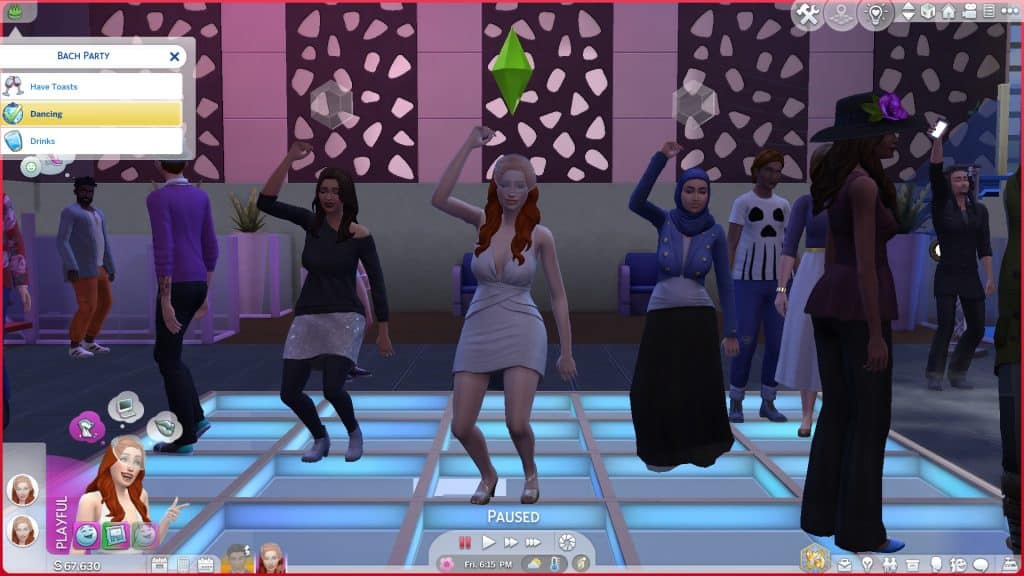
Many of the objects tied to event activities, such as the champagne bottles on ice and dance floors have group interactions on them to help you control the flow of the event. You can direct all your guests to come and make toasts or dance together. This avoids the problem of your guests all milling about aimlessly doing their own thing. Just click the object and select “Call Attendees to Activity.” If guests are currently occupied with another event activity, they may not be responsive to being assigned a different activity. If you’ve just called everyone to make toasts, it’s best to wait until all the guests have finished their drinks before directing them to dance, for example.

If you don’t know how to complete a specific activity, hover over the activity in the event goals list to get a tooltip with some helpful information on how to complete it.

The Sims 4 My Wedding Stories: Bach Party Guide
Our Bach Party did not have an event timer but it started at 5pm when we scheduled it via the calendar and ended at exactly 11pm so it seems like this event lasts for 6 in-game hours. We didn’t have a lot of activities scheduled for this event; mostly just drinking and dancing but we still found it a bit stressful completing all the goals on time. Our Sims were so busy chatting with each other that they ignored their drinks. We’d have to cancel the conversation to encourage them to finish their drinks. We did run into a few hiccoughs with some actions. For example, ordering drinks for the group didn’t seem to complete the Drinks activity but ordering drinks individually did. Sims also would not gather at the champagne bottles for toasts when using the Call Attendees to Activity option. They did gather to toast when using the Make a Toast interaction, however.

Hosting a Bach Party, like all the other lead-up events to the wedding ceremony, is optional. My Wedding Stories is about tailoring your wedding to your own likes and experiences so if a Bach Party is not something that suits your Sims, you can skip it entirely.

The Sims 4 My Wedding Stories: World Overview

Everything you need to know about Tartosa, Neighborhoods and Lots!

Presented by EA Creator Network – Software Not Final

Welcome to Tartosa

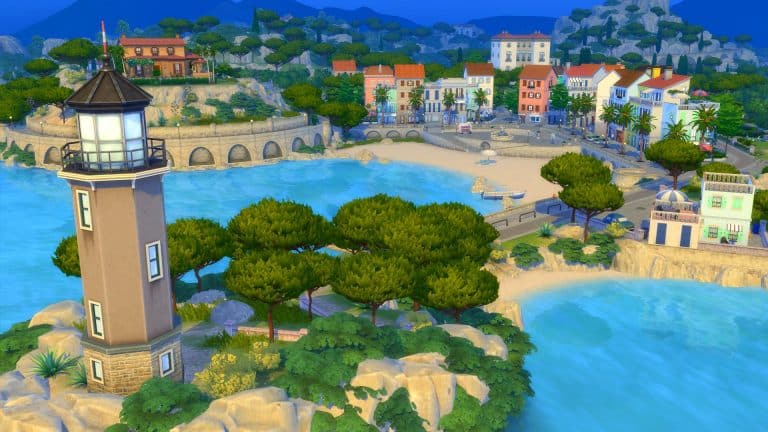
Romantic sites and scenery have long graced the seaside region of Tartosa, creating the perfect setting for love and matrimonial pursuits. It isn’t uncommon for vacationers and honeymooners alike to return year after year, seeking to re-experience the intimacy of visits past. They say there’s a love story in the making for everyone. Just ask Tartosa’s residents, and they’ll excitedly gossip about local Wedding Industry shenanigans or the area’s love-laced, historical past. But even if a Sim doesn’t find their soulmate here, one thing is for certain… they’re fated to fall in love with the land. 

The Sims 4 My Wedding Stories: World Overview

Tartosa is the brand-new world that comes with The Sims 4 My Wedding Stories Game Pack. The new world, features nine brand-new lots spread across two beautiful neighbourhoods.

Porto Luminoso

Historians say Porto Luminoso’s name originated when pirates arrived at shore, attracted by the glowing tides, the promise of trade, and the invention of the fruit tart. Overtime, the village flourished, and while still famous for its fruit tarts, Porto Luminoso’s real claim to fame is its self-proclaimed-title as the wedding industry’s premiere destination for romance and matrimonial services.

The Sims 4 My Wedding Stories: World Overview

The Lots

  • Baia dell’amore (Residential, 40×20)
  • Celebrazion D’Amore (Lounge, 50×40)
  • Laurent Household (Residential, 50×50)
  • Villa Vigna (Rental, 30×20)
  • Piccola Luce (Residential, 20×20)

Baia dell’amore (Residential, 40×20)

The Sims 4 My Wedding Stories: World Overview

Celebrazion D’Amore (Lounge, 50×40)

Laurent Household (Residential, 50×50)

Villa Vigna (Rental, 30×20)

Piccola Luce (Residential, 20×20)

The Sims 4 My Wedding Stories: World Overview

Neighbourhood Screens

Terra Amorosa

A short trip up the coastline from Porto Luminosos is the loving land known as Terra Amorosa to the locals. Whether fishing off the boardwalk, swimming at the bottom of the secluded Hideaway Falls, or hiking up the hillside to visit the area’s famous Lover’s Tree, any Sim is bound to fall madly in love with the various charming sights and historic landmarks this lover’s paradise has to offer.

The Sims 4 My Wedding Stories: World Overview

The Lots

  • Via Romanza (Residential, 30×30)
  • Rifugio Dei Pirati (Residential, 30×20)
  • La Coppia Serena (Wedding Venue, 50×40)
  • Markovic Household (Residential, 40×30)

Via Romanza (Residential, 30×30)

The Sims 4 My Wedding Stories: World Overview

Rifugio Dei Pirati (Residential, 30×20)

The Sims 4 My Wedding Stories: World Overview

La Coppia Serena (Wedding Venue, 50×40)

Markovic Household (Residential, 40×30)

Neighbourhood Screens

With plenty of beautiful locations and incredible views, Tartosa is the perfect destination for any wedding! However, if the gorgeous scenery and views have drawn your Sim in, why not make the move, so they can experience everything Tartosa has to offer and more every day!

The Sims 4 My Wedding Stories: Family Gathering Guide

Presented by EA Creator Network – Software Not Final

The Sims 4 My Wedding Stories adds a total of seven new wedding and marriage-related social events. Engaged Sims can host engagement dinners, rehearsal dinners, bach parties, and family gatherings before their big day. Wedding ceremonies and receptions can be planned as separate social events instead of being lumped together. Vow renewals for married Sims are a social event now instead of just being an interaction on the wedding arch.

One social event Sims may find themselves hosting at any point during their engagement is the Family Gathering event. This event is designed to encompass any family’s pre-wedding traditions so this type of social event could look very different for everyone. Here’s everything you need to know about hosting a Family Gathering.

Planning the Event

The Sims 4 My Wedding Stories: Family Gathering Guide
There are two ways Sims can plan a Family Gathering; through the phone and the calendar. Planning a Family Gathering through the phone will start the event immediately. Using the calendar to plan the event will allow you to schedule the dinner for a specific date and time in the future. On the phone, select Plan Wedding Event in the social tab and select the Family Gathering. On the calendar, select the day you’d like to plan the event for. Scroll down in the left sidebar and select Add a Wedding Event then select the Family Gathering.

Invite Sims

The Sims 4 My Wedding Stories: Family Gathering Guide
The Invite Sims tab has two roles to fill; hosts and guests. Select all the Sims you’d like to be attending the Family Gathering. If you want friends and family of both engaged Sims to attend, make sure the Sim planning the event knows all of their betrothed’s friends and family, too. Otherwise, they won’t show up in the invite list.

Plan Activities

The Sims 4 My Wedding Stories: Family Gathering Guide
The next tab will let you select the activities you’d like to have at your Family Gathering. All wedding events have customizable activities so you can tailor all of your wedding celebrations to your Sims’ preferences and cultures.

The available activities to choose from for Family Gatherings are:

  • Desserts
  • Tea
  • Drinks
  • Dancing
  • Have Toasts
  • Celebration Feast

The activities you select are purely up to your own tastes and preferences. Choose all of them, only one of them, or an assortment somewhere in-between.

Select a Place

The Sims 4 My Wedding Stories: Family Gathering Guide
You can select the location and time of your event on this screen. Family Gatherings can be hosted on many different lot types. The following are all the lot types that showed up as being available for us in the venue list:

  • Residential (Engaged Couple’s Residence)
  • Bar
  • Beach
  • Café
  • Nightclub
  • Lounge
  • Library
  • Museum
  • Park
  • Pool
  • Wedding Venue
  • Chalet Gardens
  • Karaoke Bar
  • Island Bluff
  • Ancient Ruins
  • Centre Park
  • Community Space

We did place a restaurant and spa down in our world just to see if they would be available venues for this event but they did not appear in the list of venues.

Hosting the Event

The Sims 4 My Wedding Stories: Family Gathering Guide
If you planned the event using the phone, the event will start immediately. If you planned the event through the calendar, you will receive a notification one hour before the event starts to remind you about it. If there’s any setting up that needs to be done beforehand, it’s a good idea to head to the venue an hour early to do any prep work, like steeping tea, setting out desserts, and adding any objects needed for the activities you chose.

When the event starts, you will be prompted to travel to the venue you picked if your Sims are not already there and any Sims you invited will show up. Since we’d already had a pretty formal Engagement and Rehearsal Dinner, we decided to go more low-key with the Family Gathering and just host it at our Sims’ house. If you host a Family Gathering on a public lot, other Sims may still show up to the lot during your event and mingle with your guests. If you don’t want this, we recommend hosting a Family Gathering on a residential lot.

The Sims 4 My Wedding Stories: Family Gathering Guide
You’ll see the typical social event goal tracker pop up in the top left corner but it works a little differently than other social events. There is no bronze, silver, and gold progress bar listed at the top and no main goal to complete; the success of the social event just depends on whether or not you are able to complete all of the activities you selected for the event.

Many of the objects tied to event activities have group interactions on them to help you control the flow of the event. You can direct all your guests to come and grab food to eat, for example. This avoids the problem of your guests all milling about aimlessly doing their own thing. Just click the object and select “Call Attendees to Activity.” If guests are currently occupied with another event activity, they may not be responsive to being assigned a different activity.

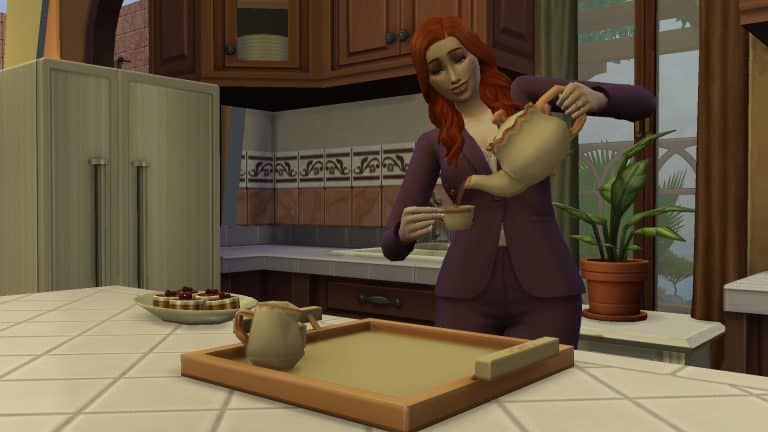
The tea set does not have a Call Attendees to Activity interaction on it but after steeping the tea, your Sims can serve the tea. During wedding events, Sims have the option to serve tea to another Sim while bowing or kneeling but tea can also be given to other Sims more casually as well. We noticed that our Sim wasn’t able to serve tea while kneeling/bowing to anyone but her father so these more formal interactions may be reserved for the parents of the engaged couple.

The Sims 4 My Wedding Stories: Family Gathering Guide
If you don’t know how to complete a specific activity, hover over the activity in the event goals list to get a tooltip with some helpful information on how to complete it.

Our Family Gathering did not have an event timer but it started at 5pm when we scheduled it via the calendar and ended at exactly 11pm so it seems like this event lasts for 6 in-game hours. We only scheduled two activities for the Family Gathering but we previously hosted an Engagement and Rehearsal Dinner with many activities scheduled and did not have trouble completing the activities in time. We did run into a few hiccoughs with some actions. For example, once we had served the tea, we couldn’t drag the tea set onto a different surface. Otherwise, things seemed to run smoothly for this event.

The Sims 4 My Wedding Stories: Family Gathering Guide
Hosting a Family Gathering, like all the other lead-up events to the wedding ceremony, is optional. My Wedding Stories is about tailoring your wedding to your own likes and experiences so if a Family Gathering is not something that suits your Sims, you can skip it entirely.

The Sims 4 My Wedding Stories: Build/Buy Overview

Every single object in The Sims 4 My Wedding Stories!

Presented by EA Game Changers – Software Not Final

The Sims 4 My Wedding Stories comes with a total of 82 new Build/Buy items and 5 styled rooms. Some of the new items include a dance floor, wedding aisle, functional tea sets, new wedding arches, buffet tables with a drink fountain, and stained glass windows.

Check out each catalogue item and styled room below!

Buy (65)

Build (17)

Styled Rooms – Catalogue

Styled Rooms – Swatches

CC Creators did their magic on The Sims 4’s Pride Dress

From pride clown to a beautiful pride gown!

The Sims 4’s latest update went back to the beginnings with the original Base Game wedding content!

The Sims Team went through the original wedding arches, masculine suits and feminine dresses to add new colors and variants. For the most part when it comes to solid and pastel colors they did a really good job. The dresses got to shine in a new light rather than the same old presets that we’re all used to.


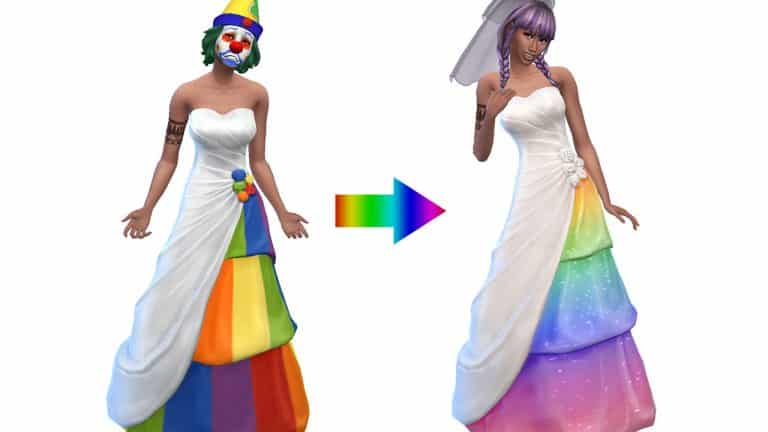
However, there is a dark and twisted variant that nobody expected. I’m talking about the Pride swatches.

Here’s the thing – you can definitely see the good intentions behind The Sims Team to be more inclusive when it comes to these Pride dresses. However, I don’t know a single person who agreed with this dress.

I’ll let you be the judge:


Don’t get me wrong – I love the extra steps that the team is taking to be more inclusive with Pride content in the game. Still, these Pride variants feel like something a clown would purchase at Target’s Pride clearance rack in July.

It’s one thing to do Pride stripes on pockets and other small outfit details where a small detail like that would be appreciated. It’s another thing to go over the top and add Pride stripes across the entire dress – making it look more like a circus tent. Gradients and Pride colors that aren’t overly saturated go a long way, and the Custom Creator community proved just that!

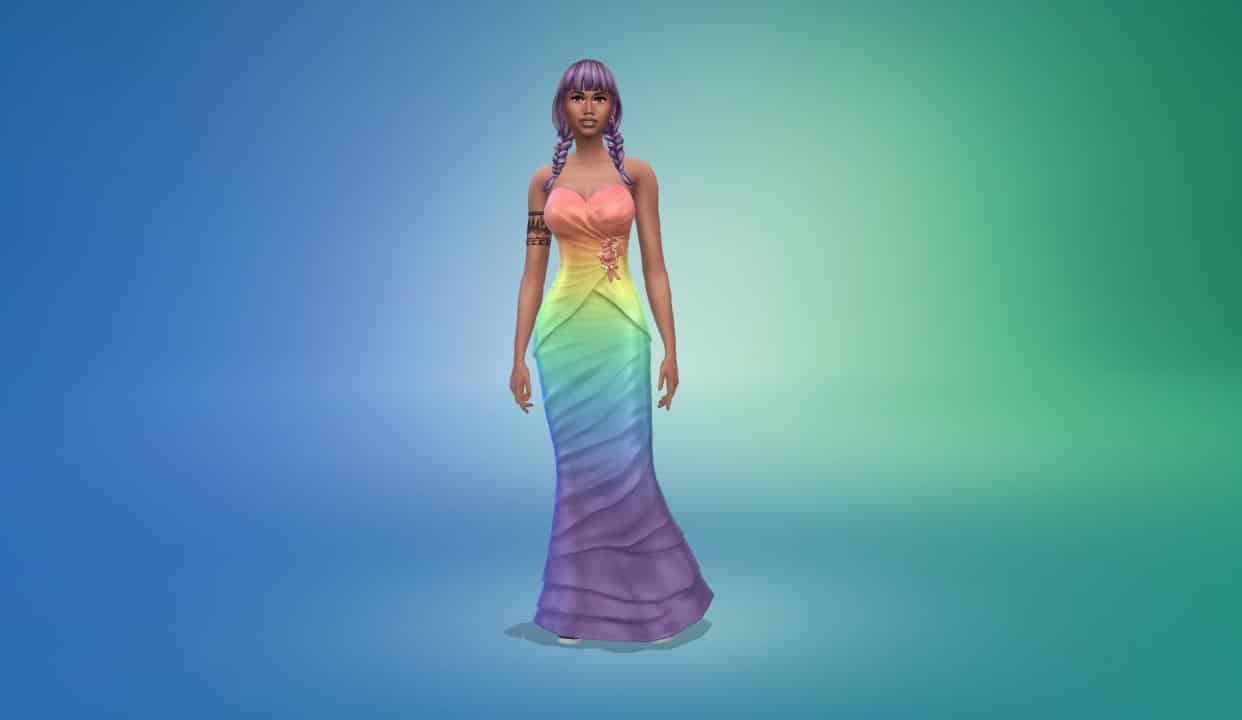
CC Creators @FrenchieSim and @Sims4Zeussim proved their swiftness and talent by releasing updated Pride swatches for the game. All by releasing the new swatches and variants in just a day after the update.

FrenchieSim Pride Swatches

The Pride Swatches created by FrenchieSim include various gradients all over the new dresses representing different LGBTQ+ communities. You have colors that include the Lesbian, Transgender, Pansexual, Nonbinary and other flag colors that represent each community accordingly. And all done so beautifully in the game.

Check out the previews:


Ready to have these in your game? Click on the button below to be taken to FrenchieSim’s download page!

[mks_button size=”large” title=”DOWNLOAD!” style=”squared” url=”https://frenchiesimgirl.tumblr.com/post/676423073851932672/a-simple-pride-wedding-dress-recolor-just-a” target=”_blank” bg_color=”#3bb738″ txt_color=”#FFFFFF” icon=”fa-arrow-down” icon_type=”fa” nofollow=”0″]

Zeussim Pride Swatches

Zeussim has also done an excellent job creating the new Pride swatches for the game. They’ve also included an additional layer of sparkles to some of the Pride variants so that your pride can truly shown while walking down the aisle!

Check out the previews below:


Your Sims can proudly say “I do” with these CC swatches that you can download below:

[mks_button size=”large” title=”DOWNLOAD!” style=”squared” url=”https://www.patreon.com/posts/ea-rainbow-dress-62689140″ target=”_blank” bg_color=”#3bb738″ txt_color=”#FFFFFF” icon=”fa-arrow-down” icon_type=”fa” nofollow=”0″]

CC Veils

Looking to add more onto your Pride wedding look with a new veil? Zeussim has you covered with “Diane” and “Mary” veils that come along with new dresses. Click the button below to download!

[mks_button size=”large” title=”DOWNLOAD!” style=”squared” url=”https://www.patreon.com/posts/55104832″ target=”_blank” bg_color=”#3bb738″ txt_color=”#FFFFFF” icon=”fa-arrow-down” icon_type=”fa” nofollow=”0″]

CC Creators did their magic on The Sims 4’s Pride Dress