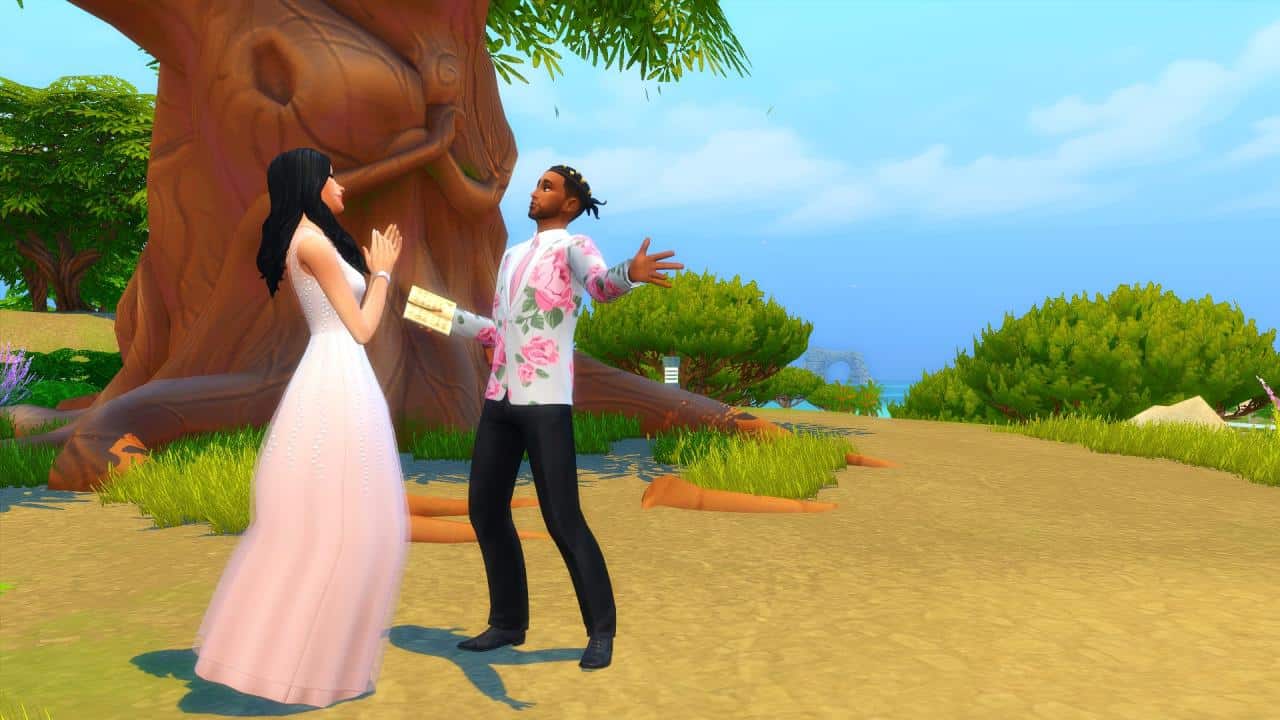
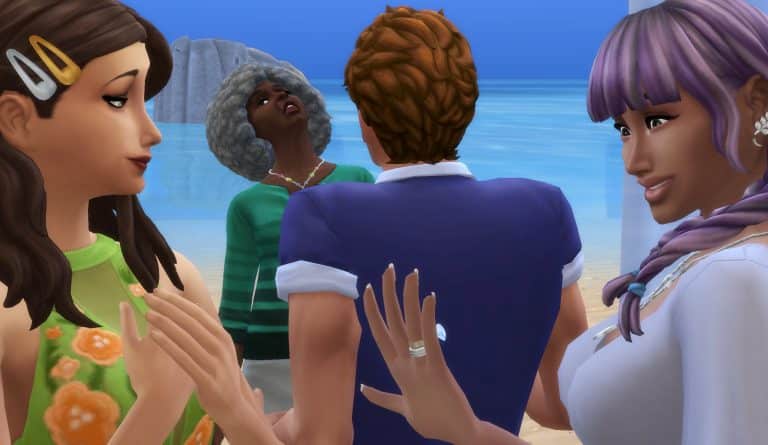
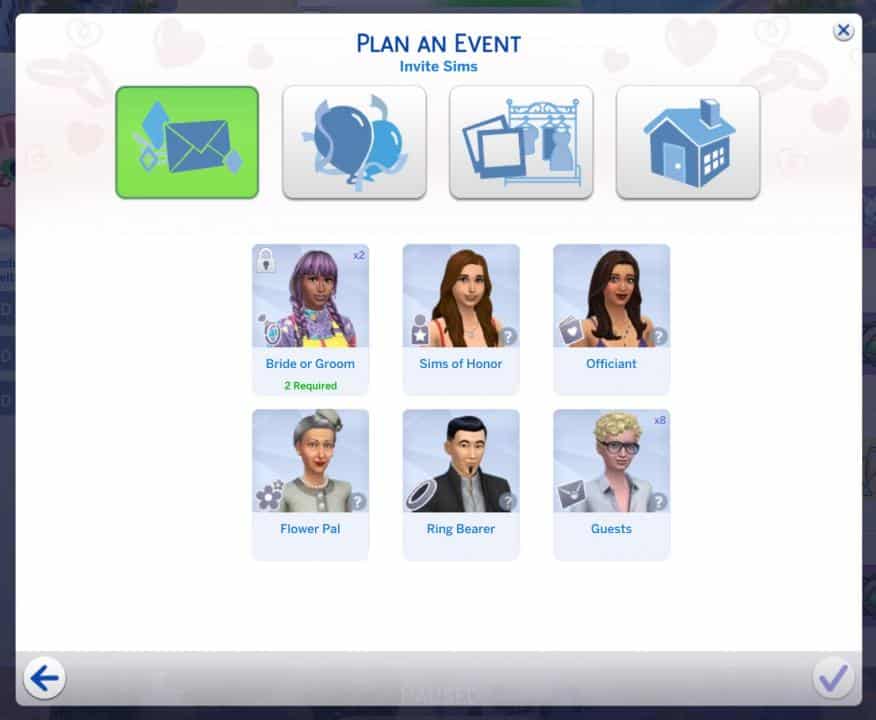
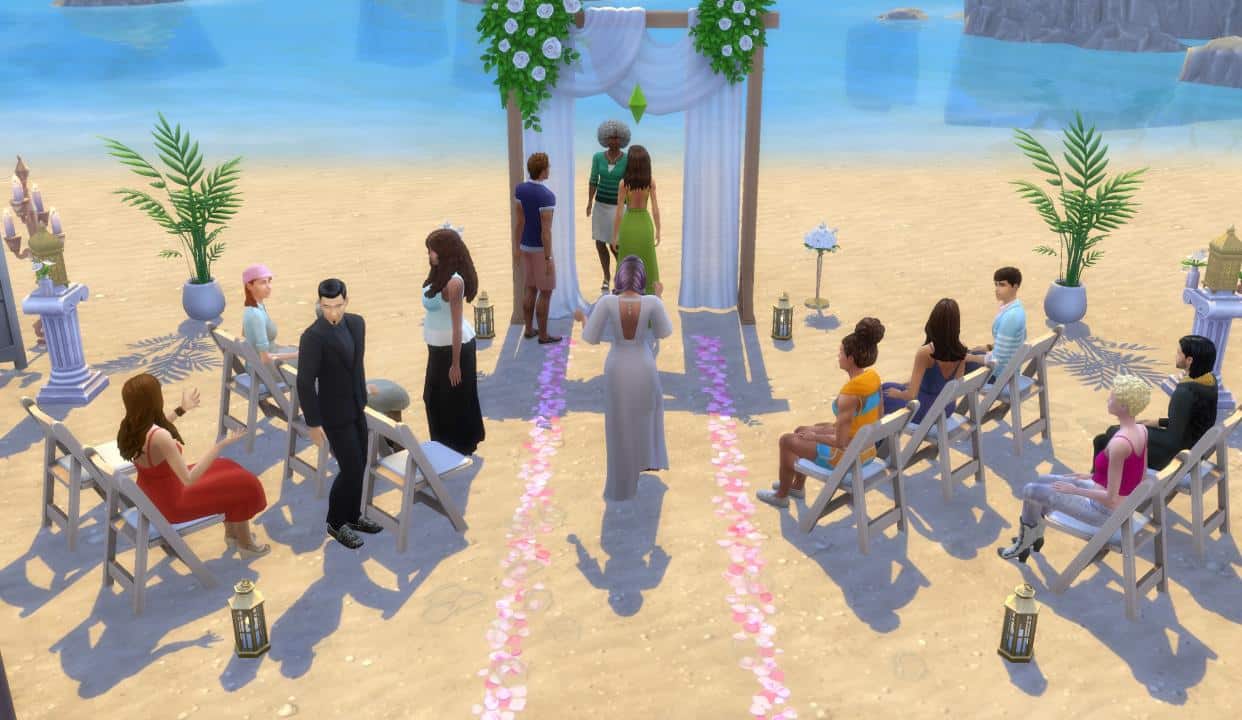
When My Wedding Stories released, players were happy to see traditional wedding attire for both Chinese and Indian cultures, not just the standard Western-style wedding attire. However, players were also quick to notice the absence of other cultures, including African culture. This seems like an odd oversight, given the game’s efforts to be more inclusive and the fact that My Wedding Stories was released in February, which is Black History Month.
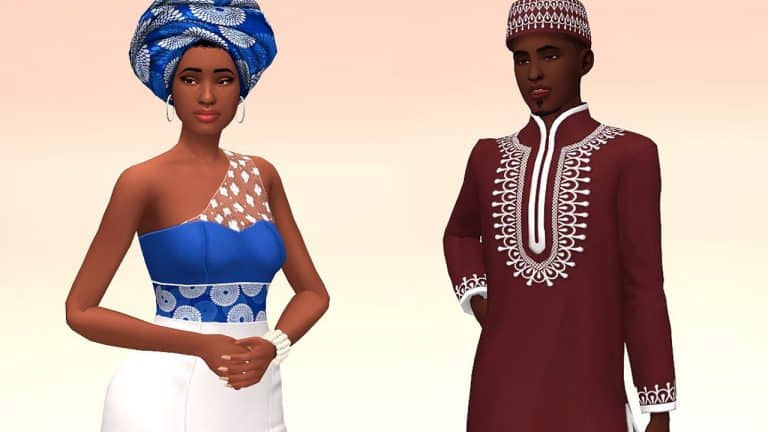
But of course, where EA keeps failing, modders and CC creators keep delighting us. Frenchiesims is a very talented and well-known creator in the community who has taken it upon herself to make some absolutely gorgeous African-inspired formalwear that’s perfect for weddings and other formal occasions.
The set comes with 10 new CAS pieces that are all base game compatible, which means you don’t need to own My Wedding Stories in order to enjoy them in your game. You can see a preview of all the items below, taken from Frenchiesims’ tumblr:
As you can see, there’s a variety of head pieces and formal outfits for both masculine and feminine adult Sims with some truly stunning details and patterns. Some of our personal favourites from the collection are the satin head wrap and the sleeveless dress with sheer fabric over one shoulder. It’s a very elegant look and we love to see more diversity and representation in a game that’s meant for everyone to be able to create themselves in an authentic way.
The African Love set is currently in early access for patrons but will be released to the public on March 4th, 2022. This is also just part 1 of the collection so if you’d like to see what else Frenchiesims has coming, make sure to follow her on tumblr! We can’t wait to see what else she has in store for us!
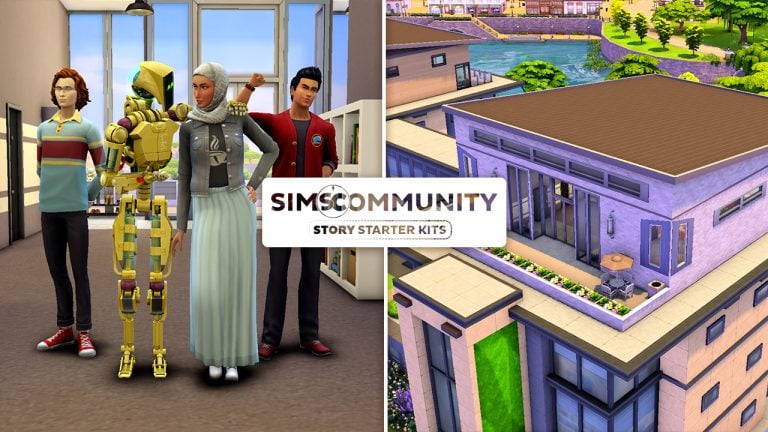
Welcome to our fifth entry in our Story Starter Kits series! If you missed all the info on Story Starter Kits, you can read more about what they are and how they work in our introductory article!
This month, we’re bringing you a mechanical genius, her trusty servo, and her two best friends at the Foxbury Institute. While her pals are both close with her, they also both harbour some romantic feelings for her and her servo sees it as her mission to keep all potential distractions away from her creator.
A Glitch in the Servo
Farah and her two best friends, Ned and Tony, have been inseparable since high school so it was only natural that they all go to the same university together. While Ned and Tony didn’t get along with each other at first coming from different social cliques, Farah brought them together and they eventually became good friends, too. Their number one has always been Farah, though.
In fact, both Ned and Tony have harboured a crush on Farah for a long time. Farah is an outspoken genius with unlimited confidence and a go-get-em attitude. Ned’s attracted to her brains and Tony’s attracted to her confidence. They know how the other feels about her but they both respect their friendship with Farah too much to make a move and jeopardize what they already have with her. They both adore her as her own person and couldn’t imagine not having her in their lives at all. So before they packed their bags for college, Ned and Tony came to the agreement that no matter what happened in college, they’d always put their friendship as a trio first.
That was all well and good… until Farah’s pet project came to life at the end of senior year. Literally. Her latest robotic invention, Calista V.10.87, developed sentience and became a fully functioning humanoid robot with advanced AI capabilities. Excited about her latest achievement which would surely earn her many scholarships, Farah eagerly introduced Calista to Ned and Tony, informing them that Calista would be moving to college with them. At first, Ned and Tony thought Farah’s invention was the coolest thing in the world. But Calista did not think Ned and Tony were cool. At all.
Calista was programmed to be Farah’s bodyguard and protect her from any kind of threat; however, she might take her job a little too seriously. She’s attached herself to Farah and is very jealous of Farah’s close friendship with the boys. Calista is doing everything in her power to push them away so she can have Farah all to herself. The… robot isn’t in love with Farah, too. Is she?
Now Ned and Tony face a choice. Calista’s just a robot; she can only behave the way she was programmed so her extreme behaviour must just be a glitch in her programming. They can destroy the servo but that would crush Farah who spent years working on her. They can tell Farah that Calista’s gone haywire but would Farah even believe them? Calista acts like an angel with Farah. Or maybe they should both come clean about their feelings and let Farah be the judge of how to handle things. But would that destroy their friendship?
Career: Student at Foxbury Institute (Psychology Major)
Packs Used: Discover University
Calista V.10.87
Age: N/A (Servo)
Traits: Romantic, Hot-Headed, Creative, Alluring
Aspiration: Soulmate
Skills: Robotics (9)
Enhancement Level: 10
Behaviour Modules: Sim Defense Matrix
Career: Unemployed
Packs Used: Discover University
Household Notes:
We tried to set relationships between the Sims other than acquaintances but unfortunately the Gallery does not preserve non-family relationships. If you would like to set up relationships the way we initially intended them, they are as follows:
Farah x Tony – Good Friends
Farah x Ned – Good Friends
Ned x Tony – Friends
Farah x Calista – BFFs
Calista x Tony – Enemies
Calista x Ned – Enemies
Immediately set Relationship Level through Cheats
If you want to immediately set the relationships between Sims in the household you can run the following cheat for each Relationship listed above:
Farah x Tony – modifyrelationship Farah Abadi Tony Sollitto +60 LTR_Friendship_Main
Farah x Ned – modifyrelationship Farah Abadi Ned Shultz +60 LTR_Friendship_Main
Ned x Tony – modifyrelationship Ned Shultz Tony Sollitto +35 LTR_Friendship_Main
As Farah, select Calista V.10.87 and select “Become Best Friends”
Calista x Tony – modifyrelationship Tony Sollitto Calista V.10.87 -70 LTR_Friendship_Main
Calista x Ned – modifyrelationship Ned Shultz Calista V.10.87 -70 LTR_Friendship_Main
Modern Privacy
TS4 x64 2022 02 28 12 24 32
TS4 x64 2022 02 28 12 26 18
TS4 x64 2022 02 28 12 26 51
TS4 x64 2022 02 28 12 27 26
TS4 x64 2022 02 28 12 27 46
TS4 x64 2022 02 28 12 28 04
TS4 x64 2022 02 28 12 28 27
TS4 x64 2022 02 28 12 28 48
TS4 x64 2022 02 28 12 28 59
TS4 x64 2022 02 28 12 29 14
TS4 x64 2022 02 28 12 29 34
TS4 x64 2022 02 28 12 29 58
TS4 x64 2022 02 28 12 30 13
TS4 x64 2022 02 28 12 30 35
TS4 x64 2022 02 28 12 30 54
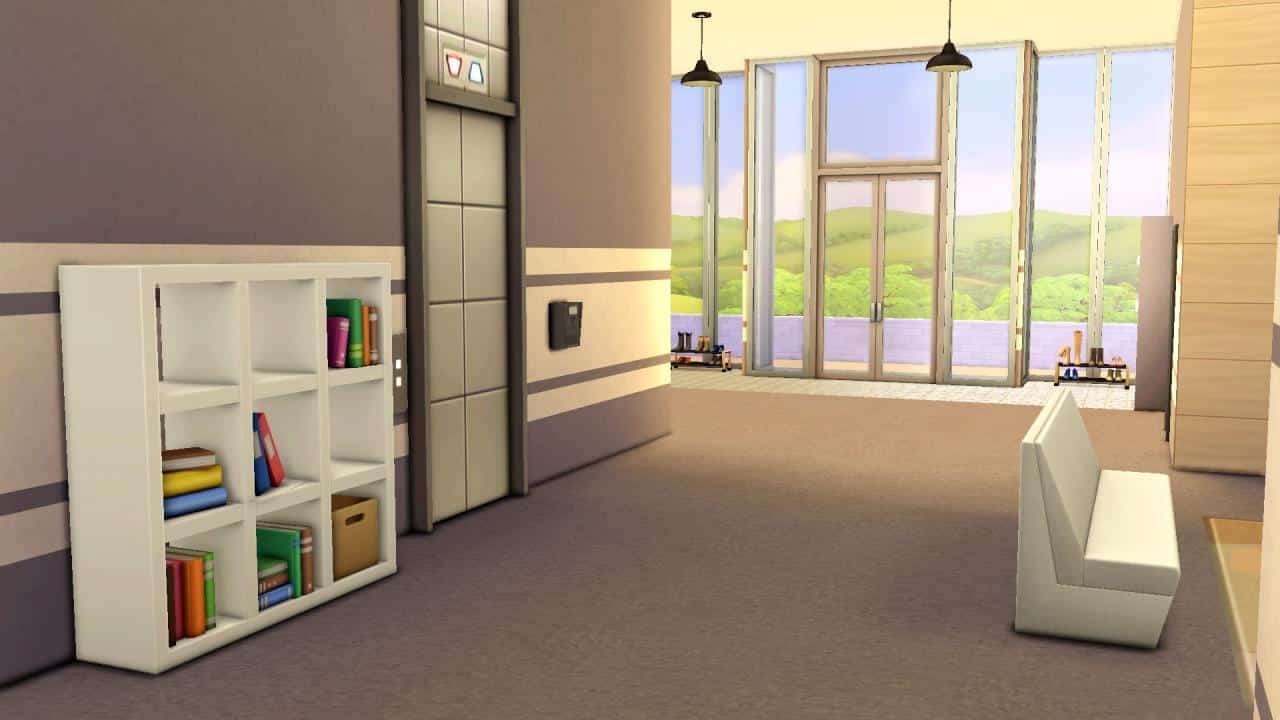
This trendy student dorm at the Foxbury Institute offers all the same social benefits of communal living for students while still allowing for privacy. With four private dorm rooms and two separate bathrooms and showers, students will enjoy an authentic and social dorm living experience with both new and old friends while still retaining their privacy. It’s the best of both worlds!
Lot Info:
Lot Type: Residential
Price: §48,139
Size: 30×20
Beds: 4
Baths: 2
Lot Traits: Study Spot
Packs Used: Discover University
Tips to Use This Lot:
Farah, Ned, Tony, and Calista come with enough simoleons to purchase this dorm and have some savings leftover.
The lot is 100% functional as student housing but has been zoned residential to allow you to move the household in immediately without the hassle of having to do so through enrollment.
Your Story Starter Kit is waiting for you! Get The Household and The Lot by downloading them from the official Gallery Website linked on the buttons below. Or, follow SnarkyWitch in the Gallery and look for A Glitch in the Servo and Modern Privacy!
As we wait for EA to solve the broken Game Pack, modders have already fixed most of the bugs!
All of the solutions that you see below are unfortunately only for The Sims 4 players on PC and Mac. Console players will probably have to wait a bit more until we hear from EA regarding their plans to fix My Wedding Stories.
Several Modders have already stepped up to fix The Sims 4 My Wedding Stories, making most of the activities and Wedding Ceremony behavior completely functional again!
Here’s every Mod solution to fix the Game Pack that we’ve found:
Gameplay Fixes and Tweaks from 83bienchen
83bienchen has polished most of the broken interactions, autonomy and more from the latest Game Pack. Check out the full list of fixes. Inside of the .rar file that you download below will be .packages listed below in the list, each fixing a seperate issue accordingly and improving upon the original game settings:
WeddingGPSocialstweak (less high priority, new icons to sort things better, no congratulate your spouse on your wedding, more negative outcome possibilities for express doubts about wedding)
sitatweddings – makes Sims sit at Weddings
roleoutfitsdisabled_bychoice (new stall vendor outfits added)
partyaspirationfix (new party events added)
moregrandmeals (the last update only contained the moreconsumptionturns module, the “normal” one was miraculously missing)
moreautodrinkvariety (Sims will autonomously order a greater variety of drinks at bars)
lessspousalkissfailure (lowers the failure chance on wedding kisses – sadly the awful animation glitches remain)
lessboredweddingreaction (guest will react bored less often when watching the ceremony)
calloffweddingtweak (now also works with the new GP wedding event)
betterfoodquality (banquet module has been split up, bought wedding cakes will never spoil and always be of excellent quality)
autoweddingring (fixes the known issue with the new GP)
The modder has also uncovered remaining traces in game code regarding the Ring Bearers. It seems that originally The Sims Team has allowed players to make Cats and Dogs your Ring Bearers and Flower Pals! Unfortunately that idea seems to have been scrapped later on
There were actually plans to allow cats and dogs as ring and flower bearers.
Hints/Leftovers of these plans can be found in the tuning files:
wedding_Immediate_Aisle_DogCheck_SendFlowerDown
wedding_Immediate_Aisle_DogCheck_SendFlowerUp
These two aren’t so much in the face but both interactions have been specifically set to allow for cats and dogs to do them:
wedding_Aisle_WalkDown_Ring
wedding_Aisle_WalkDown_Flower
Gameplay Improvements by MissyHissy
The first mod allows you to throw Engagement Dinner and Rehersal Dinner events at Restaurants if you have The Sims 4 Dine Out installed!
For some inexplicable reason, in My Wedding Stories, you can’t hold Engagement Dinners or Rehearsal Dinners in restaurants.
No, I don’t understand it either.
So this is a quick and tiny mod to fix that. You should now be able to host your Engagement Dinners and Rehearsal Dinners in a restaurant.
Note: Please be aware, that due to the ongoing issues with The Sims 4 My Wedding Stories, we will be postponing this month’s challenge until further notice. More information will follow soon.
We took a little break from our normal monthly challenge during February so that we could experience Carnaval and get our Sims ready for an influx of Weddings. However, we are back with a new The Sims Community Challenge, and we are going to be switching it up this time around!
Before we jump into what this month’s challenge entails, you can check out our previous challenges and showcases here.
Part One
Choose your Sims and give them their wedding look!
Part Two
The Wedding Story!
Tell us about their wedding story, how they became a couple, the proposal, the engagement or simply about the wedding day it’s self regardless of if the wedding went to plan or not! You only need to share one or two paragraphs at most about their story.
Challenge Rules
One entry per person
No Custom Content
Poses and ReShade allowed.
Stories must be family friendly.
Note:You do not need to own The Sims 4 My Wedding Stories Game Pack to take part in this challenge.
Once you have completed both of these steps, you can submit your entries by one of the following ways.
Twitter – upload your screenshot and story to Twitter using the hashtag #SCWeddingStories
Discord – head over to our Discord server and visit the Your Wedding Stories Channel, which you can find under the Announcements & News category. Upload your screenshot and story along with the caption #SCWeddingStories!
Click the button below to join The Sims Community Discord
Closing date for entries: Wednesday 9th March 2022 at 10am PST/6pm GMT/ 7PM CET. The Spotlight post will be released a few days after entries have closed.
If you have any questions, feel free to ask them in the comments below, or head over to our The Sims Community Challenge channel on our Discord server! If you aren’t a member of our Discord Server, you can click here to join.
Good luck, have fun, and we can’t wait to read your Wedding Stories!
The Wedding Fix Mod for The Sims 4 just got an update!
ARTICLE UPDATE: The Mod Fix has just gotten another major update with plenty of new fixes, bringing back proper function to Sims assigned to help out with the Wedding. Check out the full list of new improvements below:
V1.02 – BugFixes and Improvements:
Officiant often will come join your Sims, and may even give a speech! It’s best to get Sims close to the arch before doing this. Officiants are idiots by design.
A massive EA bug has been fixed, preventing Sims from using AI during the new weddings. A colossal oversight. Sims change roles much better. Because I forced them to. This means they will be less boring.
Sims can be told to dance and various other activities with these improvements.
Further bugfixes and improvements in the code in general.
Bouquet and other fixes coming soon.
A few days ago we reported on Carl’s Sims 4 Guides’ initial release of the Wedding Fix Mod for The Sims 4 My Wedding Stories Game Pack.
In case you’ve missed out on the news, the latest Game Pack has been released this Wednesday with lots of bugs and issues related to gameplay. Most of which are related to Sim behavior and planning Wedding Events that include the new activities with the Game Pack.
Hardly any activity that you choose to perform will be listened to by other Sims, which makes it really difficult to finish the Wedding Event you planned out.
EA still hasn’t addressed or publicly acknowledged the major bugs and issues that all of the players are experiencing. However, we’re hoping that a hotfix update to solve these issues is on its way soon.
Until then, Carl has took the matter into his own hands and started fixing the gameplay mechanics for the new Wedding Events with this Game Pack.
His latest Wedding Fix Mod Update covers new solutions for both Base Game players and those with the My Wedding Stories Game Pack.
One of the new things added in the fix brings back the ability to throw a regular, Base Game Wedding Event. With this Mod Fix you can find the old Wedding Event in the “Plan a Social Event” option on your phone.
If you play The Sims 4 without the latest Game Pack then the Mod Fix now also lets you plan Wedding Events at the Wedding Venue!
This issue is only present to those who play The Sims 4 Base Game. For some reason planning a Wedding at the Wedding Venue works if you have My Wedding Stories installed.
Another small improvement with the Mod Fix is that it solves the First Dance activity, ensuring that your Sims complete it correctly with sentiments that are associated to that activity.
The Mod Update is available right now! You can install it by pasting the .package and .ts4script files to Electronic Arts > The Sims 4 > Mods folder. Ensure that you have Mods / CC enabled in your game options!
This mod fixes this by forcibly telling the Sims what to do. It compels them to gather for toasts or around the dance floor for first dance. It cancels things that get in the way, making them respond quickly to your commands and cuts down chatter before the wedding.
There is no denying that the world of Tartosa that comes with The Sims 4 My Wedding Stories is beautiful!
The world itself is full of breathtaking views, mixed between the golden beaches, clear blue waters and the gorgeous green hillsides. It really gives you a variety of places to have the ultimate Wedding photoshoot. It can be more than just a wedding photoshoot, too!
Here are five locations in Tartosa that are the perfect location to have a photoshoot with your Sims!
The Bridge Above The Falls
Nestled away in the Terra Amorosa neighbourhood is a beautiful walk your Sims can take between the trees, past the Lovers Tree and over the waterfalls of Tartosa! Whether your Sims visit during the day or at night, you’ll be sure to capture the perfect moment regardless of the time.
Waterfall Beach
Also located in the Terra Amorosa neighbourhood is this lovely little beach at the bottom of the water falls. It’s a place where your Sims can relax and take in their surroundings, and is a stunning location for a moonlight photoshoot!
Lover’s Tree Hill
The famous Lover’s Tree of Tartosa is surrounded by remarkable scenery and gives you a real feel of what Tartosa has to offer while you fall in love with the location and your future partner!
Porto Luminoso Heart Symbol
Located just next to the Celebrazion D’Amore, is a small park space with a large heart symbol. A beautiful place within Porto Luminoso to spend time with the one you love.
Baia dell’amore (Empty Lot/Residential)
The empty lot of Baia dell’amore is the perfect lot that you can use to turn into your own photoshoot stage. Situated directly on the beach right next to views of the ocean, why not create the perfect stage for those wedding or engagement photos.
While these are just some of the places located within Tartosa that you can take some breathtaking screenshots to document your Sims wedding or engagement, there is nothing stopping you from exploring the other worlds within The Sims 4!
What are some of your favourite places to take screenshots in Tartosa?
Let’s check out the stability of the latest Game Pack.
The Sims 4 My Wedding Stories has been out for a couple of hours now. Although I’ve had a chance to play with the Early Access version of the Game Pack since Thursday last week, I wanted to give this Pack a chance after the public release and see if anything’s been changed. We’ve been told that the software of the pack that we played in Early Access was not final software, so let’s see how today’s public release stands.
This article will mostly touch on the subject of features within planning and attending the main Wedding Ceremony in the game. Which is also one of the main aspects of this Game Pack. To make sure this article is fair, I’ve made sure that all my Mods and CC are disabled. I’ve also Repaired my game through Origin after the latest update just to make sure everything’s correct from my end.
Let’s begin!
I started with a just-engaged Household that I created in a new Save Game and went around Tartosa to meet up with the locals that I could assign and invite for my wedding. The Lounge was already bustling with plenty of Sims that I could have at my wedding so I went to work!
This time around, compared to the Early Access Software version of the game that I was playing, I was able to properly assign roles for each Sim when planning the event.
The activities? I’ve selected each one just to make sure I can cover most of them and see how they work during the Wedding Ceremony. Little did I know that I’d simply not have enough time to cover each activity due to Sims misbehaving during the event…
The Guest Attire? I’ve selected the BoHo Dress Code with the color yellow for guests to wear. I didn’t go too much into specifics for assigning my couple a special Wedding dress as I already customized their Formalwear in CAS beforehand.
The place? A Beach Wedding Venue!
Interestingly enough, Wedding Venues appear listed in the “Select a Location” prompt list only if you have The Sims 4 My Wedding Stories Game Pack. Unfortunately those who want to throw a Wedding Ceremony with the Base Game only won’t be able to do so even after the latest Game Update.
The only thing that was left for me to plan out was the Wedding Cake, which I purchased down at the stall in Tartosa.
That’s pretty much all the essentials needed to plan a perfect wedding in this Game Pack. Only if it worked properly.
Let the wedding chaos commence
The Wedding Day has arrived and all of my Sims were sent down to the Beach to commemorate this beautiful day. Unfortunately, right of the bat I noticed the first glitch – none of the Sims that I invited to the wedding followed the Dress Code rules. Not only did they not follow the Color and Attire Style rules I assigned – they came to the wedding wearing Everyday outfits. My soon-to-be-brides included.
Instead of walking down the aisle together I had my Sims walk down the aisle individually. No idea why I did that – let’s just call it an Editor’s mistake from my end.
@SimMatically had reported on Twitter about their Sims walking down the exact same aisle. They took a very glitchy route, but at least arrived to their destination in the end.
I ordered my Sims to begin exchanging vows with the Officiant. Before I explain what went down during vow exchange, let’s just take a quick look at how the wedding looked like so far.
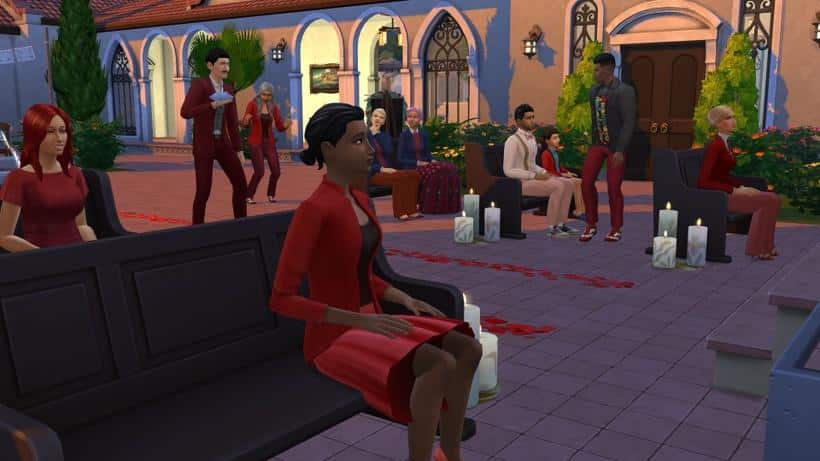
I ordered my Sims to Please Take their Seats. They listened for a brief few seconds and started getting involved in their own conversations.
Everyone came to their Everyday Outfits. I at least had control over my Brides to change into Formalwear.
In the end, Sims started switching seats and even started standing up autonomously.
Okay, I guess it’s not that bad. At least 80% of my guests were at least seated properly.
As the wedding continued, Sims started moving their conversations next to the Wedding Arch. I guess the hot gossip between Brent and Dominique was so important that it had to interrupt the entire wedding.
The interactions to send down my assigned Flower Pal and Ring Bearer didn’t work, as those Sims were already so busy having conversations and not paying attention.
The officiant? He never arrived at the Wedding Arch. Instead I had Brent and Dominique’s hot gossip to officiate my couple’s wedding.
Hooray – my Sims are finally married!
I was at least able to do the most important part of the Wedding successfully. How about we celebrate by cutting the cake?
Unfortunately that’s not possible. No matter how many times I would reset my Sims they weren’t able to perform the interaction.
And the guests? They were still heavily involved discussing important things back there. Even after ordering them all to participate in a Toast.
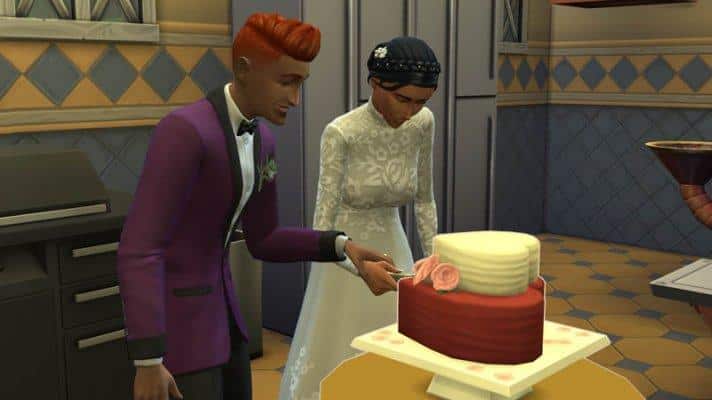
My Sims were at least able to exchange pieces of Cake together.
The Wedding Cake being cut into triggered all of my guests to Grab a Slice and eat. This autonomous decision to eat cake worked, but specifically ordering them to gather by the wedding cake to Have Speeches didn’t.
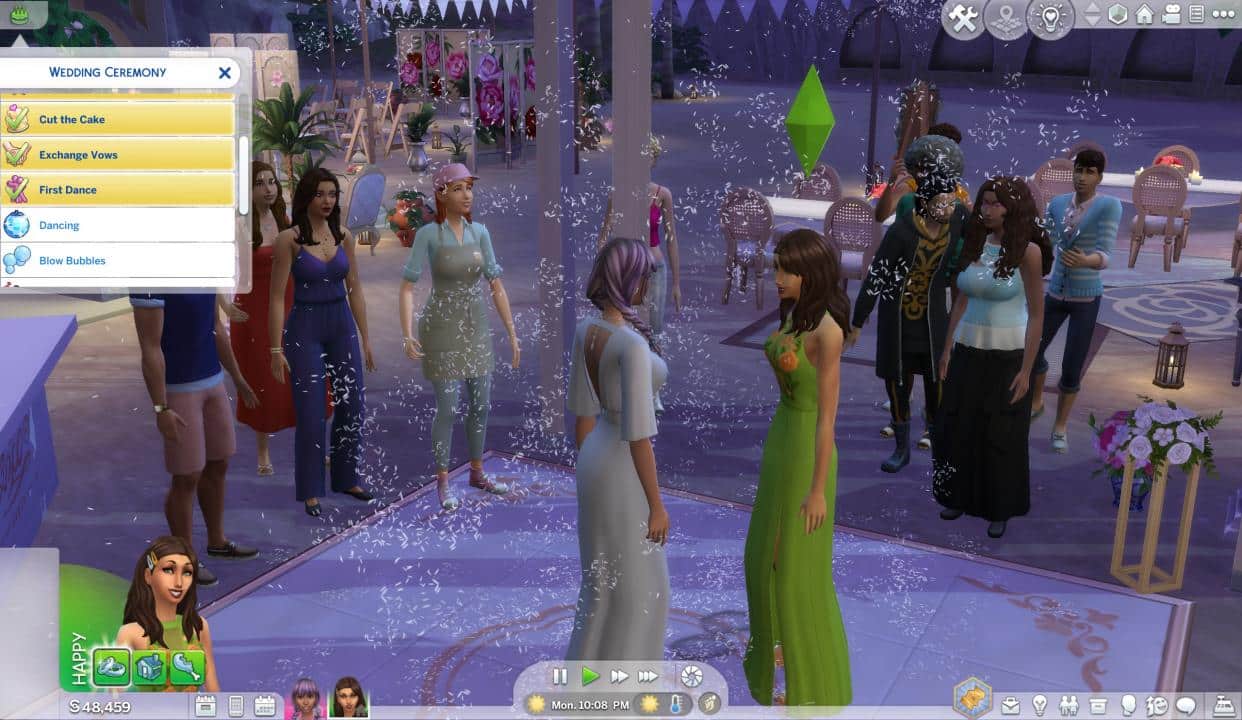
It was already dark, somewhere around 9PM in-game. My Sims were able to successfully slow dance to misbehaving guests in the background.
The command that orders guests to Throw Rice at my Sim surprisingly worked and each guest followed the command properly. I was surprised to see them listening to my orders for the first time in a while!
I tried to celebrate this euphoric moment with a Spousal Kiss. That too didn’t work unfortunately.
Ordering Sims to celebrate by dancing together was met with plenty of interaction loopholes. Instead, I was successfully able to group 8 Sims together and have them dance.
It’s almost 3AM in-game. The so-called Wedding Ceremony has turned into an episode of Survivor. If there was any justice during this Wedding Ceremony it’s that Dominique who couldn’t stop interrupting my wedding wet herself in the end in front of everyone.
This is the main aspect of The Sims 4 My Wedding Stories and unfortunately it’s severely mismanaged and broken.
Truth be told, this Game Pack shouldn’t have been released in this state where most of the main activities and gameplay features don’t work properly.
Originally I had planned to feature some of the responses from my tweet asking about which Bugs and Issues players have experienced. In the end, the number of hundreds of replies to this Tweet is a decent indicator about the experiences of other players. You can look through similar experiences that people went through in the replies below:
What issues / bugs are you experiencing in #TheSims4 My Wedding Stories Game Pack? Replies under this tweet might get featured in our upcoming article.
All you need to know about the new Collection coming with The Sims 4 My Wedding Stories. Spoiler alert: there are spoilers (obviously)
The Sims 4 My Wedding Stories comes with one new collection that can only be acquired in the new world of Tartosa; Messages in a Bottle. Sims can find messages in bottles by digging up small mounds of sand that appear along the beaches in Tartosa. There are a total of 20 messages in bottles to collect and they vary in colour, shape, and size. Each bottle contains a unique message inside. Lore fanatics will enjoy reading all the messages; many of the messages reveal new info about some existing Sims in the game and make references to many classic Sims from past games as well.
All bottles have an Uncommon rarity and are worth $0 so there’s no point in collecting them to sell; they are best used as decoration for your home or personal museum collection.
Here are all the bottles below, along with their messages. The messages might be considered spoilers to some players so proceed with caution!
The Sims 4 My Wedding Stories offers many different types and styles of weddings and pre-wedding celebrations for your Sims. If your Sims aren’t interested in a lot of fuss and planning surrounding their special day, or if the stress of planning a big elaborate wedding has gotten the best of them and they don’t want to deal with it anymore, they can elope at City Hall!
How to Get Married at City Hall
City Hall is located in the Porto Luminoso neighbourhood of Tartosa. It’s the tall narrow building facing away from the beach. It’s open between 9am-6pm so if your Sims want to pay a visit, it will have to be between those hours.
Engaged Sims can go to City Hall for a quick, no hassle wedding ceremony. Click on City Hall between 9am and 6pm with an engaged Sim and select “Get Married to (Sim Name).” Your engaged Sims will then make their way to the building and disappear inside it to have their wedding ceremony.
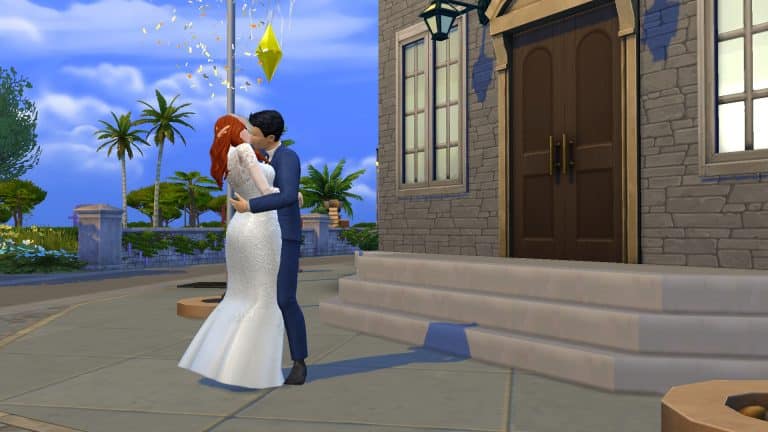
The process is pretty much the same as just eloping on the spot, except going to City Hall feels a little more official. The Sims will be inside City Hall for a short period of time, then exit the building together and share their first kiss as a married couple. There is a cute little special effect of doves flying around the couple for a moment as well as confetti falling from the sky.
And that’s it! Your Sims are legally married! While it might not be the fanciest way to tie the knot, we love that this option is available in My Wedding Stories. Getting married at City Hall versus just eloping on the spot like we’ve always been able to do is just the right balance of official and easy. A City Hall wedding feels a little more special than just saying “I do” in your bathroom in your underwear but it still skips all the hassle of wedding planning.
If your Sims don’t want to bother with the stress of picking out a wedding venue, selecting a cake, choosing the right flowers, assigning different wedding roles to all their family and friends and throwing elaborate parties leading up to the big day, try a City Hall wedding!
The Sims 4 My Wedding Stories Game Pack has just began rolling out on the official platforms!
The Game Pack, retailed at $19.99USD (or a price equivalent to your local currency) is currently being rolled out on official online stores. Those include Origin, Steam, Playstation and Microsoft Stores.
The pack is released worldwide!
Down below is the list of online retail stores where you can get the pack:
The Sims Team has released a brand new update for The Sims 4 on PC, Mac, Xbox One and PS4!
To download the latest version of The Sims 4, simply open your Origin program and if the game doesn’t update automatically, right click on The Sims 4 and select ”Update”.
In case you have Mods or Custom Content, the game will automatically disable them for you after first launching The Sims 4 after the update. To re-enable all your Mods and Custom Content, select the Settings option in the Menu and select Settings. Under the ”Other” section you’ll find the ”Enable Custom Content and Mods” option. Check it and restart your game in order for it to take effect!
Patch Notes? No.
This time around it’s been confirmed that there won’t be any new Patch Notes for The Sims 4.
As confirmed by EA_Cade on The Sims Forums, the latest Update for the game includes “behind the scenes fixes”.
The only thing that we could’ve noticed that’s new with the latest update is that the Wedding Venue “optional objects” list now shows a complete list of objects.
We did judge the Update too fast though, as it appears that if you play through The Sims 4 Base Game you’re *not* able to plan a Wedding at the Wedding Venue. Still.
It appears Wedding Venues have been fixed, showing a complete list of optional objects for the venue type! pic.twitter.com/OJxv5ZYEEQ
We did playtest this issue and it appears that you can plan a Wedding at the Wedding Venue only if you have the new My Wedding Stories Game Pack installed…
Oh, they also now have a proper localized cover for My Wedding Stories in Russia!
In case things go wrong in the release week, Carl will have you covered!
ARTICLE UPDATE: Now that The Sims 4 My Wedding Stories Game Pack is out, Carl was able to see if there are any changes within the game. Suffice to say that his Mod will still be a welcome addition if you want your Sims to listen to you when giving them certain Wedding activities.
The mod included lets you prioritize Wedding interactions. More below:
Right now Sims get stuck in conversation and will not do as they are told. Gathering for toasts does nothing for me. Even if I can get Sims to gather around, the others are busy doing other things and not paying attention.
This mod fixes this by forcibly telling the Sims what to do. It compels them to gather for toasts or around the dance floor for first dance. It cancels things that get in the way, making them respond quickly to your commands and cuts down chatter before the wedding.
This is about all this pack needed to improve the flow of weddings, though they are still fairly shallow events on their own. I have not reviewed the pack in its final state, but if you jump in for the world you may enjoy having this to help the Sims do as they’re told.
I have tried to make this as compatible as I can. It only uses 2 xml files from the pack and does everything else through scripting. Other modders will make neat wedding features and fixes and I want the majority to be compatible. Please download both files and ENSURE SCRIPT MODS are turned on in game settings > other.
Mod downloads are on the bottom of the Patreon linked below – free access for everyone.
A couple of weeks ago we created our first article on Carl’s Gameplay Overhaul Mod for The Sims 4. The mod is a complete package, including difficulty settings, fixes for Dine Out and even Burglars! There will be more on the Gameplay Overhaul in the coming days in case you’ve been wondering.
However, the latest Early Access software for The Sims 4 My Wedding Stories Game Pack had everyone wondering if there would be any issues for the Pack on the release date. Although the EA themselves have stated that the Early Access version we all got a chance to play with is “Not Final Software” – many players in the community have remained skeptical if Weddings would be fully functional in the time of release.
Let’s be honest – the current version of My Wedding Stories that we’ve received is not very stabile. It takes hours to control the guests and make them do the Activities that you’ve selected. Weddings are difficult to plan as the required Sims including Ring Bearer, Officiant and other Sims are difficult to assign. I’ve had an issue not letting me assign Sims with those roles at all, which is why I personally couldn’t cover the entire Wedding Ceremony on video.
In his latest video Carl has shared what he’s been working on during his hands-on time with My Wedding Stories Early Access.
To ensure Sims are all properly listening to the player at the Wedding, he’s made loads of tweaks in Sim behavior and crowd movement during the Wedding ceremony. All of this allowing you to perform the Wedding Activities that you’ve set for your big day much faster!
With the modfiications all Sims are properly behaving during the vow exchange!
Worried that your Sims will go astray as you’re performing a toast? The modification will also make sure your Sims are attentive during Toasts.
The entire Mod gives Sims a streamlined focus on Wedding Activities that they should be performing normally.
In case things go the other way after the full, official release of The Sims 4 My Wedding Stories, you should expect a fix from Carl to drop soon afterwards.
We’ll keep you posted on all things My Wedding Stories. Stick around!
The recent SDX drop dumped two new scenarios in our laps, just in time for the release of My Wedding Stories; Honeymooners and Engaged in Conflict. Both of these scenarios are relationship-focused and are permanent scenarios! There’s no need to start them before a specific date; they are here to stay in our games forever!
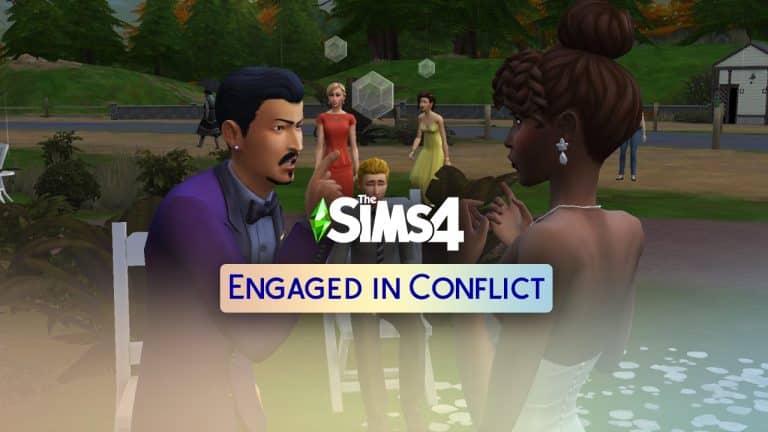
Here’s how our Engaged in Conflict scenario playthrough went!
Starting the Scenario
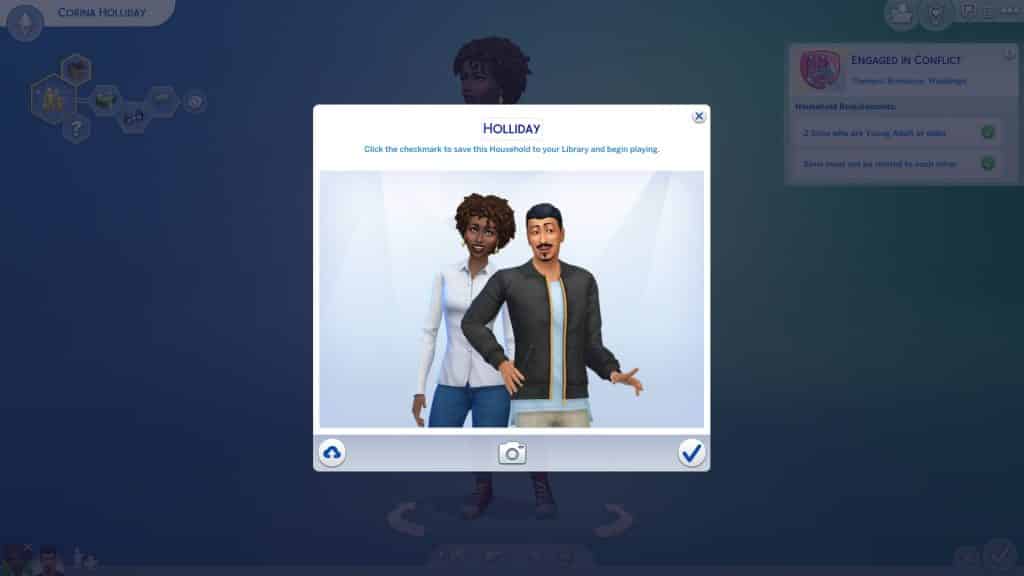
As usual, we selected the New Scenario option on the main menu and selected the Engaged in Conflict scenario to see all of the info on it. The description states that both Sims involved in the scenario will start out engaged to each other but with low friendship and a negative sentiment towards each other following a big fight. The household requirements are:
2 Young Adult or older Sims
Sims must not be related to each other
There are four potential outcomes for this scenario. In other words, four different ways to complete the scenario. You only have to satisfy one of the goals to finish the scenario, not all four.
Sims get married and have no negative Sentiments towards each other
Sims get married but have unresolved negative Sentiments towards each other
Sims break up before the wedding
Sims break up during the wedding
These outcomes all sounded pretty fun to us, especially the last one!
An Awkward Welcome
We just went with the first two random Sims the game spit out at us and moved them into one of the default starter lots in Willow Creek. We knew we could have easily completed this scenario instantly by having our engaged Sims break up on the spot but we wanted to play around with this one a little bit more. With so much potential for drama, it’d be a shame not to take advantage of it.
Our engaged Sims started out not very happy with each other as the description warned. They also started with a handful of low-level skills which the description didn’t mention. We decided breaking up during the wedding was the most fun of the four options so we got started on that.
Of course, breaking up at your wedding isn’t all that dramatic without wedding guests to witness the scandalous event. Our unhappily engaged couple needed some friends to witness the fall of their relationship. We waited for the welcome wagon to show up and had our Sim introduce themselves to the BFF household, who lived across the street. Then we largely left them alone to socialize on their own.
It must have been a very awkward welcome for poor Liberty, Summer, and Travis, because our arguing Sims retreated into the bathroom shortly after they arrived to fight with each other. When they finally emerged, they brought the arguing with them. And our groom-to-be went outside to kick over the trash can in a rage. Needless to say, the neighbours left quickly after that…
I Don’t
Now that our Sims knew some people to invite to their wedding, we got them all dressed up in their finest formalwear and sent them to the park to tie the knot… or not. We made some minor edits to the park lot to add a wedding arch, some flower petals on the ground, and a few chairs for their three wedding guests to sit down. Then we threw a wedding social event and invited Liberty, Summer, and Travis.
We’re kind of amazed the BFFs even showed up to the wedding at all after such a strained first meeting but hey, maybe they felt bad for the couple and decided to show up out of pity. After all, who else would want to spend an entire day with them arguing like that? The bride attempted to thank them all for coming, anyway. It seemed she was willing to go through with the wedding, if only out of social obligation. She was still fuming about their recent fight.
Her groom, however, was not so willing to go through with a wedding he would likely regret later. During their vows, we clicked on his bride and instructed him to call off the wedding, which he did in pretty cruel fashion! He shouted obscenities at her, pointed his finger in her face, threw his wedding ring on the ground and stomped on it! Yikes! You could have let her down a little easier, dude, but okay… Talk about adding insult to injury. As if the fates intended it, it started to rain at that exact moment. Brutal.
Of course, the whole moment wasn’t quite as dramatic as we’d planned because the only Sim to actually sit down to witness the event was Travis… who did not react at all to the bride getting dumped at the altar. He stared blankly ahead with a dopey grin on his face the entire time. That didn’t stop our bride from reeling, though. She slapped the groom in retaliation and got the Furious About a Called Off Wedding sentiment towards him.
And this completed the scenario for us in 9 Sim-hours!
Our Thoughts
This is another scenario where it can be as quick or as drawn out as you want. Even though you could instantly finish the scenario by breaking up on the spot, you could also spin the situation into a big dramatic story with lots of twists and turns. We gave you a small taste of some of the drama that can be stirred up with this one but you could definitely take things even further and add angry relatives into the mix or jealous friends.
We played this scenario without My Wedding Stories installed to give you an idea of how this scenario might play out without the pack, but players will no doubt have many more ways to play this one when they get My Wedding Stories. Just think of all the nasty fights and scandals that could erupt at the various events leading up to the wedding!
We loved this scenario and thought it was a lot of fun. We liked all the different outcomes for it; it has a lot of replayability thanks to all the different ways you could complete it.
The tables have turned in terms of Sims sales over on Origin. The platform has just published their latest Fabulous February Sale featuring some of EA’s biggest franchises, including The Sims.
The Sims 4 Base Game is 88% off at only 5USD. That is also the only Sims 4 Game that’s on sale right now!
The other Sims Games are The Sims 3 Games included in this sale, featuring every Expansion Pack, Stuff Pack and World offered on Origin. Let’s break down the offers:
The Sims 3 Expansion Packs (75% off in US, 50% off in other territories)
The Sims 3 Stuff Packs (50% off)
The Sims 3 Worlds (50% off)
If you don’t have The Sims 3 you’ll be needing The Sims 3 Starter Pack (which includes High-End Loft Stuff and Late Night EP) in order to play with the rest of the discounted content.
The latest sale is active right now and will last until March 1st, 2022 at 10AM Pacific Time. Make sure you take advantage of these offers before it’s too late!
Presented by EA Creator Network – Software Not Final
The Sims 4 My Wedding Stories adds a total of seven new wedding and marriage-related social events. Engaged Sims can host engagement dinners, rehearsal dinners, bach parties, and family gatherings before their big day. Wedding ceremonies and receptions can be planned as separate social events instead of being lumped together. Vow renewals for married Sims are a social event now instead of just being an interaction on the wedding arch.
Of course, all the planning and pre-celebrations lead up to the big day itself; the Wedding Ceremony. Here’s everything you need to know about hosting a Wedding Ceremony.
Planning the Event
There are three ways Sims can plan a Wedding Ceremony; through the phone, the calendar, and as a social interaction on their engaged partner. Planning a Wedding Ceremony through the phone or as a social interaction will start the event immediately. Using the calendar to plan the event will allow you to schedule the ceremony for a specific date and time in the future. On the phone, select Plan Wedding Event in the social tab and select the Wedding Ceremony. You can also click on your Sim’s engaged partner and select Plan Wedding Event. On the calendar, select the day you’d like to plan the event for. Scroll down in the left sidebar and select Add a Wedding Event then select the Wedding Ceremony.
Invite Sims
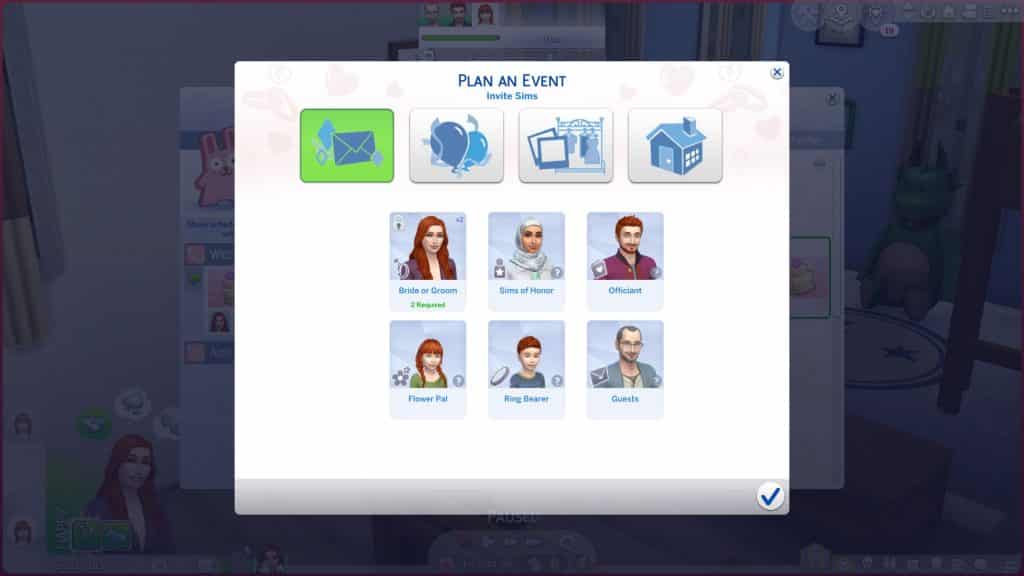
The Invite Sims tab has a large number of roles to fill for this event; two engaged Sims (of course), a Sim of Honour, A Flower Pal, A Ring Bearer, Officiant, and Guests. Only the engaged Sims and at least 1 guest are required. The other roles are optional. You can assign all the special wedding roles directly through the menu but you can also ask the Sims in person if they would like to fill these roles. The Sims may say yes or no depending on their relationship with your Sim. If you want friends and family of both engaged Sims to attend the ceremony, make sure the Sim planning the event knows all of their betrothed’s friends and family, too. Otherwise, they won’t show up in the invite list.
Plan Activities
The next tab will let you select the activities you’d like to have at your Wedding Ceremony. All wedding events have customizable activities so you can tailor all of your wedding celebrations to your Sims’ preferences and cultures.
The available activities to choose from for Wedding Ceremonies are:
Cut Cake
Dancing
Celebration Feast
Walk Down the Aisle
Blow Bubbles
Throw Rice
First Dance
Spousal Kiss
Drinks
Have Speeches
Tea
Exchange Vows
Have Toasts
The activities you select are purely up to your own tastes and preferences. Choose all of them, only one of them, or an assortment somewhere in-between. The list of available activities for Wedding Ceremonies also allows you to combine the reception with the ceremony if you don’t want to throw two separate events. This actually might be the more ideal option because you can’t schedule two wedding events on the same day which struck us as odd. Having a wedding reception on a different day than the ceremony is not typical in many cultures; the reception is usually held a few hours after the ceremony later in the evening. We got around this by scheduling the Ceremony event late on Saturday and then scheduling the Reception event at 12am on Sunday so the ceremony led directly to the reception.
Select Style
This tab is unique to planning Wedding Ceremony events. In this tab, you can select the style of your wedding. You can select the outfits for the engaged couple here. You can also dictate whether the guests must wear a specific colour to the wedding or whether they should show up in their own formalwear. This tab also displays a preview of the wedding cake you’ve selected for the wedding.
Outfits for your engaged couple can be set within this menu but your Sims can also select their wedding attire by browsing the interactive boutique shell located in downtown Tartosa. The cake must be selected through gameplay; you cannot pick your cake in this menu. It just displays a preview of your cake once you’ve selected it. Cake samples can be tasted at the Patisserie Stand in downtown Tartosa but the wedding cake itself will have to be ordered through the computer or baked at home with the Gourmet Cooking skill. Toppers can be purchased and inscribed for the cake by clicking on the cake as well.
There seemed to be a lot of issues with planning things in this tab for us. The engaged couple’s wedding attire would not show up here even after we made our selections in CAS. The wedding cake preview would not show up, either, even after confirming the cake as our wedding cake.
Select a Place
You can select the location and time of your event on this screen. Wedding Ceremonies have a limited number of lot types they can be hosted on. The following are all the lot types that showed up as being available for us in the venue list:
Residential (Engaged Couple’s Residence)
Park
Beach
Wedding Venue
We did place a restaurant and spa down in our world just to see if they would be available venues for this event but they did not appear in the list of venues.
Hosting the Event
Before we get into how things went for us at this Wedding Ceremony, we need to stress again that this is not the final software. Which is a very good thing because both the Wedding Ceremony and the Wedding Reception were completely unplayable from start to finish. We were not even able to complete over half of the activities we selected and Sims for the most part were not responsive to any of the commands they were given. Again, this is not the final software but we do have to be honest and admit that it was extremely difficult for us to even cover these events at all because they were not functional on even the most basic level.
If you planned the event using the phone or social interaction, the event will start immediately. If you planned the event through the calendar, you will receive a notification one hour before the event starts to remind you about it. If there’s any setting up that needs to be done beforehand, it’s a good idea to head to the venue an hour early to do any prep work, like filling buffet tables, drink fountains, and adding any objects needed for the activities you chose. Remember to purchase a wedding bouquet from the flower cart in downtown Tartosa beforehand if you would like your Sims to have one at the Wedding Ceremony!
TS4 x64 2022 02 18 15 30 23
TS4 x64 2022 02 18 15 30 26
When the event starts, you will be prompted to travel to the venue you picked if your Sims are not already there and any Sims you invited will show up. During our Wedding Ceremony, other Sims still showed up on the lot and crashed the wedding. While they didn’t necessarily interfere with the wedding itself, it’s still weird to show up to a stranger’s wedding. We hosted our Wedding Ceremony on a Wedding Venue lot so this seems like odd behaviour for a lot designed specifically for hosting weddings. Also, our engaged couple did not show up in the attire we set for them previously. We still had to manually change them into their wedding attire.
TS4 x64 2022 02 18 15 31 41
TS4 x64 2022 02 18 15 32 08
You’ll see the typical social event goal tracker pop up in the top left corner but it works a little differently than other social events. There is no bronze, silver, and gold progress bar listed at the top and no main goal to complete; the success of the social event just depends on whether or not you are able to complete all of the activities you selected for the event.
You may want to spend some time familiarizing yourself with all the options and planning out the specific order you would like to have things happen in. There are a lot of wedding-specific options here and you will have to micro-manage every single aspect of the ceremony, right down to when your Sim should hold the bouquet and when they should put it away. For the ceremony itself, most of the commands you will need will be on the arch or the aisle.
02 18 22 3 35 48 PM
02 18 22 3 36 37 PM
02 18 22 3 34 54 PM
The following is how a typical ceremony might go when the features actually work properly…
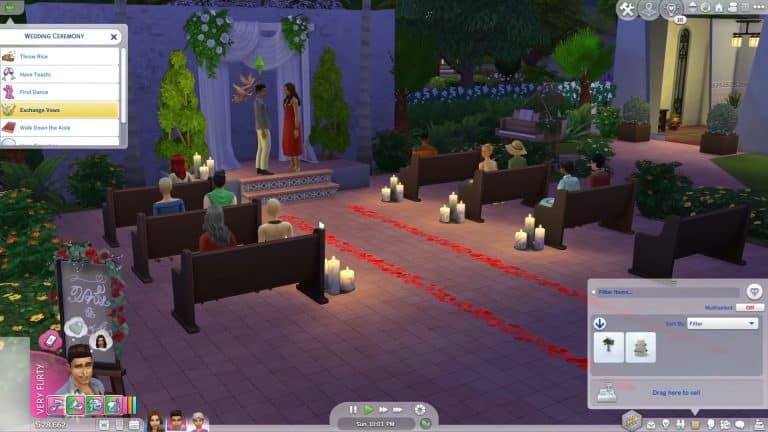
Click the arch and select Ceremony Activities > Gather at the Aisle
When all Sims are near the aisle, click the arch, aisle, or any of the seats available and select Ceremony Activities > Please Take Your Seats
When all Sims are seated, click the aisle and begin sending Sims down the aisle in your preferred order. Send Down/Walk Down will send the Sims towards the arch. Send Up/Walk Up sends them away from the arch. If you built the wedding lot yourself, make sure the hearts on the aisle in Build/Buy are closest to the arch.
If you would like your Sim to hold a bouquet when walking down the aisle, remember to click the bouquet in their inventory and select Hold Bouquet before sending them down the aisle. Click the Sim again to have them put the bouquet away.
When all Sims have made their way down the aisle in your preferred order, click the arch and select Exchange Vows. You can choose to exchange vows with or without a kiss and with or without an Officiant present.
After the Sims are married, click the arch and select Ceremony Activities > Gather for the Recessional and send Sims back up the aisle in your preferred order.
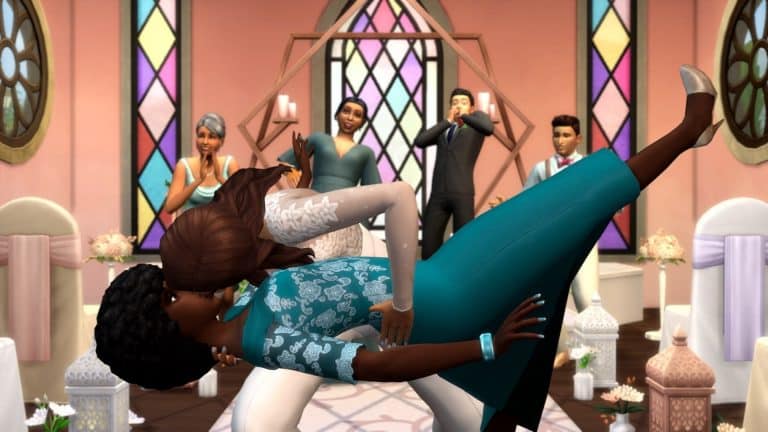
That is not at all what happened at our ceremony. What actually happened was guests were so engrossed in conversation with each other, they would not take their seats when told. We had to reset all the Sims so that they wouldn’t be talking to each other when we told them to sit. Only then did they take their seats. None of the guests with special roles would walk the aisle after being told to take their seats. We had to, again, reset them first. The bride would not walk down the aisle if she was holding a bouquet. She also would not walk down the aisle with her father. Eventually, we gave up on even trying to finish the processional and just had our bride and groom exchange vows and kiss with the Officiant… except the Officiant left the ceremony to go dance by himself outside. We had to give up on that, too and just had the couple exchange vows with a kiss. That didn’t work properly, either. They got stuck in a long loop of just putting the rings on each other over and over again and did not even kiss when they finally finished their vows. The groom also kept turning to chat with his friend during his vows. We had to manually make them share a Spousal Kiss which they walked away from the arch to do. Then they bonked heads. This would have been cute had the ceremony gone to plan but as it was, it just felt like the rotten cherry on top of a melted sundae.
With all of the complications and problems we experienced trying to get this ceremony off the ground, we ran far past the six hours that the other events ended at. Luckily, the event did not end after six hours so it does seem that wedding events will not end before all activities have been completed; however, if all activities are completed quickly, the event will still run for six hours.
While throwing a Wedding Ceremony is not technically required of engaged Sims; they could just elope on the spot or get married at City Hall in Tartosa, it’s still a shame that the big highlight of the entire game pack is not functional at all. Since we were not playing with the final software, we hope these bugs will be cleaned up in time for the big day when everyone gets the opportunity to play. It shows a lot of promise but unfortunately needs a lot of work.