Home Blog Page 191

The Sims 4 adds 6 New Hair Colors & Ombre Combinations

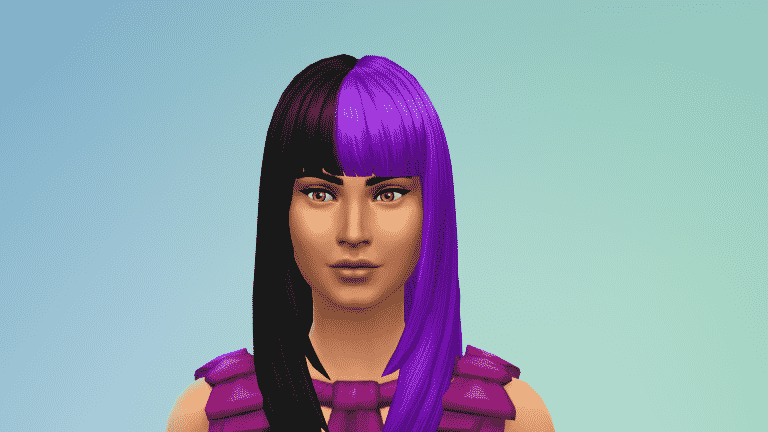
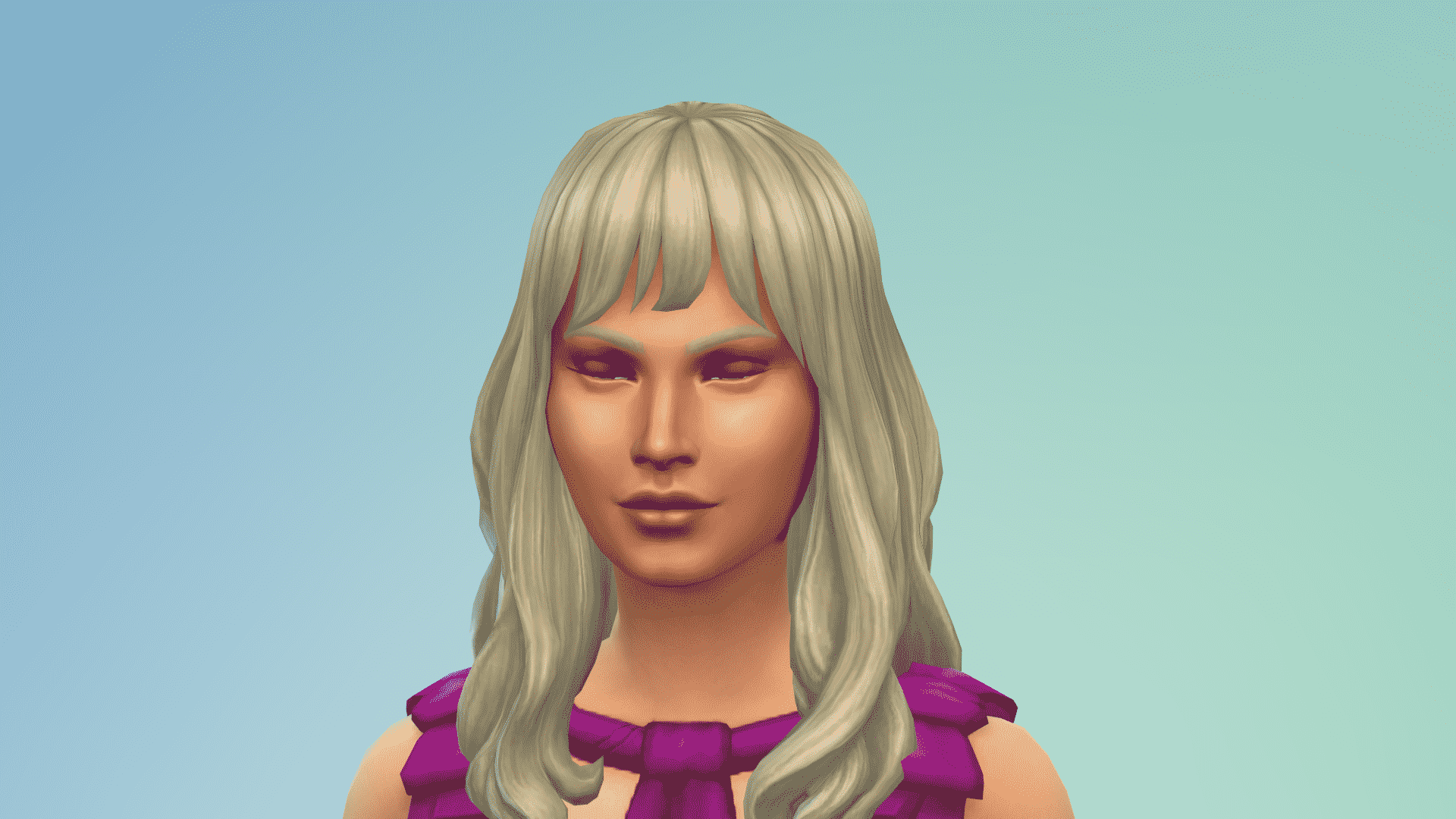
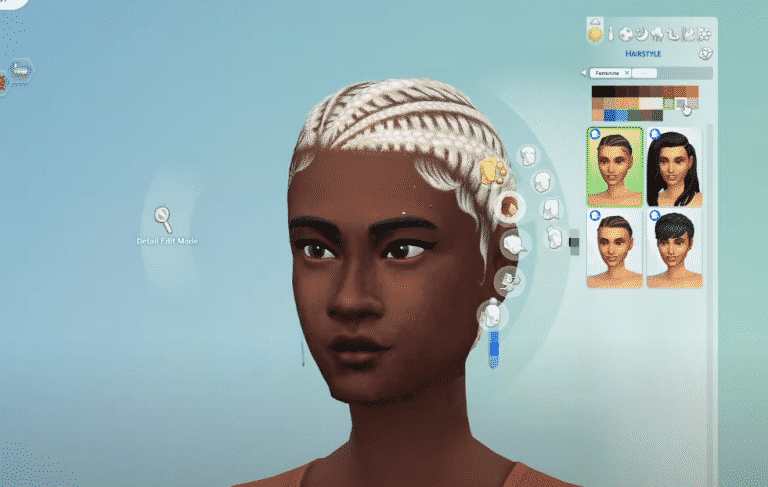
The latest update for The Sims 4 has added a lot of cool new things in Create A Sim – including six new Hair Colors for you to choose!

That’s right – every single piece of hairstyle, from Toddlers to Elders have been updated with new colors, including the hairstyles that we’ve gotten through various Packs.

Now the new User Interface for Hair Colors looks a lot bigger, plus all of the hairstyle variant thumbnails have been updated to True Black hair color – which is one of the six new colors added in:

The Sims 4 adds 6 New Hair Colors & Ombre Combinations

Wondering which hair colors have been added? Let’s quickly take a look! There are three new shades of blonde added, two shades of brown and a true black color which is…well…trully black without any blue undertones that the previous black color had.

However, that’s not all! Hairstyles that include ombres and colorful gradients have also been updated. Beside the base of the scalp which should give you the new hair color that you’ve selected there are also new variants included – depending on the ombre hairstyle that you’ve selected!

What are your thoughts on the new hair colors? Let us know in the comments!

The Sims 4 PC & Console: NEW UPDATE + Patch Notes! (May 27th, 2021)

The Sims 4 PC & Console: NEW UPDATE + Patch Notes! (May 27th, 2021)

The Sims Team has released a brand new update for The Sims 4 on PC, Mac, Xbox One and PS4!

To download the latest version of The Sims 4, simply open your Origin program and if the game doesn’t update automatically, right click on The Sims 4 and select ”Update”.

In case you have Mods or Custom Content, the game will automatically disable them for you after first launching The Sims 4 after the update. To re-enable all your Mods and Custom Content, select the Settings option in the Menu and select Settings. Under the ”Other” section you’ll find the ”Enable Custom Content and Mods” option. Check it and restart your game in order for it to take effect!

Patch Notes

PC: 1.75.125.1030 / Mac: 1.75.125.1230
Console: Version 1.42

Hello Simmers!

We hope you are all well wherever you are in the World! We have had quite an exciting week with the start of the Summer of Sims and with that, we have an exciting new Game Update for you today, with something new, something known, and something with an… interesting update.

We hope that you enjoy it and thanks again for your continued support and feedback!

Happy Simming!

-SimGuruRusskii, SimGuruJill, and SimGuruPJ

What’s New?

Additional Bunk Bed Placement Options

You’ve played with Bunk Beds. But now you can play with them more! More objects can now be slotted underneath a Top Bunk: Double Beds, Dressers, Desks, Living Chairs, or Loveseats – all fit comfortably and function as you would expect. Also, you can change things up by slotting some of these perpendicular to the Top Bunk. Dressers, Desks, and Single Beds can be oriented in two ways! Whether saving space or giving three Sims a place to sleep, the bunk bed is more versatile than ever.

Likes and Dislikes

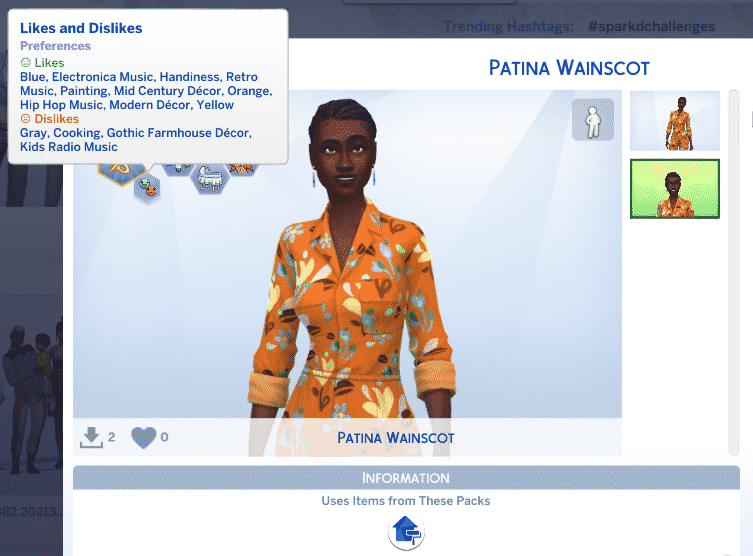
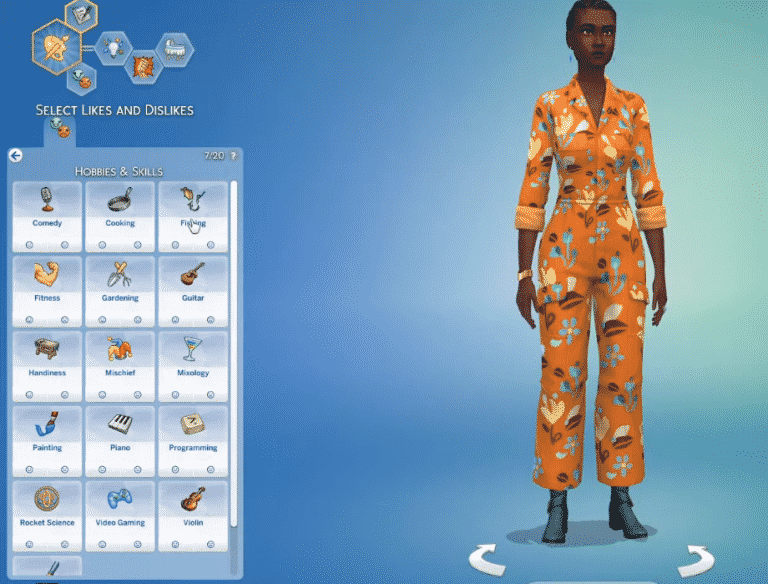
Sims can now have Likes and Dislikes! For our first sweep of Like and Dislike categories added to Base Game, you can now define whether your Sims Like (or Dislike) various Colors, Music Genres, or Activities in Create a Sim near the Traits Molecule.
0xcuuxce1p6f.png

Any Sim, child and older can now have up to 20 Likes and/or Dislikes that can be dispersed individually across the different categories. Does your Sim like Blues Music but Dislikes Playing Guitar? Does your Sim like literally every color except for orange? Their unique tastes and where you want to focus those preferences are up to you! And it’s ok parents, you can admit it if you don’t like Kids Radio.

See your Sims’s individual Likes and Dislikes in the Sim Info Panel in Live Mode. These Likes and Dislikes will manifest themselves in various subtle ways during Gameplay.

Unless directed to do so, Sims will tend to avoid – or do the bare minimum of – Activities they Dislike. For instance, Sims who dislike Cooking will only grab Quick Meals and Sims who dislike Video Gaming won’t generally play games on their phone. Being directed to do Activities they dislike will give Sims negative tense debuffs and may unlock contextual interactions to complain about the Activity to other Sims. On the other hand, Sims will generally want to autonomously do Activities they Like and will similarly get an added mood boost from doing these things. Listening to Music a Sim Likes or Dislikes will give them positive or negative buffs and may eventually lead to them performing what I like to call “The Frowny Dance”.

Since Likes and Dislikes were designed with the intention of being a fluid part of your Sims’ personalities, Sims can also encounter Like and Dislike discovery moments through gameplay. If they’re doing an activity and happen to be in a particular mood, you’ll receive a prompt asking if you’d like to add this activity to their list of Liked or Disliked things.

Don’t be shy though! These preferences aren’t set in stone. You can change out your Sims’ Likes and Dislikes at any time when you return to Create a Sim.

Find out other NPC’s Likes or Dislikes by using new social interactions to Ask About Favorite Color, Ask about taste in Music, or Ask about Hobbies.

New Hair Colors!

As you probably noticed in a previous Sims 411 <giggles nervously>, we have added in Create a Sim six new hair colors to further customize your Sims. I can probably talk about it and give you the names, but I’d rather show you!

7t2ne3o1ji19.png
7y1dgiyi3viv.png

I’m resisting the urge of dying my hair dark again… don’t tell my stylist!

Now onto the fixes…

Bug Fixes

Consoles

  • We fixed an issue for both Xbox and PlayStation that made Turning Off the Dust System introduced in Bust the Dust problematic and could cause Games to Freeze.

Sims 4

  • We fixed an issue that didn’t allow for all Sims in Careers and those in School to go to Work/School during any time off or Holidays, except for Vacation. Because if you are on Vacation, you are on Vacation. Don’t be like me, I work on Vacation.
  • I have heard of making nervous purchases but never about nervous cooking… Sims however will no longer endlessly autonomously cook food and then forget about it. Food is a terrible thing to waste.
  • If you were worried about leftover food from excessive cooking… and the fact that Sims were not eating it, even when they were actually Hungry. Fear not, now Sims will autonomously Eat Leftovers when they are Hungry. No food waste here!
  • We have fixed an issue that made Babies’ Skin Tones not match in different parts of Gameplay, like Interaction queues.
  • Did your Sim want to Leave Work Early, but couldn’t? We all have been there sometimes, now your Sims can do so though!
  • Cleaning up after Toddlers can be overwhelming, but at least normally you know where the things to clean come from at the time it happens, right? Now when you see a mess on the floor from fruits and vegetables from Sims resetting when toddlers eat them around them? Now that is unfair. No worries, now that won’t happen… we hope.
  • Are you Sad Sim? Are you Sad, really Sad? Traveling across all Worlds, you shouldn’t be… Sad, and without a Moodlet. Sad around the Worlds… you shouldn’t be.
    • Sims that were Sad all the time without a Moodlet to tell you why? It should no longer occur.
  • As always this Editor and the Localization Team have tweaked and improved some of the Text and Translations across all Packs.
  • We have put a stop to Error Codes: 102:eb3376f3:a777e5d8 and 109:812fe7cb:f1565180 that appeared for some Simmers. We hope it is not the second coming of the Error Code saga… well, I hope so anyway.

Get to Work

  • Fixed a visual issue with Create a Sim assets ymHair_EP01LongWavySwept and yfHair_EP01LongWavySwept that made seam lines appear when they were applied to opposite Frames.

Realm of Magic

  • Spellcaster Sims will no longer get reset when Brewing Potions gets canceled and then Resumed.

Journey to Batuu

  • The Grand Entrance Cantina Door has been made available in Build Mode again in the Tall Door sort.

Backyard

  • Fixed a visual issue with Create a Sim Top yfTop_SP08TeeBoatNeck that made it seem like it had some weird shadowing – not foreshadowing, we hope – or weird coloring on the knotted hem.

Tiny Living

  • We have added the Relax interaction for Loveseats that are part of Murphy Beds. So Relax… but can you? On a Murphy Bed? <winky face ;)>

Nifty Knitting

  • Neither Snow nor Rain nor sunny days nor Vlad in the gloom of night shall stay these items from Ship on Plopsy. Sims are now able to Ship all their masterpieces to swift completion on Plopsy.
    • While we were working on the shipping service in Plopsy, we also fixed an issue that made the option of Ship on Plopsy display twice… I guess, if one failed, the other worked? Better safe than sorry!

Paranormal

  • We fixed a visual issue caused by Create a Sim asset yfTop_SP18BlouseCrop_SolidOrange that made yfShoes_SP18MaryJanes_Black look a bit streaky… not chic. Similarly, it also created an issue with yfBottom_GP08SkirtLayered from Realm of Magic… coincidence? Only the Paranormal know.

Bust the Dust

  • The Clean Surroundings Moodlet’s power was way over 9000! So it was really hard to have Sims go through other Moods, so to speak. While cleaning can be… a choice, we needed to balance things around here.

The Sims 4 Likes and Dislikes Update: New Preview

3

SimGuruNinja has shared a brand new preview of the upcoming free update from The Sims 4!

In case you haven’t heard, The Sims 4 is getting the Likes and Dislikes Preferences in Create A Sim which will let you choose your Sim’s favorite (and least favorite) Music, Colors and Hobbies / Interests.

In the new preview down below you can see the showcase of what the Likes and Dislikes look like for Sims who have been saved to the library and shared to The Gallery. The categories down below also include Decor Preferences which are coming with The Sims 4 Dream Home Decorator Game Pack.

The Sims 4 Likes and Dislikes Update: New Preview

There’s only a few moments before the release of this brand new update so stay tuned!

The Sims 4 Dream Home Decorator: TV Channel Clips

In last night’s official livestream The Sims Team has showcased a brand new TV Channel that comes with The Sims 4 Dream Home Decorator Game Pack.

Check out interesting TV custcenes and moments from this TV Channel in the video above!

The Sims 4 Dream Home Decorator: SimGuru Q&A

After yesterday’s official livestream for The Sims 4 Dream Home Decorator Game Pack SimGurus have went on Twitter to answer some of the questions from the community.

Down below we’ve gathered all the important replies and information that’s been shared from the Q&A sessions, and will be updating the article with new info as they surface.

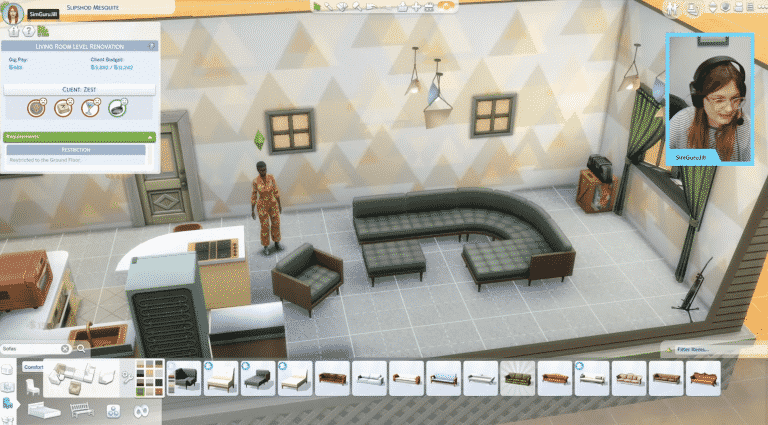
Sectional Sofas are currently exclusive to The Sims 4 Dream Home Decorator

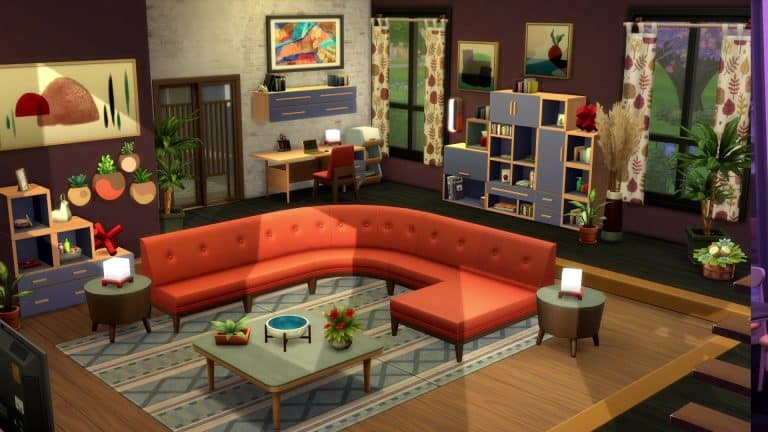
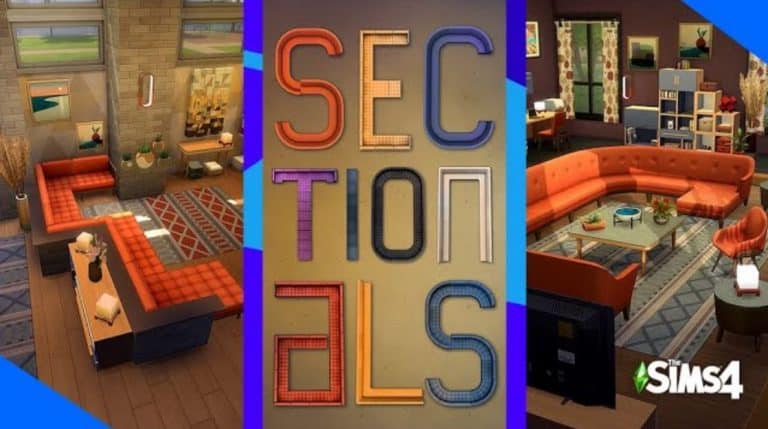
After the announcement of The Sims 4 Dream Home Decorator Game Pack many were drawn to the new Sectional Sofas feature, which lets you place down modular sofas in multiple shapes and forms.

Screenshot 2021 05 26 at 14.11.18

Although the feature brings in new User Interface elements and mechanics to the game it’s been confirmed that the Sectional Sofas will be exclusive to The Sims 4 Dream Home Decorator Game Pack.

SimGuruFrost confirmed this in a tweet reply below:

Still, there is an emphasis on the word currently. Frost confirmed that we potentially might get to see Sectional Sofas in future DLC content as well:

Just like with Hot Tubs from Perfect Patio, or Bicycles that were first introduced with Discover University, this new object design might make a comeback in upcoming content. We’ll have to wait and see though but until then there’s a lot of Sectional Sofa designs that we’ve seen in Dream Home Decorator that have been covered!

The Sims 4: New Previews and Info on CAS Preferences

0

In yesterday’s official livestream for The Sims 4 Dream Home Decorator Game Pack The Sims Team has officially shared the news that Like and Dislike Preferences will be coming to the Base Game for free!

The Base Game Preferences that will be included are Favorite Colors, Favorite Music and Favorite Hobbies and Interests. The category that’s exclusive to Dream Home Decorator Game Pack is the Favorite Decor, which will only be available for ages Teen and older.

SimGuruConor shared a few new sneek peaks at the upcoming Preferences. What’s interesting is that this feature will retroactively incorporate existing Music and Hobbies / Interests that we’ve gotten from previous Packs!

You can check out the previews for Music Preferences down below which feature music genres from previous DLC content:

The Sims 4: New Previews and Info on CAS Preferences

The Sims 4: New Previews and Info on CAS Preferences

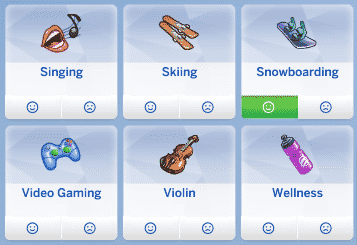
When it comes to Hobbies and Interests a lot of general activities will be included in the Menu. As you can see down below activities such as Singing (City Living), Skiing and Snowboarding (Snowy Escape) and Wellness (Spa Day) are included in the list. We can expect A LOT MORE on the list after tomorrow’s update though since a lot of hobbies were incorporated through previous packs!

The Sims 4: New Previews and Info on CAS Preferences

SimGuruConor also answered a few questions regarding the CAS Preferences. Sims won’t gain preferences or interests without your input first. You’ll be able to either manually asign them through Create A Sim or making your Sims enjoy in certain interests in Live Mode, which will prompt you to either Like or Dislike that certain activity.

When it comes to the feature potential of Preferences Conor stated that he’d love to see them expanded in the future. For now we’ll get the 4 Categories to choose from – if you count in The Sims 4 Dream Home Decorator Game Pack.

The Sims 4 Dream Home Decorator: Everything We Know So Far!

@SimGuruJill hosted today’s deep dive livestream into The Sims 4 Dream Home Decorator and there was lots to talk about! In case you missed the livestream, Sims Community has compiled all the information revealed in the stream in a handy condensed format, organized into categories!

So let’s get into it!

The Sims 4 Dream Home Decorator: Everything We Know So Far!

CAS

  • CAS pieces reflect the build style of the game; a balance between muted and flashy, with lots of pastels and floral patterns.
  • Clothing was inspired by a Scandinavian style.
  • New hair colours will be coming to the base game in the next patch.
  • Lots of effort went into making all the swatches pair nicely together.
  • New likes and dislikes for all Sims. The likes and dislikes system will also be a free update. More information on likes and dislikes further down.

Build/Buy

  • Buy Mode objects are also inspired by Scandinavian decor. Everything is designed to be mix and matchable; no combination of objects/swatches are going to look too out of place together.
  • New bunk bed functionality coming to the base game in a free update. More objects can be slotted under loft beds now in multiple directions, including desks, dressers, and double beds. The snappable configurations can be clicked and dragged around as one unit.
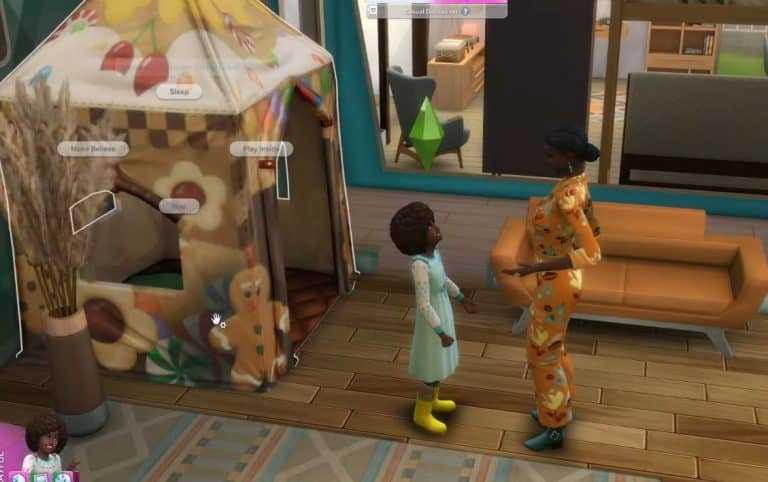
  • New play tent for both toddlers and children. Kids and toddlers can play and sleep in the tent. Adults can play monster and scare kids inside the tent.
  • Lots of new items to customize walk-in closets. Clothes are separate from the rack and can be snapped in and out. They have multiple variants. New shoe and shoe box clutter along with multiple modular shelving units to mix and match. The clothes function as dressers.
  • Two full kitchen sets that can be used on their own or mixed and matched together.
  • Two new countertop stoves; the stoves can be placed on any counter.
  • New countertop convection ovens that can cook any dish in the game that goes in an oven.
  • New built-in ovens that slot underneath counters.
  • New items for every room in the house so there’s new stuff to play with no matter what room you’re remodeling.
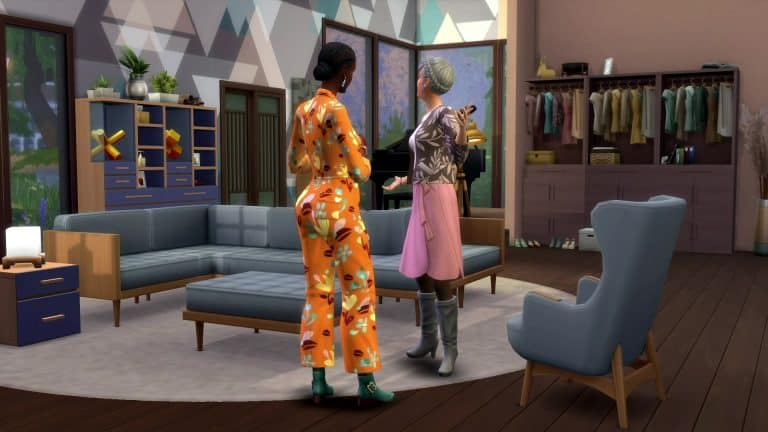
  • Lots and lots of modular furniture in this pack. Sofas, entertainment units, shelving, coffee tables.
  • The new modular seating has its own UI panel just like counters. There are eight different pieces for each modular couch that can be fitted together however you please, including a new chaise lounge that can be connected to couches.
  • New wall mounted TV stand that can have many different types of shelving units snap to it in any configuration you like.
  • Shelving and some floor surfaces are completely customizable. Snap as many different ones as you like together in any configuration. The entire unit can be moved by clicking and dragging the parent object. UI will let you know which object is the parent object if you hover over the configuration in case you forget.
  • Plenty of new clutter and wall art to decorate your shelves and walls.

Likes & Dislikes

  • Four different categories of likes and dislikes; colour, music genre, activities, and decor. The decor category is exclusive to this game pack but the other categories are base game.
  • You can choose multiples likes and dislikes in each category.
  • Kids also have likes and dislikes, minus the decor category.
  • You can select a maximum of 20 likes and dislikes.
  • There is a way to acquire more likes and dislikes through gameplay.
  • Likes and dislikes are not just throwaway details that have no impact in-game; they will affect many of your Sim’s day to day activities. Sims will lose fun at a faster rate while doing activities they dislike. The longer they’re forced to do it, the more tense and miserable they become.
  • Sims will not autonomously do activities they dislike.
  • Sims can complain about their dislikes and enthuse about their likes to other Sims. The other Sim’s reaction depends on their own likes and dislikes.
  • Sims can find out other Sims’ likes and dislikes through conversation.
  • If a Sim does an activity in a good mood, there’s a chance you can be prompted to select that activity as one of their likes.
  • Likes and dislikes can be edited anytime; you’re not permanently locked into the likes and dislikes you select.

Interior Decorator Career

  • Designers have a reputation bar as well as a performance bar. You must build your reputation to get high profile clients and bigger gigs.
  • Decorators have to look for gigs, similar to freelance careers; however, they do gain promotions like standard careers.
  • Different gig types:
    • Room Renos: Access to only one room in the building
    • Room Additions: Adding a new room to the existing foundation
    • Level Renos: Access to an entire floor of a building
    • Level Addition: Adding an additional floor onto a building
  • Low level designers don’t get as many likes/dislikes from their clients to work with. Progressing in the career unlocks more.
  • Designers can get both residential and commercial gigs.
  • Designers will get callbacks from previous clients they did a good job for; they might want your designer to come and do a larger project for them.
  • There are a total of 52 different gigs.
  • Clients have a budget you need to stick to when doing your renovations.
  • You can choose what household you’re going to and avoid renovating houses you already love and don’t want to touch.
  • Sims ask for renos based on their likes and dislikes. A Sim who likes painting might ask for a painting studio, for example.
  • When at a gig, designers should spend some time chatting with the client to find out their likes and dislikes.
  • Likes and dislikes for a gig are randomly pulled from the clients. Sometimes you get more useful likes and dislikes to work with than others.
  • If your clients are a family of Sims, their likes and dislikes might clash with each other and the game will randomly pick out likes and dislikes across all the Sims living there.
  • Designers must take before and after photos of the spaces they renovate. At least 3 photos must be taken but you can take as many pictures as you like. You get a copy of the photos to use however you like.
  • When you finish renovating a space for a gig, you can select your before and after reveal photos. When your client returns and sees the space, a cinematic montage will play using the photos you selected.
  • You can show off the new objects to the client and ask them for their thoughts on your renovation. Their opinion will be based on how well you paid attention to their likes and dislikes. Multiple Sims living in the same household may not all have the same opinion of your renovation.
  • Reputation has a big impact on what kinds of clients and gigs you can get. If you have high reputation but bombed a gig, that client might be willing to give you a second chance in the future.
  • Reputation doesn’t reset like performance when you get promoted. You carry it with you through your whole career.
  • Reputation is mostly built on how well you do on gigs but you can also help build your reputation by self promotion, writing design books and articles. You can catch the attention of brands and the Home Decor TV network, too.

Cross Pack Compatibility

  • If Cats & Dogs is installed, pets will sleep and hang out in the play tent.
  • If Vampires is installed, Vlad can ask you to renovate his home for him. According to SimGuruJill, it’s hilarious.
  • If Get Famous is installed, celebrities won’t hire your Interior Decorator Sims unless they have a high professional reputation. Your Sim will have to work harder to land gigs for those high profile clients.
  • All Build/Buy objects across all packs are integrated into this pack and will affect your clients and your gigs.
  • The likes and dislikes are integrated across all packs. You will have more options for likes and dislikes depending on which add-on packs you have installed.
  • You can get gigs for all residential worlds from all packs. Pack specific venues are compatible, like vet clinics.

Misc.

  • New Home Design TV channel with two comical renovation shows. Designers can watch this channel before a gig to get a Confident moodlet to help them at work. Non-designers will become Inspired from watching the Home Design channel.
  • The pack is a balance between Live Mode and Build Mode. The mechanics of the Interior Decorator career encourage builders to play in Live Mode and gameplay enthusiasts to play with Build Mode more.
  • If your Sims don’t have the full range of appliances (ie: a stovetop but not an oven), they won’t see recipes for the appliances they don’t own.

Dedicating the 8th anniversary of Sims Community

11

On May 21st our website turned 8 years!

That’s right, it’s been 8 years since Sims Community has been up and running to deliver the latest news, articles, information and more about The Sims Franchise!

Throughout these 8 years I’ve managed to learn a lot of things about running a website, met a lot of awesome friends and even perfected my English language. Yes, this is a passion project of mine that started right after I started high school, throughout which I learned many cool things about social media management, graphic design and even journalism. Who would’ve thought that so many cool things can be learned by simply running a Sims website?

I usually celebrate an occassion like this with fun giveaways and surprises here on this website and on social media but this year I didn’t have a lot of time to plan things out. In fact, you might’ve even noticed a slight decline in number of articles and videos created.

Previously I’ve always used this space to thank all of my friends, team members and great colleagues who’ve helped out with the site and given some amazing opportunities these last few years. However, this year I want to first thank and honor my late mother Snežana who passed away from COVID-19 on April 6th, 2021.

I know, this really might not be a typical Sims post or an article you’re used to on this space. Still, I want to use this space and thank my biggest supporter who actually got me into this franchise after gifting The Sims Life Stories – which was my ever Sims game!

She never really judged my hobbies or interests in The Sims and fully supported me in creating and running this website. She was impressed and amazed to see what it grew into and never doubted my ways of running it – even allowing me to spend some overtime on computer to finish Get Together Early Access coverage – even when I had 3 high school tests early that morning.

There’s a lot of lovely things I want to say about my mom so much that the website wouldn’t support this post’s word count. However, I know that she wouldn’t want me to drag this out too much.

Thank you so much for always being my biggest supporter.

Dedicating the 8th anniversary of Sims Community


I’ll still be creating articles and posting news about The Sims Franchise. However, it still might take some time for me to get back into livestreaming and video content. Don’t worry though, when I come back it will be more fun than ever for me to explore new Sims content and play the game with you guys. Still, I just need a little more time to do it on camera.

Until then I’ll be excitedly waiting for the upcoming Summer of The Sims and create article content for this website!

Thank you to Krista and SnarkyWitch who tremendously helped out with website coverage these last few weeks. And to my online friends and colleagues thank you for all the messages and support. ❤️

This year there won’t be a special giveaway or celebration, but expect a huge one in the next year!

Thank you for all the support throughout these last 8 years – let’s hope for at least 8 more now that there’s plenty of more years of content planned for The Sims!

Love,

– Jovan 💖

The Sims 4 Dream Home Decorator: 9 HQ Screens from the Latest Trailer

The Sims Team has just released a new Short that has given us another look at the new sectional sofas.

Even though it is a short trailer, we’ve extracted ten high quality images for you to take a closer look at and see if you can spot any new details!

Take a look at the gallery down below. Simply select an image of your choice to see it in bigger resolution!

The Sims 4 Dream Home Decorator: New Sectionals Short

The Sims Team shared a brand new short clip for The Sims 4 Dream Home Decorator Game Pack. Check it out!

The Sims 4 Dream Home Decorator: Official Livestream Replay

The Sims Team has just finished their official livestream for The Sims 4 Home Decorator Game Pack!

The full replay of the livestream is now up on their official YouTube Channel. Check it out!

The Sims 4: New Hair Colors Coming May 27th

0

A few weeks ago The Sims Team confirmed that they’ll be adding new Hair Colors to The Sims 4 in a Free Content Update. In today’s livestream they’ve confirmed the exact date of when we can expect the new Hair Colors – May 27th!

The Hair Color Update will include 6 new Hair Colors – ranging from new black, brown and blonde shades.

The Sims 4: New Hair Colors Coming May 27th

The team also confirmed recently that they’ve done some updates to the True Black Hair Color. You can check out the changes on this Hair Color in the photo below!

The Sims 4: New Hair Colors Coming May 27th

The upcoming Update will also be adding the newly-announced Likes and Dislikes.

The Sims 4 is getting Likes and Dislikes in a Free Content Update

12

ARTICLE UPDATE: It’s been confirmed in the livestream that the content update will be coming out on May 27th!

The Sims Team has just confirmed in an official livestream for The Sims 4 Dream Home Decorator that The Sims 4 is getting a new content update!

In this content update one of the new things included is a free update to Create A Sim – which adds Likes and Dislikes for each specific Sim that you play with and create in Create A Sim!

The Sims 4 is getting Likes and Dislikes in a Free Content Update

The categories of Likes and Dislikes included are:

  • Color
  • Music Genre
  • Activity
  • Decor (exclusive to The Sims 4 Dream Home Decorator Pack)

There are in total 20 Likes and Dislikes that you can assign to your Sim. It’s been confirmed in the livestream as well that Sims will be able to earn them throughout Live Mode gameplay too.

Down below you can also check out the options for each Likes and Dislikes categories:

The Sims 4 is getting Likes and Dislikes in a Free Content UpdateThe Sims 4 is getting Likes and Dislikes in a Free Content UpdateThe Sims 4 is getting Likes and Dislikes in a Free Content UpdateThe Sims 4 is getting Likes and Dislikes in a Free Content Update

The Likes and Dislikes Free Update should be released for The Sims 4 a few days before the release of The Sims 4 Dream Home Decorator Game Pack. We’ll keep you up to date as we know more!

The Sims 4 Dream Home Decorator: 10 HQ Screens from the Latest Trailer

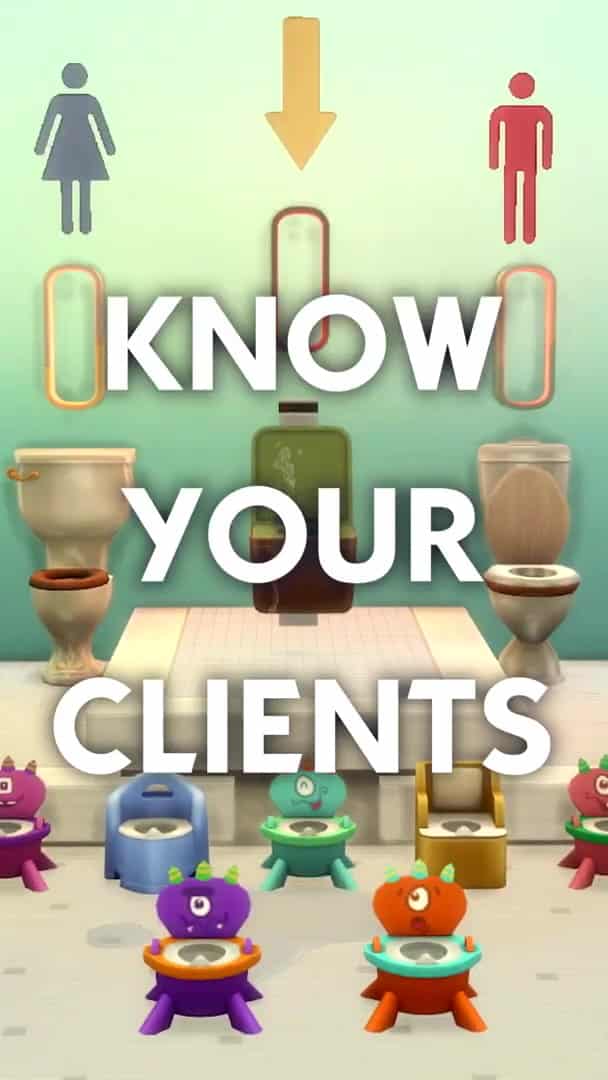
The Sims Team has just released a new Short that has given us a glimpse at how you get to know your clients.

Even though it is a short trailer, we’ve extracted ten high quality images for you to take a closer look at and see if you can spot any new details!

Take a look at the gallery down below. Simply select an image of your choice to see it in bigger resolution!