Home Blog Page 377

The Sims Mobile: Smartphone Wallpapers

2

To celebrate the announcement of a brand new Sims game – The Sims Mobile, I created some exclusive wallpapers for your smartphones!

These come in one resolution – 1440×2560 (9:16) and 2 variations – 3 wallpapers are for your lock screen and one is for your home screen background.

You can download them by clicking the wallpaper of your choice and selecting the “download” button on the bottom left corner.

Lock Screen

The Sims Mobile: Smartphone Wallpapers The Sims Mobile: Smartphone Wallpapers The Sims Mobile: Smartphone Wallpapers

Home Screen

The Sims Mobile: Smartphone Wallpapers

The Sims Blog: Build Your Sims Legacy On The Go With The Sims Mobile!

6

Via TheSims.com!

Electronic Arts and Maxis are super excited to announce that we are soft launching a brand-new mobile game we’ve been working on, The Sims™ Mobile! It is currently soft launching in Brazil exclusively, as we begin testing our game mechanics to prep for our global launch.

The Sims Blog: Build Your Sims Legacy On The Go With The Sims Mobile!

We have spent a long time working to make The Sims Mobile a game that you will absolutely love. We have also made sure to include many of your favorite features from The Sims and The Sims FreePlay, ranging from the ability to create incredible Sims and make whoever you want, and the tools needed to create and decorate an amazing house and many awesome venues, to the ability to experience wonderful relationships, and travel to different neighborhoods to actively engage in a variety of awesome careers and fulfilling hobbies.

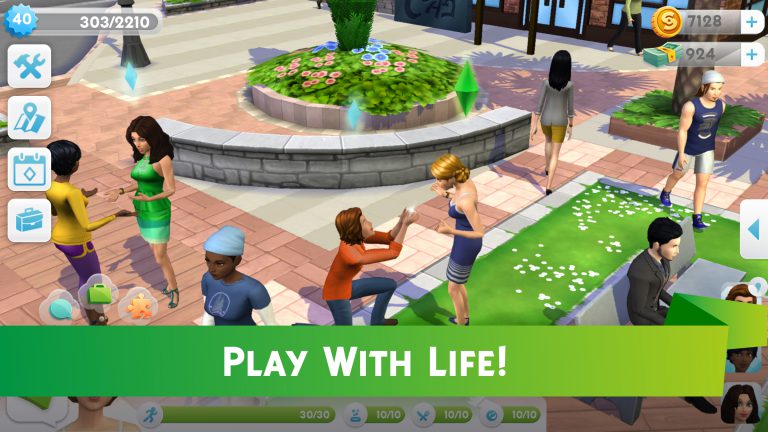
While The Sims FreePlay has produced an amazing 5 years of content, and will continue to do so alongside The Sims Mobile for Simmers everywhere to enjoy, The Sims Mobile is a fun addition to the The Sims family where you can let your creativity run wild by crafting your story, building your legacy, and ultimately, playing with life!

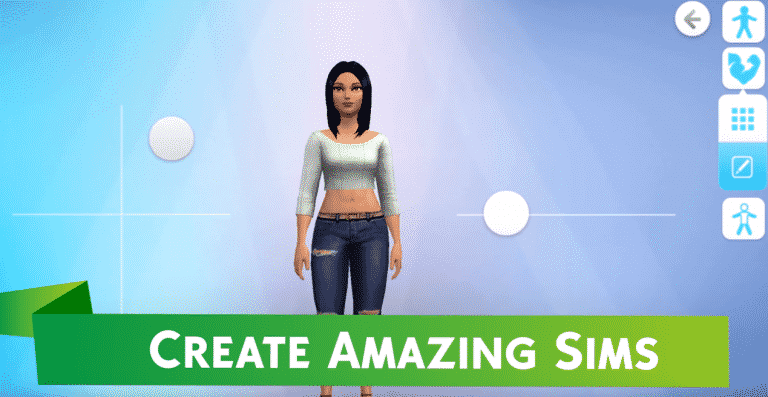
Create Amazing Sims
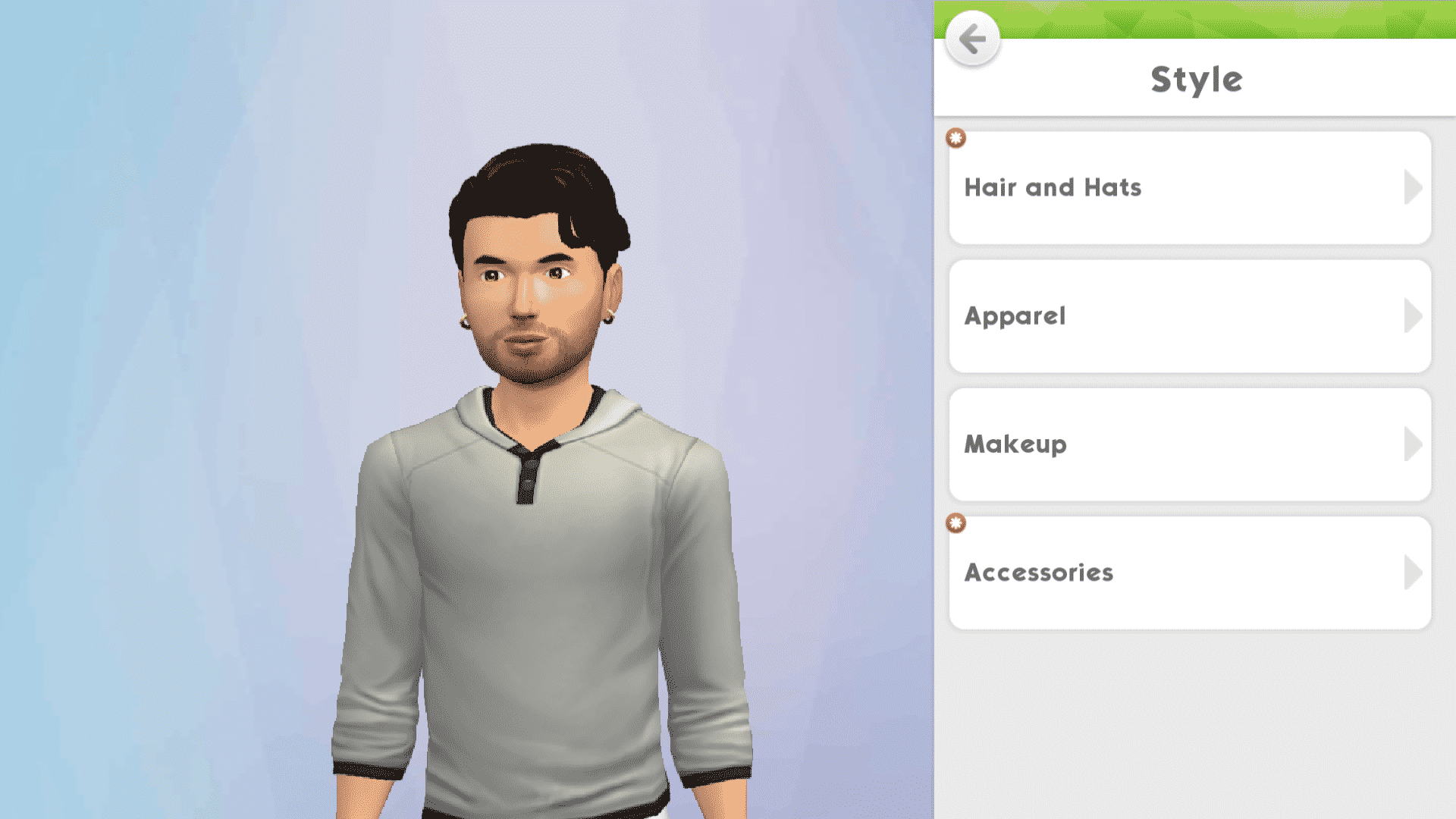
Being able to create a very customized and unique Sim is core to every The Sims experience. In The Sims Mobile, we’ve worked hard to deliver a high quality Create-A-Sim that our Simmers will love! From the width of the nose to the arch of a brow, every detail can be customized. And don’t forget to outfit your Sims with sleek styles, cool hair, and trendy accessories. Finally, top off their look with glamorous makeup to create your dream Sim.

Build A Fantastic Home
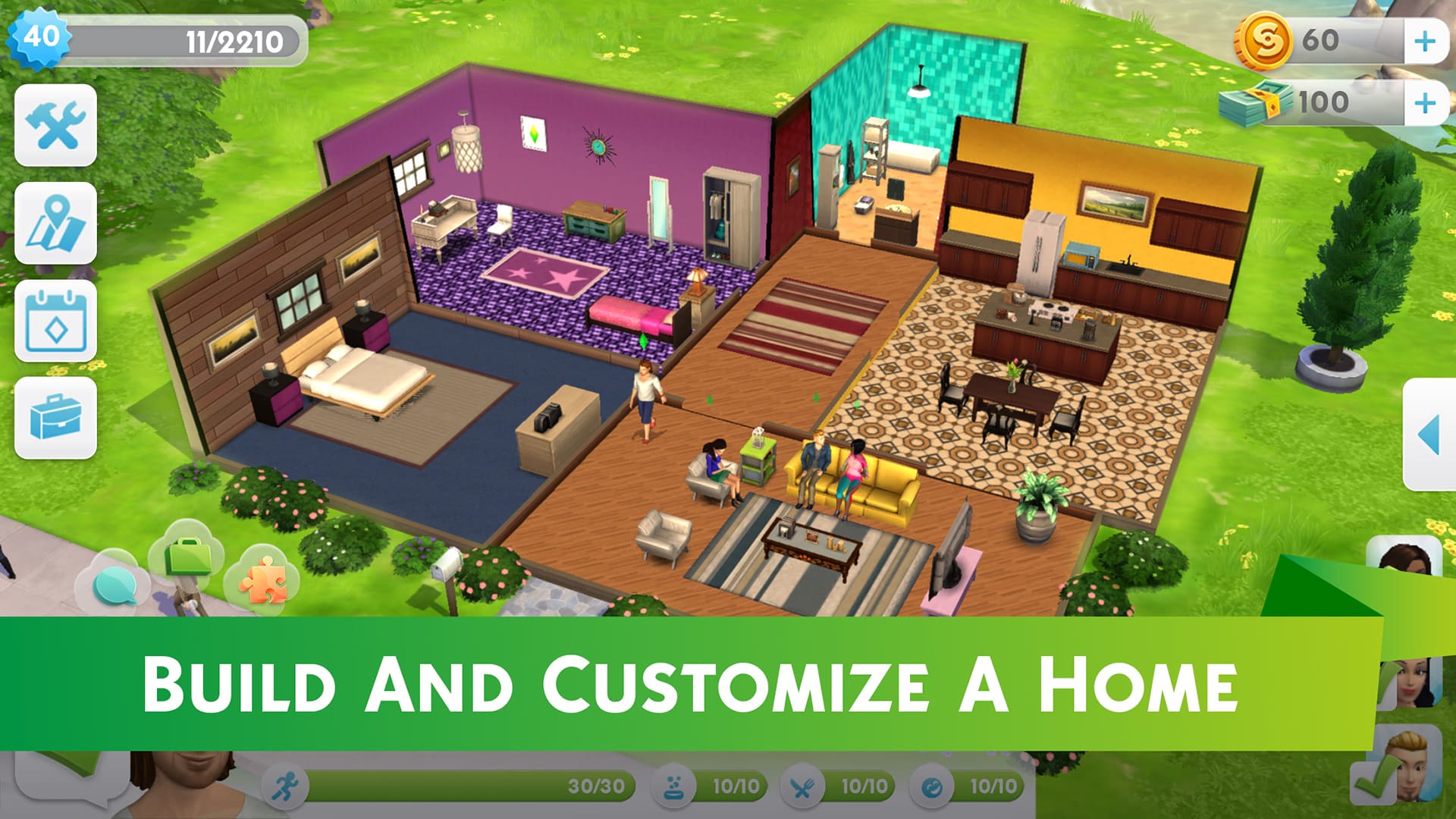
In The Sims Mobile, your home is your base. It is where you collect and show off your heirlooms, career rewards, and personal impeccable style choices. Build the home of your Sim’s dreams by shaping the rooms, placing windows and doors, and experimenting with color and light. Play with shades of paint, wallpaper, or exposed brick to create an environment in which your Sims will flourish. Finish it off with some expertly placed furnishings and decor and BAM, you’ve got a house that will be the envy of all your neighbors!

Shape Your Sims’ Legacy
Building on the great foundation of The Sims, The Sims Mobile focused on a number of key innovations; the first is your Sims’ legacy. This is an idea we got from you, our wonderful Simmers! The Sims Mobile is a generational game; your Sims have life goals to achieve, and the more they complete during their lifetimes the better the quality of the heirloom they will leave behind when they retire. Heirlooms open up a world of possibilities for future generations of Sims – like new careers, new hobbies, excellent perks for both you and your Sims, and many other super fun opportunities.

Play Together
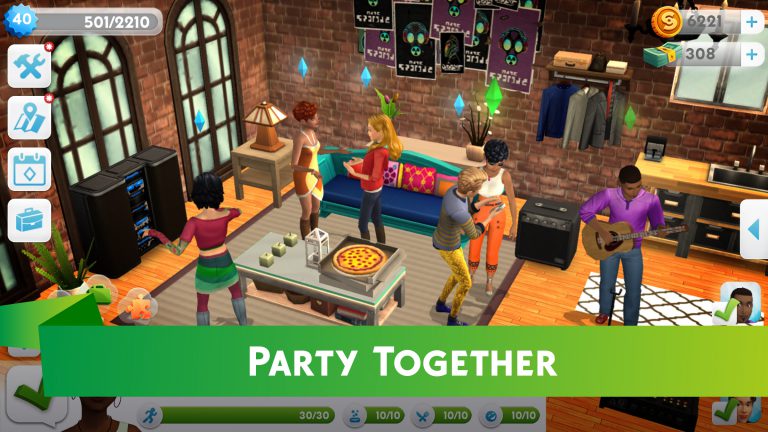
Another key innovation is playing with friends – the ability to share and add to the experience of creating a legacy with people who love The Sims as much as you do. Parties are an important part of the game and you can choose to attend parties with your real life friends! You can even develop relationships with other people’s Sims and have them eventually move in and live with your Sim. The type of relationship remains private so you can tell whatever story you like, what is shared is the relationship progress – so a friend might be telling a love story with your Sim, but you may be telling the story that our Sims are enemies. There is so much fun to be had at parties!

We are so excited to be able to finally get this into players’ hands! As we mentioned, we are starting with Brazil, but will be coming soon to many other places around the world. Check out www.thesims.com/mobile to be kept up-to-date and learn more about The Sims Mobile.

Be sure to let us know what you think in our The Sims Mobile forum! We can’t wait to hear from all of you.

Happy Simming!

The Sims 4: 33% more active players in the last 4 months

The Sims 4: 33% more active players in the last 4 months

Electronic Arts has just issued their report for the 4th quarter of 2017’s fiscal year, which lasted from January to April. In this report Andrew Wilson, EA’s CEO and Blake Jorgensen, EA’s CFO have mentioned The Sims 4 and The Sims Franchise in general a couple of times and how players were unexpectedly a lot more active in the last 4 months (which probably has something to do with the Toddlers update). Here’s what they said about The Sims 4 and the upcoming mobile game, The Sims Mobile:

  • Our Sims franchise continues to expand one of the broadest and most demographically diverse player bases in our portfolio. The Sims 4, now two and a half years since launch, saw monthly active players increase 33% year-over-year in Q4. With a total of seven downloadable content packs delivered throughout the year, as well as game updates that offered more choice and fan-requested features, The Sims 4 community is thriving.
  • Expansion Packs for The Sims 4 also made a strong contribution. Our ability to engage players through live services and events continues to drive strong growth and deliver dependable on-going sales.
  • On mobile, our Sims franchise has been a genre leader since launch, and this year we’re going to deliver a brand new, deeply social experience for this wide-reaching global community.
  • Our mobile business is expected to grow 5% to 10%, led by the new Sims experience and continued growth from FIFA Mobile, NBA LIVE Mobile and Star Wars: Galaxy of Heroes.
  • At our core, we are a creative company. We are game makers that love to capture the imagination and make extraordinary entertainment possible for our players. We are also unique in that we have a unified, world-class technology platform and engine that provide the backbone of our network. Our studio teams are leveraging more sophisticated data and insights, secure and scalable infrastructure, and new game services, combined with the immense capabilities of our Frostbite engine to create unprecedented new experiences. This is how we can combine the expertise of multiple studios to deliver the massive new Star Wars Battlefront II. It powers our ability to continually deliver more fun and new content to deepen player engagement in The Sims 4. It enables us to launch more major franchises and build communities in mobile. And it will position us to lead new opportunities with AR & VR and streaming in the future.

The Sims Mobile: Important Facts and Info

22

We got some hands on The Sims Mobile and here are some of the interesting information about the game that you might be interested in. This list will be updated in the next few hours as I collect more information about the game!

Please note that the game is not yet out worldwide so some features / graphics mentioned or seen down below may subject to change.

CAS

  • The game is free for downloading on the Google Play (Android) and App Store (iOS). Currently, it’s only soft launched in Brazil but it’ll soon be available worldwide.
  • The game functions like a live service. Game updates are done in-game and you can play the game while some required content is being downloaded.
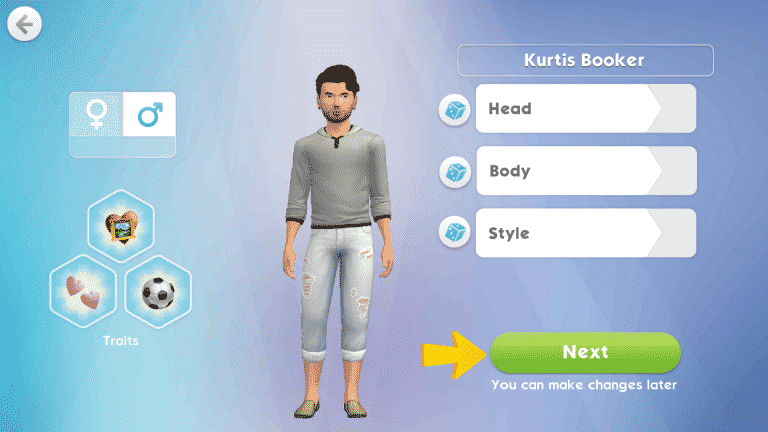
  • You start off in Create A Sim. CAS has all the basic things to make your Sim look and feel unique, including traits, name, gender, skin tones, face and body shape customization and clothing.
  • CAS has the “push and pull” customization technique with buttons that you slide across the screen. You still get presets if you’re too lazy to do all that customization.
  • Traits
    • Artsy
    • Athletic
    • Flirty
    • Geek
    • Logical
    • Musical
    • Leader (Requires the Leadership Charm)
    • Confident (Requires the Confident Lumberjack Charm)
    • Charismatic (Requires the Charismatic Dragon Charm)
    • Daredevil (Requires the Daring Dolphin Charm)
    • Perfectionist (Requires Player Level 5)
    • Prankster (Requires the Prankster Charm)
    • Ambitious (Requires the Ambitious Charm)
    • Lucky (Requires the Lucky Doves Charm)
    • Party Animal (Requires the Raver Charm)
    • Irresistible (Requires the Seductive Swans Charm)
    • Fearless (Requires the Brave Bear Charm)
    • Evil (Requires the Evil Clown Charm)
    • Good (Requires the Pillar of Grace Charm)
    • Visionary (Requires the Visionary Charm)
    • Brilliant (Requires the Brilliant Elephant Charm)
    • Dramatic (Requires Player Level 3)
    • Foodie (Requires Player Level 3)
    • Goofball (Requires Player Level 3)
    • Outgoing (Requires Player Level 3)
    • Shy (Requires Player Level 3)
  • There’s a limited amount of hairstyles and clothing when you first start off the game. There are lots of hair colors to choose from!

Live Mode

  • Doing actions earns you XP. Earn enough XP points to increase your Player Level!
  • The Sims Mobile Map is unlocked as you progress through the game.

The Sims Mobile: Important Facts and Info

  • Chatting with a Sim grants you relationship points. You’ll get in better relations with another sim as you collect more of these points.
  • There are Events that you can trigger. For example, there are social events that can help you earn a new relationship status with another Sim or just a career event during which you perform actions required by your career. If you manage to fill the pink event star before the time runs out (usually it’s 5 minutes) you get a reward.
  • Unlike in The Sims, the needs don’t decay with time but with actions. For example, doing a certain interaction may cost you a few energy points and a hunger point. This, of course, is just an example.
  • Just like in The Sims FreePlay, most actions are real-time.
  • Unlike in The Sims FreePlay which relies exclusively on The Sims 3 and sound effects, The Sims Mobile has new soundtrack.
  • If your smartphone is fast enough, you won’t even feel the loading screen between venues. For example, it literally took me a second to load up the park on my phone.
  • The careers in The Sims Mobile are active. As a barista during your Career Event you’ll have to keep a close look on your customers!
  • Actions can be sped up by paying SimCash.
  • Here are all the SimCash and currencies that you can purchase using real money:
  • There are Sim wishes that you can fulfill and earn XP and then there are life goals which will help you earn valuable Lifetime Points.

SimGurus talk about The Sims Mobile

2

The Sims Mobile – an upcoming mobile game developed by Maxis Studio for iOS and Android devices has just been announced. SimGurus wanted to share some details about who’s behind this project, as well as other interesting dev information that you might care about.

The Sims Mobile – Trailer #2

14

The Google Play Store revealed the trailer for The Sims Mobile. Is that a possible theme song for TSM that we hear in the background? 🙂

The Sims Mobile: First Look at the Map

6

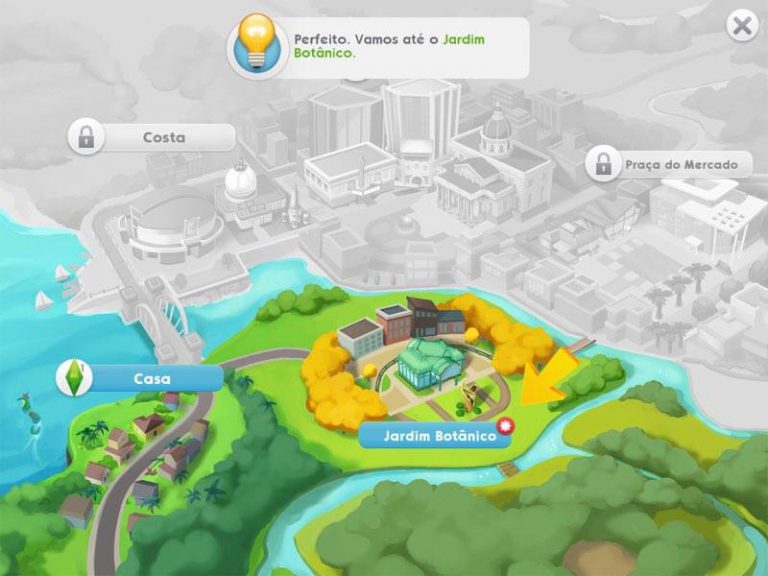
The Sims Mobile is already out in Brazil and The Sims Style has managed to grab a screenshot of the world map in the game.

By the looks of it, some locations will unlock as you progress through the game.

  • Casa = House
  • Costa = Coast
  • Jardim Botânico = Botanical Garden
  • Praça do Mercado = Market Square

The Sims Mobile: First Look at the Map

The Sims Mobile NOW AVAILABLE in Brazil!

0

The Sims Mobile can now be downloaded in the Google Play store, considering you’re currently located in Brazil. The purpose of this soft launch of The Sims Mobile is to test out the game and fix all the bugs before the game goes live worldwide.

If you’re currently living in Brazil make sure you share some interesting gameplay screenshots with us by tweeting us @TheSimCommunity!

Click below to be directed to The Sims Mobile Google Play page!

The Sims Mobile NOW AVAILABLE in Brazil!

The Sims Mobile – Official Renders

0

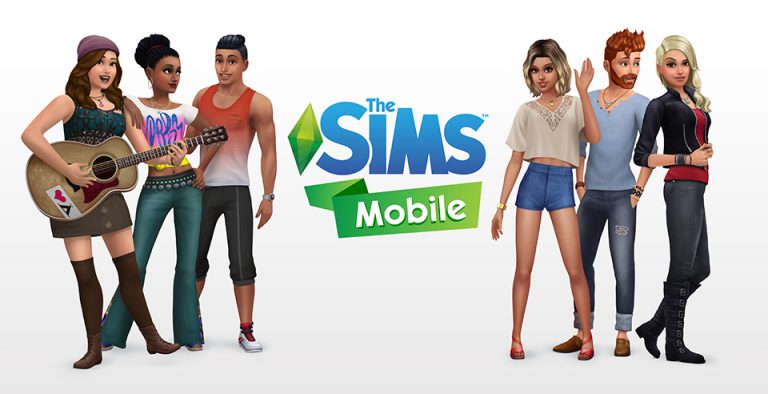
The Sims Team sent us these awesome new renders for The Sims Mobile. Check them out!

The Sims Mobile – Frequently Asked Questions

28

The Sims Mobile – Frequently Asked Questions

The Sims Team sent us some frequently asked questions related to their brand new mobile game – The Sims Mobile!

The Sims Mobile 101! (Frequently Asked Questions)

What is The Sims Mobile?

Play with life in The Sims Mobile! Create your Sims, give them unique personalities, and customize their homes with more detail than ever before on mobile. Interact with other Sims to form relationships and unlock rewards. Experience your Sims’ lives as they accomplish career goals, party with friends, and fall in love. What stories will you tell? The legacy your Sims leave behind starts today.

Who develops The Sims Mobile?

The Sims Mobile is developed by Maxis Studios, creators of The Sims and SimCity.

What do you do in The Sims Mobile?

CREATE AMAZING SIMS
Customize your Sims with distinct appearances, hairstyles, outfits, and accessories. Add different personality traits and choose their life goals from careers like Fashion Designer, Club DJ, and Doctor, to hobbies like Cooking, Guitar Playing, and Writing.

BUILD A FANTASTIC HOME
Design your Sims a home where they can experience all that life has to offer. Effortlessly personalize home layouts and designs, choosing from a variety of furniture, appliances, decorations, and more. Unlock activities like making tacos or thinking in the shower, and decorate with item combination to access unique actions like snuggling on the couch with your sweetheart. Plus, unlock fun venues like a fashion studio, restaurant, and nightclub and customize their layouts.

SHAPE YOUR SIMS’ LEGACY
You have the power to shape your Sims’ families over multiple generations. When your Sims accomplish their career goals and retire, you’ll be rewarded with Heirlooms that unlock hobbies and careers for future generations, allowing new Sims to tell deeper stories. A grandfather’s success as a local politician may open the path for his granddaughter to be governor, or even president. A mad scientist uncle could inspire his nephew to become an astronaut.

PLAY TOGETHER
Host and attend parties with other Sims where you can socialize, show off your amazing house, earn rewards, develop romantic relationships, and even decide to move in with other people’s Sims. Sims can also join big moments like The Alien Arrival. There are endless ways to make choices and connections!

Fall in love, start a family, pursue dream careers, and fulfill aspirations and wishes. Have fun your way in The Sims Mobile!

Is this The Sims 4 on Mobile?

The Sims Mobile provides a completely new mobile experience in the Sims universe.

Is The Sims Mobile replacing The Sims FreePlay?

The Sims Mobile and The Sims FreePlay are entirely separate games, each with their own unique experience, and will exist together in App Stores. The Sims FreePlay will sit side-by-side with The Sims Mobile to bring you the ultimate The Sims experience!

When will The Sims Mobile be available?

The Sims Mobile is coming soon to territories worldwide. Stay tuned for more updates!

What territories will The Sims Mobile be soft launched in first?

The Sims Mobile is currently soft launched in Brazil exclusively.

Is The Sims Mobile free-to-play or a premium app?

The Sims Mobile is free to download from your Apple App Store and Google Play Store.

What devices/platforms can you play it on?

We will be supporting devices with iOS 9.0 and above, as well as devices with Android 4.1 (Jelly Bean) and above.

Where can I go to find information on The Sims Mobile?

For the latest details and breaking news on The Sims Mobile check out our site (www.thesims.com/mobile) and make sure you’re part of our The Sims Mobile forum (http://forums.thesims.com/en_US/categories/the-sims-mobile) to get the ultimate scoop!

The Sims Mobile – 5 New Screens!

0

5 exclusive screens of The Sims Mobile provided to us by The Sims Team. Check them out!

The Sims 4 Game Pack 5: First Look by SimGuruNinja!

50

SimGuruNinja updated his avatar with a Sim which appears to be having some pimples on his face. This is probably our first look at a Family-themed Game Pack for The Sims 4, which should be arriving this spring!

The Sims 4 Game Pack 5: First Look by SimGuruNinja!

ANNOUNCING THE SIMS MOBILE!

The Sims Team has just revealed to us that The Sims Mobile is coming soon to App Store and Google Play worldwide!

The Sims Mobile will be soft launching on the Apple App and Google Play Stores in Brazil shortly.

In The Sims Mobile, we’ve included a bunch of the features you know and love from both The Sims 4 and The Sims FreePlay, as well as introduced some brand-new features, including creating and customizing Sims, building their homes, shaping your Sims’ legacy, and playing together with friends!

You can check out the trailer for The Sims Mobile down below and learn more about this game by checking out the Frequently Asked Questions post!

The Sims 4 Creative Construction: Roof Balcony DIY

the sims 4 building, the sims 4 build, the sims 4 build tutorial, tutorial, roof balcony, sims building, the sims buildingHello Simmers!

Welcome to the second instalment of a series that I’m going to call ‘Creative Construction’ while building in The Sims 4.

Custom content exists and is a huge part of the way some people play the game, which help to add specific objects not available in The Sims 4 to date. That’s great, but what about people who don’t want to mod in new meshes and want to keep their game strictly vanilla? Well, you’ve come to the right place! Each post in this series is a mini-tutorial which will show you how to combine items and create something not available in the game!

Roof Balcony

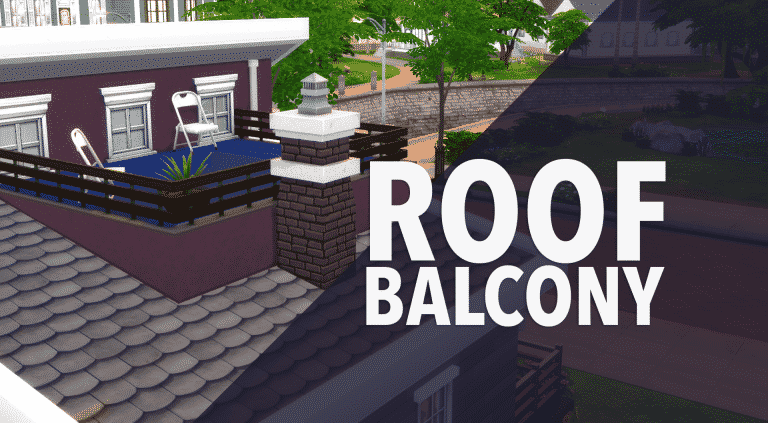
Disclaimer: This balcony is pretty, but non-functional.
I love to combine objects together for the Sims to enjoy, however there are times where I make something which is purely aesthetic and not necessarily useful. Thus, my roof balcony was formed.

This is a pretty easy tutorial, especially for those who don’t want a lot of steps. It mostly emerged from me feeling like this build needed something extra up top, so I thought I should share how it’s done with the community!

Make sure to have the bb.moveobjects cheat enabled!

the sims 4 building, the sims 4 build, the sims 4 build tutorial, tutorial, roof balcony, sims building, the sims buildingUsing the wall tool, draw a three sided room on the top level. Replace full walls with half walls and use a fence top cap. (below)

the sims 4 building, the sims 4 build, the sims 4 build tutorial, tutorial, roof balcony, sims building, the sims building

Colour the sides to match your existing house. Since we cannot add a floor, we can impose a bottom into the area to look like one.
In the pool section, grab the ‘Lap Guides’ and nudge them up in place. Do this by selecting the item and using the ( 9 ) key on your keyboard. This is a technique I learned from The Sim Supply.

the sims 4 building, the sims 4 build, the sims 4 build tutorial, tutorial, roof balcony, sims building, the sims building

the sims 4 building, the sims 4 build, the sims 4 build tutorial, tutorial, roof balcony, sims building, the sims building

Resize using the keys ( [ ) and ( ] ) on your keyboard. Two fit great for my build, slightly overlapped in the middle.

the sims 4 building, the sims 4 build, the sims 4 build tutorial, tutorial, roof balcony, sims building, the sims building

Add some furniture, plants, or whatever you want with the ( 9 ) and ( 0 ) keys to place them in place. Your sim won’t be able to come up here, so don’t add anything crucial!

the sims 4 building, the sims 4 build, the sims 4 build tutorial, tutorial, roof balcony, sims building, the sims building

Try it out! Feel free to tweet me a screenshot of your creations!

Check out my livestreams daily on twitch.tv/holliebb

the sims 4 building, the sims 4 build, the sims 4 build tutorial, tutorial, roof balcony, sims building, the sims building

The Sims 4 Mod: Social Media Career For Teens

4

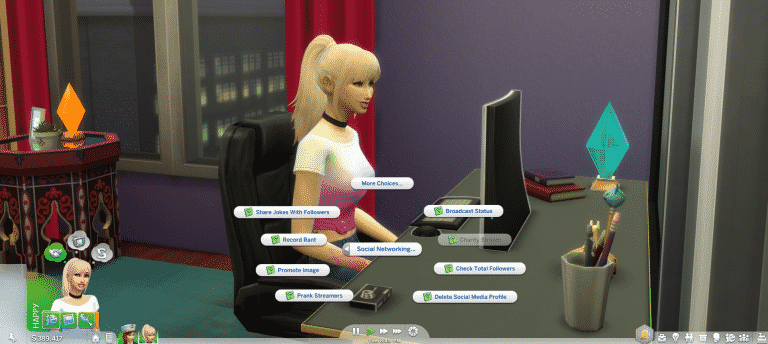
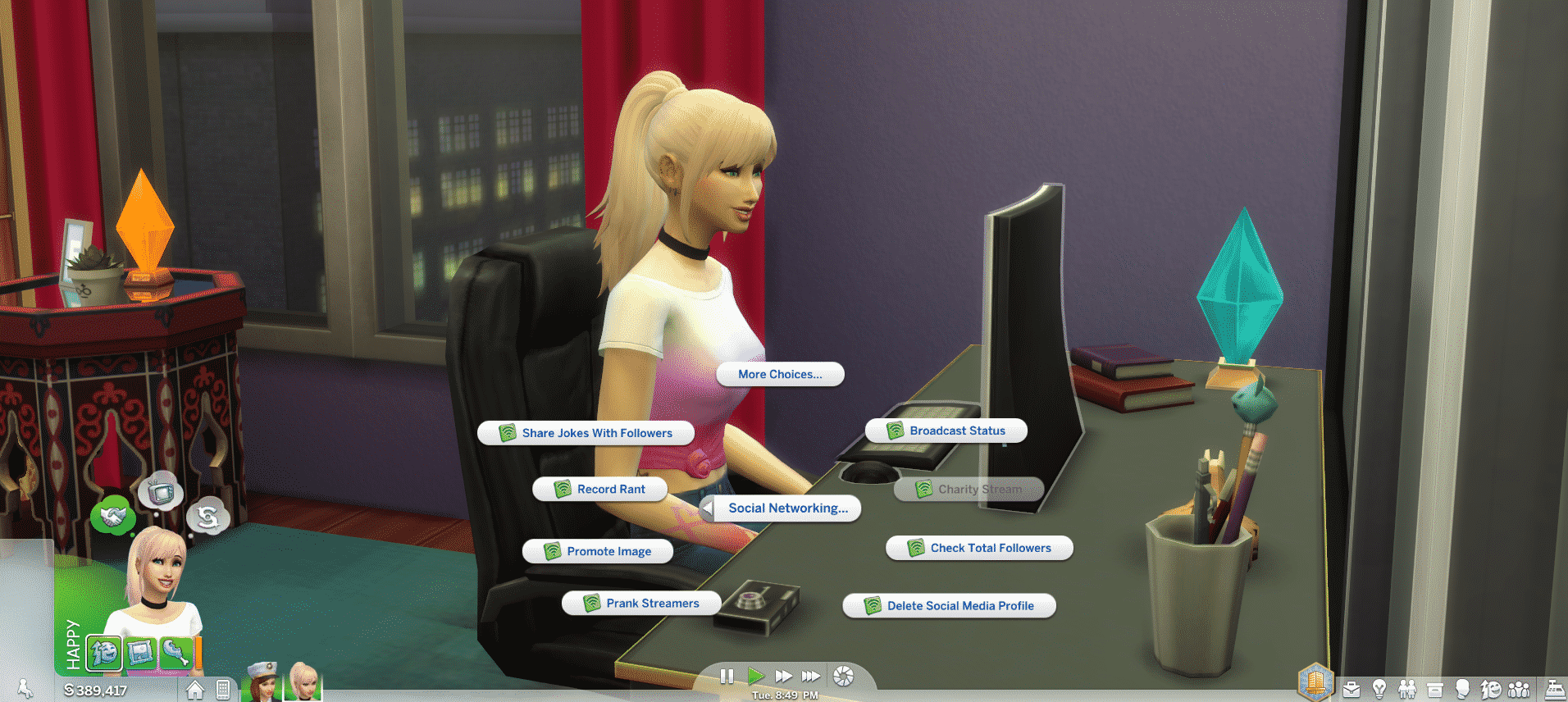
Popular The Sims 4 modder TwistedMexi is back again with a new mod which allows teen Sims be a part of the Social Media career which was added as part of the City Living expansion. Of course you might be thinking “how does that work if Teens have school?” Don’t worry it’s all covered! All you have to do is select the ‘work from home option’ and you won’t miss school. Just make sure you complete your homework as normal as that also helps with your reputation.

The Sims 4 Mod: Social Media Career For TeensTo download TwistedMexi’s Social Media Career for Teens mod click the button below!

[mks_button size=”large” title=”DOWNLOAD!” style=”rounded” url=”http://www.modthesims.info/d/593790″ target=”_blank” bg_color=”#1e73be” txt_color=”#FFFFFF” icon=”fa-arrow-down” icon_type=”fa” nofollow=”0″]